

Recensione monday dev: Pro, Contro, Caratteristiche e Prezzi Spiegati
Nella mia carriera, ho utilizzato molti strumenti di gestione dei prodotti, incluso monday dev. In questa recensione approfondita, valuterò i prezzi dello strumento, le alternative, i pro e contro, il pubblico di riferimento e molto altro.

Recensiamo gli strumenti in modo indipendente e le commissioni aiutano a finanziare i nostri test. Consulta la nostra politica sulla trasparenza, la nostra metodologia oppure suggerisci uno strumento.
monday dev is a product management tool built for software product and engineering teams that need to connect roadmaps, sprints, and backlogs in one place. If your team wants dev-specific workflows—bug tracking, sprint planning, release management—without the configuration overhead that comes with Jira, monday dev is worth a close look. It gives you a visual, flexible workspace that's easier to tailor to your process without needing a dedicated admin to maintain it.
monday dev Evaluation Summary
4.6/5
- From $9/month (billed annually)
- Free trial available
Perché fidarsi dei nostri consigli sui software
6,700+
Reviews
20
Industry experts
16+
Evaluation factors
14
Years
Il nostro team testa e recensisce software dal 2012. In quanto product manager noi stessi, sappiamo quanto sia difficile — e importante — scegliere il software giusto.
Per questa guida, abbiamo valutato gli strumenti attraverso test pratici e ricerche indipendenti, assegnando un punteggio agli strumenti in base ai nostri criteri di selezione.
Le nostre recensioni riflettono il nostro giudizio editoriale umano, non un discorso di vendita.
Revisori esperti:
- Andrew LumbySenior TPM
- Cristiano ValimSenior UI/UX Lead


monday dev Overview
monday dev offers a highly visual, customizable interface and strong integration options, making it a top pick for teams prioritizing flexibility and ease of onboarding. Its automation features and template library simplify setup, while responsive support helps users get started quickly.
Pricing is competitive for mid-sized teams, though advanced reporting and granular permissions may lag behind some alternatives. If you’re judging options for cross-functional collaboration or need to adapt workflows without heavy admin overhead, monday dev is a strong contender—especially for SaaS, product, and engineering teams seeking a balance of usability and depth.
Pros
- You can create forms that live within your project as a view.
- Its integrated proofing feature allows you to add comments to any attached file.
- Automations are easy to create and require no coding.
Cons
- The Gantt view is not useful to build a project.
- Subtask columns do not replicate task structure, needing more customization.
- Training videos have the old UI, making it confusing when learning the tool.
Is monday dev Right For Your Needs?
Who Would be a Good Fit for monday dev?
monday dev is perfect for agile tech teams in startups and IT departments looking for customizable workflows. Its easy-to-use automations and integrated proofing help your team streamline tasks without needing coding skills. Marketing teams also benefit from its form creation feature, which allows you to gather data directly within projects. If your team thrives on visual project management and needs flexibility, monday dev’s adaptable interface and seamless communication tools make it a strong choice.
- Tech StartupsYou’ll benefit from monday dev’s flexible project views and integrations that cater to fast-paced environments.
- IT DepartmentsUse monday dev’s automation features to reduce repetitive tasks and keep your projects moving efficiently.
- Marketing TeamsYou’ll find value in its form creation and proofing tools, which streamline campaign management.
- Creative Agenciesmonday dev’s visual layout and task comment features enhance collaboration on creative projects.
- Small BusinessesIts user-friendly interface and quick onboarding are ideal for teams needing a scalable solution.
- Project ManagersYou’ll appreciate the customizable dashboards that provide real-time insights into your project’s progress.
Who Would be a Bad Fit for monday dev?
Large enterprises with complex project hierarchies might find monday dev lacking in advanced Gantt chart capabilities. If your team relies heavily on detailed task dependencies and extensive subtask structures, you could encounter limitations. Teams needing a highly detailed, structured approach to project management may struggle with monday dev’s focus on flexibility and visual management rather than depth in hierarchical task planning.
- Large EnterprisesYou might find its Gantt view insufficient for managing complex project hierarchies.
- Construction Companiesmonday dev’s lack of detailed task dependencies can hinder projects with intricate timelines.
- Legal TeamsIts visual and flexible setup may not align with your need for linear, document-heavy workflows.
- Finance DepartmentsYou could find its task tracking less suited to the precise data management your work demands.
- Manufacturing FirmsThe absence of detailed task replication could limit efficiency in your structured processes.
- Engineering TeamsYou’ll miss advanced dependency tracking necessary for technical project planning.
Come Testiamo e Valutiamo gli Strumenti
Abbiamo passato anni a costruire, perfezionare e migliorare il nostro sistema di test e valutazione del software. Il nostro metodo è stato progettato per cogliere le sfumature della selezione del software e ciò che rende efficace uno strumento, concentrandosi sugli aspetti critici del processo decisionale. Qui sotto puoi vedere esattamente come funzionano i nostri test e la nostra valutazione suddivisa in sette criteri. Questo ci consente di offrire una valutazione imparziale del software sulla base delle funzionalità principali, delle caratteristiche distintive, della facilità d’uso, dell’onboarding, dell’assistenza clienti, delle integrazioni, delle recensioni dei clienti e del rapporto qualità/prezzo.
Funzionalità Principali (25% del punteggio finale)
Il punto di partenza della nostra valutazione sono sempre le funzionalità principali dello strumento. Possiede le funzioni di base che un utente si aspetterebbe di trovare? Alcune di queste sono riservate ai piani tariffari più alti? Ci aspettiamo che uno strumento rispetti almeno le funzionalità di base dei competitors.
Caratteristiche Distintive (25% del punteggio finale)
Successivamente, valutiamo le caratteristiche distintive e non comuni che vanno oltre le funzioni di base normalmente riscontrate in strumenti simili. Un punteggio alto indica funzionalità specializzate o uniche che rendono il prodotto più rapido, efficiente o forniscono un valore aggiunto all’utente. Valutiamo anche la facilità con cui si possono integrare altri strumenti solitamente presenti nella stack tecnologica, ampliando così funzionalità e utilità del software. Gli strumenti che offrono molte integrazioni native, collegamenti di terze parti e accesso API per integrazioni personalizzate ottengono i punteggi migliori.
Facilità d’Uso (10% del punteggio finale)
Consideriamo quanto sia rapido e semplice eseguire le attività definite dalle funzionalità principali tramite lo strumento. Il software con il punteggio più alto è ben progettato, intuitivo da usare, offre app per dispositivi mobili, modelli preimpostati e semplifica anche le attività più complesse.
Onboarding (10% del punteggio finale)
Sappiamo quanto sia importante una rapida adozione da parte del team, quindi valutiamo quanto sia facile imparare ad usare lo strumento con una formazione minima. Valutiamo la velocità con cui un membro del team può configurarsi e iniziare a utilizzare lo strumento senza esperienza. Le soluzioni con punteggio più alto richiedono poco o nessun supporto.
Assistenza Clienti (10% del punteggio finale)
Osserviamo quanto sia facile e veloce ottenere supporto tramite telefono, chat dal vivo o knowledge base. Gli strumenti che offrono supporto in tempo reale ottengono punteggi più alti, mentre i chatbot ricevono i punteggi peggiori.
Recensioni Clienti (10% del punteggio finale)
Oltre ai nostri test e valutazioni, consideriamo il net promoter score di clienti attuali e passati. Valutiamo la probabilità che scelgano nuovamente lo strumento in base alle funzionalità principali. Un software con punteggio elevato riflette un net promoter score alto.
Rapporto Qualità/Prezzo (10% del punteggio finale)
Infine, considerando tutti gli altri criteri, confrontiamo il prezzo medio dei piani base con le funzionalità principali, esaminando il valore degli altri criteri di valutazione. Il software che offre di più, a meno, otterrà un punteggio maggiore.
Core Features
Visual Boards
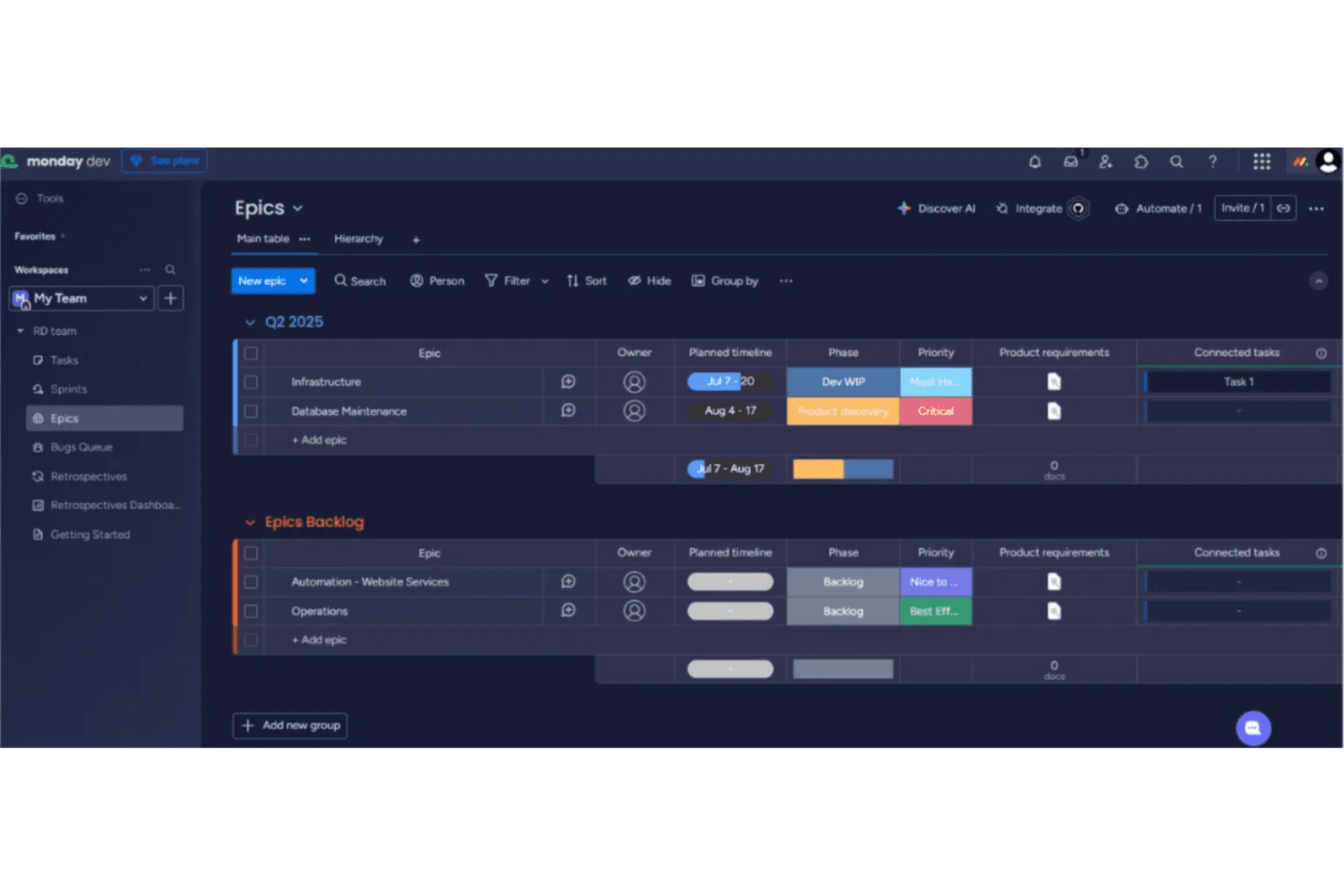
Organize tasks, sprints, and backlogs using drag-and-drop boards. Color-coded statuses and customizable columns make tracking progress easy.
Automations
Set up rules to trigger notifications, status changes, or task assignments. Automations reduce manual updates and keep workflows moving.
AI-Powered Summaries
Generate meeting notes, standup recaps, and task summaries with built-in AI tools. This helps teams quickly share updates and decisions.
Sprint Management
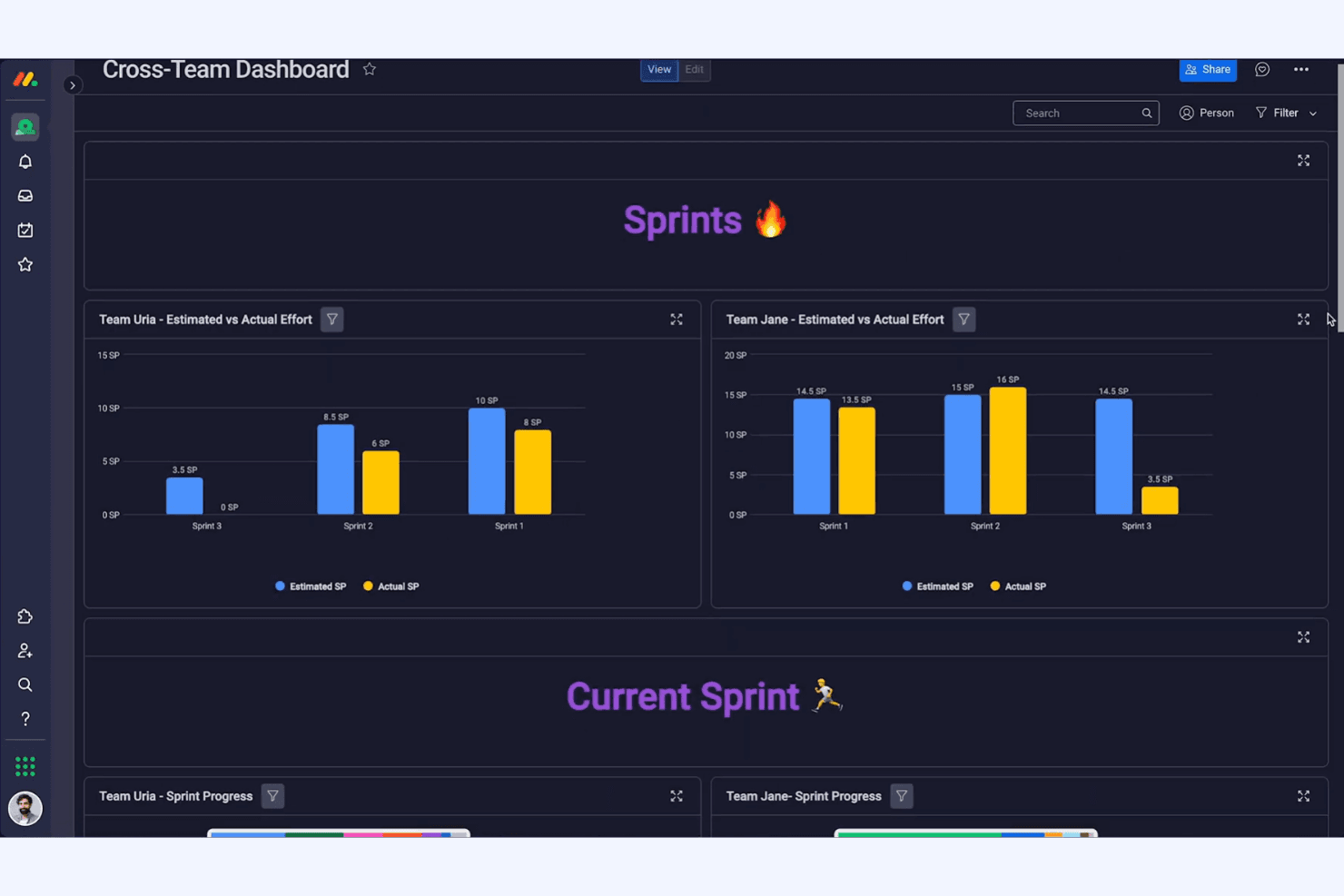
Plan, execute, and review sprints with dedicated templates and tracking tools. Burndown charts and velocity tracking support agile teams.
Custom Dashboards
Build dashboards to visualize project health, team workload, and key metrics. Widgets let you tailor views for different stakeholders.
Backlog Prioritization
Rank and categorize product ideas, bugs, and feature requests in a centralized backlog. Prioritization tools help teams focus on high-impact work.

Ease of Use
monday dev is widely recognized for its intuitive, visually-driven interface that helps new users get started quickly. Drag-and-drop boards, clear status indicators, and guided onboarding make it accessible for both technical and non-technical teams. Users often highlight the ease of customizing workflows and dashboards without coding. While some advanced features require setup, most teams can adapt monday dev to their processes with minimal training, making it a practical choice for fast-moving organizations.
Integrations
monday dev integrates with Slack, Jira, GitHub, Google Drive, Microsoft Teams, Zoom, Dropbox, Salesforce, Zendesk, and Outlook, among others.
It also offers a public API and connects with third-party integration tools like Zapier and Make for expanded automation and connectivity.

monday dev Specs
- A/B Testing: No
- Access Management: Yes
- API: Yes
- Bug Tracking: Yes
- Cloud Deployment: Yes
- Code Transformation: No
- Collaboration Support: Yes
- Data Export: Yes
- Data Import: Yes
- Data Visualization: Yes
- Document Management: No
- External Integrations: Yes
- Form Builder: Yes
- History/Version Control: Yes
- Migration to Cloud: No
- Multi-User: Yes
- Notifications: Yes
- Process Modeling: No
- Re-Platforming: No
- Software Integration: Yes
- Status Notifications: Yes
- Template Designer: Yes
- Third-Party Plugins/Add-Ons: Yes
- Workflow Management: Yes


