

Le migliori alternative a FigJam offrono strumenti flessibili per il brainstorming su lavagne bianche, supportando sessioni di ideazione complesse, la pianificazione visiva dei progetti e la collaborazione in tempo reale, senza le lacune nelle funzionalità o i limiti di integrazione che potresti incontrare ora.
Se hai avuto difficoltà a causa della varietà limitata di modelli, della difficoltà nel collegarti alle piattaforme di gestione dei progetti o di progettazione che preferisci, oppure di un'interfaccia che rallenta le discussioni dinamiche, l'alternativa giusta può eliminare questi ostacoli.
Dopo aver testato e confrontato direttamente diverse piattaforme, ho individuato opzioni che si adattano a flussi di lavoro differenti, si integrano facilmente con altri strumenti e aiutano i team a trasformare più rapidamente le idee in piani concreti.
Che cos'è FigJam?
FigJam è una lavagna online collaborativa sviluppata da Figma per il brainstorming in tempo reale, la creazione di diagrammi e la facilitazione di laboratori.
Viene utilizzata da responsabili di prodotto, progettisti e responsabili dei team per mappare i percorsi degli utenti, delineare i piani di sviluppo dei prodotti e organizzare sessioni interattive di pianificazione. La piattaforma combina strumenti intuitivi con funzionalità di trascinamento, come note adesive, forme, connettori e funzioni di voto. Offre inoltre la modifica simultanea in tempo reale da parte di più utenti, facilitando la raccolta e l'organizzazione visiva delle idee. Grazie alle integrazioni con Figma e altri strumenti di gestione del lavoro, FigJam aiuta i team a trasformare le discussioni non strutturate in piani concreti senza perdere il contesto.
Perché fidarsi dei nostri consigli sui software
6,700+
Reviews
20
Industry experts
16+
Evaluation factors
14
Years
Il nostro team testa e recensisce software dal 2012. In quanto product manager noi stessi, sappiamo quanto sia difficile — e importante — scegliere il software giusto.
Per questa guida, abbiamo valutato gli strumenti attraverso test pratici e ricerche indipendenti, assegnando un punteggio agli strumenti in base ai nostri criteri di selezione.
Le nostre recensioni riflettono il nostro giudizio editoriale umano, non un discorso di vendita.
Revisori esperti:
- Andrew LumbySenior TPM
- Cristiano ValimSenior UI/UX Lead


Tabella comparativa: alternative a FigJam
Questa tabella comparativa riassume i dettagli sui prezzi delle migliori alternative a FigJam che ho selezionato.
| Tool | Best For | Trial Info | Price | ||
|---|---|---|---|---|---|
| 1 | Ideale per collegare i diagrammi all'interno dei documenti | Piano gratuito disponibile | A partire da $10/utente/mese (con fatturazione annuale) | Website | |
| 2 | Ideale per la collaborazione visiva basata sui diagrammi | Piano gratuito disponibile | A partire da $5/mese (fatturato annualmente) | Website | |
| 3 | Ideale per i team agili che sincronizzano le lavagne con Jira | Prova gratuita di 30 giorni | Prezzi su richiesta | Website | |
| 4 | Ideale per usare una lavagna nelle riunioni Zoom | Piano gratuito disponibile | Prezzi su richiesta | Website | |
| 5 | La soluzione migliore per la conformità delle lavagne online con hosting nell'UE | Prova gratuita di 30 giorni + piano gratuito disponibile | A partire da €5/utente/mese | Website | |
| 6 | Ideale per la collaborazione tra team da remoto | Piano gratuito + prova gratuita di 14 giorni disponibile | A partire da $8/utente/mese (con fatturazione annuale) | Website | |
| 7 | Ideale per la facilitazione dal vivo e gli strumenti per le sessioni | Piano gratuito disponibile | A partire da $24.90/utente/mese (con fatturazione annuale) | Website | |
| 8 | Ideale per facilitare laboratori strutturati | Dimostrazione gratuita + piano gratuito disponibile | A partire da $9.99/utente/mese (con fatturazione annuale) | Website | |
| 9 | Ideale per bacheche assistite dall'IA | Piano gratuito disponibile | A partire da $9/mese (fatturato annualmente) | Website | |
| 10 | Ideale per l'ideazione e la creazione di diagrammi in un'unica suite | Piano gratuito disponibile | A partire da $7.95/utente/mese (con fatturazione annuale) | Website |


Recensioni delle migliori alternative a FigJam
Di seguito trovi i miei riepiloghi dettagliati delle migliori alternative a FigJam incluse nel mio elenco. Le mie recensioni offrono una panoramica approfondita delle funzionalità principali, dei pro e dei contro, delle integrazioni e dei casi d’uso ideali di ogni strumento, per aiutarti a trovare quello più adatto a te.
 Ideale per collegare i diagrammi all'interno dei documenti
- Piano gratuito disponibile
- A partire da $10/utente/mese (con fatturazione annuale)
Visit WebsiteCustomer Rating:4.6/5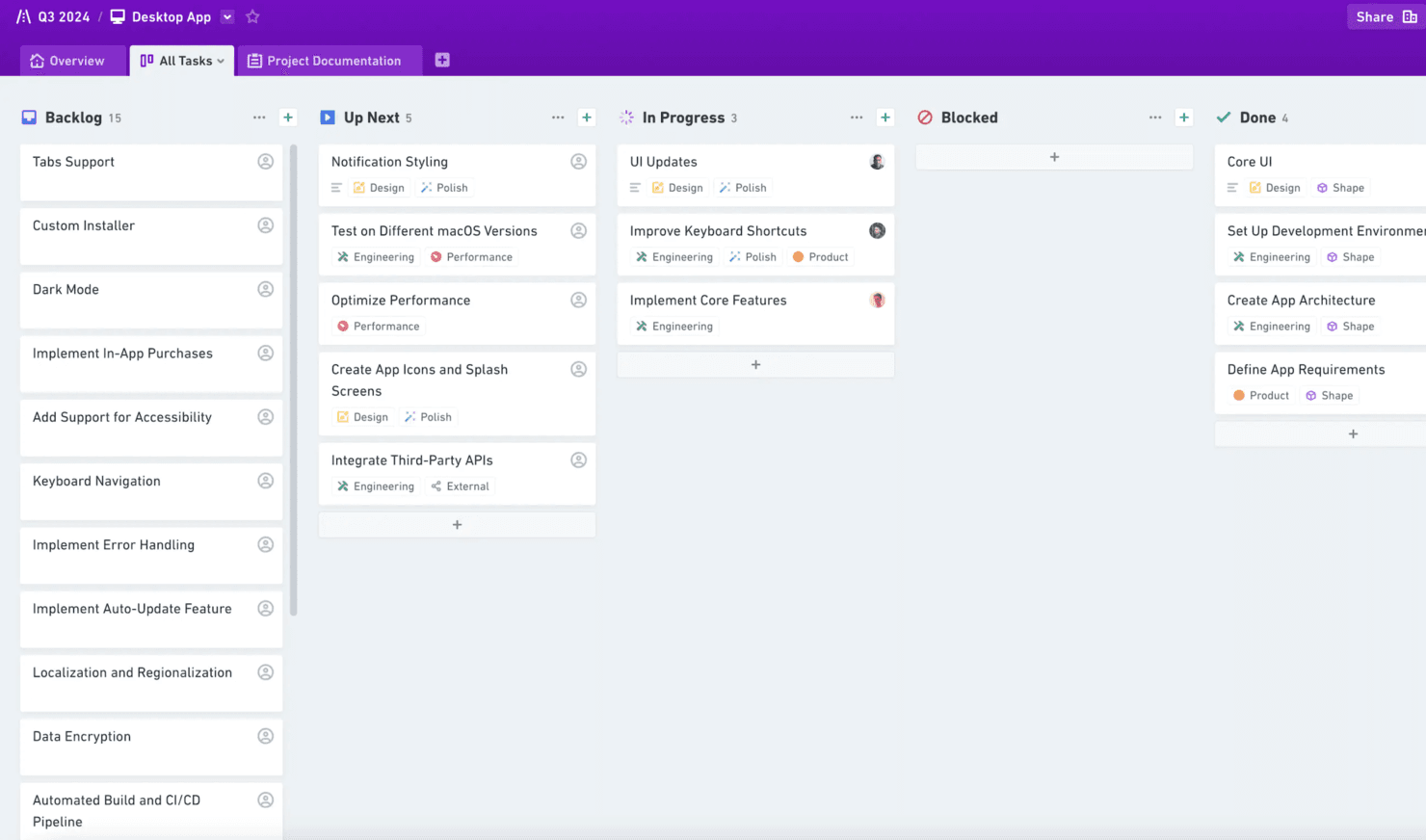
Whimsical aiuta a creare diagrammi di flusso, wireframe e mappe mentali per i team. Whimsical è una lavagna online per i team di prodotto che combina diagrammi, diagrammi di flusso, wireframe e documenti per chiarire le idee, allineare gli stakeholder e mantenere collegate le decisioni di prodotto.
Per chi è più adatto Whimsical?
Team di prodotto che hanno bisogno di collegare diagrammi, wireframe e diagrammi di flusso direttamente ai documenti di pianificazione e alle decisioni di prodotto.
Perché Whimsical è una buona alternativa a FigJam: recensione
Ho scelto Whimsical perché posso collegare diagrammi di flusso, wireframe e diagrammi direttamente all'interno dei documenti di prodotto. Il mio team utilizza questi elementi visivi collegati per spiegare le decisioni, mappare i flussi degli utenti e mantenere le discussioni di pianificazione collegate al diagramma di origine. È una scelta eccellente quando è importante collegare i diagrammi all'interno dei documenti.
Funzionalità principali di Whimsical
- Collaborazione in tempo reale: Modifica le lavagne insieme al tuo team.
- Commenti: Aggiungi feedback direttamente a elementi specifici della tela.
- Cronologia delle versioni: Esamina e ripristina le versioni precedenti della lavagna.
- Modelli: Inizia rapidamente con layout predefiniti per l'area di lavoro.
Integrazioni di Whimsical
Whimsical offre integrazioni per incorporare o collegare file con Jira, Google Docs, ClickUp, Asana, Confluence, Notion, GitHub, Slack, Linear e Canva. Offre inoltre un'API beta per le integrazioni personalizzate.
Pros and Cons
Pros:
- I diagrammi si collegano direttamente all'interno dei documenti di prodotto
- Diagrammi di flusso e wireframe condividono un'unica area di lavoro
- Le mappe mentali supportano una rapida fase di scoperta del prodotto
Cons:
- Le tele di grandi dimensioni possono diventare lente
- I componenti per i wireframe sono ancora meno avanzati
Learn more about Whimsical: Ideale per la collaborazione visiva basata sui diagrammi
- Piano gratuito disponibile
- A partire da $5/mese (fatturato annualmente)
Visit WebsiteCustomer Rating:4.4/5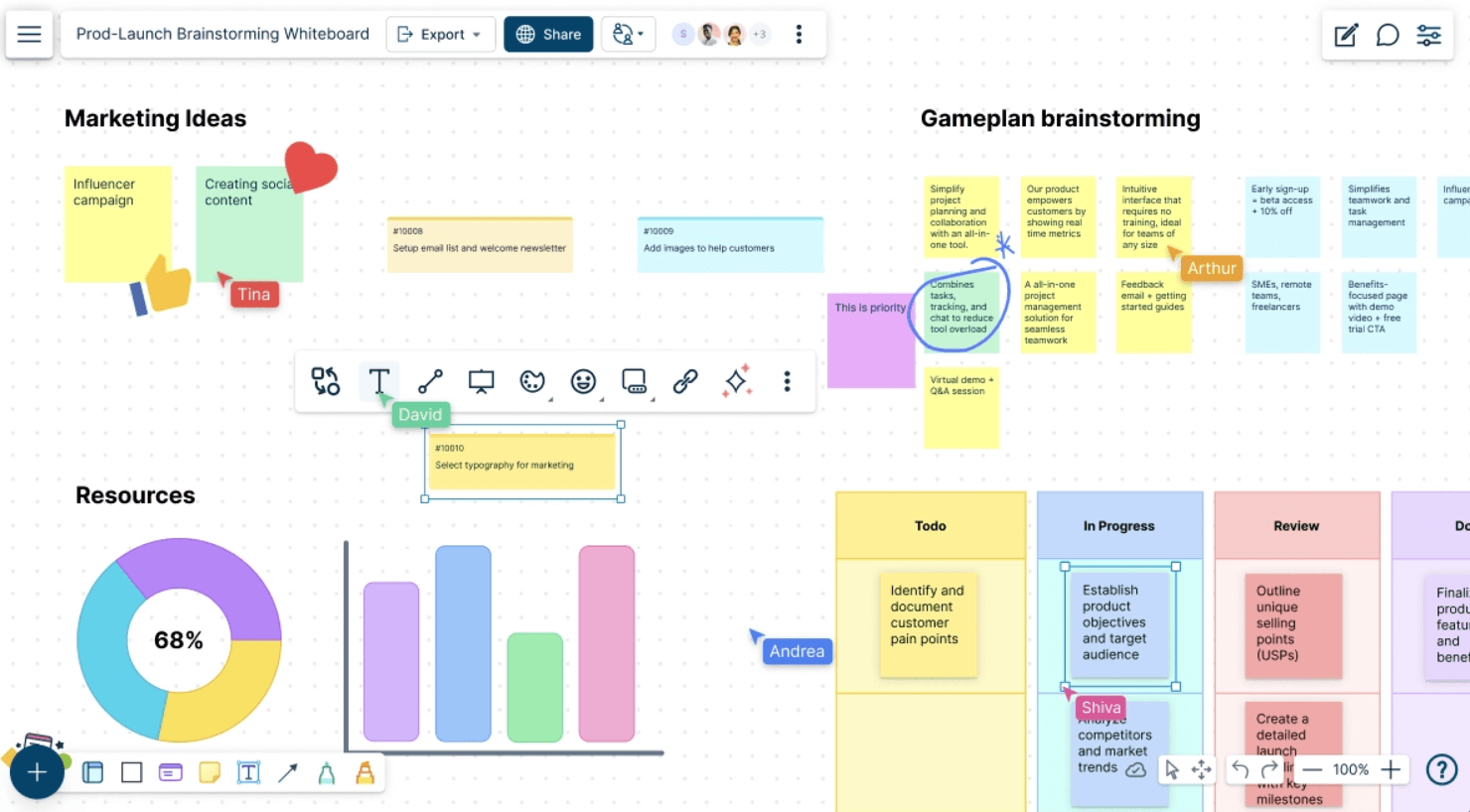
Creately aiuta i team nella creazione di diagrammi, nella pianificazione e nella gestione dei progetti. Creately è una piattaforma di collaborazione visiva per i team di prodotto, design e business che devono mappare idee, processi e percorsi dei clienti, allineando al contempo le parti interessate su decisioni e piani.
Per chi è più adatto Creately?
Responsabili di prodotto, progettisti e analisti aziendali che devono mappare processi, flussi di lavoro e percorsi dei clienti con team interfunzionali.
Perché Creately è una buona alternativa a FigJam tra quelle recensite
Ho scelto Creately perché la sua collaborazione visiva basata sui diagrammi supporta il lavoro strutturato di prodotto oltre una tela aperta. Utilizzo diagrammi di flusso, mappe dei percorsi dei clienti e diagrammi di processo per trasformare le discussioni esplorative in materiali chiari. La modifica in tempo reale e i commenti aiutano il mio team a perfezionare i flussi di lavoro, mentre le parti interessate esaminano lo stesso modello visivo.
Caratteristiche principali di Creately
- Modelli: Inizia con modelli pronti all'uso per i diagrammi aziendali più comuni.
- Campi dati: Aggiungi informazioni strutturate agli elementi visivi.
- Integrazioni: Collega Creately a strumenti come Slack e Google Drive.
- Opzioni di esportazione: Scarica gli spazi di lavoro in formati tra cui PNG, SVG, PDF e CSV.
Integrazioni di Creately
Creately si integra con Slack e Google Drive, aiutando i team a condividere diagrammi e coordinare il lavoro visivo nei flussi di lavoro esistenti.
Pros and Cons
Pros:
- La creazione strutturata di diagrammi è adatta al lavoro di prodotto incentrato sui processi
- I campi dati aggiungono contesto ai diagrammi
- La modifica collaborativa in tempo reale facilita le revisioni delle parti interessate
Cons:
- I diagrammi di grandi dimensioni possono caricarsi lentamente
- Alcune modifiche ai diagrammi richiedono passaggi aggiuntivi
Learn more about Creately: Ideale per i team agili che sincronizzano le lavagne con Jira
- Prova gratuita di 30 giorni
- Prezzi su richiesta
Visit WebsiteCustomer Rating:4.4/5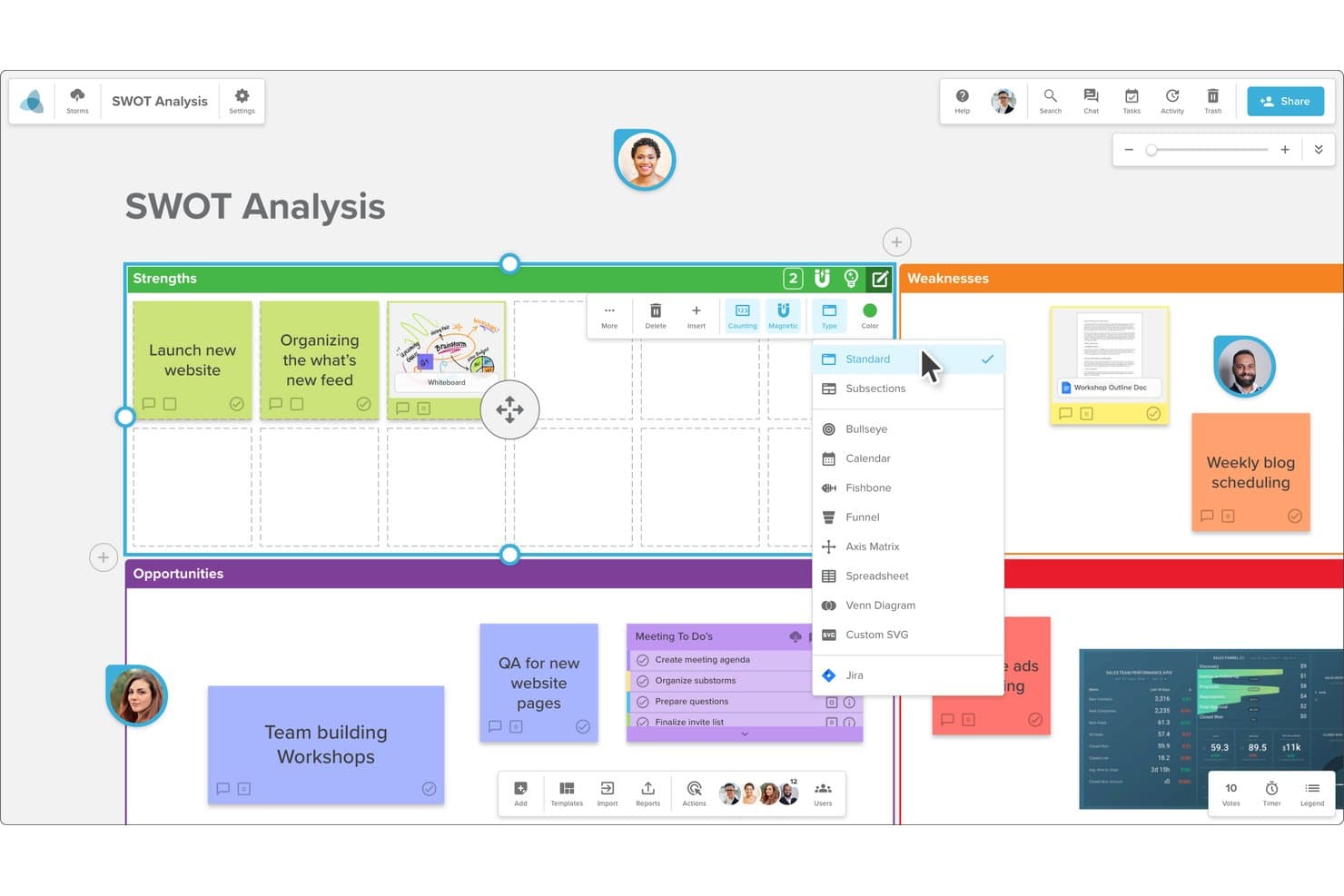
Stormboard consente agli utenti di passare da un tipo di layout della lavagna all'altro. Stormboard è una lavagna online per i team di prodotto e agili che combina collaborazione visiva, brainstorming strutturato e pianificazione dei progetti in un unico spazio di lavoro.
Per chi è più adatto Stormboard?
Team di prodotto agili che hanno bisogno di lavagne collaborative collegate a Jira per una pianificazione condivisa e una visibilità sulla distribuzione.
Perché Stormboard è una valida alternativa a FigJam tra quelle esaminate
Ho scelto Stormboard perché collega il brainstorming strutturato alla pianificazione dei progetti per i team agili che sincronizzano le lavagne con Jira. Il mio team utilizza spazi di lavoro visivi per sviluppare idee, organizzare le priorità e mantenere le discussioni sulla distribuzione collegate al lavoro in Jira. Questo collegamento ci aiuta a portare le decisioni dalla fase di scoperta collaborativa all'esecuzione del prodotto.
Caratteristiche principali di Stormboard
- Collaborazione in tempo reale: Modifica le lavagne insieme agli altri utenti con aggiornamenti in tempo reale.
- Allegati: Aggiungi documenti, immagini e collegamenti agli elementi della lavagna.
- Votazioni: Consenti ai partecipanti di votare idee e priorità.
- Commenti: Discuti singoli elementi della lavagna con feedback organizzati in discussioni.
Integrazioni di Stormboard
Stormboard offre integrazioni con Microsoft Teams, Google Drive, Jira, Rally, Azure DevOps, Webex, Zoom, Slack, Dropbox e Box. Si collega inoltre a Zapier e fornisce un'API per integrazioni personalizzate.
Pros and Cons
Pros:
- Brainstorming strutturato con votazioni e commenti
- Le lavagne collegate a Jira supportano la pianificazione della distribuzione
- I modelli personalizzabili supportano workshop ripetibili
Cons:
- I gruppi numerosi possono causare rallentamenti evidenti
- Le opzioni fisse della lavagna limitano il controllo sul design
Learn more about Stormboard: Ideale per usare una lavagna nelle riunioni Zoom
- Piano gratuito disponibile
- Prezzi su richiesta
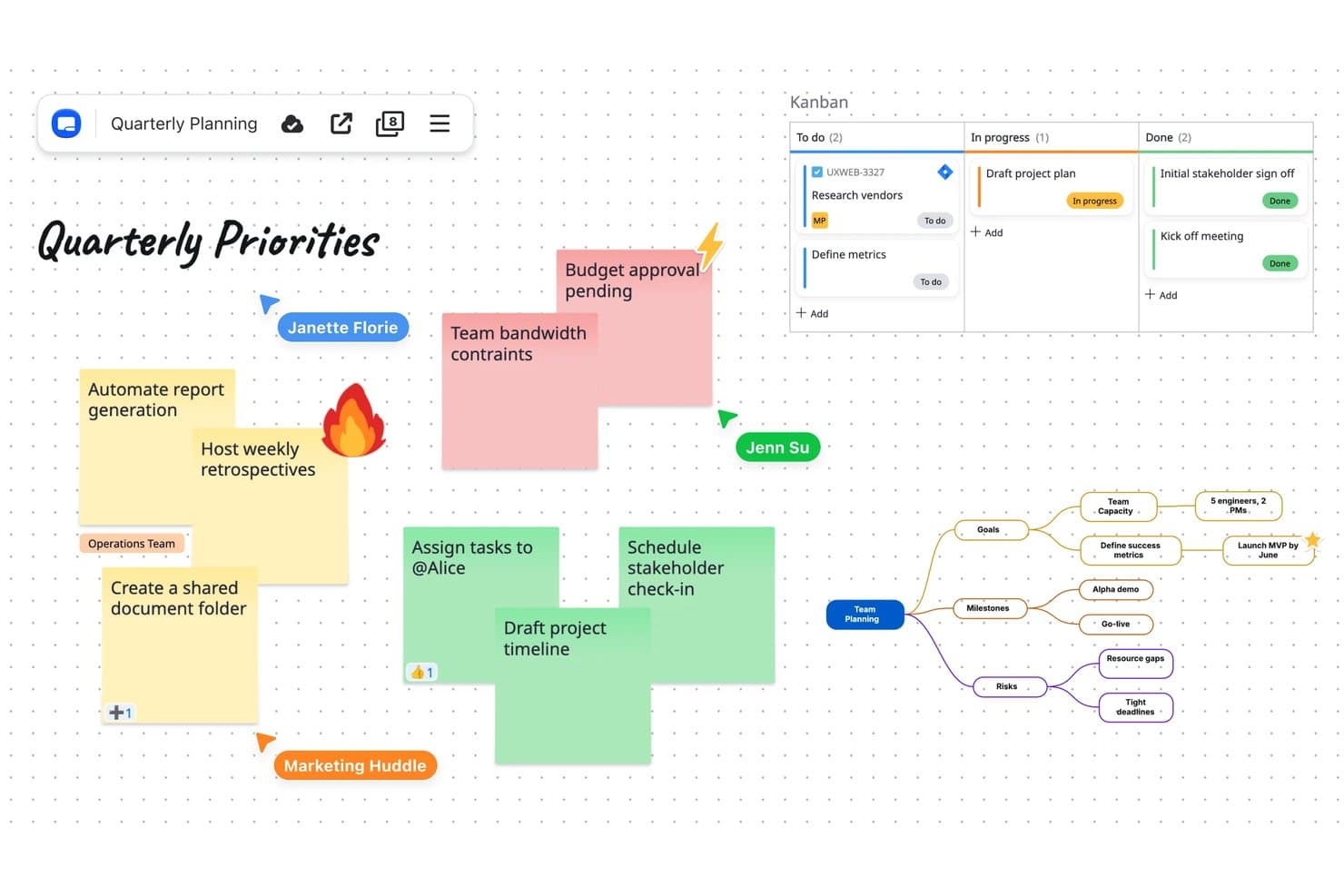
Zoom Whiteboard combina note adesive, Kanban e mappe mentali su un'unica tela. Zoom Whiteboard è una lavagna online collaborativa per team di prodotto, facilitatori e aziende distribuite che hanno bisogno di trasformare workshop, sessioni di analisi e discussioni di pianificazione in un lavoro visivo condiviso.
Per chi è più adatto Zoom Whiteboard?
Zoom Whiteboard è adatto ai team di prodotto e ai facilitatori che hanno bisogno di abbozzare, mappare idee e prendere decisioni durante le riunioni Zoom.
Perché Zoom Whiteboard è una buona alternativa a FigJam: recensione
Ho scelto Zoom Whiteboard perché il mio team può aprire una lavagna direttamente all'interno delle riunioni Zoom e abbozzare idee mentre ne discute. Utilizziamo la co-annotazione per ricevere feedback in tempo reale, quindi conserviamo la lavagna per la pianificazione successiva alla chiamata. È adatto ai team che desiderano utilizzare una lavagna direttamente nelle riunioni Zoom.
Funzionalità principali di Zoom Whiteboard
- Modelli: Inizia le lavagne con layout per workshop, retrospettive e pianificazione.
- Note adesive: Aggiungi, assegna colori e disponi note di testo sulla tela.
- Forme e connettori: Crea diagrammi con forme, linee, frecce e connettori.
- Commenti: Lascia commenti organizzati in discussioni sui contenuti della lavagna per la revisione asincrona.
Integrazioni di Zoom Whiteboard
Zoom Whiteboard funziona all'interno delle riunioni Zoom per sessioni collaborative. Le integrazioni native oltre l'ecosistema Zoom, il supporto per Zapier e quello per le API non sono documentati chiaramente.
Pros and Cons
Pros:
- Si apre direttamente durante le riunioni Zoom
- Supporta la co-annotazione in tempo reale durante le discussioni
- Mantiene disponibili le lavagne per la pianificazione successiva
Cons:
- Il rapporto qualità-prezzo dipende dal livello di adozione di Zoom
- La profondità delle funzionalità avanzate per le lavagne è inferiore a quella di FigJam
Learn more about Zoom Whiteboard: La soluzione migliore per la conformità delle lavagne online con hosting nell'UE
- Prova gratuita di 30 giorni + piano gratuito disponibile
- A partire da €5/utente/mese
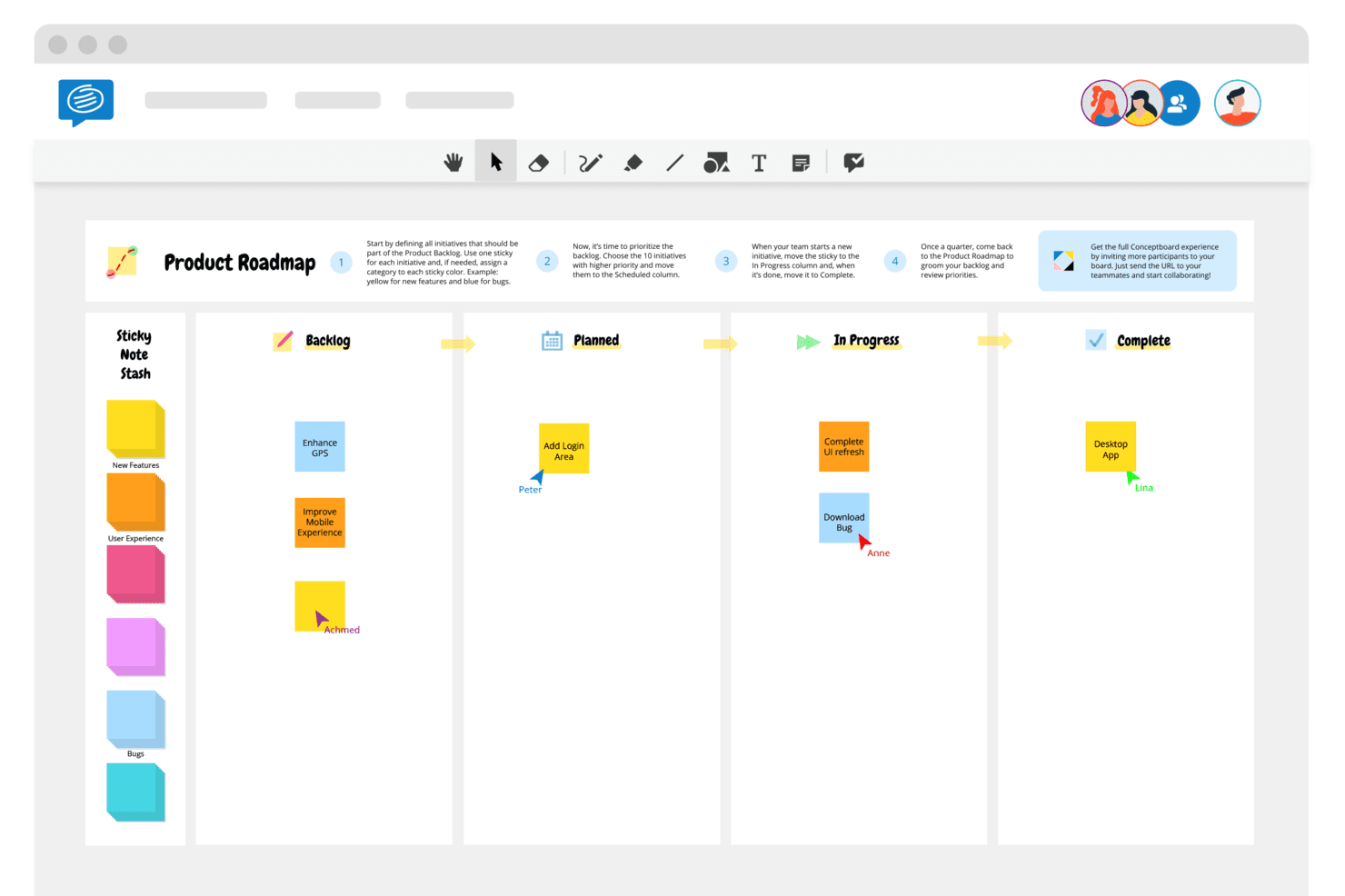
Conceptboard consente ai team remoti di collaborare e condividere feedback. Conceptboard è una piattaforma di lavagna collaborativa per team di prodotto, facilitatori e aziende distribuite che necessitano di uno spazio flessibile per workshop, pianificazione visiva, ricerca sui clienti e processi decisionali interfunzionali.
Per chi è più adatto Conceptboard?
Conceptboard è adatto ai team di prodotto distribuiti che necessitano di una lavagna collaborativa con dati ospitati nell'UE e flussi di lavoro attenti alla privacy.
Perché Conceptboard è una delle migliori alternative a FigJam esaminate
Includo Conceptboard perché è la soluzione migliore per la conformità delle lavagne online con hosting nell'UE. Utilizzo il suo hosting con sede nell'UE, i controlli incentrati sul GDPR e le autorizzazioni private delle lavagne per workshop con i clienti che coinvolgono ricerche sensibili. Il mio team può invitare partecipanti esterni mantenendo le discussioni sui progetti all'interno di spazi di lavoro controllati.
Funzionalità principali di Conceptboard
- Canvas infinito: Crea diagrammi di grandi dimensioni, mappe del percorso e spazi di pianificazione.
- Modelli di lavagna: Avvia workshop e sessioni di pianificazione a partire da layout predefiniti.
- Commenti: Aggiungi feedback organizzati in discussioni direttamente agli oggetti della lavagna.
- Modalità presentazione: Guida i partecipanti attraverso aree selezionate della lavagna.
Integrazioni di Conceptboard
Conceptboard offre integrazioni con Azure, Jira, Microsoft Teams, Webex e Confluence, con disponibilità variabile in base al piano e alla modalità di implementazione.
Pros and Cons
Pros:
- La localizzazione dei dati nell'UE supporta workshop sensibili al GDPR
- Le grandi tele consentono di gestire mappe del percorso complesse
- La modalità presentazione guida le sessioni facilitate
Cons:
- Le prestazioni possono risentire delle lavagne di grandi dimensioni
- La dipendenza dalla connettività interrompe la collaborazione in tempo reale
Learn more about Conceptboard: 6Ideale per la collaborazione tra team da remoto
Miro
- Piano gratuito + prova gratuita di 14 giorni disponibile
- A partire da $8/utente/mese (con fatturazione annuale)
Visit WebsiteCustomer Rating:4.8/5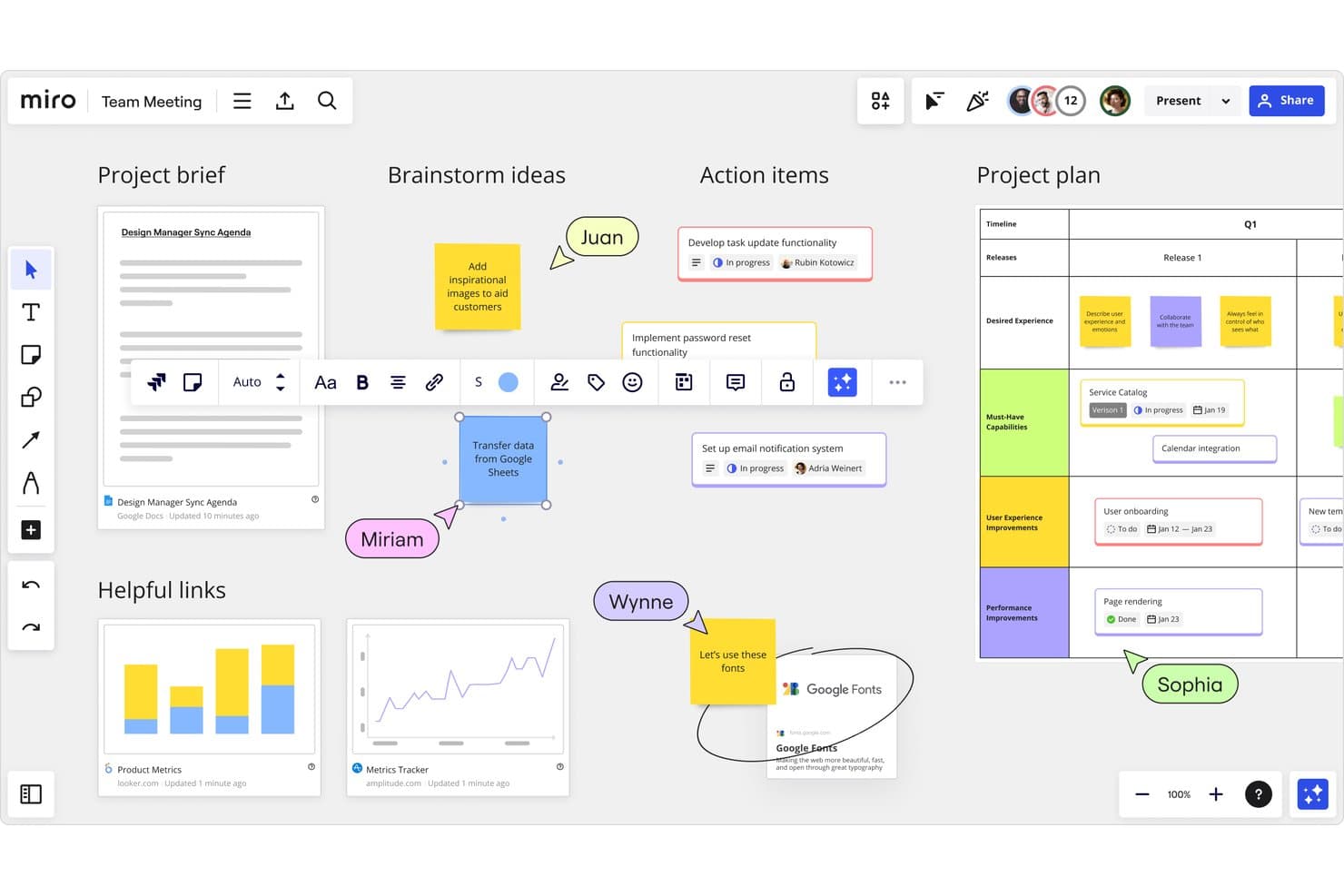
Miro supporta la collaborazione tra team in tempo reale tra bacheche e piani di progetto. Miro è una lavagna online per i team di prodotto che riunisce ricerca, strategia, workshop e pianificazione in un unico spazio di lavoro visivo, aiutando i team distribuiti ad allinearsi sulle decisioni e a trasformare le idee in piani attuabili.
Per chi è più adatto Miro?
Miro è adatto ai team distribuiti di prodotto, design e ingegneria che hanno bisogno di uno spazio di lavoro visivo condiviso per workshop, attività di scoperta, pianificazione e allineamento.
Perché Miro è una delle migliori alternative a FigJam recensite
Ho scelto Miro per la collaborazione tra team da remoto perché la sua tela condivisa mantiene allineati i team distribuiti durante i workshop di scoperta e la pianificazione della roadmap. Il mio team utilizza cursori in tempo reale, commenti, votazioni e timer per gestire sessioni strutturate senza perdere decisioni tra fusi orari diversi. La modalità di presentazione ci aiuta a guidare gli stakeholder attraverso i risultati della ricerca e le priorità.
Funzionalità principali di Miro
- Tela infinita: Crea bacheche estese per mappare idee, flussi di lavoro e ricerche.
- Modelli: Avvia le sessioni con tele già pronte per le attività di prodotto più comuni.
- Strumenti per la creazione di diagrammi: Crea diagrammi di flusso, mappe mentali, wireframe e diagrammi di processo.
- Caricamento di file: Aggiungi immagini, documenti, fogli di calcolo e altri file di progetto alle bacheche.
Integrazioni di Miro
Miro offre integrazioni del marketplace con Jira, Slack, Google Drive, Microsoft Teams, Google Meet, Zoom, Confluence, Trello, Asana e Dropbox. Fornisce inoltre un'API per le integrazioni personalizzate e si collega a Zapier.
Pros and Cons
Pros:
- Supporta workshop strutturati da remoto
- La tela infinita gestisce mappe di prodotto complesse
- La modalità di presentazione guida le revisioni con gli stakeholder
Cons:
- Le bacheche di grandi dimensioni diventano difficili da navigare
- Le prestazioni della bacheca diminuiscono con contenuti pesanti
 Ideale per la facilitazione dal vivo e gli strumenti per le sessioni
- Piano gratuito disponibile
- A partire da $24.90/utente/mese (con fatturazione annuale)
Visit WebsiteCustomer Rating:4.7/5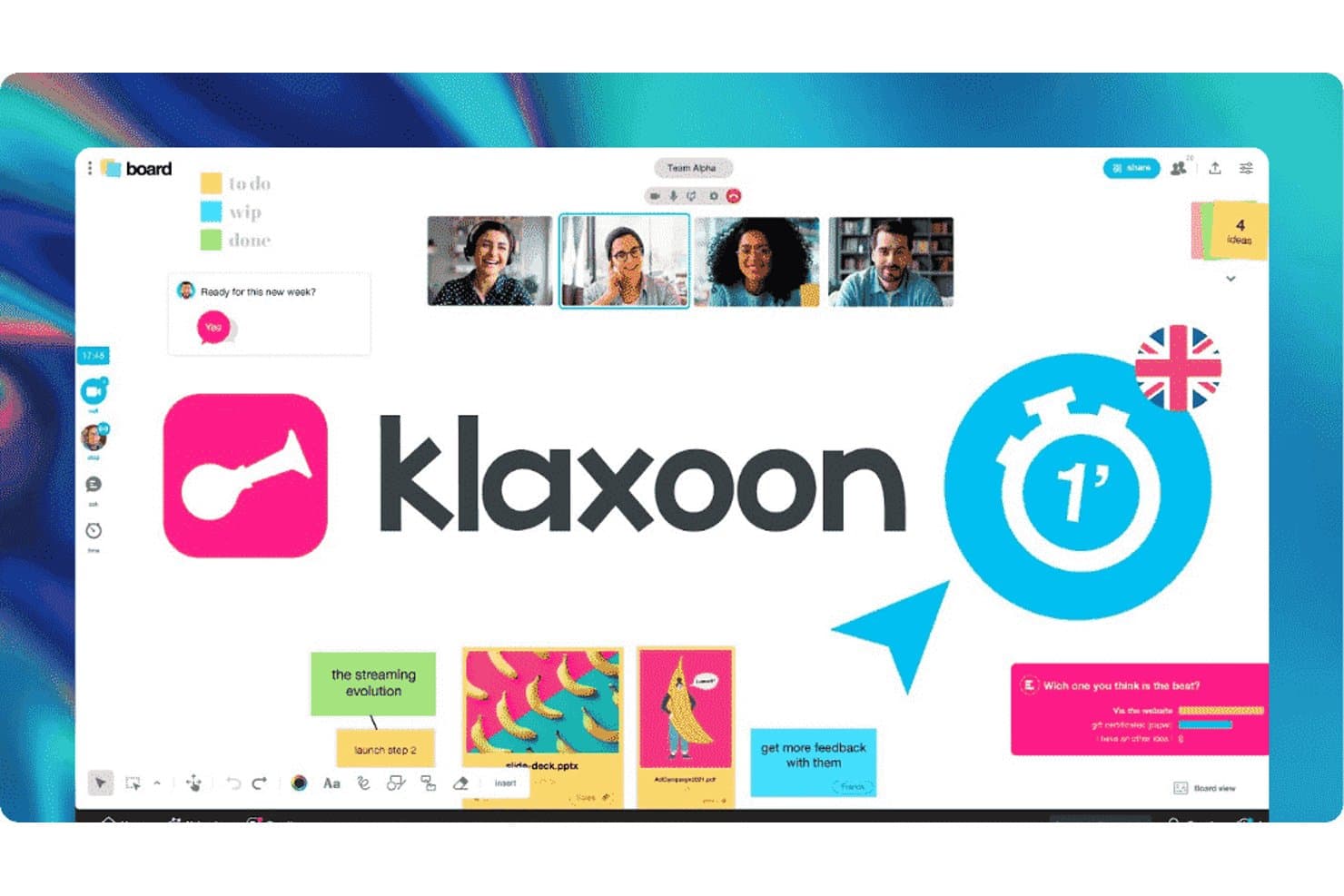
Klaxoon consente ai team di collaborare con lavagne, video e note adesive. Klaxoon è una piattaforma di lavagna online per i team di prodotto che combina la collaborazione visiva con workshop strutturati, aiutando i facilitatori a guidare le sessioni di scoperta, allineare gli stakeholder e trasformare idee sparse in decisioni chiare.
Per chi è più adatto Klaxoon?
Klaxoon è adatto ai product manager e ai facilitatori che organizzano workshop collaborativi, retrospettive e sessioni decisionali con stakeholder distribuiti.
Perché Klaxoon è una buona alternativa a FigJam tra quelle recensite
Ho scelto Klaxoon perché è ideale per la facilitazione dal vivo e gli strumenti per le sessioni. Il mio team utilizza le sue attività per workshop, i timer, le votazioni e gli strumenti di feedback per guidare le sessioni di scoperta senza perdere slancio. Possiamo passare dal brainstorming alla definizione delle priorità in un unico spazio di lavoro facilitato, quindi registrare le decisioni per le attività successive del prodotto.
Funzionalità principali di Klaxoon
- Area di lavoro infinita: Organizza testo, immagini, link e file in uno spazio di lavoro visivo e flessibile.
- Modelli: Avvia le lavagne con formati predefiniti per la mappatura, la pianificazione e l'analisi.
- Importazione di file: Aggiungi documenti e immagini direttamente a una lavagna per una revisione condivisa.
- Controlli di accesso: Imposta le autorizzazioni dei partecipanti e gestisci l'accesso alla lavagna per i collaboratori.
Integrazioni di Klaxoon
Klaxoon offre integrazioni native con l'ecosistema Microsoft, Google Workspace, Jira, Wrike, Confluence, Adobe Creative Cloud, Dropbox e Moodle, oltre a Zapier. Klaxoon offre anche un'API per integrazioni e flussi di lavoro personalizzati.
Pros and Cons
Pros:
- Un unico codice supporta interi workshop
- Sondaggi e quiz mantengono le riunioni partecipative
- Le attività predefinite guidano una facilitazione strutturata
Cons:
- Passare da un'attività della sessione all'altra risulta restrittivo
- Le funzionalità avanzate necessitano di tutorial migliori
Learn more about Klaxoon: Ideale per facilitare laboratori strutturati
- Dimostrazione gratuita + piano gratuito disponibile
- A partire da $9.99/utente/mese (con fatturazione annuale)
Visit WebsiteCustomer Rating:4.6/5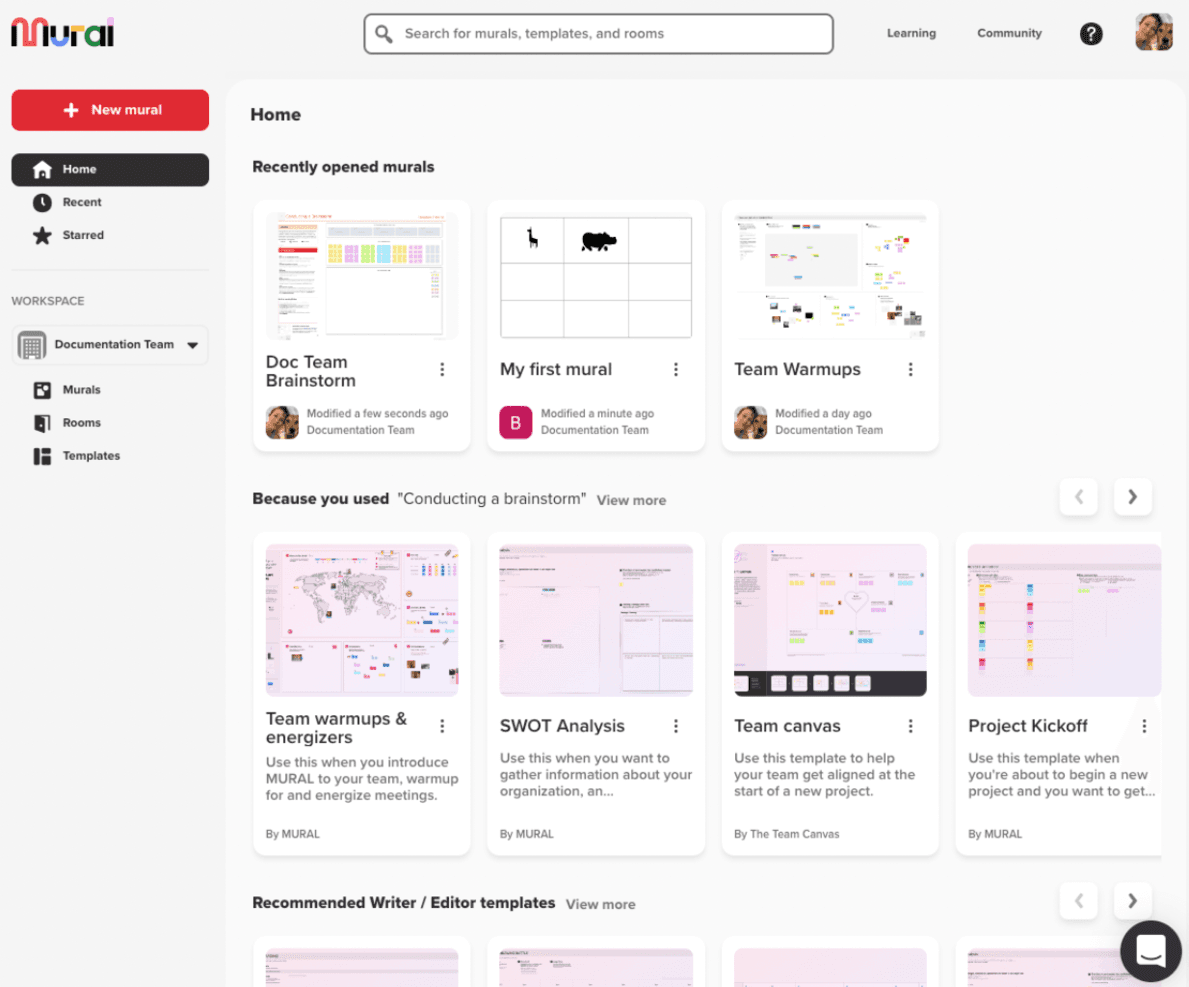
Mural aiuta le squadre a generare idee e collaborare in diversi settori aziendali. Mural è una lavagna online per le squadre di prodotto che devono organizzare sessioni di scoperta da remoto, mappare le informazioni chiave sui clienti, allineare i portatori di interesse e trasformare i risultati dei laboratori in prossimi passaggi chiari.
Per chi è più adatto Mural?
Mural è adatto a responsabili di prodotto, ricercatori e facilitatori che organizzano laboratori strutturati con squadre distribuite e interfunzionali.
Perché Mural è una delle migliori alternative a FigJam esaminate
Ho scelto Mural perché i suoi strumenti per facilitatori trasformano le lavagne online in laboratori strutturati. Utilizzo attività a tempo, modalità privata, votazioni e la funzione di convocazione per guidare i gruppi nella sintesi della ricerca e nella definizione delle priorità. La mia squadra può registrare le decisioni nei modelli, quindi organizzare i risultati dei laboratori in prossimi passaggi chiari.
Funzionalità principali di Mural
- Tela infinita: Dispone testo, immagini, diagrammi e altri contenuti in uno spazio di lavoro flessibile.
- Note adesive: Aggiunge, assegna colori, raggruppa e organizza le note sulla tela.
- Commenti: Lascia riscontri organizzati in discussioni direttamente su elementi specifici della lavagna.
- Caricamento di file: Aggiunge immagini, PDF e altri file per supportare le attività del laboratorio.
Integrazioni di Mural
Le integrazioni documentate di Mural includono Microsoft Teams, Asana, Azure DevOps, Confluence, Figma, Jira, Linear, Slack e Zoom, oltre alla connessione con Zapier. Mural offre anche un'API per integrazioni personalizzate.
Pros and Cons
Pros:
- I controlli per facilitatori mantengono i laboratori sulla giusta rotta
- I modelli supportano la sintesi della ricerca e la definizione delle priorità
- La modalità privata e le votazioni supportano decisioni schiette
Cons:
- Le lavagne di grandi dimensioni possono apparire visivamente affollate
- I nuovi partecipanti hanno bisogno di un'introduzione prima dei laboratori
Learn more about Mural: Ideale per bacheche assistite dall'IA
- Piano gratuito disponibile
- A partire da $9/mese (fatturato annualmente)
Visit WebsiteCustomer Rating:4.5/5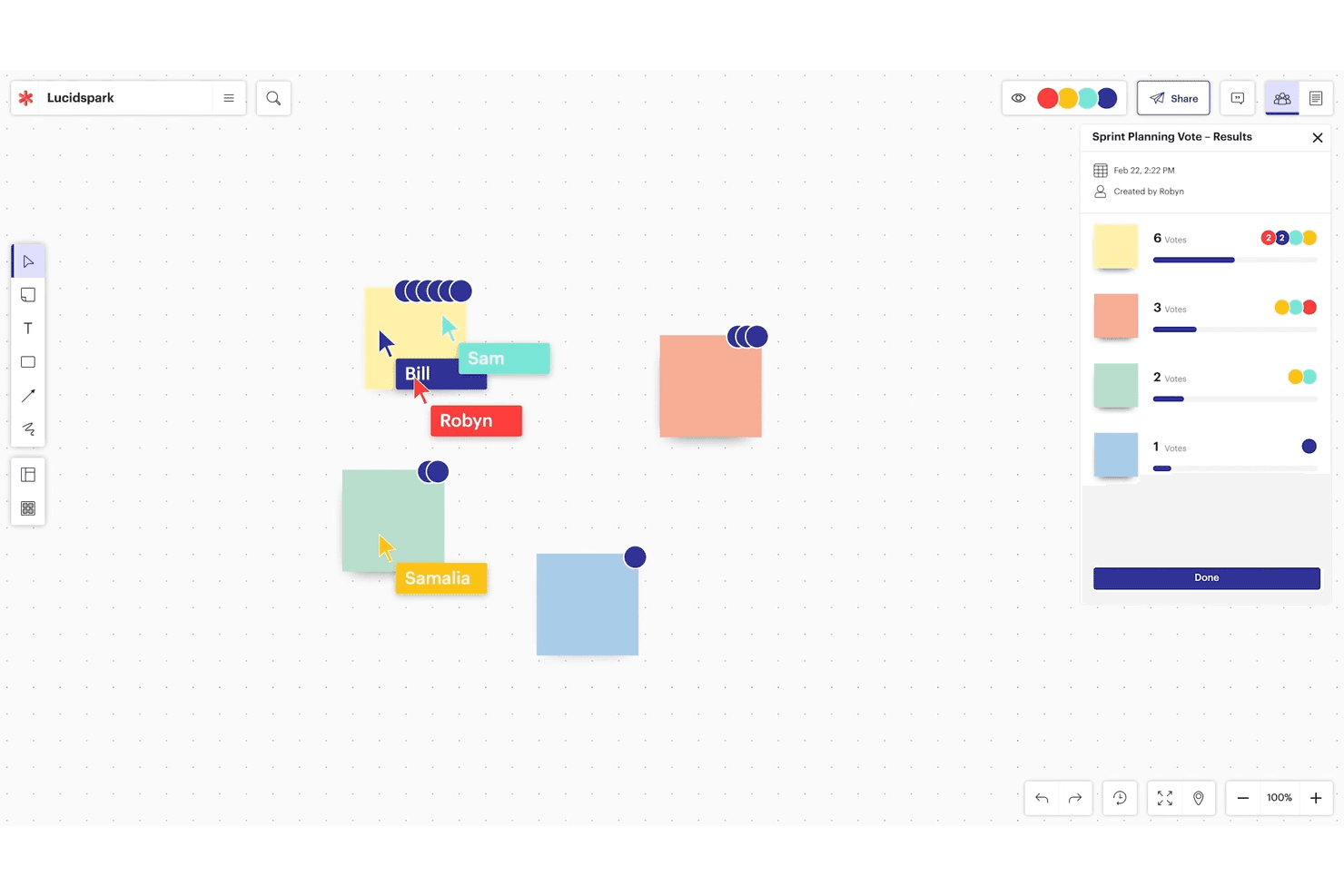
Lucidspark è pensato per il brainstorming in tempo reale e la collaborazione tra team Agile. Lucidspark è una lavagna online per i team di prodotto che supporta workshop collaborativi, mappatura dei percorsi utente, brainstorming e pianificazione visiva quando FigJam risulta troppo limitato.
Per chi è più adatto Lucidspark?
I product manager e i team interfunzionali possono usare Lucidspark per trasformare workshop, sessioni di ricerca e pianificazione in bacheche visive assistite dall'IA.
Perché Lucidspark è una delle migliori alternative a FigJam recensite
Ho scelto Lucidspark perché le sue bacheche assistite dall'IA aiutano il mio team a trasformare workshop disordinati in decisioni di prodotto chiare. Usiamo l'IA per generare idee, riepilogare le note adesive e raggruppare i feedback per tema dopo le sessioni di scoperta. Questo ci offre un punto di partenza pratico per la definizione delle priorità, senza dover ordinare manualmente ogni contributo.
Funzionalità principali di Lucidspark
- Canvas infinito: Organizza diagrammi, note e framework in uno spazio di lavoro espandibile.
- Modelli: Inizia le sessioni con canvas già pronti per retrospettive, roadmap e percorsi utente.
- Votazione: Consenti ai partecipanti di votare direttamente sulla bacheca idee, domande o priorità.
- Timer: Imposta conto alla rovescia visibili per mantenere workshop e attività di gruppo nei tempi previsti.
Integrazioni di Lucidspark
Lucidspark supporta integrazioni documentate con Slack, Microsoft Office, Google Workspace, Asana, Jira Cloud, Confluence, Figma, Microsoft Teams, Zoom, Loom e Zight. La disponibilità varia in base al piano, con alcune integrazioni limitate agli account Team, Enterprise o FedRAMP.
Pros and Cons
Pros:
- L'IA raggruppa le idee per tema
- Le bacheche per sottogruppi supportano workshop mirati
- Votazioni e timer guidano le decisioni
Cons:
- Mancano alcuni modelli base per i workshop
- Le bacheche affollate possono disorientare i nuovi utenti
Learn more about Lucidspark: Ideale per l'ideazione e la creazione di diagrammi in un'unica suite
- Piano gratuito disponibile
- A partire da $7.95/utente/mese (con fatturazione annuale)
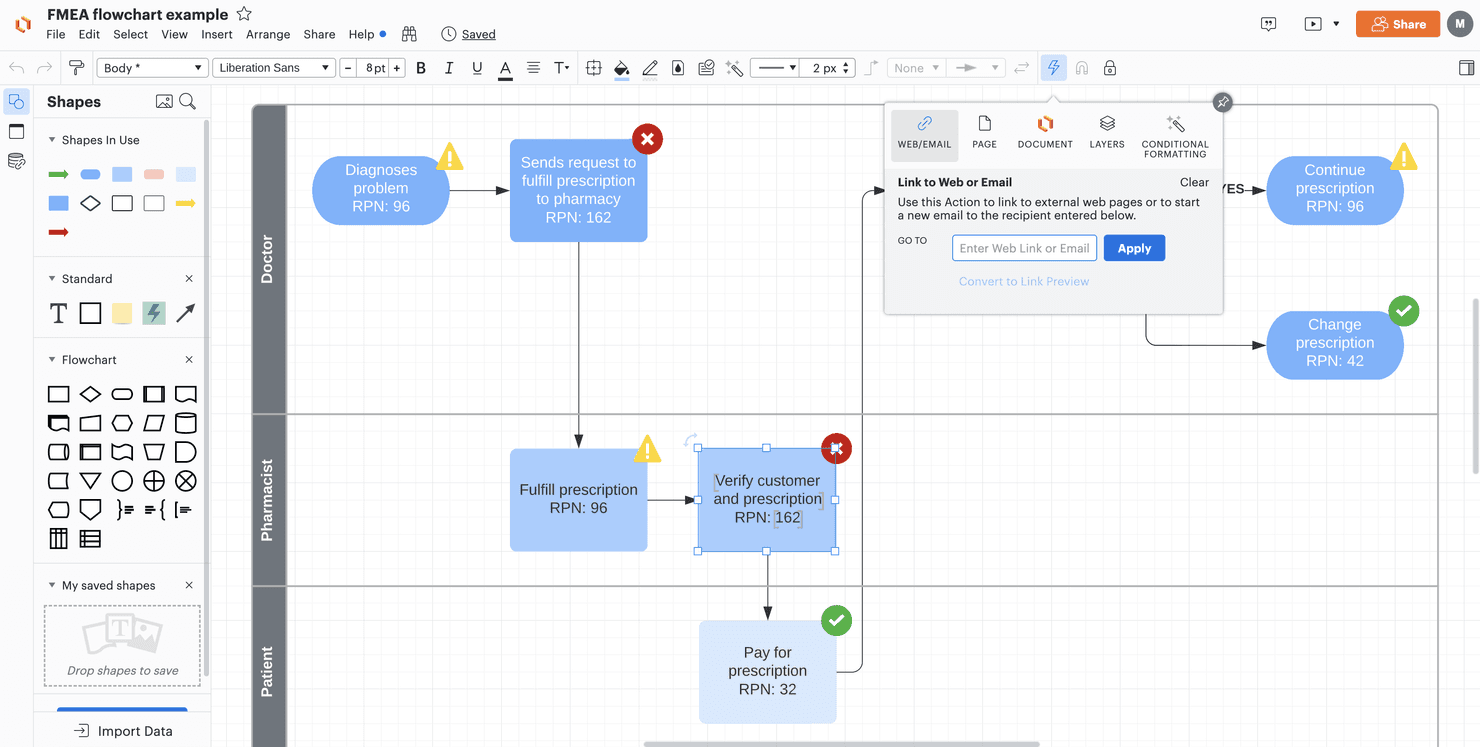
Lucid Visual Collaboration Suite aiuta i team a fare ideazione e a gestire i progetti. Lucid Visual Collaboration Suite è una piattaforma web per lavagne e collaborazione visiva, pensata per i team di prodotto che devono trasformare idee frammentarie, flussi utente e contributi dei workshop in piani e diagrammi condivisi.
A chi è più adatta Lucid Visual Collaboration Suite?
Responsabili di prodotto, progettisti e facilitatori possono utilizzare Lucid Visual Collaboration Suite per trasformare le idee dei workshop in percorsi del cliente, mappe dei processi e piani di prodotto condivisi.
Perché Lucid Visual Collaboration Suite è una valida alternativa a FigJam: recensione
Ho scelto Lucid Visual Collaboration Suite perché combina l'ideazione e la creazione di diagrammi in un'unica suite. Il mio team utilizza Lucidspark per le note dei workshop e la mappatura delle affinità, quindi trasferisce le idee in Lucidchart per i flussi utente, le mappe dei percorsi e i diagrammi dei processi. Questo passaggio mantiene collegati gli artefatti della fase di scoperta alla pianificazione del prodotto.
Funzionalità principali di Lucid Visual Collaboration Suite
- Modelli : Avvia le sessioni con tavole predefinite per le attività comuni dei team.
- Commenti e menzioni : Aggiungi riscontri e invia notifiche a collaboratori specifici sulla tavola.
- Modalità presentazione : Guida i portatori di interesse attraverso i contenuti selezionati della tavola.
- Integrazioni : Collega il lavoro a strumenti come Slack, Google Drive e Microsoft Teams.
Integrazioni di Lucid Visual Collaboration Suite
Lucid Visual Collaboration Suite supporta le integrazioni con Slack, Google Drive e Microsoft Teams.
Pros and Cons
Pros:
- I diagrammi dettagliati supportano flussi di lavoro complessi relativi ai prodotti
- I modelli accelerano la mappatura dei percorsi e la progettazione dei processi
- I commenti mantengono i riscontri asincroni collegati agli artefatti
Cons:
- Le tavole complesse diventano più difficili da navigare
- I diagrammi di grandi dimensioni possono presentare tempi di caricamento più lunghi
Learn more about Lucid Visual Collaboration Suite:
Altre alternative a FigJam
Ecco alcune alternative aggiuntive a FigJam che non sono state incluse nel mio elenco, ma che vale comunque la pena prendere in considerazione:
- 11BluescapeIdeale per la sicurezza dell'area di lavoro di livello difesa
- 12Canva WhiteboardIdeale per il brainstorming su lavagna all'interno di una suite di progettazione
- 13LucidchartIdeale per la creazione di diagrammi basati sui dati su larga scala
- 14CacooIdeale per creare diagrammi su una tela condivisa
- 15Confluence WhiteboardsIdeale per il brainstorming su canvas connesso a Jira
Come valuto le alternative a FigJam
Divido la mia valutazione in tre parti. Innanzitutto, la funzionalità principale: un'alternativa deve supportare la modifica in tempo reale da parte di più utenti e la rapida ideazione tramite note adesive—questo aspetto ha il peso maggiore. In secondo luogo, cerco funzionalità distintive come il raggruppamento assistito dall'IA o funzionalità native avanzate per la creazione di diagrammi. Infine, considero la flessibilità dei prezzi e la qualità della fase iniziale di configurazione.
Funzionalità principali (Requisiti fondamentali per questo elenco)
Quando seleziono gli strumenti da includere nel mio elenco, assegno a ciascuno un punteggio su una scala da 0 (non offre la funzionalità) a 5 (eccelle in quest'area) per ogni funzionalità principale elencata di seguito. Converto quindi il totale in una percentuale per aiutare a valutare l'idoneità complessiva di ciascuno strumento, attribuendo un peso aggiuntivo alle funzionalità che ho ritenuto essenziali.
- Area di lavoro in tempo reale (Essenziale): Cerco una modifica fluida da parte di più utenti, cursori visibili, indicatori di presenza e prestazioni affidabili anche su lavagne per workshop di grandi dimensioni.
- Ideazione tramite note adesive (Essenziale): Valuto la creazione rapida di note, la codifica a colori, il raggruppamento, le forme, i connettori e le annotazioni a mano libera per le sessioni di esplorazione.
- Modelli e strutture: Verifico la presenza di modelli pratici per retrospettive, mappe del percorso, mappe mentali e workshop di esplorazione del prodotto.
- Votazioni e facilitazione: Cerco funzioni di votazione, timer, controlli sui partecipanti e strumenti per attirare l'attenzione che aiutino i facilitatori a guidare le sessioni da remoto.
- Integrazioni per la produttività: Valuto i collegamenti con gli strumenti di videoconferenza, gestione dei progetti, comunicazione e progettazione utilizzati nei flussi di lavoro dei prodotti.
- Esportazione e documentazione: Verifico la presenza di opzioni per la condivisione di immagini, PDF e link che conservino i risultati dei workshop per le decisioni e le attività successive.
Una volta ottenuto un elenco di strumenti che soddisfano i criteri, considero ciò che distingue ciascuna piattaforma.
Fattori distintivi (Ciò che differenzia i fornitori)
Ecco come confronto e metto a confronto i diversi fornitori:
Funzionalità distintive
Il raggruppamento assistito dall'IA diventa particolarmente importante dopo un'ampia sessione di ideazione. Valuto se uno strumento è in grado di raggruppare automaticamente le note adesive simili e mettere in evidenza i riepiloghi dei temi, poiché ordinare manualmente centinaia di note rallenta enormemente la sintesi. La profondità delle funzionalità native per la creazione di diagrammi è il successivo aspetto che verifico. Strumenti come Miro e Lucidspark offrono connettori intelligenti, forme per diagrammi di flusso e librerie di wireframe che mi consentono di mappare i flussi degli utenti senza dover cambiare applicazione. Cerco inoltre riunioni audio o video integrate nell'area di lavoro, che permettano a facilitatori e partecipanti di rimanere nella stessa finestra durante i workshop dal vivo.
Oltre le funzionalità
La flessibilità del modello di prezzo influisce sull'adozione effettiva. Verifico se uno strumento applica il costo per editor o per postazione, poiché una lavagna utilizzata da dieci sviluppatori, tre designer e due parti interessate può diventare rapidamente costosa se ogni visualizzatore viene conteggiato come utente a pagamento. Valuto inoltre il livello di sicurezza dei dati: la conformità a SOC 2 e GDPR, i controlli sull'accesso degli ospiti e le autorizzazioni degli amministratori sono importanti quando le lavagne contengono dettagli sensibili sulla roadmap o ricerche sui clienti. Infine, considero l'apertura dell'ecosistema: il supporto per API aperte e webhook consente ai team di collegare le lavagne a strumenti come Jira o Slack senza vincolarsi allo stack di un singolo fornitore.
Perché cercare un'alternativa a FigJam?
Sebbene FigJam sia una buona scelta tra i software per lavagne bianche, esistono diversi motivi per cui alcuni utenti cercano soluzioni alternative. Potresti cercare un'alternativa a FigJam perché…
- Hai bisogno di opzioni di integrazione più avanzate
- Il tuo team richiede l'accesso offline
- Vuoi uno strumento con funzionalità di sicurezza avanzate
- I tuoi progetti richiedono una maggiore personalizzazione
- Hai bisogno di un supporto migliore per i team numerosi
- Il tuo team opera in aree geografiche con accesso limitato a FigJam
Se ti riconosci in una di queste situazioni, sei nel posto giusto. Il mio elenco contiene diverse opzioni di software per lavagne bianche più adatte ai team che affrontano queste difficoltà con FigJam e cercano soluzioni alternative.
Funzionalità principali di FigJam
Ecco alcune delle funzionalità principali di FigJam, per aiutarti a mettere a confronto ciò che offrono le soluzioni alternative:
- Collaborazione in tempo reale: Consente al tuo team di lavorare insieme senza interruzioni in uno spazio di lavoro digitale.
- Modelli e widget: Offre opzioni personalizzabili per aumentare la produttività del tuo team.
- Integrazione con Figma: Funziona perfettamente con gli strumenti di progettazione di Figma per flussi di lavoro coerenti.
- Ruoli utente: Supporta vari ruoli, inclusi designer e product manager, per adattarsi alle esigenze del tuo team.
- Risorse della community: Fornisce accesso a eventi e a una libreria di risorse sulle migliori pratiche.
- Note adesive: Ti consente di annotare idee e svilupparle rapidamente.
- Strumenti di disegno: Include opzioni di disegno a mano libera per abbozzare e annotare le idee.
- Tela infinita: Offre al tuo team spazio illimitato per fare brainstorming e pianificare i progetti.
- Votazioni ed emoji: Permette al tuo team di votare le idee ed esprimere i propri pensieri in modo creativo.
- Chat audio: Facilita la comunicazione con una chat vocale integrata per una collaborazione più dinamica.