

Avis sur UserTesting : avantages, inconvénients, fonctionnalités et tarification expliqués
UserTesting se distingue par la rapidité de ses retours d'utilisateurs réels et la richesse de ses analyses UX, mais ses tarifs élevés et sa courbe d'apprentissage peuvent mieux convenir aux grandes équipes.

Nous évaluons les outils de manière indépendante, et les commissions aident à financer nos tests. Consultez notre politique de transparence, notre méthodologie ou suggérez un outil.
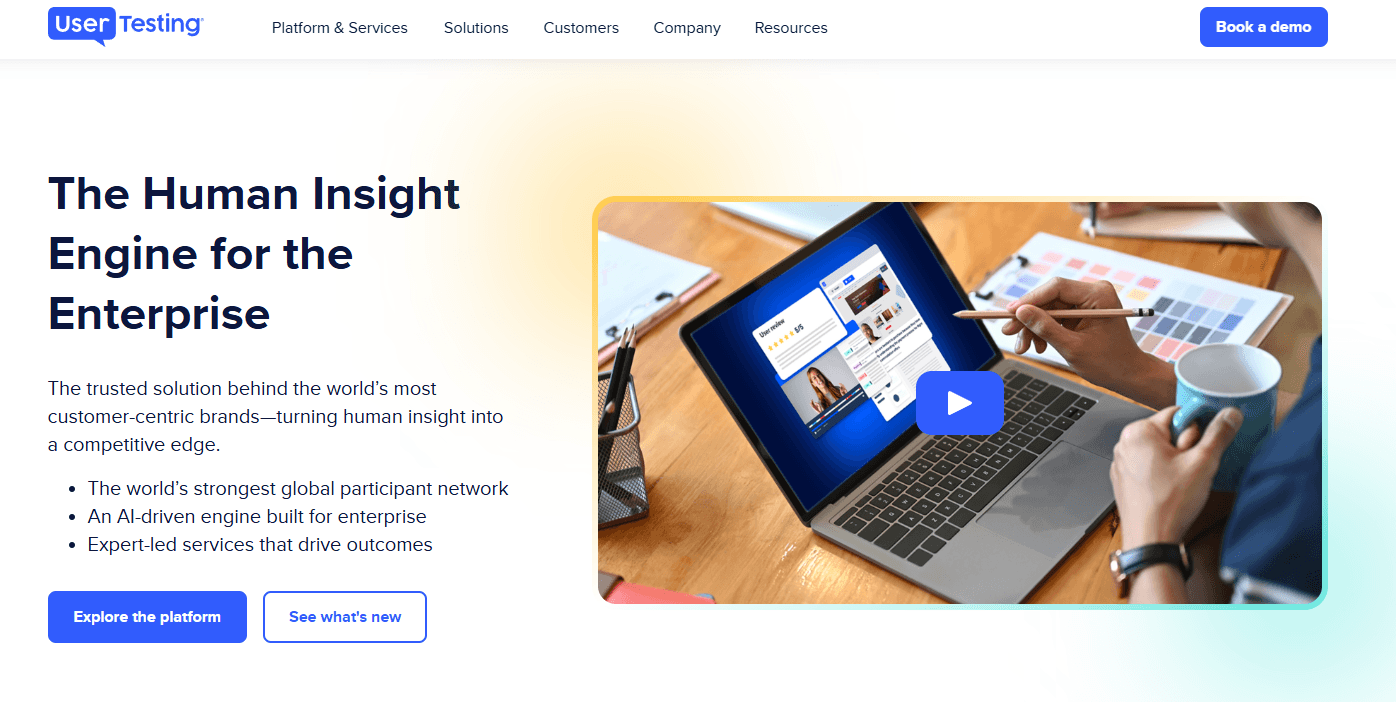
UserTesting is a user experience testing tool built for product teams that need video-based feedback from real users on prototypes, live products, and concepts. I'd mainly consider it if you need on-demand access to a large, vetted participant panel without recruiting your own testers—which is where it pulls ahead of tools like Maze, where you're typically expected to supply your own audience to run studies.
UserTesting Evaluation Summary
4.5/5
- Pricing upon request
- Free demo available
Pourquoi faire confiance à nos recommandations de logiciels
6,700+
Reviews
20
Industry experts
16+
Evaluation factors
14
Years
Notre équipe teste et évalue des logiciels depuis 2012. En tant que chefs de produit nous-mêmes, nous savons à quel point il est difficile — et important — de choisir le bon logiciel.
Pour ce guide, nous avons évalué les outils grâce à des tests pratiques et une recherche indépendante, en notant les outils selon nos critères de sélection.
Nos avis reflètent notre jugement éditorial humain, et non un argumentaire de vente.
Réviseurs experts:
- Andrew LumbySenior TPM
- Cristiano ValimSenior UI/UX Lead


UserTesting Overview
UserTesting offers a polished interface, broad participant pool, and advanced video feedback features, making it a top choice for teams prioritizing speed and depth in user research. Its pricing is higher than many alternatives, and onboarding can feel complex for new users, but the platform's support and integrations help offset these challenges. If you're judging tools for enterprise-scale research or need to compare nuanced user reactions across prototypes, UserTesting stands out. Smaller teams or those with limited budgets may find it less accessible, but for high-stakes projects, its capabilities often justify the investment.
Pros
- Access to a large, diverse participant panel of testers.
- Video feedback captures real user reactions and pain points.
- Advanced targeting for specific demographics and user segments.
Cons
- High pricing compared to most alternatives.
- Limited control over participant quality and screening.
- Session scheduling can be inflexible for international teams.
Is UserTesting Right For Your Needs?
Who Would be a Good Fit for UserTesting?
UserTesting is best suited for organizations that need rapid, in-depth user feedback and have the resources to invest in high-quality research. Teams in industries where digital customer experiences directly impact revenue or satisfaction will see the most value. Its advanced participant targeting, video feedback, and analytics make it ideal for roles and departments focused on optimizing digital products, validating prototypes, and understanding nuanced user behavior.
- Enterprise Product TeamsUserTesting supports large-scale studies and complex prototype testing.
- E-commerce CompaniesReal-time feedback helps optimize checkout flows and product pages.
- UX Research DepartmentsAdvanced analytics and participant targeting support deep research needs.
- Financial ServicesSecure, NDA-compliant testing is available for sensitive projects.
- Marketing AgenciesQuick turnaround on user insights supports campaign and content validation.
- Mobile App DevelopersMobile-specific testing features capture in-app user experiences.
Who Would be a Bad Fit for UserTesting?
UserTesting may not be the best choice for teams with limited budgets, simple research needs, or those requiring highly specialized participant pools. Smaller organizations or those outside digital-first industries may find the platform's pricing and functionality excessive for their needs. Its focus on digital product feedback also means it's less suitable for physical product testing or highly niche audiences.
- Early-Stage StartupsHigh costs can outweigh the value for small teams.
- Nonprofit OrganizationsBudget constraints make ongoing testing difficult to justify.
- Hardware ManufacturersUserTesting lacks features for physical product usability studies.
- Local Service ProvidersParticipant targeting is less effective for hyper-local audiences.
- Academic ResearchersLimited support for longitudinal or academic-style studies.
- Niche B2B MarketsPanel may not include highly specialized professional roles.
Comment nous testons et notons les outils
Nous avons passé des années à construire, affiner et améliorer notre système de test et de notation de logiciels. Notre grille est conçue pour saisir les nuances de la sélection de logiciels et déterminer ce qui rend un outil efficace, en se concentrant sur les aspects essentiels du processus de décision. Ci-dessous, vous pouvez voir exactement comment fonctionne notre système de test et de notation à travers sept critères. Cela nous permet de fournir une évaluation objective des logiciels basée sur la fonctionnalité de base, les fonctionnalités remarquables, la facilité d’utilisation, l’intégration, l’accompagnement client, les avis clients et le rapport qualité-prix.
Fonctionnalité de base (25 % de la note finale)
Le point de départ de notre évaluation est toujours la fonctionnalité essentielle de l’outil. Dispose-t-il des fonctions et caractéristiques de base attendues ? Certaines fonctions essentielles sont-elles réservées aux offres plus chères ? Globalement, nous nous attendons à ce qu’un outil tienne la comparaison face aux capacités de base de ses concurrents.
Fonctionnalités remarquables (25 % de la note finale)
Ensuite, nous évaluons les fonctionnalités exceptionnelles et peu communes qui vont au-delà de la fonctionnalité de base habituellement proposée dans les outils du même type. Une note élevée reflète la présence de fonctionnalités uniques ou spécialisées qui rendent le produit plus rapide, plus efficace ou qui offrent une valeur ajoutée à l’utilisateur. Nous évaluons également la facilité d’intégration avec d’autres outils courants de la pile technologique afin d’étendre la fonctionnalité et l’utilité du logiciel. Les outils qui proposent de nombreuses intégrations natives, des connexions à des services tiers et un accès API pour créer des intégrations personnalisées obtiennent les meilleures notes.
Facilité d’utilisation (10 % de la note finale)
Nous considérons la rapidité et la simplicité d’exécution des tâches définies par la fonctionnalité de base avec l’outil. Un logiciel bien noté est bien conçu, intuitif, propose des applications mobiles, offre des modèles et simplifie les tâches complexes.
Intégration et prise en main (10 % de la note finale)
Nous savons à quel point il est essentiel qu’une équipe adopte rapidement une nouvelle plateforme, c’est pourquoi nous évaluons la facilité avec laquelle un outil s’apprend et s’utilise sans formation approfondie. Nous vérifions à quelle vitesse un membre d’équipe peut être opérationnel et commencer à utiliser l’outil sans expérience préalable. Les solutions les mieux notées ne requièrent que peu ou pas d’assistance.
Support client (10 % de la note finale)
Nous examinons la rapidité et la simplicité d’accès à une aide en cas de besoin, que ce soit par téléphone, chat en direct ou base de connaissances. Les outils et entreprises offrant un support en temps réel sont les mieux notés, tandis que les chatbots reçoivent les moins bonnes notes.
Avis clients (10 % de la note finale)
Au-delà de nos propres tests et évaluations, nous prenons en compte le score de recommandation nette (NPS) des clients actuels et passés. Nous évaluons leur propension, s’ils en avaient le choix, à reprendre cet outil pour la fonctionnalité essentielle. Un logiciel bien noté reflète un NPS élevé de la part de ses clients.
Rapport qualité-prix (10 % de la note finale)
Enfin, en considérant l’ensemble des autres critères, nous examinons le prix moyen des plans d’entrée de gamme par rapport aux fonctionnalités de base, et nous prenons en compte la valeur des autres critères. Les logiciels offrant davantage pour moins cher seront mieux notés.
Core Features
Live Conversation Interviews
Schedule and conduct moderated live conversations with real people for direct feedback. Capture nuanced reactions and probe deeper into user behaviors.
Unmoderated User Tests
Set up new tests and tasks for testers to complete independently on your website or app. Gather video, audio, and written responses at scale, on demand.
Participant Targeting
Filter and recruit users based on demographics, behaviors, or custom criteria. Reach specific audiences, such as mobile shoppers or enterprise buyers.
Video Session Recording
Record user interactions with your product, including screen and voice. Review playback to identify usability issues and user pain points.
Sentiment Analysis
Automatically analyze user feedback for positive, negative, or neutral sentiment. Spot trends and prioritize issues using built-in analytics.
Highlight Reels
Create shareable video clips of key user moments and insights. Use these reels to communicate findings with stakeholders quickly.

Ease of Use
UserTesting offers a polished, user-friendly dashboard, but new users often report that the platform's advanced features and test setup options can feel overwhelming at first. The guided workflows and template library help flatten the learning curve, yet managing participant targeting and interpreting video feedback still requires some onboarding. Once familiar, teams appreciate the streamlined process for launching studies and reviewing results, especially when handling multiple projects or collaborating across departments.
Integrations
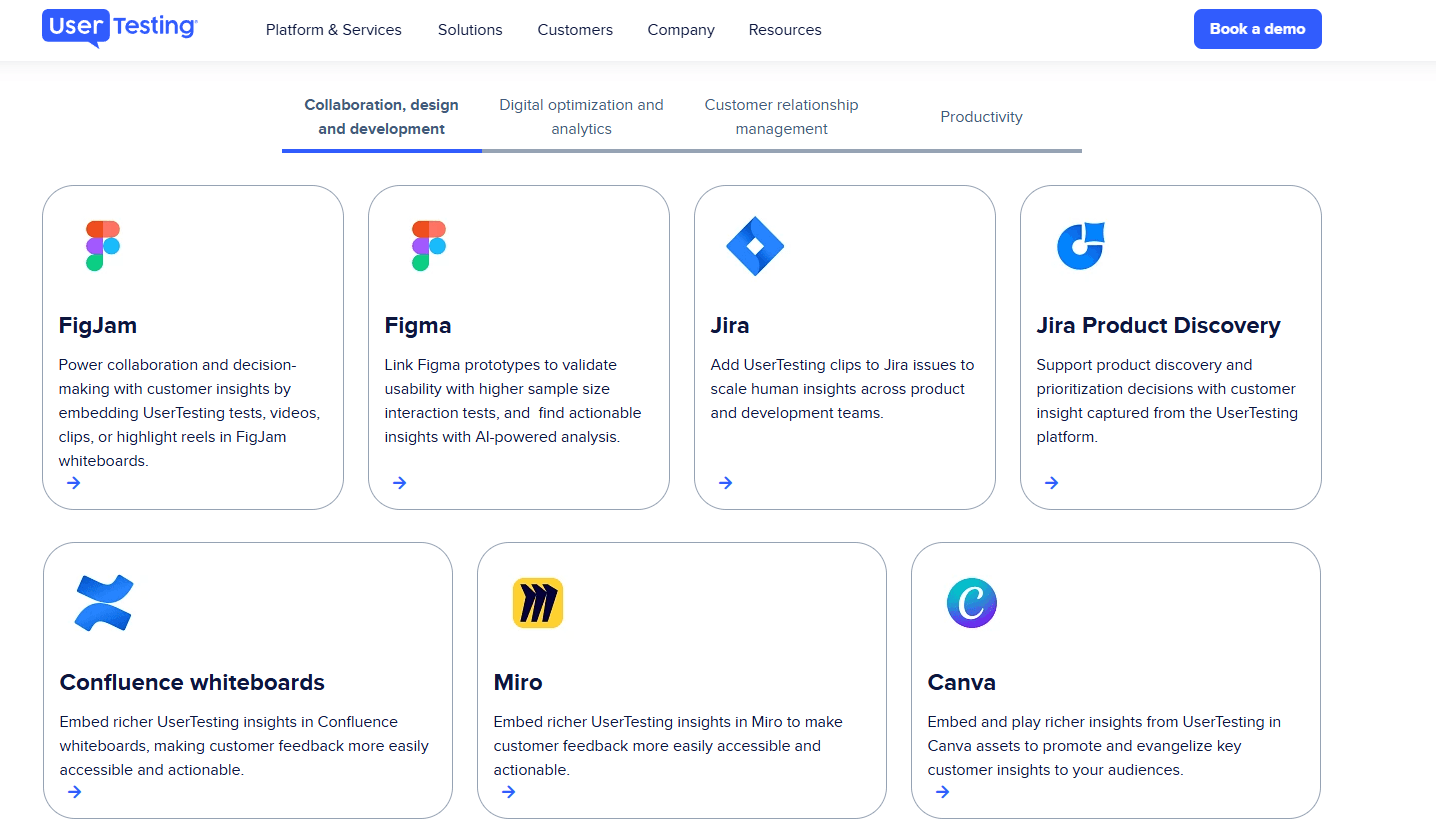
UserTesting integrates with Figma, Jira, Miro, Canva, FullStory, Qualtrics, Trello, Slack, and Microsoft Teams, among others.
UserTesting also offers an API and connects with third-party integration tools for expanded workflow automation.
UserTesting Specs
- Analytics: Yes
- API: Yes
- Calendar Management: Yes
- Chat: Yes
- Click-to-Dial: No
- CRM Integration: No
- Customer Management: Yes
- Customer Service: No
- Dashboard: Yes
- Dashboards: Yes
- Data Export: Yes
- Data Import: Yes
- Data Visualization: Yes
- External Integrations: Yes
- Feedback Management: Yes
- Knowledge Base: Yes
- Lead Management: No
- Lead Scoring: No
- Multi-Source Feedback: Yes
- Multi-User: Yes
- Net Promoter Score: Yes
- Notifications: Yes
- Omnichannel Referrals: No
- Online Surveys: Yes
- Review Moderation: Yes
- Scheduling: Yes
- Sentiment Analysis: Yes
- Social Media Monitoring: No


