

Reseña de Notion: Ventajas, Desventajas, Características y Precios
La interfaz flexible de Notion permite que tu equipo personalice los flujos de trabajo de manera más efectiva que cualquier otra herramienta de gestión de proyectos, fortaleciendo la colaboración y la organización.

Revisamos las herramientas de forma independiente y las comisiones ayudan a financiar nuestras pruebas. Consulta nuestra política de transparencia, nuestra metodología, o sugiere una herramienta.
Notion is a product management tool that combines docs, wikis, databases, and project tracking in a single flexible workspace. It's a strong fit for product teams that want to manage roadmaps, product specs, and meeting notes without switching between separate tools. If you're weighing it against Confluence, Notion gives you more flexibility in how you structure and connect your content—without the administrative overhead that comes with a more rigid, enterprise-oriented setup.
Notion Evaluation Summary
4.6/5
- From $10/user/month (billed annually)
- Free plan available
Por qué confiar en nuestras recomendaciones de software
6,700+
Reviews
20
Industry experts
16+
Evaluation factors
14
Years
Nuestro equipo lleva probando y evaluando software desde 2012. Como gestores de producto, sabemos lo difícil —y lo importante— que es elegir el software adecuado.
Para esta guía, evaluamos las herramientas mediante pruebas prácticas e investigación independiente, puntuando las herramientas según nuestros criterios de selección.
Nuestras reseñas reflejan nuestro criterio editorial humano, no un discurso de ventas.
Revisores expertos:
 Hannah ClarkSenior TPM
- Cristiano ValimSenior UI/UX Lead

Notion Overview
In my opinion, Notion is a standout tool for those seeking flexibility in a project and product management platform. Its customization and integration options set it apart, making it ideal for startups and tech teams that value adaptability. While its interface is user friendly, the onboarding could be smoother for those new to tools such as this. Compared to other product management tools, Notion excels in offering a tailored experience, but it is slightly lacking in customer support responsiveness. If you're choosing a product management tool for a dynamic and creative team, Notion's features might align with your needs.
Pros
- You can customize your workspace to fit your team's needs.
- The interface is clean and intuitive, making it straightforward to navigate.
- It offers a flexible structure for organizing projects and documents.
Cons
- Your team might find the learning curve steep.
- It lacks advanced task management features compared to competitors.
- Some features aren't available if you are working offline.
Is Notion Right For Your Needs?
Who Would be a Good Fit for Notion?
Notion is perfect for creative teams and startups that need flexibility in managing projects and tasks. If your team members value customization and want to structure work in a distinctive manner, Notion's adaptable interface and flexible organization make it ideal. The ability to organize documents and projects in a way that fits your team's workflow can significantly boost productivity. Tech companies and remote teams will appreciate its collaboration tools that allow everyone to work in an integrated way from different locations.
- Creative AgenciesNotion lets you customize workflows and manage creative projects smoothly.
- Tech StartupsYour team can adapt Notion's features to suit evolving project structures.
- Remote TeamsIt supports collaboration with flexible document and task management along with its mobile apps for Androids and iPhones.
- Project ManagersYou can organize projects and tasks in a way that aligns with your goals.
- FreelancersNotion's interface is perfect for managing multiple clients and projects.
- Education DepartmentsIt offers tools for organizing curriculums and collaborative workspaces for staff.
Who Would be a Bad Fit for Notion?
Notion might not suit large enterprises needing advanced task management and workflow automation. If your team manages complex project timelines with strong task dependencies, you might find Notion lacking. Industries with strict compliance requirements may struggle without dedicated features for security and audit trails. Teams that need offline functionality or have limited internet access might find they aren't able to fully utilize Notion's capabilities.
- Large EnterprisesYou may need more advanced task management features than Notion offers.
- Manufacturing TeamsNotion lacks the detailed workflow automation critical for your operations.
- Finance DepartmentsThe tool doesn't provide the compliance and auditing tools you require.
- Healthcare ProvidersThe security features may not meet your strict data protection needs.
- Construction FirmsYour team needs better project timeline tools.
- Government AgenciesNotion's lack of dedicated compliance features could be a limitation for your work.
Cómo Probamos y Puntamos Herramientas
Llevamos años construyendo, refinando y mejorando nuestro sistema de pruebas y puntuación de software. La rúbrica está diseñada para captar los matices de la selección de software y lo que hace que una herramienta sea eficaz, centrándose en aspectos críticos del proceso de decisión. A continuación, puedes ver exactamente cómo funcionan nuestras pruebas y puntuaciones a través de siete criterios. Esto nos permite proporcionar una evaluación imparcial del software según funcionalidad principal, características destacadas, facilidad de uso, implementación, soporte al cliente, integraciones, reseñas de clientes y relación calidad-precio.
Funcionalidad Principal (25% de la puntuación final)
El punto de partida de nuestra evaluación siempre es la funcionalidad principal de la herramienta. ¿Cuenta con las funciones básicas que un usuario espera ver? ¿Alguna de esas funciones centrales está limitada a planes de precios superiores? Esperamos que una herramienta esté a la altura de las capacidades básicas de sus competidores.
Características Destacadas (25% de la puntuación final)
Luego evaluamos características especiales poco comunes que van más allá de la funcionalidad principal que normalmente se encuentra en herramientas similares. Una alta puntuación refleja características especializadas o únicas que hacen que el producto sea más rápido, eficiente u ofrezca valor añadido al usuario. También evaluamos lo fácil que es integrar con otras herramientas habituales en el entorno tecnológico para ampliar la funcionalidad y utilidad del software. Las herramientas que ofrecen integraciones nativas abundantes, conexiones de terceros y acceso por API para crear integraciones personalizadas obtienen la mejor puntuación.
Facilidad de Uso (10% de la puntuación final)
Consideramos lo rápido y sencillo que es llevar a cabo las tareas definidas en la funcionalidad principal usando la herramienta. El software con alta puntuación está bien diseñado, es intuitivo, ofrece apps móviles, tiene plantillas y hace que tareas relativamente complejas parezcan simples.
Implementación (10% de la puntuación final)
Sabemos lo importante que es la adopción rápida del equipo para una nueva plataforma, así que evaluamos la facilidad de aprendizaje y uso de una herramienta con entrenamiento mínimo. Evaluamos cuán rápidamente un miembro del equipo puede configurar y empezar a usar la herramienta sin experiencia previa. Las soluciones con alta puntuación indican que se requiere poco o ningún soporte.
Soporte al Cliente (10% de la puntuación final)
Revisamos lo rápido y sencillo que es desatascarse y encontrar ayuda por teléfono, chat en vivo o base de conocimientos. Los productos y empresas que ofrecen soporte en tiempo real obtienen mejor puntuación, mientras que los chats automáticos obtienen la peor.
Reseñas de Clientes (10% de la puntuación final)
Más allá de nuestras propias pruebas y evaluaciones, consideramos el net promoter score de clientes actuales y pasados. Revisamos su probabilidad, dadas las opciones, de elegir la herramienta de nuevo por su funcionalidad principal. Un software con alta puntuación refleja un alto net promoter score de clientes actuales o anteriores.
Relación Calidad-Precio (10% de la puntuación final)
Por último, teniendo en cuenta todos los demás criterios, revisamos el precio promedio de los planes de nivel de entrada frente a las funcionalidades principales y consideramos el valor de los demás criterios de evaluación. El software que ofrece más por menos, obtendrá una puntuación mayor.
Core Features
Task Management: You can create, assign, and track tasks efficiently. This keeps your team organized and on top of deadlines.
Document Collaboration: Share and edit documents in real-time with your team. It strengthens collaboration and keeps everyone aligned.
Custom Templates: Use pre-made templates or create your own for recurring tasks. It saves time and ensures consistency in your work.
Kanban Boards: Visualize tasks and projects with Kanban boards. This helps your team see progress and prioritize work efficiently.
Notes and Wikis: Use the AI note-taking feature and note-taking app to quickly create meeting notes. Use wikis to build team spaces and knowledge bases to readily access notifications and resources to stay informed.
Calendar View: Sync task lists and deadlines in a calendar format. It helps you plan and manage your team's schedule effectively.

Ease of Use
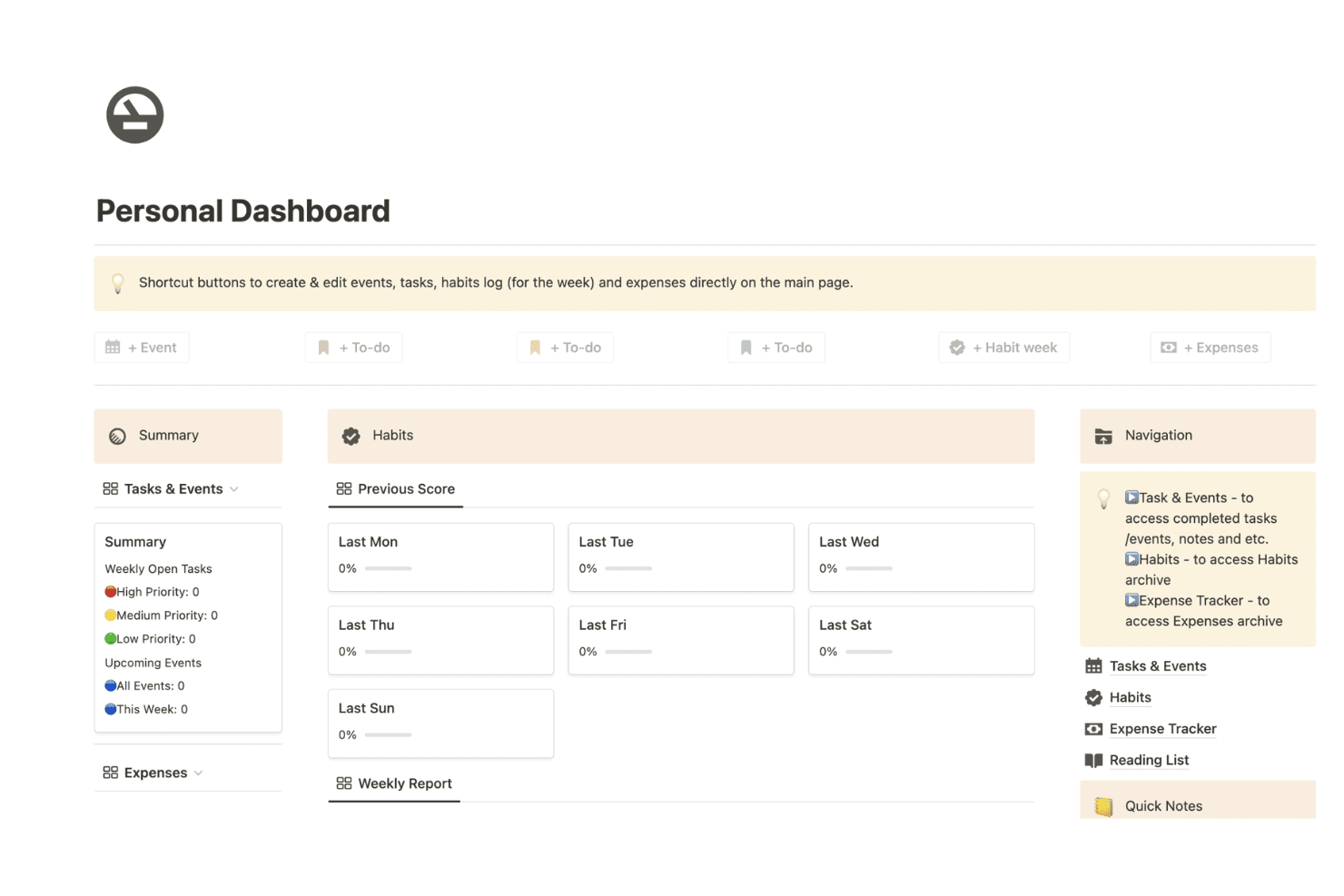
Notion is user friendly with its clean interface and intuitive navigation, making it simple for your team to get started. The drag-and-drop functionality lets you organize tasks and projects quickly. While there's a steep learning curve initially, the customization options soon become straightforward. Users appreciate the flexibility in designing their workspace to fit specific needs. Compared to other tools, Notion stands out for its functionality in creating a productive workspace.
Integrations
Notion integrations include Google Drive, Slack, Trello, GitHub, Asana, Typeform, Figma, and Miro.
Notion also offers an API for custom integrations and connects with third-party integration tools such as Zapier.

Notion Specs
- API: Yes
- Calendar Management: Yes
- Data Export: Yes
- Data Import: Yes
- External Integrations: Yes
- Inventory Tracking: No
- Multi-User: Yes
- Notifications: Yes
- Project Management: Yes
- Scheduling: No
- Supplier Management: No
- Task Scheduling/Tracking: Yes


