

Reseña de Visor: Pros, Contras, Características y Precios
Visor destaca por sus integraciones bidireccionales y la visualización de datos en tiempo real, lo que lo convierte en una opción versátil para la gestión colaborativa de productos.

Revisamos las herramientas de forma independiente y las comisiones ayudan a financiar nuestras pruebas. Consulta nuestra política de transparencia, nuestra metodología, o sugiere una herramienta.
Visor is a product management roadmap tool built for product teams that need to sync roadmap data directly from Jira without rebuilding everything from scratch. If you've tried Aha! and found the setup too heavy for your team size, I think Visor is a better fit. It gives you spreadsheet-style roadmap views that pull live Jira data, with a much lighter onboarding curve.
Visor Evaluation Summary
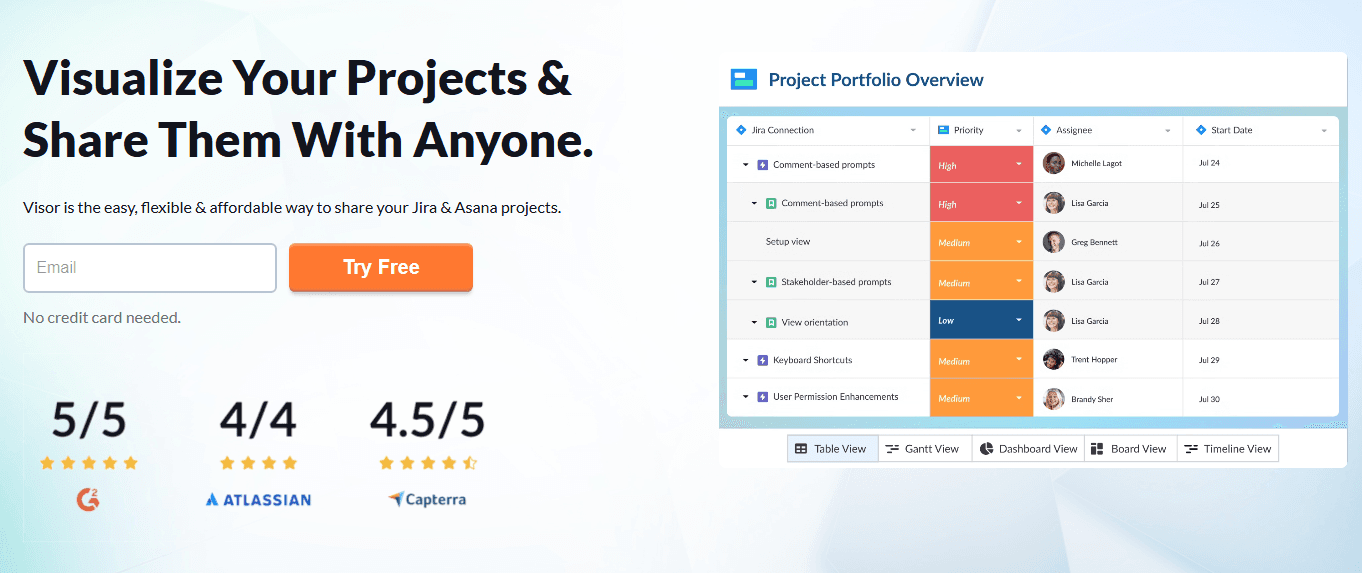
4.6/5
- From $18/user/month
- Free plan available
Por qué confiar en nuestras recomendaciones de software
6,700+
Reviews
20
Industry experts
16+
Evaluation factors
14
Years
Nuestro equipo lleva probando y evaluando software desde 2012. Como gestores de producto, sabemos lo difícil —y lo importante— que es elegir el software adecuado.
Para esta guía, evaluamos las herramientas mediante pruebas prácticas e investigación independiente, puntuando las herramientas según nuestros criterios de selección.
Nuestras reseñas reflejan nuestro criterio editorial humano, no un discurso de ventas.
Revisores expertos:
 Hannah ClarkSenior TPM
- Cristiano ValimSenior UI/UX Lead

Visor Overview
In my opinion, Visor is a solid choice for product teams that need a centralized platform for data management and collaboration. Its standout features include bi-directional integrations and real-time data visualization, which set it apart from many competitors. While it excels in user-friendly design and project planning, some users might find the learning curve challenging.
Visor is best suited for tech-savvy teams in industries like technology and digital marketing that require agile project management. However, it may not be the best fit for large enterprises with complex data needs or industries needing specialized data management tools. If your team values integration and collaboration, Visor is worth considering.
Pros
- You can visualize data in real time, helping your team stay aligned.
- It offers a user-friendly interface, making navigation easy for everyone.
- It supports collaborative planning, enhancing teamwork and decision-making.
Cons
- Your team might find the initial learning curve a bit steep.
- It may lack advanced features needed by large enterprises.
- Customization options could be limited for specific needs.
Is Visor Right For Your Needs?
Who Would be a Good Fit for Visor?
Visor fits well for tech startups and mid-sized companies focusing on product development and agile methodologies. If your team values real-time data visualization and needs a collaborative workspace to align on projects, Visor’s functionalities serve you well. It’s especially useful for product managers and cross-functional teams who need to prioritize tasks and make data-driven decisions. The user-friendly interface helps teams quickly adapt and start planning efficiently.
- Tech StartupsVisor helps your startup team manage projects with real-time data and collaborative planning.
- SaaS CompaniesYour SaaS team benefits from Visor's ability to align cross-functional teams on priorities.
- Product ManagersYou can use Visor to visualize project timelines and make informed decisions.
- Agile TeamsYour agile team can utilize Visor’s features for quick adjustments and project alignment.
- Marketing DepartmentsVisor helps your marketing team track campaigns and collaborate effectively on project goals.
- Mid-Sized CompaniesVisor supports your company’s need for efficient project management and team collaboration.
Who Would be a Bad Fit for Visor?
Visor might not suit large enterprises with complex data needs or industries requiring highly specialized data management tools. If your team demands advanced customization and extensive feature sets beyond basic project management, Visor's capabilities may fall short. It's not ideal for industries like finance or healthcare that need stringent data compliance and specialized reporting. Teams needing deep customization or integration with niche platforms may find Visor limiting.
- Large EnterprisesVisor's features may not meet the complex needs of your large-scale operations.
- Finance IndustryYour finance team might find Visor lacks the specialized reporting you need.
- Healthcare SectorVisor doesn't offer the compliance features your healthcare projects require.
- Custom DevelopmentIf your team needs heavy customization, Visor might not support those requirements.
- Government AgenciesVisor may not align with the stringent regulations your agency must follow.
- Manufacturing CompaniesYour manufacturing processes might demand more specialized tools than Visor provides.
Cómo Probamos y Puntamos Herramientas
Llevamos años construyendo, refinando y mejorando nuestro sistema de pruebas y puntuación de software. La rúbrica está diseñada para captar los matices de la selección de software y lo que hace que una herramienta sea eficaz, centrándose en aspectos críticos del proceso de decisión. A continuación, puedes ver exactamente cómo funcionan nuestras pruebas y puntuaciones a través de siete criterios. Esto nos permite proporcionar una evaluación imparcial del software según funcionalidad principal, características destacadas, facilidad de uso, implementación, soporte al cliente, integraciones, reseñas de clientes y relación calidad-precio.
Funcionalidad Principal (25% de la puntuación final)
El punto de partida de nuestra evaluación siempre es la funcionalidad principal de la herramienta. ¿Cuenta con las funciones básicas que un usuario espera ver? ¿Alguna de esas funciones centrales está limitada a planes de precios superiores? Esperamos que una herramienta esté a la altura de las capacidades básicas de sus competidores.
Características Destacadas (25% de la puntuación final)
Luego evaluamos características especiales poco comunes que van más allá de la funcionalidad principal que normalmente se encuentra en herramientas similares. Una alta puntuación refleja características especializadas o únicas que hacen que el producto sea más rápido, eficiente u ofrezca valor añadido al usuario. También evaluamos lo fácil que es integrar con otras herramientas habituales en el entorno tecnológico para ampliar la funcionalidad y utilidad del software. Las herramientas que ofrecen integraciones nativas abundantes, conexiones de terceros y acceso por API para crear integraciones personalizadas obtienen la mejor puntuación.
Facilidad de Uso (10% de la puntuación final)
Consideramos lo rápido y sencillo que es llevar a cabo las tareas definidas en la funcionalidad principal usando la herramienta. El software con alta puntuación está bien diseñado, es intuitivo, ofrece apps móviles, tiene plantillas y hace que tareas relativamente complejas parezcan simples.
Implementación (10% de la puntuación final)
Sabemos lo importante que es la adopción rápida del equipo para una nueva plataforma, así que evaluamos la facilidad de aprendizaje y uso de una herramienta con entrenamiento mínimo. Evaluamos cuán rápidamente un miembro del equipo puede configurar y empezar a usar la herramienta sin experiencia previa. Las soluciones con alta puntuación indican que se requiere poco o ningún soporte.
Soporte al Cliente (10% de la puntuación final)
Revisamos lo rápido y sencillo que es desatascarse y encontrar ayuda por teléfono, chat en vivo o base de conocimientos. Los productos y empresas que ofrecen soporte en tiempo real obtienen mejor puntuación, mientras que los chats automáticos obtienen la peor.
Reseñas de Clientes (10% de la puntuación final)
Más allá de nuestras propias pruebas y evaluaciones, consideramos el net promoter score de clientes actuales y pasados. Revisamos su probabilidad, dadas las opciones, de elegir la herramienta de nuevo por su funcionalidad principal. Un software con alta puntuación refleja un alto net promoter score de clientes actuales o anteriores.
Relación Calidad-Precio (10% de la puntuación final)
Por último, teniendo en cuenta todos los demás criterios, revisamos el precio promedio de los planes de nivel de entrada frente a las funcionalidades principales y consideramos el valor de los demás criterios de evaluación. El software que ofrece más por menos, obtendrá una puntuación mayor.
Core Features
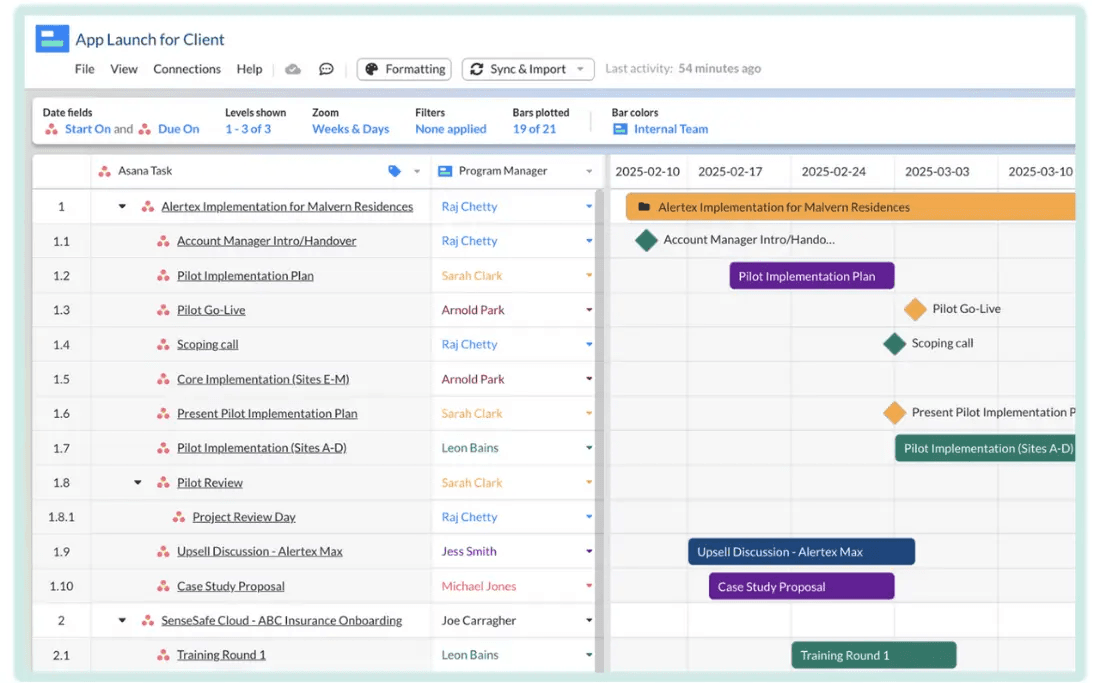
Project Timelines: Visor lets you create clear project timelines, so your team can visualize task dependencies and deadlines easily. This helps everyone stay on track and meet goals.
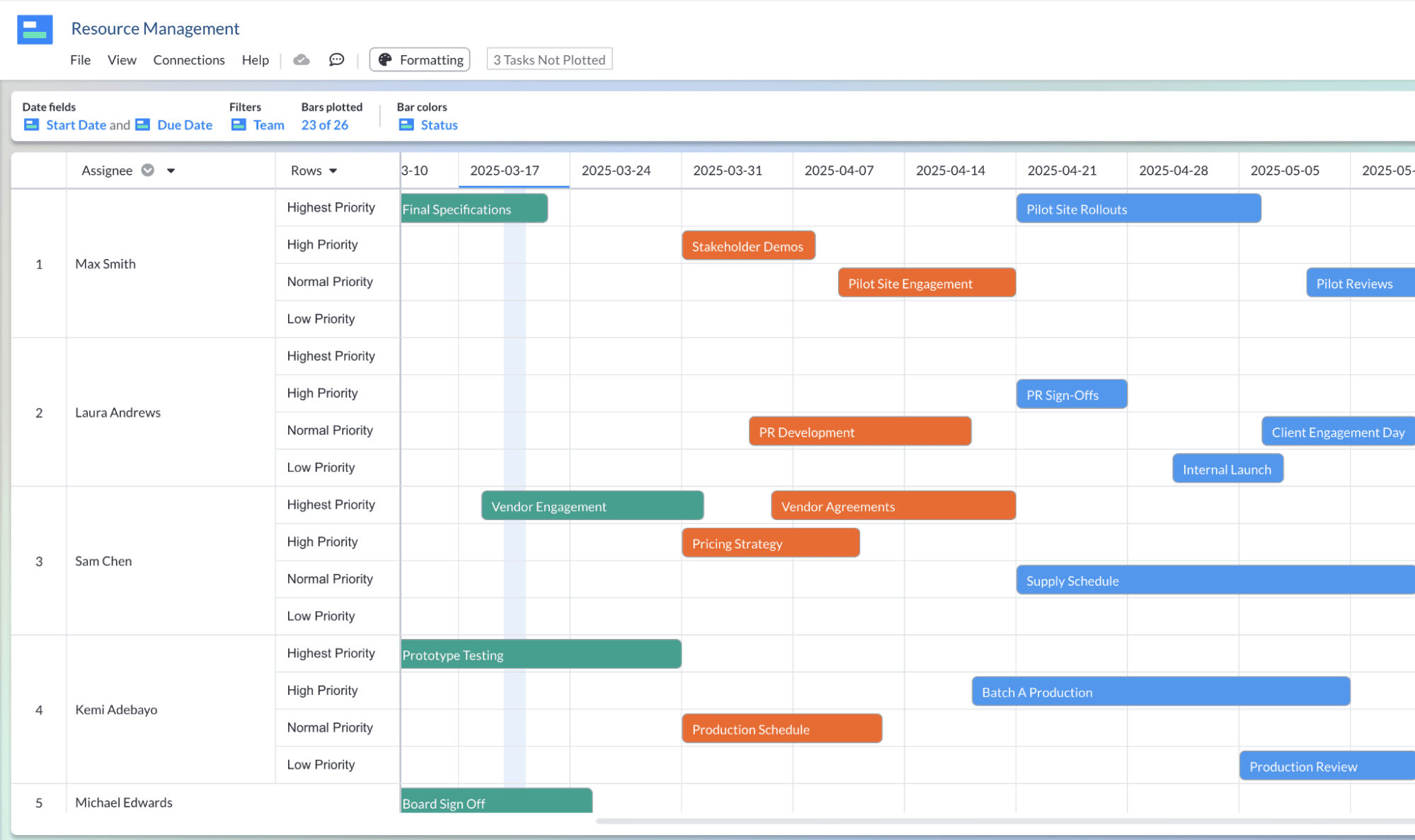
Task Prioritization: You can prioritize tasks based on importance and urgency, ensuring your team focuses on what matters most. This feature aids in effective resource allocation.
Real-Time Collaboration: Your team can work together on projects in real-time, making communication and updates seamless. This keeps everyone aligned and informed.
Data Visualization: Visor provides tools to visualize data with flexible formatting, making complex information easier to understand. This helps your team make informed decisions quickly.
Centralized Dashboard: You have access to a single dashboard with flexible custom views, where all project details are gathered. This makes it easy to monitor progress and updates without switching platforms.
User-Friendly Interface: Visor's interface is simple to navigate, reducing the learning curve for you and your team. This allows you to start managing projects efficiently right away.
Ease of Use
Visor is user-friendly, with an interface that's easy to navigate, letting you and your team get up and running quickly. Its centralized dashboard simplifies project monitoring, and real-time collaboration ensures everyone stays updated effortlessly. While there's a slight learning curve initially, most users adapt swiftly, appreciating the intuitive design. Compared to other tools, Visor's straightforward layout and efficient task management make it a practical choice for teams looking to enhance productivity without the hassle of complex software.
Integrations
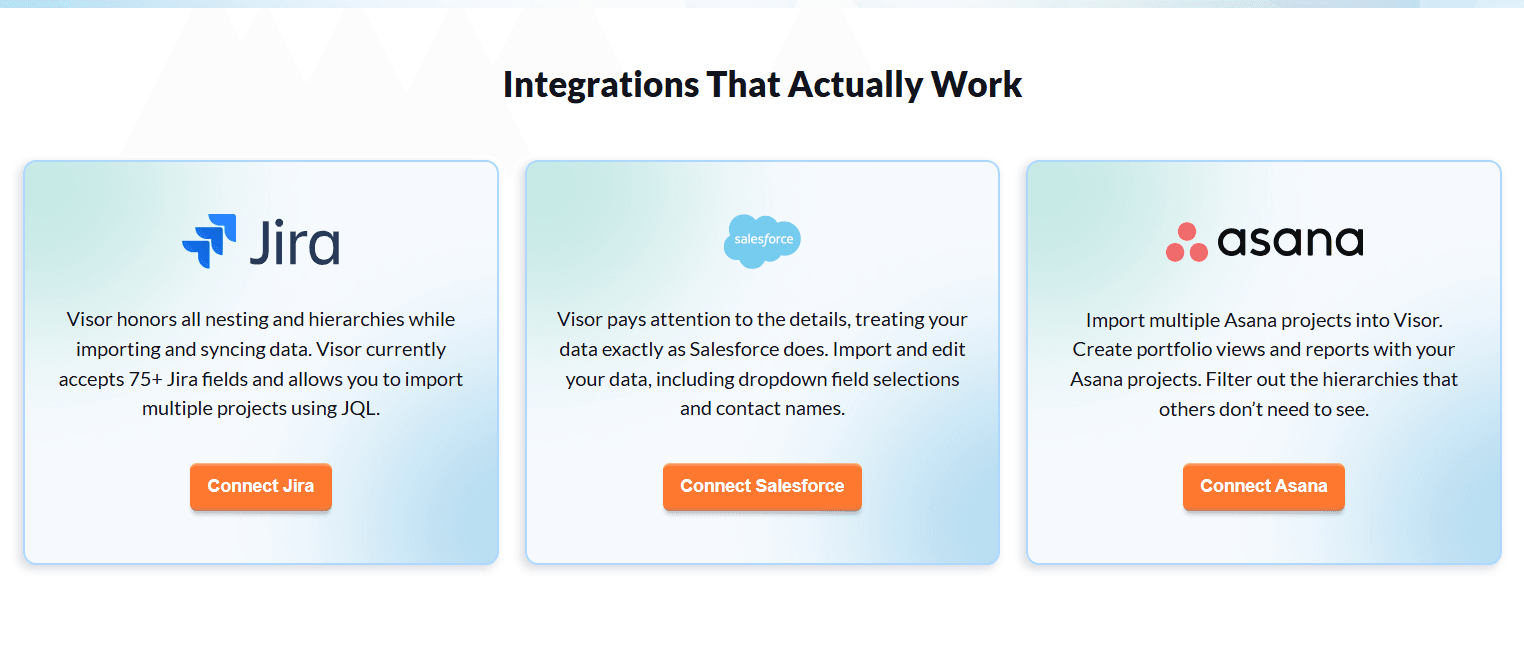
Visor integrates with Jira, Asana, and Salesforce through bi-directional syncing, allowing you to import and update project data in real time. These integrations preserve task hierarchies and support collaborative planning, while Visor focuses primarily on these core platforms rather than a wide range of third-party tools.
Visor Specs
- API: Yes
- Batch Permissions & Access: Yes
- Calendar Management: Yes
- Collaboration Support: Yes
- Contact Management: No
- Contact Sharing: No
- CRM Integration: Yes
- Customer Management: No
- Data Export: Yes
- Data Import: Yes
- Database: Yes
- Email Integration: No
- File Transfer: No
- Google Apps Integration: No
- Multi-Account: Yes
- Multi-App: Yes
- Multi-Site: No
- Multi-User: Yes
- Password & Access Management: Yes
- Project Management: Yes
- Report & Compliance: No
- Resource Management: Yes
- Social-Media Integration: No
- Software Integration: No
- Task Scheduling/Tracking: Yes
- Timesheets: No
- Workflow Management: Yes


