

10 mejores programas gratuitos de diseño web analizados en 2026

Selección del mejor software gratuito de diseño web


Adentrarse en el mundo del diseño web puede ser difícil, especialmente cuando el presupuesto es limitado. Es posible que tengas que gestionar varios proyectos y necesites una solución que no aumente tus gastos. Ahí es donde entra en juego el software gratuito de diseño web. Ofrece herramientas para crear y gestionar tus sitios web sin el elevado coste habitual.
Según mi experiencia, encontrar la herramienta gratuita adecuada puede ahorrarte tiempo y esfuerzo, a la vez que te permite centrarte en la creatividad y la funcionalidad. Compartiré mis principales opciones, cada una con un plan o una prueba gratuitos, para que puedas decidir cuál se adapta mejor a las necesidades de tu equipo. Exploremos opciones que pueden ayudarte a afrontar tus retos de diseño sin arruinarte.
Por Qué Confiar en Nuestras Reseñas de Software
Llevamos revisando y probando software de gestión de productos desde 2020. Como product managers, sabemos lo crucial y complicado que es tomar la decisión correcta al seleccionar software. Invertimos en investigación profunda para ayudar a nuestra audiencia a tomar mejores decisiones de compra de software. Hemos probado más de 2,000 herramientas para distintos casos de uso y escrito más de 1,000 reseñas exhaustivas. Conozca cómo mantenemos la transparencia & nuestra metodología de reseñas de software.
Resumen del mejor software gratuito de diseño web
Aunque todo el software de diseño web de mi lista ofrece opciones gratuitas, también cuenta con planes de pago por si deseas actualizarte. Estos son los costes básicos de cada una de las herramientas que llegaron a mi selección:
| Tool | Best For | Trial Info | Price | ||
|---|---|---|---|---|---|
| 1 | Ideal para edición rápida con arrastrar y soltar | Plan gratuito disponible | Desde $12/mes (facturado anualmente) | Website | |
| 2 | Ideal para herramientas de colaboración en equipo | Plan gratuito disponible | Desde $16/usuario/mes (facturado anualmente) | Website | |
| 3 | Ideal para personalización de código abierto | Plan gratuito disponible | Desde $4/mes (facturado anualmente) | Website | |
| 4 | Mejor para sitios de comercio electrónico de pequeñas empresas | Plan gratuito disponible | Desde $13/mes (facturado anualmente) | Website | |
| 5 | Ideal para configuración de sitios web asistida por IA | Plan gratuito + demo gratis disponible | Desde $17/mes (facturado anualmente) | Website | |
| 6 | Ideal para crear sitios web sin conexión | Prueba gratuita disponible | Desde $149 | Website | |
| 7 | Ideal para capacidades de codificación visual | Plan gratuito + demo gratis disponible | Desde $15/mes (facturado anualmente) | Website | |
| 8 | Mejor para integración con WordPress | Plan gratuito + demo gratis disponible | Desde $5/mes (facturado anualmente) | Website | |
| 9 | Ideal para soporte multilingüe | Plan gratuito disponible | Desde $4.50/mes | Website | |
| 10 | Ideal para páginas de destino en WordPress | No disponible | Desde $39.50/año | Website |
Análisis del mejor software gratuito de diseño web
A continuación encontrarás mis resúmenes de las mejores opciones de software gratuito de diseño web que llegaron a mi selección. Mis análisis ofrecen una mirada detallada a las funciones principales, las ventajas y desventajas, las integraciones y los casos de uso ideales de cada herramienta para ayudarte a encontrar la mejor opción para ti. Aunque algunas de estas herramientas ofrecen una versión completamente gratuita, otras ofrecen un periodo de prueba gratuito. He añadido una nota sobre lo que es gratuito en cada uno de mis análisis.

Canva
Ideal para edición rápida con arrastrar y soltar
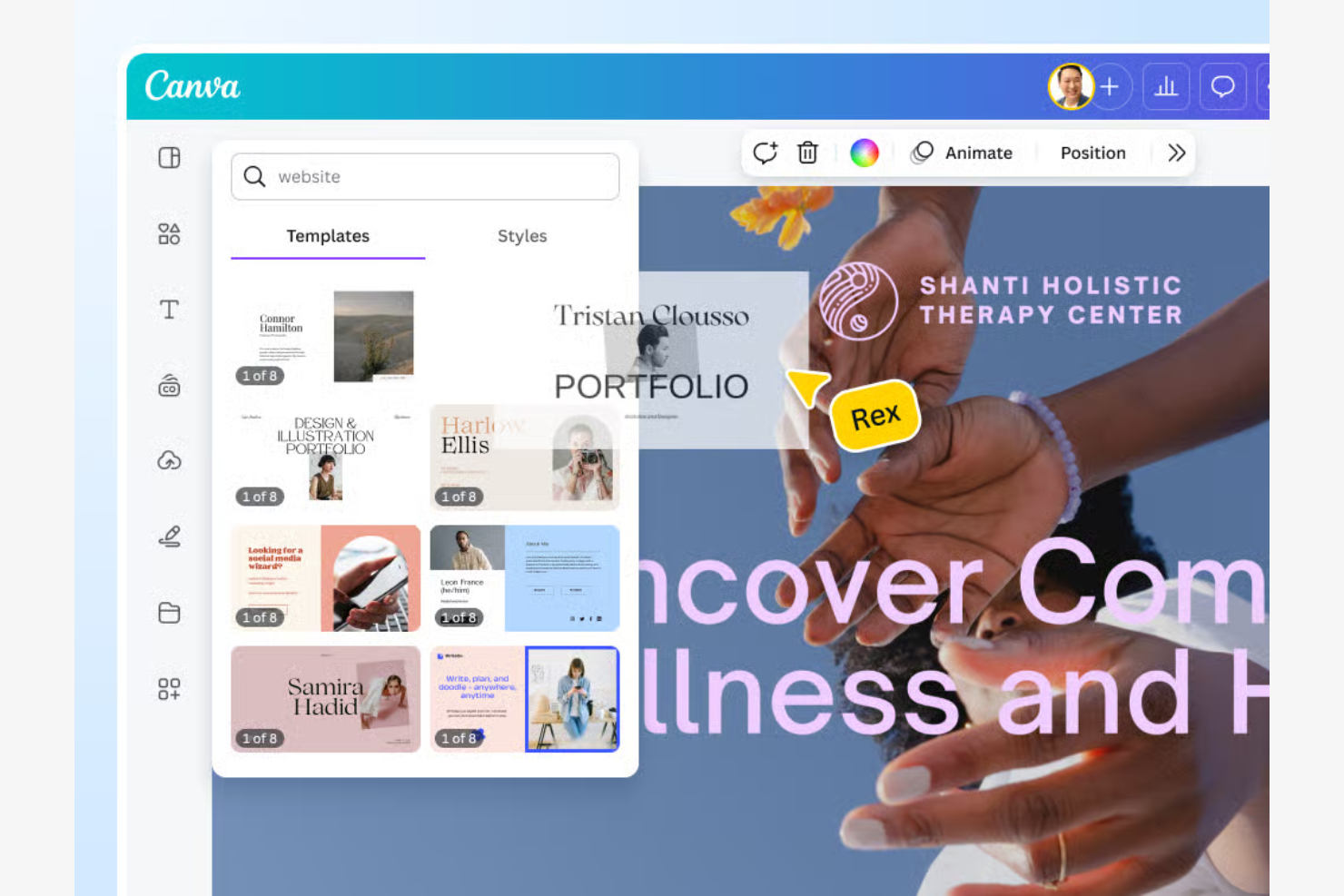
Canva es una herramienta de diseño versátil, popular entre pequeñas empresas y creadores individuales. Ayuda a los usuarios a crear sitios web visualmente atractivos, centrándose en el diseño rápido y la facilidad de uso.
Por qué elegí Canva: La versión gratuita de Canva funciona como un creador de sitios web gratuito con un editor intuitivo de arrastrar y soltar, facilitando que cualquier persona diseñe un sitio web sin necesidad de programar o tener experiencia previa. Como un creador de sitios sencillo, su facilidad de uso lo destaca para quienes buscan agilizar el proceso de creación.
Características destacadas e integraciones:
Características incluyen una interfaz amigable sin necesidad de código, una amplia biblioteca de plantillas personalizables y elementos de diseño integrados como fuentes e imágenes. Los equipos pueden colaborar en tiempo real y los diseños pueden exportarse en varios formatos.
Integraciones incluyen Dropbox, Google Drive, Instagram, Facebook, Slack y más.
¿Qué es gratis? Canva ofrece un plan gratuito para siempre, que incluye más de 1.6 millones de plantillas y más de 4.7 millones de fotos y gráficos gratuitos. También proporciona 5 GB de almacenamiento en la nube y acceso a herramientas básicas de Magic Studio con IA.
Pros and Cons
Pros:
- Amplia biblioteca de plantillas
- Colaboración en tiempo real
- Opciones de formato de diseño flexibles
Cons:
- Algunos elementos requieren pago
- Carece de herramientas vectoriales avanzadas

Figma
Ideal para herramientas de colaboración en equipo

Figma es una herramienta de diseño basada en la nube muy popular entre diseñadores UX/UI y equipos de producto. Facilita la colaboración en tiempo real en proyectos de diseño.
Por qué elegí Figma: Su versión gratuita permite la colaboración en tiempo real, lo que la hace ideal para equipos que trabajan juntos en proyectos de diseño. Puedes crear y compartir archivos de diseño, con soporte para flujos de trabajo flexibles y una amplia gama de opciones de diseño. También funciona como una plataforma de diseño todo en uno y admite personalización mediante complementos basados en JavaScript.
Características destacadas e integraciones:
Características incluyen un sistema de componentes para mantener la coherencia del diseño entre proyectos, redes vectoriales para rutas de diseño flexibles y una herramienta de prototipado para elementos interactivos. El historial de versiones permite a los equipos seguir los cambios y revertir cuando sea necesario, mientras que las bibliotecas de diseño compartidas facilitan la reutilización en múltiples proyectos.
Integraciones incluyen Slack, Zeplin, Jira, Trello, Dropbox, Asana, Notion y más.
¿Qué es gratis? Figma ofrece un plan Starter gratuito para siempre con limitaciones en la cantidad de proyectos y editores. Sin embargo, proporciona acceso a funciones de diseño esenciales, incluidos archivos personales ilimitados, colaboradores ilimitados y miles de kits de UI y plantillas a través de Figma Community.
Pros and Cons
Pros:
- Edición simultánea en archivos de diseño compartidos
- Herramientas de edición vectorial
- Acceso a la biblioteca de diseños
Cons:
- El plan gratuito limita los proyectos de equipo y bibliotecas compartidas
- Acceso restringido a editores

Ideal para personalización de código abierto
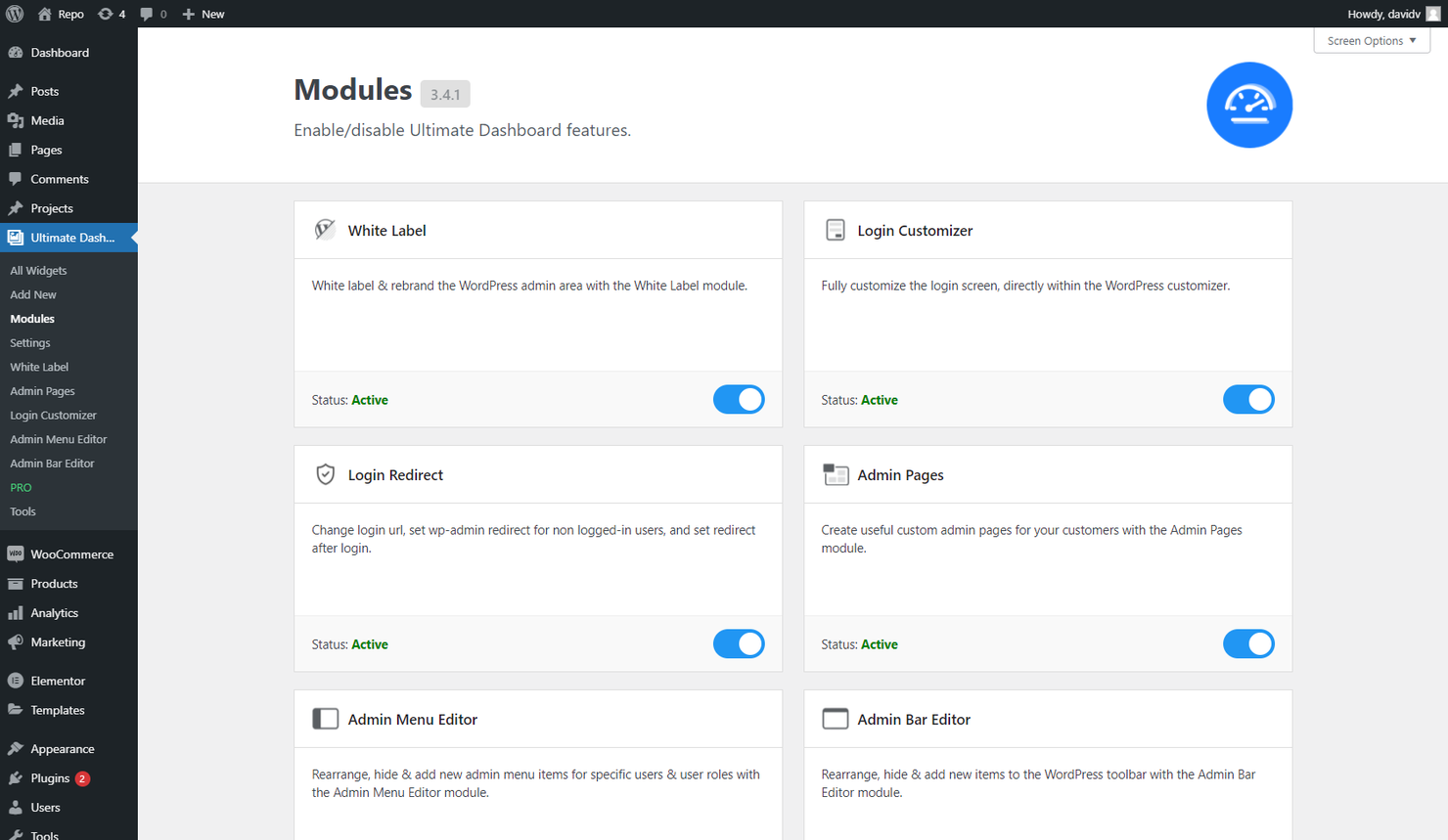
WordPress es un sistema de gestión de contenidos de código abierto popular entre blogueros, pequeñas empresas y desarrolladores para crear sitios web personalizables. Ofrece una plataforma flexible para construir desde blogs personales hasta sitios empresariales complejos.
Por qué elegí WordPress: Su versión gratuita proporciona un alto grado de personalización, lo que lo hace ideal para usuarios que desean adaptar su sitio web a sus necesidades específicas. La naturaleza de código abierto te permite modificar el código, ofreciendo posibilidades ilimitadas de personalización.
Características destacadas e integraciones:
Características incluyen un panel de control fácil de usar para una gestión sencilla, una amplia biblioteca de temas para personalización visual y un sistema de plugins para ampliar funcionalidades. Las herramientas de blogging integradas favorecen la interacción con la audiencia, mientras que los roles multiusuario permiten la gestión colaborativa del sitio.
Integraciones incluyen WooCommerce, Yoast SEO, Jetpack, Mailchimp, Akismet y más.
¿Qué es gratis? WordPress ofrece un plan gratuito para siempre con acceso al software principal y a más de 14.000 temas básicos.
Pros and Cons
Pros:
- Amplia selección de temas
- Flexibilidad de la arquitectura de plugins
- Acceso al código abierto
Cons:
- Requiere configuración de hosting
- La personalización de temas suele requerir conocimientos de CSS o plugins

Weebly
Mejor para sitios de comercio electrónico de pequeñas empresas
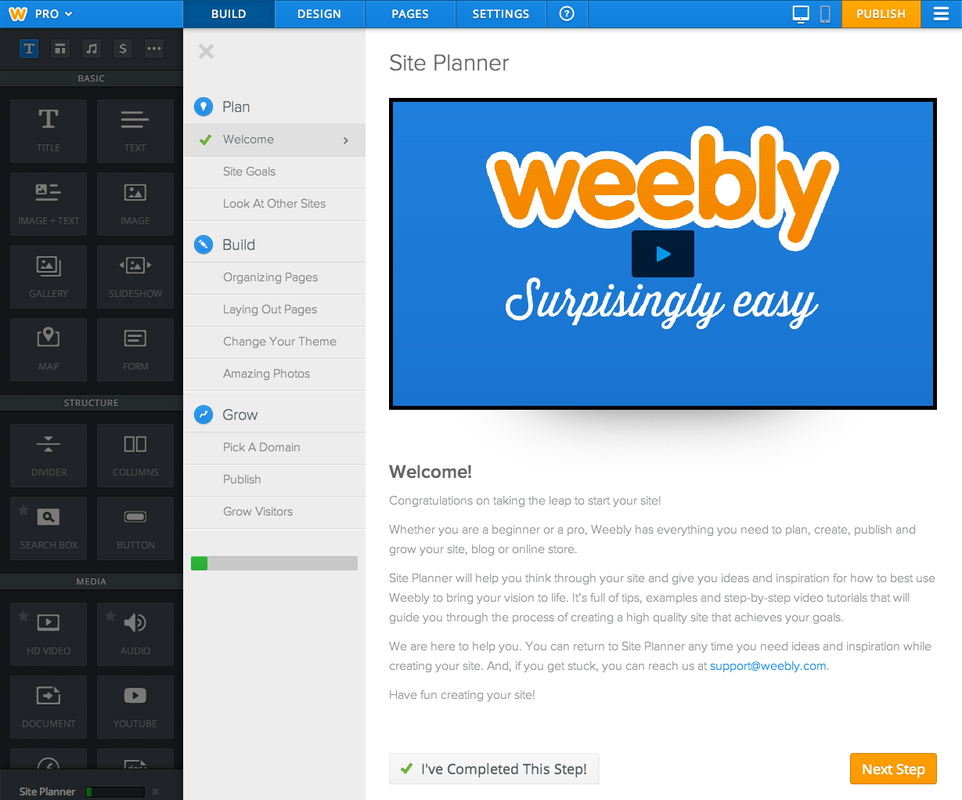
Weebly es un creador de sitios web diseñado para pequeñas empresas y emprendedores que necesitan una manera sencilla y eficaz de establecer una presencia en línea. Ofrece herramientas para crear sitios profesionales con capacidades de comercio electrónico.
Por qué elegí Weebly: Su opción gratuita proporciona herramientas esenciales para que los propietarios de pequeñas empresas y organizaciones sin ánimo de lucro creen y gestionen sus sitios web. Puedes elegir entre una variedad de temas y personalizarlos para ajustarlos a tu marca. La versión gratuita incluye herramientas de marketing integradas y funciones de comercio electrónico, como listas de productos y gestión de inventario.
Funciones y conexiones destacadas:
Funciones incluyen un editor de arrastrar y soltar para crear sitios web sin conocimientos técnicos, herramientas SEO integradas para mejorar la visibilidad del sitio en los motores de búsqueda y una aplicación móvil para gestionar tu sitio dondequiera que estés.
Conexiones incluyen PayPal, Square, Facebook, Instagram, YouTube, Vimeo y más.
¿Qué es gratis? Weebly ofrece un plan gratuito para siempre con acceso a herramientas básicas para crear sitios web y funciones de comercio electrónico. El plan incluye seguridad SSL, un subdominio con marca y 500 MB de almacenamiento.
Pros and Cons
Pros:
- Funcionalidades de comercio electrónico incluidas
- Aplicación móvil para gestión del sitio
- Herramientas SEO disponibles
Cons:
- Marca de Square/Weebly obligatoria en sitios gratuitos
- El editor basado en cuadrícula limita la libertad de diseño

Wix
Ideal para configuración de sitios web asistida por IA
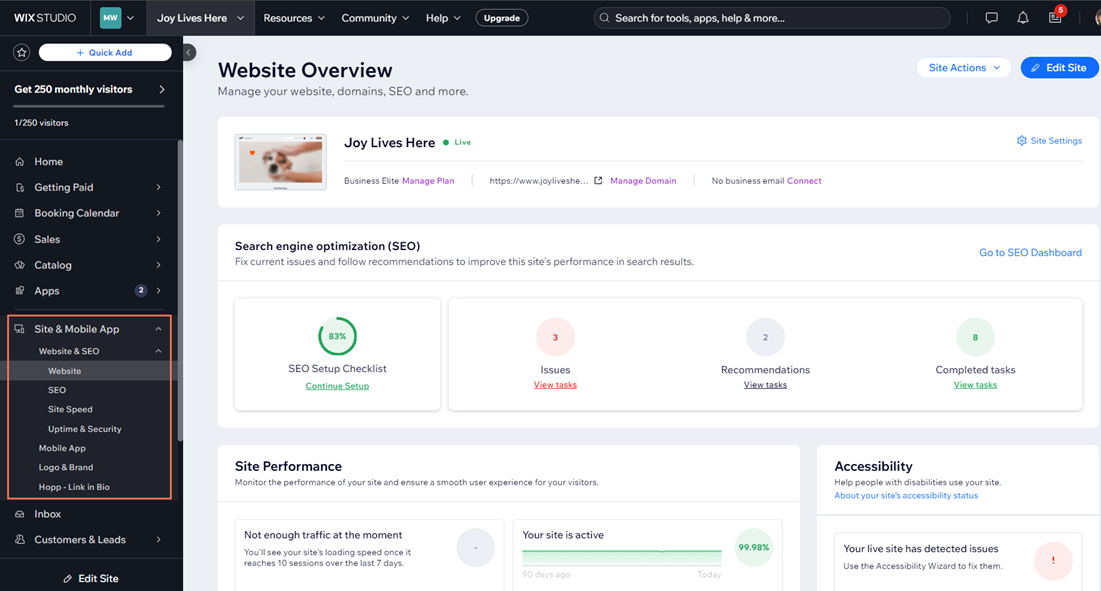
Wix es una plataforma de diseño web dirigida a pequeñas empresas y creadores individuales. Permite a los usuarios crear sitios web de apariencia profesional sin dificultad, enfocándose en la personalización y el diseño fácil de usar.
Por qué elegí Wix: Su opción gratuita incluye una amplia selección de plantillas personalizables que se adaptan a diversos sectores y estilos. Puedes modificar estas plantillas para que coincidan con la imagen de tu marca, gracias al intuitivo editor de arrastrar y soltar. El plan gratuito también ofrece alojamiento y un dominio con la marca Wix, lo cual es ideal para quienes están comenzando. Esta flexibilidad en el diseño es lo que hace que Wix destaque por su facilidad para personalizar plantillas. Wix también ofrece una configuración de sitio asistida por inteligencia artificial para generar automáticamente diseños y contenido inicial.
Funciones destacadas e integraciones:
Funciones incluyen herramientas de SEO integradas para optimizar la visibilidad en buscadores, un editor móvil para una visualización consistente en todos los dispositivos y un mercado de aplicaciones con varios complementos y funciones. Wix también es compatible con funciones de blog y comercio electrónico.
Integraciones incluyen Google Analytics, Facebook Pixel, Mailchimp, QuickBooks, Instagram y más.
¿Qué es gratis? Wix ofrece un plan gratuito para siempre, que incluye alojamiento de dominio con la marca Wix y acceso a más de 2,000 plantillas.
Pros and Cons
Pros:
- Opciones versátiles de plantillas
- Disponibilidad de editor móvil
- Acceso al mercado de aplicaciones
Cons:
- No se puede cambiar la plantilla una vez que el sitio está en línea
- No permite la exportación o migración completa del sitio

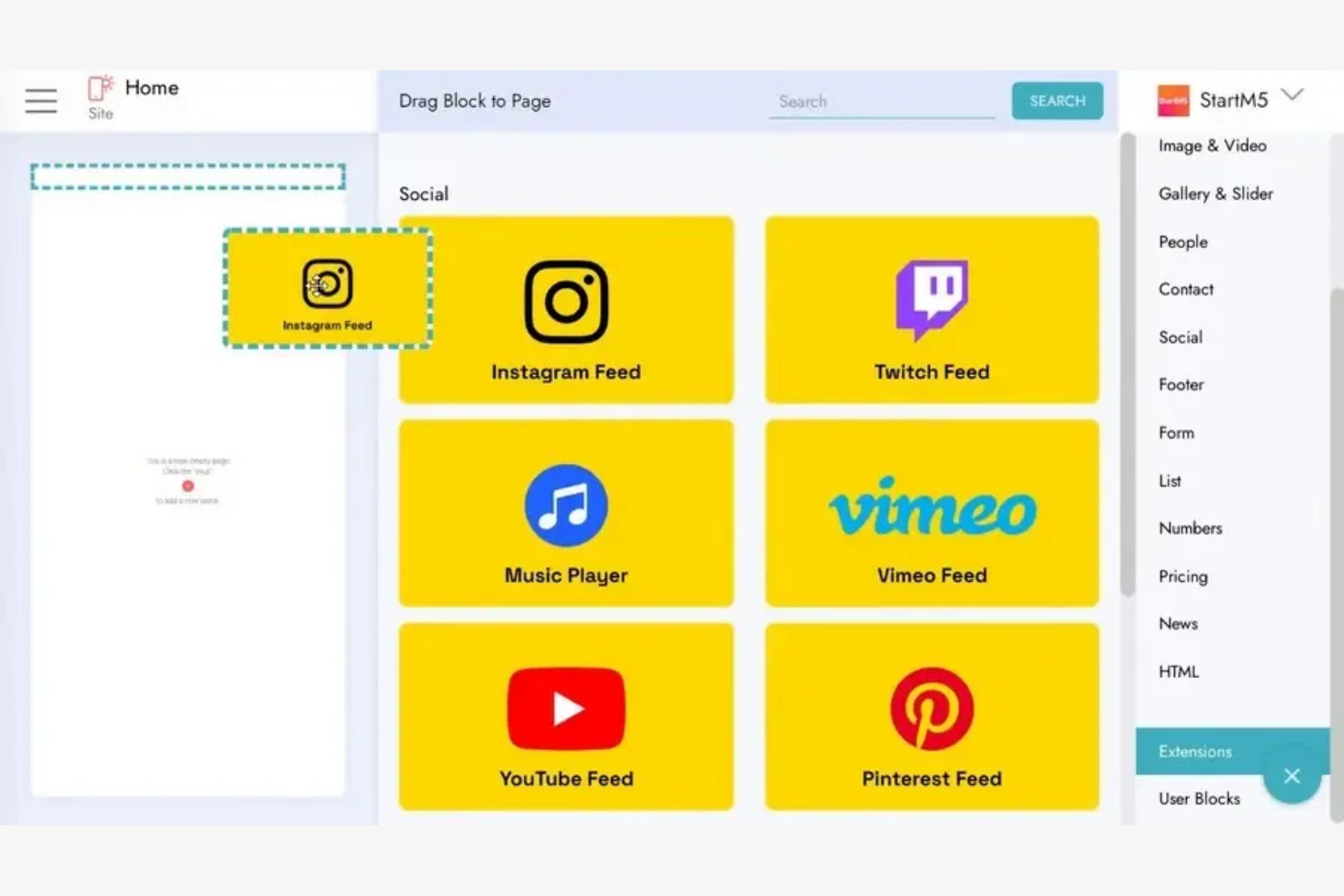
Mobirise es un creador de sitios web para particulares y pequeñas empresas que permite a los usuarios crear sitios compatibles con dispositivos móviles sin conexión a internet.
Por qué elegí Mobirise: Su oferta gratuita incluye la posibilidad de diseñar y construir sitios web sin estar conectado, lo que es perfecto para usuarios con acceso limitado a internet. Puedes elegir entre una variedad de bloques y plantillas prediseñadas para personalizar tu sitio usando una de las mejores herramientas de creación de sitios web disponibles. El editor de arrastrar y soltar simplifica el proceso de diseño, haciéndolo accesible para quienes no tienen conocimientos de programación, y permite agregar redes sociales.
Características e Integraciones Destacadas:
Características incluyen diseños adaptables y aptos para móviles, una amplia biblioteca de bloques prediseñados para armar páginas web rápidamente y publicación flexible en discos locales, FTP o el propio alojamiento de Mobirise.
Integraciones incluyen PayPal, Google Fonts, SoundCloud, X, Vimeo y más.
¿Qué es gratis? Mobirise ofrece un plan gratuito para siempre con acceso a herramientas de diseño esenciales y plantillas. Este plan incluye dos temas gratuitos con más de 200 bloques, funciones básicas de IA y la posibilidad de publicar hasta tres sitios web generados con IA al mes en un subdominio de Mobirise.
Pros and Cons
Pros:
- Capacidades de diseño sin conexión
- Bloques preconstruidos para Instagram y YouTube
- Opciones de implementación flexibles
Cons:
- Sin CMS integrado ni sistema de contenido dinámico
- Requiere descarga e instalación

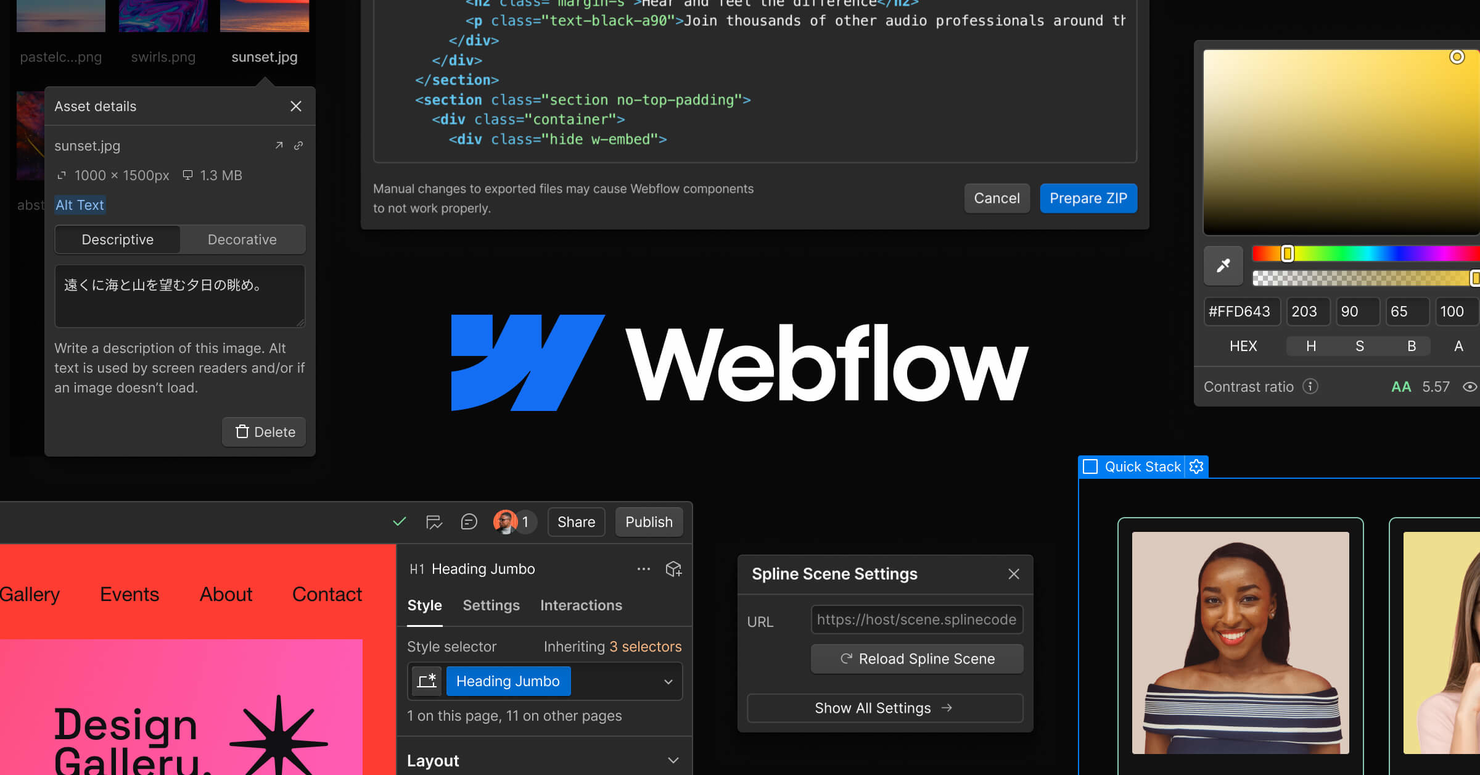
Webflow es una herramienta de diseño web dirigida a diseñadores y desarrolladores que desean crear sitios web responsivos con funciones de codificación visual. Ofrece una plataforma donde los usuarios pueden diseñar, construir y lanzar sitios web sin necesidad de tener amplios conocimientos de programación.
Por qué elegí Webflow: Su versión gratuita incluye herramientas de codificación visual, perfectas para usuarios que desean diseñar con precisión. Puedes crear sitios web responsivos usando la intuitiva interfaz de arrastrar y soltar, lo que permite una personalización detallada. La versión gratuita también permite alojar y publicar en un subdominio de Webflow, facilitando compartir tu trabajo.
Características destacadas e integraciones:
Características incluyen un CMS para gestionar contenidos y herramientas de diseño responsivo para asegurar que tu sitio se vea bien en todos los dispositivos. Webflow también ofrece una función de prototipado, que te permite crear y probar componentes interactivos.
Integraciones incluyen Zapier, Google Analytics, Mailchimp, Slack y más.
¿Qué es gratuito? Webflow ofrece un plan gratuito para siempre que incluye acceso a las herramientas de diseño y alojamiento en un subdominio de Webflow. El plan también permite crear hasta dos proyectos, construir hasta dos páginas estáticas por sitio y usar un CMS básico con elementos limitados.
Pros and Cons
Pros:
- Herramientas de codificación visual disponibles
- Capacidades de diseño responsivo
- CMS para contenido dinámico
Cons:
- Número limitado de proyectos
- Cantidad de páginas restringida

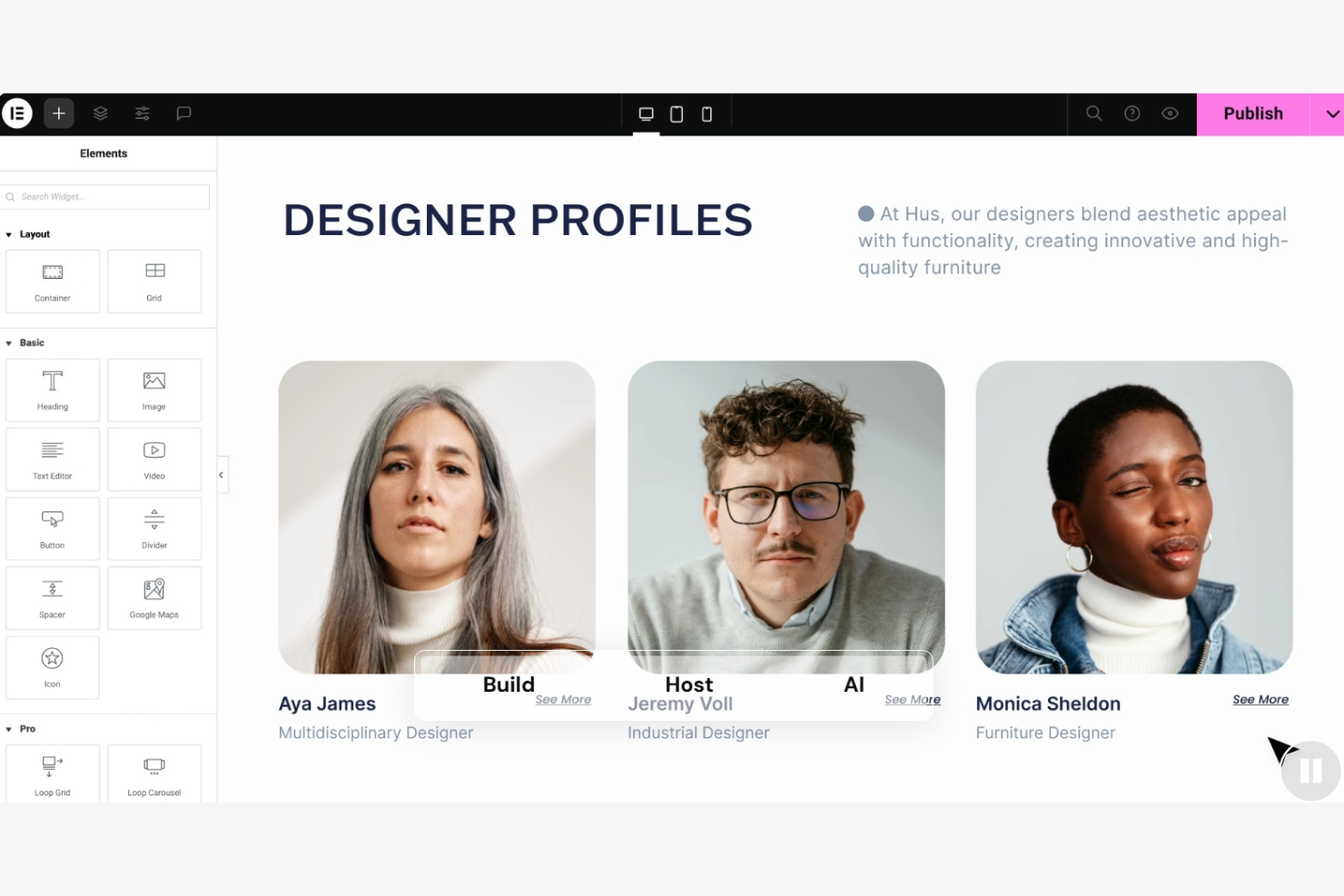
Elementor es un creador de páginas para WordPress diseñado para desarrolladores y diseñadores web que desean crear diseños personalizados sin necesidad de programar. Ofrece un editor visual que simplifica el proceso de diseño, haciéndolo accesible para usuarios de todos los niveles.
Por qué elegí Elementor: Su versión gratuita incluye herramientas esenciales para construir sitios web en WordPress, lo que lo hace ideal para quienes necesitan una integración estrecha con WordPress. Puedes usar el editor de arrastrar y soltar para personalizar tu sitio con varios elementos de diseño. La versión gratuita también admite diseño responsivo, asegurando que tu sitio se vea bien en cualquier dispositivo.
Funciones e integraciones destacadas:
Funciones incluyen edición visual en tiempo real, historial de revisiones para rastrear y revertir cambios, y una gran biblioteca de plantillas prediseñadas. Los widgets globales ayudan a mantener la coherencia en todo tu sitio, mientras que el creador de temas te permite personalizar completamente encabezados, pies de página y otras áreas.
Integraciones incluyen Mailchimp, HubSpot, ActiveCampaign, ConvertKit, Drip, Zapier, Yoast SEO y más.
¿Qué es gratis? Elementor ofrece un plan gratuito para siempre con acceso al editor de arrastrar y soltar, 32 widgets básicos y funciones esenciales del constructor.
Pros and Cons
Pros:
- Capacidades de edición en tiempo real
- Amplia variedad de widgets
- Widgets globales para coherencia
Cons:
- Genera HTML/CSS más pesado que los editores basados en bloques
- Requiere conocimientos de WordPress

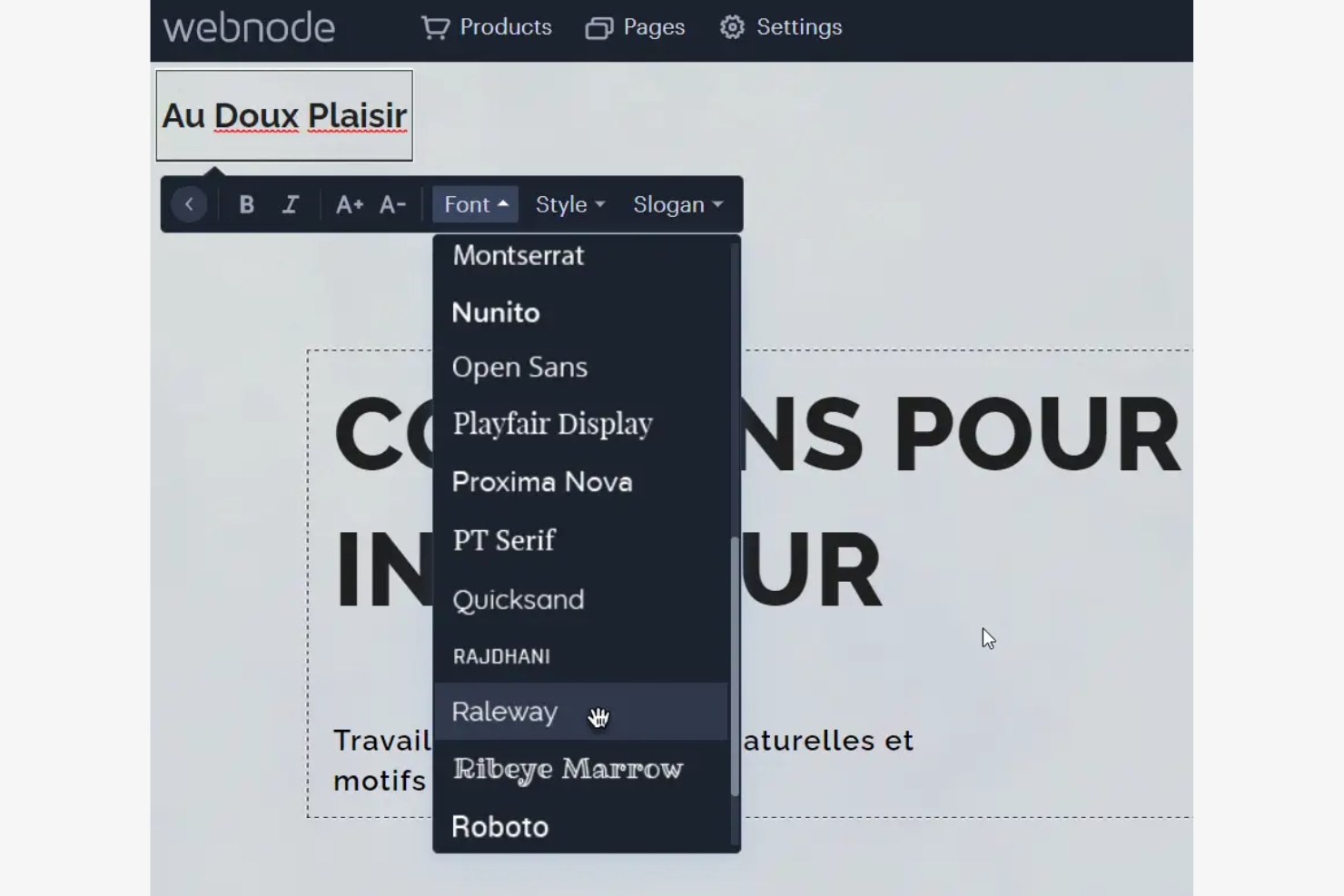
Webnode es un creador de sitios web diseñado para particulares y pequeñas empresas que desean crear sitios web profesionales. Se especializa en el soporte multilingüe, lo que lo hace ideal para sitios web en diferentes idiomas.
Por qué elegí Webnode: Su opción gratuita incluye funcionalidad multilingüe incorporada, lo que facilita la creación de sitios web en varios idiomas sin necesidad de instalar complementos.
Funciones destacadas e integraciones:
Funciones incluyen un editor fácil de usar para crear sitios rápidamente, una biblioteca de plantillas profesionales y una opción de comercio electrónico para vender productos en línea. La plataforma también provee herramientas SEO para mejorar la visibilidad en los motores de búsqueda, y diseños optimizados para móviles que aseguran que tu sitio se vea bien en cualquier dispositivo.
Integraciones incluyen Google Analytics, PayPal, Facebook, X y más.
¿Qué es gratis? Webnode ofrece un plan gratuito para siempre con soporte multilingüe y plantillas básicas. El plan también incluye atención profesional al cliente, un subdominio de Webnode y un número ilimitado de páginas para tu sitio web.
Pros and Cons
Pros:
- Soporte para sitios web multilingües
- Diseño optimizado para móviles
- Capacidades de comercio electrónico
Cons:
- Publicidad en sitios gratuitos
- Sin dominio personalizado en el plan gratuito

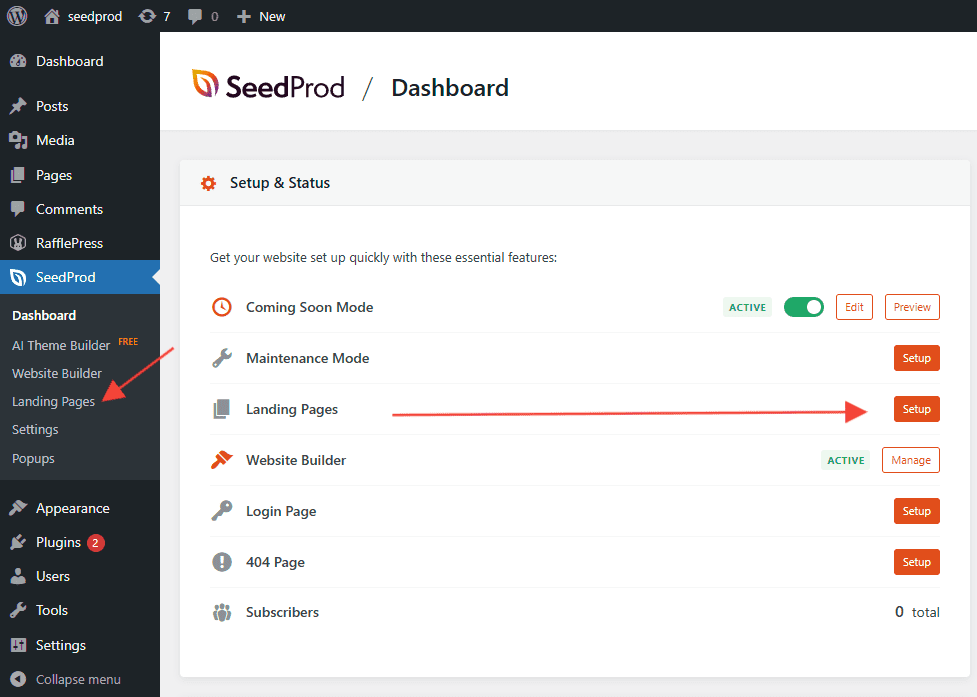
SeedProd es un complemento de WordPress diseñado para especialistas en marketing y propietarios de negocios que necesitan crear páginas de destino de alta conversión rápidamente. Proporciona herramientas para construir páginas personalizadas sin necesidad de programar, centrándose en la generación de clientes potenciales y las conversiones.
Por qué elegí SeedProd: Su versión gratuita incluye herramientas esenciales para crear páginas de destino y puedes usar el editor de arrastrar y soltar para diseñar páginas adaptadas a tu marca. La oferta gratuita incluye plantillas optimizadas para la conversión, lo que facilita comenzar.
Características destacadas e integraciones:
Características incluyen un editor visual en tiempo real para actualizaciones instantáneas, una biblioteca de plantillas prediseñadas para ahorrar tiempo y un modo 'próximamente' para campañas de lanzamiento. El historial de revisiones de página permite a los equipos rastrear y revertir cambios, mientras que el HTML y CSS personalizados habilitan la personalización avanzada.
Integraciones incluyen Mailchimp, ActiveCampaign, ConvertKit, AWeber, Constant Contact y más.
¿Qué es gratis? SeedProd ofrece un plan gratuito para siempre con acceso a herramientas básicas para crear páginas de destino y plantillas, además de un editor de arrastrar y soltar, modos de próximamente y de mantenimiento, y diseños adaptados a móviles.
Pros and Cons
Pros:
- Plantillas optimizadas para la conversión
- Constructor visual de páginas con vista previa instantánea en el front-end
- Admite HTML y CSS personalizados
Cons:
- Dependiente de la configuración y alojamiento de WordPress
- Curva de aprendizaje más pronunciada para creación de temas
Otro software gratuito de diseño web
Estas son algunas opciones adicionales de software de diseño web que también ofrecen planes o pruebas gratuitos. Aunque estas herramientas no llegaron a mi selección, merece la pena echarles un vistazo:


Cómo Evalúo el Software de Diseño Web Gratuito
Divido mi evaluación en criterios básicos —como si el plan gratuito realmente te permite publicar una página en vivo— y diferenciadores que distinguen las mejores opciones del resto.
Funcionalidad Básica (Requisitos para esta Lista)
Al seleccionar herramientas para mi lista, califico cada una en una escala del 0 (no ofrece la funcionalidad) al 5 (destaca en esta área) para cada funcionalidad principal que aparece a continuación. Luego, calculo la puntuación total de la herramienta como porcentaje. Cada herramienta necesita alcanzar una puntuación total mínima del 65% para ser considerada para su inclusión.
- Plan Realmente Gratuito: Verifico si el nivel gratuito de la herramienta realmente te permite crear y publicar páginas, no solo previsualizar diseños tras un muro de pago o en una prueba limitada por tiempo.
- Editor de Diseño Visual: El editor debe permitirle a un gestor de producto arrastrar componentes sobre un lienzo y darles estilo de forma visual, similar a cómo Wix o Webflow manejan la construcción de layouts.
- Plantillas Prediseñadas: Busco una selección de plantillas que cubran casos de uso comunes como páginas de destino, muestras de productos y páginas de registro, para que no debas diseñar todo desde cero cada vez.
- Soporte para Diseño Responsivo: Cada herramienta debe producir layouts que se adapten a diferentes tamaños de pantalla, y evalúo si puedes previsualizar y ajustar cómo se muestra una página en móviles y tabletas.
- Publicación y Alojamiento: Evalúo si puedes publicar un sitio en vivo directamente desde la plataforma, incluyendo si los planes gratuitos ofrecen alojamiento en subdominios o soporte para conectar un dominio personalizado.
- Gestión de Activos y Contenidos: Gestionar imágenes, íconos y textos dentro del constructor es importante, especialmente cuando actualizas una página de lanzamiento de producto y necesitas intercambiar elementos rápidamente sin volver a subir todo.
Una vez tengo una lista de herramientas que cumplen con estos criterios, considero qué diferencia a cada plataforma.
Factores Diferenciadores (Qué Distingue a los Proveedores)
Así es como comparo y contrasto diferentes proveedores:
Características Destacadas
La colaboración en tiempo real es clave. Cuando un gestor de producto necesita la aprobación de marketing y diseño en una página de lanzamiento, los comentarios en línea y la co-edición en vivo evitan idas y vueltas innecesarias. También busco funciones de diseño asistido por IA que generen estructuras o textos a partir de instrucciones, lo cual ayuda a los PMs que no son diseñadores a obtener rápidamente un primer borrador pulido. Las pruebas A/B integradas también valen la pena si el equipo realiza experimentos de mensajes en páginas de registro o anuncios de funciones.
Más Allá de las Características
La transparencia del plan gratuito es fundamental. Evalúo lo que realmente incluyen—límites de páginas, topes de ancho de banda, branding forzado—porque un plan que parece gratuito pero restringe la publicación hasta que pagas no es útil para un equipo de producto. El soporte de integraciones es otro factor clave, especialmente conexiones con plataformas de análisis como Google Analytics o Mixpanel, ya que los PMs necesitan medir el desempeño de una página de lanzamiento. También considero los controles de SEO integrados como las meta etiquetas y la generación de sitemap, los cuales determinan si tus páginas serán descubiertas en realidad.
Cómo elegir un software gratuito de diseño web
Las listas de funciones complejas y las estructuras de precios pueden dificultar la comprensión de lo que realmente obtienes con un software gratuito de diseño web. Para ayudarte a mantener la concentración mientras avanzas en el proceso de selección del software, estos son algunos factores que debes tener en cuenta:
| Factor | Qué debes considerar |
|---|---|
| Alcance de la oferta gratuita | Comprueba qué incluye el plan gratuito. ¿Cubre tus necesidades básicas o tendrás que actualizarte rápidamente? Ten en cuenta los límites de las funciones y la asistencia. |
| Escalabilidad | Piensa en el crecimiento futuro. ¿Puede la herramienta crecer junto con tu negocio? Busca opciones para añadir más funciones o usuarios cuando sea necesario. |
| Integraciones | Asegúrate de que el software funciona con tus herramientas actuales. Comprueba la compatibilidad con plataformas como Google Analytics, Mailchimp y otras de las que dependas. |
| Facilidad de uso | Considera lo rápido que puedes aprender a utilizar la herramienta. ¿Ofrece una interfaz intuitiva? Busca funciones de arrastrar y soltar y una navegación clara. |
| Personalización | Evalúa cuánto puedes adaptar el diseño. ¿Puedes modificar las plantillas para que se ajusten a la imagen y el estilo de tu marca? |
| Asistencia | Revisa las opciones de asistencia disponibles. ¿Hay tutoriales, foros de la comunidad o chat en directo que te ayuden cuando surjan problemas? |
| Rendimiento | Evalúa la velocidad y fiabilidad de la herramienta. ¿Carga rápidamente y gestiona bien el tráfico? Asegúrate de que no ralentice tu sitio web. |
| Optimización para móviles | Comprueba si la herramienta ofrece diseños adaptables a dispositivos móviles. Tu sitio debería verse bien en todos los dispositivos sin esfuerzo adicional. |
¿Qué es un software gratuito de diseño web?
El software gratuito de diseño web es una herramienta que ayuda a los usuarios a crear sitios web sin tener que pagar por adelantado. Estos productos suelen ofrecer planes o pruebas gratuitas con funciones básicas. Las opciones gratuitas de diseño web pueden estar basadas en el navegador o estar disponibles como software para crear sitios web sin conexión.
Normalmente, los propietarios de pequeñas empresas, los autónomos y los aficionados utilizan estas herramientas para crear y gestionar su presencia en línea. Proporcionan valor al permitir que los usuarios, incluidos los principiantes, diseñen y publiquen sitios web sin conocimientos técnicos. Funciones como los editores de arrastrar y soltar, las plantillas personalizables y la optimización para dispositivos móviles ayudan a los usuarios a crear sitios profesionales de forma eficiente.
Funciones
Repasemos las funciones que suelen encontrarse en el software de diseño web y cuáles suelen incluirse en los planes gratuitos frente a los planes de pago.
Funciones habituales del software gratuito de diseño web
- Editor de arrastrar y soltar: Permite organizar los elementos del sitio sin programar.
- Plantillas personalizables: Proporcionan diseños prediseñados.
- Optimización para dispositivos móviles: Garantiza que el sitio se vea bien en todos los dispositivos para que pueda llegar a los usuarios móviles.
- Herramientas básicas de SEO: Ayudan a mejorar la visibilidad del sitio en los motores de búsqueda y a atraer más visitantes.
- Alojamiento en un subdominio: Ofrece alojamiento gratuito en el subdominio de una plataforma, lo que permite publicar el sitio sin costes adicionales.
- Compatibilidad con varios idiomas: Permite crear sitios en varios idiomas y ampliar el alcance a una audiencia global.
- Funciones para blogs: Permiten crear y gestionar entradas de blog, así como atraer a la audiencia con contenido habitual.
Funciones habituales del software de pago de diseño web
- Herramientas avanzadas de comercio electrónico: Proporcionan funciones como pasarelas de pago y carritos de compra.
- Compatibilidad con dominios personalizados: Permite utilizar un dominio personalizado.
- Análisis e informes: Ofrece información detallada sobre el rendimiento del sitio para ayudarle a tomar decisiones fundamentadas.
- Atención al cliente prioritaria: Proporciona acceso a tiempos de respuesta más rápidos y asistencia especializada.
- Almacenamiento ilimitado: Elimina las restricciones de espacio de almacenamiento, lo que permite incluir más contenido y archivos multimedia en el sitio.
- Opciones avanzadas de personalización: Ofrecen un control más profundo sobre los elementos de diseño y permiten adaptar mejor la experiencia del sitio.
- Integración con aplicaciones de terceros: Conecta el sitio con otras herramientas, como plataformas de CRM y de marketing por correo electrónico.
Ventajas
Implementar software gratuito de diseño web proporciona varias ventajas para su equipo y su empresa. Estas son algunas de las que puede esperar:
- Ahorro de costes: Puede crear y publicar sitios web sin gastar dinero, lo que lo hace ideal para empresas emergentes y pequeñas empresas.
- Facilidad de uso: Los editores de arrastrar y soltar y las plantillas simplifican el proceso de diseño y permiten que cualquiera cree un sitio sin conocimientos técnicos.
- Configuración rápida: Las plantillas prediseñadas y las opciones de alojamiento permiten poner en funcionamiento un sitio rápidamente.
- Alcance global: La compatibilidad con varios idiomas ayuda a conectar con una audiencia más amplia.
- SEO básico: Las herramientas integradas mejoran la visibilidad del sitio en los motores de búsqueda y atraen más visitantes sin costes adicionales.
- Herramientas de interacción: Las funciones para blogs permiten actualizar periódicamente a la audiencia y fomentar la interacción y la fidelidad a la marca.
- Escalabilidad: Los planes gratuitos permiten empezar poco a poco y ampliar el servicio a medida que crecen las necesidades, ofreciendo flexibilidad para el crecimiento futuro.
Costes y precios
Entiendo que ha llegado a este artículo buscando las mejores opciones de software de diseño web disponibles de forma gratuita. Sin embargo, como los planes gratuitos solo ofrecen funciones limitadas, es muy probable que necesite ampliar su plan en el futuro.
La siguiente tabla resume los planes habituales, sus precios medios y las funciones que suelen incluir las soluciones de software de diseño web:
Tabla comparativa de planes de software de diseño web
| Tipo de plan | Precio promedio | Características comunes |
|---|---|---|
| Plan gratuito | $0 | Plantillas básicas, almacenamiento limitado y alojamiento en subdominio. |
| Plan personal | $3-$149/mes | Dominio personalizado, eliminación de anuncios y plantillas adicionales. |
| Plan empresarial | $5-$199/mes | Herramientas de comercio electrónico, funciones de SEO y análisis avanzados. |
| Plan profesional | $9-$599/mes | Soluciones personalizadas, soporte dedicado y usuarios y almacenamiento ilimitados. |
Preguntas frecuentes sobre software gratuito de diseño web
Aquí tienes algunas respuestas a preguntas frecuentes sobre el software gratuito de diseño web:
¿Puedo utilizar software gratuito de diseño web con fines comerciales?
Sí, puedes utilizar software gratuito de diseño web con fines comerciales, pero debes consultar las condiciones de la licencia. Algunas herramientas pueden tener restricciones para el uso comercial, por lo que es importante leer la letra pequeña antes de lanzar un sitio web empresarial.
¿Cómo ganan dinero las herramientas gratuitas de diseño web?
Las herramientas gratuitas de diseño web suelen ganar dinero mediante actualizaciones premium, ofreciendo funciones avanzadas o almacenamiento adicional por una tarifa. También pueden mostrar anuncios en las versiones gratuitas o cobrar por los dominios personalizados.
¿Hay límites de almacenamiento y ancho de banda en los planes gratuitos?
Sí, los planes gratuitos suelen tener límites de almacenamiento y ancho de banda. Esto significa que puedes alojar una cantidad limitada de contenido y gestionar cierto nivel de tráfico. Si tu sitio crece, es posible que tengas que actualizar a un plan de pago para evitar estas restricciones.
¿Puedo trasladar mi sitio a otra plataforma si empiezo con un plan gratuito?
Trasladar tu sitio puede ser complicado, ya que algunas herramientas gratuitas de diseño web no ofrecen opciones sencillas de exportación. Antes de empezar, comprueba si la plataforma permite exportar o migrar el sitio.
¿Está disponible el servicio de atención al cliente con el software gratuito de diseño web?
El servicio de atención al cliente puede ser limitado en los planes gratuitos y depender a menudo de foros de la comunidad o bases de conocimientos. Algunas plataformas ofrecen asistencia por correo electrónico o chat en directo únicamente a los usuarios de pago.
¿Hay costes ocultos en el software gratuito de diseño web?
Aunque el software en sí es gratuito, puede haber costes ocultos, como el registro del dominio o las actualizaciones de funciones premium. Revisa siempre los detalles de precios para conocer los posibles gastos y asegurarte de que se ajustan a tu presupuesto.
Lo siguiente:
Si estás investigando software gratuito de diseño web, ponte en contacto gratuitamente con un asesor de SoftwareSelect para recibir recomendaciones.
Rellenas un formulario y mantienes una breve conversación en la que se detallan tus necesidades específicas. Después recibirás una lista breve de programas que podrás revisar. Incluso te ayudarán durante todo el proceso de compra, incluidas las negociaciones de precios.