

Visor Testbericht: Vorteile, Nachteile, Funktionen und Preise
Visor überzeugt mit seinen bidirektionalen Integrationen und der Echtzeit-Datenvisualisierung und ist damit eine vielseitige Wahl für die kollaborative Produktverwaltung.

Wir überprüfen Tools unabhängig und Provisionen helfen, unsere Tests zu finanzieren. Lesen Sie unsere transparente Richtlinie, unsere Methodik oder schlagen Sie ein Tool vor.
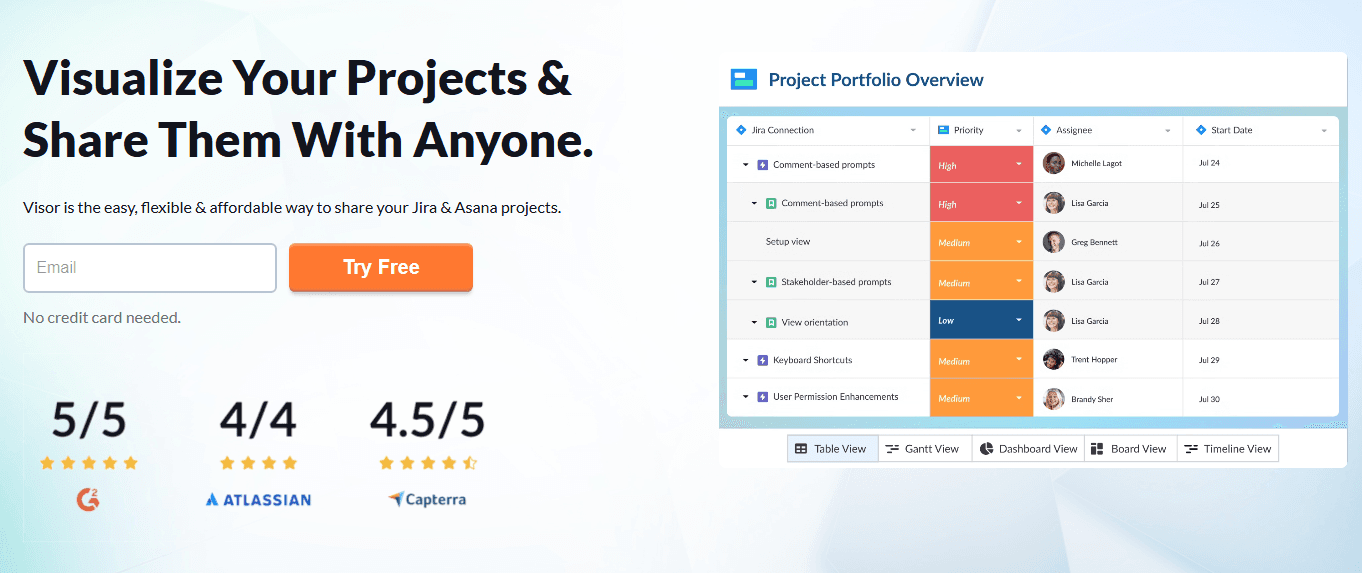
Visor is a product management roadmap tool built for product teams that need to sync roadmap data directly from Jira without rebuilding everything from scratch. If you've tried Aha! and found the setup too heavy for your team size, I think Visor is a better fit. It gives you spreadsheet-style roadmap views that pull live Jira data, with a much lighter onboarding curve.
Visor Evaluation Summary
4.6/5
- From $18/user/month
- Free plan available
Warum Sie unseren Software-Empfehlungen vertrauen können
6,700+
Reviews
20
Industry experts
16+
Evaluation factors
14
Years
Unser Team testet und bewertet Software seit 2012. Als Produktmanager wissen wir selbst, wie schwierig – und wichtig – es ist, die richtige Software auszuwählen.
Für diesen Leitfaden haben wir Tools mithilfe von praktischen Tests und unabhängiger Recherche bewertet und dabei unsere Bewertungskriterien angewendet.
Unsere Bewertungen spiegeln unser menschliches redaktionelles Urteilsvermögen wider, keine Verkaufsstrategie.
- Andrew LumbySenior TPM
- Cristiano ValimSenior UI/UX Lead
Visor Overview
In my opinion, Visor is a solid choice for product teams that need a centralized platform for data management and collaboration. Its standout features include bi-directional integrations and real-time data visualization, which set it apart from many competitors. While it excels in user-friendly design and project planning, some users might find the learning curve challenging.
Visor is best suited for tech-savvy teams in industries like technology and digital marketing that require agile project management. However, it may not be the best fit for large enterprises with complex data needs or industries needing specialized data management tools. If your team values integration and collaboration, Visor is worth considering.
Pros
- You can visualize data in real time, helping your team stay aligned.
- It offers a user-friendly interface, making navigation easy for everyone.
- It supports collaborative planning, enhancing teamwork and decision-making.
Cons
- Your team might find the initial learning curve a bit steep.
- It may lack advanced features needed by large enterprises.
- Customization options could be limited for specific needs.
Is Visor Right For Your Needs?
Who Would be a Good Fit for Visor?
Visor fits well for tech startups and mid-sized companies focusing on product development and agile methodologies. If your team values real-time data visualization and needs a collaborative workspace to align on projects, Visor’s functionalities serve you well. It’s especially useful for product managers and cross-functional teams who need to prioritize tasks and make data-driven decisions. The user-friendly interface helps teams quickly adapt and start planning efficiently.
- Tech StartupsVisor helps your startup team manage projects with real-time data and collaborative planning.
- SaaS CompaniesYour SaaS team benefits from Visor's ability to align cross-functional teams on priorities.
- Product ManagersYou can use Visor to visualize project timelines and make informed decisions.
- Agile TeamsYour agile team can utilize Visor’s features for quick adjustments and project alignment.
- Marketing DepartmentsVisor helps your marketing team track campaigns and collaborate effectively on project goals.
- Mid-Sized CompaniesVisor supports your company’s need for efficient project management and team collaboration.
Who Would be a Bad Fit for Visor?
Visor might not suit large enterprises with complex data needs or industries requiring highly specialized data management tools. If your team demands advanced customization and extensive feature sets beyond basic project management, Visor's capabilities may fall short. It's not ideal for industries like finance or healthcare that need stringent data compliance and specialized reporting. Teams needing deep customization or integration with niche platforms may find Visor limiting.
- Large EnterprisesVisor's features may not meet the complex needs of your large-scale operations.
- Finance IndustryYour finance team might find Visor lacks the specialized reporting you need.
- Healthcare SectorVisor doesn't offer the compliance features your healthcare projects require.
- Custom DevelopmentIf your team needs heavy customization, Visor might not support those requirements.
- Government AgenciesVisor may not align with the stringent regulations your agency must follow.
- Manufacturing CompaniesYour manufacturing processes might demand more specialized tools than Visor provides.
Wie wir Tools testen & bewerten
Wir haben jahrelang unser System für Softwaretests und -bewertungen aufgebaut, verfeinert und verbessert. Unser Bewertungsraster wurde entwickelt, um die Feinheiten bei der Auswahl von Software und die Effektivität eines Tools einzufangen, wobei der Fokus auf den entscheidenden Aspekten des Entscheidungsprozesses liegt. Nachfolgend sehen Sie genau, wie unser Test- und Bewertungssystem anhand von sieben Kriterien funktioniert. Dadurch können wir eine objektive Bewertung der Software auf Basis von Kernfunktionen, herausragenden Merkmalen, Benutzerfreundlichkeit, Onboarding, Kundensupport, Integrationen, Kundenbewertungen und Preis-Leistungs-Verhältnis bieten.
Kernfunktionalität (25% der Endbewertung)
Der Ausgangspunkt unserer Bewertung ist stets die Kernfunktionalität des Tools. Verfügt das Tool über die grundlegenden Funktionen, die ein Benutzer erwarten würde? Sind einige dieser Kernfunktionen nur in höheren Tarifen verfügbar? Im Kern erwarten wir, dass ein Tool den grundlegenden Fähigkeiten seiner Wettbewerber standhält.
Herausragende Merkmale (25% der Endbewertung)
Als nächstes bewerten wir seltene Alleinstellungsmerkmale, die über die übliche Kernfunktionalität solcher Tools hinausgehen. Eine hohe Bewertung spiegelt spezialisierte oder einzigartige Funktionen wider, die das Produkt schneller, effizienter oder für den Nutzer wertvoller machen. Wir prüfen außerdem, wie einfach sich das Tool mit anderen, typischen Werkzeugen im Technologie-Stack integrieren lässt, um seine Funktionalität und seinen Nutzen zu erweitern. Tools mit vielen nativen Integrationen, Drittanbieter-Anbindungen und API-Zugang für Individualisierungen erzielen die besten Ergebnisse.
Benutzerfreundlichkeit (10% der Endbewertung)
Wir berücksichtigen, wie schnell und einfach sich Aufgaben der Kernfunktionalität mit dem Tool umsetzen lassen. Software mit hoher Punktzahl ist gut gestaltet, intuitiv zu bedienen, bietet mobile Apps, Vorlagen und macht vergleichsweise komplexe Aufgaben einfach.
Onboarding (10% der Endbewertung)
Wir wissen, wie wichtig eine schnelle Akzeptanz durch Teams für eine neue Plattform ist. Deshalb bewerten wir, wie leicht sich das Tool mit minimaler Schulung erlernen und nutzen lässt. Wir prüfen, wie schnell ein Teammitglied ohne Vorerfahrung eingerichtet ist und starten kann. Lösungen mit guter Bewertung setzen nur wenig oder keine Unterstützung voraus.
Kundensupport (10% der Endbewertung)
Wir prüfen, wie schnell und einfach Hilfe per Telefon, Live-Chat oder Wissensdatenbank verfügbar ist. Tools und Unternehmen mit Echtzeit-Support schneiden am besten ab, während Chatbots am schlechtesten bewertet werden.
Kundenbewertungen (10% der Endbewertung)
Zusätzlich zu unseren eigenen Tests und Bewertungen betrachten wir den Net Promoter Score aktueller und ehemaliger Kunden. Wir prüfen deren Wahrscheinlichkeit, sich erneut für das Tool zu entscheiden. Eine hohe Bewertung spiegelt einen hohen Net Promoter Score wider.
Preis-Leistungs-Verhältnis (10% der Endbewertung)
Abschließend vergleichen wir alle anderen Kriterien mit dem durchschnittlichen Einstiegspreis und den Kernfunktionen und bewerten das Gesamtergebnis. Software, die mehr für weniger bietet, erhält eine höhere Bewertung.
Core Features
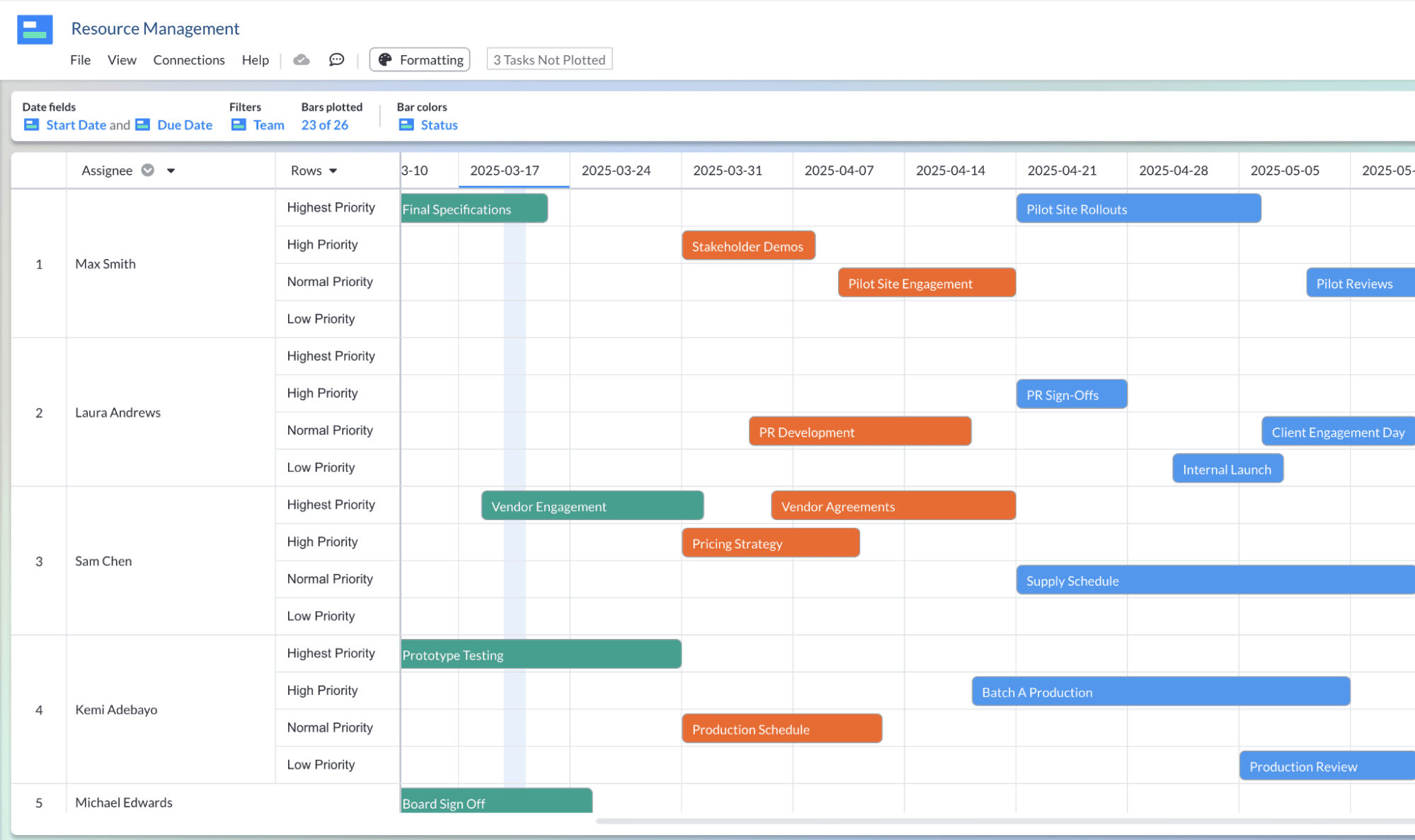
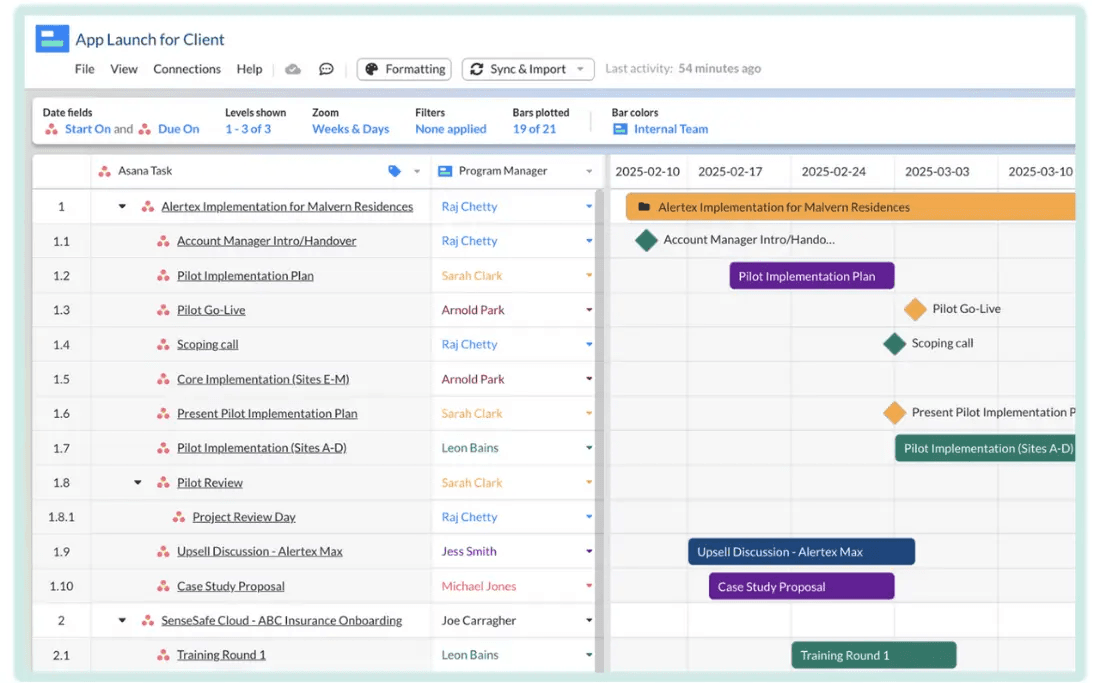
Project Timelines: Visor lets you create clear project timelines, so your team can visualize task dependencies and deadlines easily. This helps everyone stay on track and meet goals.
Task Prioritization: You can prioritize tasks based on importance and urgency, ensuring your team focuses on what matters most. This feature aids in effective resource allocation.
Real-Time Collaboration: Your team can work together on projects in real-time, making communication and updates seamless. This keeps everyone aligned and informed.
Data Visualization: Visor provides tools to visualize data with flexible formatting, making complex information easier to understand. This helps your team make informed decisions quickly.
Centralized Dashboard: You have access to a single dashboard with flexible custom views, where all project details are gathered. This makes it easy to monitor progress and updates without switching platforms.
User-Friendly Interface: Visor's interface is simple to navigate, reducing the learning curve for you and your team. This allows you to start managing projects efficiently right away.
Ease of Use
Visor is user-friendly, with an interface that's easy to navigate, letting you and your team get up and running quickly. Its centralized dashboard simplifies project monitoring, and real-time collaboration ensures everyone stays updated effortlessly. While there's a slight learning curve initially, most users adapt swiftly, appreciating the intuitive design. Compared to other tools, Visor's straightforward layout and efficient task management make it a practical choice for teams looking to enhance productivity without the hassle of complex software.
Integrations
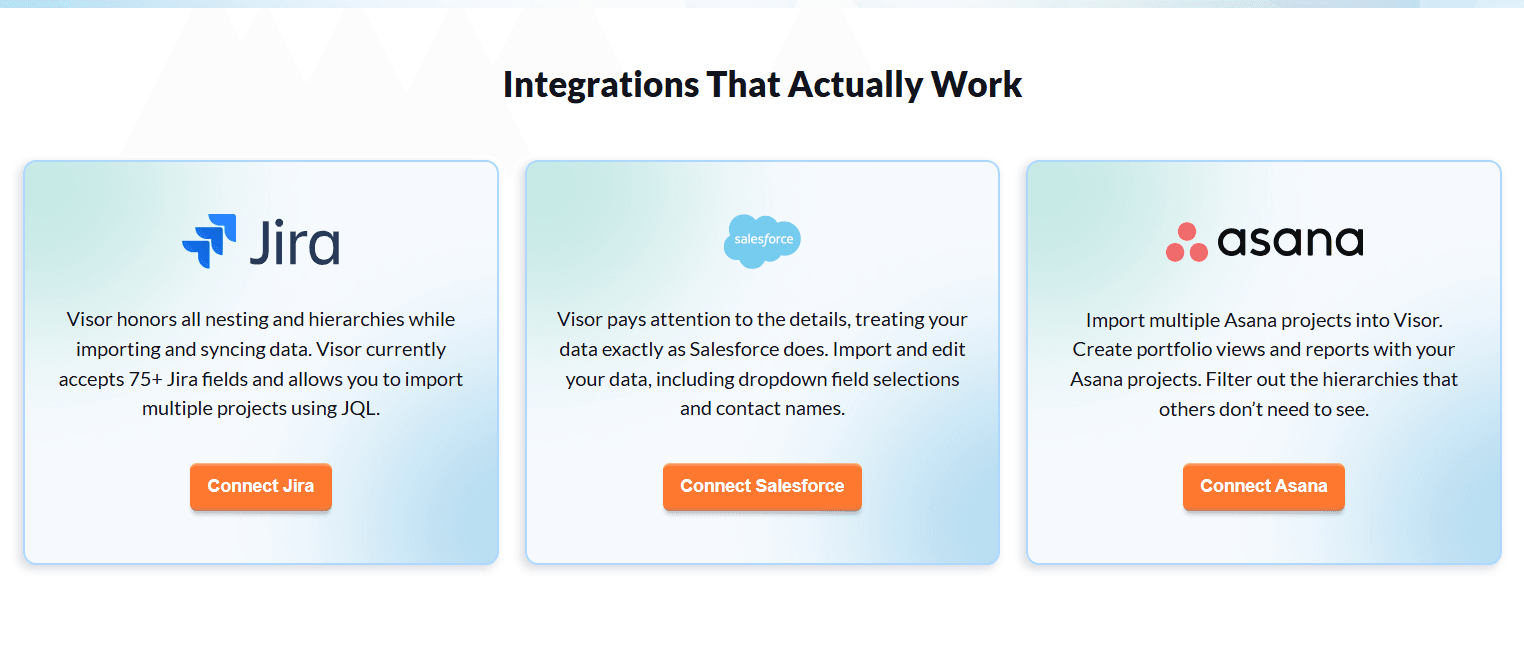
Visor integrates with Jira, Asana, and Salesforce through bi-directional syncing, allowing you to import and update project data in real time. These integrations preserve task hierarchies and support collaborative planning, while Visor focuses primarily on these core platforms rather than a wide range of third-party tools.
Visor Specs
- API: Yes
- Batch Permissions & Access: Yes
- Calendar Management: Yes
- Collaboration Support: Yes
- Contact Management: No
- Contact Sharing: No
- CRM Integration: Yes
- Customer Management: No
- Data Export: Yes
- Data Import: Yes
- Database: Yes
- Email Integration: No
- File Transfer: No
- Google Apps Integration: No
- Multi-Account: Yes
- Multi-App: Yes
- Multi-Site: No
- Multi-User: Yes
- Password & Access Management: Yes
- Project Management: Yes
- Report & Compliance: No
- Resource Management: Yes
- Social-Media Integration: No
- Software Integration: No
- Task Scheduling/Tracking: Yes
- Timesheets: No
- Workflow Management: Yes


