


Monday.com vs. Productboard: Vergleich und Expertenbewertungen für 2026
Entdecken Sie, wie sich monday.com und Productboard in Bezug auf Funktionen, Benutzerfreundlichkeit und Wert unterscheiden, um das beste Produktmanagement-Tool für Ihr Team im Jahr 2026 zu wählen.

Wir überprüfen Tools unabhängig und Provisionen helfen, unsere Tests zu finanzieren. Lesen Sie unsere transparente Richtlinie, unsere Methodik oder schlagen Sie ein Tool vor.
Choosing between monday.com and Productboard often comes down to whether your team needs a flexible, all-in-one work platform or a purpose-built solution for product discovery and prioritization—two very different approaches to product management tools. If you’re weighing these options, you’re likely trying to balance cross-team collaboration with the need for deep product insight and structured roadmapping. This article breaks down how each tool supports product teams, where they shine, and what to watch out for—so you can confidently pick the platform that matches your workflow, stakeholder needs, and long-term product goals.
Die Wahl zwischen monday.com und Productboard hängt oft davon ab, ob Ihr Team eine flexible All-in-One-Arbeitsplattform oder eine speziell entwickelte Lösung für Produktentdeckung und Priorisierung benötigt – zwei sehr unterschiedliche Ansätze für Produktmanagement-Tools. Wenn Sie diese Optionen gegeneinander abwägen, versuchen Sie wahrscheinlich, die teamübergreifende Zusammenarbeit mit dem Bedarf an tiefgreifenden Produkt-Einblicken und strukturiertem Roadmapping in Einklang zu bringen. Dieser Artikel zeigt auf, wie jedes Tool Produktteams unterstützt, wo ihre Stärken liegen und worauf Sie achten sollten – damit Sie sicher die Plattform wählen können, die zu Ihrem Workflow, den Anforderungen Ihrer Stakeholder und Ihren langfristigen Produktzielen passt.
monday AI Workspace
4.6/5
- Free plan available
- From $9/user/month (billed annually)
Productboard
4.5/5
- Free demo available
- Pricing upon request
Warum Sie unseren Software-Empfehlungen vertrauen können
6,700+
Reviews
20
Industry experts
16+
Evaluation factors
14
Years
Unser Team testet und bewertet Software seit 2012. Als Produktmanager wissen wir selbst, wie schwierig – und wichtig – es ist, die richtige Software auszuwählen.
Für diesen Leitfaden haben wir Tools mithilfe von praktischen Tests und unabhängiger Recherche bewertet und dabei unsere Bewertungskriterien angewendet.
Unsere Bewertungen spiegeln unser menschliches redaktionelles Urteilsvermögen wider, keine Verkaufsstrategie.
Expertenprüfer:
- Andrew LumbySenior TPM
- Cristiano ValimSenior UI/UX Lead


| monday AI Workspace | Productboard | |
|---|---|---|
| Free Trial | Free plan available | Free demo available |
| Pricing | From $9/user/month (billed annually) | Pricing upon request |
Monday.com vs. Productboard Preise & Versteckte Kosten
Monday.com verwendet ein gestaffeltes Abo-Modell, das sich nach der Anzahl der Benutzer und den Funktionspaketen richtet, mit Zusatzoptionen für erweiterte Integrationen, Automatisierung und Premium-Support. Auch Productboard bietet abgestufte Pläne, aber die Preise sind auf produktspezifische Management-Funktionen wie Feedback-Erfassung, Priorisierung und Roadmapping ausgerichtet. Zusätzliche Kosten können bei weiteren Mitarbeitern oder fortgeschrittener Analytik entstehen. Beide Tools können versteckte Kosten verursachen, wenn Ihr Team mehr Nutzer, höherwertige Funktionen oder Integrationen mit anderen Plattformen benötigt.
Um den richtigen Anbieter zu wählen, sollten Sie die aktuellen und zukünftigen Anforderungen Ihres Teams genau analysieren – überlegen Sie, wie viele Nutzer Sie brauchen, welche Integrationen erforderlich sind und wie umfangreich die Produktmanagement-Funktionen sein sollen, die Sie tatsächlich nutzen werden. Prüfen Sie die Feature-Matrix jedes Tools und testen Sie, wie gut die enthaltenen Funktionen mit Ihrem Workflow harmonieren. Vergessen Sie nicht, potenzielles Wachstum einzukalkulieren, da eine Skalierung die Gesamtkosten schnell erhöhen kann. Fordern Sie ein detailliertes Angebot oder eine Testversion bei beiden Anbietern an, um versteckte Gebühren aufzudecken, bevor Sie sich festlegen.
Die anpassbaren Boards und Automatisierungstools von Monday.com helfen Anwendern, Aufgaben zu organisieren, Fortschritte zu verfolgen und die Zusammenarbeit mit funktionsübergreifenden Teams an einem Ort zu koordinieren. Im Gegensatz dazu erlauben die Feedback-Erfassungs- und Priorisierungsfunktionen von Productboard, Produktideen zentral zu sammeln, sie anhand von Zielen zu bewerten und fokussierte Roadmaps zu entwickeln, die die tägliche Entscheidungsfindung leiten.
| monday AI Workspace | Productboard | |
|---|---|---|
| API | Yes | Yes |
| Collaboration Support | Yes | Yes |
| Dashboard | Yes | No |
| Dashboards | Yes | No |
| Data Export | Yes | Yes |
| Data Import | Yes | Yes |
| External Integrations | Yes | Yes |
| Gantt Charts | Yes | No |
| Multi-User | Yes | Yes |
| Notifications | Yes | Yes |
| Resource Management | Yes | No |
| Scheduling | Yes | Yes |
| Task Scheduling/Tracking | Yes | Yes |
| Integration | monday.com | Productboard |
|---|---|---|
| IntegrationSlack | monday.com✅ | Productboard✅ |
| IntegrationJira | monday.com✅ | Productboard✅ |
| IntegrationSalesforce | monday.com✅ | Productboard✅ |
| IntegrationMicrosoft Teams | monday.com✅ | Productboard❌ |
| IntegrationZendesk | monday.com✅ | Productboard✅ |
| IntegrationHubSpot | monday.com✅ | Productboard❌ |
| IntegrationIntercom | monday.com✅ | Productboard✅ |
| IntegrationGitHub | monday.com✅ | Productboard✅ |
| IntegrationAPI | monday.com✅ | Productboard✅ |
| IntegrationZapier | monday.com✅ | Productboard✅ |
Die Verbindung von monday.com mit Slack ermöglicht es den Nutzern, sofort Aufgabenaktualisierungen und Benachrichtigungen direkt im Chat zu erhalten, sodass alle ohne Toolwechsel auf dem Laufenden bleiben. Die Jira-Integration von Productboard wiederum hilft Produktmanagern, priorisierte Features direkt in die Backlogs der Entwicklung zu übertragen, was Übergaben vom Planen zur Umsetzung deutlich reibungsloser gestaltet.
| Faktor | monday.com | Productboard |
|---|---|---|
| FaktorDatenverschlüsselung | monday.comVerwendet AES-256-Verschlüsselung für ruhende Daten und TLS 1.2+ für Datenübertragungen. | ProductboardVerschlüsselt ruhende und übertragene Daten mit branchenüblichen Protokollen. |
| FaktorRegulatorische Compliance | monday.comBesitzt SOC 2 Typ II, ISO 27001, DSGVO- und HIPAA-Zertifizierungen. | ProductboardEntspricht den Anforderungen von SOC 2 Typ II, ISO 27001 und DSGVO. |
| FaktorZugriffskontrollen | monday.comBietet SSO, 2FA, detaillierte Berechtigungen und Prüfprotokolle. | ProductboardStellt SSO, 2FA und rollenbasierte Zugriffskontrollen zur Verfügung. |
| FaktorBetriebszeit-Garantie | monday.comVerpflichtet sich öffentlich zu 99,9 % Betriebszeit mit Echtzeit-Statusüberwachung. | ProductboardErhält hohe Verfügbarkeit und veröffentlicht eine Statusseite zur Betriebszeit. |
Monday.com und Productboard bieten beide hohe Sicherheit und Compliance. Allerdings verschafft monday.com durch umfassendere Zertifizierungen und feinere Berechtigungseinstellungen Teams mit strengen Anforderungen einen Vorteil. Die Zuverlässigkeit und Zugriffskontrolle von Productboard ist solide, doch monday.com überzeugt durch Transparenz und fortschrittliche Compliance-Optionen.
| Faktor | monday.com | Productboard |
|---|---|---|
| FaktorBenutzeroberfläche | monday.comBietet eine farbenfrohe Drag-and-drop-Oberfläche mit individuell anpassbaren Ansichten. | ProductboardStellt ein übersichtliches, strukturiertes Layout bereit, das auf Produktworkflows ausgerichtet ist. |
| FaktorOnboarding | monday.comStellt interaktive Tutorials, Vorlagen und In-App-Anleitungen für neue Nutzer bereit. | ProductboardUmfasst geführte Touren und auf Produktteams zugeschnittene Dokumentation. |
| FaktorEinrichtungsprozess | monday.comSchnelle Einrichtung mit vorgefertigten Vorlagen für verschiedene Arbeitsabläufe. | ProductboardErfordert mehr anfängliche Konfiguration, um mit Produktprozessen übereinzustimmen. |
| FaktorSupport-Ressourcen | monday.comLive-Chat, Wissensdatenbank und Community-Foren verfügbar. | ProductboardE-Mail-Support, Hilfezentrum und ein engagiertes Customer Success Team. |
Monday.com ist für neue Benutzer im Allgemeinen leichter zugänglich, während die Benutzeroberfläche von Productboard speziell auf Produktmanagement-Workflows ausgerichtet ist. Das visuelle Design und die Onboarding-Tools von monday.com machen den Einstieg für jedes Team einfach, doch die spezialisierte Struktur von Productboard hilft Produktverantwortlichen, den Überblick zu behalten, sobald sie eingearbeitet sind.
monday AI Workspace
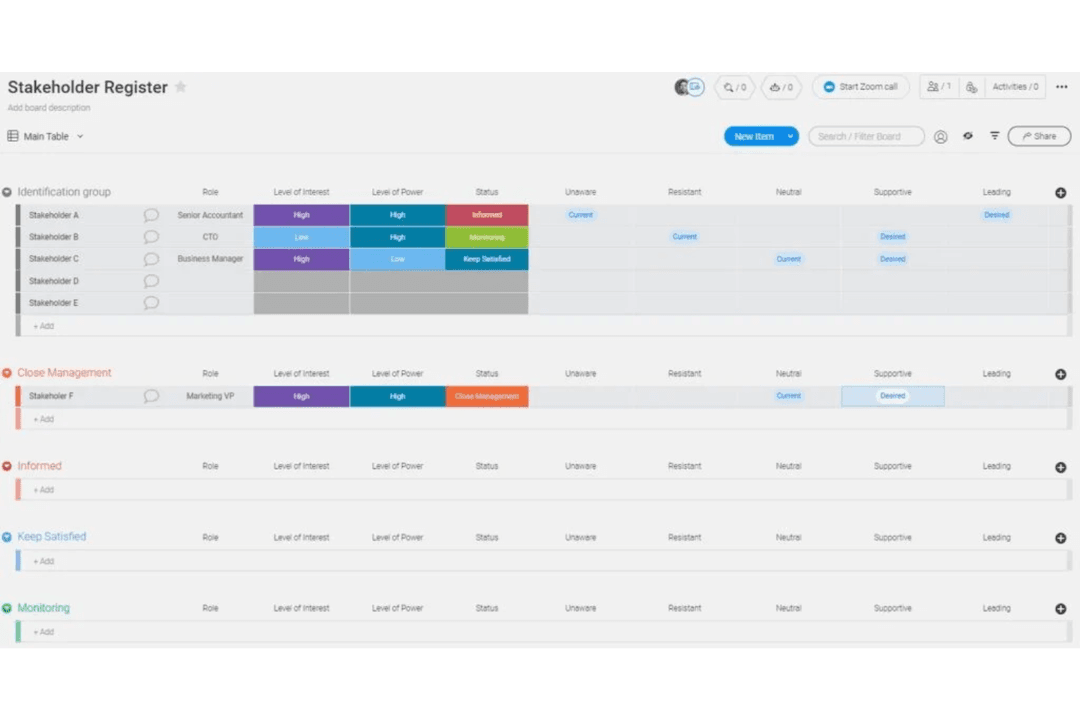
- Visual boards simplify tracking product development stages
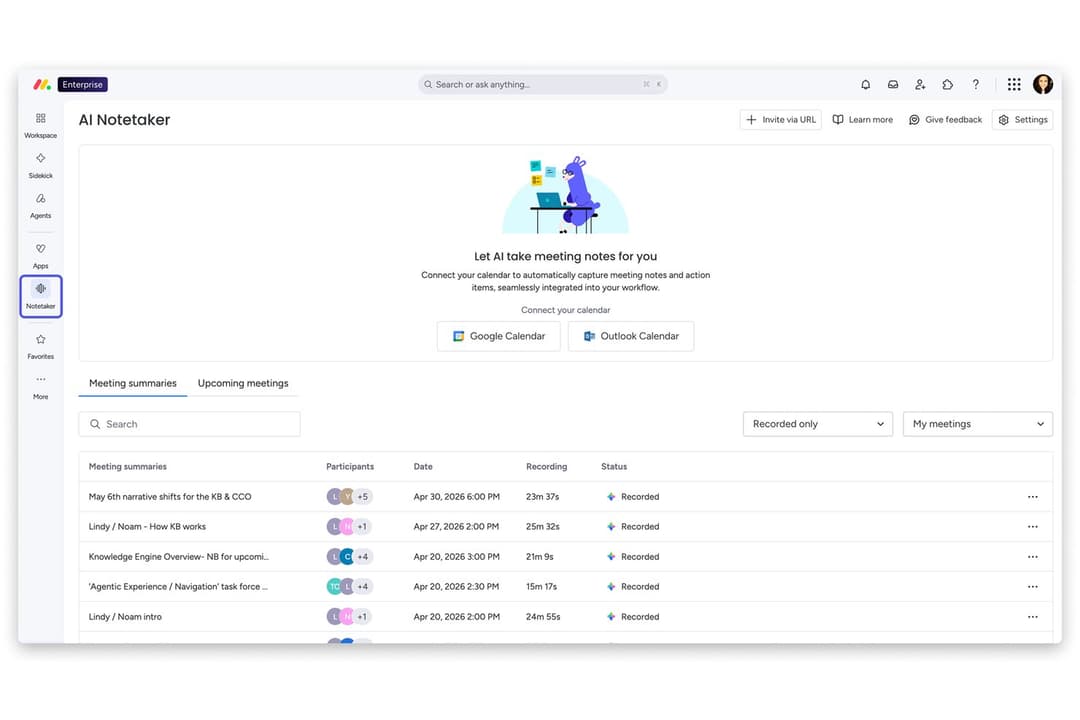
- Built-in AI features assist with risk identification and automation
- Fast onboarding with templates for product roadmaps and sprints
- Complex workflows can require frequent manual board updates
- Automation options require higher-tier plans
- Limited advanced reporting for product analytics
Productboard
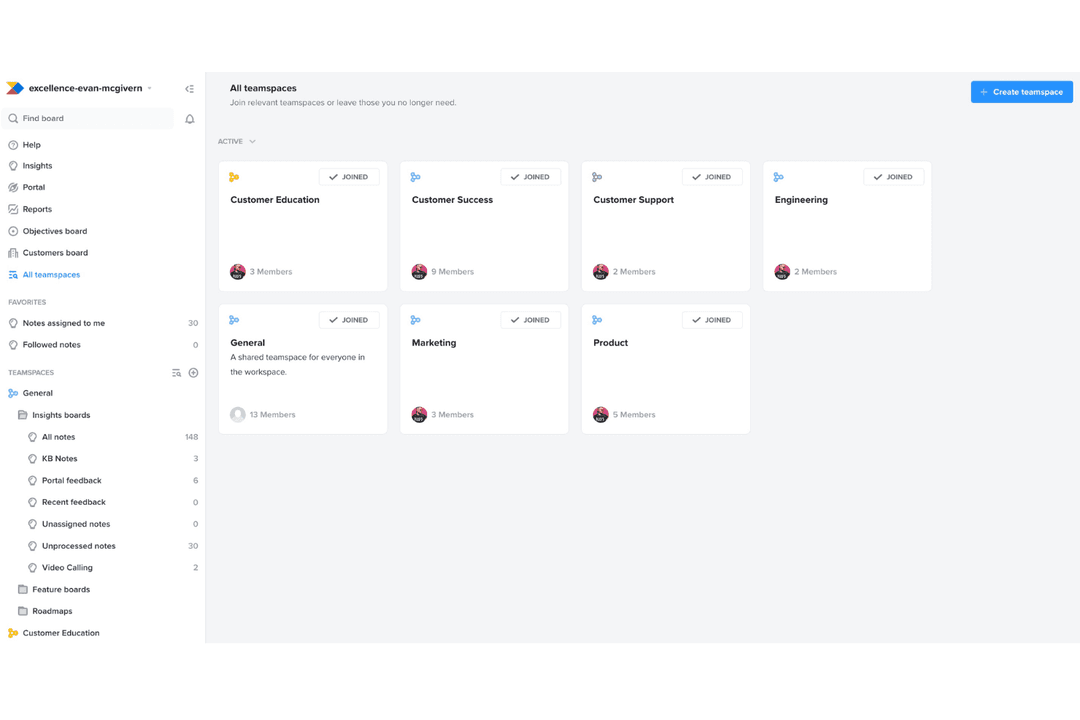
- The feedback portal gathers insights directly from users, streamlining your feedback process.
- The prioritization matrix helps your team focus on high-impact tasks with effective resource allocation.
- Productboard's interface is intuitive, making it easy for your team to adopt quickly.
- New users might face a learning curve with the platform's wide array of features.
- Customization is limited for niche use-cases, which might not suit all teams.
- Collaboration features are basic compared to some competitors, which could limit team interaction.
monday AI Workspace
- Creative AgenciesVisual boards and timeline views help manage campaigns and client deliverables.
- Mid-Sized Tech StartupsCustomizable workflows and integrations support rapid product iteration.
- Marketing DepartmentsCampaign planning templates and collaboration tools fit marketing workflows.
- Operations TeamsAutomations and dashboards help track recurring processes and tasks.
- Product ManagersRoadmap templates and sprint boards support agile product development.
- Remote TeamsCentralized communication and file sharing streamline distributed collaboration.
Productboard
- Tech StartupsProductboard helps tech startups prioritize features and align with customer needs using its feedback portal.
- SaaS CompaniesSaaS companies benefit from Productboard’s prioritization matrix to allocate resources to high-impact tasks.
- Agile TeamsAgile teams find Productboard’s intuitive interface easy to adopt for seamless integration into workflows.
- Product ManagersProduct managers can use Productboard to align their efforts with customer insights for strategic planning.
- Innovation DepartmentsInnovation departments leverage Productboard’s feedback loop to refine ideas based on user feedback.
- Mid-Sized EnterprisesMid-sized enterprises use Productboard to streamline their product management with clear roadmaps and priorities.
Wer sollte monday.com nutzen und wer Productboard?
Monday.com eignet sich am besten für Teams, die eine flexible und visuell orientierte Plattform benötigen, um eine Vielzahl von Workflows abteilungsübergreifend zu steuern – besonders in Unternehmen, die funktionsübergreifende Zusammenarbeit und schnelles Onboarding schätzen. Productboard ist die bessere Wahl für Produktmanager und Produktteams, die einen speziellen Bereich für das Sammeln von Feedback, die Priorisierung von Features und den Aufbau strategischer Roadmaps benötigen. Wenn Ihr Team verschiedene Funktionen abdeckt oder ein Tool braucht, das sich flexible an unterschiedliche Einsatzzwecke anpasst, ist monday.com die sicherere Wahl. Für produktgetriebene Unternehmen, die Wert auf strukturierte Produktentdeckung und -umsetzung legen, werden die spezialisierten Funktionen von Productboard perfekt passen.
| monday AI Workspace | Productboard | |
|---|---|---|
| Automation | monday AI Workspace Includes workflow automation for tasks and notifications. | Productboard Limited automation, focused on product feedback and insights. |
| Core Focus | monday AI Workspace General work management with product templates. | Productboard Purpose-built for product management and roadmapping. |
| Feature Prioritization | monday AI Workspace Lacks built-in scoring or prioritization frameworks. | Productboard Offers customizable prioritization and scoring for product ideas. |
| Pricing Model | monday AI Workspace Charges by user and feature tier, with add-ons for integrations. | Productboard Charges by user and product features, with extra cost for collaborators. |
| User Interface | monday AI Workspace Colorful, highly visual, and customizable for any workflow. | Productboard Clean, structured, and tailored to product management processes. |
| Cloud-Based Access | Both are fully cloud-based, allowing teams to access projects and data from anywhere with an internet connection. |
|---|---|
| Collaborative Tools | Both support real-time collaboration, letting users comment, tag teammates, and share updates within the platform. |
| Customizable Workspaces | Both let users tailor boards, views, and fields to fit their team’s processes, though monday.com is more flexible and Productboard is more product-focused. |
| Integration Options | Each tool offers integrations with popular platforms like Slack, Jira, Salesforce, and Zapier to connect workflows. |
| Security Measures | Each platform uses encryption for data at rest and in transit, and supports SSO and 2FA for secure access. |