

Bitrix24 Test: Vorteile, Nachteile, Funktionen und Preise für 2026 erklärt
Bitrix24 zeichnet sich als All-in-One-Plattform für die Produktentwicklung aus, bietet umfangreiche Kollaborationswerkzeuge und CRM-Funktionen, doch seine Komplexität könnte Teams abschrecken, die eine einfachere Lösung suchen.

Wir überprüfen Tools unabhängig und Provisionen helfen, unsere Tests zu finanzieren. Lesen Sie unsere transparente Richtlinie, unsere Methodik oder schlagen Sie ein Tool vor.
Bitrix24 is a product development software for teams that need to manage projects, tasks, internal communication, and CRM in a single workspace. I'd consider it if your team works across product, sales, and operations functions and needs everything connected—rather than stitching together separate tools. That's where it has a clear edge over something like Jira, which is built primarily for engineering and dev workflows. Bitrix24 gives cross-functional product teams a wider operational surface without requiring a separate CRM or collaboration platform alongside it.
Bitrix24 Evaluation Summary
4.2/5
- From $49/month (billed annually)
- 15-day free trial + free demo available
Warum Sie unseren Software-Empfehlungen vertrauen können
6,700+
Reviews
20
Industry experts
16+
Evaluation factors
14
Years
Unser Team testet und bewertet Software seit 2012. Als Produktmanager wissen wir selbst, wie schwierig – und wichtig – es ist, die richtige Software auszuwählen.
Für diesen Leitfaden haben wir Tools mithilfe von praktischen Tests und unabhängiger Recherche bewertet und dabei unsere Bewertungskriterien angewendet.
Unsere Bewertungen spiegeln unser menschliches redaktionelles Urteilsvermögen wider, keine Verkaufsstrategie.
Expertenprüfer:
- Andrew LumbySenior TPM
- Cristiano ValimSenior UI/UX Lead


Bitrix24 Overview
When judging Bitrix24 as a product development software, its all-in-one approach—combining project management, CRM, and communication—offers strong value for teams wanting a unified workspace. Its pricing is competitive, especially for small business and midsize teams, and the breadth of integrations supports diverse workflows. However, the user interface can feel crowded, and onboarding may require extra time compared to simpler project management tools. Bitrix24 excels for teams that need customizable automation and built-in collaboration, but may overwhelm those seeking a lightweight, narrowly focused solution. For example, cross-functional SaaS teams benefit from its centralized task, chat, and document management.
Pros
- Offers built-in task management with drag-and-drop Kanban, Gantt, and Scrum.
- Includes document management and version control for team members.
- Provides workflow automation and recurring task templates with notifications.
Cons
- Interface can feel cluttered and overwhelming for new users.
- Advanced reporting features are limited compared to competing providers.
- Customer support response times are inconsistent.
Is Bitrix24 Right For Your Needs?
Who Would be a Good Fit for Bitrix24?
Bitrix24 is best suited for organizations that need a centralized platform to manage projects, communication, and documentation in one place. Its built-in CRM, task automation, and collaboration tools make it a strong choice for teams that juggle multiple workflows and require transparency across departments. Companies with cross-functional teams, especially those in service, tech, or creative industries, can benefit from its customizable workspaces and integrated chat, while small business owners and midsize organizations appreciate its competitive pricing and scalable features. The mobile app ensures team members stay connected on the go.
- Marketing AgenciesBitrix24's client management and project tracking features support campaign planning, email marketing, and social media delivery.
- SaaS StartupsScrum, Kanban, and Gantt tools help manage agile product development cycles.
- Remote TeamsIntegrated chat, video calls, and document sharing enable real-time collaboration.
- HR DepartmentsAutomated workflows and employee directories streamline onboarding and HR processes.
- Consulting FirmsCRM and project management features help track client deliverables and communications.
- Educational InstitutionsTask assignment, document storage, and group chat support academic project coordination.
Who Would be a Bad Fit for Bitrix24?
Bitrix24 may not suit organizations that need highly specialized tools, minimal interfaces, or advanced analytics. Teams with strict regulatory requirements or those that rely on deep integrations with niche software may find Bitrix24's feature set limiting. Large enterprises with complex reporting needs or companies that prioritize simplicity over breadth of features might struggle with its interface and customization options.
- Enterprise IT DepartmentsLimited advanced reporting and analytics restrict large-scale IT project oversight.
- Regulated HealthcareLacks industry-specific compliance features for sensitive patient data management.
- Manufacturing OperationsDoes not offer specialized inventory or production tracking modules.
- FreelancersFeature set is excessive for solo users needing basic task tracking.
- Legal PracticesMissing advanced document management and case tracking tailored for legal workflows.
- Nonprofit Micro-TeamsInterface complexity outweighs benefits for very small, non-technical teams.
Wie wir Tools testen & bewerten
Wir haben jahrelang unser System für Softwaretests und -bewertungen aufgebaut, verfeinert und verbessert. Unser Bewertungsraster wurde entwickelt, um die Feinheiten bei der Auswahl von Software und die Effektivität eines Tools einzufangen, wobei der Fokus auf den entscheidenden Aspekten des Entscheidungsprozesses liegt. Nachfolgend sehen Sie genau, wie unser Test- und Bewertungssystem anhand von sieben Kriterien funktioniert. Dadurch können wir eine objektive Bewertung der Software auf Basis von Kernfunktionen, herausragenden Merkmalen, Benutzerfreundlichkeit, Onboarding, Kundensupport, Integrationen, Kundenbewertungen und Preis-Leistungs-Verhältnis bieten.
Kernfunktionalität (25% der Endbewertung)
Der Ausgangspunkt unserer Bewertung ist stets die Kernfunktionalität des Tools. Verfügt das Tool über die grundlegenden Funktionen, die ein Benutzer erwarten würde? Sind einige dieser Kernfunktionen nur in höheren Tarifen verfügbar? Im Kern erwarten wir, dass ein Tool den grundlegenden Fähigkeiten seiner Wettbewerber standhält.
Herausragende Merkmale (25% der Endbewertung)
Als nächstes bewerten wir seltene Alleinstellungsmerkmale, die über die übliche Kernfunktionalität solcher Tools hinausgehen. Eine hohe Bewertung spiegelt spezialisierte oder einzigartige Funktionen wider, die das Produkt schneller, effizienter oder für den Nutzer wertvoller machen. Wir prüfen außerdem, wie einfach sich das Tool mit anderen, typischen Werkzeugen im Technologie-Stack integrieren lässt, um seine Funktionalität und seinen Nutzen zu erweitern. Tools mit vielen nativen Integrationen, Drittanbieter-Anbindungen und API-Zugang für Individualisierungen erzielen die besten Ergebnisse.
Benutzerfreundlichkeit (10% der Endbewertung)
Wir berücksichtigen, wie schnell und einfach sich Aufgaben der Kernfunktionalität mit dem Tool umsetzen lassen. Software mit hoher Punktzahl ist gut gestaltet, intuitiv zu bedienen, bietet mobile Apps, Vorlagen und macht vergleichsweise komplexe Aufgaben einfach.
Onboarding (10% der Endbewertung)
Wir wissen, wie wichtig eine schnelle Akzeptanz durch Teams für eine neue Plattform ist. Deshalb bewerten wir, wie leicht sich das Tool mit minimaler Schulung erlernen und nutzen lässt. Wir prüfen, wie schnell ein Teammitglied ohne Vorerfahrung eingerichtet ist und starten kann. Lösungen mit guter Bewertung setzen nur wenig oder keine Unterstützung voraus.
Kundensupport (10% der Endbewertung)
Wir prüfen, wie schnell und einfach Hilfe per Telefon, Live-Chat oder Wissensdatenbank verfügbar ist. Tools und Unternehmen mit Echtzeit-Support schneiden am besten ab, während Chatbots am schlechtesten bewertet werden.
Kundenbewertungen (10% der Endbewertung)
Zusätzlich zu unseren eigenen Tests und Bewertungen betrachten wir den Net Promoter Score aktueller und ehemaliger Kunden. Wir prüfen deren Wahrscheinlichkeit, sich erneut für das Tool zu entscheiden. Eine hohe Bewertung spiegelt einen hohen Net Promoter Score wider.
Preis-Leistungs-Verhältnis (10% der Endbewertung)
Abschließend vergleichen wir alle anderen Kriterien mit dem durchschnittlichen Einstiegspreis und den Kernfunktionen und bewerten das Gesamtergebnis. Software, die mehr für weniger bietet, erhält eine höhere Bewertung.
Core Features
Task Management
Use Kanban boards, Gantt charts, and Scrum tools to organize and track tasks for any project.
Project Collaboration
Chat, video calls, comments, and file sharing are built in for real-time team communication.
Document Management
Store, edit, and manage documents with version control and secure cloud access.
Workflow Automation
Automate recurring tasks, approvals, and business processes with customizable rules and triggers
Time Tracking
Track time spent on tasks and projects, with built-in reporting for workload management.
AI Assistant (CoPilot)
Generate task descriptions, summaries, and ideas using AI to speed up planning and documentation.
Ease of Use
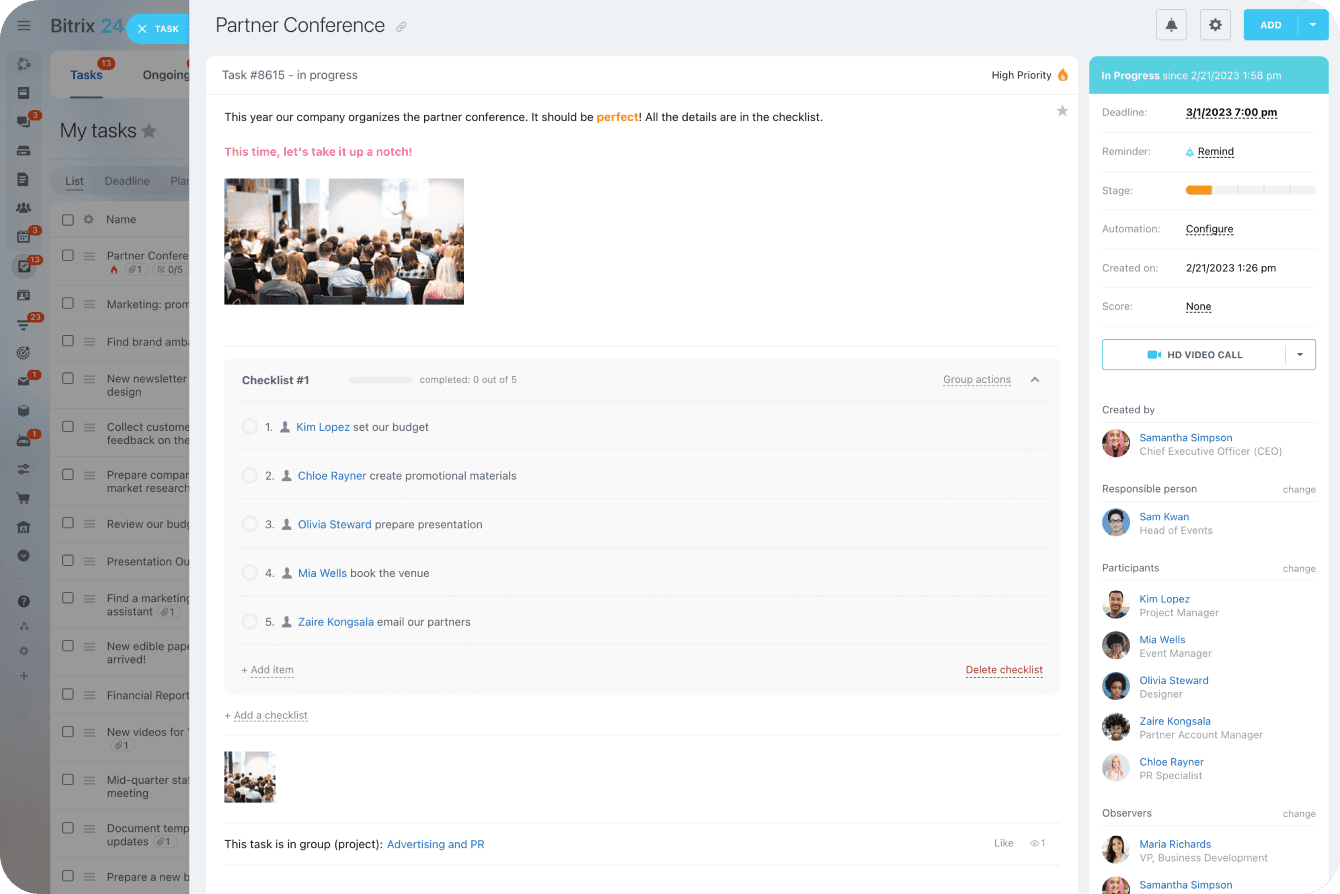
Bitrix24's interface offers extensive functionality, but many users find it cluttered and initially overwhelming. Navigating between modules like tasks, CRM, and chat can feel complex, especially for new users or small teams. However, once configured, its customizable dashboards and quick-access menus help streamline daily workflows. Users who invest time in setup and training often appreciate the platform's depth, but those seeking simplicity may find the learning curve steeper than with more focused tools.
Integrations
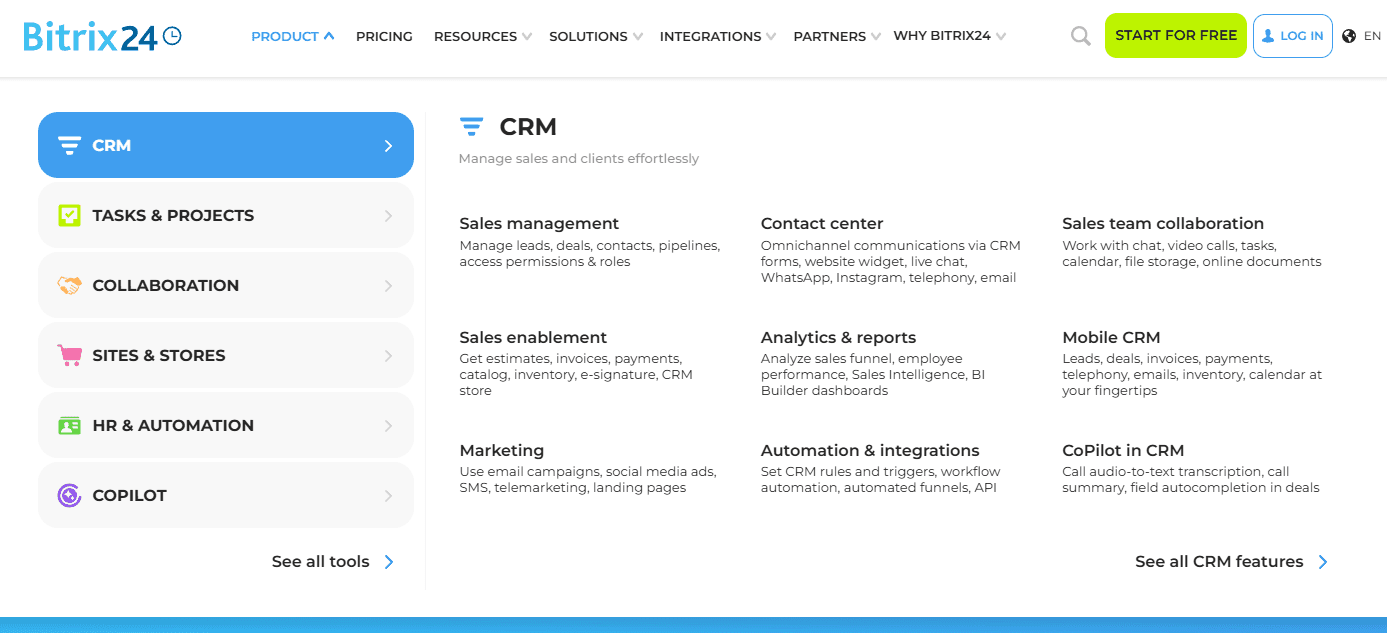
Bitrix24 integrates with Google Workspace, WhatsApp, Office 365, Dropbox, Box, and Mailchimp, among others.
Bitrix24 also offers an open API and connects with third-party integration tools through its marketplace.

Bitrix24 Specs
- 2-Factor Authentication: Yes
- API: Yes
- Calendar Management: Yes
- Call Tracking: Yes
- Campaign Management: No
- Click-to-Dial: Yes
- Contact Management: Yes
- Contact Sharing: Yes
- Custom Data Forms: No
- Customer Management: Yes
- Dashboard: Yes
- Data Export: Yes
- Data Import: Yes
- Data Visualization: Yes
- Email Integration: Yes
- External Integrations: Yes
- File Sharing: Yes
- File Transfer: Yes
- Google Apps Integration: Yes
- Lead Management: Yes
- Lead Scoring: Yes
- Marketing Automation: Yes
- Mobile App: No
- Multi-User: Yes
- Notifications: Yes
- Pipeline Management: Yes
- Sales Automation: Yes
- Scheduling: Yes
- Social-Media Integration: Yes
- Task Scheduling/Tracking: Yes
- Third-Party Plugins/Add-Ons: Yes


