
Adobe Creative Cloud is a collaborative design platform built for creative teams producing across multiple formats—UI mockups, brand assets, video, photography, and print. I'd consider it over Figma if your team works beyond digital product design alone, since Creative Cloud spans the full creative workflow in a way a single-purpose tool can't match. It's worth a close look for any team that needs a unified creative environment rather than a mix of disconnected tools.
Adobe Creative Cloud Evaluation Summary
0/5
- From $37.99/month (billed annually)
- 14-day free trial
Warum Sie unseren Software-Empfehlungen vertrauen können
6,700+
Reviews
20
Industry experts
16+
Evaluation factors
14
Years
Unser Team testet und bewertet Software seit 2012. Als Produktmanager wissen wir selbst, wie schwierig – und wichtig – es ist, die richtige Software auszuwählen.
Für diesen Leitfaden haben wir Tools mithilfe von praktischen Tests und unabhängiger Recherche bewertet und dabei unsere Bewertungskriterien angewendet.
Unsere Bewertungen spiegeln unser menschliches redaktionelles Urteilsvermögen wider, keine Verkaufsstrategie.
Expertenprüfer:
- Andrew LumbySenior TPM
- Cristiano ValimSenior UI/UX Lead


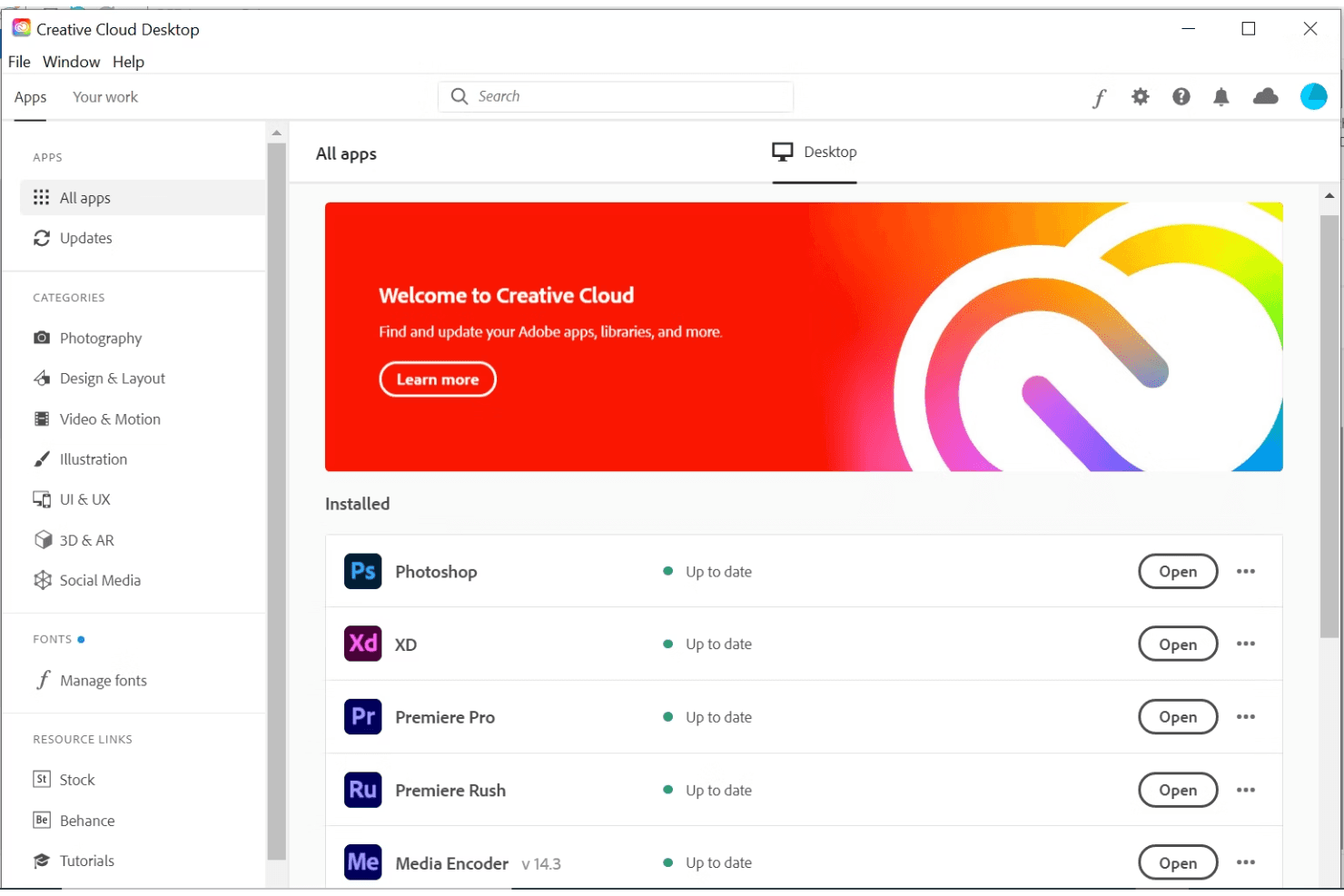
Adobe Creative Cloud Overview
In my opinion, Adobe Creative Cloud is a strong contender in collaborative design software. It offers an impressive suite of tools that cater to creative professionals, making it ideal for design teams and freelancers. While the onboarding process could be smoother, the platform's extensive features and integrations make up for it. Adobe's pricing might seem high, but the comprehensive functionality justifies the cost for those needing top-tier design capabilities. Compared to rivals, it excels in creative power but could improve in user support. If your team values creativity and versatility, Adobe Creative Cloud is worth considering.
Pros
- You get access to a vast array of professional-grade design tools.
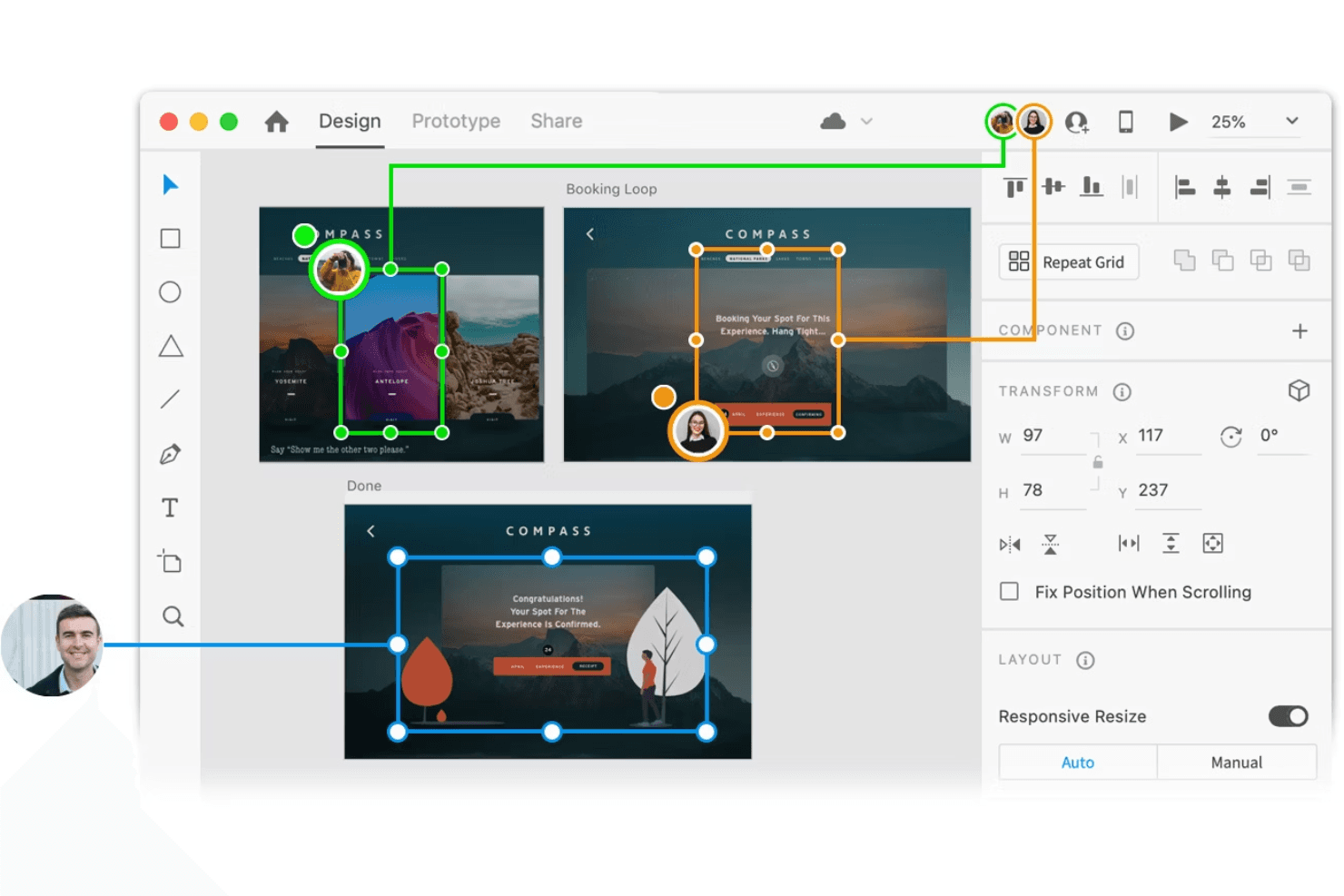
- Your team can enjoy seamless collaboration with real-time updates.
- You have a wide selection of tutorials to enhance your skills.
Cons
- The software's interface can be overwhelming for new users.
- Your team might experience occasional performance lags on older hardware.
- Customer support doesn't always meet expectations for quick resolutions.
Is Adobe Creative Cloud Right For Your Needs?
Who Would be a Good Fit for Adobe Creative Cloud?
Adobe Creative Cloud is perfect for creative agencies, marketing teams, and freelancers who need a wide range of design tools. If your work involves graphic design, video editing, or digital art, Adobe's comprehensive suite empowers your creativity. With real-time collaboration features, your team can work together efficiently on projects. The vast library of tutorials helps you quickly learn and master new tools, making it ideal for those who value skill development alongside creative work.
- Creative AgenciesYour agency will benefit from Adobe's extensive design tools that allow for high-quality creative output.
- Marketing TeamsYour team can leverage Adobe's design capabilities to produce engaging visual content for campaigns.
- FreelancersFreelancers will find Adobe's comprehensive toolset invaluable for offering a wide range of services to clients.
- Graphic DesignersAdobe provides the advanced tools you need for detailed and professional graphic design work.
- Video EditorsYour video editing projects will shine with Adobe's powerful editing software and effects.
- Digital ArtistsDigital artists can express their creativity with Adobe's diverse tools for illustration and painting.
Who Would be a Bad Fit for Adobe Creative Cloud?
Adobe Creative Cloud might not suit small businesses or teams with limited design needs due to its complexity and extensive features. If your team doesn't require advanced design tools or has limited experience with professional design software, Adobe's platform could be overwhelming and excessive. Organizations seeking straightforward design tasks or who need quick, simple solutions may find Adobe's offerings too intricate and time-consuming to navigate.
- Small BusinessesYour small business may find Adobe's extensive features more than you need for simple design tasks.
- Non-Design DepartmentsDepartments not focused on design might struggle with Adobe's complex interface and toolset.
- Beginner UsersBeginners could feel overwhelmed by Adobe's advanced tools and professional-grade features.
- Limited Budget TeamsTeams with tight budgets might find Adobe's pricing challenging for their financial constraints.
- Casual CreatorsIf your work involves casual or hobbyist design, Adobe's professional suite might be excessive.
- Basic Task TeamsTeams focusing on basic design tasks may not need Adobe's comprehensive and detailed toolset.
Wie wir Tools testen & bewerten
Wir haben jahrelang unser System für Softwaretests und -bewertungen aufgebaut, verfeinert und verbessert. Unser Bewertungsraster wurde entwickelt, um die Feinheiten bei der Auswahl von Software und die Effektivität eines Tools einzufangen, wobei der Fokus auf den entscheidenden Aspekten des Entscheidungsprozesses liegt. Nachfolgend sehen Sie genau, wie unser Test- und Bewertungssystem anhand von sieben Kriterien funktioniert. Dadurch können wir eine objektive Bewertung der Software auf Basis von Kernfunktionen, herausragenden Merkmalen, Benutzerfreundlichkeit, Onboarding, Kundensupport, Integrationen, Kundenbewertungen und Preis-Leistungs-Verhältnis bieten.
Kernfunktionalität (25% der Endbewertung)
Der Ausgangspunkt unserer Bewertung ist stets die Kernfunktionalität des Tools. Verfügt das Tool über die grundlegenden Funktionen, die ein Benutzer erwarten würde? Sind einige dieser Kernfunktionen nur in höheren Tarifen verfügbar? Im Kern erwarten wir, dass ein Tool den grundlegenden Fähigkeiten seiner Wettbewerber standhält.
Herausragende Merkmale (25% der Endbewertung)
Als nächstes bewerten wir seltene Alleinstellungsmerkmale, die über die übliche Kernfunktionalität solcher Tools hinausgehen. Eine hohe Bewertung spiegelt spezialisierte oder einzigartige Funktionen wider, die das Produkt schneller, effizienter oder für den Nutzer wertvoller machen. Wir prüfen außerdem, wie einfach sich das Tool mit anderen, typischen Werkzeugen im Technologie-Stack integrieren lässt, um seine Funktionalität und seinen Nutzen zu erweitern. Tools mit vielen nativen Integrationen, Drittanbieter-Anbindungen und API-Zugang für Individualisierungen erzielen die besten Ergebnisse.
Benutzerfreundlichkeit (10% der Endbewertung)
Wir berücksichtigen, wie schnell und einfach sich Aufgaben der Kernfunktionalität mit dem Tool umsetzen lassen. Software mit hoher Punktzahl ist gut gestaltet, intuitiv zu bedienen, bietet mobile Apps, Vorlagen und macht vergleichsweise komplexe Aufgaben einfach.
Onboarding (10% der Endbewertung)
Wir wissen, wie wichtig eine schnelle Akzeptanz durch Teams für eine neue Plattform ist. Deshalb bewerten wir, wie leicht sich das Tool mit minimaler Schulung erlernen und nutzen lässt. Wir prüfen, wie schnell ein Teammitglied ohne Vorerfahrung eingerichtet ist und starten kann. Lösungen mit guter Bewertung setzen nur wenig oder keine Unterstützung voraus.
Kundensupport (10% der Endbewertung)
Wir prüfen, wie schnell und einfach Hilfe per Telefon, Live-Chat oder Wissensdatenbank verfügbar ist. Tools und Unternehmen mit Echtzeit-Support schneiden am besten ab, während Chatbots am schlechtesten bewertet werden.
Kundenbewertungen (10% der Endbewertung)
Zusätzlich zu unseren eigenen Tests und Bewertungen betrachten wir den Net Promoter Score aktueller und ehemaliger Kunden. Wir prüfen deren Wahrscheinlichkeit, sich erneut für das Tool zu entscheiden. Eine hohe Bewertung spiegelt einen hohen Net Promoter Score wider.
Preis-Leistungs-Verhältnis (10% der Endbewertung)
Abschließend vergleichen wir alle anderen Kriterien mit dem durchschnittlichen Einstiegspreis und den Kernfunktionen und bewerten das Gesamtergebnis. Software, die mehr für weniger bietet, erhält eine höhere Bewertung.
Core Features
Real-Time Collaboration
Your team can work together on projects simultaneously, seeing changes as they happen. This feature boosts efficiency and keeps everyone on the same page.
Extensive Asset Library
Access a vast collection of fonts, presets, stock images, and templates to enhance your design projects. This library saves you time and sparks creativity.
Advanced Design Tools
Use professional-grade tools for graphic design, video editing, and more. These tools give your work a polished, high-quality finish.
Cross-Platform Access
Work on your projects from any device, whether it's a desktop, tablet, or smartphone. This flexibility means you can design on the go.
Version Control
Easily track changes and revert to previous versions of your work. This feature ensures you don't lose progress and can experiment freely.
Customizable Workspaces
Tailor your workspace to fit your specific needs and preferences. This customization makes your workflow smoother and more intuitive.
Ease of Use
Adobe Creative Cloud offers powerful tools, but its interface can be overwhelming for beginners. The sheer number of features requires a learning curve, which might challenge those new to design software. However, once you get familiar, the customization options and tutorials help you tailor the workspace to your needs. If your team is experienced, you'll appreciate the depth of functionality, though beginners might need time to adapt.
Integrations
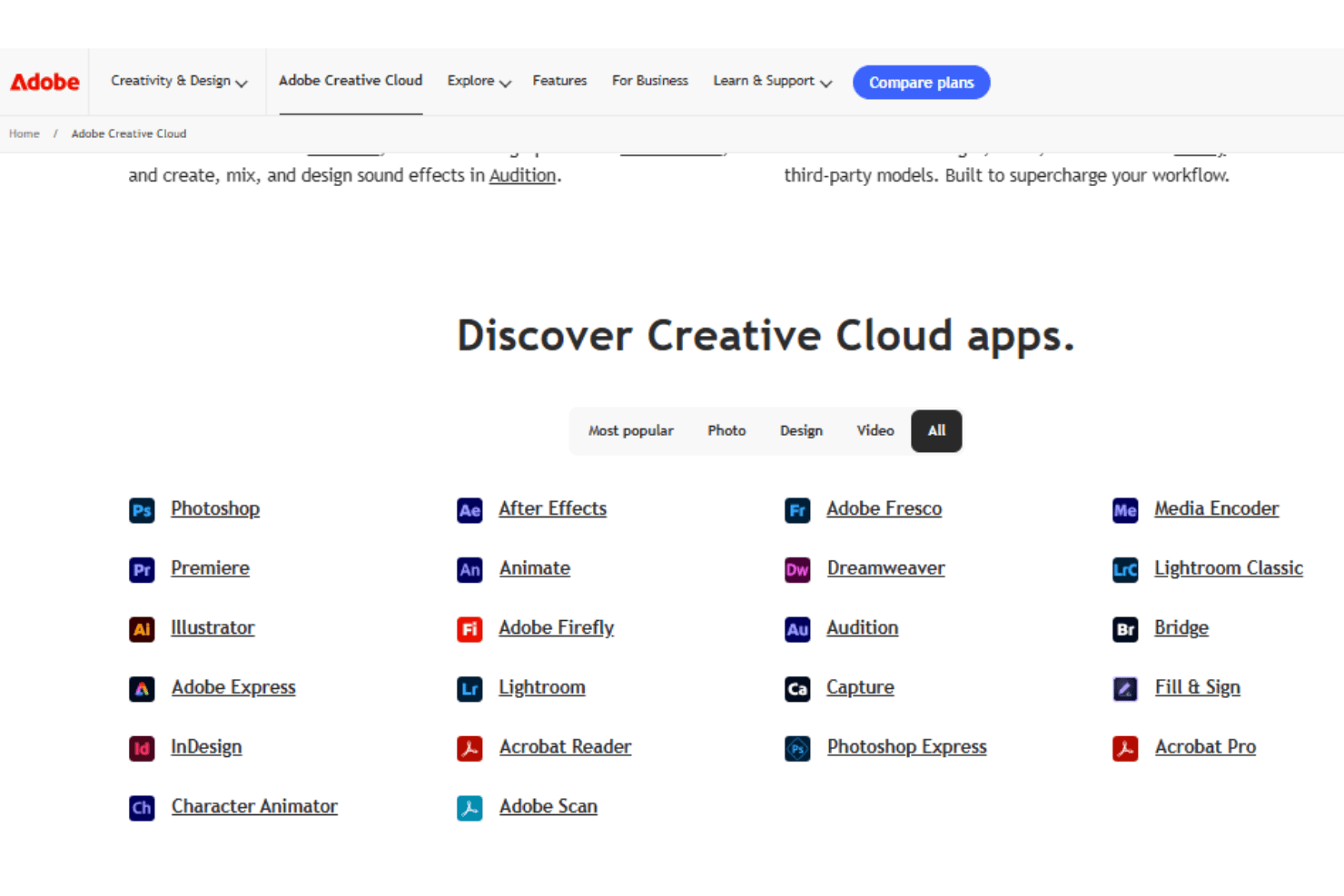
Being the host to the entire Adobe creative suite, Adobe Creative Cloud naturally integrates with all of the Adobe software including: Adobe Lightroom, Adobe Stock, Adobe Illustrator, Adobe Photoshop, Adobe Premiere Pro, Adobe InDesign, Adobe After Effects, and Adobe Acrobat, just to name a few. It also integrates with popular tools like Slack, Microsoft Teams, Trello, Asana, Dropbox, Google Drive, Zoom, Jira, Zendesk, and Salesforce.
Adobe Creative Cloud also offers an API for custom integrations and connects with third-party integration tools.
Adobe Creative Cloud Specs
- A/B Testing: Yes
- API: Yes
- Collaboration Support: Yes
- Custom Data Forms: Yes
- Dashboard: Yes
- Dashboards: Yes
- Data Export: Yes
- Data Import: Yes
- Developer Tools: Yes
- External Integrations: Yes
- Feedback Management: Yes
- Gantt Charts: Yes
- Google Apps Integration: Yes
- Multi-User: Yes
- Notifications: Yes
- Prioritization: Yes
- Product Catalog: Yes
- Release Management: Yes
- Reports: Yes
- Resource Management: Yes
- Review Monitoring: Yes
- Roadmapping: Yes
- Scheduling: Yes
- Task Scheduling/Tracking: Yes


