
Adobe Captivate Testbericht: Vorteile, Nachteile, Funktionen und Preise
Adobe Captivate glänzt bei der Erstellung interaktiver E-Learning-Inhalte und bietet eine unvergleichliche Vielseitigkeit bei der Integration von Multimedia.

Wir überprüfen Tools unabhängig und Provisionen helfen, unsere Tests zu finanzieren. Lesen Sie unsere transparente Richtlinie, unsere Methodik oder schlagen Sie ein Tool vor.
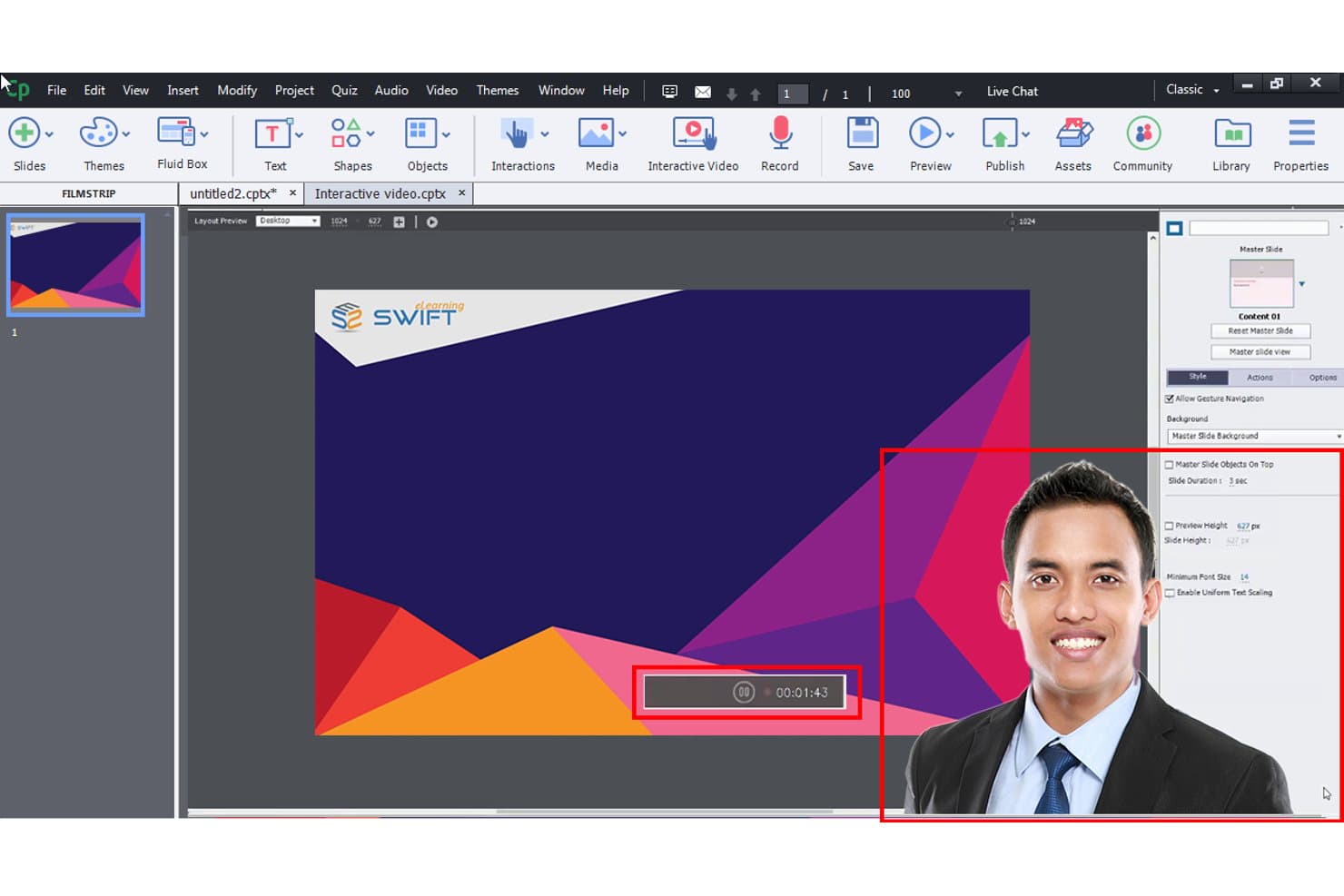
Adobe Captivate is a learning design software for teams that need to build interactive eLearning courses, software simulations, and responsive content without relying on developer support. I'd consider it over Articulate Storyline if your team needs stronger software simulation features and a tighter fit with the Adobe ecosystem—especially if you're already working inside Creative Cloud and want your authoring tool to slot in naturally alongside those workflows.
Adobe Captivate Evaluation Summary
3.9/5
- From $33.99/month
- Free trial available
Warum Sie unseren Software-Empfehlungen vertrauen können
6,700+
Reviews
20
Industry experts
16+
Evaluation factors
14
Years
Unser Team testet und bewertet Software seit 2012. Als Produktmanager wissen wir selbst, wie schwierig – und wichtig – es ist, die richtige Software auszuwählen.
Für diesen Leitfaden haben wir Tools mithilfe von praktischen Tests und unabhängiger Recherche bewertet und dabei unsere Bewertungskriterien angewendet.
Unsere Bewertungen spiegeln unser menschliches redaktionelles Urteilsvermögen wider, keine Verkaufsstrategie.
Expertenprüfer:
- Andrew LumbySenior TPM
- Cristiano ValimSenior UI/UX Lead


Adobe Captivate Overview
In my opinion, Adobe Captivate is a solid choice for creating interactive eLearning content, especially if your team values multimedia integration. It excels in offering robust features for experienced users but may present a learning curve for beginners. Compared to other tools, it stands out with its unique multimedia capabilities but might lag in ease of use. It's best suited for training departments and educators who need rich, interactive content. If you're deciding, consider your team's technical comfort and the need for advanced features.
Pros
- It offers advanced multimedia integration for interactive content.
- You can create responsive eLearning projects easily.
- It provides a wide range of templates to speed up design.
Cons
- The interface can feel complex for new users.
- It has a steeper learning curve compared to simpler tools.
- Your team might find limited options for collaboration.
Is Adobe Captivate Right For Your Needs?
Who Would be a Good Fit for Adobe Captivate?
Adobe Captivate is ideal for training departments in large corporations and educators in academia who need interactive eLearning tools. It suits teams that require advanced multimedia integration for engaging content with an emphasis on interactivity. If your work involves creating responsive projects with a variety of templates, Adobe Captivate's feature set can enhance your training or educational programs effectively. Its capability to handle complex eLearning projects makes it a valuable asset for experienced instructional designers.
- Corporate TrainingIt offers interactive content creation, perfect for large companies needing comprehensive employee training programs.
- Higher EducationEducators can create engaging, multimedia-rich courses that appeal to tech-savvy students.
- Freelance DesignersDesigners can leverage its advanced features for diverse client projects requiring custom eLearning solutions.
- Healthcare TrainingYou can develop interactive modules for detailed medical training, essential for healthcare professionals.
- Government AgenciesIt supports detailed compliance training programs with its responsive and multimedia capabilities.
- NonprofitsOrganizations can use it to create engaging training materials for volunteers and staff, enhancing learning experiences.
Who Would be a Bad Fit for Adobe Captivate?
Adobe Captivate might not suit small businesses or startups with limited budgets and minimal technical expertise. Its complex interface can be overwhelming for teams new to eLearning design. If your team needs quick, simple solutions without a steep learning curve, you'll find Adobe Captivate's advanced features excessive and time-consuming. It's not ideal for projects requiring frequent collaboration, as its collaboration features are limited compared to other tools.
- Small StartupsThey may find it too complex and costly for their basic training needs.
- Retail TrainingRetail teams often need quick, straightforward training tools, making Adobe Captivate a cumbersome choice.
- Non-Technical TeamsTeams with limited technical skills might struggle with its advanced features and steeper learning curve.
- Simple ProjectsIf your work involves basic eLearning content, its advanced capabilities might be unnecessary and overwhelming.
- Frequent CollaboratorsTeams requiring constant collaboration will find its limited collaboration tools a hindrance.
- Budget-Conscious UsersThose with tight budgets might not justify the expense for features they won't fully utilize.
Wie wir Tools testen & bewerten
Wir haben jahrelang unser System für Softwaretests und -bewertungen aufgebaut, verfeinert und verbessert. Unser Bewertungsraster wurde entwickelt, um die Feinheiten bei der Auswahl von Software und die Effektivität eines Tools einzufangen, wobei der Fokus auf den entscheidenden Aspekten des Entscheidungsprozesses liegt. Nachfolgend sehen Sie genau, wie unser Test- und Bewertungssystem anhand von sieben Kriterien funktioniert. Dadurch können wir eine objektive Bewertung der Software auf Basis von Kernfunktionen, herausragenden Merkmalen, Benutzerfreundlichkeit, Onboarding, Kundensupport, Integrationen, Kundenbewertungen und Preis-Leistungs-Verhältnis bieten.
Kernfunktionalität (25% der Endbewertung)
Der Ausgangspunkt unserer Bewertung ist stets die Kernfunktionalität des Tools. Verfügt das Tool über die grundlegenden Funktionen, die ein Benutzer erwarten würde? Sind einige dieser Kernfunktionen nur in höheren Tarifen verfügbar? Im Kern erwarten wir, dass ein Tool den grundlegenden Fähigkeiten seiner Wettbewerber standhält.
Herausragende Merkmale (25% der Endbewertung)
Als nächstes bewerten wir seltene Alleinstellungsmerkmale, die über die übliche Kernfunktionalität solcher Tools hinausgehen. Eine hohe Bewertung spiegelt spezialisierte oder einzigartige Funktionen wider, die das Produkt schneller, effizienter oder für den Nutzer wertvoller machen. Wir prüfen außerdem, wie einfach sich das Tool mit anderen, typischen Werkzeugen im Technologie-Stack integrieren lässt, um seine Funktionalität und seinen Nutzen zu erweitern. Tools mit vielen nativen Integrationen, Drittanbieter-Anbindungen und API-Zugang für Individualisierungen erzielen die besten Ergebnisse.
Benutzerfreundlichkeit (10% der Endbewertung)
Wir berücksichtigen, wie schnell und einfach sich Aufgaben der Kernfunktionalität mit dem Tool umsetzen lassen. Software mit hoher Punktzahl ist gut gestaltet, intuitiv zu bedienen, bietet mobile Apps, Vorlagen und macht vergleichsweise komplexe Aufgaben einfach.
Onboarding (10% der Endbewertung)
Wir wissen, wie wichtig eine schnelle Akzeptanz durch Teams für eine neue Plattform ist. Deshalb bewerten wir, wie leicht sich das Tool mit minimaler Schulung erlernen und nutzen lässt. Wir prüfen, wie schnell ein Teammitglied ohne Vorerfahrung eingerichtet ist und starten kann. Lösungen mit guter Bewertung setzen nur wenig oder keine Unterstützung voraus.
Kundensupport (10% der Endbewertung)
Wir prüfen, wie schnell und einfach Hilfe per Telefon, Live-Chat oder Wissensdatenbank verfügbar ist. Tools und Unternehmen mit Echtzeit-Support schneiden am besten ab, während Chatbots am schlechtesten bewertet werden.
Kundenbewertungen (10% der Endbewertung)
Zusätzlich zu unseren eigenen Tests und Bewertungen betrachten wir den Net Promoter Score aktueller und ehemaliger Kunden. Wir prüfen deren Wahrscheinlichkeit, sich erneut für das Tool zu entscheiden. Eine hohe Bewertung spiegelt einen hohen Net Promoter Score wider.
Preis-Leistungs-Verhältnis (10% der Endbewertung)
Abschließend vergleichen wir alle anderen Kriterien mit dem durchschnittlichen Einstiegspreis und den Kernfunktionen und bewerten das Gesamtergebnis. Software, die mehr für weniger bietet, erhält eine höhere Bewertung.
Core Features
Responsive Design
Using Adobe Captivate, you can create content that automatically adjusts to different devices. This ensures your learners have a consistent experience regardless of screen size.
Multimedia Integration
You can easily incorporate interactive videos, audio, and animations into your projects. This enhances engagement and makes your content more dynamic.
Quiz and Assessment Tools
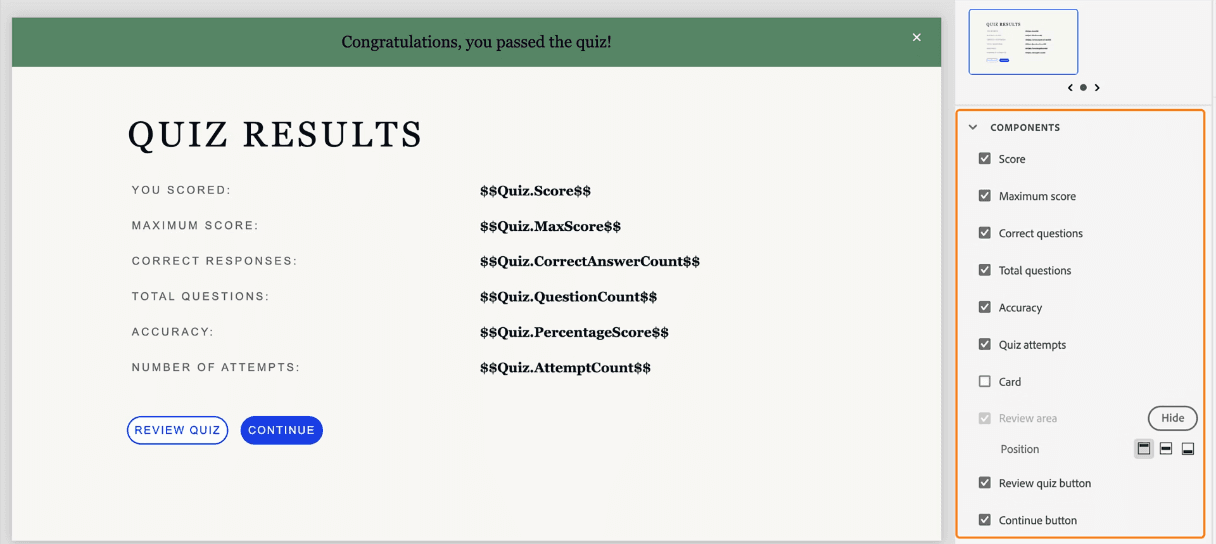
It offers a variety of question types and scoring options. You can track learner progress effectively with built-in analytics.
Drag-and-Drop Interactions
This feature lets you create engaging activities and interactive hotspots that improve learner interaction. It's straightforward and adds a hands-on element to your courses.
Templates and Themes
You get access to a wide range of pre-designed templates. This speeds up your design process and ensures professional-looking content.
SCORM Compliance
It ensures your content is compatible with most Learning Management Systems (LMS). This makes it easier to track and report on learner progress.
Ease of Use
Adobe Captivate can feel complex, especially for new users who aren't familiar with eLearning design tools. While its advanced features offer great flexibility, they come with a steeper learning curve. You might find the interface a bit overwhelming at first, but with time, you'll appreciate the depth of customization it provides. For teams that need powerful multimedia capabilities, the initial investment in learning the software pays off in creating engaging, interactive content.
Integrations
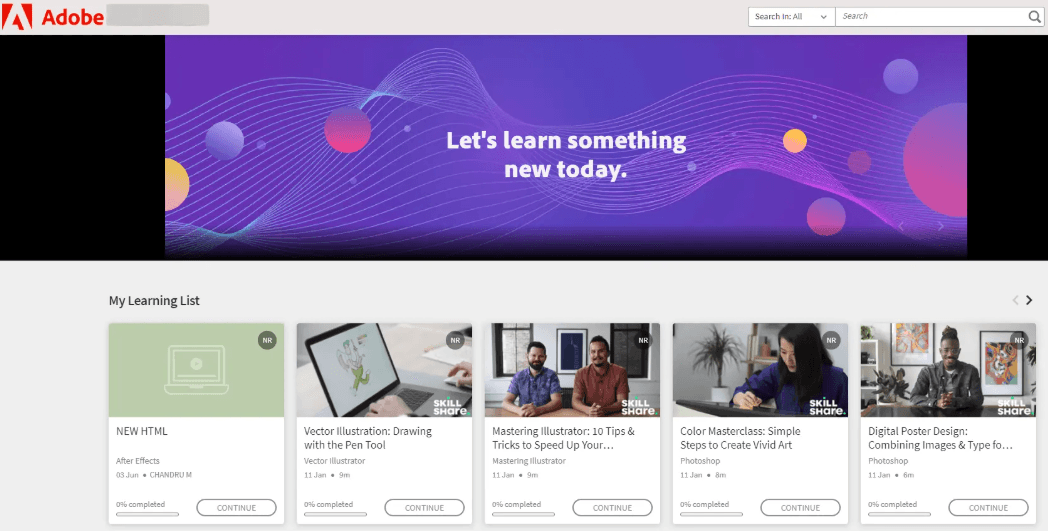
Adobe Captivate integrates with Adobe Connect, Adobe Learning Manager, Adobe Photoshop, Microsoft PowerPoint, Adobe Creative Cloud, Zoom, Google Workspace, Moodle, and Blackboard.
Adobe Captivate also has an API and connects with third-party integration tools.
Adobe Captivate Specs
- API: Yes
- Class Management: No
- Comparative Reporting: No
- Corporate/Business: Yes
- Dashboards: Yes
- Data Export: Yes
- Data Import: Yes
- Data Visualization: No
- Document Comparison: No
- Employee Training: Yes
- External Integrations: Yes
- Feedback Management: Yes
- Gamification: No
- Gradebook: Yes
- Mobile App: No
- Multi-User: Yes
- Notifications: Yes
- Personal Learning: Yes
- Report & Compliance: No
- Report Cards: No
- Scheduling: Yes
- SCORM: Yes
- Student Registration: No
- Video Courses: Yes