

Framer'ın ekibiniz için artık yeterli olmadığını mı düşünüyorsunuz? Belki de sorun özellik sınırlamaları, ölçeklendirme zorlukları veya tam anlamıyla yeterli olmayan iş birliği araçlarıdır. Bir ürün yöneticisi ya da geliştirici olarak, güvendiğiniz araçlar peşinde olduğunuz vizyonu karşılayamadığında bu durum sinir bozucu olabilir.
Kabul edelim—tasarım, ürününüzün kalbidir. Kalabalık bir pazarda sizi farklılaştıran şey odur. Buradasınız çünkü ekibinizi doğaçlama çözümler üretmeye zorlayan, herkese uyan tek bir çözüm yerine, benzersiz zorluklarınız için gerçekten işe yarayan bir şeye ihtiyacınız var.
İyi haber ne mi? Zor kısmı sizin için ben yaptım. Tasarım araçları dünyasını derinlemesine inceledikten sonra, aradığınız şey olabilecek bazı harika Framer alternatifleri keşfettim. Her seçenek kendine özgü bir şey sunuyor; en iyi kararı vermenize yardımcı olmak için özellikleri, avantajları ve hatta "dikkat edilmesi gereken noktaları" sizinle paylaşacağım.
Framer Nedir?
Framer, etkileşimli prototipler ve animasyonlar oluşturmak için kullanılan, tanınmış bir ürün tasarım aracıdır. Hızlı görselleştirme ve test özelliklerine değer veren tasarımcılar, geliştiriciler ve ürün yöneticileri arasında popülerdir. İş birliğine dayalı iş akışları, esnek tasarım araçları ve güçlü prototipleme gibi özellikleriyle Framer, fikirleri hayata geçirmek için çok yönlü bir platform sunar. Bununla birlikte hiçbir araç kusursuz değildir ve buradaysanız büyük olasılıkla ekibinizin özel ihtiyaçlarına daha iyi uyacak alternatifleri araştırıyorsunuz. Merak etmeyin, size yardımcı olacağız.
Framer Alternatifleri Karşılaştırma Tablosu
Bu karşılaştırma tablosu, en iyi Framer alternatifleri seçimlerimin fiyatlandırma ayrıntılarını özetlemektedir:
Score legend (out of 5)
- Excellent4.5–5
- Good4–4.4
- Average3–3.9
- Below average2–2.9
- Poor1–1.9
Sorted by: Default
| Tool | Starting Price | Website | |||||||
|---|---|---|---|---|---|---|---|---|---|
Best for agency-scale client site management | 3.2 out of 5 | 4 | 4 | 4 | 3 | 2 | 2 | $8/month Free plan + 14-day free trial + free demo available | Website |
Best for freelancers building client sites | 2.8 out of 5 | 2 | 4 | 4 | 3 | 1 | 3 | $25/month 14-day free trial available | Website |
Best for agency sites without per-site fees | 3.0 out of 5 | 4 | 4 | 3 | 3 | 2 | 2 | $39/month Free plan + 7-day free trial available | Website |
Best for open-source, self-hosted site ownership | 3.2 out of 5 | 4 | 2 | 3 | 4 | 2 | 4 | $30/month Free plan + free trial available | Website |
Best for content-heavy sites on a GPL license | 3.2 out of 5 | 5 | 5 | 4 | 3 | 1 | 1 | $69/year Free plan + free demo available | Website |
Best for design-to-publish in one workspace | 3.5 out of 5 | 3 | 3 | 3 | 4 | 5 | 3 | $3/user/month Free plan available | Website |
Best for responsive web design with a visual CSS canvas | 4.7 out of 5 | 5 | 4 | 4 | 5 | 5 | 5 | $15/month Free plan available | Website |
Best for building sites with built-in business tools | 3.8 out of 5 | 4 | 4 | 4 | 4 | 4 | 3 | $35.54/month Free plan + free demo available | Website |
Best for full-platform sites beyond marketing pages | 4.3 out of 5 | 5 | 4 | 4 | 5 | 5 | 3 | $19/month Free plan available | Website |
Best for design-team site publishing in Figma | 3.8 out of 5 | 3 | 3 | 4 | 4 | 5 | 4 | $16/user/month Free plan available | Website |


Why Trust Our Software Recommendations
6,700+
Reviews
20
Industry experts
16+
Evaluation factors
14
Years
Our team has been testing and reviewing software since 2012. As product managers ourselves, we know how difficult—and important—it is to choose the right software.
For this guide, we evaluated tools using hands-on testing and independent research, scoring tools using our selection criteria.
Our reviews reflect our human editorial judgment, not a sales pitch.
Expert reviewers:
- Andrew LumbySenior TPM
- Cristiano ValimSenior UI/UX Lead


En İyi Framer Alternatifleri İncelemeleri
Aşağıda kısa listeme giren en iyi Framer alternatiflerinin ayrıntılı özetlerini bulabilirsiniz. İncelemelerim, sizin için en iyisini bulmanıza yardımcı olmak amacıyla her aracın temel özelliklerine, artılarına ve & eksilerine, entegrasyonlarına ve ideal kullanım alanlarına ayrıntılı bir bakış sunuyor.
 1Best for agency-scale client site management
Duda
- Free plan + 14-day free trial + free demo available
- From $8/month
Visit WebsiteCustomer Rating:4.6/5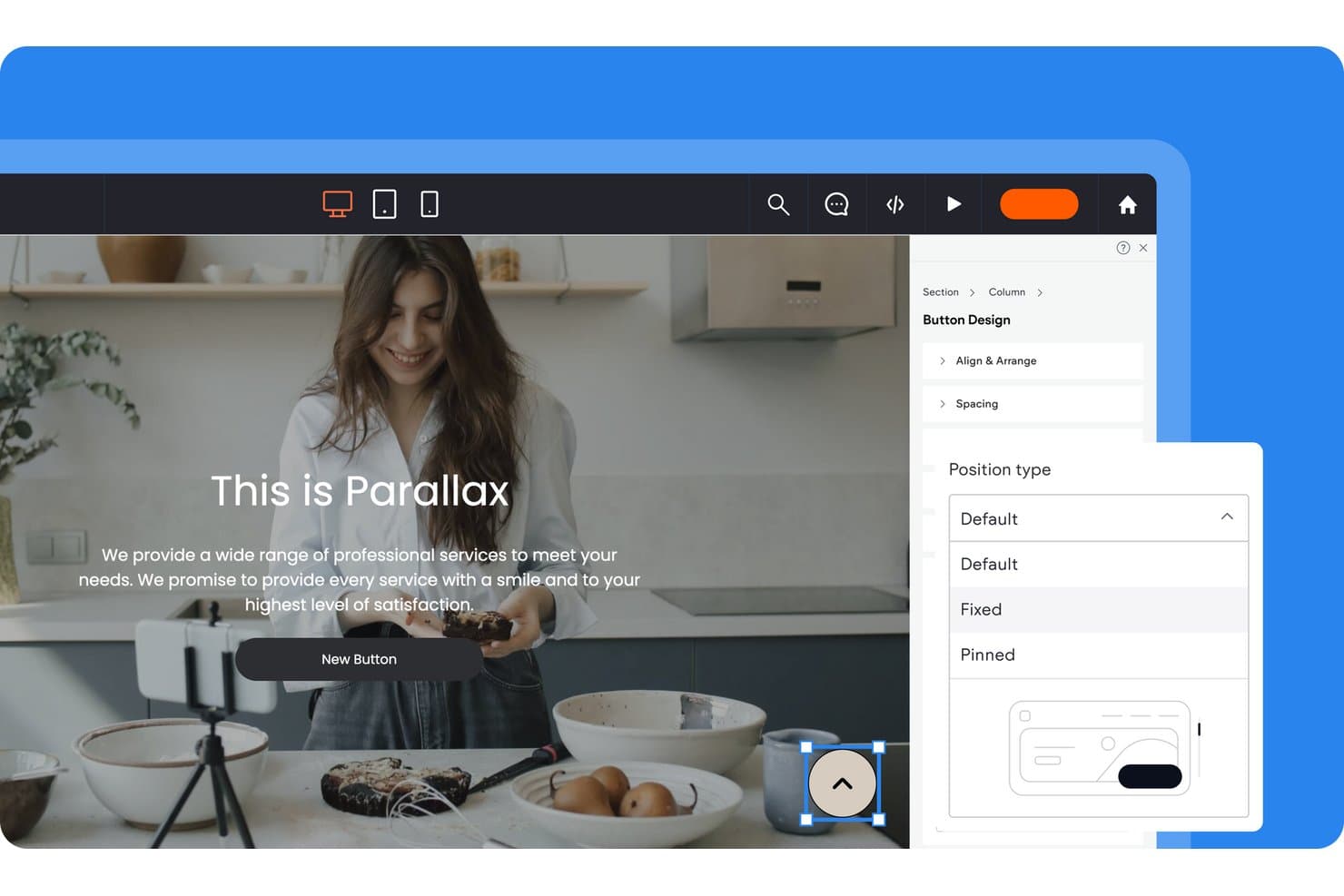
Duda lets users control button position types via a design panel. Duda is a web presence platform built for agencies and freelancers who need to build, manage, and deliver client sites at scale—with a visual editor, CMS, and AI tools that reduce the time it takes to go from brief to published site.
Who Is Duda Best For?
Duda is a strong fit for freelancers and agencies that build and manage multiple client sites and need white-labeling, client permissions, and reusable design assets built into their workflow.
Why I Picked Duda
I picked Duda as one of the best Framer alternatives because it's purpose-built for agencies managing client sites at scale, with white-labeling, custom client permissions, and reusable sections that make multi-site workflows genuinely practical. I love how Dynamic Pages let you generate entire page sets from a single collection, which is a real time-saver when onboarding clients with large content libraries. The built-in client billing and audit trails also mean I can manage feedback, approvals, and account access without juggling third-party tools.
Duda Key Features
- Dynamic Pages: Generate entire sets of pages automatically from a single content collection, feeding structured data into page templates at scale.
- Dev Mode: Access and edit the raw HTML, CSS, and JavaScript behind any page without leaving the visual editor.
- AI Widget Builder: Create custom interactive elements by describing what you need in plain language, then deploy the generated widget directly into any page.
- Version history: Store up to 50 automatic and 50 manual site backups, with the ability to preview and restore any saved version.
Duda Integrations
Duda supports native connections to Airtable and Google Sheets, plus external APIs for collections. Its App Store adds marketplace integrations, while its REST API offers 300+ endpoints for custom connections; Zapier is available on Basic, Team, and Agency.
Pros and Cons
Pros:
- Responsive controls support breakpoint-specific layouts
- Dynamic pages scale structured content quickly
- Agency tools manage client sites at scale
Cons:
- No simultaneous multiplayer editing evident
- Preset animations limit motion design
Learn more about Duda: Best for freelancers building client sites
- 14-day free trial available
- From $25/month
Visit WebsiteCustomer Rating:4.6/5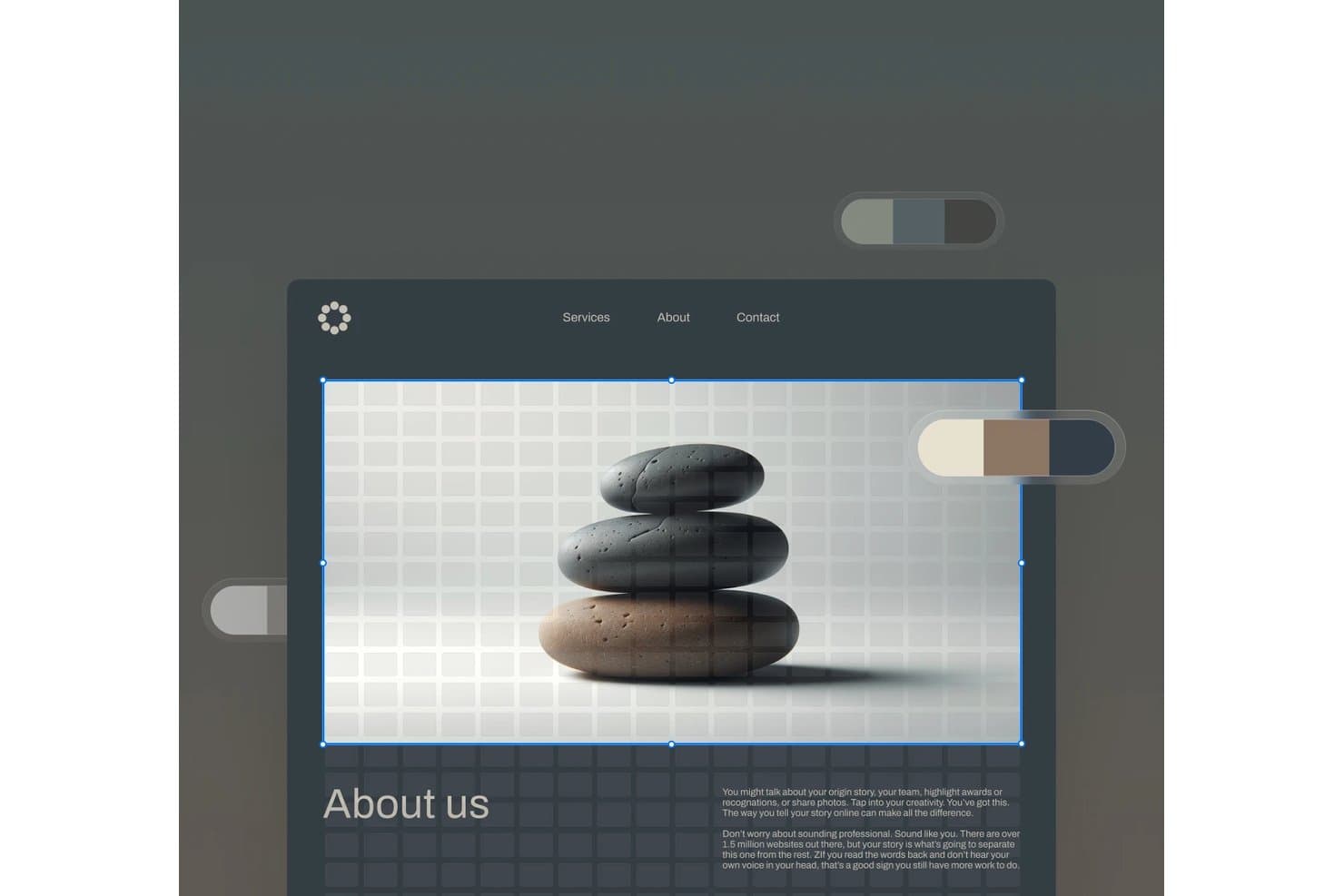
Squarespace lets users edit hero images with a visual drag-and-drop interface. Squarespace is an all-in-one website builder that lets you design, publish, and manage sites without code—making it a natural fit for freelancers and small creative teams who want polished results without wrestling with a complex toolchain.
Who Is Squarespace Best For?
Squarespace is a strong fit for freelancers who manage multiple client sites and want polished, professional results without touching code.
Why I Picked Squarespace
I've included Squarespace in my top picks because it's genuinely built around the freelancer workflow, particularly through Squarespace Circle, which gives you extended client trial periods and discount tiers that scale as you grow your roster. I also like Finish Layer: it lets you apply scroll and hover animations, adjust opacity and scale, and set mobile overrides per block without touching code, so client sites look considered and polished. Blueprint AI gets a first draft live quickly, which matters when you're juggling multiple projects.
Squarespace Key Features
- Fluid Engine editor: A drag-and-drop grid-based editor that lets you resize, arrange, and overlap content blocks without writing any code.
- Blueprint AI: A guided site-generation tool that builds a starter site from a short business description, using designer templates and AI-generated content.
- Responsive mobile overrides: Per-block device controls that let you change properties or hide blocks on specific screen sizes without duplicate sections or media queries.
- Weglot multilingual integration: A built-in Weglot connection that adds translated versions of your site with language subdomains and hreflang tag support.
Squarespace Integrations
Squarespace offers marketplace integrations with Weglot, Mailchimp, HubSpot via Hotglue, and ShipStation, plus native connections to Google Shopping and Google Sheets order exports. Core and higher plans include commerce APIs for custom integrations, and Squarespace also supports Zapier.
Pros and Cons
Pros:
- Circle offers extended client trials and discounts
- Blueprint AI speeds polished client-site drafts
- Finish Layer adds no-code motion controls
Cons:
- Concurrent edits can overwrite without revision history
- Grid layouts offer less canvas freedom
Learn more about Squarespace: Best for agency sites without per-site fees
- Free plan + 7-day free trial available
- From $39/month (billed annually)
Visit WebsiteCustomer Rating:4.6/5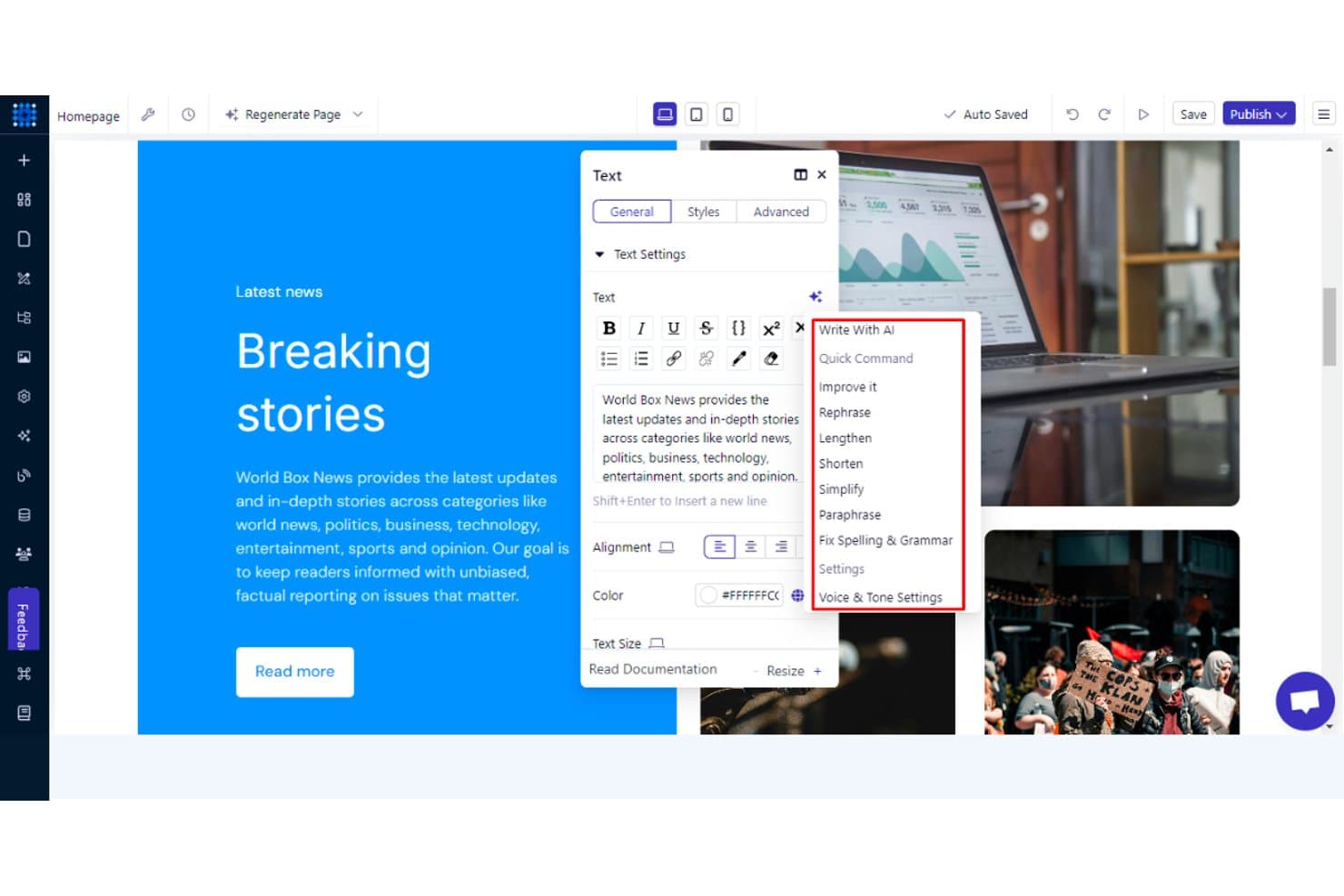
Dorik's AI writing tools help refine and edit webpage text instantly. Dorik is a block-based website builder that lets non-designers and agencies build, publish, and manage marketing sites with a built-in CMS, AI site generation, and white-label client tools.
Who Is Dorik Best For?
Dorik is a strong fit for agencies and freelancers who need to build multiple client sites without paying per-site fees.
Why I Picked Dorik
I picked Dorik as one of the best because it's the only tool here that lets agencies publish unlimited client sites under one flat Agency plan, with no per-site fees. White-label tools let you strip Dorik's branding entirely from the dashboard, client emails, and documentation, then handle client billing directly through Stripe. The built-in CMS supports custom collections with 11-plus field types, Airtable sync, and a public API, so managing content across dozens of client sites stays manageable without stitching together third-party tools.
Dorik Key Features
- AI site generation: Build a complete multi-page site with layout, copy, and images from a single text prompt in under 60 seconds.
- Code export: Download clean, un-minified HTML, CSS, and JS files along with all media assets for use outside Dorik.
- Built-in SEO controls: Configure per-page meta titles, descriptions, canonical tags, 301/302 redirects, custom schema (JSON-LD), and an LLMs.txt editor directly in the builder.
- Airtable sync: Connect Airtable as a live data source and display synced content as tables, grids, or job boards with real-time updates.
Dorik Integrations
Dorik supports 40+ integrations, including Airtable, Stripe, PayPal, Mailchimp, ConvertKit, Shopify, Ecwid, Calendly, Weglot, and ConveyThis. It also supports Make, Zapier, and a public CMS API for custom connections.
Pros and Cons
Pros:
- Clean code export eases migration
- CMS supports structured content at scale
- Reviewers praise responsive support
Cons:
- No real-time collaborative editing
- Animation options stop at basic transitions
Learn more about Dorik: Best for open-source, self-hosted site ownership
- Free plan + free trial available
- From $30/month
Visit WebsiteCustomer Rating:4.8/5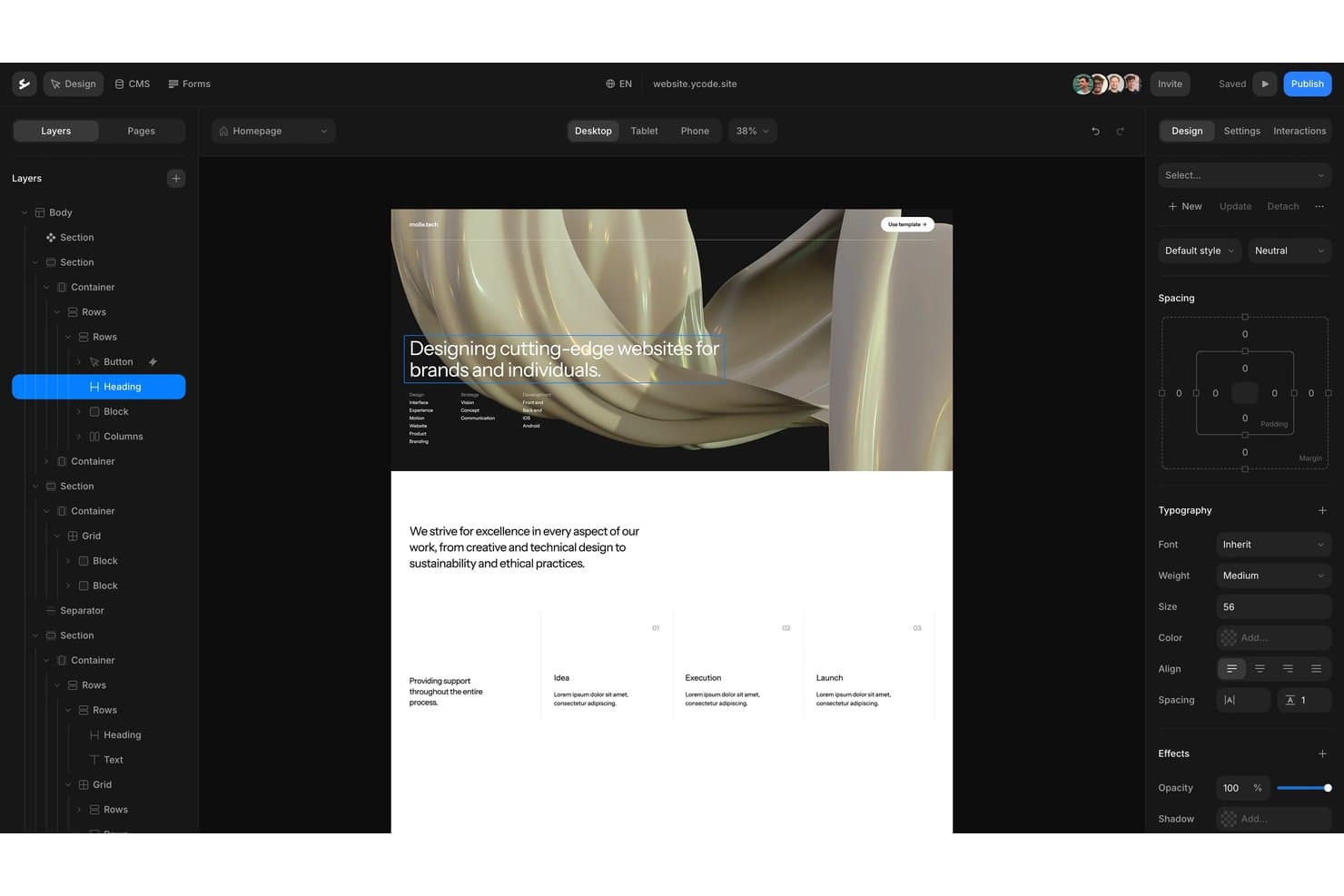
Ycode offers a visual drag-and-drop editor with layered design controls. Ycode is an open-source visual website builder and CMS that appeals to freelance designers and no-code builders who want full code ownership, GSAP-powered animations, and flat per-project pricing without vendor lock-in.
Who Is Ycode Best For?
Ycode is a strong fit for freelance designers and no-code builders who want full ownership of their site's code and hosting without paying per seat.
Why I Picked Ycode
I've included Ycode in my top picks because it's the only Framer alternative I know of that's fully open-source (MIT-licensed), meaning you own the code outright and can self-host on Vercel and Supabase at no cost. I love that you can export any published site as static HTML files, which is a real advantage when clients need to move off a platform entirely. Its GSAP-powered animation system, including scroll-linked timelines and SplitText character animations, also holds up well against Framer's motion capabilities.
Ycode Key Features
- GSAP text animations: Animate copy by character, word, or line using GSAP SplitText, with stagger controls for each unit.
- CMS collection filtering: Build AND/OR filter conditions on collection lists, including reference fields and visitor-facing filter inputs with pagination support.
- Built-in AI agent: A chat panel that builds pages, components, and animations using your own API key from Anthropic, OpenAI, Gemini, or xAI—with no AI markup from Ycode.
- Localization with translated URLs: Add unlimited languages, each with its own URL prefix, translated CMS items, SEO fields, and automatic
hreflangtags.
Ycode Integrations
Ycode offers documented integrations with Airtable, Webflow, Figma, MailerLite, Google Maps, and Mapbox. It also provides a REST API, webhooks with signed payloads, and an MCP server for custom connectivity.
Pros and Cons
Pros:
- GSAP supports scroll-linked and text animations
- Static HTML export eases client handoffs
- Open-source ownership enables self-hosting and portability
Cons:
- Three breakpoints limit finer responsive control
- No documented multiplayer editing or comments
Learn more about Ycode: Best for content-heavy sites on a GPL license
- Free plan + free demo available
- From $69/year (billed annually)
Visit WebsiteCustomer Rating:4.3/5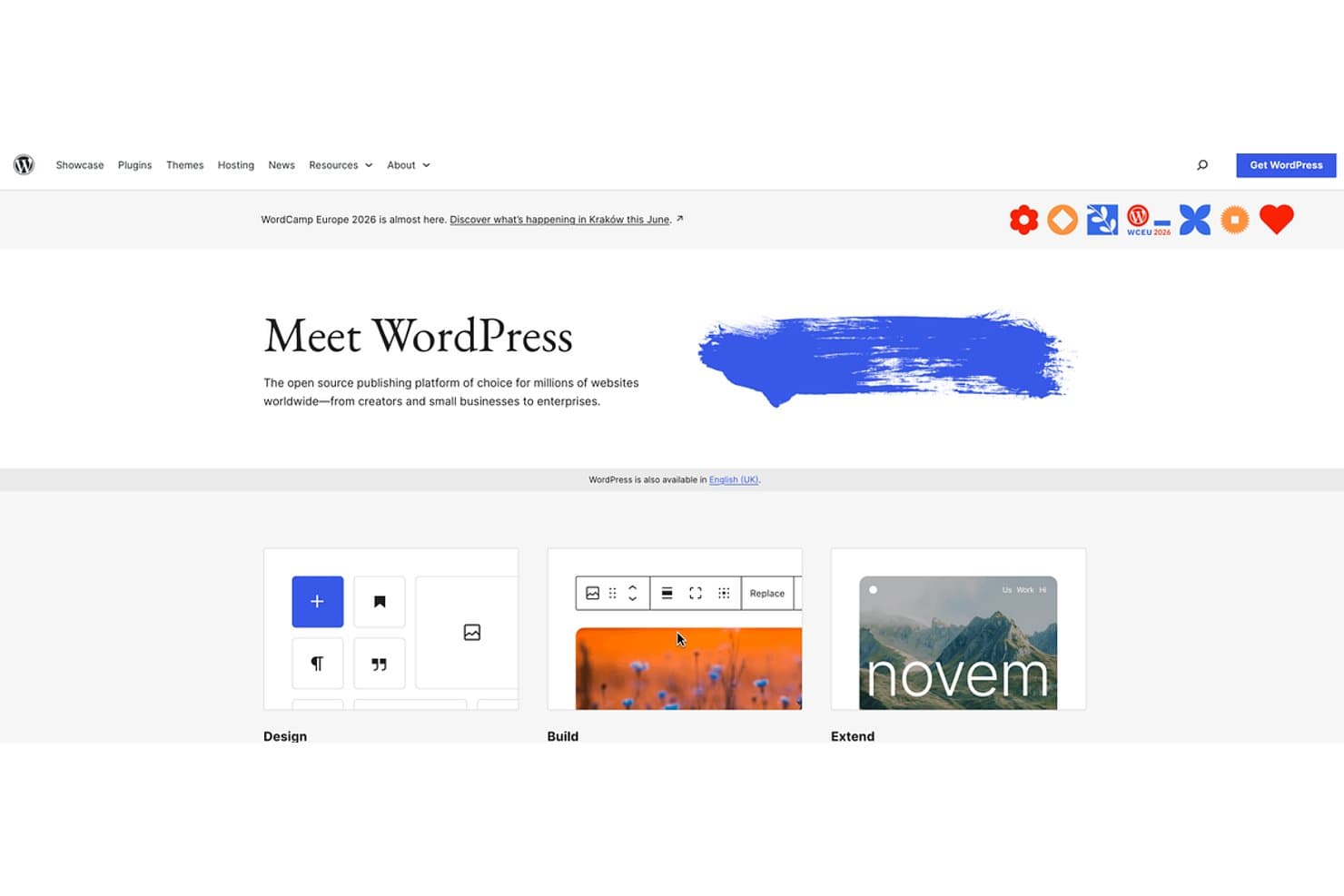
WordPress offers open-source website building for all skill levels. WordPress is an open-source CMS and website building platform that appeals to freelancers, agencies, and content-heavy site owners who want full ownership of their code, a vast template library, and the flexibility to manage complex content without being locked into a proprietary ecosystem.
Who Is WordPress Best For?
WordPress is a natural fit for freelance web designers and agencies building content-heavy client sites who want full code ownership and no vendor lock-in.
Why I Picked WordPress
I've included WordPress in my top picks because it's the go-to option when you need a GPL-licensed CMS that you fully own and can self-host without any vendor lock-in. Its native block editor, combined with SKT Themes' library of 420+ templates, lets you build and publish content-heavy sites at a scale Framer simply wasn't designed for. I especially appreciate the custom post types, Query Loop block, and DataViews admin screens, which make managing hundreds of pages of structured content genuinely manageable.
WordPress Key Features
- One-click demo import: Every SKT theme includes a one-click demo import that loads pre-built page layouts, content, and media so your site matches the preview instantly.
- WooCommerce compatibility: All SKT themes support WooCommerce out of the box, letting you add a full online store to any site without switching themes or rebuilding layouts.
- Multilingual plugin support: Themes are tested and compatible with WPML, Polylang, and TranslatePress, making it straightforward to build and manage sites in multiple languages.
- White-label use on unlimited sites: Every paid SKT plan allows you to deploy themes across unlimited client websites under your own branding, with no per-site licensing fees.
WordPress Integrations
SKT Themes supports integrations with WooCommerce, WPML, Polylang, TranslatePress, Yoast, Contact Form 7, Gravity Forms, and Easy Digital Downloads through WordPress plugins. Native SKT integrations and a Zapier connection aren’t clearly documented.
Pros and Cons
Pros:
- GPL ownership avoids vendor lock-in
- 420+ themes support varied content-site launches
- Deep CMS handles large structured content libraries
Cons:
- No native visual animation timeline
- No real-time co-editing for design teams
Learn more about WordPress: Best for design-to-publish in one workspace
- Free plan available
- From $3/user/month
Visit WebsiteCustomer Rating:4.7/5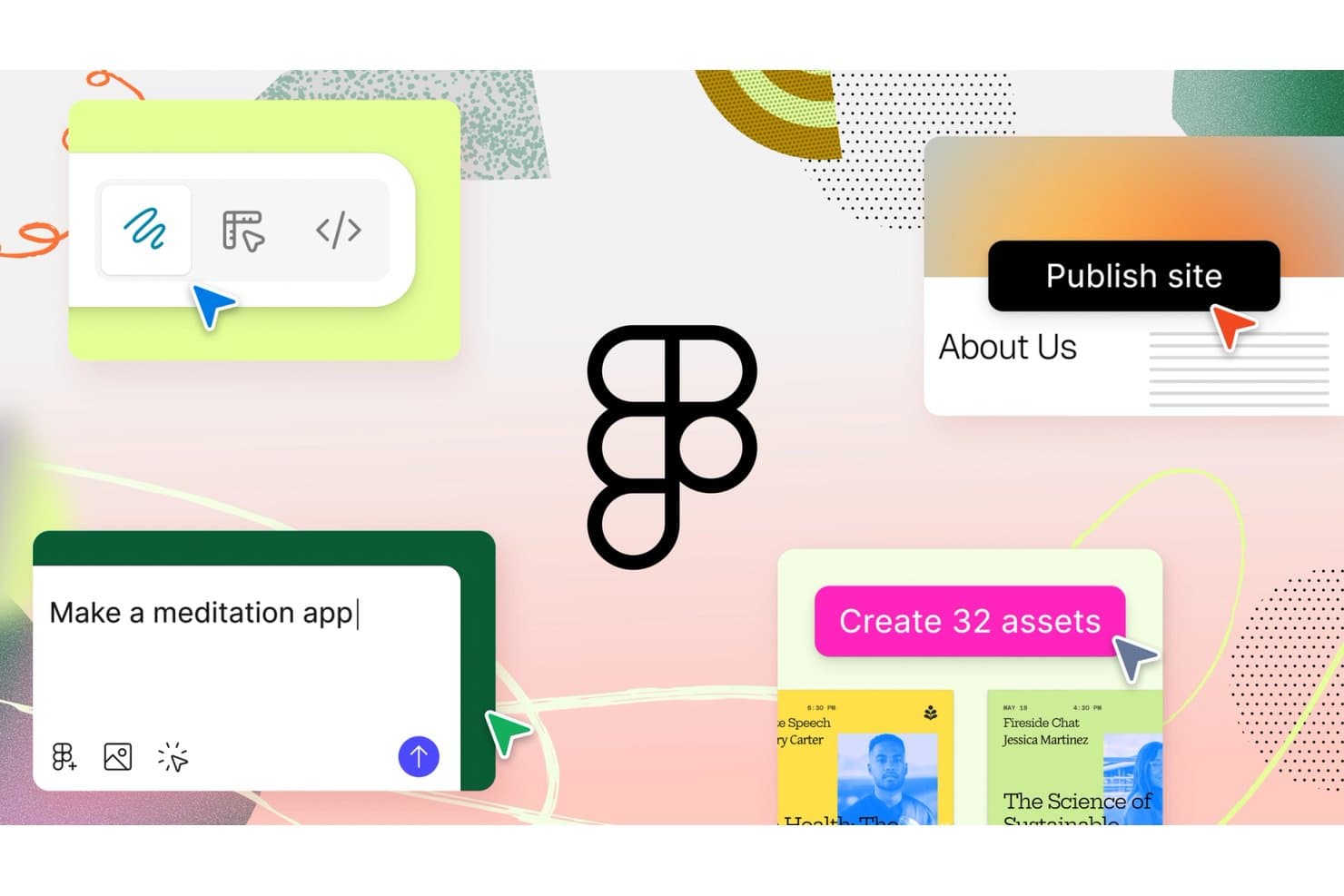
Figma lets users design, prototype, and publish sites with AI prompts. Figma is a design platform that lets product and design teams take a project from wireframe to published website without ever leaving the workspace—making it a natural fit if your team is already deep in Figma's design system.
Who Is Figma Best For?
Figma is a natural fit for product and design teams already working in Figma who want to take designs from canvas to published site without switching tools.
Why I Picked Figma
I picked Figma as one of the best Framer alternatives because it's the only tool where your existing design system, components, and frames go directly into a published site without rebuilding anything. I love that auto layout converts frames into responsive web layouts, so a design already in Figma Sites is effectively one click from going live. Real-time multiplayer editing and free viewer seats make it easy to loop in stakeholders without extra overhead.
Figma Key Features
- Semantic HTML tagging: Assign HTML tags (section, nav, h1–h6, button, and more) to individual layers directly on the canvas for clean, accessible markup.
- CMS collections: Build structured content collections with custom fields, then connect them to CMS pages and lists so each item gets its own published URL.
- Breakpoint controls: Set a primary breakpoint whose styles cascade to secondary breakpoints, with desktop, tablet, and mobile presets plus a drag-to-resize preview mode.
- Custom code snippets: Inject head or body code on paid plans to add third-party tracking, chat widgets, or any other script your site needs.
Figma Integrations
Figma Sites has one documented native integration, Google Analytics. Figma Make connects to Supabase and external tools through MCP connectors, while paid Sites plans support custom code snippets for additional services.
Pros and Cons
Pros:
- Components and auto layout support responsive sites
- Multiplayer editing keeps stakeholders in sync
- Existing Figma frames publish without rebuilding
Cons:
- SEO and CMS metadata controls trail Framer
- Beta bugs undermine production reliability
 Best for responsive web design with a visual CSS canvas
- Free plan available
- From $15/month (billed annually)
Visit WebsiteCustomer Rating:4.4/5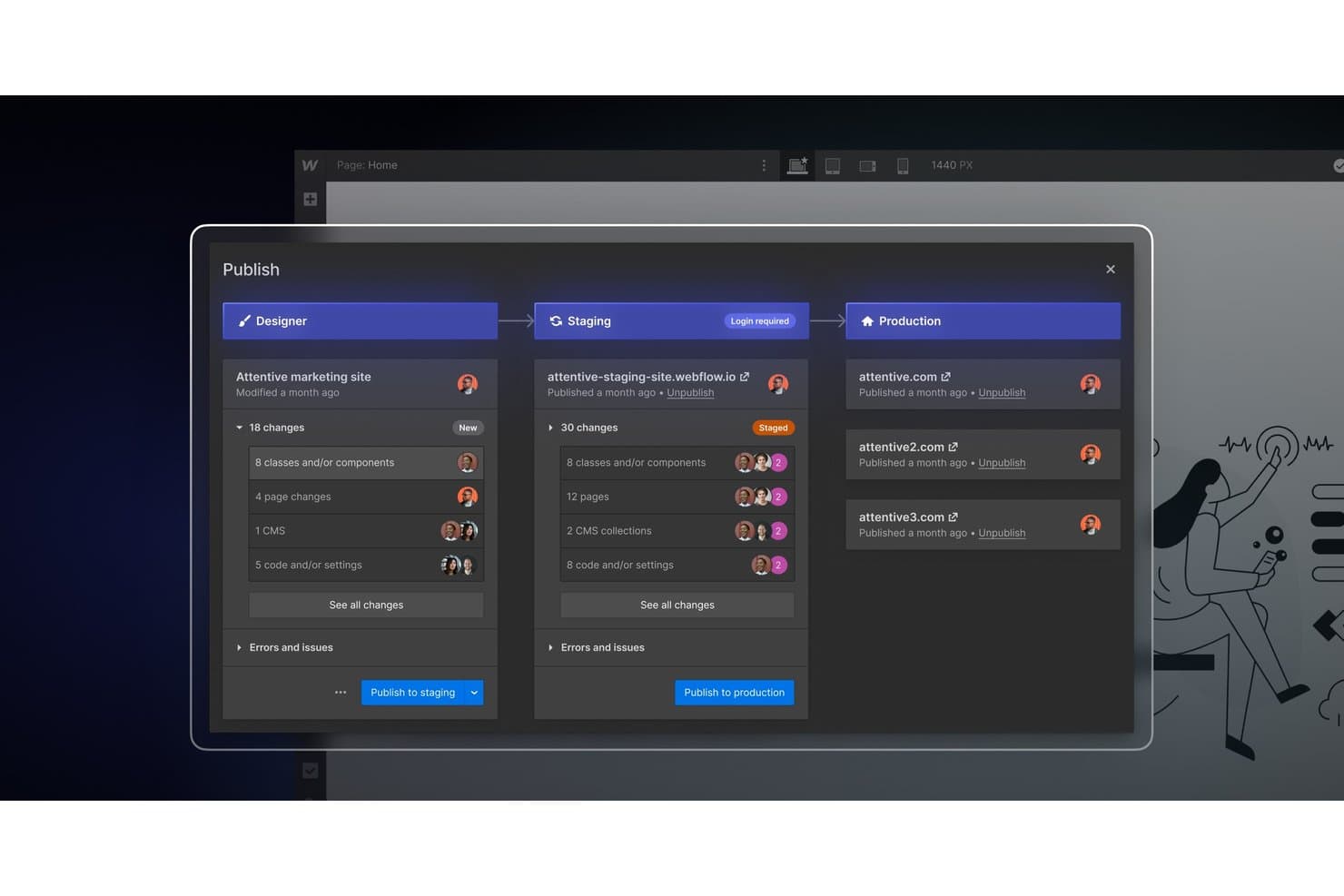
Webflow lets teams publish changes across staging and production environments. Webflow is a visual web design platform that gives designers and product teams precise, code-level control over layout, typography, and animations—without writing CSS by hand.
Who Is Webflow Best For?
Webflow is a strong fit for freelance designers and product/design teams who need precise CSS-level control over layout, typography, and animations without writing code by hand.
Why I Picked Webflow
Webflow earns its spot on my shortlist because its visual CSS canvas gives designers genuine, code-level control over layout without touching a stylesheet. I particularly like how the class-based styling system works: one class change cascades across every instance site-wide, which keeps designs consistent at scale. The GSAP-powered Interactions builder is what really sets it apart from Framer for responsive work, letting me build scroll-triggered animations with SplitText and scrubbable timelines directly on the canvas.
Webflow Key Features
- Class-based styling system: One style class cascades updates across every instance on your site, keeping designs consistent without manual overrides.
- CMS with headless API access: A visual CMS with reference fields, filtering, conditional visibility, and MACH-certified headless APIs for content delivery across channels.
- DevLink code export: Exports Webflow components as production-ready React components and lets you import React components directly into the design canvas.
- Webflow Localize: Lets you localize pages and CMS content visually, with per-locale images, styles, and AI-assisted translation synced to tools like Smartling and Lokalise.
Webflow Integrations
Webflow has about 411 marketplace integrations, including Figma to Webflow, Relume Site Builder Import, LottieFiles, HubSpot, Google site tools, Slack, and Zapier. Its CMS APIs, DevLink, and MCP server support custom development and connected workflows.
Pros and Cons
Pros:
- Mature CMS supports structured, reusable content
- GSAP timelines support detailed scroll-triggered animation
- Class-based CSS gives precise sitewide design control
Cons:
- Breakpoint-specific element reordering remains limited
- CSS box-model assumptions slow first-time designers
Learn more about Webflow: 8Best for building sites with built-in business tools
Wix
- Free plan + free demo available
- From $35.54/month (billed annually)
Visit WebsiteCustomer Rating:4.2/5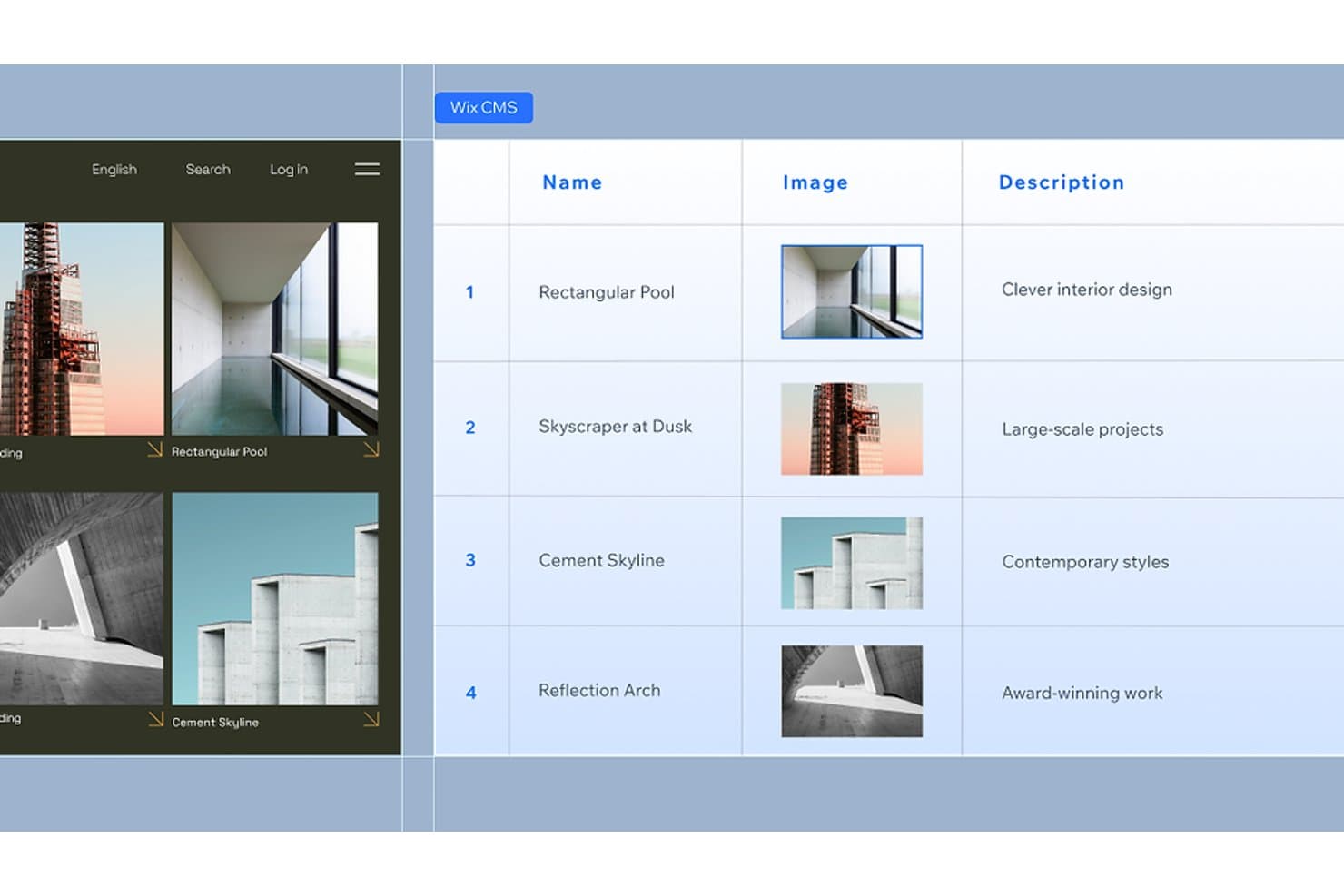
Wix CMS lets users manage structured content with images and descriptions. Wix is a no-code website builder that appeals to freelancers, agencies, and small business owners who want to design, publish, and run a site without juggling separate tools for hosting, ecommerce, bookings, or payments.
Who Is Wix Best For?
Wix is a strong fit for freelancers and small business owners who want to build, manage, and monetize a site from one place—without stitching together separate tools for bookings, payments, or ecommerce.
Why I Picked Wix
I picked Wix as one of the best Framer alternatives because it bundles business tools directly into the site builder, so you're not stitching together separate platforms for bookings, payments, or ecommerce. Wix Studio's native CMS supports dynamic pages and a headless API, while built-in tools like Wix Bookings and Wix Payments let you run transactions without a third-party plugin. I also appreciate Content Mode, which lets clients update copy without touching your design.
Wix Key Features
- Responsive AI: Converts your layout into a fully responsive design in one click, with manual refinement still available across custom breakpoints.
- Content Mode: Lets clients edit copy directly on the canvas without accessing or accidentally changing any design elements.
- Figma to Wix Studio plugin: Imports Figma designs into Studio so you can layer on animations, custom code, and business features without rebuilding from scratch.
- Headless CMS API: Connects your Wix content to any external tech stack via OAuth, so developers aren't locked into Wix's front-end rendering.
Wix Integrations
Wix offers marketplace integrations through the Wix App Market, plus documented integrations with Google Business Profile, Facebook, Instagram, Gmail, Meta, and Figma. Its APIs, Wix CLI, headless SDK, and Zapier support custom connectivity.
Pros and Cons
Pros:
- Responsive AI adapts layouts quickly
- Clients can edit content safely
- Built-in CMS supports dynamic pages
Cons:
- Sites cannot be exported elsewhere
- Animation depth trails Framer
Learn more about Wix: Best for full-platform sites beyond marketing pages
- Free plan available
- From $19/month (billed annually)
Visit WebsiteCustomer Rating:4.2/5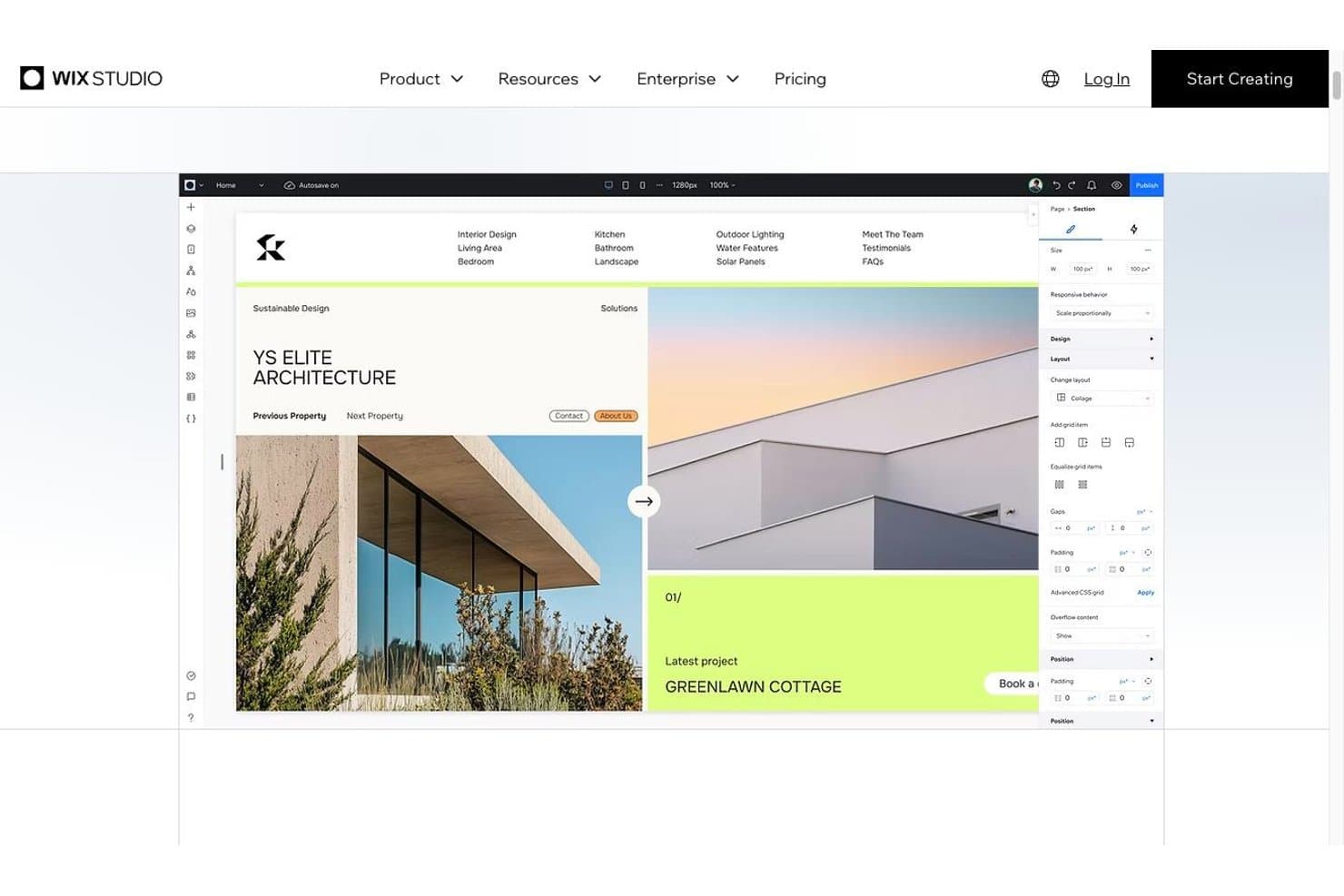
The Wix Studio editor with responsive layout controls Wix Studio is a visual website builder designed for freelance designers and cross-functional teams who need a full-platform solution—combining a no-code canvas, real-time collaboration, a scalable CMS, and native business tools like eCommerce and bookings.
Who Is Wix Studio Best For?
Wix Studio is a strong fit for freelance designers and cross-functional teams who need more than a marketing site—think eCommerce, bookings, or a scalable CMS built into the same platform.
Why I Picked Wix Studio
I've included Wix Studio in my top picks because it goes well beyond what a typical Framer alternative offers, covering native eCommerce, bookings, and a CMS that scales to 10 million items. I particularly like the real-time co-editing canvas, where multiple people can work simultaneously with element-level comments and page-specific permissions. That's a level of built-in collaboration Framer simply doesn't match.
Wix Studio Key Features
- Figma-to-Studio plugin: Import high-fidelity Figma designs directly into the Studio canvas to continue building without manual recreation.
- Custom breakpoints: Set breakpoints at any screen size to control exactly how your layout adapts across devices.
- No-code CMS collections: Build content collections from scratch, templates, CSV import, or AI generation to power dynamic pages with their own URLs and SEO settings.
- Wix IDE with npm support: Write and extend site functionality using a VS Code-based IDE with GitHub integration and access to any npm package.
Wix Studio Integrations
Wix Studio integrates with Figma, GitHub, Google Business Profile, Meta, Gmail, and Zapier, plus 500+ marketplace integrations and 100+ APIs for custom connections.
Pros and Cons
Pros:
- Built-in ecommerce and bookings expand site scope
- CMS supports collections up to 10M items
- Real-time co-editing with element comments
Cons:
- Complex projects can trigger editor lag
- Animations trail Framer’s motion controls
Learn more about Wix Studio: Best for design-team site publishing in Figma
- Free plan available
- From $16/user/month
Visit WebsiteCustomer Rating:4.1/5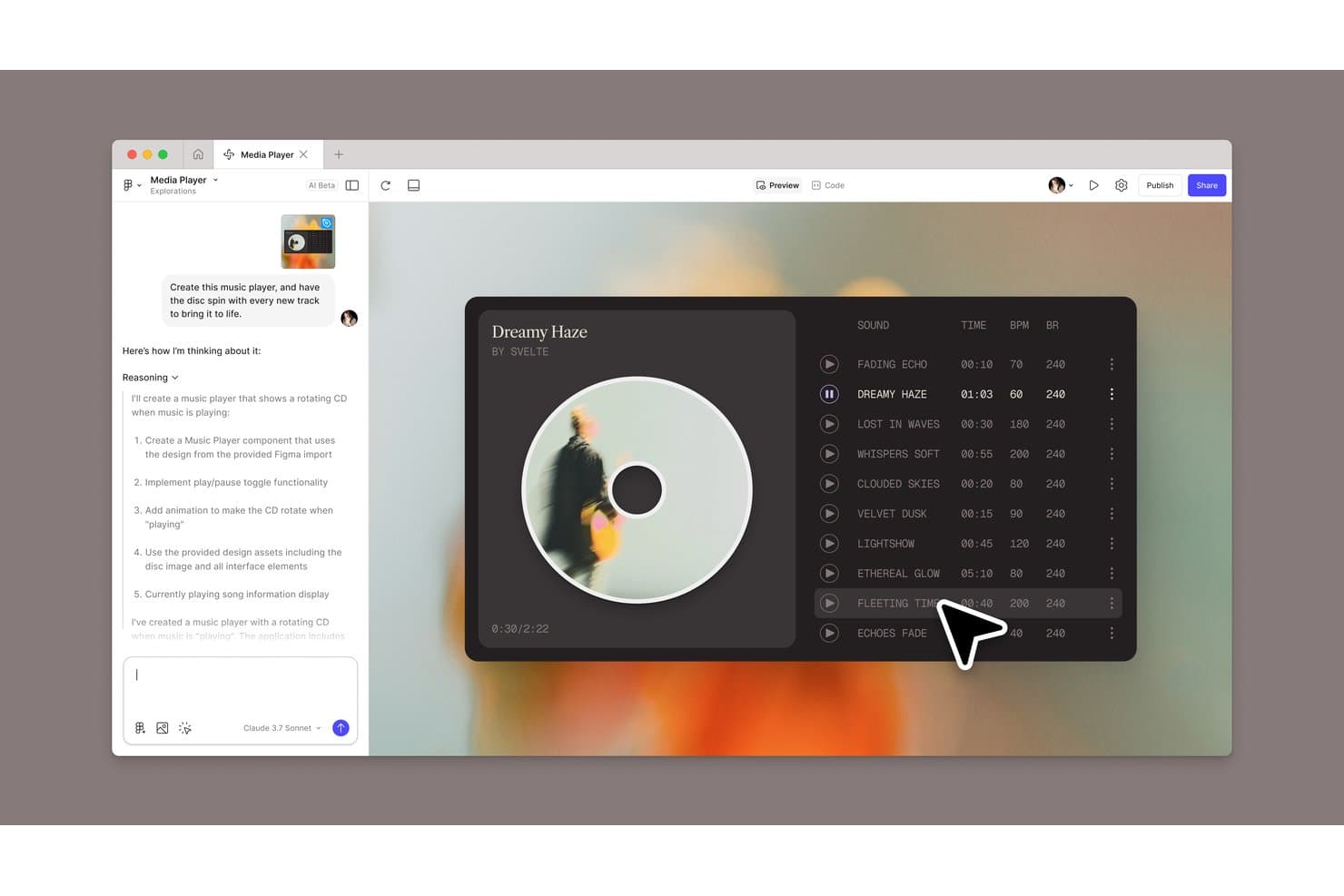
Figma Sites lets users build an AI-generated music player with rotating disc animation. Figma Sites is a website builder built directly into Figma, letting design teams go from canvas to published site without switching tools—making it a natural fit for designers and product teams already deep in the Figma ecosystem.
Who Is Figma Sites Best For?
Figma Sites is the right fit for design and product teams already working in Figma who want to publish live sites without leaving their existing workflow.
Why I Picked Figma Sites
I picked Figma Sites because it's the only Framer alternative that lets design teams publish a live site directly from the same canvas where they built it. I love that there's no rebuilding or re-importing: shared component libraries, auto layout, and CMS collections all carry over to the published site. Multiplayer co-editing with comments and cursor chat means the whole team can iterate on a site in real time, which is something Framer can't match natively.
Figma Sites Key Features
- Code layers: Add custom React, TypeScript, and Tailwind CSS directly to any element, or use the AI to generate interactive components without leaving the canvas.
- CMS collections: Build and manage structured content like blogs, portfolios, and product catalogs with CSV import and live canvas editing.
- Breakpoint controls: Set preset or custom-width breakpoints for desktop, tablet, and mobile, with auto layout adapting spacing and stacking across each.
- Publish history: Roll back your live site to any previously published version directly from the Sites publishing panel.
Figma Sites Integrations
Documented integrations include Figma Design, Figma Make, Dev Mode, Slack, Jira, Notion, and Google Workspace. Figma Sites also supports custom integrations through the Figma REST API, code layers, embeds, and custom scripts.
Pros and Cons
Pros:
- Build intricate motion with native interaction presets
- Co-edit sites through Figma’s multiplayer workspace
- Publish directly from Figma’s design canvas
Cons:
- No code export or advanced SEO controls
- Beta status leaves publishing workflows unsettled
Learn more about Figma Sites:
Diğer Framer Alternatifleri
Kısa listeme giremeyen ancak yine de göz atmaya değer bazı ek Framer alternatifleri şunlardır:
How I Evaluate Framer Alternatives
I split my evaluation into three parts. First—and most importantly—I check whether a tool can build pages visually and publish responsive sites without code, since those are the non-negotiables. Then I look at standout features like AI-assisted design generation and code export quality. Finally, I consider pricing transparency and onboarding ease.
Core Functionality (Table Stakes For This List)
When I'm selecting tools for my list, I score each one on a scale from 0 (does not offer the functionality) to 5 (excels in this area) for each core functionality listed below. I then convert the total into a percentage to help assess each tool's overall fit, with extra weight on any functionalities I’ve deemed essential.
- Visual Builder (Essential): I assess canvas flexibility, element-level styling, and layout control for creating a campaign page without relying on code.
- Responsive Publishing (Essential): I check how layouts adapt across screen sizes and whether teams can adjust breakpoints before publishing a live site.
- Animations & Interactions: I look for control over triggers and motion, such as hover, scroll, or click effects on a product landing page.
- Templates: I consider the variety and editability of templates for common needs, such as a portfolio, launch page, or company site.
- Real-Time Collaboration: I evaluate how teammates review or co-edit a site, including feedback and visible changes during a shared launch.
- CMS: I check whether teams can structure and update recurring content, such as blog posts, without rebuilding each page layout.
Once I have a list of tools that meet the criteria, I consider what sets each platform apart.
Differentiating Factors (What Sets Vendors Apart)
Here's how I compare and contrast different vendors:
Standout Features
I evaluate how cleanly a tool exports HTML, CSS, or React code—teams that need engineering to extend a marketing site shouldn't have to rebuild layouts from scratch. AI-assisted design generation also matters: I check whether built-in prompts produce usable starting points for landing pages or if the output still needs heavy rework. For global product teams, I look at native localization support, since duplicating an entire site just to serve a second language adds avoidable maintenance overhead.
Beyond Features
I check whether a platform's pricing stays predictable as your team scales—some tools charge per published site or cap CMS items, which catches agency and multi-brand teams off guard. Site performance matters just as much: I look for CDN-backed hosting, clean semantic markup, and built-in SEO controls like meta tags and sitemaps, since slow pages undercut any campaign launch. I also evaluate onboarding quality, because product managers updating a landing page shouldn't need a design background to get started.
Neden Framer Alternatifi Aramalısınız?
Söylediğim gibi hiçbir araç her şeyi sunamaz ve Framer sağlam bir ürün tasarımı seçeneği olsa da bazı kullanıcıların alternatif çözümler aramasının çeşitli nedenleri vardır. Alternatif aramak için burada olmanızın birkaç nedeni şöyle olabilir:
- Framer'ın fiyatlandırma planları ekibinizin bütçesine uymuyor
- Daha gelişmiş iş birliği araçları arıyorsunuz
- Ekibinizin ihtiyaç duyduğu bazı entegrasyonlar bulunmuyor
- Daha büyük projelerde ölçeklenebilirlik sorunlarıyla karşılaşıyorsunuz
Bunlardan herhangi biri size tanıdık geliyorsa doğru yere geldiniz. Listemde, Framer ile bu zorluklarla karşılaşan ve alternatif çözümler arayan ekipler için daha uygun olan çeşitli ürün tasarımı seçenekleri yer alıyor.
Framer'ın Temel Özellikleri
Alternatif çözümlerin sunduklarını karşılaştırmanıza yardımcı olmak için Framer'ın temel özelliklerinden bazıları şunlardır:
- Tasarım & Düzen: Esnek ızgaraları ve duyarlı tasarımları destekleyen, Adobe XD ve Figma'ya benzer araçları kullanarak sınırlama olmadan tasarım yapabilirsiniz.
- Stil: Dolgular, kenarlıklar ve gölgeler için özellik denetimleriyle katmanlara özel stiller uygulayarak ekibinizin tutarlılığı korumasına yardımcı olabilirsiniz.
- Figma İçe Aktarma: Figma tasarımlarını doğrudan içe aktararak katmanları kolay düzenleme ve yayımlama için koruyabilirsiniz; bu özellik, içerik yönetimi ve hâlihazırda Figma kullanan ekipler için kullanışlıdır.
- Web sitesi öğesi içe aktarma: HTML, CSS veya hâlihazırda kullandığınız herhangi bir web sitesi oluşturucusu aracılığıyla kodlanmış açılış sayfalarınızı ve web sitelerinizi basitçe kopyalayıp yapıştırarak Framer'a aktarabilirsiniz.
- Yapay Zekâ Araçları: İçeriğinizi daha ilgi çekici ve özenli hâle getirmek için yapay zekâ ile yeniden yazma özelliklerini kullanarak web sitesi içeriğinizi geliştirebilirsiniz.
- Gezinme: İçeriği bağlamak ve düzenlemek için sezgisel araçları kullanarak akıcı gezinme ve URL yönetimi sunabilirsiniz.
- Gerçek zamanlı iş birliği: Tasarım süreci sırasında ekibinizle gerçek zamanlı olarak birlikte çalışabilir, maketlerden dışa aktarmaya kadar iş birliğini kolaylaştırmak için belirli görüntüleme ve düzenleme izinlerini kullanabilirsiniz.
- Prototipleme: Geliştirmeden önce tasarımlarınızı test etmek ve doğrulamak için etkileşimli prototipler oluşturabilirsiniz. Android'de prototiplerinizi ve iOS prototiplerinizi kolayca oluşturup önizleyebilirsiniz.
- Animasyonlar: Tasarımlarınızı daha etkileşimli ve görsel açıdan çekici hâle getirmek için animasyonlar ekleyebilirsiniz.
- Bileşen Sistemi: Projeler genelinde tasarım tutarlılığını korumak için yeniden kullanılabilir bir bileşen sistemi kullanabilirsiniz.
- Kod Dışa Aktarma: Üretime hazır kodu dışa aktararak geliştiricilerin tasarımları doğrudan projelere entegre etmesini sağlayabilirsiniz.
- Ücretsiz Web sitesi barındırma ve oluşturma- Özel web siteleri için ölçeklenebilir ve hızlı kurulum, çeşitli web sitesi tasarım şablonları, yerleşik SEO özellikleri ve optimizasyonu, kapsamlı eklentiler ve entegrasyonlar ile ücretsiz yayımlama sunar.