

UXCam Review: Pros, Cons, Features, and Pricing
In my career, I have used many UX/UI design tools, including UXCam. Let me tell you about UXCam’s pricing, target audience, use cases, and pros and cons in this comprehensive software review.

We review tools independently, and commissions help fund our testing. See our transparency policy, our methodology, or suggest a tool.
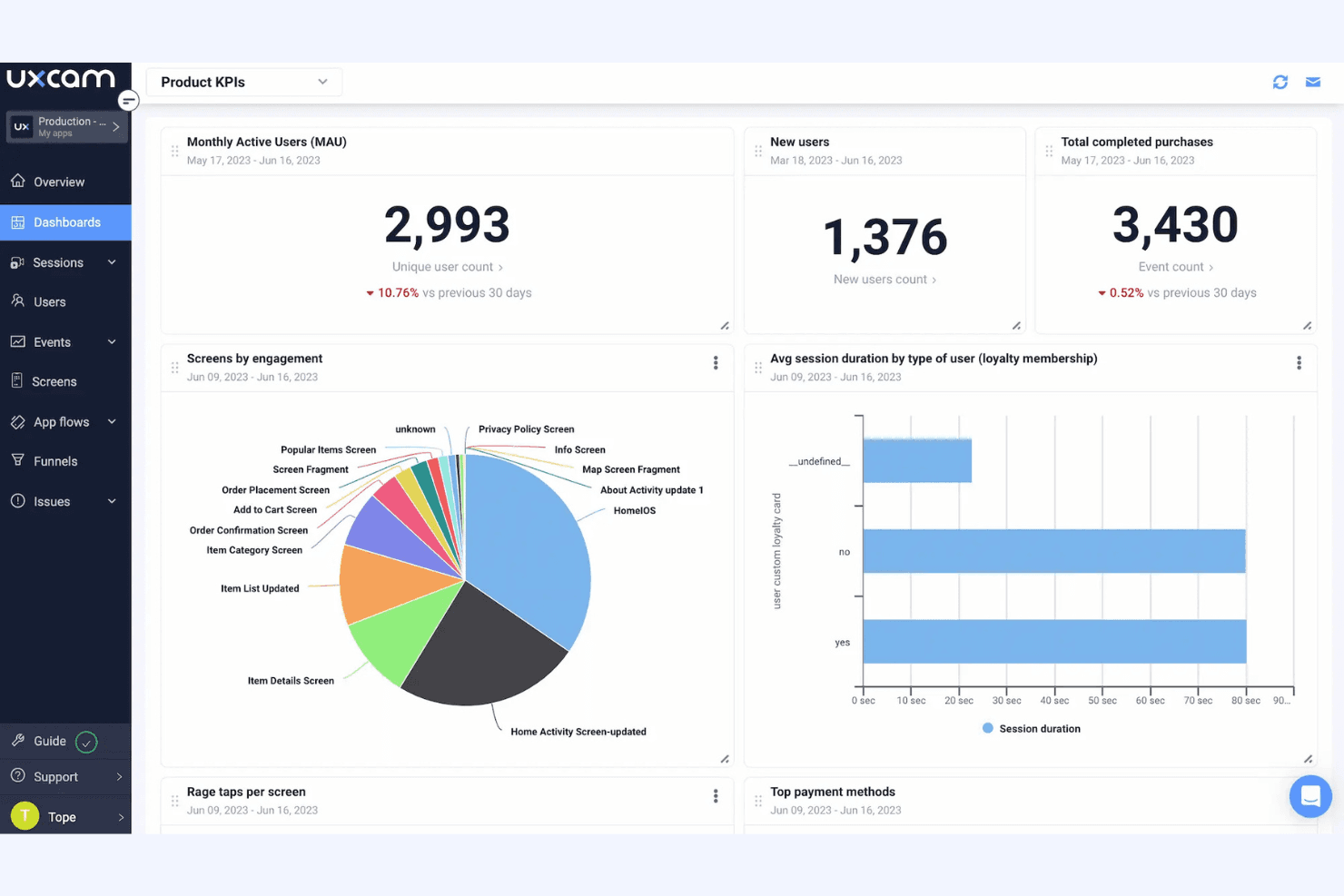
UXCam is a UX/UI design software built for mobile app teams that need to understand how users actually interact with their product through session recordings, heatmaps, and funnel analysis. If your team is focused on mobile rather than web, I'd consider UXCam over FullStory—it's purpose-built for mobile UX analytics, where FullStory's strengths lean more heavily toward web experiences.
UXCam Evaluation Summary
4.6/5
- Pricing upon request
- Free demo + 14-day free trial available
Why Trust Our Software Recommendations
6,700+
Reviews
20
Industry experts
16+
Evaluation factors
14
Years
Our team has been testing and reviewing software since 2012. As product managers ourselves, we know how difficult—and important—it is to choose the right software.
For this guide, we evaluated tools using hands-on testing and independent research, scoring tools using our selection criteria.
Our reviews reflect our human editorial judgment, not a sales pitch.
Expert reviewers:
- Andrew LumbySenior TPM
- Cristiano ValimSenior UI/UX Lead


UXCam Overview
When judging UXCam as a UX/UI design software, its standout strengths are mobile session replay, heatmaps, and intuitive onboarding, making it easy for teams to start analyzing user behavior quickly. Pricing is competitive for mobile-focused analytics, and integrations cover most major app platforms.
While it lacks advanced prototyping or wireframing, its analytics depth outperforms many generalist tools. Support is responsive, and the interface is clean, though some may want more customization. UXCam is best for teams prioritizing mobile UX insights over broad design features, such as SaaS product managers or mobile-first startups seeking actionable user data.
Pros
- You get real-time analytics that help you understand user behavior.
- Your team can easily navigate the intuitive interface.
- You'll benefit from detailed heatmaps for better user insights.
Cons
- You might find the initial data setup time-consuming.
- Your team may encounter occasional bugs in the software.
- You could need more advanced customization options for specific needs.
Is UXCam Right For Your Needs?
Who Would be a Good Fit for UXCam?
If you’re a product manager or part of a UX team in tech startups or e-commerce businesses, UXCam is a great fit. You’ll benefit from its real-time analytics and intuitive interface, helping you understand user behavior and improve design decisions. Its detailed heatmaps provide insights that are crucial for enhancing user experiences, making it ideal for teams focused on data-driven design.
- Tech StartupsYou’ll gain valuable insights into user behavior with UXCam’s real-time analytics, crucial for rapid product iterations.
- E-Commerce BusinessesYour team can enhance customer journeys with detailed heatmaps that reveal user interactions.
- Mobile App DevelopersYou can optimize app experiences by understanding user flows through UXCam’s session replays.
- UX/UI Design TeamsYou’ll streamline design decisions with intuitive tools that make user data accessible and actionable.
- Product ManagersYou can drive product improvements by leveraging UXCam’s analytics to make informed decisions.
- Customer Experience DepartmentsYour team can boost satisfaction by identifying pain points through UXCam’s user behavior insights.
Who Would be a Bad Fit for UXCam?
If you’re part of a small business or a non-tech industry that doesn’t prioritize user experience analysis, UXCam might not be for you. The platform’s advanced analytics and data-driven insights could be overkill if you don’t need to make frequent design changes or lack the technical team to interpret the data. Smaller teams with limited resources might find the setup and ongoing data management too demanding.
- Small Retail ShopsYou might not need in-depth analytics if your focus is on in-person sales rather than digital interactions.
- Traditional IndustriesYour industry might not benefit from UXCam’s digital-centric tools if user experience isn’t a priority.
- Freelance DesignersYou could find UXCam’s features too complex if you work on smaller projects without a team.
- Non-Tech DepartmentsYour team might not utilize UXCam’s analytics if you’re not involved in product or UX design.
- Startups Without a UX TeamYou might struggle with data interpretation if you lack a dedicated UX team.
- Companies Focused on B2B SalesYou may not need UXCam’s user behavior insights if your sales rely more on direct client relationships than on digital interactions.
How We Test & Score Tools
We’ve spent years building, refining, and improving our software testing and scoring system. The rubric is designed to capture the nuances of software selection and what makes a tool effective, focusing on critical aspects of the decision-making process.
Below, you can see exactly how our testing and scoring works across seven criteria. It allows us to provide an unbiased evaluation of the software based on core functionality, standout features, ease of use, onboarding, customer support, integrations, customer reviews, and value for money.
Core Functionality (25% of final scoring)
The starting point of our evaluation is always the core functionality of the tool. Does it have the basic features and functions that a user would expect to see? Are any of those core features locked to higher-tiered pricing plans? At its core, we expect a tool to stand up against the baseline capabilities of its competitors.
Standout Features (25% of final scoring)
Next, we evaluate uncommon standout features that go above and beyond the core functionality typically found in tools of its kind. A high score reflects specialized or unique features that make the product faster, more efficient, or offer additional value to the user.
We also evaluate how easy it is to integrate with other tools typically found in the tech stack to expand the functionality and utility of the software. Tools offering plentiful native integrations, 3rd party connections, and API access to build custom integrations score best.
Ease of Use (10% of final scoring)
We consider how quick and easy it is to execute the tasks defined in the core functionality using the tool. High scoring software is well designed, intuitive to use, offers mobile apps, provides templates, and makes relatively complex tasks seem simple.
Onboarding (10% of final scoring)
We know how important rapid team adoption is for a new platform, so we evaluate how easy it is to learn and use a tool with minimal training. We evaluate how quickly a team member can get set up and start using the tool with no experience. High scoring solutions indicate little or no support is required.
Customer Support (10% of final scoring)
We review how quick and easy it is to get unstuck and find help by phone, live chat, or knowledge base. Tools and companies that provide real-time support score best, while chatbots score worst.
Customer Reviews (10% of final scoring)
Beyond our own testing and evaluation, we consider the net promoter score from current and past customers. We review their likelihood, given the option, to choose the tool again for the core functionality. A high scoring software reflects a high net promoter score from current or past customers.
Value for Money (10% of final scoring)
Lastly, in consideration of all the other criteria, we review the average price of entry level plans against the core features and consider the value of the other evaluation criteria. Software that delivers more, for less, will score higher.
Core Features
Real-Time Analytics
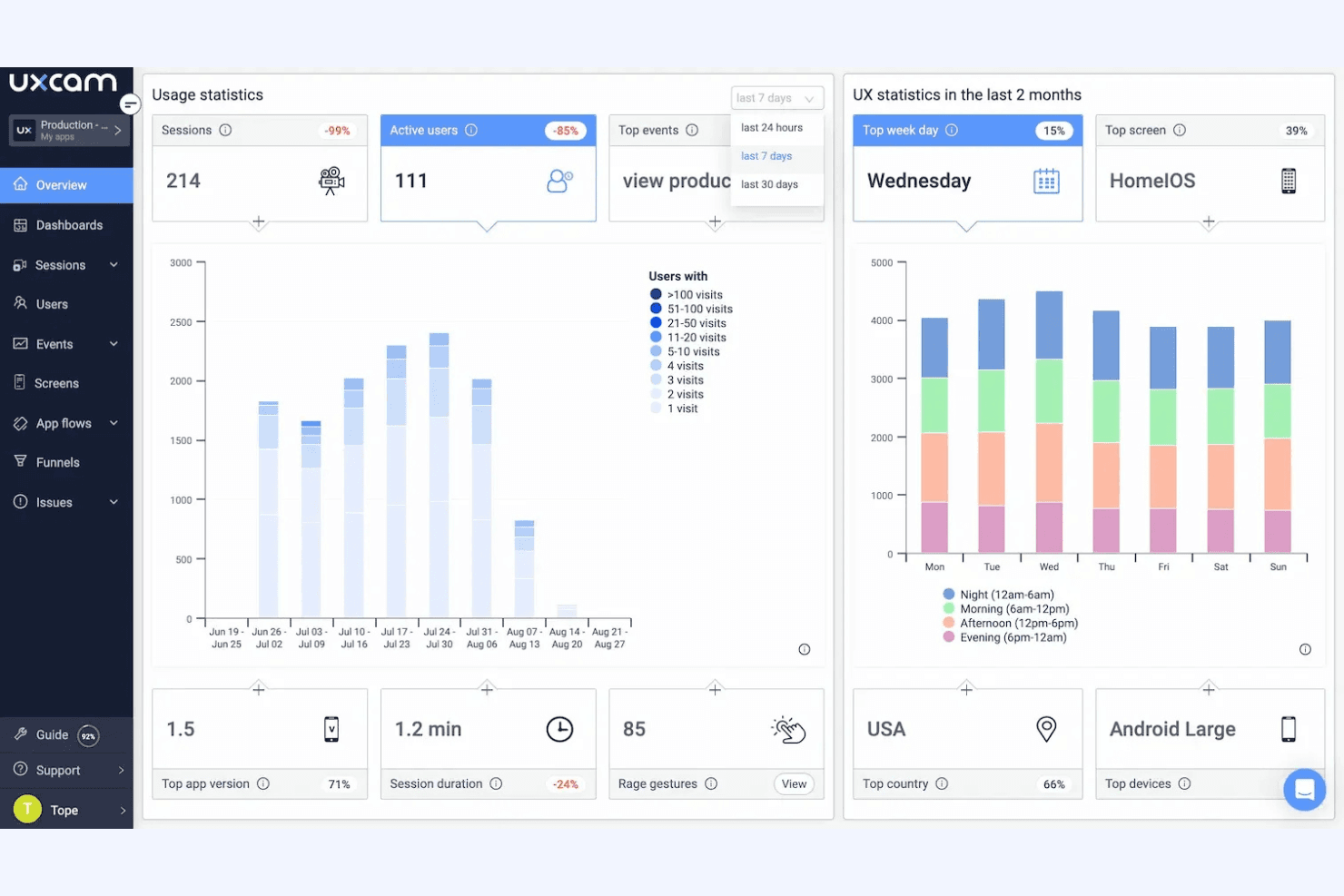
You can track user behavior as it happens, helping your team make immediate design decisions. It offers deep insights into user interactions.
Session Replays
Watch how users navigate your app, allowing you to identify usability issues quickly. This feature is crucial for refining the user experience.
Heatmaps
Visualize where users click, scroll, and linger, providing clear insights into user engagement. Use this data to optimize your layout and content.
Event Tagging
Easily tag and track specific user actions to gather focused data. It helps your team understand which features are most engaging.
Funnel Analysis
Identify where users drop off in your conversion paths. You'll spot bottlenecks and improve your sales or engagement processes.
User Segmentation
Group users based on behavior for targeted insights. This allows your team to tailor experiences to different user groups.
Ease of Use
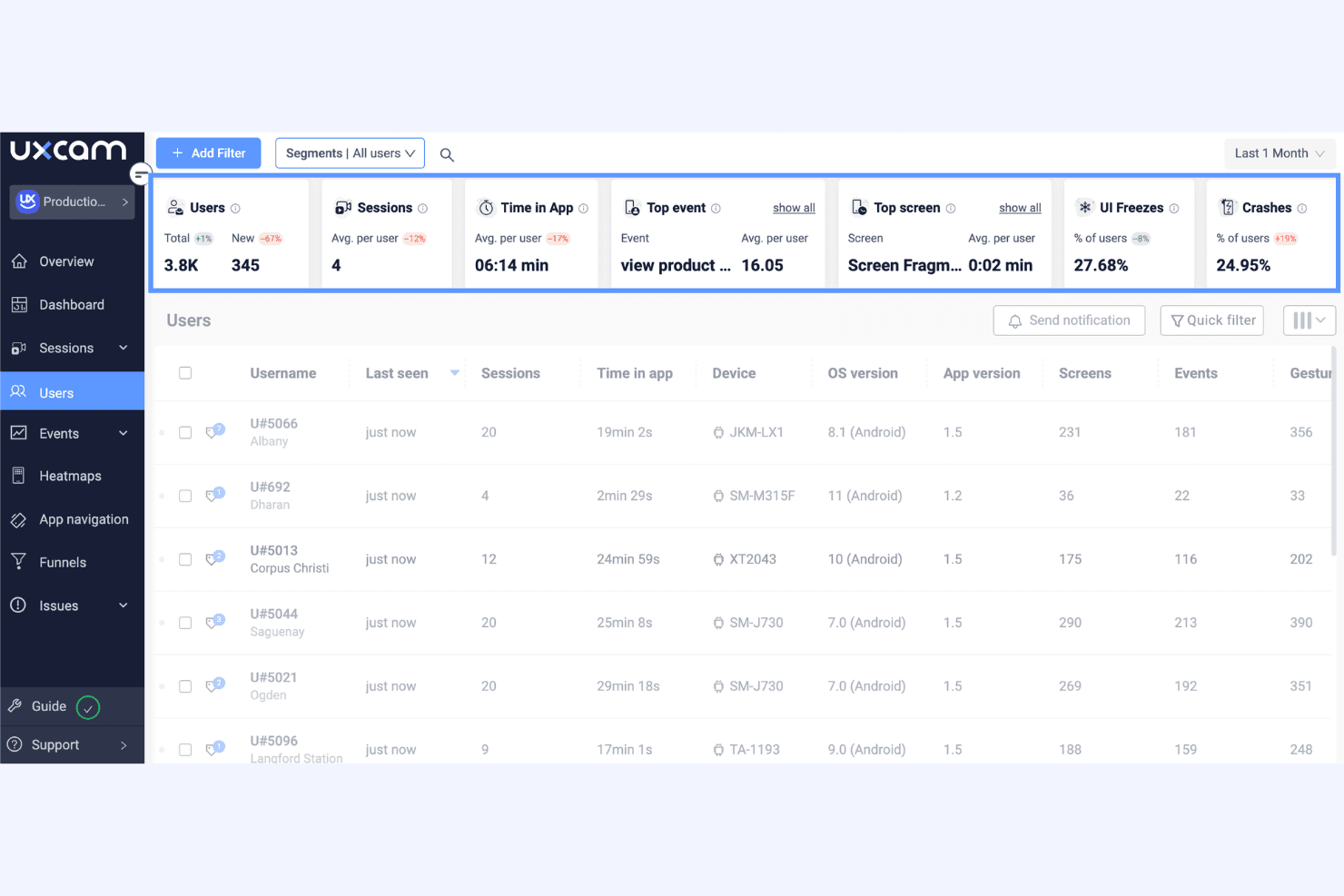
UXCam stands out for its user-friendly interface that simplifies complex data analysis. You’ll find it easy to navigate, with intuitive controls that let you quickly access key features like session replays and heatmaps. Users appreciate how UXCam streamlines data interpretation, making it accessible even for teams without a technical background. Its custom dashboards let you focus on essential metrics, ensuring your team spends less time searching for information and more time enhancing user experiences.
Integrations
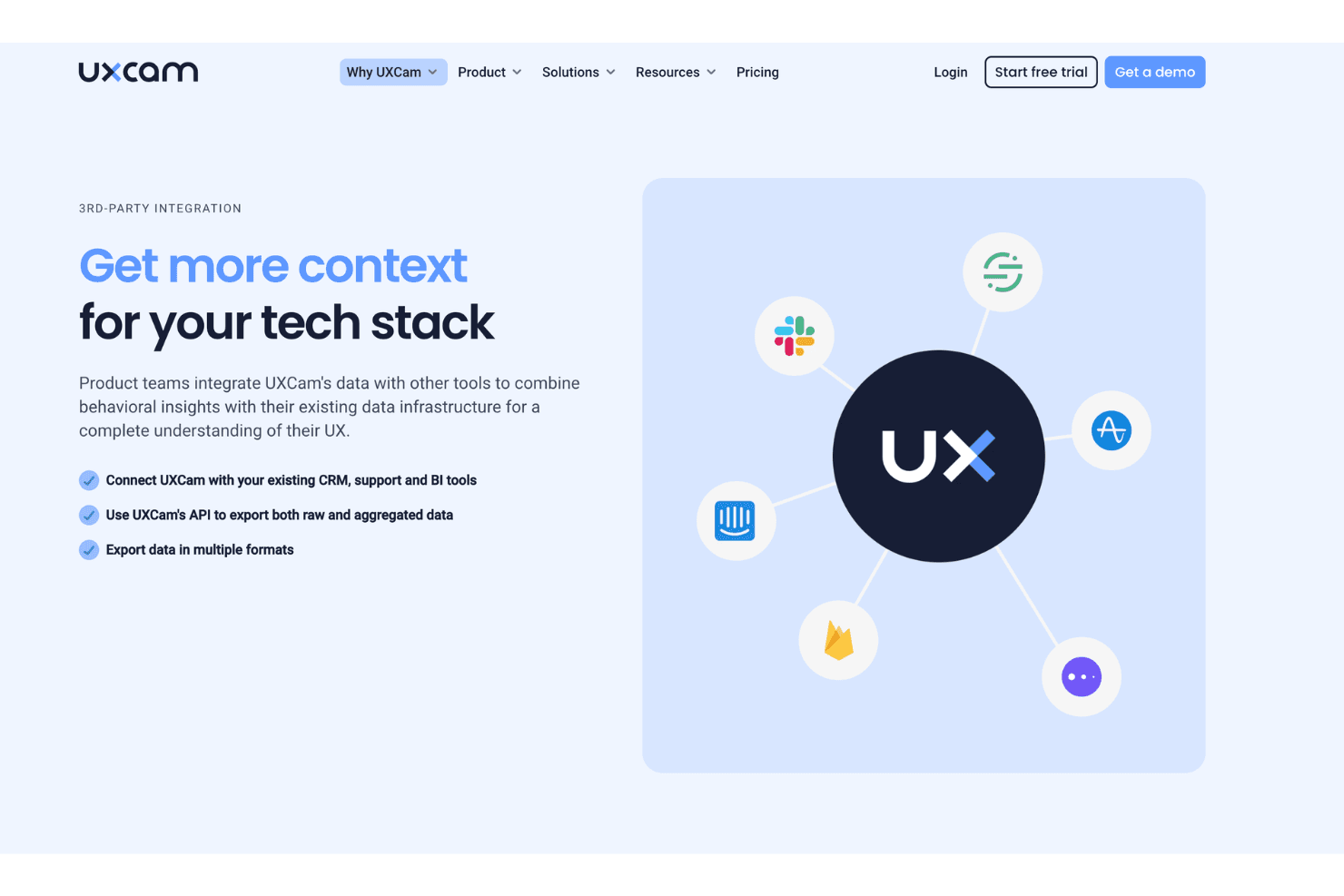
UXCam integrates with Firebase, Segment, Mixpanel, Google Analytics, Slack, Jira, Zendesk, Braze, Adjust, and AppsFlyer, among others.
UXCam also offers a public API and supports connections with third-party integration tools.
UXCam Specs
- A/B Testing: No
- AI Integration: Yes
- Analytics: Yes
- API: Yes
- Comparative Reporting: Yes
- Conversion Tracking: Yes
- Custom Reports: Yes
- Dashboard: Yes
- Dashboards: No
- Data Export: Yes
- Data Import: Yes
- Data Mining: Yes
- Data Visualization: Yes
- External Integrations: Yes
- Feedback Management: Yes
- Forecasting: No
- Historical Data Analysis: Yes
- Keyword Tracking: No
- Link Tracking: No
- Multi-Site: Yes
- Multi-User: Yes
- Notifications: Yes
- Process Reporting: Yes
- Real-time Alerts: Yes
- Referral Tracking: No
- Reports: Yes
- Scenario Planning: No
- SEO: No
- Time Series Modeling: No
- Visualization: Yes
- Workflow Management: No


