


Monday.com vs. Productboard: Comparison and Expert Reviews for 2026

We review tools independently, and commissions help fund our testing. See our transparency policy, our methodology, or suggest a tool.
Choosing between monday.com and Productboard often comes down to whether your team needs a flexible, all-in-one work platform or a purpose-built solution for product discovery and prioritization—two very different approaches to product management tools. If you’re weighing these options, you’re likely trying to balance cross-team collaboration with the need for deep product insight and structured roadmapping. This article breaks down how each tool supports product teams, where they shine, and what to watch out for—so you can confidently pick the platform that matches your workflow, stakeholder needs, and long-term product goals.
Choosing between monday.com and Productboard often comes down to whether your team needs a flexible, all-in-one work platform or a purpose-built solution for product discovery and prioritization—two very different approaches to product management tools. If you’re weighing these options, you’re likely trying to balance cross-team collaboration with the need for deep product insight and structured roadmapping. This article breaks down how each tool supports product teams, where they shine, and what to watch out for—so you can confidently pick the platform that matches your workflow, stakeholder needs, and long-term product goals.
monday AI Workspace
4.6/5
- Free plan available
- From $9/user/month (billed annually)
Productboard
4.5/5
- Free demo available
- Pricing upon request
Why Trust Our Software Recommendations
6,700+
Reviews
20
Industry experts
16+
Evaluation factors
14
Years
Our team has been testing and reviewing software since 2012. As product managers ourselves, we know how difficult—and important—it is to choose the right software.
For this guide, we evaluated tools using hands-on testing and independent research, scoring tools using our selection criteria.
Our reviews reflect our human editorial judgment, not a sales pitch.
Expert reviewers:
- Andrew LumbySenior TPM
- Cristiano ValimSenior UI/UX Lead


| monday AI Workspace | Productboard | |
|---|---|---|
| Free Trial | Free plan available | Free demo available |
| Pricing | From $9/user/month (billed annually) | Pricing upon request |
Monday.com vs. Productboard Pricing & Hidden Costs
Monday.com uses a tiered subscription model based on the number of users and feature sets, with add-ons for advanced integrations, automation, and premium support. Productboard also offers tiered plans, but its pricing is structured around product management-specific features like feedback collection, prioritization, and roadmapping, with extra costs for additional collaborators or advanced analytics. Both tools may introduce hidden costs if your team needs more seats, higher-tier features, or integrations with other platforms.
To select the right vendor, map out your team’s current and future needs—consider the number of users, required integrations, and the depth of product management features you’ll actually use. Review each tool’s feature matrix and test how well the included capabilities match your workflow. Don’t forget to factor in potential growth, as scaling up can quickly change your total cost. Request a detailed quote or trial from both vendors to uncover any extra fees before you commit.
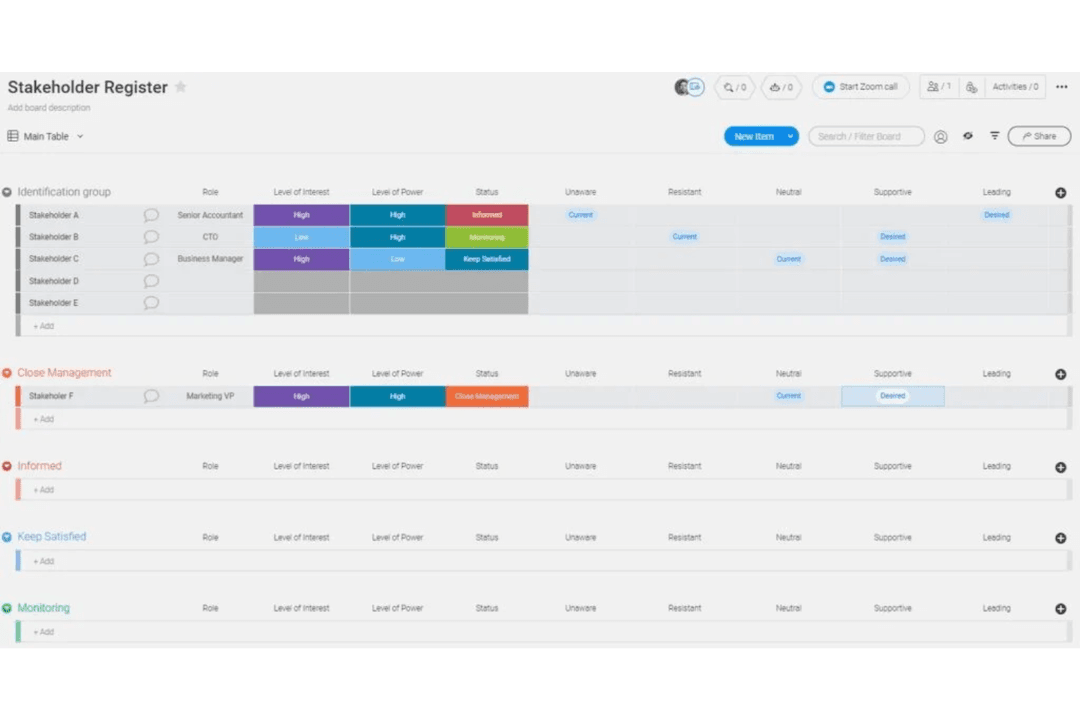
Monday.com’s customizable boards and automation tools help users organize tasks, track progress, and coordinate with cross-functional teams in one place. In contrast, Productboard’s feedback collection and prioritization features let users centralize product ideas, score them against objectives, and build focused roadmaps that guide daily decision-making.
| monday AI Workspace | Productboard | |
|---|---|---|
| API | Yes | Yes |
| Collaboration Support | Yes | Yes |
| Dashboard | Yes | No |
| Dashboards | Yes | No |
| Data Export | Yes | Yes |
| Data Import | Yes | Yes |
| External Integrations | Yes | Yes |
| Gantt Charts | Yes | No |
| Multi-User | Yes | Yes |
| Notifications | Yes | Yes |
| Resource Management | Yes | No |
| Scheduling | Yes | Yes |
| Task Scheduling/Tracking | Yes | Yes |
| Integration | monday.com | Productboard |
|---|---|---|
| IntegrationSlack | monday.com✅ | Productboard✅ |
| IntegrationJira | monday.com✅ | Productboard✅ |
| IntegrationSalesforce | monday.com✅ | Productboard✅ |
| IntegrationMicrosoft Teams | monday.com✅ | Productboard❌ |
| IntegrationZendesk | monday.com✅ | Productboard✅ |
| IntegrationHubSpot | monday.com✅ | Productboard❌ |
| IntegrationIntercom | monday.com✅ | Productboard✅ |
| IntegrationGitHub | monday.com✅ | Productboard✅ |
| IntegrationAPI | monday.com✅ | Productboard✅ |
| IntegrationZapier | monday.com✅ | Productboard✅ |
Connecting monday.com with Slack lets users receive instant task updates and notifications right where they chat, keeping everyone in sync without switching tools. Productboard’s Jira integration, on the other hand, helps product managers push prioritized features directly into engineering backlogs, making handoffs from planning to development much smoother.
| Factor | monday.com | Productboard |
|---|---|---|
| FactorData Encryption | monday.comUses AES-256 encryption for data at rest and TLS 1.2+ for data in transit. | ProductboardEncrypts data at rest and in transit using industry-standard protocols. |
| FactorRegulatory Compliance | monday.comHolds SOC 2 Type II, ISO 27001, GDPR, and HIPAA certifications. | ProductboardComplies with SOC 2 Type II, ISO 27001, and GDPR requirements. |
| FactorAccess Controls | monday.comOffers SSO, 2FA, granular permissions, and audit logs. | ProductboardProvides SSO, 2FA, and role-based access controls. |
| FactorUptime Guarantee | monday.comPublicly commits to 99.9% uptime with real-time status monitoring. | ProductboardMaintains high availability with a published uptime status page. |
Monday.com and Productboard both deliver strong security and compliance, but monday.com’s broader certification coverage and granular permission settings give it an edge for teams with strict requirements. Productboard’s reliability and access controls are solid, but monday.com stands out for its transparency and advanced compliance options.
| Factor | monday.com | Productboard |
|---|---|---|
| FactorUser Interface | monday.comFeatures a colorful, drag-and-drop interface with customizable views. | ProductboardOffers a clean, structured layout focused on product workflows. |
| FactorOnboarding | monday.comProvides interactive tutorials, templates, and in-app guidance for new users. | ProductboardIncludes guided tours and documentation tailored to product teams. |
| FactorSetup Process | monday.comQuick to set up with pre-built templates for various workflows. | ProductboardRequires more initial configuration to align with product processes. |
| FactorSupport Resources | monday.comLive chat, knowledge base, and community forums are available. | ProductboardEmail support, help center, and a dedicated customer success team. |
Monday.com is generally easier for new users to pick up, while Productboard’s interface is more specialized for product management workflows. Monday.com’s visual design and onboarding tools make it approachable for any team, but Productboard’s focused structure helps product managers stay organized once they’re up to speed.
monday AI Workspace
- Visual boards simplify tracking product development stages
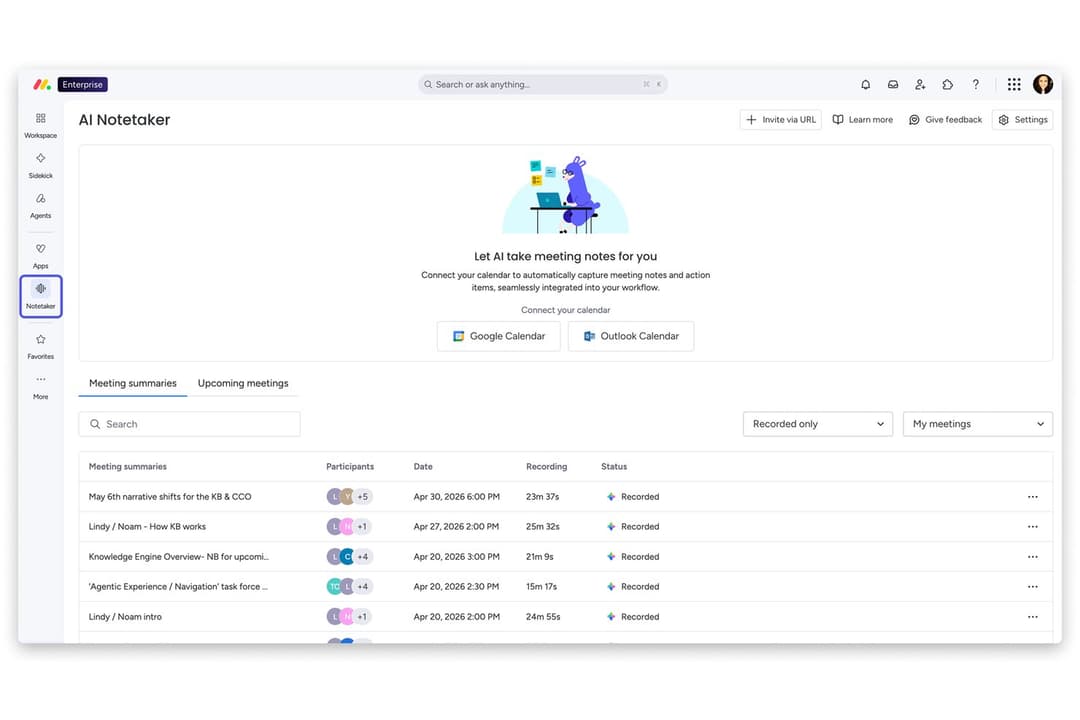
- Built-in AI features assist with risk identification and automation
- Fast onboarding with templates for product roadmaps and sprints
- Complex workflows can require frequent manual board updates
- Automation options require higher-tier plans
- Limited advanced reporting for product analytics
Productboard
- The feedback portal gathers insights directly from users, streamlining your feedback process.
- The prioritization matrix helps your team focus on high-impact tasks with effective resource allocation.
- Productboard's interface is intuitive, making it easy for your team to adopt quickly.
- New users might face a learning curve with the platform's wide array of features.
- Customization is limited for niche use-cases, which might not suit all teams.
- Collaboration features are basic compared to some competitors, which could limit team interaction.
monday AI Workspace
- Creative AgenciesVisual boards and timeline views help manage campaigns and client deliverables.
- Mid-Sized Tech StartupsCustomizable workflows and integrations support rapid product iteration.
- Marketing DepartmentsCampaign planning templates and collaboration tools fit marketing workflows.
- Operations TeamsAutomations and dashboards help track recurring processes and tasks.
- Product ManagersRoadmap templates and sprint boards support agile product development.
- Remote TeamsCentralized communication and file sharing streamline distributed collaboration.
Productboard
- Tech StartupsProductboard helps tech startups prioritize features and align with customer needs using its feedback portal.
- SaaS CompaniesSaaS companies benefit from Productboard’s prioritization matrix to allocate resources to high-impact tasks.
- Agile TeamsAgile teams find Productboard’s intuitive interface easy to adopt for seamless integration into workflows.
- Product ManagersProduct managers can use Productboard to align their efforts with customer insights for strategic planning.
- Innovation DepartmentsInnovation departments leverage Productboard’s feedback loop to refine ideas based on user feedback.
- Mid-Sized EnterprisesMid-sized enterprises use Productboard to streamline their product management with clear roadmaps and priorities.
Who Should Use monday.com, and Who Should Use Productboard?
Monday.com is best for teams that want a flexible, visually-driven platform to manage a wide range of workflows across departments, especially in organizations that value cross-functional collaboration and rapid onboarding. Productboard is the stronger fit for product managers and product teams who need a dedicated space for collecting feedback, prioritizing features, and building strategic roadmaps. If your team spans multiple functions or you need a tool that adapts to various use cases, monday.com is the safer bet. For product-led companies focused on structured product discovery and delivery, Productboard’s specialized features will feel right at home.
| monday AI Workspace | Productboard | |
|---|---|---|
| Automation | monday AI Workspace Includes workflow automation for tasks and notifications. | Productboard Limited automation, focused on product feedback and insights. |
| Core Focus | monday AI Workspace General work management with product templates. | Productboard Purpose-built for product management and roadmapping. |
| Feature Prioritization | monday AI Workspace Lacks built-in scoring or prioritization frameworks. | Productboard Offers customizable prioritization and scoring for product ideas. |
| Pricing Model | monday AI Workspace Charges by user and feature tier, with add-ons for integrations. | Productboard Charges by user and product features, with extra cost for collaborators. |
| User Interface | monday AI Workspace Colorful, highly visual, and customizable for any workflow. | Productboard Clean, structured, and tailored to product management processes. |
| Cloud-Based Access | Both are fully cloud-based, allowing teams to access projects and data from anywhere with an internet connection. |
|---|---|
| Collaborative Tools | Both support real-time collaboration, letting users comment, tag teammates, and share updates within the platform. |
| Customizable Workspaces | Both let users tailor boards, views, and fields to fit their team’s processes, though monday.com is more flexible and Productboard is more product-focused. |
| Integration Options | Each tool offers integrations with popular platforms like Slack, Jira, Salesforce, and Zapier to connect workflows. |
| Security Measures | Each platform uses encryption for data at rest and in transit, and supports SSO and 2FA for secure access. |