


monday.com vs. ClickUp: Comparison and Expert Reviews for 2026

We review tools independently, and commissions help fund our testing. See our transparency policy, our methodology, or suggest a tool.
monday.com and ClickUp are two leading project and product management tools. If you’re struggling to pick the right platform for your team, you’re not alone. The stakes are high: the right choice can boost collaboration, keep projects on track, and help you deliver real business results.
In this guide, you’ll get a side-by-side look at features, pricing, and real-world pros and cons, so you can confidently decide which tool will help your team thrive.
monday AI Workspace
4.6/5
- Free plan available; 14-day free trial
- From $9/user/month (billed annually)
ClickUp

4.6/5
- Free plan available
- From $7/user/month (billed annually)
Why Trust Our Software Recommendations
6,700+
Reviews
20
Industry experts
16+
Evaluation factors
14
Years
Our team has been testing and reviewing software since 2012. As product managers ourselves, we know how difficult—and important—it is to choose the right software.
For this guide, we evaluated tools using hands-on testing and independent research, scoring tools using our selection criteria.
Our reviews reflect our human editorial judgment, not a sales pitch.
Expert reviewers:
- Andrew LumbySenior TPM
- Cristiano ValimSenior UI/UX Lead


| monday AI Workspace | ClickUp | |
|---|---|---|
| Free Trial | Free plan available; 14-day free trial | Free plan available |
| Pricing | From $9/user/month (billed annually) | From $7/user/month (billed annually) |
monday.com vs. ClickUp Pricing & Hidden Costs
monday.com uses a tiered pricing model based on the number of users and feature sets, with costs increasing as you add more advanced capabilities or integrations. ClickUp also offers tiered plans, but it emphasizes unlimited tasks and users at lower tiers, with extra charges for advanced features, add-ons, or increased automation limits. Both tools have a free forever plan, though ClickUp’s is generally considered more feature-rich.
Think about your must-have features, expected user count, and growth plans. Look beyond the headline price—review each vendor’s plan details, check for limits on automations or integrations, and factor in any potential add-ons you might need as your team scales. Request a detailed quote or trial from both vendors to see how real usage aligns with your workflow and budget before making a commitment.
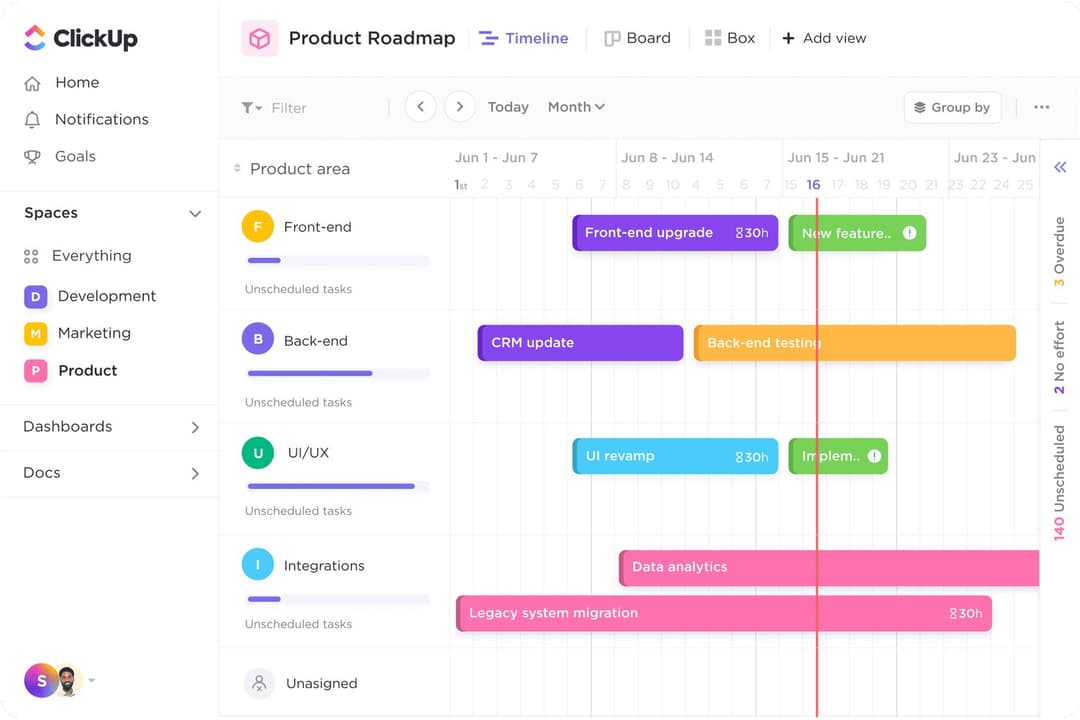
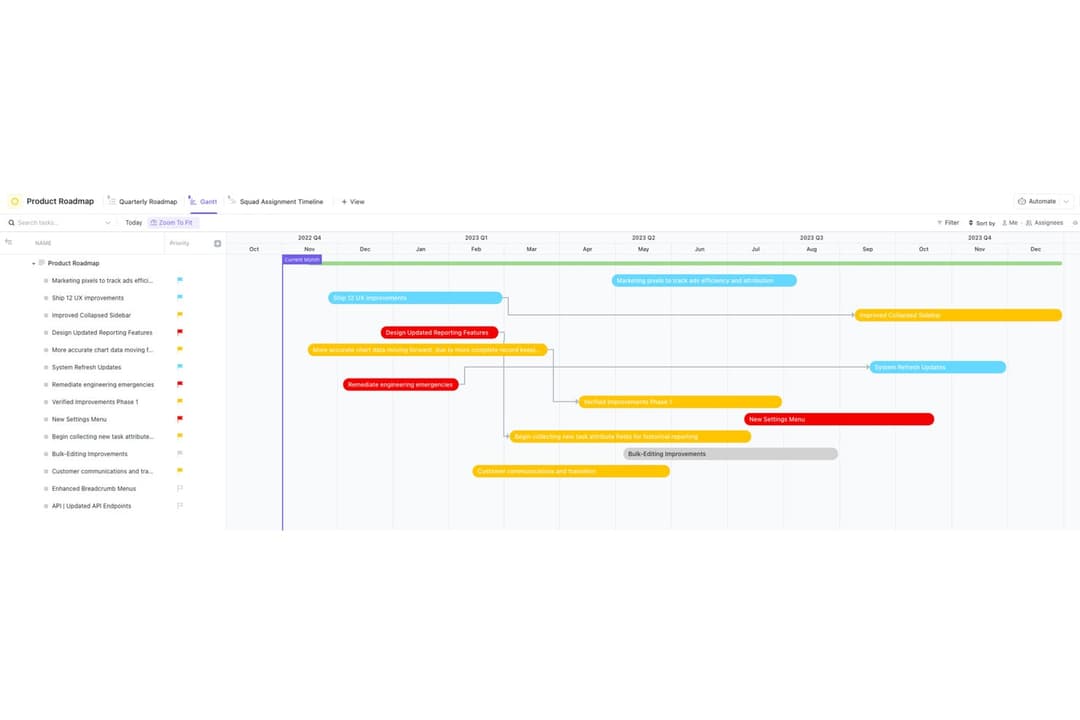
Both monday.com and ClickUp are all-in-one work management platforms with overlapping core features like task tracking, multiple project views (Kanban, timeline, dashboards), automations, integrations, and team collaboration tools. They’re designed to centralize workflows, offering reporting, customization, and scalability for teams managing complex projects.
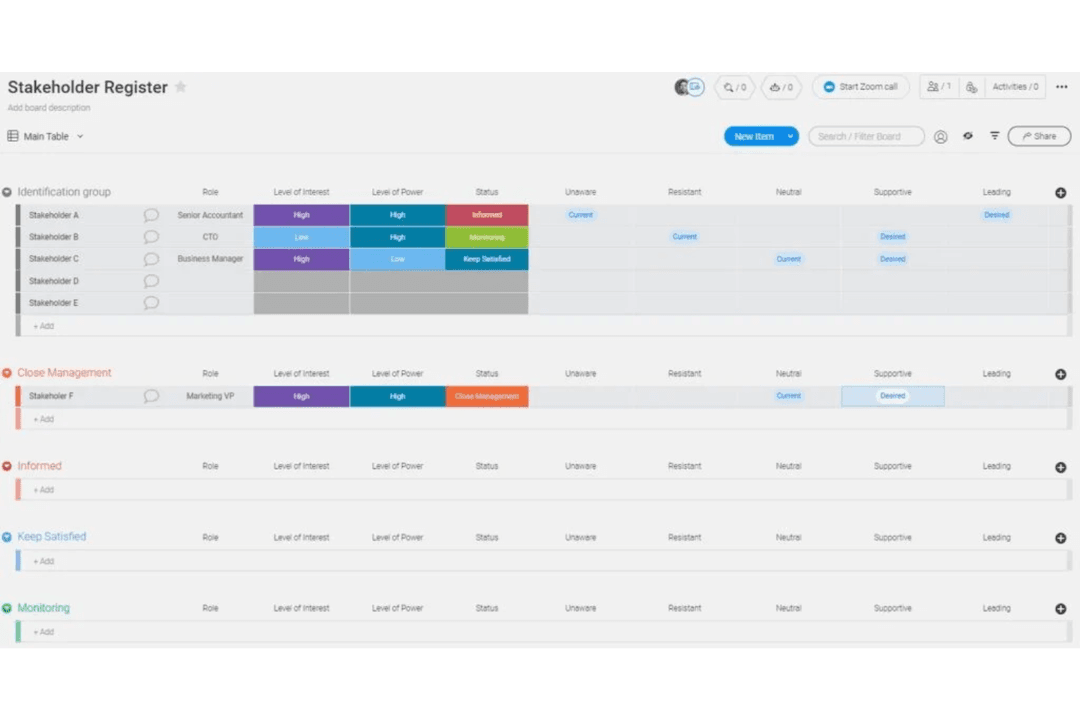
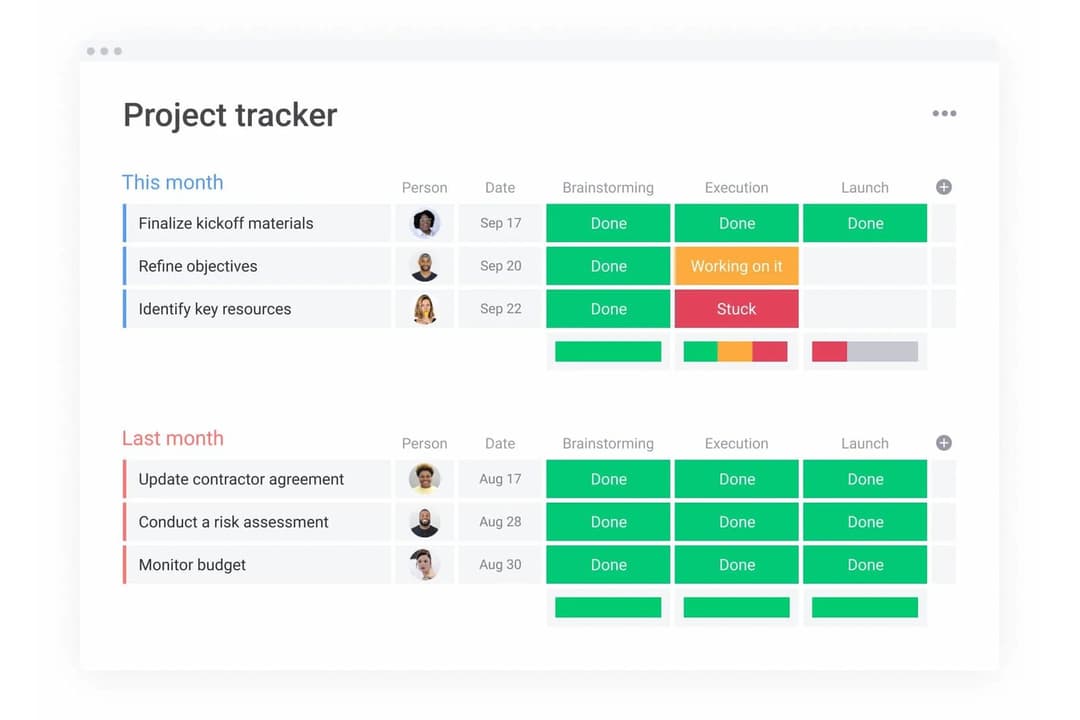
monday.com stands out for its clean, visual interface and ease of use, making it ideal for teams that prioritize simplicity and quick adoption. ClickUp, by contrast, is more feature-rich and customizable, with built-in docs, goals, and time tracking—appealing to power users who want a highly flexible, all-in-one system.
| monday AI Workspace | ClickUp | |
|---|---|---|
| API | Yes | Yes |
| Batch Permissions & Access | Yes | Yes |
| Budgeting | No | No |
| Calendar Management | Yes | Yes |
| Collaboration Support | Yes | Yes |
| Contact Management | No | No |
| Contact Sharing | No | No |
| Customer Management | No | Yes |
| Dashboard | Yes | Yes |
| Dashboards | Yes | No |
| Data Export | Yes | Yes |
| Data Import | Yes | Yes |
| Data Visualization | Yes | Yes |
| Dependency Tracking | Yes | No |
| Document Sharing | Yes | No |
| Expense Tracking | No | No |
| External Integrations | Yes | Yes |
| File Sharing | Yes | Yes |
| Gantt Charts | Yes | Yes |
| Kanban Boards | Yes | Yes |
| Multi-User | Yes | Yes |
| Notifications | Yes | Yes |
| Project Management | Yes | Yes |
| Resource Management | Yes | Yes |
| Scheduling | Yes | Yes |
| Task Scheduling/Tracking | Yes | Yes |
| Third-Party Plugins/Add-Ons | Yes | Yes |
| Time Management | Yes | Yes |
| Travel Management | No | No |
| Workflow Management | Yes | Yes |
| Integration | monday.com | ClickUp |
| Slack | ✅ | ✅ |
| Microsoft Teams | ✅ | ✅ |
| Google Drive | ✅ | ✅ |
| Zoom | ✅ | ✅ |
| Salesforce | ✅ | ✅ |
| HubSpot | ✅ | ✅ |
| Outlook | ✅ | ✅ |
| GitHub | ✅ | ✅ |
| Zendesk | ✅ | ✅ |
| Evernote | ❌ | ✅ |
| API | ✅ | ✅ |
| Zapier | ✅ | ✅ |
Both monday.com and ClickUp generally align when it comes to integrations, covering most of the popular tools teams rely on for communication, storage, and CRM. For anything not available natively, both platforms offer strong flexibility through Zapier and API access, making it easy to connect with additional apps. In most cases, either tool can be adapted to fit your existing workflow without major limitations.
| Factor | monday.com | ClickUp |
| Data Encryption | Uses AES-256 encryption for data at rest and TLS for data in transit. | Uses AES-256 encryption for data at rest and TLS for data in transit. |
| Regulatory Compliance | Holds ISO 27001, SOC 2 Type II, GDPR, and HIPAA certifications. | Complies with GDPR and SOC 2 Type II, but does not offer HIPAA support. |
| Uptime Guarantee | Publicly commits to 99.9% uptime and provides a live status page. | Offers 99.99% uptime and a public status page for transparency. |
| Access Controls | Provides SSO, 2FA, and granular permissions for user management. | Offers SSO, 2FA, and customizable user roles and permissions. |
| Data Residency | Lets users choose data storage regions for compliance needs. | Does not currently offer selectable data residency options. |
monday.com edges ahead with broader compliance certifications and data residency options, making it a stronger fit for teams with strict regulatory needs. ClickUp’s reliability and security features are also solid, but monday.com’s extra certifications and flexibility give it an advantage for organizations with higher compliance demands.
| Factor | monday.com | ClickUp |
| User Interface | Features a clean, colorful, and highly visual interface that’s easy to navigate. | Offers a flexible interface with many customization options, which can feel overwhelming at first. |
| Onboarding | Provides guided onboarding, templates, and in-app tips for a quick start. | Includes onboarding checklists and tutorials, but setup can be complex for new users. |
| Customization | Allows easy customization of boards and workflows with drag-and-drop tools. | Offers deep customization for tasks, views, and automations, appealing to power users. |
| Support Resources | Delivers responsive live chat, a detailed knowledge base, and video tutorials. | Offers 24/7 support, a large help center, and active community forums. |
| Mobile Experience | Mobile app is intuitive and mirrors the desktop experience closely. | Mobile app is feature-rich but can feel cluttered with advanced options. |
monday.com offers a clean, highly visual interface with guided onboarding, templates, and an intuitive mobile experience that closely mirrors desktop functionality. Customization is straightforward with drag-and-drop tools, and support resources are easy to access, making it especially beginner-friendly.
ClickUp, on the other hand, provides a more flexible and deeply customizable interface, with extensive options for tasks, views, and automations. While it includes onboarding resources and strong support, the breadth of features can feel overwhelming at first, and the mobile experience may feel more complex.
Overall, monday.com is easier to adopt quickly, while ClickUp is better suited for teams willing to invest time in learning a more powerful, customizable system.
monday AI Workspace
- Visual boards simplify tracking product development stages
- Built-in AI features assist with risk identification and automation
- Fast onboarding with templates for product roadmaps and sprints
- Complex workflows can require frequent manual board updates
- Automation options require higher-tier plans
- Limited advanced reporting for product analytics
ClickUp
- Automation and templates reduce repetitive project setup work.
- Built-in docs and whiteboards enable real-time team collaboration.
- Custom task views support agile, kanban, and list workflows.
- Interface can feel cluttered with too many options.
- Advanced reporting features require higher-tier plans.
- Mobile app performance lags behind the desktop version.
monday AI Workspace
- Creative AgenciesVisual boards and timeline views help manage campaigns and client deliverables.
- Mid-Sized Tech StartupsCustomizable workflows and integrations support rapid product iteration.
- Marketing DepartmentsCampaign planning templates and collaboration tools fit marketing workflows.
- Operations TeamsAutomations and dashboards help track recurring processes and tasks.
- Product ManagersRoadmap templates and sprint boards support agile product development.
- Remote TeamsCentralized communication and file sharing streamline distributed collaboration.
ClickUp
- Remote-FirstCompanies ClickUp’s real-time collaboration, chat, and docs keep distributed teams aligned and informed.
- Creative AgenciesBuilt-in whiteboards and proofing tools help manage client feedback and creative asset reviews.
- Marketing DepartmentsCampaign planning, content calendars, and approval workflows are easy to manage with ClickUp’s templates and automation.
- Software Development TeamsClickUp’s agile boards, sprint management, and GitHub integration support iterative development and backlog tracking.
- Product Management TeamsCustom fields, roadmaps, and goal tracking help product managers prioritize and communicate progress.
- Mid-Sized SaaSCompanies Scalable permissions, reporting, and integrations support growing teams with evolving needs.
Who Should Use monday.com, and Who Should Use ClickUp?
monday.com is a great fit for teams that want a visually intuitive platform, fast onboarding, and straightforward workflows—especially in marketing, operations, or organizations with less technical users. ClickUp is ideal for product managers, tech teams, or power users who need deep customization, advanced task management, and the flexibility to build complex processes. If your team values simplicity and quick adoption, monday.com will likely feel more natural. If you want to tailor every detail and don’t mind a steeper learning curve, ClickUp gives you the control you need.
| monday AI Workspace | ClickUp | |
|---|---|---|
| Automation Limits | monday AI Workspace Automation volume depends on plan tier, with clear monthly caps. | ClickUp Provides more generous automation limits, even on lower tiers. |
| Customization Level | monday AI Workspace Allows basic workflow tweaks with drag-and-drop simplicity. | ClickUp Enables advanced customization of tasks, statuses, and automations. |
| Onboarding Experience | monday AI Workspace Fast, guided onboarding with templates and in-app tips. | ClickUp Onboarding is more complex, with many options to configure. |
| Pricing | monday AI Workspace Pricing scales by user count and feature set. | ClickUp Pricing is tiered but includes unlimited users on some plans. |
| Visualization | monday AI Workspace Uses colorful boards and timelines for easy project tracking. | ClickUp Offers customizable views but focuses more on lists and hierarchies. |
| Collaboration Tools | Each offers real-time commenting, file sharing, and notifications to keep teams connected and informed. |
|---|---|
| Integration Options | Both support popular integrations like Slack, Google Drive, and Zoom, plus API and Zapier for flexibility. |
| Reporting and Dashboards | Both provide customizable dashboards and reporting tools to visualize project progress and team workload. |
| Task Management | Both let you create, assign, and track tasks with due dates, priorities, and status updates. |
| Template Library | Both provide pre-built templates for common use cases like project management, marketing, product management, and operations. |