

Jira-recension: Fördelar, nackdelar, funktioner & prissättning
Jira erbjuder oöverträffade anpassnings- och integrationsmöjligheter, vilket gör det till det främsta valet för komplexa projektmiljöer.

We review tools independently, and commissions help fund our testing. See our transparency policy, our methodology, or suggest a tool.
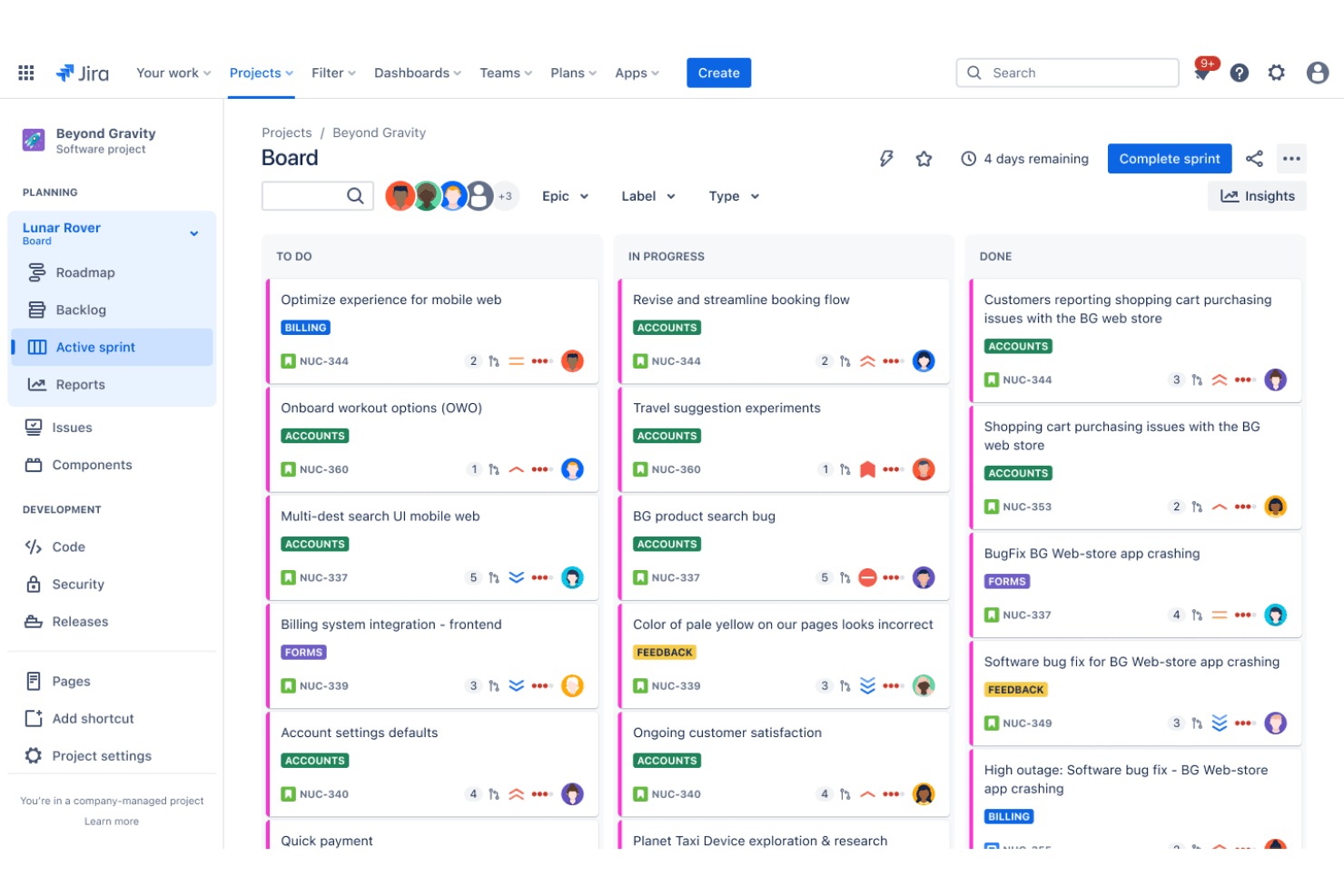
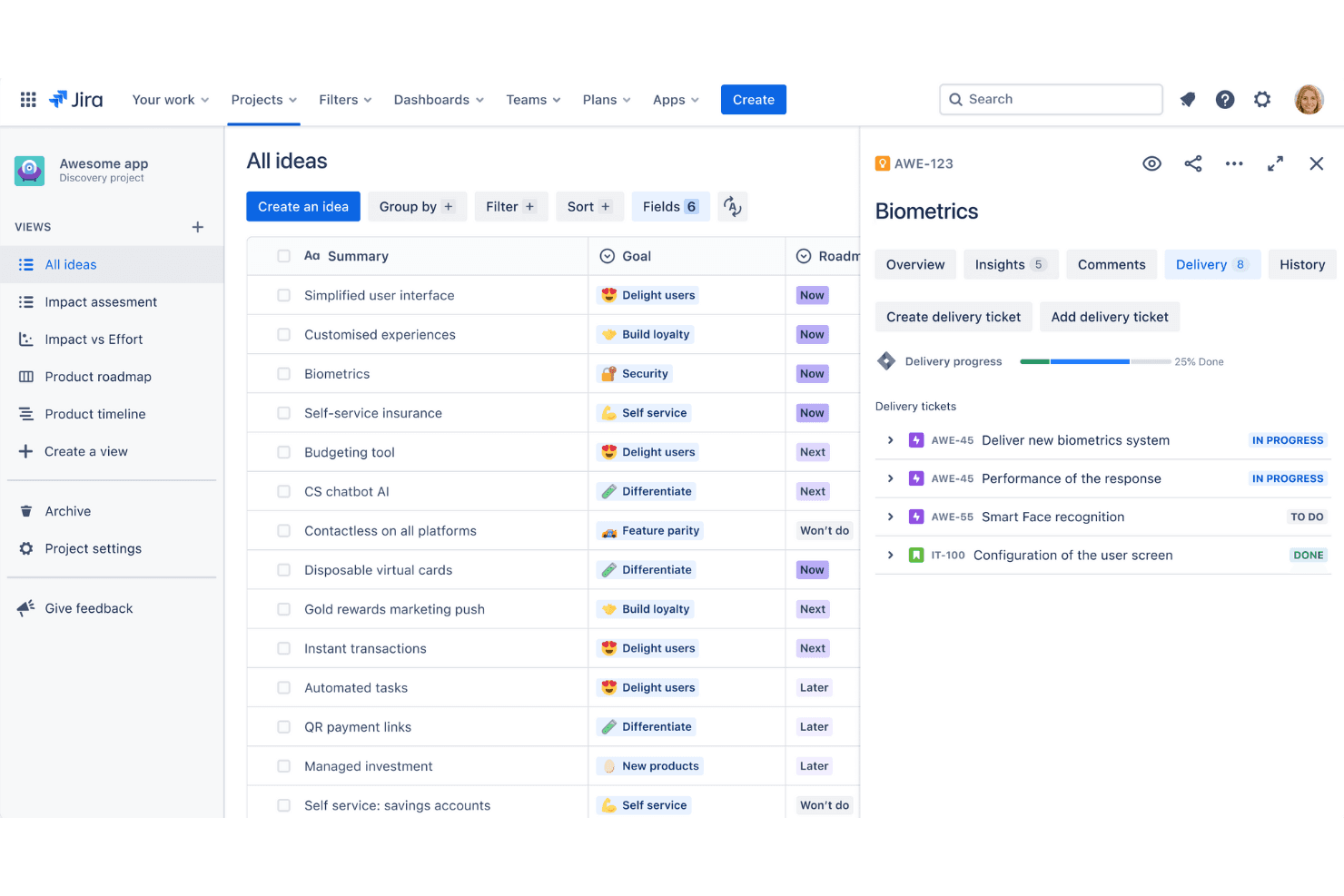
Jira is a product management tool built for software teams that need to track issues, manage sprints, and connect product work directly to engineering delivery. I'd consider it when your team needs tighter control over development workflows than something like Asana offers—especially if you're already working within a broader Atlassian ecosystem with tools like Confluence or Bitbucket.
Jira Evaluation Summary
4.4/5
- From $7.91/user/month
- Free plan + 14-day free trial available
Varför du kan lita på våra programvarurekommendationer
6,700+
Reviews
20
Industry experts
16+
Evaluation factors
14
Years
Vårt team har testat och recenserat programvara sedan 2012. Som produktchefer själva vet vi hur svårt — och viktigt — det är att välja rätt programvara.
För den här guiden utvärderade vi verktyg genom praktisk testning och oberoende research, och betygsatte verktygen enligt våra urvalskriterier.
Våra recensioner speglar vårt mänskliga redaktionella omdöme, inte ett säljbudskap.
- Andrew LumbySenior TPM
- Cristiano ValimSenior UI/UX Lead
Jira Overview
In my opinion, Jira is a solid choice for Agile project management, particularly excelling in environments that require robust collaboration and task tracking. It stands out for its flexibility and deep integration options, making it ideal for software development teams. However, its complexity can be daunting for smaller teams or those with simpler needs. Compared to other tools, Jira offers exceptional features but demands a steeper learning curve and investment to fully leverage its capabilities. For teams ready to commit, it offers unmatched customization and project management prowess.
Pros
- It offers powerful Agile project management features for your team.
- You can customize workflows to match your project's unique needs.
- It enhances collaboration with real-time updates and tracking.
Cons
- You might find the interface overwhelming if you're new to it.
- It can be too complex for smaller teams or simpler projects.
- You may experience a steep learning curve during onboarding.
Is Jira Right For Your Needs?
Who Would be a Good Fit for Jira?
Jira is a great fit for software development teams and IT departments that thrive on agile methodologies. If your work involves complex projects with multiple team members, Jira's robust project tracking and customizable workflows will suit your needs. Tech companies and startups that require detailed task management and real-time collaboration will benefit from its powerful features. For project managers overseeing cross-functional teams, Jira's ability to integrate with other tools offers seamless coordination and communication.
- Software Development TeamsJira excels in Agile project management, making it perfect for tracking bugs and managing sprints.
- IT DepartmentsYou can manage incident tickets and service requests efficiently with Jira's customizable workflows.
- Tech StartupsJira supports rapid iteration and collaboration, essential for fast-paced startup environments.
- Project ManagersYou can oversee complex projects with Jira's detailed reporting and task management features.
- Agile CoachesJira provides tools for sprint planning and tracking, crucial for guiding Agile teams.
- Cross-functional TeamsJira's integrations and real-time updates enhance collaboration across different departments.
Who Would be a Bad Fit for Jira?
Jira might not suit small teams or businesses with straightforward project needs. If your work involves simple task lists or minimal collaboration, Jira's complexity and extensive features could overwhelm rather than assist. Non-tech industries that don't require Agile methodologies or detailed project tracking might find Jira's interface and setup cumbersome. For teams that prioritize ease of use over customization, Jira's robust capabilities might prove more of a hindrance than a help.
- Small BusinessesThe complexity of Jira can be overkill for simple project tracking needs.
- Non-tech IndustriesIndustries without Agile practices might find Jira's features unnecessary and complicated.
- FreelancersJira's extensive setup and features can be excessive for solo project management.
- Retail OperationsThe detailed tracking in Jira isn't essential for straightforward operational tasks.
- Event PlannersYou might find Jira's Agile-focused tools irrelevant for planning and scheduling events.
- Creative AgenciesJira's technical orientation may not align with the needs of creative, non-tech workflows.
How We Test & Score Tools
We’ve spent years building, refining, and improving our software testing and scoring system. The rubric is designed to capture the nuances of software selection and what makes a tool effective, focusing on critical aspects of the decision-making process.
Below, you can see exactly how our testing and scoring works across seven criteria. It allows us to provide an unbiased evaluation of the software based on core functionality, standout features, ease of use, onboarding, customer support, integrations, customer reviews, and value for money.
Core Functionality (25% of final scoring)
The starting point of our evaluation is always the core functionality of the tool. Does it have the basic features and functions that a user would expect to see? Are any of those core features locked to higher-tiered pricing plans? At its core, we expect a tool to stand up against the baseline capabilities of its competitors.
Standout Features (25% of final scoring)
Next, we evaluate uncommon standout features that go above and beyond the core functionality typically found in tools of its kind. A high score reflects specialized or unique features that make the product faster, more efficient, or offer additional value to the user.
We also evaluate how easy it is to integrate with other tools typically found in the tech stack to expand the functionality and utility of the software. Tools offering plentiful native integrations, 3rd party connections, and API access to build custom integrations score best.
Ease of Use (10% of final scoring)
We consider how quick and easy it is to execute the tasks defined in the core functionality using the tool. High scoring software is well designed, intuitive to use, offers mobile apps, provides templates, and makes relatively complex tasks seem simple.
Onboarding (10% of final scoring)
We know how important rapid team adoption is for a new platform, so we evaluate how easy it is to learn and use a tool with minimal training. We evaluate how quickly a team member can get set up and start using the tool with no experience. High scoring solutions indicate little or no support is required.
Customer Support (10% of final scoring)
We review how quick and easy it is to get unstuck and find help by phone, live chat, or knowledge base. Tools and companies that provide real-time support score best, while chatbots score worst.
Customer Reviews (10% of final scoring)
Beyond our own testing and evaluation, we consider the net promoter score from current and past customers. We review their likelihood, given the option, to choose the tool again for the core functionality. A high scoring software reflects a high net promoter score from current or past customers.
Value for Money (10% of final scoring)
Lastly, in consideration of all the other criteria, we review the average price of entry level plans against the core features and consider the value of the other evaluation criteria. Software that delivers more, for less, will score higher.
Core Features
Task Management
You can create, assign, and prioritize tasks with ease, keeping your team on track. The intuitive interface helps you visualize tasks across different stages.
Scrum Boards
These boards allow your team to manage backlogs and sprints efficiently, supporting Agile workflows. You can easily track progress and make adjustments as needed.
Kanban Boards
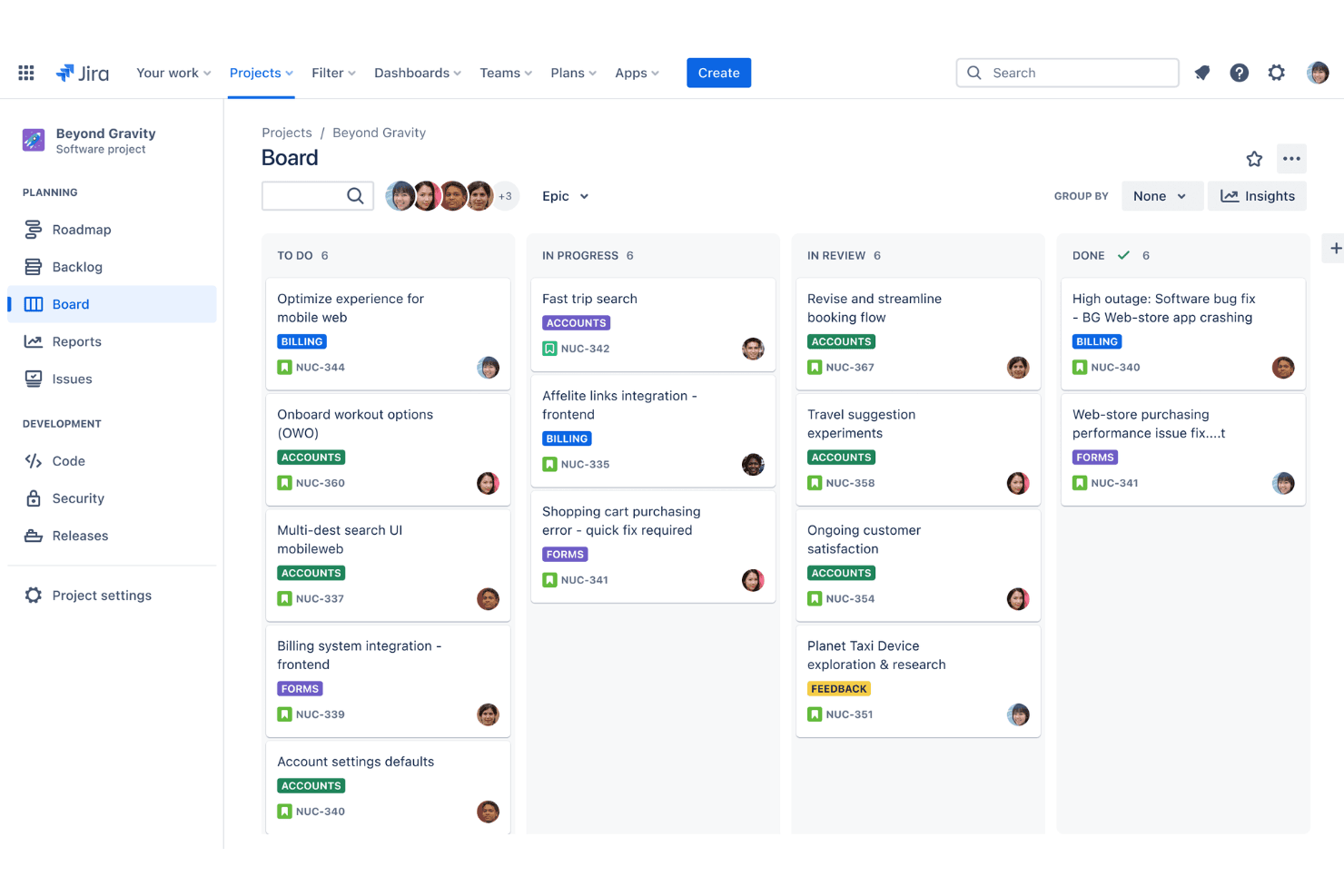
With customizable Kanban boards, you can streamline your team's workflow. They help you visualize work in progress and identify bottlenecks quickly.
Reporting
Jira's reporting tools provide insights into your team's performance with detailed charts and metrics. You can make informed decisions based on real-time data.
Custom Workflows
You can design workflows to match your project's specific needs, enhancing flexibility. This feature allows you to adapt processes to suit your team's style.
Permissions and Security
Jira offers robust permission settings, giving you control over who accesses what. This ensures your project's data remains secure and confidential.
Ease of Use
Jira offers a robust set of features, but you might find its interface overwhelming at first. Its complexity can pose a challenge for new users, especially if your team is small or lacks technical expertise. However, once you get the hang of it, its customizable boards and automation tools can significantly boost your team's productivity. The learning curve is there, but the payoff comes with enhanced project management capabilities and effective collaboration.
Jira Specs
- API: Yes
- Calendar Management: Yes
- Collaboration Support: No
- Dashboards: Yes
- Data Export: Yes
- Data Import: Yes
- External Integrations: Yes
- File Sharing: Yes
- Gantt Charts: Yes
- Kanban Boards: Yes
- Mobile App: Yes
- Multi-User: Yes
- Notifications: Yes
- Prioritization: No
- Project Management: Yes
- Status Notifications: Yes
- Task Scheduling/Tracking: Yes
- Time Management: No
Alternatives to Jira


Jira FAQs
Vad händer härnäst
Glöm inte att prenumerera på vårt nyhetsbrev för fler resurser och guider om produktledning, samt de senaste poddarna, intervjuerna och andra insikter från branschledare och experter.