

Airtable-recension: Fördelar, nackdelar, funktioner och priser förklarade
Airtable utmärker sig genom sitt flexibla och användarvänliga arbetssätt för produktplanering, där kalkylblad och databaser förenas, men kanske inte passar team som behöver avancerade funktioner för projekthantering.

We review tools independently, and commissions help fund our testing. See our transparency policy, our methodology, or suggest a tool.
Airtable is a product planning software that combines a spreadsheet-style interface with a relational database to help product teams organize roadmaps, track features, and manage backlogs in one place. It's worth considering when your team needs the structure of a database without being locked into a rigid, developer-first workflow. I'd choose Airtable over Jira if you want more flexibility in how you build, view, and customize your planning data—without inheriting all the configuration overhead that comes with a tool built primarily for engineering teams.
Airtable Evaluation Summary
4.6/5
- From $20/user/month
- Free plan + free demo + 14-day trial available
Varför du kan lita på våra programvarurekommendationer
6,700+
Reviews
20
Industry experts
16+
Evaluation factors
14
Years
Vårt team har testat och recenserat programvara sedan 2012. Som produktchefer själva vet vi hur svårt — och viktigt — det är att välja rätt programvara.
För den här guiden utvärderade vi verktyg genom praktisk testning och oberoende research, och betygsatte verktygen enligt våra urvalskriterier.
Våra recensioner speglar vårt mänskliga redaktionella omdöme, inte ett säljbudskap.
- Andrew LumbySenior TPM
- Cristiano ValimSenior UI/UX Lead
Airtable Overview
When judging Airtable as a product planning software, its flexible database structure, intuitive interface, and strong integration options set it apart for teams that want to customize their workflows. Pricing is competitive for small to midsize teams, and onboarding is straightforward, especially for those familiar with spreadsheets. However, it underperforms for advanced project tracking or resource management compared to more specialized project management software. Airtable is best suited for teams that value adaptability and need to streamline product data, such as early-stage SaaS companies or cross-functional product teams managing feature requests and roadmaps.
Pros
- Customizable views for product roadmaps and feedback tracking.
- Relational database structure supports complex product data.
- Built-in automations reduce manual product planning tasks.
Cons
- Limited advanced reporting for product portfolio analysis.
- Performance slows with very large or complex product bases.
- Lacks native resource management and workload balancing.
Is Airtable Right For Your Needs?
Who Would be a Good Fit for Airtable?
Airtable is a strong choice for teams that need flexible, visual product planning and want to centralize data management without heavy IT support. Its customizable views, relational database structure, and automation features make it especially useful for creative, cross-functional, or early-stage teams that need to adapt quickly. If your work involves managing product feedback, tracking feature requests, or collaborating across departments, Airtable’s adaptability and ease of setup can help you move faster and stay organized.
- Startup Product TeamsAirtable’s flexibility supports rapid iteration and evolving product requirements.
- Marketing DepartmentsCustomizable campaign tracking and content calendars fit marketing workflows.
- UX Research GroupsCentralized user feedback and research data are easy to organize.
- Nonprofit OrganizationsSimple setup and collaboration features suit resource-limited teams.
- Agencies Managing ClientsClient-specific product plans and deliverables are easy to separate.
- Remote-First CompaniesCloud-based access and real-time updates support distributed teams.
Who Would be a Bad Fit for Airtable?
Airtable is less suitable for organizations that need advanced project management, strict compliance, or deep resource planning. Its limitations in reporting, performance with large datasets, and lack of native resource management make it a weaker choice for highly regulated, enterprise-scale, or specialized technical environments. If your team relies on granular workload balancing, complex dependencies, or industry-specific compliance, you may find Airtable’s feature set lacking.
- Large EnterprisesPerformance and reporting limitations hinder large-scale product portfolios.
- Regulated IndustriesLacks built-in compliance features for finance or healthcare.
- Engineering DepartmentsMissing advanced dependency tracking and technical backlog management.
- Manufacturing CompaniesNo native support for supply chain or inventory planning.
- IT Project ManagementLimited resource allocation and risk tracking for IT projects.
- Government AgenciesDoes not offer required security certifications or audit trails.
How We Test & Score Tools
We’ve spent years building, refining, and improving our software testing and scoring system. The rubric is designed to capture the nuances of software selection and what makes a tool effective, focusing on critical aspects of the decision-making process.
Below, you can see exactly how our testing and scoring works across seven criteria. It allows us to provide an unbiased evaluation of the software based on core functionality, standout features, ease of use, onboarding, customer support, integrations, customer reviews, and value for money.
Core Functionality (25% of final scoring)
The starting point of our evaluation is always the core functionality of the tool. Does it have the basic features and functions that a user would expect to see? Are any of those core features locked to higher-tiered pricing plans? At its core, we expect a tool to stand up against the baseline capabilities of its competitors.
Standout Features (25% of final scoring)
Next, we evaluate uncommon standout features that go above and beyond the core functionality typically found in tools of its kind. A high score reflects specialized or unique features that make the product faster, more efficient, or offer additional value to the user.
We also evaluate how easy it is to integrate with other tools typically found in the tech stack to expand the functionality and utility of the software. Tools offering plentiful native integrations, 3rd party connections, and API access to build custom integrations score best.
Ease of Use (10% of final scoring)
We consider how quick and easy it is to execute the tasks defined in the core functionality using the tool. High scoring software is well designed, intuitive to use, offers mobile apps, provides templates, and makes relatively complex tasks seem simple.
Onboarding (10% of final scoring)
We know how important rapid team adoption is for a new platform, so we evaluate how easy it is to learn and use a tool with minimal training. We evaluate how quickly a team member can get set up and start using the tool with no experience. High scoring solutions indicate little or no support is required.
Customer Support (10% of final scoring)
We review how quick and easy it is to get unstuck and find help by phone, live chat, or knowledge base. Tools and companies that provide real-time support score best, while chatbots score worst.
Customer Reviews (10% of final scoring)
Beyond our own testing and evaluation, we consider the net promoter score from current and past customers. We review their likelihood, given the option, to choose the tool again for the core functionality. A high scoring software reflects a high net promoter score from current or past customers.
Value for Money (10% of final scoring)
Lastly, in consideration of all the other criteria, we review the average price of entry level plans against the core features and consider the value of the other evaluation criteria. Software that delivers more, for less, will score higher.
Core Features
Grid View
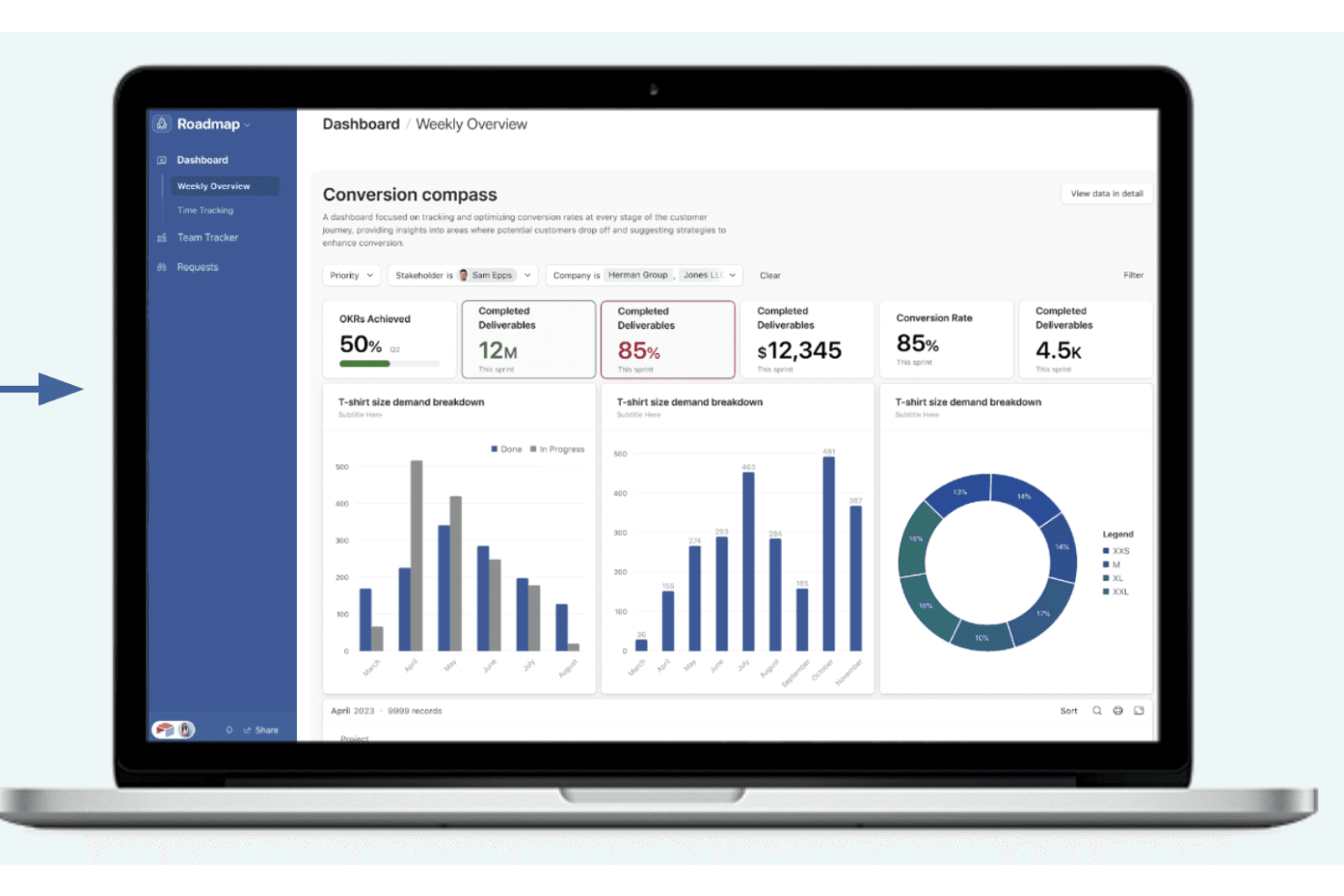
Organize product data in a spreadsheet-like table with sorting and filtering. Quickly scan, edit, and group features, tasks, or feedback.
Kanban Boards
Visualize product workflows and support task management by moving items between customizable columns. Track feature progress or sprint status at a glance.
Relational Databases
Link tables to connect related product data, such as features, feedback, and releases. Avoid duplicate entries and keep information consistent.
Custom Forms
Collect feature requests or user feedback directly into your workspace. Share forms with stakeholders and automatically route responses.
Automations
Set up triggers and actions to handle repetitive product planning tasks. For example, auto-assign tasks or send notifications when statuses change.
Calendar View
Display product launches, deadlines, or milestones on a shared calendar or as Gantt charts for better timeline visualization. Easily adjust dates and see upcoming events in context.
Ease of Use
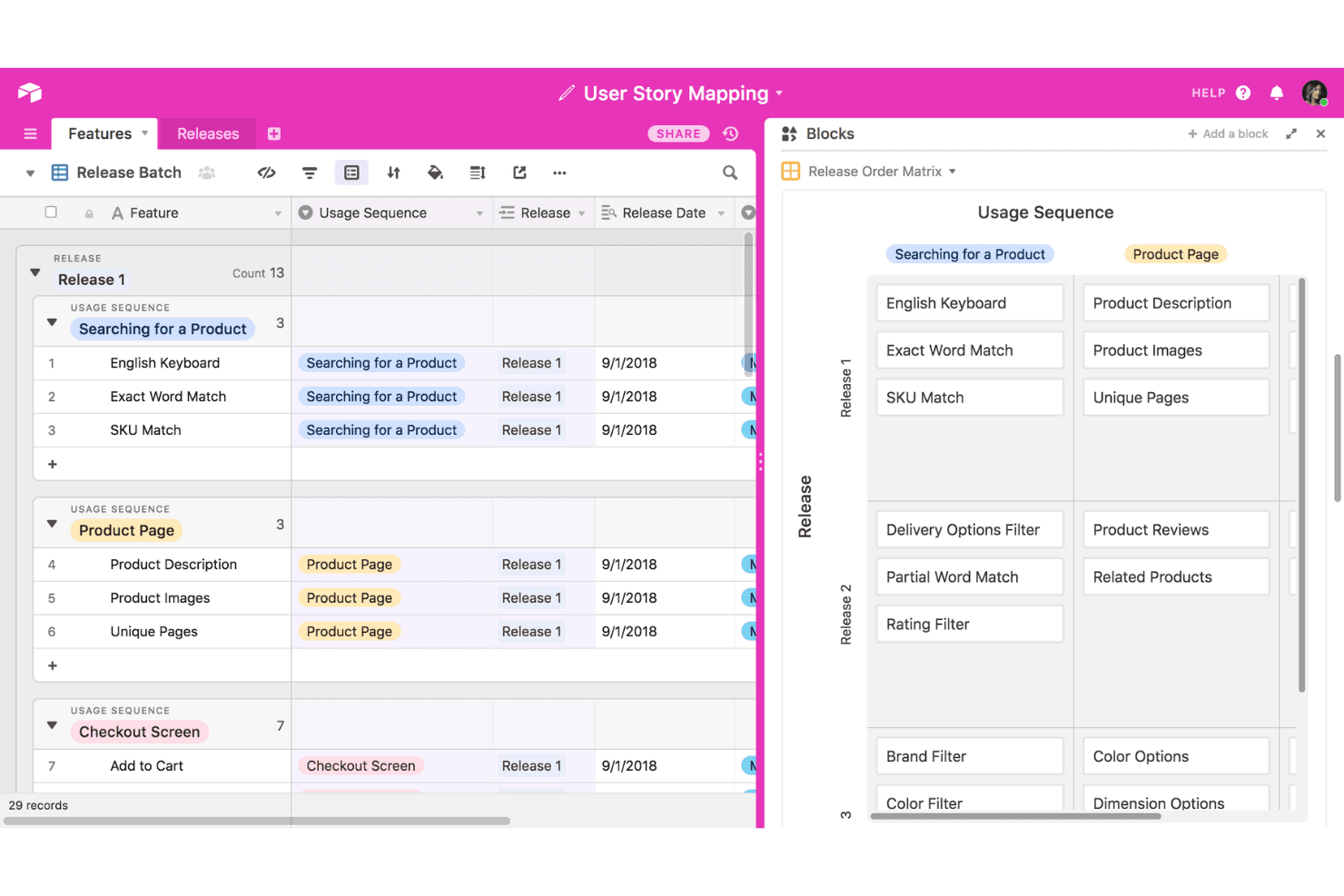
Airtable is widely recognized for its approachable user interface and low barrier to entry, especially for users familiar with spreadsheets. Drag-and-drop features, customizable views, and clear navigation make it easy to set up product planning workflows without technical help. Many users highlight how quickly teams can adapt Airtable to their needs, though some note that advanced features like automations or relational links may require extra learning for non-technical users.
Integrations
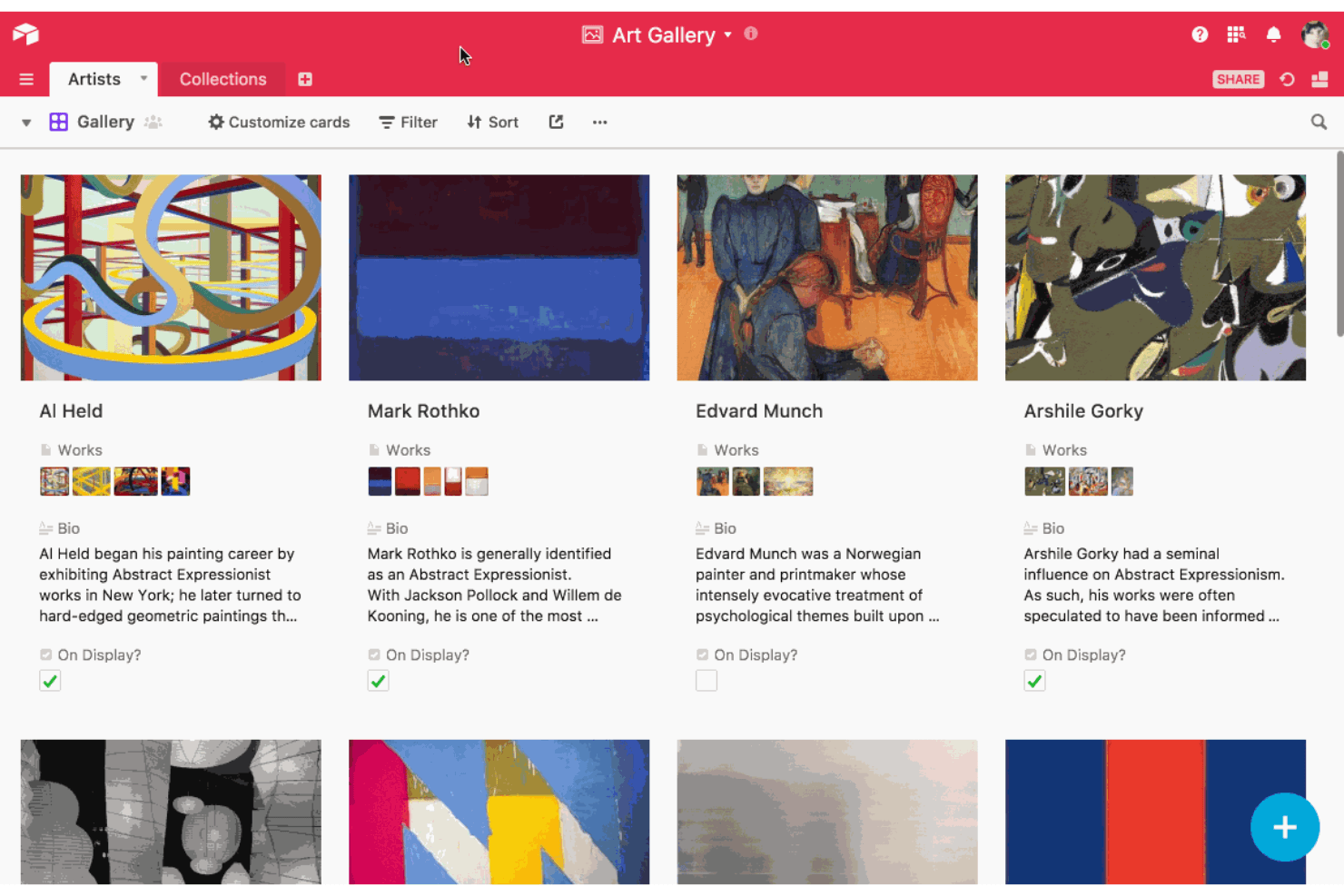
Airtable integrates with Slack, Google Drive, Salesforce, Jira, Dropbox, Box, Microsoft Teams, and Zendesk, among others.
Airtable also offers a robust API and connects with third-party integration tools like Zapier and Make.
Airtable Specs
- 2-Factor Authentication: Yes
- API: Yes
- Batch Permissions & Access: Yes
- Budgeting: Yes
- Calendar Management: Yes
- Contact Management: Yes
- Contact Sharing: Yes
- Customer Management: Yes
- Dashboard: Yes
- Data Export: Yes
- Data Import: Yes
- Data Visualization: Yes
- Email Integration: Yes
- Expense Tracking: Yes
- External Integrations: Yes
- Gantt Charts: Yes
- Google Apps Integration: Yes
- Multi-User: Yes
- Notifications: Yes
- Project Management: Yes
- Resource Management: Yes
- Scheduling: Yes
- Task Scheduling/Tracking: Yes
- Third-Party Plugins/Add-Ons: Yes
- Travel Management: Yes


