

Asana vs. monday.com: Comparison and Expert Reviews for 2026
We review tools independently, and commissions help fund our testing. See our transparency policy, our methodology, or suggest a tool.
Choosing between Asana and monday.com often comes down to whether you want Asana’s streamlined task tracking or monday.com’s highly customizable workflows—both are top product management tools designed to help your team stay organized and deliver results. If you’re weighing these options, you’re likely feeling the pressure to pick a platform that not only fits your current process but also grows with your team’s ambitions.
This comparison will break down how each tool handles planning, collaboration, and reporting, so you can confidently decide which solution will help you hit your goals and keep your projects on track.
Asana
4.4/5
- Free plan + trial + demo available
- From $10.99/user/month (billed annually)
monday AI Workspace
4.6/5
- Free plan + 14-day trial available
- From $9/user/month (billed annually)
Why Trust Our Software Recommendations
6,700+
Reviews
20
Industry experts
16+
Evaluation factors
14
Years
Our team has been testing and reviewing software since 2012. As product managers ourselves, we know how difficult—and important—it is to choose the right software.
For this guide, we evaluated tools using hands-on testing and independent research, scoring tools using our selection criteria.
Our reviews reflect our human editorial judgment, not a sales pitch.
Expert reviewers:
- Andrew LumbySenior TPM
- Cristiano ValimSenior UI/UX Lead
| Asana | monday AI Workspace | |
|---|---|---|
| Free Trial | Free plan + trial + demo available | Free plan + 14-day trial available |
| Pricing | From $10.99/user/month (billed annually) | From $9/user/month (billed annually) |
Asana vs. monday.com Pricing & Hidden Costs
Asana and monday.com both use tiered subscription models, offering a range of plans that unlock more features as you move up. Asana’s pricing is based on user seats and feature access, with some advanced capabilities reserved for higher tiers. monday.com also charges per user, but its pricing can shift depending on the number of users and the specific features or modules you add. Both platforms may introduce extra costs for premium integrations, advanced automation, or increased storage, so it’s important to look beyond the base plan.
To choose the right pricing model, map out your team’s must-have features and estimate how your needs might grow over time. Review each vendor’s plan details, paying close attention to limits on users, projects, automations, and integrations. Ask about potential add-on fees and check if the vendor offers transparent upgrade paths. This approach helps you avoid surprises and ensures you invest in a tool that supports your team’s growth without unexpected expenses.
Both Asana and monday.com are project management platforms designed to help teams organize work, collaborate, and track progress. They share core features like task creation, assigning owners, setting deadlines, and monitoring project status across multiple views such as boards, timelines, and calendars. Both also offer workflow automation, integrations with other tools, and collaboration features like comments, file sharing, and notifications, making them broadly similar for day-to-day project execution.
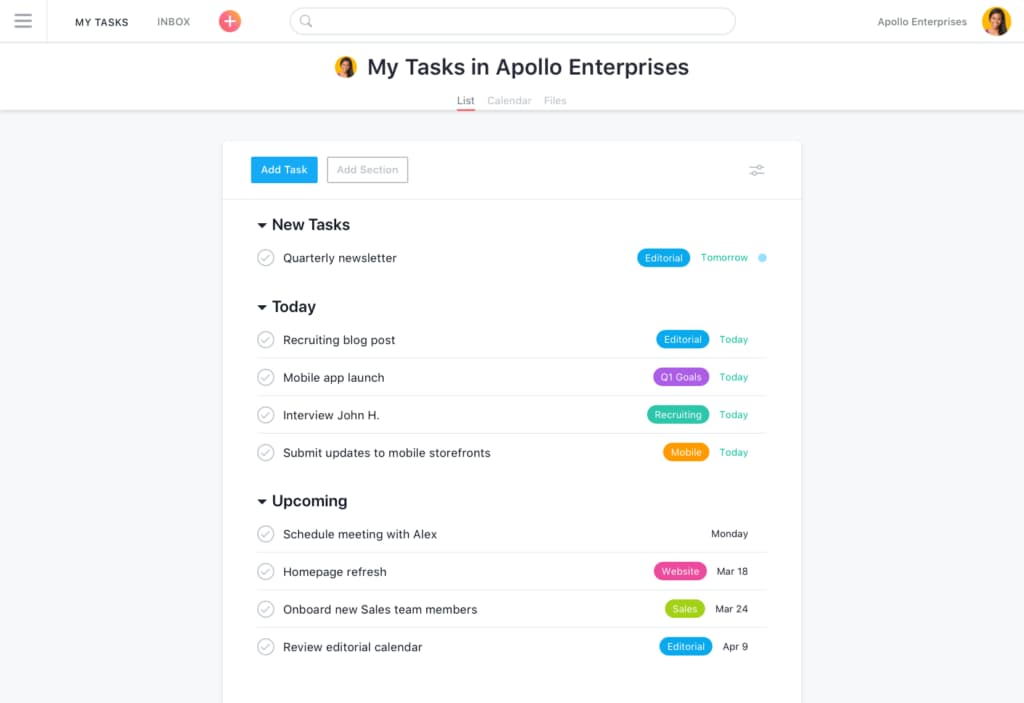
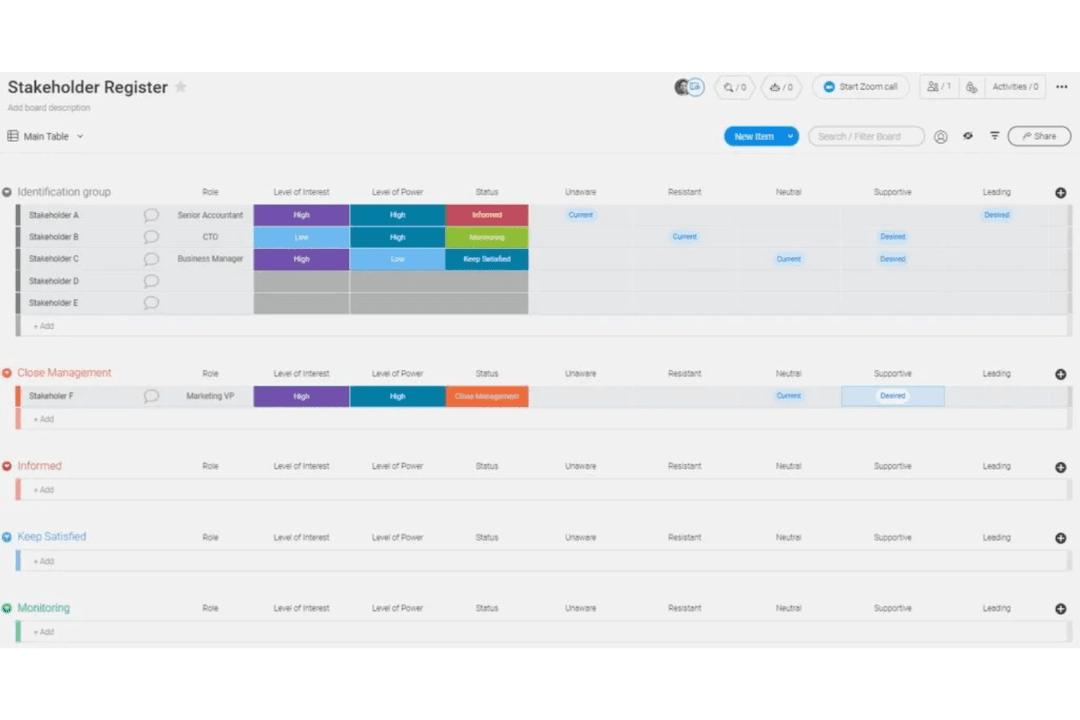
Where they differ is in their approach and standout strengths. Asana emphasizes structured workflows, with strong task hierarchies, dependencies, and a clean, intuitive interface that works especially well for managing complex projects and cross-team coordination. monday.com, on the other hand, stands out for its highly visual and customizable “Work OS,” offering flexible dashboards, more view types, built-in time tracking, and no-code automation that allow teams to design workflows exactly how they want.
| Asana | monday AI Workspace | |
|---|---|---|
| API | Yes | Yes |
| Batch Permissions & Access | Yes | Yes |
| Budgeting | Yes | No |
| Calendar Management | Yes | Yes |
| Collaboration Support | Yes | Yes |
| Contact Management | Yes | No |
| Contact Sharing | No | No |
| Customer Management | No | No |
| Dashboard | Yes | Yes |
| Dashboards | Yes | Yes |
| Data Export | Yes | Yes |
| Data Import | Yes | Yes |
| Data Visualization | Yes | Yes |
| Dependency Tracking | Yes | Yes |
| Document Sharing | Yes | Yes |
| Expense Tracking | Yes | No |
| External Integrations | Yes | Yes |
| File Sharing | Yes | Yes |
| Gantt Charts | Yes | Yes |
| Kanban Boards | Yes | Yes |
| Multi-User | Yes | Yes |
| Notifications | Yes | Yes |
| Project Management | Yes | Yes |
| Resource Management | No | Yes |
| Scheduling | Yes | Yes |
| Task Scheduling/Tracking | Yes | Yes |
| Third-Party Plugins/Add-Ons | Yes | Yes |
| Time Management | Yes | Yes |
| Travel Management | No | No |
| Workflow Management | Yes | Yes |
| Integration | Asana | monday.com |
| Slack | ✅ | ✅ |
| Google Drive | ✅ | ✅ |
| Microsoft Teams | ✅ | ✅ |
| Salesforce | ✅ | ✅ |
| Zoom | ✅ | ✅ |
| Adobe Creative Cloud | ✅ | ❌ |
| HubSpot | ✅ | ✅ |
| Shopify | ❌ | ✅ |
| Jira | ✅ | ✅ |
| Mailchimp | ✅ | ✅ |
| API | ✅ | ✅ |
| Zapier | ✅ | ✅ |
Both Asana and monday.com cover the most popular integrations and are equally matched in this department. With robust APIs and Zapier connections, either tool can fit into most workflows, but your choice may hinge on a few key integrations unique to each platform.
| Factor | Asana | monday.com |
| Data Encryption | Uses AES-256 encryption for data at rest and TLS for data in transit. | Secures data with AES-256 encryption at rest and TLS in transit. |
| Regulatory Compliance | Complies with GDPR, SOC 2 Type II, and ISO/IEC 27001 standards. | Meets GDPR, SOC 2 Type II, ISO/IEC 27001, and HIPAA (on select plans). |
| Access Controls | Offers SSO, two-factor authentication, and granular permissions. | Provides SSO, two-factor authentication, and advanced user permissions. |
| Uptime Guarantee | Delivers 99.9% uptime with real-time status monitoring. | Maintains 99.9% uptime and transparent status updates. |
| Data Residency | Stores data in the US, with some options for EU data residency. | Offers data residency options in the US, EU, and other regions. |
Both Asana and monday.com deliver strong security and compliance, but monday.com edges ahead with broader data residency options and optional HIPAA support. Overall, Asana’s reliability and straightforward compliance controls are great for most teams, while monday.com’s flexibility and advanced compliance certifications may make it a more solid choice for regulated industries.
| Factor | Asana | monday.com |
| User Interface | Clean, minimal layout with clear navigation and color-coded tasks. | Highly visual boards with drag-and-drop elements and vibrant colors. |
| Onboarding | Guided tutorials and templates help new users get started quickly. | Interactive walkthroughs and customizable templates ease onboarding. |
| Customization | Offers basic workflow customization and simple task dependencies. | Allows deep customization of boards, columns, and automations. |
| Mobile Experience | Intuitive mobile app with full task management features. | Robust mobile app with visual boards and real-time updates. |
| Support Resources | Extensive help center, webinars, and community forums. | 24/7 support, knowledge base, and live webinars. |
Both Asana and monday.com are easy to pick up, but monday.com’s visual approach and deep customization options make it especially appealing for teams that want to tailor their workspace. Asana shines for its simplicity and quick learning curve, while monday.com stands out for teams who value flexibility and hands-on control.
Asana
- You can easily track your team's progress with Asana's intuitive task management.
- The customizable project views let your team work in the way that suits them best.
- Asana's collaboration tools keep your team connected and coordinated.
- You might find the notifications overwhelming if not managed properly.
- Asana can feel complex for smaller projects or teams.
- Some users report that advanced features require a learning curve.
monday AI Workspace
- Visual boards simplify tracking product development stages
- Built-in AI features assist with risk identification and automation
- Fast onboarding with templates for product roadmaps and sprints
- Complex workflows can require frequent manual board updates
- Automation options require higher-tier plans
- Limited advanced reporting for product analytics
Asana

- Tech StartupsAsana’s flexibility and robust task management help your team adapt quickly to change and scale projects efficiently.
- Creative AgenciesYour team can benefit from Asana’s visual project tracking to manage design and content workflows smoothly.
- Marketing TeamsAsana’s collaboration tools keep your team aligned, making campaign planning and execution more efficient.
- Remote TeamsAsana connects your team with its collaboration features, keeping everyone on the same page despite the distance.
- Product DevelopmentThe customizable task management lets your team manage product roadmaps and feature releases seamlessly.
- Nonprofit OrganizationsAsana helps your team coordinate volunteers and manage projects effectively with its user-friendly interface.
monday AI Workspace

- Creative AgenciesVisual boards and timeline views help manage campaigns and client deliverables.
- Mid-Sized Tech StartupsCustomizable workflows and integrations support rapid product iteration.
- Marketing DepartmentsCampaign planning templates and collaboration tools fit marketing workflows.
- Operations TeamsAutomations and dashboards help track recurring processes and tasks.
- Product ManagersRoadmap templates and sprint boards support agile product development.
- Remote TeamsCentralized communication and file sharing streamline distributed collaboration.
Who Should Use Asana, and Who Should Use monday.com?
Asana is a great fit for teams that want a straightforward, easy-to-learn tool for managing tasks, tracking progress, and staying organized—especially in fast-paced environments like marketing, product, or creative teams. monday.com is ideal for teams that need to build highly customized workflows, visualize complex projects, or coordinate across multiple departments, making it popular in operations, IT, and agencies. If your team values simplicity and quick onboarding, Asana will likely feel more natural. If you need flexibility, advanced automation, or work in a regulated industry, monday.com is the better match.
| Asana | monday AI Workspace | |
|---|---|---|
| Automation | Asana Simple rule-based automations for recurring tasks. | monday AI Workspace Advanced automation builder with multi-step workflows. |
| Dashboard Depth | Asana Strong but more standardized reporting dashboards. | monday AI Workspace Highly customizable dashboards with widgets and deeper KPI tracking. |
| Document Capabilities | Asana Basic collaborative documents tied to tasks. | monday AI Workspace More advanced docs that embed boards, timelines, and media. |
| Learning Curve | Asana Easier to learn and adopt quickly for most teams. | monday AI Workspace Steeper learning curve due to flexibility and feature depth. |
| Workflow Customization | Asana Offers basic workflow templates and task dependencies. | monday AI Workspace Provides deep board customization, automations, and custom fields. |
| Collaboration Tools | Each platform offers real-time collaboration, file sharing, and @mentions to keep teams connected. |
|---|---|
| Integration Support | Both support popular integrations like Slack, Google Drive, Salesforce, and offer API and Zapier access. |
| Mobile Accessibility | Asana and monday.com provide robust mobile apps (iOS and Android) for managing projects and tasks on the go. |
| Security Standards | Both platforms use strong encryption, SSO, and comply with major standards like GDPR and SOC 2. |
| Task Management | Both let you create, assign, and track tasks with due dates, priorities, and comments for team alignment. |
