
Wrike Review: Pros, Cons, Key Features, and Updated Pricing
Wrike excels beyond competitors with strong task management and team collaboration features that help product teams coordinate cross-functional work in a structured way.

We review tools independently, and commissions help fund our testing. See our transparency policy, our methodology, or suggest a tool.
Wrike is a product management tool built for cross-functional teams that need to plan work, track resources, and report on progress across multiple departments. I'd consider it if your team has outgrown Asana's simpler task views but doesn't need Jira's engineering-heavy setup. Wrike sits in between, with stronger workload management and reporting capabilities than Asana offers without the technical configuration overhead that Jira demands.
Wrike Evaluation Summary
4.3/5
- Pricing upon request
- 14-day free trial
Why Trust Our Software Recommendations
6,700+
Reviews
20
Industry experts
16+
Evaluation factors
14
Years
Our team has been testing and reviewing software since 2012. As product managers ourselves, we know how difficult—and important—it is to choose the right software.
For this guide, we evaluated tools using hands-on testing and independent research, scoring tools using our selection criteria.
Our reviews reflect our human editorial judgment, not a sales pitch.
Expert reviewers:
- Andrew LumbySenior TPM
- Cristiano ValimSenior UI/UX Lead


Wrike Overview
When judging Wrike against other product management software, its flexible workflow design, granular permissions, and deep reporting set it apart for teams managing complex projects. The interface is modern but can feel dense, and onboarding may require extra time for non-technical users. Pricing is competitive for mid-sized and large organizations, especially given the breadth of integrations and automation options. Support is responsive, and the platform excels in environments where cross-functional collaboration and customization are priorities.
Wrike is best suited for teams that need to tailor processes, such as marketing agencies or product development groups handling multiple concurrent projects.
Pros
- Gantt charts: Wrike's interactive Gantt charts provide a visual timeline of tasks and dependencies to track progress.
- Custom workflows: Users can build custom workflows and approval processes to standardize work and ensure consistency.
- Time tracking: The software’s built-in time tracking capabilities allow teams to log hours worked on tasks and monitor productivity.
Cons
- Learning curve: Wrike's extensive features and customization options can take time to fully learn and configure.
- Notifications: The high volume of notifications and updates can be overwhelming and difficult to manage.
- Mobile app: The mobile app has limited functionality compared to the web version and can be slow or buggy.
Is Wrike Right For Your Needs?
Who Would be a Good Fit for Wrike?
Wrike is best suited for organizations that need advanced workflow automation, granular permissions, and detailed reporting to manage complex projects across multiple teams. Its feature set supports industries and departments where collaboration, process customization, and visibility are essential. Teams that handle creative approvals, cross-functional projects, or resource allocation will find Wrike’s tools especially valuable.
- Marketing AgenciesWrike’s proofing, approval, and campaign tracking features support creative workflows.
- IT Project TeamsAdvanced task dependencies and workflow automation help manage technical projects.
- Product DevelopmentCustom dashboards and reporting provide visibility into product roadmaps and releases.
- Professional ServicesTime tracking and resource management support client billing and project delivery.
- Enterprise OperationsGranular permissions and audit trails meet compliance and security needs.
- Remote TeamsReal-time collaboration and document sharing enable distributed workforces.
Who Would be a Bad Fit for Wrike?
Wrike may not be the best choice for teams with simple project needs, limited budgets, or those requiring highly specialized industry features. Its complexity and pricing structure can be excessive for smaller organizations or those with straightforward workflows.
- Small StartupsWrike’s advanced features and pricing exceed basic project needs.
- Construction FirmsLacks built-in Gantt chart tools tailored for field scheduling.
- NonprofitsResource management and automation may be unnecessary for simple programs.
- FreelancersThe platform’s scale and cost are not justified for solo work.
- Retail OperationsInventory and POS integrations are not core Wrike capabilities.
- Event PlannersLimited event-specific templates and scheduling tools compared to niche platforms.
How We Test & Score Tools
We’ve spent years building, refining, and improving our software testing and scoring system. The rubric is designed to capture the nuances of software selection and what makes a tool effective, focusing on critical aspects of the decision-making process.
Below, you can see exactly how our testing and scoring works across seven criteria. It allows us to provide an unbiased evaluation of the software based on core functionality, standout features, ease of use, onboarding, customer support, integrations, customer reviews, and value for money.
Core Functionality (25% of final scoring)
The starting point of our evaluation is always the core functionality of the tool. Does it have the basic features and functions that a user would expect to see? Are any of those core features locked to higher-tiered pricing plans? At its core, we expect a tool to stand up against the baseline capabilities of its competitors.
Standout Features (25% of final scoring)
Next, we evaluate uncommon standout features that go above and beyond the core functionality typically found in tools of its kind. A high score reflects specialized or unique features that make the product faster, more efficient, or offer additional value to the user.
We also evaluate how easy it is to integrate with other tools typically found in the tech stack to expand the functionality and utility of the software. Tools offering plentiful native integrations, 3rd party connections, and API access to build custom integrations score best.
Ease of Use (10% of final scoring)
We consider how quick and easy it is to execute the tasks defined in the core functionality using the tool. High scoring software is well designed, intuitive to use, offers mobile apps, provides templates, and makes relatively complex tasks seem simple.
Onboarding (10% of final scoring)
We know how important rapid team adoption is for a new platform, so we evaluate how easy it is to learn and use a tool with minimal training. We evaluate how quickly a team member can get set up and start using the tool with no experience. High scoring solutions indicate little or no support is required.
Customer Support (10% of final scoring)
We review how quick and easy it is to get unstuck and find help by phone, live chat, or knowledge base. Tools and companies that provide real-time support score best, while chatbots score worst.
Customer Reviews (10% of final scoring)
Beyond our own testing and evaluation, we consider the net promoter score from current and past customers. We review their likelihood, given the option, to choose the tool again for the core functionality. A high scoring software reflects a high net promoter score from current or past customers.
Value for Money (10% of final scoring)
Lastly, in consideration of all the other criteria, we review the average price of entry level plans against the core features and consider the value of the other evaluation criteria. Software that delivers more, for less, will score higher.
Core Features
Custom Workflows
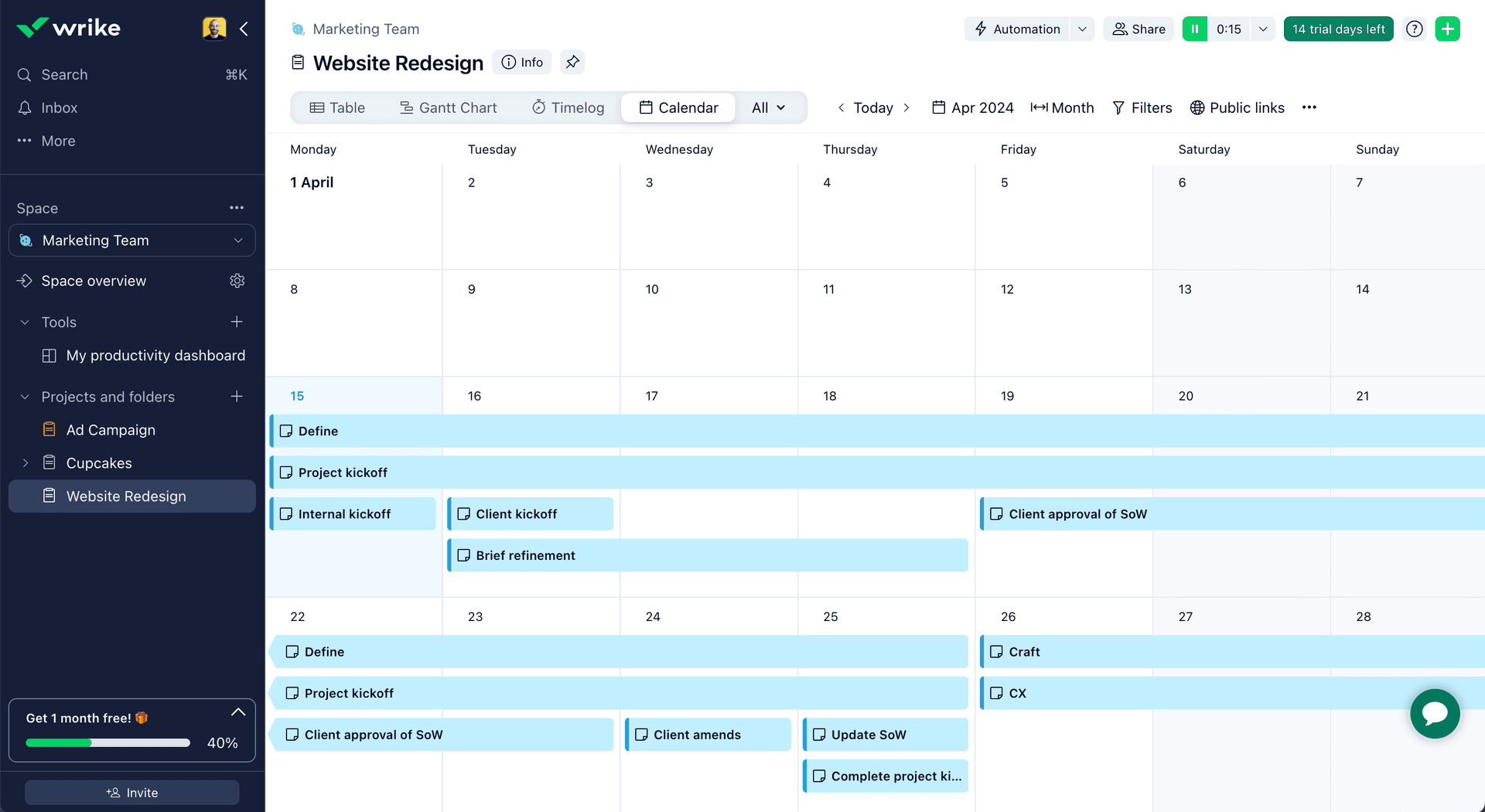
Design and automate multi-step processes tailored to your team’s needs. Trigger actions, assign tasks, and set approvals for any project type.
Task Dependencies
Link tasks to visualize and control project sequences. Prevent bottlenecks by ensuring work starts only when prerequisites are complete.
Dynamic Request Forms
Collect project requests with customizable forms that auto-route submissions. Standardize intake and reduce manual triage for new work.
Real-Time Collaboration
Comment, edit, and share files directly within tasks. Keep feedback and discussions centralized for easy reference.
Resource Management
Allocate team members, track workloads, and forecast capacity. Balance assignments to avoid overloading or underutilizing staff.
Advanced Reporting
Build interactive dashboards and export detailed analytics. Monitor project health, team performance, and deadlines in one place.
Standout Features
Proofing and Approval Tools
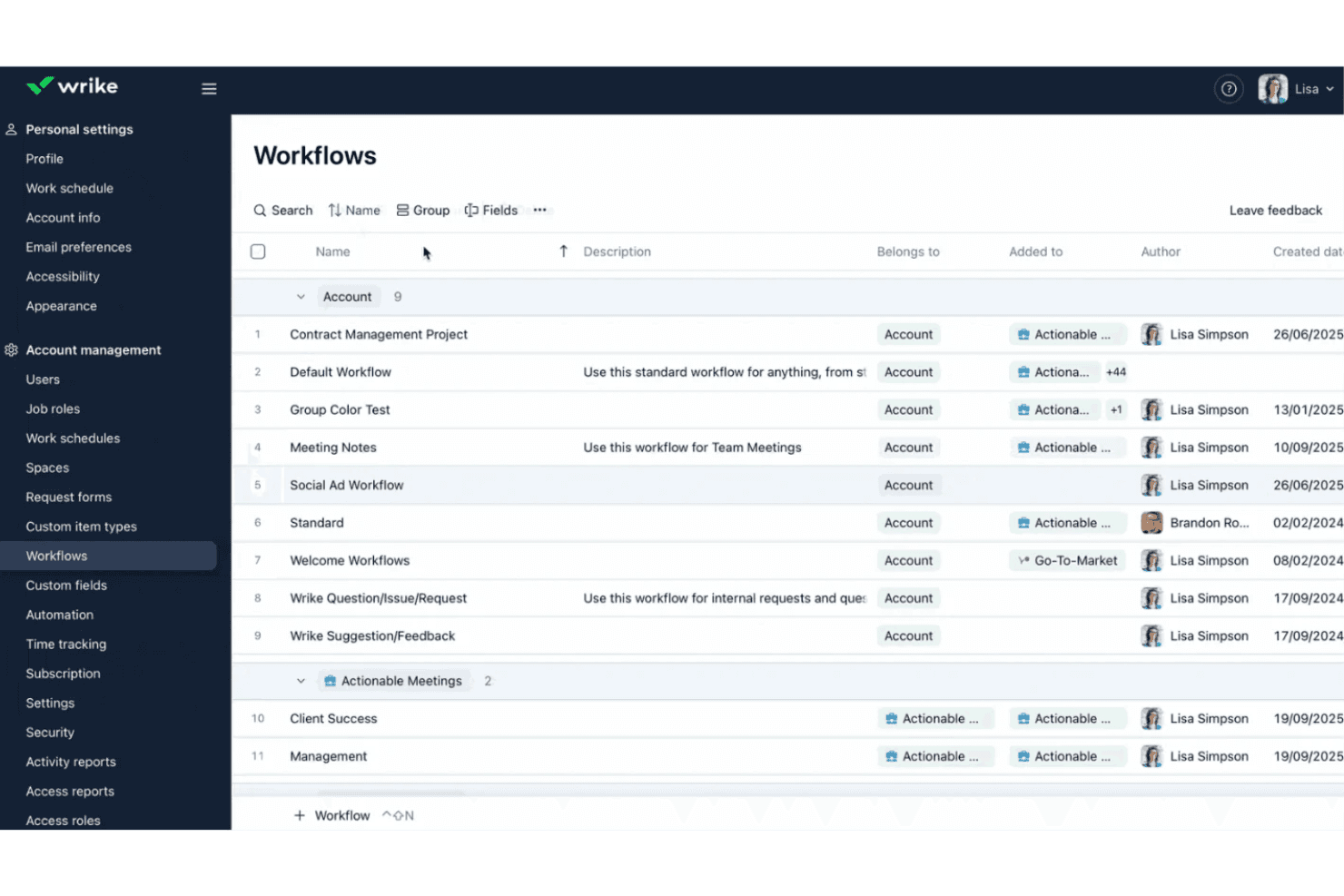
Wrike offers built-in markup and feedback tools for images, videos, and documents, allowing teams to review and approve creative assets without leaving the platform. This streamlines creative workflows and keeps all feedback organized in one place.
Blueprints for Project Templates
Wrike’s Blueprints let you create reusable templates for projects, tasks, or folders, including pre-set assignees, timelines, and dependencies. This feature accelerates project setup and ensures consistency across recurring work.
Ease of Use
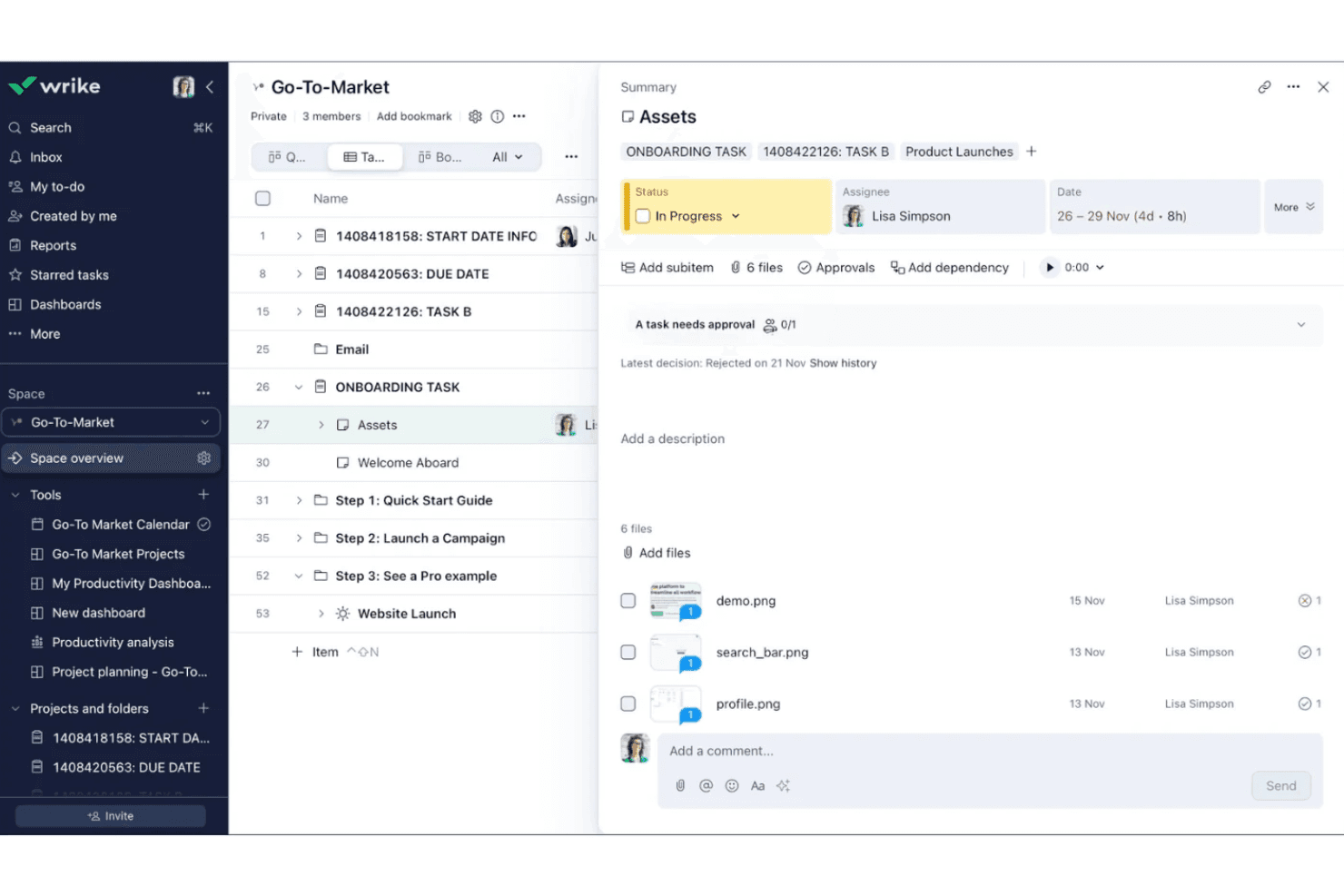
Wrike offers a modern, feature-rich interface, but its depth can feel overwhelming for new users or teams with simple needs. Many users appreciate the customization and flexibility, yet navigating advanced features like workflow automation and resource management often requires training. The platform’s onboarding guides and help resources are helpful, but teams with limited technical experience may find setup and daily use more complex than expected for basic project tracking.
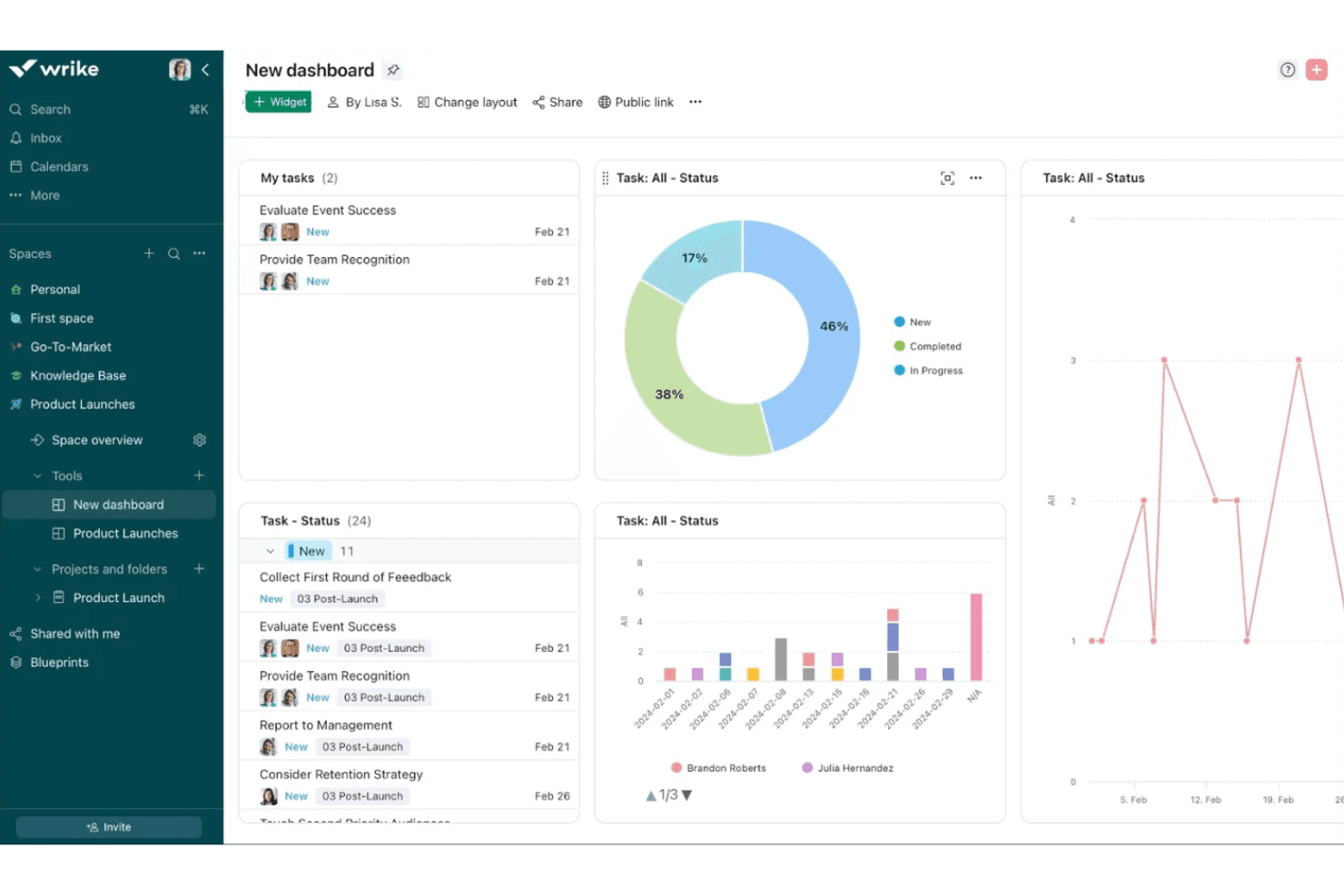
Onboarding
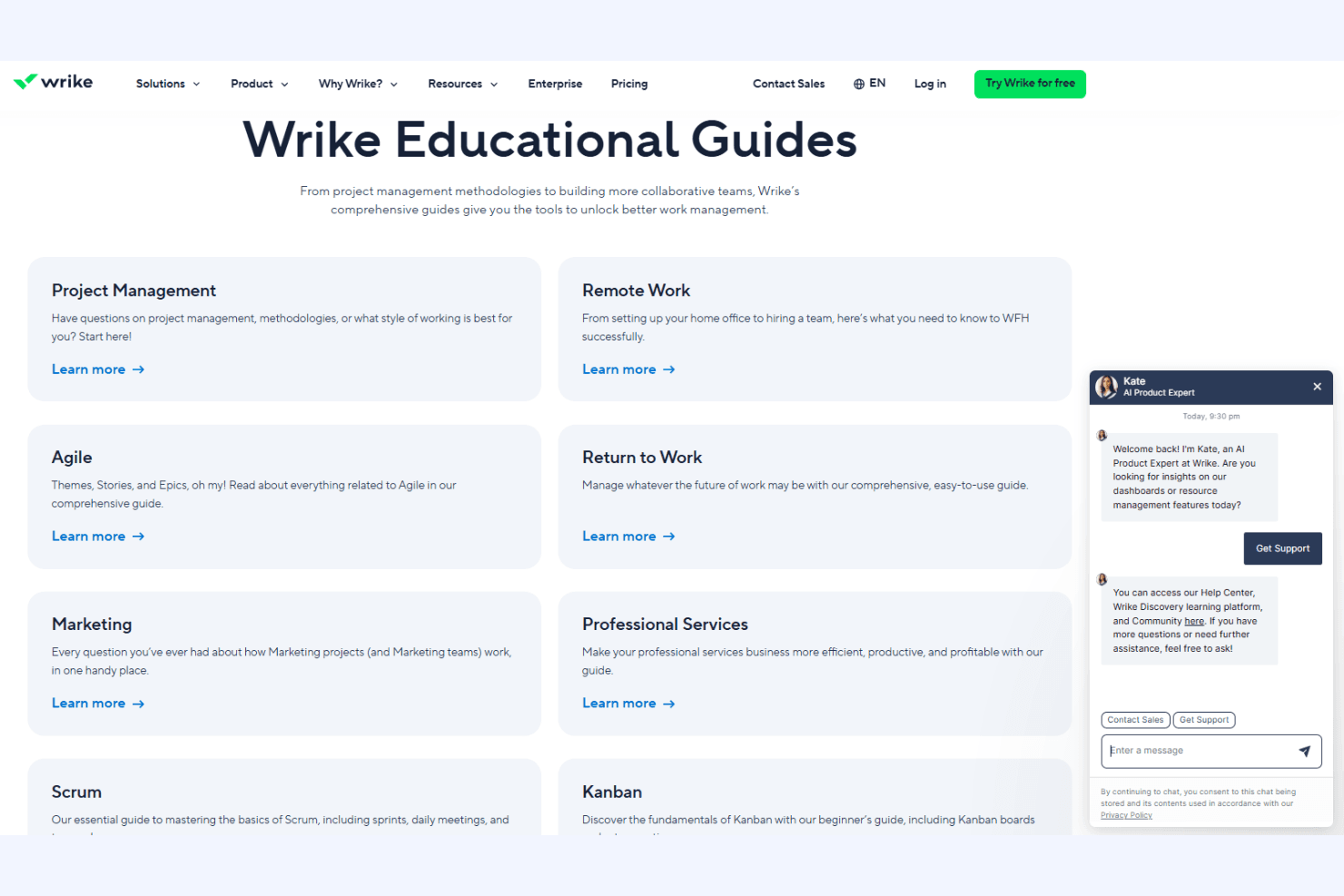
Wrike’s onboarding experience is thorough, offering interactive tutorials, a knowledge base, and live chat support to help new users get started. Many users note that initial setup can be time-consuming due to the platform’s depth, but the guided walkthroughs and onboarding checklists help teams configure workflows and permissions. Dedicated customer success resources are available for larger accounts, which can accelerate adoption and reduce confusion during the first weeks of use.
Customer Support
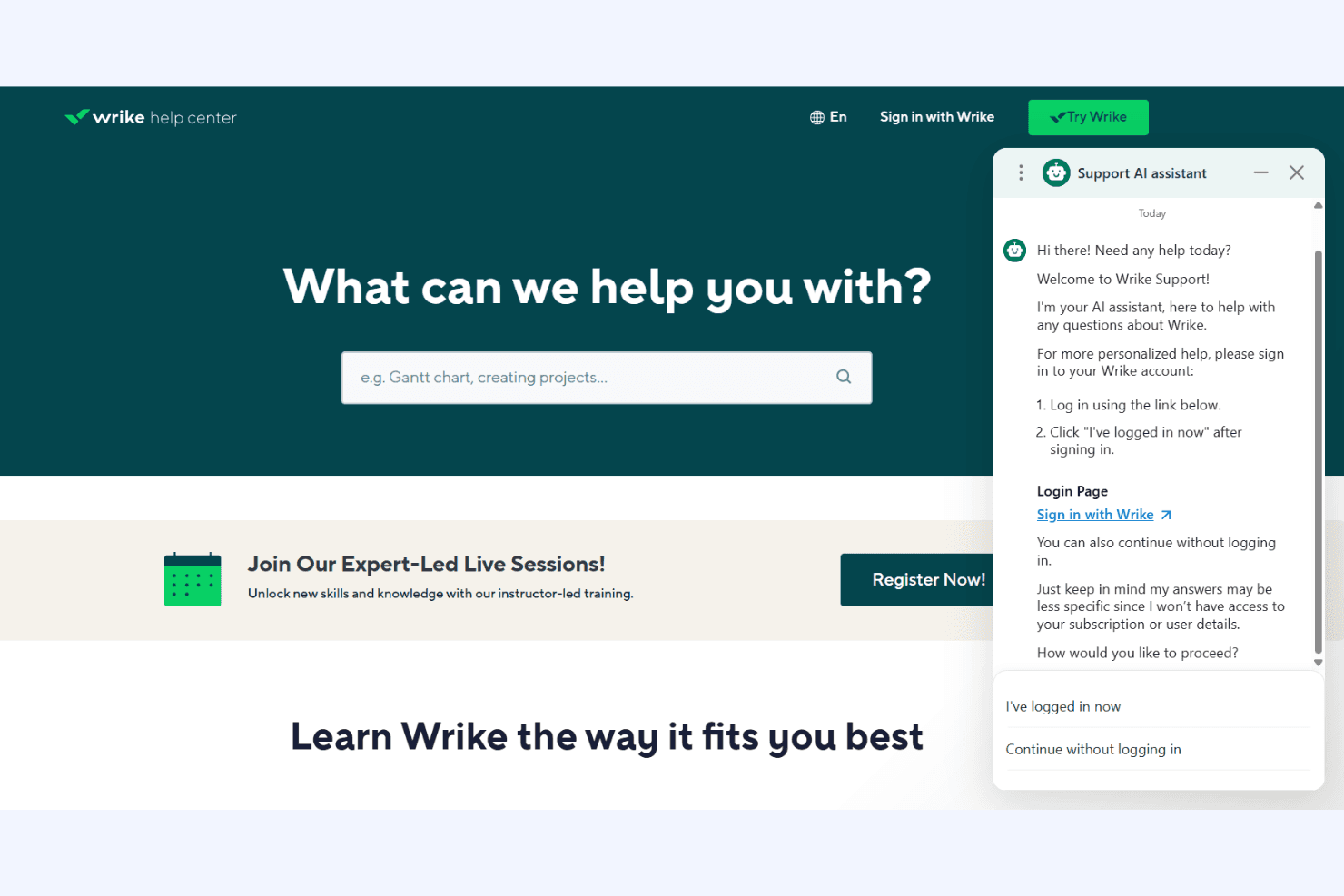
Wrike provides responsive customer support through live chat, email, and a detailed help center, with many users reporting quick and helpful responses. Premium support tiers offer faster response times and dedicated account managers for enterprise clients. The platform’s resource library, webinars, and community forums give users multiple ways to find answers and share best practices. However, some users mention delays during peak times or with complex technical issues.
Integrations
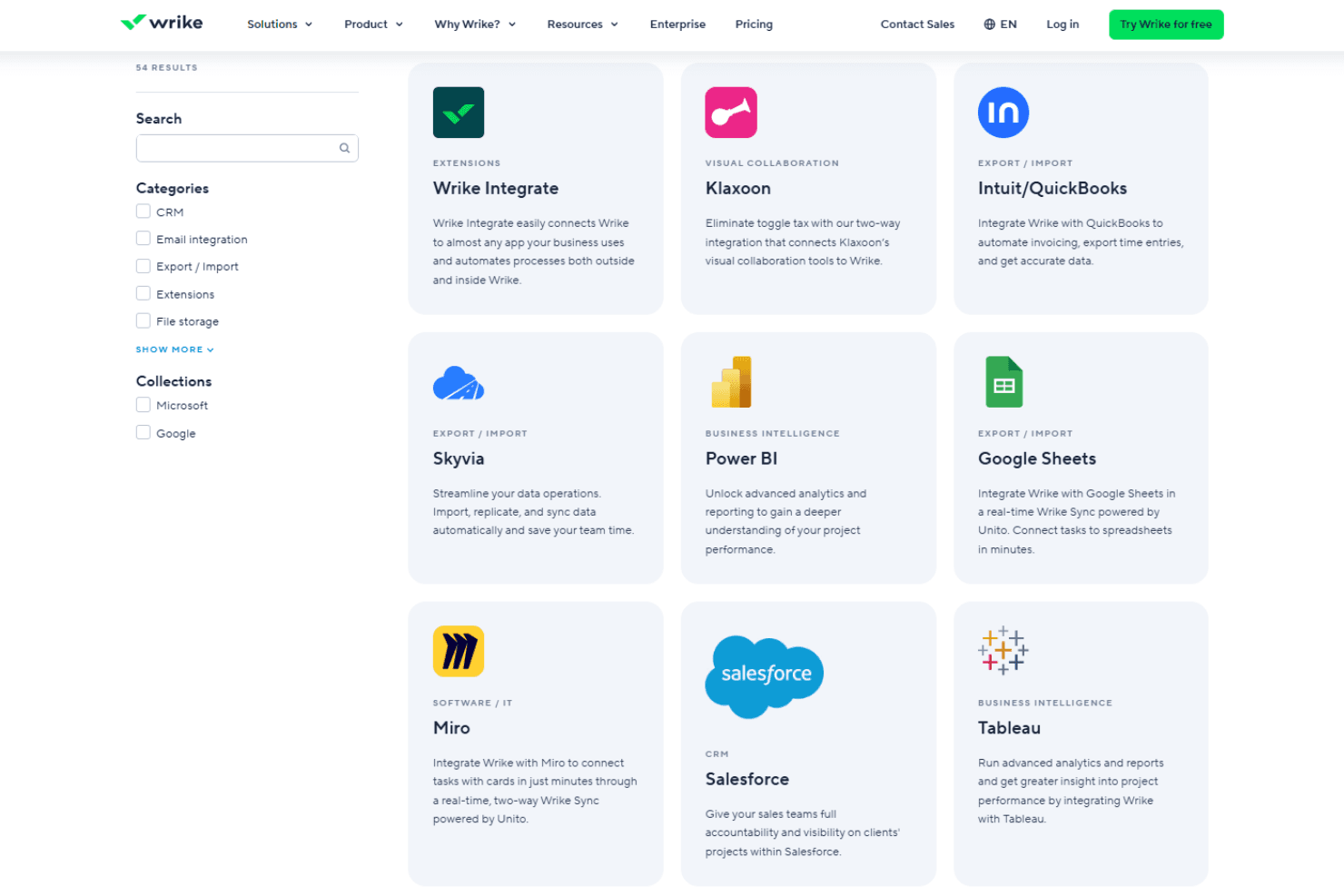
Wrike integrates with Microsoft Teams, Google Drive, Salesforce, Slack, Jira, Adobe Creative Cloud, Dropbox, Box, Outlook, and Zoom, among others.
Wrike also offers an open API and connects with third-party integration tools like Zapier for expanded connectivity.
Value for Money
Wrike’s pricing reflects its advanced feature set, with many users finding strong value in its customization, automation, and reporting tools—especially at higher tiers. However, smaller teams or those with basic needs may find the cost high for features they won’t use, and some advanced capabilities are only available on premium plans.
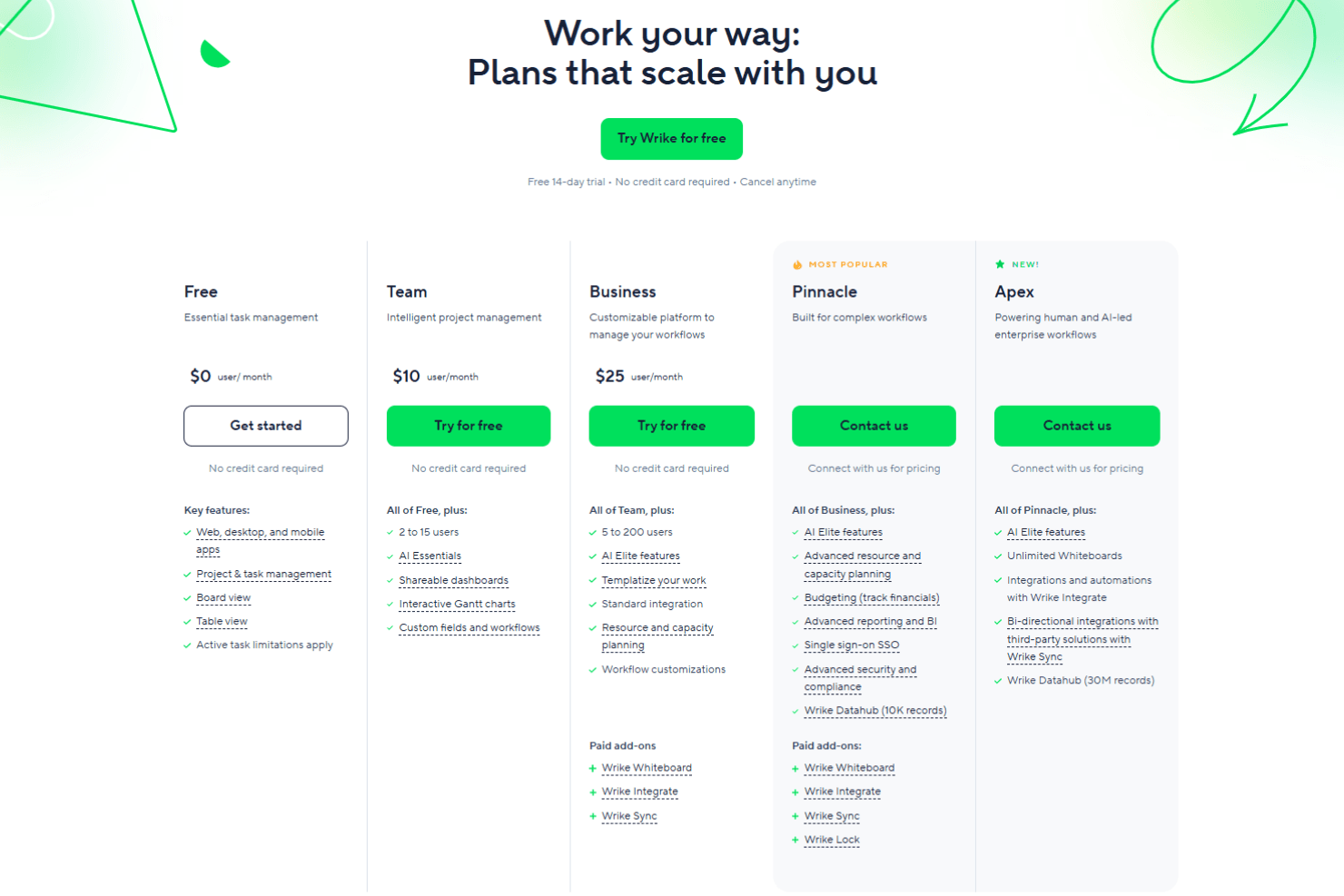
- Free: Basic task and project management for small teams.
- Team: Adds dashboards, interactive Gantt charts, and up to 25 users.
- Business: Includes custom workflows, advanced reporting, and resource management.
- Enterprise: Offers advanced security, permissions, and scalability for large organizations.
- Pinnacle: Adds advanced analytics, budgeting, and more granular controls beyond Enterprise.
- Apex: Adds enterprise AI workflows, advanced automation, and tools designed to power human- and AI-led operations at scale.
New Product Updates from Wrike
 Opens new window
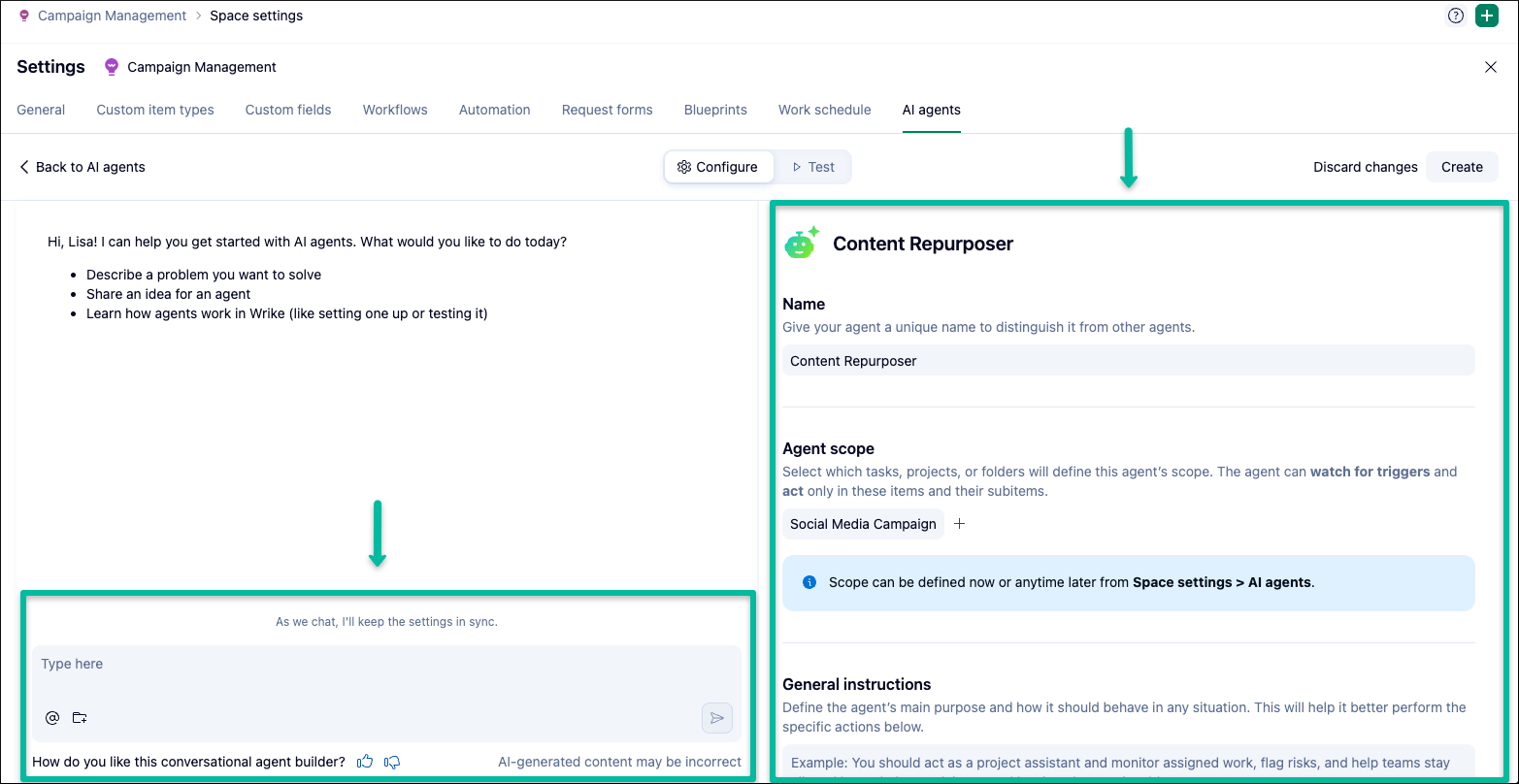
Wrike Redesigns AI Agent Builder
Wrike’s redesigned AI Agent Builder places the chat and form builders side by side with live syncing and separate Configure and Test stages. Users can also define Scopes, appoint agents during setup, configure triggers and actions in sentence-style language, and review action filters more clearly. Highlights include:
- Side-by-Side Builder: Configure agents using chat and structured settings in the same view.
- Live Sync: Keep changes synchronized across both builder panels in real time.
- Scopes: Define where an agent can operate, execute actions, or check for triggers.
- Agent Appointment: Assign agents to selected scopes directly during setup.
- Sentence-Style Rules: Configure triggers and actions using natural-language phrasing.
- Action Filters: Review active conditions more clearly before an agent runs.
- Configure and Test Stages: Switch between setup and testing without leaving the builder.
Visit Wrike’s official site for more details.
Wrike Adds Klaxoon MCP Integration
Wrike’s MCP integration with Klaxoon is now generally available, making it easier for teams and AI agents to work across task execution and collaborative whiteboarding. The release improves continuity of context and reduces friction when linking or updating Klaxoon boards from Wrike workflows. Highlights include:
- Cross-Tool Context: Let AI agents move between Wrike tasks and Klaxoon whiteboards without losing context.
- Whiteboard ID Access: Retrieve the ID of a Klaxoon board attached to a Wrike task.
- API Attachment Controls: Attach or detach Klaxoon whiteboards from Wrike tasks or projects programmatically.
- Task Context Access: Use Wrike task information alongside whiteboard content in AI workflows.
- Marketplace Availability: Access the integration through Claude and OpenAI marketplaces.
Visit Wrike’s official site for more details.
Wrike MCP Adds Intelligent Resource Allocation
Wrike MCP adds intelligent resource allocation to help teams staff work more effectively and with fewer bottlenecks. By recommending the right people earlier, it supports faster planning and more realistic commitments. Highlights include:
- Assignee Recommendations: Suggest team members for projects, folders, spaces, or tasks.
- Capacity Awareness: Consider current availability and flag potential overloads.
- Skills Matching: Match assignees to required skills and job roles.
- Candidate Filtering: Narrow recommendations by team or space.
- Workload Impact: Show how proposed assignments affect workload by day or week.
- Approval Before Assignment: Let users review recommendations before applying them.
Visit Wrike’s official site for more details.
 Opens new window
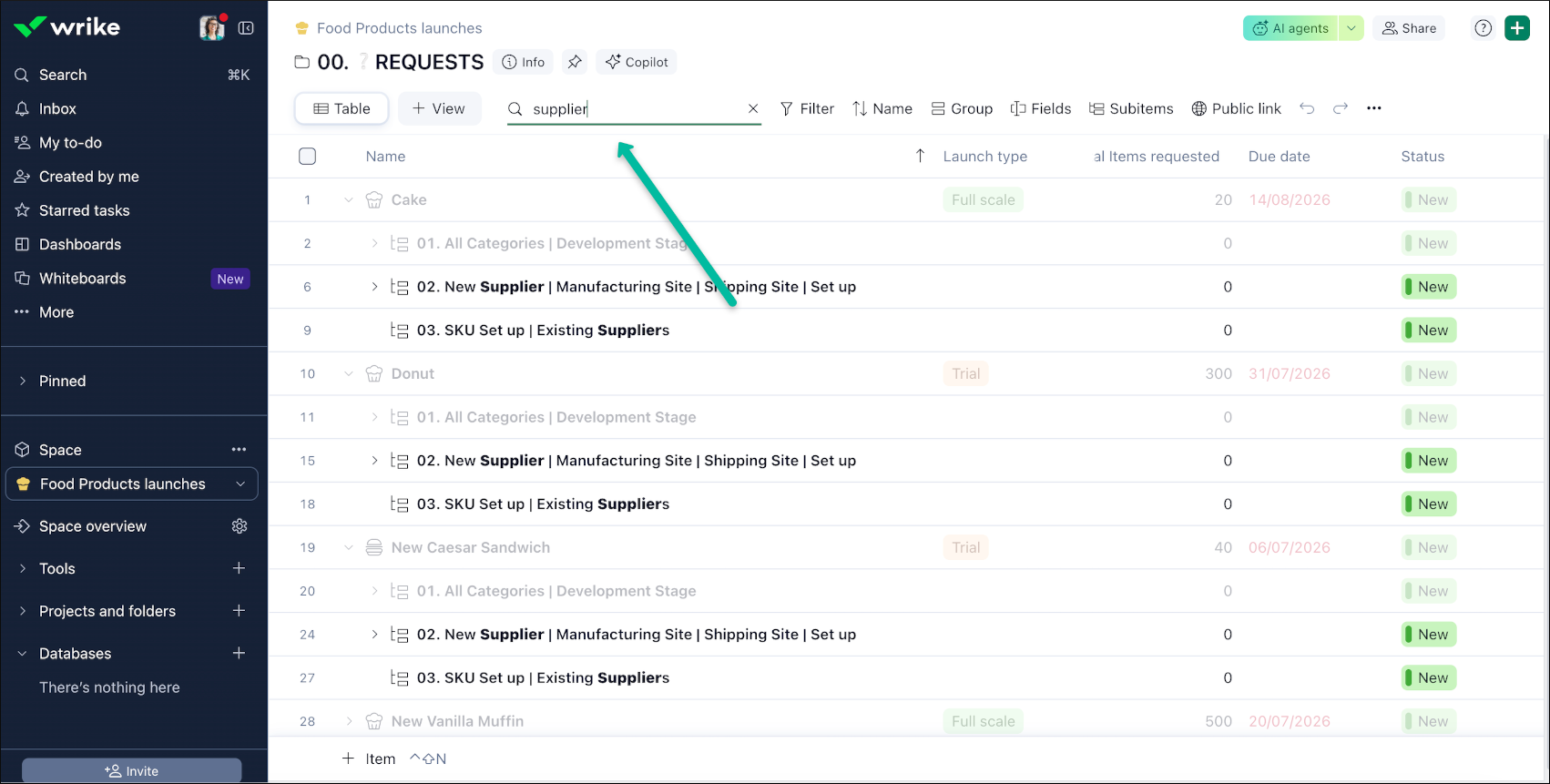
Wrike Adds Quick Search to Table View
Wrike’s Table View now includes Quick Search, making it easier to locate work items without manually scanning long tables. This improves navigation and speeds up everyday work by surfacing relevant results immediately, even in large datasets. Highlights include:
- Full-Table Search: Search across the entire Table View, including items not yet loaded.
- Multiple Fields: Find matches in task titles, descriptions, and other fields.
- Highlighted Matches: See matching keywords highlighted in item names for faster scanning.
Visit Wrike’s official site for more details.
 Opens new window
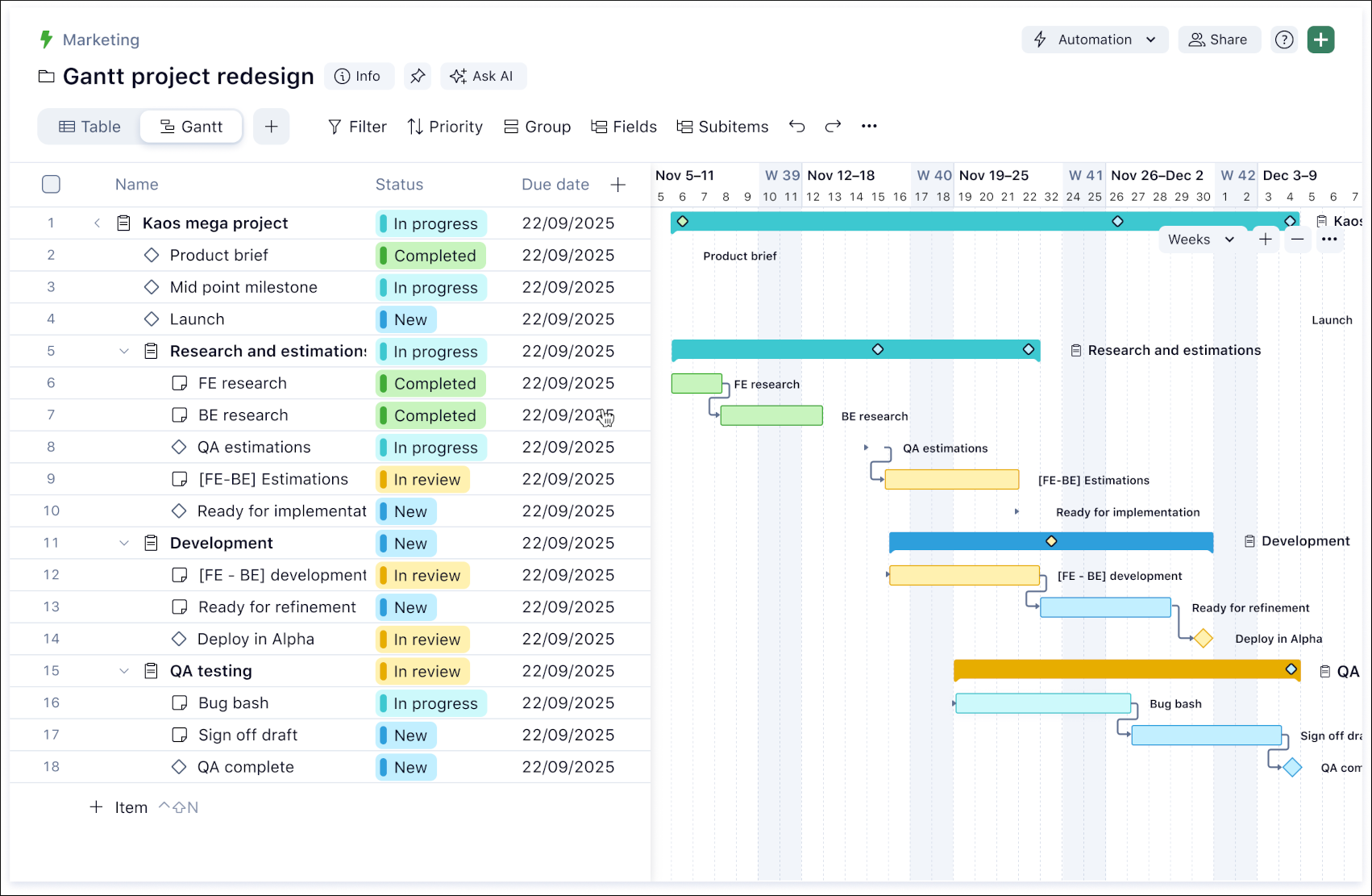
Wrike Adds Cross-Project Dependencies in Gantt
Wrike adds project-to-project dependencies, milestones on project bars, predecessor delay details, dependency notifications, and API access in Gantt. These updates give teams clearer visibility into how project changes affect broader programme and portfolio timelines. Highlights include:
- Cross-Project Dependencies: Link projects directly in Gantt or from the item view.
- Milestone Visibility: Show project milestones directly on Gantt project bars.
- Delay Details: See which predecessor project caused a conflict and the estimated delay.
- Dependency Notifications: Notify teams when a direct predecessor project changes status.
- API Access: Use project dependency data in integrations and custom reporting.
Visit Wrike’s official site for more details.
 Opens new window
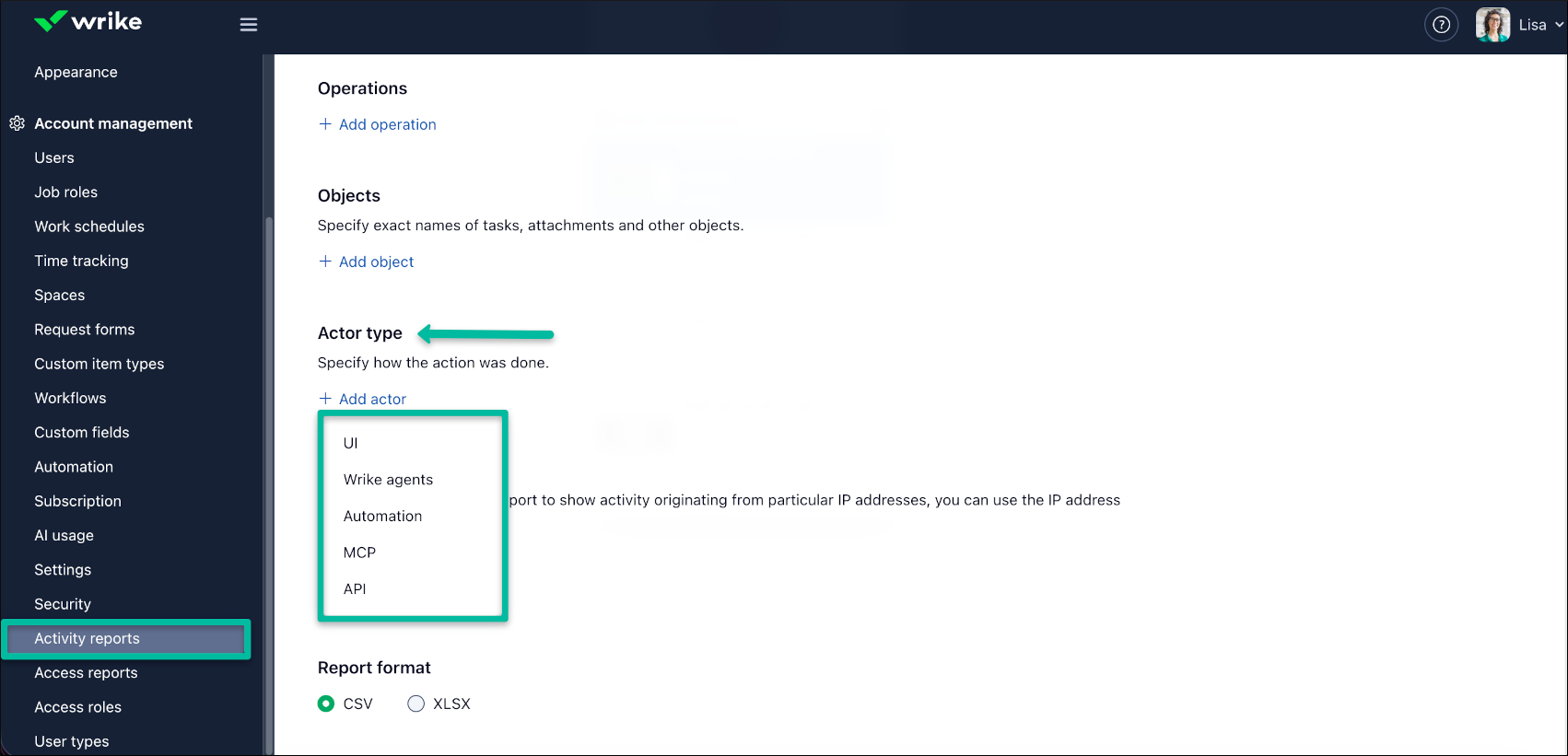
Wrike Activity Reports Add Actor Type Details
Wrike has enhanced Activity Reports to improve audit clarity and admin oversight. You can now see not just what changed, but the type of actor that made the change, making it easier to trace sources and validate governance. Highlights include:
- Actor Type: Identifies whether changes came from the UI, Automation, Wrike Agents, API, or MCP.
- App Name: Shows the application involved in a change when available.
- Client ID: Adds client identification details for applicable activity.
- Actor Type Filters: Lets admins filter reports by the source of changes.
- Audit Visibility: Helps teams distinguish human, automated, API, and AI-driven activity.
Visit Wrike’s official site for more details.
 Opens new window
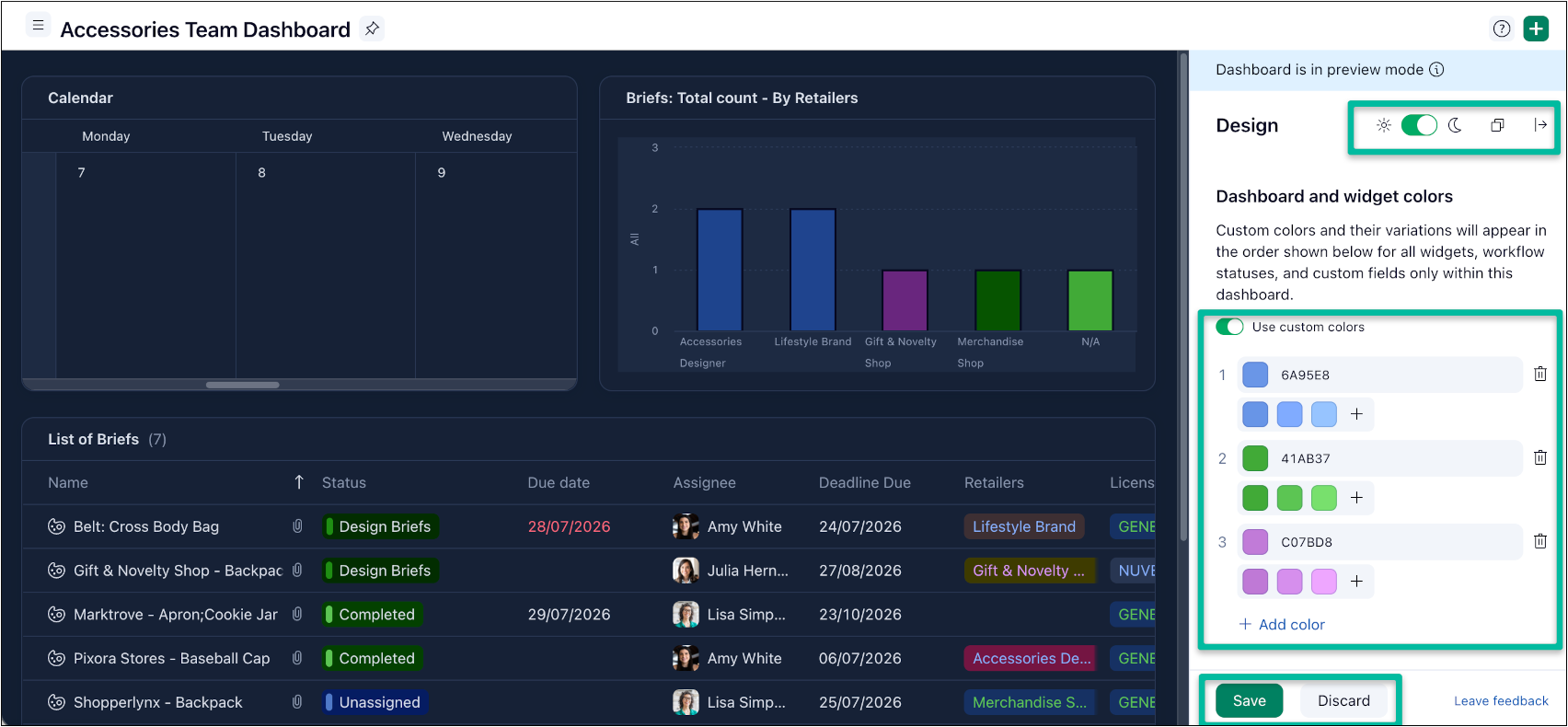
Wrike Adds Custom Color Palettes for Dashboards
Wrike has introduced Dashboards Color Customization to help teams make dashboards clearer and more consistent at a glance. You can create custom color palettes and reuse them across dashboard widgets to match your team’s terminology and visual standards. Highlights include:
- Custom Color Palettes: Lets users build color palettes for individual dashboards.
- Widget-Wide Styling: Applies palette colors across dashboard widgets, workflow statuses, and custom fields.
- Color Controls: Supports HEX codes, eyedropper selection, and reusable color presets.
- Design Preview: Lets users preview dashboard colors in light and dark mode before saving.
- Widget Reset: Allows individual widgets to revert to default colors without changing the full dashboard.
- Dashboard-Level Scope: Keeps customization limited to the selected dashboard without changing account-wide colors.
Visit Wrike’s official site for more details.
 Opens new window
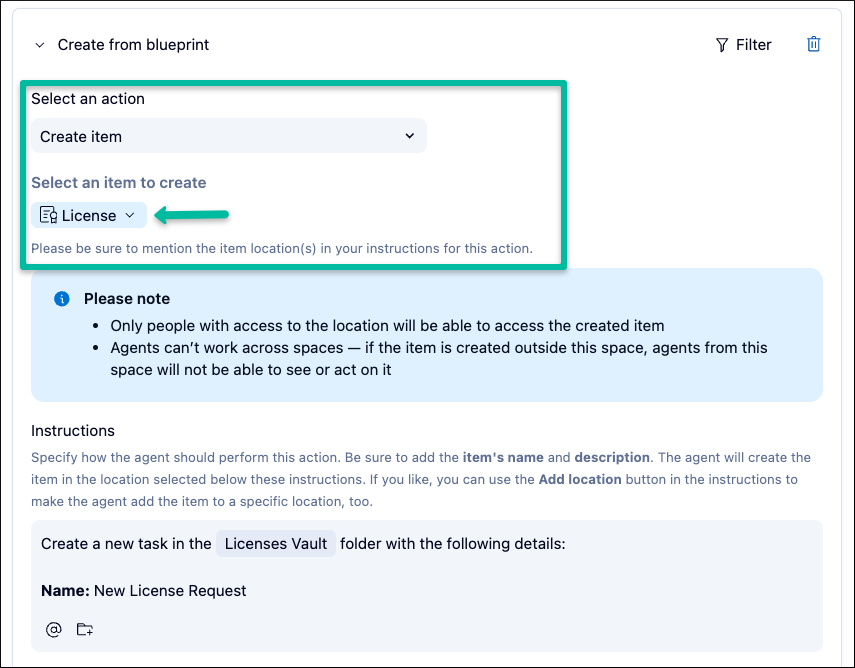
Wrike AI Agents Create Full Blueprints and Formatted Items
Wrike AI Agents can create complete blueprint structures in one step and generate formatted descriptions with headings, lists, checkboxes, bold text, and highlights. These updates reduce manual setup for standardized workflows. Highlights include:
- Blueprint Creation: Creates parent items and subtasks from a selected blueprint in one step.
- Standardized Workflows: Launches predefined project structures automatically when triggered.
- Rich Descriptions: Generates formatted content with headings, bullets, checkboxes, bold text, and highlights.
- Formatting Preservation: Keeps rich formatting in execution logs and the testing playground.
Visit Wrike’s official site for more details.
 Opens new window
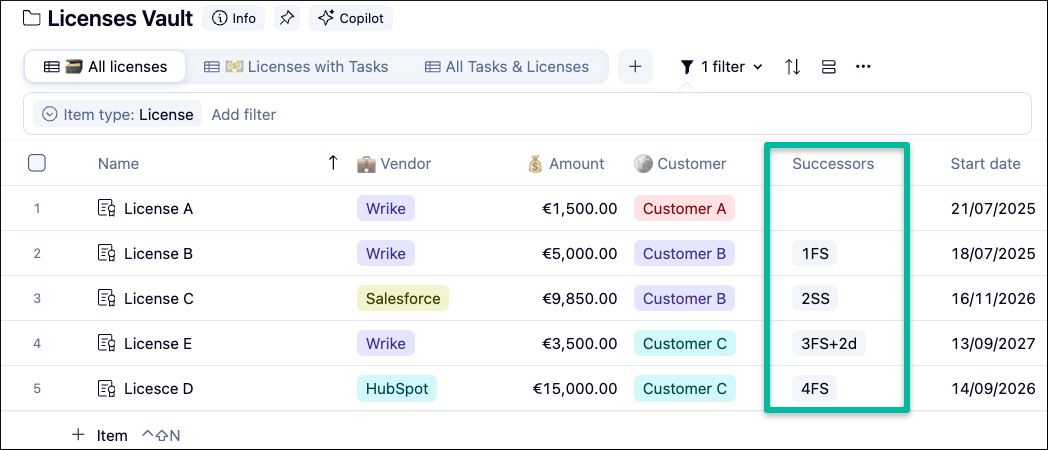
Wrike Adds Successors Column for Task Dependencies
Wrike adds a Successors column to Table and Gantt views with direct dependency editing and bi-directional syncing with Predecessors. This gives teams a clearer way to manage downstream task relationships. Highlights include:
- Successors Column: Shows which downstream tasks depend on the current task.
- Direct Editing: Lets users add or edit dependencies using row numbers, dependency types, and lag duration.
- Bi-Directional Sync: Updates the Predecessors column automatically when successor relationships change.
- Table and Gantt Support: Makes the column available in both Table view and the Gantt chart table.
Visit Wrike’s official site for more details.
 Opens new window
Wrike Adds Reference Lines and Custom Field Calculation Controls
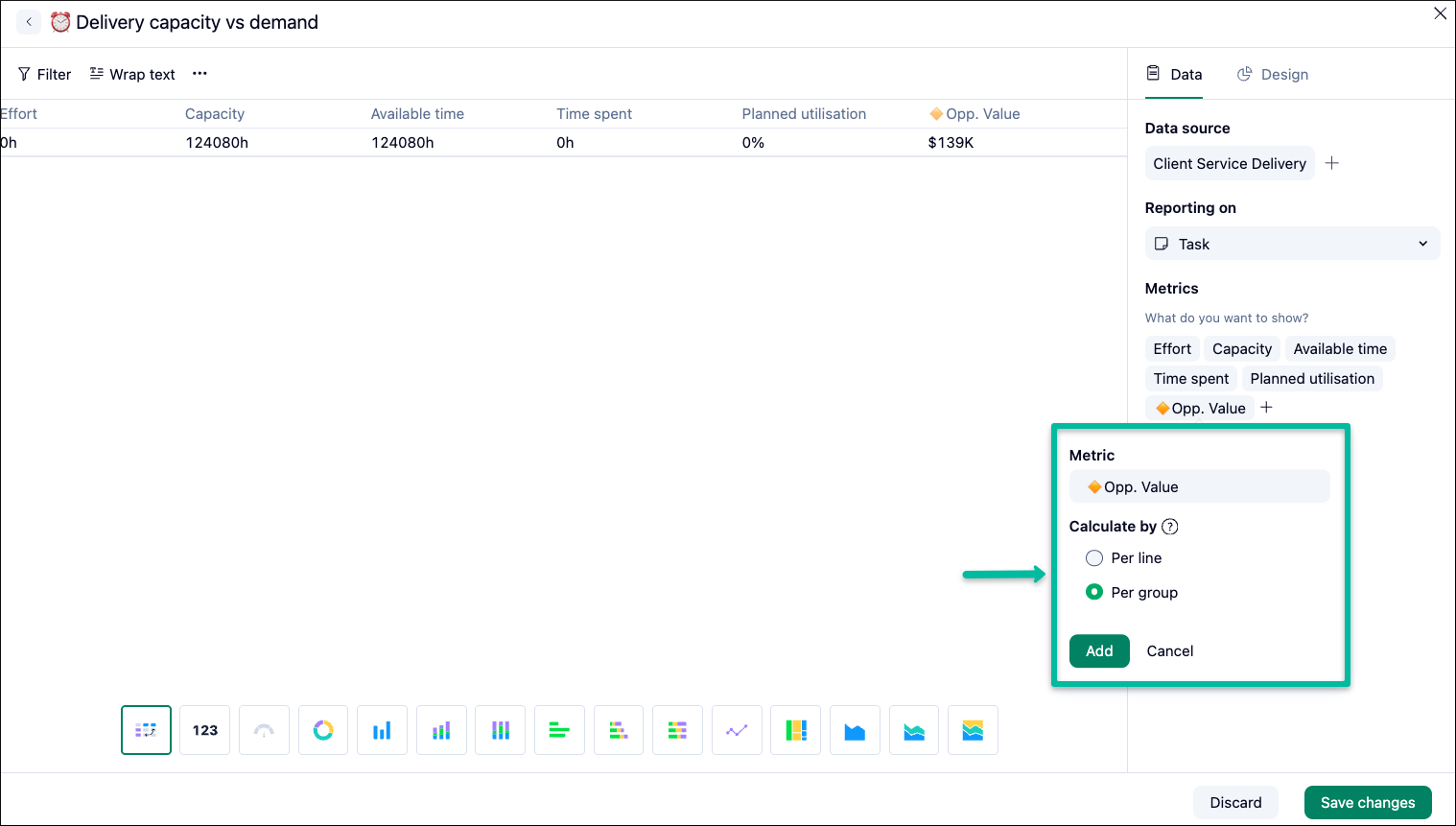
Wrike lets users add reference lines to column, bar, line, and area charts, while calculated custom fields can now be computed per line or per group. These updates give teams more control over how targets, thresholds, and formula-based metrics appear in dashboards. Highlights include:
- Reference Lines: Adds target, threshold, or benchmark lines to supported Dashboard charts.
- Custom Labels: Lets users customize reference line labels and colors.
- Per-Line Calculations: Applies calculated field formulas to each row before summarizing results.
- Per-Group Calculations: Applies formulas after grouped values are totaled for metrics such as ROI.
Visit Wrike’s official site for more details.
Wrike Specs
- API: Yes
- Batch Permissions & Access: Yes
- Budgeting: Yes
- Calendar Management: Yes
- Collaboration Support: Yes
- Contact Management: Yes
- Contact Sharing: No
- Customer Management: No
- Dashboard: Yes
- Dashboards: Yes
- Data Export: Yes
- Data Import: Yes
- Data Visualization: Yes
- Dependency Tracking: Yes
- Document Sharing: Yes
- Expense Tracking: Yes
- External Integrations: Yes
- File Sharing: Yes
- Gantt Charts: Yes
- Kanban Boards: Yes
- Multi-User: Yes
- Notifications: Yes
- Project Management: Yes
- Resource Management: Yes
- Scheduling: Yes
- Task Scheduling/Tracking: Yes
- Third-Party Plugins/Add-Ons: Yes
- Time Management: Yes
- Travel Management: No
- Workflow Management: Yes
Wrike FAQs
Wrike Company Overview & History
Wrike is a project management and collaboration software company that offers cloud-based solutions for teams and organizations to manage projects, tasks, and workflows. Headquartered in San Jose, California, Wrike has offices in Dublin, Melbourne, and Tokyo, with over 1,000 employees worldwide.
Launched in 2006, Wrike's flagship product includes features like Gantt charts, time tracking, custom dashboards, proofing and approval, and integrations with over 400 other apps. Notable clients include Google, Dell, Airbnb, Snowflake, Siemens, Okta, and Nickelodeon.
Wrike Major Milestones
- 2006**:** Andrew Filev founded Wrike
- 2007**:** Wrike project management software officially launched
- 2013**:** Released new version with redesigned interface and proofing/approval features
- 2015**:** Raised $26 million in Series B funding
- 2016**:** Opened EMEA headquarters in Dublin
- 2022**:** Reached $1 billion valuation and 20,000 customers worldwide
- 2025: Named a Leader in the Gartner Magic Quadrant for Collaborative Work Management for the third time.