

Trello-beoordeling: voordelen, nadelen, functies en prijzen uitgelegd
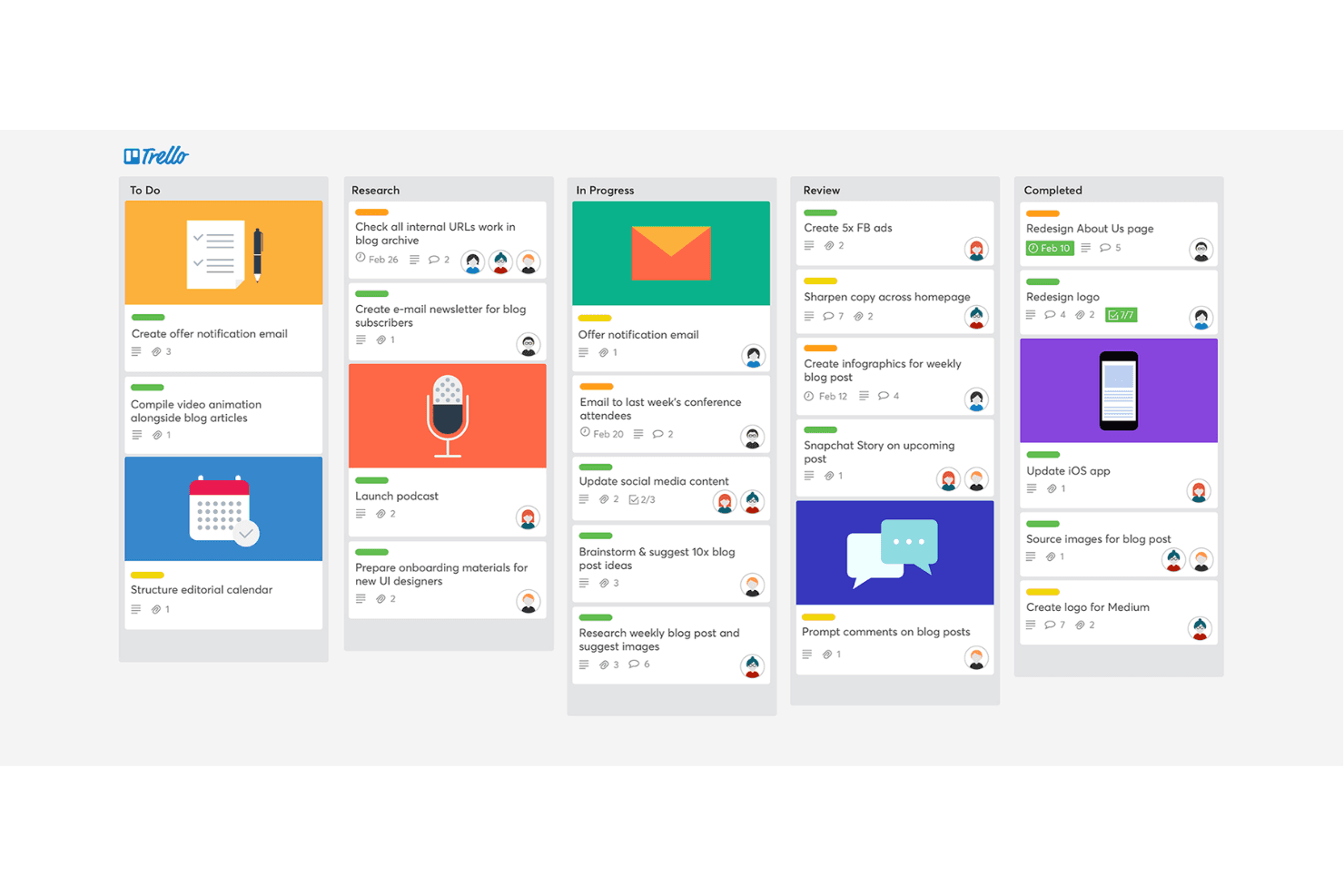
Trello onderscheidt zich door zijn visuele eenvoud en flexibiliteit, waardoor het ideaal is voor teams die op zoek zijn naar een intuïtieve tool voor projectbeheer.

We review tools independently, and commissions help fund our testing. See our transparency policy, our methodology, or suggest a tool.
Trello is a simple yet flexible project management platform built around the visual workflows of kanban tools. I'd look at Trello when you want an easy way for your team to organize tasks, keep track of work-in-progress, and see progress at a glance—without a steep learning curve. Compared with Asana, Trello gives you a faster setup and a more intuitive drag-and-drop board that makes it easier to get your team collaborating right away.
Trello Evaluation Summary
4.5/5
- From $5/user/month (billed annually)
- 14-day free trial
Waarom u onze softwareaanbevelingen kunt vertrouwen
6,700+
Reviews
20
Industry experts
16+
Evaluation factors
14
Years
Ons team test en beoordeelt software sinds 2012. Als productmanagers weten we zelf hoe moeilijk — en belangrijk — het is om de juiste software te kiezen.
Voor deze gids hebben we tools geëvalueerd met behulp van praktijktests en onafhankelijk onderzoek, waarbij we tools beoordeelden aan de hand van onze selectiecriteria.
Onze reviews weerspiegelen ons menselijke redactionele oordeel, geen verkooppraatje.
- Andrew LumbySenior TPM
- Cristiano ValimSenior UI/UX Lead
Trello Overview
When judging Trello as a kanban board tool, its drag-and-drop interface, and easy onboarding set it apart for teams new to project management. Trello’s pricing is accessible, and its integration options cover most common SaaS tools. However, it underperforms for users needing advanced reporting or complex workflow automation. If you’re selecting a tool for straightforward task tracking functionalities, collaborative planning, or project management, Trello is a top contender. For example, marketing teams and small product squads often find its simplicity and flexibility ideal, while larger organizations may need more depth.
Pros
- Kanban-based workflow makes project status visually clear.
- Power-Ups add automation and advanced features to boards.
- Mobile app syncs reliably with web and desktop versions.
Cons
- No built-in time tracking or workload management tools.
- Board limits and automation caps on free and lower tiers.
- Limited reporting and analytics for tracking project performance.
Is Trello Right For Your Needs?
Who Would be a Good Fit for Trello?
Trello is a strong choice for teams and organizations that value visual project tracking, need flexible workflows, and want a tool that’s easy to adopt. Its kanban-style boards, card system, and Power-Ups make it especially useful for creative, collaborative, and fast-moving environments. Trello works best for groups that don’t require deep analytics or complex process automation but need to organize tasks, share updates, and keep everyone aligned.
- Marketing TeamsTrello’s visual boards help manage campaigns, content calendars, and creative assets.
- Small StartupsStartups benefit from Trello’s low cost and quick setup for project tracking.
- FreelancersFreelancers use Trello to organize client projects and deadlines in one place.
- Education DepartmentsTeachers and administrators track assignments, lesson plans, and events easily.
- Product DesignDesign teams use cards to manage feedback, iterations, and design assets.
- Nonprofit OrganizationsNonprofits coordinate volunteers, events, and fundraising tasks with simple boards.
Who Would be a Bad Fit for Trello?
Trello is less effective for organizations that need advanced reporting, strict process controls, or highly specialized project management features. Teams with complex workflows, regulatory requirements, or large-scale resource planning may find Trello’s feature set limiting. If your work depends on granular analytics, built-in time tracking, or enterprise-level automation, Trello may not meet your needs.
- Enterprise ITIT departments need advanced workflow automation and audit trails not found in Trello.
- Large EnterprisesLarge companies often require resource management and reporting beyond Trello’s scope.
- Finance TeamsFinance teams need granular permissions and compliance features Trello lacks.
- Manufacturing OperationsManufacturing requires Gantt charts and capacity planning not available in Trello.
- Legal DepartmentsLegal teams need document management and approval workflows Trello doesn’t offer.
- Healthcare ProvidersHealthcare organizations require HIPAA compliance and secure data handling not supported by Trello.
How We Test & Score Tools
We’ve spent years building, refining, and improving our software testing and scoring system. The rubric is designed to capture the nuances of software selection and what makes a tool effective, focusing on critical aspects of the decision-making process.
Below, you can see exactly how our testing and scoring works across seven criteria. It allows us to provide an unbiased evaluation of the software based on core functionality, standout features, ease of use, onboarding, customer support, integrations, customer reviews, and value for money.
Core Functionality (25% of final scoring)
The starting point of our evaluation is always the core functionality of the tool. Does it have the basic features and functions that a user would expect to see? Are any of those core features locked to higher-tiered pricing plans? At its core, we expect a tool to stand up against the baseline capabilities of its competitors.
Standout Features (25% of final scoring)
Next, we evaluate uncommon standout features that go above and beyond the core functionality typically found in tools of its kind. A high score reflects specialized or unique features that make the product faster, more efficient, or offer additional value to the user.
We also evaluate how easy it is to integrate with other tools typically found in the tech stack to expand the functionality and utility of the software. Tools offering plentiful native integrations, 3rd party connections, and API access to build custom integrations score best.
Ease of Use (10% of final scoring)
We consider how quick and easy it is to execute the tasks defined in the core functionality using the tool. High scoring software is well designed, intuitive to use, offers mobile apps, provides templates, and makes relatively complex tasks seem simple.
Onboarding (10% of final scoring)
We know how important rapid team adoption is for a new platform, so we evaluate how easy it is to learn and use a tool with minimal training. We evaluate how quickly a team member can get set up and start using the tool with no experience. High scoring solutions indicate little or no support is required.
Customer Support (10% of final scoring)
We review how quick and easy it is to get unstuck and find help by phone, live chat, or knowledge base. Tools and companies that provide real-time support score best, while chatbots score worst.
Customer Reviews (10% of final scoring)
Beyond our own testing and evaluation, we consider the net promoter score from current and past customers. We review their likelihood, given the option, to choose the tool again for the core functionality. A high scoring software reflects a high net promoter score from current or past customers.
Value for Money (10% of final scoring)
Lastly, in consideration of all the other criteria, we review the average price of entry level plans against the core features and consider the value of the other evaluation criteria. Software that delivers more, for less, will score higher.
Core Features
Kanban Boards
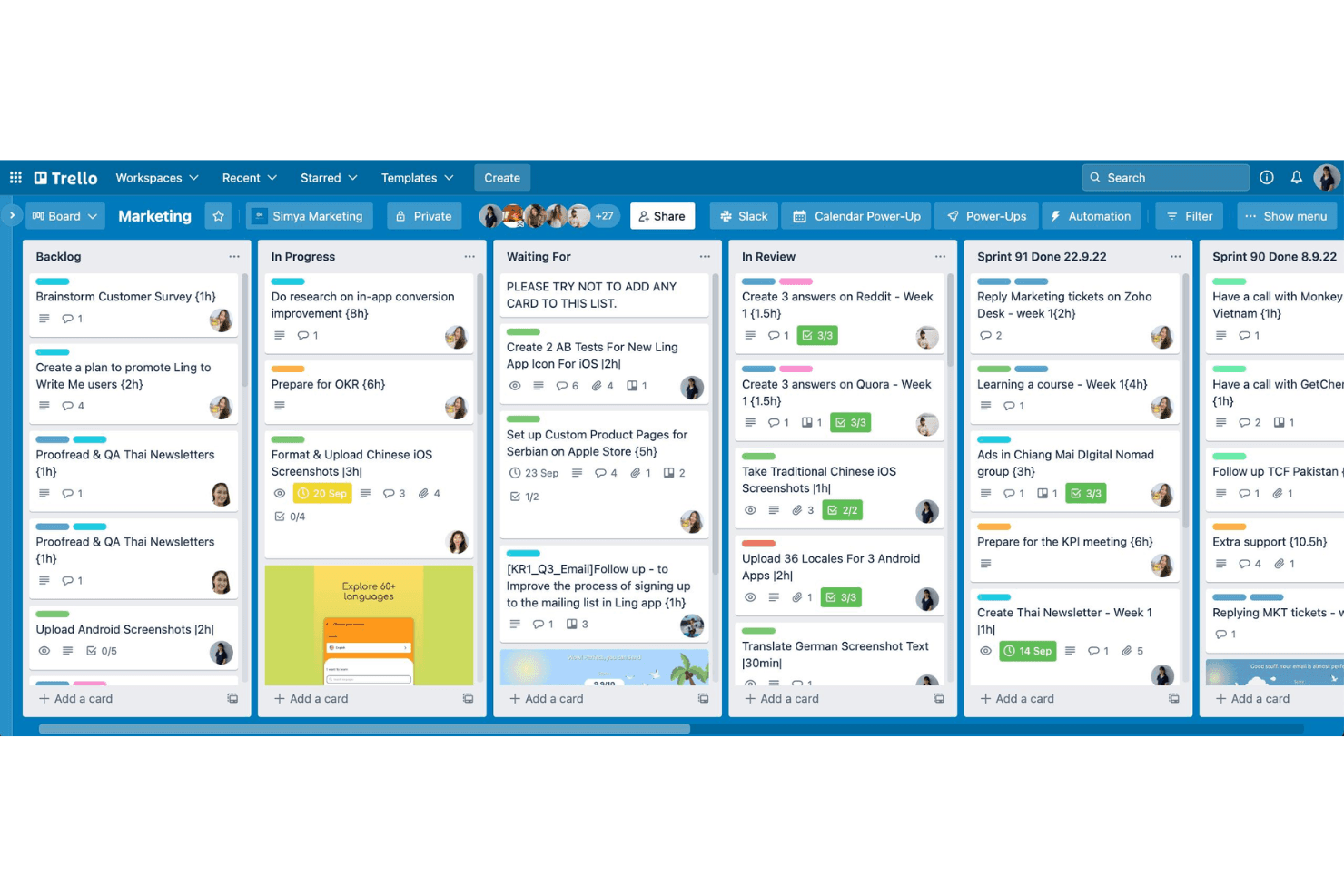
Organize projects visually with drag-and-drop cards on customizable boards. Each board represents a workflow, making task progress easy to track.
Cards and Lists
Break down projects into lists and cards for granular task management. Add checklists, attachments, and comments directly to each card.
Power-Ups
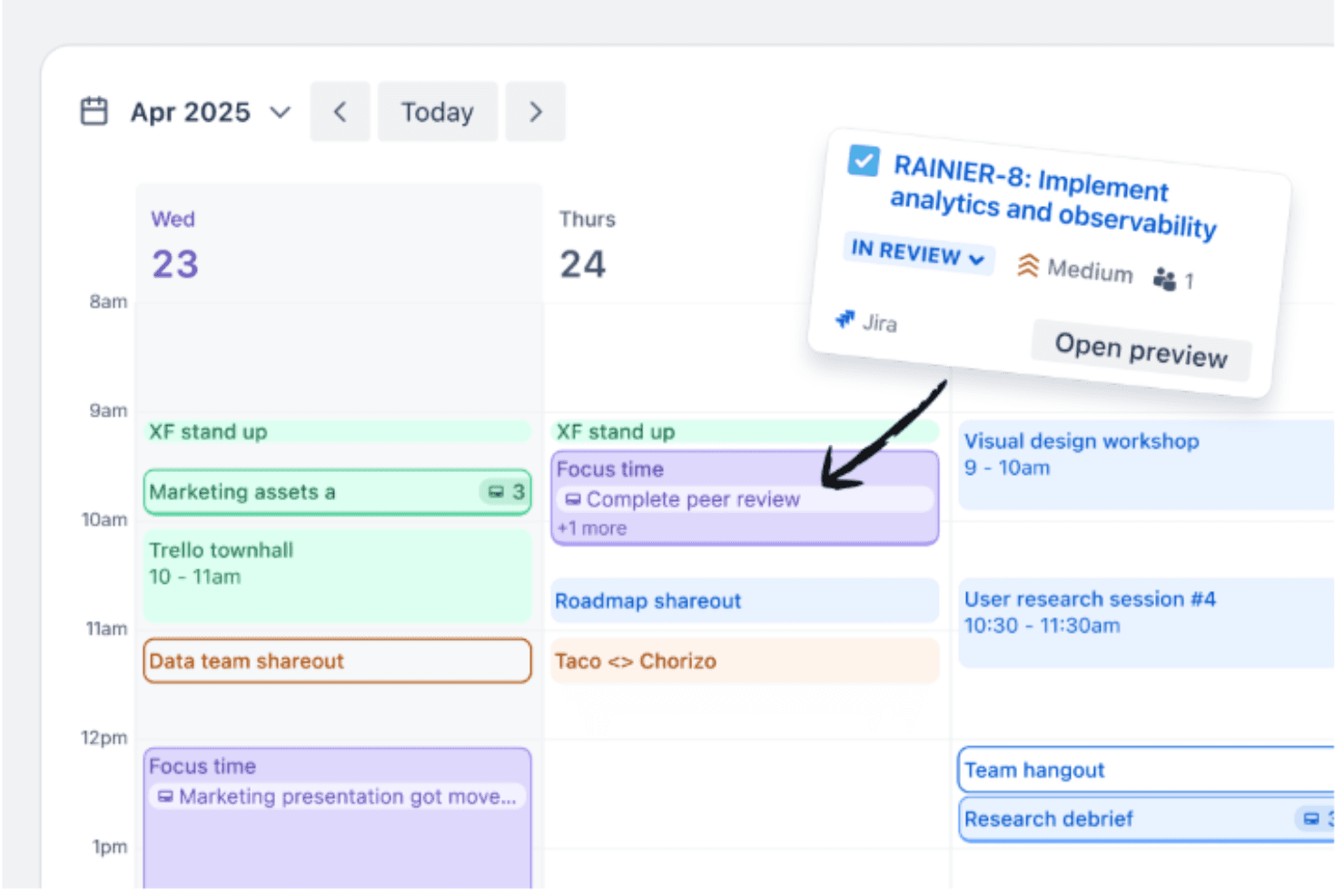
Enhance boards with add-ons for automation, calendar views, voting, and more. Power-Ups let you tailor Trello to specific project needs.
Butler Automation
Automate repetitive actions like moving cards or sending reminders with rule-based triggers. Butler helps reduce manual work and keeps boards updated.
Templates Library
Start quickly with pre-built templates for marketing, product launches, and team planning. Templates save setup time and provide proven workflows.
Mobile App
Access and update boards from iOS and Android devices. The app syncs in real time, so teams stay connected on the go.
Ease of Use
Trello is widely recognized for its intuitive, drag-and-drop interface and minimal setup requirements, making it accessible even for first-time users. The visual layout of boards and cards allows teams to organize work quickly without training. Users often highlight how easy it is to customize workflows and onboard new team members. While it may lack advanced features, Trello’s straightforward design keeps project management simple and approachable for most teams.
Integrations
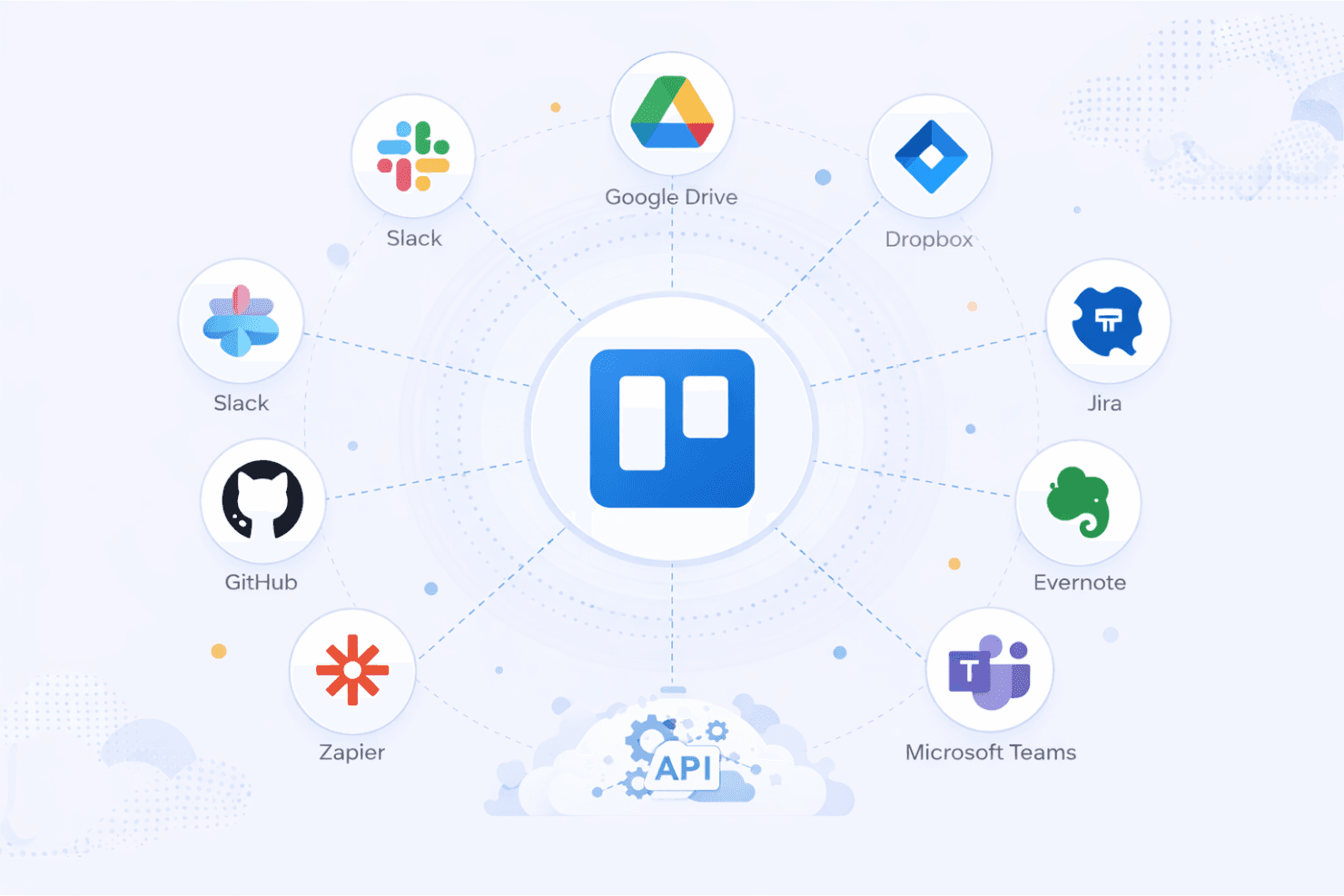
Trello integrates with Slack, Google Drive, Dropbox, Jira, Microsoft Teams, Evernote, Salesforce, GitHub, Zapier, and Confluence, among others.
Trello also offers a public API and connects with third-party integration tools for expanded automation and connectivity.
Trello Specs
- API: Yes
- Batch Permissions & Access: No
- Budgeting: Yes
- Calendar Management: Yes
- Collaboration Support: No
- Contact Management: No
- Contact Sharing: No
- Customer Management: No
- Dashboard: Yes
- Dashboards: Yes
- Data Export: Yes
- Data Import: Yes
- Data Visualization: Yes
- Dependency Tracking: Yes
- Document Sharing: Yes
- Expense Tracking: No
- External Integrations: Yes
- File Sharing: Yes
- Gantt Charts: Yes
- Kanban Boards: Yes
- Multi-User: Yes
- Notifications: Yes
- Project Management: Yes
- Resource Management: No
- Scheduling: Yes
- Task Scheduling/Tracking: Yes
- Third-Party Plugins/Add-Ons: Yes
- Time Management: Yes
- Travel Management: No
- Workflow Management: Yes


