

Beoordeling van Confluence: voordelen, nadelen, functies en prijzen
Confluence blinkt uit als een samenwerkingsomgeving voor documentatie en het delen van kennis. Het is ideaal voor teams die transparantie en integratie prioriteren.

We review tools independently, and commissions help fund our testing. See our transparency policy, our methodology, or suggest a tool.
Confluence is a product management tool built around team documentation and wiki-style knowledge sharing. It's worth considering if your product team needs a central place to write specs, capture decisions, and organize product knowledge. If you're weighing it against Notion, Confluence wins for teams already in the Atlassian ecosystem. Its native Jira integration connects pages directly to epics, issues, and sprints in ways Notion simply can't match.
Confluence Evaluation Summary

4.1/5
- From $5.42/user/month
- Free trial + free plan available
Waarom u onze softwareaanbevelingen kunt vertrouwen
6,700+
Reviews
20
Industry experts
16+
Evaluation factors
14
Years
Ons team test en beoordeelt software sinds 2012. Als productmanagers weten we zelf hoe moeilijk — en belangrijk — het is om de juiste software te kiezen.
Voor deze gids hebben we tools geëvalueerd met behulp van praktijktests en onafhankelijk onderzoek, waarbij we tools beoordeelden aan de hand van onze selectiecriteria.
Onze reviews weerspiegelen ons menselijke redactionele oordeel, geen verkooppraatje.
- Andrew LumbySenior TPM
- Cristiano ValimSenior UI/UX Lead
Confluence Overview
When judging Confluence as a product management tool, its strengths are clear: flexible documentation, intuitive interface, and seamless integration with popular development and collaboration platforms. Pricing is competitive for growing teams, and onboarding is straightforward with extensive support resources.
However, it underperforms for teams needing built-in task tracking or advanced workflow automation. If you’re selecting a tool for knowledge management, cross-team documentation, or project wikis, Confluence stands out compared to more rigid or task-focused alternatives.
Pros
- AI-powered search quickly surfaces relevant project information
- Real-time collaborative editing for distributed teams
- Rich templates for product requirements and documentation
Cons
- Navigation can become complex in large workspaces
- Limited workflow automation for product development processes
- No built-in task or issue tracking features
Is Confluence Right For Your Needs?
Who Would be a Good Fit for Confluence?
Confluence is best suited for organizations that prioritize documentation, knowledge sharing, and cross-functional collaboration. Teams in industries with complex processes or heavy compliance needs benefit from its structured pages, templates, and audit trails. Departments that need a central hub for project specs, meeting notes, or retrospectives will find its collaborative editing and search features especially valuable.
- Mid-Sized EnterprisesGrowing companies benefit from scalable knowledge bases and permissions control.
- Product Management TeamsRequirements, roadmaps, and feedback can be documented and shared in one place.
- Higher EducationFaculty and staff can organize curriculum, research, and committee notes.
- HR DepartmentsPolicy management and onboarding guides are easy to maintain and update.
- Consulting FirmsCentralized client documentation and project wikis streamline knowledge transfer.
- Software Development TeamsConfluence supports detailed documentation, version history, and integration with code repositories.
Who Would be a Bad Fit for Confluence?
Confluence is less effective for teams that require built-in task management, highly visual project tracking, or industry-specific workflow automation. Organizations with fast-moving, task-centric operations may find its documentation-first approach slows execution or creates extra steps.
- Sales TeamsMissing pipeline management and CRM integration for deal tracking.
- Construction Project ManagersNo Gantt charts or resource allocation for field operations.
- Marketing AgenciesLimited campaign planning and creative asset management tools.
- Small StartupsOverhead of setup and maintenance may outweigh documentation needs.
- Customer Support TeamsNo native ticketing or SLA management for support workflows.
- Manufacturing OperationsLacks real-time production tracking and equipment monitoring features.
How We Test & Score Tools
We’ve spent years building, refining, and improving our software testing and scoring system. The rubric is designed to capture the nuances of software selection and what makes a tool effective, focusing on critical aspects of the decision-making process.
Below, you can see exactly how our testing and scoring works across seven criteria. It allows us to provide an unbiased evaluation of the software based on core functionality, standout features, ease of use, onboarding, customer support, integrations, customer reviews, and value for money.
Core Functionality (25% of final scoring)
The starting point of our evaluation is always the core functionality of the tool. Does it have the basic features and functions that a user would expect to see? Are any of those core features locked to higher-tiered pricing plans? At its core, we expect a tool to stand up against the baseline capabilities of its competitors.
Standout Features (25% of final scoring)
Next, we evaluate uncommon standout features that go above and beyond the core functionality typically found in tools of its kind. A high score reflects specialized or unique features that make the product faster, more efficient, or offer additional value to the user.
We also evaluate how easy it is to integrate with other tools typically found in the tech stack to expand the functionality and utility of the software. Tools offering plentiful native integrations, 3rd party connections, and API access to build custom integrations score best.
Ease of Use (10% of final scoring)
We consider how quick and easy it is to execute the tasks defined in the core functionality using the tool. High scoring software is well designed, intuitive to use, offers mobile apps, provides templates, and makes relatively complex tasks seem simple.
Onboarding (10% of final scoring)
We know how important rapid team adoption is for a new platform, so we evaluate how easy it is to learn and use a tool with minimal training. We evaluate how quickly a team member can get set up and start using the tool with no experience. High scoring solutions indicate little or no support is required.
Customer Support (10% of final scoring)
We review how quick and easy it is to get unstuck and find help by phone, live chat, or knowledge base. Tools and companies that provide real-time support score best, while chatbots score worst.
Customer Reviews (10% of final scoring)
Beyond our own testing and evaluation, we consider the net promoter score from current and past customers. We review their likelihood, given the option, to choose the tool again for the core functionality. A high scoring software reflects a high net promoter score from current or past customers.
Value for Money (10% of final scoring)
Lastly, in consideration of all the other criteria, we review the average price of entry level plans against the core features and consider the value of the other evaluation criteria. Software that delivers more, for less, will score higher.
Core Features
Page Templates
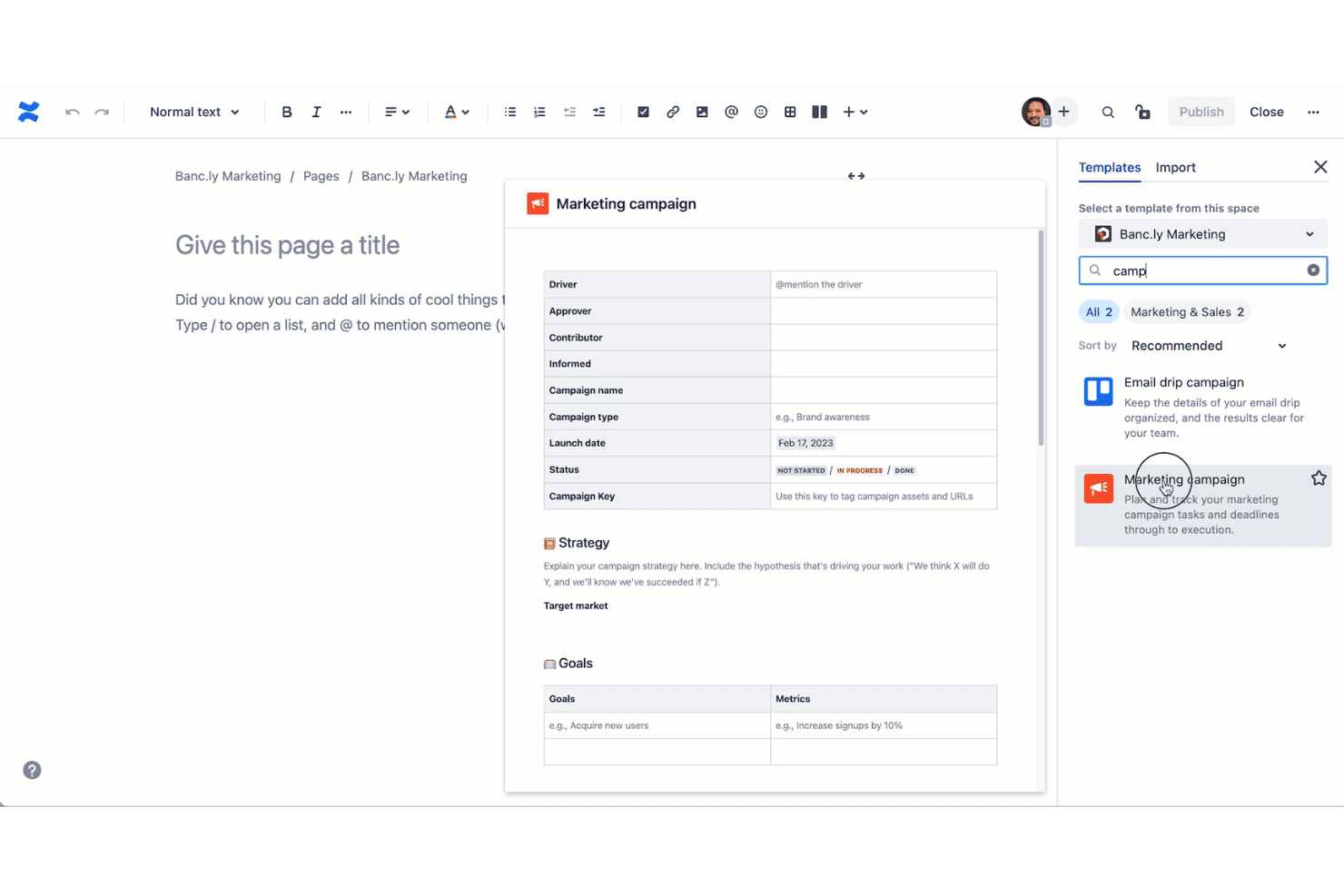
Choose from pre-built templates for product requirements, meeting notes, and retrospectives. Templates help teams standardize documentation and save setup time.
Real-Time Collaborative Editing
Multiple users can edit pages simultaneously with changes tracked live. This supports distributed teams working together on specs or project plans.
Advanced Search and AI Suggestions
AI-powered search surfaces relevant pages, attachments, and comments quickly. Users can find historical decisions or requirements without digging through folders.
Permissions and Access Controls
Set granular permissions for spaces, pages, or groups to protect sensitive information. Admins can control who views, edits, or comments on content.
Page Versioning and History
Every change is tracked, allowing users to view or revert to previous versions. This is valuable for auditing and maintaining accurate project records.
Task Lists and Inline Action Items
Add checklists and assign action items directly within documentation pages. This keeps tasks visible and tied to project context.
Ease of Use
Confluence offers a clean, intuitive interface that makes it easy for teams to create and organize documentation without extensive training. Users appreciate the drag-and-drop page builder, clear navigation, and helpful onboarding guides. However, as workspaces grow, some users report that finding specific pages or managing permissions can become complex.
Overall, its usability stands out for documentation-heavy teams, but those needing visual project tracking may find the experience less tailored to their workflow.
Integrations
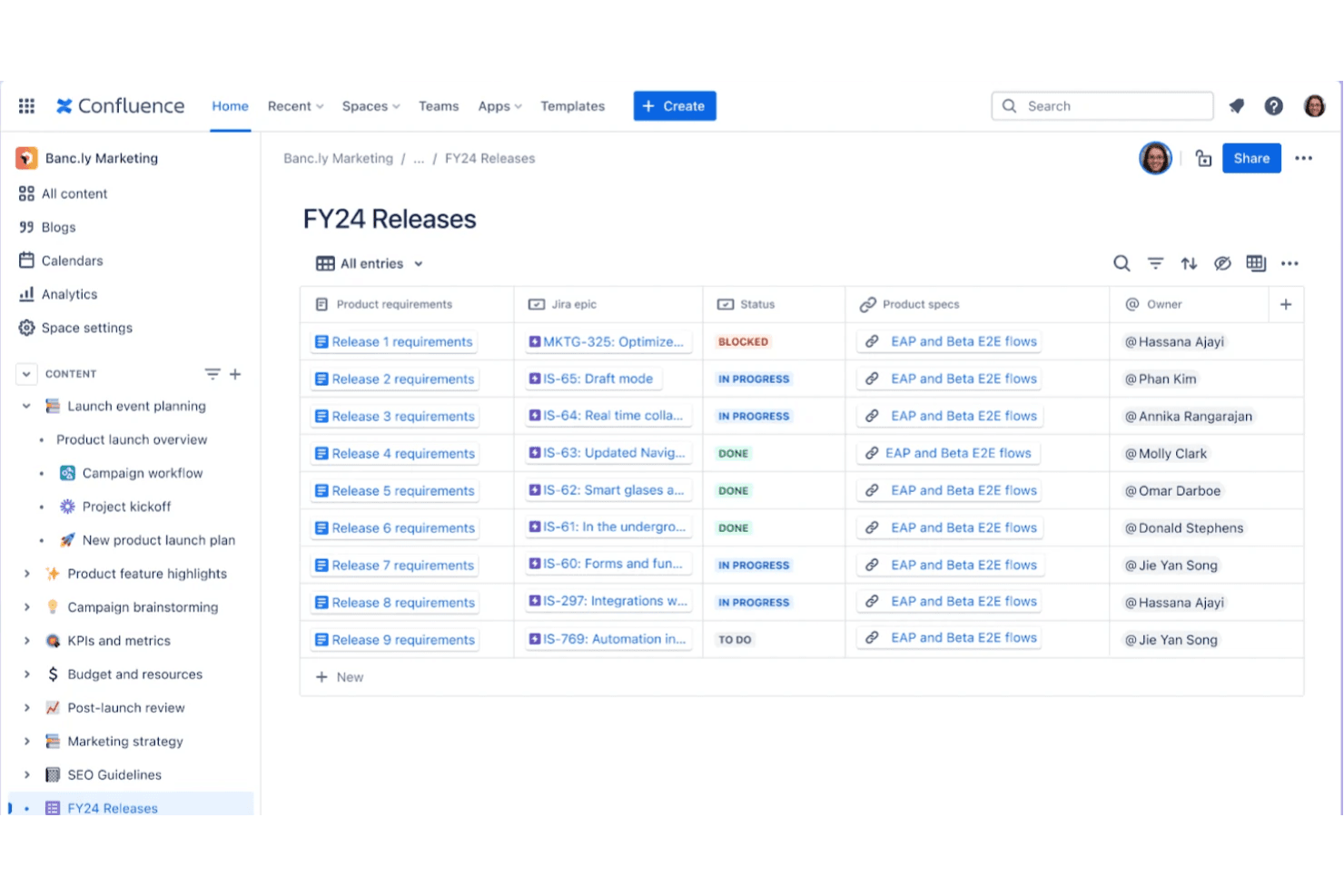
Confluence integrates with Jira, Trello, Slack, Microsoft Teams, Google Drive, Dropbox, GitHub, Salesforce, Zoom, and Outlook, among others.
Confluence also offers a robust API and connects with third-party integration tools for custom workflows and extended functionality.

Confluence Specs
- 2-Factor Authentication: Yes
- API: Yes
- Batch Permissions & Access: Yes
- Budgeting: No
- Calendar Management: Yes
- Contact Management: No
- Contact Sharing: No
- Customer Management: No
- Dashboard: Yes
- Data Export: Yes
- Data Import: No
- Data Visualization: Yes
- Email Integration: Yes
- Expense Tracking: No
- External Integrations: Yes
- Gantt Charts: No
- Google Apps Integration: Yes
- Multi-User: Yes
- Notifications: Yes
- Project Management: Yes
- Resource Management: No
- Scheduling: No
- Task Scheduling/Tracking: Yes
- Third-Party Plugins/Add-Ons: Yes
- Travel Management: No


