

Verktøy for UX-undersøkelser hjelper produktteam med å samle inn og analysere tilbakemeldinger fra brukere, slik at de kan ta bedre beslutninger om design og utvikling. Fra brukertesting og spørreundersøkelser til atferdsanalyse gir disse plattformene deg innsikten du trenger for å utvikle produkter folk faktisk ønsker seg.
Men når så mange verktøy hevder at de kan gjøre alt, er det vanskelig å vite hvilke som gir reell verdi – og hvilke som bare vil sløse bort tiden din.
Jeg har testet og vurdert dusinvis av plattformer for UX-undersøkelser for å skille ut det viktigste fra alt støyet. I denne veiledningen går jeg gjennom de beste alternativene – kategorisert etter bruksområde, budsjett og teamstørrelse – slik at du kan velge riktig verktøy med trygghet, ikke gjetting.
Hvorfor du kan stole på våre programvareanbefalinger
6,700+
Reviews
20
Industry experts
16+
Evaluation factors
14
Years
Teamet vårt har testet og anmeldt programvare siden 2012. Vi er selv produktledere, så vi vet hvor vanskelig og hvor viktig det er å velge riktig programvare.
I denne guiden har vi vurdert verktøyene gjennom praktisk testing og uavhengig research og gitt dem poeng ut fra våre utvelgelseskriterier.
Anmeldelsene våre bygger på vår egen redaksjonelle vurdering. De er ikke et salgsargument.
Ekspertanmeldere:
- Andrew LumbySenior TPM
- Cristiano ValimSenior UI/UX Lead


Sammenligningstabell: Verktøy for UX-undersøkelser
Denne sammenligningstabellen oppsummerer prisdetaljene for mine beste utvalgte verktøy for UX-undersøkelser.
| Tool | Best For | Trial Info | Price | ||
|---|---|---|---|---|---|
| 1 | Best for automating customer insights discovery | 7-day free trial + free demo available | From $79/month | Website | |
| 2 | Best for AI-driven feedback analysis | 10-day free trial | From $114/month (billed annually) | Website | |
| 3 | Best for Figma prototype A/B variant testing | Free plan available | From $80/month (billed annually) | Website | |
| 4 | Best for video-based participant feedback | Free demo available | Pricing upon request | Website | |
| 5 | Best for cross-device usability testing at scale | Free demo available | From $699/month (billed annually) | Website | |
| 6 | Best for customer feedback at scale | Free demo available | Pricing upon request | Website | |
| 7 | Best for information architecture testing | Free plan available | From $208/user/month | Website | |
| 8 | Best for Figma-to-panel testing in one place | Free plan + free demo available | Pricing upon request | Website | |
| 9 | Best for enterprise research at scale | Free demo available | Pricing upon request | Website | |
| 10 | Best for quick sentiment and survey analysis | Free plan + free demo available | From $83/month (billed annually) | Website |


Anmeldelser av de beste verktøyene for UX-undersøkelser
Nedenfor finner du mine detaljerte sammendrag av de beste verktøyene for UX-undersøkelser som kom med på utvalgslisten. Anmeldelsene mine gir en grundig gjennomgang av de viktigste funksjonene, fordelene og ulempene, integrasjonene og de ideelle bruksområdene for hvert verktøy, slik at du kan finne det beste alternativet for dine behov
 Best for automating customer insights discovery
- 7-day free trial + free demo available
- From $79/month

Articos shows a user interview recording and a participant list. Articos is an AI-powered synthetic research platform that conducts simulated user interviews, concept tests, and journey analyses with persona panels based on personality science and cognitive bias modelling.
Who Is Articos Best For?
Articos is a good fit for product teams and UX researchers who need fast, scalable user insights without waiting for the lead time of recruiting real participants.
Why I Picked Articos
Articos is one of my top picks because I love how it collapses the entire discovery pipeline into a single automated workflow. I set a research goal, and within 30 minutes, I have a structured report covering motivations, objections, confusion points, and prioritized recommendations. What really separates it is the hypothesis-blind architecture: personas are interviewed without exposure to what I'm hoping to find, which actively prevents confirmation bias from distorting the output. On top of that, every finding comes with evidence chains and confidence scores, so I'm not just getting themes, I'm getting a traceable signal.
Articos Key Features
- Stance diversity engine: Distributes personas across champion, pragmatist, skeptic, blocker, and observer archetypes to surface a full range of user reactions.
- Concept testing: Runs synthetic panel tests against messaging, landing pages, or product positioning to evaluate how different user types respond.
- Talk to Research: Answers follow-up questions about completed research, so you can probe individual persona responses after a study.
- White-label PDF export: Generates research reports formatted for direct client delivery.
Articos Integrations
Native integrations are not currently listed. An API is available for custom integrations.
Pros and Cons
Pros:
- Traces all report findings to exact user quotes
- Hypothesis-blind personas reduce confirmation bias
- Built-in A/B concept testing without traffic
Cons:
- Outputs lack sharable visual persona graphics
- Synthetic personas don't replace live observation
Learn more about Articos: Best for AI-driven feedback analysis
- 10-day free trial
- From $114/month (billed annually)
Visit WebsiteCustomer Rating:4.6/5
The Survicate dashboard showing setup instructions for installing the feedback widget to begin collecting user insights. Survicate is a UX research and customer feedback platform that helps teams collect, analyze, and act on user insights across multiple channels. It enables you to create customizable surveys for websites, mobile apps, and emails, helping you understand how users interact with your product and where their experience can be improved.
Why I picked Survicate: I picked Survicate because it combines flexible survey creation with automated feedback analysis, allowing you to collect real-time user sentiment without extra manual work. Its AI-driven insights hub automatically categorizes feedback and detects patterns, helping you identify recurring issues and prioritize improvements efficiently. You can also trigger surveys based on specific user behaviors, ensuring that responses are timely and relevant. The customizable dashboards make it easy to monitor key UX metrics like NPS and CSAT at a glance.
Standout features & integrations:
Features include automated sentiment analysis, which helps you understand user emotions; AI-assisted question suggestions, which improve survey quality; and real-time response tracking, which allows you to monitor key performance indicators and identify trends.
Integrations include HubSpot, Salesforce, Google Sheets, Slack, Intercom, Mailchimp, Marketo, Mixpanel, Segment, Zendesk, Microsoft Teams, and Zapier.
Pros and Cons
Pros:
- Automated insights
- Strong integration options
- Intuitive interface
Cons:
- Limited advanced analytics in lower plans
- Higher pricing for small teams
Learn more about Survicate: Best for Figma prototype A/B variant testing
- Free plan available
- From $80/month (billed annually)
Visit WebsiteCustomer Rating:4.8/5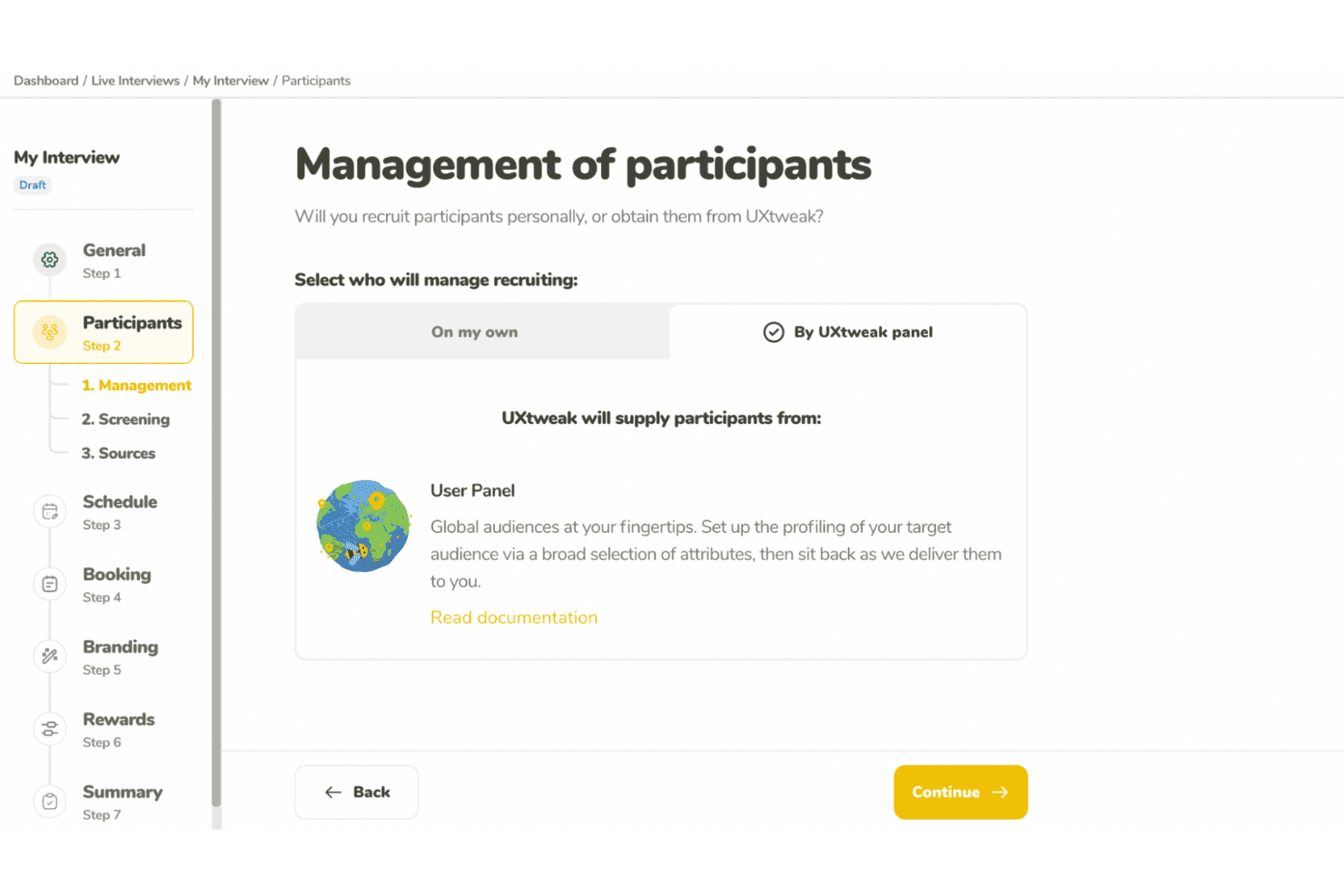
UXtweak supports UX research with usability tests and participant recruitment. UXtweak is a multi-method UX research platform covering prototype testing, usability testing, card sorting, tree testing, surveys, session recording, and moderated interviews.
Who Is UXtweak Best For?
UXtweak is a strong fit for UX researchers and product designers who need deep prototype testing capabilities alongside a full suite of research methods in one platform.
Why I Picked UXtweak
UXtweak earns its spot on my shortlist because of how far its prototype testing goes beyond basic click-through validation. I love that you can import a Figma prototype directly, run A/B variant tests across two different design directions, and then compare lostness scores and clickmaps side by side to see exactly where users diverge. That level of specificity, especially the lostness metric that quantifies how disoriented a user gets navigating a flow, is something I rarely see paired with A/B variant support in a single tool.
UXtweak Key Features
- Multi-method research suite: UXtweak combines card sorting, tree testing, surveys, session recording, five-second tests, and first-click tests in one platform.
- Own Database participant CRM: Import your own contacts via CSV or XLSX, build reusable segments, and send automated study invitations at no extra cost.
- Global User Panel: Access a managed participant panel spanning 130+ countries, with a fixed upfront price and guaranteed delivery of responses within two business days.
- Moderated interview tools: Run freeform or study-based interviews with built-in scheduling, observer streaming, timestamped notes, and AI-generated transcript highlights.
UXtweak Integrations
UXtweak offers native integrations with Figma, Google Drive, Microsoft OneDrive, Condens, Marvin, Dovetail, Notion, and Google Tag Manager. It has no documented public API, Jira, Slack, Microsoft Teams, or Zoom integrations.
Pros and Cons
Pros:
- Global panel delivers screened participants quickly
- Lostness scores reveal confusing navigation paths
- Figma prototypes support A/B variant testing
Cons:
- Dashboard navigation can overwhelm new researchers
- Cross-study insight synthesis remains unavailable
Learn more about UXtweak: Best for video-based participant feedback
- Free demo available
- Pricing upon request
Visit WebsiteCustomer Rating:5/5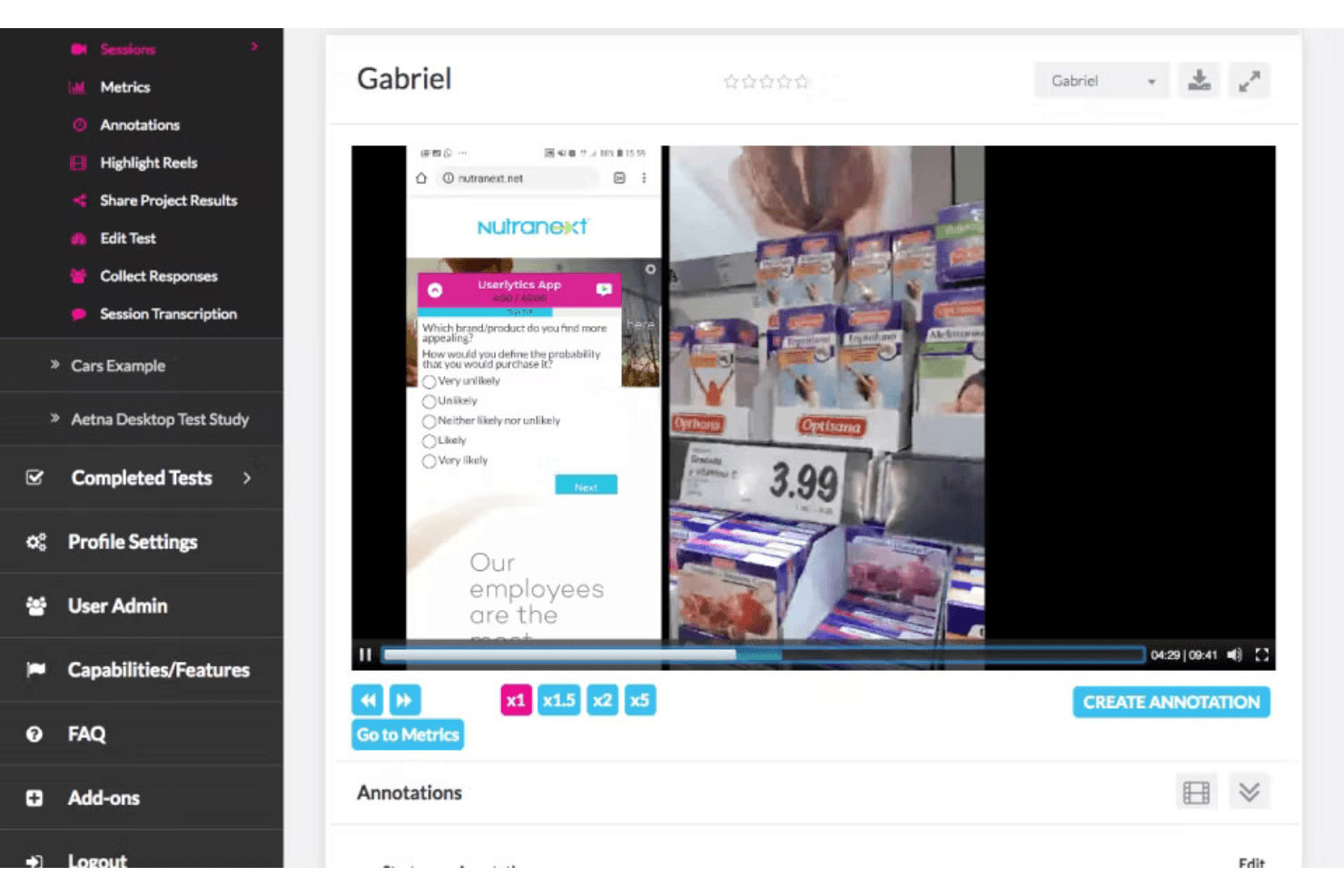
PlaybookUX captures video feedback and surveys to guide product improvements. PlaybookUX is a UX research platform that combines moderated and unmoderated usability testing, built-in participant recruitment, video-based session recording, and AI-assisted analysis and reporting.
Who Is PlaybookUX Best For?
PlaybookUX is a strong fit for UX researchers and product managers who need a single platform to recruit participants, run video-based studies, and share findings without juggling multiple tools.
Why I Picked PlaybookUX
PlaybookUX earns its spot on my shortlist because its patented recorder captures face, voice, and screen simultaneously across desktop and mobile, so you get the full picture of how participants react, not just what they click. I love that moderated interviews have video calls, timestamped notes, and invisible observers all built in, removing the need for separate recording software. AI task summaries then pull themes, sentiment, and friction points from those sessions automatically, cutting the time between raw video and shareable findings.
PlaybookUX Key Features
- Built-in participant panel: Access a pool of 7M+ vetted participants across 50+ countries, with demographic filters, screener logic, quota controls, and real-time disqualification tracking.
- Multi-method research support: Run card sorting, tree testing, five-second tests, preference tests, surveys, and session replays alongside usability tests from a single platform.
- AI-generated screeners and bias checks: Automatically draft screener questions and flag issues like leading language, vague answer options, or missing "none of the above" choices before a study goes live.
- Custom reports with password-protected sharing: Combine clips, highlight reels, tags, and notes into shareable reports you can distribute to stakeholders without requiring a login.
PlaybookUX Integrations
PlaybookUX has a native Figma integration for prototype imports, click tracking, task metrics, and heatmaps. Its public API and MCP layer support custom connections to AI tools, data warehouses, CRMs, and internal tools.
Pros and Cons
Pros:
- Responsive support helps resolve study issues
- Video captures reveal reactions beyond clicks
- Fast participant recruitment for consumer studies
Cons:
- Some participant recordings reportedly fail to upload
- Advanced synthesis across studies remains limited
Learn more about PlaybookUX: Best for cross-device usability testing at scale
- Free demo available
- From $699/month (billed annually)
Visit WebsiteCustomer Rating:4.5/5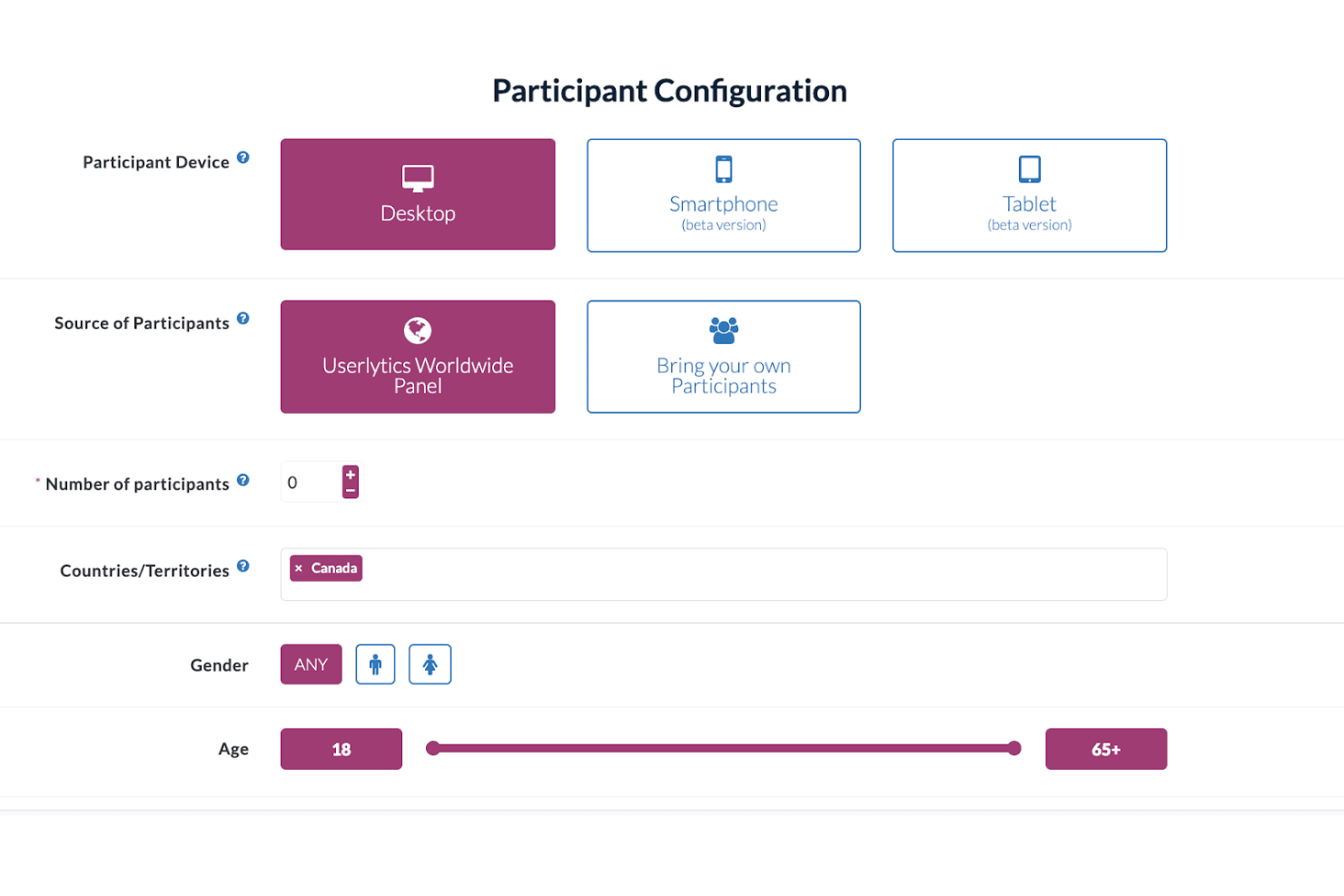
Userlytics enables multi-device user testing to improve user experience. Userlytics is a UX research platform that supports moderated and unmoderated usability testing, quantitative studies, card sorting, tree testing, and participant recruitment across desktop, iOS, and Android devices.
Who Is Userlytics Best For?
Userlytics is a strong fit for UX research teams running studies across desktop, iOS, and Android who need a large built-in panel and support for multiple research methods in one place.
Why I Picked Userlytics
Userlytics earns its spot on my shortlist because of how thoroughly it covers cross-device usability testing, from responsive mobile sites to unreleased iOS and Android builds tested via TestFlight and Google Play, all without requiring an SDK. I love that mobile moderated sessions let the participant use their phone while I observe from desktop, with up to 10 invisible observers joining live. The 2M+ global panel with niche targeting (think neurosurgeons or C-suite executives) means I can run studies at real scale across any device type.
Userlytics Key Features
- AI Study Designer: Drafts a complete unmoderated or quantitative study, including the screener, from a plain-language description you type in.
- ULX® Benchmarking Score: Combines eight dimensions—trust, appeal, usability, adequacy, performance, appearance, affinity, and distinction—into a single proprietary benchmark score.
- Card sorting and tree testing: Built-in card sort and tree test task types with dedicated analysis views, including a result matrix, dendrogram, similarity matrix, and AI category recommendations.
- Quant Reporting: Turns a finished study's metrics into a presentation-ready DOC report with charts and AI summaries in one click.
Userlytics Integrations
Userlytics offers documented integrations with Figma and Adobe XD, plus link-based support for Proto.io, InVision, Marvel, Axure, JustInMind, UXPin, Framer, and Sketch. It also supports TestFlight and Google Play for mobile builds, but no public API or native Jira, Slack, or Notion integrations are documented.
Pros and Cons
Pros:
- Supports moderated, unmoderated, and quantitative studies
- Recruits niche audiences across 150+ countries
- Tests iOS, Android, and desktop experiences
Cons:
- Reviewers report slow processes and confusing screens
- Study-level analysis limits cross-study synthesis
Learn more about Userlytics: Best for customer feedback at scale
- Free demo available
- Pricing upon request
Visit WebsiteCustomer Rating:4.5/5
UserTesting helps teams quickly capture customer feedback to guide product decisions. UserTesting is a UX research platform that combines moderated and unmoderated usability testing, a global participant panel, AI-assisted analysis, and insight-sharing tools in one place.
Who Is UserTesting Best For?
UserTesting is a strong fit for enterprise teams that need to run customer feedback research at high volume across a large, diverse participant base.
Why I Picked UserTesting
I picked UserTesting as one of the best because its panel size and screening depth are genuinely hard to replicate at scale. With 7 million participants across 60+ countries and filters covering 73,000 occupations and 140 industries, you can run broad generative studies and niche B2B tests from the same platform. AI Insight Summaries automatically surface themes across sessions and link every finding back to the source video, which means I can move from raw recordings to a stakeholder-ready highlight reel without a lengthy manual synthesis pass.
UserTesting Key Features
- Live Conversation moderated testing: Record, transcribe, and auto-highlight key moments from moderated interview sessions with real participants.
- Figma plugin: Generate a usability test directly from a Figma prototype and view success metrics, AI themes, and clips without leaving your design file.
- QXscore benchmarking: Measure and track experience quality with a standardized score that lets you compare results across studies over time.
- Insights Hub: A centralized workspace that organizes UserTesting studies and third-party research data with tagging and AI-powered theme discovery.
UserTesting Integrations
UserTesting offers integrations with Figma, Jira, Slack, Microsoft Teams, Miro, User Interviews, Google Calendar, Qualtrics, and Contentsquare. Its Results API and open API ecosystem support custom integrations.
Pros and Cons
Pros:
- AI summaries link findings to source videos
- Moderated and unmoderated testing cover diverse studies
- Large participant panel supports niche B2B recruitment
Cons:
- Advanced analysis requires higher-tier editions
- Specialized recruiting can produce inconsistent panel quality
Learn more about UserTesting: Best for information architecture testing
- Free plan available
- From $208/user/month
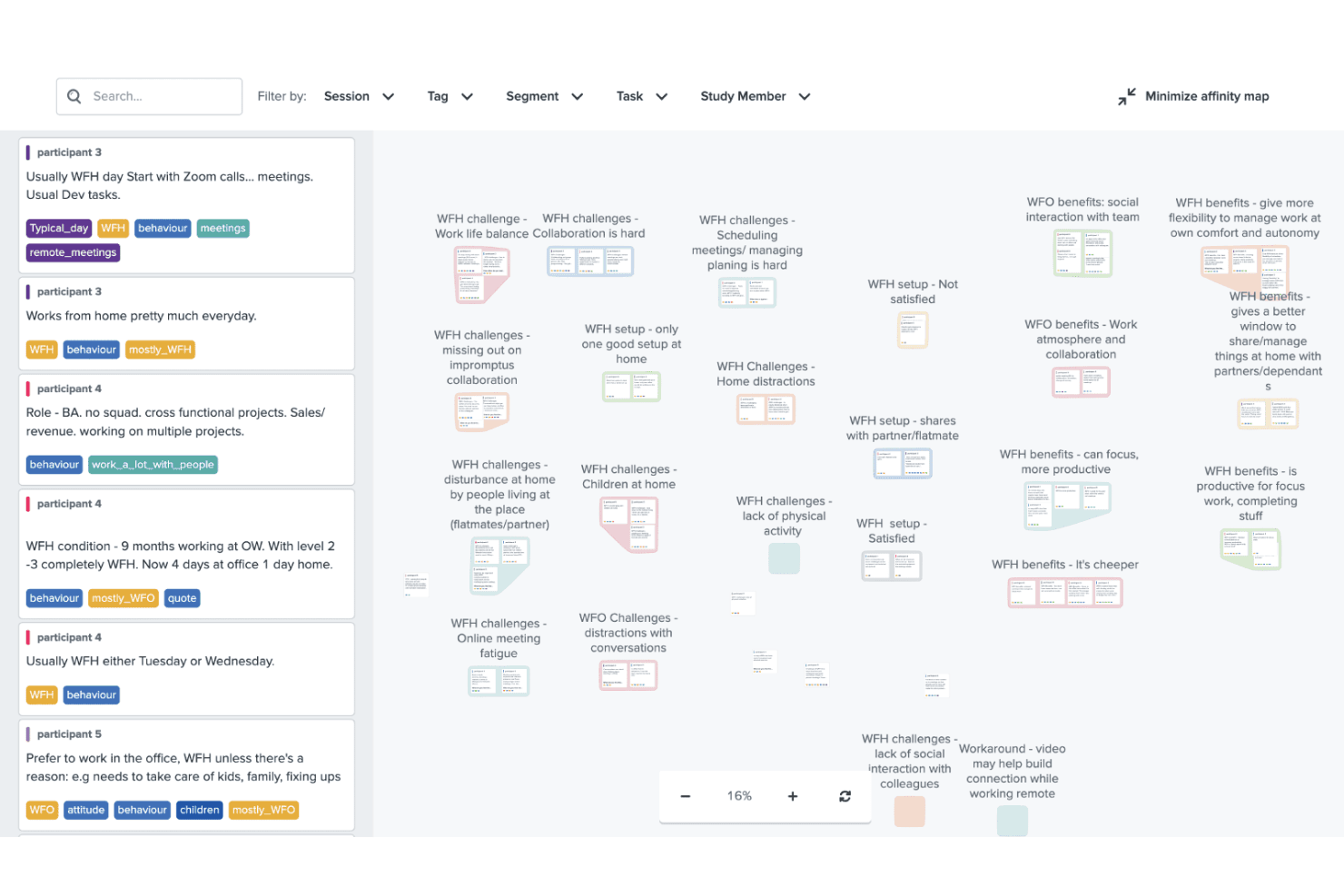
Optimal Workshop helps improve design with usability, card, and tree testing. Optimal Workshop is a UX research platform that combines information architecture testing, usability testing, prototype and live site testing, card sorting, tree testing, surveys, and AI-analyzed interviews in one tool.
Who Is Optimal Workshop Best For?
Optimal Workshop is a strong fit for UX researchers and product teams who need a dedicated information architecture testing tool alongside a broad range of complementary research methods.
Why I Picked Optimal Workshop
Optimal Workshop earns its spot as one of the best on my shortlist because its card sorting and tree testing tools are genuinely best-in-class. I've used tree testing to validate navigation structures before launch, and Optimal's dendrograms and task-success metrics make it easy to pinpoint exactly where users lose their way. Its AI-assisted thematic analysis and automated transcription across 13 languages round out a research suite that covers everything from early IA decisions to post-launch usability testing.
Optimal Workshop Key Features
- AI-assisted interview analysis: Optimal automatically transcribes sessions in 13 languages and generates thematic and sentiment analysis with timestamped evidence.
- Live site testing: Paste any URL—including staging or competitor sites—to capture session recordings that show where users hesitate or drop off.
- Built-in participant recruitment panel: Access a verified panel of 10M+ participants across 150+ countries, with screening, scheduling, and fraud prevention built in.
- Research repository with MCP search: Store and search insights across studies, with an MCP connector that lets AI tools like Claude and ChatGPT query your research library directly.
Optimal Workshop Integrations
Optimal Workshop integrates with Figma, Zoom, Google Meet, Microsoft Teams, Slack, Miro, Notion, Confluence, Jira, and Linear. It offers an Enterprise API, an MCP server for AI tools, and Zapier through MCP.
Pros and Cons
Pros:
- Unlimited seats support cross-functional research
- AI analysis includes timestamped evidence
- Best-in-class card sorting and tree testing
Cons:
- Five launched studies limit frequent testing
- Moderated usability testing lacks a dedicated environment
Learn more about Optimal Workshop: 8Best for Figma-to-panel testing in one place
Maze
- Free plan + free demo available
- Pricing upon request
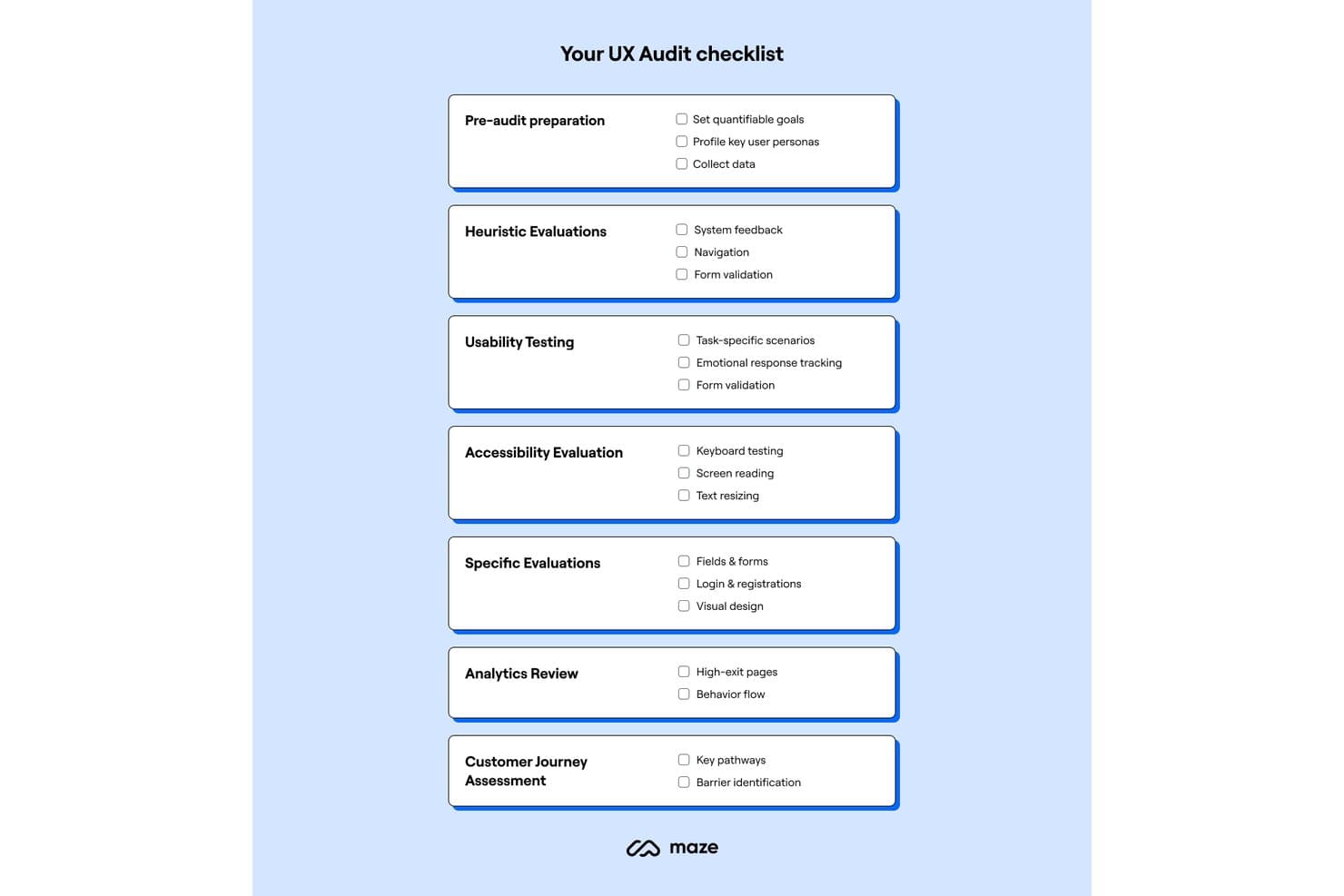
Maze provides a structured UX audit checklist across seven key areas. Maze is a UX research platform that combines unmoderated and moderated usability testing, participant recruitment, card sorting, tree testing, surveys, and AI-assisted analysis in one place.
Who Is Maze Best For?
Maze is a strong fit for product designers and PMs who want to test Figma prototypes with real users without handing off to a dedicated research team.
Why I Picked Maze
Maze earns its spot on my shortlist because it collapses the Figma-to-panel pipeline into a single workflow. I love that one-click Figma import means a designer can pull in a live prototype, including Interactive Components and animations, and have it in front of screened panel participants within hours. The built-in Maze Panel handles recruiting, incentives, and screener questions without leaving the platform, so there's no stitching together separate tools to go from prototype to validated findings.
Maze Key Features
- AI Study Builder: Turns a research question into a ready-to-launch study, with built-in bias detection that flags leading questions before you go live.
- Mobile app testing: Participants join via QR code on iOS or Android to complete tasks across real apps, mobile websites, and competitor sites, with full-screen, audio, and face recording.
- Card sorting and tree testing: Supports both open and closed card sorts alongside tree testing, giving you dedicated methods for validating information architecture decisions.
- Automatic study reports: Every study with at least one tester generates a report with heatmaps, path analysis, task metrics, and open-question highlights that you can edit and share via live link, PDF, or embed.
Maze Integrations
Maze offers native integrations with Figma, FigJam, Axure, Figma Make, Slack, Jira, Confluence, Notion, Miro, and Amplitude. It also connects with Zoom, Google Meet, Microsoft Teams, and AI tools through MCP.
Pros and Cons
Pros:
- Automatic reports include actionable task metrics
- Strong mobile app testing coverage
- Rapid prototype validation with real participants
Cons:
- Reporting flexibility can feel limited
- Moderated research requires Enterprise access
Learn more about Maze:
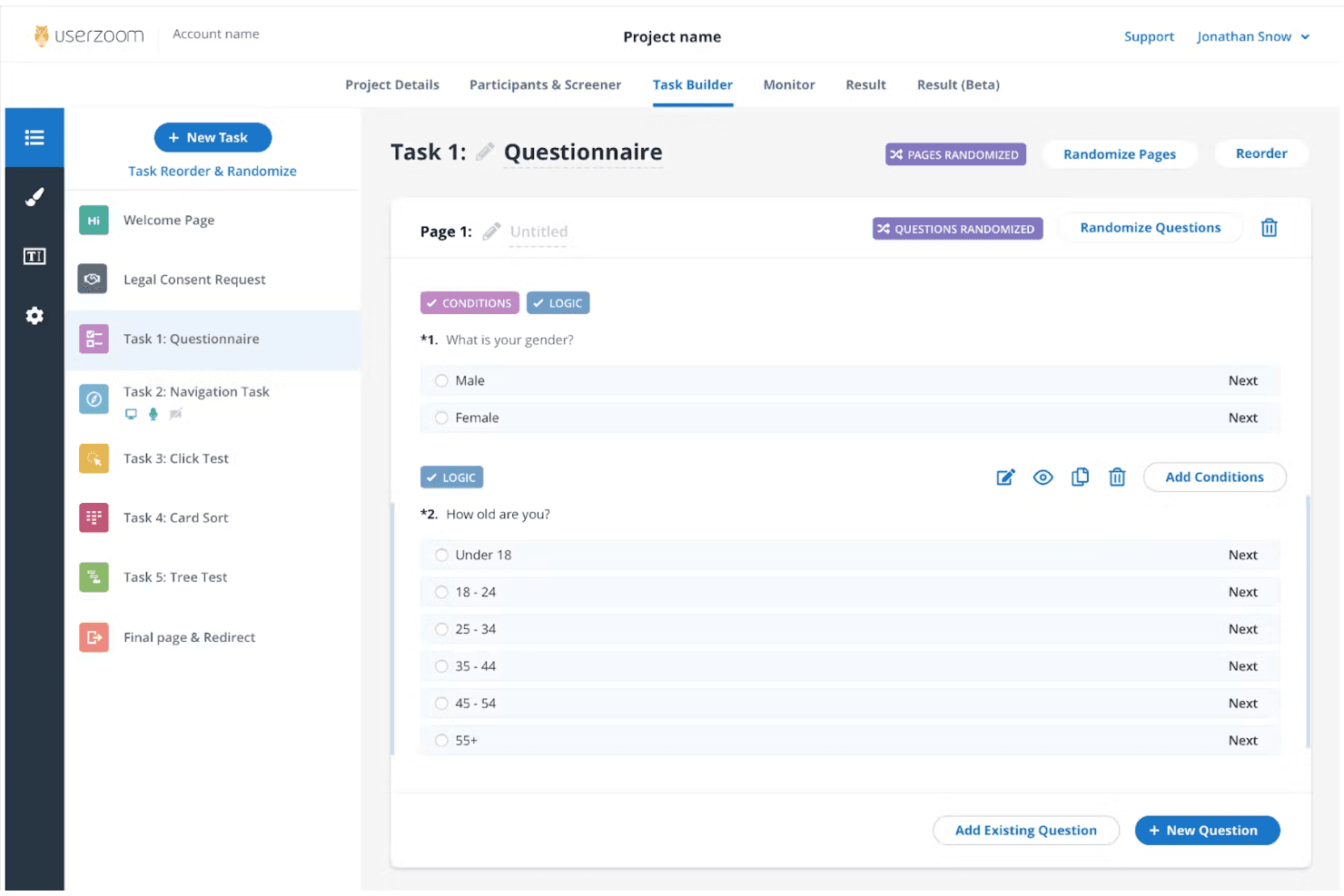
UserZoom supports enterprise UX research with in-depth testing and analytics. UserZoom is a mixed-method UX research platform that covers moderated and unmoderated usability testing, participant recruitment, information architecture testing, surveys, and research repository management through its integrated EnjoyHQ tool.
Who Is UserZoom Best For?
UserZoom fits dedicated UX research teams at large organizations that need to run moderated and unmoderated studies, manage a research repository, and recruit participants at scale.
Why I Picked UserZoom
UserZoom earns its spot on my shortlist because no other platform matches its depth for running enterprise-scale UX research across moderated and unmoderated studies in a single environment. I particularly like how its virtual observation rooms let entire research teams watch moderated sessions live without participants knowing, which changes how stakeholders engage with research. Pair that with a panel of 7M+ authenticated participants filtered across 200+ demographic criteria, and you can recruit precisely the right audience for studies that actually need statistical weight behind them.
UserZoom Key Features
- Virtual observation room: Teammates can watch moderated sessions live without participants knowing, letting stakeholders engage with research in real time.
- Information architecture testing: You can run card sorting and tree testing studies to evaluate how users navigate and understand your product's structure.
- EnjoyHQ research repository: A built-in repository lets you store, tag, and search past research findings to connect new insights to existing evidence.
- AI-generated summaries: The platform automatically generates summaries of sessions and imported videos, reducing manual synthesis time after studies conclude.
UserZoom Integrations
Documented integrations include Figma, FigJam, Jira, Jira Product Discovery, FullStory, Contentsquare, Quantum Metric, Slack, Trello, and EnjoyHQ. The UserTesting platform also offers a Results API, though availability for the legacy UserZoom manager isn't confirmed.
Pros and Cons
Pros:
- Moderated sessions support live observation
- Enterprise-scale participant recruitment and screening
- Mixed-method studies include IA testing
Cons:
- Complex setup slows one-off studies
- Reported audio and screen reliability issues
Learn more about UserZoom: 10Best for quick sentiment and survey analysis
Lyssna
- Free plan + free demo available
- From $83/month (billed annually)
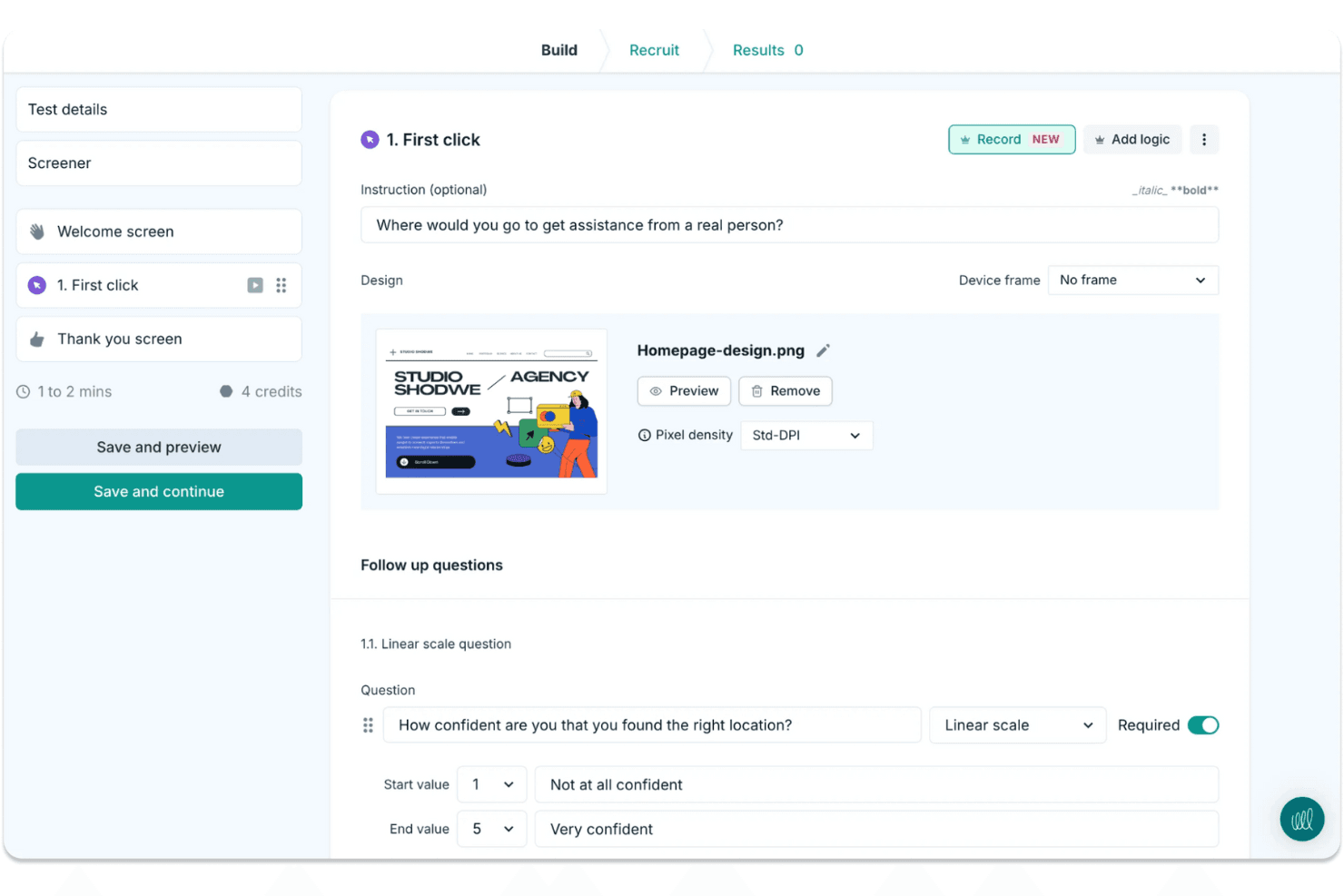
Lyssna makes it easy to run quick design tests and gather user feedback. Lyssna is a UX research platform that supports unmoderated and moderated usability testing, surveys, card sorting, tree testing, Figma prototype testing, and participant recruitment through a built-in panel of 690,000+ vetted participants.
Who Is Lyssna Best For?
Lyssna works well for product teams and UX researchers who need to run studies fast and get answers the same day.
Why I Picked Lyssna
I picked Lyssna as one of the best because of how fast it turns raw responses into usable sentiment data. Its AI Synthesize feature automatically generates summaries across every question type, including NPS, Likert, and open-text answers, so I can see where sentiment clusters without manually reading hundreds of responses. Paired with word clouds and tagging, I can spot recurring themes across a study in minutes rather than hours.
Lyssna Key Features
- Built-in participant panel: Access 690,000+ vetted B2C and B2B participants across 124 countries, with 395+ targeting filters and custom screeners to reach the right audience.
- Figma prototype testing: Connect directly to Figma and run task-based tests that track completion rate, time on task, and misclicks without exporting assets.
- Multi-method study support: Run card sorting, tree testing, five-second tests, first-click tests, preference tests, and think-aloud studies from a single platform.
- MCP server: Connect AI assistants like Claude or ChatGPT to your study data and query findings across multiple studies using plain language.
Lyssna Integrations
Lyssna offers native integrations with Figma, Zoom, Google Meet, Microsoft Teams, Google Calendar, and Microsoft Outlook. Paid plans also connect to Claude, ChatGPT, Copilot, Gemini, and Cursor through its MCP server.
Pros and Cons
Pros:
- Broad methods cover prototypes, surveys, and interviews
- AI summaries reveal sentiment across survey responses
- Rapid panel responses support same-day research
Cons:
- Reporting lacks an insight repository and highlight reels
- Study costs become hard to predict
Learn more about Lyssna:
Andre verktøy for UX-undersøkelser
Her er noen flere alternativer for UX-undersøkelser som ikke kom med på utvalgslisten min, men som likevel er verdt å ta en titt på:
- 11Trymata (formerly TryMyUI)Best for multi-method usability test analysis
- 12DscoutBest for diary and longitudinal field studies
- 13SprigBest for in-product survey research at scale
- 14UXArmyBest for multi-method research in Asia-Pacific
- 15LookbackBest for live moderated interview research
- 16CondensBest for qualitative research repositories
- 17UseberryBest for Figma prototype testing workflows
- 18MarvinBest for AI-driven research synthesis and sharing
How I Evaluate UX Research Tools
I split my evaluation into three parts, giving the most weight to core functions: run recorded usability tests and recruit and screen participants. Next, I look for differentiators such as AI highlight reels. Finally, I consider what’s beyond features, including onboarding, support, and pricing value.
Core Functionality (Table Stakes For This List)
When I'm selecting tools for my list, I score each one on a scale from 0 (does not offer the functionality) to 5 (excels in this area) for each core functionality listed below. I then convert the total into a percentage to help assess each tool's overall fit, with extra weight on any functionalities I’ve deemed essential.
- Usability Testing (Essential): I look for moderated and unmoderated sessions with task flows, recordings, and device coverage, such as testing checkout on mobile and desktop.
- Participant Recruitment (Essential): I assess panel reach, screening, and participant management, such as recruiting people who match a specific workflow or experience.
- Research Data Analysis: Can researchers tag clips, notes, or transcripts across sessions to spot recurring confusion, such as users missing the same navigation label?
- Insight Synthesis: I check whether teams can turn evidence into shareable highlights or reports that connect a finding to the session behind it.
- Research Methods: Look for several approaches, such as usability tests, surveys, interviews, card sorting, or tree testing, to match the method to the question.
- Team Collaboration: I evaluate shared project access, comments, and permissions so design, product, and engineering can review findings together.
Once I have a list of tools that meet the criteria, I consider what sets each platform apart.
Differentiating Factors (What Sets Vendors Apart)
Here's how I compare and contrast different vendors:
Standout Features
I look for cross-study pattern detection because spotting a recurring theme across six months of studies beats re-watching old sessions. AI-generated highlight reels also matter—tools like Maze and UserTesting let you share a two-minute clip instead of a full recording, which keeps stakeholders engaged. I evaluate whether dashboards present findings in formats product managers and executives can act on without researcher hand-holding.
Beyond Features
I check whether a tool connects to Jira, Slack, or Notion so findings reach the backlog instead of sitting in a separate platform. Turnaround speed matters too—teams on sprint cycles need same-day panel access and automated analysis to close the gap between a research question and a decision. I also evaluate onboarding quality, because product managers running studies without a dedicated researcher need templates and in-app guidance that lower the learning curve fast.
Slik velger du verktøy for UX-undersøkelser
Det er lett å gå seg vill i lange funksjonslister og kompliserte prisstrukturer. For å hjelpe deg med å holde fokus mens du går gjennom den unike prosessen med å velge programvare, har jeg laget en sjekkliste over faktorer du bør ha i bakhodet:
| Faktor | Hva du bør vurdere |
| Skalerbarhet | Sørg for at verktøyet kan vokse med teamet ditt. Se etter alternativer som støtter et økende antall brukere og datamengder uten at det går ut over ytelsen. |
| Integrasjoner | Kontroller om verktøyet kan integreres med den eksisterende programvaren din, for eksempel Slack, Trello eller Google Analytics, slik at arbeidsflyter og datadeling blir enklere. |
| Tilpasningsmuligheter | Se etter verktøy som lar deg tilpasse funksjoner og oversikter etter teamets spesifikke behov og preferanser. |
| Brukervennlighet | Velg et verktøy med et intuitivt grensesnitt og kort opplæringstid, slik at teamet raskt og effektivt kan ta det i bruk. |
| Budsjett | Vurder prisstrukturen for å sikre at den passer innenfor budsjettet ditt. Ta hensyn til langsiktige kostnader, og se etter fleksible abonnementsplaner. |
| Sikkerhetstiltak | Kontroller at verktøyet tilbyr robuste sikkerhetsfunksjoner for å beskytte sensitive brukerdata, inkludert samsvar med GDPR eller andre relevante bestemmelser. |
| Brukerstøtte | Vurder nivået på kundestøtten som er tilgjengelig, for eksempel direktechat, e-post og brukerfora, slik at teamet får hjelp ved behov. |
| Funksjonssett | Sørg for at verktøyet dekker viktige funksjoner som brukertesting, spørreundersøkelser og innsamling av tilbakemeldinger fra brukere, slik at teamets behov for undersøkelser blir ivaretatt. |
Trender innen verktøy for UX-undersøkelser
I arbeidet med undersøkelsen min hentet jeg inn utallige produktoppdateringer, pressemeldinger og lanseringslogger fra leverandører av ulike verktøy for UX-undersøkelser. Her er noen av de fremvoksende trendene jeg følger med på:
- KI-drevne innsikter: Flere verktøy bruker KI til å analysere brukerdata og gi handlingsrettet innsikt. Dette hjelper team med å forstå brukeratferd raskere. Noen leverandører tilbyr for eksempel KI-drevet sentimentanalyse for å vurdere brukernes følelser.
- Fjernsamhandling: Etter hvert som fjernarbeid blir vanligere, forbedrer verktøyene funksjonene for teamsamarbeid. Dette omfatter notater i sanntid og direkte tilbakemeldinger under testøkter, slik at team kan samarbeide fra hvor som helst.
- Forbedret tilgjengelighetstesting: Det er et økende fokus på funksjoner som bidrar til å sikre at produkter er tilgjengelige for alle brukere. Verktøy tilbyr nå spesialiserte tester for å identifisere tilgjengelighetsproblemer, slik at team kan utvikle mer inkluderende design.
- Stemme- og gestgjenkjenning: Med fremveksten av stemmestyrte enheter og gestbaserte grensesnitt begynner verktøy å støtte testing av disse samhandlingene. Dette gjør det mulig for team å sikre at produktene fungerer godt med den nyeste teknologien.
- Integrerte tilbakemeldingssløyfer: Verktøy integrerer løpende tilbakemeldingsmekanismer direkte i produktene. Det betyr at team kontinuerlig kan samle inn tilbakemeldinger fra brukerne uten å avbryte brukeropplevelsen, noe som muliggjør flere smidige designforbedringer.
Hva er verktøy for UX-undersøkelser?
Verktøy for UX-undersøkelser er programvareløsninger som hjelper team med å forstå brukeratferd og forbedre produktdesign. Disse verktøyene brukes vanligvis av UX-designere, produktledere og forskere til å innhente innsikt som bidrar til bedre brukeropplevelser. Funksjoner som brukervennlighetstesting, spørreundersøkelser og sentimentanalyse bidrar til å forstå brukernes behov og preferanser. Samlet sett gir disse verktøyene verdifulle data som veileder produktutviklingen og øker brukertilfredsheten.
Funksjoner i verktøy for UX-undersøkelser
Når du vurderer verktøy for UX-undersøkelser, er det viktig å fokusere på funksjonene som støtter praktisk brukertesting og handlingsrettet innsikt:
- Verktøy for brukervennlighetstesting: Identifiser friksjonspunkter ved å observere samhandlinger med grensesnittet ditt i sanntid.
- Spørreundersøkelser og preferansetester: Samle inn brukernes meninger og mål preferanser for å danne grunnlag for produktbeslutninger.
- Varmekart og førstegangsklikktesting: Visualiser brukeratferd og forstå hvilke elementer som først fanger oppmerksomheten.
- Sentimentanalyse: Avdekk følelsesmessige reaksjoner på bestemte budskap eller designelementer.
- A/B-testing: Sammenlign to eller flere designalternativer for å se hvilket som fungerer best for målgruppen din.
- Opptak av økter og transkripsjoner: Gå gjennom brukerøkter i detalj og se tilbake på automatisk transkriberte tilbakemeldinger.
- Tilgjengelighetstesting: Vurder om produktet ditt er inkluderende og fungerer for brukere med ulike forutsetninger.
- Sanntidssamarbeid for teammedlemmer: Gjør det mulig for produkt-, design- og forskningsteam å se funn og kommentere mens testene pågår.
- Rekruttering av deltakere til undersøkelser: Finn og administrer raskt kvalifiserte brukere til hver test eller fokusgruppe.
- Tilbakemeldingssløyfer og oppfølgingstesting: Integrer kontinuerlige tilbakemeldinger fra brukerne i undersøkelsesprosessen og test forbedringer over tid.
Fordeler med verktøy for UX-undersøkelser
Ved å ta i bruk UX-metoder kan teamet ditt gå fra gjetting til innsiktsbaserte beslutninger. Her er noen av de viktigste fordelene:
- Bedre kundeopplevelse: Ved å identifisere designproblemer tidlig kan du forbedre den overordnede flyten og funksjonaliteten i produktet.
- Mer informerte beslutninger: Førstehåndsdata fra spørreundersøkelser, sentimentanalyse og brukervennlighetsøkter gir et godt grunnlag for trygge videreutviklinger.
- Bedre tilgjengelighet: Testing med fokus på inkludering sikrer at flere brukere kan samhandle med produktet ditt, uavhengig av funksjonsevne.
- Bedre samarbeid mellom interessenter: Sanntidsfunksjoner og sentraliserte data gjør det mulig for alle teammedlemmer å holde seg samkjørte, fra tilbakemeldinger på trådskisser til måltall for design av brukeropplevelsen i mobilapper.
- Raskere iterasjonssykluser: Med tilgang til øktdata, preferansetester og tilbakemeldinger fra brukerne kan teamet ditt teste og revidere raskt.
- Effektiv rekruttering og administrasjon av deltakere til undersøkelser: Bruk mindre tid på å finne brukere og mer tid på å lære av dem.
- Kostnadsbesparelser gjennom tidlig referansemåling: Ved å oppdage og løse problemer før lansering reduserer du risikoen for kostbare redesign senere.
Kostnader og priser for verktøy for UX-undersøkelser
Å velge UX-forskningsverktøy krever en forståelse av de ulike prismodellene og abonnementene som er tilgjengelige. Kostnadene varierer avhengig av funksjoner, teamstørrelse, tillegg og mer. Tabellen nedenfor oppsummerer vanlige abonnementer, gjennomsnittsprisene deres og typiske funksjoner som er inkludert i løsninger for UX-forskningsverktøy:
Sammenligningstabell for abonnementer for UX-forskningsverktøy
| Abonnementstype | Gjennomsnittspris | Vanlige funksjoner |
| Gratisabonnement | $0 | Grunnleggende brukervennlighetstesting, begrensede spørreundersøkelser og grunnleggende analyse. |
| Personlig abonnement | $5-$30/bruker/ måned | Brukervennlighetstesting, spørreundersøkelser, varmekart og grunnleggende sentimentanalyse. |
| Bedriftsabonnement | $30-$100/ bruker/måned | Avansert analyse, A/B-testing, rekruttering av deltakere og samarbeidsverktøy. |
| Storkundeabonnement | $100+/bruker/ måned | Tilpassbare funksjoner, dedikert brukerstøtte, forbedret sikkerhet og fullstendige integrasjonsmuligheter. |
Vanlige spørsmål om UX-forskningsverktøy
Her er noen svar på vanlige spørsmål om UX-forskningsverktøy
Hva er de beste UX-forskningsverktøyene?
De beste UX-forskningsverktøyene avhenger av teamets spesifikke behov og budsjett. Populære valg inkluderer Hotjar for varmekart, UserTesting for videotilbakemeldinger og Optimal Workshop for brukervennlighetstesting. Ta hensyn til funksjoner, integrasjoner og priser når du velger et verktøy som passer kravene dine.
Hva er gode spørsmål for UX-forskning?
Gode spørsmål for UX-forskning fokuserer på brukernes mål, motivasjon og utfordringer. Still spørsmål som “Hvilke oppgaver synes du er vanskelige?” eller “Hvilke funksjoner setter du mest pris på?” Disse spørsmålene bidrar til å avdekke innsikt som forbedrer brukeropplevelsen og gir grunnlag for designbeslutninger.
Hvilke typer forskningsmetoder bruker man innen UX?
Innen UX omfatter forskningsmetoder brukerintervjuer, brukervennlighetstesting, spørreundersøkelser og feltstudier. Hver metode gir ulike typer innsikt og hjelper teamet ditt med å forstå brukeratferd og preferanser. Velg metoder basert på forskningsmålene dine og hvilket stadium produktutviklingen er på.
Hva er det beste spørreundersøkelsesverktøyet for UX-forskning?
Det beste spørreundersøkelsesverktøyet for UX-forskning avhenger av behovene dine. Maze, Typeform og SurveyMonkey er populære på grunn av brukervennligheten og integrasjonsmulighetene. Se etter verktøy som tilbyr tilpasning, analyse og brukervennlige grensesnitt for å samle inn verdifulle tilbakemeldinger.
Hvordan velger du de riktige deltakerne til UX-forskning?
Å velge de riktige deltakerne innebærer å definere målgruppen din og opprette deltakerprofiler. Ta hensyn til demografi, brukeratferd og kjennskap til lignende produkter. Rekrutteringsverktøy kan hjelpe deg med å finne og administrere deltakere som samsvarer med kriteriene dine.
Hvor ofte bør UX-forskning gjennomføres?
UX-forskning bør gjennomføres regelmessig for å holde tritt med endringer i brukerbehov og markedstrender. Den kan integreres i designprosessen på ulike stadier, fra innledende konsepttesting til evalueringer etter lansering, slik at produktet forblir brukerfokusert og konkurransedyktig.