

Med så mange løsninger for produktengasjement på markedet er det vanskelig å finne ut hvilken som passer for deg. Du vet at du ønsker å øke brukertilfredsheten, oppnå høyere kundebevaringsrater, forbedre brukeropplevelsen og optimalisere de ulike kontaktpunktene i et produkt for å styrke brukerengasjementet, men du må finne ut hvilket verktøy som er best egnet til oppgaven. Jeg hjelper deg! I dette innlegget gjør jeg valget enklere ved å bruke erfaringene mine med dusinvis av ulike verktøy, store team og forskjellige produkter til å dele mine anbefalinger av den beste programvaren for produktengasjement.
Hvorfor du kan stole på våre programvareanbefalinger
6,700+
Reviews
20
Industry experts
16+
Evaluation factors
14
Years
Teamet vårt har testet og anmeldt programvare siden 2012. Vi er selv produktledere, så vi vet hvor vanskelig og hvor viktig det er å velge riktig programvare.
I denne guiden har vi vurdert verktøyene gjennom praktisk testing og uavhengig research og gitt dem poeng ut fra våre utvelgelseskriterier.
Anmeldelsene våre bygger på vår egen redaksjonelle vurdering. De er ikke et salgsargument.
Ekspertanmeldere:
- Andrew LumbySenior TPM
- Cristiano ValimSenior UI/UX Lead


Sammenligningstabell for programvare for produktengasjement
Denne sammenligningstabellen oppsummerer prisopplysningene for mine beste utvalgte programmer for produktengasjement:
| Tool | Best For | Trial Info | Price | ||
|---|---|---|---|---|---|
| 1 | Best for in-app user onboarding | 14-day free trial | From $174/month (billed annually) | Website | |
| 2 | Best for AI-assisted in-app guidance and analytics | 14-day free trial | From $240/month (billed annually) | Website | |
| 3 | Best for no-code in-app experiences at scale | Free trial available | Pricing upon request | Website | |
| 4 | Best for unified analytics, replay, and in-app guides | Free plan available | Pricing upon request | Website | |
| 5 | Best for AI-driven omnichannel user engagement | Free demo available | Pricing upon request | Website | |
| 6 | Best for analytics-backed in-app engagement | 14-day free trial | From $299/month | Website | |
| 7 | Best for in-app guidance across web and desktop apps | Free trial available | Pricing upon request | Website | |
| 8 | Best for session replay tied to behavioral analytics | Free plan available | Pricing upon request | Website | |
| 9 | Best for guiding users through enterprise workflows | Not available | Pricing upon request | Website | |
| 10 | Best for creating in-app guides and feature requests | Free plan + 30-day free trial + free demo available | Pricing upon request | Website |


Anmeldelser av den beste programvaren for produktengasjement
Nedenfor finner du mine detaljerte oppsummeringer av den beste programvaren for produktengasjement som kom med på kortlisten min. Anmeldelsene mine gir en detaljert gjennomgang av de viktigste funksjonene, fordelene og ulempene, integrasjonene og ideelle brukstilfellene for hvert verktøy, slik at du kan finne det som passer best for deg.
 Best for in-app user onboarding
- 14-day free trial
- From $174/month (billed annually)
Visit WebsiteCustomer Rating:4.7/5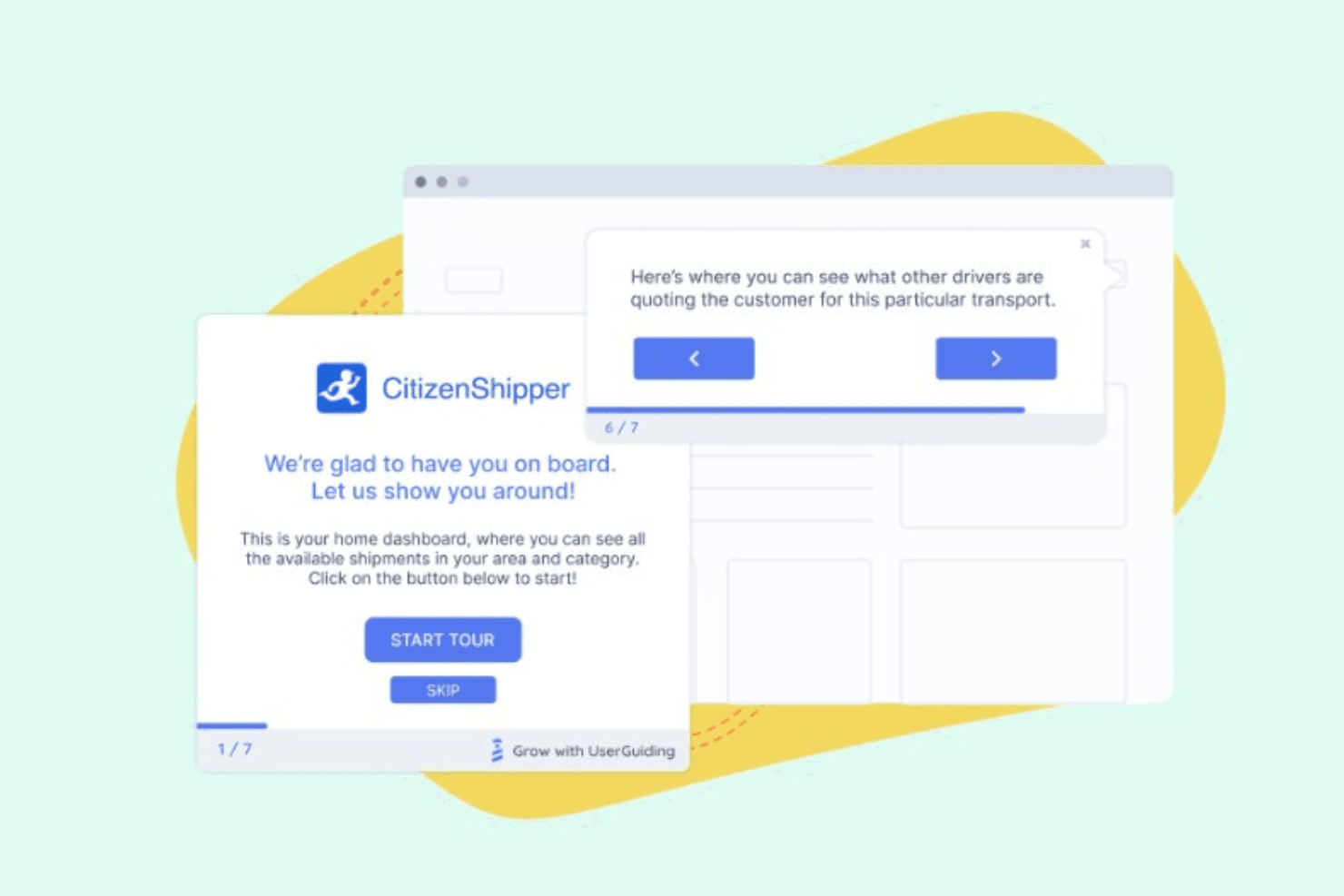
UserGuiding allows you to create pop-ups that highlight new features for your customers to increase adoption. UserGuiding is a no-code product engagement platform that combines in-app guidance tools—including product tours, tooltips, hotspots, onboarding checklists, and announcement modals—with feedback collection, resource centers, user segmentation, and a built-in analytics module.
Who Is UserGuiding Best For?
UserGuiding is a strong fit for product and customer success teams at SaaS companies that want to build and launch in-app onboarding flows without involving engineering.
Why I Picked UserGuiding
I picked UserGuiding as one of the best because its no-code builder lets product teams ship onboarding tours, checklists, and hotspots without writing a single line of code. I especially like how in-app surveys and NPS tools connect directly to onboarding flows, so you can collect feedback at the exact moment a user completes a key step. The built-in resource center and AI Assistant also give users a self-serve support layer that reduces drop-off during onboarding.
UserGuiding Key Features
- In-app surveys and NPS surveys: Collect structured user feedback and measure satisfaction directly within your product, without redirecting users to external forms.
- Resource center and knowledge base: Give users a self-serve help hub inside the app, where they can search articles and access support content without leaving their workflow.
- Session replay: Record and review real user sessions to see exactly how people interact with your product after completing onboarding flows.
- Feature requests and public roadmap: Let users submit feature ideas and follow your product roadmap directly within the app, creating a transparent feedback loop between your team and your users.
UserGuiding Integrations
Native integrations are not clearly documented. UserGuiding’s MCP Server connects AI tools and agents to product data.
Pros and Cons
Pros:
- Resource centers reduce onboarding support requests
- Feedback connects surveys, NPS, and roadmaps
- No-code tours launch without engineering support
Cons:
- Web-focused with limited mobile app support
- Analytics lacks confirmed funnel journey visualization
Learn more about UserGuiding: Best for AI-assisted in-app guidance and analytics
- 14-day free trial
- From $240/month (billed annually)
Visit WebsiteCustomer Rating:4.8/5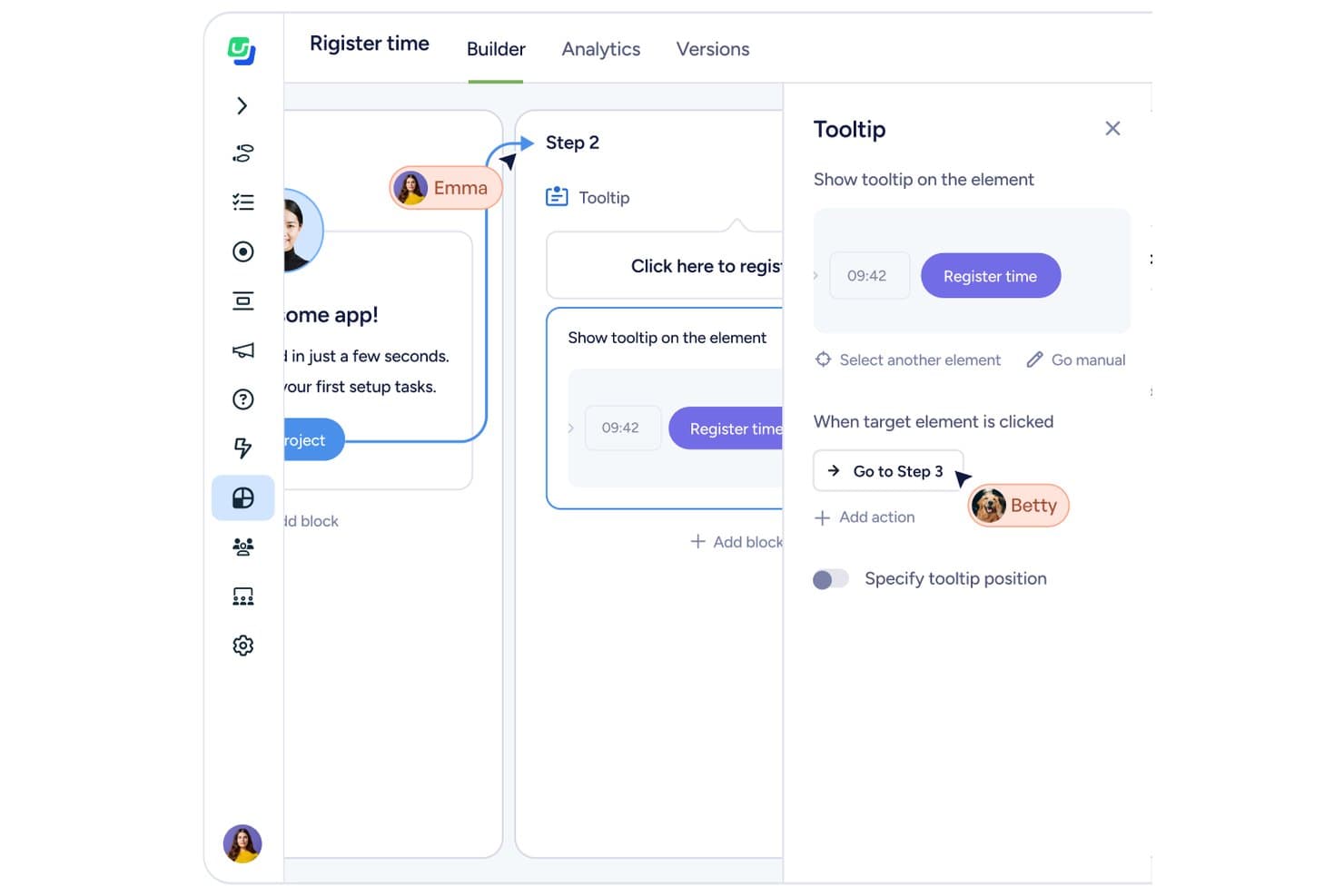
Userflow lets users build interactive tooltips tied to UI elements. Userflow is a no-code product engagement platform for web apps that combines in-app guidance tools—flows, checklists, tooltips, banners, and resource centers—with a built-in analytics suite and AI-assisted flow building.
Who Is Userflow Best For?
Userflow is a strong fit for web-focused product-led growth teams that want in-app onboarding, guidance, and analytics in a single tool without relying on engineering.
Why I Picked Userflow
I picked Userflow as one of the best because its FlowAI builder doesn't just help you create flows faster—it actively analyzes how users move through your product and surfaces drop-offs in real time, so you're not guessing where onboarding breaks down. I also love that the built-in Product Adoption Insights suite puts funnels, charts, and dashboards alongside your guidance tools, meaning you can spot a problem and deploy a targeted tooltip or checklist without switching platforms. The MCP integration takes it further, letting you query usage patterns or build segments in plain language through Claude or ChatGPT.
Userflow Key Features
- Localization and translation: Build flows in any language, including right-to-left scripts, with AI-assisted translation that auto-detects missing or changed text and supports CSV and XLIFF import/export.
- No-code event tracking: Capture button clicks, page visits, and form interactions without writing a single line of code, then feed that data directly into charts and dashboards.
- In-app surveys and NPS: Deploy targeted surveys and NPS prompts to specific user segments, with responses tied to behavioral data for richer context.
- Funnel analysis: Map up to 10-step funnels with per-step completion rates, drop-off counts, and segment comparisons, plus CSV export of users at any step.
Userflow Integrations
Userflow offers native integrations with HubSpot, Salesforce, Slack, Mixpanel, Heap, and Amplitude, plus REST API and webhooks for custom integrations.
Pros and Cons
Pros:
- Localization supports RTL and translation workflows
- Built-in funnels connect guidance with adoption data
- AI-assisted flow building reduces launch time
Cons:
- Funnel analysis stops at ten steps
- Web-only support excludes native mobile apps
Learn more about Userflow: Best for no-code in-app experiences at scale
- Free trial available
- Pricing upon request
Visit WebsiteCustomer Rating:4.7/5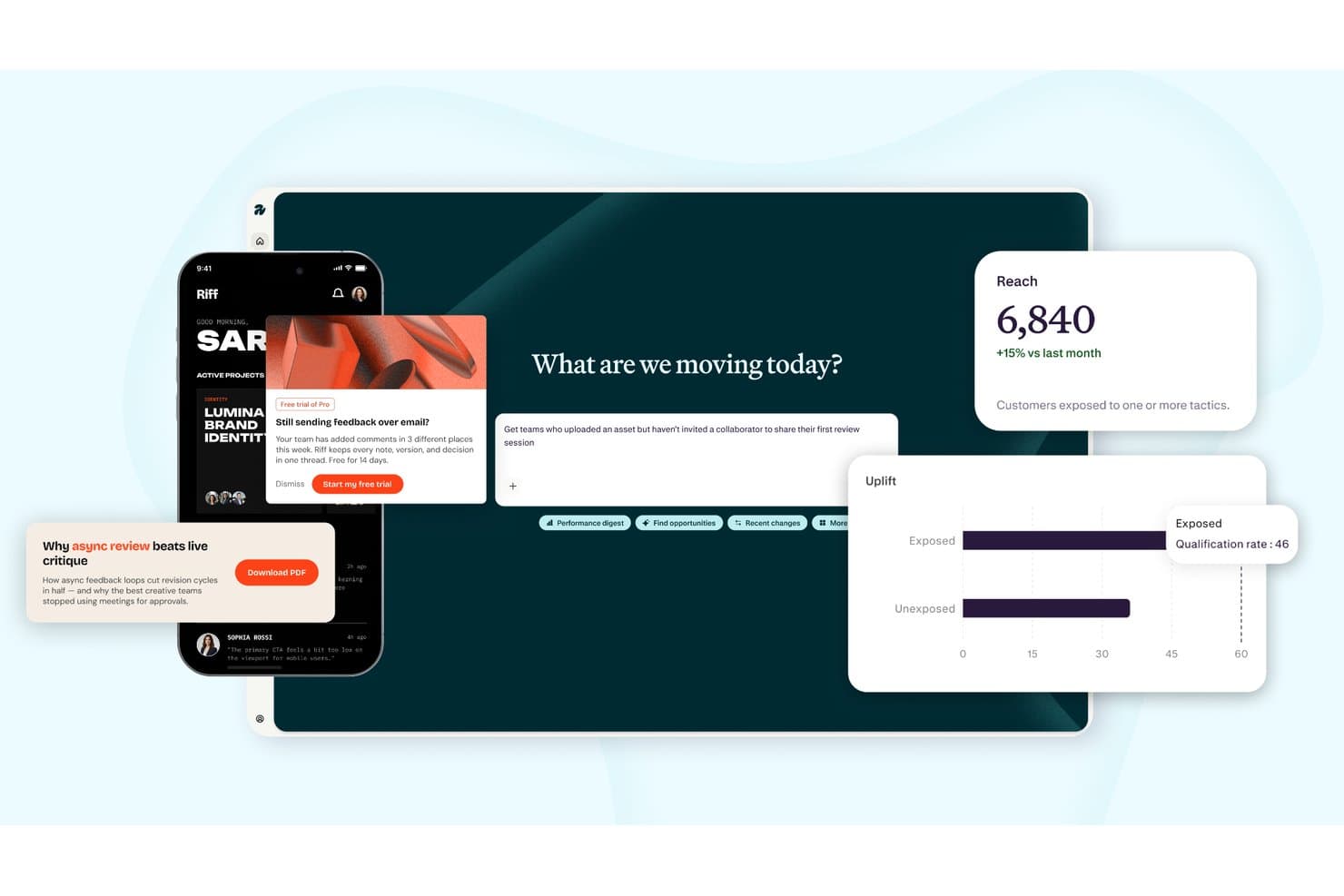
Appcues tracks reach, uplift, and engagement across multi-channel campaigns. Appcues is a product engagement platform that combines no-code in-app experience building, product usage analytics, user segmentation, and behavioral messaging across in-app, email, and push channels.
Who Is Appcues Best For?
Appcues is a strong fit for mid-size SaaS product teams that want to build, target, and measure in-app experiences without relying on engineering resources.
Why I Picked Appcues
Appcues earns its spot on my shortlist because it lets product teams build and publish in-app experiences—flows, checklists, pins, banners, and launchpads—without writing a single line of code. I especially like that you set your brand once and every experience inherits it automatically, which matters when you're publishing across dozens of segments at scale. The AI layer is genuinely useful too: it drafts experiences from plain-language prompts and flags broken links in live flows before users hit them.
Appcues Key Features
- Behavioral segmentation: Target users by their attributes and in-product actions, drawing in data from your CRM, data warehouse, or CDP for precise audience targeting.
- Impact and uplift reporting: Measure whether a specific experience drove a meaningful outcome and whether users who saw it performed better than those who didn't.
- In-app NPS and surveys: Deploy targeted feedback surveys inside your product, scoped to specific segments, with responses routed directly to Slack or your CRM.
- Mobile SDKs: Extend tracking and in-app experiences to iOS, Android, React Native, Flutter, and Ionic apps from the same platform you use for web.
Appcues Integrations
Appcues offers native two-way integrations with Salesforce, HubSpot, Intercom, Slack, Mixpanel, and Heap. It also supports Segment, API and event webhooks, and Zapier.
Pros and Cons
Pros:
- Measures uplift beyond basic interaction metrics
- AI drafts flows and flags broken links
- No-code experiences across web and mobile
Cons:
- Account-level adoption scoring isn't available
- No native session replay for investigations
Learn more about Appcues: Best for unified analytics, replay, and in-app guides
- Free plan available
- Pricing upon request
Visit WebsiteCustomer Rating:4.5/5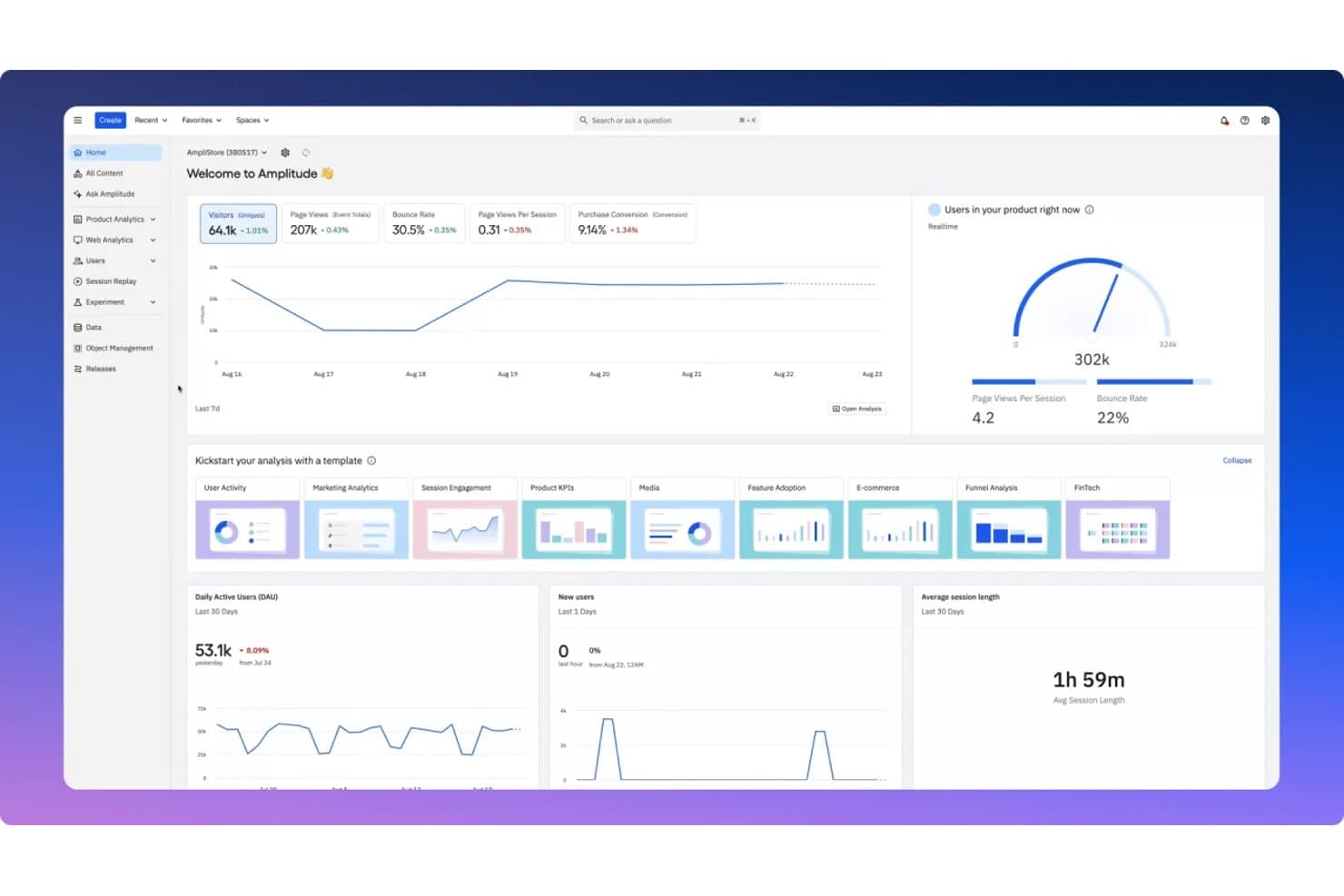
Amplitude centralizes product engagement metrics in a unified dashboard. Amplitude is a product analytics platform that combines behavioral analytics, session replay, in-app guides and surveys, and experimentation in a single product.
Who Is Amplitude Best For?
Amplitude is a strong fit for product managers and growth teams who want analytics, session replay, and in-app guides in one place rather than stitching together separate tools.
Why I Picked Amplitude
Amplitude earns its spot on my shortlist because it pulls analytics, session replay, and in-app guides into a single platform, so the behavioral data you analyze directly powers the guides you deploy. I especially like that its Guides & Surveys product supports tours, checklists, tooltips, and modals with behavior-based triggers and built-in frequency rules that prevent over-messaging. Session Replay goes further on Growth and Enterprise plans with AI summaries that flag friction points and surface user sentiment automatically.
Amplitude Key Features
- Behavioral cohort targeting: Build cohorts from user behavior and use them to target guides, surveys, and experiments without any SQL or engineering support.
- Cross-platform session replay: Capture high-fidelity replays on web, iOS, Android, and React Native, with the option to run replay as a standalone SDK alongside tools like Segment.
- A/B testing for guides: Run A/B tests on in-app guides and surveys on Growth and Enterprise plans to compare which version drives better engagement.
- AI Feedback: Automatically analyze up to 2,000 feedback records per month on every plan, including Free, to surface patterns in user responses.
Amplitude Integrations
Amplitude connects to Segment for Session Replay and supports MCP connections with Claude, Cursor, Lovable, and Figma Make. It also supports cohort syncs and real-time streaming to other tools.
Pros and Cons
Pros:
- Behavior-based targeting limits message fatigue
- AI replay surfaces friction patterns
- Unifies analytics, replay, and guidance
Cons:
- Complex dashboards slow initial analysis
- Analytics depth can overshadow engagement workflows
Learn more about Amplitude: Best for AI-driven omnichannel user engagement
- Free demo available
- Pricing upon request
Visit WebsiteCustomer Rating:4.5/5
MoEngage personalizes omnichannel communication across every customer journey touchpoint to elevate product engagement. MoEngage is a data insight-led product engagement platform that helps you provide a personalized user experience across the entire customer journey to build strong customer relationships. The software powers digital experiences with advanced segmentation, omnichannel engagement, customer journey analytics, and AI-powered forecasts.
Why I picked MoEngage: I picked MoEngage for its AI-driven omnichannel capabilities that help improve customer engagement and brand experience. This includes smart A/B testing experiments that help drive results and build customer loyalty on email, in-app, push, and other channels.By knowing which channels your customers respond to the most, you can maximize engagement and set up events in real time.
MoEngage Standout Features and Integrations
One standout feature is its AI-driven Customer Journey Builder, which creates and automates your campaigns with zero-code seamlessly across multiple channels. Using this feature, you can onboard individual users with welcome offers, personalize 1:1 comms for relationship building, and utilize predictive capabilities for upsell & cross-sell opportunities. Additionally, you can deliver the messages in their preferred channels. Consumer insights powered by AI can help you visualize customer journeys through every stage and detect any points of friction to re-engage them—all from one single dashboard. This ultimately optimizes your product adoptions, subscriptions, and conversions.
Integrations include 110+ tools, such as Airtable, Amazon S3, EduMe, Freshdesk, Growthbook, LeadSquared, Mailmodo, Open Weather, Shopify, Smashpops, Typeform, and Vizard.
MoEngage also integrates with Zapier to allow you to build custom workflows in 5000+ apps.
Pros and Cons
Pros:
- Real-time analytics and insights for creating automated customer journeys
- Easy segment creation through ingestion of attributes and events
- Multi-channel communication support through SMS, WhatsApp, and email
Cons:
- UX could use improvement in terms of ease of use
- Formatting inconsistencies in database reports
Learn more about MoEngage: Best for analytics-backed in-app engagement
- 14-day free trial
- From $299/month
Visit WebsiteCustomer Rating:4.7/5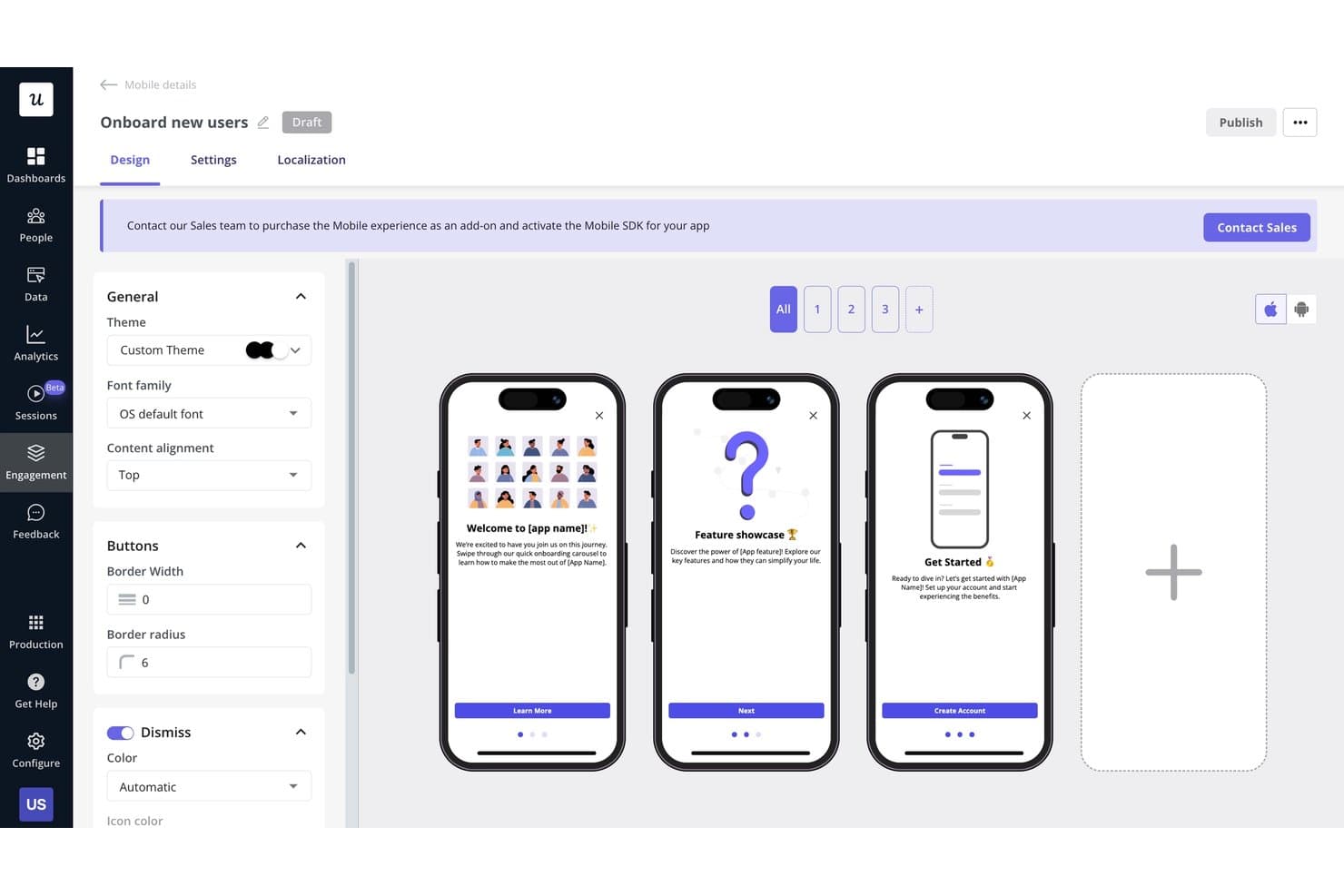
Userpilot lets users build multi-step mobile onboarding flows visually. Userpilot is a product engagement platform that combines no-code in-app experiences, usage analytics, user segmentation, session replay, and feedback collection tools like NPS and CSAT surveys.
Who Is Userpilot Best For?
Userpilot is a strong fit for product managers and customer success teams who need to connect in-app engagement directly to usage data.
Why I Picked Userpilot
Userpilot earns its spot on my shortlist because it ties in-app engagement directly to product usage data in a way most tools don't. I love that you can build a targeted walkthrough or checklist, then immediately pull funnel and path reports to see whether it moved adoption. Features like autocapture and session replay with rage-click indicators let me pinpoint exactly where users drop off before I even build a fix.
Userpilot Key Features
- NPS and CSAT surveys: Collect in-app feedback on all plans using NPS, with advanced survey types including CSAT available on Growth and above.
- AI agent (Lia): Ask questions about your product data, analyze user feedback, and build in-app guides using a conversational AI agent included on every plan.
- User and company segmentation: Build segments for individual users or accounts using behavioral and attribute data, then apply those segments across analytics, messaging, and feedback.
- Resource center: Give users a self-serve help hub inside your product, built without code, to surface guides, announcements, and support content on demand.
Userpilot Integrations
Userpilot offers six documented native integrations, including Segment, Mixpanel, Amplitude, Heap, Intercom, and Slack. It also supports webhooks and an HTTP API for custom integrations, with HubSpot, Salesforce, and data warehouse sync available on Enterprise.
Pros and Cons
Pros:
- No-code guides support rapid rollout
- Session replay reveals rage-click friction
- Analytics links funnels to engagement outcomes
Cons:
- Some reviewers report freezing during builds
- Mobile engagement requires enterprise access
Learn more about Userpilot: Best for in-app guidance across web and desktop apps
- Free trial available
- Pricing upon request
Visit WebsiteCustomer Rating:4.6/5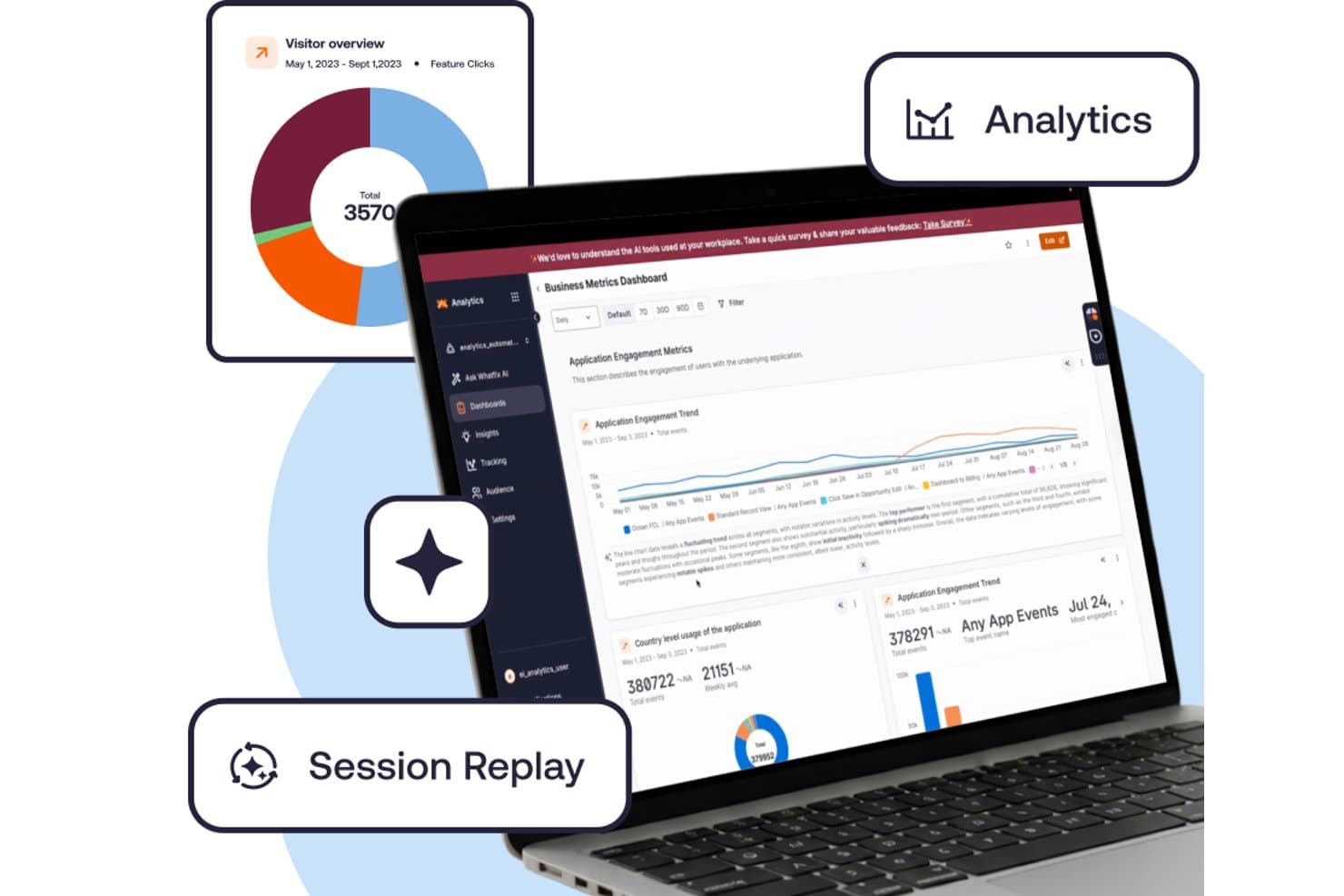
Whatfix tracks engagement metrics via analytics and session replay. Whatfix is a digital adoption platform that combines in-app guidance tools, product usage analytics, and cross-platform support across web, desktop, mobile, and virtual desktop environments.
Who Is Whatfix Best For?
Whatfix suits large enterprises with UX or L&D teams managing guidance across web, desktop, and virtual desktop environments.
Why I Picked Whatfix
Whatfix earns its spot on my shortlist because no other tool I've tested covers web, desktop (Windows and Mac), Citrix, and Azure Virtual Desktop guidance under one roof. I especially like Flows and Smart Tips, which let UX teams build step-by-step walkthroughs and field-level tooltips without writing a line of code. Auto Testing automatically checks that those Flows still work after an app update, which saves hours of manual QA across complex enterprise environments.
Whatfix Key Features
- Session Replay: A paid add-on that records user sessions with privacy controls built to enterprise compliance standards.
- Mirror: A simulation environment where users can practice workflows in a cloned app, complete with AI roleplay, quizzes, and SCORM export.
- Adoption Health Dashboard: A built-in dashboard that tracks feature adoption trends and surfaces usage patterns over time.
- Self Help: An embedded knowledge base with AI-powered search, summaries, and contextual content recommendations surfaced directly in the app.
Whatfix Integrations
Whatfix integrates with Mixpanel, Amplitude, and Segment for mobile apps. Standard DAP supports two enterprise-app integrations, but Whatfix doesn’t identify those apps on its pricing page.
Pros and Cons
Pros:
- Governed authoring supports approvals and localization
- Automatic flow testing catches broken walkthroughs
- Guidance spans web, desktop, and virtual desktops
Cons:
- Mobile segmentation remains basic
- Desktop analytics omit some user properties
Learn more about Whatfix: Best for session replay tied to behavioral analytics
- Free plan available
- Pricing upon request
Visit WebsiteCustomer Rating:4.5/5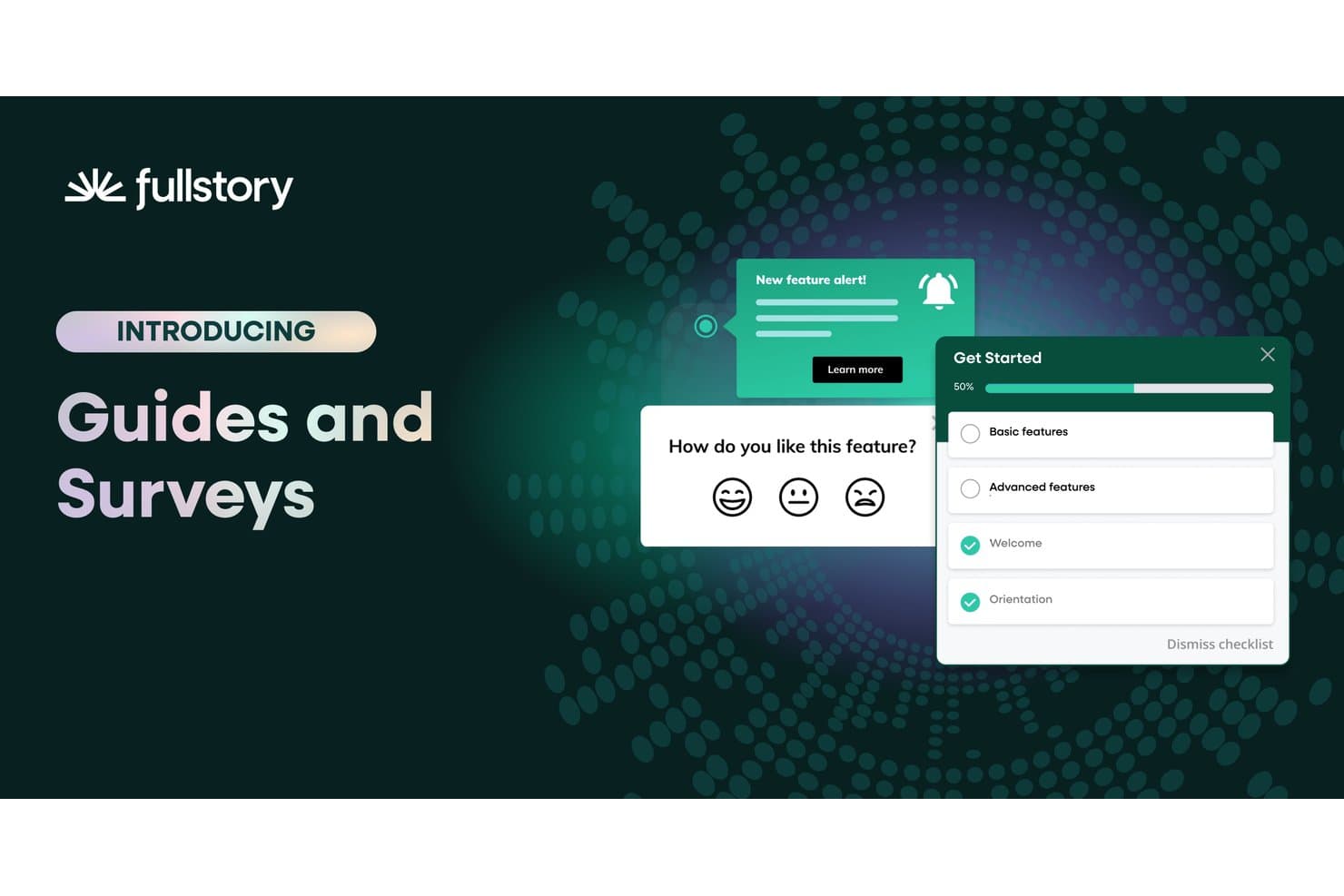
Fullstory lets users deploy surveys and onboarding guides in-app. Fullstory is a behavioral analytics and product engagement platform that combines session replay, heatmaps, funnel analysis, and in-app guides with automatic event capture across web and mobile.
Who Is Fullstory Best For?
Fullstory is a strong fit for product and UX teams that need to connect session replay directly to behavioral analytics without stitching together separate tools.
Why I Picked Fullstory
Fullstory earns its spot on my shortlist because it's the only tool where session replay and behavioral analytics aren't separate workflows—they're the same dataset. I love that Fullcapture automatically records every click, scroll, and rage-click without manual tagging, so when a funnel drop-off appears in your analytics, you can jump straight into the session replay to see exactly what happened. Pair that with StoryAI's session summaries, and you get the "what" and the "why" without digging through hours of footage.
Fullstory Key Features
- Fullcapture: Automatically records every click, scroll, and rage-click on web and mobile without any manual event tagging.
- Page flow analysis: Visualizes the actual paths users take through your product, showing where they navigate before and after each step.
- In-app surveys and NPS: Deploys surveys directly inside your product and links each response to the user's live session recording.
- Segment alerts: Notifies you when a defined user segment's behavior changes, so you can act on shifts in engagement without manually checking dashboards.
Fullstory Integrations
Fullstory offers integrations with Adobe Analytics, Google Tag Manager, and Segment, plus an open API, webhooks, and data export for custom connectivity.
Pros and Cons
Pros:
- Surveys link responses to session recordings
- Automatic capture removes manual event tagging
- Session replay connects directly to behavioral analytics
Cons:
- Customer-facing health scoring isn’t available
- Native mobile guides remain unavailable
Learn more about Fullstory: Best for guiding users through enterprise workflows
- Not available
- Pricing upon request
Visit WebsiteCustomer Rating:4.5/5
WalkMe offers a transparent overlay with its AI-powered analytics and engagement features that enable you to simplify user experiences. WalkMe is essentially a digital adoption platform (DAP) that provides the visibility and insights you need to deliver frictionless digital experiences. The software can help you build powerful on-screen experiences that guide users through every step of a process, from user onboarding to change management.
Why I picked WalkMe: I picked WalkMe owing to its robust capabilities that supercharge product adoption, elevate user productivity, and reduce security risks. These capabilities include application, workflow, and form analytics that relay the extent of product usage and identify friction points resulting in drop-offs. WalkMe also walks you through business workflows within and across applications using in-app guidance, automation, and a conversational self-service content editor.
This tool also provides configurable and application-specific templates for the more difficult actions. WalkMe’s DAP also streamlines omnichannel user experiences on any web, mobile, or desktop software product for personalization, using hyper-automation and in-app guidance and engagement.
WalkMe Standout Features and Integrations
Features include its powerful AI-driven analytics and reporting capabilities. The tool displays user behavior, such as how long users use your product and where they struggle. You can use this to identify under-utilized features and create support processes to boost engagement and feature adoption. WalkMe’s no-code platform allows anybody on your team to create learning sessions. The UI intelligence feature makes all this information available on a simple and intuitive dashboard. Additionally, you can reduce time-to-value and increase reliability throughout the WalkMe building process using pre-configured templates. The Solution Accelerator feature helps you design frictionless workflows that speed up deployment timelines while still delivering top-notch results.
Integrations include 20+ tools, such as Amazon S3, Azure Active Directory, Gainsight, Google Suite, Intercom, LiveAgent, LiveChat, Okta, Segment, Slack, Webhooks, and Zendesk.
Pros and Cons
Pros:
- Provides the right amount of help at different points in the product use workflow
- Conditional shoutouts feature for seamless customer communications
- Smart walkthroughs with trigger steps and conditions
Cons:
- Lack of in-built templates and advanced reporting features
- Lacks help version management from one version to the next
Learn more about WalkMe: 10Best for creating in-app guides and feature requests
Pendo
- Free plan + 30-day free trial + free demo available
- Pricing upon request
Visit WebsiteCustomer Rating:4.4/5
Track Product Engagement Score (PES) over time and compare values across different audience segments. Pendo is an all-in-one product engagement platform that helps you deliver a best-in-class digital user experience. The software combines retroactive analytics and qualitative feedback to develop a complete understanding of how your customers feel about your product.
Why I picked Pendo.io: I picked Pendo because of its robust targeted walkthroughs and in-app guides that provide personalized onboarding, guidance, and support. The tool enables you to deliver the right messages to the right users to drive feature adoption.
Pendo helps you capture, prioritize, and manage feature requests. As a result, you gain access to several real-time product insights from sources such as user interviews, support tickets, beta testing, etc. Combining this with Pendo’s robust low-code product analytics metrics (like PES), you can improve roadmap planning and build the right product.
Pendo.io Standout Features and Integrations
Features include its native feedback module. This enables users to submit feature requests and leave feedback. You can then connect these requests to your roadmap initiatives for real-time product design and development. Moreover, Pendo also offers a sentiment analysis feature. Using this, you can add an NPS survey or other polls to newly launched features and gauge your customers’ satisfaction.
Integrations include 50+ tools, such as Algolia, BigQuery, Breadcrumbs, Calendly, Catalyst, Gainsight, HubSpot, Integrately, Intercom, Salesforce, Slack, and Tableau. You can access thousands of additional apps using a paid subscription with Zapier.
Pros and Cons
Pros:
- Offers onboarding walkthroughs, information tooltips, and feedback forms
- Data Explorer tool is great for its reporting capabilities
- Helps organize all feature improvement requests in a single place
Cons:
- Custom reports are not available on the mobile app
- Roadmapping capabilities need improvement
Learn more about Pendo:
Annen programvare for produktengasjement
Her er noen flere alternativer for programvare for produktengasjement som ikke kom med på kortlisten min, men som likevel er verdt å undersøke:
- 11PostHogBest for open-source product analytics and feedback
- 12Gainsight PXBest for CS-led product engagement analytics
- 13BrazeBest for A/B testing and gamification campaigns
- 14Qualtrics XMBest for market research-driven feature optimization
How I Evaluate Product Engagement Software
I split my evaluation into three parts: core functionality first, which carries the most weight—specifically, whether a tool can track feature usage across your product and let non-technical teams deploy in-app guides without dev support. Then I look at standout features like session replay or AI-generated insights. Finally, I consider onboarding support and pricing scalability.
Core Functionality (Table Stakes for This List)
When I'm selecting tools for my list, I score each one on a scale from 0 (does not offer the functionality) to 5 (excels in this area) for each core functionality listed below. I then convert the total into a percentage to help assess each tool's overall fit, with extra weight on any functionalities I've deemed essential.
- Product Usage Analytics (Essential): I check whether the tool lets me track feature adoption, usage frequency, and engagement trends across user segments without relying on a data team.
- In-App Engagement Tools (Essential): I look for no-code builders that let PMs launch tooltips, walkthroughs, and announcements targeted by user behavior or lifecycle stage.
- User Segmentation: Good segmentation goes beyond static attributes. I evaluate whether segments based on behavior or product activity carry across analytics, messaging, and surveys.
- Funnel and Journey Mapping: I look at how flexibly a tool lets me define multi-step funnels and spot exactly where users drop off between key actions like signup-to-activation flows.
- Feedback Collection: I evaluate whether in-app surveys and NPS prompts can target specific segments and whether response data ties back to usage behavior for context.
- Cross-Platform Tracking: For teams with both web and mobile products, I check whether engagement data unifies into a single view rather than living in separate silos.
Once I have a list of tools that meet the criteria, I consider what sets each platform apart.
Differentiating Factors (What Sets Vendors Apart)
Here's how I compare and contrast different vendors:
Standout Features
Session replay is where I spend the most time evaluating. I look for tools that let me filter replays by frustration signals like rage clicks or dead taps, not just browse random recordings. AI-generated insights matter too—I check whether the platform surfaces anomalies or suggests experiments on its own, rather than requiring me to build every report manually. For teams shipping products in multiple markets, I also evaluate localization support for in-app guides and tooltips.
Beyond Features
I evaluate how quickly a team can go from signup to first insight. Pre-built templates, autocapture tagging, and guided setup wizards cut weeks off implementation. Scalability matters just as much—I check whether a platform supports multiple products under one account with shared identity resolution, so teams like those running separate web and mobile apps don't end up paying for siloed workspaces. I also look at ecosystem integrations, especially native connections to data warehouses like Snowflake and BigQuery, since piping engagement data into an existing analytics stack prevents duplicate instrumentation work.
Slik velger du programvare for produktengasjement
Det er lett å gå seg vill i lange funksjonslister og kompliserte prismodeller. For å hjelpe deg med å holde fokus mens du går gjennom den unike prosessen din for valg av programvare, får du her en sjekkliste over faktorer du bør ha i tankene:
| Faktor | Hva du bør vurdere |
|---|---|
| FaktorSkalerbarhet | Hva du bør vurdereKan programvaren vokse med virksomheten din? Vurder om den støtter et økende antall brukere og datamengder uten ytelsesproblemer. Se etter trinnvis prising eller kapasitetsbegrensninger. |
| FaktorIntegrasjoner | Hva du bør vurdereKobles den til de eksisterende verktøyene dine? Kontroller at den er kompatibel med CRM-, e-post- og analyseplattformene dine for å unngå datasiloer. |
| FaktorTilpasningsmuligheter | Hva du bør vurdereKan du tilpasse programvaren til arbeidsflytene dine? Se etter alternativer for å tilpasse dashbord, rapporter og brukertillatelser. |
| FaktorBrukervennlighet | Hva du bør vurdereEr den brukervennlig for teamet ditt? Vurder grensesnittet og navigeringen. En bratt læringskurve kan forsinke innføringen. |
| FaktorImplementering og introduksjon | Hva du bør vurdereHvor raskt kan du komme i gang? Vurder ressursene som trengs for oppsettet, og om det finnes støtte for introduksjon, for eksempel veiledninger og opplæringsmateriell. |
| FaktorKostnad | Hva du bør vurderePasser den inn i budsjettet ditt? Sammenlign totalkostnaden, inkludert oppstartsgebyrer og løpende utgifter. Vær oppmerksom på skjulte kostnader i kontraktene. |
| FaktorSikkerhetstiltak | Hva du bør vurdereEr dataene og brukerinformasjonen din sikre? Se etter samsvar med standarder som GDPR og funksjoner som kryptering og tilgangskontroller. |
| FaktorTilgjengelig brukerstøtte | Hva du bør vurdereVil leverandøren hjelpe deg når du trenger det? Se etter brukerstøtte døgnet rundt og vurder kvaliteten på kundeservicen. |
Hva er programvare for produktengasjement?
Programvare for produktengasjement er et verktøy som hjelper virksomheter med å spore og forbedre hvordan brukere samhandler med produktene deres. Den brukes vanligvis av produktledere, markedsførere og kundesuksessteam, og gir innsikt som kan forbedre brukeropplevelsen og kundelojaliteten. Funksjoner som brukerintroduksjon, innsamling av tilbakemeldinger og analyse hjelper med å forstå kundenes behov og optimalisere produktbruken. Alt i alt gir disse verktøyene virksomheter en måte å øke brukertilfredsheten og engasjementet på.
Funksjoner
Når du velger programvare for produktengasjement, bør du se etter følgende viktige funksjoner:
- Brukerintroduksjon: Veileder nye brukere gjennom produktet for å sikre at de forstår hvordan det brukes effektivt og raskt.
- Innsamling av tilbakemeldinger: Samler inn brukernes meninger og erfaringer for å forbedre produktfunksjoner og håndtere bekymringer.
- Analyse: Gir innsikt i brukeratferd og engasjement for å bidra til å optimalisere produktytelsen og brukeropplevelsen.
- Meldinger i appen: Gjør det mulig å kommunisere direkte med brukere i produktet for å tilby kundestøtte eller kunngjøringer.
- Brukersegmentering: Kategoriserer brukere basert på atferd eller demografi for å tilpasse markedsførings- og engasjementsstrategier.
- Tilpassbare kontrollpaneler: Lar brukerne tilpasse visningen av data og måltall for å fokusere på det som er viktigst for dem.
- Databehandling i sanntid: Sikrer at brukerinteraksjoner og engasjement spores og analyseres umiddelbart, slik at du får innsikt i tide.
- A/B-testing: Hjelper med å teste ulike versjoner av produktfunksjoner for å finne ut hvilken som fungerer best for brukerne.
- Atferdsbasert målretting: Bruker data om brukeratferd til å tilpasse innhold og engasjementsstrategier for bedre resultater.
- Sikkerhetstiltak: Beskytter brukerdata og sikrer samsvar med regelverk som GDPR for å opprettholde tillit og sikkerhet.
Fordeler
Implementering av programvare for produktengasjement gir flere fordeler for teamet og virksomheten din. Her er noen av fordelene du kan se frem til:
- Forbedret brukeropplevelse: Ved å veilede brukerne gjennom introduksjonen og tilby støtte i appen hjelper disse verktøyene brukerne med å få mest mulig ut av produktet ditt.
- Bedre kundeinnsikt: Analyse og innsamling av tilbakemeldinger gir verdifulle data om brukeratferd og preferanser, slik at du kan ta informerte beslutninger.
- Økt brukerlojalitet: Ved å forstå og imøtekomme brukernes behov gjennom målrettede engasjementsstrategier kan du få brukerne til å komme tilbake.
- Personlig tilpasset kommunikasjon: Funksjoner som brukersegmentering og meldinger i appen muliggjør skreddersydde interaksjoner som treffer ulike brukergrupper.
- Effektiv produktoptimalisering: A/B-testing og databehandling i sanntid gjør det mulig å raskt identifisere hva som fungerer best, slik at forbedringer kan gjennomføres raskere.
- Samsvar med krav til datasikkerhet: Sikkerhetstiltak sørger for at brukerdata beskyttes, bygger tillit og oppfyller kravene til samsvar.
Kostnader og priser
Ved valg av programvare for produktengasjement må du forstå de ulike prismodellene og abonnementene som er tilgjengelige. Kostnadene varierer basert på funksjoner, teamstørrelse, tillegg og mer. Tabellen nedenfor oppsummerer vanlige abonnementer, gjennomsnittsprisene deres og typiske funksjoner som er inkludert i løsninger for programvare for produktengasjement:
Sammenligningstabell for abonnementer for programvare for produktengasjement
| Abonnementstype | Gjennomsnittspris | Vanlige funksjoner |
|---|---|---|
| AbonnementstypeGratis abonnement | Gjennomsnittspris$0 | Vanlige funksjonerGrunnleggende analyse, begrenset brukerintroduksjon og grunnleggende meldinger i appen. |
| AbonnementstypePersonlig abonnement | Gjennomsnittspris$5-$25/bruker/måned | Vanlige funksjonerUtvidet analyse, brukersegmentering og tilpassbare kontrollpaneler. |
| AbonnementstypeBedriftsabonnement | Gjennomsnittspris$30-$75/bruker/måned | Vanlige funksjonerAvansert brukerintroduksjon, A/B-testing og databehandling i sanntid. |
| AbonnementstypeStorbedriftsabonnement | Gjennomsnittspris$100-$200/bruker/måned | Vanlige funksjonerOmfattende sikkerhetstiltak, omfattende integrasjoner samt dedikerte ressurser for støtte og opplæring. |
Vanlige spørsmål om programvare for produktengasjement
Her er noen svar på vanlige spørsmål om programvare for produktengasjement:
Er programvare for produktengasjement egnet for små bedrifter?
Ja, programvare for produktengasjement kan være egnet for små bedrifter. Mange leverandører tilbyr skalerbare abonnementer som er tilpasset mindre team med begrensede budsjetter. Som liten bedrift kan du bruke disse verktøyene til å forstå brukeratferd, forbedre kundestøtten og øke kundelojaliteten uten å trenge et stort team. Se etter løsninger med fleksibel prising og funksjoner som støtter vekstmålene dine.
Hvordan skaper man produktengasjement?
For å skape produktengasjement må virksomheter ta i bruk strategier som fremhever hvilken verdi produktet gir brukeren, skaper en interaktiv brukeropplevelse og prioriterer optimalisering basert utelukkende på kundeadferd og analyser.
Du kan skape produktengasjement ved hjelp av tilpassede utforminger av kundereisen. Du kan også konfigurere e-poster som skal sendes ut basert på handlingsutløsere, styrke kundestøtten for raskere løsning av brukerproblemer, bygge en tilstedeværelse på sosiale medier, innføre spillbaserte belønninger for lojale brukere og mye mer.
Hvordan måles produktengasjement?
Når det gjelder å måle produktengasjement, må du definere målparametere og måleverdier.
Noen kjente måleverdier for produktengasjement omfatter vurdering av produktengasjement (PES), ukentlige eller månedlige aktive kunder (som viser hvor godt produktet holder på brukerne), funksjonsadopsjonsrate, lojalitets- og frafallsrater samt tid i produktet (som viser gjennomsnittlig tid hver enkelt bruker tilbringer på produktnettstedet eller i appen per nettleserøkt).