

Føler du at Framer rett og slett ikke fungerer for teamet ditt? Kanskje det er funksjonsbegrensningene, utfordringene med å skalere eller samarbeidsverktøyene som ikke helt holder mål. Som produktleder eller utvikler er det frustrerende når verktøyene du er avhengig av, ikke lever opp til visjonen du jobber mot.
La oss innse det – design er hjertet i produktet ditt. Det er det som skiller deg ut i et konkurransepreget marked. Du er her fordi du trenger noe som faktisk fungerer for dine unike utfordringer, ikke en standardløsning som tvinger teamet ditt til å improvisere.
Den gode nyheten? Jeg har gjort grovarbeidet for deg. Etter å ha gått grundig gjennom verdenen av designverktøy har jeg funnet noen fantastiske Framer-alternativer som kanskje er akkurat det du ser etter. Hvert alternativ har noe unikt å by på, og jeg skal gå gjennom funksjonene, fordelene og til og med «ting du bør være oppmerksom på», slik at du kan ta det beste valget.
Hva er Framer?
Framer er et kjent produktdesignverktøy for å lage interaktive prototyper og animasjoner. Det er populært blant designere, utviklere og produktledere som setter pris på muligheten til å visualisere og teste raskt. Med funksjoner som samarbeidsbaserte arbeidsflyter, fleksible designverktøy og kraftig prototyping tilbyr Framer en allsidig plattform for å gjøre ideer til virkelighet. Når det er sagt, er ingen verktøy perfekte, og hvis du er her, er sjansen stor for at du utforsker alternativer som passer bedre til teamets spesifikke behov. Ikke bekymre deg, vi hjelper deg.
Sammenligningstabell for Framer-alternativer
Denne sammenligningstabellen oppsummerer prisopplysningene for mine beste utvalgte Framer-alternativer:
| Tool | Best For | Trial Info | Price | ||
|---|---|---|---|---|---|
| 1 | Best for agency-scale client site management | 14-day free trial | From $25/month | Website | |
| 2 | Best for freelancers building client sites | 14-day free trial | From $19/month (billed annually) | Website | |
| 3 | Best for agency sites without per-site fees | Free plan available | From $20.75/month (billed annually) | Website | |
| 4 | Best for open-source, self-hosted site ownership | Free plan available | From $5/month | Website | |
| 5 | Best for content-heavy sites on a GPL license | Free plan available | From $39/month (billed annually) | Website | |
| 6 | Best for design-to-publish in one workspace | Free plan available | From $3/user/month | Website | |
| 7 | Best for responsive web design with a visual CSS canvas | Free plan available | From $15/month (billed annually) | Website | |
| 8 | Best for building sites with built-in business tools | Not available | Pricing upon request | Website | |
| 9 | Best for full-platform sites beyond marketing pages | Free plan available | From $17/month (billed annually) | Website | |
| 10 | Best for design-team site publishing in Figma | Free plan available | From $16/user/month (billed annually) | Website |


Hvorfor du kan stole på våre programvareanbefalinger
6,700+
Reviews
20
Industry experts
16+
Evaluation factors
14
Years
Teamet vårt har testet og anmeldt programvare siden 2012. Vi er selv produktledere, så vi vet hvor vanskelig og hvor viktig det er å velge riktig programvare.
I denne guiden har vi vurdert verktøyene gjennom praktisk testing og uavhengig research og gitt dem poeng ut fra våre utvelgelseskriterier.
Anmeldelsene våre bygger på vår egen redaksjonelle vurdering. De er ikke et salgsargument.
Ekspertanmeldere:
- Andrew LumbySenior TPM
- Cristiano ValimSenior UI/UX Lead


Anmeldelser av de beste Framer-alternativene
Nedenfor finner du mine detaljerte sammendrag av de beste Framer-alternativene som kom med på kortlisten. Anmeldelsene mine gir en detaljert gjennomgang av de viktigste funksjonene, fordeler & ulemper, integrasjoner og ideelle bruksområder for hvert verktøy, slik at du kan finne det som passer best for deg.
 1Best for agency-scale client site management
Duda
- 14-day free trial
- From $25/month
Visit WebsiteCustomer Rating:4.6/5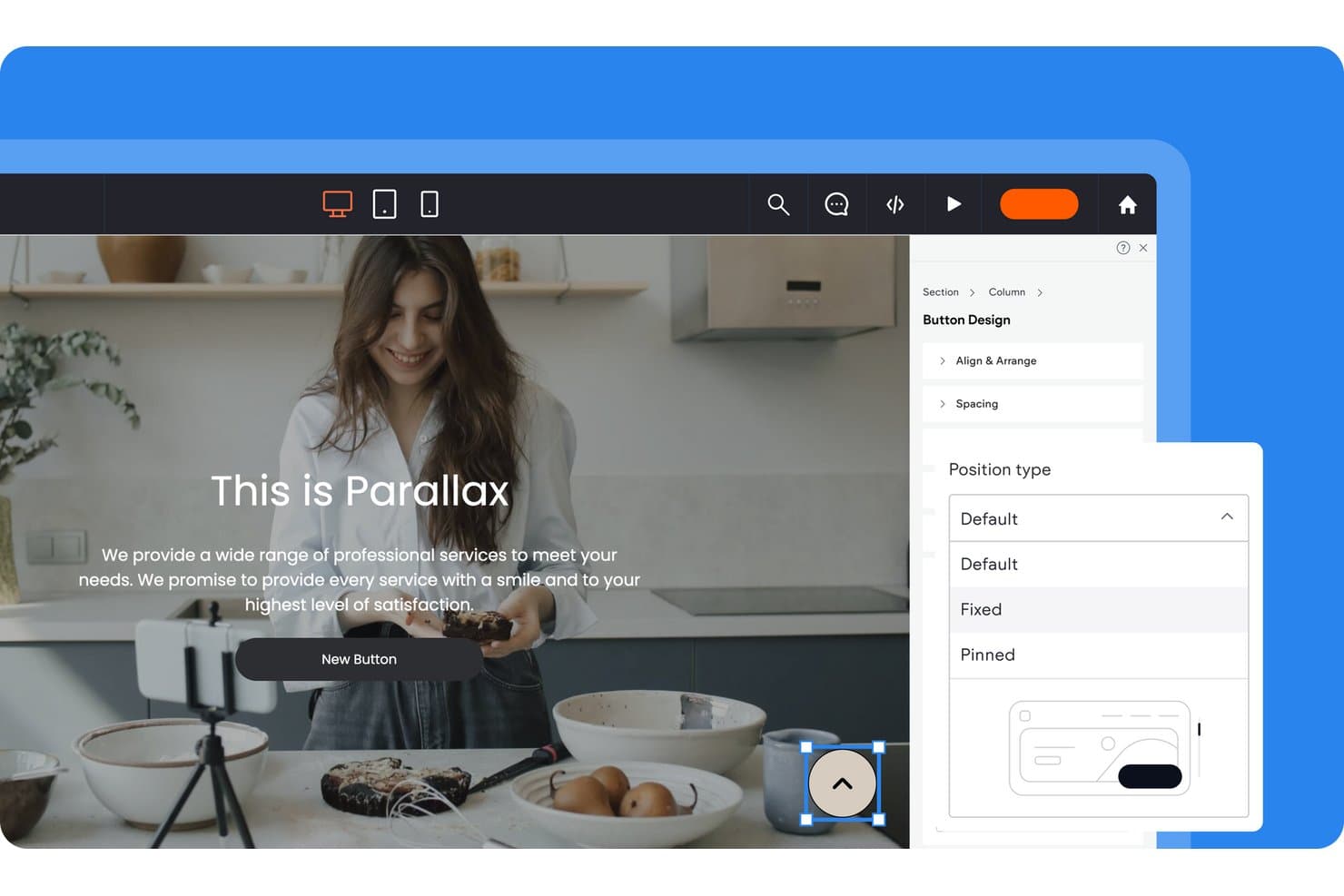
Duda lets users control button position types via a design panel. Duda is a website builder for agencies and freelancers that simplifies creating, managing, and scaling client websites without adding complexity to team workflows.
Who Is Duda Best For?
Web agencies managing multiple client websites that need centralized workflows, reusable templates, and scalable site operations.
Why Duda Is a Good Best Framer Alternatives
I picked Duda because its agency-scale client site management fits teams replacing Framer across multiple websites. I use reusable templates, global sections, and custom widgets to standardize builds while tailoring each client’s pages. Its centralized dashboard and role-based permissions keep publishing, edits, and approvals organized across an active client portfolio.
Duda Key Features
- Responsive editor: Build layouts that adapt across desktop, tablet, and mobile screens.
- SEO tools: Edit page titles, meta descriptions, URLs, and image alt text.
- Ecommerce tools: Add product catalogs, shopping carts, payments, and order management.
- Site analytics: Track visits, traffic sources, and visitor behavior.
Duda Integrations
Duda supports integrations with HubSpot, Mailchimp, Constant Contact, Google Analytics, Google Calendar, PayPal, Google Sheets, Airtable, Notion, and QuickBooks, plus Zapier. Custom plans include REST API access for connecting client websites with CRMs, databases, and other business systems.
Pros and Cons
Pros:
- Role permissions fit agency approval workflows
- Global sections simplify portfolio-wide content updates
- Reusable templates support multi-site client delivery
Cons:
- Advanced customizations can require developer involvement
- Editor feels less flexible than Framer
Learn more about Duda: Best for freelancers building client sites
- 14-day free trial
- From $19/month (billed annually)
Visit WebsiteCustomer Rating:4.6/5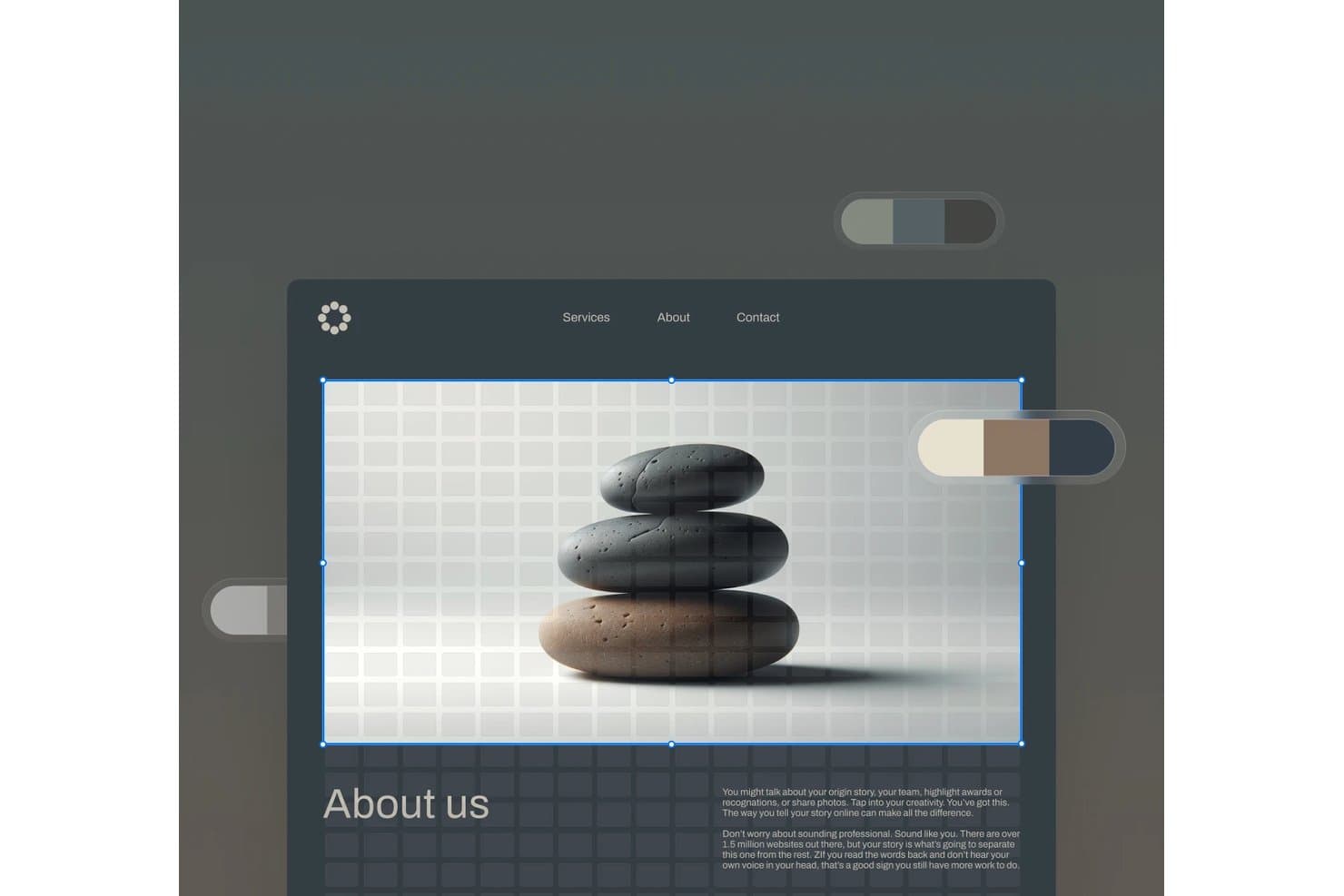
Squarespace lets users edit hero images with a visual drag-and-drop interface. Squarespace is a website builder for freelancers who need polished client sites, flexible templates, and built-in tools for presenting services, publishing content, and managing online business needs.
Who Is Squarespace Best For?
Squarespace suits freelance designers and creative professionals who need polished portfolios and service pages without extensive web development.
Why Squarespace Is a Good Best Framer Alternatives
I picked Squarespace because its polished templates and portfolio layouts help me build client sites that look ready for presentation. I use service pages, project galleries, and built-in content tools to showcase a freelancer’s work without custom development. It’s best for freelancers building client sites.
Squarespace Key Features
- SEO settings: Edit page titles, descriptions, and URL slugs.
- Website analytics: Track traffic, visits, and visitor sources.
- Form blocks: Add contact, newsletter, and signup forms.
- Domain management: Connect or register a custom domain.
Squarespace Integrations
Squarespace offers official integrations with Stripe, PayPal, Square, Google Analytics, Mailchimp, Google Workspace, Instagram, Google Maps, YouTube, and Zapier. It also provides Commerce APIs for custom integrations, with access and permissions varying by plan.
Pros and Cons
Pros:
- Built-in SEO settings support discoverability
- Portfolio layouts showcase visual work clearly
- Polished templates suit client presentations
Cons:
- Editor restricts highly custom layouts
- Less animation freedom than Framer
Learn more about Squarespace: Best for agency sites without per-site fees
- Free plan available
- From $20.75/month (billed annually)
Visit WebsiteCustomer Rating:4.6/5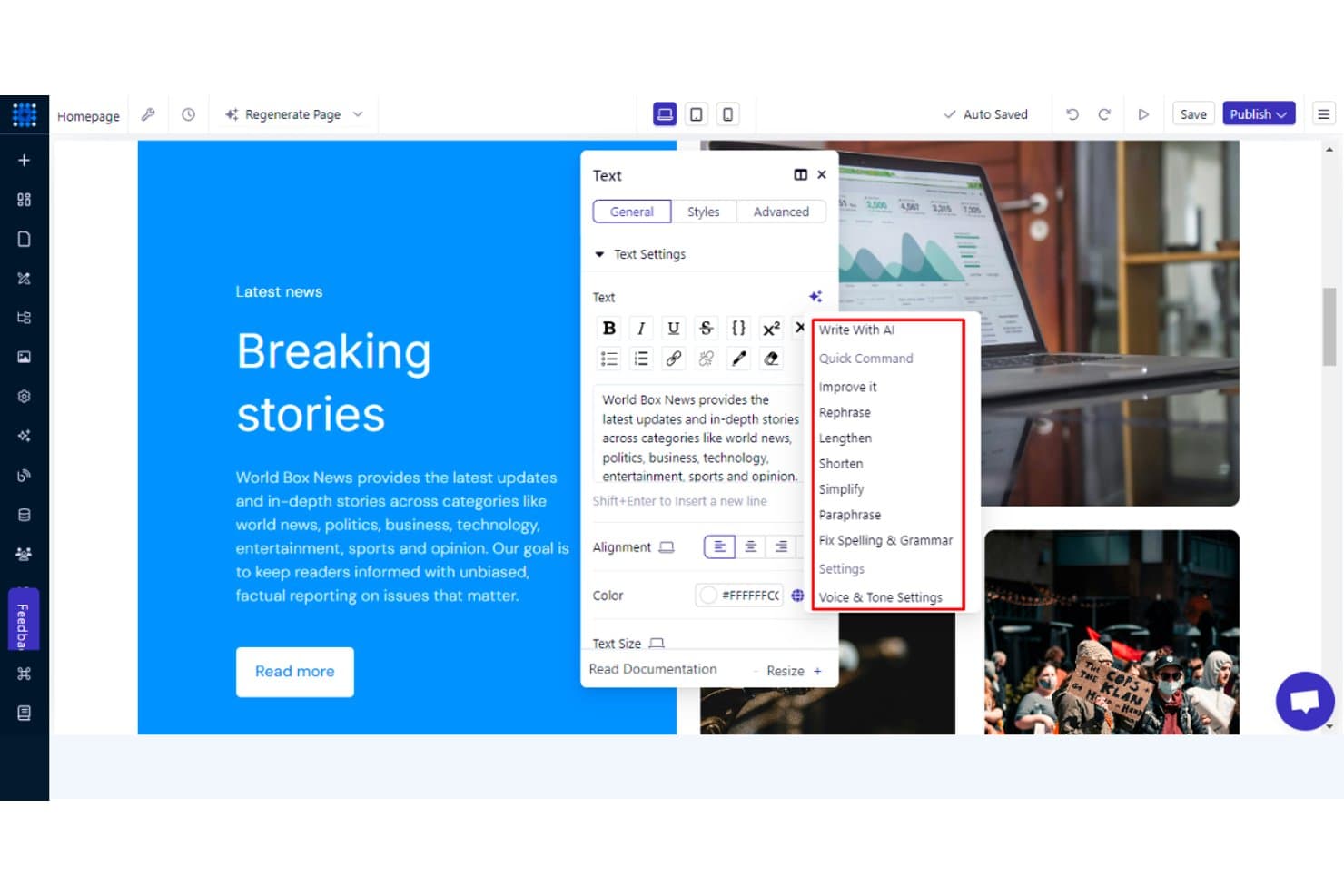
Dorik's AI writing tools help refine and edit webpage text instantly. Dorik is a no-code website builder for agencies and freelancers who need to create polished client sites, manage projects, and reduce the complexity of maintaining multiple websites.
Who Is Dorik Best For?
Dorik suits agencies and freelancers managing multiple client websites who want polished no-code builds without recurring fees for each site.
Why Dorik Is a Good Best Framer Alternatives
I picked Dorik because its white-label tools let my team build branded client websites without per-site fees. I use reusable sections and its CMS to create repeatable agency workflows, then hand clients editing access without exposing the underlying build process. That setup suits agencies managing several brochure sites or client content hubs.
Dorik Key Features
- Drag-and-drop editor: Build pages visually without writing code.
- Responsive controls: Adjust layouts for desktop, tablet, and mobile screens.
- Custom domains: Connect branded domains to published websites.
- SEO settings: Edit page titles, descriptions, and social sharing images.
Dorik Integrations
Dorik supports integrations with MailChimp, ConvertKit, MailerLite, GetResponse, ActiveCampaign, Stripe, PayPal, Shopify, Airtable, and Zapier. It also supports Make, Pabbly Connect, native webhooks, and a Public API for custom CMS integrations.
Pros and Cons
Pros:
- CMS handles client content updates
- Reusable sections support repeatable builds
- White-label handoffs fit agency workflows
Cons:
- Editor can restrict complex layouts
- Ecommerce capabilities remain relatively basic
Learn more about Dorik: Best for open-source, self-hosted site ownership
- Free plan available
- From $5/month
Visit WebsiteCustomer Rating:4.8/5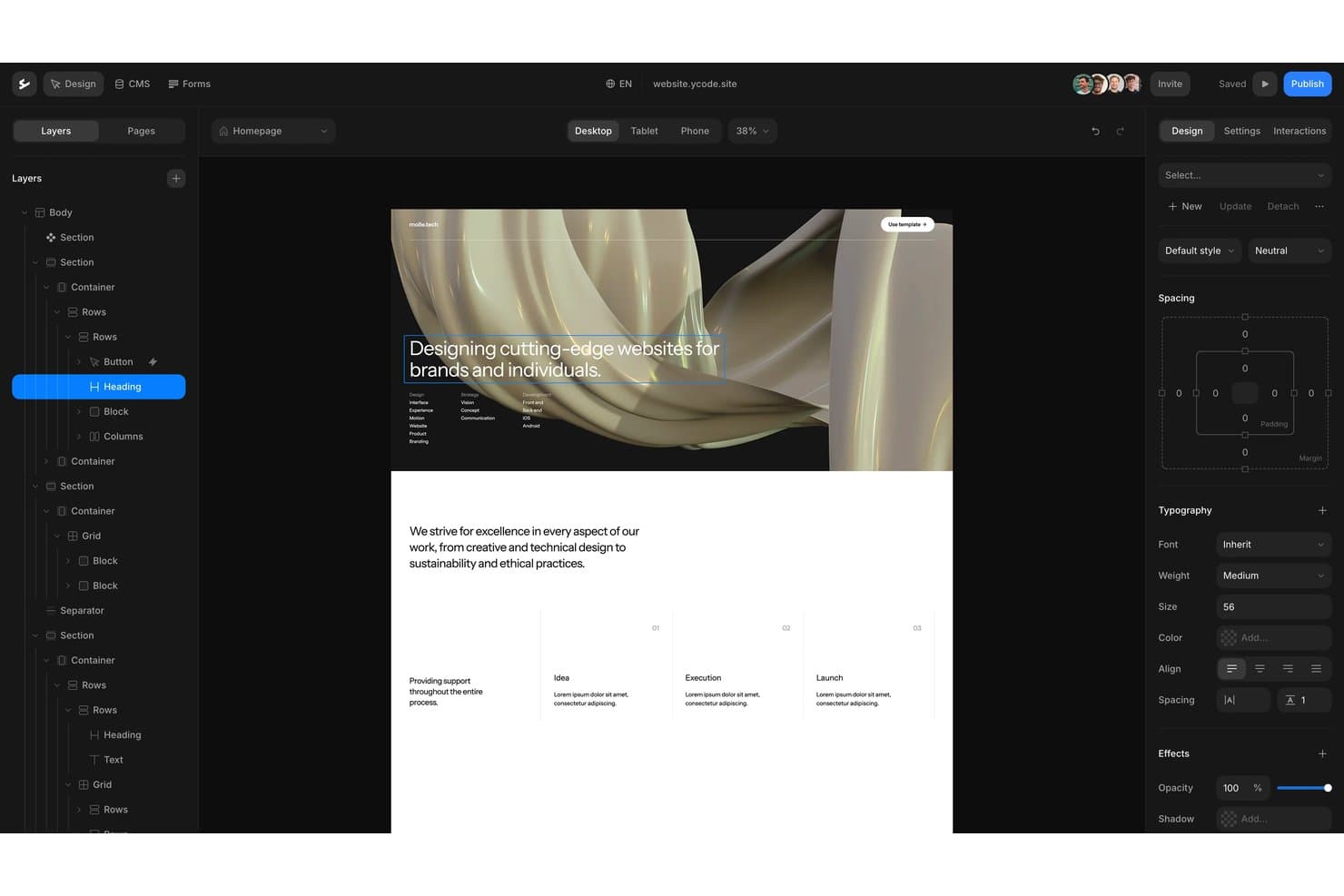
Ycode offers a visual drag-and-drop editor with layered design controls. Ycode is a no-code website builder for teams that need custom, responsive marketing sites and CMS-powered pages without relying on developers for every update.
Who Is Ycode Best For?
Ycode suits product, marketing, and design teams that want to own and self-host their website infrastructure.
Why Ycode Is a Good Best Framer Alternatives
I picked Ycode because it gives my team open-source, self-hosted site ownership instead of locking our website into a hosted platform. We use its visual builder for responsive marketing pages and its CMS for structured content updates. That setup fits teams that need custom websites while keeping control of deployment and site data.
Ycode Key Features
- AI design assistant: Update layouts, spacing, and styles through prompts.
- Reusable components: Create shared components and apply overrides across pages.
- Collection controls: Filter collections, paginate results, and sort dynamic content.
- Custom domains: Connect branded domains to published websites.
Ycode Integrations
Ycode offers native integrations with Airtable, Webflow, Figma, MailerLite, Google Maps, and Mapbox. It also provides REST APIs for custom integrations, while Zapier and Make integrations are planned.
Pros and Cons
Pros:
- Reusable components support consistent responsive pages
- CMS collections support structured content workflows
- Open-source ownership supports self-hosted deployment
Cons:
- Smaller ecosystem than established Framer alternatives
- Self-hosting requires greater technical responsibility
Learn more about Ycode: Best for content-heavy sites on a GPL license
- Free plan available
- From $39/month (billed annually)
Visit WebsiteCustomer Rating:4.3/5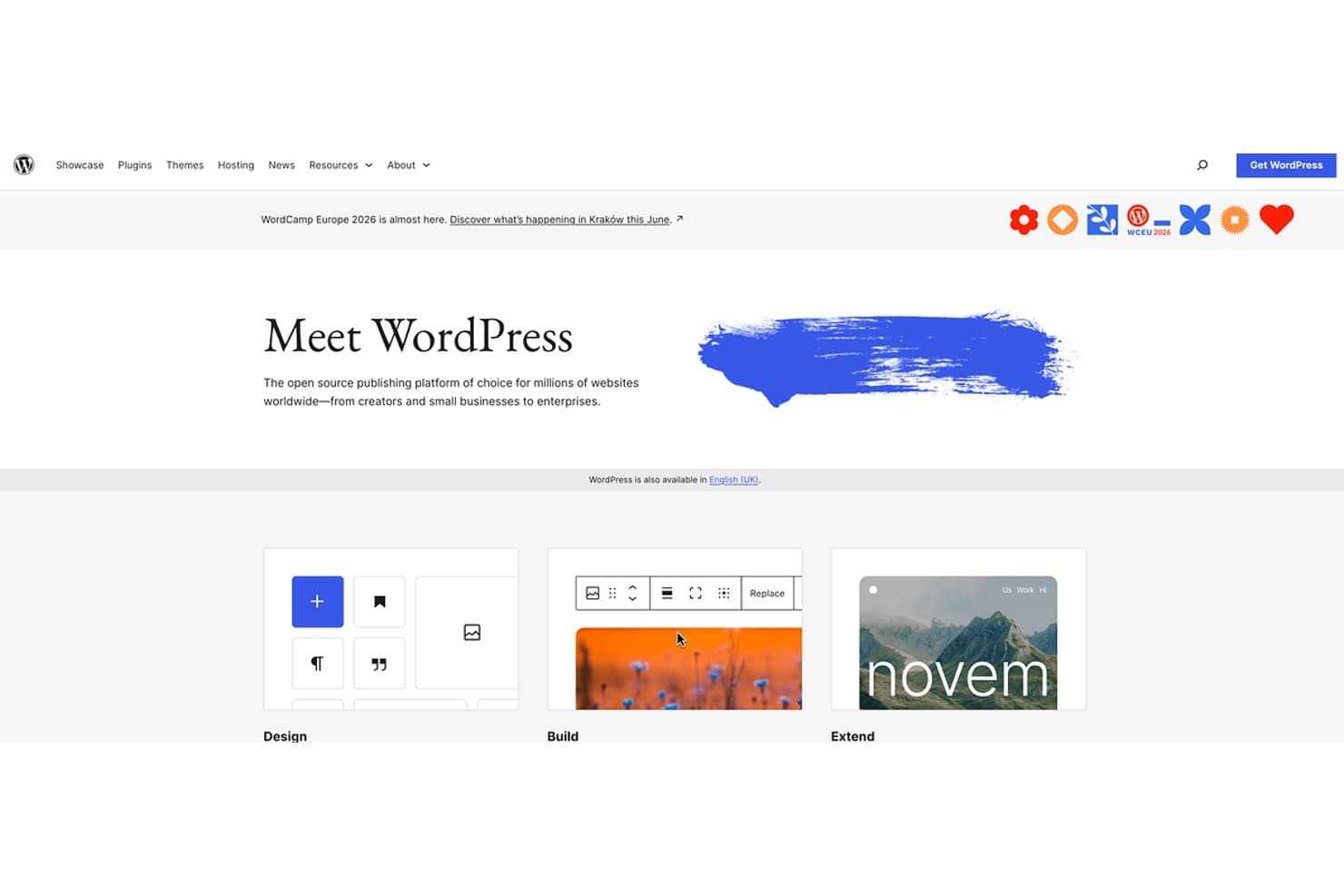
WordPress offers open-source website building for all skill levels. WordPress is a flexible website builder for publishers, businesses, and content teams that need control over site structure, publishing workflows, customization, and long-term growth beyond Framer’s design-focused approach.
Who Is WordPress Best For?
WordPress suits publishers, editorial teams, and businesses that need flexible content management under a GPL license.
Why WordPress Is a Good Best Framer Alternatives
I picked WordPress because it is Best for content-heavy sites on a GPL license. I use custom post types, taxonomies, and revision history to manage editorial sites with structured content. Its role-based permissions also let writers, editors, and developers work within separate publishing responsibilities.
WordPress Key Features
- Block editor: Build pages and posts with reusable content blocks.
- Media library: Upload, organize, and edit images, audio, video, and documents.
- Theme system: Apply and customize website designs with themes.
- Plugin directory: Add functionality through thousands of available plugins.
WordPress Integrations
WordPress has no centralized catalog of native integrations; its plugin directory supports connections with services such as WooCommerce, Mailchimp, and Google Analytics. WordPress also provides a REST API for custom integrations.
Pros and Cons
Pros:
- Revision history protects editorial changes
- Custom post types support structured publishing
- GPL license supports long-term content ownership
Cons:
- Advanced visual layouts often require extra setup
- Plugin maintenance increases security responsibilities
Learn more about WordPress: Best for design-to-publish in one workspace
- Free plan available
- From $3/user/month
Visit WebsiteCustomer Rating:4.7/5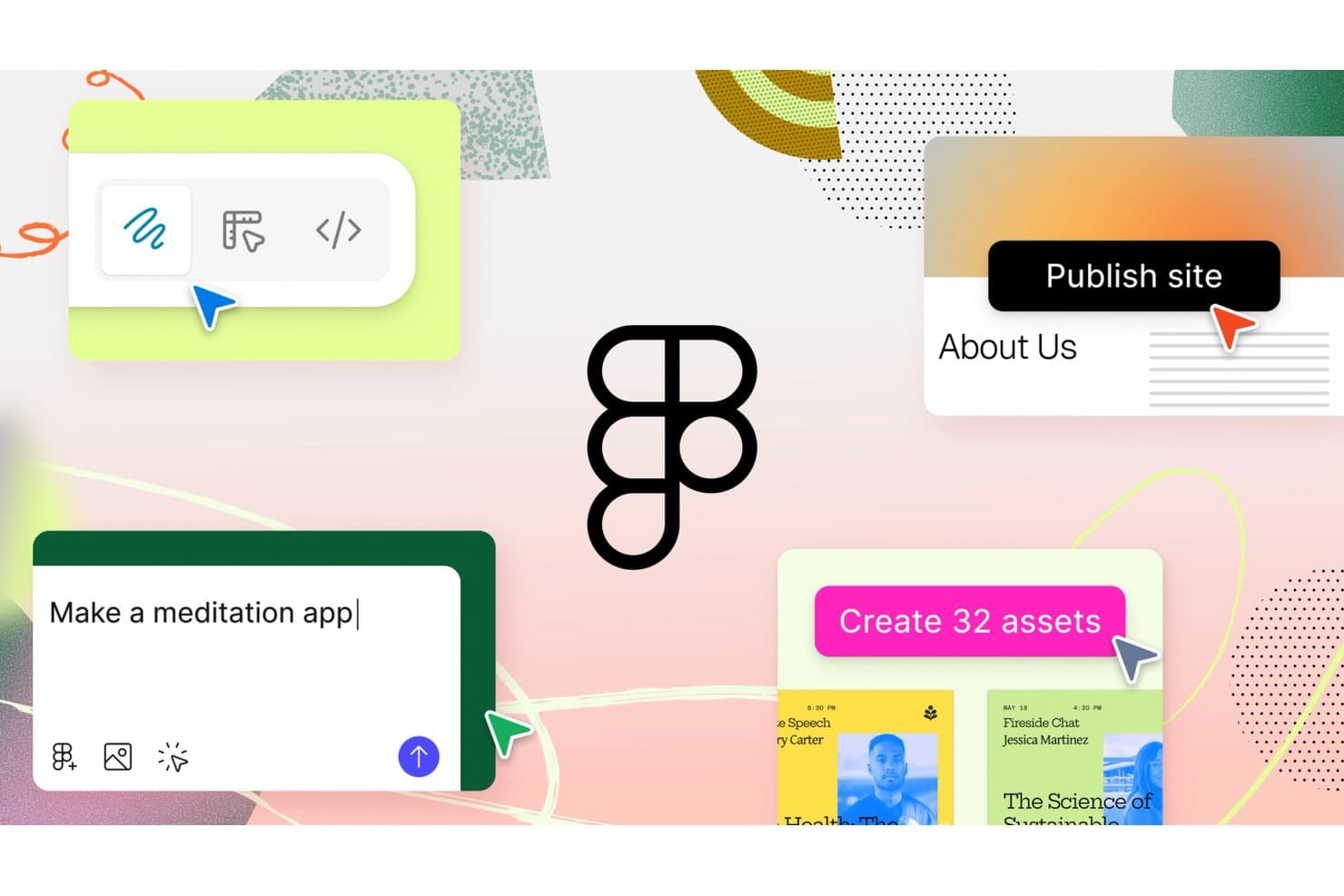
Figma lets users design, prototype, and publish sites with AI prompts. Figma is a collaborative UI/UX design platform for product teams, agencies, and freelancers that brings research, wireframing, prototyping, and developer handoff together to reduce rework and align product decisions.
Who Is Figma Best For?
Figma suits cross-functional product teams that need designers, product managers, and engineers aligned from early concepts through developer handoff.
Why Figma Is a Good Best Framer Alternatives
I picked Figma because I can move from interface concepts to published product experiences in one workspace. My team uses its multiplayer canvas, interactive prototyping, variables, and Dev Mode to connect design decisions with implementation details. That design-to-publish workflow helps us turn Framer alternative evaluations into working, developer-ready product interfaces.
Figma Key Features
- Components: Create reusable interface elements with configurable properties.
- Auto Layout: Arrange layers with responsive spacing and sizing rules.
- Plugins: Extend Figma with tools for design, content, and workflows.
- Version History: Review, restore, and name earlier file versions.
Figma Integrations
Figma offers official integrations with Jira, Slack, Microsoft Teams, Confluence, and Dropbox, plus Zapier for connecting workflows with other tools. It also provides REST and plugin APIs for custom integrations.
Pros and Cons
Pros:
- Components and variables support scalable systems
- Dev Mode connects designs with implementation
- Multiplayer canvas keeps product teams aligned
Cons:
- Large files can feel sluggish over time
- Website publishing requires additional workflow steps
 Best for responsive web design with a visual CSS canvas
- Free plan available
- From $15/month (billed annually)
Visit WebsiteCustomer Rating:4.4/5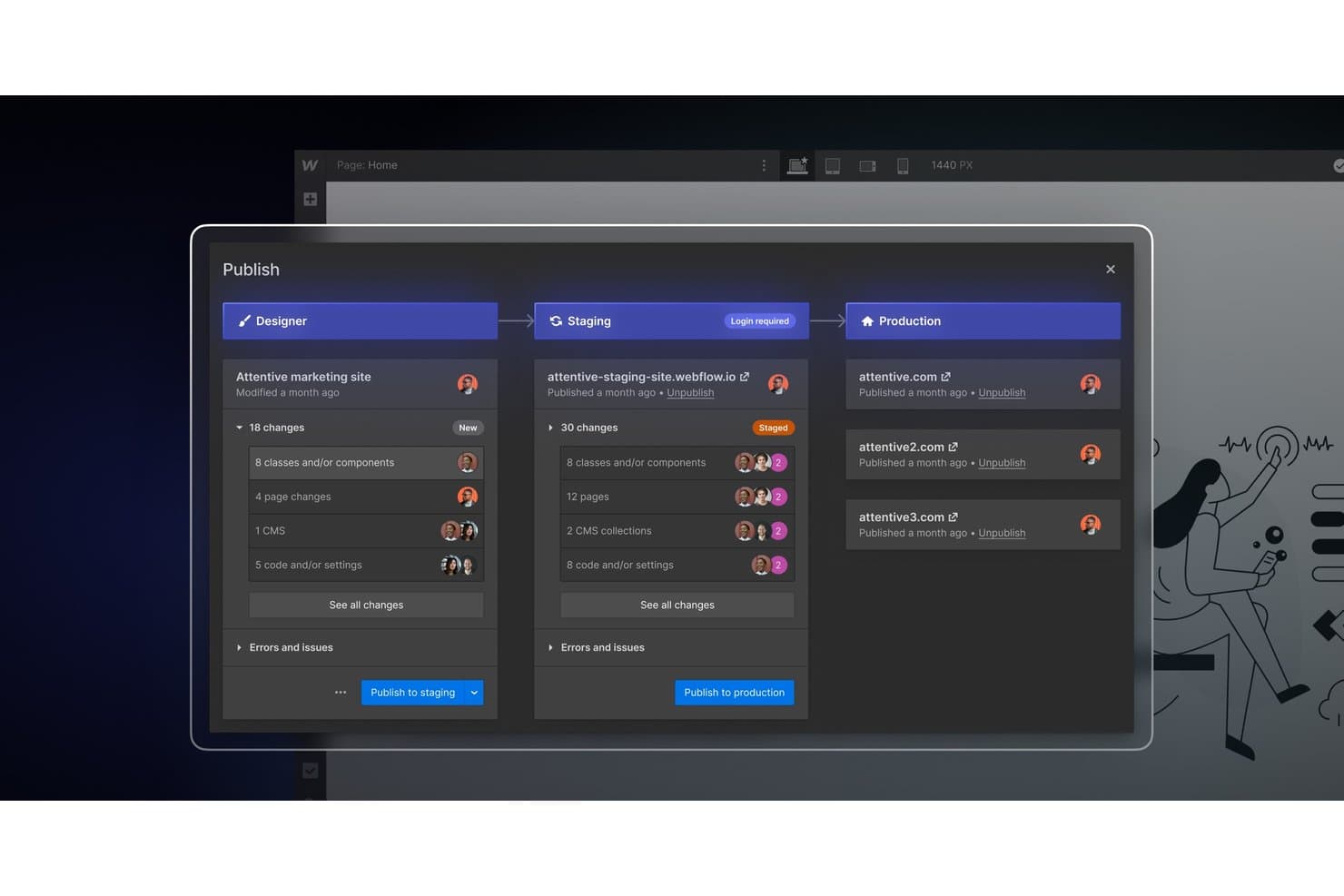
Webflow lets teams publish changes across staging and production environments. Webflow is a visual web design platform for marketing teams, agencies, and designers who need responsive websites without hand-coding every layout, while retaining control over CSS, interactions, and content.
Who Is Webflow Best For?
Webflow suits agencies and in-house creative teams that need to build and maintain responsive marketing sites without handing every layout decision to developers.
Why Webflow Is a Good Best Framer Alternatives
I picked Webflow because its visual CSS canvas gives me direct control over responsive layouts without hand-coding every page. I use Flexbox, CSS Grid, and custom breakpoints to adapt landing pages across screen sizes, then apply interactions for polished product launches and marketing sites.
Webflow Key Features
- CMS collections: Structure and publish dynamic content without code.
- Form handling: Capture submissions directly from website forms.
- SEO controls: Edit page titles, meta descriptions, and sitemap settings.
- Asset management: Upload, organize, and reuse images across projects.
Webflow Integrations
Webflow offers integrations through its official library, including Google Docs, Google Workspace, Airtable, OpenStreetMap, and Storesynk for Shopify-backed ecommerce, plus Zapier. It also provides Data API and Designer APIs for custom integrations.
Pros and Cons
Pros:
- Built-in SEO and form management controls
- Structured CMS supports dynamic marketing content
- Precise responsive layouts through visual CSS controls
Cons:
- Advanced interactions require manual configuration
- Canvas layouts demand CSS understanding
Learn more about Webflow: 8Best for building sites with built-in business tools
Wix
- Not available
- Pricing upon request
Visit WebsiteCustomer Rating:4.2/5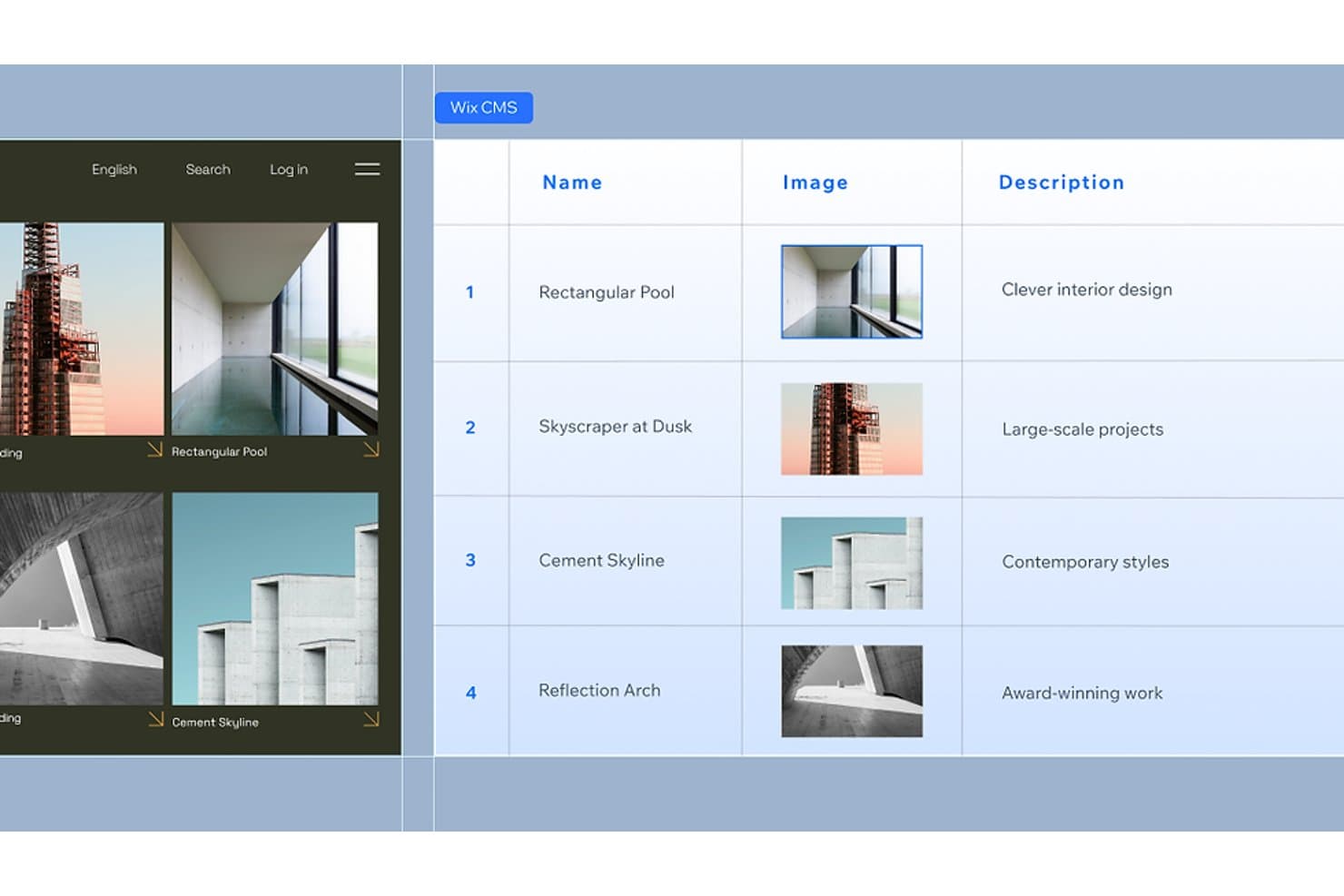
Wix CMS lets users manage structured content with images and descriptions. Wix is a website builder for small businesses, freelancers, and entrepreneurs who need to create a professional online presence without coordinating separate tools for design, content, and business operations.
Who Is Wix Best For?
Wix suits small-business owners and freelancers who want to manage their website, bookings, payments, and marketing from one platform.
Why Wix Is a Good Best Framer Alternatives
I picked Wix as a Best Framer Alternatives option because it is Best for building sites with built-in business tools. I use Wix Bookings for appointments, Wix Payments for checkout, and built-in email marketing to follow up with leads. This helps my team run daily business operations from the same website that presents the brand.
Wix Key Features
- Drag-and-drop editor: Build pages by placing elements exactly where you want them.
- Website templates: Start with professionally designed layouts for different industries.
- SEO tools: Edit metadata, URLs, structured data, and sitemap settings.
- Wix App Market: Add third-party apps for extra website functionality.
Wix Integrations
Wix offers native integrations with Google Analytics, TikTok Pixel, Meta Pixel & CAPI, Google Tag Manager, Google Ads, Amazon, Instagram, Bing, and Google Business Profile, plus marketplace integrations through more than 500 Wix App Market apps. It supports Zapier and provides Wix APIs for custom integrations.
Pros and Cons
Pros:
- SEO controls support ongoing content optimization
- Industry templates shorten website launch time
- Built-in bookings, payments, and marketing tools
Cons:
- Editor can feel cluttered on complex sites
- Less precise visual control than Framer
Learn more about Wix: Best for full-platform sites beyond marketing pages
- Free plan available
- From $17/month (billed annually)
Visit WebsiteCustomer Rating:4.2/5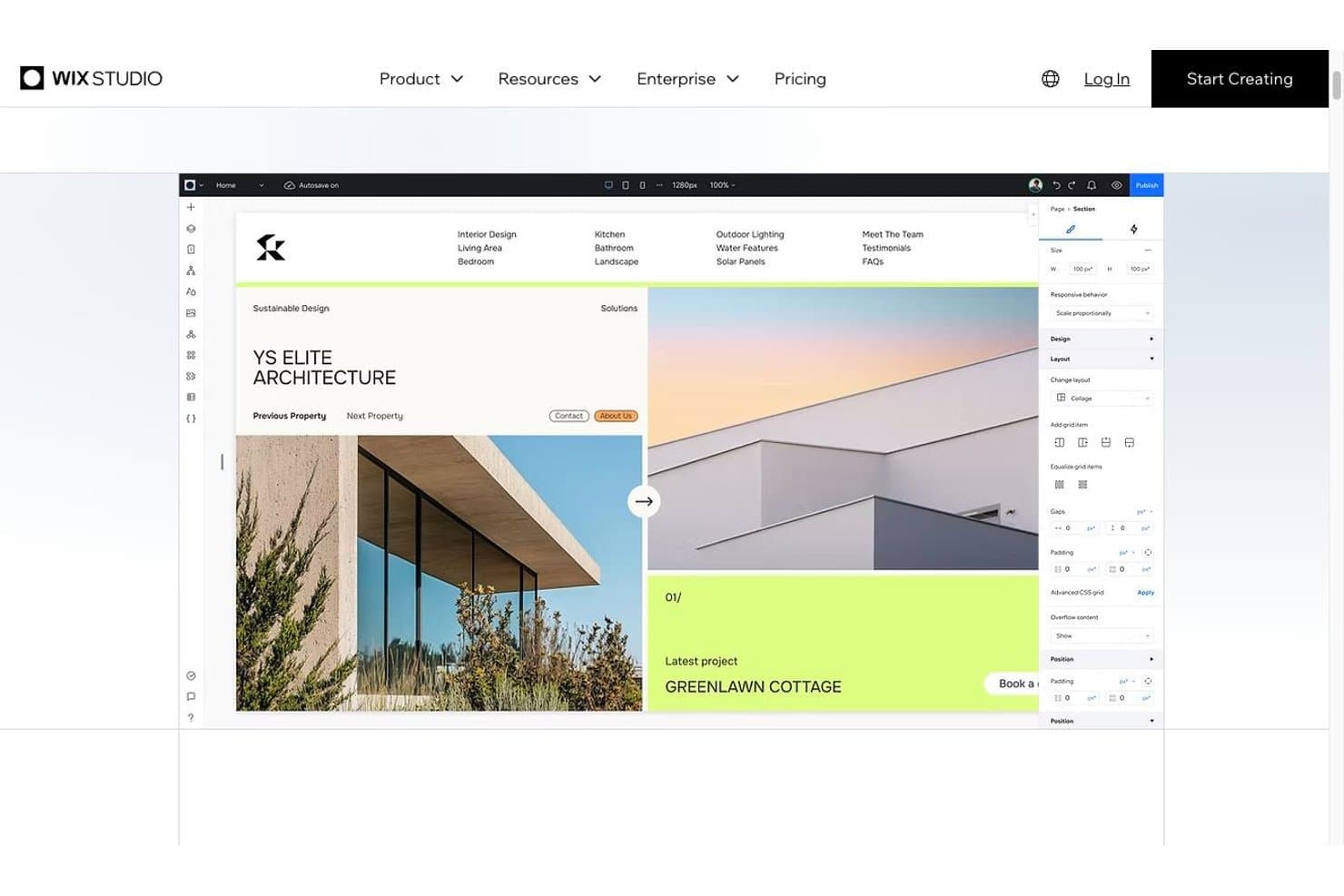
The Wix Studio editor with responsive layout controls Wix Studio is a full-platform web design solution for agencies, freelancers, and businesses that need to build, manage, and scale marketing sites, ecommerce experiences, and custom web projects from one place.
Who Is Wix Studio Best For?
Wix Studio suits agencies and growing businesses that need design, ecommerce, and custom web capabilities in one managed platform.
Why Wix Studio Is a Good Best Framer Alternatives
I picked Wix Studio because it supports full-platform sites beyond marketing pages. I use its responsive grid, custom breakpoints, CMS, and built-in ecommerce tools to create sites that grow from campaign pages into content-rich stores or client portals. That broader scope gives teams a practical Framer alternative when one project needs both polished design and operational features.
Wix Studio Key Features
- Responsive behaviors: Set how elements resize, dock, and reposition across screen sizes.
- Advanced animations: Add scroll effects, hover states, and entrance animations.
- Custom code: Add JavaScript, CSS, and backend logic through the development environment.
- Design library: Save and reuse branded components, sections, and styles.
Wix Studio Integrations
Wix Studio offers native integrations with Google Analytics, TikTok Pixel, Meta Pixel & CAPI, Google Tag Manager, Google Ads, Amazon, Instagram, Bing, and Google Business Profile, plus Zapier. It also provides access to more than 500 marketplace apps and Wix APIs for custom integrations.
Pros and Cons
Pros:
- Reusable design libraries suit agency workflows
- Custom breakpoints support detailed responsive control
- Handles ecommerce and content-rich sites
Cons:
- Advanced customization may require Velo development
- More setup than Framer for quick launches
Learn more about Wix Studio: Best for design-team site publishing in Figma
- Free plan available
- From $16/user/month (billed annually)
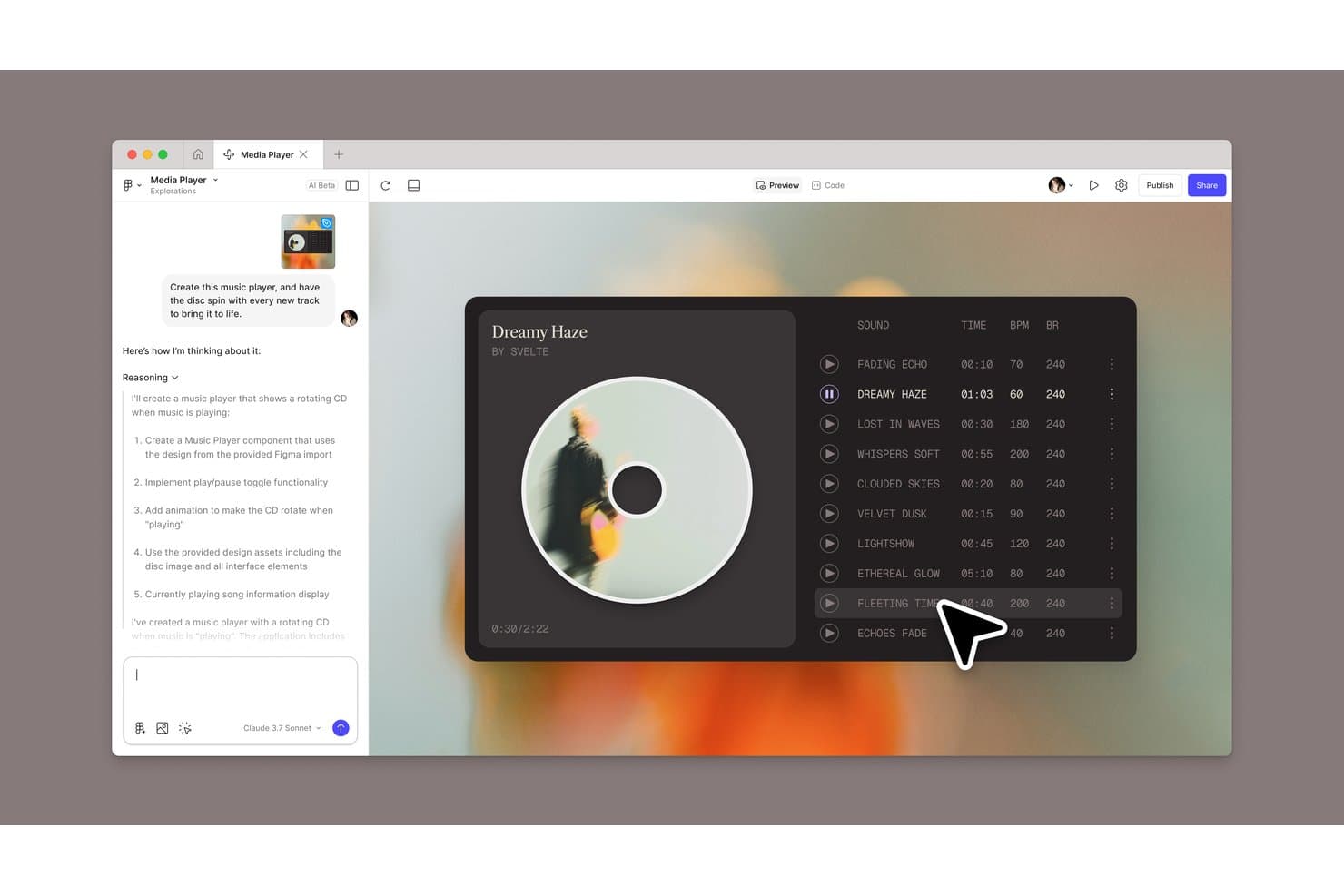
Figma Sites lets users build an AI-generated music player with rotating disc animation. Figma Sites is a website builder for design teams that helps turn Figma designs into responsive, publishable websites without a separate development handoff.
Who Is Figma Sites Best For?
Figma Sites suits product, UX, and brand teams that need to publish responsive websites directly from shared Figma designs.
Why Figma Sites Is a Good Best Framer Alternatives
I picked Figma Sites because it turns shared Figma designs into responsive, publishable websites without a separate development handoff. I like how design teams can move from approved layouts to live site publishing within the same workflow. That makes it especially useful for design-team site publishing in Figma.
Figma Sites Key Features
- Pre-built blocks: Add auto layout components and custom styles to structure pages.
- Preset interactions: Apply marquee scrolling, custom cursors, and hover effects.
- Sites CMS: Create content collections and update text or visuals separately.
- Code and AI customization: Edit site code or generate interactions with AI prompts.
Figma Sites Integrations
Native integrations specific to Figma Sites aren’t clearly documented. Figma’s broader platform supports Jira, Confluence, Slack, Google Workspace, Microsoft Teams, Notion, Asana, Linear, and Zapier, plus the Figma API for custom integrations.
Pros and Cons
Pros:
- Supports custom code alongside visual editing
- Keeps design and publishing in one workflow
- Publishes responsive sites from Figma designs
Cons:
- Advanced interactions may require code edits
- Website features remain newer than Framer’s
Learn more about Figma Sites:
Andre Framer-alternativer
Her er noen flere Framer-alternativer som ikke kom med på kortlisten min, men som likevel er verdt å sjekke ut:
How I Evaluate Framer Alternatives
I split my evaluation into three parts. First—and most importantly—I check whether a tool can build pages visually and publish responsive sites without code, since those are the non-negotiables. Then I look at standout features like AI-assisted design generation and code export quality. Finally, I consider pricing transparency and onboarding ease.
Core Functionality (Table Stakes For This List)
When I'm selecting tools for my list, I score each one on a scale from 0 (does not offer the functionality) to 5 (excels in this area) for each core functionality listed below. I then convert the total into a percentage to help assess each tool's overall fit, with extra weight on any functionalities I’ve deemed essential.
- Visual Builder (Essential): I assess canvas flexibility, element-level styling, and layout control for creating a campaign page without relying on code.
- Responsive Publishing (Essential): I check how layouts adapt across screen sizes and whether teams can adjust breakpoints before publishing a live site.
- Animations & Interactions: I look for control over triggers and motion, such as hover, scroll, or click effects on a product landing page.
- Templates: I consider the variety and editability of templates for common needs, such as a portfolio, launch page, or company site.
- Real-Time Collaboration: I evaluate how teammates review or co-edit a site, including feedback and visible changes during a shared launch.
- CMS: I check whether teams can structure and update recurring content, such as blog posts, without rebuilding each page layout.
Once I have a list of tools that meet the criteria, I consider what sets each platform apart.
Differentiating Factors (What Sets Vendors Apart)
Here's how I compare and contrast different vendors:
Standout Features
I evaluate how cleanly a tool exports HTML, CSS, or React code—teams that need engineering to extend a marketing site shouldn't have to rebuild layouts from scratch. AI-assisted design generation also matters: I check whether built-in prompts produce usable starting points for landing pages or if the output still needs heavy rework. For global product teams, I look at native localization support, since duplicating an entire site just to serve a second language adds avoidable maintenance overhead.
Beyond Features
I check whether a platform's pricing stays predictable as your team scales—some tools charge per published site or cap CMS items, which catches agency and multi-brand teams off guard. Site performance matters just as much: I look for CDN-backed hosting, clean semantic markup, and built-in SEO controls like meta tags and sitemaps, since slow pages undercut any campaign launch. I also evaluate onboarding quality, because product managers updating a landing page shouldn't need a design background to get started.
Hvorfor se etter et Framer-alternativ?
Som jeg nevnte, har ingen verktøy alt, og selv om Framer er et solid valg for produktdesign, er det flere grunner til at noen brukere ser etter alternative løsninger. Her er noen eksempler på hvorfor du kanskje er her på jakt etter et alternativ:
- Framers prisplaner passer ikke inn i teamets budsjett
- Du ønsker deg mer avanserte samarbeidsverktøy
- Det mangler enkelte integrasjoner teamet ditt trenger
- Du opplever skaleringsproblemer med større prosjekter
Hvis noe av dette høres kjent ut, har du kommet til rett sted. Listen min inneholder flere produktdesignalternativer som passer bedre for team som møter disse utfordringene med Framer og ser etter alternative løsninger.
Viktige funksjoner i Framer
Her er noen av de viktigste funksjonene i Framer, som kan hjelpe deg med å kontrastere og sammenligne hva alternative løsninger tilbyr:
- Design og layout: Du kan designe uten begrensninger ved hjelp av verktøy som ligner på Adobe XD og Figma, med støtte for fleksible rutenett og responsive design.
- Stilsetting: Bruk egendefinert stil på lag med egenskapskontroller for fyll, kantlinjer og skygger, slik at teamet ditt kan opprettholde enhetlighet.
- Figma-import: Importer Figma-design direkte, og behold lagene for enkel redigering og publisering. Dette er nyttig for innholdsadministrasjon og team som allerede bruker Figma.
- Importering av nettstedselementer: Ta med de kodede landingssidene og nettstedene dine til Framer ved ganske enkelt å kopiere og lime inn, enten det gjelder HTML, CSS eller hvilken som helst nettstedsbygger du bruker.
- KI-verktøy: Forbedre innholdet på nettstedet ditt med KI-funksjoner for omskriving, slik at det blir mer engasjerende og gjennomarbeidet.
- Navigasjon: Bruk intuitive verktøy for kobling og organisering av innhold, noe som gir smidig navigasjon og URL-administrasjon.
- Samarbeid i sanntid: Samarbeid med teamet ditt under designprosessen i sanntid, med spesifikke visnings- og redigeringstillatelser som legger til rette for samarbeid fra skisser til eksport.
- Prototyping: Lag interaktive prototyper for å teste og validere designene dine før utvikling. Bygg og forhåndsvis enkelt prototyper på Android og iOS.
- Animasjoner: Legg til animasjoner i designene dine for å gjøre dem mer interaktive og visuelt tiltalende.
- Komponentsystem: Bruk et gjenbrukbart komponentsystem for å opprettholde enhetlig design på tvers av prosjekter.
- Kodeeksport: Eksporter kode som er klar for produksjon, slik at utviklere kan integrere design direkte i prosjekter.
- Gratis nettstedsvertstjeneste og -bygging- Tilbyr skalerbar og rask konfigurering av egendefinerte nettsteder, ulike maler for nettstedsdesign, innebygde SEO-funksjoner og optimalisering, omfattende programtillegg og integrasjoner samt gratis publisering.