

Det kan være krevende å administrere prosjekter og dokumentasjon, særlig hvis verktøyene du bruker nå, ikke dekker behovene dine. Confluence er populært, men det er ikke alltid det riktige valget for alle team. Du ser kanskje etter noe som passer bedre til de spesifikke utfordringene dine, enten du trenger større brukervennlighet, flere integrasjonsmuligheter eller en bedre pris.
Jeg har brukt tid på å gjennomgå og teste ulike alternativer til Confluence (slik at du slipper), med fokus på funksjonene og faktorene som skiller Confluence fra de andre programvarealternativene på markedet. I denne artikkelen deler jeg mine beste anbefalinger, basert på objektiv research og testing i praksis.
Jeg dekker programvarealternativer som kan være den perfekte løsningen for behovene dine innen samarbeid og dokumentasjon, slik at teamet ditt kan jobbe mer effektivt. La oss sette i gang.
Hva er Confluence?
Confluence er programvare for samarbeid og dokumentasjon som hjelper team med å dele kunnskap og organisere arbeidet. Det brukes ofte av prosjektledere, utviklere og forretningsteam som trenger å holde alle oppdatert. Med funksjoner som sideoppretting, teamsamarbeid og integrasjonsmuligheter støtter Confluence effektiv prosjektstyring og informasjonsdeling. Alt i alt tilbyr det en plattform der teamet ditt kan samarbeide effektivt.
Hvorfor du kan stole på våre programvareanbefalinger
6,700+
Reviews
20
Industry experts
16+
Evaluation factors
14
Years
Teamet vårt har testet og anmeldt programvare siden 2012. Vi er selv produktledere, så vi vet hvor vanskelig og hvor viktig det er å velge riktig programvare.
I denne guiden har vi vurdert verktøyene gjennom praktisk testing og uavhengig research og gitt dem poeng ut fra våre utvelgelseskriterier.
Anmeldelsene våre bygger på vår egen redaksjonelle vurdering. De er ikke et salgsargument.
Ekspertanmeldere:
- Andrew LumbySenior TPM
- Cristiano ValimSenior UI/UX Lead


Sammenligningstabell for alternativer til Confluence
Denne sammenligningstabellen oppsummerer prisdetaljene for mine beste utvalgte alternativer til Confluence:
| Tool | Best For | Trial Info | Price | ||
|---|---|---|---|---|---|
| 1 | Best for dual document editing modes | Free trial available | Pricing upon request | Website | |
| 2 | Best for an all-in-one workspace | Free plan available | From $10/user/month (billed annually) | Website | |
| 3 | Best for Microsoft 365-native team wikis | 30-day free trial | From $5.00/user/month (billed annually) | Website | |
| 4 | Best for migrating self-hosted Confluence wikis | Free plan + 30-day free trial available | From €2.50/user/month (billed annually) | Website | |
| 5 | Best for governed knowledge with verification workflows | Free demo available | Pricing upon request | Website | |
| 6 | Best for docs connected to live project boards | Free plan available | From $9/user/month (billed annually) | Website | |
| 7 | Best for docs tied directly to tasks and sprints | Free plan available | From $7/user/month (billed annually) | Website | |
| 8 | Best for keeping docs current with AI-flagged updates | Free demo + 14-day free trial available | From $10/user/month (billed annually) | Website | |
| 9 | Best for self-hosted team knowledge bases | 30-day free trial | From $4/user/month (billed annually) | Website | |
| 10 | Best for docs-as-code with Git Sync workflows | 14-day free trial + free plan available | From $65/site/month + $12/user/month (billed annually) | Website |


Vi har testet og gjennomgått programvare for produktstyring siden 2020. Som produktledere selv vet vi hvor avgjørende og vanskelig det er å ta den riktige beslutningen når man velger programvare. Vi investerer i grundig research for å hjelpe målgruppen vår med å ta bedre beslutninger om programvarekjøp.
Vi har testet mer enn 2 000 verktøy for ulike bruksområder innen produktstyring og skrevet over 1 000 omfattende programvareanmeldelser. Finn ut hvordan vi er transparente, og se vår metode for programvareanmeldelser.
Anmeldelser av de beste alternativene til Confluence
Nedenfor finner du mine detaljerte sammendrag av de beste alternativene til Confluence som kom med på kortlisten min. Anmeldelsene mine gir en detaljert gjennomgang av de viktigste funksjonene, fordelene & ulempene, integrasjonene og ideelle bruksområdene for hvert verktøy, slik at du kan finne det som passer best for deg.
 Best for dual document editing modes
- Free trial available
- Pricing upon request
Visit WebsiteCustomer Rating:4.7/5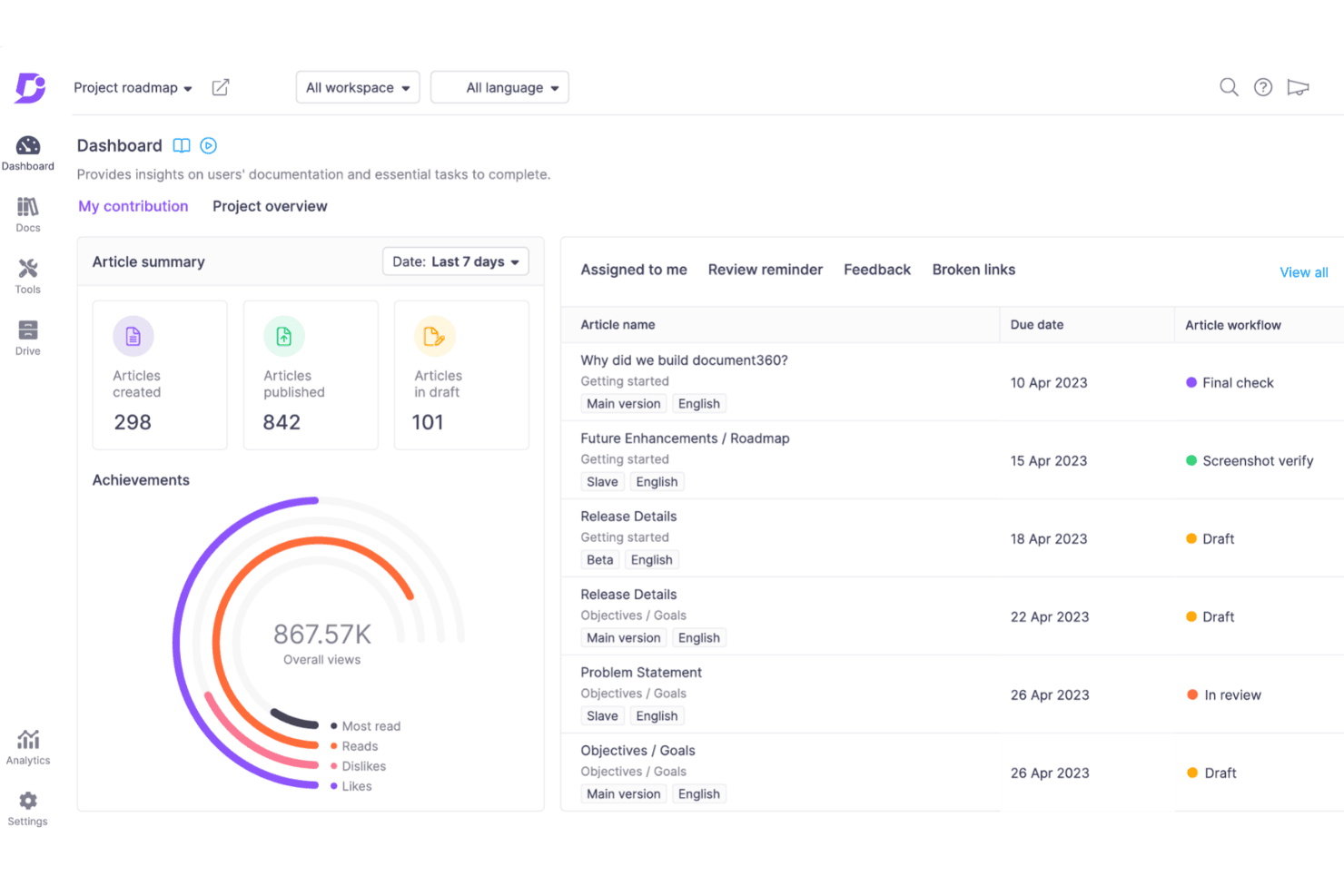
Document360 gives you a clear snapshot of your documentation progress, article status, and team assignments in one centralized dashboard. Document360 is a knowledge management platform for product, support, and operations teams that helps create internal documentation, SOPs, knowledge bases, and customer-facing help centers without the sprawl of general collaboration tools.
Who Is Document360 Best For?
Document360 suits product, support, and operations teams that need separate editing experiences for technical and nontechnical contributors.
Why Document360 Is a Good Confluence Alternative
I picked Document360 because its dual document editing modes fit mixed product teams. My team can use Markdown for technical documentation and a WYSIWYG editor for SOPs, release notes, and support content. That separation lets engineers and nontechnical contributors maintain the same knowledge base without forcing everyone into one editing workflow.
Document360 Key Features
- Advanced search: Filter results by content type, language, category, and author.
- Custom workflows: Assign create, review, and publish stages to team members.
- Revision history: Compare edits, restore versions, and view user attribution.
- Knowledge base analytics: Track views, searches, feedback, and reader behavior.
Document360 Integrations
Document360’s native integration panel supports Zendesk, Freshdesk, Intercom, Drift, Slack, Microsoft Teams, Crowdin, Google Analytics, Segment, GitHub, and Zapier. It also provides a REST API for custom integrations.
Pros and Cons
Pros:
- Provides granular publishing and review controls
- Separates technical and nontechnical workflows
- Supports Markdown and WYSIWYG editing
Cons:
- Analytics focus primarily on knowledge-base behavior
- Advanced governance may require careful configuration
Learn more about Document360: Best for an all-in-one workspace
- Free plan available
- From $10/user/month (billed annually)
Visit WebsiteCustomer Rating:4.6/5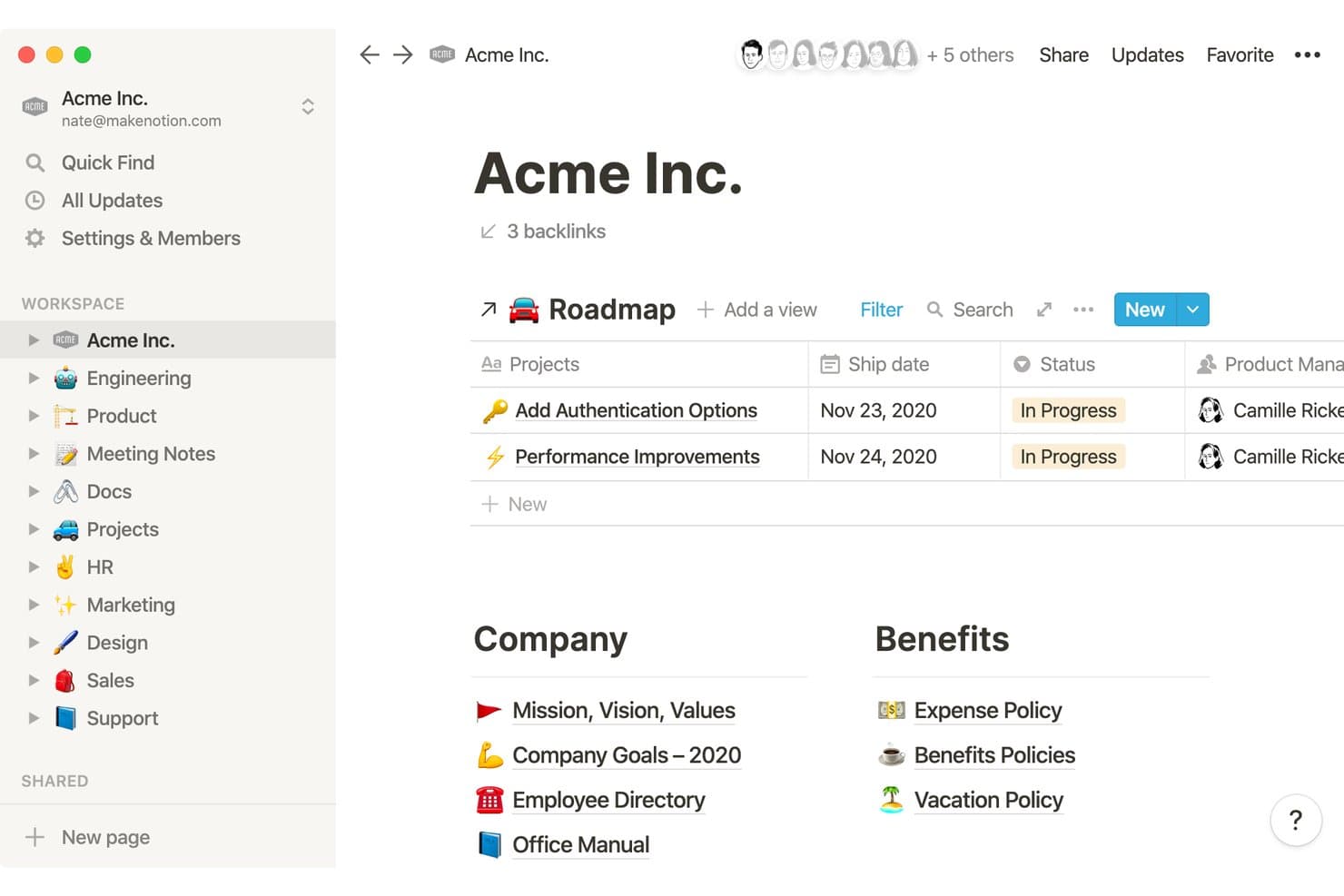
Notion organizes company wikis, roadmaps, and HR docs in one workspace. Notion is a flexible knowledge management workspace for product teams, startups, and growing businesses that need to connect documentation, project context, team knowledge, and collaborative work in one place.
Who Is Notion Best For?
Product teams that need one workspace for product documentation, project context, knowledge sharing, and cross-functional collaboration.
Why Notion Is a Good Confluence Alternative
I picked Notion because its all-in-one workspace connects product docs, project databases, meeting notes, and team knowledge. I use linked databases to surface roadmap decisions alongside requirements, while wiki pages keep context searchable and organized. That lets my team manage discovery and delivery information without splitting it across separate tools.
Notion Key Features
- Page templates: Create repeatable formats for briefs, policies, and onboarding guides.
- Comments and mentions: Discuss page content and notify specific teammates.
- Granular permissions: Control access at the workspace, teamspace, page, or block level.
- Web Clipper: Save webpages directly to Notion from your browser.
Notion Integrations
Notion supports integrations with Typeform, Salesforce, Slack, GitHub, Jira, and Zapier. It also provides an API for building custom connections.
Pros and Cons
Pros:
- Block-level permissions support selective knowledge sharing
- Reusable templates standardize recurring product rituals
- Linked databases connect docs to product work
Cons:
- Offline editing remains limited for web-first workspaces
- Complex databases need careful information architecture
Learn more about Notion: Best for Microsoft 365-native team wikis
- 30-day free trial
- From $5.00/user/month (billed annually)
Visit WebsiteCustomer Rating:4.4/5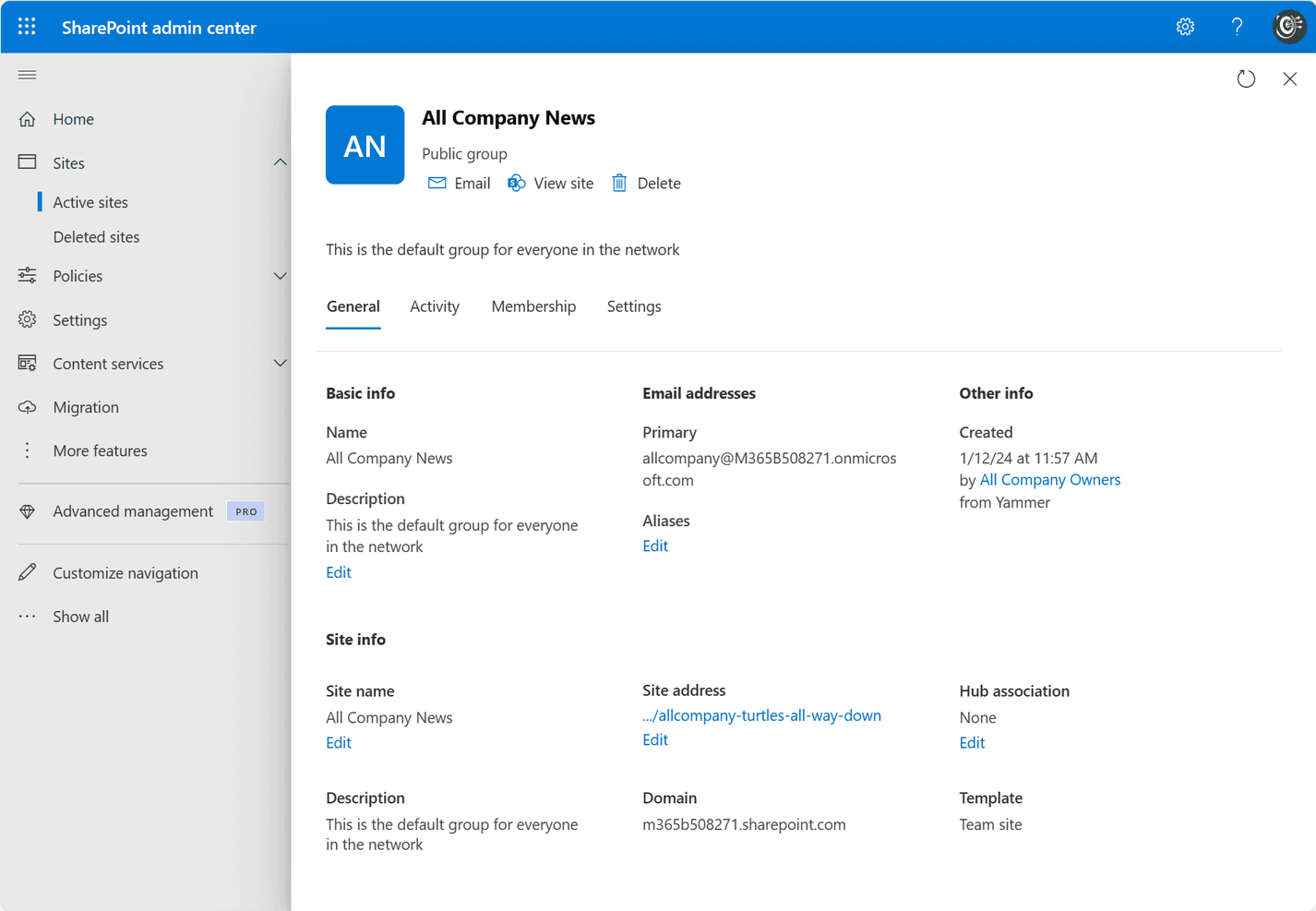
Microsoft SharePoint enables teams to create, manage, and share content across their organization. SharePoint is a knowledge management and collaboration platform for Microsoft 365 teams that centralizes documentation, policies, and project knowledge while improving content access, governance, and discoverability.
Who Is SharePoint Best For?
SharePoint fits product teams already working in Microsoft 365 that need structured wikis for roadmaps, decision records, and delivery guidance.
Why SharePoint Is a Good Confluence Alternative
I picked SharePoint because it’s best for Microsoft 365-native team wikis. I use team sites, structured pages, and document libraries to organize product decisions, roadmap guidance, and delivery standards. Version history and granular permissions help my team maintain trusted documentation without losing context.
SharePoint Key Features
- Microsoft Search: Finds pages, files, people, and sites across Microsoft 365.
- SharePoint Lists: Tracks structured information with customizable columns and views.
- Content approval: Routes submitted pages and documents through review workflows.
- Microsoft 365 integration: Connects with Teams, OneDrive, Power Automate, and Power BI.
SharePoint Integrations
SharePoint has native integrations across the Microsoft ecosystem, including Microsoft Teams, OneDrive, Power Automate, and Power BI.
Pros and Cons
Pros:
- Lists organize structured product knowledge
- Version history protects changing product guidance
- Granular permissions support controlled documentation
Cons:
- Site architecture requires careful administration
- Wiki authoring feels less intuitive
Learn more about SharePoint: Best for migrating self-hosted Confluence wikis
- Free plan + 30-day free trial available
- From €2.50/user/month (billed annually)
Visit WebsiteCustomer Rating:4.4/5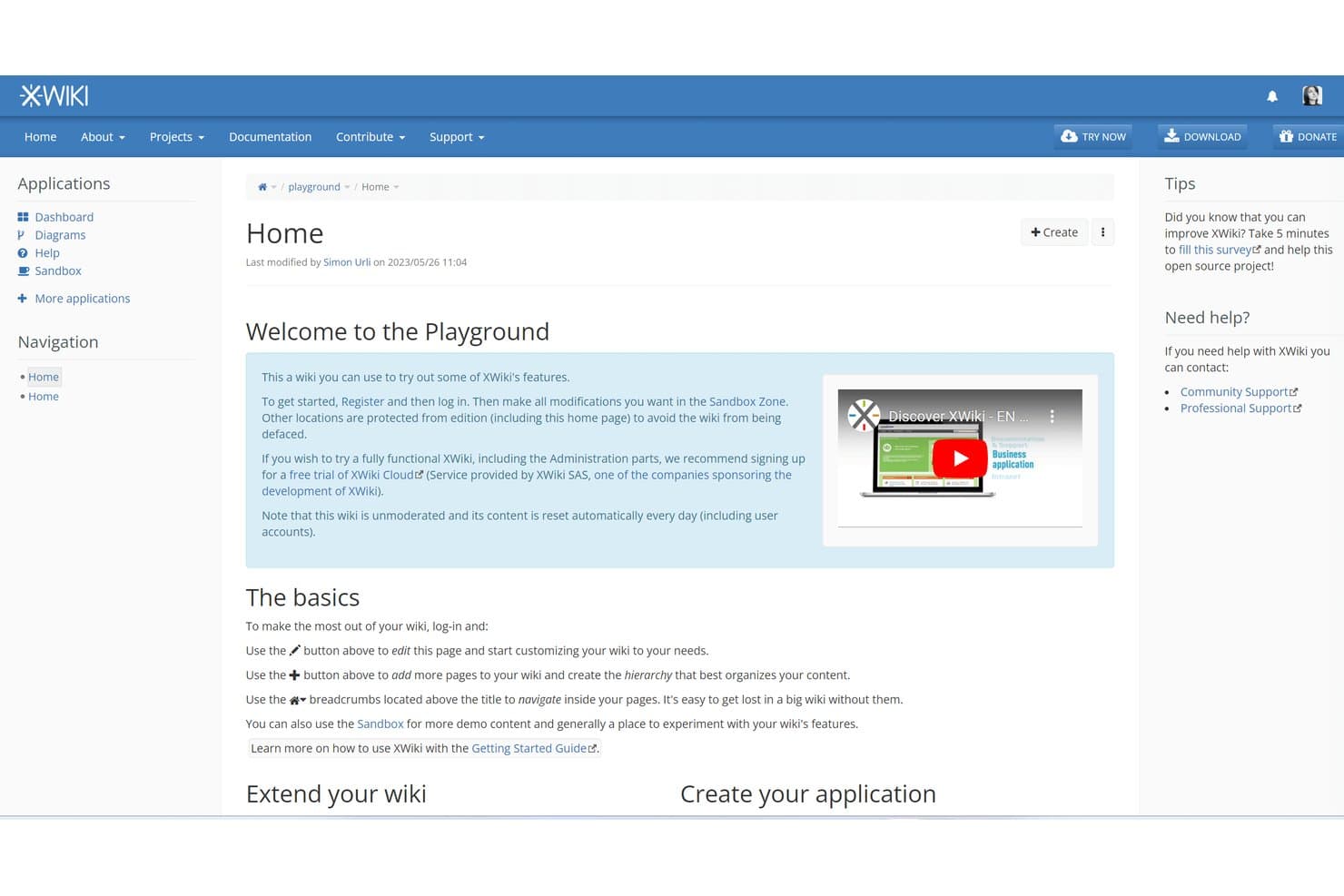
XWiki offers a playground wiki for users to explore features freely. XWiki is an open-source knowledge management platform for teams seeking a customizable Confluence alternative to organize documentation, internal knowledge, and collaboration in one place.
Who Is XWiki Best For?
XWiki suits teams migrating from self-hosted Confluence that need an open-source, customizable knowledge management platform.
Why XWiki Is a Good Confluence Alternative
I picked XWiki because it supports teams migrating self-hosted Confluence wikis without giving up control of their knowledge base. I use its Confluence migration tools to move spaces, pages, and attachments into an open-source platform. Its nested pages, version history, and access controls help preserve familiar documentation workflows after migration.
XWiki Key Features
- WYSIWYG editor : Create and format pages without writing markup.
- Page templates : Build reusable page structures for recurring documentation.
- Macros : Add dynamic content components to wiki pages.
- Office document importer : Convert office files into editable wiki pages.
XWiki Integrations
XWiki supports Jira through its official JIRA Macro and CKEditor integration, plus OpenProject through the OpenProject Integration (Pro) app. It also provides a REST API for custom integrations.
Pros and Cons
Pros:
- Macros and templates support tailored documentation workflows
- Confluence migration tools preserve spaces and attachments
- Open-source deployment preserves data control
Cons:
- Administration requires substantial technical expertise
- Interface feels dated beside newer alternatives
Learn more about XWiki: 5Best for governed knowledge with verification workflows
Guru
- Free demo available
- Pricing upon request
Visit WebsiteCustomer Rating:3.5/5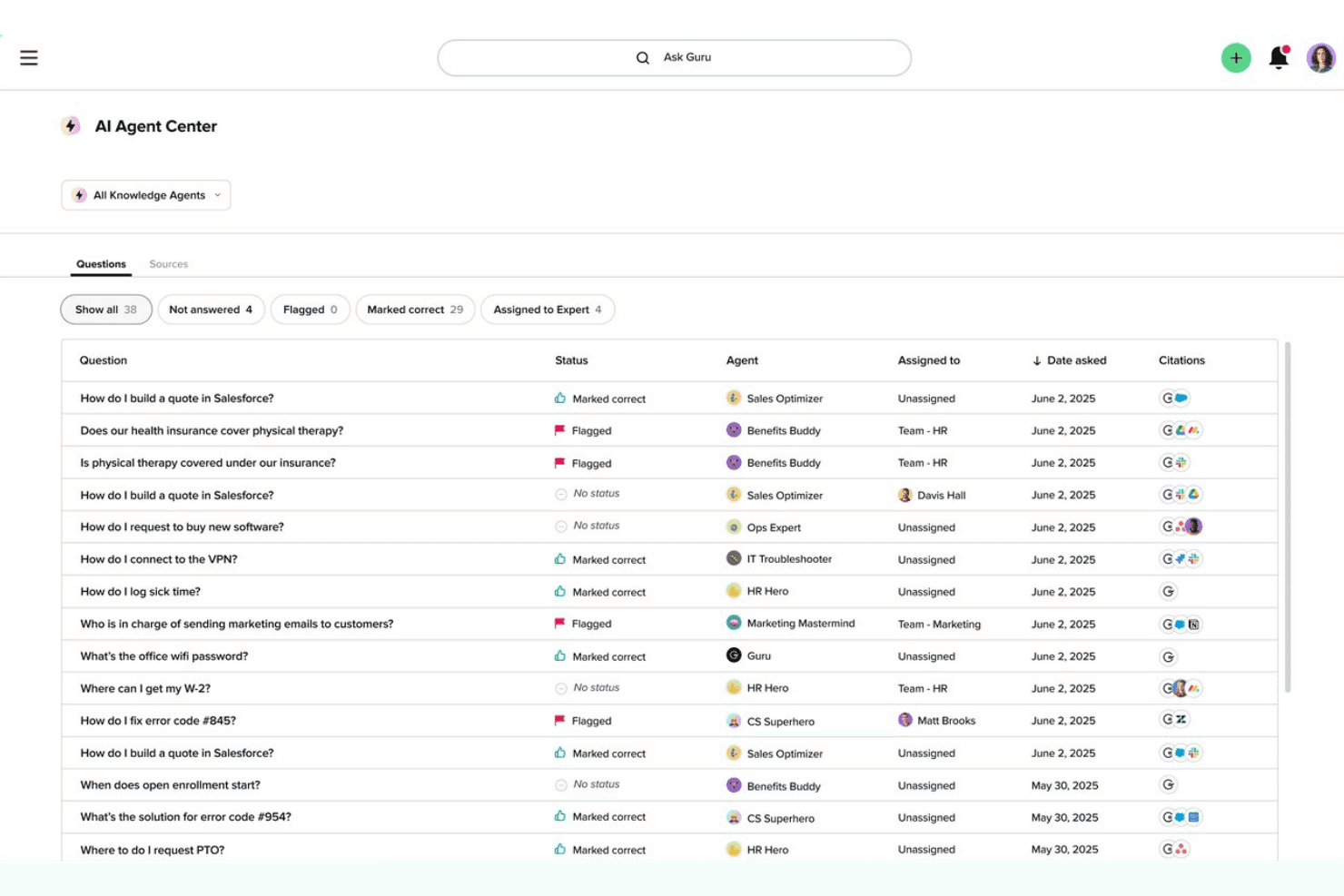
Guru's AI Agent Center offers a question log with statuses, assigned agents, and citation sources across departments. As a Confluence alternative, Guru gives product, support, and operations teams a knowledge management platform for organizing company information, finding answers quickly, and reducing repeated questions.
Who Is Guru Best For?
Guru suits product, support, and operations teams that need trusted internal answers with clear ownership and scheduled content verification.
Why Guru Is a Good Confluence Alternative
I picked Guru because its governed knowledge approach keeps internal answers current and accountable. I use verification workflows to assign content owners and schedule recurring reviews, while knowledge alerts flag outdated guidance. That fits product teams documenting launch processes, discovery findings, and support answers that need regular validation.
Guru Key Features
- AI search: Finds answers across connected company content.
- Browser extension: Captures and accesses knowledge from any webpage.
- Slack and Microsoft Teams integrations: Searches Guru without leaving team conversations.
- Knowledge cards: Stores information in concise, reusable content blocks.
Guru Integrations
Guru documents 100+ pre-built integrations, including Slack, Microsoft Teams, Salesforce, Jira, Google Drive, GitHub, HubSpot, Zendesk, Confluence, and Notion Pages, and it connects with Zapier. It also supports Workato, Prismatic, and Guru’s API for custom integrations.
Pros and Cons
Pros:
- Knowledge cards deliver concise, reusable answers
- Browser extension captures knowledge where work happens
- Verification workflows assign owners and review dates
Cons:
- Long documents fit cards poorly
- Search precision can vary across content sources
Learn more about Guru: Best for docs connected to live project boards
- Free plan available
- From $9/user/month (billed annually)
Visit WebsiteCustomer Rating:4.6/5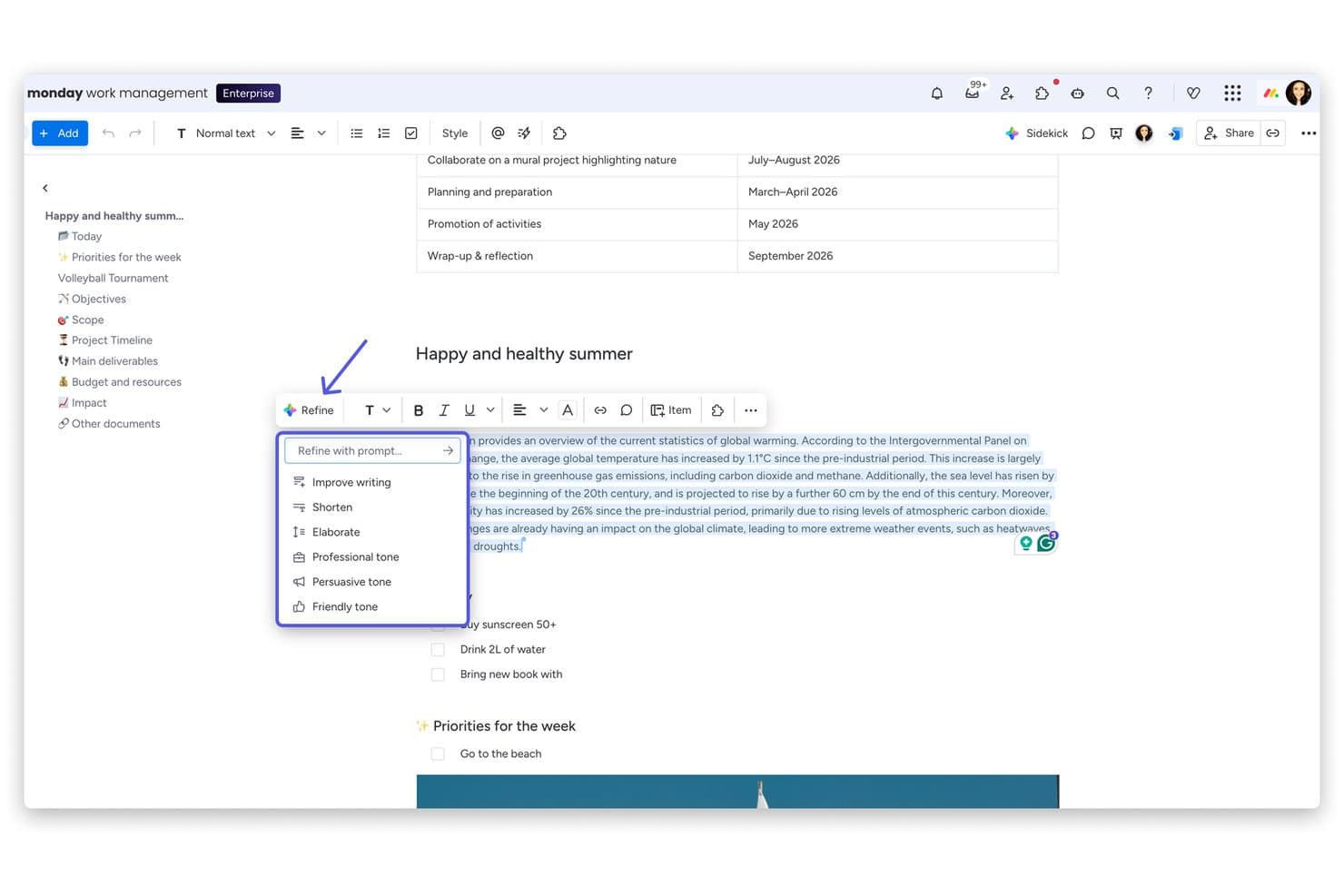
monday AI Workspace offers an AI-powered 'Refine' menu with options like Improve writing, Shorten, Elaborate, and tone adjustments directly within its document editor. monday AI Workspace is a collaborative knowledge management platform for product teams that connects project context, documentation, and team workflows in one workspace.
Who Is monday AI Workspace Best For?
Product teams that need documentation tied directly to live project boards, workflows, and delivery updates.
Why monday AI Workspace Is a Good Confluence Alternative
I picked monday AI Workspace because its “Best for docs connected to live project boards” focus keeps product documentation tied to delivery work. I use workdocs to capture decisions, embed board items, and connect roadmap context directly to active projects. My team can update requirements beside status changes instead of maintaining separate Confluence pages.
monday AI Workspace Key Features
- AI writing tools: Generate, summarize, and refine content inside workdocs.
- Customizable templates: Start documents with reusable formats for recurring work.
- Access permissions: Control who can view or edit workspace content.
- Version history: Review earlier document versions and restore changes.
monday AI Workspace Integrations
monday AI Workspace offers 850+ integrations and apps, including Slack, Jira, Google Drive, Microsoft Teams, GitHub, Asana, Trello, and Zapier. It also provides an API for custom integrations.
Pros and Cons
Pros:
- AI summarizes and refines workdoc content
- Custom boards support varied product workflows
- Links documentation directly to live project work
Cons:
- Board-centric structure complicates standalone documentation
- Knowledge organization feels weaker than Confluence
Learn more about monday AI Workspace: Best for docs tied directly to tasks and sprints
- Free plan available
- From $7/user/month (billed annually)
Visit WebsiteCustomer Rating:4.6/5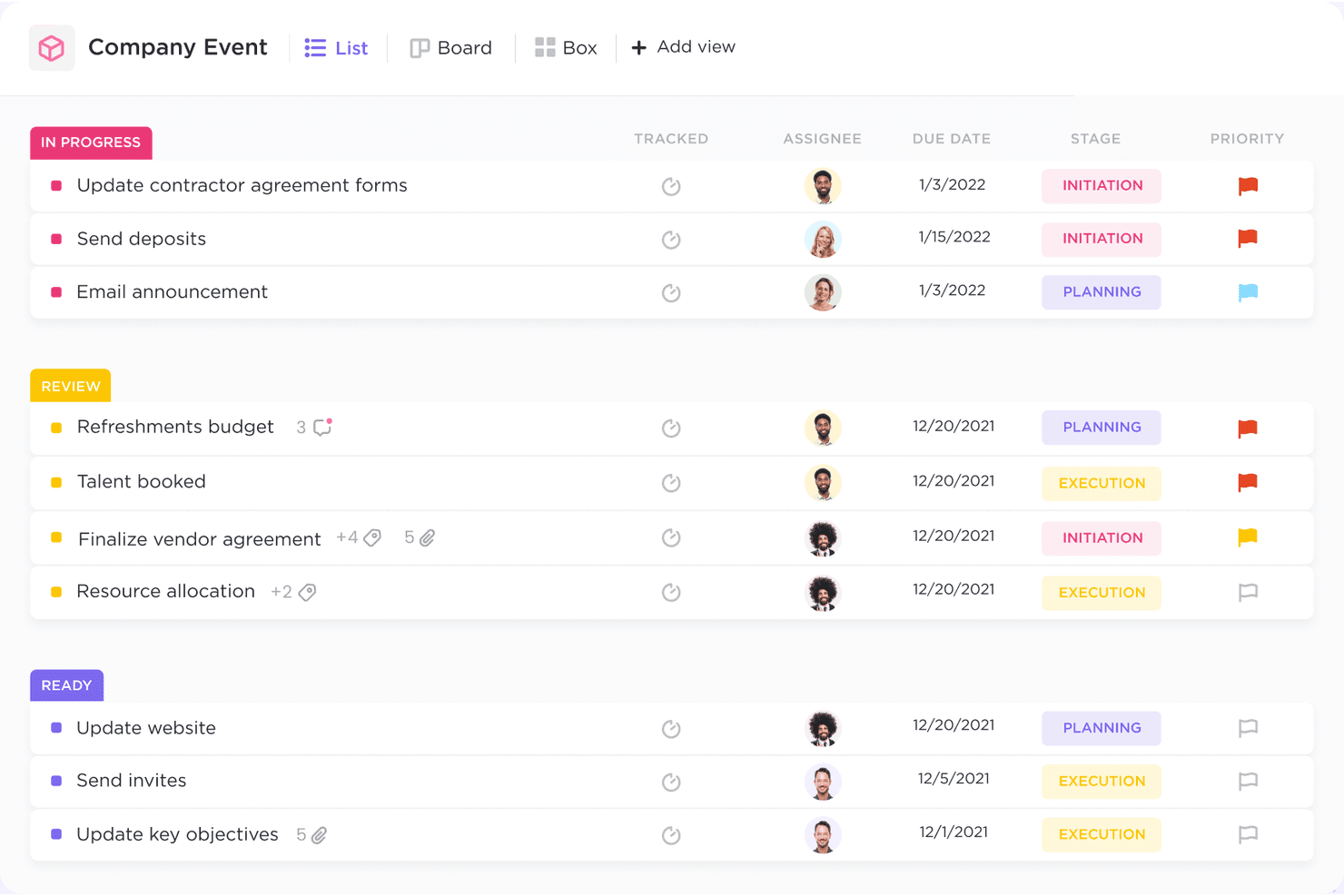
ClickUp helps teams manage tasks, track progress, and collaborate efficiently in one place. ClickUp is a flexible knowledge management and project collaboration platform for product teams that need to organize documentation, decisions, and operational knowledge alongside their daily work.
Who Is ClickUp Best For?
ClickUp suits product teams that need to connect documentation with sprint planning, task ownership, and delivery workflows.
Why ClickUp Is a Good Confluence Alternative
I picked ClickUp because its Docs connect directly to tasks, owners, and sprint work. My team keeps product decisions beside execution, turning discovery notes into assigned tasks and linking requirements to sprint items. Comments preserve delivery context within the same knowledge management workspace.
ClickUp Key Features
- Nested pages: Organize knowledge with folders, pages, and subpages.
- Global search: Find content across workspaces, lists, tasks, and Docs.
- Page templates: Create repeatable structures for guides, wikis, and briefs.
- Permissions: Control who can view, comment on, or edit content.
ClickUp Integrations
ClickUp offers native integrations with Slack, Microsoft Teams, Google Drive, Dropbox, GitHub, GitLab, Bitbucket, Jira, and Zoom. It also connects with Zapier and Make and provides an API for custom integrations.
Pros and Cons
Pros:
- Comments preserve decisions beside delivery work
- Nested pages organize product knowledge clearly
- Docs connect directly to assigned tasks
Cons:
- Doc editing trails dedicated wiki tools
- Large workspaces can feel visually crowded
Learn more about ClickUp: Best for keeping docs current with AI-flagged updates
- Free demo + 14-day free trial available
- From $10/user/month (billed annually)
Visit WebsiteCustomer Rating:4.7/5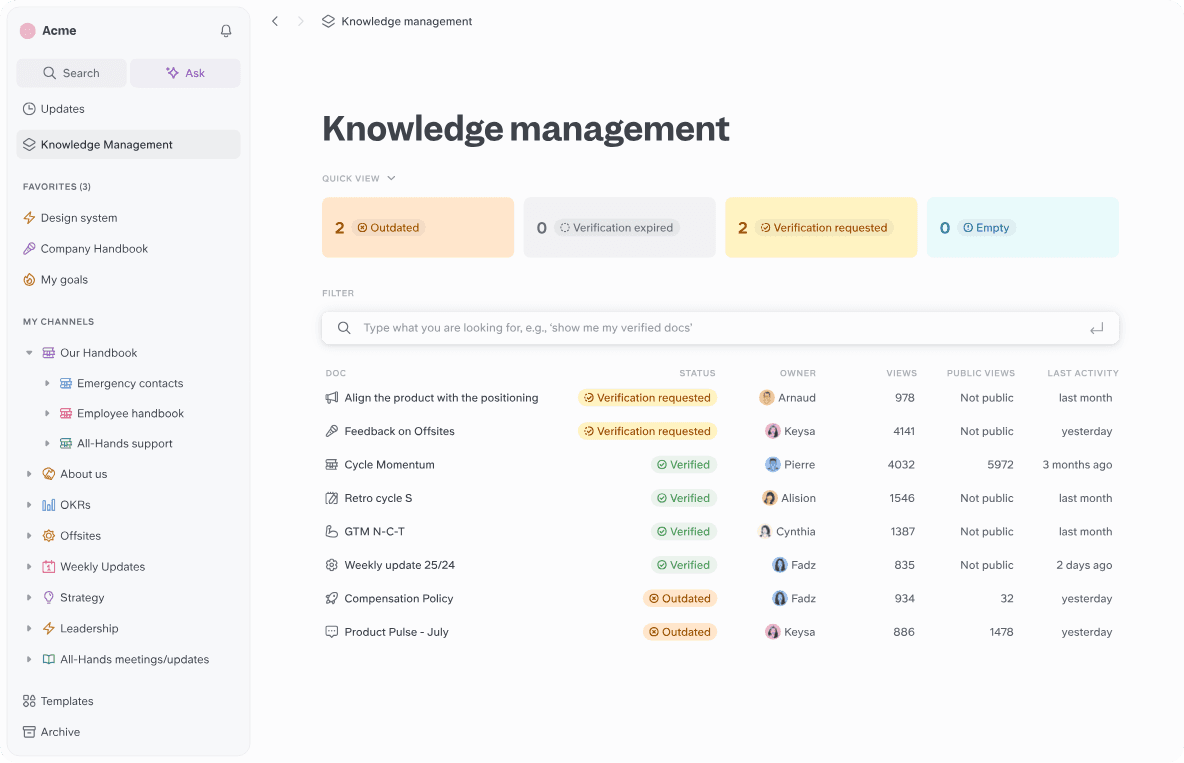
Slite helps teams create, organize, and verify their knowledge in a single, collaborative workspace. Slite is a knowledge management platform for product teams that centralizes company docs, decisions, and project context in a collaborative workspace.
Who Is Slite Best For?
Product managers and operations teams can use Slite to keep decisions, specs, and internal knowledge aligned as product work changes.
Why Slite Is a Good Confluence Alternative
I picked Slite because it helps product teams keep docs current with AI-flagged updates. I use its knowledge base to centralize specs, decisions, and project context, then review AI prompts when information may need attention. That gives my team a practical way to catch outdated guidance before it shapes new product work.
Slite Key Features
- Nested pages: Organize related documents into structured page hierarchies.
- Full-text search: Find relevant content across your workspace with keyword search.
- Document permissions: Control who can view or edit specific documents.
- Templates: Create repeatable documents from reusable page formats.
Slite Integrations
Slite offers native integrations with GitHub, Linear, Asana, Airtable, Canva, Grain, Pitch, Lucidchart, Notion, and Slack. It also connects with Zapier and provides an API for custom integrations.
Pros and Cons
Pros:
- Nested pages organize specs and decisions
- Clean collaborative editing for product documentation
- AI flags outdated information for review
Cons:
- Limited formatting for advanced documentation needs
- Search can miss keyword matches
Learn more about Slite: Best for self-hosted team knowledge bases
- 30-day free trial
- From $4/user/month (billed annually)
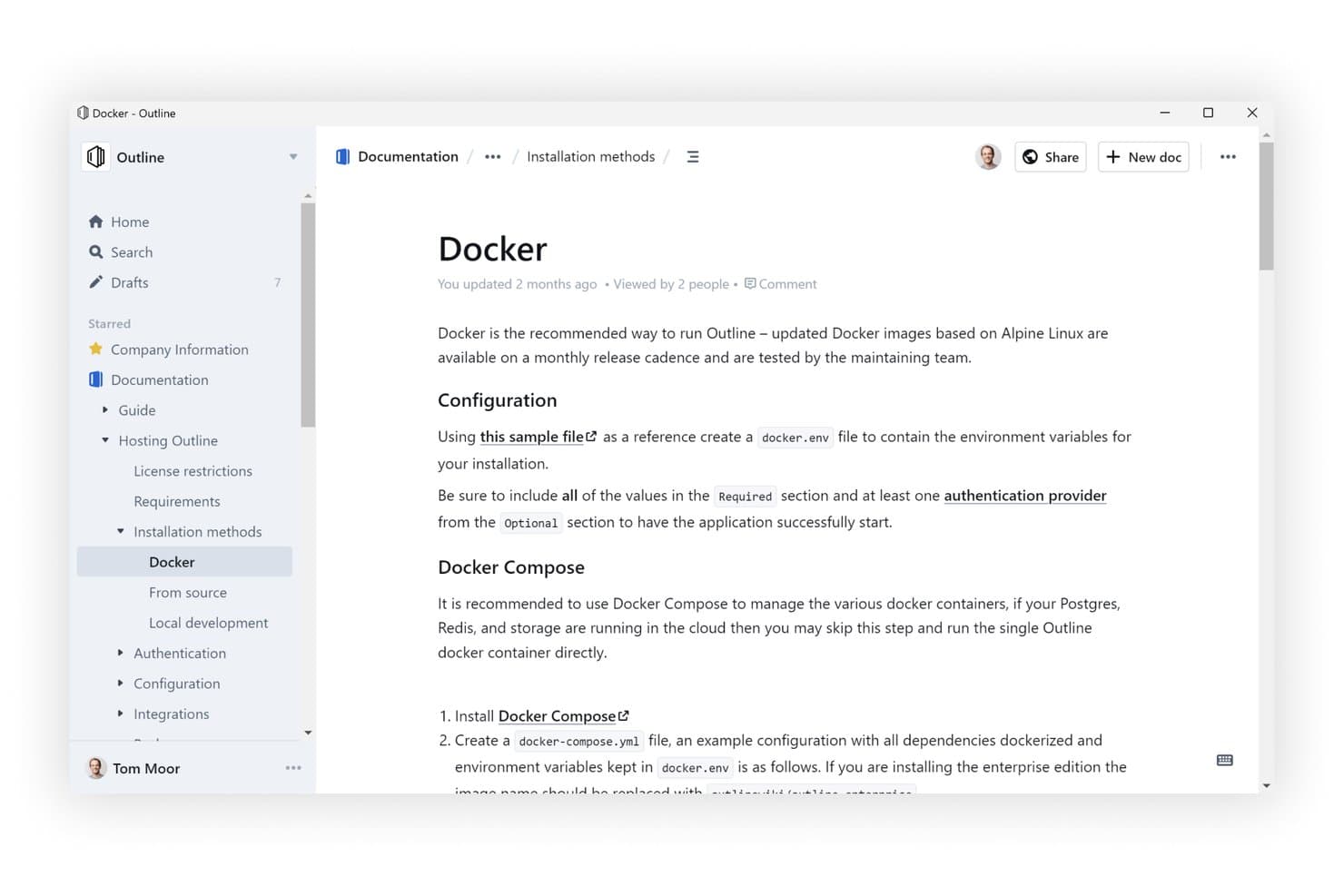
Outline offers a clean, hierarchical knowledge base interface with nested documents. Outline is a self-hosted knowledge base for teams that need greater control over internal documentation, shared information, and collaborative workplace knowledge.
Who Is Outline Best For?
Outline suits technical teams that want a collaborative knowledge base they can host and control themselves.
Why Outline Is a Good Confluence Alternative
I picked Outline because it’s best for self-hosted team knowledge bases. I use its collections and Markdown editor to organize product specifications, research notes, and decision records in one workspace. Self-hosting gives my team greater control over internal documentation and shared workplace knowledge.
Outline Key Features
- Realtime collaboration: Edit documents together and discuss changes through comments and threads.
- AI question answering: Ask questions and receive answers based on your workspace documents.
- Slack integration: Search, share, and ask questions from documents within Slack.
- Public sharing: Publish documents with custom branding, domains, and access controls.
Outline Integrations
Outline supports integrations with Slack, Figma, and Loom, plus an open API for custom integrations.
Pros and Cons
Pros:
- Backlinks and instant search connect knowledge
- Self-hosting keeps documentation under your control
- Fast, polished document editing experience
Cons:
- Self-hosted deployments lack multiple workspaces
- Self-hosting requires authentication setup expertise
Learn more about Outline: 10Best for docs-as-code with Git Sync workflows
GitBook
- 14-day free trial + free plan available
- From $65/site/month + $12/user/month (billed annually)
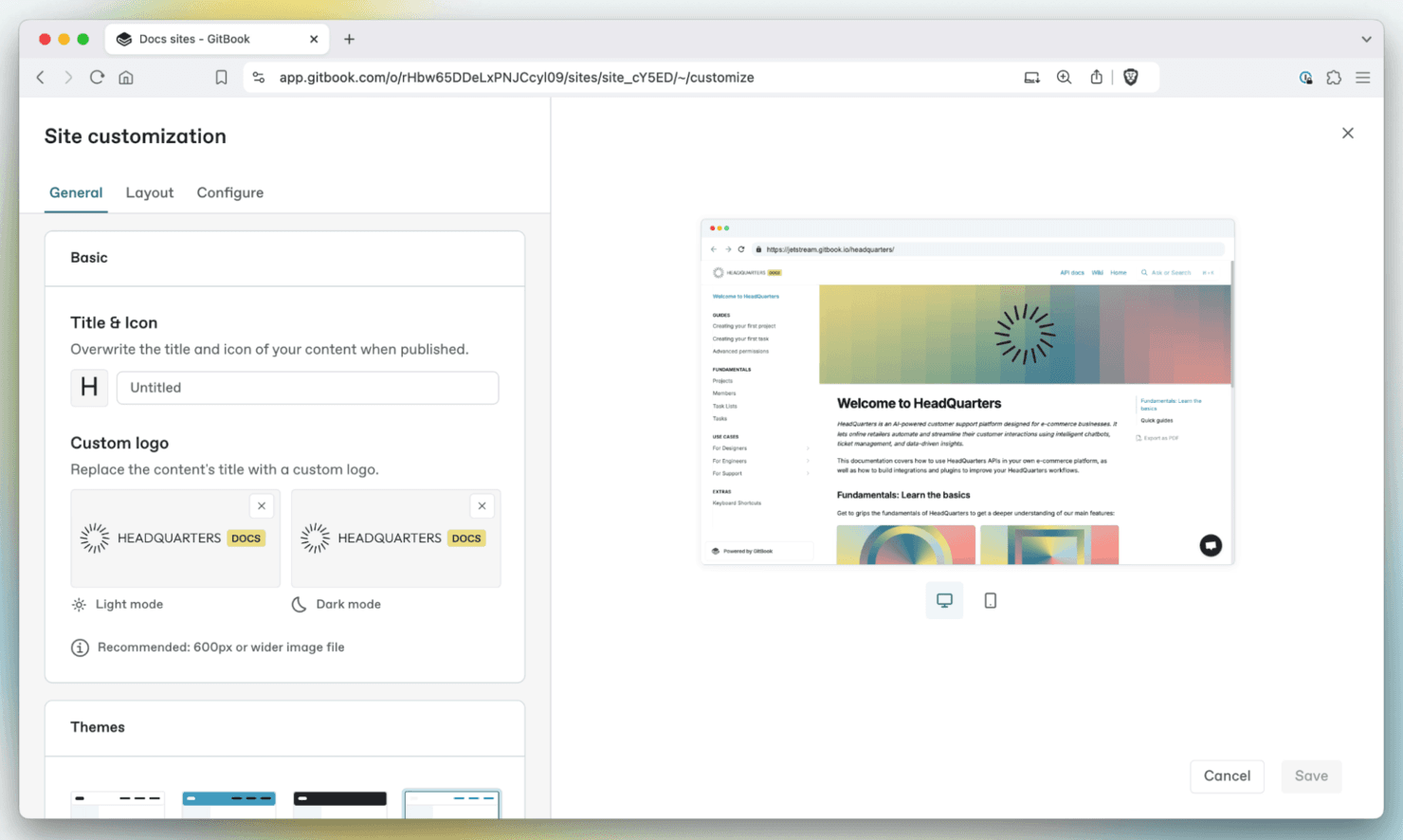
GitBook helps teams create, organize, and publish documentation with a clean, collaborative platform. GitBook is a knowledge management platform for product, engineering, and technical teams that need to create, organize, and share reliable documentation without the clutter of traditional wikis.
Who Is GitBook Best For?
Product and engineering teams that maintain technical documentation through Git-based workflows and frequent release cycles.
Why GitBook Is a Good Confluence Alternative
I picked GitBook because it supports docs-as-code with Git Sync workflows. I use Git-based editing, pull requests, and version history to keep product documentation aligned with software releases. Its structured spaces also help teams publish API references, release notes, and internal technical guides from one documentation hub.
GitBook Key Features
- Advanced search: Find pages and terms across connected spaces.
- Custom domains: Publish documentation on your own domain.
- Visitor authentication: Restrict content to approved readers.
- Page feedback: Collect reader comments and improvement suggestions.
GitBook Integrations
GitBook offers built-in integrations with GitHub, GitLab, Slack, Linear, Jira, Intercom, Google Analytics, Segment, PostHog, and Sentry. It supports bi-directional Git Sync with GitHub and GitLab, plus a platform for building custom integrations.
Pros and Cons
Pros:
- Structured spaces suit API and technical guides
- Version history helps teams review content changes
- Git-based editing supports release-aligned documentation
Cons:
- Page hierarchy can become cumbersome at scale
- Git Sync setup can challenge nontechnical contributors
Learn more about GitBook:
Andre alternativer til Confluence
Her er noen flere alternativer til Confluence som ikke kom med på kortlisten min, men som fortsatt er verdt å se nærmere på:
- 11ArchbeeBest for technical docs with Git-synced workflows
- 12Superhuman DocsBest for docs with built-in databases and Jira sync
- 13TettraBest for Slack-first team Q&A and wikis
- 14BloomfireBest for AI-powered enterprise knowledge search
- 15StonlyBest for AI-driven customer support docs
- 16HelpjuiceBest for AI-driven internal help center search
- 17SlabBest for docs that verify and stay current
- 18BookStackBest for self-hosted docs with zero licensing fees
- 19Wiki.jsBest for open-source wiki solutions
- 20MintlifyBest for Git-native developer docs teams
How I Evaluate Confluence Alternatives
I split my evaluation into three parts. First—and most importantly—I check that a tool lets teams co-edit pages in real time and organize content into nested, searchable hierarchies, since those are the foundations Confluence already covers. Then I look at standout features like AI knowledge assistants and built-in diagramming canvases. Finally, I consider migration support and pricing transparency.
Core Functionality (Table Stakes For This List)
When I'm selecting tools for my list, I score each one on a scale from 0 (does not offer the functionality) to 5 (excels in this area) for each core functionality listed below. I then convert the total into a percentage to help assess each tool's overall fit, with extra weight on any functionalities I’ve deemed essential.
- Collaborative Editing (Essential): I look for real-time co-editing, inline comments, and visible changes as teams refine product specs or meeting notes together.
- Content Organization (Essential): I assess whether nested pages and spaces can organize requirements, decisions, and process docs into a structure teams can maintain.
- Search & Discovery: I check whether searches find relevant details in page content and attachments, with filters that help teams locate current product decisions.
- Permissions & Sharing: I evaluate page- and space-level access controls for sharing sensitive roadmap or launch information with the right stakeholders.
- Tool Integrations: I look for connections to project, communication, and development tools that link documentation to active work.
- Version History: I check whether teams can review who changed a page and restore an earlier version after a spec or process update.
Once I have a list of tools that meet the criteria, I consider what sets each platform apart.
Differentiating Factors (What Sets Vendors Apart)
Here's how I compare and contrast different vendors:
Standout Features
I look for an AI knowledge assistant that can summarize long spec pages or answer questions from existing docs—useful when onboarding a new engineer mid-sprint. Database and table views matter too, since tracking feature status or launch items inside the same doc where requirements live removes context-switching. I also evaluate whiteboard and diagramming canvases for mapping user flows alongside written specs, the way Notion and Confluence each handle visual collaboration differently.
Beyond Features
I evaluate migration support first—whether a vendor offers automated Confluence importers that preserve page hierarchies and inline comments, since rebuilding a 500-page wiki manually kills momentum. Pricing transparency matters just as much; some tools bury costs in storage caps or per-integration fees that inflate the bill once your cross-functional team scales past a pilot group. I also check cross-functional usability, specifically whether non-technical stakeholders like designers or leadership can navigate and edit pages without training, and whether guest access lets external partners review specs without a full seat.
Hvorfor se etter et alternativ til Confluence?
Selv om Confluence er et godt valg for programvare for samarbeid og dokumentasjon, finnes det flere grunner til at noen brukere ser etter alternative løsninger. Du ser kanskje etter et alternativ til Confluence fordi …
- Det er for komplekst for små team
- Du trenger bedre tilgang uten nett
- Mulighetene for tilpasning er begrensede
- Du ønsker mer intuitiv navigasjon
- Integrasjonen med andre verktøy er mangelfull
Hvis noe av dette høres kjent ut, har du kommet til rett sted. Listen min inneholder flere alternativer for samarbeids- og dokumentasjonsprogramvare som er bedre egnet for team som møter disse utfordringene med Confluence og ser etter alternative løsninger.
Viktige funksjoner i Confluence
Her er noen av de viktigste funksjonene i Confluence fra Atlassian, slik at du kan sammenligne og vurdere hva alternative løsninger tilbyr:
- Samarbeidsredigering: Rediger sider sammen med teamet ditt samtidig, uten versjonskonflikter – ideelt for asynkront arbeid.
- Kommentarer direkte i innholdet: Legg til tilbakemeldinger direkte på tekst og visuelt innhold, slik at diskusjonene forblir kontekstuelle og handlingsrettede.
- Smarte varsler: Tagg teammedlemmer, tildel oppgaver og koble oppdateringer sømløst til Jira og andre verktøy.
- Digital tavle: Samarbeid visuelt på et uendelig lerret, og gjør ideer om til handlingspunkter eller strukturerte sider.
- Databaser: Bruk fleksible tabeller med synkroniserte visninger for kunnskapssporing og enkle prosjektarbeidsflyter.
- AI-verktøy: Oppsummer notater, rydd opp i dokumenter eller strukturer innhold automatisk med innebygd AI-hjelp.
- Innholdstillatelser: Angi visnings- og redigeringstilgang per side eller område for å styre synlighet og beskytte sensitiv informasjon.
- Maler & versjonskontroll: Bruk maler basert på beste praksis og full endringshistorikk for å effektivisere dokumentasjonen.
- Teamkalendere: Del tilgjengelighet og frister for å samordne timeplaner på tvers av team.
- Sikkerhet i virksomhetsklassen: Utviklet for skalering med samsvar, revisjonslogger og administratorkontroller.