

Recensione di Todoist: Vantaggi, Svantaggi, Funzionalità e Prezzi Spiegati
Todoist si distingue per il suo design intuitivo e la gestione flessibile delle attività, rendendolo ideale per singoli e piccoli team, ma può mancare di un avanzato monitoraggio delle tappe importante presente in strumenti di project management specializzati.

Recensiamo gli strumenti in modo indipendente e le commissioni aiutano a finanziare i nostri test. Consulta la nostra politica sulla trasparenza, la nostra metodologia oppure suggerisci uno strumento.
Todoist is a milestone software built around task hierarchies and project organization for individuals and small teams who need to track deliverables across multiple initiatives. I'd consider it if you want clear milestone visibility without the configuration overhead of a tool like Asana—Todoist gets you up and running faster and keeps your workflow focused rather than buried in setup.
Todoist Evaluation Summary
4.6/5
- From $5/user/month (billed annually)
- Free plan available
Perché fidarsi dei nostri consigli sui software
6,700+
Reviews
20
Industry experts
16+
Evaluation factors
14
Years
Il nostro team testa e recensisce software dal 2012. In quanto product manager noi stessi, sappiamo quanto sia difficile — e importante — scegliere il software giusto.
Per questa guida, abbiamo valutato gli strumenti attraverso test pratici e ricerche indipendenti, assegnando un punteggio agli strumenti in base ai nostri criteri di selezione.
Le nostre recensioni riflettono il nostro giudizio editoriale umano, non un discorso di vendita.
Revisori esperti:
- Andrew LumbySenior TPM
- Cristiano ValimSenior UI/UX Lead


Todoist Overview
When judging Todoist as a milestone software, its intuitive interface and quick onboarding set it apart for teams seeking a straightforward solution. The pricing is accessible, and integrations with tools like shared calendar apps and messaging platforms add flexibility. However, compared to more advanced options, Todoist underperforms in granular milestone tracking and reporting. It's best suited for individuals or small teams who value ease of use over deep customization. If you're selecting a tool for lightweight project tracking or personal productivity, Todoist's clean design and responsive support make it a strong contender.
Pros
- Task hierarchy supports basic milestone breakdowns for projects.
- Kanban boards help visualize progress toward key milestones.
- Mobile and web apps sync reliably for milestone updates anywhere.
Cons
- No native Gantt chart or timeline for milestone planning.
- Limited reporting for tracking milestone completion rates.
- Lacks built-in dependency management between milestone tasks.
Is Todoist Right For Your Needs?
Who Would be a Good Fit for Todoist?
Todoist works best for individuals and small teams who need a simple, flexible way to track milestones without complex project management features. Its task hierarchy, mobile access, and visual boards make it a strong choice for creative professionals, consultants, and departments with straightforward workflows. As a to-do list app built for clarity and speed, Todoist helps you prioritize what matters and maintain momentum across projects. If your work relies on clear task lists and milestone check-ins rather than advanced dependencies or reporting, Todoist can help you stay organized and on track.
- Freelance DesignersVisual boards and task lists help manage project deliverables and due dates.
- Marketing TeamsCampaign milestones are easy to track with boards and recurring tasks.
- Small AgenciesSimple milestone tracking fits agencies managing multiple client projects.
- ConsultantsTask comments and file uploads support milestone documentation for client work.
- StartupsLightweight structure suits fast-moving teams with evolving project needs.
- Remote WorkersCross-platform sync keeps milestone progress visible from anywhere.
Who Would be a Bad Fit for Todoist?
Todoist is less suitable for organizations or teams that require advanced project planning, detailed reporting, or strict workflow controls. Large enterprises, regulated industries, and technical teams often need features like Gantt charts, dependency management, and granular permissions, which Todoist does not provide. If your projects demand complex coordination or compliance, you'll likely find Todoist's feature set too limited.
- Enterprise ITLacks advanced permissions and reporting needed for large-scale IT projects.
- Construction FirmsNo Gantt charts or resource management for complex build schedules.
- Product DevelopmentMissing dependency tracking and timeline views for product roadmaps.
- Legal DepartmentsLimited audit trails and compliance features for regulated workflows.
- Healthcare TeamsNo HIPAA compliance or secure document management for sensitive data.
- Manufacturing OperationsCannot handle resource allocation or detailed production milestone tracking.
Come Testiamo e Valutiamo gli Strumenti
Abbiamo passato anni a costruire, perfezionare e migliorare il nostro sistema di test e valutazione del software. Il nostro metodo è stato progettato per cogliere le sfumature della selezione del software e ciò che rende efficace uno strumento, concentrandosi sugli aspetti critici del processo decisionale. Qui sotto puoi vedere esattamente come funzionano i nostri test e la nostra valutazione suddivisa in sette criteri. Questo ci consente di offrire una valutazione imparziale del software sulla base delle funzionalità principali, delle caratteristiche distintive, della facilità d’uso, dell’onboarding, dell’assistenza clienti, delle integrazioni, delle recensioni dei clienti e del rapporto qualità/prezzo.
Funzionalità Principali (25% del punteggio finale)
Il punto di partenza della nostra valutazione sono sempre le funzionalità principali dello strumento. Possiede le funzioni di base che un utente si aspetterebbe di trovare? Alcune di queste sono riservate ai piani tariffari più alti? Ci aspettiamo che uno strumento rispetti almeno le funzionalità di base dei competitors.
Caratteristiche Distintive (25% del punteggio finale)
Successivamente, valutiamo le caratteristiche distintive e non comuni che vanno oltre le funzioni di base normalmente riscontrate in strumenti simili. Un punteggio alto indica funzionalità specializzate o uniche che rendono il prodotto più rapido, efficiente o forniscono un valore aggiunto all’utente. Valutiamo anche la facilità con cui si possono integrare altri strumenti solitamente presenti nella stack tecnologica, ampliando così funzionalità e utilità del software. Gli strumenti che offrono molte integrazioni native, collegamenti di terze parti e accesso API per integrazioni personalizzate ottengono i punteggi migliori.
Facilità d’Uso (10% del punteggio finale)
Consideriamo quanto sia rapido e semplice eseguire le attività definite dalle funzionalità principali tramite lo strumento. Il software con il punteggio più alto è ben progettato, intuitivo da usare, offre app per dispositivi mobili, modelli preimpostati e semplifica anche le attività più complesse.
Onboarding (10% del punteggio finale)
Sappiamo quanto sia importante una rapida adozione da parte del team, quindi valutiamo quanto sia facile imparare ad usare lo strumento con una formazione minima. Valutiamo la velocità con cui un membro del team può configurarsi e iniziare a utilizzare lo strumento senza esperienza. Le soluzioni con punteggio più alto richiedono poco o nessun supporto.
Assistenza Clienti (10% del punteggio finale)
Osserviamo quanto sia facile e veloce ottenere supporto tramite telefono, chat dal vivo o knowledge base. Gli strumenti che offrono supporto in tempo reale ottengono punteggi più alti, mentre i chatbot ricevono i punteggi peggiori.
Recensioni Clienti (10% del punteggio finale)
Oltre ai nostri test e valutazioni, consideriamo il net promoter score di clienti attuali e passati. Valutiamo la probabilità che scelgano nuovamente lo strumento in base alle funzionalità principali. Un software con punteggio elevato riflette un net promoter score alto.
Rapporto Qualità/Prezzo (10% del punteggio finale)
Infine, considerando tutti gli altri criteri, confrontiamo il prezzo medio dei piani base con le funzionalità principali, esaminando il valore degli altri criteri di valutazione. Il software che offre di più, a meno, otterrà un punteggio maggiore.
Core Features
Task Hierarchies
Organize milestones using nested tasks and subtasks for clear project structure. This helps break down large goals into actionable steps.
Kanban Boards
Visualize project progress by moving tasks across customizable columns. Boards make it easy to see which milestones are in progress or complete.
Recurring Tasks
Set milestones or tasks to repeat on custom schedules. This is useful for ongoing project check-ins or regular deliverables.
Labels and Filters
Tag tasks with labels and create custom filters to view milestones by priority, project, or deadline. This allows quick access to what matters most.
Comments and File Uploads
Add context to milestones with comments and attach relevant files directly to tasks. Team members can discuss and share updates in one place.
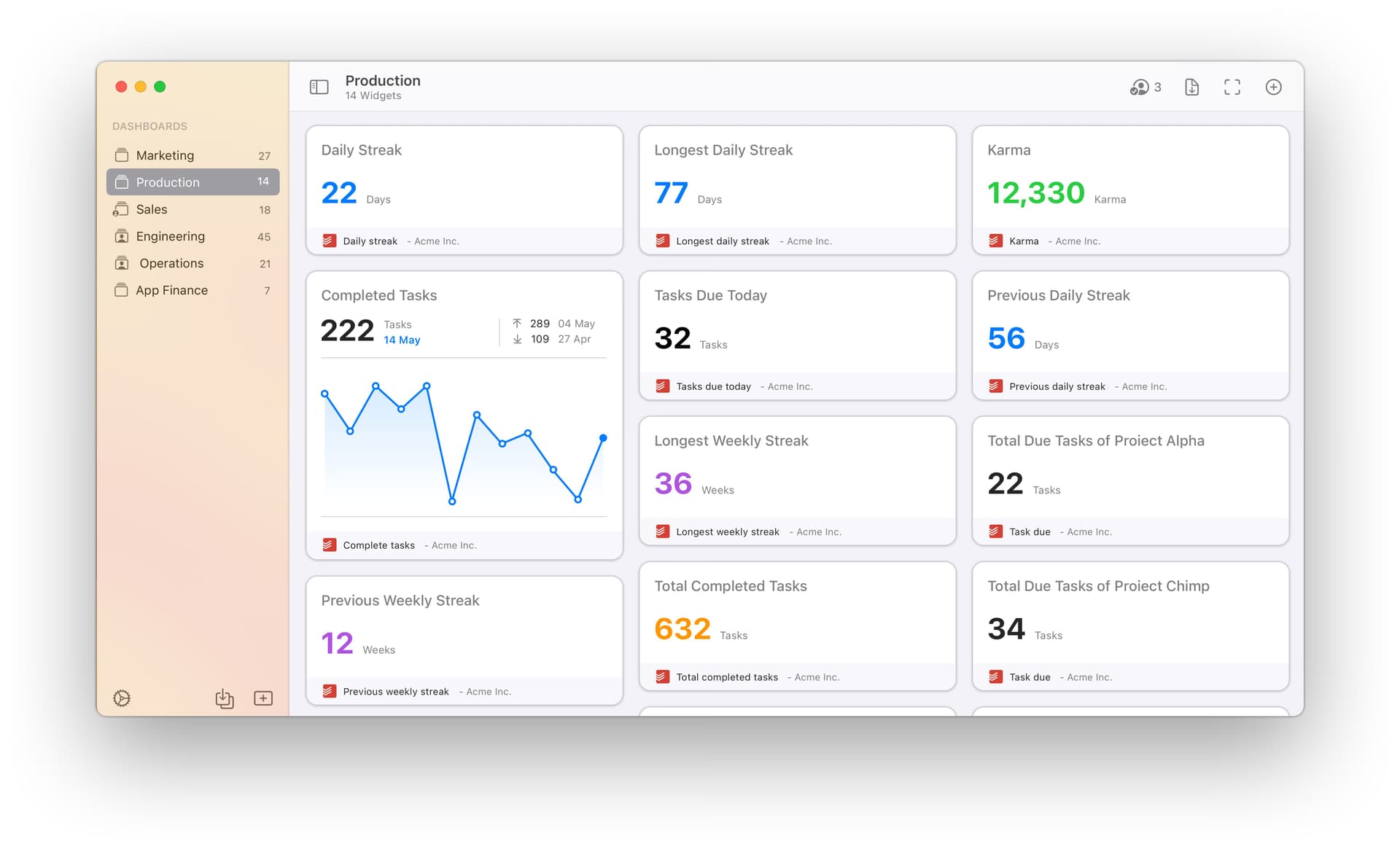
Productivity Tracking
Track completed tasks and streaks with built-in productivity visualizations and time tracking. This feature helps users monitor progress toward key milestones over time.
Ease of Use
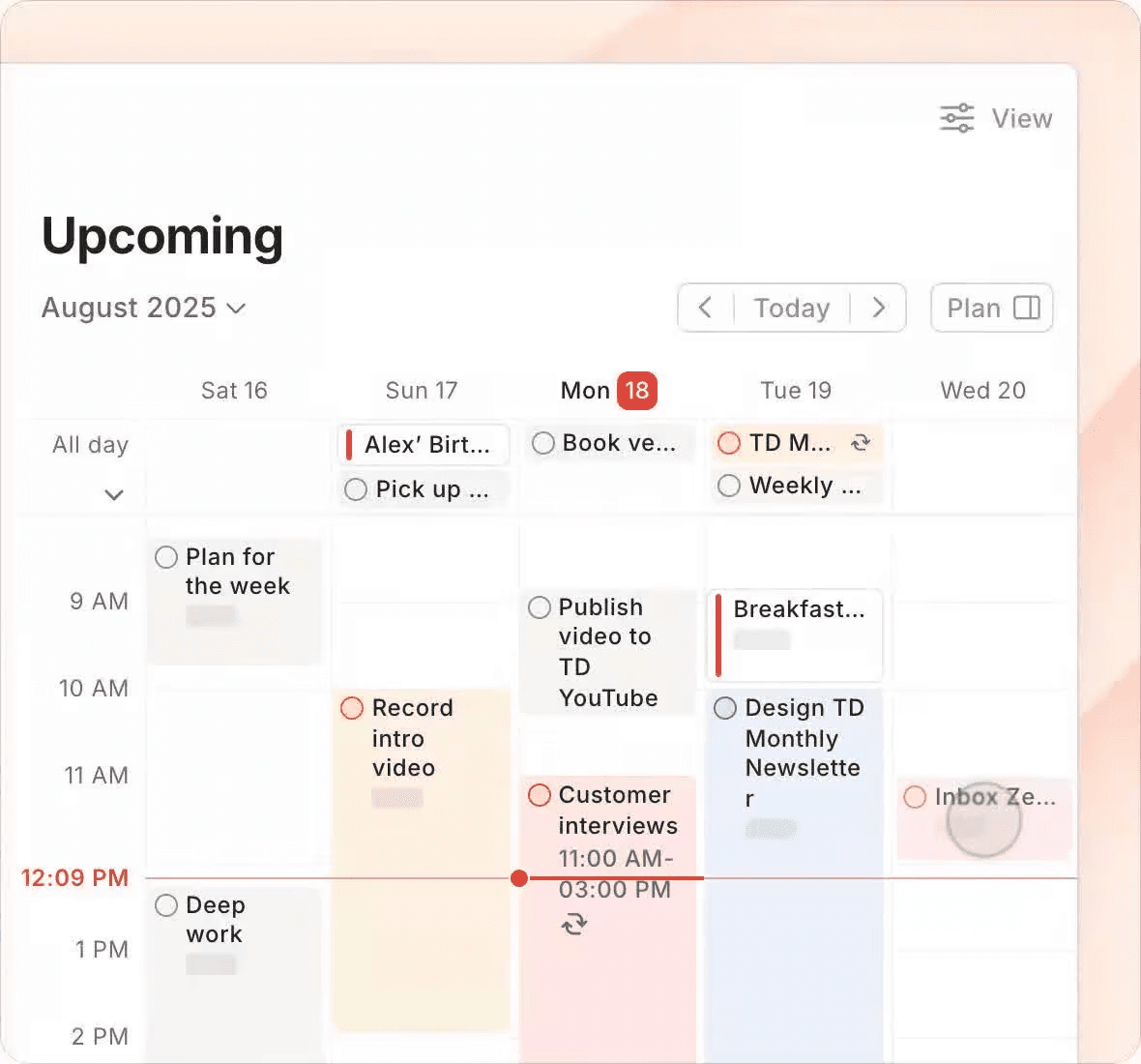
Todoist is widely recognized for its clean interface and straightforward navigation, making it easy for users to set up and manage milestones and new tasks without training. Users often highlight the intuitive task entry, drag-and-drop boards, and quick access to filters as major strengths. The mobile and web apps are consistent, so switching between devices feels seamless. For teams or individuals who want to avoid complexity, Todoist's usability is a clear advantage. The user-friendly design makes it accessible whether you're using iOS, Android, macOS, or web browsers, and the calendar view helps you see due dates at a glance.
Integrations
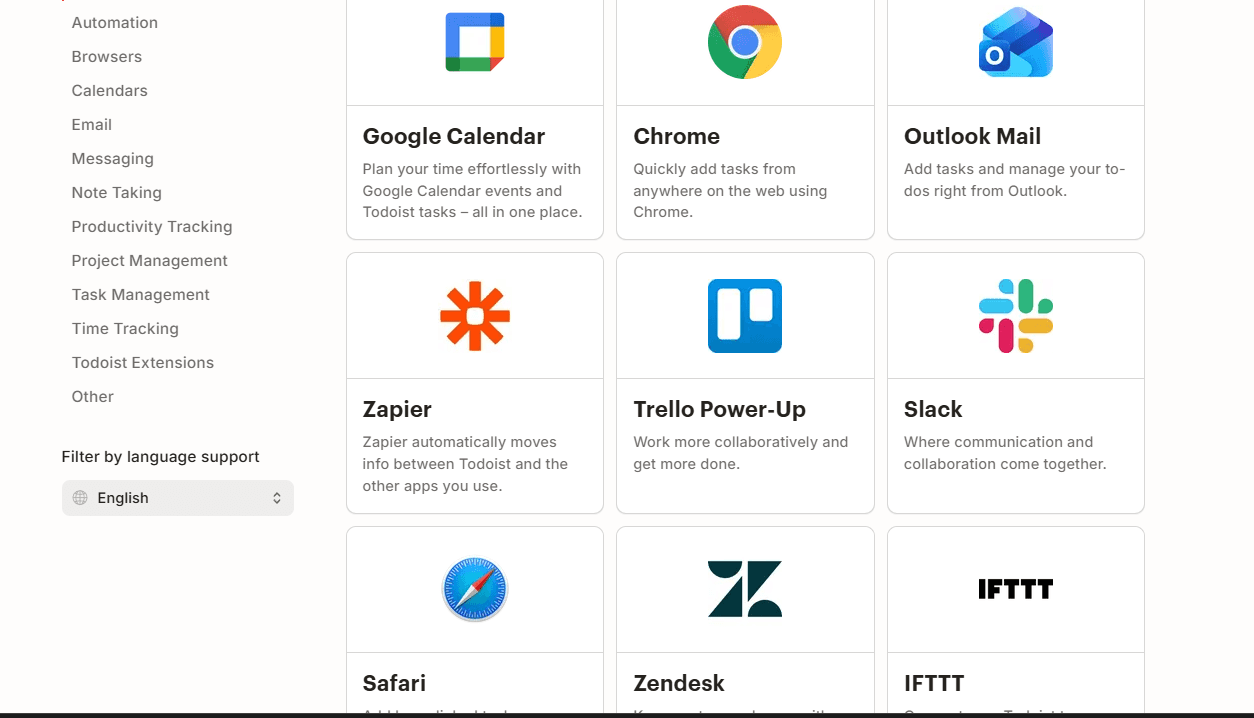
Todoist integrates with Google Calendar, Slack, Gmail, Outlook, Zapier, Trello Power-Up, Toggl Track, Zendesk, and Jira, among others.
Todoist also offers a public API and connects with third-party integration tools for expanded automation and connectivity.
Todoist Specs
- API: Yes
- Calendar Management: Yes
- Collaboration Support: Yes
- Dashboards: Yes
- Data Export: Yes
- Data Import: Yes
- External Integrations: Yes
- File Sharing: Yes
- Gantt Charts: Yes
- Kanban Boards: Yes
- Mobile App: Yes
- Multi-User: Yes
- Notifications: Yes
- Prioritization: Yes
- Project Management: Yes
- Status Notifications: Yes
- Task Scheduling/Tracking: Yes
- Time Management: Yes


