

Recensione di monday.com: Pro, Contro, Funzionalità e Prezzi
monday.com si distingue per i suoi flussi di lavoro flessibili e il design intuitivo, rendendolo ideale per i team che cercano una gestione dei prodotti personalizzabile e strumenti scalabili a supporto di organizzazioni in crescita.

Recensiamo gli strumenti in modo indipendente e le commissioni aiutano a finanziare i nostri test. Consulta la nostra politica sulla trasparenza, la nostra metodologia oppure suggerisci uno strumento.
monday AI Workspace is a product management tool that combines project tracking, workflow automation, and AI assistance in a single workspace. It's worth a look if your team manages complex product work across multiple workstreams and wants AI features native to the tool rather than added on after the fact. Compared to Asana, which treats AI as a feature layer, monday AI Workspace builds AI into the core experience—letting you automate workflows, generate content, and surface insights without leaving the platform.
monday AI Workspace Evaluation Summary
4.6/5
- From $9/user/month (billed annually)
- Free plan + 14-day free trial available
Perché fidarsi dei nostri consigli sui software
6,700+
Reviews
20
Industry experts
16+
Evaluation factors
14
Years
Il nostro team testa e recensisce software dal 2012. In quanto product manager noi stessi, sappiamo quanto sia difficile — e importante — scegliere il software giusto.
Per questa guida, abbiamo valutato gli strumenti attraverso test pratici e ricerche indipendenti, assegnando un punteggio agli strumenti in base ai nostri criteri di selezione.
Le nostre recensioni riflettono il nostro giudizio editoriale umano, non un discorso di vendita.
Revisori esperti:
- Andrew LumbySenior TPM
- Cristiano ValimSenior UI/UX Lead


monday AI Workspace Overview
When judging monday.com as a product management tool, its visual interface, customizable boards, and broad integration options make it a top pick for teams valuing flexibility and quick onboarding. Pricing is competitive for mid-sized teams, and responsive support adds value.
While automation depth and advanced reporting may lag behind some competitors, monday.com excels in environments where ease of use and cross-team collaboration matter most—such as marketing, product, and operations teams managing complex workflows.
Pros
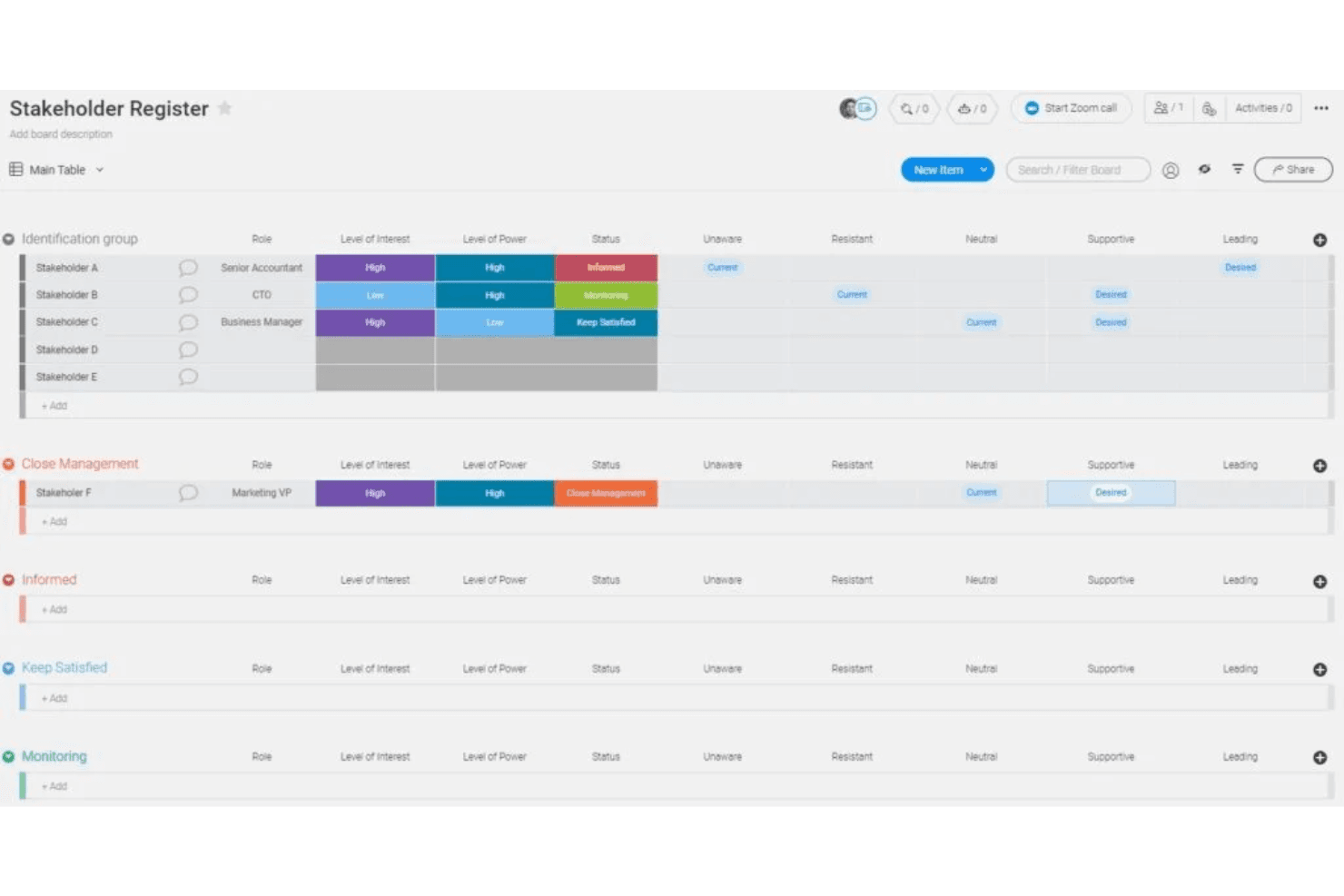
- Visual boards simplify tracking product development stages
- Built-in AI features assist with risk identification and automation
- Fast onboarding with templates for product roadmaps and sprints
Cons
- Complex workflows can require frequent manual board updates
- Automation options require higher-tier plans
- Limited advanced reporting for product analytics
Is monday AI Workspace Right For Your Needs?
Who Would be a Good Fit for monday AI Workspace?
monday.com is a strong choice for teams that need visual project tracking, customizable workflows, and fast onboarding. Its flexible boards, templates, and automation features make it especially useful for collaborative environments where transparency and cross-functional work are priorities.
Businesses in creative, operational, and product-focused roles often find its interface and templates well-suited to their needs, especially when managing multiple projects or stakeholders.
- Creative AgenciesVisual boards and timeline views help manage campaigns and client deliverables.
- Mid-Sized Tech StartupsCustomizable workflows and integrations support rapid product iteration.
- Marketing DepartmentsCampaign planning templates and collaboration tools fit marketing workflows.
- Operations TeamsAutomations and dashboards help track recurring processes and tasks.
- Product ManagersRoadmap templates and sprint boards support agile product development.
- Remote TeamsCentralized communication and file sharing streamline distributed collaboration.
Who Would be a Bad Fit for monday AI Workspace?
monday.com may not suit organizations that require deep analytics, highly specialized compliance, or advanced workflow automation. Teams with complex regulatory needs or those managing large-scale, data-driven projects may find its reporting and automation features limiting compared to more specialized tools.
- Enterprise IT DepartmentsLimited advanced reporting and audit trails restrict large-scale IT oversight.
- Financial ServicesLacks built-in compliance features for regulated financial workflows.
- Manufacturing OperationsDoes not support detailed inventory or supply chain management.
- Data Science TeamsInsufficient analytics and visualization tools for complex data projects.
- Large EnterprisesAutomation and user management features may not scale for thousands.
- Legal DepartmentsMissing document versioning and approval workflows needed for legal processes.
Come Testiamo e Valutiamo gli Strumenti
Abbiamo passato anni a costruire, perfezionare e migliorare il nostro sistema di test e valutazione del software. Il nostro metodo è stato progettato per cogliere le sfumature della selezione del software e ciò che rende efficace uno strumento, concentrandosi sugli aspetti critici del processo decisionale. Qui sotto puoi vedere esattamente come funzionano i nostri test e la nostra valutazione suddivisa in sette criteri. Questo ci consente di offrire una valutazione imparziale del software sulla base delle funzionalità principali, delle caratteristiche distintive, della facilità d’uso, dell’onboarding, dell’assistenza clienti, delle integrazioni, delle recensioni dei clienti e del rapporto qualità/prezzo.
Funzionalità Principali (25% del punteggio finale)
Il punto di partenza della nostra valutazione sono sempre le funzionalità principali dello strumento. Possiede le funzioni di base che un utente si aspetterebbe di trovare? Alcune di queste sono riservate ai piani tariffari più alti? Ci aspettiamo che uno strumento rispetti almeno le funzionalità di base dei competitors.
Caratteristiche Distintive (25% del punteggio finale)
Successivamente, valutiamo le caratteristiche distintive e non comuni che vanno oltre le funzioni di base normalmente riscontrate in strumenti simili. Un punteggio alto indica funzionalità specializzate o uniche che rendono il prodotto più rapido, efficiente o forniscono un valore aggiunto all’utente. Valutiamo anche la facilità con cui si possono integrare altri strumenti solitamente presenti nella stack tecnologica, ampliando così funzionalità e utilità del software. Gli strumenti che offrono molte integrazioni native, collegamenti di terze parti e accesso API per integrazioni personalizzate ottengono i punteggi migliori.
Facilità d’Uso (10% del punteggio finale)
Consideriamo quanto sia rapido e semplice eseguire le attività definite dalle funzionalità principali tramite lo strumento. Il software con il punteggio più alto è ben progettato, intuitivo da usare, offre app per dispositivi mobili, modelli preimpostati e semplifica anche le attività più complesse.
Onboarding (10% del punteggio finale)
Sappiamo quanto sia importante una rapida adozione da parte del team, quindi valutiamo quanto sia facile imparare ad usare lo strumento con una formazione minima. Valutiamo la velocità con cui un membro del team può configurarsi e iniziare a utilizzare lo strumento senza esperienza. Le soluzioni con punteggio più alto richiedono poco o nessun supporto.
Assistenza Clienti (10% del punteggio finale)
Osserviamo quanto sia facile e veloce ottenere supporto tramite telefono, chat dal vivo o knowledge base. Gli strumenti che offrono supporto in tempo reale ottengono punteggi più alti, mentre i chatbot ricevono i punteggi peggiori.
Recensioni Clienti (10% del punteggio finale)
Oltre ai nostri test e valutazioni, consideriamo il net promoter score di clienti attuali e passati. Valutiamo la probabilità che scelgano nuovamente lo strumento in base alle funzionalità principali. Un software con punteggio elevato riflette un net promoter score alto.
Rapporto Qualità/Prezzo (10% del punteggio finale)
Infine, considerando tutti gli altri criteri, confrontiamo il prezzo medio dei piani base con le funzionalità principali, esaminando il valore degli altri criteri di valutazione. Il software che offre di più, a meno, otterrà un punteggio maggiore.
Core Features
Visual Boards
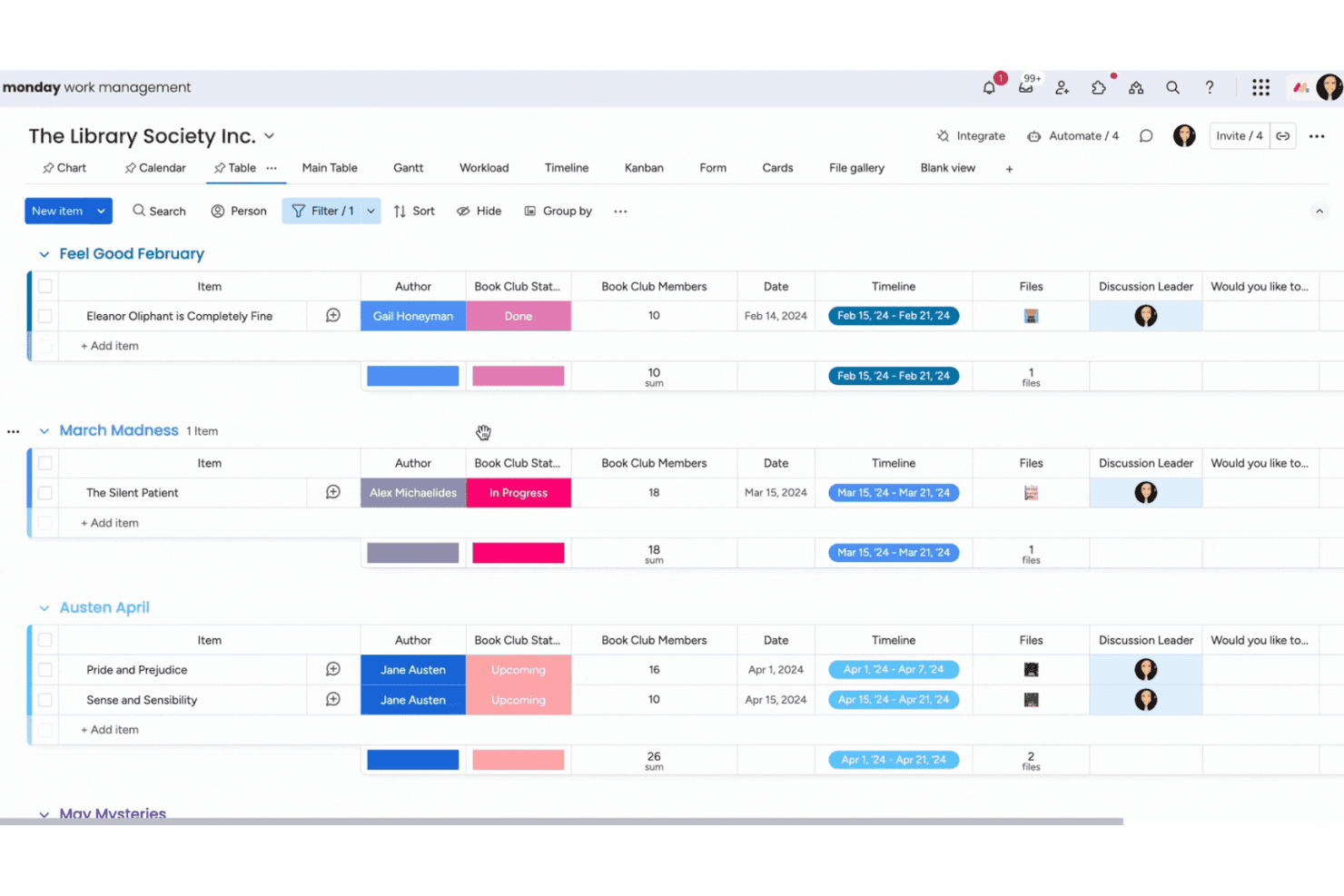
Organize projects using customizable boards with columns for status, priority, and ownership. Drag-and-drop functionality makes it easy to update tasks and track progress.
Timeline and Gantt Views
Plan and visualize project schedules with interactive timelines and Gantt charts. Adjust dates and dependencies directly on the view for real-time updates.
Automations
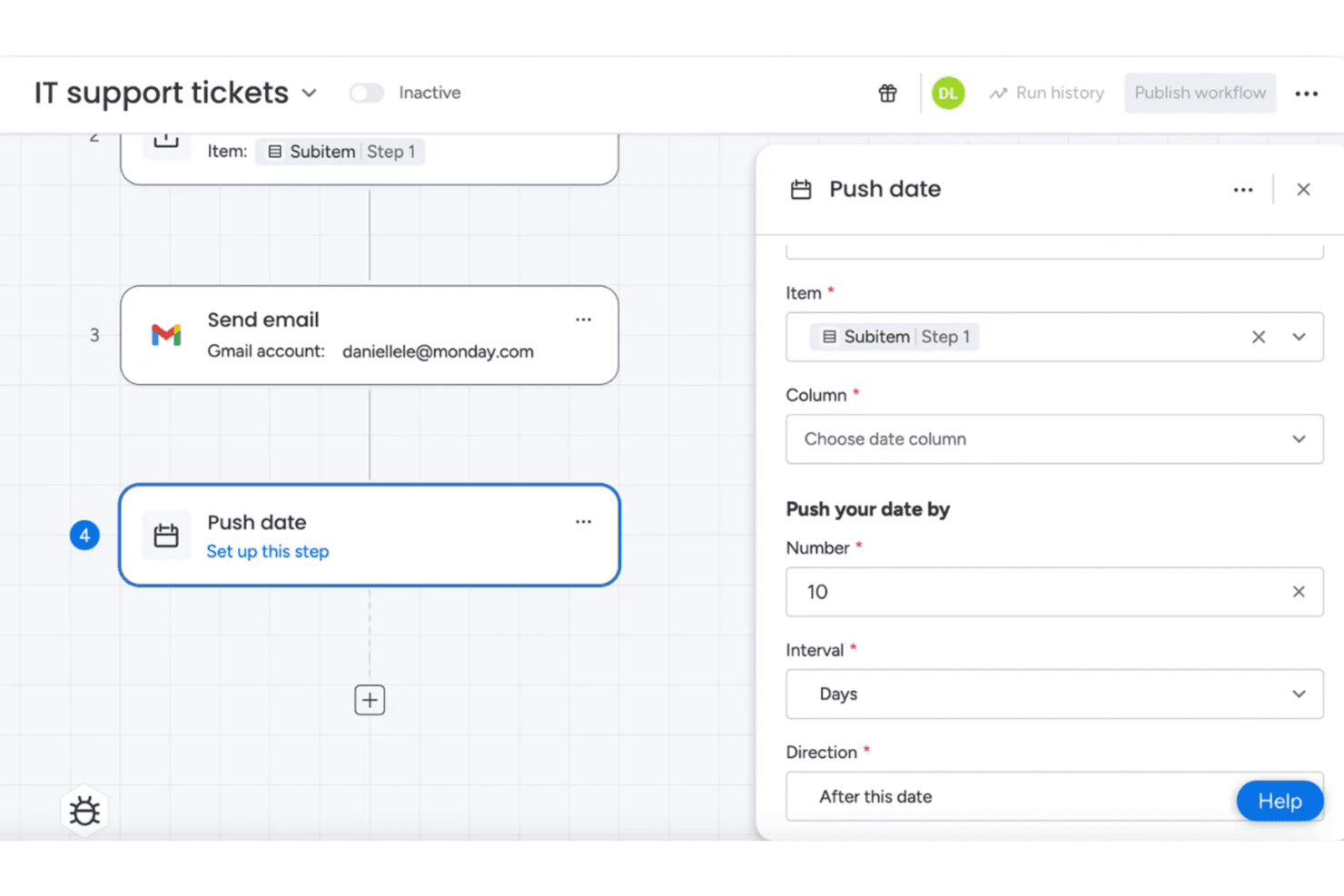
Set up rule-based automations to assign tasks, send notifications, or update statuses. Automations reduce manual work and keep workflows moving without constant oversight.
Dashboards
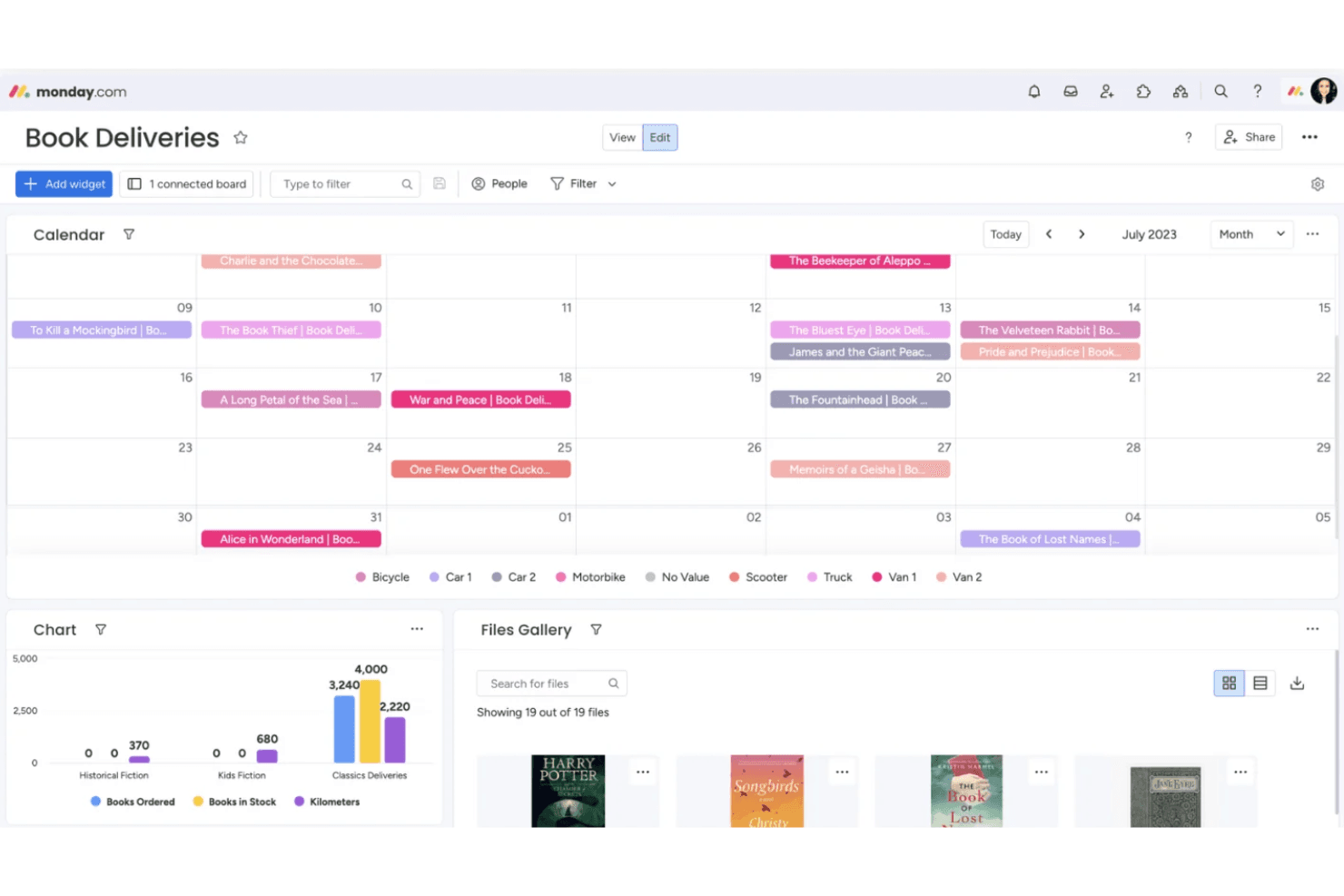
Create dashboards to monitor key metrics, deadlines, and workloads across multiple boards. Widgets let you visualize data for quick, actionable insights.
Docs and Collaboration
Collaborate in real time with monday.com Docs, attaching files, tagging teammates, and embedding boards. Keep all project documentation and discussions in one place.
Templates Library
Access a library of templates for product roadmaps, sprint planning, and feature requests. Templates help teams get started quickly with best-practice workflows.
Standout Features
AI-Powered Workflows
monday.com offers built-in AI tools that automate repetitive tasks, suggest next steps, and help identify project risks. These AI features save time and help teams proactively address bottlenecks.
WorkForms
WorkForms let you create custom forms to collect requests, feedback, or bug reports directly into boards. This feature streamlines intake processes and ensures all submissions are tracked and actionable.
Ease of Use
monday.com is widely recognized for its intuitive, visually-driven interface that helps users get started quickly, even without prior experience. Drag-and-drop boards, color-coded statuses, and pre-built templates make setup and navigation straightforward. Users often highlight how easy it is to customize workflows and onboard new team members.
However, some advanced features—like complex automations—may require extra setup time, but most teams find the platform approachable for daily product management tasks.
Onboarding
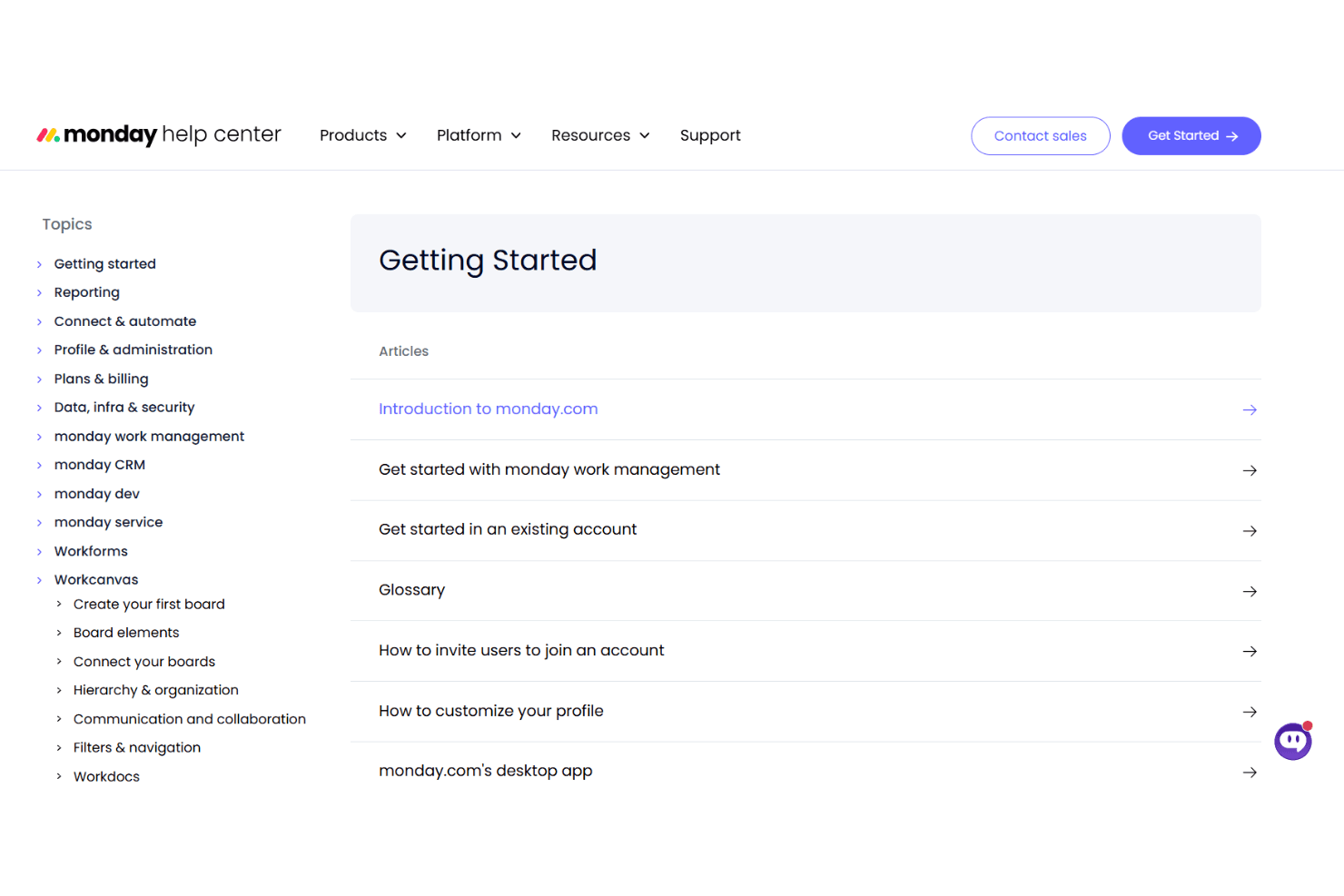
monday.com offers a fast onboarding experience with interactive tutorials, guided setup, and a wide range of templates tailored to different workflows. New users benefit from in-app tips, a searchable knowledge base, and responsive live chat support. Many reviewers note that teams can start managing projects within hours, not days.
The combination of self-serve resources and accessible support helps users reach value quickly, even if they’re new to product management tools.
Customer Support
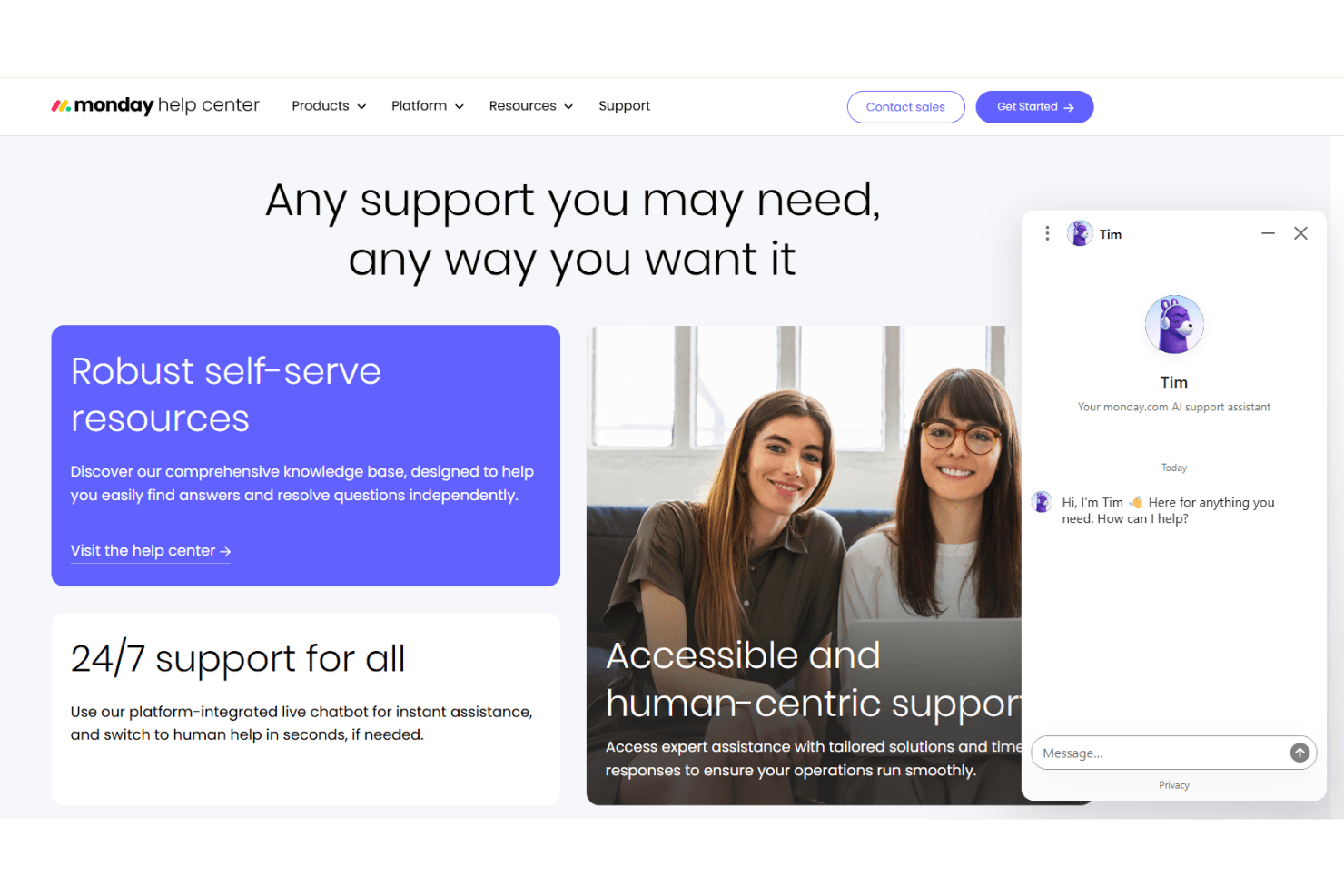
monday.com provides responsive customer support through live chat, email, and an extensive help center. Users frequently mention quick response times and knowledgeable agents who resolve issues efficiently. The platform also offers webinars, community forums, and video tutorials for ongoing learning.
Many teams appreciate the proactive outreach and follow-up from support, which helps them troubleshoot problems and optimize their workflows without long wait times or confusion.
Integrations
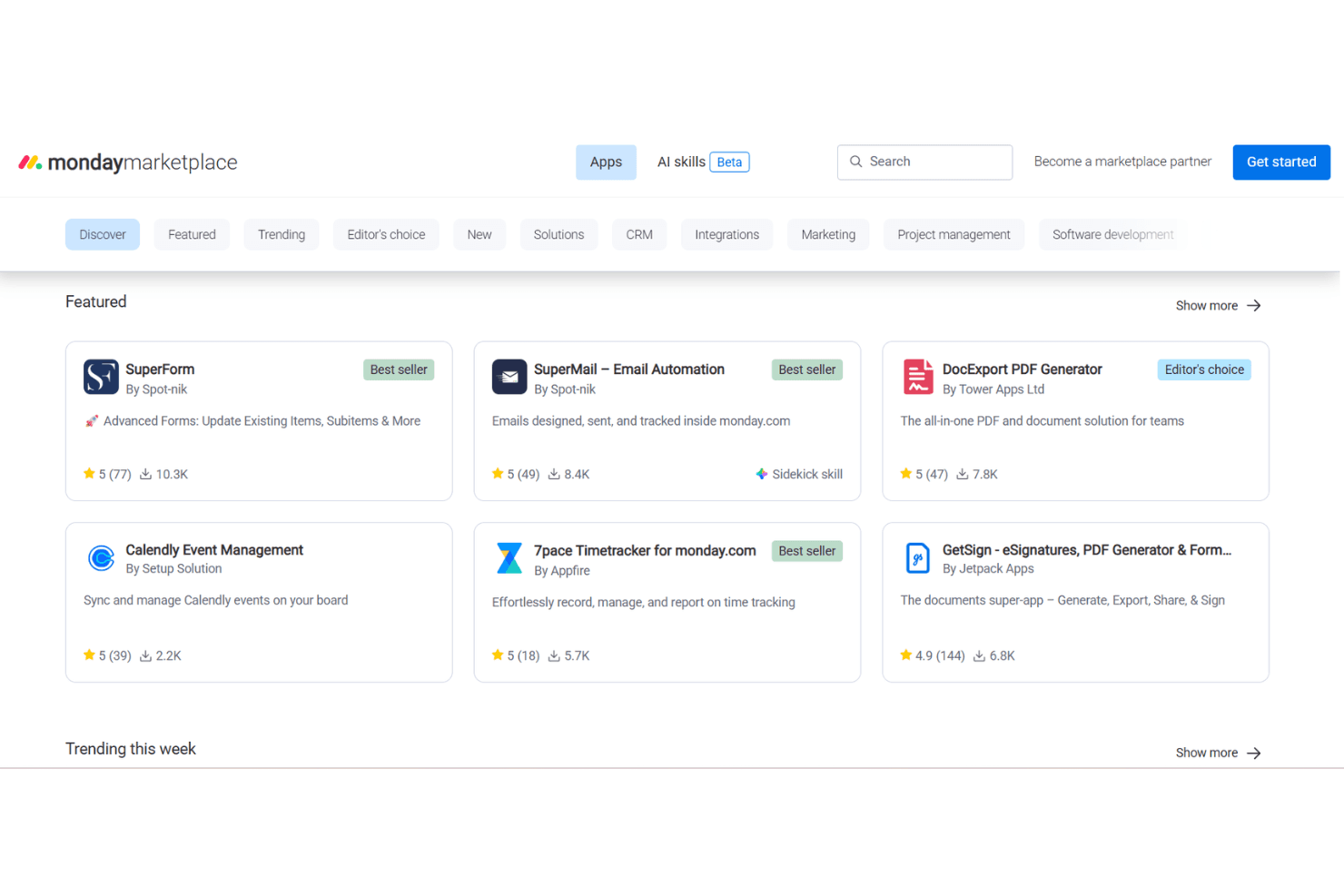
monday.com integrates with Slack, Microsoft Teams, Google Drive, Zoom, Jira, Salesforce, Outlook, Dropbox, HubSpot, and GitHub, among others.
It also offers a public API and connects with third-party integration tools like Zapier and Make.
Value for Money
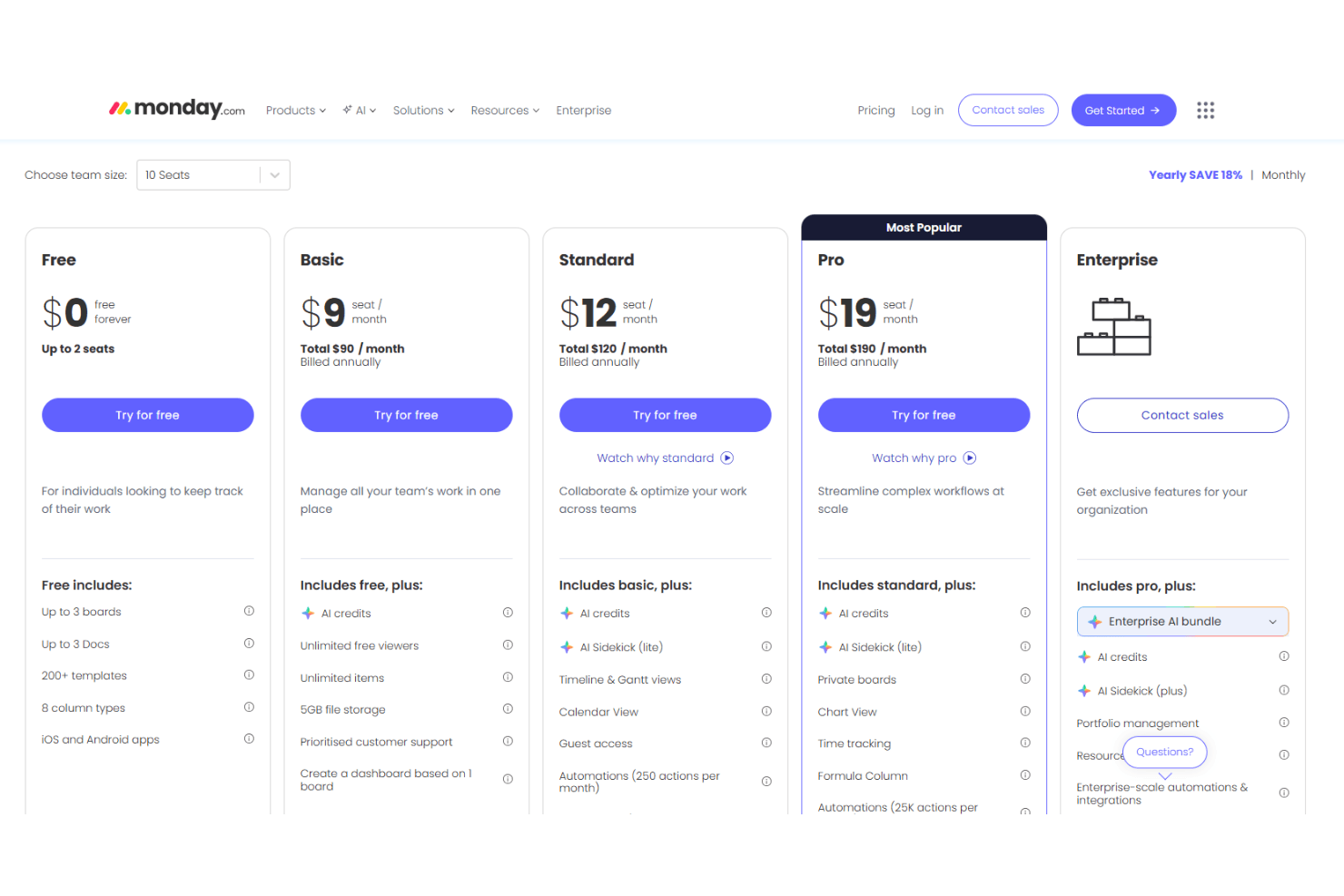
monday.com is a good value for teams that need flexibility and scalability, with pricing that matches a wide range of feature needs. Users appreciate the tiered plans, but some note that advanced automations and analytics require higher-priced tiers. Transparent pricing and a free plan help teams try the platform before committing.
- Free: A basic task and board tool for individuals with limited boards and templates.
- Basic: Adds unlimited items, AI credits, and storage — suitable for simple team tracking.
- Standard: Boosts collaboration with Gantt, calendar, automation, and integration tools.
- Pro: Expands automation limits and advanced views for complex workflows at scale.
- Enterprise: Offers full enterprise features including advanced AI, security, and governance.
monday AI Workspace Specs
- API: Yes
- Batch Permissions & Access: Yes
- Budgeting: No
- Calendar Management: Yes
- Collaboration Support: Yes
- Contact Management: No
- Contact Sharing: No
- Customer Management: No
- Dashboard: Yes
- Dashboards: Yes
- Data Export: Yes
- Data Import: Yes
- Data Visualization: Yes
- Dependency Tracking: Yes
- Document Sharing: Yes
- Expense Tracking: No
- External Integrations: Yes
- File Sharing: Yes
- Gantt Charts: Yes
- Kanban Boards: Yes
- Multi-User: Yes
- Notifications: Yes
- Project Management: Yes
- Resource Management: Yes
- Scheduling: Yes
- Task Scheduling/Tracking: Yes
- Third-Party Plugins/Add-Ons: Yes
- Time Management: Yes
- Travel Management: No
- Workflow Management: Yes
monday AI Workspace FAQs
monday AI Workspace Company Overview & History
monday.com is a global software company headquartered in Tel Aviv, Israel, with a workforce of over 2,500+ employees. The company is best known for its flexible work operating system, which powers products like monday work management, monday CRM, monday dev, and monday service.
Over 250,000 customers worldwide—including more than 60% of the Fortune 500—use monday.com, with notable clients such as McDonald’s, Universal Music Group, Canva, and Lionsgate. In 2025, monday.com reported annual revenue of $1.23 billion and is publicly traded on the NASDAQ under the ticker MNDY.
monday.com Major Milestones
- 2012: Company founded in Tel Aviv, Israel.
- 2014: Product officially launched.
- 2019: Raised $150 million in funding at a $1.9 billion valuation.
- 2021: Completed IPO and began trading on NASDAQ as MNDY.
- 2025: Surpassed $1.23 billion in annual revenue and reached over 250,000 customers globally.