

Recensione di Justinmind: Pro, Contro, Caratteristiche e Prezzi
Justinmind si distingue per le sue robuste funzionalità di prototipazione e flessibilità, rendendolo ideale per progetti complessi e interattivi, anche se potrebbe risultare meno intuitivo per chi è alle prime armi.

Recensiamo gli strumenti in modo indipendente e le commissioni aiutano a finanziare i nostri test. Consulta la nostra politica sulla trasparenza, la nostra metodologia oppure suggerisci uno strumento.
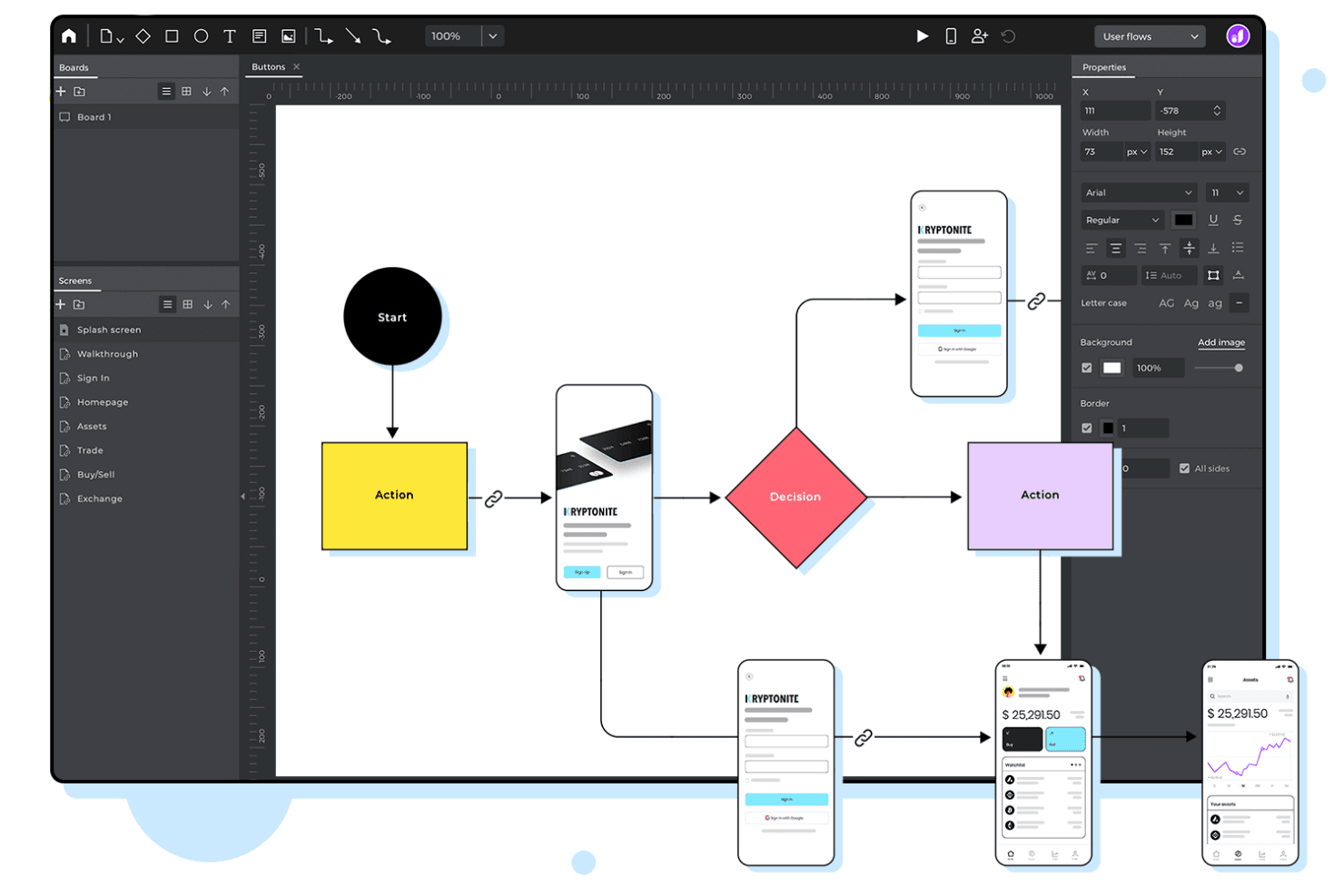
Justinmind is a prototyping tool for product teams that need to build interactive, high-fidelity prototypes for web and mobile apps without writing code. I'd consider it if you want more advanced interaction design than Figma's native prototyping features can handle, but without the steep learning curve that comes with Axure RP. It's a strong middle ground for teams that need complex, clickable simulations and want to get there faster.
Justinmind Evaluation Summary
4.2/5
- From $19/user/month
- Free plan available
Perché fidarsi dei nostri consigli sui software
6,700+
Reviews
20
Industry experts
16+
Evaluation factors
14
Years
Il nostro team testa e recensisce software dal 2012. In quanto product manager noi stessi, sappiamo quanto sia difficile — e importante — scegliere il software giusto.
Per questa guida, abbiamo valutato gli strumenti attraverso test pratici e ricerche indipendenti, assegnando un punteggio agli strumenti in base ai nostri criteri di selezione.
Le nostre recensioni riflettono il nostro giudizio editoriale umano, non un discorso di vendita.
Revisori esperti:
- Andrew LumbySenior TPM
- Cristiano ValimSenior UI/UX Lead


Justinmind Overview
When judging prototyping tools, Justinmind stands out for its advanced interaction design, reusable UI components, and detailed specification exports, making it a strong choice for teams building complex, interactive prototypes. Its pricing is competitive for the feature set, though the interface can feel dense for new users, and onboarding may take longer than with simpler tools.
Support resources and integration options are solid, but not as extensive as some competitors. Justinmind is best suited for product teams and UX professionals who need precision, customization, and detailed developer handoff in their prototyping workflow.
Pros
- Pre-built UI kits speed up wireframing and prototyping.
- Specification export generates detailed developer documentation.
- Advanced interaction design supports complex user flows.
Cons
- Fewer third-party plugins compared to leading alternatives.
- Performance slows with large or complex prototypes.
- Interface can feel cluttered with many advanced options.
Is Justinmind Right For Your Needs?
Who Would be a Good Fit for Justinmind?
Justinmind is a strong choice for teams that need to create interactive, high-fidelity prototypes with detailed specifications and advanced user flows. Its feature set is valuable for organizations that require precise developer handoff, reusable UI components, and support for complex interactions.
Teams working on enterprise applications, regulated industries, or projects with multiple stakeholders will find its documentation and collaboration tools particularly useful.
- Government ProjectsSpecification exports and audit trails help meet strict documentation requirements.
- Mobile App DevelopmentJustinmind’s mobile UI kits and device simulation aid mobile-first teams.
- Financial ServicesComplex interaction design supports secure, multi-step workflows.
- Healthcare TechnologyDetailed documentation and compliance-friendly exports suit regulated environments.
- UX AgenciesReusable UI kits and interactive features help agencies deliver polished client prototypes.
- Enterprise Product TeamsJustinmind’s specification exports and advanced prototyping support large-scale, multi-stakeholder projects.
Who Would be a Bad Fit for Justinmind?
Justinmind may not be the best choice for teams that need quick, low-fidelity mockups, have limited technical resources, or require extensive plugin ecosystems. Its advanced features can be excessive for simple projects, and the interface may slow down teams looking for rapid ideation or basic wireframing.
- E-Commerce TeamsLack of specialized e-commerce templates limits quick store prototyping.
- Small NonprofitsBudget constraints and limited technical needs make lighter tools preferable.
- Education SettingsThe interface and advanced options can overwhelm student users.
- Freelance DesignersPricing and feature set may be excessive for solo projects.
- Marketing DepartmentsBasic wireframing needs are better met with simpler tools.
- Early-Stage StartupsThe tool’s complexity can slow down rapid prototyping cycles.
Come Testiamo e Valutiamo gli Strumenti
Abbiamo passato anni a costruire, perfezionare e migliorare il nostro sistema di test e valutazione del software. Il nostro metodo è stato progettato per cogliere le sfumature della selezione del software e ciò che rende efficace uno strumento, concentrandosi sugli aspetti critici del processo decisionale. Qui sotto puoi vedere esattamente come funzionano i nostri test e la nostra valutazione suddivisa in sette criteri. Questo ci consente di offrire una valutazione imparziale del software sulla base delle funzionalità principali, delle caratteristiche distintive, della facilità d’uso, dell’onboarding, dell’assistenza clienti, delle integrazioni, delle recensioni dei clienti e del rapporto qualità/prezzo.
Funzionalità Principali (25% del punteggio finale)
Il punto di partenza della nostra valutazione sono sempre le funzionalità principali dello strumento. Possiede le funzioni di base che un utente si aspetterebbe di trovare? Alcune di queste sono riservate ai piani tariffari più alti? Ci aspettiamo che uno strumento rispetti almeno le funzionalità di base dei competitors.
Caratteristiche Distintive (25% del punteggio finale)
Successivamente, valutiamo le caratteristiche distintive e non comuni che vanno oltre le funzioni di base normalmente riscontrate in strumenti simili. Un punteggio alto indica funzionalità specializzate o uniche che rendono il prodotto più rapido, efficiente o forniscono un valore aggiunto all’utente. Valutiamo anche la facilità con cui si possono integrare altri strumenti solitamente presenti nella stack tecnologica, ampliando così funzionalità e utilità del software. Gli strumenti che offrono molte integrazioni native, collegamenti di terze parti e accesso API per integrazioni personalizzate ottengono i punteggi migliori.
Facilità d’Uso (10% del punteggio finale)
Consideriamo quanto sia rapido e semplice eseguire le attività definite dalle funzionalità principali tramite lo strumento. Il software con il punteggio più alto è ben progettato, intuitivo da usare, offre app per dispositivi mobili, modelli preimpostati e semplifica anche le attività più complesse.
Onboarding (10% del punteggio finale)
Sappiamo quanto sia importante una rapida adozione da parte del team, quindi valutiamo quanto sia facile imparare ad usare lo strumento con una formazione minima. Valutiamo la velocità con cui un membro del team può configurarsi e iniziare a utilizzare lo strumento senza esperienza. Le soluzioni con punteggio più alto richiedono poco o nessun supporto.
Assistenza Clienti (10% del punteggio finale)
Osserviamo quanto sia facile e veloce ottenere supporto tramite telefono, chat dal vivo o knowledge base. Gli strumenti che offrono supporto in tempo reale ottengono punteggi più alti, mentre i chatbot ricevono i punteggi peggiori.
Recensioni Clienti (10% del punteggio finale)
Oltre ai nostri test e valutazioni, consideriamo il net promoter score di clienti attuali e passati. Valutiamo la probabilità che scelgano nuovamente lo strumento in base alle funzionalità principali. Un software con punteggio elevato riflette un net promoter score alto.
Rapporto Qualità/Prezzo (10% del punteggio finale)
Infine, considerando tutti gli altri criteri, confrontiamo il prezzo medio dei piani base con le funzionalità principali, esaminando il valore degli altri criteri di valutazione. Il software che offre di più, a meno, otterrà un punteggio maggiore.
Core Features
Advanced Interaction Design
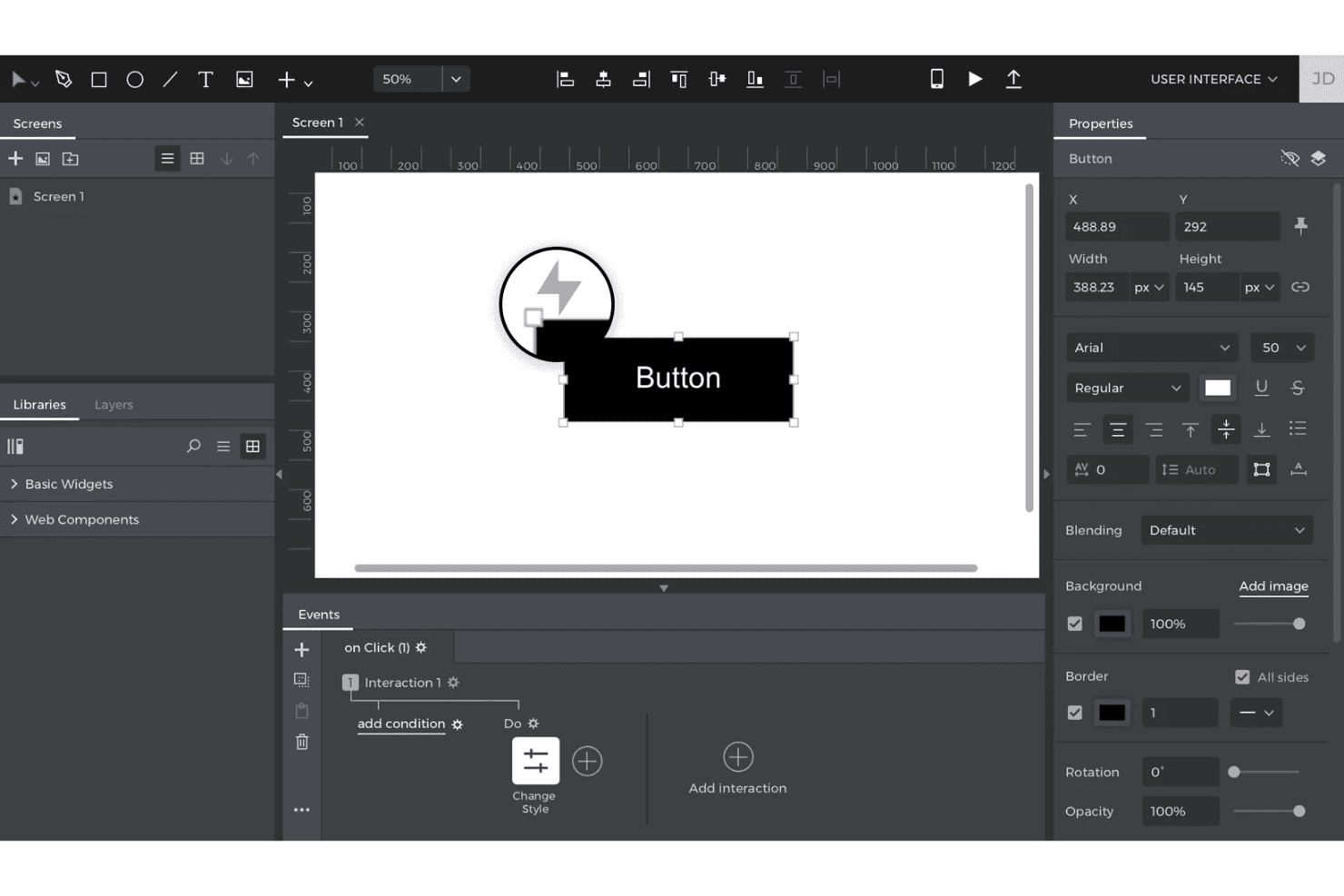
Create complex user flows with triggers, conditions, and variables for realistic prototypes. This allows teams to simulate real app behavior and test logic before development.
Reusable UI Components
Build and maintain custom libraries of buttons, forms, and menus for consistency across projects. Update a component once and see changes reflected everywhere it’s used.
Specification Export
Generate detailed documentation for developers, including interaction maps and requirements. Export specs as pdf or Word files to support handoff and compliance.
Responsive Prototyping
Design prototypes that adapt to different screen sizes and devices. Preview and test layouts for web, tablet, and mobile in one project.
Pre-Built UI Kits
Access libraries of ready-made elements for web, iOS, and Android interfaces. Drag and drop components to speed up wireframing and prototyping.
User Testing Simulation
Simulate user interactions and gather feedback with built-in testing tools. Share prototypes via link for stakeholder review and usability testing.
Ease of Use
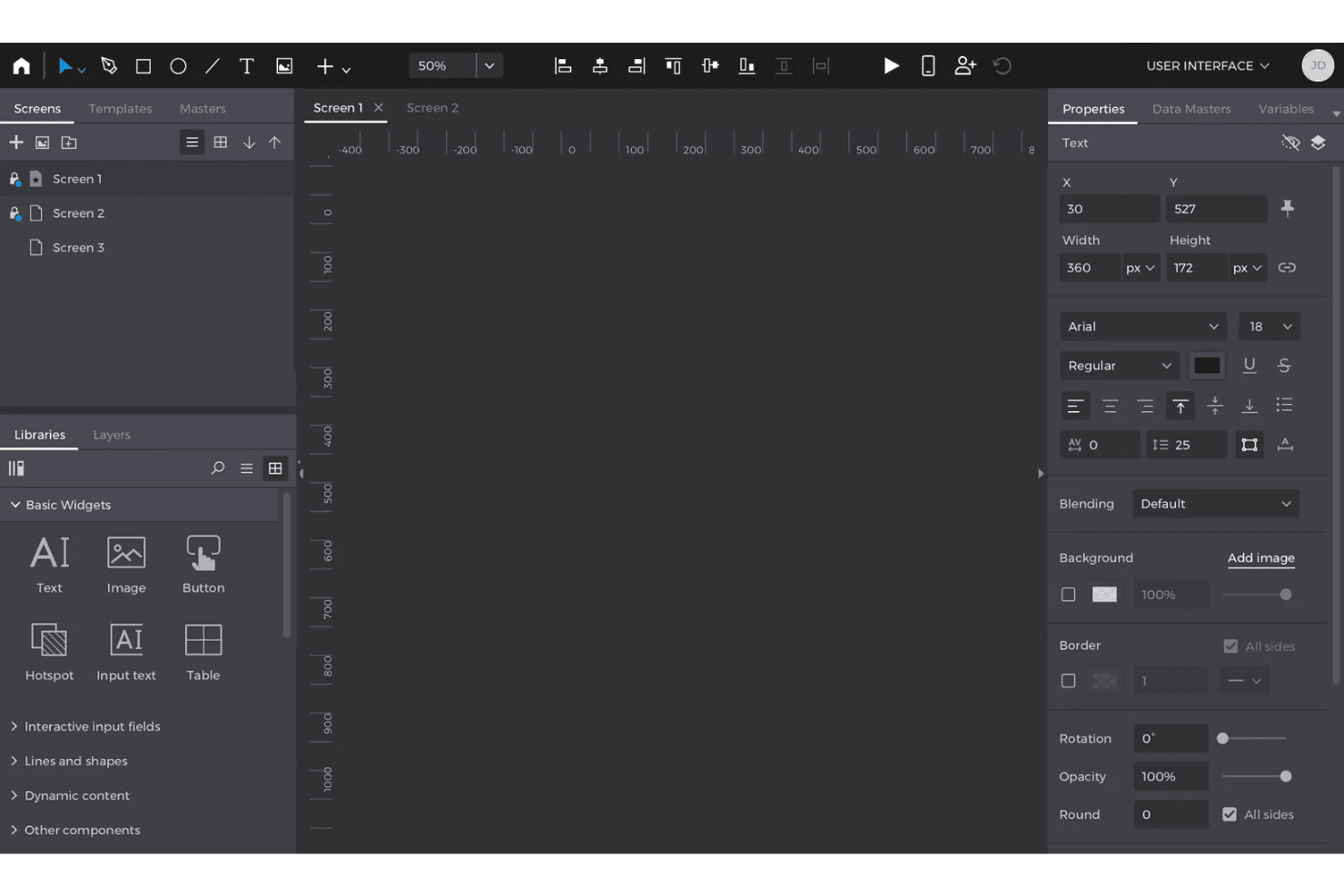
Justinmind offers a wide range of advanced features, but its interface can feel dense and overwhelming, especially for new users or those seeking quick mockups. Many users appreciate the depth of customization and interaction options, yet mention that mastering the tool takes time. The learning curve is balanced by thorough documentation and tutorials, making it a better fit for teams committed to building complex, interactive prototypes rather than simple wireframes.
Integrations
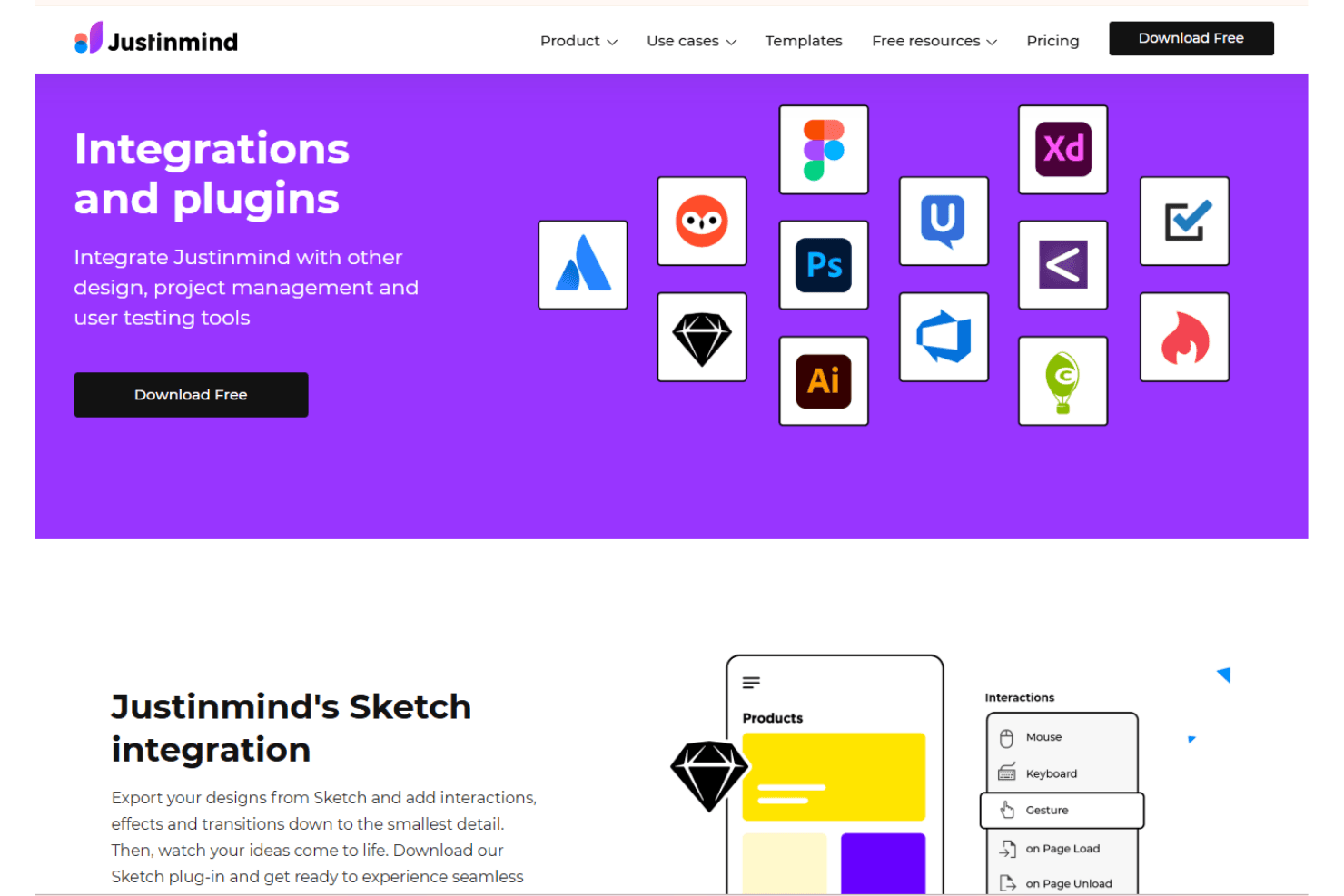
Justinmind integrates with Jira, Sketch, Adobe XD, Figma, UserTesting, Azure DevOps, Atlassian Confluence, Zeplin, Slack, and Google Drive, among others.
Justinmind also offers an API and supports connections with third-party integration tools.
Justinmind Specs
- API: Yes
- Approval Workflows: No
- Bug Tracking: No
- Collaboration Support: Yes
- Custom Reports: No
- Design Templates: Yes
- Document Management: No
- External Integrations: Yes
- History/Version Control: Yes
- Multi-Source Feedback: No
- Multi-User: Yes
- Review Monitoring: Yes
- Template Designer: Yes
- Third-Party Plugins/Add-Ons: Yes
- Workflow Management: No


