

Recensione di Affinity: Pro, Contro, Caratteristiche e Prezzi
Affinity si distingue per i suoi strumenti di collaborazione fluida e funzionalità di livello professionale: se desideri il pieno controllo creativo senza le solite complicazioni dei software di design, questa recensione fa per te.

Recensiamo gli strumenti in modo indipendente e le commissioni aiutano a finanziare i nostri test. Consulta la nostra politica sulla trasparenza, la nostra metodologia oppure suggerisci uno strumento.
Affinity Designer is a collaborative design software for teams that need professional-grade vector and raster design tools in a single workspace. It's worth a close look if your team wants the depth of Adobe Illustrator—precise vector editing, multi-page layouts, and real-time collaboration—without locking into a recurring Creative Cloud subscription. Affinity Designer's one-time purchase model makes it a practical choice for product and design teams working within a defined budget.
Affinity Designer Evaluation Summary
4.6/5
- Pricing upon request
- Free plan available
Perché fidarsi dei nostri consigli sui software
6,700+
Reviews
20
Industry experts
16+
Evaluation factors
14
Years
Il nostro team testa e recensisce software dal 2012. In quanto product manager noi stessi, sappiamo quanto sia difficile — e importante — scegliere il software giusto.
Per questa guida, abbiamo valutato gli strumenti attraverso test pratici e ricerche indipendenti, assegnando un punteggio agli strumenti in base ai nostri criteri di selezione.
Le nostre recensioni riflettono il nostro giudizio editoriale umano, non un discorso di vendita.
Revisori esperti:
- Andrew LumbySenior TPM
- Cristiano ValimSenior UI/UX Lead


Affinity Designer Overview
In my opinion, Affinity is a solid choice for collaborative design, especially for freelancers and small teams. It stands out with its professional-grade features and absence of subscription fees, making it a cost-effective alternative to Adobe Illustrator. However, its onboarding could be smoother, and the customer support might not be as responsive as some competitors. It's best suited for users who value powerful vector tools and are comfortable with a bit of a learning curve. If you're deciding between design software, Affinity offers great functionality at a fraction of the cost, though it might not have as many integrations as Adobe products.
Pros
- You get powerful vector tools for precise graphic design.
- It operates on a freemium model.
- Your team can enjoy a seamless workflow with its intuitive interface.
Cons
- You might find the learning curve a bit steep for beginners.
- Customer support response times can be slower than expected.
- It lacks some advanced features found in other design software.
Is Affinity Designer Right For Your Needs?
Who Would be a Good Fit for Affinity Designer?
Affinity is a great fit for freelancers, small design agencies, and marketing teams. Because it offers powerful vector tools and a freemium model, it's perfect for those who want professional-grade design capabilities without ongoing costs. You’ll appreciate its intuitive interface, which simplifies your workflow. If your team values design precision and needs a tool that doesn’t break the bank, Affinity is a smart choice.
- Freelance DesignersYou'll love the affordability and powerful vector tools for creating detailed designs.
- Small AgenciesYour team can benefit from its professional features without the hefty price tag of competitors.
- Marketing TeamsIt’s ideal for producing high-quality vector graphics quickly and efficiently for campaigns.
- Graphic ArtistsYou'll find its precision tools perfect for creating intricate artwork and illustrations.
- Educational InstitutionsStudents can learn professional-grade design without high software costs.
- NonprofitsYour budget will appreciate the freemium model while still accessing quality design features.
Who Would be a Bad Fit for Affinity Designer?
Affinity might not be the best choice for large enterprises or teams heavily reliant on cloud-based collaboration. If your team needs advanced integrations with other software or relies on extensive customer support, you might find Affinity lacking. It’s also not ideal for businesses that require a robust onboarding process, as its learning curve can be steep for beginners. Consider other industry-standard options if you need seamless collaboration and extensive support.
- Large EnterprisesYour team might struggle with its limited integration capabilities compared to more robust enterprise solutions.
- Remote TeamsYou may find the lack of real-time cloud collaboration features a hindrance for seamless teamwork.
- Beginner DesignersYou’ll likely face challenges with its learning curve if you’re new to design software.
- Tech-Heavy IndustriesYour work may require software with advanced technical features that Affinity doesn’t offer.
- Customer Support-Dependent TeamsYou might find the support response times inadequate for urgent needs.
- Software DevelopersYour projects often need tools with extensive code integration, which Affinity doesn’t provide.
Come Testiamo e Valutiamo gli Strumenti
Abbiamo passato anni a costruire, perfezionare e migliorare il nostro sistema di test e valutazione del software. Il nostro metodo è stato progettato per cogliere le sfumature della selezione del software e ciò che rende efficace uno strumento, concentrandosi sugli aspetti critici del processo decisionale. Qui sotto puoi vedere esattamente come funzionano i nostri test e la nostra valutazione suddivisa in sette criteri. Questo ci consente di offrire una valutazione imparziale del software sulla base delle funzionalità principali, delle caratteristiche distintive, della facilità d’uso, dell’onboarding, dell’assistenza clienti, delle integrazioni, delle recensioni dei clienti e del rapporto qualità/prezzo.
Funzionalità Principali (25% del punteggio finale)
Il punto di partenza della nostra valutazione sono sempre le funzionalità principali dello strumento. Possiede le funzioni di base che un utente si aspetterebbe di trovare? Alcune di queste sono riservate ai piani tariffari più alti? Ci aspettiamo che uno strumento rispetti almeno le funzionalità di base dei competitors.
Caratteristiche Distintive (25% del punteggio finale)
Successivamente, valutiamo le caratteristiche distintive e non comuni che vanno oltre le funzioni di base normalmente riscontrate in strumenti simili. Un punteggio alto indica funzionalità specializzate o uniche che rendono il prodotto più rapido, efficiente o forniscono un valore aggiunto all’utente. Valutiamo anche la facilità con cui si possono integrare altri strumenti solitamente presenti nella stack tecnologica, ampliando così funzionalità e utilità del software. Gli strumenti che offrono molte integrazioni native, collegamenti di terze parti e accesso API per integrazioni personalizzate ottengono i punteggi migliori.
Facilità d’Uso (10% del punteggio finale)
Consideriamo quanto sia rapido e semplice eseguire le attività definite dalle funzionalità principali tramite lo strumento. Il software con il punteggio più alto è ben progettato, intuitivo da usare, offre app per dispositivi mobili, modelli preimpostati e semplifica anche le attività più complesse.
Onboarding (10% del punteggio finale)
Sappiamo quanto sia importante una rapida adozione da parte del team, quindi valutiamo quanto sia facile imparare ad usare lo strumento con una formazione minima. Valutiamo la velocità con cui un membro del team può configurarsi e iniziare a utilizzare lo strumento senza esperienza. Le soluzioni con punteggio più alto richiedono poco o nessun supporto.
Assistenza Clienti (10% del punteggio finale)
Osserviamo quanto sia facile e veloce ottenere supporto tramite telefono, chat dal vivo o knowledge base. Gli strumenti che offrono supporto in tempo reale ottengono punteggi più alti, mentre i chatbot ricevono i punteggi peggiori.
Recensioni Clienti (10% del punteggio finale)
Oltre ai nostri test e valutazioni, consideriamo il net promoter score di clienti attuali e passati. Valutiamo la probabilità che scelgano nuovamente lo strumento in base alle funzionalità principali. Un software con punteggio elevato riflette un net promoter score alto.
Rapporto Qualità/Prezzo (10% del punteggio finale)
Infine, considerando tutti gli altri criteri, confrontiamo il prezzo medio dei piani base con le funzionalità principali, esaminando il valore degli altri criteri di valutazione. Il software che offre di più, a meno, otterrà un punteggio maggiore.
Core Features
Vector Tools
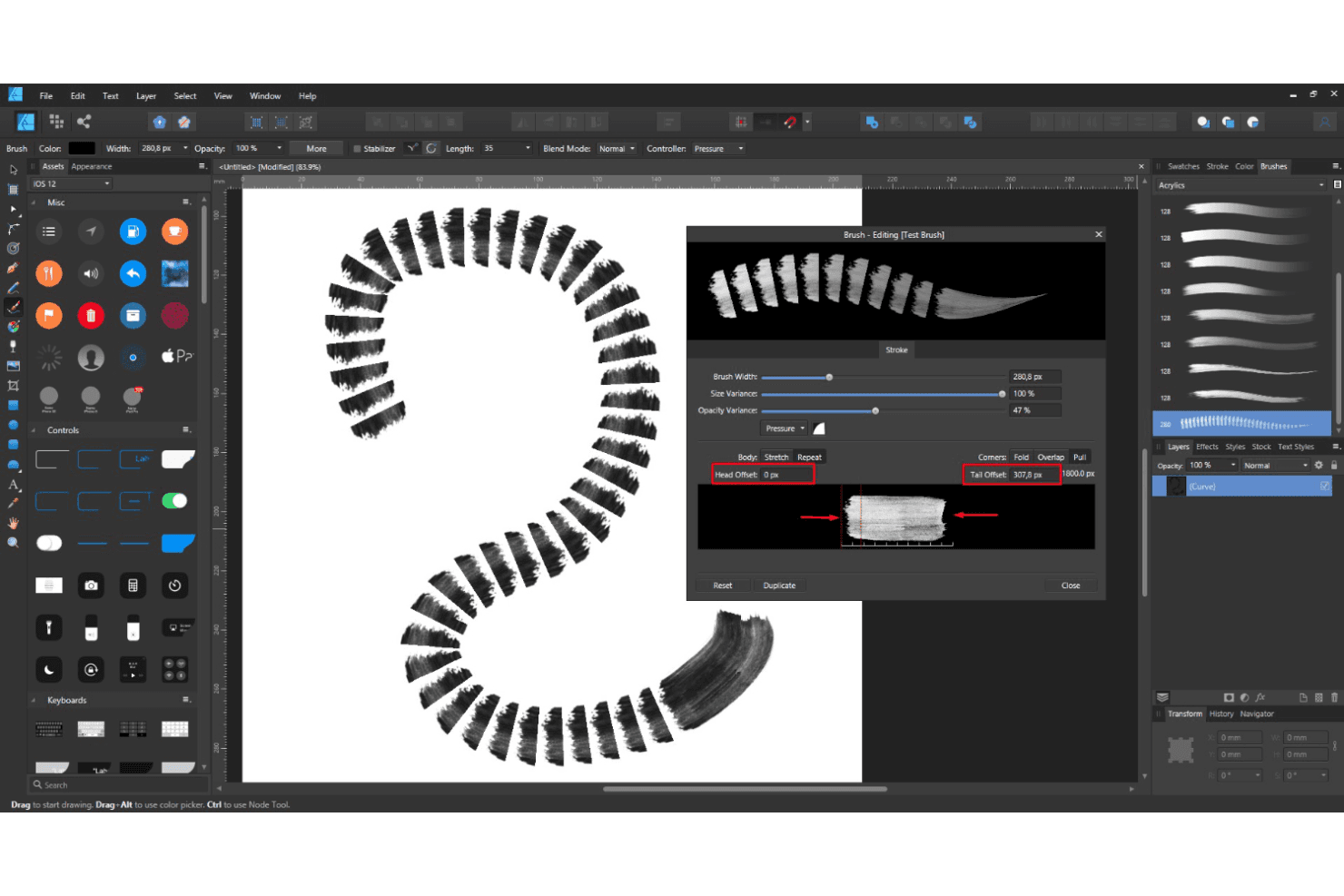
Affinity provides powerful vector brushes for precise graphic creation. Your team can create scalable, detailed designs with ease.
Artboards
You can work on multiple designs in one document with artboards. This feature helps streamline your workflow and organize projects efficiently.
Layer Controls
With intuitive layer management, you can easily edit and arrange components. It provides flexibility and control over your design elements.
Color Management
Your work benefits from professional color management, ensuring accurate and vibrant visuals. The software supports both RGB and CMYK color spaces.
Page Layout Management
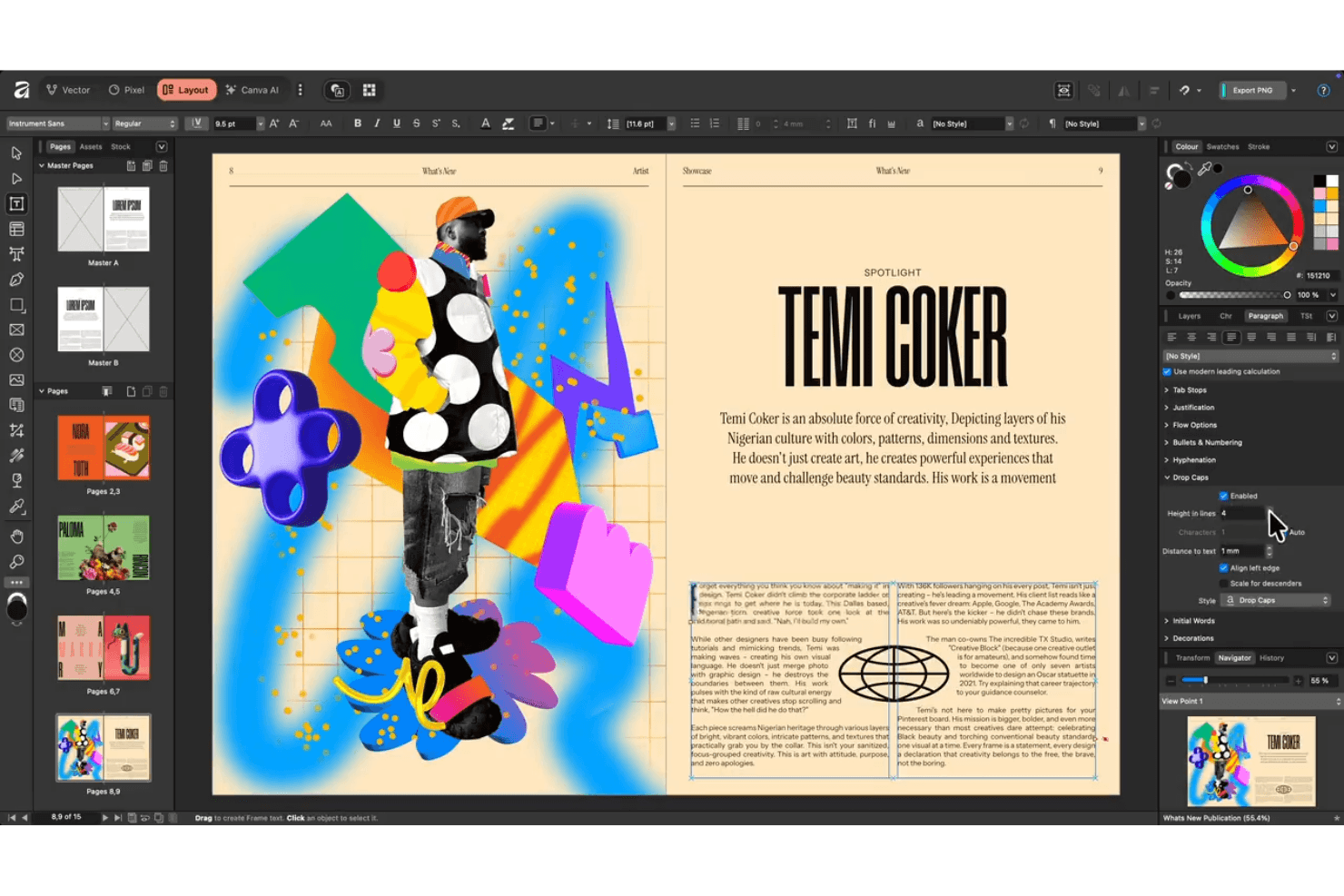
Smart master pages, autoflow, advanced typography, and access to a wide array of fonts help you build books, brochures, and reports with professional polish.
Ease of Use
Affinity is fairly user-friendly, though it may feel a bit challenging for beginners. Its intuitive interface helps streamline your workflow, but the learning curve can be steep if you're new to design software. You'll appreciate the logical layout of tools and features once you get accustomed to it. With practice, your team can efficiently harness its powerful capabilities, making it a solid choice for those willing to invest a little time in learning.
Integrations
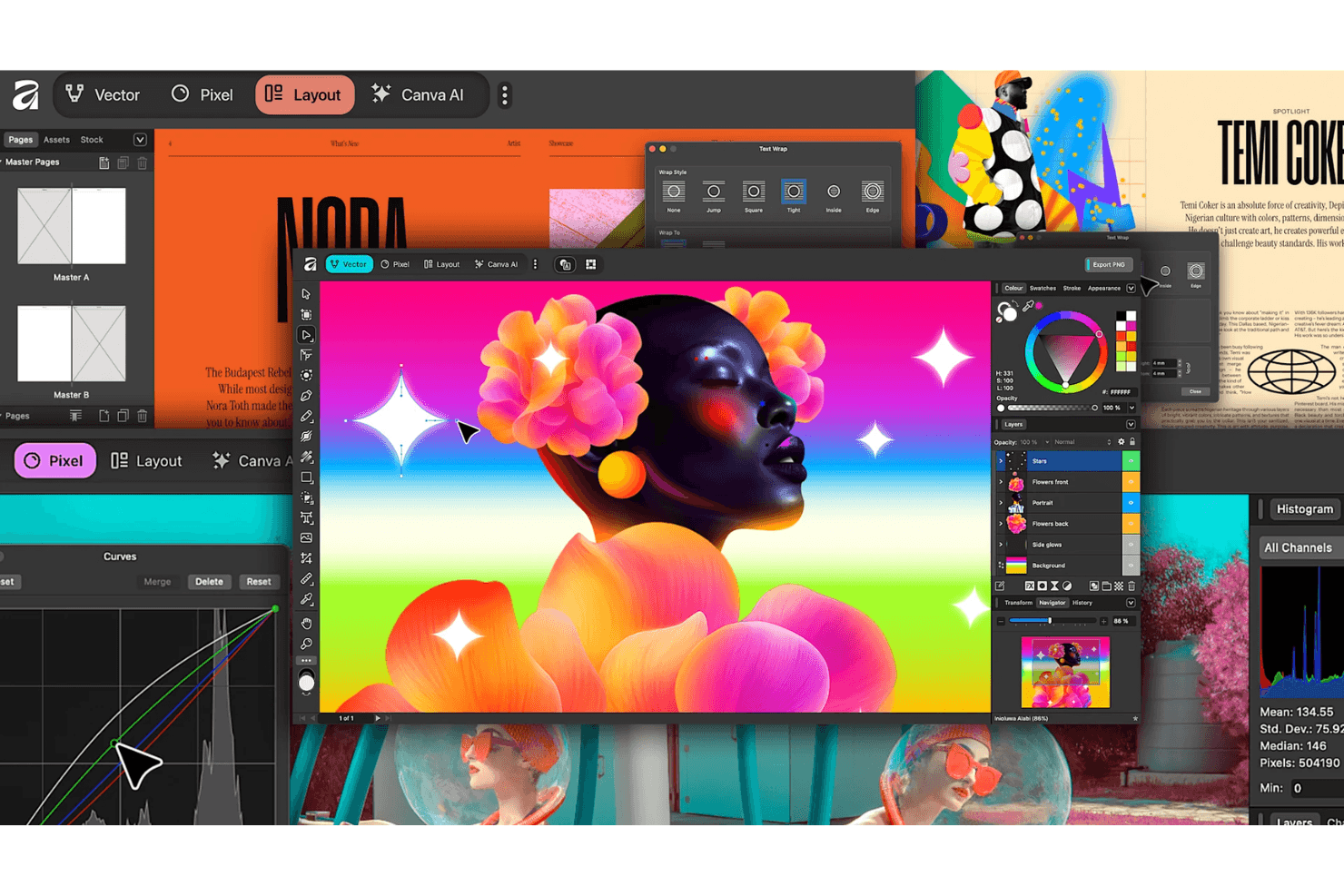
Affinity integrates natively with Canva. It also supports files from Adobe Photoshop, Adobe Illustrator, Adobe InDesign, Sketch, CorelDRAW, Figma, GIMP, Inkscape, Pixelmator, and Procreate — maintaining metadata and layer information.
Affinity does not offer an API and does not connect with third-party integration tools.
Affinity Designer Specs
- CAD Tools: Yes
- Data Export: Yes
- Data Import: Yes
- Multi-User: Yes
- Pixel Graphics: Yes
- Third-Party Plugins/Add-Ons: Yes
- Vector File Support: Yes
- Video: Yes


