
Recensione Adobe XD: Pro, Contro, Caratteristiche e Prezzi
Adobe XD eccelle per il design intuitivo e le sue capacità di integrazione, rendendolo una scelta ideale per i team focalizzati sul design responsive.

Recensiamo gli strumenti in modo indipendente e le commissioni aiutano a finanziare i nostri test. Consulta la nostra politica sulla trasparenza, la nostra metodologia oppure suggerisci uno strumento.
Adobe XD is one of the most responsive design prototyping tools built for product and UX teams that need to design, prototype, and share interactive, device-adaptive UI mockups. I'd consider it over Figma if your workflow already runs on Adobe Creative Cloud—the native handoff between XD, Photoshop, and Illustrator keeps assets in sync without the extra import steps you'd deal with in a standalone tool.
Adobe XD Evaluation Summary
4.2/5
- From $22.99/month (billed annually)
- Free trial available
Perché fidarsi dei nostri consigli sui software
6,700+
Reviews
20
Industry experts
16+
Evaluation factors
14
Years
Il nostro team testa e recensisce software dal 2012. In quanto product manager noi stessi, sappiamo quanto sia difficile — e importante — scegliere il software giusto.
Per questa guida, abbiamo valutato gli strumenti attraverso test pratici e ricerche indipendenti, assegnando un punteggio agli strumenti in base ai nostri criteri di selezione.
Le nostre recensioni riflettono il nostro giudizio editoriale umano, non un discorso di vendita.
Revisori esperti:
- Andrew LumbySenior TPM
- Cristiano ValimSenior UI/UX Lead


Adobe XD Overview
In my opinion, Adobe XD is a solid choice for teams focused on creating responsive designs. Its integration with other Adobe products makes it a natural fit for teams already using Adobe Creative Cloud. The interface is intuitive, though onboarding could be smoother. Compared to other tools, Adobe XD shines with its design capabilities and ease of use, but customer support and onboarding might need some improvement. If you're in a creative industry or a design-focused team, considering Adobe XD for its seamless design features and integration capabilities would be wise.
Pros
- You can quickly design and prototype in one place.
- It offers an intuitive interface that's easy to navigate.
- Your team will appreciate the collaborative features for real-time feedback.
Cons
- You might find the onboarding process a bit lacking.
- Customer support could be more responsive.
- Some advanced features may require a learning curve.
Is Adobe XD Right For Your Needs?
Who Would be a Good Fit for Adobe XD?
Adobe XD is a great fit for creative teams in tech startups, digital agencies, and marketing departments looking for an intuitive design tool. If your team values seamless collaboration and rapid prototyping, Adobe XD's real-time feedback features and easy-to-use interface will suit you well. Designers and UX professionals will find its capabilities especially helpful for web design, creating interactive and responsive designs efficiently.
- Tech StartupsAdobe XD helps your startup quickly iterate designs and prototypes, fostering innovation and collaboration among your team.
- Digital AgenciesYour agency can deliver interactive designs to clients faster with Adobe XD’s prototyping and feedback features.
- Marketing TeamsAdobe XD’s design capabilities allow your marketing team to create engaging visuals that align with your brand.
- UX DesignersThe tool’s interactive prototyping features make it ideal for UX designers creating user-friendly interfaces.
- Product DevelopmentYour product team benefits from Adobe XD’s easy collaboration and design iteration features, enhancing your product design process.
- Small BusinessesAdobe XD offers small businesses an accessible tool to create professional designs without a steep learning curve.
Who Would be a Bad Fit for Adobe XD?
Adobe XD might not suit large enterprises with complex design needs that require extensive customization and integration with non-Adobe tools. If your team relies heavily on advanced animation features or detailed customer support, you might find Adobe XD lacking. Additionally, industries needing intricate 3D design capabilities will find Adobe XD's focus on 2D design limiting. It's also not ideal for teams that need extensive onboarding support or those who are not already using Adobe Creative Cloud.
- Large EnterprisesYour enterprise may need more advanced features and integrations than Adobe XD offers.
- Animation StudiosAdobe XD lacks the advanced animation tools your studio might require for complex projects.
- 3D DesignersIf your work involves 3D design, Adobe XD's focus on 2D won't meet your needs.
- Customer Support TeamsAdobe XD doesn't offer the extensive support your team might need for troubleshooting.
- Non-Creative Cloud UsersIf your team isn't using Adobe Creative Cloud, integrating Adobe XD might be cumbersome.
- Educational InstitutionsYour institution might need more comprehensive onboarding resources than Adobe XD provides.
Come Testiamo e Valutiamo gli Strumenti
Abbiamo passato anni a costruire, perfezionare e migliorare il nostro sistema di test e valutazione del software. Il nostro metodo è stato progettato per cogliere le sfumature della selezione del software e ciò che rende efficace uno strumento, concentrandosi sugli aspetti critici del processo decisionale. Qui sotto puoi vedere esattamente come funzionano i nostri test e la nostra valutazione suddivisa in sette criteri. Questo ci consente di offrire una valutazione imparziale del software sulla base delle funzionalità principali, delle caratteristiche distintive, della facilità d’uso, dell’onboarding, dell’assistenza clienti, delle integrazioni, delle recensioni dei clienti e del rapporto qualità/prezzo.
Funzionalità Principali (25% del punteggio finale)
Il punto di partenza della nostra valutazione sono sempre le funzionalità principali dello strumento. Possiede le funzioni di base che un utente si aspetterebbe di trovare? Alcune di queste sono riservate ai piani tariffari più alti? Ci aspettiamo che uno strumento rispetti almeno le funzionalità di base dei competitors.
Caratteristiche Distintive (25% del punteggio finale)
Successivamente, valutiamo le caratteristiche distintive e non comuni che vanno oltre le funzioni di base normalmente riscontrate in strumenti simili. Un punteggio alto indica funzionalità specializzate o uniche che rendono il prodotto più rapido, efficiente o forniscono un valore aggiunto all’utente. Valutiamo anche la facilità con cui si possono integrare altri strumenti solitamente presenti nella stack tecnologica, ampliando così funzionalità e utilità del software. Gli strumenti che offrono molte integrazioni native, collegamenti di terze parti e accesso API per integrazioni personalizzate ottengono i punteggi migliori.
Facilità d’Uso (10% del punteggio finale)
Consideriamo quanto sia rapido e semplice eseguire le attività definite dalle funzionalità principali tramite lo strumento. Il software con il punteggio più alto è ben progettato, intuitivo da usare, offre app per dispositivi mobili, modelli preimpostati e semplifica anche le attività più complesse.
Onboarding (10% del punteggio finale)
Sappiamo quanto sia importante una rapida adozione da parte del team, quindi valutiamo quanto sia facile imparare ad usare lo strumento con una formazione minima. Valutiamo la velocità con cui un membro del team può configurarsi e iniziare a utilizzare lo strumento senza esperienza. Le soluzioni con punteggio più alto richiedono poco o nessun supporto.
Assistenza Clienti (10% del punteggio finale)
Osserviamo quanto sia facile e veloce ottenere supporto tramite telefono, chat dal vivo o knowledge base. Gli strumenti che offrono supporto in tempo reale ottengono punteggi più alti, mentre i chatbot ricevono i punteggi peggiori.
Recensioni Clienti (10% del punteggio finale)
Oltre ai nostri test e valutazioni, consideriamo il net promoter score di clienti attuali e passati. Valutiamo la probabilità che scelgano nuovamente lo strumento in base alle funzionalità principali. Un software con punteggio elevato riflette un net promoter score alto.
Rapporto Qualità/Prezzo (10% del punteggio finale)
Infine, considerando tutti gli altri criteri, confrontiamo il prezzo medio dei piani base con le funzionalità principali, esaminando il valore degli altri criteri di valutazione. Il software che offre di più, a meno, otterrà un punteggio maggiore.
Core Features
Design Tools
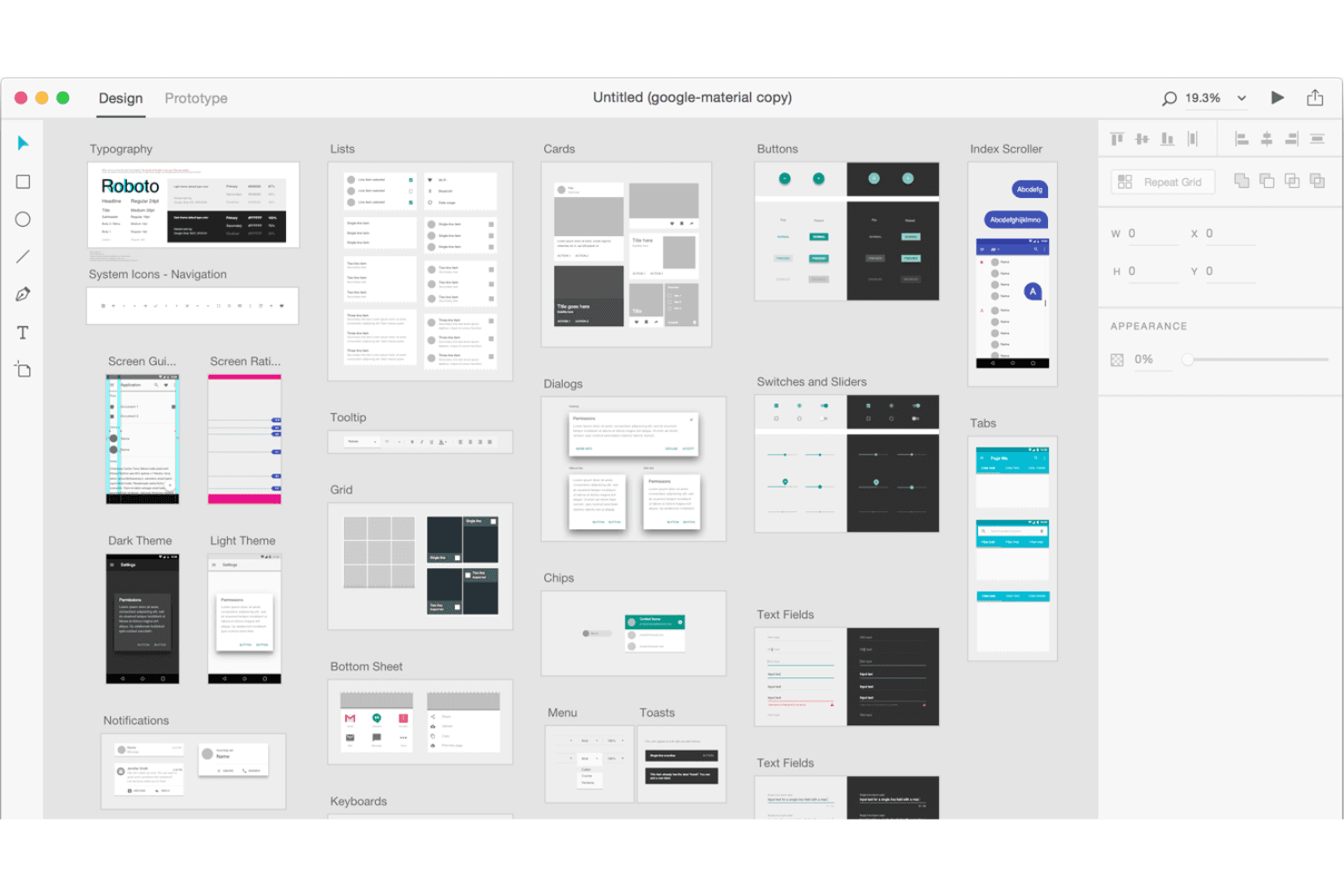
Adobe XD provides a range of vector-based design tools that let you create precise and scalable graphics. Your team can design with ease and flexibility.
Prototyping
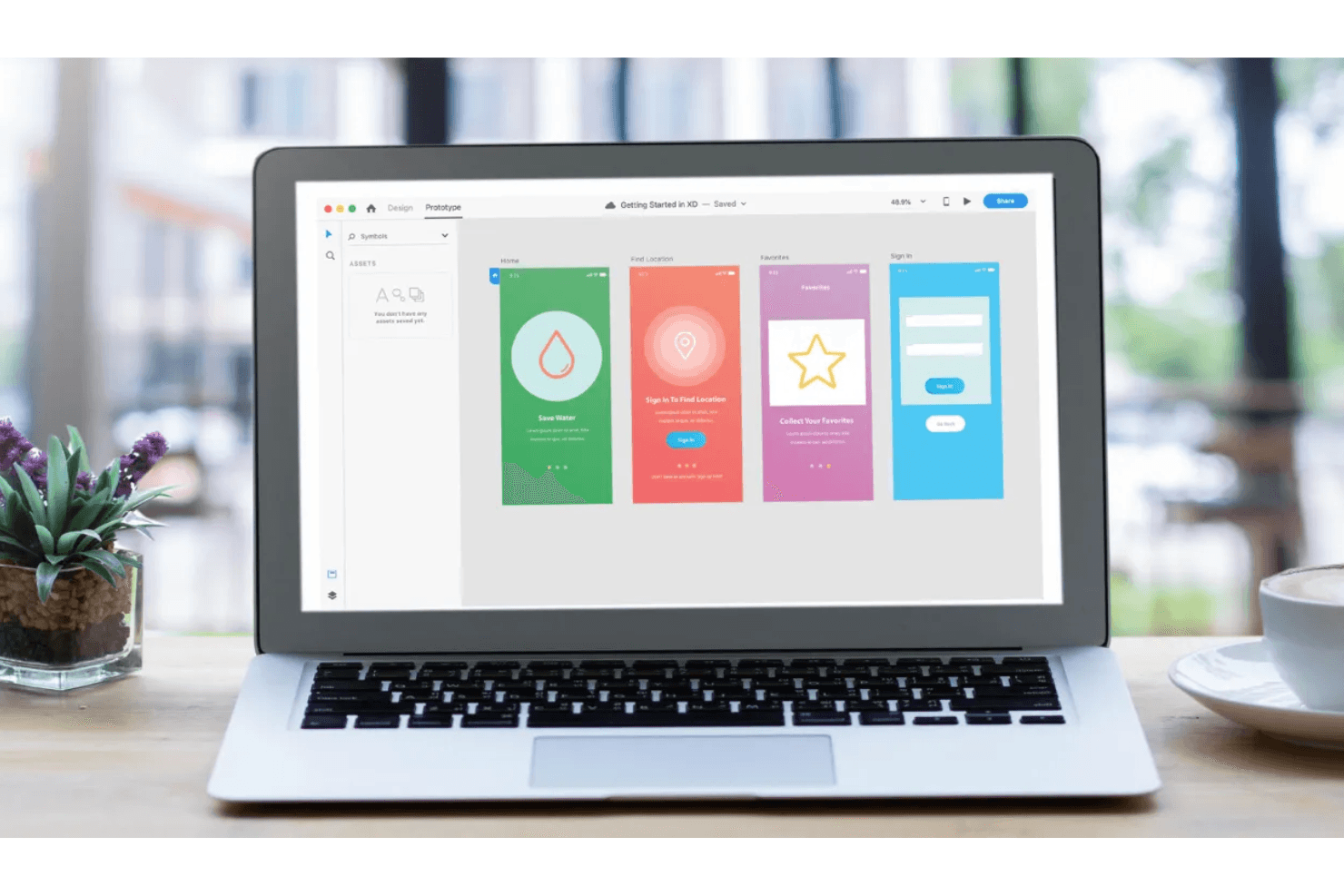
You can link screens and elements to create wireframes and high fidelity, interactive prototypes, mimicking user experience. This feature helps visualize user flow effectively.
Repeat Grid
With this tool, you can duplicate elements and adjust them in a grid layout. It saves you time in creating consistent designs.
Responsive Resize
This feature automatically adjusts your design layout when scaling for different screen sizes. It ensures your designs look great across devices.
Collaboration Tools
Real-time collaboration allows your team to build design systems together and gather feedback instantly. It enhances team productivity and communication.
Artboards
You can create multiple artboards for different screens or states within a single project. It helps in organizing and managing your design workflow.
Ease of Use
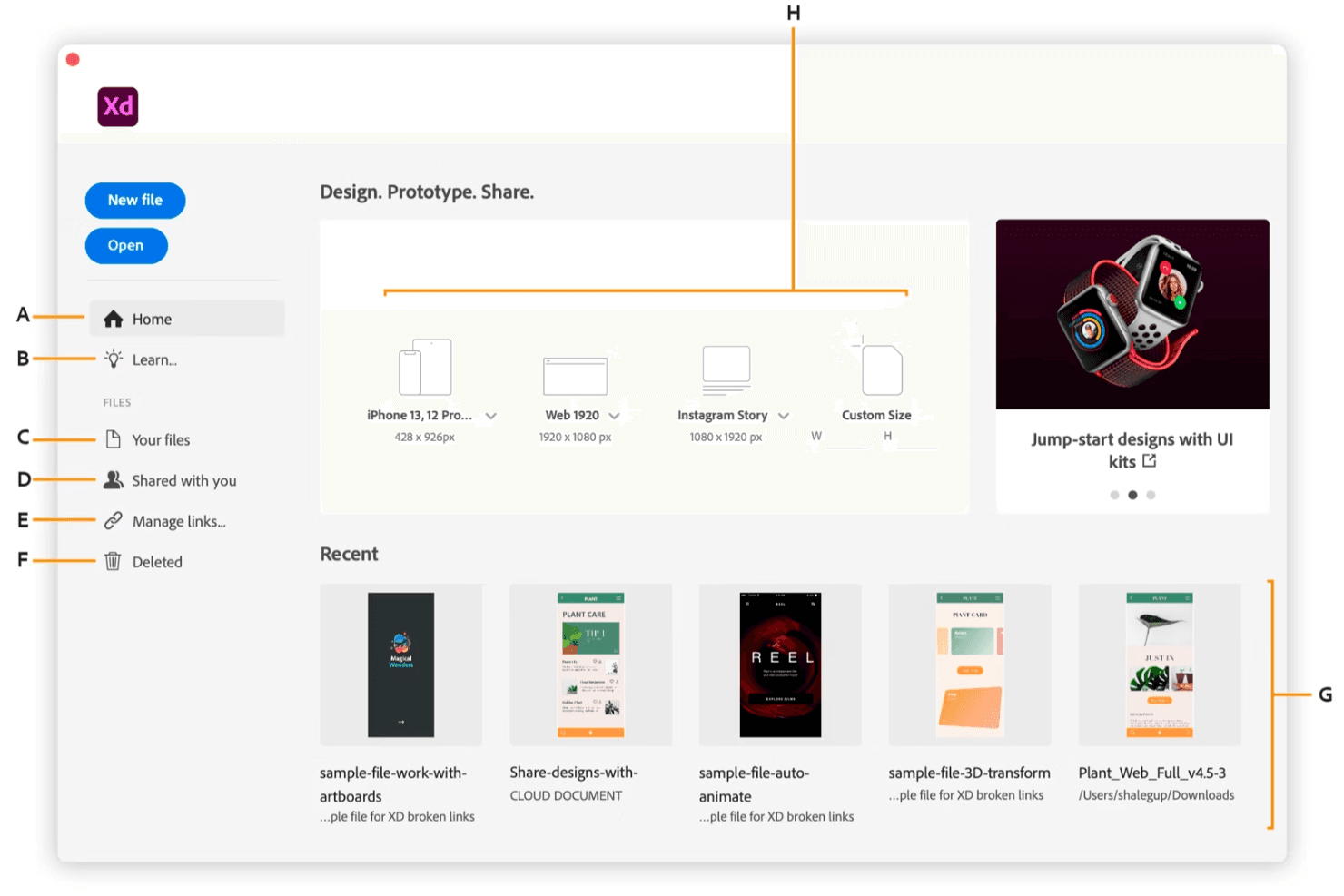
Adobe XD has an intuitive interface and straightforward navigation. If your team is already familiar with the Adobe ecosystem and design tools, then they will find it easy to jump in and start designing, though beginners unfamiliar with Adobe products might face a steep learning curve. Features like the Repeat Grid and Responsive Resize simplify tasks that would otherwise be time-consuming. Compared to other tools, Adobe XD stands out for its seamless design-to-prototype workflow, making it a favorite among users for its accessibility and efficiency in creating responsive designs.
Integrations
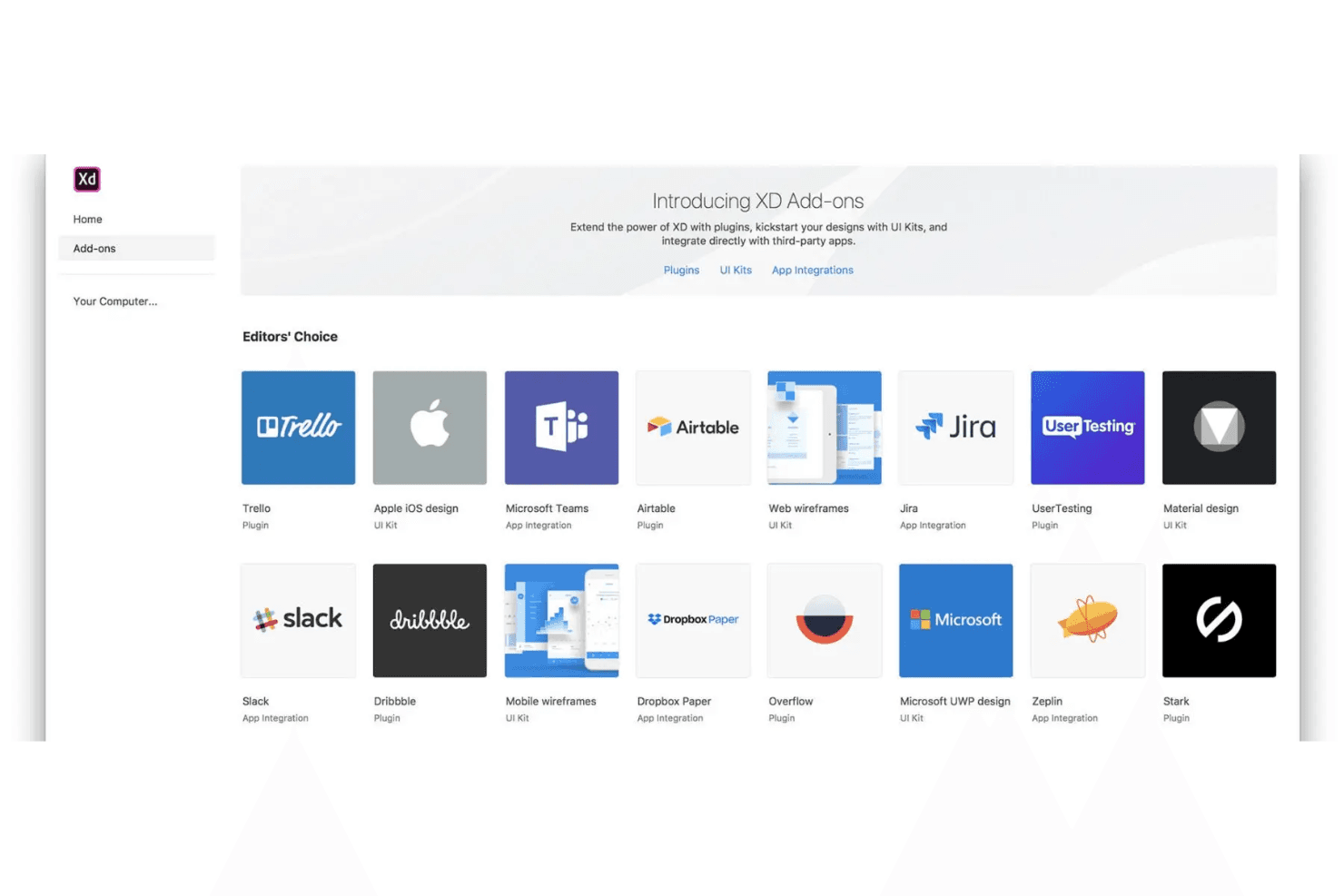
Adobe XD integrates with Adobe Photoshop, Adobe Illustrator, Slack, Microsoft Teams, Jira, Figma, and Zeplin.
Adobe XD also has an API and connects with third-party integration tools.
Adobe XD Specs
- A/B Testing: Yes
- API: Yes
- Collaboration Support: Yes
- Custom Data Forms: Yes
- Dashboard: Yes
- Dashboards: Yes
- Data Export: Yes
- Data Import: Yes
- Developer Tools: Yes
- External Integrations: Yes
- Feedback Management: Yes
- Gantt Charts: Yes
- Google Apps Integration: Yes
- Multi-User: Yes
- Notifications: Yes
- Prioritization: Yes
- Product Catalog: Yes
- Release Management: Yes
- Reports: Yes
- Resource Management: Yes
- Review Monitoring: Yes
- Roadmapping: Yes
- Scheduling: Yes
- Task Scheduling/Tracking: Yes


