

Ti sembra che Framer non sia proprio all’altezza delle esigenze del tuo team? Forse sono i limiti delle funzionalità, le difficoltà di gestione della crescita o gli strumenti di collaborazione non proprio adeguati. In qualità di product manager o sviluppatore, è frustrante quando gli strumenti su cui fai affidamento non riescono a soddisfare la visione che vuoi realizzare.
Ammettiamolo: il design è il cuore pulsante del tuo prodotto. È ciò che ti distingue in un mercato affollato. Sei qui perché hai bisogno di qualcosa che funzioni davvero per le tue sfide specifiche, non di una soluzione standard che costringa il tuo team a improvvisare.
La buona notizia? Ho fatto il lavoro più impegnativo al posto tuo. Dopo aver analizzato a fondo il mondo degli strumenti di design, ho scoperto alcune ottime alternative a Framer che potrebbero essere proprio ciò che stai cercando. Ogni opzione offre qualcosa di unico e ti guiderò attraverso funzionalità, vantaggi e persino gli aspetti a cui prestare attenzione, per aiutarti a prendere la decisione migliore.
Che cos’è Framer?
Framer è un noto strumento di progettazione di prodotti per creare prototipi interattivi e animazioni. È popolare tra designer, sviluppatori e product manager che ne apprezzano le capacità di visualizzazione e test rapidi. Grazie a funzionalità come flussi di lavoro collaborativi, strumenti di design flessibili e solide capacità di prototipazione, Framer offre una piattaforma versatile per trasformare le idee in realtà. Detto questo, nessuno strumento è perfetto e, se sei qui, probabilmente stai valutando delle alternative che si adattino meglio alle esigenze specifiche del tuo team. Non preoccuparti: ci pensiamo noi.
Tabella comparativa delle alternative a Framer
Questa tabella comparativa riassume i dettagli sui prezzi delle migliori alternative a Framer che ho selezionato:
| Tool | Best For | Trial Info | Price | ||
|---|---|---|---|---|---|
| 1 | La soluzione migliore per i freelance che creano siti per clienti | Prova gratuita di 14 giorni | A partire da $19/mese (con fatturazione annuale) | Website | |
| 2 | Ideale per la proprietà di siti open source e autogestiti | Piano gratuito disponibile | A partire da $5/mese | Website | |
| 3 | Ideale per siti ricchi di contenuti con licenza GPL | Piano gratuito disponibile | Da $39/mese (fatturato annualmente) | Website | |
| 4 | Ideale per passare dalla progettazione alla pubblicazione in un unico spazio di lavoro | Piano gratuito disponibile | A partire da $16/utente/mese | Website | |
| 5 | Ideale per la progettazione web responsiva con un'area di lavoro CSS visiva | Piano gratuito disponibile | A partire da $15/mese (con fatturazione annuale) | Website | |
| 6 | Ideale per creare siti con strumenti aziendali integrati | Piano gratuito disponibile | A partire da $17/mese (fatturato annualmente) | Website | |
| 7 | Ideale per siti completi oltre le pagine di promozione | Piano gratuito disponibile | A partire da $17/mese (con fatturazione annuale) | Website | |
| 8 | Ideale per la pubblicazione di siti da parte dei team di design in Figma | Piano gratuito disponibile | A partire da $16/utente/mese (fatturato annualmente) | Website | |
| 9 | Ideale per siti senza codice con rivendita da parte di agenzie | Website | |||
| 10 | Ideale per animazioni editoriali e di portfolio | Piano gratuito disponibile | A partire da $14/mese (con fatturazione annuale) | Website |


Perché fidarsi dei nostri consigli sui software
6,700+
Reviews
20
Industry experts
16+
Evaluation factors
14
Years
Il nostro team testa e recensisce software dal 2012. In quanto product manager noi stessi, sappiamo quanto sia difficile — e importante — scegliere il software giusto.
Per questa guida, abbiamo valutato gli strumenti attraverso test pratici e ricerche indipendenti, assegnando un punteggio agli strumenti in base ai nostri criteri di selezione.
Le nostre recensioni riflettono il nostro giudizio editoriale umano, non un discorso di vendita.
Revisori esperti:
- Andrew LumbySenior TPM
- Cristiano ValimSenior UI/UX Lead


Recensioni delle migliori alternative a Framer
Di seguito trovi i miei riepiloghi dettagliati delle migliori alternative a Framer incluse nella mia selezione. Le mie recensioni offrono uno sguardo approfondito alle funzionalità principali, ai pro e ai contro, alle integrazioni e ai casi d’uso ideali di ogni strumento, per aiutarti a trovare quello più adatto a te.
 La soluzione migliore per i freelance che creano siti per clienti
- Prova gratuita di 14 giorni
- A partire da $19/mese (con fatturazione annuale)
Visit WebsiteCustomer Rating:4.6/5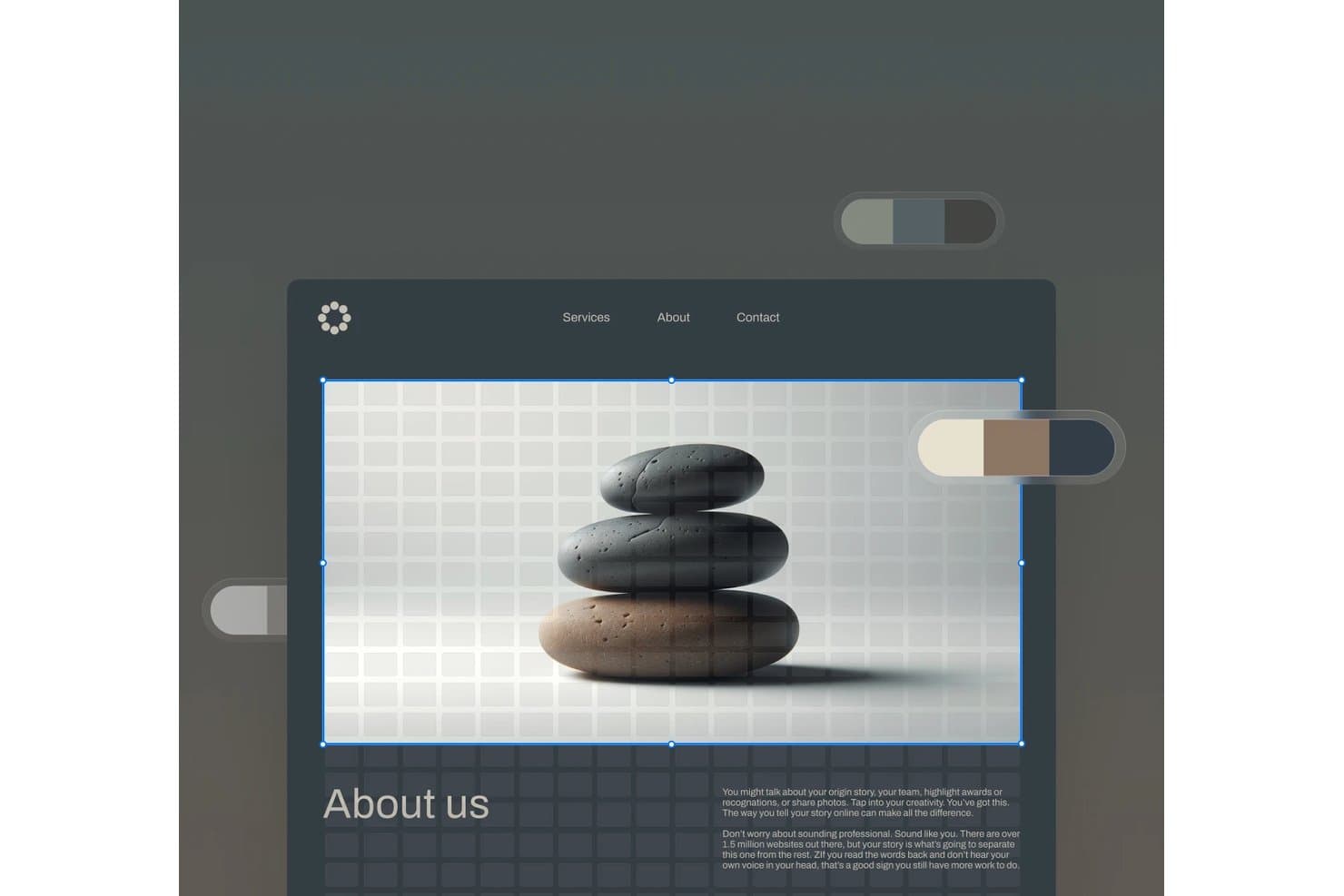
Squarespace consente agli utenti di modificare le immagini principali con un'interfaccia visiva di tipo trascina e rilascia. Squarespace è un creatore di siti web per freelance che hanno bisogno di siti per clienti dall'aspetto professionale, modelli flessibili e strumenti integrati per presentare servizi, pubblicare contenuti e gestire le esigenze aziendali online.
Per chi è più adatto Squarespace?
Squarespace è adatto a designer freelance e professionisti creativi che hanno bisogno di portfolio e pagine di servizi dall'aspetto professionale senza ricorrere a uno sviluppo web esteso.
Perché Squarespace è una buona alternativa a Framer
Ho scelto Squarespace perché i suoi modelli curati e i layout per portfolio mi aiutano a creare siti per clienti pronti per essere presentati. Utilizzo pagine di servizi, gallerie di progetti e strumenti di gestione dei contenuti integrati per mostrare il lavoro di un freelance senza sviluppo personalizzato. È la soluzione migliore per i freelance che creano siti per clienti.
Caratteristiche principali di Squarespace
- Impostazioni SEO: Modifica i titoli delle pagine, le descrizioni e gli slug degli URL.
- Analisi del sito web: Monitora il traffico, le visite e le fonti dei visitatori.
- Blocchi modulo: Aggiungi moduli di contatto, newsletter e iscrizione.
- Gestione del dominio: Collega o registra un dominio personalizzato.
Integrazioni di Squarespace
Squarespace offre integrazioni ufficiali con Stripe, PayPal, Square, Google Analytics, Mailchimp, Google Workspace, Instagram, Google Maps, YouTube e Zapier. Fornisce inoltre API Commerce per integrazioni personalizzate, con accesso e autorizzazioni che variano in base al piano.
Pros and Cons
Pros:
- I modelli curati sono adatti alle presentazioni per i clienti
- I layout per portfolio mostrano chiaramente i lavori visivi
- Le impostazioni SEO integrate favoriscono la visibilità
Cons:
- Minore libertà nelle animazioni rispetto a Framer
- L'editor limita i layout altamente personalizzati
Learn more about Squarespace: Ideale per la proprietà di siti open source e autogestiti
- Piano gratuito disponibile
- A partire da $5/mese
Visit WebsiteCustomer Rating:4.8/5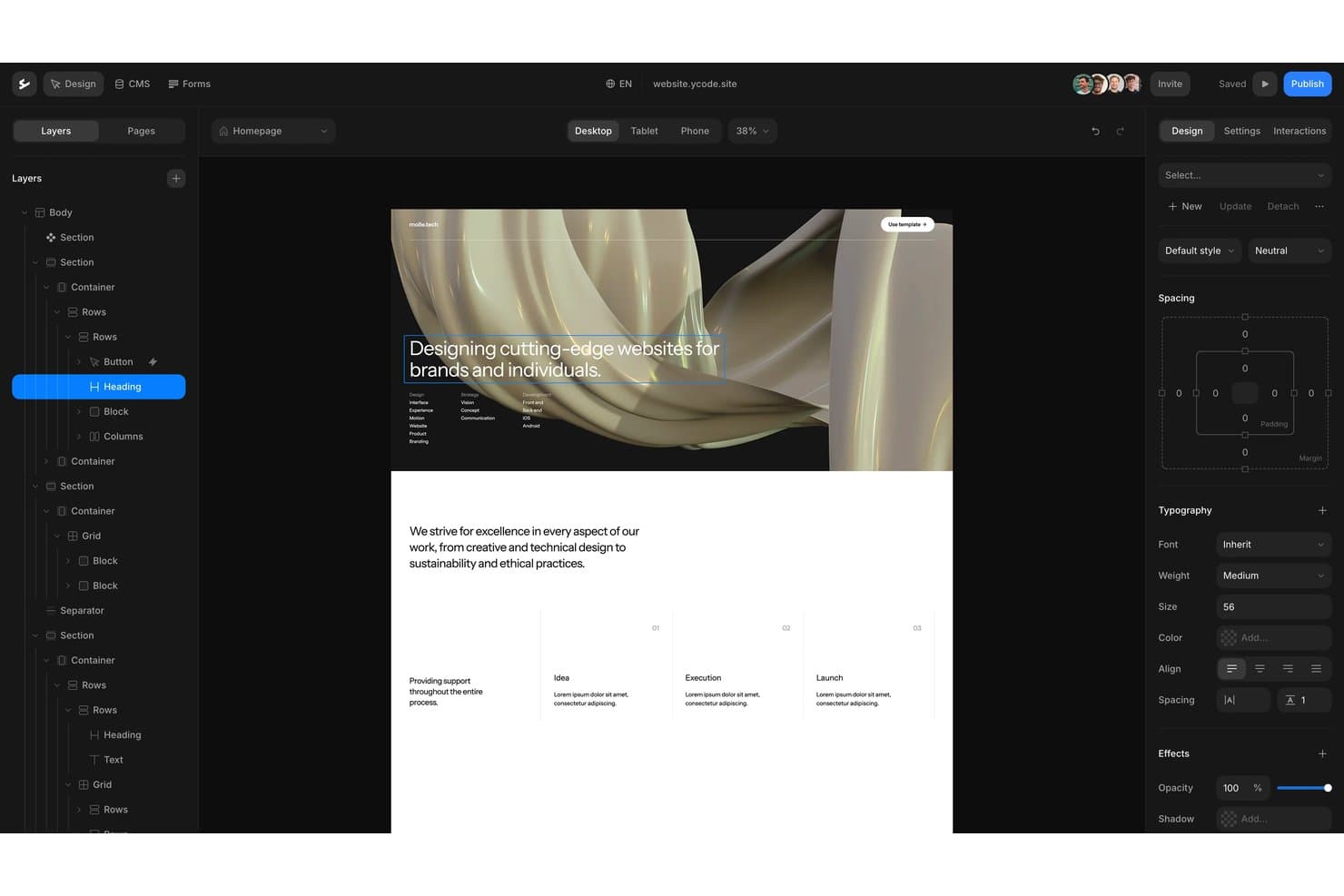
Ycode offre un editor visuale con funzionalità di trascinamento e rilascio e controlli di progettazione a livelli. Ycode è un costruttore di siti web senza codice per i team che hanno bisogno di siti di marketing personalizzati e reattivi e di pagine basate su CMS, senza dover ricorrere agli sviluppatori per ogni aggiornamento.
Per chi è più adatto Ycode?
Ycode è adatto ai team di prodotto, marketing e design che vogliono possedere e gestire autonomamente la propria infrastruttura del sito web.
Perché Ycode è una buona alternativa a Framer
Ho scelto Ycode perché offre al mio team la proprietà di un sito open source e autogestito, invece di vincolare il nostro sito a una piattaforma ospitata. Utilizziamo il suo editor visuale per creare pagine di marketing reattive e il suo CMS per gli aggiornamenti dei contenuti strutturati. Questa configurazione è adatta ai team che hanno bisogno di siti web personalizzati mantenendo il controllo sulla distribuzione e sui dati del sito.
Funzionalità principali di Ycode
- Assistente di progettazione basato sull'IA: aggiorna layout, spaziatura e stili tramite prompt.
- Componenti riutilizzabili: crea componenti condivisi e applica override in diverse pagine.
- Controlli delle raccolte: filtra le raccolte, impagina i risultati e ordina i contenuti dinamici.
- Domini personalizzati: collega domini con il tuo marchio ai siti web pubblicati.
Integrazioni di Ycode
Ycode offre integrazioni native con Airtable, Webflow, Figma, MailerLite, Google Maps e Mapbox. Fornisce inoltre API REST per le integrazioni personalizzate, mentre le integrazioni con Zapier e Make sono previste.
Pros and Cons
Pros:
- La proprietà open source supporta la distribuzione autogestita
- Le raccolte CMS supportano flussi di lavoro per contenuti strutturati
- I componenti riutilizzabili supportano pagine reattive coerenti
Cons:
- L'hosting autonomo richiede una maggiore responsabilità tecnica
- Ecosistema più ristretto rispetto alle alternative consolidate a Framer
Learn more about Ycode: Ideale per siti ricchi di contenuti con licenza GPL
- Piano gratuito disponibile
- Da $39/mese (fatturato annualmente)
Visit WebsiteCustomer Rating:4.3/5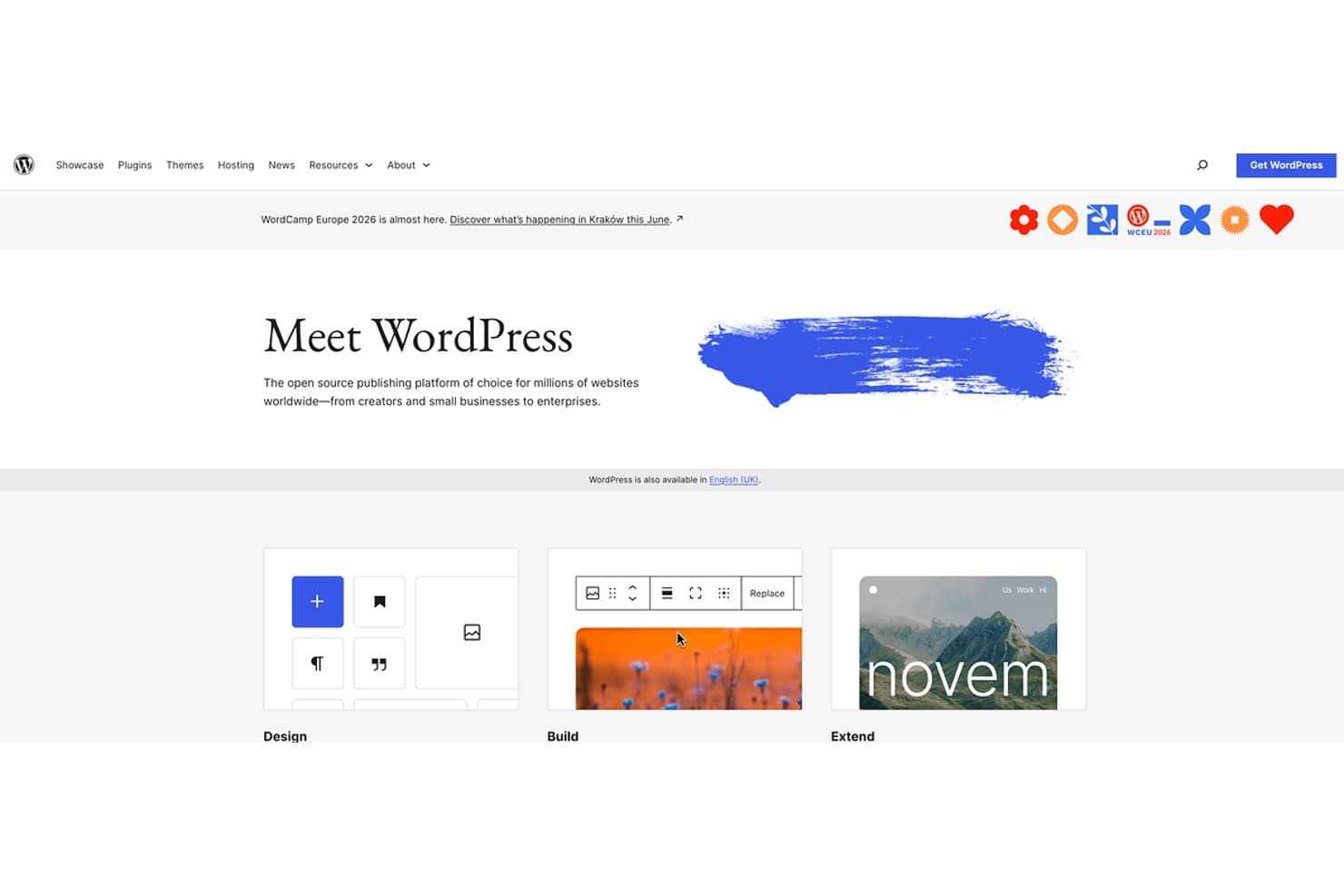
WordPress offre la creazione di siti web a codice aperto per tutti i livelli di competenza. WordPress è un costruttore di siti web flessibile per editori, aziende e team di contenuti che necessitano di controllo sulla struttura del sito, sui flussi di pubblicazione, sulla personalizzazione e sulla crescita a lungo termine, oltre l'approccio incentrato sul design di Framer.
Per chi è più adatto WordPress?
WordPress è adatto a editori, team editoriali e aziende che necessitano di una gestione flessibile dei contenuti con una licenza GPL.
Perché WordPress è una delle migliori alternative a Framer
Ho scelto WordPress perché è ideale per siti ricchi di contenuti con una licenza GPL. Utilizzo tipi di contenuto personalizzati, tassonomie e la cronologia delle revisioni per gestire siti editoriali con contenuti strutturati. Le autorizzazioni basate sui ruoli consentono inoltre a scrittori, editor e sviluppatori di lavorare secondo responsabilità di pubblicazione separate.
Funzionalità principali di WordPress
- Editor a blocchi: crea pagine e articoli con blocchi di contenuto riutilizzabili.
- Libreria multimediale: carica, organizza e modifica immagini, audio, video e documenti.
- Sistema di temi: applica e personalizza gli aspetti grafici dei siti web con i temi.
- Directory dei plugin: aggiungi funzionalità tramite migliaia di plugin disponibili.
Integrazioni di WordPress
WordPress non dispone di un catalogo centralizzato di integrazioni native; la sua directory dei plugin supporta connessioni con servizi come WooCommerce, Mailchimp e Google Analytics. WordPress fornisce inoltre un'API REST per le integrazioni personalizzate.
Pros and Cons
Pros:
- La licenza GPL favorisce il controllo a lungo termine dei contenuti
- I tipi di contenuto personalizzati supportano la pubblicazione strutturata
- La cronologia delle revisioni protegge le modifiche editoriali
Cons:
- La manutenzione dei plugin aumenta le responsabilità relative alla sicurezza
- I layout visivi avanzati richiedono spesso una configurazione aggiuntiva
Learn more about WordPress: Ideale per passare dalla progettazione alla pubblicazione in un unico spazio di lavoro
- Piano gratuito disponibile
- A partire da $16/utente/mese
Visit WebsiteCustomer Rating:4.7/5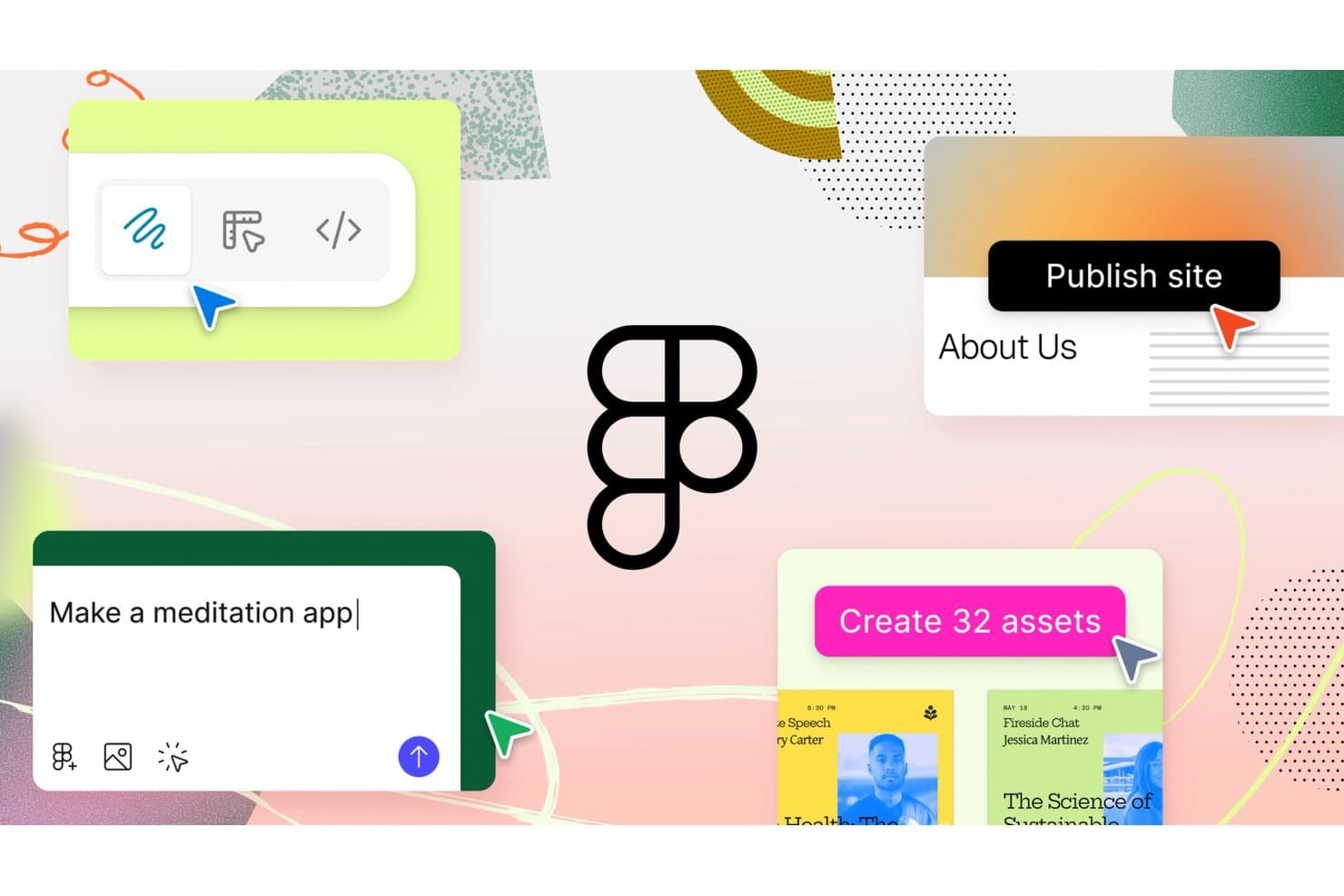
Figma consente agli utenti di progettare, prototipare e pubblicare siti con prompt IA. Figma è una piattaforma collaborativa di progettazione UI/UX per team di prodotto, agenzie e freelance, che riunisce ricerca, wireframe, prototipazione e passaggio agli sviluppatori per ridurre le rielaborazioni e allineare le decisioni sul prodotto.
Per chi è più adatto Figma?
Figma è adatto ai team di prodotto interfunzionali che devono mantenere allineati designer, product manager e ingegneri, dai primi concept fino al passaggio agli sviluppatori.
Perché Figma è una buona alternativa a Framer
Ho scelto Figma perché posso passare dai concept dell'interfaccia alle esperienze di prodotto pubblicate in un unico spazio di lavoro. Il mio team utilizza il canvas collaborativo, la prototipazione interattiva, le variabili e la Modalità Dev per collegare le decisioni di progettazione ai dettagli dell'implementazione. Questo flusso di lavoro dalla progettazione alla pubblicazione ci aiuta a trasformare le valutazioni delle alternative a Framer in interfacce di prodotto funzionanti e pronte per gli sviluppatori.
Funzionalità principali di Figma
- Componenti: Crea elementi dell'interfaccia riutilizzabili con proprietà configurabili.
- Layout automatico: Disponi i livelli con regole di spaziatura e dimensionamento responsivo.
- Estensioni: Estendi Figma con strumenti per la progettazione, i contenuti e i flussi di lavoro.
- Cronologia delle versioni: Esamina, ripristina e assegna un nome alle versioni precedenti dei file.
Integrazioni di Figma
Figma offre integrazioni ufficiali con Jira, Slack, Microsoft Teams, Confluence e Dropbox, oltre a Zapier per collegare i flussi di lavoro con altri strumenti. Offre inoltre API REST e API per le estensioni per integrazioni personalizzate.
Pros and Cons
Pros:
- Il canvas collaborativo mantiene allineati i team di prodotto
- La Modalità Dev collega la progettazione all'implementazione
- Componenti e variabili supportano sistemi scalabili
Cons:
- La pubblicazione dei siti richiede ulteriori passaggi nel flusso di lavoro
- I file di grandi dimensioni possono diventare lenti nel tempo
 Ideale per la progettazione web responsiva con un'area di lavoro CSS visiva
- Piano gratuito disponibile
- A partire da $15/mese (con fatturazione annuale)
Visit WebsiteCustomer Rating:4.4/5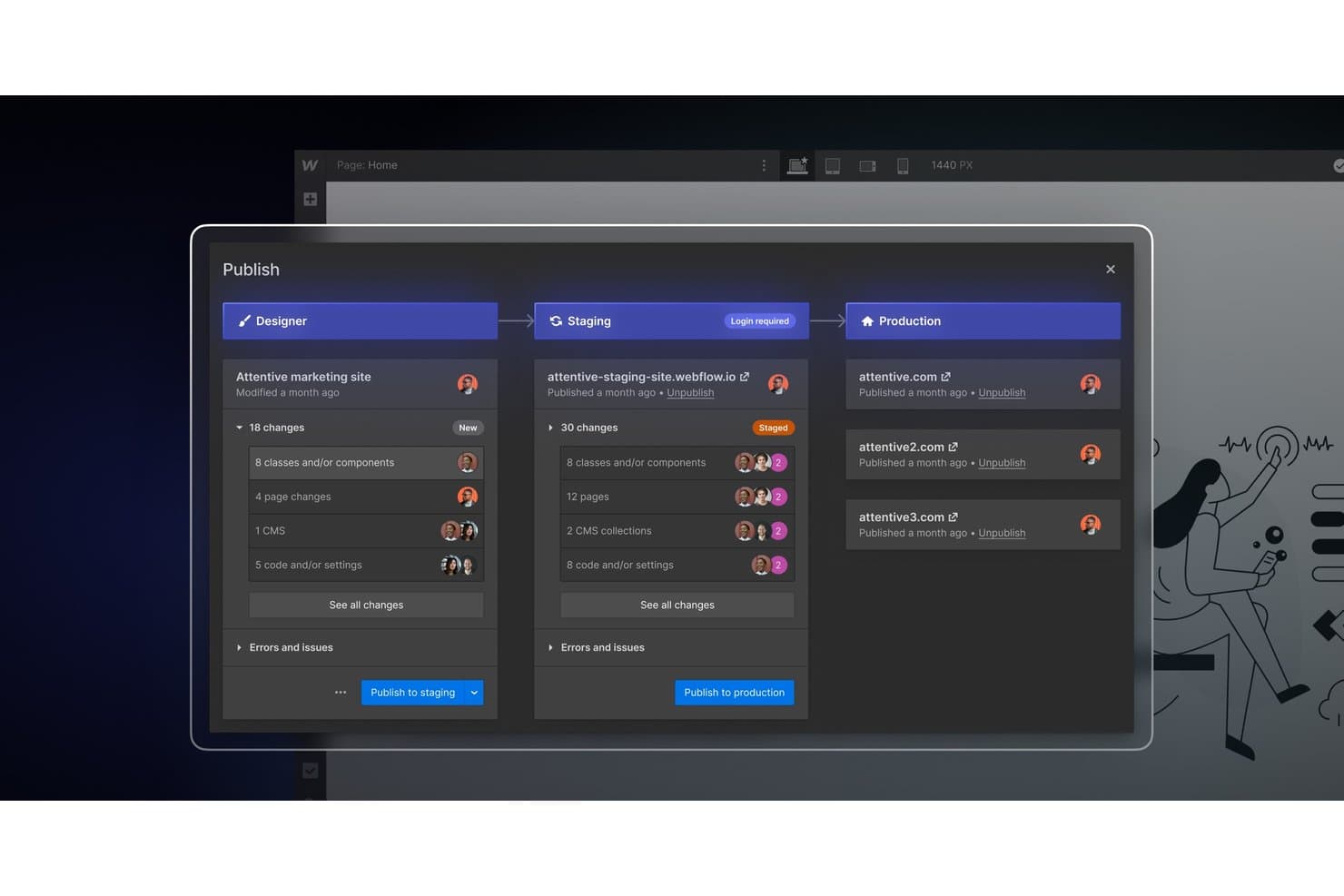
Webflow consente ai team di pubblicare le modifiche negli ambienti di staging e produzione. Webflow è una piattaforma di progettazione web visiva per team di marketing, agenzie e designer che hanno bisogno di siti web responsivi senza dover scrivere manualmente il codice per ogni layout, mantenendo al contempo il controllo su CSS, interazioni e contenuti.
Per chi è più adatto Webflow?
Webflow è adatto alle agenzie e ai team creativi interni che devono creare e gestire siti di marketing responsivi senza affidare agli sviluppatori ogni decisione relativa al layout.
Perché Webflow è una buona alternativa a Framer
Ho scelto Webflow perché la sua area di lavoro CSS visiva mi offre un controllo diretto sui layout responsivi senza dover scrivere manualmente il codice di ogni pagina. Utilizzo Flexbox, CSS Grid e breakpoint personalizzati per adattare le pagine di destinazione alle diverse dimensioni dello schermo, quindi applico interazioni per rendere più curate le campagne di lancio dei prodotti e i siti di marketing.
Caratteristiche principali di Webflow
- Raccolte CMS: Struttura e pubblica contenuti dinamici senza codice.
- Gestione dei moduli: Raccogli gli invii direttamente dai moduli del sito web.
- Controlli SEO: Modifica i titoli delle pagine, le meta descrizioni e le impostazioni della sitemap.
- Gestione delle risorse: Carica, organizza e riutilizza le immagini nei vari progetti.
Integrazioni di Webflow
Webflow offre integrazioni tramite la sua libreria ufficiale, tra cui Google Docs, Google Workspace, Airtable, OpenStreetMap e Storesynk per l'e-commerce basato su Shopify, oltre a Zapier. Fornisce inoltre API per i dati e API per la progettazione per le integrazioni personalizzate.
Pros and Cons
Pros:
- Layout responsivi precisi grazie ai controlli CSS visivi
- Il CMS strutturato supporta contenuti di marketing dinamici
- Controlli integrati per la gestione di SEO e moduli
Cons:
- I layout dell'area di lavoro richiedono una conoscenza dei CSS
- Le interazioni avanzate richiedono una configurazione manuale
Learn more about Webflow: 6Ideale per creare siti con strumenti aziendali integrati
Wix
- Piano gratuito disponibile
- A partire da $17/mese (fatturato annualmente)
Visit WebsiteCustomer Rating:4.2/5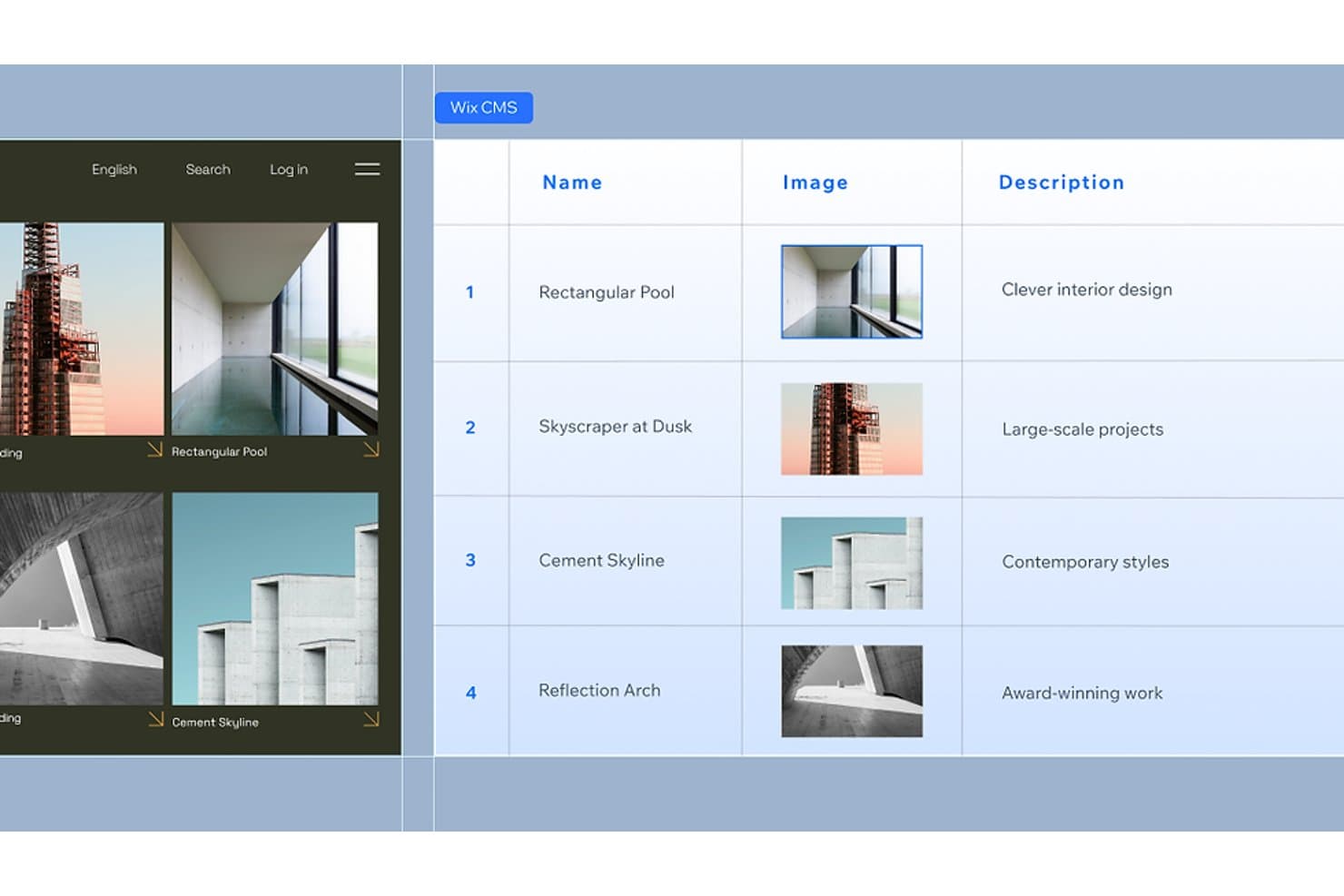
Il CMS di Wix consente agli utenti di gestire contenuti strutturati con immagini e descrizioni. Wix è un costruttore di siti web per piccole imprese, liberi professionisti e imprenditori che devono creare una presenza online professionale senza coordinare strumenti separati per design, contenuti e operazioni aziendali.
Per chi è più adatto Wix?
Wix è adatto a titolari di piccole imprese e liberi professionisti che desiderano gestire il proprio sito web, le prenotazioni, i pagamenti e il marketing da un'unica piattaforma.
Perché Wix è una buona alternativa a Framer
Ho scelto Wix come opzione tra le migliori alternative a Framer perché è ideale per creare siti con strumenti aziendali integrati. Utilizzo Wix Bookings per gli appuntamenti, Wix Payments per i pagamenti e il marketing via email integrato per ricontattare i potenziali clienti. Questo aiuta il mio team a gestire le operazioni aziendali quotidiane dallo stesso sito web che presenta il marchio.
Funzionalità principali di Wix
- Editor con trascinamento: Crea pagine posizionando gli elementi esattamente dove desideri.
- Modelli di siti web: Inizia con layout progettati professionalmente per diversi settori.
- Strumenti SEO: Modifica metadati, URL, dati strutturati e impostazioni della mappa del sito.
- Wix App Market: Aggiungi app di terze parti per ampliare le funzionalità del sito web.
Integrazioni di Wix
Wix offre integrazioni native con Google Analytics, TikTok Pixel, Meta Pixel & CAPI, Google Tag Manager, Google Ads, Amazon, Instagram, Bing e Google Business Profile, oltre a integrazioni con marketplace tramite più di 500 app del Wix App Market. Supporta Zapier e fornisce API Wix per integrazioni personalizzate.
Pros and Cons
Pros:
- Strumenti integrati per prenotazioni, pagamenti e marketing
- I modelli per settore riducono i tempi di lancio del sito web
- I controlli SEO supportano l'ottimizzazione continua dei contenuti
Cons:
- Controllo visivo meno preciso rispetto a Framer
- L'editor può risultare disordinato nei siti complessi
Learn more about Wix: Ideale per siti completi oltre le pagine di promozione
- Piano gratuito disponibile
- A partire da $17/mese (con fatturazione annuale)
Visit WebsiteCustomer Rating:4.2/5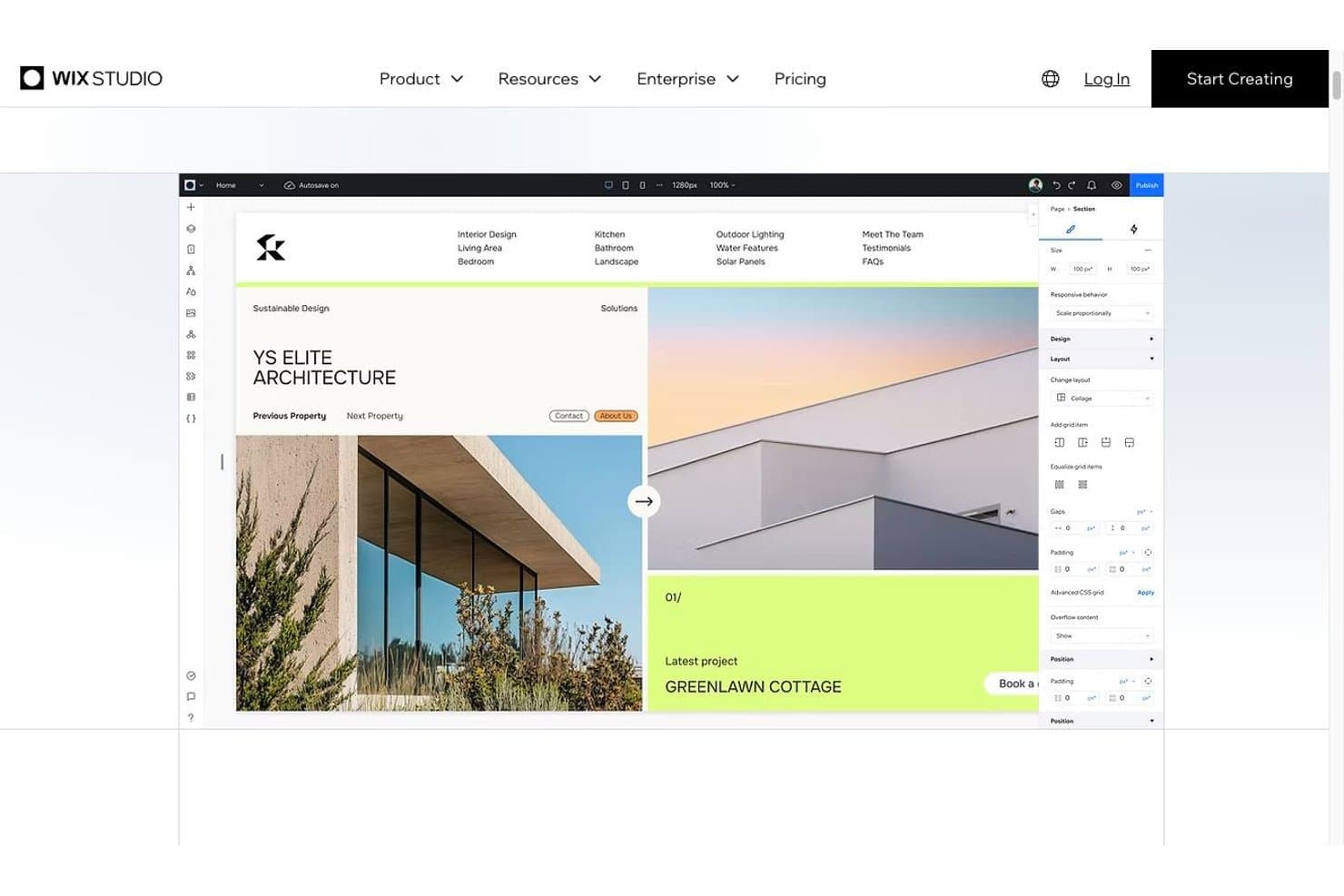
L'editor di Wix Studio con i controlli della disposizione reattiva Wix Studio è una soluzione completa per la progettazione web destinata ad agenzie, freelance e aziende che hanno bisogno di creare, gestire e ampliare siti di promozione, esperienze di commercio elettronico e progetti web personalizzati da un unico luogo.
Per chi è più adatto Wix Studio?
Wix Studio è adatto ad agenzie e aziende in crescita che hanno bisogno di funzionalità di progettazione, commercio elettronico e sviluppo web personalizzato in un'unica piattaforma gestita.
Perché Wix Studio è una valida alternativa a Framer
Ho scelto Wix Studio perché supporta siti completi, non solo pagine di promozione. Utilizzo la sua griglia reattiva, i punti di interruzione personalizzati, il CMS e gli strumenti di commercio elettronico integrati per creare siti che si evolvono da pagine per campagne a negozi ricchi di contenuti o portali per clienti. Questo ambito più ampio offre ai team una valida alternativa a Framer quando un progetto richiede sia una progettazione curata sia funzionalità operative.
Funzionalità principali di Wix Studio
- Comportamenti reattivi: Imposta il modo in cui gli elementi si ridimensionano, si agganciano e si riposizionano in base alle dimensioni dello schermo.
- Animazioni avanzate: Aggiungi effetti di scorrimento, stati al passaggio del mouse e animazioni di entrata.
- Codice personalizzato: Aggiungi JavaScript, CSS e logica lato server tramite l'ambiente di sviluppo.
- Libreria di progettazione: Salva e riutilizza componenti, sezioni e stili coordinati con il marchio.
Integrazioni di Wix Studio
Wix Studio offre integrazioni native con Google Analytics, TikTok Pixel, Meta Pixel & CAPI, Google Tag Manager, Google Ads, Amazon, Instagram, Bing e Google Business Profile, oltre a Zapier. Offre inoltre accesso a più di 500 app del mercato e alle API di Wix per integrazioni personalizzate.
Pros and Cons
Pros:
- Gestisce il commercio elettronico e i siti ricchi di contenuti
- I punti di interruzione personalizzati consentono un controllo dettagliato del comportamento reattivo
- Le librerie di progettazione riutilizzabili sono adatte ai flussi di lavoro delle agenzie
Cons:
- Richiede più configurazione rispetto a Framer per lanci rapidi
- La personalizzazione avanzata può richiedere lo sviluppo con Velo
Learn more about Wix Studio: Ideale per la pubblicazione di siti da parte dei team di design in Figma
- Piano gratuito disponibile
- A partire da $16/utente/mese (fatturato annualmente)
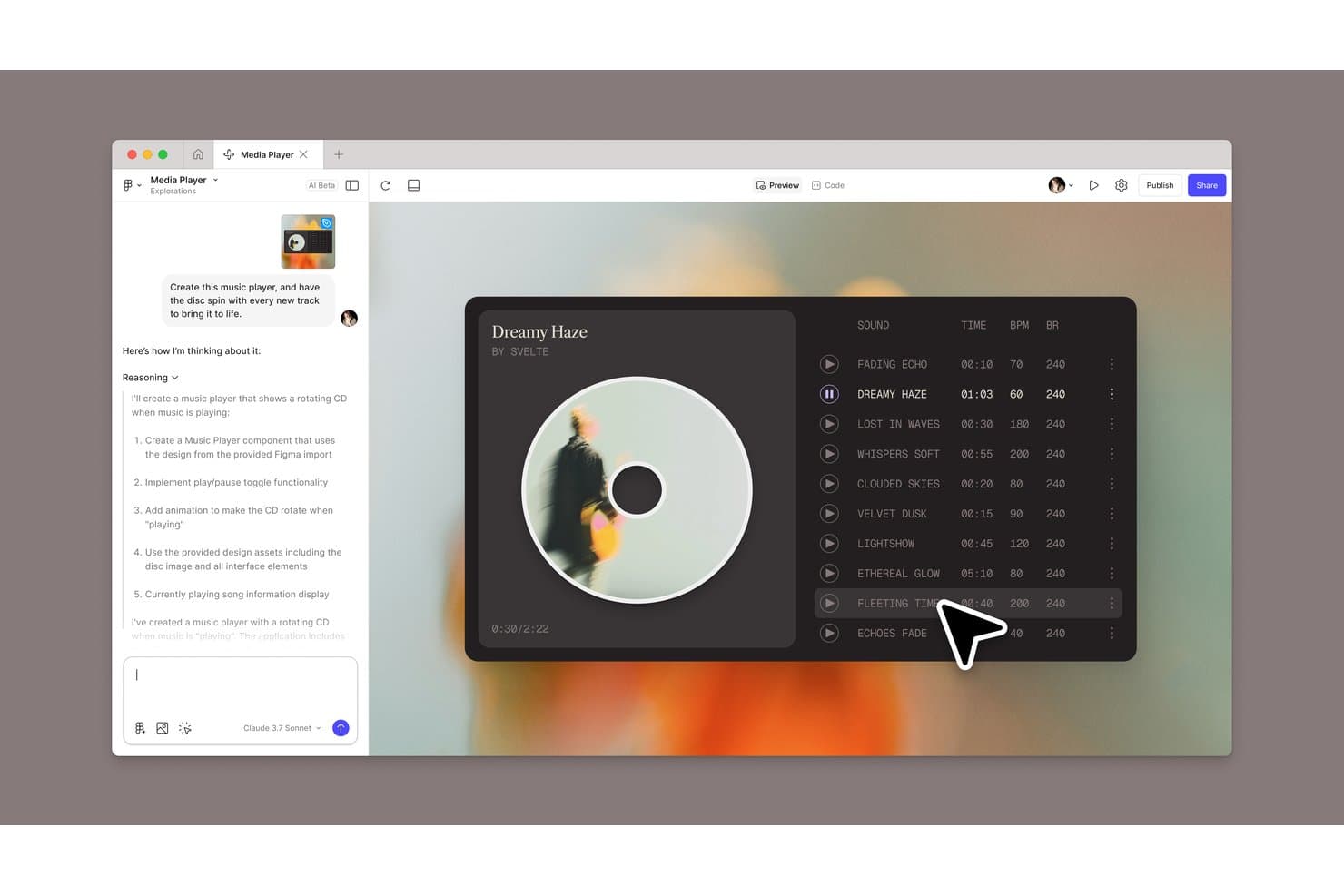
Figma Sites consente agli utenti di creare un lettore musicale generato dall'AI con un'animazione di un disco rotante. Figma Sites è un creatore di siti web per i team di design che aiuta a trasformare i design di Figma in siti web reattivi e pubblicabili senza un passaggio separato allo sviluppo.
Per chi è più adatto Figma Sites?
Figma Sites è adatto ai team di prodotto, UX e brand che devono pubblicare siti web reattivi direttamente dai design condivisi di Figma.
Perché Figma Sites è una buona alternativa a Framer
Ho scelto Figma Sites perché trasforma i design condivisi di Figma in siti web reattivi e pubblicabili senza un passaggio separato allo sviluppo. Mi piace il fatto che i team di design possano passare dai layout approvati alla pubblicazione del sito online all'interno dello stesso flusso di lavoro. Questo lo rende particolarmente utile per la pubblicazione di siti da parte dei team di design in Figma.
Funzionalità principali di Figma Sites
- Blocchi predefiniti: Aggiungi componenti con layout automatico e stili personalizzati per strutturare le pagine.
- Interazioni preimpostate: Applica scorrimento a marcatore, cursori personalizzati ed effetti al passaggio del mouse.
- CMS di Sites: Crea raccolte di contenuti e aggiorna separatamente testi o elementi visivi.
- Personalizzazione tramite codice e AI: Modifica il codice del sito o genera interazioni con prompt di AI.
Integrazioni di Figma Sites
Le integrazioni native specifiche di Figma Sites non sono documentate chiaramente. La piattaforma più ampia di Figma supporta Jira, Confluence, Slack, Google Workspace, Microsoft Teams, Notion, Asana, Linear e Zapier, oltre all'API di Figma per integrazioni personalizzate.
Pros and Cons
Pros:
- Pubblica siti reattivi dai design di Figma
- Mantiene design e pubblicazione all'interno dello stesso flusso di lavoro
- Supporta il codice personalizzato insieme alla modifica visiva
Cons:
- Le funzionalità per i siti web sono ancora più recenti rispetto a quelle di Framer
- Le interazioni avanzate possono richiedere modifiche al codice
Learn more about Figma Sites: Ideale per siti senza codice con rivendita da parte di agenzieVisit WebsiteCustomer Rating:4.7/5
 Learn more about Weblium:
 10Ideale per animazioni editoriali e di portfolio
ReadyMag
- Piano gratuito disponibile
- A partire da $14/mese (con fatturazione annuale)
Learn more about ReadyMag:
Come valuto le alternative a Framer
Divido la mia valutazione in tre parti: funzionalità principali, funzionalità distintive e fattori che vanno oltre le funzionalità.
Funzionalità principali
- Builder visivo per siti web: valuto canvas flessibili, controlli precisi del layout e modifica senza codice.
- Pubblicazione responsiva: verifico i controlli dei punti di interruzione e l’adattamento a smartphone, tablet e desktop.
- Animazioni e interazioni: verifico effetti al passaggio del mouse, allo scorrimento e al clic.
- Libreria di modelli: valuto varietà, personalizzazione e casi d’uso disponibili.
- Collaborazione in tempo reale: cerco modifica condivisa, commenti, autorizzazioni e flussi di revisione.
- Funzionalità CMS: valuto raccolte strutturate, campi riutilizzabili e modelli dinamici.
Fattori distintivi
Confronto la qualità dell’esportazione del codice, la generazione di design assistita dall’intelligenza artificiale e il supporto alla localizzazione. Valuto inoltre la trasparenza dei prezzi, la cronologia delle versioni, i commenti, le integrazioni con strumenti come Figma o Slack e l’infrastruttura SEO, inclusi i metadati, il markup e le prestazioni dei Core Web Vitals.
Perché cercare un’alternativa a Framer?
Come ho detto, nessuno strumento offre tutto e, sebbene Framer sia una valida scelta per la progettazione di prodotti, ci sono diversi motivi per cui alcuni utenti cercano soluzioni alternative. Ecco alcuni esempi dei motivi per cui potresti essere qui alla ricerca di un’alternativa:
- I piani tariffari di Framer non rientrano nel budget del tuo team
- Stai cercando strumenti di collaborazione più avanzati
- Mancano alcune integrazioni di cui il tuo team ha bisogno
- Stai affrontando problemi di scalabilità con progetti più grandi
Se ti riconosci in una di queste situazioni, sei nel posto giusto. La mia lista contiene diverse opzioni per la progettazione di prodotti più adatte ai team che affrontano queste difficoltà con Framer e cercano soluzioni alternative.
Funzionalità principali di Framer
Ecco alcune delle principali funzionalità di Framer, per aiutarti a confrontare le caratteristiche offerte dalle soluzioni alternative:
- Design e layout: puoi progettare senza limitazioni, utilizzando strumenti simili ad Adobe XD e Figma, con supporto per griglie flessibili e design responsivi.
- Stile: applica stili personalizzati ai livelli con controlli delle proprietà per riempimenti, bordi e ombre, aiutando il tuo team a mantenere la coerenza.
- Importazione da Figma: importa direttamente i design da Figma, preservando i livelli per facilitarne la modifica e la pubblicazione, una funzione utile per la gestione dei contenuti e per i team che già utilizzano Figma.
- Importazione di elementi del sito web: porta le tue pagine di destinazione e i tuoi siti web codificati in Framer semplicemente copiando e incollando, indipendentemente dal fatto che tu stia utilizzando HTML, CSS o qualsiasi altro strumento per la creazione di siti web.
- Strumenti di intelligenza artificiale: migliora i contenuti del tuo sito web con funzionalità di riscrittura basate sull'intelligenza artificiale per renderli più coinvolgenti e curati.
- Navigazione: utilizza strumenti intuitivi per collegare e organizzare i contenuti, offrendo una navigazione fluida e una gestione degli URL.
- Collaborazione in tempo reale: lavora insieme al tuo team durante il processo di progettazione in tempo reale, utilizzando diritti specifici di visualizzazione e modifica per facilitare la collaborazione dai mockup all'esportazione.
- Prototipazione: crea prototipi interattivi per testare e convalidare i tuoi design prima dello sviluppo. Crea e visualizza facilmente i tuoi prototipi su Android e iOS.
- Animazioni: aggiungi animazioni ai tuoi design per renderli più interattivi e visivamente accattivanti.
- Sistema di componenti: utilizza un sistema di componenti riutilizzabili per mantenere la coerenza del design tra i diversi progetti.
- Esportazione del codice: esporta codice pronto per la produzione, consentendo agli sviluppatori di integrare direttamente i design nei progetti.
- Creazione e hosting gratuiti di siti web: offre una configurazione rapida e scalabile per siti web personalizzati, diversi modelli di design per siti web, funzionalità SEO integrate e ottimizzazione, numerosi plugin e integrazioni e pubblicazione gratuita.