

Avis sur monday.com 2026 : Avantages, Inconvénients, Fonctionnalités et Tarification
monday.com se distingue par ses flux de travail flexibles et son design intuitif, en faisant un choix idéal pour les équipes recherchant une gestion de produit personnalisable et des outils évolutifs adaptés aux organisations en croissance.

Nous évaluons les outils de manière indépendante, et les commissions aident à financer nos tests. Consultez notre politique de transparence, notre méthodologie ou suggérez un outil.
monday AI Workspace is a product management tool that combines project tracking, workflow automation, and AI assistance in a single workspace. It's worth a look if your team manages complex product work across multiple workstreams and wants AI features native to the tool rather than added on after the fact. Compared to Asana, which treats AI as a feature layer, monday AI Workspace builds AI into the core experience—letting you automate workflows, generate content, and surface insights without leaving the platform.
monday AI Workspace Evaluation Summary
4.6/5
- From $9/user/month (billed annually)
- Free plan + 14-day free trial available
Pourquoi faire confiance à nos recommandations de logiciels
6,700+
Reviews
20
Industry experts
16+
Evaluation factors
14
Years
Notre équipe teste et évalue des logiciels depuis 2012. En tant que chefs de produit nous-mêmes, nous savons à quel point il est difficile — et important — de choisir le bon logiciel.
Pour ce guide, nous avons évalué les outils grâce à des tests pratiques et une recherche indépendante, en notant les outils selon nos critères de sélection.
Nos avis reflètent notre jugement éditorial humain, et non un argumentaire de vente.
Réviseurs experts:
- Andrew LumbySenior TPM
- Cristiano ValimSenior UI/UX Lead


monday AI Workspace Overview
When judging monday.com as a product management tool, its visual interface, customizable boards, and broad integration options make it a top pick for teams valuing flexibility and quick onboarding. Pricing is competitive for mid-sized teams, and responsive support adds value.
While automation depth and advanced reporting may lag behind some competitors, monday.com excels in environments where ease of use and cross-team collaboration matter most—such as marketing, product, and operations teams managing complex workflows.
Pros
- Visual boards simplify tracking product development stages
- Built-in AI features assist with risk identification and automation
- Fast onboarding with templates for product roadmaps and sprints
Cons
- Complex workflows can require frequent manual board updates
- Automation options require higher-tier plans
- Limited advanced reporting for product analytics
Is monday AI Workspace Right For Your Needs?
Who Would be a Good Fit for monday AI Workspace?
monday.com is a strong choice for teams that need visual project tracking, customizable workflows, and fast onboarding. Its flexible boards, templates, and automation features make it especially useful for collaborative environments where transparency and cross-functional work are priorities.
Businesses in creative, operational, and product-focused roles often find its interface and templates well-suited to their needs, especially when managing multiple projects or stakeholders.
- Creative AgenciesVisual boards and timeline views help manage campaigns and client deliverables.
- Mid-Sized Tech StartupsCustomizable workflows and integrations support rapid product iteration.
- Marketing DepartmentsCampaign planning templates and collaboration tools fit marketing workflows.
- Operations TeamsAutomations and dashboards help track recurring processes and tasks.
- Product ManagersRoadmap templates and sprint boards support agile product development.
- Remote TeamsCentralized communication and file sharing streamline distributed collaboration.
Who Would be a Bad Fit for monday AI Workspace?
monday.com may not suit organizations that require deep analytics, highly specialized compliance, or advanced workflow automation. Teams with complex regulatory needs or those managing large-scale, data-driven projects may find its reporting and automation features limiting compared to more specialized tools.
- Enterprise IT DepartmentsLimited advanced reporting and audit trails restrict large-scale IT oversight.
- Financial ServicesLacks built-in compliance features for regulated financial workflows.
- Manufacturing OperationsDoes not support detailed inventory or supply chain management.
- Data Science TeamsInsufficient analytics and visualization tools for complex data projects.
- Large EnterprisesAutomation and user management features may not scale for thousands.
- Legal DepartmentsMissing document versioning and approval workflows needed for legal processes.
Comment nous testons et notons les outils
Nous avons passé des années à construire, affiner et améliorer notre système de test et de notation de logiciels. Notre grille est conçue pour saisir les nuances de la sélection de logiciels et déterminer ce qui rend un outil efficace, en se concentrant sur les aspects essentiels du processus de décision. Ci-dessous, vous pouvez voir exactement comment fonctionne notre système de test et de notation à travers sept critères. Cela nous permet de fournir une évaluation objective des logiciels basée sur la fonctionnalité de base, les fonctionnalités remarquables, la facilité d’utilisation, l’intégration, l’accompagnement client, les avis clients et le rapport qualité-prix.
Fonctionnalité de base (25 % de la note finale)
Le point de départ de notre évaluation est toujours la fonctionnalité essentielle de l’outil. Dispose-t-il des fonctions et caractéristiques de base attendues ? Certaines fonctions essentielles sont-elles réservées aux offres plus chères ? Globalement, nous nous attendons à ce qu’un outil tienne la comparaison face aux capacités de base de ses concurrents.
Fonctionnalités remarquables (25 % de la note finale)
Ensuite, nous évaluons les fonctionnalités exceptionnelles et peu communes qui vont au-delà de la fonctionnalité de base habituellement proposée dans les outils du même type. Une note élevée reflète la présence de fonctionnalités uniques ou spécialisées qui rendent le produit plus rapide, plus efficace ou qui offrent une valeur ajoutée à l’utilisateur. Nous évaluons également la facilité d’intégration avec d’autres outils courants de la pile technologique afin d’étendre la fonctionnalité et l’utilité du logiciel. Les outils qui proposent de nombreuses intégrations natives, des connexions à des services tiers et un accès API pour créer des intégrations personnalisées obtiennent les meilleures notes.
Facilité d’utilisation (10 % de la note finale)
Nous considérons la rapidité et la simplicité d’exécution des tâches définies par la fonctionnalité de base avec l’outil. Un logiciel bien noté est bien conçu, intuitif, propose des applications mobiles, offre des modèles et simplifie les tâches complexes.
Intégration et prise en main (10 % de la note finale)
Nous savons à quel point il est essentiel qu’une équipe adopte rapidement une nouvelle plateforme, c’est pourquoi nous évaluons la facilité avec laquelle un outil s’apprend et s’utilise sans formation approfondie. Nous vérifions à quelle vitesse un membre d’équipe peut être opérationnel et commencer à utiliser l’outil sans expérience préalable. Les solutions les mieux notées ne requièrent que peu ou pas d’assistance.
Support client (10 % de la note finale)
Nous examinons la rapidité et la simplicité d’accès à une aide en cas de besoin, que ce soit par téléphone, chat en direct ou base de connaissances. Les outils et entreprises offrant un support en temps réel sont les mieux notés, tandis que les chatbots reçoivent les moins bonnes notes.
Avis clients (10 % de la note finale)
Au-delà de nos propres tests et évaluations, nous prenons en compte le score de recommandation nette (NPS) des clients actuels et passés. Nous évaluons leur propension, s’ils en avaient le choix, à reprendre cet outil pour la fonctionnalité essentielle. Un logiciel bien noté reflète un NPS élevé de la part de ses clients.
Rapport qualité-prix (10 % de la note finale)
Enfin, en considérant l’ensemble des autres critères, nous examinons le prix moyen des plans d’entrée de gamme par rapport aux fonctionnalités de base, et nous prenons en compte la valeur des autres critères. Les logiciels offrant davantage pour moins cher seront mieux notés.
Core Features
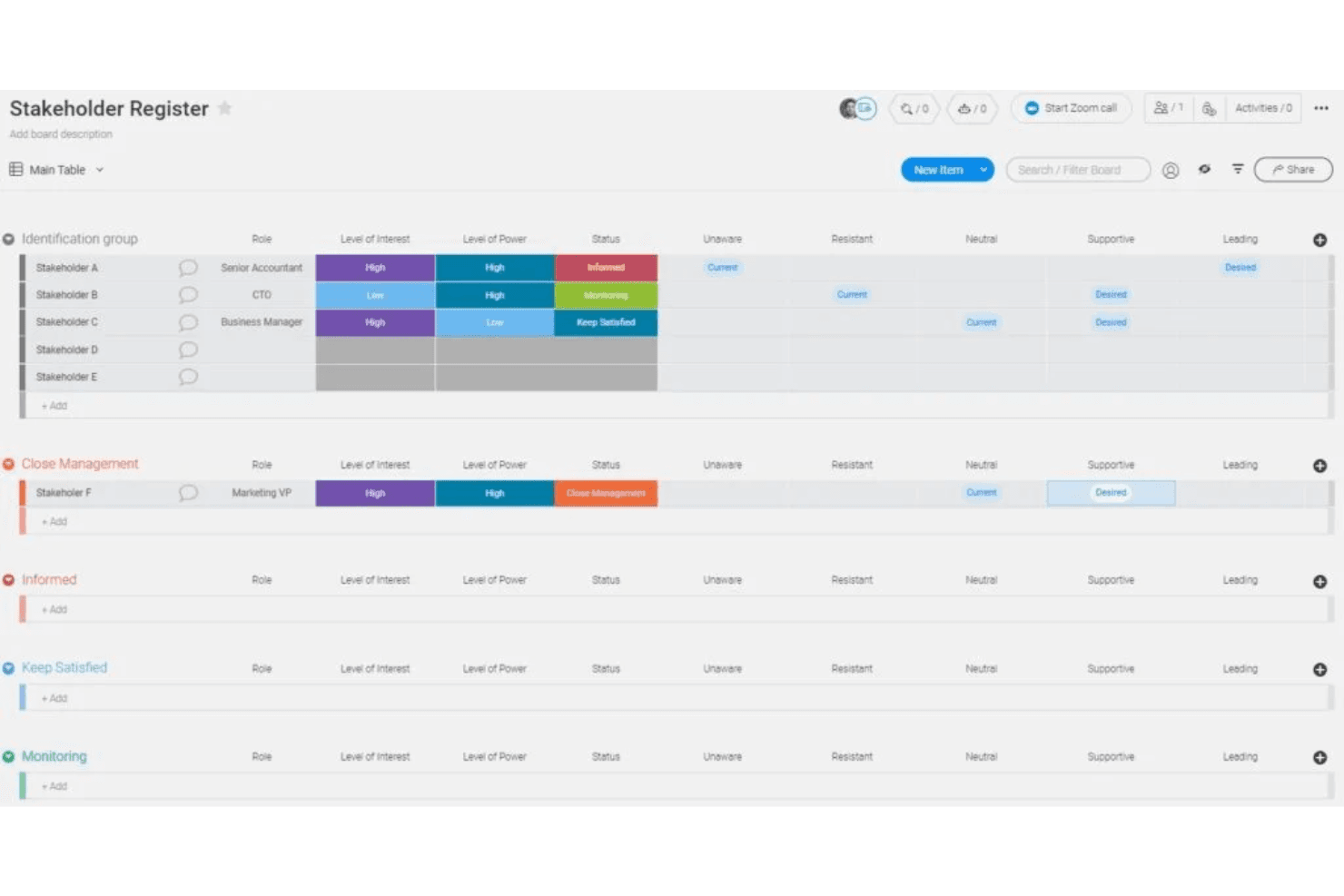
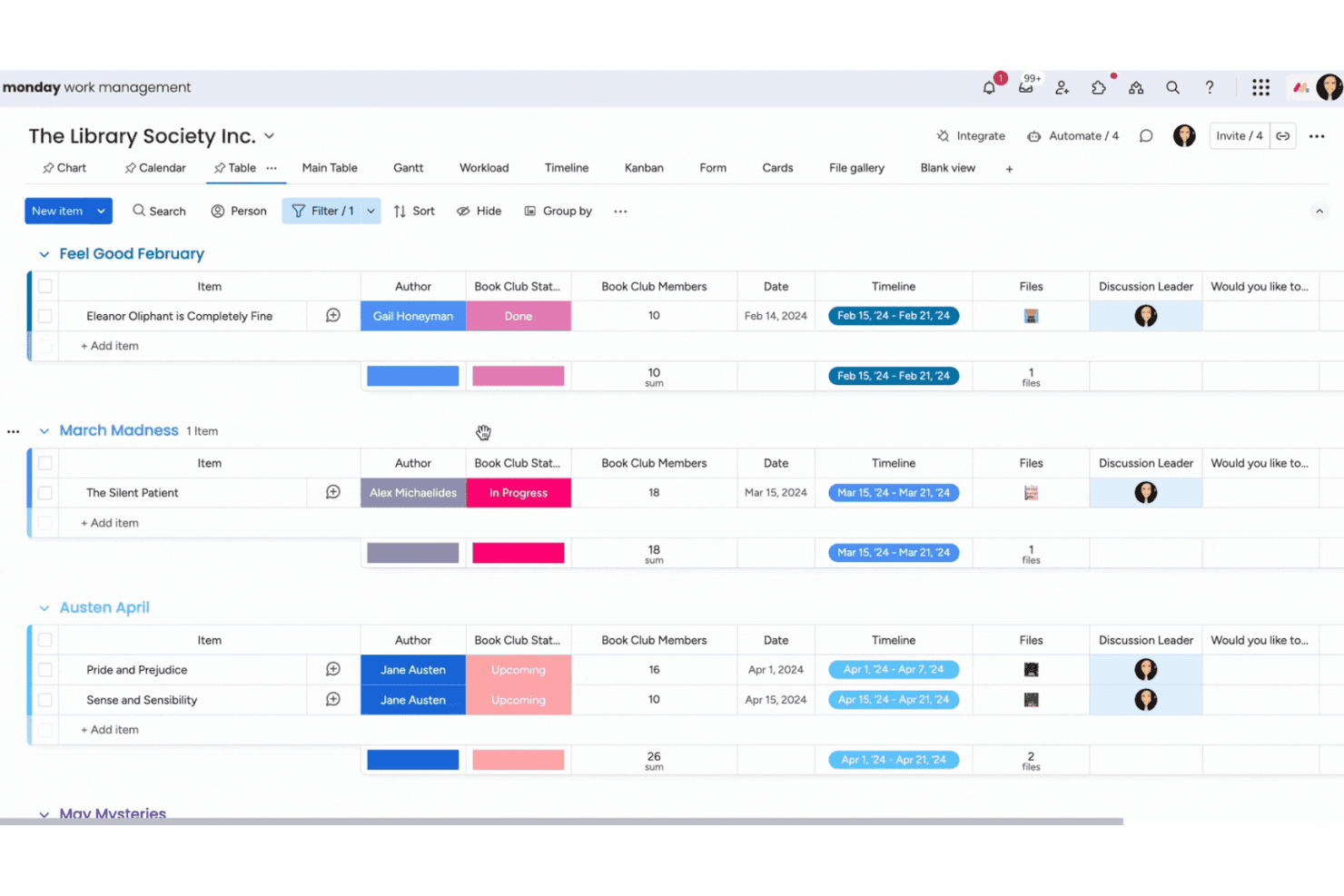
Visual Boards
Organize projects using customizable boards with columns for status, priority, and ownership. Drag-and-drop functionality makes it easy to update tasks and track progress.
Timeline and Gantt Views
Plan and visualize project schedules with interactive timelines and Gantt charts. Adjust dates and dependencies directly on the view for real-time updates.
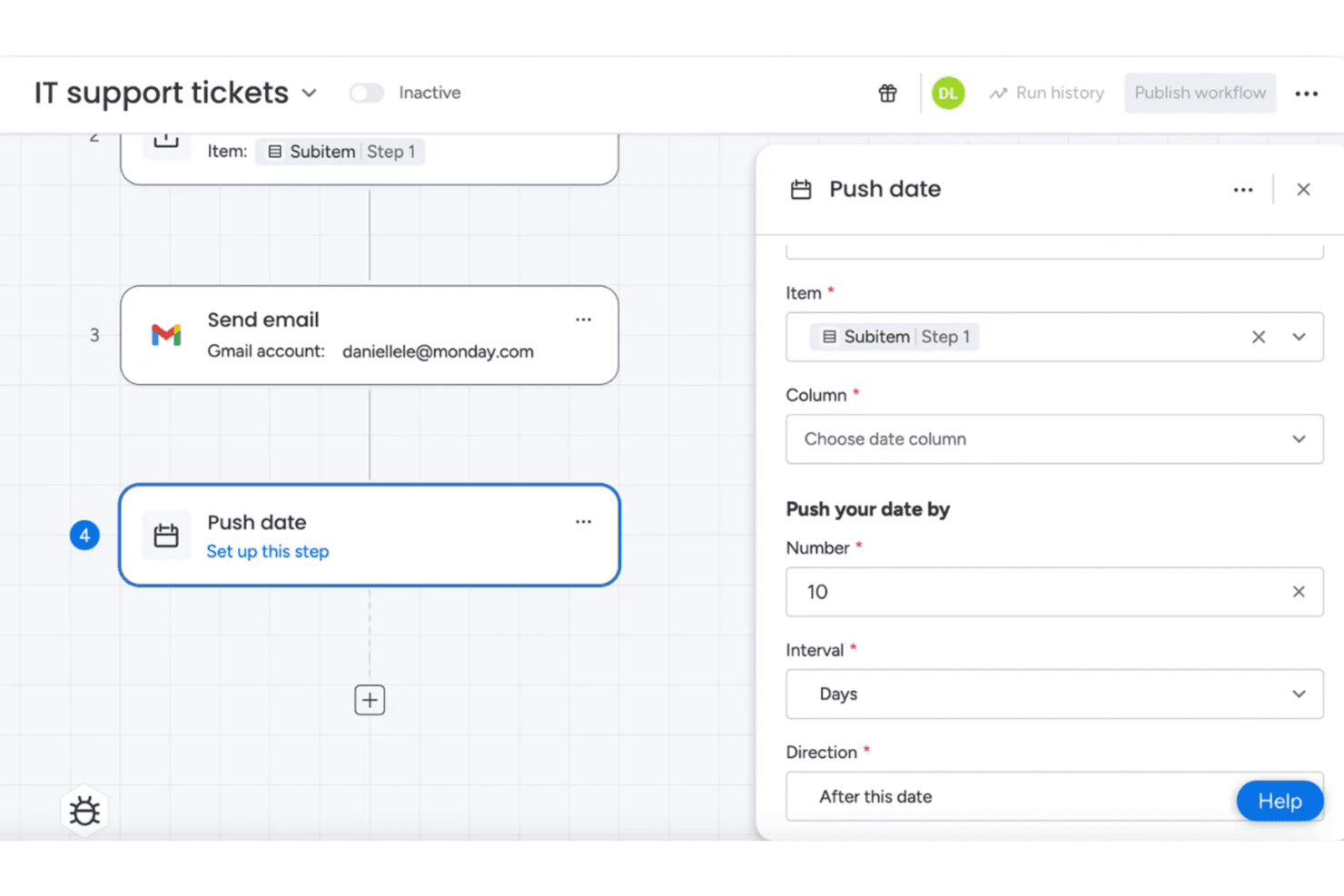
Automations
Set up rule-based automations to assign tasks, send notifications, or update statuses. Automations reduce manual work and keep workflows moving without constant oversight.
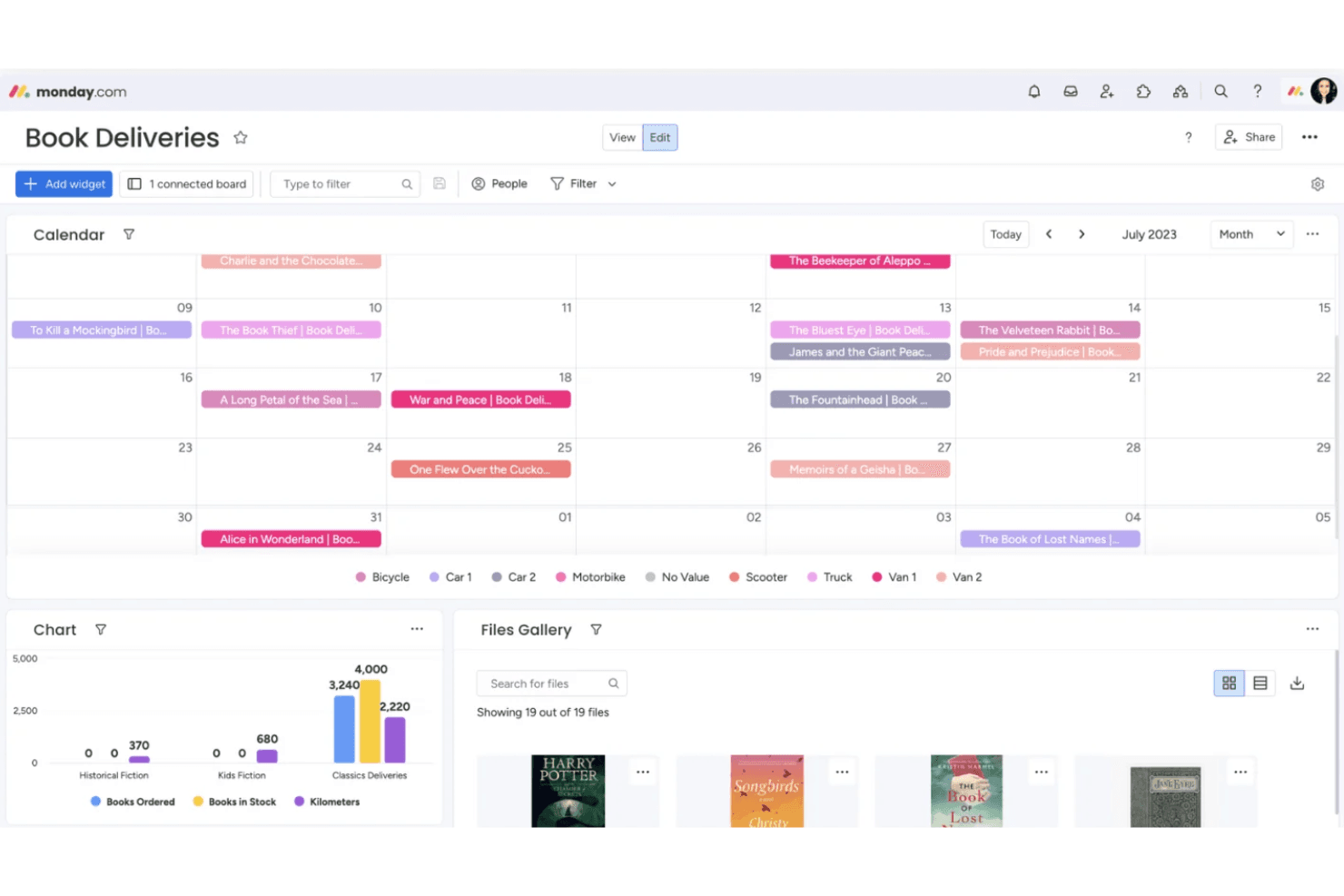
Dashboards
Create dashboards to monitor key metrics, deadlines, and workloads across multiple boards. Widgets let you visualize data for quick, actionable insights.
Docs and Collaboration
Collaborate in real time with monday.com Docs, attaching files, tagging teammates, and embedding boards. Keep all project documentation and discussions in one place.
Templates Library
Access a library of templates for product roadmaps, sprint planning, and feature requests. Templates help teams get started quickly with best-practice workflows.
Standout Features
AI-Powered Workflows
monday.com offers built-in AI tools that automate repetitive tasks, suggest next steps, and help identify project risks. These AI features save time and help teams proactively address bottlenecks.
WorkForms
WorkForms let you create custom forms to collect requests, feedback, or bug reports directly into boards. This feature streamlines intake processes and ensures all submissions are tracked and actionable.
Ease of Use
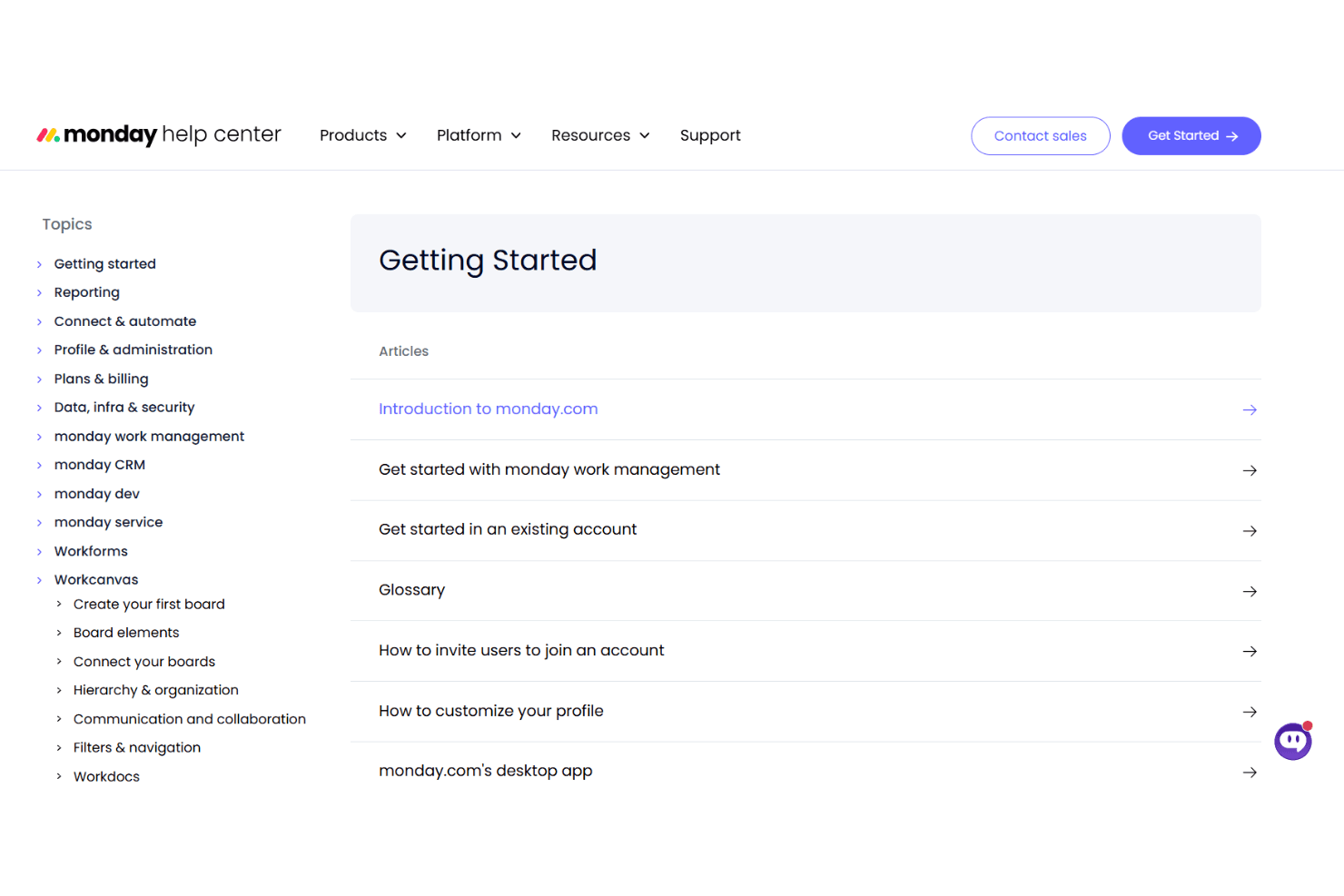
monday.com is widely recognized for its intuitive, visually-driven interface that helps users get started quickly, even without prior experience. Drag-and-drop boards, color-coded statuses, and pre-built templates make setup and navigation straightforward. Users often highlight how easy it is to customize workflows and onboard new team members.
However, some advanced features—like complex automations—may require extra setup time, but most teams find the platform approachable for daily product management tasks.
Onboarding
monday.com offers a fast onboarding experience with interactive tutorials, guided setup, and a wide range of templates tailored to different workflows. New users benefit from in-app tips, a searchable knowledge base, and responsive live chat support. Many reviewers note that teams can start managing projects within hours, not days.
The combination of self-serve resources and accessible support helps users reach value quickly, even if they’re new to product management tools.
Customer Support
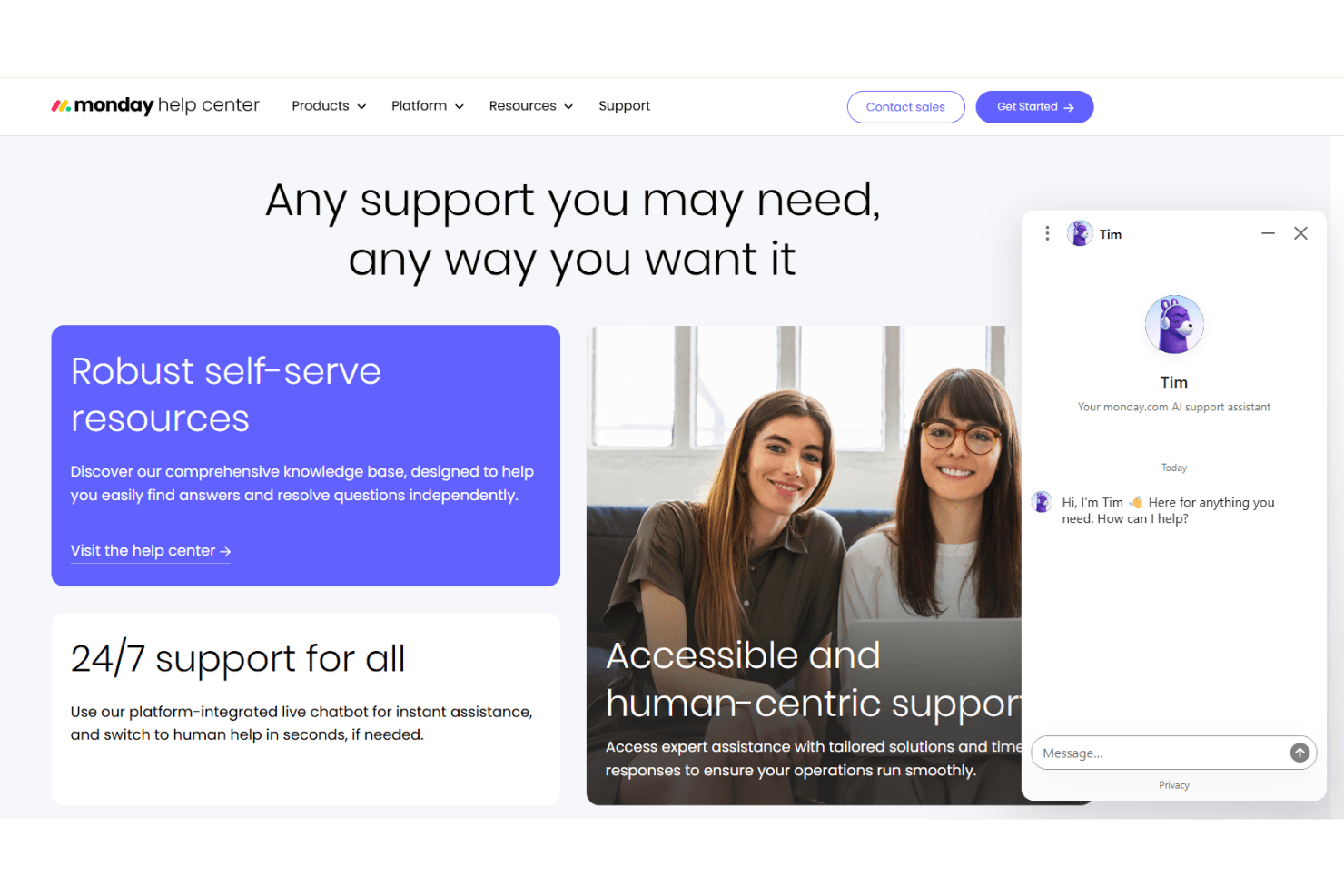
monday.com provides responsive customer support through live chat, email, and an extensive help center. Users frequently mention quick response times and knowledgeable agents who resolve issues efficiently. The platform also offers webinars, community forums, and video tutorials for ongoing learning.
Many teams appreciate the proactive outreach and follow-up from support, which helps them troubleshoot problems and optimize their workflows without long wait times or confusion.
Integrations
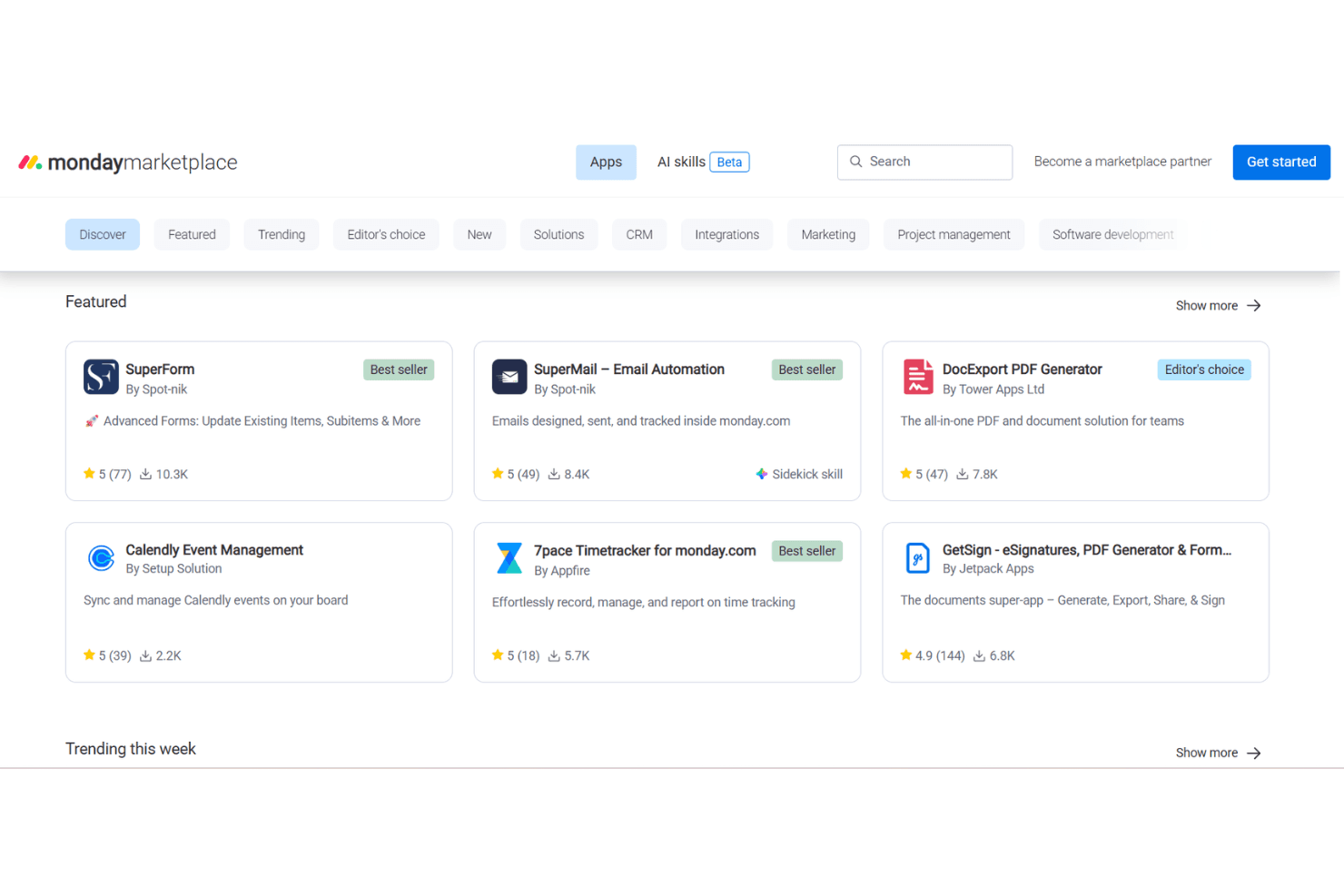
monday.com integrates with Slack, Microsoft Teams, Google Drive, Zoom, Jira, Salesforce, Outlook, Dropbox, HubSpot, and GitHub, among others.
It also offers a public API and connects with third-party integration tools like Zapier and Make.
Value for Money
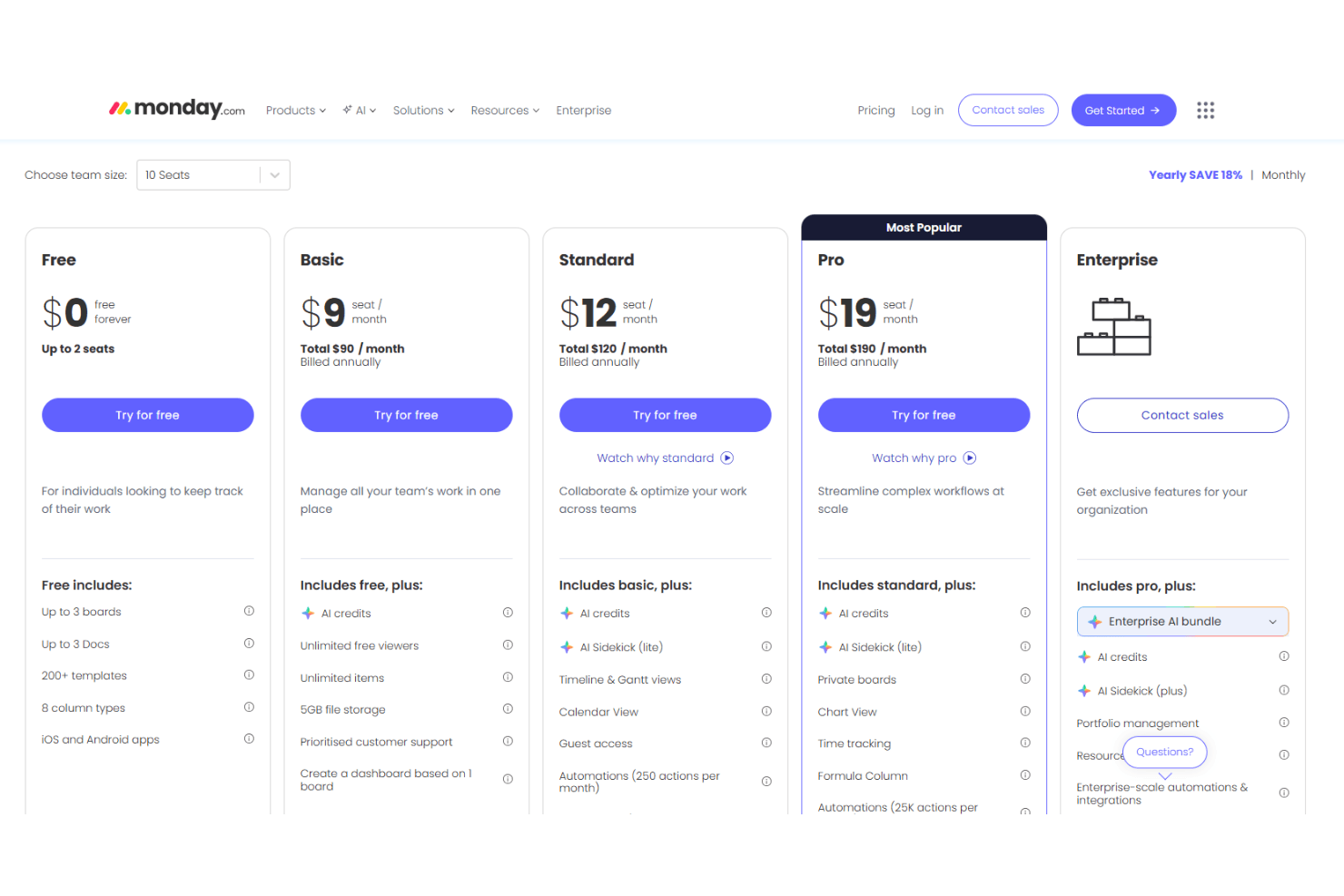
monday.com is a good value for teams that need flexibility and scalability, with pricing that matches a wide range of feature needs. Users appreciate the tiered plans, but some note that advanced automations and analytics require higher-priced tiers. Transparent pricing and a free plan help teams try the platform before committing.
- Free: A basic task and board tool for individuals with limited boards and templates.
- Basic: Adds unlimited items, AI credits, and storage — suitable for simple team tracking.
- Standard: Boosts collaboration with Gantt, calendar, automation, and integration tools.
- Pro: Expands automation limits and advanced views for complex workflows at scale.
- Enterprise: Offers full enterprise features including advanced AI, security, and governance.
monday AI Workspace Specs
- API: Yes
- Batch Permissions & Access: Yes
- Budgeting: No
- Calendar Management: Yes
- Collaboration Support: Yes
- Contact Management: No
- Contact Sharing: No
- Customer Management: No
- Dashboard: Yes
- Dashboards: Yes
- Data Export: Yes
- Data Import: Yes
- Data Visualization: Yes
- Dependency Tracking: Yes
- Document Sharing: Yes
- Expense Tracking: No
- External Integrations: Yes
- File Sharing: Yes
- Gantt Charts: Yes
- Kanban Boards: Yes
- Multi-User: Yes
- Notifications: Yes
- Project Management: Yes
- Resource Management: Yes
- Scheduling: Yes
- Task Scheduling/Tracking: Yes
- Third-Party Plugins/Add-Ons: Yes
- Time Management: Yes
- Travel Management: No
- Workflow Management: Yes
monday AI Workspace FAQs
monday AI Workspace Company Overview & History
monday.com is a global software company headquartered in Tel Aviv, Israel, with a workforce of over 2,500+ employees. The company is best known for its flexible work operating system, which powers products like monday work management, monday CRM, monday dev, and monday service.
Over 250,000 customers worldwide—including more than 60% of the Fortune 500—use monday.com, with notable clients such as McDonald’s, Universal Music Group, Canva, and Lionsgate. In 2025, monday.com reported annual revenue of $1.23 billion and is publicly traded on the NASDAQ under the ticker MNDY.
monday.com Major Milestones
- 2012: Company founded in Tel Aviv, Israel.
- 2014: Product officially launched.
- 2019: Raised $150 million in funding at a $1.9 billion valuation.
- 2021: Completed IPO and began trading on NASDAQ as MNDY.
- 2025: Surpassed $1.23 billion in annual revenue and reached over 250,000 customers globally.