

Avis Hubspot : Avantages, Inconvénients, Fonctionnalités et Tarification Expliqués
Hubspot se distingue par ses outils marketing tout-en-un et son interface conviviale, mais peut s'avérer coûteux pour les équipes en croissance à la recherche d'une personnalisation avancée.

Nous évaluons les outils de manière indépendante, et les commissions aident à financer nos tests. Consultez notre politique de transparence, notre méthodologie ou suggérez un outil.
HubSpot is a product marketing software for teams that need to manage campaigns, messaging, and content across the full customer lifecycle—from awareness through retention. I'd consider it if you want a platform that ties marketing execution directly to CRM data without the technical overhead of tools like Marketo, which typically requires dedicated ops resources to configure and maintain. HubSpot gives you more out of the box with a shorter path to actually using it.
HubSpot Evaluation Summary
4.4/5
- From $20/user/month
- Free plan available
Pourquoi faire confiance à nos recommandations de logiciels
6,700+
Reviews
20
Industry experts
16+
Evaluation factors
14
Years
Notre équipe teste et évalue des logiciels depuis 2012. En tant que chefs de produit nous-mêmes, nous savons à quel point il est difficile — et important — de choisir le bon logiciel.
Pour ce guide, nous avons évalué les outils grâce à des tests pratiques et une recherche indépendante, en notant les outils selon nos critères de sélection.
Nos avis reflètent notre jugement éditorial humain, et non un argumentaire de vente.
Réviseurs experts:
- Andrew LumbySenior TPM
- Cristiano ValimSenior UI/UX Lead


HubSpot Overview
When judging Hubspot as a product marketing software, its intuitive interface, strong automation, and deep analytics set it apart for teams seeking a unified solution. Pricing can be high as you scale, and advanced customization is limited compared to some alternatives. However, onboarding is straightforward, support is responsive, and integrations cover most SaaS needs. If you're selecting a platform for a fast-growing team that values ease of use and centralized data, Hubspot is a top contender. For example, marketing and sales teams can quickly align campaigns and track performance without heavy IT involvement.
Pros
- Built-in campaign management connects email, social, and ads.
- Detailed attribution reporting tracks marketing impact on revenue.
- Content optimization tools support SEO and blog publishing.
Cons
- Advanced reporting features require higher-tier plans.
- Workflow automation can be rigid for complex processes.
- Lead scoring lacks flexibility for nuanced segmentation.
Is HubSpot Right For Your Needs?
Who Would be a Good Fit for HubSpot?
Hubspot works best for teams that need to centralize marketing, sales, and content management without heavy IT support. Its automation, analytics, and campaign tools are especially useful for SaaS, B2B, and service-based companies that want to align marketing and sales. Hubspot's scalable platform and built-in CRM make it a strong choice for marketing departments, small businesses, and roles focused on lead generation and content strategy.
- SaaS StartupsHubspot's unified CRM and marketing automation help startups manage rapid growth.
- B2B Marketing TeamsMulti-channel campaign management and lead tracking support complex B2B sales cycles.
- Professional ServicesAutomated workflows and client tracking simplify service delivery and follow-up.
- Content Marketing RolesSEO tools and blog publishing features streamline content planning and execution.
- Small Marketing DepartmentsAll-in-one platform reduces the need for multiple disconnected tools.
- Agencies Managing ClientsClient portals and reporting features support agency-client collaboration and transparency.
Who Would be a Bad Fit for HubSpot?
Hubspot may not suit organizations with highly specialized needs, strict budgets, or complex technical requirements. Large enterprises with custom workflows, industries with strict compliance needs, and teams focused on physical product sales may find limitations in Hubspot's automation, reporting, or e-commerce features.
- Large EnterprisesCustom workflow and reporting needs often exceed Hubspot's capabilities.
- E-Commerce RetailersLimited native e-commerce features compared to dedicated platforms.
- Regulated IndustriesCompliance and data residency controls are less robust than niche solutions.
- Nonprofit OrganizationsPricing and feature tiers may not align with nonprofit budgets or needs.
- Field Sales TeamsMobile app and offline capabilities are less developed for on-the-go sales.
- Manufacturing CompaniesProduct catalog and inventory management features are not built for manufacturing complexity.
Comment nous testons et notons les outils
Nous avons passé des années à construire, affiner et améliorer notre système de test et de notation de logiciels. Notre grille est conçue pour saisir les nuances de la sélection de logiciels et déterminer ce qui rend un outil efficace, en se concentrant sur les aspects essentiels du processus de décision. Ci-dessous, vous pouvez voir exactement comment fonctionne notre système de test et de notation à travers sept critères. Cela nous permet de fournir une évaluation objective des logiciels basée sur la fonctionnalité de base, les fonctionnalités remarquables, la facilité d’utilisation, l’intégration, l’accompagnement client, les avis clients et le rapport qualité-prix.
Fonctionnalité de base (25 % de la note finale)
Le point de départ de notre évaluation est toujours la fonctionnalité essentielle de l’outil. Dispose-t-il des fonctions et caractéristiques de base attendues ? Certaines fonctions essentielles sont-elles réservées aux offres plus chères ? Globalement, nous nous attendons à ce qu’un outil tienne la comparaison face aux capacités de base de ses concurrents.
Fonctionnalités remarquables (25 % de la note finale)
Ensuite, nous évaluons les fonctionnalités exceptionnelles et peu communes qui vont au-delà de la fonctionnalité de base habituellement proposée dans les outils du même type. Une note élevée reflète la présence de fonctionnalités uniques ou spécialisées qui rendent le produit plus rapide, plus efficace ou qui offrent une valeur ajoutée à l’utilisateur. Nous évaluons également la facilité d’intégration avec d’autres outils courants de la pile technologique afin d’étendre la fonctionnalité et l’utilité du logiciel. Les outils qui proposent de nombreuses intégrations natives, des connexions à des services tiers et un accès API pour créer des intégrations personnalisées obtiennent les meilleures notes.
Facilité d’utilisation (10 % de la note finale)
Nous considérons la rapidité et la simplicité d’exécution des tâches définies par la fonctionnalité de base avec l’outil. Un logiciel bien noté est bien conçu, intuitif, propose des applications mobiles, offre des modèles et simplifie les tâches complexes.
Intégration et prise en main (10 % de la note finale)
Nous savons à quel point il est essentiel qu’une équipe adopte rapidement une nouvelle plateforme, c’est pourquoi nous évaluons la facilité avec laquelle un outil s’apprend et s’utilise sans formation approfondie. Nous vérifions à quelle vitesse un membre d’équipe peut être opérationnel et commencer à utiliser l’outil sans expérience préalable. Les solutions les mieux notées ne requièrent que peu ou pas d’assistance.
Support client (10 % de la note finale)
Nous examinons la rapidité et la simplicité d’accès à une aide en cas de besoin, que ce soit par téléphone, chat en direct ou base de connaissances. Les outils et entreprises offrant un support en temps réel sont les mieux notés, tandis que les chatbots reçoivent les moins bonnes notes.
Avis clients (10 % de la note finale)
Au-delà de nos propres tests et évaluations, nous prenons en compte le score de recommandation nette (NPS) des clients actuels et passés. Nous évaluons leur propension, s’ils en avaient le choix, à reprendre cet outil pour la fonctionnalité essentielle. Un logiciel bien noté reflète un NPS élevé de la part de ses clients.
Rapport qualité-prix (10 % de la note finale)
Enfin, en considérant l’ensemble des autres critères, nous examinons le prix moyen des plans d’entrée de gamme par rapport aux fonctionnalités de base, et nous prenons en compte la valeur des autres critères. Les logiciels offrant davantage pour moins cher seront mieux notés.
Core Features
Campaign Management
Plan, launch, and track multi-channel campaigns from a single dashboard. Users can coordinate email, social, and ad campaigns with built-in analytics.
Lead Scoring
Assign scores to leads based on behavior, engagement, and profile data. This helps teams prioritize follow-up and segment audiences.
Marketing Automation
Automate email sequences, lead nurturing, and task assignments. Visual workflow builders make setup fast for common marketing processes across the entire sales pipeline.
Content Management System
Create, edit, and optimize pages and blogs with drag-and-drop tools. Built-in SEO recommendations help improve content visibility.
Attribution Reporting
Track which channels and campaigns drive conversions and revenue. Reports connect marketing activities to business outcomes.
A/B Testing
Test different versions of emails, landing pages, and CTAs to optimize performance. Results appear in clear dashboards to make informed decisions based on metrics.
Ease of Use
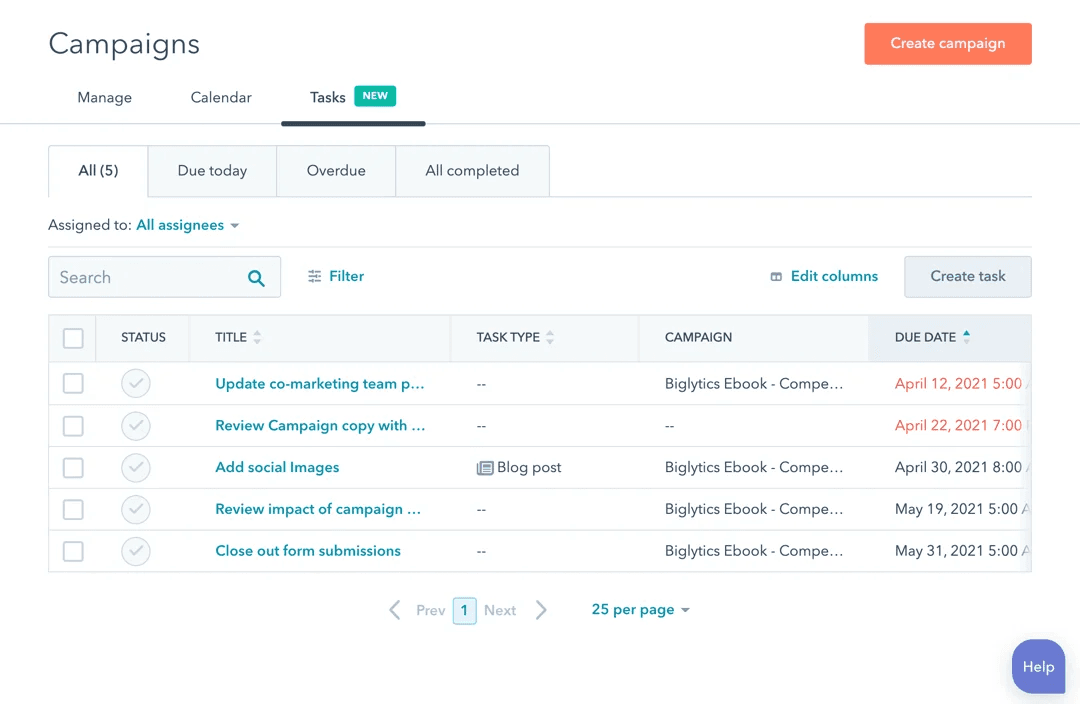
Hubspot is widely recognized for its user-friendly interface and intuitive navigation, making it approachable for both beginners and experienced users alike. The drag-and-drop editors for emails and landing pages, visual workflow builders, and in-app guidance help teams get started quickly. Many users highlight the clear organization of tools and dashboards, which reduces onboarding time and confusion. While some advanced features require setup, most core marketing tasks can be managed without technical expertise.
Integrations
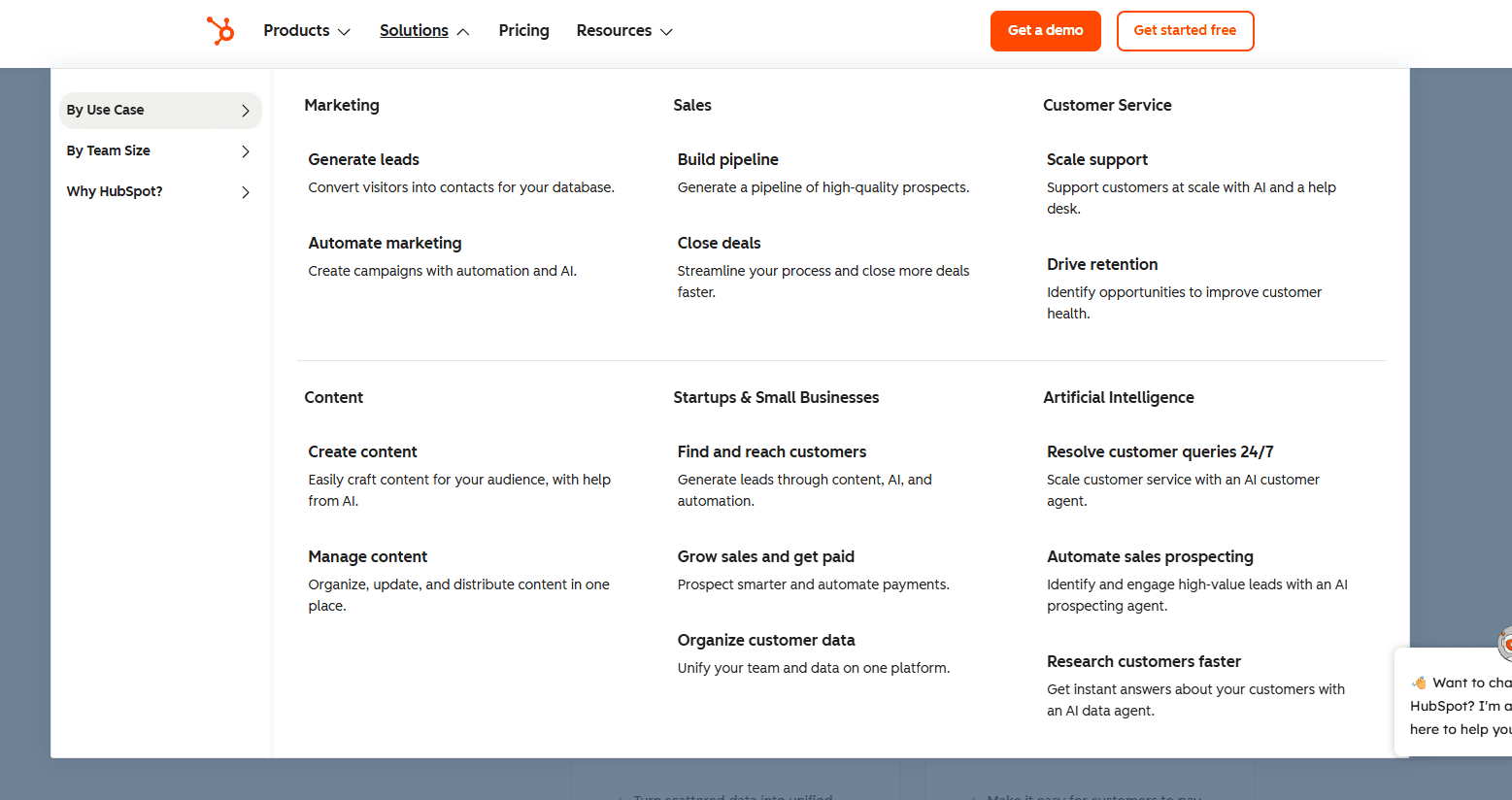
HubSpot integrates with QuickBooks Online, Freshbooks, Xero, Gmail, Outlook, DocuSign, Mailchimp, Slack, and Google Calendar, among others.
HubSpot’s CRM also offers a robust API and connects with third-party integration tools like Zapier for expanded automation and connectivity.

HubSpot Specs
- 2-Factor Authentication: Yes
- API: Yes
- Calendar Management: Yes
- Call Tracking: Yes
- Campaign Management: Yes
- Click-to-Dial: Yes
- Contact Management: Yes
- Contact Sharing: Yes
- Custom Data Forms: Yes
- Customer Management: Yes
- Dashboard: Yes
- Data Export: Yes
- Data Import: Yes
- Data Visualization: Yes
- Email Integration: Yes
- External Integrations: Yes
- File Sharing: Yes
- File Transfer: Yes
- Google Apps Integration: Yes
- Lead Management: Yes
- Lead Scoring: Yes
- Marketing Automation: Yes
- Mobile App: Yes
- Multi-User: Yes
- Notifications: Yes
- Pipeline Management: Yes
- Sales Automation: Yes
- Scheduling: Yes
- Social-Media Integration: Yes
- Task Scheduling/Tracking: Yes
- Third-Party Plugins/Add-Ons: Yes


