

Reseña de UserTesting: Ventajas, desventajas, características y precios explicados
UserTesting destaca por su rapidez en el feedback real de usuarios y sólidos insights de experiencia de usuario, pero su precio premium y curva de aprendizaje pueden ser más adecuados para equipos grandes.

Revisamos las herramientas de forma independiente y las comisiones ayudan a financiar nuestras pruebas. Consulta nuestra política de transparencia, nuestra metodología, o sugiere una herramienta.
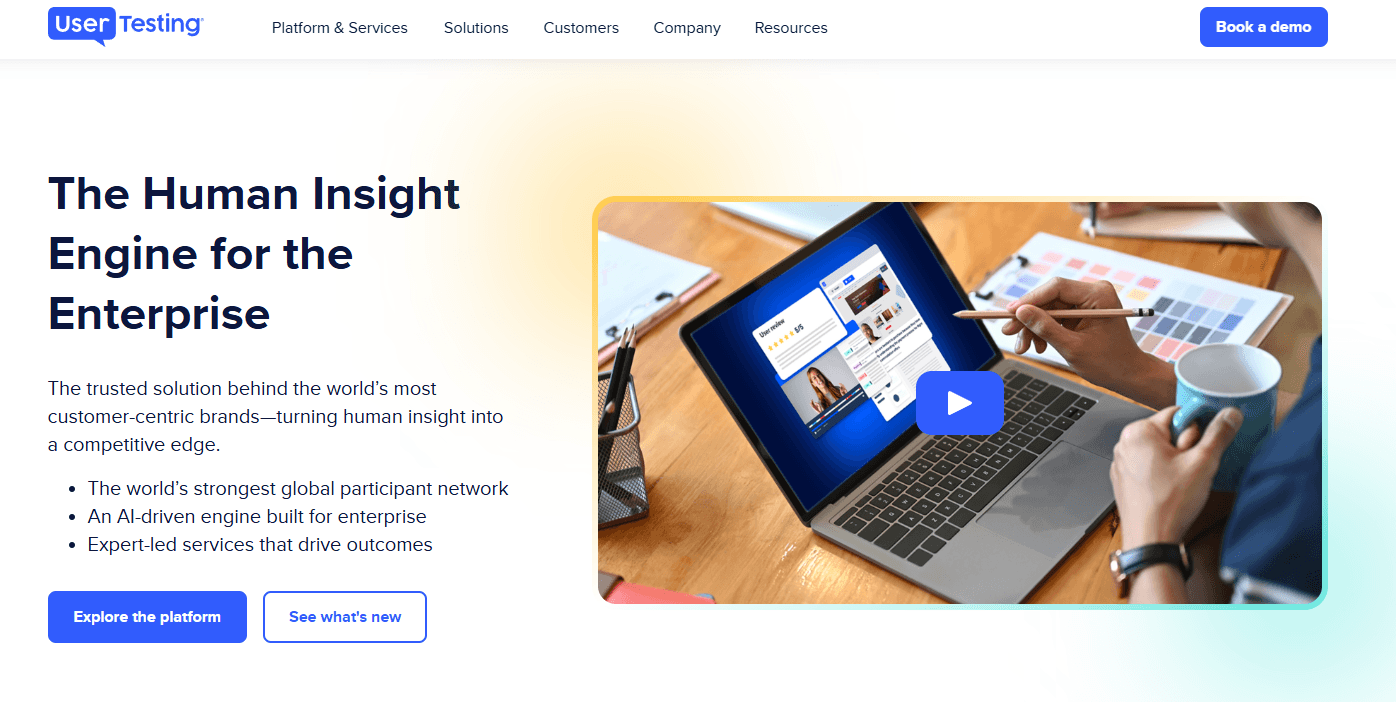
UserTesting is a user experience testing tool built for product teams that need video-based feedback from real users on prototypes, live products, and concepts. I'd mainly consider it if you need on-demand access to a large, vetted participant panel without recruiting your own testers—which is where it pulls ahead of tools like Maze, where you're typically expected to supply your own audience to run studies.
UserTesting Evaluation Summary
4.5/5
- Pricing upon request
- Free demo available
Por qué confiar en nuestras recomendaciones de software
6,700+
Reviews
20
Industry experts
16+
Evaluation factors
14
Years
Nuestro equipo lleva probando y evaluando software desde 2012. Como gestores de producto, sabemos lo difícil —y lo importante— que es elegir el software adecuado.
Para esta guía, evaluamos las herramientas mediante pruebas prácticas e investigación independiente, puntuando las herramientas según nuestros criterios de selección.
Nuestras reseñas reflejan nuestro criterio editorial humano, no un discurso de ventas.
Revisores expertos:
 Hannah ClarkSenior TPM
- Cristiano ValimSenior UI/UX Lead

UserTesting Overview
UserTesting offers a polished interface, broad participant pool, and advanced video feedback features, making it a top choice for teams prioritizing speed and depth in user research. Its pricing is higher than many alternatives, and onboarding can feel complex for new users, but the platform's support and integrations help offset these challenges. If you're judging tools for enterprise-scale research or need to compare nuanced user reactions across prototypes, UserTesting stands out. Smaller teams or those with limited budgets may find it less accessible, but for high-stakes projects, its capabilities often justify the investment.
Pros
- Access to a large, diverse participant panel of testers.
- Video feedback captures real user reactions and pain points.
- Advanced targeting for specific demographics and user segments.
Cons
- High pricing compared to most alternatives.
- Limited control over participant quality and screening.
- Session scheduling can be inflexible for international teams.
Is UserTesting Right For Your Needs?
Who Would be a Good Fit for UserTesting?
UserTesting is best suited for organizations that need rapid, in-depth user feedback and have the resources to invest in high-quality research. Teams in industries where digital customer experiences directly impact revenue or satisfaction will see the most value. Its advanced participant targeting, video feedback, and analytics make it ideal for roles and departments focused on optimizing digital products, validating prototypes, and understanding nuanced user behavior.
- Enterprise Product TeamsUserTesting supports large-scale studies and complex prototype testing.
- E-commerce CompaniesReal-time feedback helps optimize checkout flows and product pages.
- UX Research DepartmentsAdvanced analytics and participant targeting support deep research needs.
- Financial ServicesSecure, NDA-compliant testing is available for sensitive projects.
- Marketing AgenciesQuick turnaround on user insights supports campaign and content validation.
- Mobile App DevelopersMobile-specific testing features capture in-app user experiences.
Who Would be a Bad Fit for UserTesting?
UserTesting may not be the best choice for teams with limited budgets, simple research needs, or those requiring highly specialized participant pools. Smaller organizations or those outside digital-first industries may find the platform's pricing and functionality excessive for their needs. Its focus on digital product feedback also means it's less suitable for physical product testing or highly niche audiences.
- Early-Stage StartupsHigh costs can outweigh the value for small teams.
- Nonprofit OrganizationsBudget constraints make ongoing testing difficult to justify.
- Hardware ManufacturersUserTesting lacks features for physical product usability studies.
- Local Service ProvidersParticipant targeting is less effective for hyper-local audiences.
- Academic ResearchersLimited support for longitudinal or academic-style studies.
- Niche B2B MarketsPanel may not include highly specialized professional roles.
Cómo Probamos y Puntamos Herramientas
Llevamos años construyendo, refinando y mejorando nuestro sistema de pruebas y puntuación de software. La rúbrica está diseñada para captar los matices de la selección de software y lo que hace que una herramienta sea eficaz, centrándose en aspectos críticos del proceso de decisión. A continuación, puedes ver exactamente cómo funcionan nuestras pruebas y puntuaciones a través de siete criterios. Esto nos permite proporcionar una evaluación imparcial del software según funcionalidad principal, características destacadas, facilidad de uso, implementación, soporte al cliente, integraciones, reseñas de clientes y relación calidad-precio.
Funcionalidad Principal (25% de la puntuación final)
El punto de partida de nuestra evaluación siempre es la funcionalidad principal de la herramienta. ¿Cuenta con las funciones básicas que un usuario espera ver? ¿Alguna de esas funciones centrales está limitada a planes de precios superiores? Esperamos que una herramienta esté a la altura de las capacidades básicas de sus competidores.
Características Destacadas (25% de la puntuación final)
Luego evaluamos características especiales poco comunes que van más allá de la funcionalidad principal que normalmente se encuentra en herramientas similares. Una alta puntuación refleja características especializadas o únicas que hacen que el producto sea más rápido, eficiente u ofrezca valor añadido al usuario. También evaluamos lo fácil que es integrar con otras herramientas habituales en el entorno tecnológico para ampliar la funcionalidad y utilidad del software. Las herramientas que ofrecen integraciones nativas abundantes, conexiones de terceros y acceso por API para crear integraciones personalizadas obtienen la mejor puntuación.
Facilidad de Uso (10% de la puntuación final)
Consideramos lo rápido y sencillo que es llevar a cabo las tareas definidas en la funcionalidad principal usando la herramienta. El software con alta puntuación está bien diseñado, es intuitivo, ofrece apps móviles, tiene plantillas y hace que tareas relativamente complejas parezcan simples.
Implementación (10% de la puntuación final)
Sabemos lo importante que es la adopción rápida del equipo para una nueva plataforma, así que evaluamos la facilidad de aprendizaje y uso de una herramienta con entrenamiento mínimo. Evaluamos cuán rápidamente un miembro del equipo puede configurar y empezar a usar la herramienta sin experiencia previa. Las soluciones con alta puntuación indican que se requiere poco o ningún soporte.
Soporte al Cliente (10% de la puntuación final)
Revisamos lo rápido y sencillo que es desatascarse y encontrar ayuda por teléfono, chat en vivo o base de conocimientos. Los productos y empresas que ofrecen soporte en tiempo real obtienen mejor puntuación, mientras que los chats automáticos obtienen la peor.
Reseñas de Clientes (10% de la puntuación final)
Más allá de nuestras propias pruebas y evaluaciones, consideramos el net promoter score de clientes actuales y pasados. Revisamos su probabilidad, dadas las opciones, de elegir la herramienta de nuevo por su funcionalidad principal. Un software con alta puntuación refleja un alto net promoter score de clientes actuales o anteriores.
Relación Calidad-Precio (10% de la puntuación final)
Por último, teniendo en cuenta todos los demás criterios, revisamos el precio promedio de los planes de nivel de entrada frente a las funcionalidades principales y consideramos el valor de los demás criterios de evaluación. El software que ofrece más por menos, obtendrá una puntuación mayor.
Core Features
Live Conversation Interviews
Schedule and conduct moderated live conversations with real people for direct feedback. Capture nuanced reactions and probe deeper into user behaviors.
Unmoderated User Tests
Set up new tests and tasks for testers to complete independently on your website or app. Gather video, audio, and written responses at scale, on demand.
Participant Targeting
Filter and recruit users based on demographics, behaviors, or custom criteria. Reach specific audiences, such as mobile shoppers or enterprise buyers.
Video Session Recording
Record user interactions with your product, including screen and voice. Review playback to identify usability issues and user pain points.
Sentiment Analysis
Automatically analyze user feedback for positive, negative, or neutral sentiment. Spot trends and prioritize issues using built-in analytics.
Highlight Reels
Create shareable video clips of key user moments and insights. Use these reels to communicate findings with stakeholders quickly.

Ease of Use
UserTesting offers a polished, user-friendly dashboard, but new users often report that the platform's advanced features and test setup options can feel overwhelming at first. The guided workflows and template library help flatten the learning curve, yet managing participant targeting and interpreting video feedback still requires some onboarding. Once familiar, teams appreciate the streamlined process for launching studies and reviewing results, especially when handling multiple projects or collaborating across departments.
Integrations
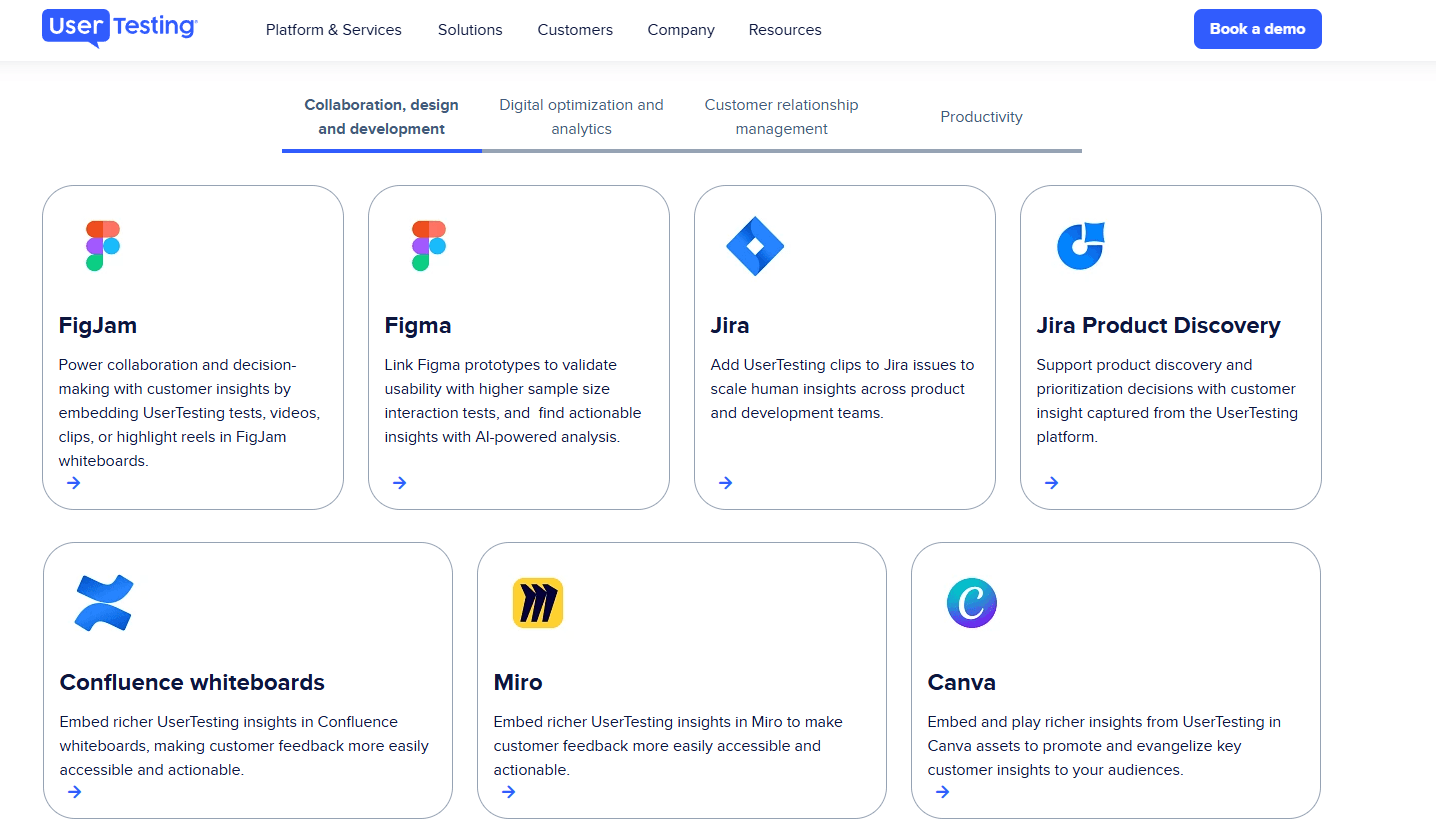
UserTesting integrates with Figma, Jira, Miro, Canva, FullStory, Qualtrics, Trello, Slack, and Microsoft Teams, among others.
UserTesting also offers an API and connects with third-party integration tools for expanded workflow automation.
UserTesting Specs
- Analytics: Yes
- API: Yes
- Calendar Management: Yes
- Chat: Yes
- Click-to-Dial: No
- CRM Integration: No
- Customer Management: Yes
- Customer Service: No
- Dashboard: Yes
- Dashboards: Yes
- Data Export: Yes
- Data Import: Yes
- Data Visualization: Yes
- External Integrations: Yes
- Feedback Management: Yes
- Knowledge Base: Yes
- Lead Management: No
- Lead Scoring: No
- Multi-Source Feedback: Yes
- Multi-User: Yes
- Net Promoter Score: Yes
- Notifications: Yes
- Omnichannel Referrals: No
- Online Surveys: Yes
- Review Moderation: Yes
- Scheduling: Yes
- Sentiment Analysis: Yes
- Social Media Monitoring: No


