
Reseña de Wix: Ventajas, Desventajas, Características y Desglose de Precios


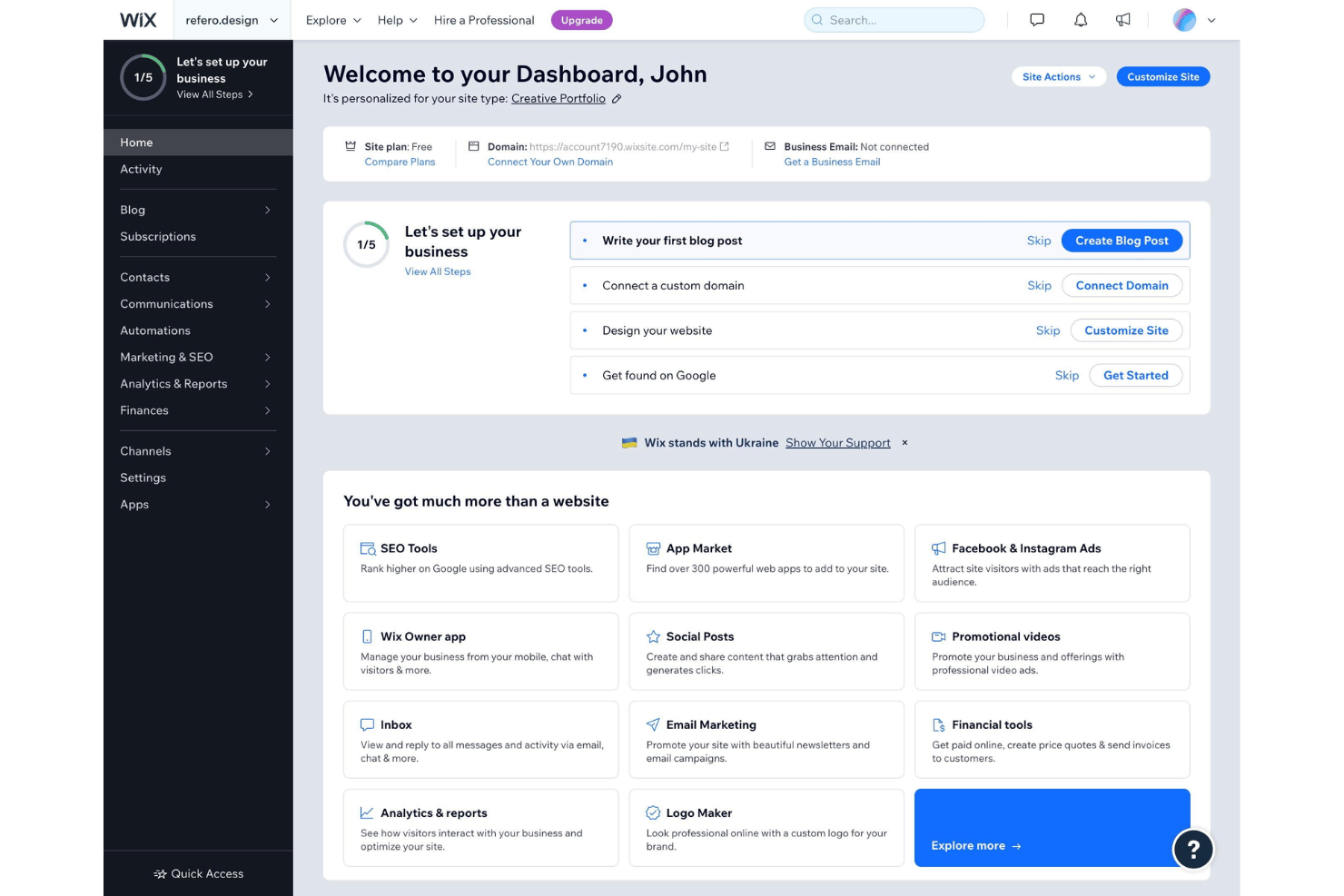
Wix is a web design platform for small businesses, creators, and freelancers who need a website they can build, manage, and update without touching code. I'd consider it over Squarespace if design freedom matters to you—Wix lets you place elements anywhere on the canvas, while Squarespace keeps you within its section structure. That difference is bigger than it sounds when you're trying to build something that doesn't look like everyone else's site.
Wix Evaluation Summary
- From $17/month
- Free plan available
Por Qué Confiar en Nuestras Reseñas de Software
Llevamos revisando y probando software de gestión de productos desde 2020. Como product managers, sabemos lo crucial y complicado que es tomar la decisión correcta al seleccionar software. Invertimos en investigación profunda para ayudar a nuestra audiencia a tomar mejores decisiones de compra de software. Hemos probado más de 2,000 herramientas para distintos casos de uso y escrito más de 1,000 reseñas exhaustivas. Conozca cómo mantenemos la transparencia & nuestra metodología de reseñas de software.
Wix Overview
In my experience, Wix stands out for its intuitive interface, an impressive template library, and clear, transparent pricing. If you’re judging ease of onboarding and creative control against alternatives like Squarespace or WordPress—both of which have a steeper learning curve—I’d select Wix first for small teams or product managers who need quick launches with minimal IT input. While its advanced integrations and custom coding flexibility can lag behind some alternatives, I find Wix outperforms when speed, simplicity, and social media marketing integration matter most—especially for portfolios, business sites, or MVPs where quick iteration is a priority.
pros
-
Drag-and-drop editor supports deep visual customization.
-
Hundreds of designer-made templates for rapid site builds.
-
Built-in SEO tools guide on-page optimization steps.
cons
-
Exporting or moving your Wix site to another platform isn’t possible.
-
Page speed lags on heavily customized or image-heavy sites.
-
Advanced design tweaks require custom code or workaround plugins.
-

Zoho Sprints
Visit WebsiteThis rating combines scores from multiple user review sites to reflect overall customer sentiment about the product.4.2 -
Wrike
Visit WebsiteThis rating combines scores from multiple user review sites to reflect overall customer sentiment about the product.4.3 -
monday AI Workspace
Visit WebsiteThis rating combines scores from multiple user review sites to reflect overall customer sentiment about the product.4.6




Cómo Probamos y Puntamos Herramientas
Llevamos años construyendo, refinando y mejorando nuestro sistema de pruebas y puntuación de software. La rúbrica está diseñada para captar los matices de la selección de software y lo que hace que una herramienta sea eficaz, centrándose en aspectos críticos del proceso de decisión. A continuación, puedes ver exactamente cómo funcionan nuestras pruebas y puntuaciones a través de siete criterios. Esto nos permite proporcionar una evaluación imparcial del software según funcionalidad principal, características destacadas, facilidad de uso, implementación, soporte al cliente, integraciones, reseñas de clientes y relación calidad-precio.
Funcionalidad Principal (25% de la puntuación final)
El punto de partida de nuestra evaluación siempre es la funcionalidad principal de la herramienta. ¿Cuenta con las funciones básicas que un usuario espera ver? ¿Alguna de esas funciones centrales está limitada a planes de precios superiores? Esperamos que una herramienta esté a la altura de las capacidades básicas de sus competidores.
Características Destacadas (25% de la puntuación final)
Luego evaluamos características especiales poco comunes que van más allá de la funcionalidad principal que normalmente se encuentra en herramientas similares. Una alta puntuación refleja características especializadas o únicas que hacen que el producto sea más rápido, eficiente u ofrezca valor añadido al usuario. También evaluamos lo fácil que es integrar con otras herramientas habituales en el entorno tecnológico para ampliar la funcionalidad y utilidad del software. Las herramientas que ofrecen integraciones nativas abundantes, conexiones de terceros y acceso por API para crear integraciones personalizadas obtienen la mejor puntuación.
Facilidad de Uso (10% de la puntuación final)
Consideramos lo rápido y sencillo que es llevar a cabo las tareas definidas en la funcionalidad principal usando la herramienta. El software con alta puntuación está bien diseñado, es intuitivo, ofrece apps móviles, tiene plantillas y hace que tareas relativamente complejas parezcan simples.
Implementación (10% de la puntuación final)
Sabemos lo importante que es la adopción rápida del equipo para una nueva plataforma, así que evaluamos la facilidad de aprendizaje y uso de una herramienta con entrenamiento mínimo. Evaluamos cuán rápidamente un miembro del equipo puede configurar y empezar a usar la herramienta sin experiencia previa. Las soluciones con alta puntuación indican que se requiere poco o ningún soporte.
Soporte al Cliente (10% de la puntuación final)
Revisamos lo rápido y sencillo que es desatascarse y encontrar ayuda por teléfono, chat en vivo o base de conocimientos. Los productos y empresas que ofrecen soporte en tiempo real obtienen mejor puntuación, mientras que los chats automáticos obtienen la peor.
Reseñas de Clientes (10% de la puntuación final)
Más allá de nuestras propias pruebas y evaluaciones, consideramos el net promoter score de clientes actuales y pasados. Revisamos su probabilidad, dadas las opciones, de elegir la herramienta de nuevo por su funcionalidad principal. Un software con alta puntuación refleja un alto net promoter score de clientes actuales o anteriores.
Relación Calidad-Precio (10% de la puntuación final)
Por último, teniendo en cuenta todos los demás criterios, revisamos el precio promedio de los planes de nivel de entrada frente a las funcionalidades principales y consideramos el valor de los demás criterios de evaluación. El software que ofrece más por menos, obtendrá una puntuación mayor.
Core Features
Drag-and-Drop Editor
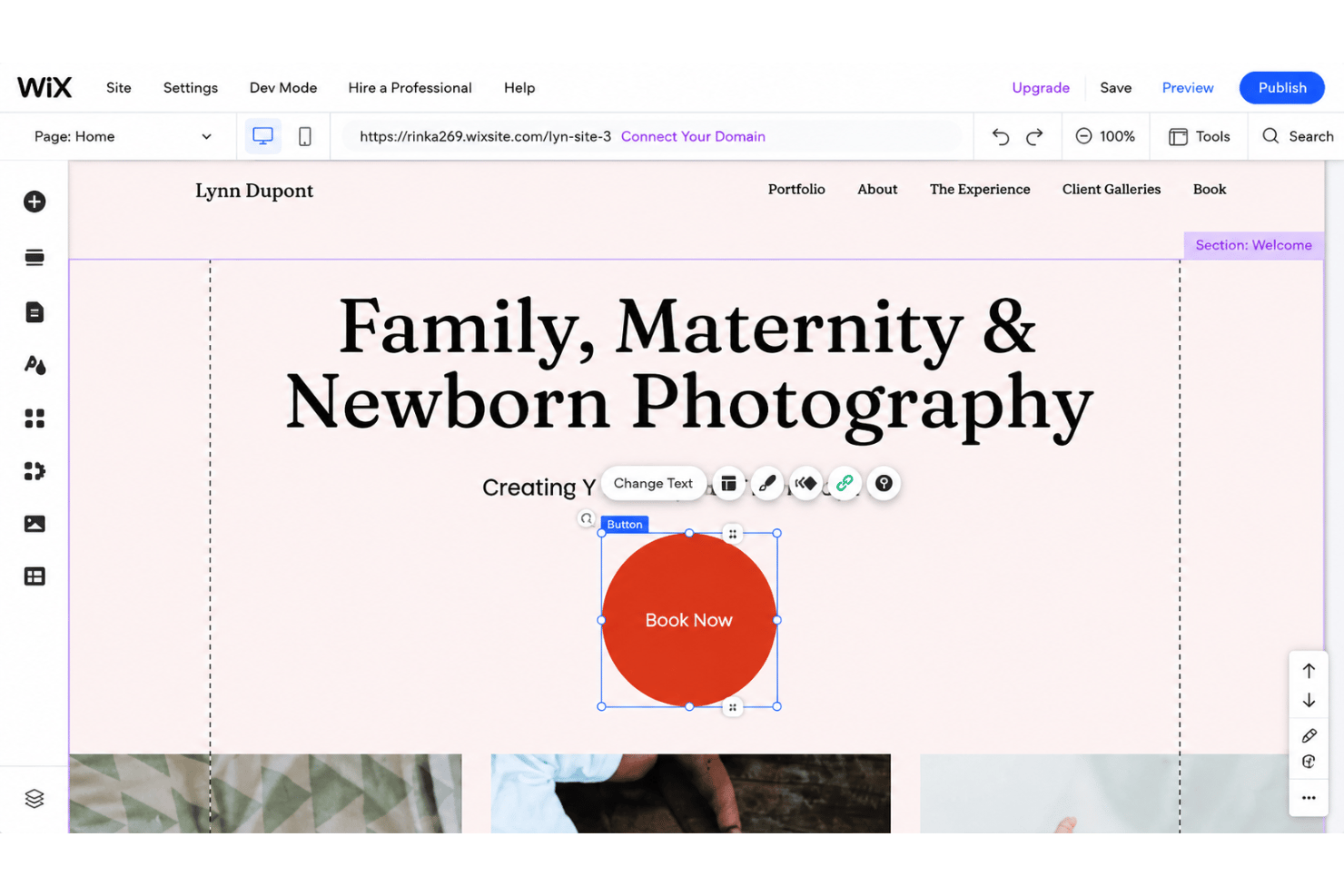
Using the Wix Editor, you can arrange headers, text, media, and widgets visually with pixel-level control. This speeds up site building for non-developers and lets you preview changes instantly.
Responsive Design Tools
Wix automatically adapts layouts for mobile apps and different screen sizes or devices. You can tweak mobile or tablet views separately for best results.
Template Library
Choose from hundreds of pre-designed templates spanning business, portfolio, ecommerce, and more. Each template is customizable, so you can keep the structure but change colors, fonts, and images.
Built-In SEO Optimization
Edit page titles, meta descriptions, and alt text so search engines can improve your rankings—all directly in the site editor. Wix’s SEO Wiz guides you through steps to improve search engine visibility.
App Market
Add advanced functionality with add-ons for forms, booking, blogs, and online stores. These third-party apps plug into your site with a few clicks for email marketing, booking, and other features.
Hosting and Security Included
Your site lives on Wix’s secure infrastructure—no need to shop around for separate hosting providers. Free SSL certificates and regular backups come standard for peace of mind.
Ease of Use
Wix feels user-friendly from the start, thanks to its visual drag-and-drop builder, in-app tutorials, and template selection. I think even first-time web creators migrating from WordPress or building fresh can publish and update content fast—without needing to write a line of HTML—while more advanced users value granular control. Many reviews applaud the simple UI and clear navigation, and I see the step-by-step SEO guides and on-editor support making Wix especially approachable.
Integrations
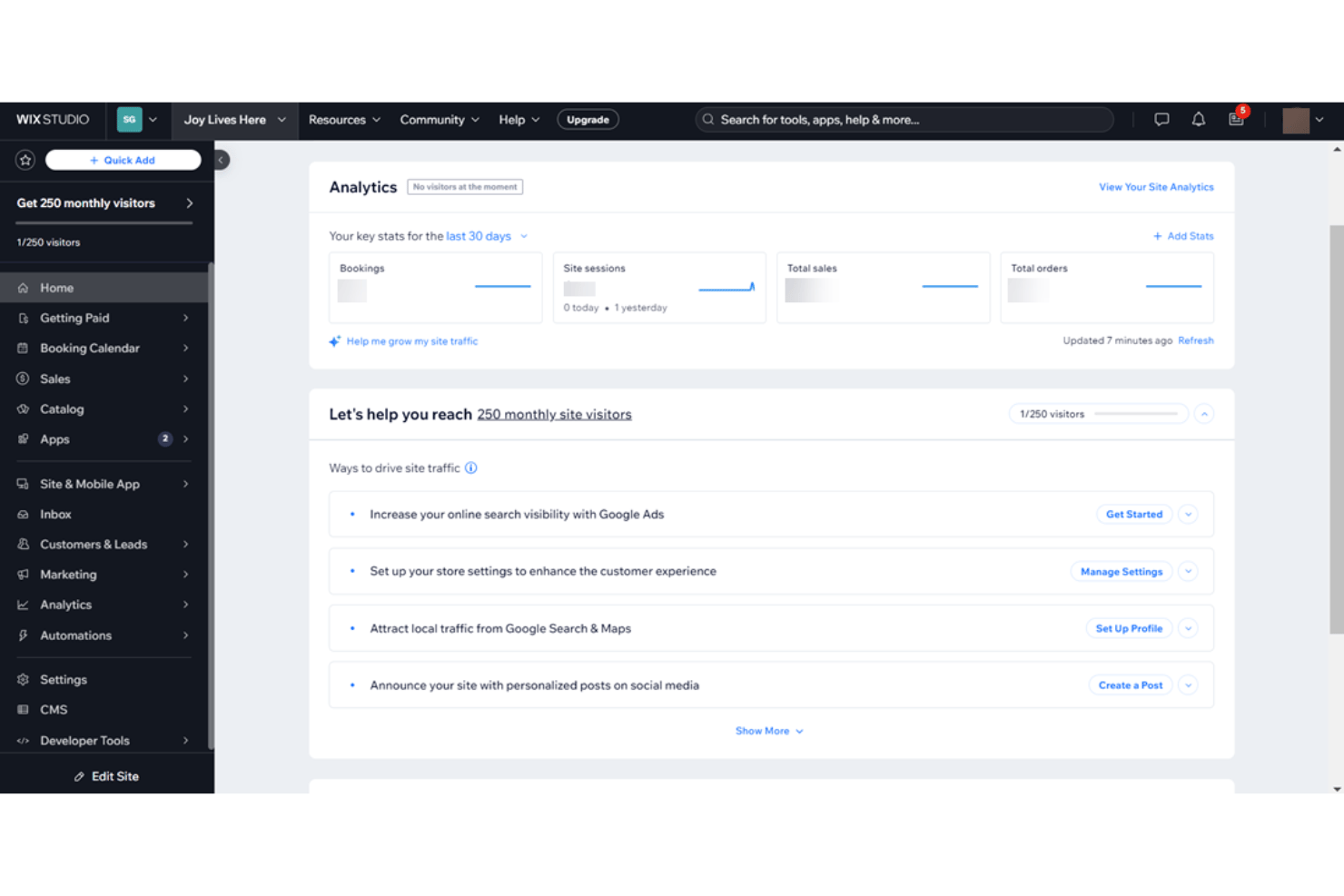
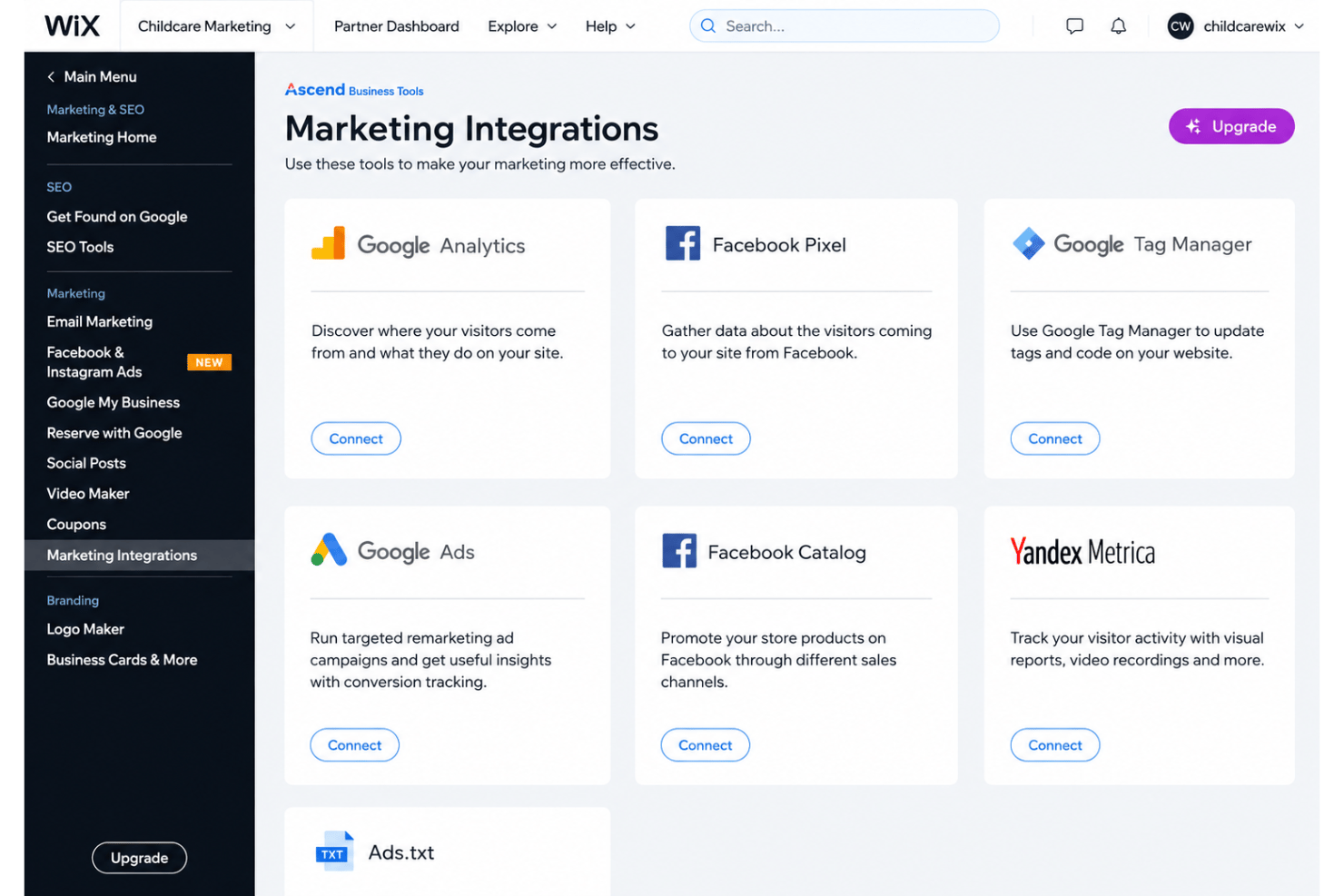
Wix integrates with Google Analytics, WhatsApp, QuickBooks, TikTok Ads, Snapchat Ads, Fera Reviews, Mailchimp, and Shopify, among others.
You can also use the Wix API and connect Wix with wider third-party tools through the Wix App Market and platforms like Zapier.
Wix Specs
- A/B Testing
- API
- Data Export
- Data Import
- External Integrations
- Landing Pages
- Multi-User
- Third-Party Plugins/Add-Ons