

Reseña de Motion: Ventajas, desventajas, características y precios explicados
Motion destaca por automatizar la gestión de tareas y calendarios, lo que lo hace ideal para equipos ocupados, pero puede no ser adecuado para quienes necesitan seguimiento avanzado de proyectos o una personalización profunda.

Revisamos las herramientas de forma independiente y las comisiones ayudan a financiar nuestras pruebas. Consulta nuestra política de transparencia, nuestra metodología, o sugiere una herramienta.
Motion is an AI-powered product management tool that automatically schedules tasks, projects, and meetings into your calendar based on priorities and deadlines. I'd consider it if your team struggles to match available time to actual work. It's a stronger fit than Asana when your problem isn't just task visibility—it's finding space to do the work. Motion builds your schedule for you, something Asana leaves entirely up to you.
Motion Evaluation Summary
4.2/5
- From $19/user/month (billed annually)
- Free trial available
Por qué confiar en nuestras recomendaciones de software
6,700+
Reviews
20
Industry experts
16+
Evaluation factors
14
Years
Nuestro equipo lleva probando y evaluando software desde 2012. Como gestores de producto, sabemos lo difícil —y lo importante— que es elegir el software adecuado.
Para esta guía, evaluamos las herramientas mediante pruebas prácticas e investigación independiente, puntuando las herramientas según nuestros criterios de selección.
Nuestras reseñas reflejan nuestro criterio editorial humano, no un discurso de ventas.
Revisores expertos:
 Hannah ClarkSenior TPM
- Cristiano ValimSenior UI/UX Lead

Motion Overview
If you're judging Motion against other product management tools, I think its AI-powered scheduling and auto-prioritization set it apart for teams who want less manual planning. The interface is clean and the learning curve is gentle, but integrations are limited compared to some alternatives. Motion pricing is mid-range, and support is responsive. I'd suggest Motion is best for small teams and midsize teams who want to automate daily planning and keep tasks visible in their calendars. If you're selecting a productivity tool for fast-moving environments where priorities shift often, Motion's automation can be a real advantage.
Pros
- Motion AI auto-scheduling keeps tasks and meetings prioritized.
- Combines calendar, task, and project management in one place.
- AI meeting notetaker generates action items and summaries.
Cons
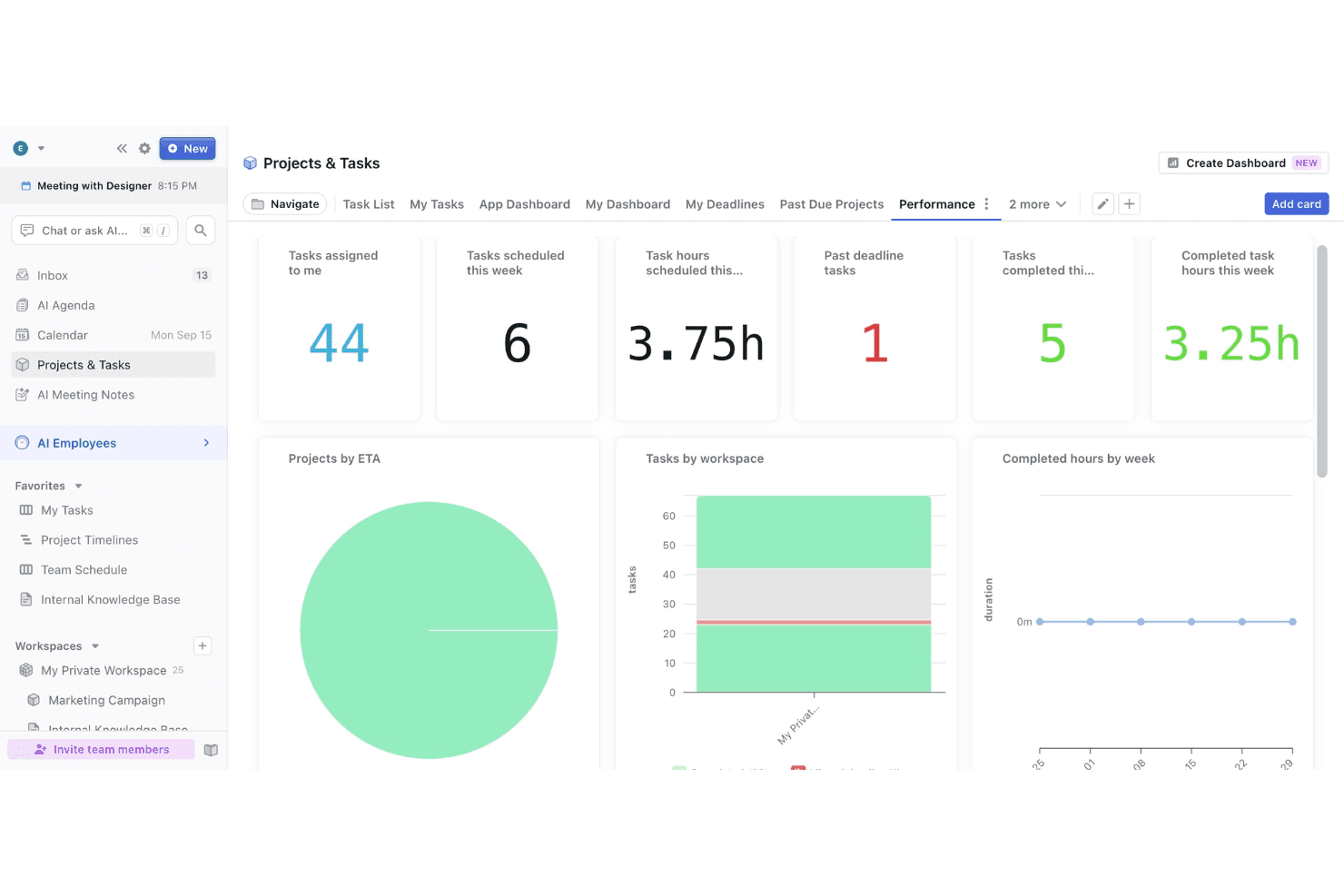
- Limited advanced reporting and analytics for projects.
- Mobile app features lag behind desktop version.
- Some users report slow or unresponsive customer support.
Is Motion Right For Your Needs?
Who Would be a Good Fit for Motion?
Motion is a strong choice for teams and professionals who need to automate daily planning, keep tasks visible, and adapt quickly to shifting priorities. Its AI-driven scheduling features, integrated calendar, and meeting notetaker make it especially useful for fast-paced environments, client-facing roles, and teams that juggle meetings and project work. If your workflow depends on staying organized and reducing manual planning, this productivity app's functionality is likely to deliver real value.
- Small AgenciesMotion's auto-scheduling and unified calendar help manage multiple client projects.
- Remote TeamsAI-driven task prioritization keeps distributed team members aligned and focused.
- Sales DepartmentsIntegrated meeting notetaker and action items support follow-ups and accountability.
- Consulting FirmsCombining project, task, and meeting management streamlines client deliverables.
- Startup FoundersAutomated daily planning helps founders juggle meetings and execution.
- Executive AssistantsCentralized scheduling and task tracking simplify supporting busy executives.
Who Would be a Bad Fit for Motion?
Motion isn't ideal for organizations that need deep project analytics, highly specialized workflows, or extensive integrations with other business systems. If your team relies on granular reporting, complex dependencies, or industry-specific compliance, you may find Motion's functionality limiting compared to more specialized tools.
- Large EnterprisesLacks advanced reporting and analytics needed for enterprise-scale oversight.
- Product DevelopmentLimited support for complex dependencies and agile workflows.
- Construction FirmsDoesn't offer industry-specific compliance or resource management features.
- IT DepartmentsMissing integrations with ITSM and ticketing systems.
- Marketing AgenciesNo built-in campaign tracking or creative asset management.
- Legal TeamsLacks document management and legal workflow automation.
Cómo Probamos y Puntamos Herramientas
Llevamos años construyendo, refinando y mejorando nuestro sistema de pruebas y puntuación de software. La rúbrica está diseñada para captar los matices de la selección de software y lo que hace que una herramienta sea eficaz, centrándose en aspectos críticos del proceso de decisión. A continuación, puedes ver exactamente cómo funcionan nuestras pruebas y puntuaciones a través de siete criterios. Esto nos permite proporcionar una evaluación imparcial del software según funcionalidad principal, características destacadas, facilidad de uso, implementación, soporte al cliente, integraciones, reseñas de clientes y relación calidad-precio.
Funcionalidad Principal (25% de la puntuación final)
El punto de partida de nuestra evaluación siempre es la funcionalidad principal de la herramienta. ¿Cuenta con las funciones básicas que un usuario espera ver? ¿Alguna de esas funciones centrales está limitada a planes de precios superiores? Esperamos que una herramienta esté a la altura de las capacidades básicas de sus competidores.
Características Destacadas (25% de la puntuación final)
Luego evaluamos características especiales poco comunes que van más allá de la funcionalidad principal que normalmente se encuentra en herramientas similares. Una alta puntuación refleja características especializadas o únicas que hacen que el producto sea más rápido, eficiente u ofrezca valor añadido al usuario. También evaluamos lo fácil que es integrar con otras herramientas habituales en el entorno tecnológico para ampliar la funcionalidad y utilidad del software. Las herramientas que ofrecen integraciones nativas abundantes, conexiones de terceros y acceso por API para crear integraciones personalizadas obtienen la mejor puntuación.
Facilidad de Uso (10% de la puntuación final)
Consideramos lo rápido y sencillo que es llevar a cabo las tareas definidas en la funcionalidad principal usando la herramienta. El software con alta puntuación está bien diseñado, es intuitivo, ofrece apps móviles, tiene plantillas y hace que tareas relativamente complejas parezcan simples.
Implementación (10% de la puntuación final)
Sabemos lo importante que es la adopción rápida del equipo para una nueva plataforma, así que evaluamos la facilidad de aprendizaje y uso de una herramienta con entrenamiento mínimo. Evaluamos cuán rápidamente un miembro del equipo puede configurar y empezar a usar la herramienta sin experiencia previa. Las soluciones con alta puntuación indican que se requiere poco o ningún soporte.
Soporte al Cliente (10% de la puntuación final)
Revisamos lo rápido y sencillo que es desatascarse y encontrar ayuda por teléfono, chat en vivo o base de conocimientos. Los productos y empresas que ofrecen soporte en tiempo real obtienen mejor puntuación, mientras que los chats automáticos obtienen la peor.
Reseñas de Clientes (10% de la puntuación final)
Más allá de nuestras propias pruebas y evaluaciones, consideramos el net promoter score de clientes actuales y pasados. Revisamos su probabilidad, dadas las opciones, de elegir la herramienta de nuevo por su funcionalidad principal. Un software con alta puntuación refleja un alto net promoter score de clientes actuales o anteriores.
Relación Calidad-Precio (10% de la puntuación final)
Por último, teniendo en cuenta todos los demás criterios, revisamos el precio promedio de los planes de nivel de entrada frente a las funcionalidades principales y consideramos el valor de los demás criterios de evaluación. El software que ofrece más por menos, obtendrá una puntuación mayor.
Core Features
AI Auto-Scheduling Tool
Motion automatically prioritizes and schedules tasks and meetings based on deadlines and availability, keeping your Motion calendar current without manual adjustments.
Task and Project Management
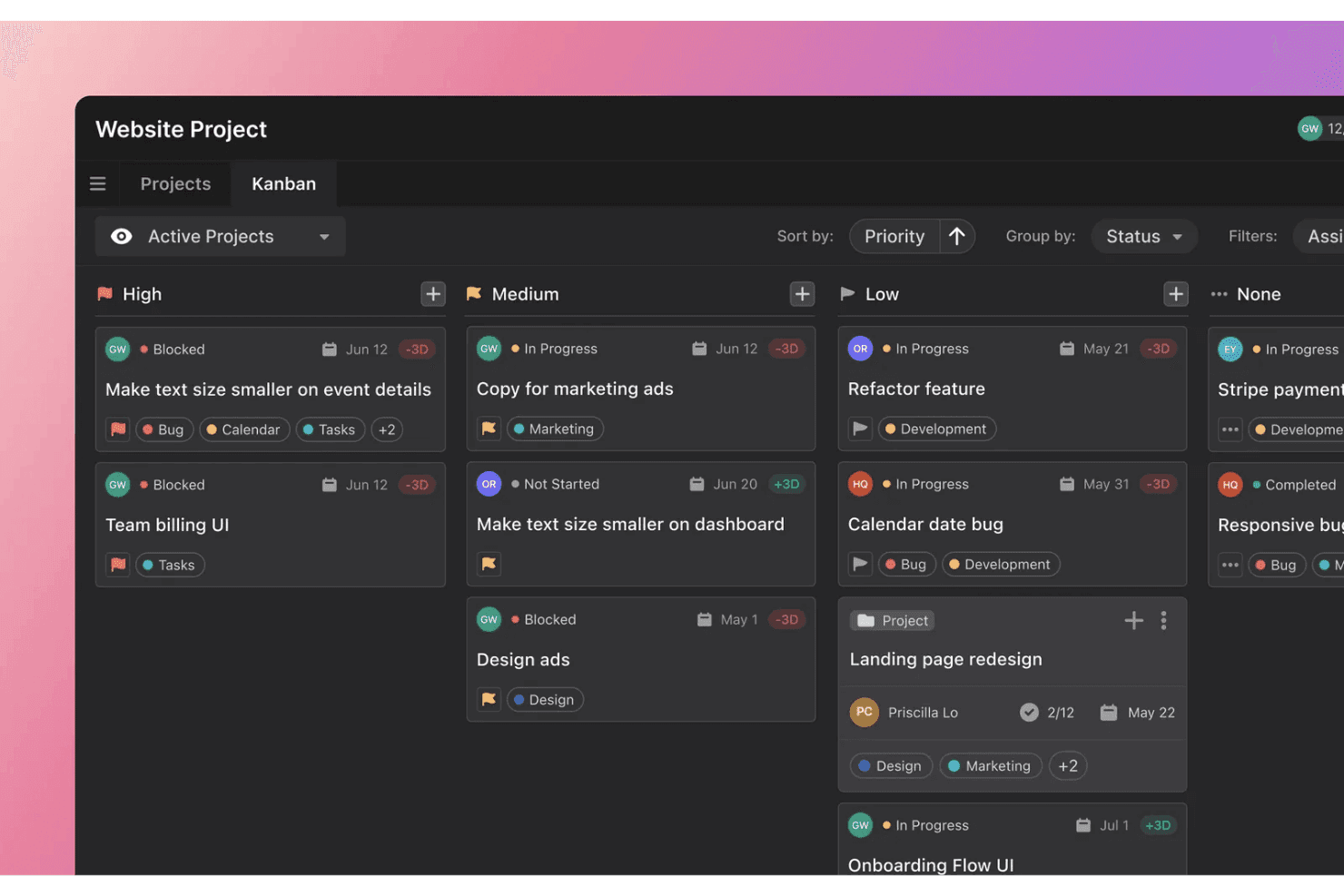
Create, assign, and track tasks within projects. Visual Kanban boards and to-do lists help teams organize work and monitor progress toward each due date.
Integrated Calendar
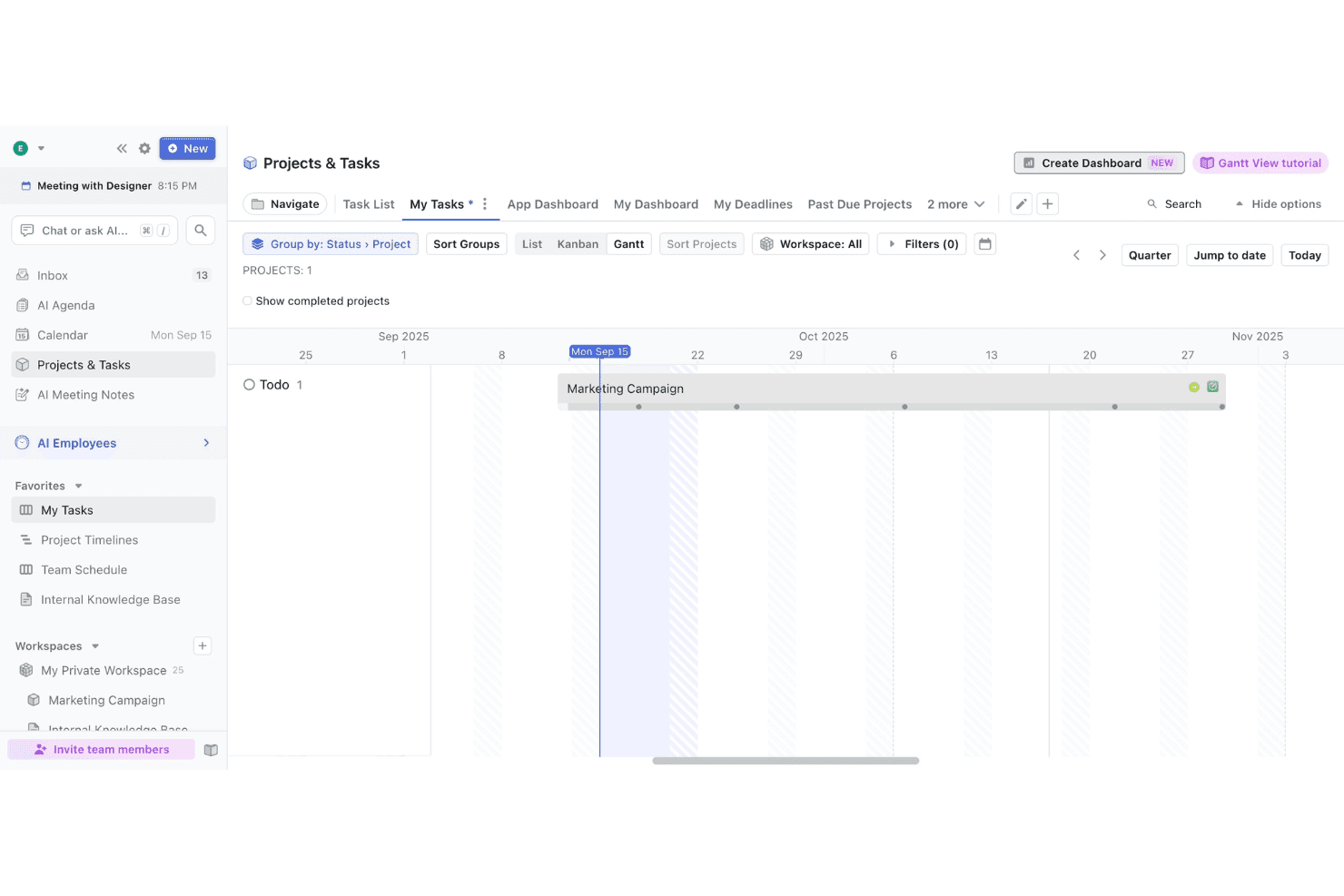
Motion merges your tasks and meetings into one unified calendar view, making it easy to see your entire workload and allocate focus time at a glance.
AI Meeting Notetaker
Automatically records meetings, generates summaries, and creates action items, reducing manual note-taking and ensuring accountability across work hours.
Recurring Tasks
Set up tasks and subtasks that repeat on custom schedules for ongoing work, useful for regular check-ins, reports, or real-time maintenance activities.
Personalized Daily Planner
Motion generates a daily agenda tailored to your priorities and deadlines, giving you a clear, actionable plan every morning that adapts as you go.
Ease of Use
Motion is one of the most user-friendly task management tools I've tried, thanks to its clean interface and intuitive navigation. Users often mention how quickly they can get started, with AI-driven features like auto-scheduling and daily planning reducing manual setup. The drag-and-drop Kanban boards and unified calendar make it easy to visualize work. However, some users note that advanced features can feel hidden, especially for those managing complex projects. Overall, the learning curve is minimal for most teams.
Integrations
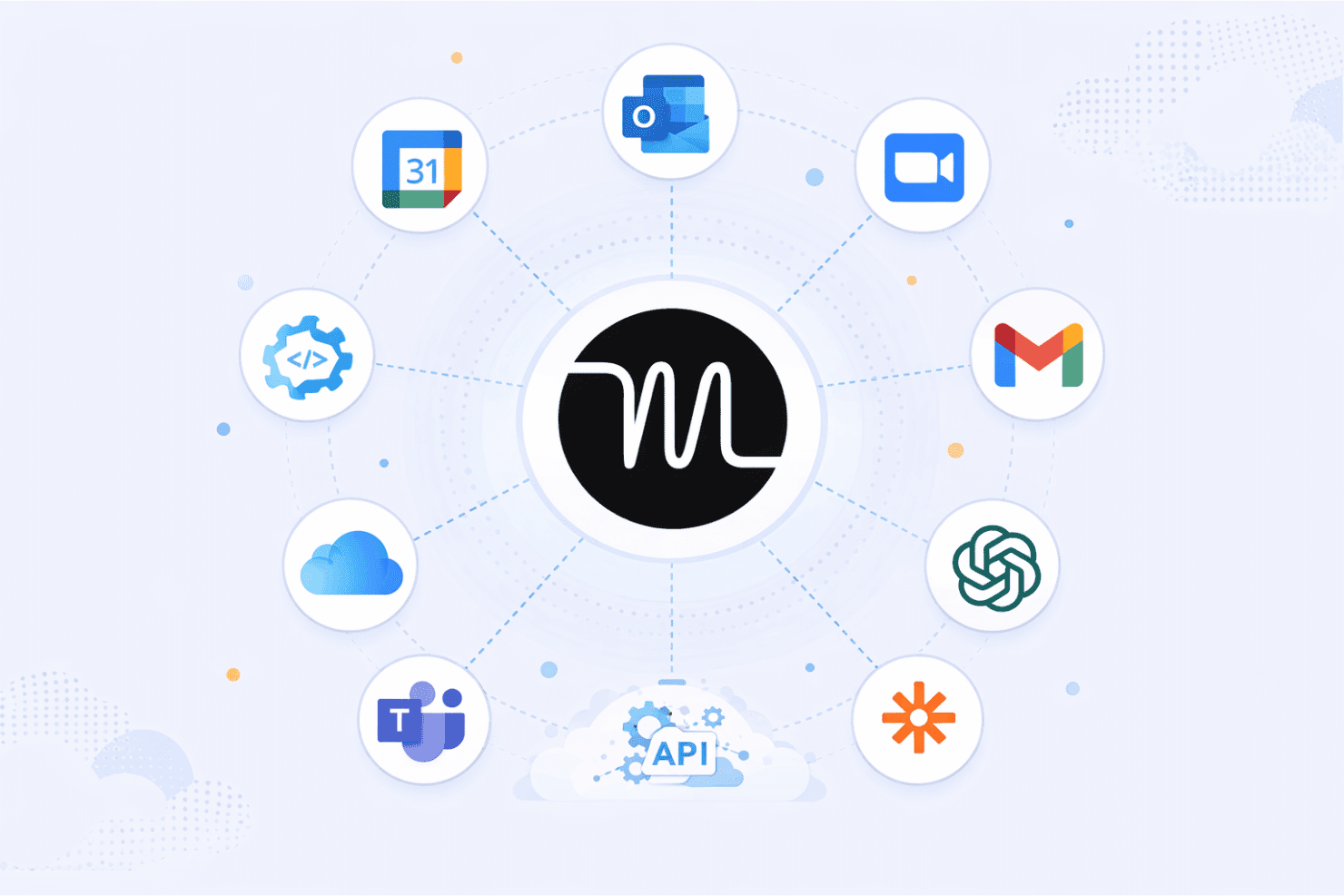
Motion integrates with Google Calendar, Microsoft Outlook, Zoom, Gmail, Zapier, Microsoft Teams, and OpenAI, among others. The Motion app also connects with iCloud for personal calendar syncing and supports booking links for meeting scheduling.
Motion also offers an API and connects with third-party integration tools like Zapier and similar automation services.
Motion Specs
- A/B Testing: No
- AI Integration: Yes
- Analytics: No
- API: Yes
- Calendar Management: No
- Comparative Reporting: No
- Custom Reports: Yes
- Dashboard: Yes
- Data Export: No
- Data Import: No
- Data Mining: No
- Data Visualization: No
- External Integrations: Yes
- Forecasting: No
- Historical Data Analysis: No
- Multi-User: Yes
- Notifications: Yes
- Process Reporting: Yes
- Real-time Alerts: Yes
- Scenario Planning: No
- Scheduling: No
- Sentiment Analysis: No
- SEO: No
- Time Series Modeling: No
- Workflow Management: Yes


