

10 creadores de interfaces de usuario de arrastrar y soltar seleccionados para 2026

Lista de los mejores creadores de interfaces de usuario mediante arrastrar y soltar


Un creador de interfaces de usuario mediante arrastrar y soltar es un tipo específico de herramienta visual que permite diseñar interfaces de usuario moviendo y organizando elementos en un lienzo, sin necesidad de programar. Si buscas el mejor creador de interfaces de usuario mediante arrastrar y soltar, probablemente quieras acelerar el diseño de interfaces, reducir los cuellos de botella del desarrollo y dar a tu equipo más control sobre el aspecto y la experiencia de uso de tus aplicaciones o sitios web. Esta lista te ayudará a comparar las principales opciones, entender qué diferencia a cada herramienta y elegir la plataforma adecuada para tu próximo proyecto.
Por Qué Confiar en Nuestras Reseñas de Software
Llevamos revisando y probando software de gestión de productos desde 2020. Como product managers, sabemos lo crucial y complicado que es tomar la decisión correcta al seleccionar software. Invertimos en investigación profunda para ayudar a nuestra audiencia a tomar mejores decisiones de compra de software. Hemos probado más de 2,000 herramientas para distintos casos de uso y escrito más de 1,000 reseñas exhaustivas. Conozca cómo mantenemos la transparencia & nuestra metodología de reseñas de software.
Resumen de los mejores creadores de interfaces de usuario mediante arrastrar y soltar
Esta tabla comparativa resume los detalles de precios de mis principales selecciones de creadores de interfaces de usuario mediante arrastrar y soltar para ayudarte a encontrar la mejor opción para tu presupuesto y las necesidades de tu empresa.
| Tool | Best For | Trial Info | Price | ||
|---|---|---|---|---|---|
| 1 | Ideal para opciones de personalización open-source | Prueba gratuita de 15 días + plan gratuito + demo gratuita | Desde $15/usuario/mes | Website | |
| 2 | Ideal para diseños responsivos precisos píxel a píxel | Plan gratuito disponible | Desde $15/mes (facturado anualmente) | Website | |
| 3 | Ideal para el desarrollo de interfaces basadas en Python | Plan gratuito disponible | Desde $14/mes (facturado anualmente) | Website | |
| 4 | Ideal para la creación de aplicaciones web sin código | Plan gratuito disponible | Desde $20/mes (facturado anualmente) | Website | |
| 5 | Ideal para edición visual con un CMS desacoplado | Plan gratuito + demo gratis disponible | Desde $24/usuario/mes (facturado anualmente) | Website | |
| 6 | Ideal para conectar múltiples fuentes de datos | Plan gratuito + demo gratuita disponible | Desde $24/usuario/mes | Website | |
| 7 | Ideal para exportar diseños a React y React Native | Plan gratuito disponible | Desde $15/usuario/mes | Website | |
| 8 | La mejor opción para generar código Flutter de manera visual | Plan gratuito para siempre disponible | Gratis para usar | Website | |
| 9 | Ideal para crear herramientas empresariales internas rápidamente | Plan gratuito disponible | Desde $20/desarrollador/mes | Website | |
| 10 | Ideal para prototipos interactivos con animación | Prueba gratuita + plan gratuito disponible | Desde $10/mes (facturado anualmente) | Website |
Reseñas de creadores de interfaces de usuario mediante arrastrar y soltar
A continuación encontrarás mis resúmenes detallados de los creadores de interfaces de usuario mediante arrastrar y soltar que formaron parte de mi lista. Mis reseñas ofrecen un análisis detallado de las funciones, los mejores casos de uso y las integraciones de cada herramienta para ayudarte a encontrar la mejor opción para ti.

Appsmith
Ideal para opciones de personalización open-source

Appsmith destaca para equipos que desean un control total sobre sus herramientas internas gracias a la flexibilidad de ser código abierto. Es una excelente opción para desarrolladores, equipos de TI y empresas que necesitan personalizar cada aspecto de sus paneles o herramientas administrativas. Gracias a su constructor de arrastrar y soltar basado en widgets y al acceso al código fuente, Appsmith te ayuda a crear soluciones altamente personalizadas que van más allá de lo que ofrecen la mayoría de las plataformas sin código.
Por qué elegí Appsmith
Lo que me atrajo de Appsmith es su enfoque de código abierto, que te brinda una flexibilidad incomparable para personalizar herramientas internas. Si deseas ir más allá de los constructores estándar de arrastrar y soltar, Appsmith te permite modificar widgets, escribir JavaScript personalizado e incluso alojar tú mismo tus aplicaciones. Me gusta que puedas acceder y ampliar el código fuente, lo que permite adaptar cada detalle a las necesidades de tu empresa. Este nivel de control es especialmente valioso para equipos con flujos de trabajo únicos o requisitos de seguridad estrictos.
Características clave de Appsmith
Otras funciones de Appsmith especialmente útiles para crear interfaces personalizadas incluyen:
- Widgets listos para usar: Elige entre una biblioteca de widgets como tablas, formularios, gráficos y selectores de archivos para montar rápidamente tu interfaz.
- Integración con control de versiones: Conéctate a repositorios Git para gestionar las versiones de la aplicación y colaborar con tu equipo.
- Control de acceso basado en roles: Asigna permisos a usuarios y grupos para controlar quién puede ver o editar aplicaciones específicas.
- Conectores de base de datos integrados: Enlaza directamente a bases de datos populares como PostgreSQL, MongoDB y MySQL sin configuración adicional.
Integraciones de Appsmith
Actualmente, Appsmith no ofrece integraciones nativas.
Pros and Cons
Pros:
- Plataforma open-source con control total de personalización
- Permite JavaScript personalizado para lógica avanzada
- Integración nativa con Git para control de versiones
Cons:
- Las opciones de diseño de la interfaz no son tan pulidas como las de la competencia
- Problemas de rendimiento en aplicaciones complejas

Webflow
Ideal para diseños responsivos precisos píxel a píxel
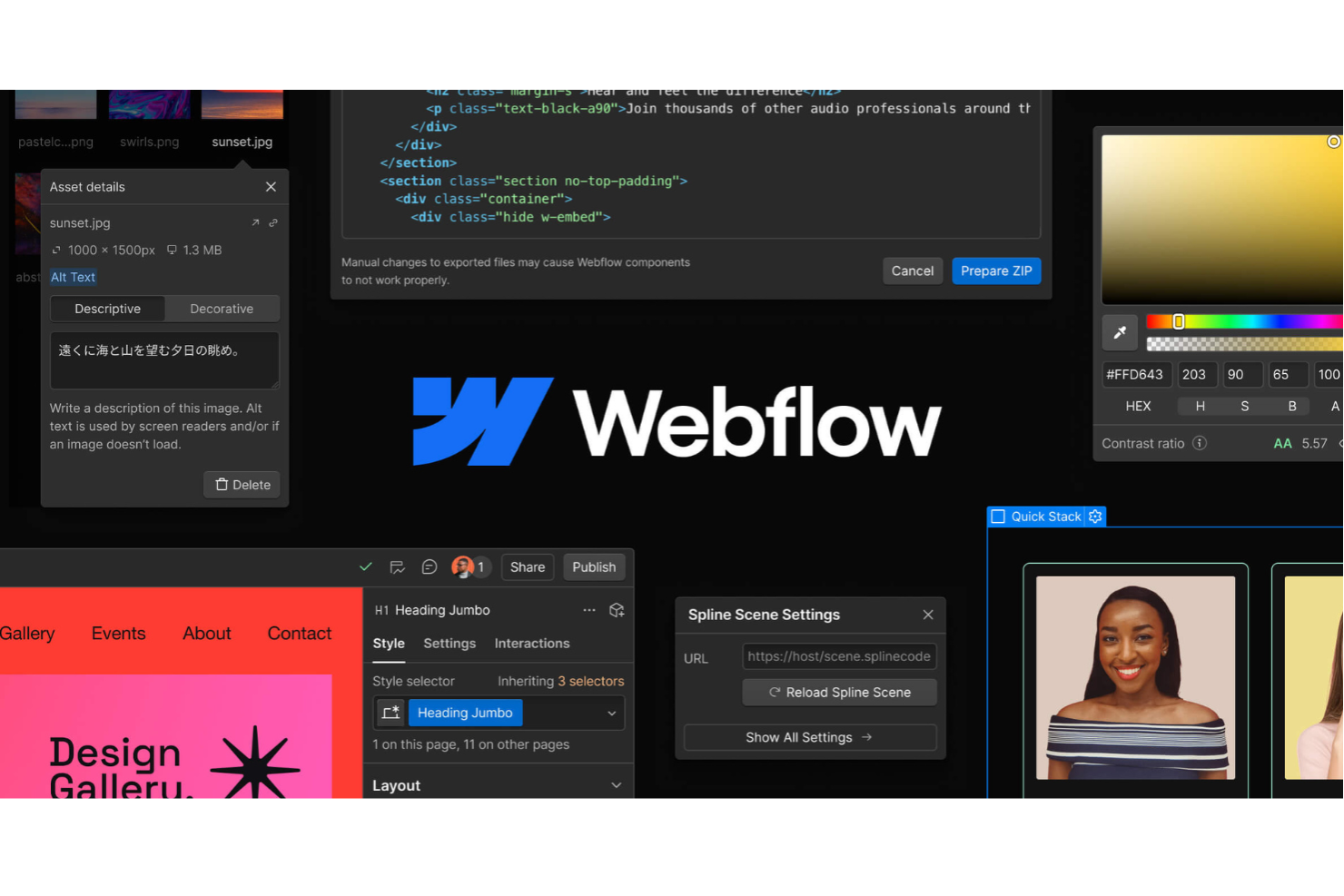
Webflow ofrece a los diseñadores y equipos de front-end una forma de crear sitios web responsivos y precisos píxel a píxel sin necesidad de escribir código. Es especialmente útil para agencias creativas, equipos de marketing y freelancers que necesitan un control total sobre el diseño y las interacciones. Con su lienzo visual y controles de estilo detallados, puedes traducir visiones de diseño complejas en sitios web en vivo y listos para producción.
Por qué elegí Webflow
Lo que diferencia a Webflow es su capacidad para ofrecer diseños responsivos precisos al píxel que cumplen incluso con las especificaciones de diseño más detalladas. Elegí Webflow porque su editor visual te permite controlar cada aspecto del espaciado, los puntos de quiebre y la tipografía, de modo que tu sitio luzca exactamente como deseas en cualquier dispositivo. Los controles del modelo de cajas y las opciones de CSS personalizado te brindan la flexibilidad de ajustar los diseños mucho más allá de un simple sistema de arrastrar y soltar. Si necesitas convertir maquetas de alta fidelidad en páginas web listas para producción, la precisión y fidelidad de diseño de Webflow lo convierten en una opción sólida.
Características clave de Webflow
Otras funciones destacadas de Webflow son:
- CMS para contenido dinámico: Crea y administra colecciones como blogs, portafolios o listados de productos directamente en la plataforma.
- Símbolos reutilizables: Crea componentes como barras de navegación o pies de página una sola vez y reutilízalos en varias páginas.
- Interacciones y animaciones: Agrega disparadores personalizados, transiciones y microinteracciones sin escribir JavaScript.
- Alojamiento y SSL integrados: Publica sitios al instante con alojamiento seguro y de alto rendimiento gestionado por Webflow.
Integraciones de Webflow
Actualmente, Webflow no incluye integraciones nativas en su listado. Sin embargo, Webflow ofrece una API para integraciones personalizadas.
Pros and Cons
Pros:
- Control preciso sobre diseños y estilos responsivos
- CMS integrado para gestionar contenido dinámico
- Animaciones avanzadas sin código personalizado
Cons:
- Se requiere código personalizado para funcionalidades avanzadas
- Funciones de colaboración limitadas para equipos grandes

Anvil
Ideal para el desarrollo de interfaces basadas en Python
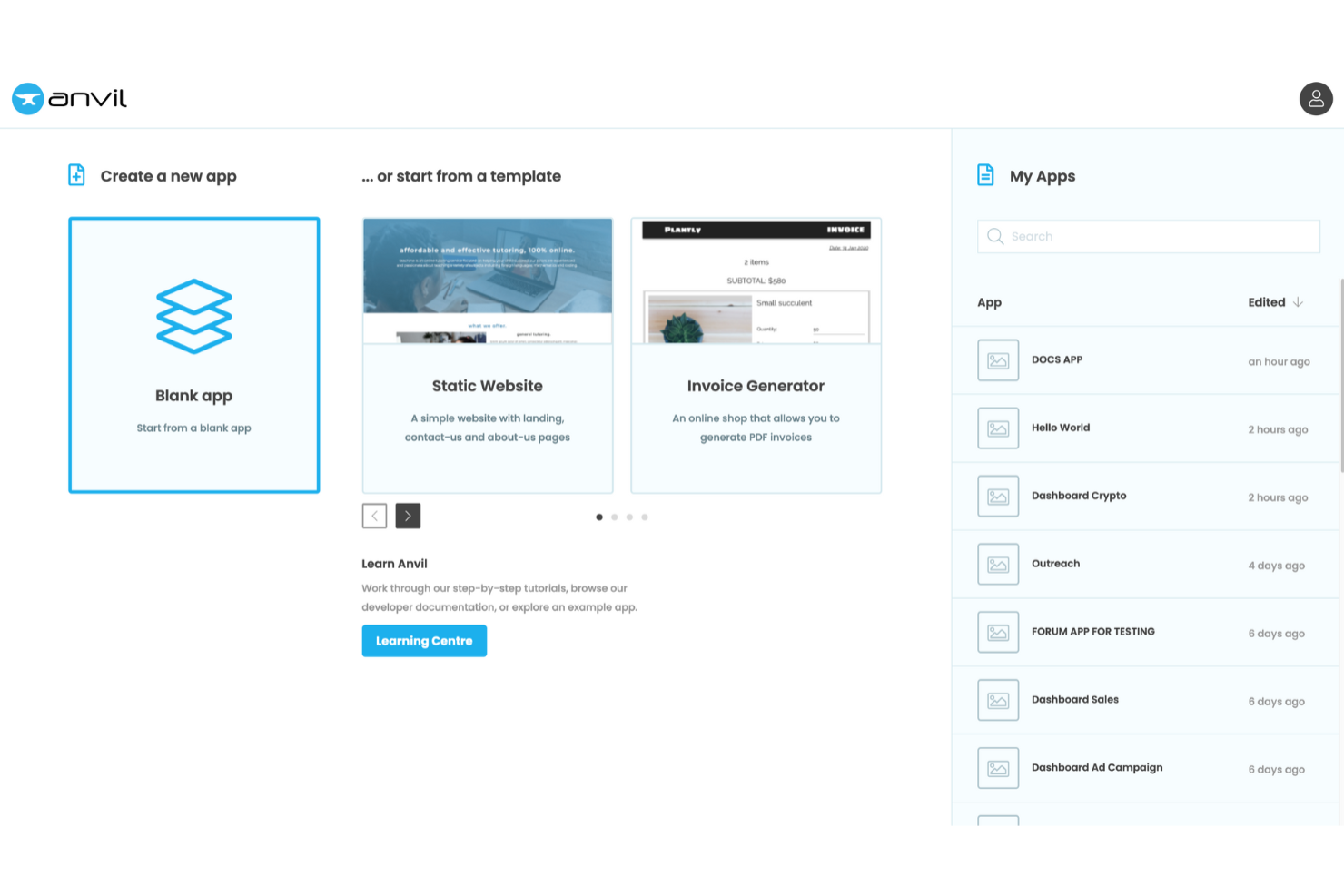
Si deseas crear aplicaciones web utilizando Python desde el front end hasta el back end, Anvil te ofrece un constructor de interfaces de arrastrar y soltar especialmente diseñado para desarrolladores de Python. Es una excelente opción para científicos de datos, ingenieros y equipos que quieren crear interfaces interactivas sin cambiar entre varios lenguajes. Anvil destaca por permitirte escribir toda la lógica de tu aplicación en Python, facilitando así la creación y el despliegue rápido de herramientas orientadas a datos.
Por qué elegí Anvil
Lo que diferencia a Anvil es su enfoque en que puedas construir tanto la interfaz como la lógica de tu aplicación web íntegramente en Python. Esto es especialmente valioso para los desarrolladores de Python que buscan un constructor de interfaces de arrastrar y soltar sin necesidad de aprender JavaScript ni HTML. Me gusta que el editor de Anvil permite diseñar visualmente tu aplicación y luego conectar inmediatamente esos elementos de la interfaz con el código en Python. Este enfoque agiliza el flujo de trabajo para quienes crean aplicaciones científicas u orientadas a datos, convirtiéndolo en una alternativa única para el desarrollo de interfaces basadas en Python.
Funciones clave de Anvil
Otras características de Anvil que vale la pena destacar incluyen:
- Autenticación de usuarios integrada: Añade inicio de sesión, registro y gestión de usuarios a tus aplicaciones sin configuraciones adicionales.
- Tablas de datos: Almacena y administra los datos de tu aplicación directamente en Anvil utilizando tablas de base de datos integradas.
- Módulos de servidor: Ejecuta código Python del lado del servidor de forma segura para manejar operaciones sensibles o conectar servicios externos.
- Soporte de HTML y CSS personalizado: Amplía el diseño de tu aplicación agregando elementos y estilos personalizados de HTML cuando lo necesites.
Integraciones de Anvil
Anvil actualmente no muestra integraciones nativas. Sin embargo, ofrece la posibilidad de integraciones personalizadas mediante su API.
Pros and Cons
Pros:
- Desarrollo full-stack exclusivamente en Python
- Interfaz de arrastrar y soltar para prototipado rápido
- Tablas de datos integradas para gestionar la información de la app
Cons:
- Pocos componentes de interfaz predefinidos disponibles
- Requiere estilos manuales para diseños complejos

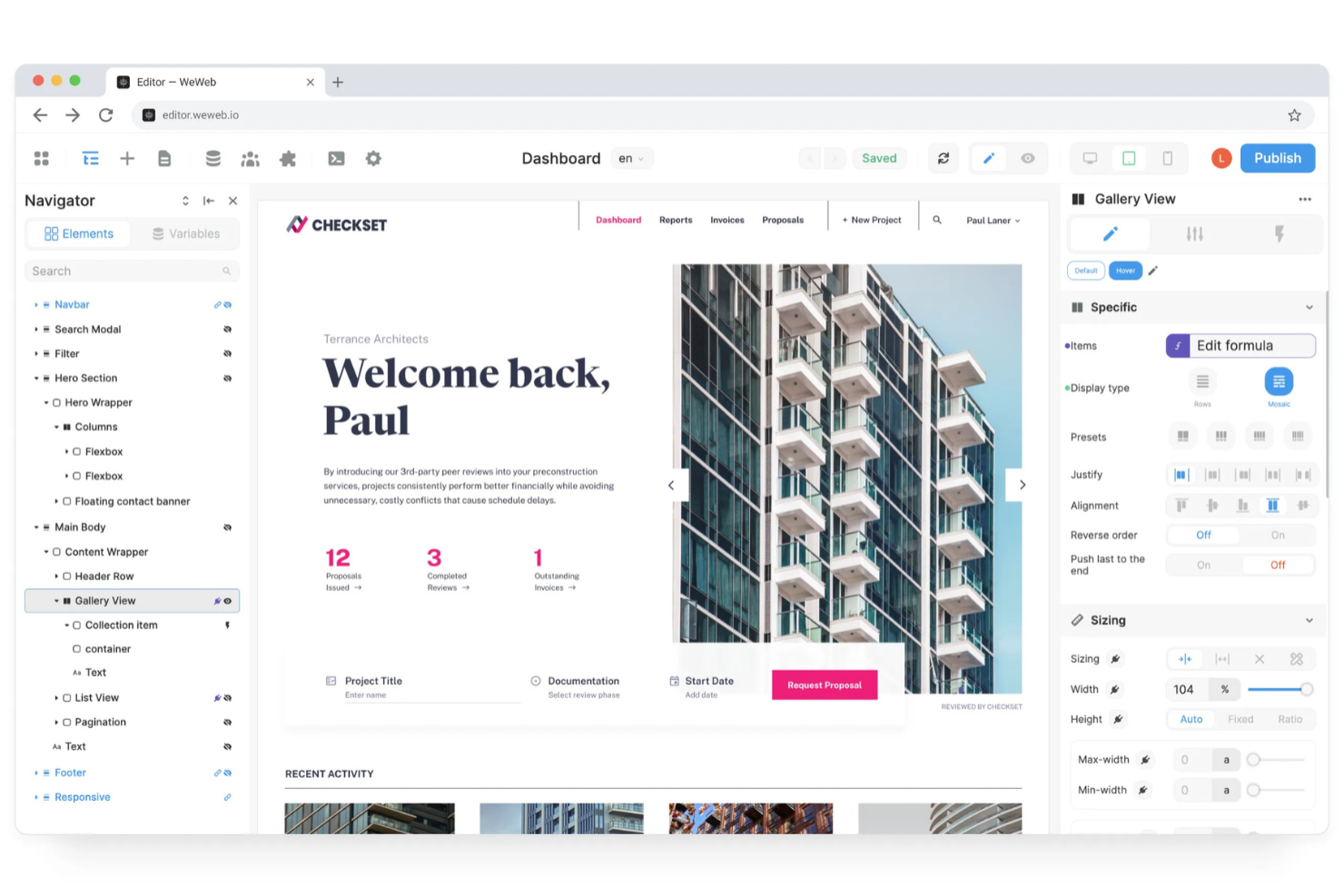
Si deseas crear aplicaciones web sin escribir código, WeWeb ofrece un creador de interfaces flexible de arrastrar y soltar, diseñado tanto para startups como para equipos consolidados. Es especialmente útil para gestores de producto, fundadores y agencias que necesitan lanzar aplicaciones web personalizadas rápidamente y conectarlas a diversas fuentes de datos. Con su editor visual de lógica y herramientas de diseño responsivo, WeWeb te ayuda a crear aplicaciones interactivas y listas para producción que funcionan en cualquier dispositivo.
Por qué elegí WeWeb
Lo que más me llamó la atención de WeWeb es cómo empodera a los usuarios para crear aplicaciones web completamente funcionales sin escribir código. Su editor visual de lógica te permite construir flujos de trabajo e interacciones dinámicas directamente en la interfaz, lo cual es esencial para la creación de aplicaciones web sin código. Me gusta que se puedan diseñar maquetaciones responsivas y conectar con fuentes de datos externas, todo dentro de una interfaz de arrastrar y soltar. Esto convierte a WeWeb en una excelente opción para equipos que desean lanzar aplicaciones listas para producción rápidamente, sin depender de desarrolladores para cada actualización.
Características clave de WeWeb
Otras funciones de WeWeb que vale la pena destacar incluyen:
- Componentes reutilizables: Crea y guarda componentes personalizados para usar en múltiples proyectos.
- Control de acceso basado en roles: Asigna diferentes permisos a los usuarios según sus roles.
- Historial de versiones: Haz seguimiento de los cambios y vuelve a versiones anteriores de tu aplicación.
- Bloques de código personalizados: Inserta código JavaScript para lógica avanzada o integraciones cuando sea necesario.
Integraciones de WeWeb
Las integraciones incluyen Airtable, Google Sheets, Stripe, Mailchimp, HubSpot, Zapier, Integromat, Twilio, Shopify y Firebase.
Pros and Cons
Pros:
- Editor visual de lógica para flujos de trabajo dinámicos
- Herramientas de diseño responsivo para todo tipo de dispositivos
- Permite código personalizado para funcionalidades avanzadas
Cons:
- Biblioteca de plantillas limitada en comparación con la competencia
- Problemas de rendimiento con proyectos grandes

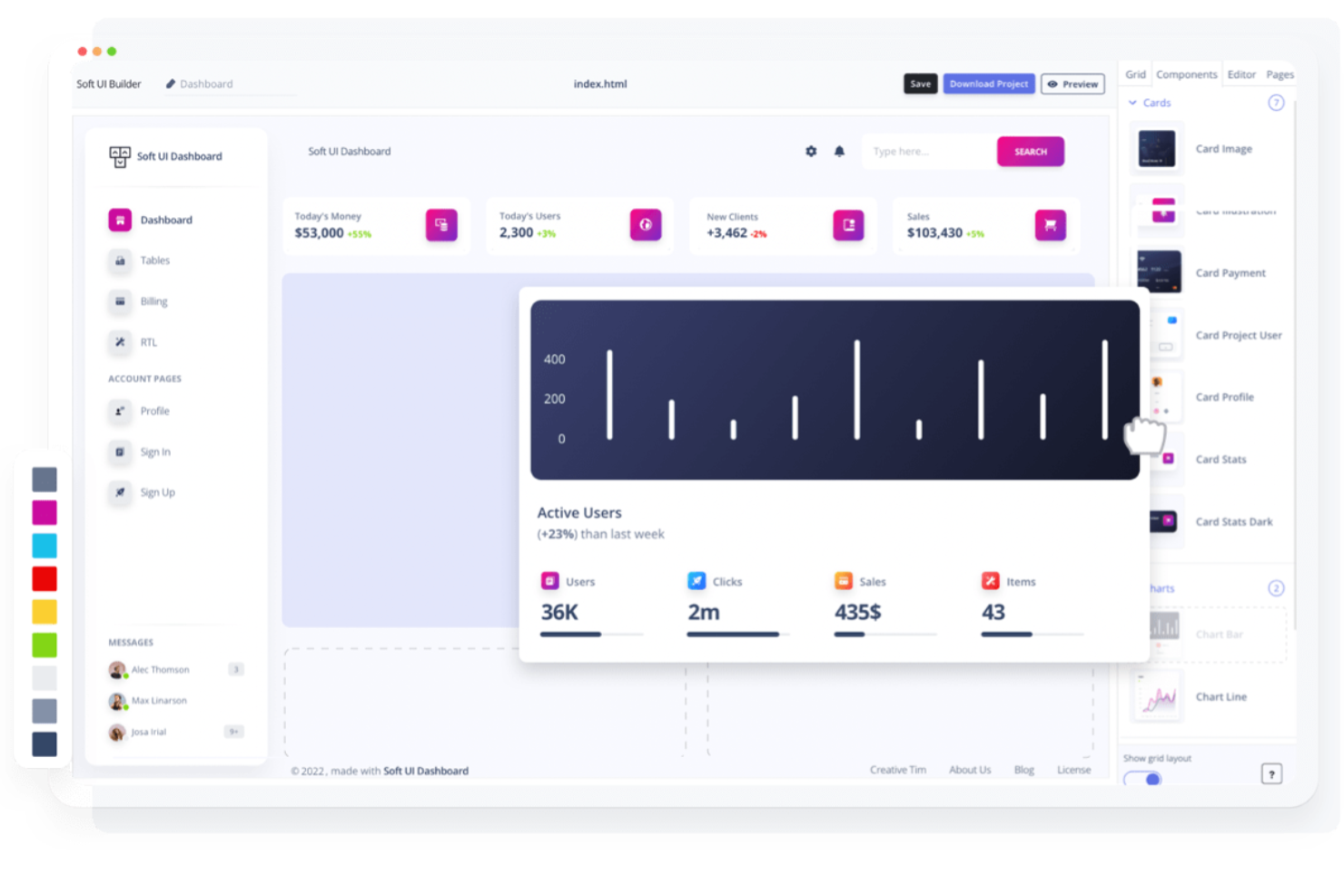
Builder.io ofrece una plataforma de edición visual diseñada para equipos que desean gestionar contenido y diseño en un entorno de CMS desacoplado. Es especialmente útil para equipos de marketing, comercio electrónico y desarrolladores que necesitan colaborar en sitios dinámicos sin sacrificar la flexibilidad ni el rendimiento. Builder destaca al permitir crear y actualizar páginas visualmente que se conectan directamente a tu pila tecnológica, de modo que puedes ofrecer experiencias ricas en contenido sin una fuerte dependencia de los desarrolladores.
Por qué elegí Builder.io
Builder.io destaca por su capacidad de combinar edición visual con la flexibilidad de un CMS desacoplado. Esto lo convierte en una excelente opción para equipos que desean diseñar y actualizar páginas web de forma visual mientras mantienen el contenido y el diseño desvinculados del backend. Elegí Builder.io porque te permite arrastrar y soltar componentes directamente en tu sitio y gestionar modelos de contenido estructurados sin cuellos de botella desarrolladores. Su vista previa en tiempo real y las funciones de segmentación granular de contenido también ayudan a los equipos a ofrecer experiencias dinámicas y personalizadas a gran escala.
Características clave de Builder.io
Otras características de Builder.io que merecen mención incluyen:
- Componentes de código personalizado: Agrega tus propios componentes de React, Vue o Angular directamente en el editor visual.
- Herramientas de pruebas A/B: Realiza experimentos con variaciones de página para optimizar el rendimiento del contenido.
- Permisos según roles: Controla los accesos de edición y publicación para los diferentes miembros del equipo.
- Programación de contenidos: Establece fechas y horarios específicos para publicar o desactivar contenidos automáticamente.
Integraciones de Builder.io
Las integraciones incluyen Shopify, BigCommerce, Contentful, Sanity, Prismic, WordPress, Salesforce Commerce Cloud, Algolia y Google Analytics.
Pros and Cons
Pros:
- Editor visual combinado con la flexibilidad de un CMS desacoplado
- Vista previa en tiempo real de cambios en contenido y diseño
- Admite componentes de código personalizado para mayor flexibilidad
Cons:
- La configuración avanzada puede requerir la participación de desarrolladores
- Selección limitada de plantillas para comenzar rápidamente


Jet Admin está diseñado para equipos que necesitan reunir datos de múltiples fuentes en una sola interfaz interactiva. Es especialmente útil para equipos de operaciones, soporte y producto que desean crear paneles de control personalizados o paneles de administración sin necesidad de mucha programación. Con su constructor de arrastrar y soltar y su sólida conectividad de datos, Jet Admin te ayuda a unificar flujos de trabajo a través de bases de datos, herramientas SaaS y APIs.
Por qué elegí Jet Admin
Lo que distingue a Jet Admin para mí es cómo gestiona conexiones a múltiples fuentes de datos dentro de un único entorno de arrastrar y soltar. Puedes vincular bases de datos, almacenamiento en la nube y plataformas SaaS directamente a tu interfaz, facilitando la creación de herramientas que extraen datos en tiempo real de toda la empresa. Valoro que Jet Admin sea compatible con relaciones de datos complejas y te permita crear vistas o flujos de trabajo personalizados que abarquen varios sistemas. Esto lo convierte en una opción potente para equipos que necesitan centralizar e interactuar con datos de muchos lugares sin escribir código personalizado para cada integración.
Funciones clave de Jet Admin
Otras funciones de Jet Admin destacadas para crear interfaces personalizadas incluyen:
- Componentes de interfaz preconstruidos: Accede a una biblioteca de tablas, gráficos, formularios y botones para ensamblar rápidamente tu aplicación.
- Herramientas de automatización de flujos de trabajo: Configura disparadores y acciones para automatizar tareas repetitivas dentro de tus paneles.
- Gestión de permisos de usuario: Define controles de acceso granulares para distintos usuarios y equipos.
- Opciones de personalización de marca: Ajusta colores, logotipos y temas para que coincidan con la identidad visual de tu empresa.
Integraciones de Jet Admin
Las integraciones incluyen PostgreSQL, MySQL, MongoDB, Firebase, Airtable, Google Sheets, REST API, GraphQL y Snowflake. Jet Admin también admite integraciones personalizadas a través de API.
Pros and Cons
Pros:
- Conecta múltiples fuentes de datos en una sola interfaz
- Componentes preconstruidos para ensamblaje rápido de la interfaz
- Automatización de flujos de trabajo con disparadores y acciones
Cons:
- El rendimiento puede disminuir con grandes conjuntos de datos
- Opciones de personalización avanzada de diseño limitadas

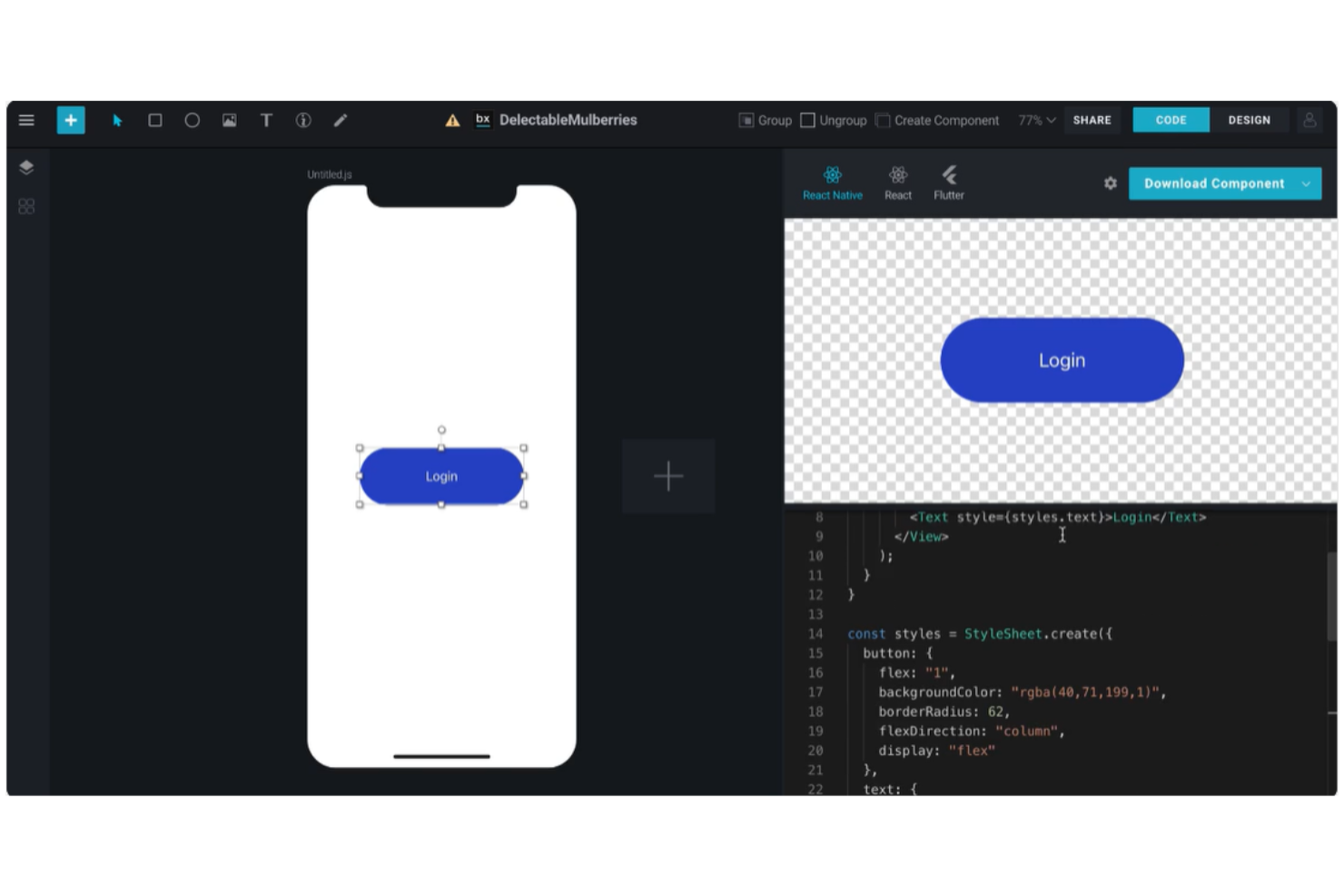
BuilderX es una herramienta de diseño creada para equipos que desean crear interfaces visualmente y exportar código listo para producción para proyectos de React y React Native. Es especialmente útil para diseñadores de producto y desarrolladores front-end que necesitan reducir la brecha entre el diseño y el desarrollo sin transferencia manual. BuilderX destaca por permitirte diseñar interfaces utilizando herramientas de arrastrar y soltar y generar al instante código limpio y utilizable para frameworks modernos de aplicaciones.
Por qué elegí BuilderX
Lo que diferencia a BuilderX es su exportación directa de diseño a código tanto para React como para React Native, una capacidad poco común entre los creadores de UI de arrastrar y soltar. Elegí BuilderX porque te permite diseñar interfaces visualmente y luego generar al instante código listo para producción, eliminando la necesidad de traducción manual entre diseño y desarrollo. La herramienta admite controles avanzados de disposición y personalización de componentes, por lo que puedes crear diseños perfectos a nivel de píxel que se traducen fielmente en el código. Esto lo hace especialmente valioso para equipos que crean aplicaciones multiplataforma y quieren acelerar su flujo de trabajo y reducir la fricción en la transferencia.
Funciones clave de BuilderX
Otras funciones de BuilderX que vale la pena destacar incluyen:
- Compatibilidad con bibliotecas de componentes: Importa y utiliza tu propio sistema de diseño o biblioteca de componentes dentro del editor.
- Herramientas de auto-diseño: Organiza y cambia el tamaño de los elementos automáticamente para mantener un espaciado y alineación consistentes.
- Gestión de recursos SVG e imágenes: Sube, edita y gestiona SVGs e imágenes directamente en tus diseños.
- Vista previa multiplataforma: Visualiza y prueba tu interfaz en diferentes tipos de dispositivos y tamaños de pantalla dentro de la herramienta.
Integraciones de BuilderX
BuilderX es una herramienta de diseño basada en navegador, las integraciones nativas no se encuentran actualmente disponibles.
Pros and Cons
Pros:
- Exporta código listo para producción para React y React Native
- Permite bibliotecas de componentes personalizadas para sistemas de diseño
- Herramientas de auto-diseño para mantener espaciados y alineación consistentes
Cons:
- Funciones de colaboración limitadas para equipos
- Bugs ocasionales durante la exportación de código

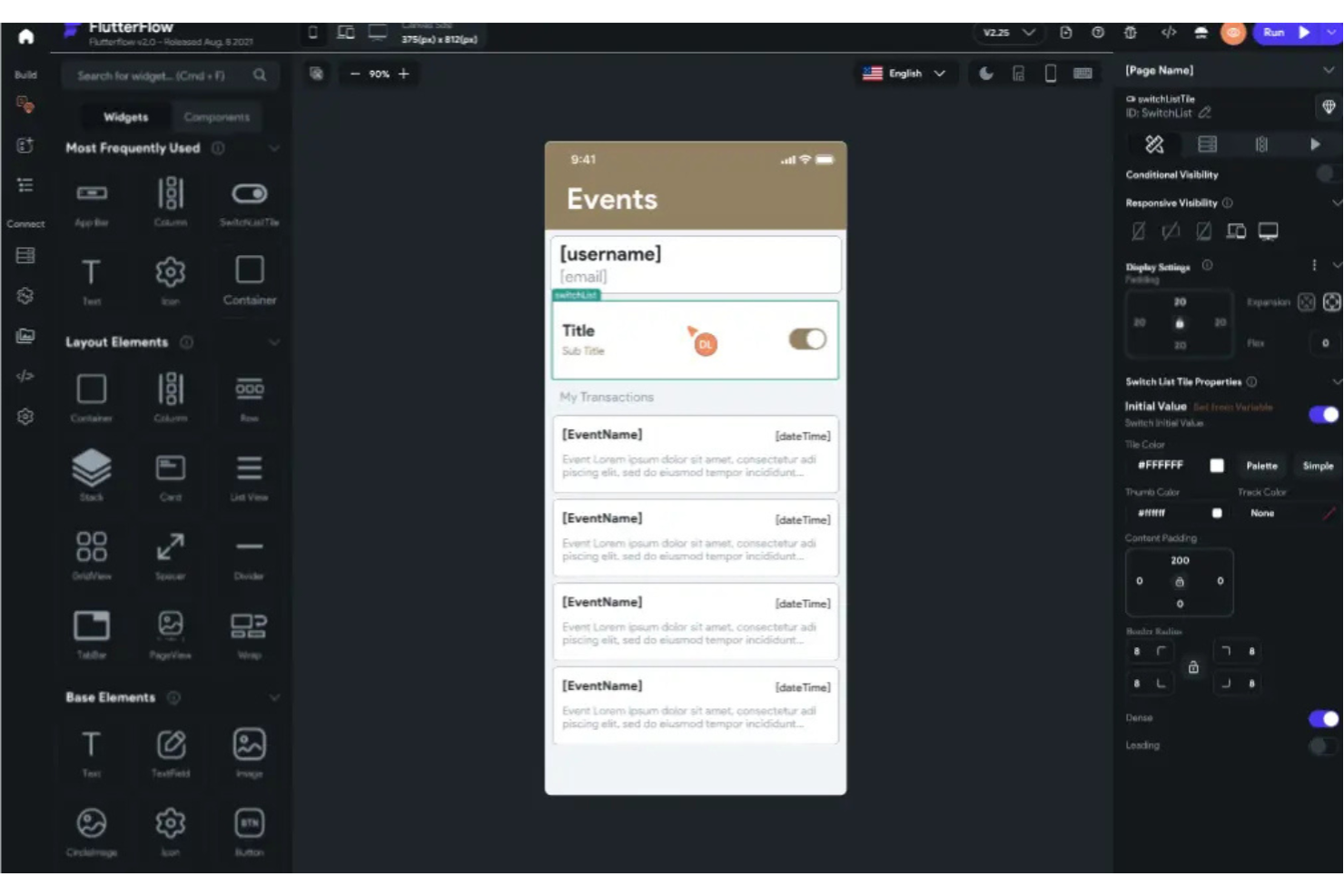
FlutterViz te ofrece una forma de diseñar interfaces de aplicaciones Flutter visualmente y generar código Flutter limpio al instante. Es ideal para desarrolladores de apps móviles, agencias y equipos de producto que buscan acelerar el prototipado y reducir la codificación manual. Con su constructor de arrastrar y soltar enfocado en Flutter, puedes transformar rápidamente ideas de UI en código funcional sin cambiar entre herramientas de diseño y desarrollo.
Por qué elegí FlutterViz
FlutterViz destaca por su capacidad de generar código Flutter listo para producción directamente desde una interfaz visual de arrastrar y soltar. Elegí FlutterViz porque está diseñado específicamente para Flutter, por lo que cada widget y opción de diseño está adaptado a la estructura única del framework. La herramienta te permite personalizar propiedades, previsualizar tu UI al instante y exportar código listo para usar en tus proyectos Flutter. Esto lo hace especialmente atractivo si quieres pasar rápidamente del diseño al desarrollo sin tener que traducir o rehacer código manualmente.
Características clave de FlutterViz
Otras funciones de FlutterViz que llamaron mi atención incluyen:
- Biblioteca de widgets preconstruidos: Accede a una amplia gama de widgets Flutter listos para usar y monta interfaces de usuario más rápido.
- Personalización de temas: Ajusta colores, fuentes y estilos para adaptar el diseño a la imagen de marca o a los requisitos del proyecto.
- Exportación a múltiples plataformas: Genera código que funciona tanto para Android como para iOS.
- Vista previa en dispositivos en vivo: Visualiza al instante actualizaciones de la interfaz en diferentes marcos de dispositivos mientras diseñas.
Integraciones de FlutterViz
Actualmente, FlutterViz no lista integraciones nativas.
Pros and Cons
Pros:
- Genera código Flutter directamente desde los diseños de UI
- Gran biblioteca de widgets Flutter preconstruidos
- Vista previa en vivo en distintos tipos de dispositivos móviles
Cons:
- Soporte limitado para animaciones avanzadas
- Funciones básicas de colaboración para equipos

Ideal para crear herramientas empresariales internas rápidamente

Si necesitas crear herramientas internas empresariales rápidamente sin programar en exceso, UI Bakery está diseñado para ti. Esta plataforma destaca por su enfoque en la creación rápida de aplicaciones, lo que la convierte en una opción sólida para equipos de operaciones, departamentos de TI y startups que desean automatizar flujos de trabajo o gestionar datos de forma visual. UI Bakery te ayuda a conectar con tus fuentes de datos y armar interfaces con componentes de arrastrar y soltar, para que puedas entregar soluciones personalizadas de forma ágil.
Por qué elegí UI Bakery
Elegí UI Bakery porque está hecho específicamente para equipos que necesitan lanzar herramientas empresariales internas rápidamente. La interfaz de arrastrar y soltar de la plataforma permite armar tableros, paneles de administración y aplicaciones de gestión de datos sin escribir código, lo cual es ideal para equipos de operaciones y TI. Me gusta que UI Bakery ofrezca componentes preconstruidos pensados para flujos de trabajo empresariales, como tablas, formularios y gráficos, para que puedas concentrarte en resolver problemas reales en vez de crear desde cero. Su capacidad para conectarse directamente a bases de datos y APIs también significa que puedes crear herramientas que funcionen con tus datos existentes en tiempo real.
Características clave de UI Bakery
Otras características destacables de UI Bakery para equipos que construyen interfaces personalizadas incluyen:
- Control de acceso basado en roles: Establece permisos para diferentes usuarios y gestiona quién puede ver o editar partes específicas de tus aplicaciones.
- Personalización de marca: Aplica los colores, logotipos y estilos de tu organización para mantener una apariencia coherente en todas las herramientas internas.
- Registros de auditoría: Haz seguimiento de las acciones de los usuarios y de los cambios dentro de tus aplicaciones para tener un mejor control y cumplimiento.
- Automatización de flujos de trabajo: Crea lógica y automatiza tareas repetitivas directamente en tu interfaz usando flujos de trabajo visuales.
Integraciones de UI Bakery
Actualmente, UI Bakery no lista integraciones nativas.
Pros and Cons
Pros:
- Componentes preconstruidos para herramientas internas y tableros
- Conexiones directas a bases de datos y APIs para datos en tiempo real
- Automatización visual de flujos de trabajo para procesos empresariales
Cons:
- Pocas integraciones con terceros disponibles
- La adaptabilidad móvil requiere ajustes manuales
New Product Updates from UI Bakery
UI Bakery Improves MCP Editing and AI Setup
UI Bakery improves MCP with changed-file updates and faster setup for Claude, ChatGPT, and Cursor. It also adds multi-value table filtering for more flexible data views. For more information, visit UI Bakery’s official site.
 .
.
Framer
Ideal para prototipos interactivos con animación
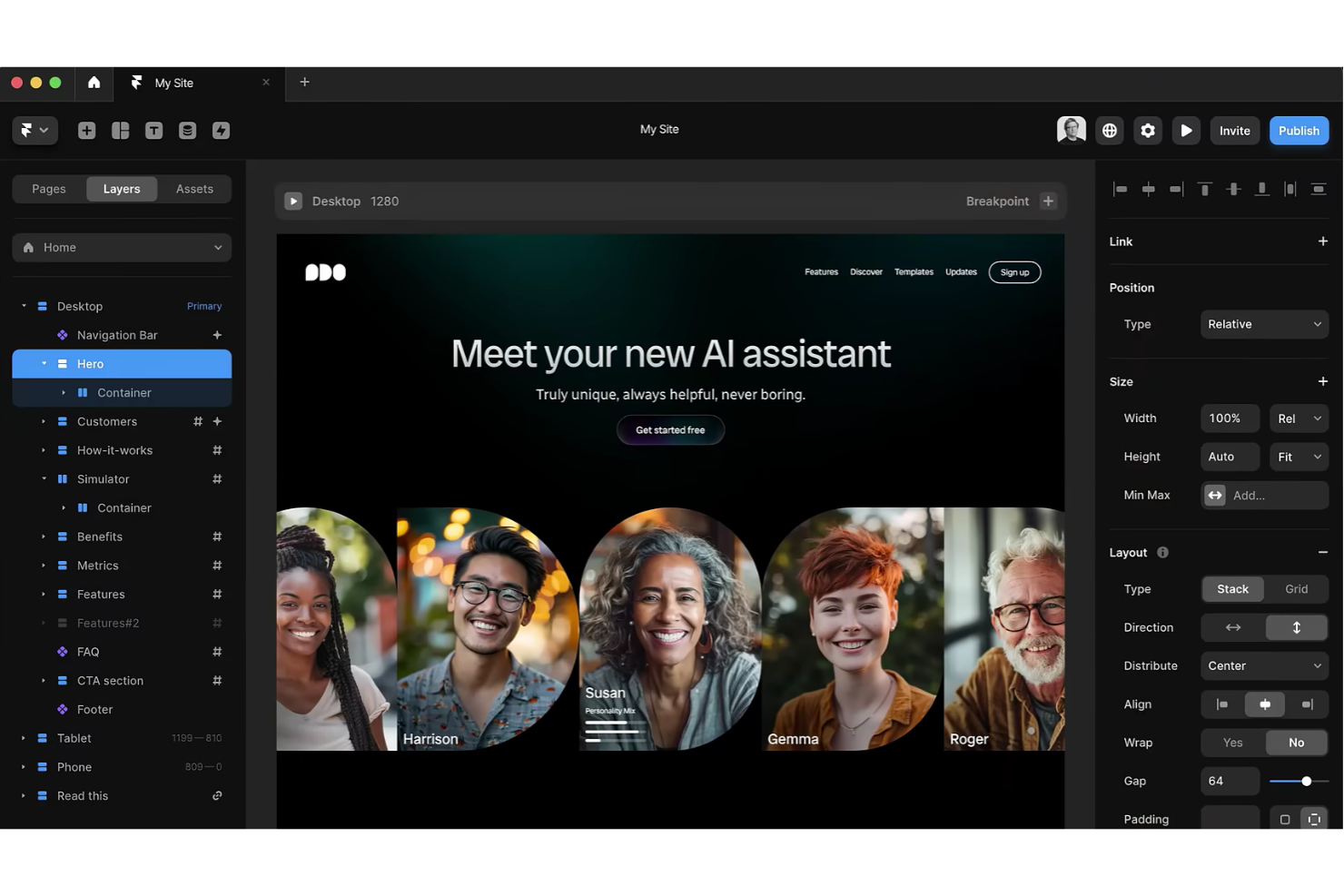
Framer destaca para equipos y diseñadores que desean crear prototipos altamente interactivos con animaciones avanzadas. Es ideal para diseñadores de productos, profesionales de UX y agencias que necesitan comunicar visualmente el movimiento, las transiciones y los flujos de usuario. Con su lienzo en tiempo real y herramientas de animación, puedes dar vida rápidamente a ideas complejas de interfaces y probarlas antes del desarrollo.
Por qué elegí Framer
A diferencia de muchos otros creadores de interfaces de arrastrar y soltar, Framer está creado específicamente para la creación de prototipos interactivos con la animación como eje principal. Elegí Framer porque te permite diseñar y previsualizar transiciones complejas, gestos y microinteracciones directamente en el lienzo. El editor de animaciones basado en línea de tiempo y los componentes interactivos facilitan simular flujos reales de usuario y estados dinámicos. Si necesitas comunicar exactamente cómo debe moverse y responder una interfaz, las herramientas de animación y prototipado de Framer son difíciles de igualar.
Funciones clave de Framer
Algunas otras funciones de Framer que vale la pena destacar incluyen:
- Biblioteca de componentes: Accede a una amplia gama de componentes interactivos preconstruidos para acelerar la creación de prototipos.
- Colaboración en tiempo real: Varios miembros del equipo pueden trabajar juntos en el mismo proyecto simultáneamente.
- Importación desde Figma: Importa diseños directamente desde Figma para empezar a prototipar sin rehacer recursos.
- Soporte para código personalizado: Agrega código React para comportamientos avanzados e integraciones cuando sea necesario.
Integraciones de Framer
Las integraciones incluyen Figma, Slack, GitHub, Airtable, Google Sheets, Notion, Trello, Asana y Jira.
Pros and Cons
Pros:
- Herramientas avanzadas de animación para prototipos interactivos
- Colaboración en tiempo real para equipos de diseño
- Importación desde Figma para flujos de prototipado más rápidos
Cons:
- Soporte limitado para exportación de código listo para producción
- El rendimiento puede disminuir con prototipos complejos
Otros creadores de interfaces de usuario mediante arrastrar y soltar
Estas son algunas opciones adicionales de creadores de interfaces de usuario mediante arrastrar y soltar que no entraron en mi lista, pero que aún vale la pena conocer:
- Pinegrow
Ideal para la edición en tiempo real de varias páginas
- Webstudio
Lo mejor para flujos de trabajo colaborativos de diseño de sitios web
- Visual Composer
Mejor para la personalización de sitios WordPress


Cómo Evalúo los Constructores de Interfaces de Arrastrar y Soltar
Los constructores de interfaces de arrastrar y soltar son el lugar donde un fundador individual lanza un MVP sin un equipo de ingeniería, donde un gerente de operaciones crea un panel interno sobre una base de datos en vivo y donde un ingeniero de diseño convierte un archivo de Figma en una aplicación React desplegable. Cuando evalúo herramientas en esta categoría, pienso en dos capas: lo que toda herramienta debe hacer suficientemente bien para ganarse un lugar en esta lista y lo que realmente diferencia una opción de otra.
Funcionalidad Principal (Requisitos para Esta Lista)
Para los constructores de interfaces de arrastrar y soltar, la funcionalidad principal que pruebo y evalúo es:
- Lienzo visual: Busco un editor WYSIWYG real donde puedas colocar, cambiar el tamaño y reorganizar componentes espacialmente — no solo configurar formularios y hacer clic en "vista previa."
- Biblioteca de componentes: Toda herramienta necesita un conjunto sólido de elementos preconstruidos, como botones, tablas, formularios y modales. Verifico la amplitud y si los componentes cubren necesidades reales de las aplicaciones.
- Diseño responsivo: Construir un panel que se rompa en móvil es inaceptable. Evalúo cómo maneja cada herramienta los puntos de ruptura, los diseños fluidos y las vistas previas entre dispositivos.
- Vinculación de datos: Busco la capacidad de conectar elementos de la interfaz con fuentes de datos en vivo — bases de datos, APIs REST o plataformas como Airtable y Google Sheets.
- Lógica de interacción: Los usuarios deben poder definir qué sucede al hacer clic, al enviar un formulario o al cambiar un estado. Evalúo si la herramienta soporta lógica condicional y acciones impulsadas por eventos.
- Controles de estilo: El control granular sobre tipografía, espaciado, colores y bordes es importante. Herramientas como Webflow y Framer ofrecen una precisión a nivel de CSS, mientras que otras usan paneles más simplificados.
- Salida desplegable: El constructor debe producir algo funcional — una app alojada, código exportable o un componente incrustable — no solo un mockup estático o un prototipo.
Una herramienta debe ofrecer la mayoría de estas capacidades para figurar en la lista. A partir de ahí, considero lo que diferencia cada herramienta.
Características Destacadas (Lo que Distingue las Opciones)
Al reducir la selección de los mejores constructores de interfaces de arrastrar y soltar, busco soporte flexible de exportación de código y frameworks, porque los equipos que despliegan en producción necesitan una salida limpia y mantenible que puedan poseer. Considero soluciones integradas de bases de datos y backend para aplicaciones que requieren algo más que interfaz, especialmente cuando las plataformas gestionan aspectos como autenticación de usuarios y lógica del lado del servidor sin configuración adicional. También evalúo la colaboración en tiempo real y el control de versiones para ver cuán bien las herramientas soportan equipos, bucles de retroalimentación y lanzamientos iterativos.
Lo que Valoro Más Allá de las Características
El riesgo de quedar atado a un proveedor es un factor importante — evalúo si tu trabajo permanece portátil o queda atrapado en una sola plataforma, lo que es crucial cuando se crean aplicaciones de producción. También considero el ajuste al caso de uso objetivo, ya que una herramienta creada para paneles internos sirve a un perfil de comprador muy diferente que una orientada a aplicaciones web de cara al cliente. Presto mucha atención a la transparencia en los precios y a los costos de escalabilidad, porque muchos constructores parecen accesibles en la versión gratuita pero su costo aumenta significativamente cuando agregas dominios personalizados, SSO o creces más allá de unos pocos usuarios.
Cómo elegir un creador de interfaces de usuario mediante arrastrar y soltar
Es fácil perderse entre largas listas de funciones y estructuras de precios complejas. Para ayudarte a mantener la atención mientras avanzas en tu proceso particular de selección de software, aquí tienes una lista de factores que debes tener en cuenta:
| Factor | Qué debes considerar |
|---|---|
| Escalabilidad | ¿La herramienta podrá respaldar a tu equipo a medida que crezcan tus proyectos o tu base de usuarios? Comprueba los límites de usuarios, los límites de proyectos y el rendimiento con archivos grandes. |
| Integraciones | ¿Se conecta de forma nativa con tus herramientas de diseño, desarrollo o análisis? Confirma la compatibilidad con herramientas como Figma, GitHub o Slack. |
| Personalización | ¿Puedes adaptar la herramienta a tu flujo de trabajo? Busca opciones para añadir código personalizado, plantillas o elementos de marca a medida que evolucionen tus necesidades. |
| Facilidad de uso | ¿Con qué rapidez pueden los nuevos usuarios ser productivos? Evalúa la curva de aprendizaje, la claridad de la interfaz y la disponibilidad de orientación dentro de la aplicación. |
| Implementación e incorporación | ¿Qué recursos se necesitan para empezar? Considera la asistencia para la migración, los materiales de formación y el tiempo necesario para incorporar a tu equipo. |
| Coste | ¿Los niveles de precios se ajustan a tu presupuesto y uso? Presta atención a las tarifas ocultas, los complementos obligatorios o los precios basados en usuarios que pueden acumularse. |
| Medidas de seguridad | ¿La herramienta cumple las normas de seguridad de tu organización? Busca inicio de sesión único, cifrado de datos y cumplimiento de las normativas pertinentes. |
| Disponibilidad de asistencia | ¿Qué canales de asistencia se ofrecen y durante qué horario? Considera si necesitas chat en directo, asistencia telefónica o solo por correo electrónico, especialmente para problemas urgentes. |
¿Qué es un creador de interfaces de usuario mediante arrastrar y soltar?
Un constructor de interfaces de usuario de arrastrar y soltar es una herramienta visual que ayuda a los equipos a diseñar y crear interfaces organizando elementos en un lienzo en lugar de escribir código. Estas herramientas favorecen el desarrollo de aplicaciones al facilitar la creación de diseños para aplicaciones web y proyectos de construcción de sitios web sin depender demasiado de los desarrolladores. Al simplificar el proceso de desarrollo, los constructores de interfaces de usuario de arrastrar y soltar permiten a los equipos centrarse en crear aplicaciones más rápidamente, probar ideas e iterar sobre los diseños con menos esfuerzo técnico.
Características
Al seleccionar un constructor de interfaces de usuario de arrastrar y soltar, presta atención a las siguientes características clave:
- Lienzo visual: Permite organizar, cambiar el tamaño y ordenar los elementos de la interfaz directamente en un espacio de trabajo digital, lo que hace que los cambios de diseño sean intuitivos e inmediatos.
- Biblioteca de componentes: Proporciona una colección de elementos de UI reutilizables, como botones, formularios y barras de navegación, que puedes arrastrar a tu diseño.
- Herramientas de diseño adaptable: Permiten crear diseños que se ajustan automáticamente a diferentes tamaños de pantalla y dispositivos, garantizando una experiencia de usuario coherente.
- Prototipado interactivo: Permite añadir enlaces, transiciones e interacciones básicas para simular los flujos de usuario y probar la lógica de la interfaz.
- Editor de estilos: Ofrece controles para ajustar colores, fuentes, espaciado y otras propiedades visuales sin necesidad de escribir CSS ni código.
- Modo de vista previa: Permite ver e interactuar con tu diseño como lo haría un usuario final, ayudándote a detectar problemas antes del desarrollo.
- Opciones de exportación y entrega: Permite exportar recursos, fragmentos de código o especificaciones de diseño para compartirlos con desarrolladores u otras partes interesadas.
- Historial de versiones: Registra los cambios realizados en tu proyecto a lo largo del tiempo, lo que permite volver a estados anteriores o revisar las ediciones hechas por colaboradores.
- Herramientas de colaboración: Facilitan el trabajo en equipo en tiempo real o de forma asíncrona, con funciones como comentarios, uso compartido y edición multiusuario.
- Biblioteca de plantillas: Incluye diseños prediseñados o kits de UI para ayudarte a iniciar nuevos proyectos rápidamente y mantener la coherencia del diseño.
Funciones habituales de IA
Además de las funciones estándar de los constructores de interfaces de usuario de arrastrar y soltar mencionadas anteriormente, muchas de estas soluciones están incorporando IA con funciones como:
- Sugerencias de diseño basadas en IA: Analiza tu diseño y recomienda automáticamente la ubicación, el espaciado y la alineación óptimos de los elementos para mejorar la usabilidad y el equilibrio visual.
- Componentes generados por IA: Crea nuevos elementos de UI o secciones completas basándose en los requisitos de tu proyecto o en indicaciones de texto, reduciendo el trabajo de diseño manual.
- Relleno automático de contenido: Utiliza IA para generar texto, imágenes o iconos de marcador de posición que coincidan con el contexto de tu diseño, ayudándote a visualizar prototipos realistas más rápidamente.
- Comprobaciones de accesibilidad: Analiza tu interfaz en busca de posibles problemas de accesibilidad y sugiere correcciones basadas en IA para mejorar el cumplimiento de los estándares de accesibilidad.
- Análisis de la coherencia del diseño: Revisa tu proyecto para detectar estilos, colores o fuentes incoherentes y recomienda ajustes basados en IA para mantener una apariencia armoniosa.
Beneficios
Implementar un constructor de interfaces de usuario de arrastrar y soltar ofrece varios beneficios para tu equipo y tu empresa. Estos son algunos de los que puedes esperar:
- Prototipado más rápido: El lienzo visual y las bibliotecas de componentes permiten crear y probar rápidamente ideas de interfaz sin programar.
- Proceso de diseño accesible: Las herramientas de arrastrar y soltar hacen posible la creación de interfaces de usuario para miembros del equipo con distintos niveles de conocimientos técnicos.
- Colaboración mejorada: Las funciones de edición en tiempo real, comentarios y uso compartido ayudan a los equipos a trabajar juntos y recopilar comentarios de forma eficiente.
- Experiencias de usuario coherentes: Las bibliotecas de plantillas y los editores de estilos favorecen la coherencia de la marca y los estándares de diseño en todos los proyectos.
- Menos dificultades en la entrega: Las opciones de exportación y entrega facilitan el intercambio de especificaciones y recursos con los desarrolladores, minimizando los malentendidos.
- Compatibilidad con el diseño adaptable: Las herramientas adaptables integradas garantizan que tus interfaces se vean y funcionen correctamente en cualquier dispositivo.
- Menores barreras de incorporación: Los recorridos guiados, las plantillas y las interfaces intuitivas ayudan a los nuevos usuarios a ser productivos rápidamente.
Costes y precios
Seleccionar un constructor de interfaces de usuario de arrastrar y soltar requiere comprender los distintos modelos de precios y planes disponibles. Los costes varían según las funciones, el tamaño del equipo, los complementos y otros factores. La tabla siguiente resume los planes habituales, sus precios medios y las funciones que suelen incluir las soluciones de constructores de interfaces de usuario de arrastrar y soltar:
Tabla comparativa de planes para constructores de interfaces de usuario de arrastrar y soltar
| Tipo de plan | Precio medio | Funciones habituales |
|---|---|---|
| Plan gratuito | $0 | Acceso a componentes básicos, proyectos limitados, asistencia para un solo usuario y recursos de ayuda de la comunidad. |
| Plan personal | $10–$25/usuario/mes | Proyectos ilimitados, componentes avanzados, herramientas de diseño adaptable y asistencia por correo electrónico. |
| Plan empresarial | $25–$50/usuario/mes | Colaboración en equipo, historial de versiones, opciones de exportación, asistencia prioritaria y capacidades de integración. |
| Plan corporativo | $50–$100+/usuario/mes | Seguridad personalizada, incorporación específica, controles administrativos avanzados, asistencia respaldada por acuerdos de nivel de servicio y registros de auditoría. |
Preguntas frecuentes
Aquí tienes algunas respuestas a preguntas frecuentes sobre los constructores de interfaces de usuario de arrastrar y soltar:
¿Puedo utilizar un constructor de interfaces de usuario de arrastrar y soltar sin experiencia en programación?
Sí, la mayoría de los constructores de interfaces de usuario de arrastrar y soltar están diseñados para usuarios con poca o ninguna experiencia en programación. Puedes organizar visualmente los elementos, personalizar los estilos y crear prototipos interactivos mediante interfaces intuitivas, lo que los hace accesibles para diseñadores, responsables de producto y otros usuarios que no son desarrolladores.
¿Cómo facilitan la colaboración en equipo los constructores de interfaces de usuario sin código?
Muchos constructores de interfaces de usuario de arrastrar y soltar ofrecen edición en tiempo real, comentarios y funciones para compartir. Estas herramientas permiten que varios miembros del equipo trabajen simultáneamente en el mismo proyecto, proporcionen comentarios directamente sobre los diseños y gestionen los permisos de distintos roles, lo que ayuda a mantener a todos alineados.
¿Qué tipos de proyectos son más adecuados para este tipo de constructor de interfaces de usuario?
Los constructores de interfaces de usuario de arrastrar y soltar son ideales para crear prototipos de interfaces web y móviles, sistemas de diseño y sitios de marketing o paneles de control. Son especialmente útiles para proyectos que requieren iteraciones rápidas, comentarios de las partes interesadas o colaboración entre diseñadores y miembros del equipo sin conocimientos técnicos.
¿Puedo exportar mis diseños o código desde un constructor de interfaces de usuario de arrastrar y soltar?
Sí, la mayoría de las soluciones permiten exportar recursos, especificaciones de diseño o fragmentos de código para entregárselos a los desarrolladores. Algunas herramientas ofrecen integración directa con plataformas de desarrollo o generan código listo para producción, mientras que otras se centran en proporcionar documentación clara y archivos de diseño.