

Wrike Bewertung 2026: Vorteile, Nachteile, Hauptfunktionen und Preise
Wrike übertrifft die Konkurrenz durch starke Aufgabenverwaltung und Teamzusammenarbeit, mit denen Produktteams funktionsübergreifende Arbeit strukturiert koordinieren können.

Wir überprüfen Tools unabhängig und Provisionen helfen, unsere Tests zu finanzieren. Lesen Sie unsere transparente Richtlinie, unsere Methodik oder schlagen Sie ein Tool vor.
Wrike is a product management tool built for cross-functional teams that need to plan work, track resources, and report on progress across multiple departments. I'd consider it if your team has outgrown Asana's simpler task views but doesn't need Jira's engineering-heavy setup. Wrike sits in between, with stronger workload management and reporting capabilities than Asana offers without the technical configuration overhead that Jira demands.
Wrike Evaluation Summary
4.3/5
- From $10/user/month (billed annually)
- Free plan + 14-day free trial + free demo available
Warum Sie unseren Software-Empfehlungen vertrauen können
6,700+
Reviews
20
Industry experts
16+
Evaluation factors
14
Years
Unser Team testet und bewertet Software seit 2012. Als Produktmanager wissen wir selbst, wie schwierig – und wichtig – es ist, die richtige Software auszuwählen.
Für diesen Leitfaden haben wir Tools mithilfe von praktischen Tests und unabhängiger Recherche bewertet und dabei unsere Bewertungskriterien angewendet.
Unsere Bewertungen spiegeln unser menschliches redaktionelles Urteilsvermögen wider, keine Verkaufsstrategie.
- Andrew LumbySenior TPM
- Cristiano ValimSenior UI/UX Lead
Wrike Overview
When judging Wrike against other product management software, its flexible workflow design, granular permissions, and deep reporting set it apart for teams managing complex projects. The interface is modern but can feel dense, and onboarding may require extra time for non-technical users. Pricing is competitive for mid-sized and large organizations, especially given the breadth of integrations and automation options. Support is responsive, and the platform excels in environments where cross-functional collaboration and customization are priorities.
Wrike is best suited for teams that need to tailor processes, such as marketing agencies or product development groups handling multiple concurrent projects.
Pros
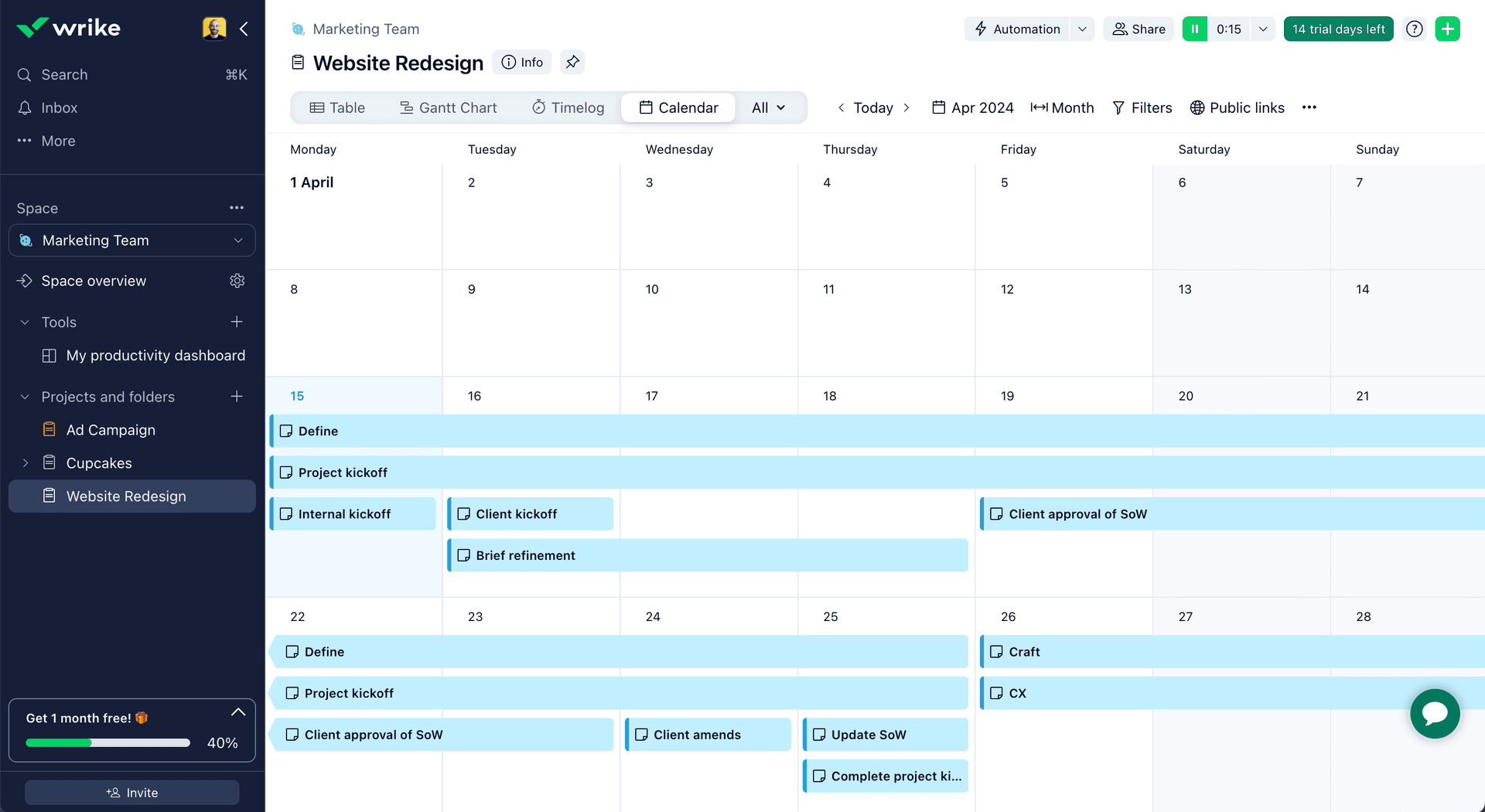
- Gantt charts: Wrike's interactive Gantt charts provide a visual timeline of tasks and dependencies to track progress.
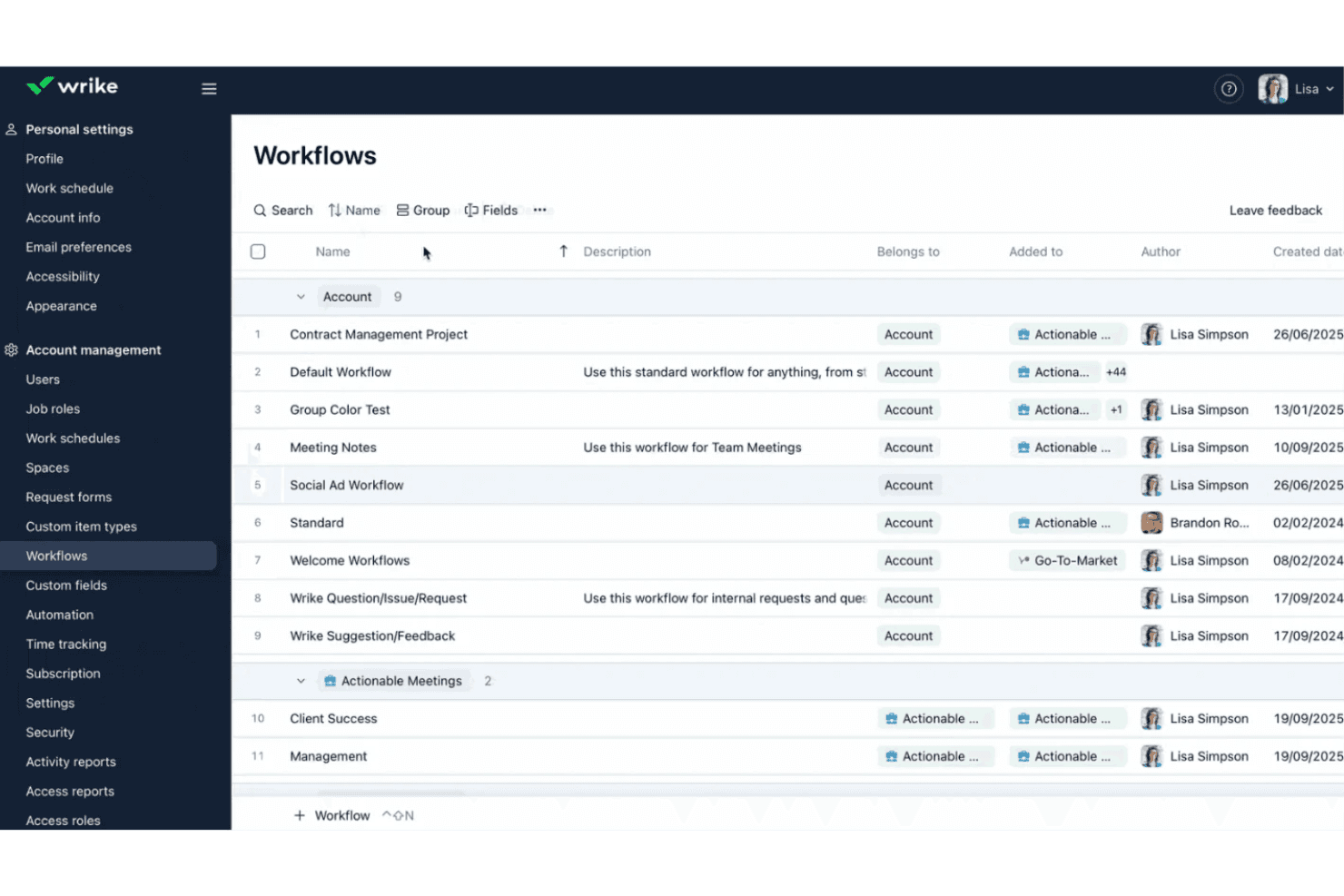
- Custom workflows: Users can build custom workflows and approval processes to standardize work and ensure consistency.
- Time tracking: The software’s built-in time tracking capabilities allow teams to log hours worked on tasks and monitor productivity.
Cons
- Learning curve: Wrike's extensive features and customization options can take time to fully learn and configure.
- Notifications: The high volume of notifications and updates can be overwhelming and difficult to manage.
- Mobile app: The mobile app has limited functionality compared to the web version and can be slow or buggy.
Is Wrike Right For Your Needs?
Who Would be a Good Fit for Wrike?
Wrike is best suited for organizations that need advanced workflow automation, granular permissions, and detailed reporting to manage complex projects across multiple teams. Its feature set supports industries and departments where collaboration, process customization, and visibility are essential. Teams that handle creative approvals, cross-functional projects, or resource allocation will find Wrike’s tools especially valuable.
- Marketing AgenciesWrike’s proofing, approval, and campaign tracking features support creative workflows.
- IT Project TeamsAdvanced task dependencies and workflow automation help manage technical projects.
- Product DevelopmentCustom dashboards and reporting provide visibility into product roadmaps and releases.
- Professional ServicesTime tracking and resource management support client billing and project delivery.
- Enterprise OperationsGranular permissions and audit trails meet compliance and security needs.
- Remote TeamsReal-time collaboration and document sharing enable distributed workforces.
Who Would be a Bad Fit for Wrike?
Wrike may not be the best choice for teams with simple project needs, limited budgets, or those requiring highly specialized industry features. Its complexity and pricing structure can be excessive for smaller organizations or those with straightforward workflows.
- Small StartupsWrike’s advanced features and pricing exceed basic project needs.
- Construction FirmsLacks built-in Gantt chart tools tailored for field scheduling.
- NonprofitsResource management and automation may be unnecessary for simple programs.
- FreelancersThe platform’s scale and cost are not justified for solo work.
- Retail OperationsInventory and POS integrations are not core Wrike capabilities.
- Event PlannersLimited event-specific templates and scheduling tools compared to niche platforms.
Wie wir Tools testen & bewerten
Wir haben jahrelang unser System für Softwaretests und -bewertungen aufgebaut, verfeinert und verbessert. Unser Bewertungsraster wurde entwickelt, um die Feinheiten bei der Auswahl von Software und die Effektivität eines Tools einzufangen, wobei der Fokus auf den entscheidenden Aspekten des Entscheidungsprozesses liegt. Nachfolgend sehen Sie genau, wie unser Test- und Bewertungssystem anhand von sieben Kriterien funktioniert. Dadurch können wir eine objektive Bewertung der Software auf Basis von Kernfunktionen, herausragenden Merkmalen, Benutzerfreundlichkeit, Onboarding, Kundensupport, Integrationen, Kundenbewertungen und Preis-Leistungs-Verhältnis bieten.
Kernfunktionalität (25% der Endbewertung)
Der Ausgangspunkt unserer Bewertung ist stets die Kernfunktionalität des Tools. Verfügt das Tool über die grundlegenden Funktionen, die ein Benutzer erwarten würde? Sind einige dieser Kernfunktionen nur in höheren Tarifen verfügbar? Im Kern erwarten wir, dass ein Tool den grundlegenden Fähigkeiten seiner Wettbewerber standhält.
Herausragende Merkmale (25% der Endbewertung)
Als nächstes bewerten wir seltene Alleinstellungsmerkmale, die über die übliche Kernfunktionalität solcher Tools hinausgehen. Eine hohe Bewertung spiegelt spezialisierte oder einzigartige Funktionen wider, die das Produkt schneller, effizienter oder für den Nutzer wertvoller machen. Wir prüfen außerdem, wie einfach sich das Tool mit anderen, typischen Werkzeugen im Technologie-Stack integrieren lässt, um seine Funktionalität und seinen Nutzen zu erweitern. Tools mit vielen nativen Integrationen, Drittanbieter-Anbindungen und API-Zugang für Individualisierungen erzielen die besten Ergebnisse.
Benutzerfreundlichkeit (10% der Endbewertung)
Wir berücksichtigen, wie schnell und einfach sich Aufgaben der Kernfunktionalität mit dem Tool umsetzen lassen. Software mit hoher Punktzahl ist gut gestaltet, intuitiv zu bedienen, bietet mobile Apps, Vorlagen und macht vergleichsweise komplexe Aufgaben einfach.
Onboarding (10% der Endbewertung)
Wir wissen, wie wichtig eine schnelle Akzeptanz durch Teams für eine neue Plattform ist. Deshalb bewerten wir, wie leicht sich das Tool mit minimaler Schulung erlernen und nutzen lässt. Wir prüfen, wie schnell ein Teammitglied ohne Vorerfahrung eingerichtet ist und starten kann. Lösungen mit guter Bewertung setzen nur wenig oder keine Unterstützung voraus.
Kundensupport (10% der Endbewertung)
Wir prüfen, wie schnell und einfach Hilfe per Telefon, Live-Chat oder Wissensdatenbank verfügbar ist. Tools und Unternehmen mit Echtzeit-Support schneiden am besten ab, während Chatbots am schlechtesten bewertet werden.
Kundenbewertungen (10% der Endbewertung)
Zusätzlich zu unseren eigenen Tests und Bewertungen betrachten wir den Net Promoter Score aktueller und ehemaliger Kunden. Wir prüfen deren Wahrscheinlichkeit, sich erneut für das Tool zu entscheiden. Eine hohe Bewertung spiegelt einen hohen Net Promoter Score wider.
Preis-Leistungs-Verhältnis (10% der Endbewertung)
Abschließend vergleichen wir alle anderen Kriterien mit dem durchschnittlichen Einstiegspreis und den Kernfunktionen und bewerten das Gesamtergebnis. Software, die mehr für weniger bietet, erhält eine höhere Bewertung.
Core Features
Custom Workflows
Design and automate multi-step processes tailored to your team’s needs. Trigger actions, assign tasks, and set approvals for any project type.
Task Dependencies
Link tasks to visualize and control project sequences. Prevent bottlenecks by ensuring work starts only when prerequisites are complete.
Dynamic Request Forms
Collect project requests with customizable forms that auto-route submissions. Standardize intake and reduce manual triage for new work.
Real-Time Collaboration
Comment, edit, and share files directly within tasks. Keep feedback and discussions centralized for easy reference.
Resource Management
Allocate team members, track workloads, and forecast capacity. Balance assignments to avoid overloading or underutilizing staff.
Advanced Reporting
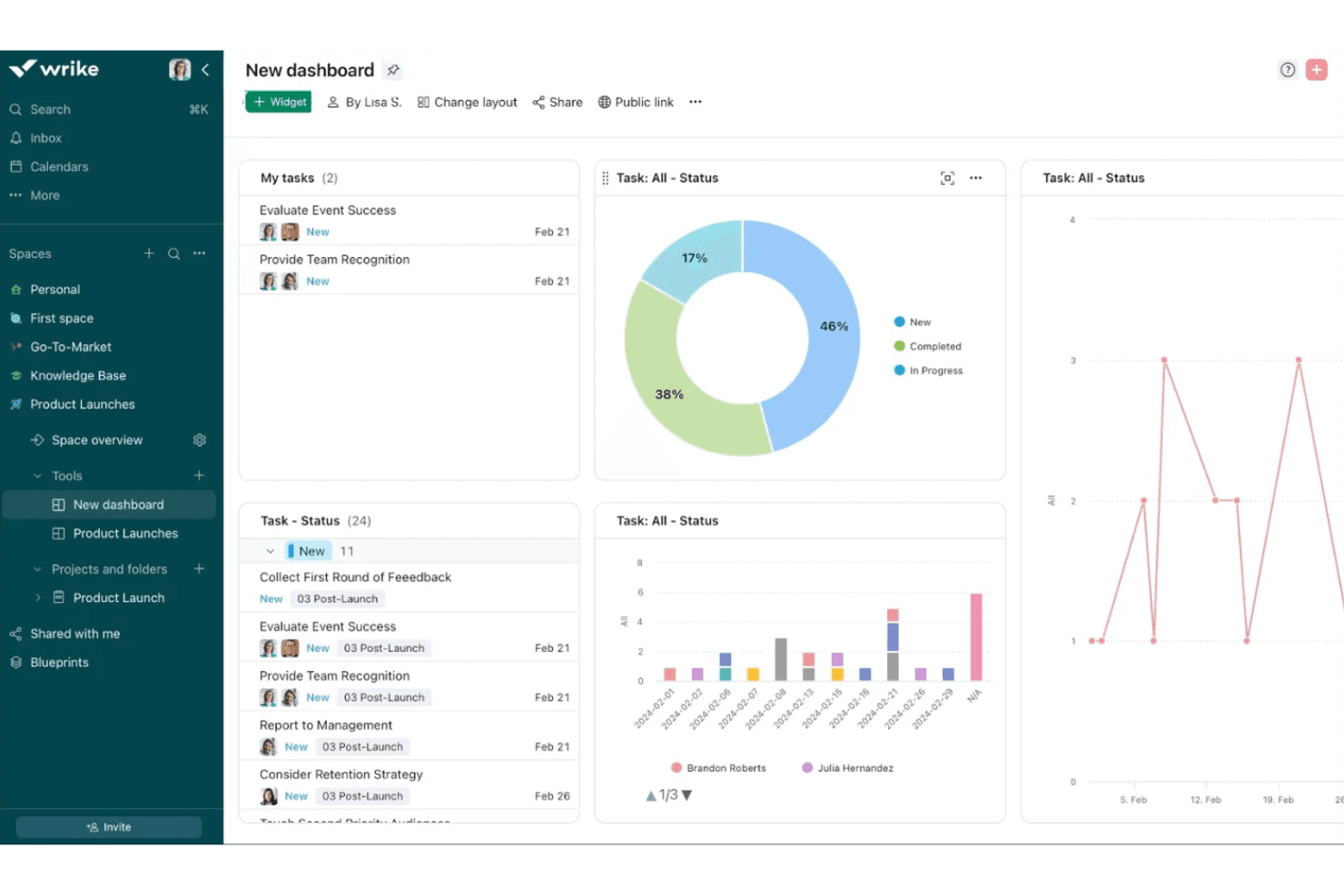
Build interactive dashboards and export detailed analytics. Monitor project health, team performance, and deadlines in one place.
Standout Features
Proofing and Approval Tools
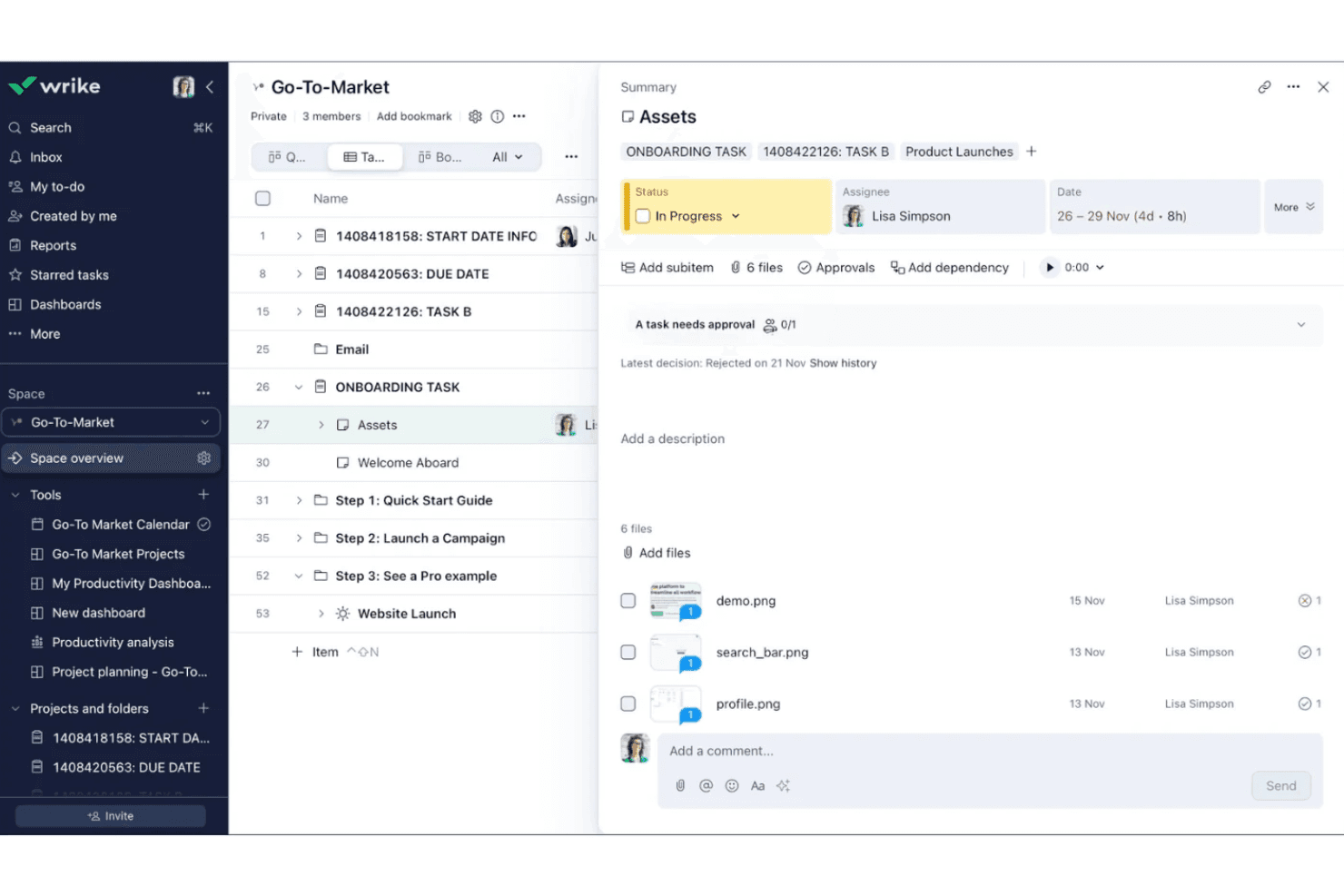
Wrike offers built-in markup and feedback tools for images, videos, and documents, allowing teams to review and approve creative assets without leaving the platform. This streamlines creative workflows and keeps all feedback organized in one place.
Blueprints for Project Templates
Wrike’s Blueprints let you create reusable templates for projects, tasks, or folders, including pre-set assignees, timelines, and dependencies. This feature accelerates project setup and ensures consistency across recurring work.
Ease of Use
Wrike offers a modern, feature-rich interface, but its depth can feel overwhelming for new users or teams with simple needs. Many users appreciate the customization and flexibility, yet navigating advanced features like workflow automation and resource management often requires training. The platform’s onboarding guides and help resources are helpful, but teams with limited technical experience may find setup and daily use more complex than expected for basic project tracking.
Onboarding
Wrike’s onboarding experience is thorough, offering interactive tutorials, a knowledge base, and live chat support to help new users get started. Many users note that initial setup can be time-consuming due to the platform’s depth, but the guided walkthroughs and onboarding checklists help teams configure workflows and permissions. Dedicated customer success resources are available for larger accounts, which can accelerate adoption and reduce confusion during the first weeks of use.
Customer Support
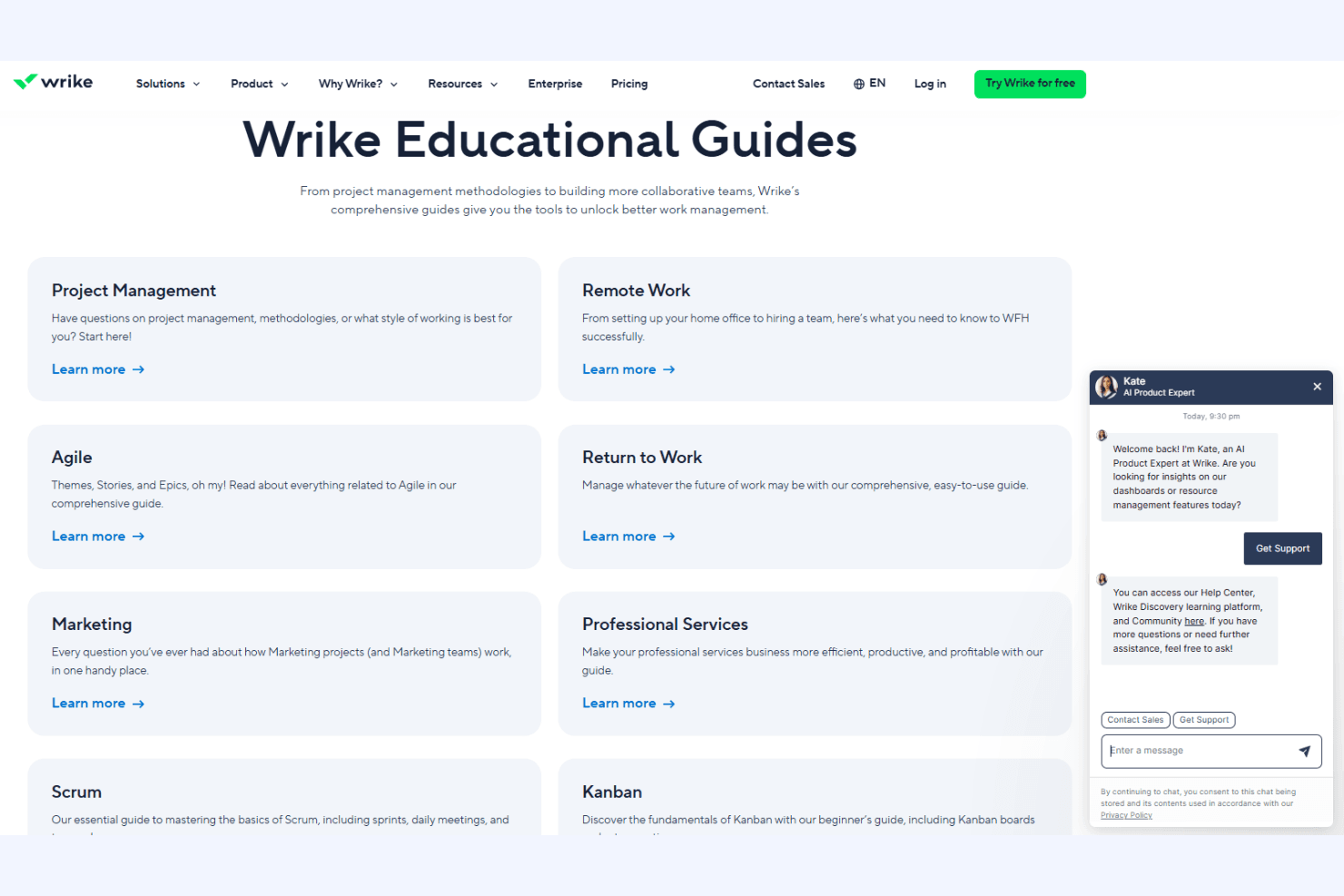
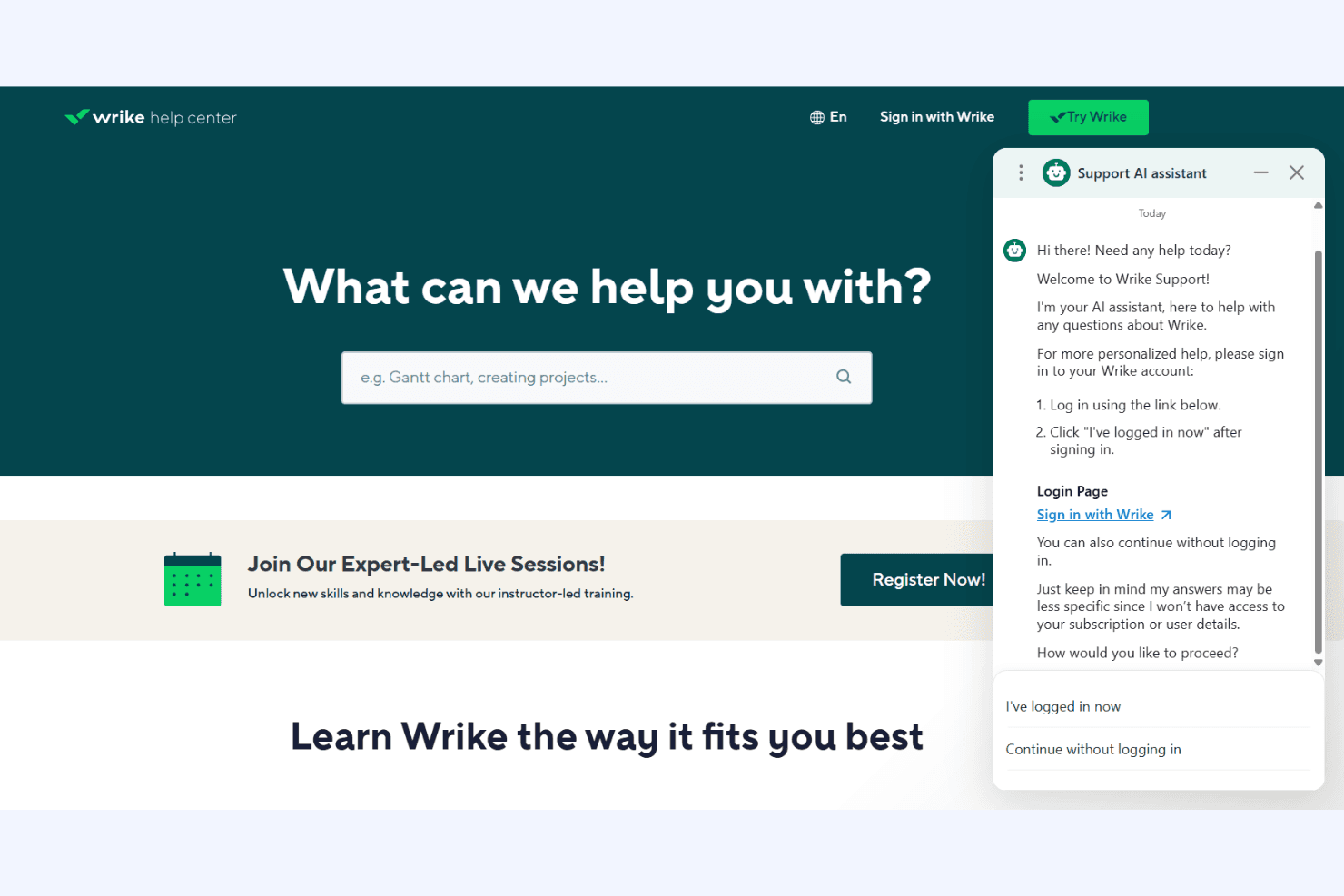
Wrike provides responsive customer support through live chat, email, and a detailed help center, with many users reporting quick and helpful responses. Premium support tiers offer faster response times and dedicated account managers for enterprise clients. The platform’s resource library, webinars, and community forums give users multiple ways to find answers and share best practices. However, some users mention delays during peak times or with complex technical issues.
Integrations
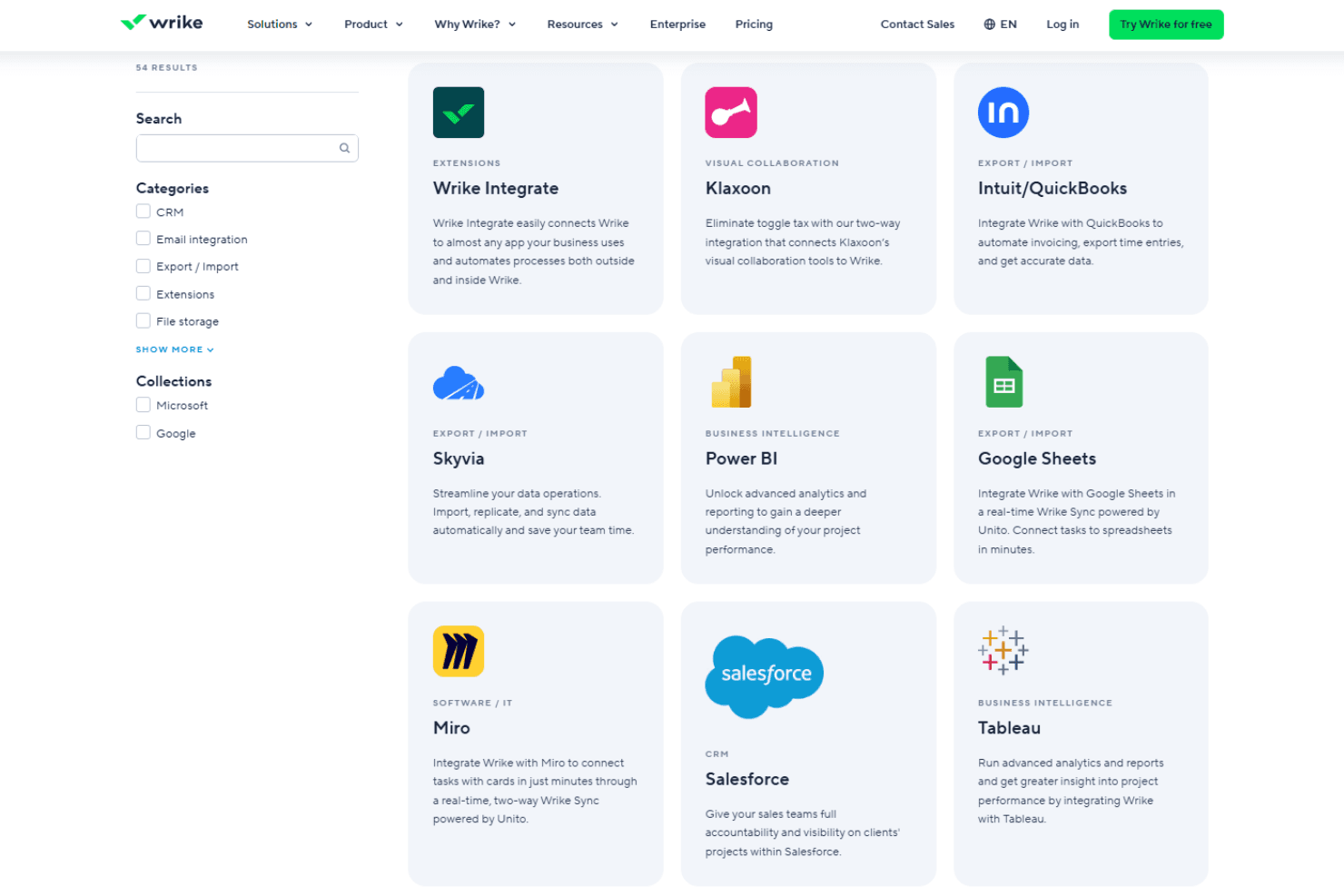
Wrike integrates with Microsoft Teams, Google Drive, Salesforce, Slack, Jira, Adobe Creative Cloud, Dropbox, Box, Outlook, and Zoom, among others.
Wrike also offers an open API and connects with third-party integration tools like Zapier for expanded connectivity.
Value for Money
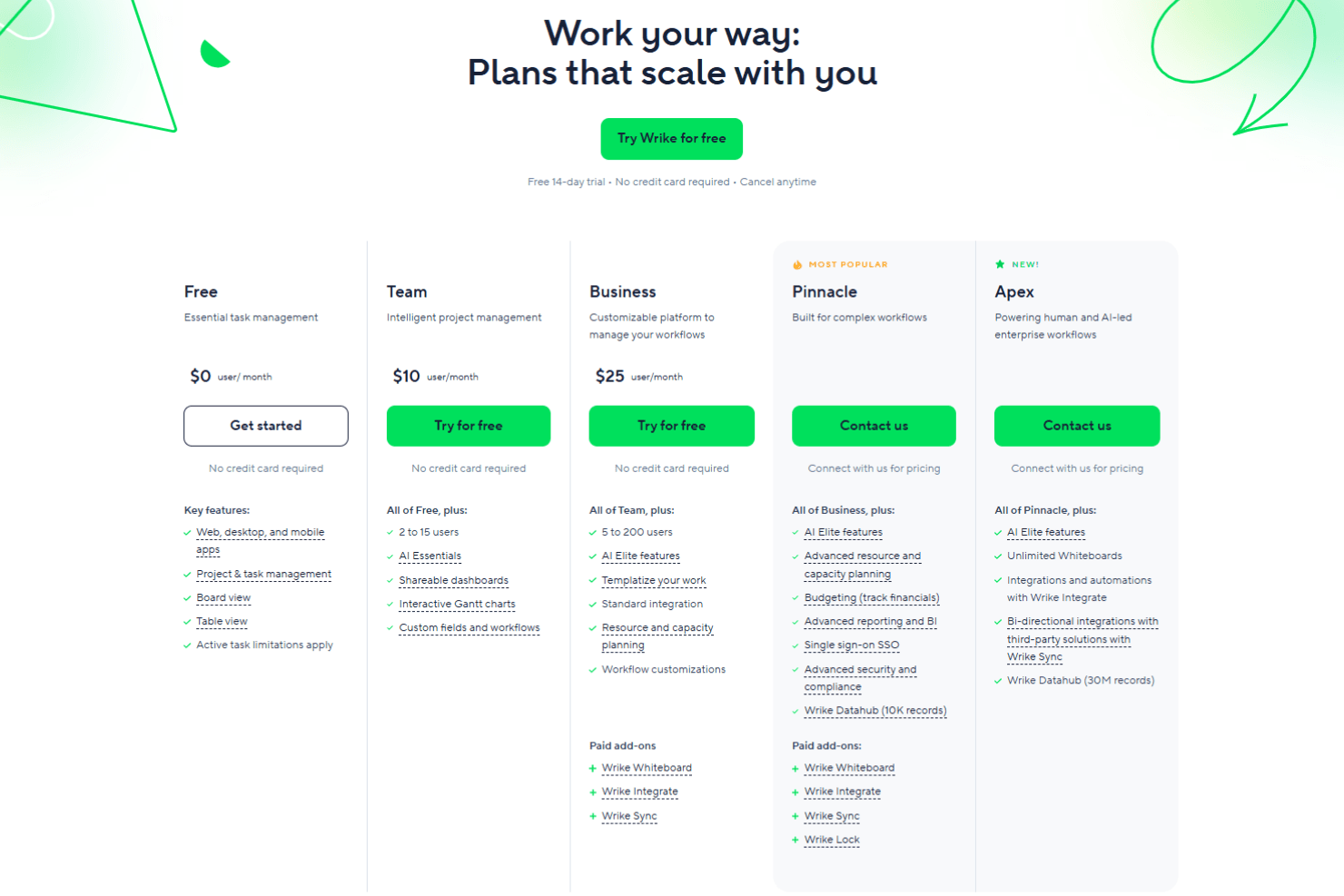
Wrike’s pricing reflects its advanced feature set, with many users finding strong value in its customization, automation, and reporting tools—especially at higher tiers. However, smaller teams or those with basic needs may find the cost high for features they won’t use, and some advanced capabilities are only available on premium plans.
- Free: Basic task and project management for small teams.
- Team: Adds dashboards, interactive Gantt charts, and up to 25 users.
- Business: Includes custom workflows, advanced reporting, and resource management.
- Enterprise: Offers advanced security, permissions, and scalability for large organizations.
- Pinnacle: Adds advanced analytics, budgeting, and more granular controls beyond Enterprise.
- Apex: Adds enterprise AI workflows, advanced automation, and tools designed to power human- and AI-led operations at scale.
Wrike Specs
- API: Yes
- Batch Permissions & Access: Yes
- Budgeting: Yes
- Calendar Management: Yes
- Collaboration Support: Yes
- Contact Management: Yes
- Contact Sharing: No
- Customer Management: No
- Dashboard: Yes
- Dashboards: Yes
- Data Export: Yes
- Data Import: Yes
- Data Visualization: Yes
- Dependency Tracking: Yes
- Document Sharing: Yes
- Expense Tracking: Yes
- External Integrations: Yes
- File Sharing: Yes
- Gantt Charts: Yes
- Kanban Boards: Yes
- Multi-User: Yes
- Notifications: Yes
- Project Management: Yes
- Resource Management: Yes
- Scheduling: Yes
- Task Scheduling/Tracking: Yes
- Third-Party Plugins/Add-Ons: Yes
- Time Management: Yes
- Travel Management: No
- Workflow Management: Yes
Wrike FAQs
Wrike Company Overview & History
Wrike is a project management and collaboration software company that offers cloud-based solutions for teams and organizations to manage projects, tasks, and workflows. Headquartered in San Jose, California, Wrike has offices in Dublin, Melbourne, and Tokyo, with over 1,000 employees worldwide.
Launched in 2006, Wrike's flagship product includes features like Gantt charts, time tracking, custom dashboards, proofing and approval, and integrations with over 400 other apps. Notable clients include Google, Dell, Airbnb, Snowflake, Siemens, Okta, and Nickelodeon.
Wrike Major Milestones
- 2006**:** Andrew Filev founded Wrike
- 2007**:** Wrike project management software officially launched
- 2013**:** Released new version with redesigned interface and proofing/approval features
- 2015**:** Raised $26 million in Series B funding
- 2016**:** Opened EMEA headquarters in Dublin
- 2022**:** Reached $1 billion valuation and 20,000 customers worldwide
- 2025: Named a Leader in the Gartner Magic Quadrant for Collaborative Work Management for the third time.