

Blender Testbericht: Vorteile, Nachteile, Funktionen und Preise
Blender überzeugt durch Vielseitigkeit und bietet eine kostenlose Open-Source-Lösung, mit der Ihr Team beeindruckende 3D-Prototypen erstellen kann, ohne das Budget zu sprengen.

Wir überprüfen Tools unabhängig und Provisionen helfen, unsere Tests zu finanzieren. Lesen Sie unsere transparente Richtlinie, unsere Methodik oder schlagen Sie ein Tool vor.
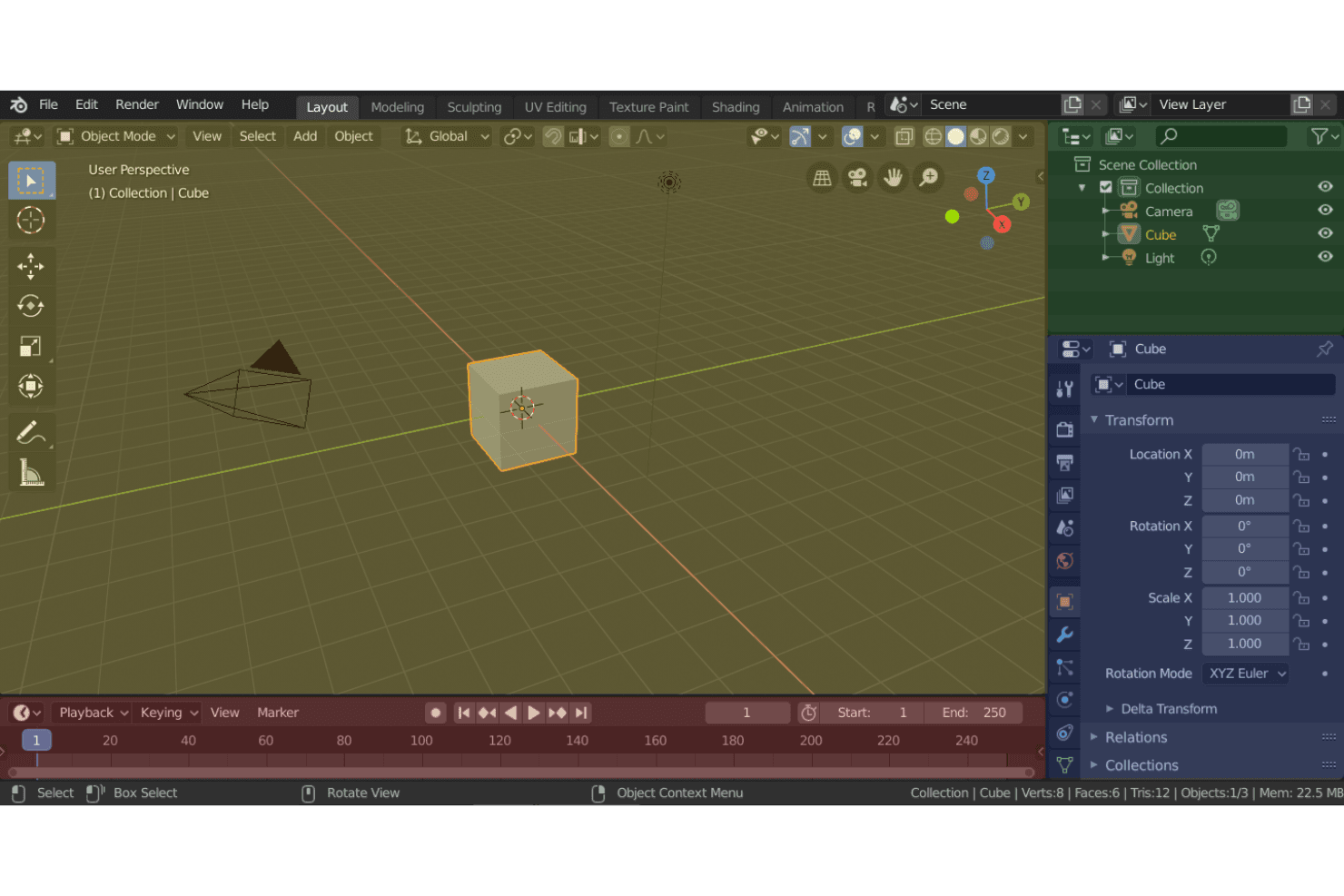
Blender is a free, open-source 3D prototyping software for designers and product teams who need to model, animate, and render 3D concepts from early-stage ideation through detailed visualization. I'd consider it over Autodesk Maya if your team needs a full-featured modeling environment without the annual licensing cost—particularly when you're iterating quickly on product concepts and budget flexibility matters more than enterprise support contracts.
Blender Evaluation Summary
4.7/5
- Free to use
Warum Sie unseren Software-Empfehlungen vertrauen können
6,700+
Reviews
20
Industry experts
16+
Evaluation factors
14
Years
Unser Team testet und bewertet Software seit 2012. Als Produktmanager wissen wir selbst, wie schwierig – und wichtig – es ist, die richtige Software auszuwählen.
Für diesen Leitfaden haben wir Tools mithilfe von praktischen Tests und unabhängiger Recherche bewertet und dabei unsere Bewertungskriterien angewendet.
Unsere Bewertungen spiegeln unser menschliches redaktionelles Urteilsvermögen wider, keine Verkaufsstrategie.
- Andrew LumbySenior TPM
- Cristiano ValimSenior UI/UX Lead
Blender Overview
In my opinion, Blender is a standout choice for 3D prototyping due to its open-source nature and extensive feature set. While it boasts impressive modeling and animation capabilities, the initial learning curve can be steep compared to other tools. However, its zero-cost price point makes it exceptionally attractive for freelancers, small studios, and educational institutions that might struggle with budget constraints. It excels in providing high-quality results without the hefty price tag. Compared to competitors, Blender lacks in ease of use and onboarding support, but its community-driven development and vast online resources fill in gaps for motivated users. If you're after a versatile tool that maximizes value for money, Blender's worth considering.
Pros
- Blender offers powerful modeling and animation tools.
- It has a supportive and active user community for help.
- The software provides frequent updates with new features.
Cons
- Blender's interface can be overwhelming for beginners.
- You might find the learning curve steeper than the other tools.
- Customer support isn't as responsive as some competitors.
Is Blender Right For Your Needs?
Who Would be a Good Fit for Blender?
Blender is a great fit for creative professionals and small studios in industries like animation, film, and game design. Its powerful modeling and animation tools, combined with a supportive community, make it ideal for teams that need a versatile solution without spending much. If your team values frequent updates and new features, Blender's open-source nature offers that advantage. It's perfect if you're comfortable tackling a learning curve to access advanced capabilities.
- Animation StudiosBlender provides advanced animation tools that help your team create high-quality animated content.
- Game DevelopmentIts modeling and rendering capabilities make it a strong choice for designing intricate game environments.
- Freelance 3D ArtistsThe cost-free nature of Blender suits freelancers who need powerful tools without breaking the bank.
- Film ProductionBlender's comprehensive feature set supports visual effects and post-production work efficiently.
- Education InstitutionsBlender's open-source platform is perfect for teaching 3D design without licensing costs.
- Product Design TeamsIts versatile modeling tools are excellent for prototyping and visualizing product concepts.
Who Would be a Bad Fit for Blender?
Blender might not be ideal for large corporations or teams that require dedicated customer support and streamlined onboarding processes. If your team relies heavily on extensive customer support or needs quicker onboarding due to tight project timelines, Blender's open-source nature could be a drawback. Additionally, industries that need specialized 3D software with seamless integration into existing workflows might find Blender's interface challenging and its support lacking.
- Enterprise CorporationsBlender's limited customer support might not meet the needs of large-scale operations.
- Beginner DesignersThe steep learning curve can be overwhelming for those new to 3D design.
- Engineering FirmsBlender lacks specific CAD features needed for precise engineering tasks.
- Medical VisualizationBlender may not offer the specialized tools required for detailed medical modeling.
- Manufacturing CompaniesIts focus on artistic modeling might not align with manufacturing precision needs.
- Tech StartupsStartups needing fast integration and quick support might struggle with Blender's community-driven assistance.
Wie wir Tools testen & bewerten
Wir haben jahrelang unser System für Softwaretests und -bewertungen aufgebaut, verfeinert und verbessert. Unser Bewertungsraster wurde entwickelt, um die Feinheiten bei der Auswahl von Software und die Effektivität eines Tools einzufangen, wobei der Fokus auf den entscheidenden Aspekten des Entscheidungsprozesses liegt. Nachfolgend sehen Sie genau, wie unser Test- und Bewertungssystem anhand von sieben Kriterien funktioniert. Dadurch können wir eine objektive Bewertung der Software auf Basis von Kernfunktionen, herausragenden Merkmalen, Benutzerfreundlichkeit, Onboarding, Kundensupport, Integrationen, Kundenbewertungen und Preis-Leistungs-Verhältnis bieten.
Kernfunktionalität (25% der Endbewertung)
Der Ausgangspunkt unserer Bewertung ist stets die Kernfunktionalität des Tools. Verfügt das Tool über die grundlegenden Funktionen, die ein Benutzer erwarten würde? Sind einige dieser Kernfunktionen nur in höheren Tarifen verfügbar? Im Kern erwarten wir, dass ein Tool den grundlegenden Fähigkeiten seiner Wettbewerber standhält.
Herausragende Merkmale (25% der Endbewertung)
Als nächstes bewerten wir seltene Alleinstellungsmerkmale, die über die übliche Kernfunktionalität solcher Tools hinausgehen. Eine hohe Bewertung spiegelt spezialisierte oder einzigartige Funktionen wider, die das Produkt schneller, effizienter oder für den Nutzer wertvoller machen. Wir prüfen außerdem, wie einfach sich das Tool mit anderen, typischen Werkzeugen im Technologie-Stack integrieren lässt, um seine Funktionalität und seinen Nutzen zu erweitern. Tools mit vielen nativen Integrationen, Drittanbieter-Anbindungen und API-Zugang für Individualisierungen erzielen die besten Ergebnisse.
Benutzerfreundlichkeit (10% der Endbewertung)
Wir berücksichtigen, wie schnell und einfach sich Aufgaben der Kernfunktionalität mit dem Tool umsetzen lassen. Software mit hoher Punktzahl ist gut gestaltet, intuitiv zu bedienen, bietet mobile Apps, Vorlagen und macht vergleichsweise komplexe Aufgaben einfach.
Onboarding (10% der Endbewertung)
Wir wissen, wie wichtig eine schnelle Akzeptanz durch Teams für eine neue Plattform ist. Deshalb bewerten wir, wie leicht sich das Tool mit minimaler Schulung erlernen und nutzen lässt. Wir prüfen, wie schnell ein Teammitglied ohne Vorerfahrung eingerichtet ist und starten kann. Lösungen mit guter Bewertung setzen nur wenig oder keine Unterstützung voraus.
Kundensupport (10% der Endbewertung)
Wir prüfen, wie schnell und einfach Hilfe per Telefon, Live-Chat oder Wissensdatenbank verfügbar ist. Tools und Unternehmen mit Echtzeit-Support schneiden am besten ab, während Chatbots am schlechtesten bewertet werden.
Kundenbewertungen (10% der Endbewertung)
Zusätzlich zu unseren eigenen Tests und Bewertungen betrachten wir den Net Promoter Score aktueller und ehemaliger Kunden. Wir prüfen deren Wahrscheinlichkeit, sich erneut für das Tool zu entscheiden. Eine hohe Bewertung spiegelt einen hohen Net Promoter Score wider.
Preis-Leistungs-Verhältnis (10% der Endbewertung)
Abschließend vergleichen wir alle anderen Kriterien mit dem durchschnittlichen Einstiegspreis und den Kernfunktionen und bewerten das Gesamtergebnis. Software, die mehr für weniger bietet, erhält eine höhere Bewertung.
Core Features
Modeling Tools
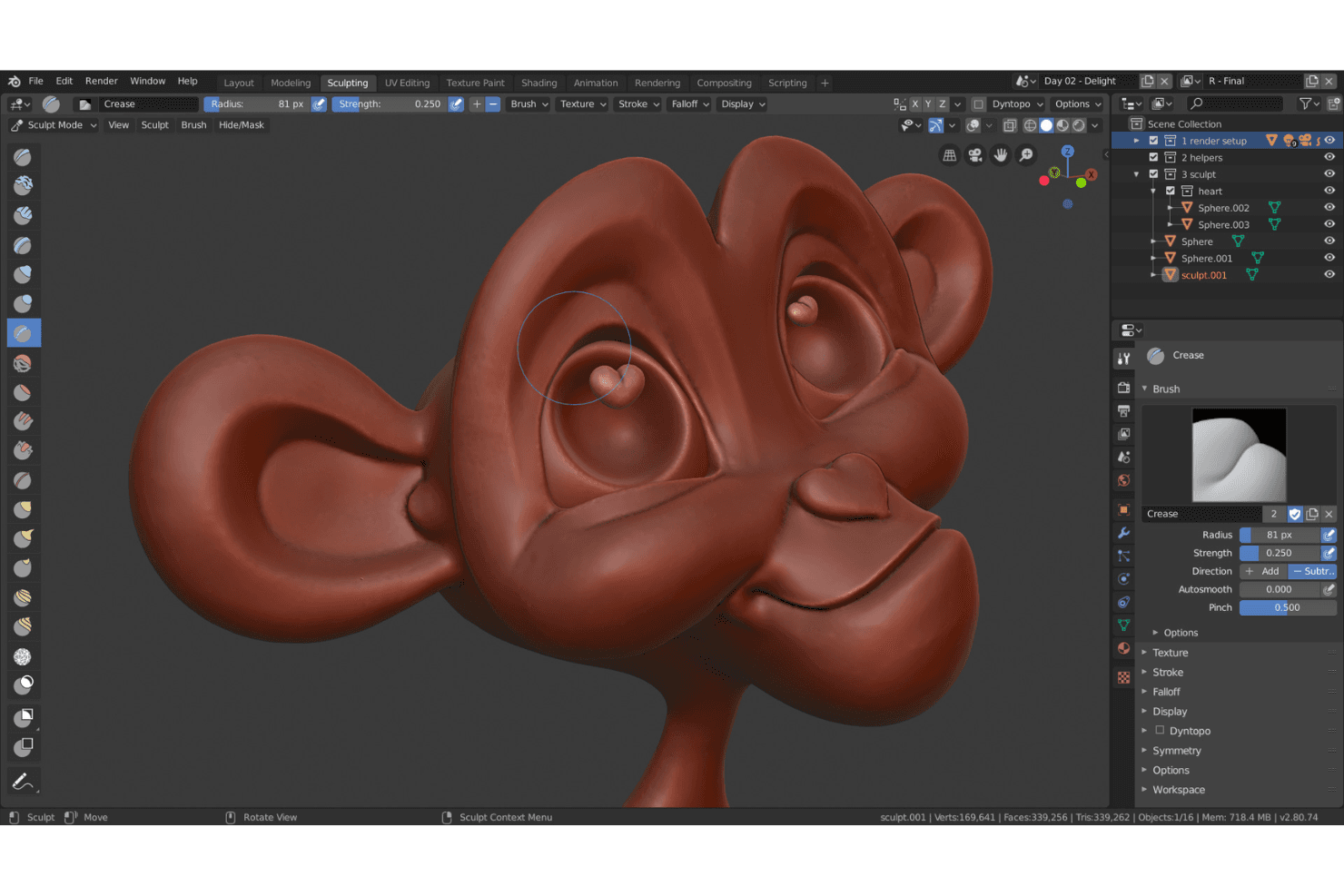
Blender offers a range of modeling tools as a powerful 3D modeling software for creating detailed 3D models. Your team can use sculpting, shaders, and texturing to bring concepts to life.
Animation System
It includes an advanced animation system that supports rigging and keyframe animation. This lets you create fluid, lifelike movements in your projects.
Rendering Engine
Blender's rendering engine, Cycles, provides realistic lighting and shading. It helps you produce high-quality visual outputs for your designs.
UV Mapping
The UV mapping feature allows precise texture application on 3D models. This enhances the realism and detail of your work.
Particle Simulation
You can simulate particles like smoke, fire, and fluids using Blender's simulation tools. This adds dynamic effects to your animations.
Video Editing
Blender includes a built-in video editor, letting you edit footage directly within the software. This streamlines your workflow by keeping everything in one place.
Ease of Use
Blender's user interface can be challenging for newcomers, with a steep learning curve compared to other user-friendly 3D graphics software. The abundance of features might impact initial usability, but with time and practice, users often appreciate its powerful capabilities. Its open-source nature means there's a wealth of community tutorials and resources to help you get up to speed. If your team is willing to invest time in learning, Blender's extensive functionality will be rewarding.
Integrations
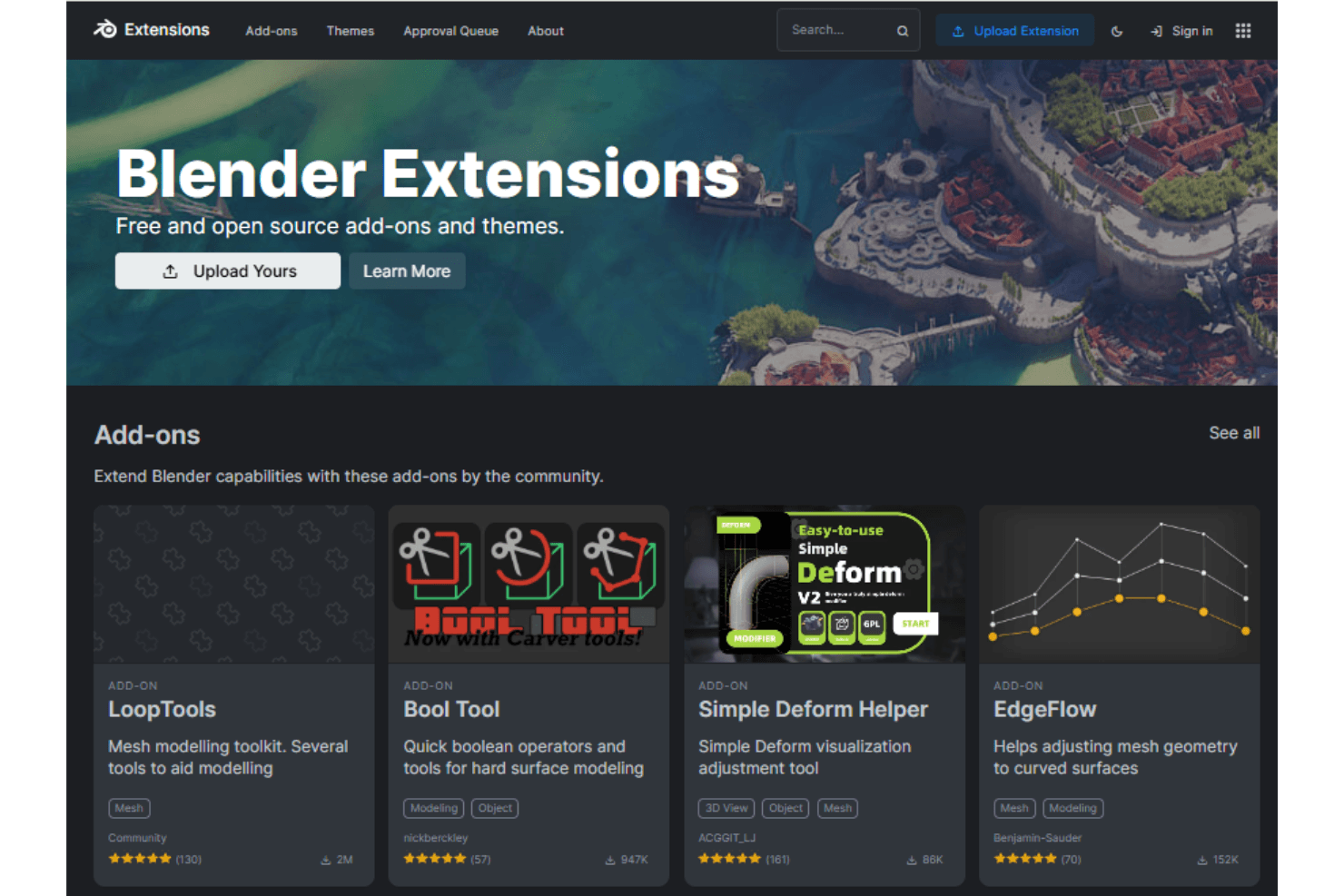
Blender integrates with Conductor, Rokoko, Spout, and various Python-based extensions. It also supports compatibility with animation and motion capture tools, and has a robust community for creating custom add-ons.
Blender has an API that allows for custom integrations, making it adaptable to various third-party tools and workflows.
Blender Specs
- API: Yes
- Bug Tracking: Yes
- CI/CD Integration: Yes
- Cloud Deployment: Yes
- Code Review: Yes
- Code Transformation: Yes
- Collaboration Support: Yes
- Data Export: Yes
- Data Import: Yes
- Developer Tools: Yes
- External Integrations: Yes
- Git Integration: Yes
- History/Version Control: Yes
- IDE Plugins: Yes
- Local Deployment: Yes
- Multi-User: Yes
- Notifications: Yes
- Project Management: Yes
- Release Management: Yes
- Static Analysis: Yes
- Task Scheduling/Tracking: Yes
- Testing: Yes


