

Bir ürün yöneticisi olarak ürününüzü potansiyel müşterilere etkili bir şekilde tanıtma zorluğuyla karşı karşıyasınız. Etkileşimli demo yazılımları, kitlenize ilgi çekici ve uygulamalı deneyimler sunarak bu zorluğun üstesinden gelmenize yardımcı olabilir. Bu araçlar, doğrudan kullanıcılarınızın ihtiyaçlarına hitap eden demolar oluşturmanızı sağlar.
Yazılımları test edip incelerken edindiğim deneyime göre doğru demo aracını seçmek, ürününüzün nasıl algılandığı konusunda büyük bir fark yaratabilir. İster yeni kurulmuş bir şirket ister büyük bir kuruluş olun, bilinçli kararlar vermenize yardımcı olmak için tarafsız ve kapsamlı araştırmalara dayanan incelemeler sunmaya inanıyorum.
Bu makalede etkileşimli demo yazılımları için en iyi seçimlerimi paylaşacağım. Özel ihtiyaçlarınıza uygun seçenekleri keşfedecek ve ekibinizin ürün tanıtımı çalışmalarını iyileştirebilecek özellikler ile biçimler hakkında bilgi edineceksiniz.
Why Trust Our Software Recommendations
6,700+
Reviews
20
Industry experts
16+
Evaluation factors
14
Years
Our team has been testing and reviewing software since 2012. As product managers ourselves, we know how difficult—and important—it is to choose the right software.
For this guide, we evaluated tools using hands-on testing and independent research, scoring tools using our selection criteria.
Our reviews reflect our human editorial judgment, not a sales pitch.
Expert reviewers:
- Andrew LumbySenior TPM
- Cristiano ValimSenior UI/UX Lead


Karşılaştırma Tablosu: Etkileşimli Demo Yazılımları
Bu karşılaştırma tablosu, en iyi etkileşimli demo yazılımı seçimlerim için fiyatlandırma ayrıntılarını özetlemektedir.
Score legend (out of 5)
- Excellent4.5–5
- Good4–4.4
- Average3–3.9
- Below average2–2.9
- Poor1–1.9
Sorted by: Default
| Tool | Starting Price | Website | ||||||||||
|---|---|---|---|---|---|---|---|---|---|---|---|---|
Best for setup speed without a learning curve | Not rated | 4 | 3 | 4 | 4 | 5 | 4 | Not rated | Not rated | Not rated | $50/user/month Free plan available | Website |
Best for self-guided customer onboarding demos | Not rated | 5 | 4 | 4 | 3 | 4 | 5 | Not rated | Not rated | Not rated | $375/month Free demo available | Website |
Best for live demo data personalization at scale | Not rated | 5 | 4 | 4 | 3 | 4 | 4 | Not rated | Not rated | Not rated | Pricing upon request Free demo available | Website |
Best for no-code demos | Not rated | 4 | 4 | 4 | 4 | 5 | 4 | Not rated | Not rated | Not rated | $40/month Free plan + free demo available | Website |
Best for buying-committee demo analytics | Not rated | 5 | 5 | 4 | 4 | 4 | 5 | Not rated | Not rated | Not rated | $600/month Free demo available | Website |
Best for HTML-accurate sandbox demos | Not rated | 3 | 3 | 4 | 3 | 4 | 5 | Not rated | Not rated | Not rated | $159/month 14-day free trial | Website |
Best for sales-led demo personalization at scale | Not rated | 4 | 4 | 4 | 3 | 4 | 4 | Not rated | Not rated | Not rated | $750/month Free demo available | Website |
Best for demo-led user onboarding flows | Not rated | 4 | 4 | Not rated | 4 | Not rated | Not rated | 4 | 4 | 4 | $35/user/month Free plan +free demo available | Website |
Best for cloning complex products into live simulations | Not rated | 5 | 4 | 5 | 3 | 4 | 5 | Not rated | Not rated | Not rated | Pricing upon request 10-day free trial | Website |
Best for multi-language interactive guides | Not rated | 4 | 5 | 5 | 4 | 5 | 5 | Not rated | Not rated | Not rated | $40/month Free plan + free demo available | Website |


En İyi Etkileşimli Demo Yazılımları İncelemeleri
Aşağıda, kısa listeme giren en iyi etkileşimli demo yazılımlarına ilişkin ayrıntılı özetlerimi bulabilirsiniz. İncelemelerim, size en uygun seçeneği bulmanıza yardımcı olmak için her aracın temel özelliklerine, artılarına ve eksilerine, entegrasyonlarına ve ideal kullanım alanlarına ayrıntılı bir bakış sunar.
 Best for setup speed without a learning curve
- Free plan available
- From $50/user/month
Visit WebsiteCustomer Rating:4.8/5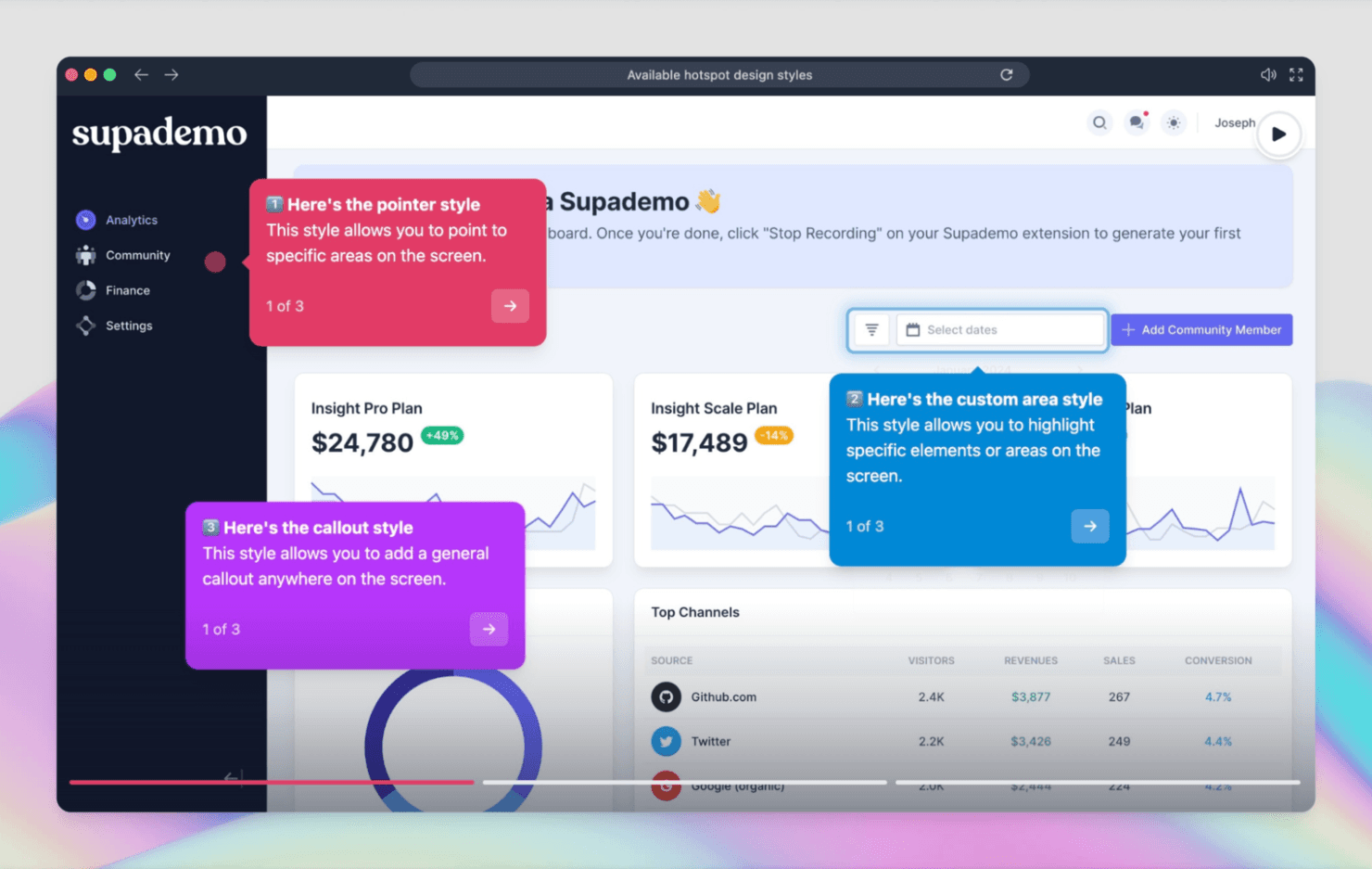
Supademo builds interactive product demos quickly for sales and marketing teams. Supademo is an interactive demo platform that lets you build click-through product walkthroughs, screenshot-based tours, and embeddable demos without design or technical skills.
Who Is Supademo Best For?
Supademo is a strong fit for small product and go-to-market teams that need to ship polished demos fast, without leaning on design or engineering resources.
Why I Picked Supademo
Supademo earns its spot on my shortlist because you can go from recording to a shareable, click-through demo in minutes, with no design handoff required. I love that its AI-powered text generation auto-fills step annotations as you build, so there's no blank-page friction slowing you down. The branching logic feature also lets me create a single demo that adapts to different buyer personas without rebuilding from scratch.
Supademo Key Features
- Demo hub: Organize and publish multiple demos in a single, branded gallery that viewers can navigate on their own.
- Embed options: Drop demos directly into websites, help centers, or sales decks using a lightweight embed code.
- Viewer analytics: Track individual step engagement, drop-off points, and overall demo completion rates across shared links.
- Custom branding: Apply your logo, brand colors, and custom domain to every demo for a consistent, on-brand viewer experience.
Supademo Integrations
Supademo offers native integrations with HubSpot, Salesforce, Marketo, Slack, Google Analytics 4, Google Tag Manager, Seismic, and Intercom. It also provides an API for custom connections and supports Zapier.
Pros and Cons
Pros:
- Branching and analytics reveal viewer engagement
- AI drafts step annotations during demo creation
- Quick capture turns workflows into clickable tours
Cons:
- Screenshot tours can’t replicate live product behavior
- Complex menus can cause missed recording steps
Learn more about Supademo: Best for self-guided customer onboarding demos
- Free demo available
- From $375/month (billed annually)
Visit WebsiteCustomer Rating:4.9/5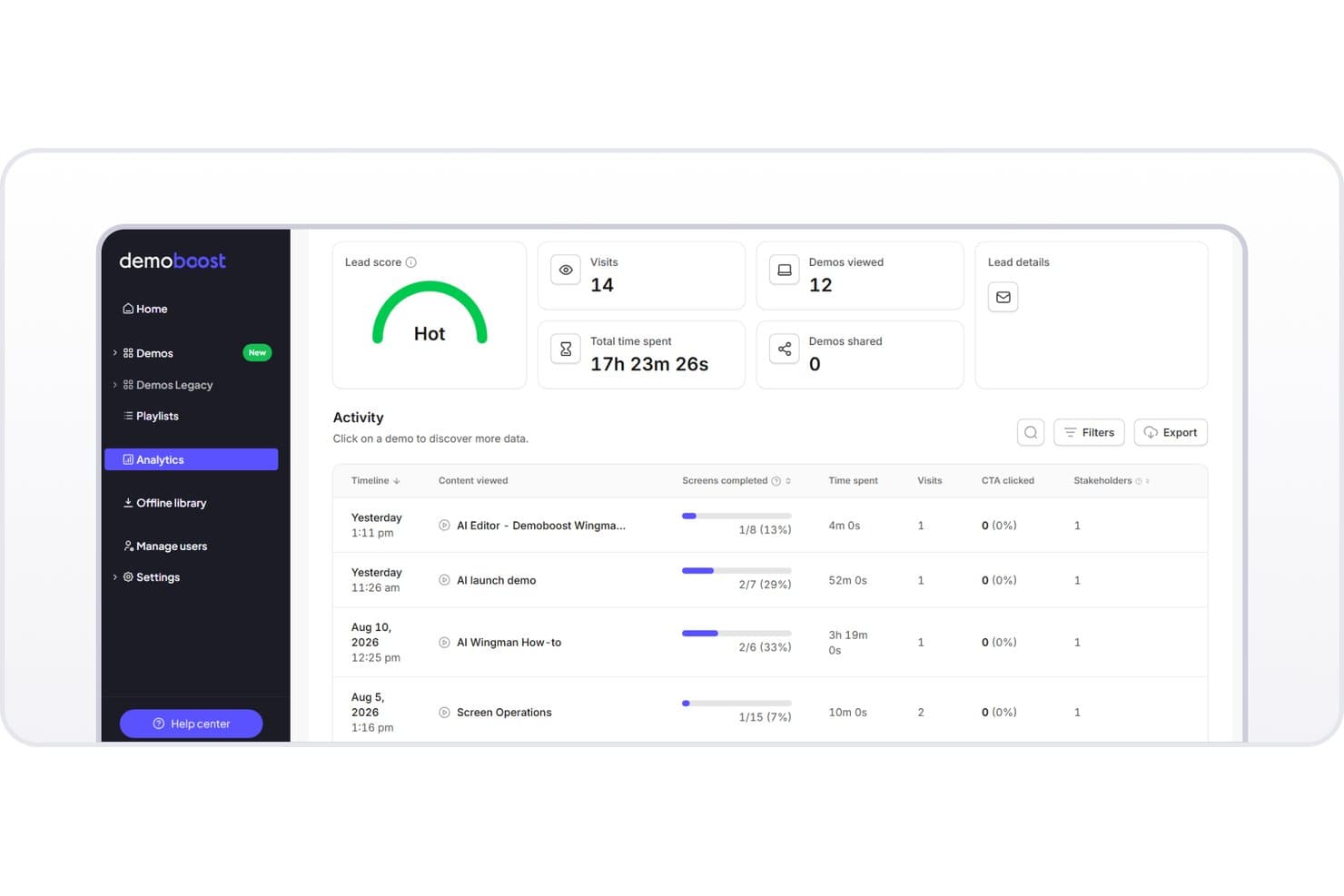
Demoboost tracks lead engagement with scores, visit counts, and demo activity. Demoboost is an interactive demo platform that lets you build, share, and track self-guided product demos with annotation tools, branching flows, and analytics.
Who Is Demoboost Best For?
Demoboost is a strong fit for customer success and sales teams that need to guide new users through a product without a live rep in the room.
Why I Picked Demoboost
I picked Demoboost as one of the best because it's built specifically around the self-guided experience, giving customer success teams tools like branching flows and contextual annotations to walk users through a product without a rep on the call. I particularly like how you can embed coach marks at each step, so new users get the right guidance exactly when they need it. The built-in analytics also show where users drop off, which helps you refine onboarding flows based on real behavior.
Demoboost Key Features
- Custom branding: Apply your brand's colors, fonts, and logo to every demo you publish.
- Demo sharing controls: Set access permissions, password protection, and expiration dates on shared demo links.
- CRM integrations: Connect Demoboost to your CRM to sync viewer data and track demo engagement alongside your pipeline.
- Embeddable demos: Embed interactive demos directly into your website, help center, or email campaigns.
Demoboost Integrations
Demoboost documents integrations with HubSpot, Salesforce, Slack, and Google Analytics 4 for CRM syncing, alerts, and demo engagement tracking.
Pros and Cons
Pros:
- Drop-off analytics reveal where users stall
- Coach marks provide contextual step guidance
- Branching guides adapt onboarding paths
Cons:
- Screenshot-heavy demos can load slowly
- Bulk slide reordering requires extra work
Learn more about Demoboost: Best for live demo data personalization at scale
- Free demo available
- Pricing upon request
Visit WebsiteCustomer Rating:4.9/5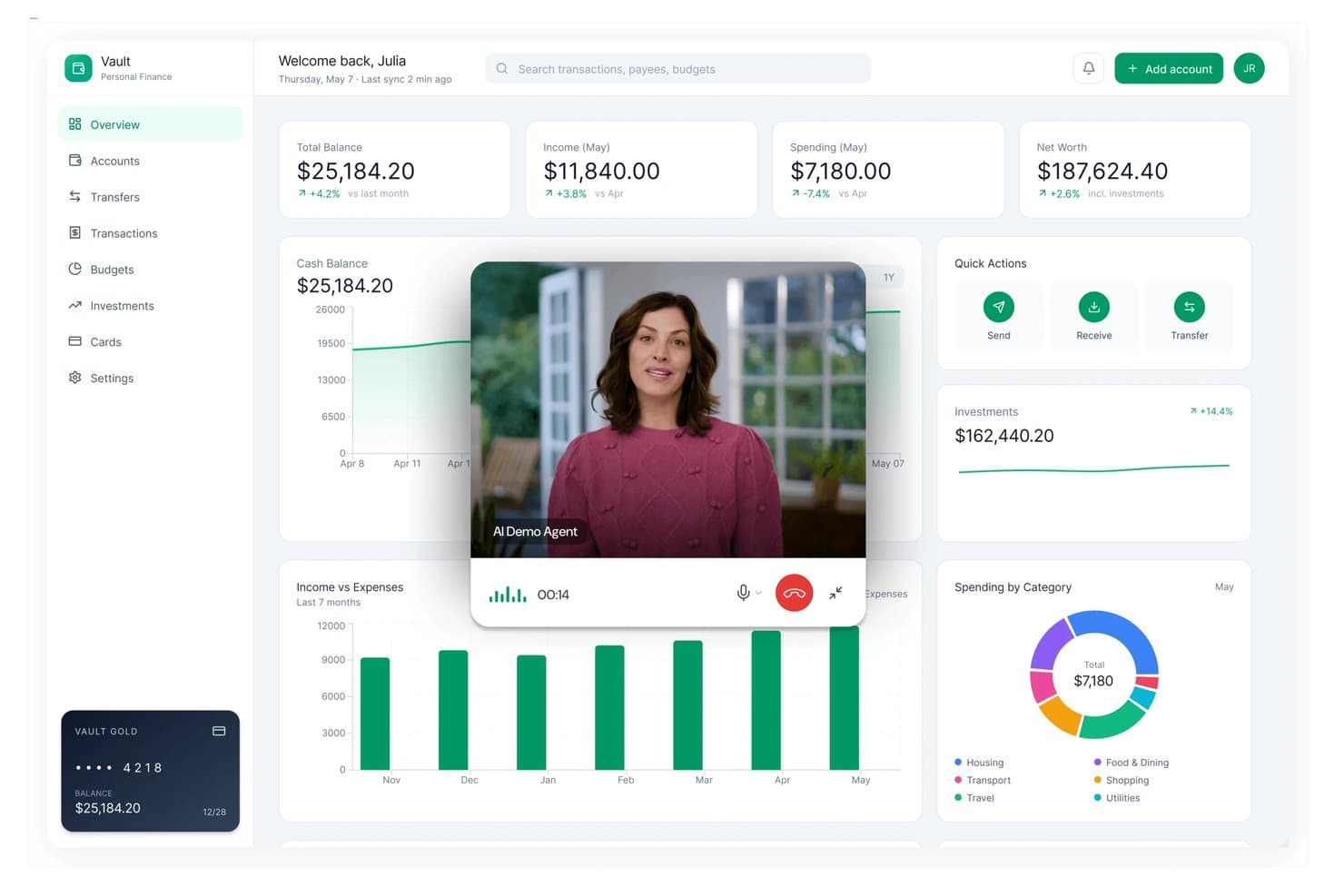
Saleo overlays an AI demo agent on a live financial dashboard. Saleo is a live demo personalization platform that lets sales teams overlay real-time data into their existing product environment to create tailored, environment-specific demos.
Who Is Saleo Best For?
Saleo is a strong fit for enterprise sales teams that run high-volume, highly customized demos across multiple accounts and industries.
Why I Picked Saleo
Saleo earns its spot on my shortlist because it lets sales teams inject live, account-specific data directly into a working product environment, without rebuilding the demo from scratch each time. I love how the data overlay engine can swap company names, metrics, and pipeline figures in real time, so a demo shown to a fintech prospect looks nothing like one shown to a healthcare buyer. That level of personalization, at volume, is what makes Saleo stand out for enterprise teams running dozens of tailored demos a week.
Saleo Key Features
- Demo environment cloning: Saleo mirrors your live product environment so reps can demo directly inside a real-feeling instance without touching production data.
- Role-based demo access controls: Admins can restrict which team members can edit, view, or share specific demo environments across the sales org.
- CRM data integration: Saleo connects to CRM platforms to pull account-specific data directly into demo flows before a call.
- Demo analytics dashboard: Track which demo elements prospects engage with most, giving your team visibility into what's resonating across accounts.
Saleo Integrations
Native integrations are not clearly documented.
Pros and Cons
Pros:
- Helps newer reps deliver consistent demos
- Cuts repetitive demo-data preparation time
- Personalizes live product data per account
Cons:
- Product changes can disrupt demo overlays
- Initial setup can require backend work
Learn more about Saleo: Best for no-code demos
- Free plan + free demo available
- From $40/month (billed annually)
Visit WebsiteCustomer Rating:4.8/5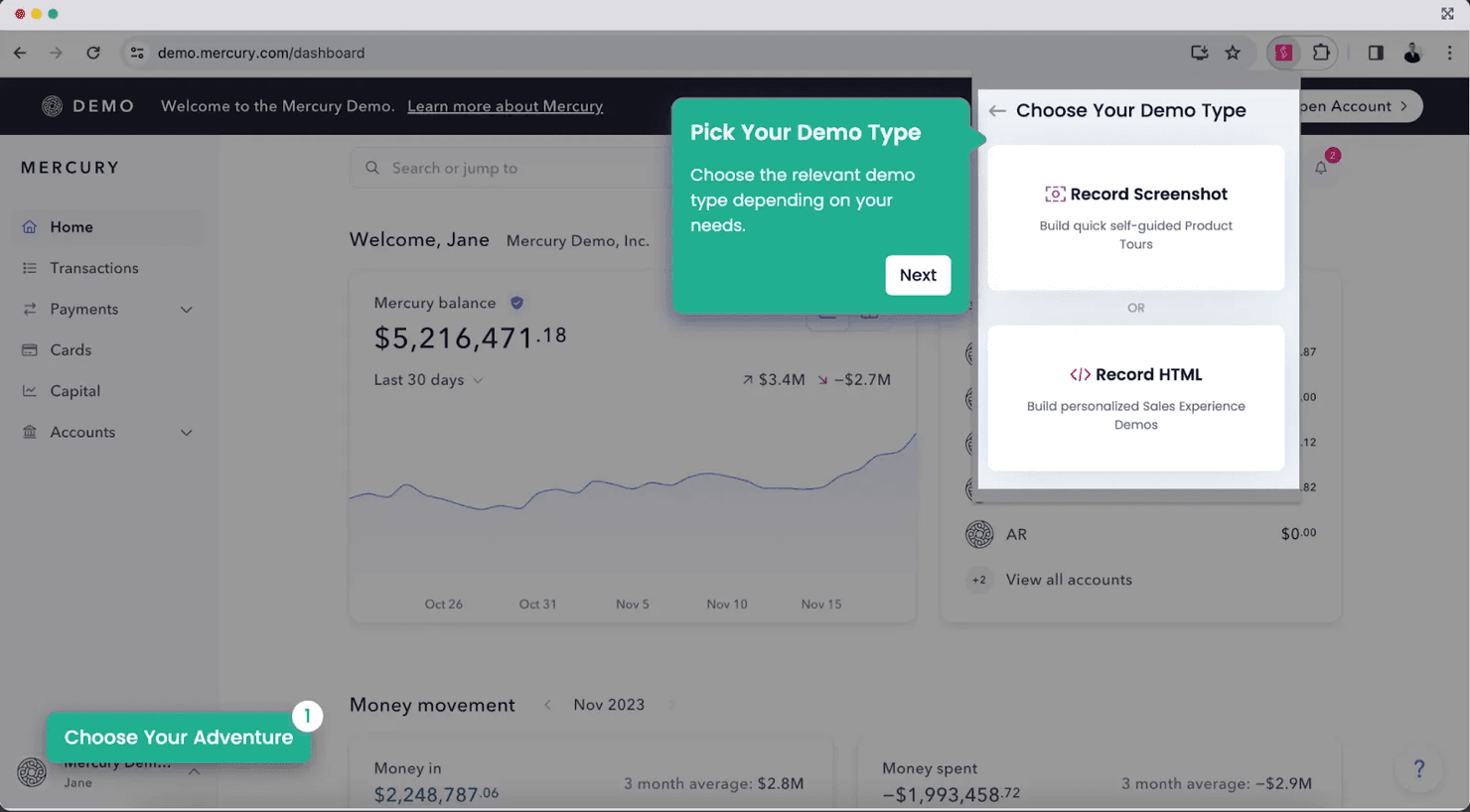
Storylane creates no-code interactive demos for marketing and sales teams. Storylane is an interactive demo platform that lets you build, customize, and share product walkthroughs using a no-code editor, screen capture, and HTML cloning tools.
Who Is Storylane Best For?
Storylane is a strong fit for product and marketing teams that need to build interactive demos quickly without relying on engineering support.
Why I Picked Storylane
Storylane earns its spot on my shortlist because it lets product and marketing teams build interactive demos without writing a single line of code. I particularly like its HTML cloning capability, which captures a live version of your product and makes it fully interactive for prospects. You can also layer in guided tooltips and branching flows so viewers follow a specific path through the demo.
Storylane Key Features
- Demo analytics dashboard: Track viewer engagement at the step level to see where prospects drop off or spend the most time in your demo.
- CRM and marketing integrations: Connect Storylane with tools like HubSpot and Salesforce to sync demo engagement data directly into your existing workflows.
- Shareable demo links: Generate unique, trackable URLs for each demo so you can distribute them via email, embed them on landing pages, or share them in sales outreach.
- Lead capture forms: Add gated forms inside your demo to collect prospect information before or during the walkthrough experience.
Storylane Integrations
Storylane integrates with HubSpot and Salesforce to sync demo engagement data with your marketing and sales workflows.
Pros and Cons
Pros:
- Step-level analytics reveal viewer drop-offs
- HTML cloning recreates live product screens
- Build interactive walkthroughs without engineering help
Cons:
- Complex product behavior may need manual recreation
- Cloned screens need refreshes after UI changes
Learn more about Storylane: Best for buying-committee demo analytics
- Free demo available
- From $600/month (billed annually)
Visit WebsiteCustomer Rating:4.7/5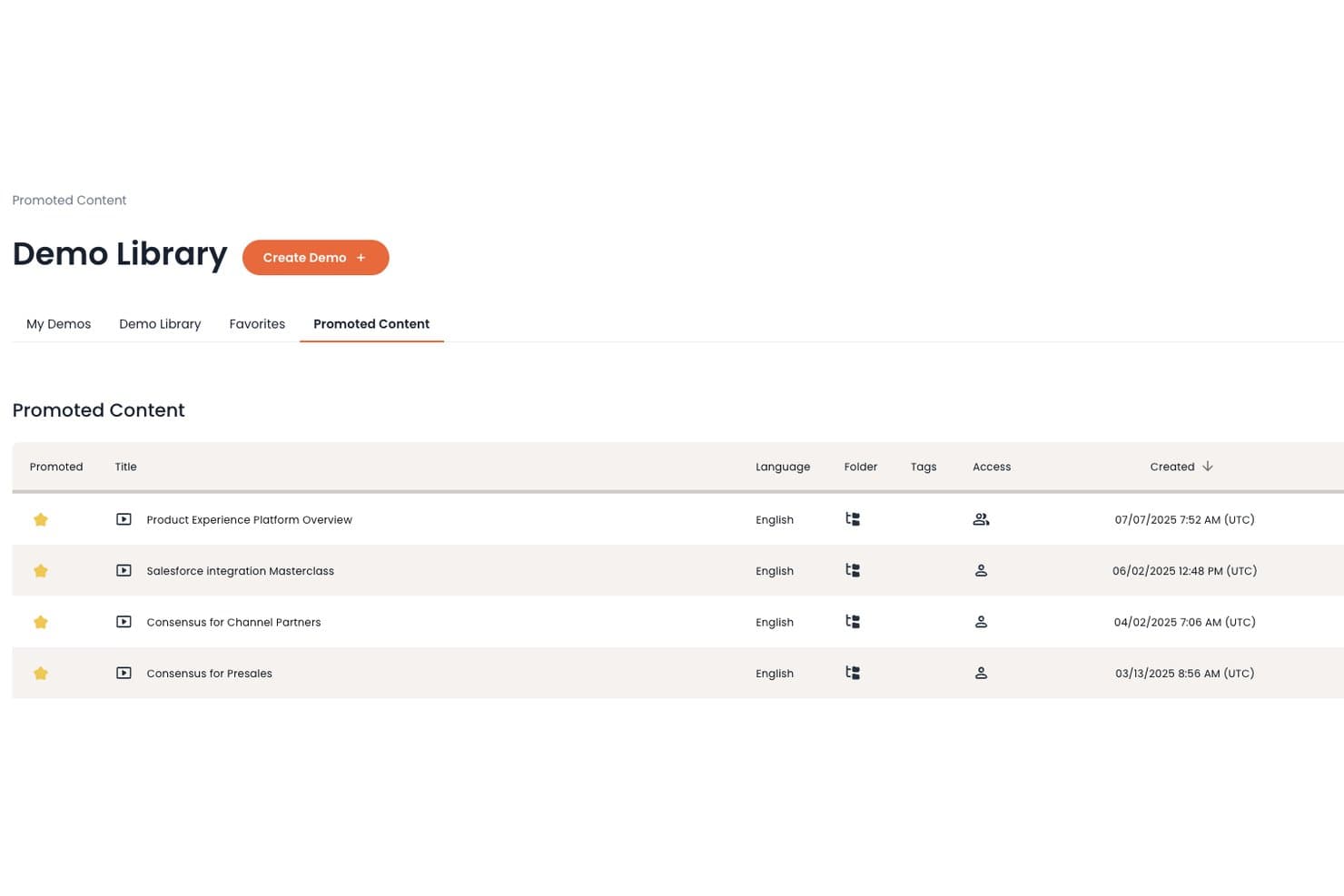
Consensus organizes promoted demos in a centralized library for easy sharing. Consensus is an interactive demo platform built for B2B sales teams, offering automated video demos, stakeholder engagement tracking, and buying-committee analytics across the full sales cycle.
Who Is Consensus Best For?
Consensus is a strong fit for B2B sales teams managing complex, multi-stakeholder deals where understanding buying-committee engagement is as important as the demo itself.
Why I Picked Consensus
Buying-committee visibility is where Consensus genuinely sets itself apart. I picked it because its stakeholder engagement tracking shows exactly which decision-makers watched a demo, how far they got, and what they replayed—so my team can prioritize follow-ups with precision. The DemoBoard feature consolidates multiple demos into a single shareable link, letting me see engagement across every stakeholder in one view without chasing down individual responses.
Consensus Key Features
- Automated video demo delivery: Send pre-recorded, interactive video demos to prospects automatically, without requiring a live sales rep to be present.
- Branching demo personalization: Let viewers choose their own demo path based on role or interest, so each stakeholder sees content relevant to them.
- Champion enablement tools: Equip your internal champion with shareable demo content they can distribute to other decision-makers on their own.
- Demo engagement notifications: Get real-time alerts when a prospect watches, shares, or replays a demo so your team can follow up at the right moment.
Consensus Integrations
Consensus offers integrations with HubSpot, Salesforce, Marketo, Pardot, Slack, Gong, Outreach, Gmail, Outlook, and Eloqua. Its open RESTful API supports custom integrations and routes demo engagement data to BI dashboards or other applications.
Pros and Cons
Pros:
- Automates buyer education between live sales calls
- DemoBoards consolidate multiple demos into shareable links
- Tracks stakeholder-level viewing and replay activity
Cons:
- Recipients must choose content before playback
- Older demos can be hard to locate
Learn more about Consensus: Best for HTML-accurate sandbox demos
- 14-day free trial
- From $159/month
Visit WebsiteCustomer Rating:5/5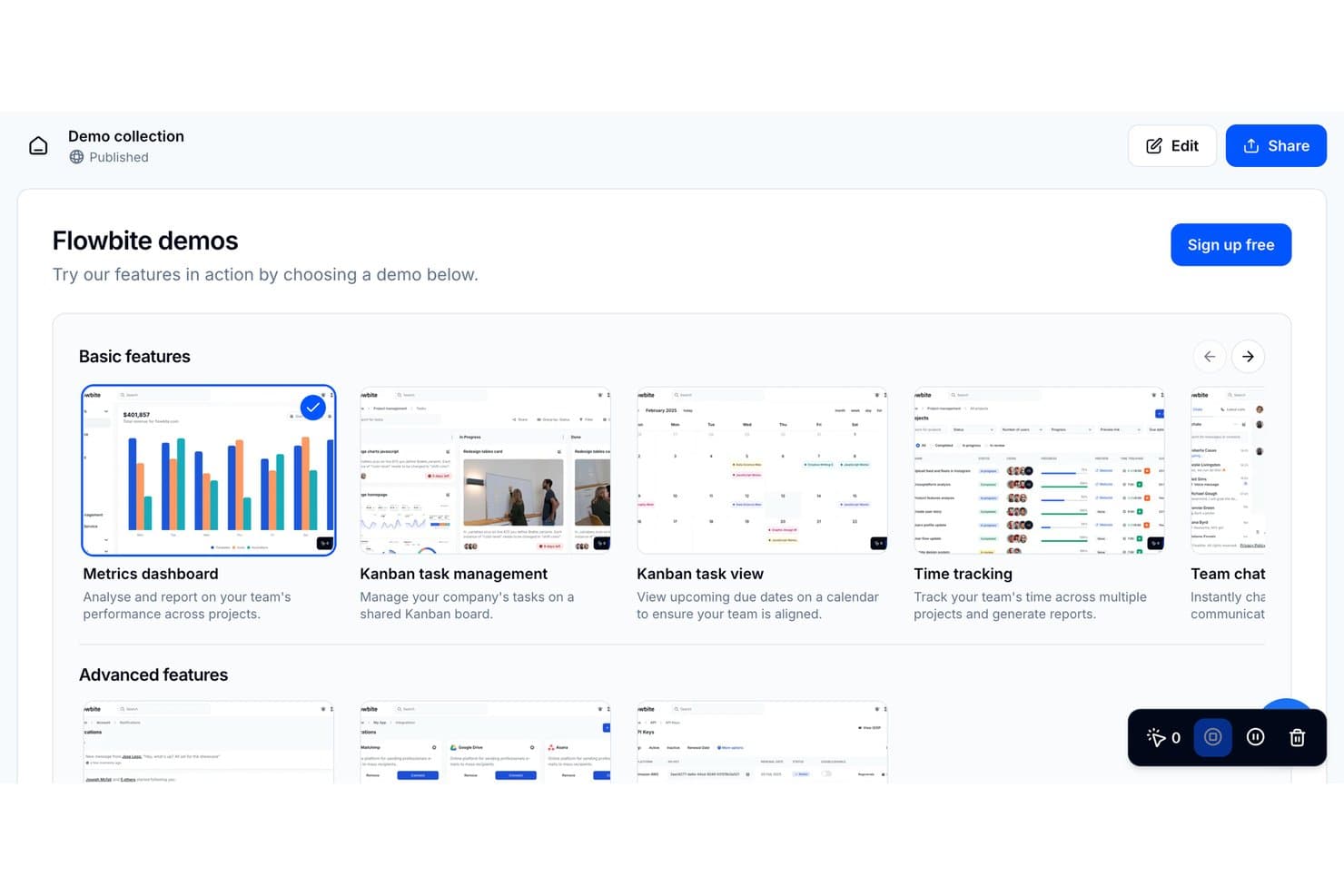
HowdyGo lets users browse interactive product demos in one collection. HowdyGo is an interactive demo platform that lets you capture live web app sessions and publish them as HTML-based sandbox demos, complete with guided tooltips, branching flows, and lead capture.
Who Is HowdyGo Best For?
HowdyGo is a strong fit for SaaS product and sales teams that need demos to replicate the real product experience without engineering involvement.
Why I Picked HowdyGo
HowdyGo earns its spot on my shortlist because it captures your live web app in HTML rather than screenshots, so prospects interact with a demo that behaves exactly like the real product. I particularly like that branching flows let you build multi-path demos where a prospect's choices drive the experience, which mirrors how real discovery conversations go. The built-in lead capture and guided tooltips mean my team can deploy a fully guided, gated demo without writing a single line of code.
HowdyGo Key Features
- Demo analytics dashboard: Track viewer engagement metrics—like time spent per step and drop-off points—across every published demo.
- Custom branding controls: Apply your company's colors, logo, and domain to demos so the experience matches your brand presentation.
- Embeddable demo widget: Publish demos directly on your website or landing pages using a lightweight embed without engineering support.
- CRM and marketing integrations: Connect HowdyGo to tools like HubSpot and Slack to route lead capture data straight into your existing workflows.
HowdyGo Integrations
HowdyGo supports integrations with HubSpot and Slack to route lead capture data into existing sales and marketing workflows.
Pros and Cons
Pros:
- Tooltips guide prospects through product workflows
- Branching flows support multiple buyer journeys
- HTML captures preserve realistic product interactions
Cons:
- App changes can require recapturing demos
- Requires a working app for capture
Learn more about HowdyGo: Best for sales-led demo personalization at scale
- Free demo available
- From $750/month (billed annually)
Visit WebsiteCustomer Rating:4.5/5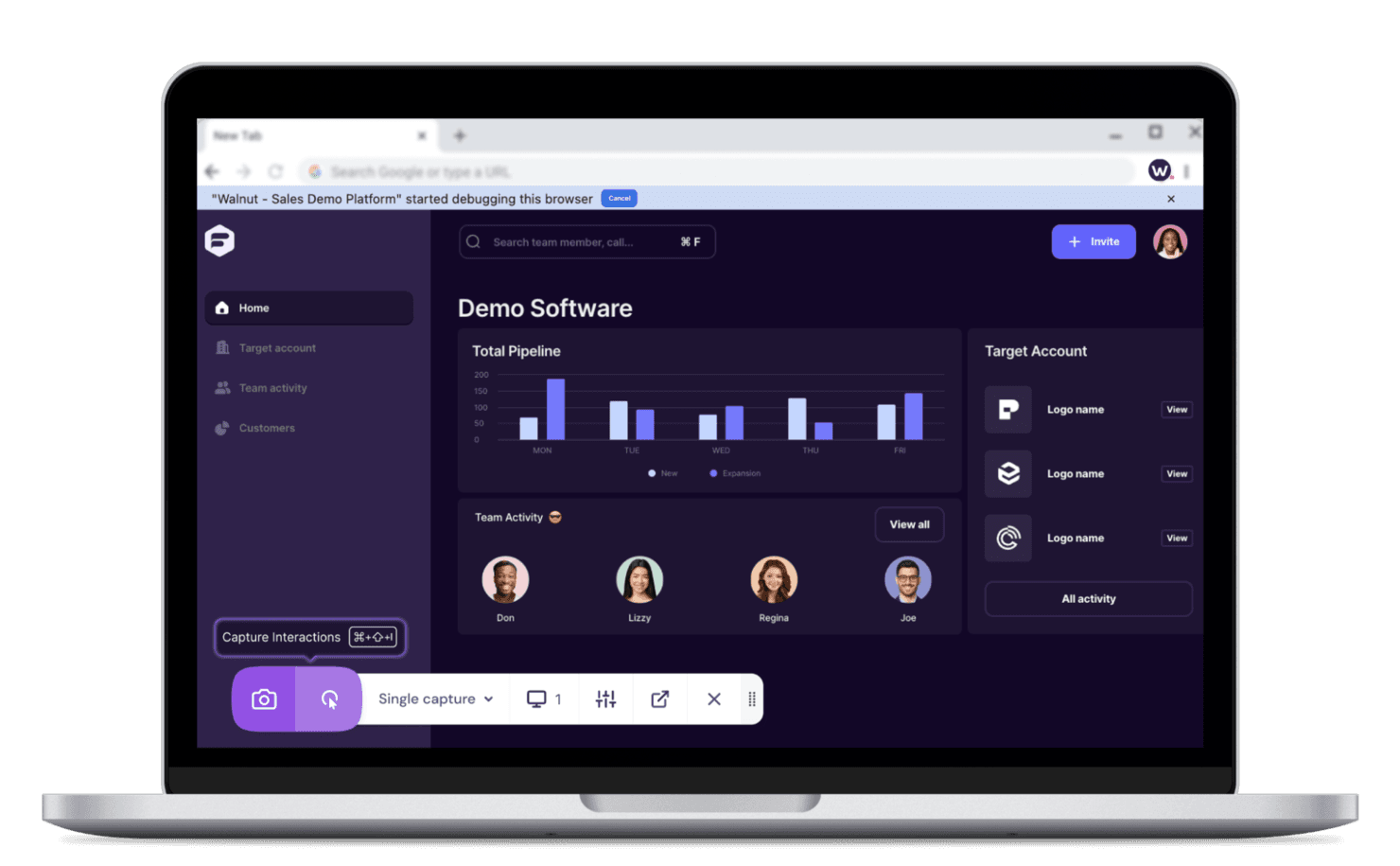
Walnut helps personalize product demos for sales teams. Walnut is an interactive demo platform built for sales teams that lets you create, personalize, and track product demos without engineering support.
Who Is Walnut Best For?
Walnut is a strong fit for B2B sales teams that need to deliver personalized, on-brand product demos to multiple prospects without leaning on engineering.
Why I Picked Walnut
Walnut earns its spot on my shortlist because it lets sales teams build fully personalized demo environments for each prospect without filing a single engineering ticket. I particularly like the template-based system, where you create one master demo and then clone and customize it per account, swapping in the prospect's logo, data, and use case in minutes. The built-in analytics also show me exactly which demo screens prospects engage with most, which helps sales reps sharpen their follow-up conversations.
Walnut Key Features
- No-code demo editor: A visual editor lets sales reps capture live product screens and edit text, images, and UI elements without touching the underlying code.
- Demo collections: Bundle multiple demos into a single shareable link so prospects can explore different use cases or product areas at their own pace.
- CRM integration: Walnut connects with Salesforce and HubSpot to push demo engagement data directly into existing sales workflows and contact records.
- Guided demo flows: Build step-by-step interactive walkthroughs with tooltips and hotspots that direct prospects through a specific narrative or feature set.
Walnut Integrations
Walnut integrates with Salesforce and HubSpot, helping sales teams connect demo engagement data with existing CRM workflows and contact records.
Pros and Cons
Pros:
- Bundle demos into shareable collections
- Track screen engagement to guide sales follow-ups
- Clone master demos for prospect-specific personalization
Cons:
- Complex workflows can be difficult to customize
- Product updates can require screen recapture
Learn more about Walnut: Best for demo-led user onboarding flows
- Free plan +free demo available
- From $35/user/month (billed annually)
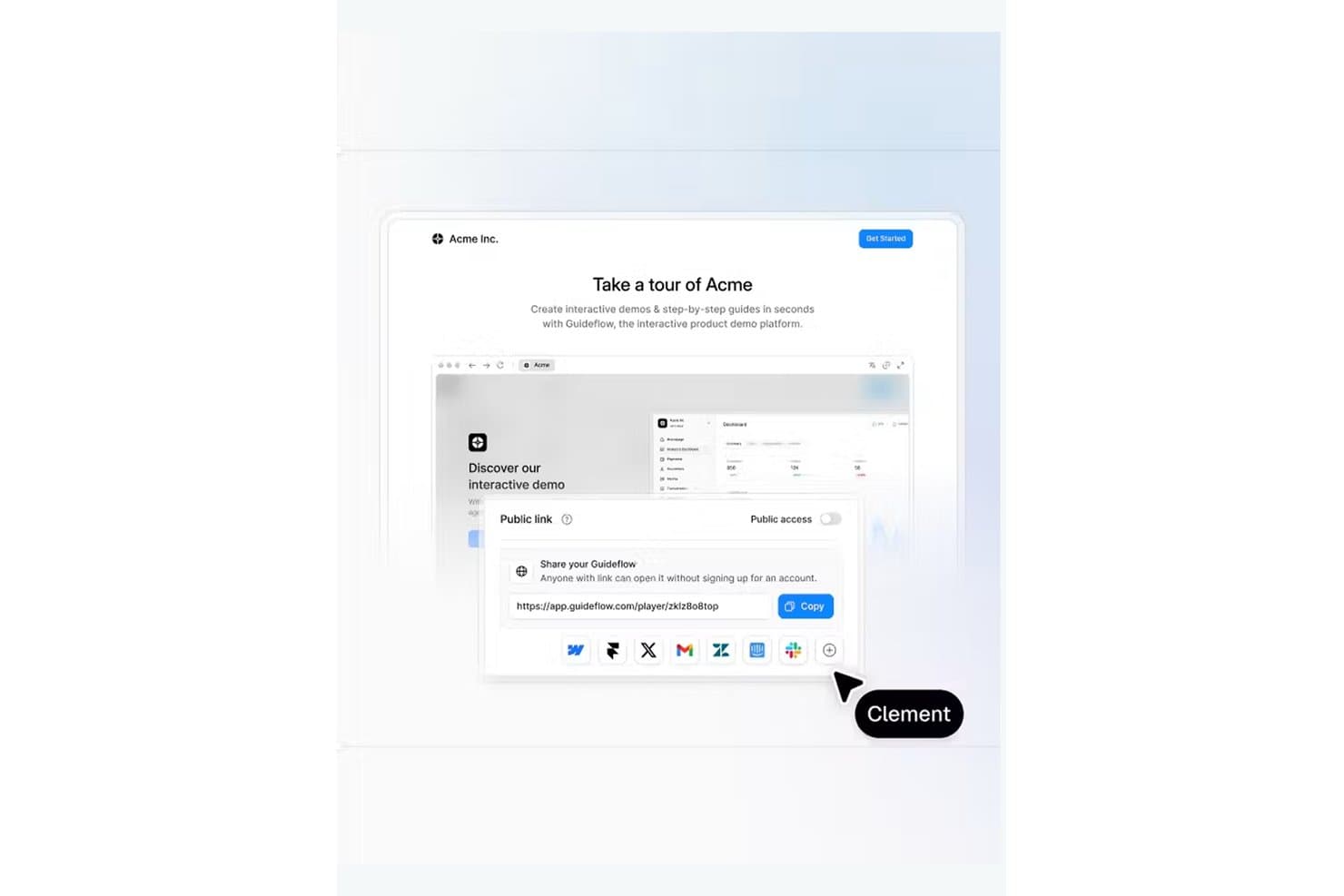
Guideflow lets users share interactive demos via a public link. Guideflow is a demo automation platform for B2B SaaS teams that combines browser-captured click-through demos, HTML product sandboxes with synthetic data, screen recording, Demo Centers, AI-driven personalization, and step-level engagement analytics.
Who Is Guideflow Best For?
Guideflow is a strong fit for product marketing and presales teams at B2B SaaS companies that need to build, personalize, and share demos across both marketing campaigns and technical proof-of-concept workflows.
Why I Picked Guideflow
I've included Guideflow in my top picks because it's purpose-built for demo-led onboarding flows, letting product marketing and presales teams guide users through real product experiences without engineering support. I particularly like how its HTML product sandboxes replicate the full application with synthetic data, so new users explore a true-to-life environment from day one. Pair that with step-level engagement analytics that identify exactly where users drop off, and you get a clear picture of where onboarding flows need refinement.
Guideflow Key Features
- Demo Center: Organize demos, videos, and case studies into a branded hub with curated playlists grouped by persona or use case.
- AI translation: Translate demo step titles, descriptions, buttons, and calls to action into multiple languages directly from within the editor.
- Dynamic variables: Personalize demo content using visitor or CRM data such as name, company, logo URL, and custom field values.
- Conditional journeys: Show or hide content and route viewers through different demo paths based on their profile or stated interests.
Guideflow Integrations
Guideflow lists integrations with HubSpot, Salesforce, Marketo, Slack, and other CRM, marketing, analytics, and communication tools. It also supports API, webhooks, Make, and Zapier.
Pros and Cons
Pros:
- Step-level analytics guide follow-up
- HTML edits avoid full re-recording
- Quickly creates clickable demos
Cons:
- Customizations require repeated screen edits
- Complex paths can feel restrictive
Learn more about GuideFlow: Best for cloning complex products into live simulations
- 10-day free trial
- Pricing upon request
Visit WebsiteCustomer Rating:5/5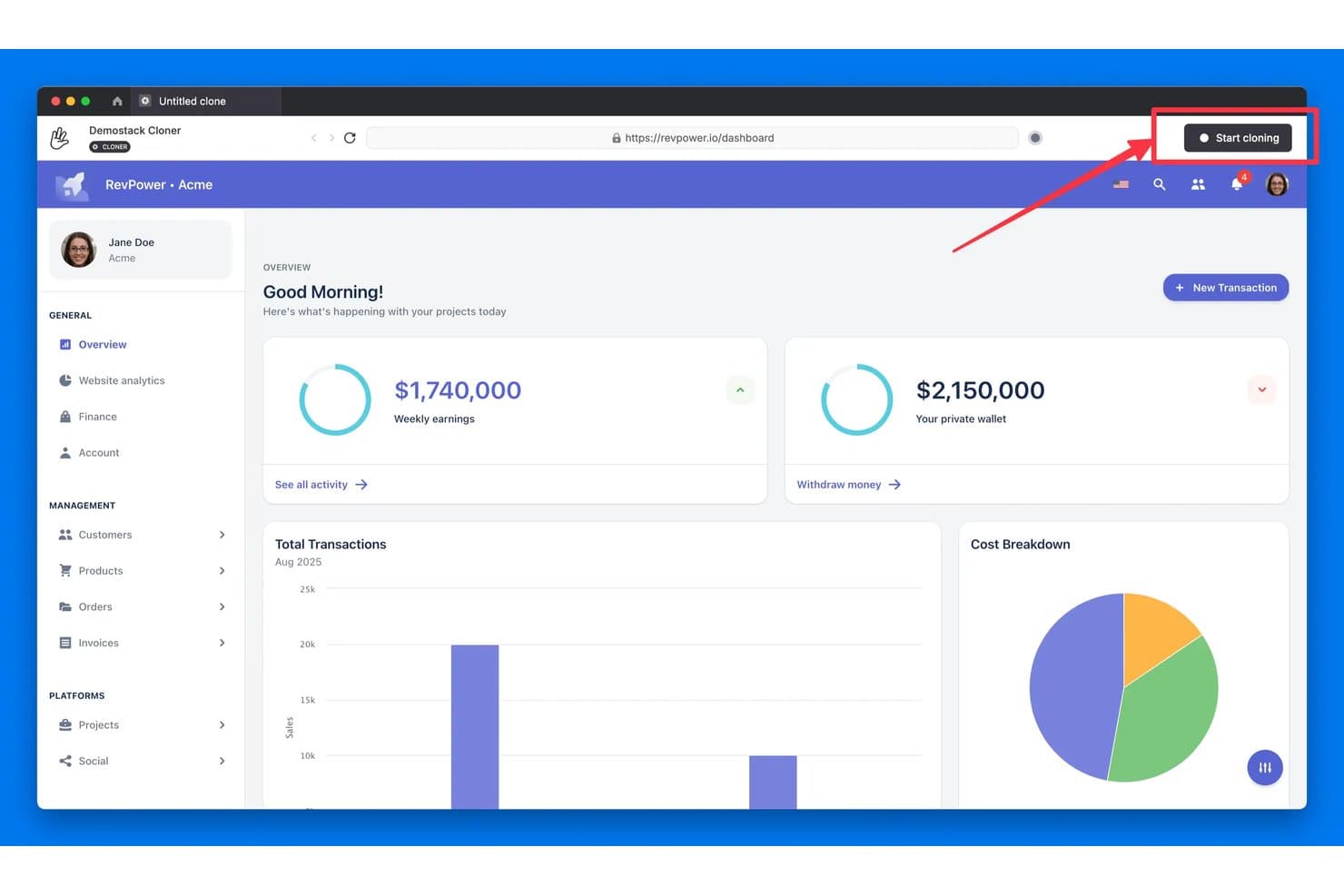
Demostack lets users clone any live web app with one click. Demostack is an interactive demo platform that lets sales and presales teams clone live products into fully interactive, data-customizable demo environments without engineering support.
Who Is Demostack Best For?
Demostack is a strong fit for enterprise sales and presales teams selling technically complex SaaS products that are too risky or slow to demo live.
Why I Picked Demostack
I picked Demostack as one of the best because it's the only tool I've seen that actually clones your live product into a sandboxed environment, so your sales team can run fully interactive demos without touching production data. Its data randomization layer lets reps swap in a prospect's real company name, industry metrics, and user personas on the fly. I also rely on its demo branching to build scenario-specific flows from a single cloned environment, which cuts prep time significantly for complex, multi-module SaaS products.
Demostack Key Features
- Shareable demo links: Generate unique, trackable links for each demo so prospects can revisit the experience after a call.
- Engagement analytics: Track how prospects interact with shared demos, including which screens they viewed and how long they spent on each.
- Custom branding controls: Apply prospect-specific logos, color schemes, and UI text directly within the cloned demo environment.
- Team demo library: Store and organize approved demo environments in a central library so reps can access and launch them without rebuilding from scratch.
Demostack Integrations
Demostack offers integrations with Salesforce, HubSpot, and Slack. It also supports webhooks for sending real-time demo events to CRMs, data warehouses, BI tools, or custom endpoints, plus MCP connections for Claude, ChatGPT, and Gemini.
Pros and Cons
Pros:
- Branching creates multiple flows from one clone
- Personalized data adapts demos to prospects
- Live-product clones support realistic hands-on demos
Cons:
- Demo preparation can involve repetitive actions
- Product updates can require re-cloning demos
Learn more about Demostack: 10Best for multi-language interactive guides
Navattic
- Free plan + free demo available
- From $40/month (billed annually)
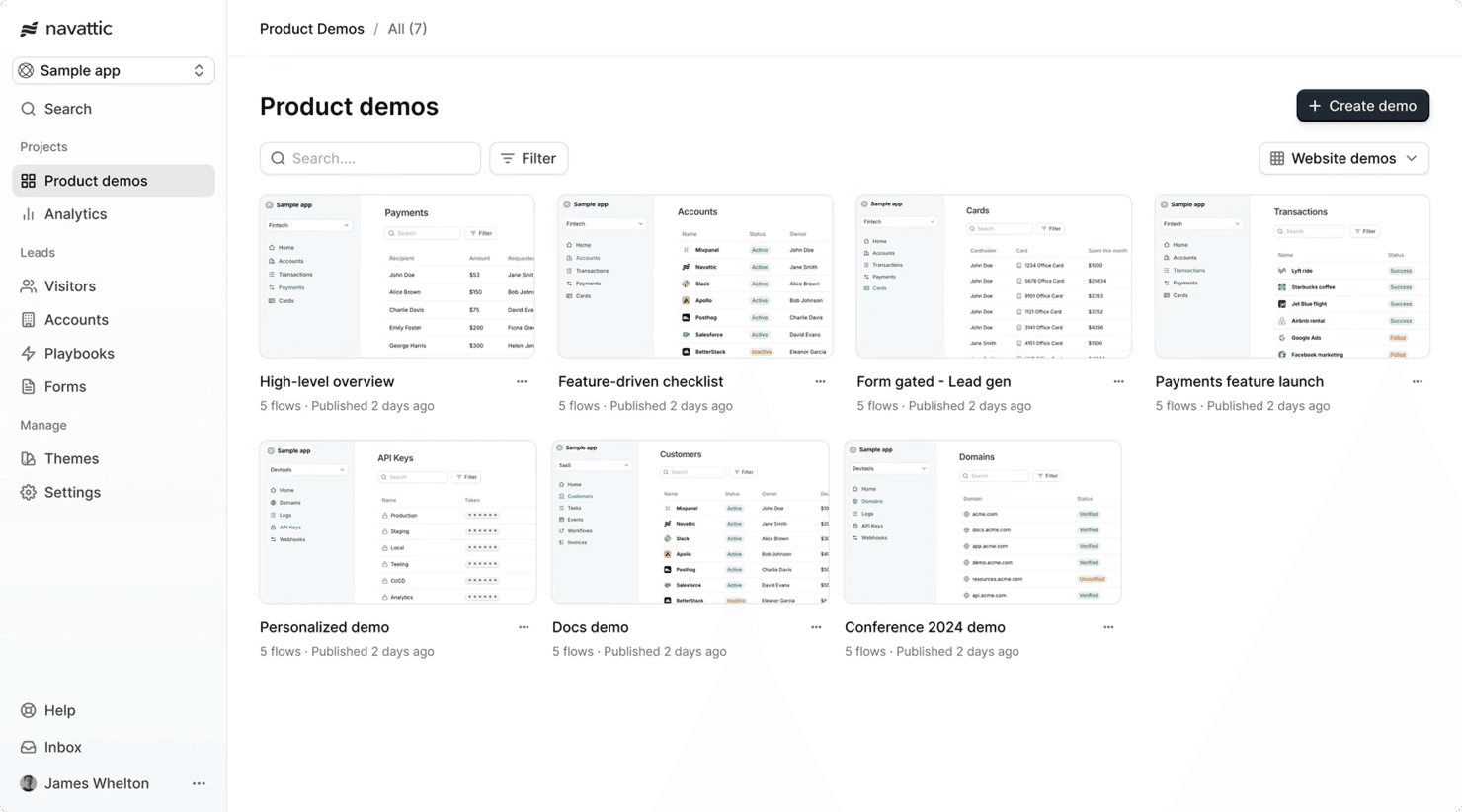
Navattic helps improve product understanding with demos. Navattic is an interactive demo platform that lets you build product tours, clickable prototypes, and step-by-step guides with support for multiple languages.
Who Is Navattic Best For?
Navattic is a strong fit for global product teams that need to deliver interactive demos and product tours to audiences across multiple languages and regions.
Why I Picked Navattic
Navattic earns its spot on my shortlist because of how well it handles multi-language demo delivery, which is genuinely rare in this category. I love that you can duplicate a demo and swap out text for different languages without rebuilding the entire flow from scratch. Combined with its branching logic, that means I can send a French prospect and a German prospect the same base demo, localized for each, in minutes.
Navattic Key Features
- No-code demo builder: A visual editor lets you capture and edit product screens without writing any code.
- Lead capture forms: Embed forms directly into demos to collect prospect information before or during the experience.
- Demo analytics: Track viewer engagement at the step level to see where prospects drop off or spend the most time.
- CRM and GTM integrations: Connect Navattic to tools like HubSpot and Salesforce to sync demo engagement data into your existing workflows.
Navattic Integrations
Navattic integrates with HubSpot and Salesforce, helping teams connect demo engagement data with their CRM and GTM workflows.
Pros and Cons
Pros:
- Edit captured screens without full recapture
- Branching guides tailor paths for different prospects
- Duplicate demos to create localized versions
Cons:
- Large demo libraries can become cluttered
- Product UI changes require ongoing demo maintenance
Learn more about Navattic:
Diğer Etkileşimli Demo Yazılımları
İşte kısa listeme girmeyen ancak yine de göz atmaya değer bazı ek etkileşimli demo yazılımı seçenekleri:
- 11TourialBest for CRM-connected product showcases
- 12RepriseBest for customizable enterprise demos
- 13ArcadeBest for AI-generated voiceovers and translation
- 14SmartCueBest for persona-based demo personalization
- 15HexusBest for AI-generated demo narration and insights
- 16StoryScaleBest for multi-channel demo delivery at scale
How I Evaluate Interactive Demo Software
I split my evaluation into three parts, giving the most weight to building demos without code and guiding buyers through clickable product flows. Next, I look for differentiators such as demo hubs or AI narration. Finally, I consider onboarding, support, and pricing value beyond the feature set.
Core Functionality (Table Stakes For This List)
When I'm selecting tools for my list, I score each one on a scale from 0 (does not offer the functionality) to 5 (excels in this area) for each core functionality listed below. I then convert the total into a percentage to help assess each tool's overall fit, with extra weight on any functionalities I’ve deemed essential.
- No-Code Demo Creation (Essential): Can product marketing or sales teams capture screens, add steps, and revise flows themselves when the interface changes, without engineering help?
- Guided Interactivity (Essential): I look for clickable hotspots, tooltips, and guided paths that let prospects explore a workflow, such as setting up a project, rather than watch a video.
- Demo Personalization: Can teams swap text, images, or sample data to tailor a shared demo for different buyer roles or use cases without rebuilding it?
- Engagement Analytics: I assess whether teams can see step completion, time spent, and drop-off, then use those signals to find confusing onboarding or sales-demo moments.
- Sharing and Embedding: Check for shareable links and embeds that let teams place a demo on a landing page or send it after a sales conversation.
- Lead Capture Integration: I look for forms and CRM or marketing-system sync that connect viewer details and demo activity to follow-up workflows.
Once I have a list of tools that meet the criteria, I consider what sets each platform apart.
Differentiating Factors (What Sets Vendors Apart)
Here's how I compare and contrast different vendors:
Standout Features
I evaluate whether a platform offers interactive demo centers—hosted microsites where prospects browse demos organized by role or use case. A sales team selling to both IT admins and end users, for example, needs separate paths without maintaining separate projects. AI demo generation is another factor I check, since auto-generated voiceovers and scripts cut localization time when you're adapting a single walkthrough for multiple regions. I also look at how well each tool handles realistic sandbox environments, because a clickable screenshot tour won't satisfy a technical buyer who wants to test API responses or workflow logic firsthand.
Beyond Features
I check whether multiple teams—product marketing, sales, and SDRs—can collaborate inside shared workspaces with version control and role-based permissions, since a demo that drifts off-brand after a rep edits it creates more problems than it solves. Security also matters: I look for SOC 2 compliance and controls that prevent sensitive product UI data from leaking when demos are shared externally. Finally, I evaluate onboarding support and time-to-launch, because a tool that takes weeks of training before a non-technical team can publish its first walkthrough delays the value it promised.
Etkileşimli Demo Yazılımı Nasıl Seçilir?
Uzun özellik listeleri ve karmaşık fiyatlandırma yapıları arasında kaybolmak kolaydır. Kendinize özgü yazılım seçme sürecinizde ilerlerken odağınızı korumanıza yardımcı olmak için göz önünde bulundurmanız gereken faktörleri içeren bir kontrol listesi hazırladım:
| Faktör | Nelere Dikkat Edilmeli? |
|---|---|
| FaktörÖlçeklenebilirlik | Nelere Dikkat Edilmeli?Araç işletmenizle birlikte büyüyebilir mi? İhtiyaçlarınız arttıkça artan kullanıcı sayılarını ve ek özellikleri destekleyip desteklemediğini değerlendirin. |
| FaktörEntegrasyonlar | Nelere Dikkat Edilmeli?Mevcut sistemlerinize bağlanabiliyor mu? CRM'niz, pazarlama araçlarınız ve kullandığınız diğer yazılımlarla uyumluluğunu kontrol edin. |
| FaktörÖzelleştirilebilirlik | Nelere Dikkat Edilmeli?Aracı iş akışlarınıza uyacak şekilde uyarlayabilir misiniz? Özel şablonlara, markalamaya ve kullanıcı yolculuklarına izin verip vermediğini değerlendirin. |
| FaktörKullanım kolaylığı | Nelere Dikkat Edilmeli?Arayüz sezgisel mi? Ekip üyelerinin minimum eğitimle kullanabilmesini sağlayarak benimseme süresini ve direnci azaltın. |
| FaktörUygulama ve işe alıştırma | Nelere Dikkat Edilmeli?Ne kadar hızlı çalışmaya başlayabilirsiniz? Geçişi kolaylaştırmak için yönlendirmeli işe alıştırma, eğitim materyalleri ve destek sunan araçları tercih edin. |
| FaktörMaliyet | Nelere Dikkat Edilmeli?Bütçenize uygun mu? Farklı tedarikçilerin fiyatlandırma planlarını, gizli ücretlerini ve sunduğu değeri karşılaştırın. |
| FaktörGüvenlik önlemleri | Nelere Dikkat Edilmeli?Verilerinizi nasıl koruyor? Şifreleme ve veri koruma düzenlemelerine uyumluluk gibi uygulanan güvenlik önlemlerini doğrulayın. |
| FaktörDestek bulunabilirliği | Nelere Dikkat Edilmeli?İhtiyaç duyduğunuzda yardıma kolayca ulaşabiliyor musunuz? Müşteri desteğinin bulunabilirliğini, yanıt sürelerini ve sohbet veya telefon gibi destek kanallarını değerlendirin. |
Etkileşimli Demo Yazılımı Nedir?
Etkileşimli demo yazılımı, işletmelerin potansiyel müşteriler için ilgi çekici ve uygulamalı ürün tanıtımları oluşturmasına olanak tanıyan bir araçtır. Bu araçlar genellikle satış ve pazarlama uzmanları tarafından ürünleri tanıtmak ve müşterilerin ürünleri daha iyi anlamasını sağlamak için kullanılır.
Özelleştirilebilir şablonlar, kullanıcı etkileşimi analizleri ve etkileşimli öğeler gibi özellikler, kişiye özel deneyimler oluşturulmasına ve içgörüler elde edilmesine yardımcı olur. Genel olarak bu araçlar, müşteri etkileşimini artırır ve satış çalışmalarını destekler.
Özellikler
Etkileşimli demo yazılımı seçerken aşağıdaki temel özelliklere dikkat edin:
- Özelleştirilebilir şablonlar: Etkileşimi ve uygunluğu artırmak için demoları belirli hedef kitlelere göre uyarlamanıza olanak tanır.
- Kullanıcı etkileşimi analizleri: Kullanıcıların demolarla nasıl etkileşime girdiğine ilişkin içgörüler sunarak sunumları geliştirmenize ve iyileştirmenize yardımcı olur.
- Etkileşimli öğeler: Demolara tıklanabilir etkin noktalar ve etkileşimli rehberler ekleyerek ilgi çekici deneyimler sunar.
- Yapay zekâ destekli kişiselleştirme: Daha kişiselleştirilmiş bir deneyim oluşturmak için demoları kullanıcı davranışlarına ve tercihlerine göre uyarlar.
- Gerçek zamanlı iş birliği: Ekiplerin demo oluşturma sürecinde birlikte çalışmasına olanak tanıyarak verimliliği ve yaratıcılığı artırır.
- Çoklu platform uyumluluğu: Demolara çeşitli cihazlardan ve platformlardan erişilebilmesini sağlayarak erişim alanını genişletir.
- Güvenlik önlemleri: Verilerinizi şifreleme ve veri koruma düzenlemelerine uyumluluk yoluyla korur.
- Entegrasyon özellikleri: Mevcut CRM ve pazarlama araçlarına sorunsuz şekilde bağlanarak iş akışının verimliliğini destekler.
- Sezgisel kullanıcı arayüzü: Ekip üyelerinin kapsamlı bir eğitim almadan demolar oluşturmasını ve değiştirmesini kolaylaştırır.
- Başlangıç desteği: Kullanıcıların hızlı ve etkili bir şekilde başlamasına yardımcı olmak için eğitim materyalleri ve yönlendirmeli kurulum sunar.
Avantajlar
Etkileşimli demo yazılımını uygulamak, ekibiniz ve işletmeniz için çeşitli avantajlar sağlar. Yararlanabileceğiniz avantajlardan bazıları şunlardır:
- Artan müşteri etkileşimi: Etkileşimli öğeler ve kişiselleştirilmiş demolar dikkat çeker ve kullanıcıların ilgisini canlı tutar.
- Geliştirilmiş satış sunumları: Özelleştirilebilir şablonlar ve analizler, potansiyel müşterilerde karşılık bulan etkili demolar oluşturmanıza yardımcı olur.
- Daha hızlı işe alıştırma: Sezgisel arayüzler ve eğitim materyalleri, yeni ekip üyelerinin öğrenme sürecini hızlandırır.
- Veriye dayalı içgörüler: Analizler, kullanıcı etkileşimleri hakkında değerli geri bildirimler sunarak demoların sürekli iyileştirilmesine olanak tanır.
- Daha geniş erişim: Çoklu platform uyumluluğu, demolara çeşitli cihazlardan erişilebilmesini sağlayarak hedef kitlenizi genişletir.
- Verimli iş birliği: Gerçek zamanlı iş birliği araçları, ekiplerin demo projelerinde sorunsuz şekilde birlikte çalışmasına olanak tanır.
- Güvenli veri işleme: Güvenlik önlemleri işletme verilerinizi koruyarak düzenlemelere uyumluluğu güvence altına alır.
Maliyetler ve Fiyatlandırma
Etkileşimli demo yazılımı seçmek, mevcut çeşitli fiyatlandırma modellerinin ve planların anlaşılmasını gerektirir. Maliyetler özelliklere, ekip büyüklüğüne, eklentilere ve diğer unsurlara göre değişir. Aşağıdaki tablo, etkileşimli demo yazılımı çözümlerinde yaygın planları, bunların ortalama fiyatlarını ve genellikle sunulan özellikleri özetlemektedir:
Etkileşimli Demo Yazılımı İçin Plan Karşılaştırma Tablosu
| Plan Türü | Ortalama Fiyat | Yaygın Özellikler |
|---|---|---|
| Plan TürüÜcretsiz Plan | Ortalama Fiyat$0 | Yaygın ÖzelliklerTemel şablonlar, sınırlı analizler ve minimum düzeyde özelleştirme. |
| Plan TürüKişisel Plan | Ortalama Fiyat$32-$750/ay | Yaygın ÖzelliklerÖzelleştirilebilir şablonlar, kullanıcı etkileşimi analizleri ve temel entegrasyonlar. |
| Plan Türüİşletme Planı | Ortalama Fiyat$40-$1550/ay | Yaygın ÖzelliklerGelişmiş analizler, etkileşimli öğeler ve çoklu platform uyumluluğu. |
| Plan TürüKurumsal Plan | Ortalama Fiyat$1700+/ay | Yaygın ÖzelliklerTam özelleştirme, özel destek ve kapsamlı güvenlik önlemleri. |
Etkileşimli Demo Yazılımı SSS
Etkileşimli demo yazılımı hakkında sık sorulan soruların bazı yanıtlarını burada bulabilirsiniz:
Doğru etkileşimli demo yazılımını nasıl seçerim?
Ekibinizin özel ihtiyaçlarını ve hedeflerini belirleyerek başlayın. Kullanım kolaylığı, ölçeklenebilirlik ve entegrasyon özellikleri gibi faktörleri göz önünde bulundurun. Yazılımın mevcut sistemleriniz ve iş akışlarınızla ne ölçüde uyumlu olduğunu değerlendirin. Kullanıcı deneyimini anlamak ve beklentilerinizi karşılayıp karşılamadığını görmek için demoları veya ücretsiz denemeleri kullanın. Herkes için uygun olduğundan emin olmak amacıyla ekibinizden takip geri bildirimleri toplayın. Bu yaklaşım, bilinçli bir karar vermenize ve hedeflerinizi destekleyen yazılımı seçmenize yardımcı olacaktır.
Etkileşimli demo yazılımı mevcut CRM'imle entegre olabilir mi?
Evet, birçok etkileşimli demo yazılımı çözümü Salesforce ve HubSpot gibi popüler CRM sistemleriyle entegrasyon sunar. Uyumluluğu doğrulamak için yazılımın entegrasyon özelliklerini sağlayıcının web sitesinden kontrol edin. CRM’inizle entegrasyon, demo verilerini müşteri profilleriyle otomatik olarak senkronize ederek satış sürecinizi kolaylaştırabilir. Bu, ekibinizin potansiyel müşterileri etkili bir şekilde yönetmesine yardımcı olur ve genel satış deneyimini iyileştirir. Özel CRM gereksinimleriniz varsa ayrıntılı entegrasyon bilgileri için sağlayıcıyla iletişime geçin
Etkileşimli demo yazılımını kullanmak için eğitim gerekli mi?
Eğitim gereksinimleri, yazılımın karmaşıklığına ve ekibinizin benzer araçlara aşinalığına göre değişir. Birçok platform, çok az eğitim gerektiren sezgisel arayüzler sunarken bazıları daha kapsamlı bir işe alışma süreci gerektirebilir. Eğitim videoları, web seminerleri ve müşteri desteği gibi eğitim kaynakları sağlayan tedarikçileri tercih edin. Bu kaynaklar, ekibinizin kısa sürede hız kazanmasına ve yazılımın potansiyelinden en iyi şekilde yararlanmasına yardımcı olabilir. Sorunsuz bir geçiş sağlamak için farklı seçenekleri değerlendirirken öğrenme eğrisini göz önünde bulundurun.
Etkileşimli demo yazılımıyla verilerim ne kadar güvende?
Etkileşimli demo yazılımı sağlayıcılarının çoğu, şifreleme ve veri koruma düzenlemelerine uyum gibi önlemleri uygulayarak veri güvenliğine öncelik verir. Bir çözümü değerlendirirken, standartlarınızı karşıladığından emin olmak için sağlayıcının güvenlik politikalarını ve uygulamalarını inceleyin. Uyguladıkları özel güvenlik önlemlerini ve sahip oldukları sertifikaları sorun. Bu, verilerinizin korunduğuna dair güven duymanızı sağlar ve güvenlik gereksinimlerinizle uyumlu bir sağlayıcı seçmenize yardımcı olur.