

Sürükle ve bırak kullanıcı arayüzü oluşturucusu, bir tuval üzerindeki öğeleri taşıyıp düzenleyerek kullanıcı arayüzleri tasarlamanızı sağlayan belirli bir görsel araç türüdür; kodlama gerekmez. En iyi sürükle ve bırak kullanıcı arayüzü oluşturucusunu arıyorsanız muhtemelen arayüz tasarımını hızlandırmak, geliştirme darboğazlarını azaltmak ve ekibinize uygulamalarınızın veya web sitelerinizin görünümü ve tarzı üzerinde daha fazla kontrol sağlamak istiyorsunuz. Bu liste, önde gelen seçenekleri karşılaştırmanıza, her aracı farklı kılan özellikleri anlamanıza ve sonraki projeniz için doğru platformu seçmenize yardımcı olacaktır.
Why Trust Our Software Recommendations
6,700+
Reviews
20
Industry experts
16+
Evaluation factors
14
Years
Our team has been testing and reviewing software since 2012. As product managers ourselves, we know how difficult—and important—it is to choose the right software.
For this guide, we evaluated tools using hands-on testing and independent research, scoring tools using our selection criteria.
Our reviews reflect our human editorial judgment, not a sales pitch.
Expert reviewers:
- Andrew LumbySenior TPM
- Cristiano ValimSenior UI/UX Lead


Sürükle ve Bırak Kullanıcı Arayüzü Oluşturucuları Karşılaştırma Tablosu
Bu karşılaştırma tablosu, en iyi sürükle ve bırak kullanıcı arayüzü oluşturucusu seçimlerim için fiyatlandırma ayrıntılarını özetlemektedir:
Score legend (out of 5)
- Excellent4.5–5
- Good4–4.4
- Average3–3.9
- Below average2–2.9
- Poor1–1.9
Sorted by: Default
| Tool | Starting Price | Website | |||||||
|---|---|---|---|---|---|---|---|---|---|
Best for pixel-perfect responsive layouts | 4.2 out of 5 | 2 | 4 | 5 | 4 | 5 | 5 | $15/month Free plan available | Website |
Best for data-connected internal tool builders | 3.5 out of 5 | 2 | 5 | 4 | 3 | 4 | 3 | $7/user/month Free plan + trial + demo available | Website |
Best for building full-stack apps without code | 4.2 out of 5 | 5 | 5 | 2 | 4 | 5 | 4 | $32/month Free plan available | Website |
Best for no-code web app creation | 4.0 out of 5 | 4 | 4 | 5 | 3 | 4 | 4 | $20/month Free plan available | Website |
Best for shipping mobile apps without developers | 4.0 out of 5 | 4 | 4 | 4 | 4 | 4 | 4 | $39/month Free plan available | Website |
Best for design-token-driven site building | 4.0 out of 5 | 2 | 4 | 5 | 4 | 4 | 5 | $15/month Free plan + 14-day free trial available | Website |
Best for launching mobile apps with owned code | 3.8 out of 5 | 3 | 4 | 5 | 3 | 4 | 4 | $15/month Free plan available | Website |
Best for visual editing with a headless CMS | 3.8 out of 5 | 3 | 3 | 5 | 4 | 4 | 4 | $24/user/month Free plan available | Website |
Best for apps built across multiple data sources | 3.8 out of 5 | 3 | 4 | 5 | 3 | 4 | 4 | $24/user/month Free plan + free demo available | Website |
Best for syncing visual edits to a React codebase | 4.3 out of 5 | 4 | 4 | 5 | 3 | 5 | 5 | $39/month Free plan available | Website |


Sürükle ve Bırak Kullanıcı Arayüzü Oluşturucuları İncelemeleri
Aşağıda, kısa listeme giren sürükle ve bırak kullanıcı arayüzü oluşturucularına ilişkin ayrıntılı özetlerimi bulabilirsiniz. İncelemelerim, size en uygun olanı bulmanıza yardımcı olmak için her aracın özelliklerine, en iyi kullanım alanlarına ve entegrasyonlarına ayrıntılı bir bakış sunmaktadır.
 Best for pixel-perfect responsive layouts
- Free plan available
- From $15/month (billed annually)
Visit WebsiteCustomer Rating:4.4/5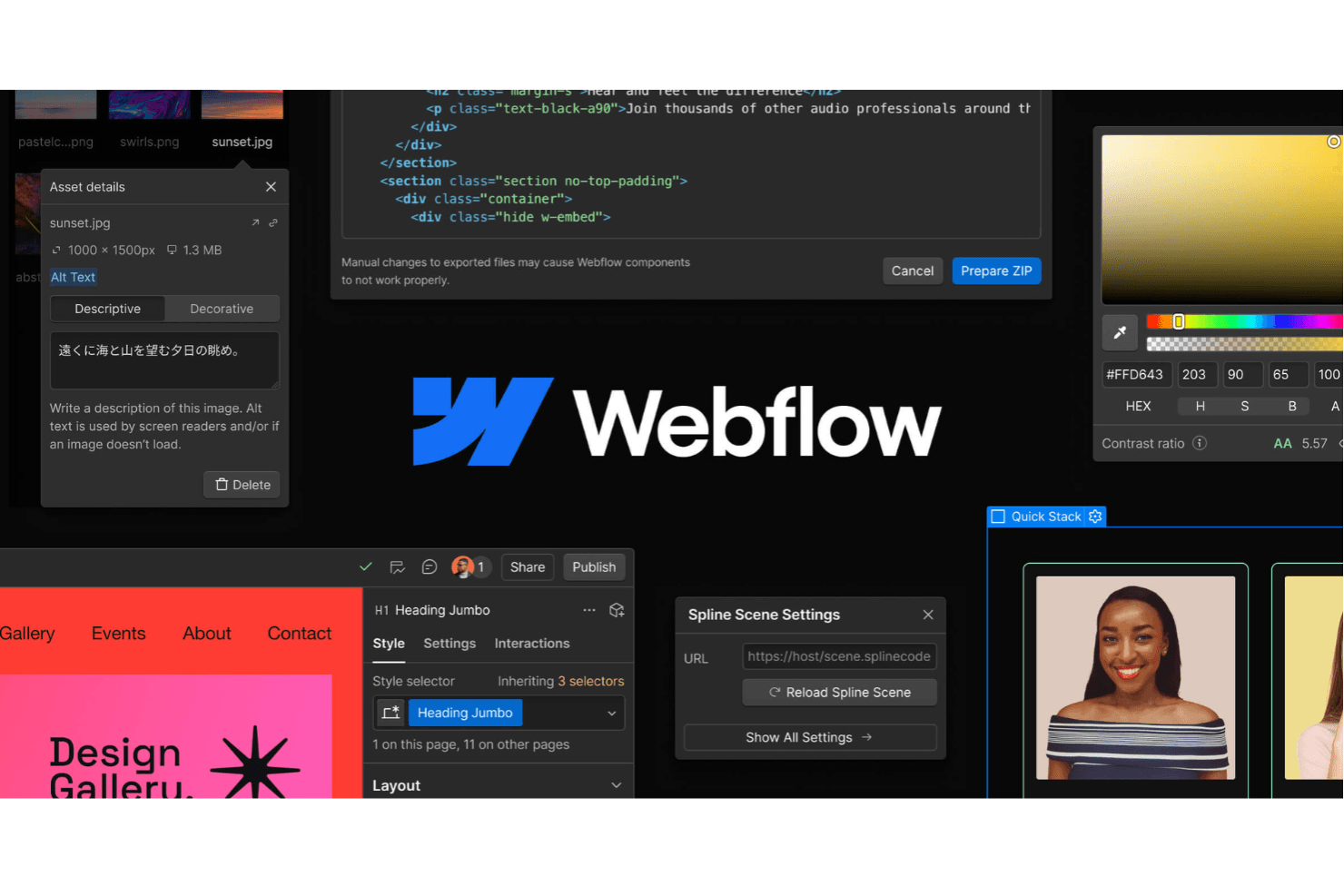
Webflow lets teams design, build, and launch responsive websites visually. Webflow is a visual drag-and-drop website builder that combines a freeform flexbox and CSS grid canvas, a class-based design system, CMS editing, and code export tools including DevLink for React output.
Who Is Webflow Best For?
Webflow is a strong fit for UX/UI designers and design-led teams who need to ship production-ready, responsive sites without handing off to a developer.
Why I Picked Webflow
Webflow earns its spot as one of the best on my shortlist because its freeform flexbox and CSS grid canvas gives you genuine pixel-level control over every element, not just the snap-to-grid nudging you get from most builders. I particularly like how breakpoint-based cascading styles let you override spacing, typography, and visibility at each viewport, so a layout that looks exact on desktop stays exact on mobile. The class-based design system with variables also means style changes propagate across every component instance the moment you update a single token.
Webflow Key Features
- Figma-to-Webflow plugin: Converts Figma auto-layout frames into responsive flexbox HTML and CSS, carrying over styles, colors, text, and variables.
- DevLink: Exports Webflow components as production-ready React code and syncs style and component updates back to your codebase via CLI or CI.
- GSAP-based interactions timeline: Lets you build scroll, hover, click, and mouse-tracked animations on a visual timeline with reusable presets and reduced-motion support.
- Real-time collaboration: Shows teammate presence on the canvas, gives each person their own undo history, and supports page branches across all plans.
Webflow Integrations
Webflow offers integrations with Figma, GitHub, Slack, Google Analytics, Google Search Console, and Google Tag Manager. It also supports APIs, DevLink, MCP, Marketplace apps, and Zapier.
Pros and Cons
Pros:
- GSAP timelines add production-ready interactions
- Figma frames become responsive front ends
- Pixel-perfect flexbox and grid layouts
Cons:
- Prototyping lacks clickable screen flows
- CSS concepts challenge nontechnical builders
Learn more about Webflow: Best for data-connected internal tool builders
- Free plan + trial + demo available
- From $7/user/month
Visit WebsiteCustomer Rating:4.6/5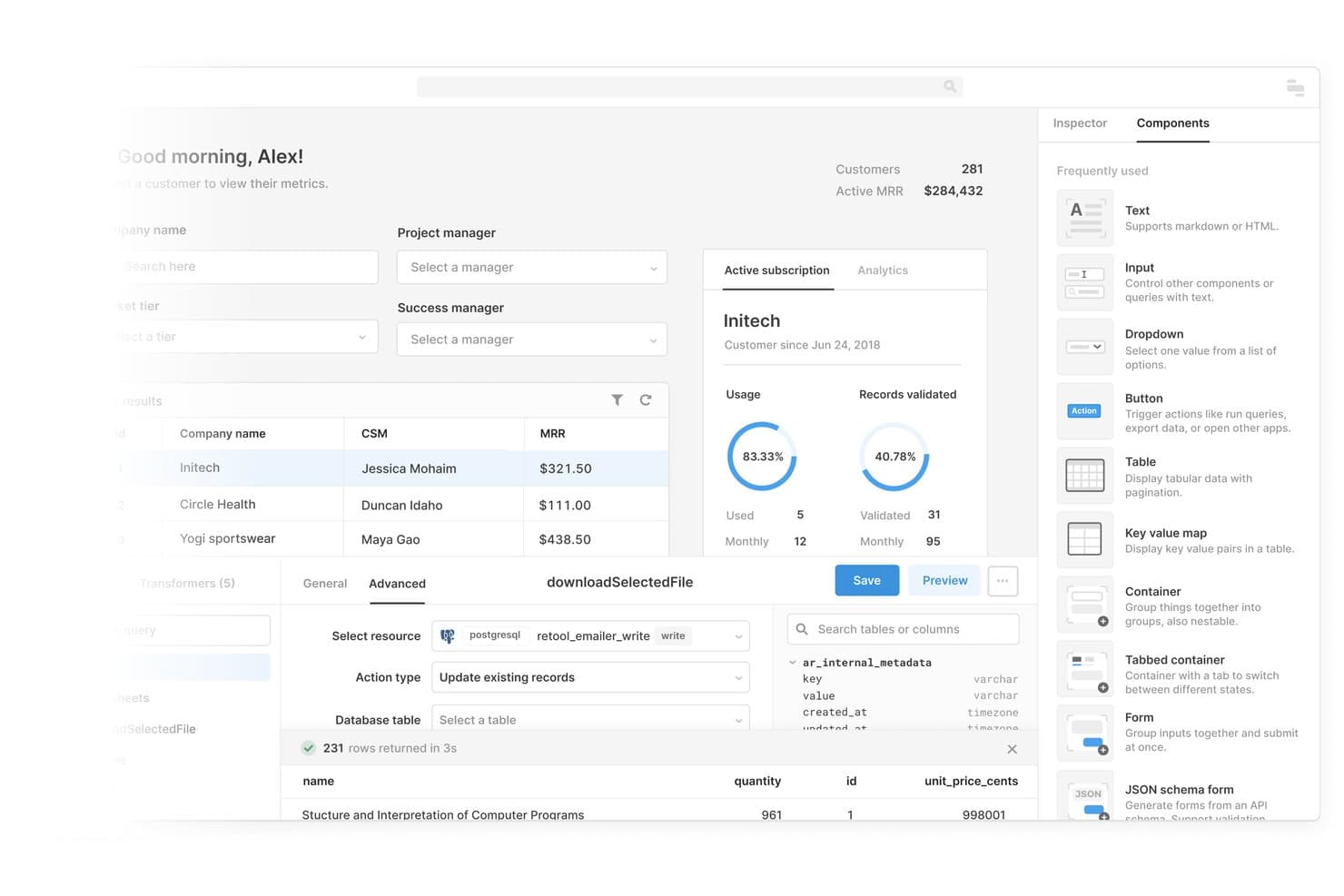
Retool lets users build customer dashboards by dragging and dropping UI components. Retool is a low-code app builder that lets you drag and drop pre-built components onto a canvas and connect them directly to databases, APIs, and data warehouses to create internal tools and dashboards.
Who Is Retool Best For?
Retool is a strong fit for developers and technical operations teams who need to build data-connected internal tools and dashboards without starting from scratch.
Why I Picked Retool
I picked Retool as one of the best because its classic drag-and-drop canvas pairs directly with live database and API connections, which is exactly what you need when building internal tools. I love how the component library covers data-heavy UI needs out of the box: tables with inline editing and filtering, charts ranging from bar to Sankey to heat maps, and form components that tie straight to your queries. That combination lets you drag a table onto a canvas, point it at your PostgreSQL or Snowflake database, and have a working admin panel without writing layout code.
Retool Key Features
- Multipage app navigation: Classic apps include a Pages tab with navigation components and event handlers so you can build multi-screen tools with real routing logic.
- Custom component libraries: Add your own React/TypeScript components to classic apps via CLI tooling and npm packages, extending the built-in library with proprietary UI elements.
- React code export and editing: The new AI builder exposes every app file in a Code tab, letting you edit the underlying React directly or deploy via CLI and MCP coding agents like Claude Code or Cursor.
- Reusable modules: Business and Enterprise plans support unlimited reusable modules in classic apps, letting you share components and queries across multiple internal tools without rebuilding them.
Retool Integrations
Retool offers native integrations with PostgreSQL, MySQL, Snowflake, BigQuery, Salesforce, HubSpot, Jira, GitHub, Slack, and Microsoft Teams. It also connects to REST, GraphQL, OpenAPI, and SOAP APIs for custom data sources.
Pros and Cons
Pros:
- Classic canvas supports nested drag-and-drop layouts
- Extensive components support complex internal interfaces
- Data-connected tables and dashboards build quickly
Cons:
- No Figma import or clickable prototypes
- New builder abandons visual drag-and-drop editing
Learn more about Retool: Best for building full-stack apps without code
- Free plan available
- From $32/month (billed annually)
Visit WebsiteCustomer Rating:4.4/5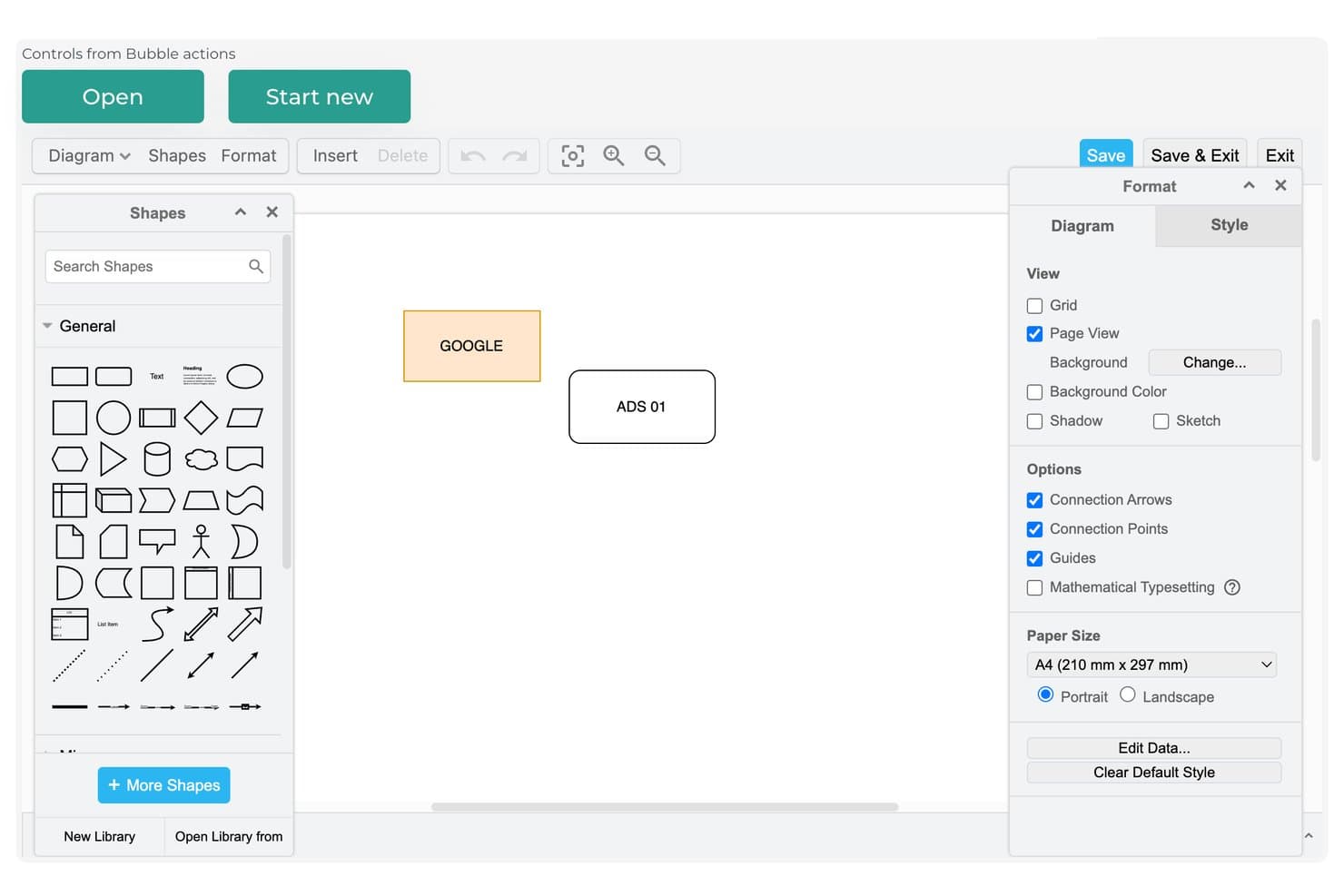
Bubble's diagram editor lets users build and style visual flows. Bubble is a visual no-code platform that lets you build full-stack web and mobile apps through a drag-and-drop editor, combining UI design, database management, workflow logic, and hosting in a single environment.
Who Is Bubble Best For?
Bubble is a strong fit for startup founders and no-code developers who want to build and ship a full-stack web or mobile app without writing a single line of code.
Why I Picked Bubble
Bubble earns its spot as one of the best on my shortlist because it's the only drag-and-drop builder I've used that covers UI, database, logic, and hosting in a single visual editor. I love that AI-generated apps produce real, editable workflows and data types rather than static mockups. You can go from a text prompt to a live, hosted web or native mobile app without touching code.
Bubble Key Features
- Figma import: Convert Figma designs into Bubble elements using a plugin and Chrome extension, with best results when your Figma file uses auto layout.
- Reusable elements: Build elements once and reuse them across your app; each instance updates automatically when you edit the source.
- Version control with branching: Create up to 25 custom branches, track changes by collaborator or date, and merge with guided conflict resolution.
- Plugin marketplace: Browse and install from over 7,500 plugins covering payments, charts, AI models, and other UI and backend functionality.
Bubble Integrations
Bubble offers 7,576 marketplace plugins, including connections for Figma, OpenAI, Anthropic Claude, Google Gemini, Grok, and DeepSeek. Its API Connector supports custom REST API integrations.
Pros and Cons
Pros:
- AI generates editable screens and workflows
- Reusable elements keep designs consistent
- Builds functional interfaces beyond static mockups
Cons:
- Complex workflows slow initial interface building
- No code export for engineering handoff
Learn more about Bubble: Best for no-code web app creation
- Free plan available
- From $20/month (billed annually)
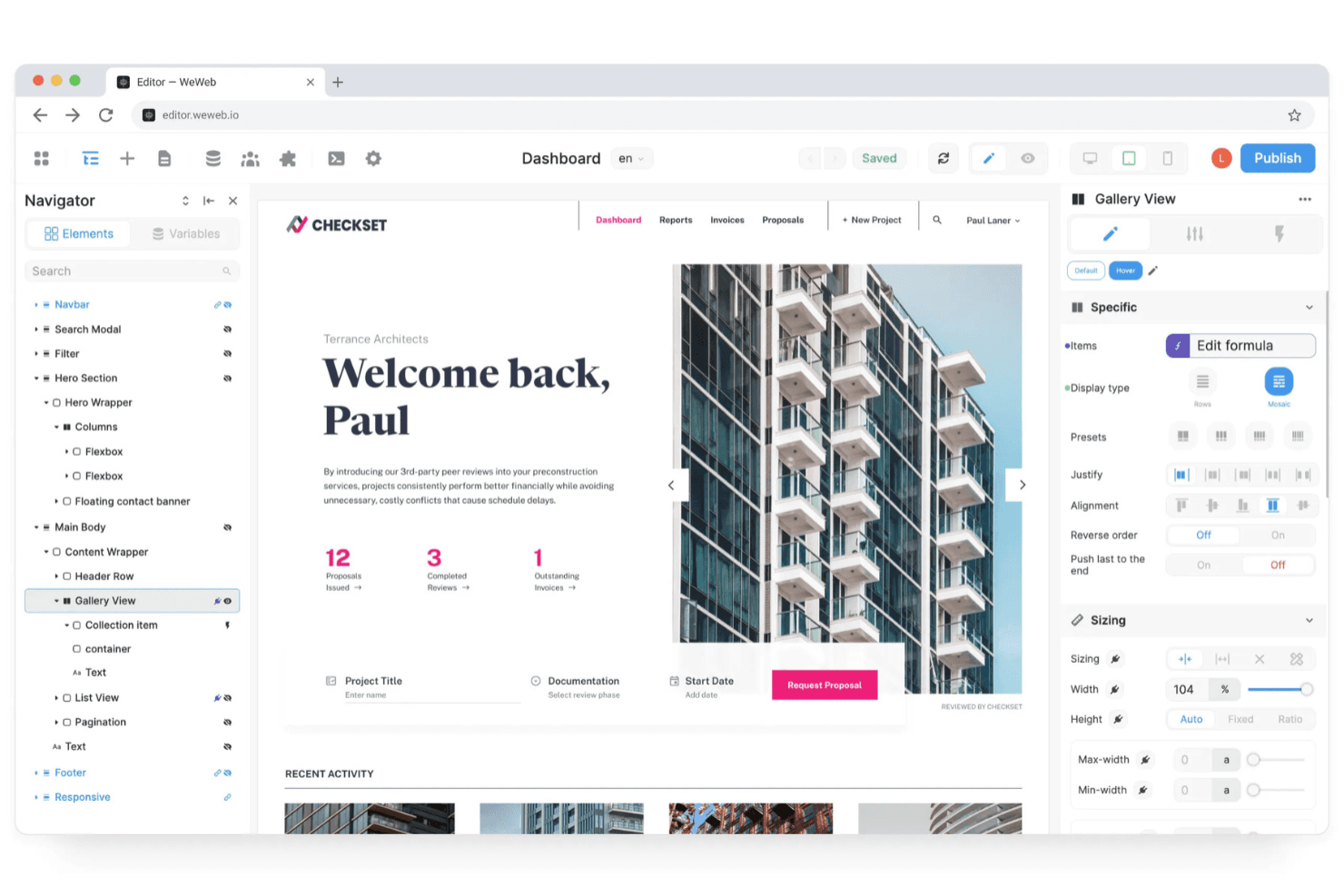
WeWeb helps teams build flexible web apps without coding. WeWeb is a visual development platform that combines a drag-and-drop canvas with AI-assisted generation, a native backend, and Vue.js code export to build fully functional web apps.
Who Is WeWeb Best For?
WeWeb is a strong fit for startup founders and no-code developers who need to ship functional web apps fast, without handing off to a full engineering team.
Why I Picked WeWeb
WeWeb earns its spot on my shortlist because it goes further than most no-code builders by letting you ship a fully functional web app, not just a clickable mockup. I particularly like that the AI generation produces native WeWeb elements you can edit visually afterward, so you're not stuck re-prompting to fix one button. The Figma plugin is also genuinely useful: it imports full frames with layout, fonts, and design tokens, then maps Figma components directly to reusable WeWeb components for future imports.
WeWeb Key Features
- Native backend builder: WeWeb includes a built-in PostgreSQL-powered backend with tables, auto-generated CRUD APIs, authentication, role-based access control, and file storage.
- Vue.js code export: Every paid plan includes export of a standalone Vue.js SPA with zero runtime dependency on WeWeb, ready to self-host on AWS, Vercel, Netlify, or your own server.
- Visual workflow builder: A no-code workflow editor handles branching logic, loops, API calls, form validation, and state management with step-by-step debugging built in.
- MCP server for AI agents: External agents like Claude Code, Cursor, and ChatGPT can work directly inside your WeWeb project, turning PRDs into structured app screens, data models, and logic.
WeWeb Integrations
WeWeb offers native integrations with Supabase, Xano, Airtable, Google Sheets, GitHub, Figma, and Zapier. It also connects to REST and GraphQL APIs, SQL databases, and other external data sources.
Pros and Cons
Pros:
- Imports Figma layouts and design tokens
- Builds functional workflows beyond mockups
- Exports standalone Vue.js applications
Cons:
- AI changes can disrupt existing logic
- Requires technical fluency for advanced projects
Learn more about WeWeb: Best for shipping mobile apps without developers
- Free plan available
- From $39/month
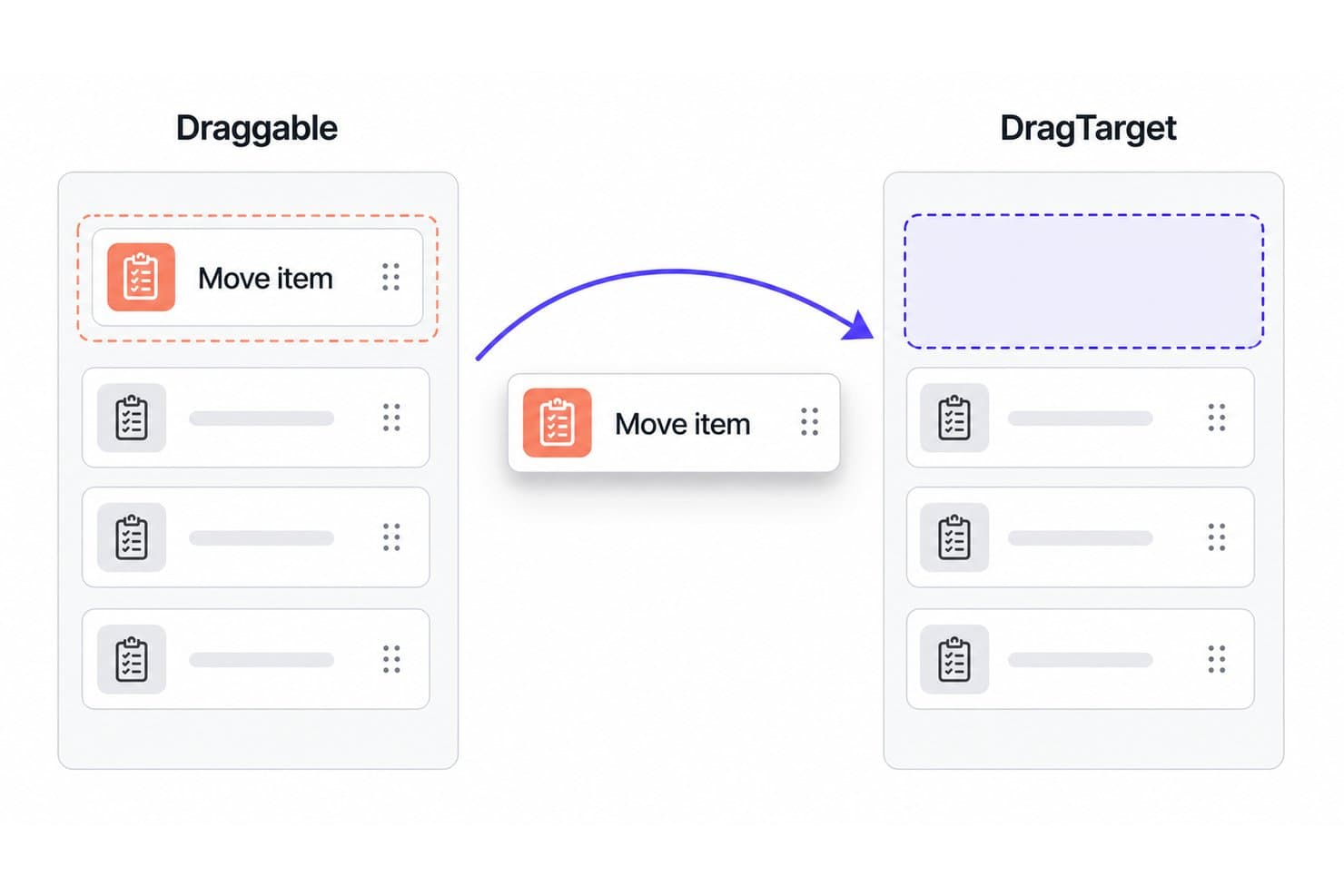
FlutterFlow lets users drag items between lists with Draggable and DragTarget widgets. FlutterFlow is a visual app development environment that lets you build, prototype, and publish mobile, web, and desktop apps through a drag-and-drop canvas with pre-built UI components, responsive layout controls, and a visual logic editor.
Who Is FlutterFlow Best For?
FlutterFlow is a strong fit for startup founders and product managers who need to ship real mobile apps without a dedicated engineering team.
Why I Picked FlutterFlow
I picked FlutterFlow as one of the best because it's the only drag-and-drop builder on my list that generates real, exportable Flutter code, so you're not just prototyping but actually shipping. The Action Flow Editor lets you wire up page-level logic and conditional UI states visually, and one-click App Store and Play Store deployment means a solo founder or PM can go from canvas to live app without touching a terminal.
FlutterFlow Key Features
- Action Flow Editor: A visual logic editor that lets you wire up page-level triggers, conditional visibility, and parameterized navigation without writing code.
- Responsive breakpoint controls: Set distinct layout, sizing, and visibility rules across four device tiers—mobile, tablet, desktop, and wide—from a single settings panel.
- Reusable component libraries: Publish entire projects, components, API calls, and action blocks as versioned dependencies that can be shared and reused across multiple projects.
- AI-assisted UI generation: Type a natural-language prompt to generate theme-styled widgets and reusable components directly on the canvas using the Generate with Designer feature.
FlutterFlow Integrations
FlutterFlow connects natively with Firebase, Supabase, Stripe, RevenueCat, OneSignal, Mux, and Google Cloud. It also supports REST APIs and Swagger/OpenAPI imports for custom data connections.
Pros and Cons
Pros:
- Responsive controls span four device tiers
- Builds functional prototypes without engineering support
- Exports Flutter code for future ownership
Cons:
- Large projects can slow debugging
- Web output remains Flutter-rendered
Learn more about FlutterFlow : Best for design-token-driven site building
- Free plan + 14-day free trial available
- From $15/month (billed annually)
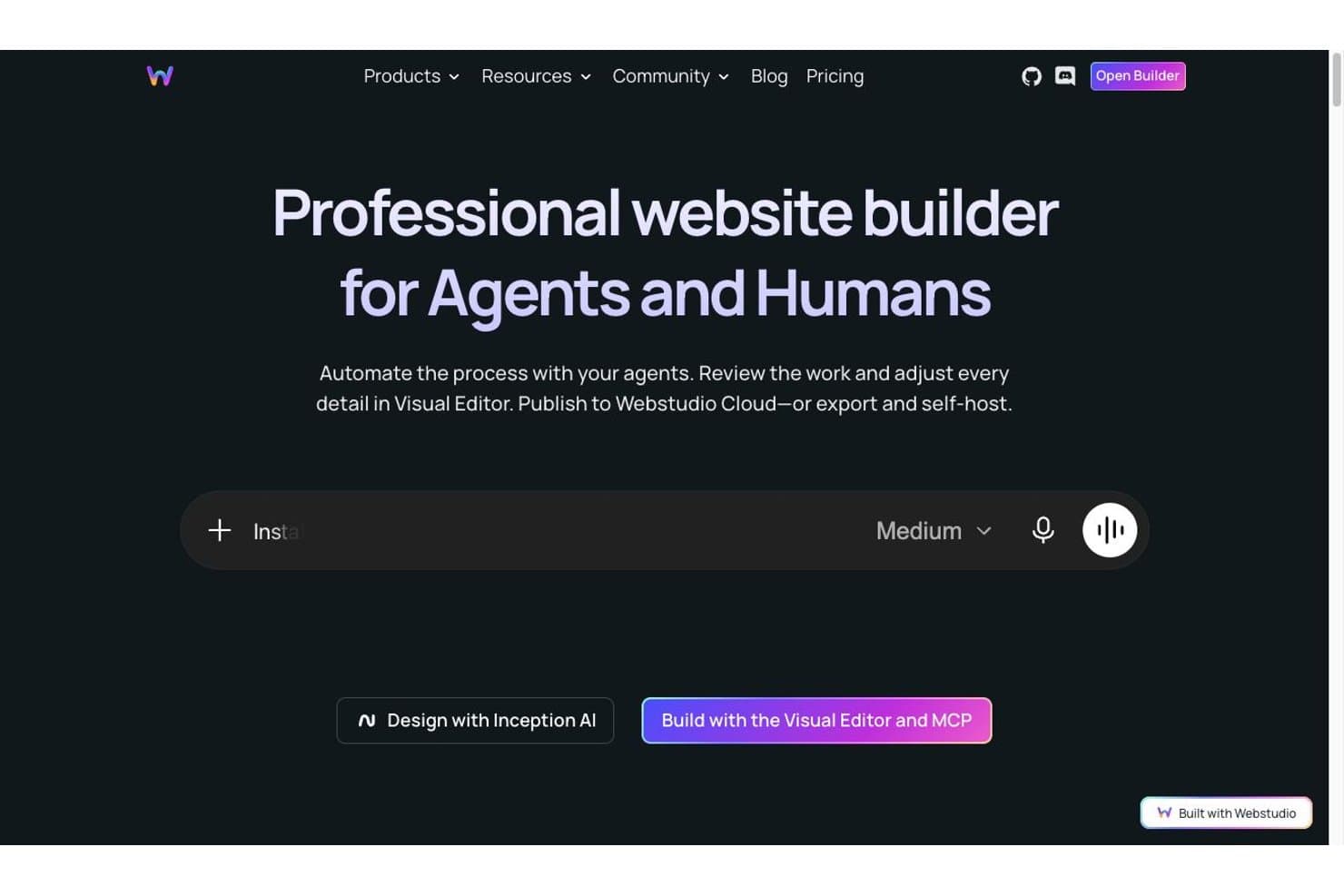
Webstudio lets users build websites with AI agents or a visual editor. Webstudio is an open-source, browser-based visual site builder that gives you drag-and-drop layout control alongside a full CSS Style Panel, Design Tokens, Radix UI components, and Figma Variables import.
Who Is Webstudio Best For?
Webstudio is a strong fit for frontend developers and UX/UI designers who want pixel-level CSS control and design-system workflows without leaving the browser.
Why I Picked Webstudio
Webstudio earns its spot on my shortlist because of how seriously it takes design-token-driven workflows. I love that you can import Figma Variables directly, then stack Design Tokens in the Style Panel so the rightmost token wins and local styles override everything—this mirrors how real design systems behave. When I'm building a site with a defined design language, that token-stacking model means visual consistency scales without manual overrides piling up.
Webstudio Key Features
- Radix UI components: A suite of WAI-ARIA compliant interactive components—including modals, tabs, accordions, and menus—that you can style fully in the Style Panel.
- Content Mode: A restricted editing view that lets clients update copy and media without accessing any design or style controls.
- Dynamic routing and Collections: Page templates with URL parameters (e.g.,
/blog/:slug) that bind to external data sources to generate real, data-driven pages. - MCP and CLI integration: A command-line and Model Context Protocol connection that lets AI agents like Claude or Cursor edit your live project directly.
Webstudio Integrations
Webstudio supports integrations with Strapi, Hygraph, Notion, Baserow, Contentful, Payload, Directus, WordPress, Flotiq, and Supabase. It also connects to REST and GraphQL APIs, with webhook form guides for Zapier, n8n, and Pabbly.
Pros and Cons
Pros:
- Production-ready output avoids hosting lock-in
- Figma Variables translate into reusable styles
- Design tokens keep visual systems consistent
Cons:
- CSS-centric controls challenge nontechnical collaborators
- Interactive prototyping lacks flow and hotspot tools
Learn more about Webstudio: Best for launching mobile apps with owned code
- Free plan available
- From $15/month
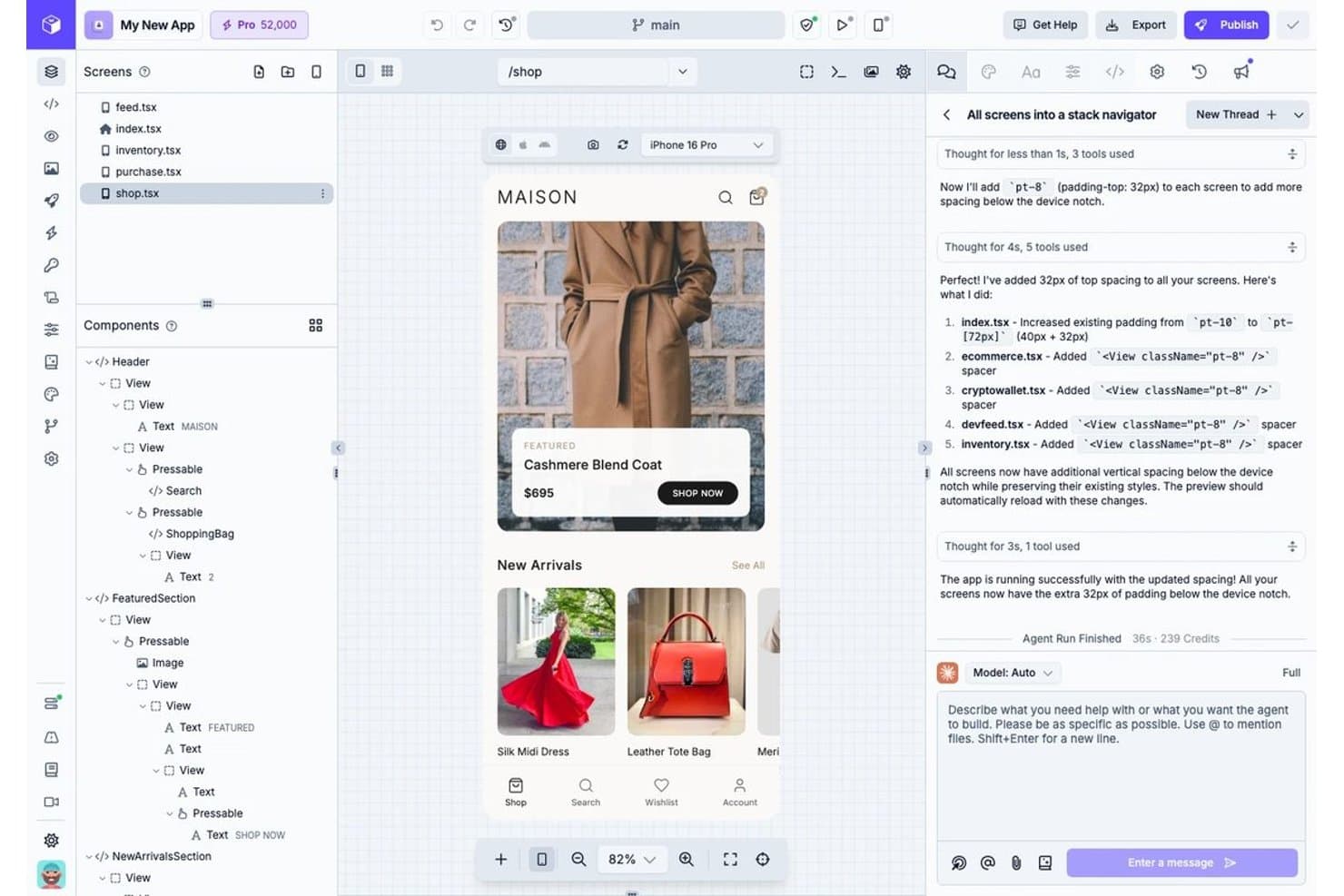
Draftbit lets users build app screens visually with a drag-and-drop component tree. Draftbit is a visual drag-and-drop app builder that lets you construct mobile and web UIs on an infinite canvas while generating real React Native, Vite, or Astro code you can export, edit, and publish directly to app stores.
Who Is Draftbit Best For?
Draftbit is a strong fit for startup founders and no-code developers who want to ship a real mobile app to the App Store without handing ownership of the codebase to a proprietary platform.
Why I Picked Draftbit
I picked Draftbit as one of the best because it's the only drag-and-drop builder I've found that produces real, exportable React Native and Vite code you fully own. Build a mobile app visually, then push it straight to the App Store with one click, no third-party lock-in. I also love that AI agents write directly to the same codebase the visual editor uses, so switching between dragging components and prompting Claude Code never breaks your project.
Draftbit Key Features
- Design blocks: Pre-built screens, navigation patterns, and UI components you can drop into your project to scaffold full app flows without starting from scratch.
- 26+ device simulators: Preview your app live across iPhones, iPads, Android devices, and desktop breakpoints directly in the browser.
- Theme editor: Edit global palettes, typography, and style tokens across your entire project using a visual theme editor with full Google Fonts support.
- Supabase backend integration: Connect a built-in Postgres database, authentication, storage, and edge functions to your app without leaving the builder.
Draftbit Integrations
Draftbit documents 80+ integrations across REST, GraphQL, and MCP, including Supabase, Firebase, Xano, Airtable, Contentful, Figma, Stripe, GitHub, Linear, and Zapier. You can connect custom REST and GraphQL APIs, with custom MCP servers available on Pro and Enterprise.
Pros and Cons
Pros:
- Publishes working apps to app stores
- Visual edits sync with AI changes
- Exports real code you control
Cons:
- AI can miss described requirements
- Complex logic requires code or AI
Learn more about Draftbit: Best for visual editing with a headless CMS
- Free plan available
- From $24/user/month (billed annually)
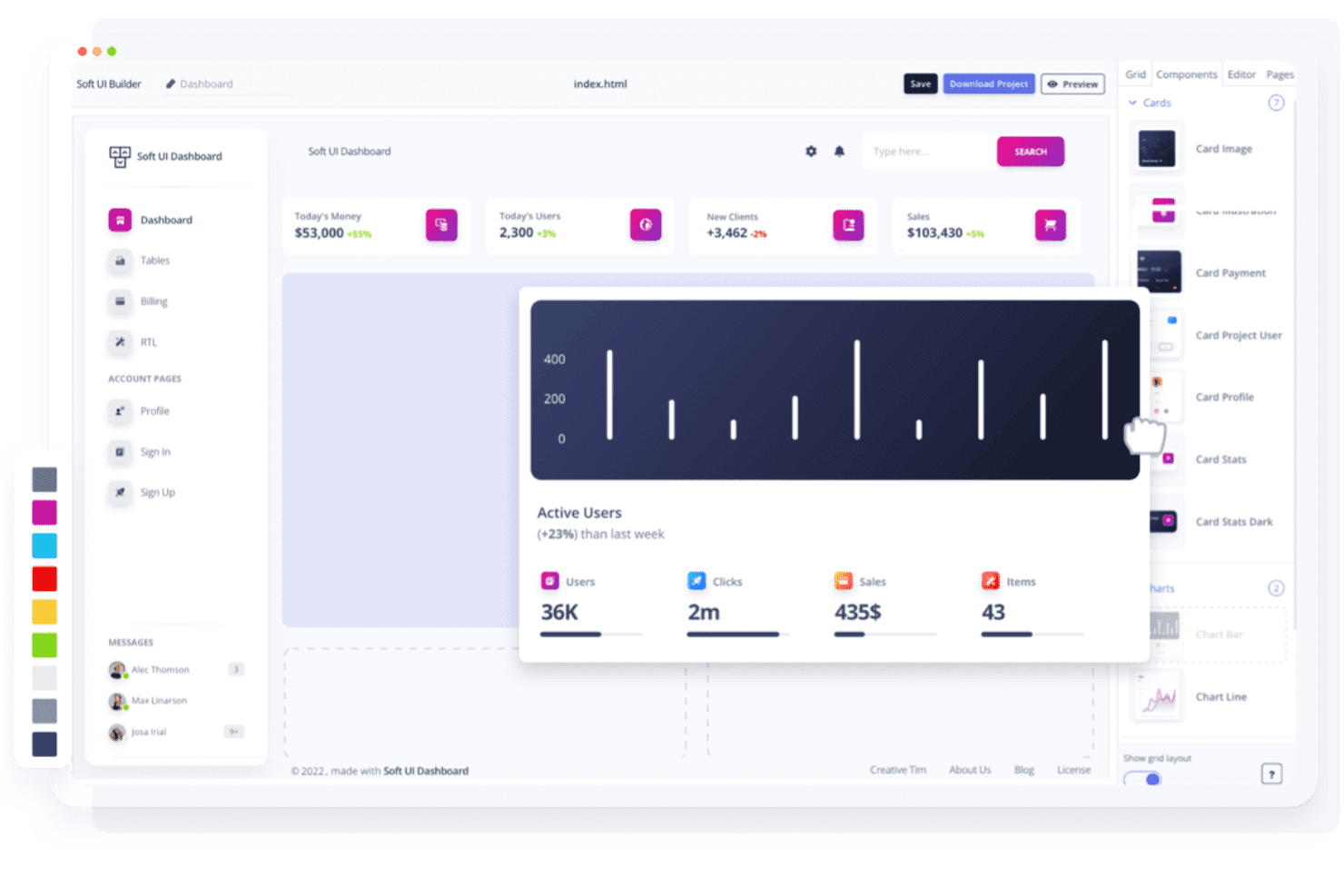
Builder.io helps teams build and optimize e-commerce sites without coding Builder.io is a drag-and-drop UI builder that combines a visual code editor with a headless CMS, letting teams design, build, and publish interfaces through a shared visual canvas with Figma import, AI-assisted generation, and real code output.
Who Is Builder.io Best For?
Builder.io is a strong fit for cross-functional product teams—designers, developers, and PMs—who need visual editing to connect directly to a live codebase and a headless CMS.
Why I Picked Builder.io
Builder.io earns its spot on my shortlist because it's the only drag-and-drop UI builder that pairs a true visual canvas with a fully functional headless CMS in one platform. I love how Visual Copilot converts Figma frames directly into production-ready code, and edits made in Design mode sync automatically to the underlying codebase as real PRs. That means my team can push content changes and UI updates without ever creating a throwaway prototype.
Builder.io Key Features
- Design token support: Define and enforce reusable values for color, spacing, typography, and more, with a strict mode that limits editors to approved tokens only.
- Custom breakpoints: Set pixel-level breakpoints for your whole space and preview layouts at any width directly in the visual editor.
- A/B testing and personalization: Run split tests and target content variations by URL path, device type, or custom audience rules without leaving the platform.
- Cross-functional commenting and peer review: Leave element-level comments with screenshots and request peer reviews on changes before they merge to your codebase.
Builder.io Integrations
Builder.io offers native integrations with GitHub, GitLab, Bitbucket, Azure DevOps, Figma, Slack, Jira, Contentful, and Sanity. It supports REST and GraphQL APIs, plus Zapier, for custom integrations and content delivery.
Pros and Cons
Pros:
- Headless CMS adds testing and personalization
- Figma designs convert into frontend components
- Visual edits become production-ready code
Cons:
- No dedicated screen-flow prototyping canvas
- Advanced widgets require custom components
Learn more about Builder.io: Best for apps built across multiple data sources
- Free plan + free demo available
- From $24/user/month

Jet Admin builds internal dashboards and data tools without code Jet Admin is a drag-and-drop app builder that lets you create admin panels, dashboards, and internal tools by connecting to databases, APIs, and third-party business apps across multiple data sources.
Who Is Jet Admin Best For?
Jet Admin is a strong fit for startup founders and small teams who need to build data-connected internal tools, admin panels, or portals without a dedicated development team.
Why I Picked Jet Admin
I've included Jet Admin in my top picks because it's the builder I reach for when an app needs to pull live data from several places at once. I can connect a PostgreSQL database, a Stripe account, and a HubSpot CRM in the same app without writing a backend from scratch. The Figma-to-Jet plugin also lets me bring existing designs in as data-bindable components, so I'm not rebuilding layouts by hand.
Jet Admin Key Features
- AI app builder: Generate a working app from a text prompt, then refine it visually or with follow-up prompts.
- Custom component builder: Create custom components in HTML, React, Vue, or Angular, with AI assistance for the code.
- Role-based access control: Set granular permissions to show, hide, or restrict content based on user role or data values.
- Two-way GitHub sync: Connect your app to a GitHub repository for version control across production, staging, and development environments.
Jet Admin Integrations
Jet Admin offers 200+ integrations, including PostgreSQL, MySQL, Figma, GitHub, HubSpot, Salesforce, Stripe, and Google Sheets. It also supports REST, GraphQL, OpenAPI, and Zapier for custom connectivity.
Pros and Cons
Pros:
- Supports custom code and visual styling
- Converts Figma frames into responsive components
- Builds functional apps from visual layouts
Cons:
- Classic builder now trails AI-first workflows
- Better suited to business apps than prototypes
Learn more about Jet Admin: 10Best for syncing visual edits to a React codebase
Plasmic
- Free plan available
- From $39/month (billed annually)
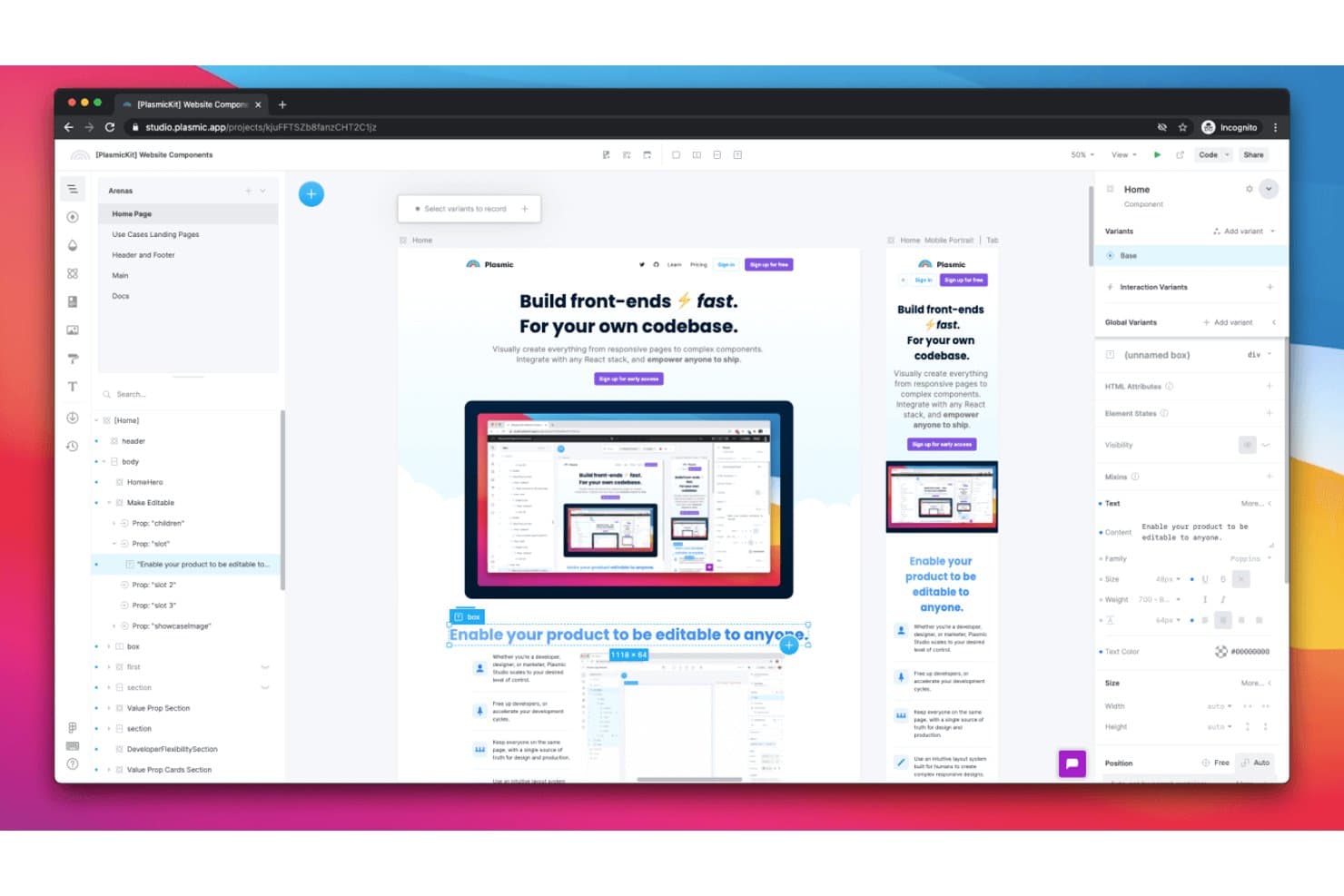
Plasmic lets users visually build and edit UI components via drag-and-drop. Plasmic is an open-source visual drag-and-drop builder for React websites and web apps that lets you design on a canvas, register custom React components as drag-and-drop blocks, and sync generated code directly into your codebase.
Who Is Plasmic Best For?
Plasmic is a strong fit for frontend developers and product teams who want to let non-technical collaborators edit UI visually without breaking the underlying React codebase.
Why I Picked Plasmic
I picked Plasmic as one of the best because it's the only drag-and-drop builder I've found that keeps your visual edits and React codebase in genuine sync. Running
plasmic watchmeans any design change in the canvas regenerates your React components automatically, without overwriting your custom code. I also love that you can register your own React components as drag-and-drop blocks, so your team edits real production components visually, not placeholder stand-ins.Plasmic Key Features
- Style tokens: Define reusable color, spacing, and typography tokens that reference each other and apply globally across your project via CSS variables.
- Content creator mode: A simplified editor view that lets non-technical teammates edit content without accessing the full design canvas.
- Multiplayer editing: Multiple team members can work in the same project simultaneously, with comments for async collaboration.
- AI-assisted generation: A beta tool that generates sections, pages, and tokens from text or image prompts, reusing your project's existing tokens to stay on-brand.
Plasmic Integrations
Plasmic offers native integrations with Figma, GitHub, Vercel, Netlify, Shopify, Contentful, Sanity, Airtable, Supabase, and Optimizely. It supports custom integrations through REST, GraphQL, or SQL, plus Zapier.
Pros and Cons
Pros:
- Supports real app behavior beyond mockups
- Reuses production components inside the canvas
- Keeps visual edits synced with React code
Cons:
- Installed components require manual update work
- Figma imports need manual responsive rework
Learn more about Plasmic:
Diğer Sürükle ve Bırak Kullanıcı Arayüzü Oluşturucuları
Kısa listeme girmeyen ancak yine de göz atmaya değer bazı ek sürükle ve bırak kullanıcı arayüzü oluşturucusu seçenekleri şunlardır:
- 11UI BakeryBest for building internal business tools fast
- 12FramerBest for interactive prototyping with animation
- 13OutSystemsBest for enterprise app generation from a prompt
- 14TeleportHQBest for instant React code generation
- 15AdaloBest for launching native mobile and web MVPs
How I Evaluate Drag-and-Drop UI Builders
I split my evaluation into three parts, with core functionality carrying the most weight: I look for tools that let teams arrange UI components on a canvas and publish responsive pages. Next, I consider standout features such as Figma-to-editable-UI generation. Finally, I weigh factors beyond features, including onboarding, support, and pricing value.
Core Functionality (Table Stakes For This List)
When I'm selecting tools for my list, I score each one on a scale from 0 (does not offer the functionality) to 5 (excels in this area) for each core functionality listed below. I then convert the total into a percentage to help assess each tool's overall fit, with extra weight on any functionalities I’ve deemed essential.
- Visual Canvas (Essential): I look for flexible drag-and-drop layouts, including nested sections and precise placement for a landing page or app screen.
- UI Components (Essential): I assess whether the library covers practical needs like forms, navigation, buttons, and tables for the product being built.
- Responsive Controls: I check whether teams can preview and adjust layouts across desktop and mobile breakpoints.
- Visual Styling: I evaluate control over typography, color, spacing, and reusable styles to keep screens consistent.
- Publishing Options: I look for usable code export, live publishing, or a clear path into an existing development workflow.
- Interactive Prototyping: I consider whether teams can link screens and model navigation or conditional flows to assess an idea before launch.
Once I have a list of tools that meet the criteria, I consider what sets each platform apart.
Differentiating Factors (What Sets Vendors Apart)
Here's how I compare and contrast different vendors:
Standout Features
I look for AI-assisted generation that turns a text prompt or Figma file into an editable layout, because it collapses the gap between a rough idea and a testable screen. Real-time design-to-code sync matters just as much; when canvas changes update the underlying code instantly, teams skip the re-export cycle that stalls handoff. I also evaluate how well a platform pulls in existing design tokens or component libraries, since brand-consistent prototypes build stakeholder trust faster during validation rounds.
Beyond Features
I evaluate how quickly a PM can go from first login to a shareable prototype, because a tool that demands hours of onboarding stalls discovery cycles. Equally important is how well the platform connects to an existing stack—linking a builder to Figma, Jira, or GitHub means prototypes feed directly into backlog items instead of living as disconnected artifacts. I also check whether sharing and feedback features support stakeholder validation, since a testable link with embedded comments beats a static screenshot in every roadmap discussion.
Sürükle ve Bırak Kullanıcı Arayüzü Oluşturucusu Nasıl Seçilir?
Uzun özellik listeleri ve karmaşık fiyatlandırma yapıları içinde kaybolmak kolaydır. Kendinize özgü yazılım seçim sürecinizi yürütürken odaklanmanıza yardımcı olmak için aklınızda bulundurmanız gereken faktörlerin kontrol listesi aşağıdadır:
| Faktör | Dikkat Edilmesi Gerekenler |
|---|---|
| FaktörÖlçeklenebilirlik | Dikkat Edilmesi GerekenlerProjeleriniz veya kullanıcı tabanınız büyüdükçe araç ekibinizi destekleyecek mi? Kullanıcı sınırlarını, proje kotalarını ve büyük dosyalarla çalışırkenki performansı kontrol edin. |
| FaktörEntegrasyonlar | Dikkat Edilmesi GerekenlerTasarım, geliştirme veya analiz araç setinize yerel olarak bağlanabiliyor mu? Figma, GitHub veya Slack gibi araçlarla uyumluluğunu doğrulayın. |
| FaktörÖzelleştirilebilirlik | Dikkat Edilmesi GerekenlerAracı iş akışınıza uyarlayabilir misiniz? İhtiyaçlarınız geliştikçe özel kod, şablon veya marka ögeleri ekleme seçeneklerini arayın. |
| FaktörKullanım kolaylığı | Dikkat Edilmesi GerekenlerYeni kullanıcılar ne kadar hızlı üretken hâle gelebilir? Öğrenme eğrisini, arayüzün anlaşılır olmasını ve uygulama içi yönlendirmelerin bulunabilirliğini değerlendirin. |
| FaktörUygulama ve işe alıştırma | Dikkat Edilmesi GerekenlerBaşlamak için hangi kaynaklar gerekiyor? Taşıma desteğini, eğitim materyallerini ve ekibinizi işe alıştırmak için gereken süreyi göz önünde bulundurun. |
| FaktörMaliyet | Dikkat Edilmesi GerekenlerFiyatlandırma kademeleri bütçeniz ve kullanımınızla uyumlu mu? Toplam maliyeti artırabilecek gizli ücretlere, gerekli eklentilere veya kullanıcı tabanlı fiyatlandırmaya dikkat edin. |
| FaktörGüvenlik önlemleri | Dikkat Edilmesi GerekenlerAraç kuruluşunuzun güvenlik standartlarını karşılıyor mu? SSO'yu, veri şifrelemeyi ve ilgili düzenlemelere uyumluluğu arayın. |
| FaktörDestek bulunabilirliği | Dikkat Edilmesi GerekenlerHangi destek kanalları, hangi saatlerde sunuluyor? Özellikle acil sorunlar için canlı sohbete, telefona veya yalnızca e-posta desteğine ihtiyacınız olup olmadığını değerlendirin. |
Sürükle ve Bırak Kullanıcı Arayüzü Oluşturucusu Nedir?
Sürükle ve bırak kullanıcı arayüzü oluşturucusu, ekiplerin kod yazmak yerine öğeleri bir tuval üzerinde düzenleyerek arayüzler tasarlamasına ve oluşturmasına yardımcı olan görsel bir araçtır. Bu araçlar, geliştiricilere yoğun şekilde bağlı kalmadan web uygulamaları ve web sitesi oluşturucu projeleri için düzenler oluşturmayı kolaylaştırarak uygulama geliştirmeyi destekler. Sürükle ve bırak kullanıcı arayüzü oluşturucuları, geliştirme sürecini basitleştirerek ekiplerin uygulamaları daha hızlı oluşturmaya, fikirleri test etmeye ve daha az teknik çabayla tasarımlar üzerinde yinelemeler yapmaya odaklanmasını sağlar.
Özellikler
Sürükle ve bırak kullanıcı arayüzü oluşturucusu seçerken aşağıdaki temel özelliklere dikkat edin:
- Görsel tuval: Arayüz öğelerini doğrudan dijital bir çalışma alanında düzenlemenize, yeniden boyutlandırmanıza ve organize etmenize olanak tanıyarak düzen değişikliklerini sezgisel ve anında gerçekleştirmenizi sağlar.
- Bileşen kitaplığı: Düğmeler, formlar ve gezinme çubukları gibi yeniden kullanılabilir kullanıcı arayüzü öğelerinden oluşan bir koleksiyon sunar; bu öğeleri tasarımınıza sürükleyebilirsiniz.
- Duyarlı tasarım araçları: Farklı ekran boyutlarına ve cihazlara otomatik olarak uyum sağlayan düzenler oluşturmanıza olanak tanıyarak tutarlı bir kullanıcı deneyimi sunar.
- Etkileşimli prototipleme: Kullanıcı akışlarını simüle edebilmeniz ve arayüz mantığını test edebilmeniz için bağlantılar, geçişler ve temel etkileşimler eklemenizi sağlar.
- Stil düzenleyicisi: CSS veya kod yazmaya gerek kalmadan renkleri, yazı tiplerini, boşlukları ve diğer görsel özellikleri ayarlamanız için kontroller sunar.
- Önizleme modu: Tasarımınızı son kullanıcının göreceği ve etkileşimde bulunacağı şekilde görüntülemenizi ve kullanmanızı sağlayarak geliştirme öncesinde sorunları fark etmenize yardımcı olur.
- Dışa aktarma ve devretme seçenekleri: Geliştiricilerle veya diğer paydaşlarla paylaşmak üzere varlıkları, kod parçacıklarını ya da tasarım özelliklerini dışa aktarmayı destekler.
- Sürüm geçmişi: Projenizde zaman içinde yapılan değişiklikleri izleyerek önceki durumlara dönmenize veya iş arkadaşlarınızın yaptığı düzenlemeleri incelemenize olanak tanır.
- İş birliği araçları: Yorum yapma, paylaşma ve birden fazla kullanıcının düzenleme yapması gibi özelliklerle gerçek zamanlı veya eşzamansız ekip çalışmasını kolaylaştırır.
- Şablon kitaplığı: Yeni projelere hızlıca başlamanıza ve tasarım tutarlılığını korumanıza yardımcı olacak önceden tasarlanmış düzenler veya kullanıcı arayüzü kitleri içerir.
Yaygın AI Özellikleri
Yukarıda listelenen standart sürükle ve bırak kullanıcı arayüzü oluşturucusu özelliklerinin yanı sıra bu çözümlerin çoğu aşağıdaki özelliklerle AI'ı bünyesine katıyor:
- AI düzen önerileri: Kullanılabilirliği ve görsel dengeyi iyileştirmek için tasarımınızı analiz eder ve en uygun öğe yerleşimini, aralıkları ve hizalamayı otomatik olarak önerir.
- AI tarafından oluşturulan bileşenler: Manuel tasarım çalışmasını azaltarak proje gereksinimlerinize veya metin istemlerinize göre yeni kullanıcı arayüzü öğeleri ya da tüm bölümler oluşturur.
- İçeriği otomatik doldurma: Tasarım bağlamınıza uygun yer tutucu metin, görsel veya simgeler oluşturmak için AI kullanır ve gerçekçi prototipleri daha hızlı görselleştirmenize yardımcı olur.
- Erişilebilirlik denetimleri: Olası erişilebilirlik sorunlarını tespit etmek için arayüzünüzü tarar ve erişilebilirlik standartlarına uyumu iyileştirmek üzere AI destekli düzeltmeler önerir.
- Tasarım tutarlılığı analizi: Tutarlı bir görünümü korumak için projenizi tutarsız stiller, renkler veya yazı tipleri açısından inceler ve AI destekli ayarlamalar önerir.
Avantajlar
Sürükle ve bırak kullanıcı arayüzü oluşturucusu kullanmak, ekibiniz ve işletmeniz için çeşitli avantajlar sağlar. Yararlanmayı bekleyebileceğiniz avantajlardan bazıları şunlardır:
- Daha hızlı prototipleme: Görsel tuval ve bileşen kitaplıkları, kod yazmadan arayüz fikirlerini hızlıca oluşturmanıza ve test etmenize olanak tanır.
- Erişilebilir tasarım süreci: Sürükle ve bırak araçları, farklı teknik geçmişlere sahip ekip üyelerinin kullanıcı arayüzü oluşturmasını mümkün kılar.
- Geliştirilmiş iş birliği: Gerçek zamanlı düzenleme, yorum yapma ve paylaşma özellikleri ekiplerin birlikte çalışmasına ve geri bildirimleri verimli şekilde toplamasına yardımcı olur.
- Tutarlı kullanıcı deneyimleri: Şablon kitaplıkları ve stil düzenleyicileri, projeler genelinde marka tutarlılığını ve tasarım standartlarını destekler.
- Daha az devretme sürtüşmesi: Dışa aktarma ve devretme seçenekleri, özellikleri ve varlıkları geliştiricilerle paylaşmayı kolaylaştırarak iletişim yanlışlıklarını en aza indirir.
- Duyarlı tasarım desteği: Yerleşik duyarlı araçlar, arayüzlerinizin her cihazda iyi görünmesini ve düzgün çalışmasını sağlar.
- Daha düşük işe alıştırma engelleri: Rehberli turlar, şablonlar ve sezgisel arayüzler, yeni kullanıcıların hızla verimli çalışmaya başlamasına yardımcı olur.
Maliyetler ve Fiyatlandırma
Sürükle ve bırak kullanıcı arayüzü oluşturucusu seçmek, mevcut çeşitli fiyatlandırma modellerinin ve planların anlaşılmasını gerektirir. Maliyetler özelliklere, ekip büyüklüğüne, eklentilere ve diğer unsurlara göre değişir. Aşağıdaki tablo, sürükle ve bırak kullanıcı arayüzü oluşturucusu çözümlerinde yaygın olarak sunulan planları, ortalama fiyatlarını ve tipik olarak dahil edilen özellikleri özetlemektedir:
Sürükle ve Bırak Kullanıcı Arayüzü Oluşturucuları için Plan Karşılaştırma Tablosu
| Plan Türü | Ortalama Fiyat | Yaygın Özellikler |
|---|---|---|
| Plan TürüÜcretsiz Plan | Ortalama Fiyat$0 | Yaygın ÖzelliklerTemel bileşenlere erişim, sınırlı proje, tek kullanıcı desteği ve topluluk yardım kaynakları. |
| Plan TürüBireysel Plan | Ortalama Fiyat$10–$25/kullanıcı/ay | Yaygın ÖzelliklerSınırsız proje, gelişmiş bileşenler, duyarlı tasarım araçları ve e-posta desteği. |
| Plan Türüİşletme Planı | Ortalama Fiyat$25–$50/kullanıcı/ay | Yaygın ÖzelliklerEkip işbirliği, sürüm geçmişi, dışa aktarma seçenekleri, öncelikli destek ve entegrasyon olanakları. |
| Plan TürüKurumsal Plan | Ortalama Fiyat$50–$100+/kullanıcı/ay | Yaygın ÖzelliklerÖzel güvenlik, özel işe alıştırma, gelişmiş yönetici denetimleri, SLA destekli destek ve denetim günlükleri. |
SSS
Sürükle ve bırak kullanıcı arayüzü oluşturucuları hakkında sık sorulan bazı soruların yanıtları şunlardır:
Hiç kodlama deneyimim olmadan sürükle ve bırak kullanıcı arayüzü oluşturucusu kullanabilir miyim?
Evet, çoğu sürükle ve bırak kullanıcı arayüzü oluşturucusu, kodlama geçmişi çok az olan veya hiç olmayan kullanıcılar için tasarlanmıştır. Öğeleri görsel olarak düzenleyebilir, stilleri özelleştirebilir ve sezgisel arayüzleri kullanarak etkileşimli prototipler oluşturabilirsiniz. Bu da onları tasarımcılar, ürün yöneticileri ve diğer geliştirici olmayan kullanıcılar için erişilebilir kılar.
Kodsuz kullanıcı arayüzü oluşturucuları ekip işbirliğini nasıl destekler?
Birçok sürükle ve bırak kullanıcı arayüzü oluşturucusu gerçek zamanlı düzenleme, yorum yapma ve paylaşma özellikleri sunar. Bu araçlar, birden fazla ekip üyesinin aynı proje üzerinde eş zamanlı çalışmasına, tasarımlar hakkında doğrudan geri bildirim sağlamasına ve farklı roller için izinleri yönetmesine olanak tanır. Böylece herkesin uyum içinde çalışmasına yardımcı olur.
Bu tür bir kullanıcı arayüzü oluşturucusu için en uygun proje türleri nelerdir?
Sürükle ve bırak kullanıcı arayüzü oluşturucuları, web ve mobil arayüzlerin prototiplerini oluşturmak, tasarım sistemleri yaratmak ve pazarlama siteleri veya panolar geliştirmek için idealdir. Hızlı yineleme, paydaş geri bildirimi ya da tasarımcılar ile teknik olmayan ekip üyeleri arasında işbirliği gerektiren projelerde özellikle kullanışlıdır.
Tasarımlarımı veya kodumu bir sürükle ve bırak kullanıcı arayüzü oluşturucusundan dışa aktarabilir miyim?
Evet, çoğu çözüm varlıkları, tasarım özelliklerini veya geliştiricilere teslim edilecek kod parçacıklarını dışa aktarmanıza olanak tanır. Bazı araçlar geliştirme platformlarıyla doğrudan entegrasyon sunar veya üretime hazır kod oluşturur. Diğerleri ise anlaşılır belgeler ve tasarım dosyaları sağlamaya odaklanır.