

HubSpot-recension: Fördelar, nackdelar, funktioner och priser förklarade
HubSpot utmärker sig med sina allt-i-ett-verktyg för marknadsföring och användarvänliga design, men kan vara kostsamt för växande team som behöver avancerad anpassning.

We review tools independently, and commissions help fund our testing. See our transparency policy, our methodology, or suggest a tool.
HubSpot is a product marketing software for teams that need to manage campaigns, messaging, and content across the full customer lifecycle—from awareness through retention. I'd consider it if you want a platform that ties marketing execution directly to CRM data without the technical overhead of tools like Marketo, which typically requires dedicated ops resources to configure and maintain. HubSpot gives you more out of the box with a shorter path to actually using it.
HubSpot Evaluation Summary
4.4/5
- From $20/user/month
- Free plan available
Varför du kan lita på våra programvarurekommendationer
6,700+
Reviews
20
Industry experts
16+
Evaluation factors
14
Years
Vårt team har testat och recenserat programvara sedan 2012. Som produktchefer själva vet vi hur svårt — och viktigt — det är att välja rätt programvara.
För den här guiden utvärderade vi verktyg genom praktisk testning och oberoende research, och betygsatte verktygen enligt våra urvalskriterier.
Våra recensioner speglar vårt mänskliga redaktionella omdöme, inte ett säljbudskap.
- Andrew LumbySenior TPM
- Cristiano ValimSenior UI/UX Lead
HubSpot Overview
When judging Hubspot as a product marketing software, its intuitive interface, strong automation, and deep analytics set it apart for teams seeking a unified solution. Pricing can be high as you scale, and advanced customization is limited compared to some alternatives. However, onboarding is straightforward, support is responsive, and integrations cover most SaaS needs. If you're selecting a platform for a fast-growing team that values ease of use and centralized data, Hubspot is a top contender. For example, marketing and sales teams can quickly align campaigns and track performance without heavy IT involvement.
Pros
- Built-in campaign management connects email, social, and ads.
- Detailed attribution reporting tracks marketing impact on revenue.
- Content optimization tools support SEO and blog publishing.
Cons
- Advanced reporting features require higher-tier plans.
- Workflow automation can be rigid for complex processes.
- Lead scoring lacks flexibility for nuanced segmentation.
Is HubSpot Right For Your Needs?
Who Would be a Good Fit for HubSpot?
Hubspot works best for teams that need to centralize marketing, sales, and content management without heavy IT support. Its automation, analytics, and campaign tools are especially useful for SaaS, B2B, and service-based companies that want to align marketing and sales. Hubspot's scalable platform and built-in CRM make it a strong choice for marketing departments, small businesses, and roles focused on lead generation and content strategy.
- SaaS StartupsHubspot's unified CRM and marketing automation help startups manage rapid growth.
- B2B Marketing TeamsMulti-channel campaign management and lead tracking support complex B2B sales cycles.
- Professional ServicesAutomated workflows and client tracking simplify service delivery and follow-up.
- Content Marketing RolesSEO tools and blog publishing features streamline content planning and execution.
- Small Marketing DepartmentsAll-in-one platform reduces the need for multiple disconnected tools.
- Agencies Managing ClientsClient portals and reporting features support agency-client collaboration and transparency.
Who Would be a Bad Fit for HubSpot?
Hubspot may not suit organizations with highly specialized needs, strict budgets, or complex technical requirements. Large enterprises with custom workflows, industries with strict compliance needs, and teams focused on physical product sales may find limitations in Hubspot's automation, reporting, or e-commerce features.
- Large EnterprisesCustom workflow and reporting needs often exceed Hubspot's capabilities.
- E-Commerce RetailersLimited native e-commerce features compared to dedicated platforms.
- Regulated IndustriesCompliance and data residency controls are less robust than niche solutions.
- Nonprofit OrganizationsPricing and feature tiers may not align with nonprofit budgets or needs.
- Field Sales TeamsMobile app and offline capabilities are less developed for on-the-go sales.
- Manufacturing CompaniesProduct catalog and inventory management features are not built for manufacturing complexity.
How We Test & Score Tools
We’ve spent years building, refining, and improving our software testing and scoring system. The rubric is designed to capture the nuances of software selection and what makes a tool effective, focusing on critical aspects of the decision-making process.
Below, you can see exactly how our testing and scoring works across seven criteria. It allows us to provide an unbiased evaluation of the software based on core functionality, standout features, ease of use, onboarding, customer support, integrations, customer reviews, and value for money.
Core Functionality (25% of final scoring)
The starting point of our evaluation is always the core functionality of the tool. Does it have the basic features and functions that a user would expect to see? Are any of those core features locked to higher-tiered pricing plans? At its core, we expect a tool to stand up against the baseline capabilities of its competitors.
Standout Features (25% of final scoring)
Next, we evaluate uncommon standout features that go above and beyond the core functionality typically found in tools of its kind. A high score reflects specialized or unique features that make the product faster, more efficient, or offer additional value to the user.
We also evaluate how easy it is to integrate with other tools typically found in the tech stack to expand the functionality and utility of the software. Tools offering plentiful native integrations, 3rd party connections, and API access to build custom integrations score best.
Ease of Use (10% of final scoring)
We consider how quick and easy it is to execute the tasks defined in the core functionality using the tool. High scoring software is well designed, intuitive to use, offers mobile apps, provides templates, and makes relatively complex tasks seem simple.
Onboarding (10% of final scoring)
We know how important rapid team adoption is for a new platform, so we evaluate how easy it is to learn and use a tool with minimal training. We evaluate how quickly a team member can get set up and start using the tool with no experience. High scoring solutions indicate little or no support is required.
Customer Support (10% of final scoring)
We review how quick and easy it is to get unstuck and find help by phone, live chat, or knowledge base. Tools and companies that provide real-time support score best, while chatbots score worst.
Customer Reviews (10% of final scoring)
Beyond our own testing and evaluation, we consider the net promoter score from current and past customers. We review their likelihood, given the option, to choose the tool again for the core functionality. A high scoring software reflects a high net promoter score from current or past customers.
Value for Money (10% of final scoring)
Lastly, in consideration of all the other criteria, we review the average price of entry level plans against the core features and consider the value of the other evaluation criteria. Software that delivers more, for less, will score higher.
Core Features
Campaign Management
Plan, launch, and track multi-channel campaigns from a single dashboard. Users can coordinate email, social, and ad campaigns with built-in analytics.
Lead Scoring
Assign scores to leads based on behavior, engagement, and profile data. This helps teams prioritize follow-up and segment audiences.
Marketing Automation
Automate email sequences, lead nurturing, and task assignments. Visual workflow builders make setup fast for common marketing processes across the entire sales pipeline.
Content Management System
Create, edit, and optimize pages and blogs with drag-and-drop tools. Built-in SEO recommendations help improve content visibility.
Attribution Reporting
Track which channels and campaigns drive conversions and revenue. Reports connect marketing activities to business outcomes.
A/B Testing
Test different versions of emails, landing pages, and CTAs to optimize performance. Results appear in clear dashboards to make informed decisions based on metrics.
Ease of Use
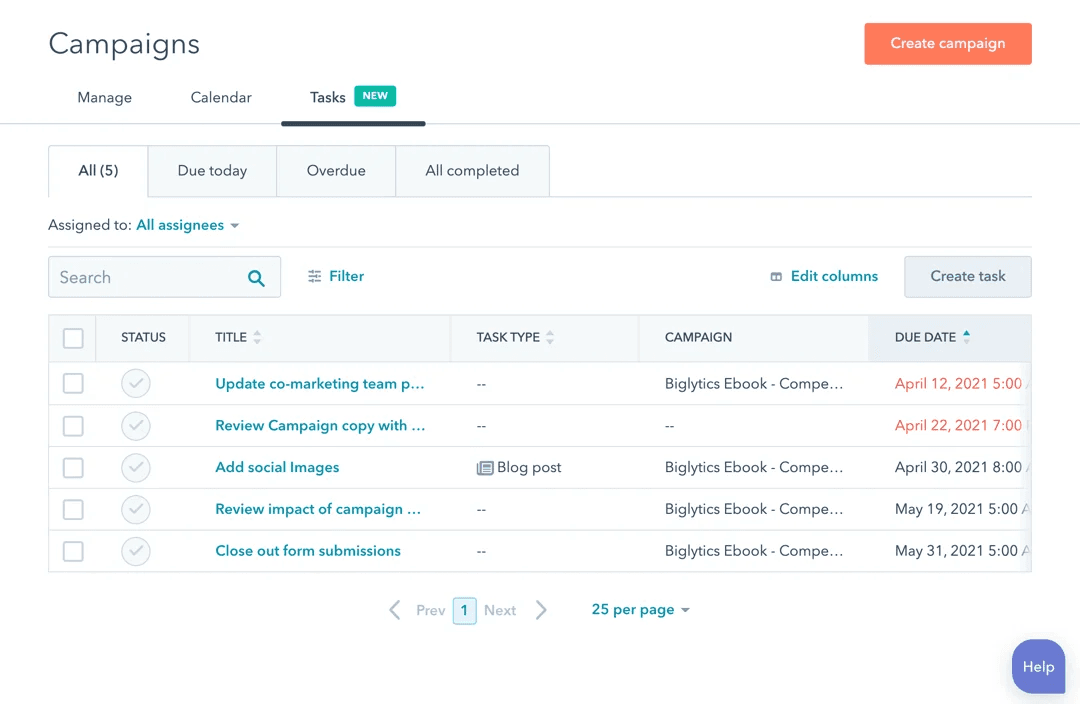
Hubspot is widely recognized for its user-friendly interface and intuitive navigation, making it approachable for both beginners and experienced users alike. The drag-and-drop editors for emails and landing pages, visual workflow builders, and in-app guidance help teams get started quickly. Many users highlight the clear organization of tools and dashboards, which reduces onboarding time and confusion. While some advanced features require setup, most core marketing tasks can be managed without technical expertise.
Integrations
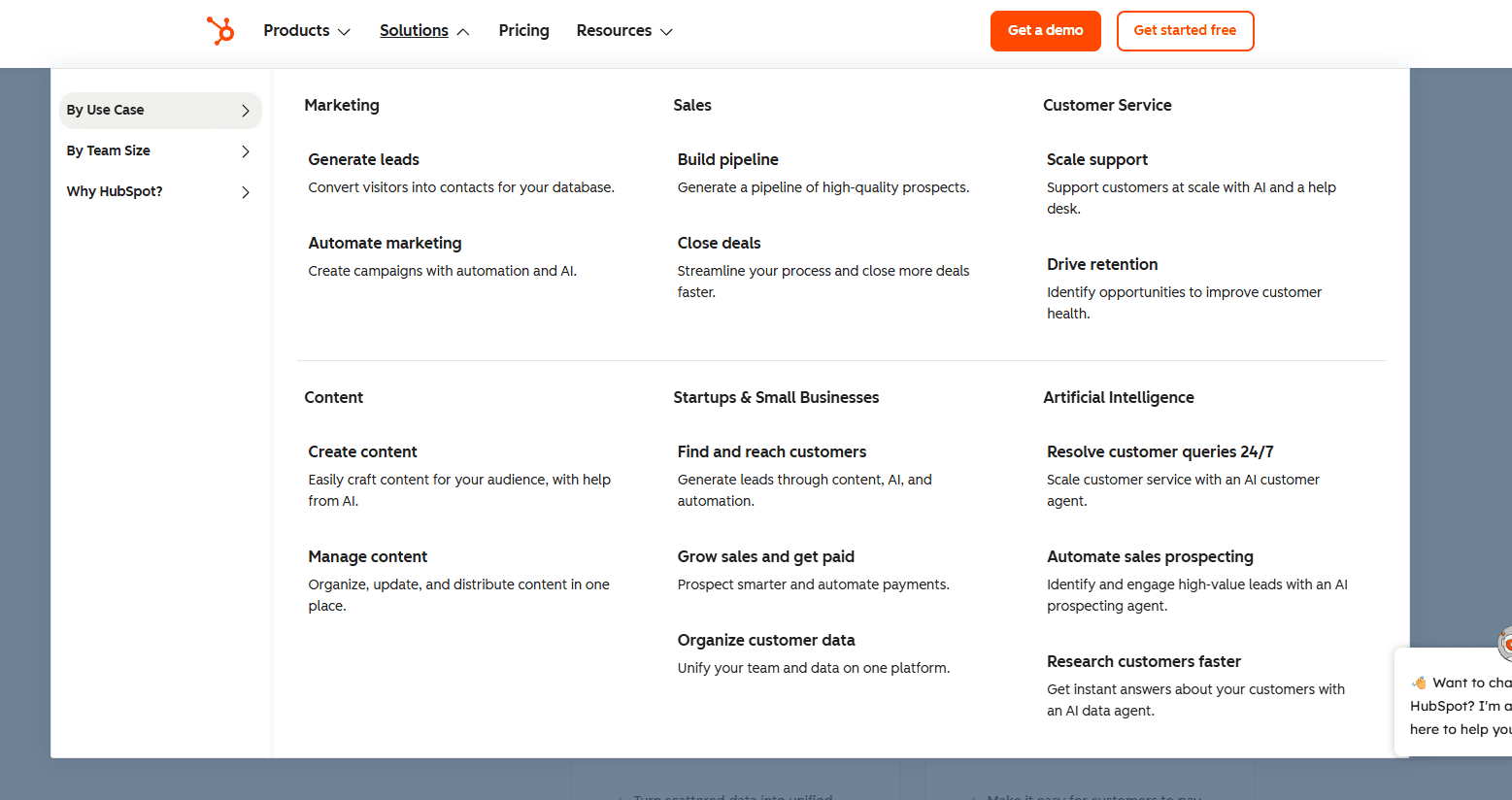
HubSpot integrates with QuickBooks Online, Freshbooks, Xero, Gmail, Outlook, DocuSign, Mailchimp, Slack, and Google Calendar, among others.
HubSpot’s CRM also offers a robust API and connects with third-party integration tools like Zapier for expanded automation and connectivity.

HubSpot Specs
- 2-Factor Authentication: Yes
- API: Yes
- Calendar Management: Yes
- Call Tracking: Yes
- Campaign Management: Yes
- Click-to-Dial: Yes
- Contact Management: Yes
- Contact Sharing: Yes
- Custom Data Forms: Yes
- Customer Management: Yes
- Dashboard: Yes
- Data Export: Yes
- Data Import: Yes
- Data Visualization: Yes
- Email Integration: Yes
- External Integrations: Yes
- File Sharing: Yes
- File Transfer: Yes
- Google Apps Integration: Yes
- Lead Management: Yes
- Lead Scoring: Yes
- Marketing Automation: Yes
- Mobile App: Yes
- Multi-User: Yes
- Notifications: Yes
- Pipeline Management: Yes
- Sales Automation: Yes
- Scheduling: Yes
- Social-Media Integration: Yes
- Task Scheduling/Tracking: Yes
- Third-Party Plugins/Add-Ons: Yes


