
Celtx-recension: Fördelar, nackdelar, funktioner och priser förklarade
Jag har testat Celtx grundligt – här är vad programmet utmärker sig på, var det brister och varför det kan vara ett klokt val (eller inte) för dig.

We review tools independently, and commissions help fund our testing. See our transparency policy, our methodology, or suggest a tool.
Celtx is a storyboard software built for film, video, and media production teams that need to manage pre-production from a single platform. It combines storyboarding with scriptwriting, scene breakdowns, and production scheduling. I'd consider it over a tool like Boords if your team needs more than visual planning—Celtx covers the full pre-production workflow, so you're not stitching together separate tools for each stage.
Celtx Evaluation Summary
4.7/5
- From $11.24/month (billed annually)
- Free plan + free trial available
Varför du kan lita på våra programvarurekommendationer
6,700+
Reviews
20
Industry experts
16+
Evaluation factors
14
Years
Vårt team har testat och recenserat programvara sedan 2012. Som produktchefer själva vet vi hur svårt — och viktigt — det är att välja rätt programvara.
För den här guiden utvärderade vi verktyg genom praktisk testning och oberoende research, och betygsatte verktygen enligt våra urvalskriterier.
Våra recensioner speglar vårt mänskliga redaktionella omdöme, inte ett säljbudskap.
- Andrew LumbySenior TPM
- Cristiano ValimSenior UI/UX Lead
Celtx Overview
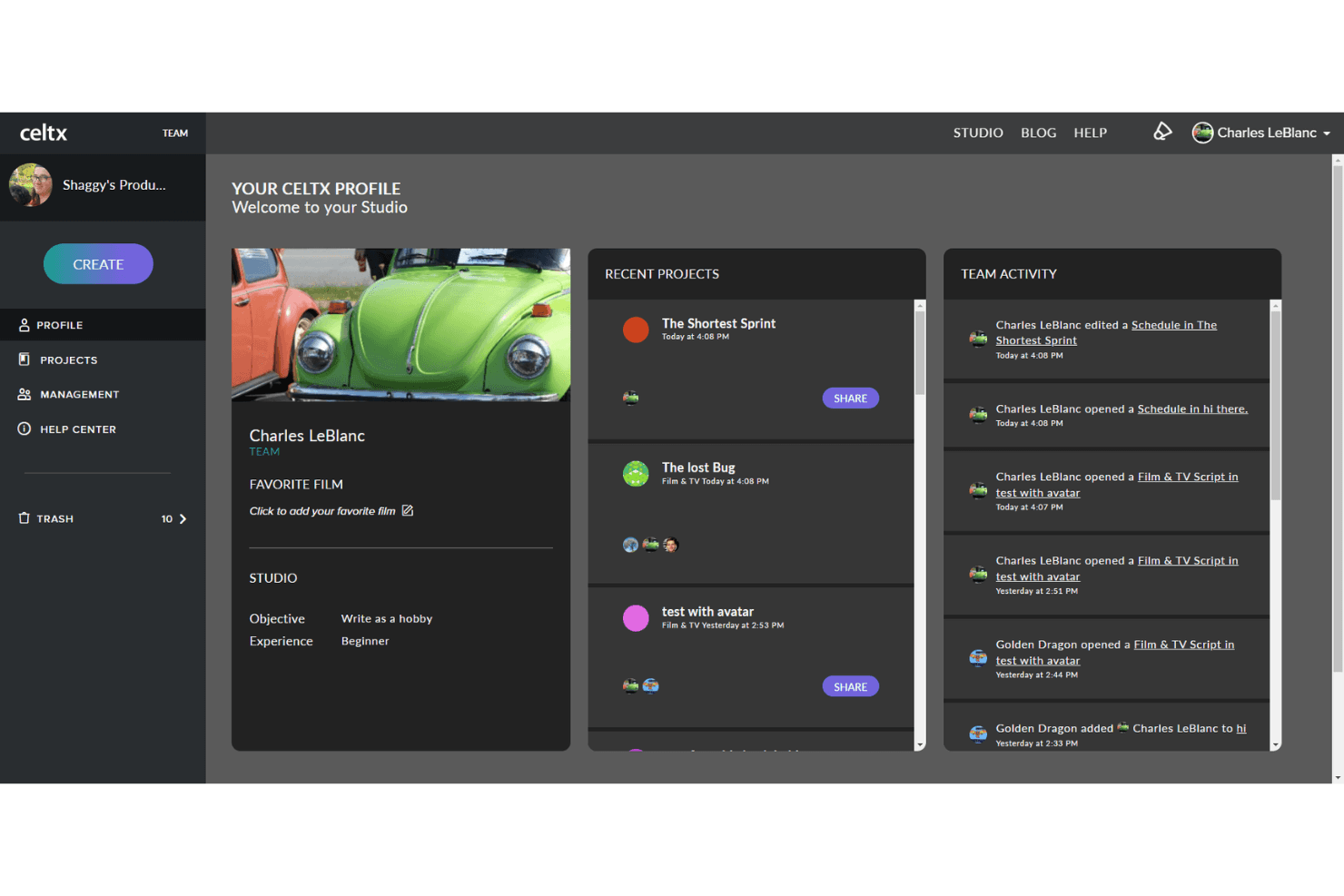
When I compare Celtx to other storyboard software, I think its cloud-based script and storyboard integration, intuitive interface, and affordable pricing make it a strong pick for small studios and indie creators. Unlike dedicated screenplay and screenwriting software like, Celtx combines writing with full pre-production in one place—a meaningful advantage for teams juggling remote work. Its collaborative tools and built-in production management outperform many alternatives, especially for teams juggling remote work. However, its limited integrations and advanced customization options can hold it back for larger productions. If you're judging storyboard tools for fast onboarding, clear workflows, and solid support, Celtx is a smart choice for education, short films, and content teams who want everything in one place.
Pros
- Combines scriptwriting, storyboarding, and production tools in one platform.
- Offers real-time collaboration and feedback for teams.
- Includes drag-and-drop storyboard creator with image and note support.
Cons
- Occasional project loading delays and reliability issues reported.
- Limited advanced features for large-scale productions.
- Fewer third-party integrations than some competitors.
Is Celtx Right For Your Needs?
Who Would be a Good Fit for Celtx?
Celtx is a smart choice for creative teams and organizations that need a unified platform for scriptwriting, storyboarding, and production planning. Its collaborative features, cloud-based access, and visual tools make it especially useful for smaller teams, education, and content-driven departments. Whether you're writing a screenplay, a stage play, or a branded video script, Celtx keeps pre-production organized and accessible without heavy IT support or complex integrations.
- Indie FilmmakersCeltx's all-in-one platform streamlines script-to-screen planning for small film teams.
- Advertising AgenciesTeams can quickly storyboard and pitch concepts to clients with visual tools.
- Education ProgramsTeachers and students benefit from collaborative, cloud-based storyboarding and scriptwriting.
- Content Marketing TeamsCeltx helps plan, visualize, and manage branded video content projects.
- Animation StudiosStoryboard and script integration supports fast-paced animation pre-production.
- Remote Creative TeamsReal-time collaboration and cloud access keep distributed teams aligned.
Who Would be a Bad Fit for Celtx?
Celtx may not be the best option for large enterprises or teams with highly specialized needs. Its limited integrations, advanced production features, and scalability can be a drawback for complex workflows or organizations that require deep customization and robust IT support. If your team relies on advanced automation, custom integrations, or enterprise-level security, you'll likely find Celtx lacking.
- Enterprise StudiosCeltx lacks advanced workflow automation and enterprise-grade controls.
- Large Production HousesLimited scalability and fewer integrations hinder complex, multi-team projects.
- Game Development TeamsCeltx doesn't offer specialized tools for interactive or branching narratives.
- Legal DepartmentsNo built-in compliance or legal review features for regulated industries.
- Agencies With Custom WorkflowsCeltx's workflow options are less flexible for highly tailored processes.
- IT-Heavy OrganizationsLack of advanced security and integration options limits enterprise adoption.
How We Test & Score Tools
We’ve spent years building, refining, and improving our software testing and scoring system. The rubric is designed to capture the nuances of software selection and what makes a tool effective, focusing on critical aspects of the decision-making process.
Below, you can see exactly how our testing and scoring works across seven criteria. It allows us to provide an unbiased evaluation of the software based on core functionality, standout features, ease of use, onboarding, customer support, integrations, customer reviews, and value for money.
Core Functionality (25% of final scoring)
The starting point of our evaluation is always the core functionality of the tool. Does it have the basic features and functions that a user would expect to see? Are any of those core features locked to higher-tiered pricing plans? At its core, we expect a tool to stand up against the baseline capabilities of its competitors.
Standout Features (25% of final scoring)
Next, we evaluate uncommon standout features that go above and beyond the core functionality typically found in tools of its kind. A high score reflects specialized or unique features that make the product faster, more efficient, or offer additional value to the user.
We also evaluate how easy it is to integrate with other tools typically found in the tech stack to expand the functionality and utility of the software. Tools offering plentiful native integrations, 3rd party connections, and API access to build custom integrations score best.
Ease of Use (10% of final scoring)
We consider how quick and easy it is to execute the tasks defined in the core functionality using the tool. High scoring software is well designed, intuitive to use, offers mobile apps, provides templates, and makes relatively complex tasks seem simple.
Onboarding (10% of final scoring)
We know how important rapid team adoption is for a new platform, so we evaluate how easy it is to learn and use a tool with minimal training. We evaluate how quickly a team member can get set up and start using the tool with no experience. High scoring solutions indicate little or no support is required.
Customer Support (10% of final scoring)
We review how quick and easy it is to get unstuck and find help by phone, live chat, or knowledge base. Tools and companies that provide real-time support score best, while chatbots score worst.
Customer Reviews (10% of final scoring)
Beyond our own testing and evaluation, we consider the net promoter score from current and past customers. We review their likelihood, given the option, to choose the tool again for the core functionality. A high scoring software reflects a high net promoter score from current or past customers.
Value for Money (10% of final scoring)
Lastly, in consideration of all the other criteria, we review the average price of entry level plans against the core features and consider the value of the other evaluation criteria. Software that delivers more, for less, will score higher.
Core Features
Multi-Format Script Editor
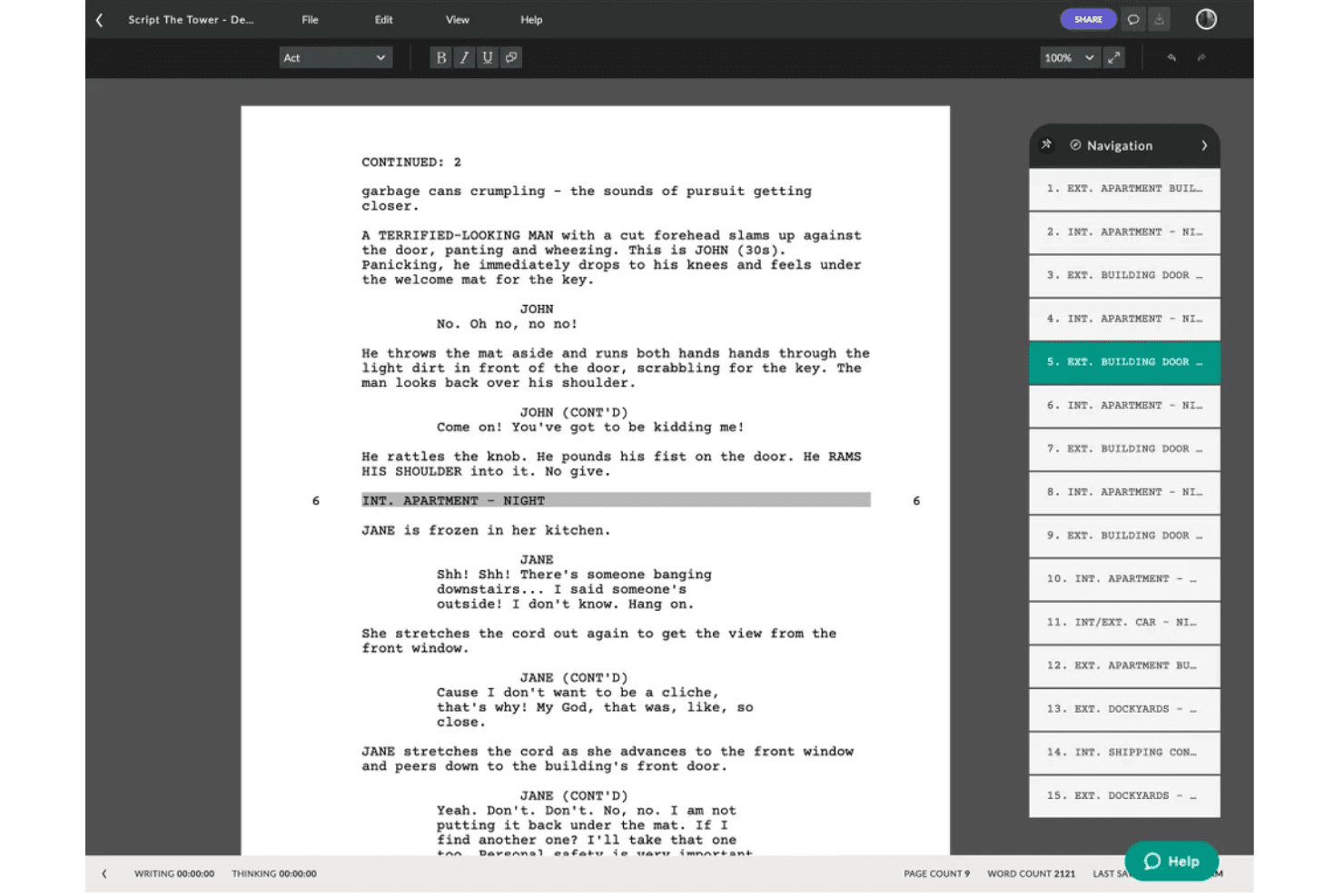
Auto-formats scripts to industry standards for film, TV, stage plays, and more. Users can switch between formats and keep scripts pitch-ready at any time.
Storyboard Creator
Visually frame scenes and organize story flow with drag-and-drop images, index cards, and notes. Helps teams conceptualize and communicate ideas quickly before production.
Beat Sheet Tool
Breaks stories into structured beats for better pacing and planning. Writers map out key moments and transitions before drafting the full screenplay.
Shot List Management
Links detailed shot lists directly to script scenes for production clarity. Teams can organize, reorder, and annotate shots with ease.
Revision Tracking
Tracks script changes and keeps a full history of edits and approvals. Makes collaboration and version control straightforward for any team size.
Production Planning Tools
Includes call sheets, scheduling, budgeting, and cost reporting features. Keeps cast, crew, and resources organized from pre-production through shooting.
Ease of Use
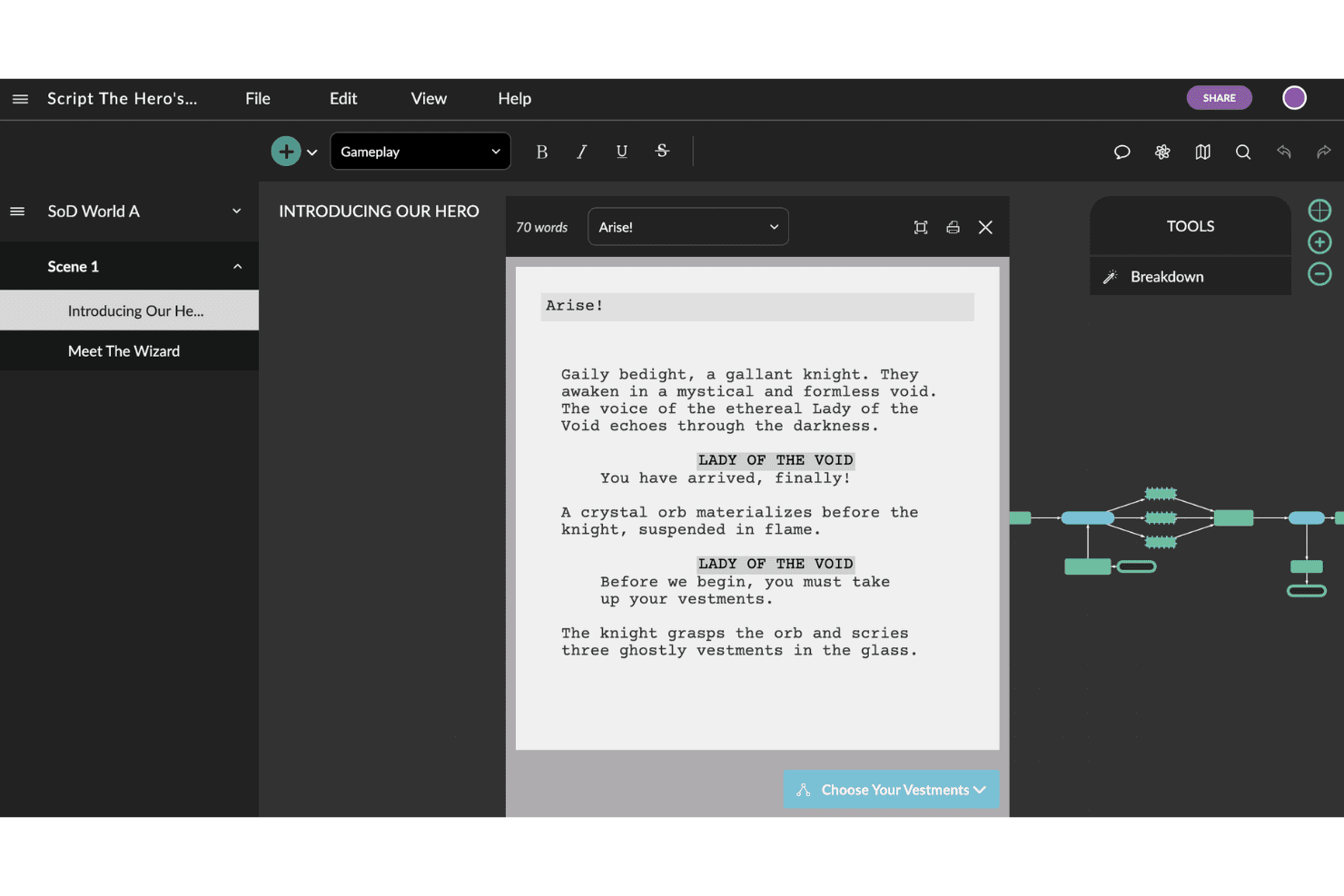
Celtx is user-friendly, with a clean interface and intuitive navigation that makes onboarding quick for new users. Most teams can start building scripts and storyboards with minimal training, thanks to drag-and-drop tools and clear workflows. The Celtx app is available on Mac, iPad, Android, and other platforms, so your team can work from virtually any device. Users often mention that Celtx's cloud-based setup and real-time collaboration simplify teamwork, especially for remote groups. While some advanced features require exploration, the overall experience is straightforward and accessible for both beginners and experienced creators.
Integrations
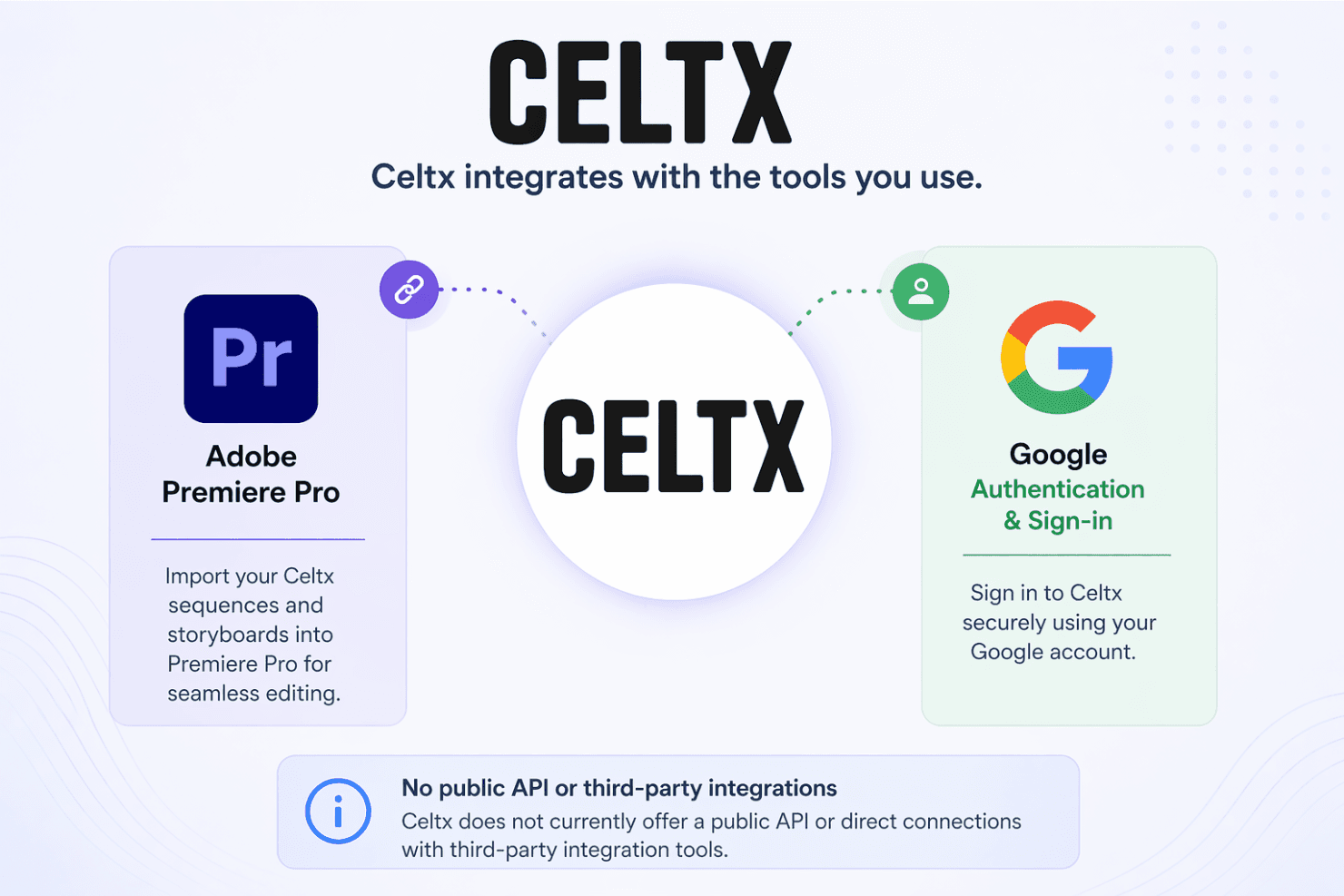
Celtx integrates with Adobe Premiere Pro and Google for authentication and sign-in.
Celtx does not currently offer a public API or direct connections with third-party integration tools.
Celtx Specs
- API: No
- Approval Workflows: No
- Batch Permissions & Access: No
- Budgeting: No
- Calendar Management: No
- Campaign Management: No
- Collaboration Support: Yes
- Contact Management: No
- Contact Sharing: No
- Custom Reports: No
- Customer Management: No
- Dashboard: No
- Data Export: Yes
- Data Import: Yes
- Data Visualization: No
- Design Templates: No
- Document Management: Yes
- Expense Tracking: No
- External Integrations: Yes
- Gantt Charts: No
- Multi-App: No
- Multi-User: Yes
- Notifications: No
- Process Modeling: No
- Project Management: No
- Resource Management: No
- Roadmapping: No
- Scheduling: No
- Task Scheduling/Tracking: No
- Third-Party Plugins/Add-Ons: No
- Travel Management: No
- White-label: No
- Workflow Management: No

