

Todoist-recensie: voordelen, nadelen, functies en prijzen uitgelegd
Todoist onderscheidt zich door zijn intuïtieve ontwerp en flexibele taakbeheer, waardoor het ideaal is voor individuen en kleine teams, maar mogelijk geavanceerde mijlpaaltracking mist die te vinden is in gespecialiseerde projecttools.

We review tools independently, and commissions help fund our testing. See our transparency policy, our methodology, or suggest a tool.
Todoist is a milestone software built around task hierarchies and project organization for individuals and small teams who need to track deliverables across multiple initiatives. I'd consider it if you want clear milestone visibility without the configuration overhead of a tool like Asana—Todoist gets you up and running faster and keeps your workflow focused rather than buried in setup.
Todoist Evaluation Summary
4.6/5
- From $5/user/month
- Free plan available
Waarom u onze softwareaanbevelingen kunt vertrouwen
6,700+
Reviews
20
Industry experts
16+
Evaluation factors
14
Years
Ons team test en beoordeelt software sinds 2012. Als productmanagers weten we zelf hoe moeilijk — en belangrijk — het is om de juiste software te kiezen.
Voor deze gids hebben we tools geëvalueerd met behulp van praktijktests en onafhankelijk onderzoek, waarbij we tools beoordeelden aan de hand van onze selectiecriteria.
Onze reviews weerspiegelen ons menselijke redactionele oordeel, geen verkooppraatje.
- Andrew LumbySenior TPM
- Cristiano ValimSenior UI/UX Lead
Todoist Overview
When judging Todoist as a milestone software, its intuitive interface and quick onboarding set it apart for teams seeking a straightforward solution. The pricing is accessible, and integrations with tools like shared calendar apps and messaging platforms add flexibility. However, compared to more advanced options, Todoist underperforms in granular milestone tracking and reporting. It's best suited for individuals or small teams who value ease of use over deep customization. If you're selecting a tool for lightweight project tracking or personal productivity, Todoist's clean design and responsive support make it a strong contender.
Pros
- Task hierarchy supports basic milestone breakdowns for projects.
- Kanban boards help visualize progress toward key milestones.
- Mobile and web apps sync reliably for milestone updates anywhere.
Cons
- No native Gantt chart or timeline for milestone planning.
- Limited reporting for tracking milestone completion rates.
- Lacks built-in dependency management between milestone tasks.
Is Todoist Right For Your Needs?
Who Would be a Good Fit for Todoist?
Todoist works best for individuals and small teams who need a simple, flexible way to track milestones without complex project management features. Its task hierarchy, mobile access, and visual boards make it a strong choice for creative professionals, consultants, and departments with straightforward workflows. As a to-do list app built for clarity and speed, Todoist helps you prioritize what matters and maintain momentum across projects. If your work relies on clear task lists and milestone check-ins rather than advanced dependencies or reporting, Todoist can help you stay organized and on track.
- Freelance DesignersVisual boards and task lists help manage project deliverables and due dates.
- Marketing TeamsCampaign milestones are easy to track with boards and recurring tasks.
- Small AgenciesSimple milestone tracking fits agencies managing multiple client projects.
- ConsultantsTask comments and file uploads support milestone documentation for client work.
- StartupsLightweight structure suits fast-moving teams with evolving project needs.
- Remote WorkersCross-platform sync keeps milestone progress visible from anywhere.
Who Would be a Bad Fit for Todoist?
Todoist is less suitable for organizations or teams that require advanced project planning, detailed reporting, or strict workflow controls. Large enterprises, regulated industries, and technical teams often need features like Gantt charts, dependency management, and granular permissions, which Todoist does not provide. If your projects demand complex coordination or compliance, you'll likely find Todoist's feature set too limited.
- Enterprise ITLacks advanced permissions and reporting needed for large-scale IT projects.
- Construction FirmsNo Gantt charts or resource management for complex build schedules.
- Product DevelopmentMissing dependency tracking and timeline views for product roadmaps.
- Legal DepartmentsLimited audit trails and compliance features for regulated workflows.
- Healthcare TeamsNo HIPAA compliance or secure document management for sensitive data.
- Manufacturing OperationsCannot handle resource allocation or detailed production milestone tracking.
How We Test & Score Tools
We’ve spent years building, refining, and improving our software testing and scoring system. The rubric is designed to capture the nuances of software selection and what makes a tool effective, focusing on critical aspects of the decision-making process.
Below, you can see exactly how our testing and scoring works across seven criteria. It allows us to provide an unbiased evaluation of the software based on core functionality, standout features, ease of use, onboarding, customer support, integrations, customer reviews, and value for money.
Core Functionality (25% of final scoring)
The starting point of our evaluation is always the core functionality of the tool. Does it have the basic features and functions that a user would expect to see? Are any of those core features locked to higher-tiered pricing plans? At its core, we expect a tool to stand up against the baseline capabilities of its competitors.
Standout Features (25% of final scoring)
Next, we evaluate uncommon standout features that go above and beyond the core functionality typically found in tools of its kind. A high score reflects specialized or unique features that make the product faster, more efficient, or offer additional value to the user.
We also evaluate how easy it is to integrate with other tools typically found in the tech stack to expand the functionality and utility of the software. Tools offering plentiful native integrations, 3rd party connections, and API access to build custom integrations score best.
Ease of Use (10% of final scoring)
We consider how quick and easy it is to execute the tasks defined in the core functionality using the tool. High scoring software is well designed, intuitive to use, offers mobile apps, provides templates, and makes relatively complex tasks seem simple.
Onboarding (10% of final scoring)
We know how important rapid team adoption is for a new platform, so we evaluate how easy it is to learn and use a tool with minimal training. We evaluate how quickly a team member can get set up and start using the tool with no experience. High scoring solutions indicate little or no support is required.
Customer Support (10% of final scoring)
We review how quick and easy it is to get unstuck and find help by phone, live chat, or knowledge base. Tools and companies that provide real-time support score best, while chatbots score worst.
Customer Reviews (10% of final scoring)
Beyond our own testing and evaluation, we consider the net promoter score from current and past customers. We review their likelihood, given the option, to choose the tool again for the core functionality. A high scoring software reflects a high net promoter score from current or past customers.
Value for Money (10% of final scoring)
Lastly, in consideration of all the other criteria, we review the average price of entry level plans against the core features and consider the value of the other evaluation criteria. Software that delivers more, for less, will score higher.
Core Features
Task Hierarchies
Organize milestones using nested tasks and subtasks for clear project structure. This helps break down large goals into actionable steps.
Kanban Boards
Visualize project progress by moving tasks across customizable columns. Boards make it easy to see which milestones are in progress or complete.
Recurring Tasks
Set milestones or tasks to repeat on custom schedules. This is useful for ongoing project check-ins or regular deliverables.
Labels and Filters
Tag tasks with labels and create custom filters to view milestones by priority, project, or deadline. This allows quick access to what matters most.
Comments and File Uploads
Add context to milestones with comments and attach relevant files directly to tasks. Team members can discuss and share updates in one place.
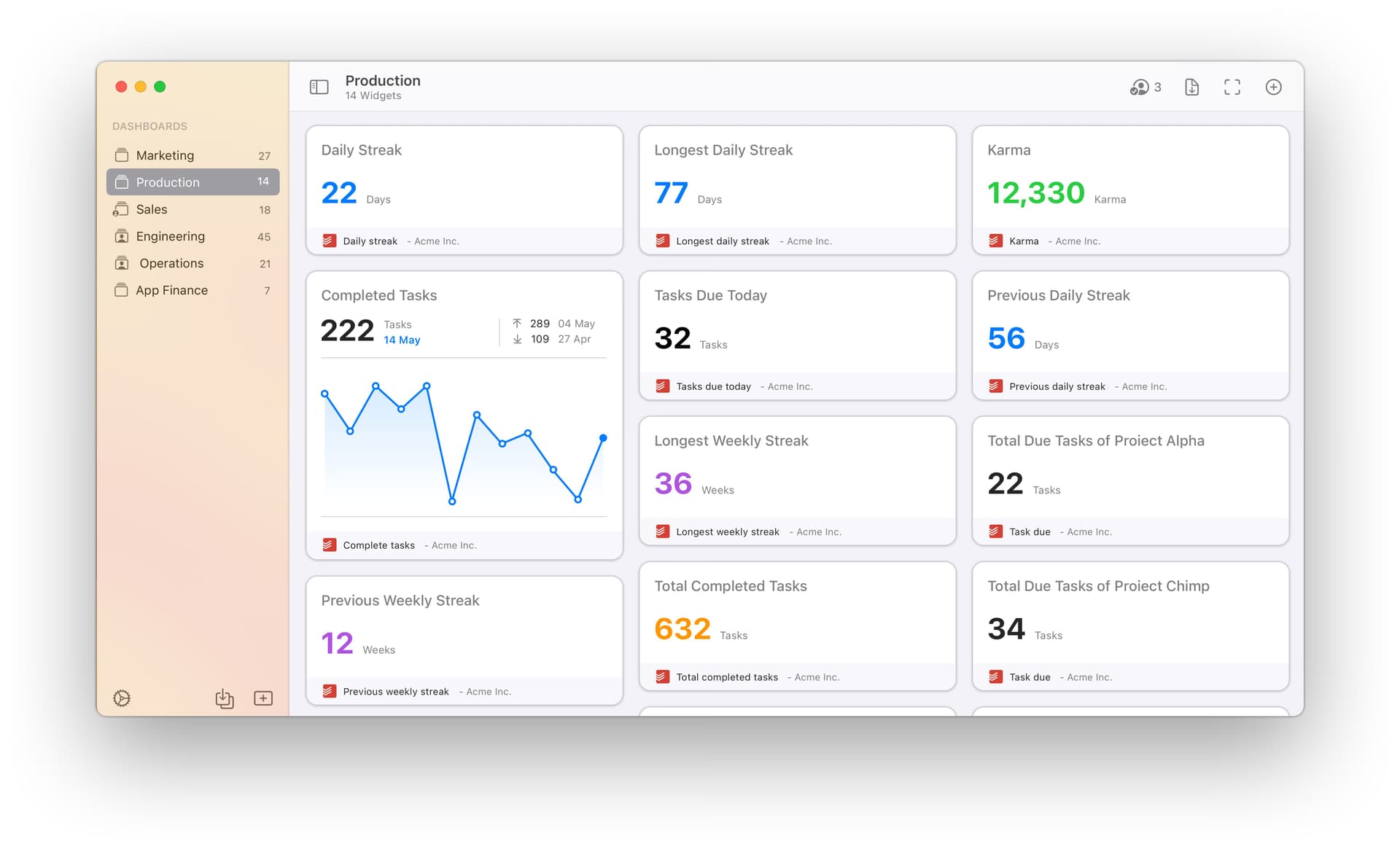
Productivity Tracking
Track completed tasks and streaks with built-in productivity visualizations and time tracking. This feature helps users monitor progress toward key milestones over time.
Ease of Use
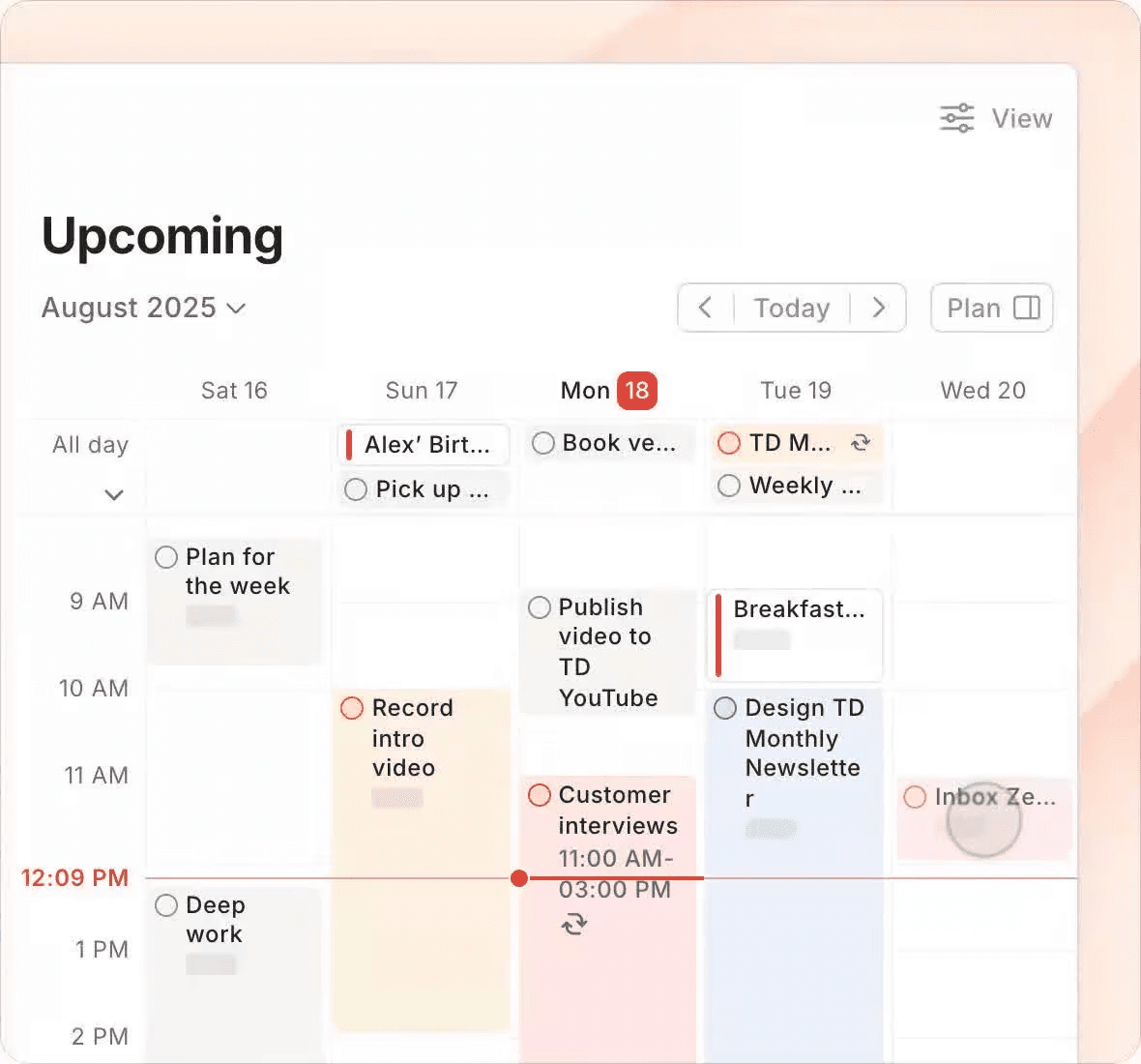
Todoist is widely recognized for its clean interface and straightforward navigation, making it easy for users to set up and manage milestones and new tasks without training. Users often highlight the intuitive task entry, drag-and-drop boards, and quick access to filters as major strengths. The mobile and web apps are consistent, so switching between devices feels seamless. For teams or individuals who want to avoid complexity, Todoist's usability is a clear advantage. The user-friendly design makes it accessible whether you're using iOS, Android, macOS, or web browsers, and the calendar view helps you see due dates at a glance.
Integrations
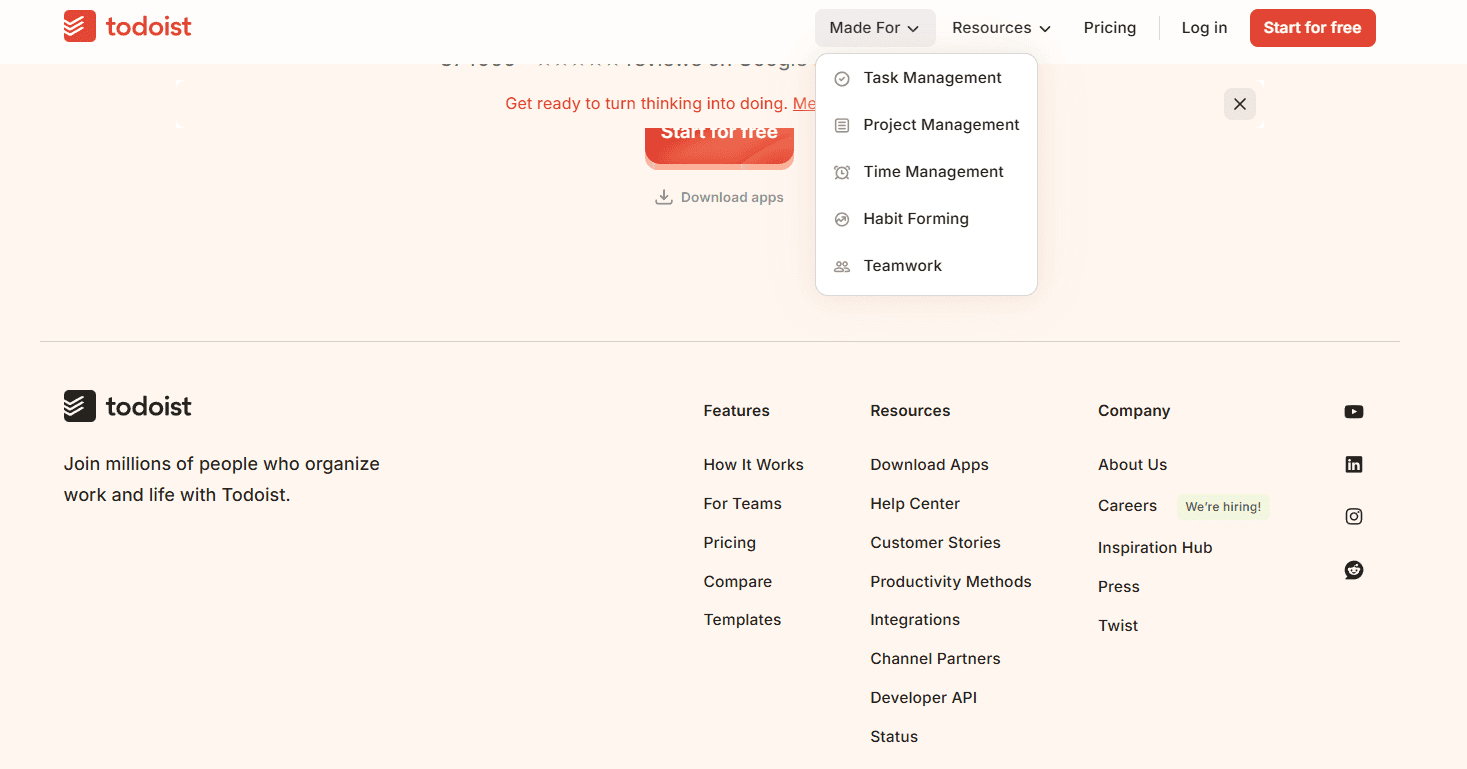
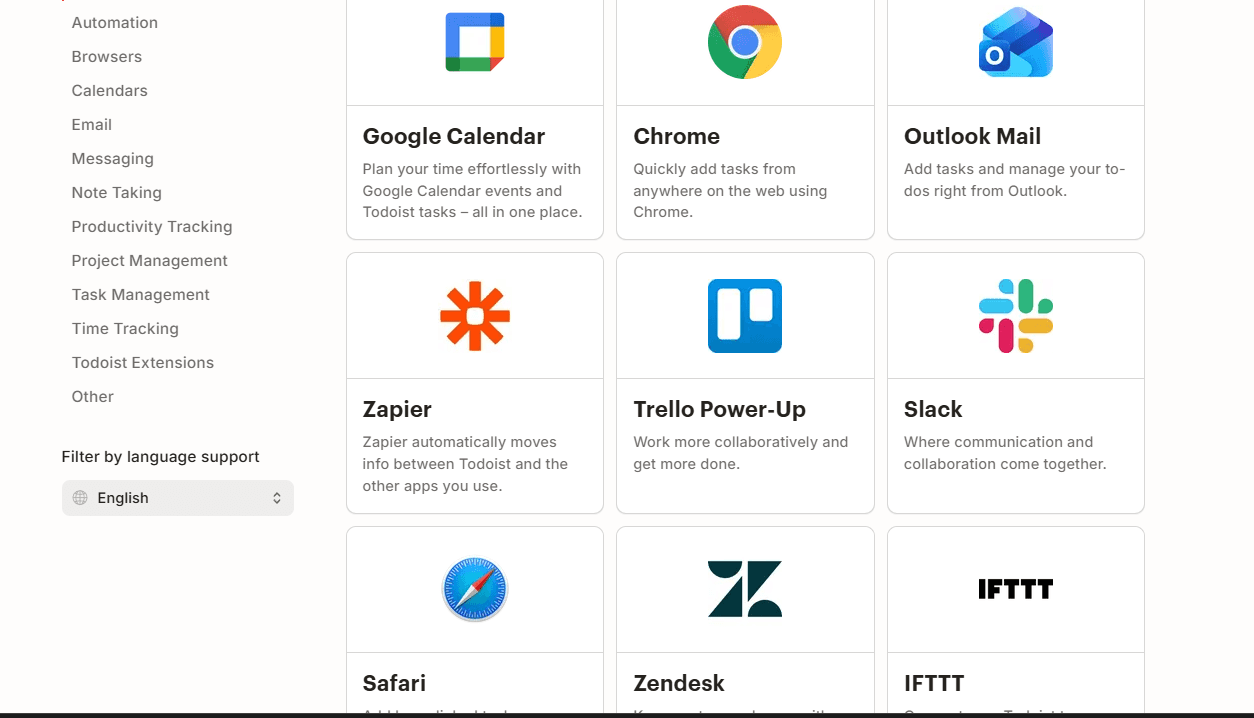
Todoist integrates with Google Calendar, Slack, Gmail, Outlook, Zapier, Trello Power-Up, Toggl Track, Zendesk, and Jira, among others.
Todoist also offers a public API and connects with third-party integration tools for expanded automation and connectivity.
Todoist Specs
- API: Yes
- Calendar Management: Yes
- Collaboration Support: Yes
- Dashboards: Yes
- Data Export: Yes
- Data Import: Yes
- External Integrations: Yes
- File Sharing: Yes
- Gantt Charts: Yes
- Kanban Boards: Yes
- Mobile App: Yes
- Multi-User: Yes
- Notifications: Yes
- Prioritization: Yes
- Project Management: Yes
- Status Notifications: Yes
- Task Scheduling/Tracking: Yes
- Time Management: Yes


