

Datadog-beoordeling: voordelen, nadelen, functies en prijzen
Ontdek de voordelen, nadelen, prijzen en functies van Datadog in vergelijking met andere tools voor het volgen van gebruikers, om te zien of het geschikt is voor jouw team.

We review tools independently, and commissions help fund our testing. See our transparency policy, our methodology, or suggest a tool.
Datadog is a user tracking software for engineering and product teams that need to connect frontend user behavior to backend performance data. I'd consider it over something like New Relic if your team already runs infrastructure monitoring in Datadog and wants real user monitoring, session replay, and error tracking in the same platform—rather than managing a separate tool just for the user-facing layer.
Datadog Evaluation Summary
4.5/5
- From $15/host/month (billed annually)
- Free plan + 14-day free trial available
Waarom u onze softwareaanbevelingen kunt vertrouwen
6,700+
Reviews
20
Industry experts
16+
Evaluation factors
14
Years
Ons team test en beoordeelt software sinds 2012. Als productmanagers weten we zelf hoe moeilijk — en belangrijk — het is om de juiste software te kiezen.
Voor deze gids hebben we tools geëvalueerd met behulp van praktijktests en onafhankelijk onderzoek, waarbij we tools beoordeelden aan de hand van onze selectiecriteria.
Onze reviews weerspiegelen ons menselijke redactionele oordeel, geen verkooppraatje.
- Andrew LumbySenior TPM
- Cristiano ValimSenior UI/UX Lead
Datadog Overview
In my opinion, Datadog stands out with its powerful real-time monitoring features, making it ideal for tech-driven teams needing detailed insights. While it offers excellent integrations and customer support, its pricing may not suit smaller businesses. Compared to competitors, Datadog excels in data visualization and alerting but falls short on ease of use and onboarding. It's best for larger organizations or those with complex infrastructure needing robust analytics. If your team requires detailed monitoring and can handle a steeper learning curve, Datadog is a solid choice.
Pros
- You get real-time monitoring that helps your team catch issues quickly.
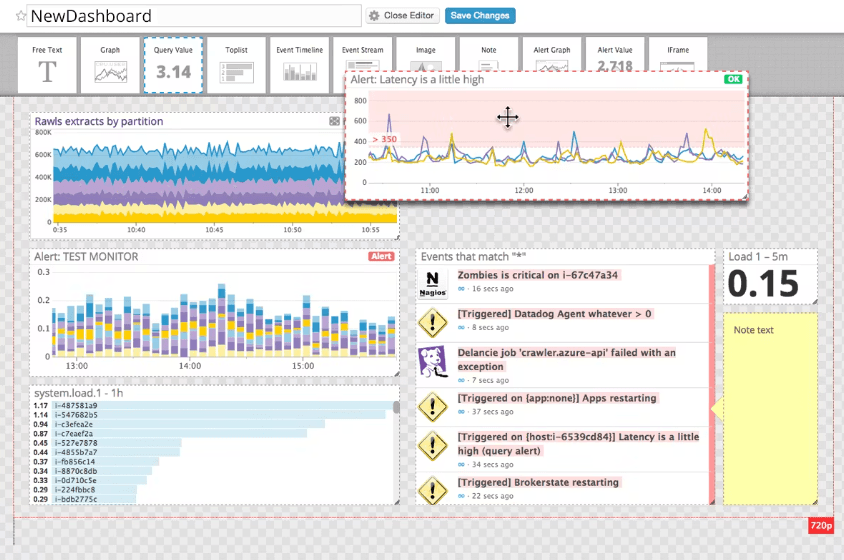
- Datadog's dashboards make it easy to visualize your data.
- The alerting system is customizable to fit your team's needs.
Cons
- You might find the interface a bit complex to navigate.
- Onboarding can be challenging for new users.
- Your team may need time to learn its advanced features.
Is Datadog Right For Your Needs?
Who Would be a Good Fit for Datadog?
Datadog is perfect for tech-driven teams in industries like finance and e-commerce where real-time data is crucial. If your team needs a robust monitoring tool with customizable alerts, Datadog's real-time analytics and visualization tools will serve you well. It's especially useful for IT operations and development teams dealing with complex infrastructures, as it helps identify performance issues quickly.
- Large EnterprisesDatadog's scalability and detailed analytics make it ideal for big companies needing comprehensive monitoring.
- IT OperationsYour IT team will benefit from Datadog's real-time monitoring and alerting features to manage system performance.
- E-commerceDatadog helps track and analyze user interactions in real-time, crucial for online retail businesses.
- Financial ServicesThe detailed insights and security monitoring make it suitable for finance sectors needing stringent oversight.
- DevOps TeamsYour DevOps team can leverage Datadog’s integration capabilities to streamline development and operations.
- Healthcare ITDatadog's robust data visualization and monitoring features support compliance and performance in healthcare tech environments.
Who Would be a Bad Fit for Datadog?
Datadog might not suit small businesses or startups with limited budgets and simpler monitoring needs. Its complex interface and steep learning curve can be overwhelming if your team lacks technical expertise. If you’re looking for a straightforward, user-friendly tool without extensive setup, Datadog’s advanced features might be overkill. It’s also not ideal if your team doesn't require real-time analytics or detailed customizations.
- Small StartupsDatadog's complexity and cost are unnecessary for startups needing simple monitoring solutions.
- Non-Tech TeamsYour non-tech team might struggle with Datadog's complex interface and advanced features.
- Budget-Constrained BusinessesIf your business has tight budgets, Datadog's pricing may not align with your financial plans.
- Simple Monitoring NeedsFor basic monitoring, Datadog's advanced capabilities are excessive and may not be cost-effective.
- Short-Term ProjectsIf your project is temporary, Datadog's setup time and learning curve might not be worth it.
- FreelancersFreelancers with simple tracking needs will find Datadog's features too extensive and costly.
How We Test & Score Tools
We’ve spent years building, refining, and improving our software testing and scoring system. The rubric is designed to capture the nuances of software selection and what makes a tool effective, focusing on critical aspects of the decision-making process.
Below, you can see exactly how our testing and scoring works across seven criteria. It allows us to provide an unbiased evaluation of the software based on core functionality, standout features, ease of use, onboarding, customer support, integrations, customer reviews, and value for money.
Core Functionality (25% of final scoring)
The starting point of our evaluation is always the core functionality of the tool. Does it have the basic features and functions that a user would expect to see? Are any of those core features locked to higher-tiered pricing plans? At its core, we expect a tool to stand up against the baseline capabilities of its competitors.
Standout Features (25% of final scoring)
Next, we evaluate uncommon standout features that go above and beyond the core functionality typically found in tools of its kind. A high score reflects specialized or unique features that make the product faster, more efficient, or offer additional value to the user.
We also evaluate how easy it is to integrate with other tools typically found in the tech stack to expand the functionality and utility of the software. Tools offering plentiful native integrations, 3rd party connections, and API access to build custom integrations score best.
Ease of Use (10% of final scoring)
We consider how quick and easy it is to execute the tasks defined in the core functionality using the tool. High scoring software is well designed, intuitive to use, offers mobile apps, provides templates, and makes relatively complex tasks seem simple.
Onboarding (10% of final scoring)
We know how important rapid team adoption is for a new platform, so we evaluate how easy it is to learn and use a tool with minimal training. We evaluate how quickly a team member can get set up and start using the tool with no experience. High scoring solutions indicate little or no support is required.
Customer Support (10% of final scoring)
We review how quick and easy it is to get unstuck and find help by phone, live chat, or knowledge base. Tools and companies that provide real-time support score best, while chatbots score worst.
Customer Reviews (10% of final scoring)
Beyond our own testing and evaluation, we consider the net promoter score from current and past customers. We review their likelihood, given the option, to choose the tool again for the core functionality. A high scoring software reflects a high net promoter score from current or past customers.
Value for Money (10% of final scoring)
Lastly, in consideration of all the other criteria, we review the average price of entry level plans against the core features and consider the value of the other evaluation criteria. Software that delivers more, for less, will score higher.
Core Features
Real-Time Monitoring
Datadog provides live data tracking, so your team can identify and resolve issues instantly. This feature is crucial for maintaining system health and performance.
Customizable Dashboards
You can tailor dashboards to display the most relevant data for your work. This flexibility helps you focus on what matters to your team and align monitoring workflows with your operational priorities.
Alerting System
Automate alerts to notify you of issues before they escalate. You can customize these alerts based on specific thresholds and conditions, helping your team respond quickly and reduce downtime.
Data Visualization
The platform offers clear, visual insights into your data. This makes it easier for you to analyze custom metrics, identify trends, and make informed decisions.
Log Management
Datadog efficiently collects and manages logs from your applications. When combined with APM, it helps you troubleshoot and optimize your system's performance.
Real User Monitoring (RUM)
Datadog lets you track how real users interact with your applications across devices and locations. This helps your team identify performance issues, user behavior, and improve the user experience.

Ease of Use
Datadog's interface can be a bit daunting at first, especially if your team isn't tech-savvy. The advanced features and customizable dashboards offer great flexibility, but they require a learning curve. You'll find that setting up alerts and configuring dashboards may take time, but once you get the hang of it, the insights are invaluable. Compared to other tools, Datadog offers powerful capabilities, but ease of use isn't its strongest suit for newcomers.
Integrations
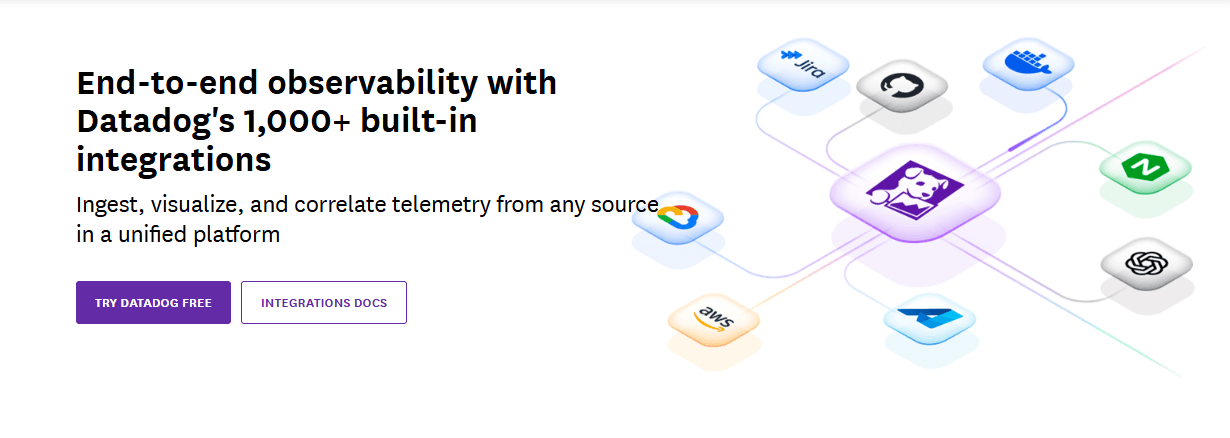
Datadog integrates with AWS, Azure, Google Cloud, Slack, PagerDuty, Jira, GitHub, Docker, Kubernetes, and Apache.
Datadog also offers an API and connects with third-party integration tools to extend its capabilities.
Datadog Specs
- AI Integration: No
- API: Yes
- Automated Testing: No
- Browser Compatibility Testing: No
- Bug Tracking: Yes
- Code Review: No
- Custom Reports: Yes
- Data Export: Yes
- Data Import: Yes
- Developer Tools: Yes
- External Integrations: Yes
- Malware Protection: No
- Multi-User: Yes
- Notifications: Yes
- Performance Testing: Yes
- Process Reporting: No
- Static Analysis: No
- Status Notifications: Yes
- Workflow Management: No


