

Programvare for rask applikasjonsutvikling lar teamet ditt utforme, bygge og distribuere applikasjoner mye raskere ved hjelp av visuelle verktøy og plattformer med lite kode. Hvis du leter etter de beste verktøyene for rask applikasjonsutvikling, ser du sannsynligvis etter måter å fremskynde prosjektleveransen, forbedre teamsamarbeidet og tilpasse deg raskt når prioriteringene endres.
Valg av riktig programvare kan avgjøre hvor enkelt du kan gjøre ideer om til pålitelige apper uten unødvendige forsinkelser eller tekniske flaskehalser. Denne listen fremhever plattformene jeg mener du bør vurdere hvis du vil føre prosjekter fremover med tydelighet og kontroll denne 2026.
Why Trust Our Software Recommendations
6,700+
Reviews
20
Industry experts
16+
Evaluation factors
14
Years
Our team has been testing and reviewing software since 2012. As product managers ourselves, we know how difficult—and important—it is to choose the right software.
For this guide, we evaluated tools using hands-on testing and independent research, scoring tools using our selection criteria.
Our reviews reflect our human editorial judgment, not a sales pitch.
Expert reviewers:
- Andrew LumbySenior TPM
- Cristiano ValimSenior UI/UX Lead


Sammenligningstabell for programvare for rask applikasjonsutvikling
Tabellen nedenfor sammenligner prisopplysninger for mine beste utvalgte programmer for rask applikasjonsutvikling.
| Tool | Best For | Trial Info | Price | ||
|---|---|---|---|---|---|
| 1 | Best for enterprise-grade process orchestration | Free plan available | Pricing upon request | Website | |
| 2 | Best for governed no-code app and workflow delivery | 30-day free trial | Pricing upon request | Website | |
| 3 | Best for apps that span web, mobile, and on-prem | 15-day free trial | From $8/user/month (billed annually) | Website | |
| 4 | Best for full-stack apps built without code | Free plan available | From $29/month (billed annually) | Website | |
| 5 | Best for governed enterprise app development | Free demo available | Pricing upon request | Website | |
| 6 | Best for apps spanning complex enterprise workflows | Free plan available | Pricing upon request | Website | |
| 7 | Best for multi-user collaborative development | Free plan available | From $1,090/month | Website | |
| 8 | Best for internal tools built on existing data | Free plan available | From $10/builder/month (billed annually) | Website | |
| 9 | Best for apps in the Microsoft 365 ecosystem | Free plan available | From $20/user/month (billed annually) | Website | |
| 10 | Best for Salesforce ecosystem extensibility | 30-day free trial + free plan + free demo available | From $25/user/month (billed annually) | Website |


Anmeldelser av den beste programvaren for rask applikasjonsutvikling
Nedenfor finner du mine detaljerte sammendrag av den beste programvaren for rask applikasjonsutvikling som kom med på kortlisten min. Anmeldelsene mine gir en detaljert gjennomgang av funksjonene, integrasjonene og de beste bruksområdene for hver plattform, slik at du kan finne den beste for deg.
 Best for enterprise-grade process orchestration
- Free plan available
- Pricing upon request
Visit WebsiteCustomer Rating:4.4/5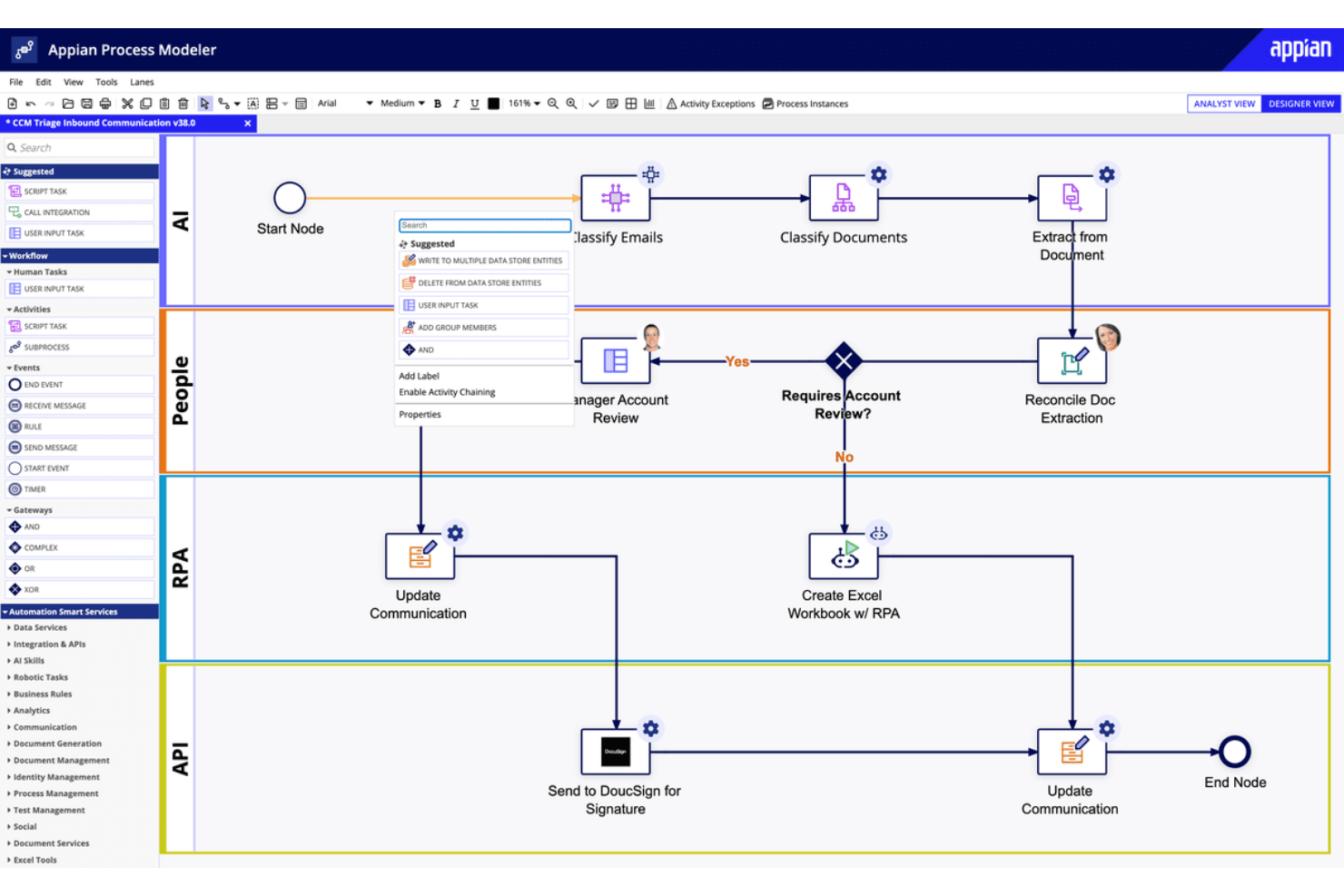
Appian offers a visual workflow designer for automated business processes. Appian is a low-code rapid application development platform that combines process automation, AI-powered workflows, data fabric, and case management to help teams build and deploy enterprise applications.
Who Is Appian Best For?
Appian is a strong fit for large enterprises that need to orchestrate complex, multi-step processes across departments and systems.
Why I Picked Appian
Appian earns its spot on my shortlist because its process orchestration capabilities go deeper than most rapid application development platforms. I'm particularly impressed by its data fabric layer, which connects to existing enterprise systems without moving data, so teams can build apps that act on live operational data across the whole business. Its process mining feature also lets me model, analyze, and optimize end-to-end workflows before committing to a build, which saves real time at scale.
Appian Key Features
- Visual process designer: A drag-and-drop interface for building and modifying process flows without writing code.
- AI skills builder: A built-in tool for embedding pre-trained AI models directly into application workflows.
- Robotic process automation (RPA): Native bots that automate repetitive, rule-based tasks across third-party systems and interfaces.
- Intelligent document processing: Automated extraction and classification of data from unstructured documents like forms and contracts.
Appian Integrations
Appian offers prebuilt connectors for Salesforce, Google, Microsoft SharePoint, DocuSign, AWS, SAP, and Oracle, plus REST, SOAP, and JDBC support for custom integrations through its API and Integration SDK.
Pros and Cons
Pros:
- Data fabric connects live enterprise records
- Process mining exposes workflow bottlenecks
- Visual process models speed application delivery
Cons:
- Debugging lacks step-through error visibility
- Complex interfaces need careful performance tuning
Learn more about Appian: Best for governed no-code app and workflow delivery
- 30-day free trial
- Pricing upon request
Visit WebsiteCustomer Rating:4.4/5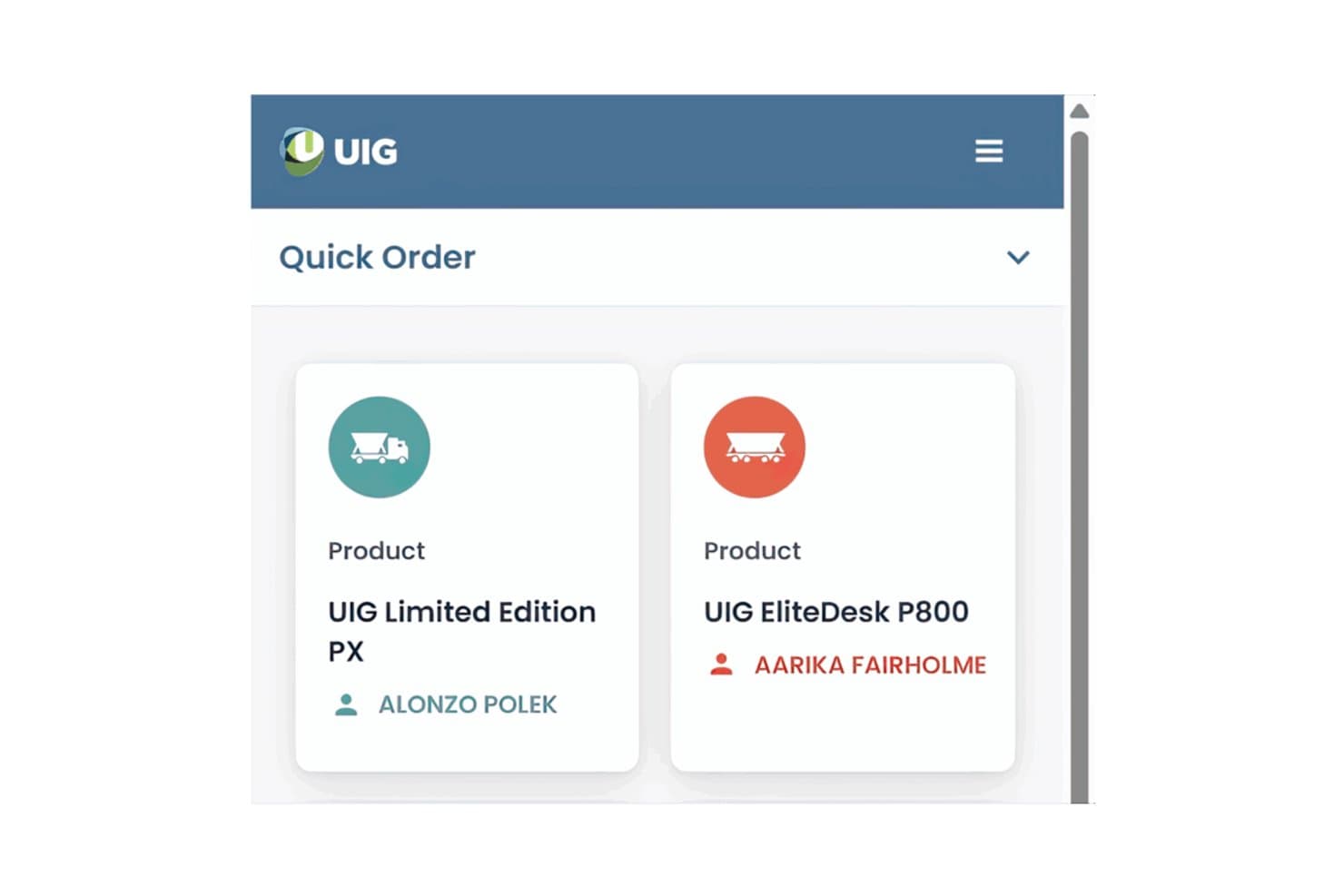
Nintex lets users build mobile quick-order apps with product cards. Nintex is a no-code rapid application development platform that lets teams build, automate, and manage apps and workflows through a visual drag-and-drop interface with built-in governance controls.
Who Is Nintex Best For?
Nintex is a strong fit for enterprise teams in IT and operations that need to ship apps and automated workflows quickly without sacrificing governance or compliance controls.
Why I Picked Nintex
Nintex earns its spot on my shortlist because governance is built into the app-building process itself, not bolted on afterward. I particularly like its process governance controls, which let IT teams set guardrails around who can publish apps and workflows, so citizen developers can build freely without creating compliance blind spots. Its drag-and-drop workflow automation also handles complex approval chains and conditional logic without writing a single line of code.
Nintex Key Features
- Pre-built connector library: Nintex includes a library of pre-built connectors that link your apps and workflows to third-party systems like Salesforce, SharePoint, and Microsoft 365 without custom code.
- Process mapping tools: Built-in process mapping lets teams document and visualize workflows before building them, so the logic is clear before you commit to automation.
- Mobile app deployment: Apps built in Nintex can be published directly to mobile devices, giving field teams access to forms and workflows from anywhere.
- Role-based access controls: Administrators can assign permissions at the app or workflow level, controlling exactly who can view, edit, or trigger specific processes.
Nintex Integrations
Nintex offers pre-built connectors for Salesforce, SharePoint, and Microsoft 365, helping teams connect apps and workflows to existing business systems without custom code.
Pros and Cons
Pros:
- Governance controls support governed citizen development
- Approval workflows handle conditional business processes
- Drag-and-drop forms speed app delivery
Cons:
- Updates have occasionally disrupted existing workflows
- Complex automations can be difficult to maintain
Learn more about Nintex: Best for apps that span web, mobile, and on-prem
- 15-day free trial
- From $8/user/month (billed annually)
Visit WebsiteCustomer Rating:4.3/5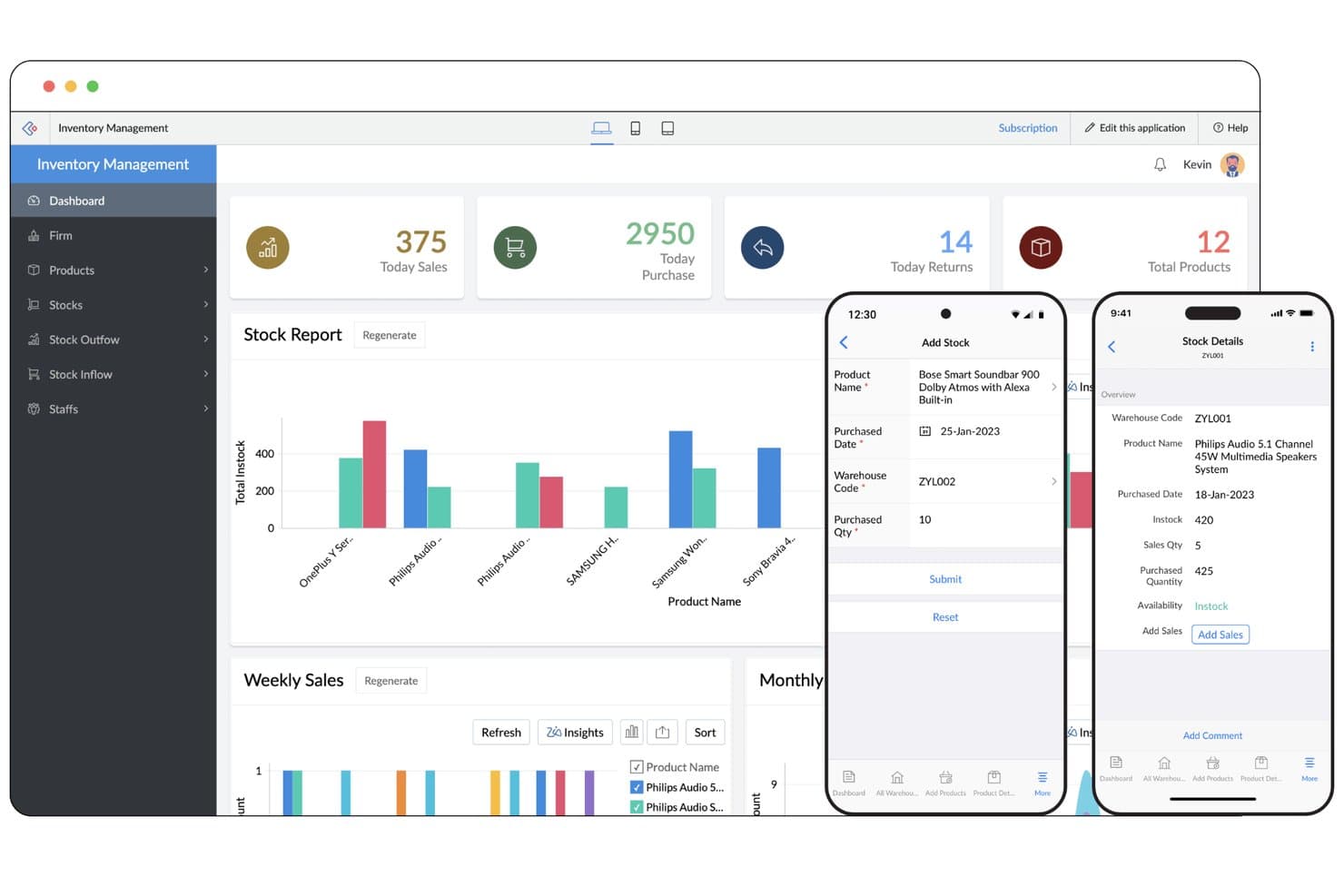
Zoho Creator lets users build inventory apps for web and mobile. Zoho Creator is a low-code rapid application development platform that lets you build, deploy, and manage custom apps across web, mobile, and on-premises environments using drag-and-drop builders, workflow automation, and pre-built integrations.
Who Is Zoho Creator Best For?
Zoho Creator is a strong fit for IT teams and operations-focused businesses that need to deploy apps across web, mobile, and on-premises environments from a single platform.
Why I Picked Zoho Creator
Zoho Creator earns its spot on my shortlist because it's one of the few rapid app development platforms that genuinely handles web, mobile, and on-premises deployment from a single build. I particularly like its device-aware responsive builder, which automatically adapts layouts for each environment without requiring separate development tracks. Its offline-capable mobile apps are a real differentiator too, letting field teams work without connectivity and sync data when back online.
Zoho Creator Key Features
- Deluge scripting: A built-in low-code scripting language that lets you add custom logic, conditional flows, and data manipulation directly within your app.
- Pre-built app templates: A library of ready-to-use templates for common business use cases that you can deploy and customize without starting from scratch.
- Drag-and-drop workflow automation: A visual workflow builder for creating multi-step automations triggered by form submissions, field changes, or scheduled events.
- Role-based access control: Granular permission settings that let you define exactly what each user role can view, edit, or submit within an app.
Zoho Creator Integrations
Native integrations are not clearly documented.
Pros and Cons
Pros:
- Responsive layouts adapt across device types
- Offline mobile apps sync field data later
- One app spans web, mobile, and on-prem
Cons:
- Script-count limits can constrain complex apps
- Complex Deluge scripts need deeper troubleshooting
Learn more about Zoho Creator: Best for full-stack apps built without code
- Free plan available
- From $29/month (billed annually)
Visit WebsiteCustomer Rating:4.4/5
Bubble's visual editor lets users build app interfaces with drag-and-drop tools. Bubble is a no-code rapid application development platform that lets you visually build, design, and deploy full-stack web apps—complete with database management, user authentication, APIs, and custom workflows.
Who Is Bubble Best For?
Bubble is a strong fit for founders and product teams who want to ship full-stack web apps without writing backend or frontend code.
Why I Picked Bubble
Bubble earns its spot on my shortlist because it's the most capable no-code platform I've seen for building genuinely full-stack web apps. I love that you can define your own database schema, build backend workflows, and handle user authentication all from the visual editor, with no backend code required. Bubble's API connector also lets you pull in external data sources and push to third-party services, so you're not boxed into a closed ecosystem.
Bubble Key Features
- Visual drag-and-drop editor: A canvas-based interface that lets you place and style UI elements without writing any HTML or CSS.
- Built-in plugin marketplace: A library of pre-built plugins that extend your app's functionality, from payments to maps, without custom integrations.
- Responsive design controls: Built-in layout tools that let you configure how your app adapts across screen sizes directly in the editor.
- Version control and branching: A native versioning system that lets you save app states and test changes in a development environment before going live.
Bubble Integrations
Native integrations are not clearly documented. Bubble supports custom integrations through its API Connector and marketplace integrations through plugins.
Pros and Cons
Pros:
- Test changes through version branching
- Define databases and workflows visually
- Build full-stack apps without backend code
Cons:
- Apps depend on Bubble’s runtime
- Complex apps can require performance tuning
Learn more about Bubble: Best for governed enterprise app development
- Free demo available
- Pricing upon request
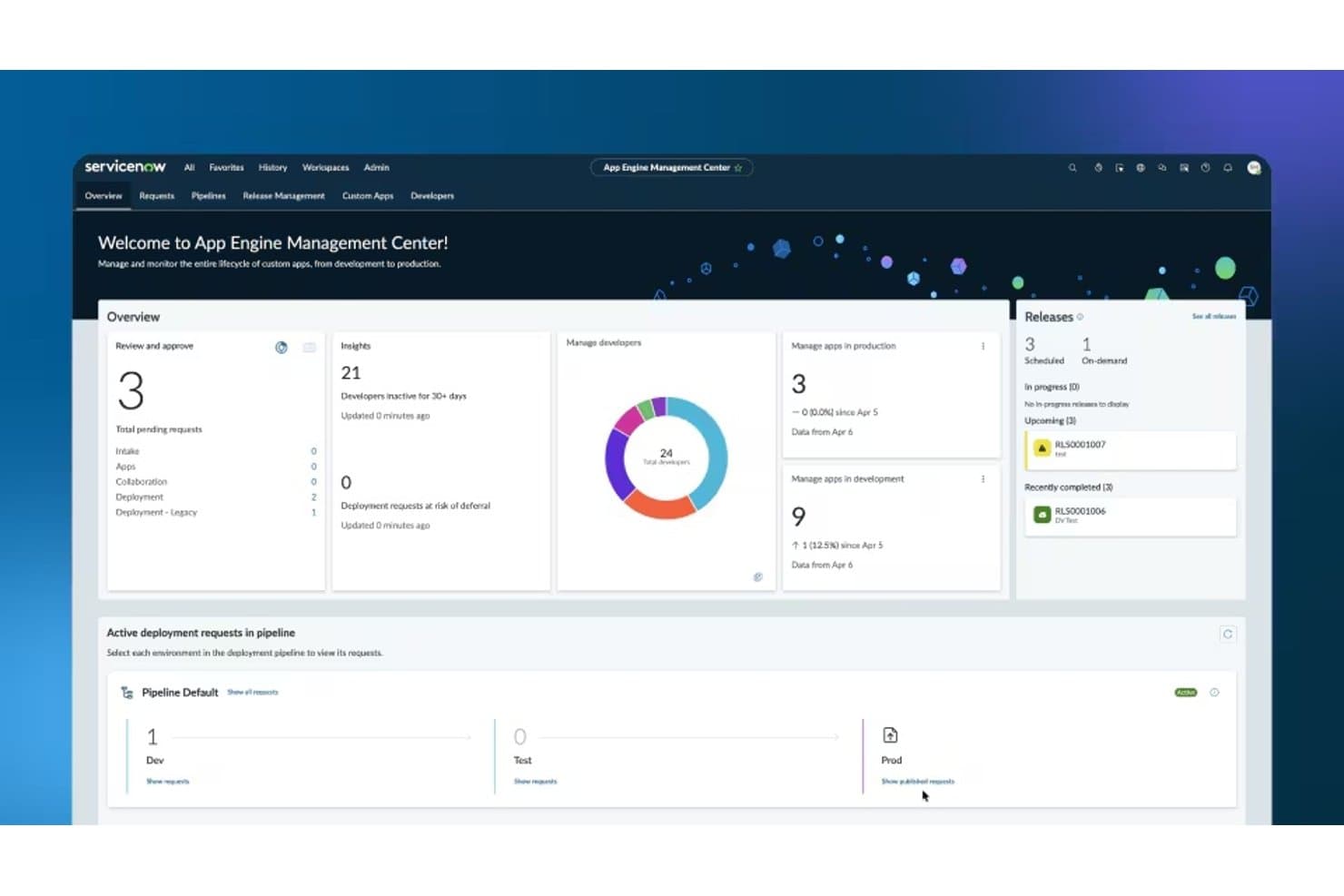
ServiceNow App Engine's dashboard for managing app development, deployments, releases, and developer activity. ServiceNow App Engine is a low-code rapid application development platform that lets enterprise teams build, test, and deploy custom apps on the Now Platform using guided workflows, reusable components, and built-in governance controls.
Who Is ServiceNow App Engine Best For?
ServiceNow App Engine is a strong fit for large enterprises that need IT governance and compliance controls built directly into their app development process.
Why I Picked ServiceNow App Engine
ServiceNow App Engine earns its spot on my shortlist because it builds governance directly into the development process rather than bolting it on afterward. I love how App Engine Studio lets teams build apps with low-code tools while automated deployment pipelines enforce review gates and testing requirements at every stage. Its delegation frameworks also let IT administrators define exactly who can build, publish, or modify apps, which matters a lot when you're scaling development across a large organization without losing control.
ServiceNow App Engine Key Features
- Flow Designer: A drag-and-drop workflow builder that lets teams automate multi-step business processes without writing code.
- Integration Hub: A library of pre-built connectors that links App Engine apps to external systems like Salesforce, Slack, and Microsoft Teams.
- Mobile app builder: A native tool for generating mobile-ready versions of apps that run on both iOS and Android without separate development.
- Reusable component library: A shared catalog of pre-approved UI elements and logic blocks that teams can pull into new apps to accelerate builds.
ServiceNow App Engine Integrations
ServiceNow App Engine supports integrations through Integration Hub, including Salesforce, Slack, and Microsoft Teams. It also connects apps to external systems through pre-built connectors.
Pros and Cons
Pros:
- Workflow automation helps teams ship apps faster
- Reusable components speed internal app builds
- Governance gates support controlled app releases
Cons:
- Customizations can increase upgrade maintenance
- Advanced builds require ServiceNow platform expertise
Learn more about ServiceNow App Engine: Best for apps spanning complex enterprise workflows
- Free plan available
- Pricing upon request
Visit WebsiteCustomer Rating:4.6/5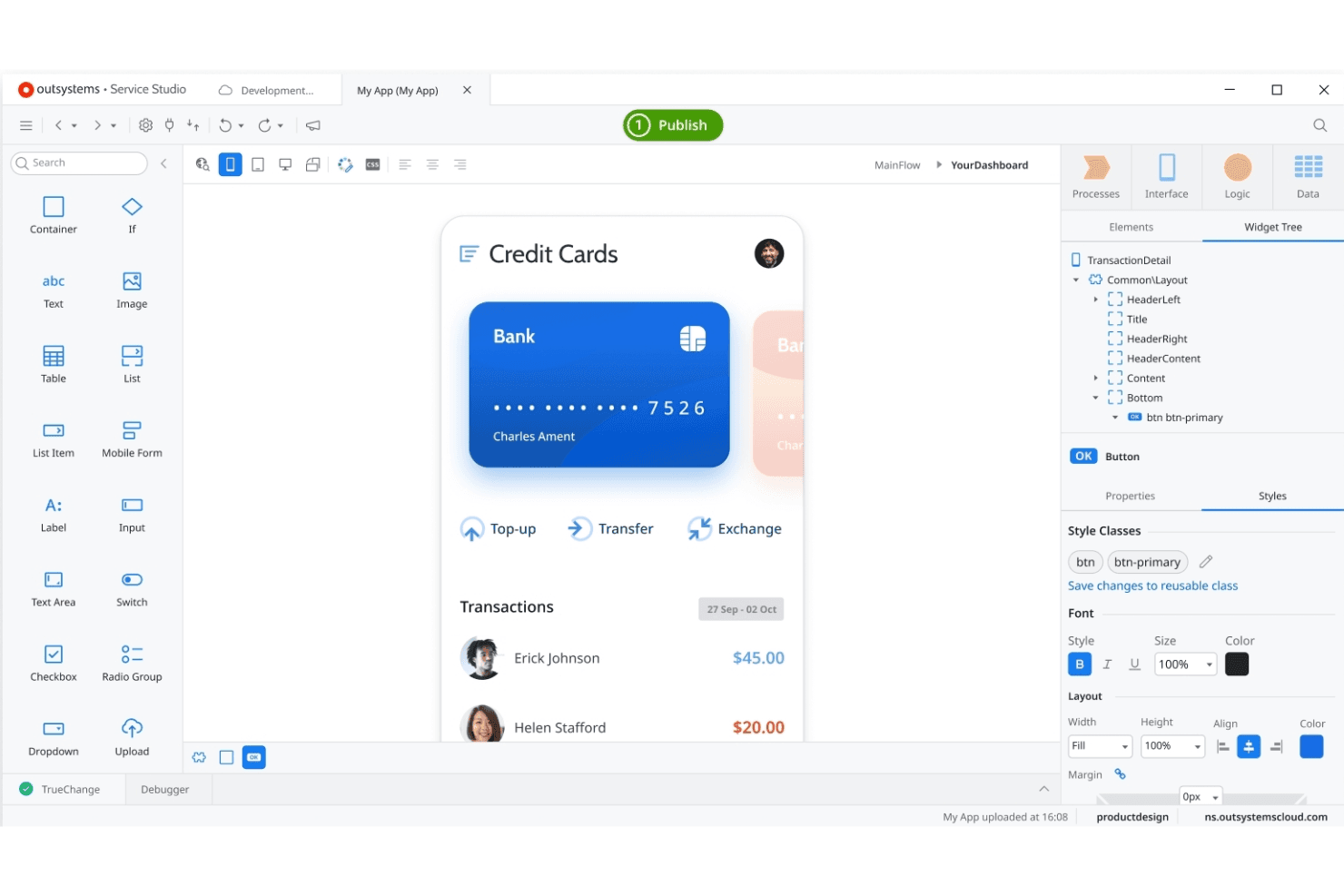
OutSystems lets teams build enterprise apps with a visual development studio. OutSystems is a low-code rapid application development platform that combines visual development, AI-assisted tooling, and built-in integration capabilities to build, deploy, and manage enterprise-grade web and mobile applications.
Who Is OutSystems Best For?
OutSystems is a strong fit for enterprise IT teams that need to build and maintain complex, multi-system applications at scale.
Why I Picked OutSystems
OutSystems earns its spot on my shortlist because it handles the kind of multi-system complexity that breaks most low-code platforms. I'm particularly impressed by its process automation layer, which lets teams model and execute workflows that span legacy systems, APIs, and modern services in a single application. Its AI-assisted development also accelerates delivery without sacrificing the governance controls enterprise IT needs, like role-based access and deployment pipelines across environments.
OutSystems Key Features
- Visual application builder: A drag-and-drop development environment lets teams design full-stack web and mobile apps without writing code from scratch.
- Pre-built integration connectors: OutSystems includes a library of connectors for common enterprise systems, databases, and third-party APIs to speed up data wiring.
- Automated code analysis: Built-in performance and security checks run continuously during development to flag issues before they reach production.
- Multi-environment deployment pipelines: Teams can configure and manage staged deployments across development, testing, and production environments from a centralized console.
OutSystems Integrations
OutSystems offers Integration Builder connections for SAP OData, Salesforce, SharePoint Online, Microsoft Dataverse, and Microsoft Dynamics 365. It also connects to SQL Server and supports REST and SOAP APIs for custom integrations.
Pros and Cons
Pros:
- Deployment pipelines support controlled environment promotion
- Built-in security checks catch issues before release
- Handles workflows across legacy and modern systems
Cons:
- Large applications can increase governance overhead
- Enterprise architecture can demand specialist skills
Learn more about OutSystems: Best for multi-user collaborative development
- Free plan available
- From $1,090/month
Visit WebsiteCustomer Rating:4.4/5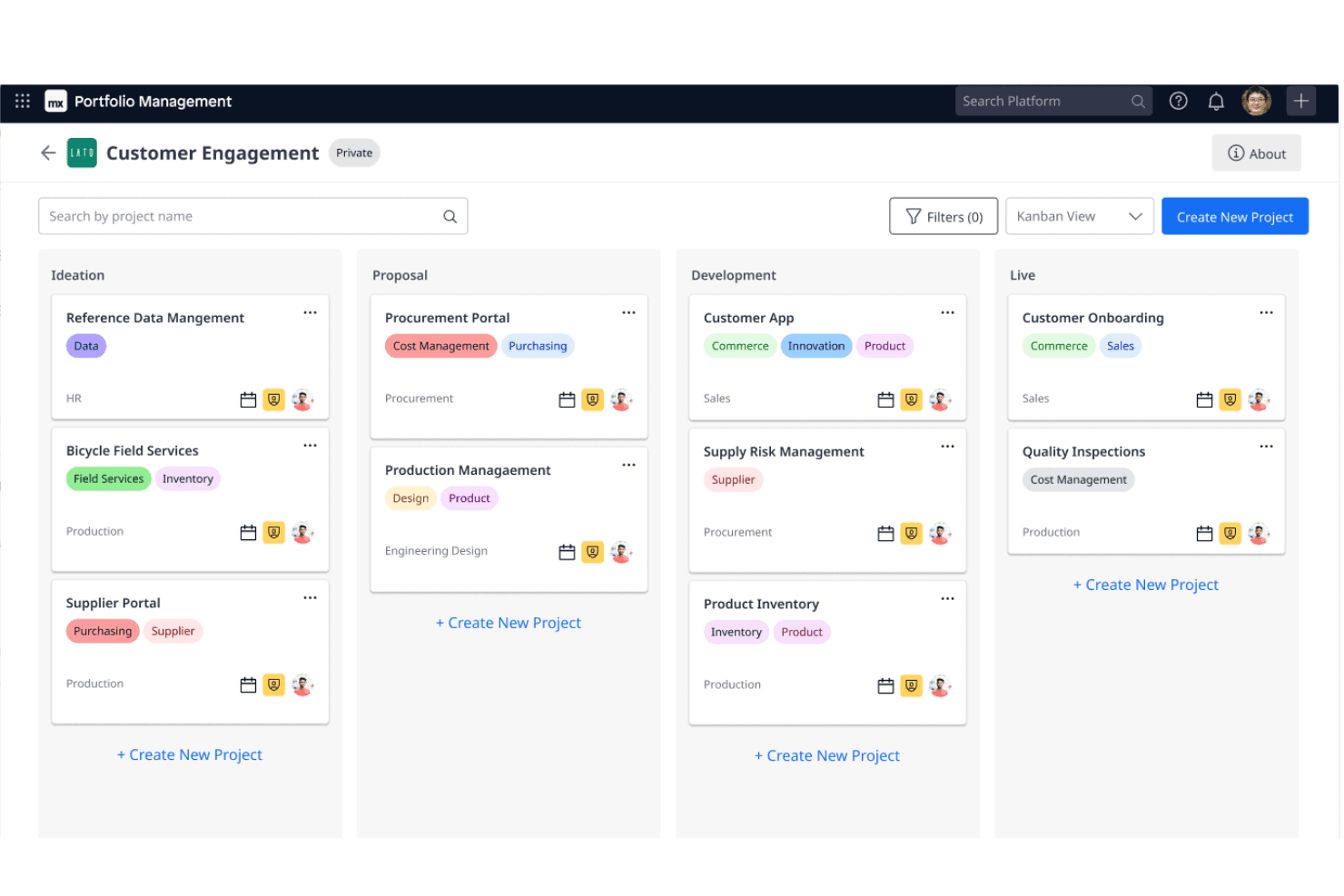
Mendix offers Kanban boards for managing shared projects and development. Mendix is a low-code rapid application development platform that combines visual model-driven development, built-in version control, and real-time multi-user collaboration tools for building and deploying enterprise applications.
Who Is Mendix Best For?
Mendix is a strong fit for enterprise teams where developers and business stakeholders build applications together in real time.
Why I Picked Mendix
Mendix earns its spot on my shortlist because of how it handles multi-user collaborative development in a way most RAD platforms simply don't. I love that multiple developers and business stakeholders can work inside the same application model simultaneously, with built-in version control keeping everything in sync. Mendix's Team Server manages branching and merging directly within the platform, so there's no context-switching to external tools when your team is iterating fast.
Mendix Key Features
- Visual model-driven development: Build application logic, data models, and UI using drag-and-drop visual editors without writing code.
- Cross-platform deployment: Deploy applications to cloud, on-premises, or hybrid environments directly from the Mendix platform.
- Pre-built app templates: Start new projects using industry-specific templates that include pre-configured data structures and workflows.
- Native mobile app builder: Design and publish native iOS and Android apps alongside web apps within the same development environment.
Mendix Integrations
Mendix offers Marketplace integrations and connectors for Salesforce, Slack, SAP, Kafka, Redis, and MQTT. It also supports REST, SOAP, JDBC, OData, and platform APIs for custom integrations and CI/CD workflows.
Pros and Cons
Pros:
- One visual environment supports web and native apps
- Team Server tracks changes through branching and merging
- Multiple developers can collaborate on shared models
Cons:
- Mendix-specific models can complicate platform migration
- Large applications can face performance challenges
Learn more about Mendix: Best for internal tools built on existing data
- Free plan available
- From $10/builder/month (billed annually)
Visit WebsiteCustomer Rating:4.6/5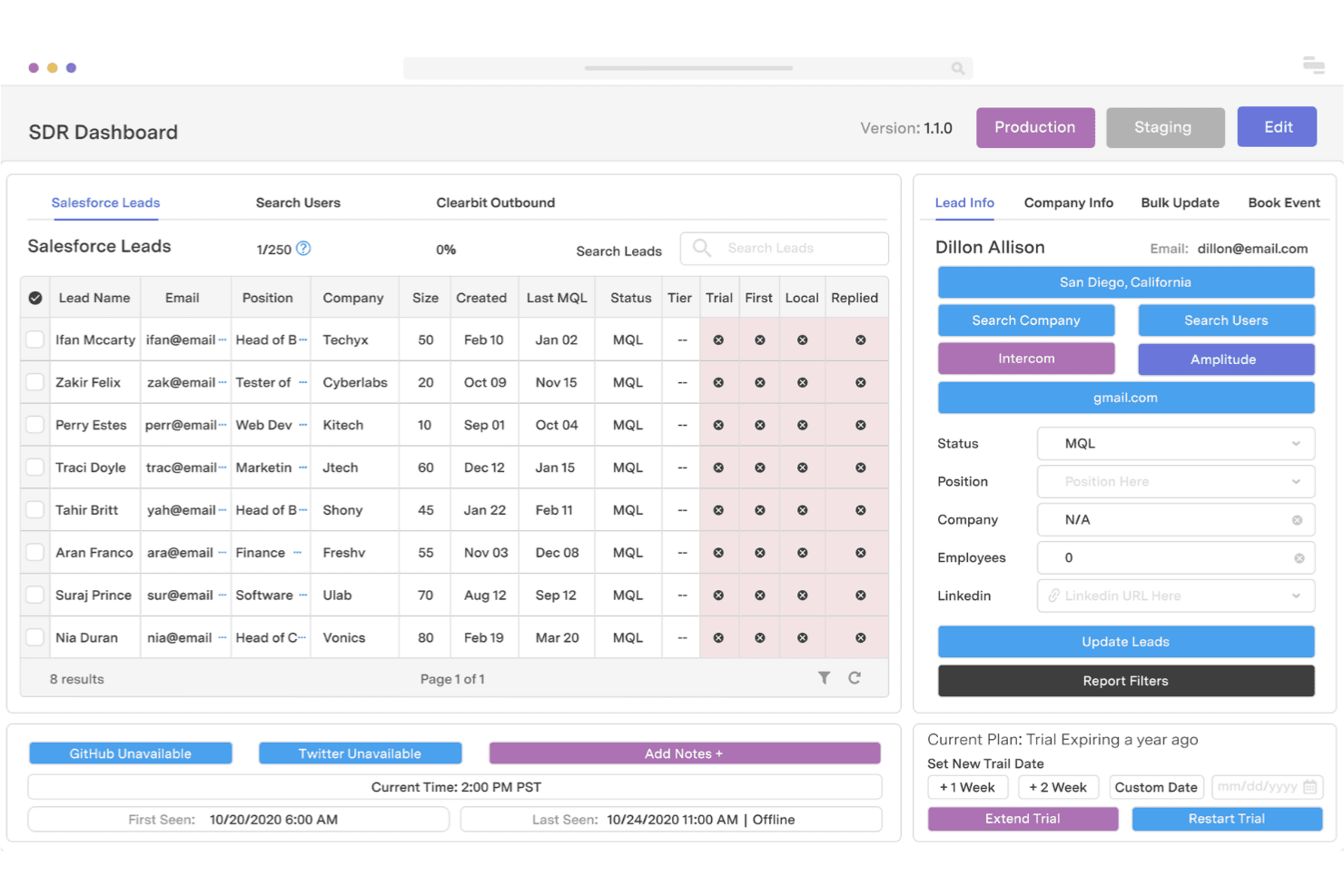
Retool lets developers quickly build custom internal business tools. Retool is a rapid application development platform that lets you build internal tools by connecting directly to databases, APIs, and existing data sources through a drag-and-drop UI builder combined with custom JavaScript logic.
Who Is Retool Best For?
Retool is a strong fit for engineering and product teams that need to build internal tools fast—without starting from scratch—on top of databases and APIs they already use.
Why I Picked Retool
Retool earns its spot on my shortlist because it lets you build internal tools directly on top of your existing databases and APIs, skipping the setup overhead that slows most RAD projects down. I particularly like how you can write SQL or JavaScript inline within the UI builder, so querying a PostgreSQL table or chaining API calls is part of the same workflow as laying out your interface. Retool's pre-built components, like data grids and charts, connect directly to live data sources, so what you build reflects real production state from day one.
Retool Key Features
- Role-based access control: Assign granular permissions to users and groups so only the right people can view or edit specific apps and data.
- Retool Mobile: Build native mobile apps using the same drag-and-drop builder and data connections you use for web tools.
- Retool Workflows: Automate multi-step background jobs by visually chaining triggers, logic blocks, and API calls without writing a full backend.
- Audit logging: Track every user action within your apps, giving your team a timestamped record of who did what and when.
Retool Integrations
Retool integrates with PostgreSQL, MySQL, MongoDB, Google Sheets, Salesforce, Jira, Slack, and Zendesk. It also supports REST API, GraphQL, OpenAPI, and custom database connections for additional data sources.
Pros and Cons
Pros:
- Workflows add background automation to internal apps
- SQL and JavaScript fit alongside interface building
- Live database-backed tools need less setup
Cons:
- Complex query logic can become harder to maintain
- Polished customer-facing interfaces take extra work
Learn more about Retool: Best for apps in the Microsoft 365 ecosystem
- Free plan available
- From $20/user/month (billed annually)
Visit WebsiteCustomer Rating:4.3/5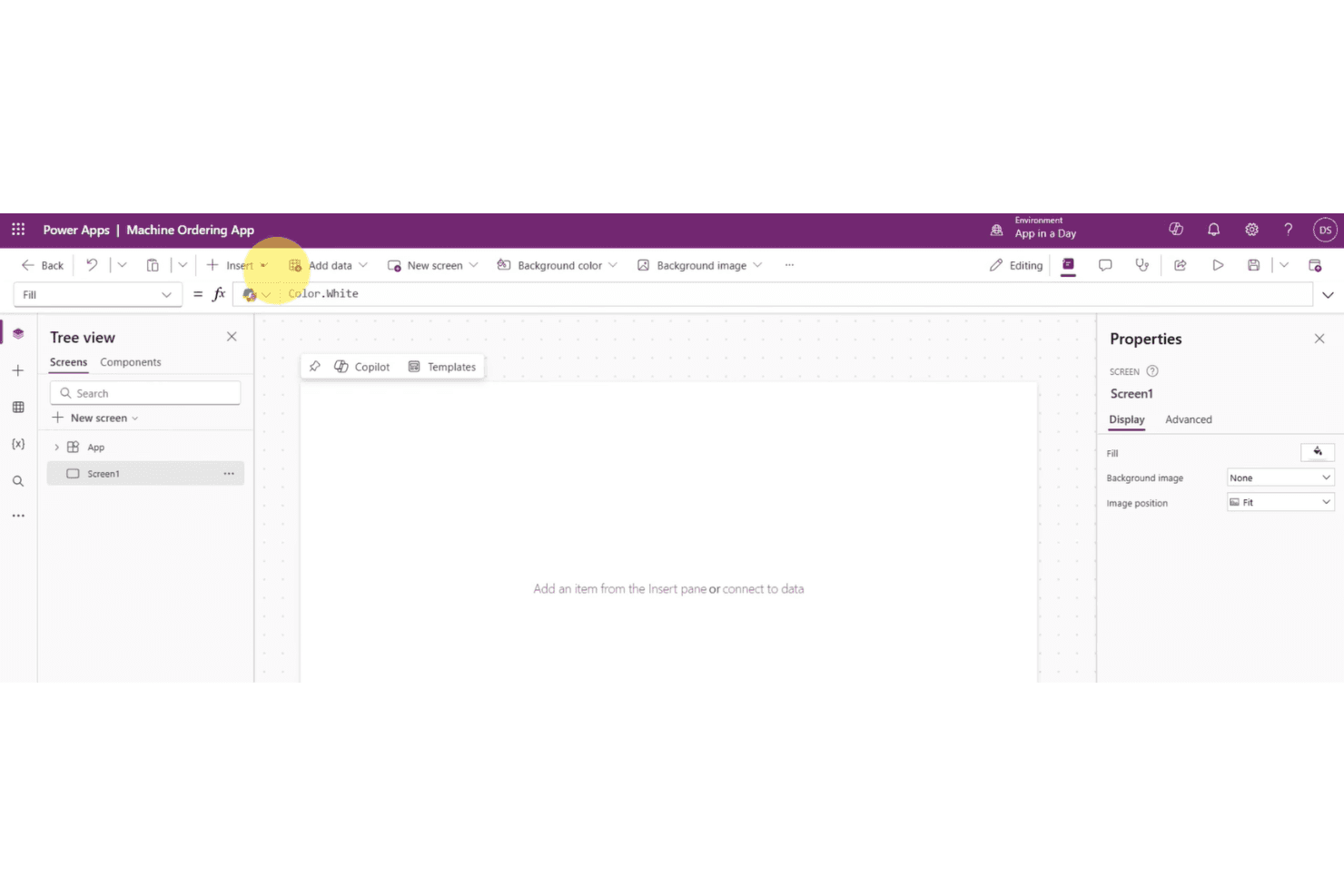
Power Apps offers app building with Copilot, templates, and data connections. Microsoft Power Apps is a low-code rapid application development platform that lets you build custom business apps using drag-and-drop tools, pre-built connectors, and data integration with sources like SharePoint, Dataverse, and other Microsoft 365 services.
Who Is Microsoft Power Apps Best For?
Microsoft Power Apps is a strong fit for organizations already using Microsoft 365 or Azure who want to build internal tools without a dedicated development team.
Why I Picked Microsoft Power Apps
Microsoft Power Apps earns its spot on my shortlist because of how naturally it fits into an existing Microsoft 365 environment. If your team already lives in SharePoint, Teams, or Dataverse, you can build a working canvas app or model-driven app without touching a single line of code. I especially like how Power Apps connects directly to Dataverse to auto-generate forms and views from your data schema, which cuts serious time off internal tool builds.
Microsoft Power Apps Key Features
- AI Builder integration: Use pre-built AI models to add capabilities like object detection, text recognition, and sentiment analysis directly within your apps.
- Power Fx formula language: Write Excel-style formulas to define app logic, control behavior, and manipulate data without traditional programming syntax.
- Pre-built connector library: Access 900+ connectors to link your app to external services, databases, and APIs out of the box.
- Responsive app preview: Test how your app renders across desktop, tablet, and mobile screen sizes directly inside the Power Apps Studio editor.
Microsoft Power Apps Integrations
Microsoft Power Apps offers 900+ pre-built connectors, including SharePoint, Dataverse, and Microsoft 365 services. It also connects to external services, databases, and APIs.
Pros and Cons
Pros:
- AI Builder adds document and image processing
- Canvas and model-driven app options
- Excel-style Power Fx speeds app logic
Cons:
- Platform-specific logic can limit portability
- Complex canvas apps need careful maintenance
Learn more about Microsoft Power Apps: Best for Salesforce ecosystem extensibility
- 30-day free trial + free plan + free demo available
- From $25/user/month (billed annually)
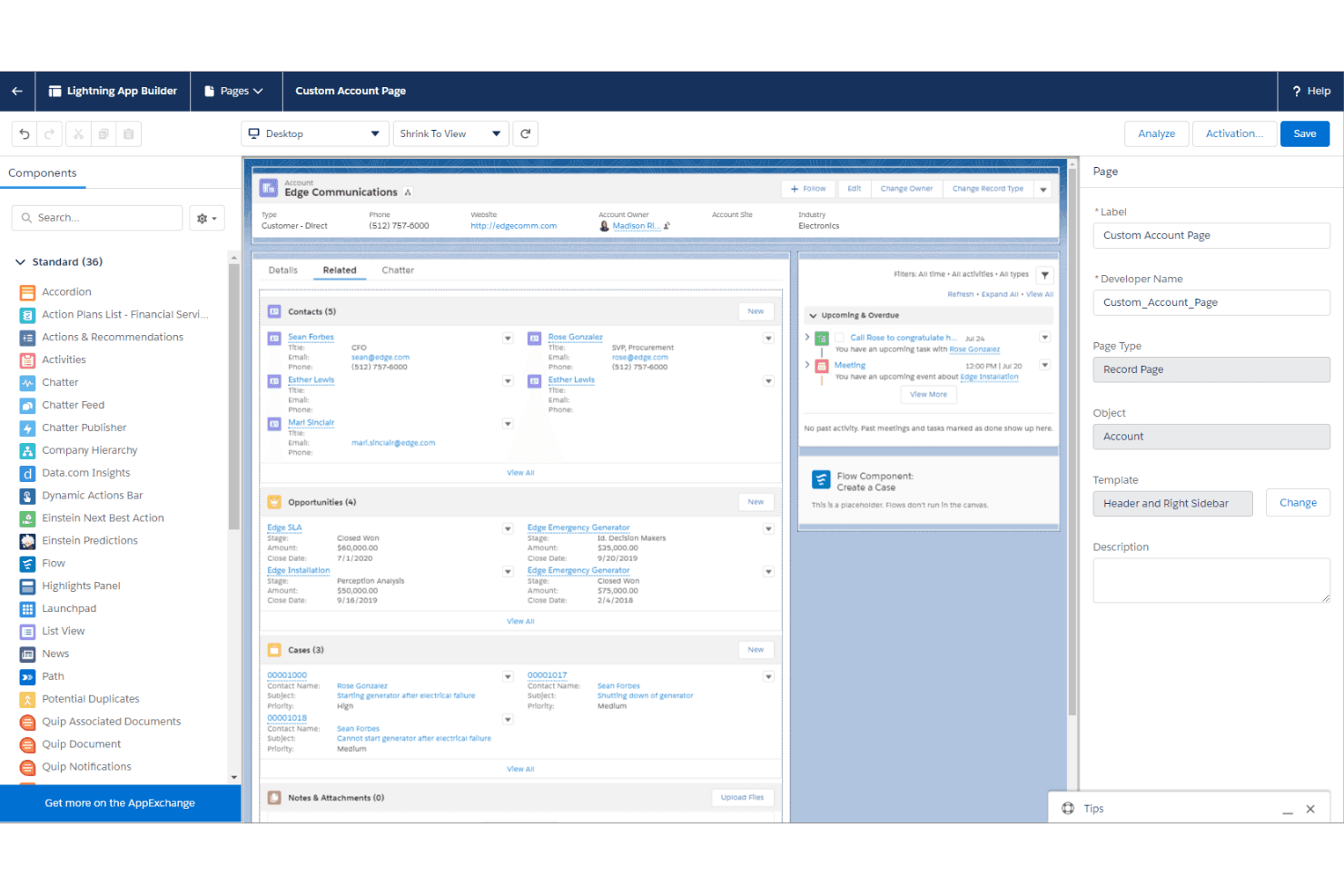
Salesforce Lightning lets teams customize pages with reusable components. Salesforce Lightning is a low-code rapid application development platform that lets you build, customize, and deploy apps using a component-based framework, drag-and-drop tools, and deep integration with Salesforce's CRM and data ecosystem.
Who Is Salesforce Lightning Best For?
Salesforce Lightning is a strong fit for enterprise teams already running their operations on Salesforce who want to build custom apps without leaving that ecosystem.
Why I Picked Salesforce Lightning
Salesforce Lightning earns its spot on my shortlist because it lets teams build and deploy custom apps directly on top of their existing Salesforce data, which removes a massive amount of redundant setup work. I particularly like the Lightning App Builder, where you can assemble apps from pre-built components tied to live CRM records. The Salesforce Flow automation layer also means product teams can wire up complex business logic without writing backend code.
Salesforce Lightning Key Features
- Lightning Web Components: A framework for building reusable UI components using standard web technologies that can be deployed across Salesforce apps.
- AppExchange marketplace: A library of pre-built apps, components, and integrations you can install directly into your Salesforce environment.
- Einstein AI integration: Built-in AI capabilities that let you add predictive analytics and recommendations to custom apps without separate AI tooling.
- Multi-experience deployment: Tools for publishing apps across desktop, mobile, and Experience Cloud sites from a single build.
Salesforce Lightning Integrations
Salesforce Lightning offers marketplace integrations through AppExchange, including apps, components, and integrations that extend Salesforce. It also supports custom connectivity through Salesforce APIs.
Pros and Cons
Pros:
- Reusable components support cross-channel deployment
- Flow automates business rules without backend code
- Visual app assembly uses live CRM records
Cons:
- Complex interfaces often require custom code
- Complex deployments depend on experienced Salesforce admins
Learn more about Salesforce Lightning:
Annen programvare for rask applikasjonsutvikling
Her er noen flere alternativer for rask applikasjonsutvikling som ikke kom med på kortlisten min, men som likevel er verdt å se nærmere på:
- 11QuickbaseBest for IT-governed citizen app building
- 12WaveMakerBest for private cloud low-code deployment
- 13QuixyBest for enterprise workflow automation without code
- 14AppsmithBest for open-source internal tool dev with Git
- 15SuperblocksBest for IT-governed database and API connections
- 16BudibaseBest for self-hosted open-source app building
- 17Magic SoftwareBest for legacy app modernization with ERP integration
- 18Oracle APEXBest for apps built directly on Oracle Database
- 19Quick BaseBest for governed citizen-dev at enterprise scale
How I Evaluate Rapid Application Development Software
My evaluation starts with core functionality—specifically, whether a tool lets you build app interfaces visually and ships with reusable templates or components. Those two criteria carry the most weight. From there, I look at AI-assisted generation and governance controls, then consider pricing transparency and vendor support quality.
Core Functionality (Table Stakes For This List)
When I'm selecting tools for my list, I score each one on a scale from 0 (does not offer the functionality) to 5 (excels in this area) for each core functionality listed below. I then convert the total into a percentage to help assess each tool's overall fit, with extra weight on any functionalities I've deemed essential.
- Visual App Building (Essential): I evaluate whether the drag-and-drop builder handles real logic—like conditional form flows or data-bound screens—not just static layouts.
- Prebuilt Templates & Components (Essential): A strong library covers common patterns like approval forms, dashboards, and CRUD screens so you're not rebuilding basics.
- Data Integration & Connectivity: I check for native connectors to databases, REST APIs, and popular platforms like Salesforce or Google Sheets without heavy scripting.
- Workflow & Business Logic Automation: Multi-step rules matter here—things like routing an approval chain based on request value or triggering notifications on status changes.
- Multi-Platform Deployment: I look at whether apps built once render properly on both web and mobile without needing a separate redesign pass for each target.
- Application Lifecycle Management: Versioning, environment separation, and rollback support tell me whether a platform can handle production apps that evolve over time.
Once I have a list of tools that meet the criteria, I consider what sets each platform apart.
Differentiating Factors (What Sets Vendors Apart)
Here's how I compare and contrast different vendors:
Standout Features
AI-assisted generation is the first thing I evaluate. I look at whether a platform's copilot can turn a plain-language prompt into a working UI layout or data model, not just suggest code snippets. Role-based access controls matter just as much, especially when citizen developers across multiple teams are building apps. I check how granularly you can separate builder, editor, and end-user permissions to keep governance tight as adoption grows. I also look for built-in analytics dashboards that track app usage and engagement without requiring a third-party tool.
Beyond Features
I evaluate whether a platform's governance controls can keep citizen-developer apps from becoming shadow IT. Tools like Mendix and OutSystems offer app inventories and approval workflows that give IT visibility without blocking builders. Licensing models matter just as much—per-user pricing looks cheap until you're validating an MVP with hundreds of stakeholders. I also check each vendor's security posture, especially SOC 2 and GDPR compliance, since even a prototype collecting real user data during discovery carries real risk.
Slik velger du programvare for rask applikasjonsutvikling
Hva bør du fokusere på når du snevrer inn utvalget av programvare for rask applikasjonsutvikling ut fra teamets behov for utviklingshastighet, tilpasning, integrasjon og styring?
| Hvis prioriteten din er … | Se etter … |
|---|---|
| Hvis prioriteten din er …Å bygge prototyper raskt | Se etter …Visuelle utviklingsverktøy, gjenbrukbare komponenter, dra-og-slipp-grensesnitt |
| Hvis prioriteten din er …Å støtte komplekse applikasjonskrav | Se etter …Støtte for egendefinert kode, konfigurerbare arbeidsflyter, utvidbar arkitektur |
| Hvis prioriteten din er …Å koble til eksisterende systemer | Se etter …REST-API-er, ferdigbygde koblinger, databasetilkobling |
| Hvis prioriteten din er …Å administrere utvikling på tvers av team | Se etter …Rollebaserte tillatelser, versjonskontroll, delte utviklingsmiljøer |
| Hvis prioriteten din er …Å sette applikasjoner i produksjon raskere | Se etter …Distribusjon med ett klikk, automatisert testing, støtte for CI/CD |
| Hvis prioriteten din er …Å opprettholde styring når utviklingen skaleres | Se etter …Revisjonsspor, miljøkontroller, administrasjon av applikasjonens livssyklus |
Slik vurderer du kortlisten din
- Test rask prototyping: Bygg en grunnleggende applikasjon med skjemaer, arbeidsflyter og en databasetilkobling i løpet av en prøveperiode for å se hvor raskt plattformen går fra idé til prototype.
- Kontroller graden av tilpasning: Endre en forhåndsbygd komponent eller arbeidsflyt med egendefinert kode for å bekrefte om utviklere kan utvide løsningen utover plattformens visuelle utviklingsverktøy.
- Valider integrasjonsmulighetene: Koble plattformen til en eksisterende database, et API eller en virksomhetsapplikasjon, og kontroller hvordan den håndterer datasynkronisering og autentisering.
- Test distribusjon og styring: Flytt en eksempelapplikasjon fra utviklingsmiljøet til et testmiljø, og gjennomgå versjonskontroll, tillatelser, revisjonsspor og alternativer for tilbakerulling.
- Avveining: Finn ut om raskere utvikling med lite kode eller større fleksibilitet i kodingen er viktigst for dine langsiktige behov innen applikasjonsutvikling.
Hva er programvare for rask applikasjonsutvikling?
Programvare for rask applikasjonsutvikling viser til plattformer som lar team utforme, bygge og distribuere applikasjoner raskt ved hjelp av visuelle verktøy, forhåndsbygde komponenter og minimalt med koding.
Disse løsningene er laget for både tekniske og ikke-tekniske brukere, og legger til rette for raskere prototyping, enklere samarbeid og mindre avhengighet av tradisjonelle programvareutviklingssykluser for virksomhetsapplikasjoner.
Funksjoner i programvare for rask applikasjonsutvikling
Når du velger programvare for rask applikasjonsutvikling, bør du se etter følgende viktige funksjoner:
- Visuelt utviklingsmiljø: Lar deg bygge appgrensesnitt og arbeidsflyter ved hjelp av dra-og-slipp-redigerere, slik at du kan utforme løsninger raskere uten kode.
- Forhåndsbygde maler og komponenter: Tilbyr gjenbrukbare oppsett, skjemaer og kontrollprogrammer for raskt å sette sammen vanlige apptyper med større grad av ensartethet.
- Dataintegrasjon og API-er: Kobler appene dine til databaser og virksomhetssystemer, slik at dataflyten blir sømløs og oppdateres i sanntid.
- Automatisering av arbeidsflyter: Gjør det mulig å etablere regler og logikk slik at prosesser fungerer automatisk, noe som reduserer manuelle oppgaver og feil.
- Prototyping i sanntid: Tilbyr umiddelbare forhåndsvisninger og oppdateringer, slik at team kan samle inn tilbakemeldinger og forbedre designene med en gang.
- Rollebasert tilgangskontroll: Gir presis styring av tillatelser, slik at teammedlemmer bare får tilgang til det de trenger i prosjekter og applikasjoner.
- Versjonskontroll og tilbakerulling: Sporer endringer og lar deg gjenopprette tidligere appversjoner, noe som støtter tryggere eksperimentering og enkel gjenoppretting etter feil.
- Støtte for responsivt design: Sikrer at appene du bygger, ser bra ut og fungerer godt på alle enheter, fra stasjonære datamaskiner til smarttelefoner.
- Distribusjon med ett klikk: Publiserer de ferdige applikasjonene dine til nett-, mobil- eller nettskymiljøer med én enkelt handling, slik at lanseringen blir enkel og tilgjengelig.
- Innebygd analyse: Inkluderer oversikter for overvåking av brukeradferd og appytelse, slik at team kan ta informerte beslutninger om løpende forbedringer.
Vanlige KI-funksjoner i programvare for rask applikasjonsutvikling
I tillegg til standardfunksjonene i programvare for rask applikasjonsutvikling som er nevnt ovenfor, tar mange av disse løsningene i bruk KI med funksjoner som:
- KI-assistert generering av komponenter: Oppretter automatisk brukergrensesnittelementer eller arbeidsflyter fra instruksjoner i naturlig språk, slik at team kan gjøre ideer om til fungerende funksjoner raskere.
- Automatiserte forslag til arbeidsflyter: Analyserer applogikk og brukeradferd for å anbefale prosessforbedringer eller nye automatiseringsregler, slik at team kan optimalisere virksomhetens drift.
- Intelligent datatilordning: Bruker KI til å samsvare med og koble sammen datakilder, noe som reduserer manuelt oppsett ved integrering av nye databaser eller API-er i applikasjonen.
- Integrasjon av prediktiv analyse: Legger inn KI-drevet prognostisering og trendanalyse direkte i oversikter, slik at team kan ta datadrevne beslutninger i de tilpassede appene sine.
- KI-drevet analyse av tilbakemeldinger fra brukere: Behandler kommentarer fra interessenter og tilbakemeldinger fra brukere for å avdekke vanlige temaer eller nyttig innsikt, slik at iterasjonssyklusene går raskere.
Fordeler med programvare for rask applikasjonsutvikling
Implementering av programvare for rask applikasjonsutvikling gir flere fordeler for teamet og virksomheten din. Her er noen av fordelene du kan se frem til:
- Raskere prototyping: Visuelle redigeringsverktøy og forhåndsvisninger i sanntid lar deg bygge og revidere appkonsepter raskt, noe som gir raskere tilbakemeldinger fra interessenter.
- Redusert avhengighet av utviklere: Dra-og-slipp-verktøy og ferdigbygde komponenter gjør det mulig for ikke-tekniske brukere å delta i utviklingen av apper.
- Forbedret prosessautomatisering: Innebygde automatiseringsverktøy effektiviserer rutinemessige arbeidsflyter, reduserer manuelt arbeid og minimerer feil.
- Fleksibel integrasjon: Datakoblinger og API-er gjør det enklere å samle informasjon fra flere kilder i tilpassede applikasjoner.
- Forbedret samarbeid: Funksjoner som redigering med flere brukere og innebygde kommentarer gjør det mulig for team å arbeide sammen om applikasjoner i sanntid.
- Lavere implementeringskostnader: Gjennomsiktige prismodeller og verktøy som krever lite kode, bidrar til å holde budsjettene forutsigbare etter hvert som prosjektene vokser.
- Skalerbar utrulling: Plattformer som støtter både raske prototyper og produksjonsklare apper, sikrer at løsningene dine kan utvikle seg etter behov.
Kostnader og priser for programvare for rask applikasjonsutvikling
Valg av programvare for rask applikasjonsutvikling krever en forståelse av de ulike prismodellene og abonnementene som er tilgjengelige. Kostnadene varierer basert på funksjoner, teamstørrelse, tillegg og mer. Tabellen nedenfor oppsummerer vanlige abonnementer, gjennomsnittsprisene deres og typiske funksjoner som er inkludert i programvareløsninger for rask applikasjonsutvikling:
Sammenligningstabell for abonnementer for programvare for rask applikasjonsutvikling
| Abonnementstype | Gjennomsnittspris | Vanlige funksjoner |
|---|---|---|
| AbonnementstypeGratisabonnement | Gjennomsnittspris$0 | Vanlige funksjoner Tilbyr grunnleggende visuelle verktøy, et begrenset antall maler, begrensede integrasjoner, tilgang for én bruker og brukerstøtte fra fellesskapet. |
| AbonnementstypePersonlig abonnement | Gjennomsnittspris$10-$30/bruker/måned | Vanlige funksjoner Inkluderer standardmaler, flere integrasjonsalternativer, begrenset automatisering, grunnleggende analyse og brukerstøtte via e-post. |
| AbonnementstypeBedriftsabonnement | Gjennomsnittspris$40-$80/bruker/måned | Vanlige funksjoner Tilbyr avansert automatisering, rollebaserte tillatelser, forbedrede integrasjoner, teamsamarbeid og prioritert kundestøtte. |
| AbonnementstypeForetaksabonnement | Gjennomsnittspris$100+/bruker/måned | Vanlige funksjoner Har tilpassede integrasjoner, sikkerhetssertifiseringer, dedikert innføring, separasjon av miljøer og førsteklasses brukerstøtte. |
Vanlige spørsmål om programvare for rask applikasjonsutvikling
Her er noen svar på vanlige spørsmål om programvare for rask applikasjonsutvikling:
Hvordan skiller programvare for rask applikasjonsutvikling seg fra tradisjonelle utviklingsverktøy?
Programvare for rask applikasjonsutvikling bruker visuelle byggere, gjenbrukbare komponenter og automatisering for å gjøre apputviklingen raskere, mens tradisjonelle verktøy er avhengige av manuell koding og en lengre utviklingslivssyklus. Denne utviklingstilnærmingen hjelper team med å iterere raskt og reagere på endrede krav uten omfattende programmeringskompetanse.
Ved å bruke en iterativ utviklingssyklus i stedet for en rigid fossefallsmodell kan team redusere utviklingstiden betydelig og levere en fungerende modell mye raskere. Denne raske RAD-metodikken senker terskelen for å komme i gang og fungerer ofte som en omfattende lavkodeutviklingsplattform for moderne virksomheter.
Kan personer som ikke er utviklere, bruke programvare for rask applikasjonsutvikling?
Ja, det meste av programvaren for rask applikasjonsutvikling er utviklet for personer som ikke er utviklere. Dra-og-slipp-grensesnitt, maler og veiledede arbeidsflyter gjør det mulig for forretningsbrukere å bygge og oppdatere apper uten å skrive kode, selv om enkelte avanserte funksjoner fortsatt kan kreve teknisk bistand.
Dette fremmer sterk brukerinvolvering tidlig i prosessen, slik at team kan samle inn kontinuerlige tilbakemeldinger fra brukerne og raskt ivareta brukernes viktigste behov før applikasjonen ferdigstilles.
Hvilke typer apper kan jeg bygge med programvare for rask applikasjonsutvikling?
Du kan bygge et bredt spekter av forretningsapper, inkludert interne verktøy, arbeidsflytautomatisering, datainstrumentpaneler, kundeportaler samt mobil- eller webapplikasjoner. Fleksibiliteten i disse verktøyene for rask applikasjonsutvikling støtter både enkle prototyper og komplekse, modulære virksomhetsapplikasjoner.
Enten du bygger mindre verktøy eller systemer i stor skala, sørger disse RAD-verktøyene for at sluttproduktet er direkte i samsvar med det sluttbrukerne faktisk trenger.
Hvor sikre er apper som er bygget med programvare for rask applikasjonsutvikling?
Sikkerheten avhenger av plattformens beskyttelsestiltak, for eksempel kryptering, tilgangskontroller og samsvarssertifiseringer. Gå alltid gjennom leverandørens sikkerhetsdokumentasjon, og sørg for at praksisen deres samsvarer med organisasjonens krav før du tar i bruk sensitive data eller arbeidsflyter.
En god utviklingsmetodikk sørger for at sikkerhetskontroll og feilsøking er integrert i produksjonssyklusen, slik at data beskyttes uten at distribusjonsprosessen blir tidkrevende.
Hva bør jeg ta hensyn til når jeg migrerer fra eldre systemer?
Planlegg for datamigrering, integrasjon med eksisterende verktøy og opplæring av brukere. Se etter plattformer som tilbyr migreringsstøtte, grundig dokumentasjon og ressurser for innføring, slik at teamet kan gå smidig over til det nye systemet og minimere forstyrrelser i driften.
Ved å gå over til en moderne RAD-modell kan du dele distribusjonen opp i håndterbare sprinter, noe som gjør det langt enklere å tilpasse seg organisasjonens utviklende mål enn med en eldre utviklingsmodell eller en rigid spiralmodell.