

Et godt Visme-alternativ gir teamet ditt AI-drevne verktøy for å lage interaktive presentasjoner, infografikk og visuelt innhold – uten å ofre et brukervennlig grensesnitt eller samarbeid. Hvis du ser etter Visme-alternativer, trenger du sannsynligvis fleksible designfunksjoner, tilpassbare maler og støtte for dynamiske, engasjerende formater som går utover statiske lysbilder.
Denne listen hjelper deg med å sammenligne de beste alternativene for presentasjonsverktøy i år, slik at du kan finne den riktige plattformen som passer til den kreative arbeidsflyten, virksomhetens behov og teamets samarbeidsbehov.
Hva er Visme?
Visme er en AI-drevet plattform for å lage interaktive presentasjoner, infografikk og visuelt innhold. Den kombinerer designmaler, verktøy for datavisualisering og samarbeidsfunksjoner for å hjelpe team med å produsere engasjerende materiell for virksomheter, utdanning og markedsføring. Brukere kan legge til animasjoner, interaktive elementer og merkevarebaserte ressurser, noe som gjør plattformen til et allsidig valg for alle som trenger å kommunisere visuelt og dele informasjon i dynamiske formater.
Sammenligningstabell for Visme-alternativer
Denne sammenligningstabellen oppsummerer prisdetaljene for mine beste utvalgte Visme-alternativer.
| Tool | Best For | Trial Info | Price | ||
|---|---|---|---|---|---|
| 1 | Best for collaborative team design workflows | Free trial + free plan available | From $144/user/year (billed annually) | Website | |
| 2 | Best for data-driven visual storytelling | Free plan available | From $25/month | Website | |
| 3 | Best for data-driven infographic reports | Free plan available | From $15/user/month | Website | |
| 4 | Best for data-driven infographic creation | Free plan available | From $10/month (billed annually) | Website | |
| 5 | Best for animated video presentations | Free plan available | From $15/month (billed annually) | Website | |
| 6 | Best for interactive content with viewer analytics | Free plan available | From $10/user/month (billed annually) | Website | |
| 7 | Best for quick branded content creation | Free plan available | From $7.99/user/month (billed annually) | Website | |
| 8 | Best for web content with built-in engagement analytics | Free plan + free demo available | Pricing upon request | Website | |
| 9 | Best for automated slide design suggestions | 14-day free trial + free demo available | From $12/month (billed annually) | Website | |
| 10 | Best for all-in-one content creation tools | Free 7-day trial available | From $19/month (billed annually) | Website |


Hvorfor du kan stole på våre programvareanbefalinger
6,700+
Reviews
20
Industry experts
16+
Evaluation factors
14
Years
Teamet vårt har testet og anmeldt programvare siden 2012. Vi er selv produktledere, så vi vet hvor vanskelig og hvor viktig det er å velge riktig programvare.
I denne guiden har vi vurdert verktøyene gjennom praktisk testing og uavhengig research og gitt dem poeng ut fra våre utvelgelseskriterier.
Anmeldelsene våre bygger på vår egen redaksjonelle vurdering. De er ikke et salgsargument.
Ekspertanmeldere:
- Andrew LumbySenior TPM
- Cristiano ValimSenior UI/UX Lead


Anmeldelser av de beste Visme-alternativene
Nedenfor finner du mine detaljerte sammendrag av de beste Visme-alternativene som kom med på kortlisten min. Anmeldelsene mine gir en detaljert gjennomgang av funksjonene, egenskapene og de beste bruksområdene for hver plattform, slik at du kan finne den som passer best for deg.
 Best for collaborative team design workflows
- Free trial + free plan available
- From $144/user/year (billed annually)
Visit WebsiteCustomer Rating:4.7/5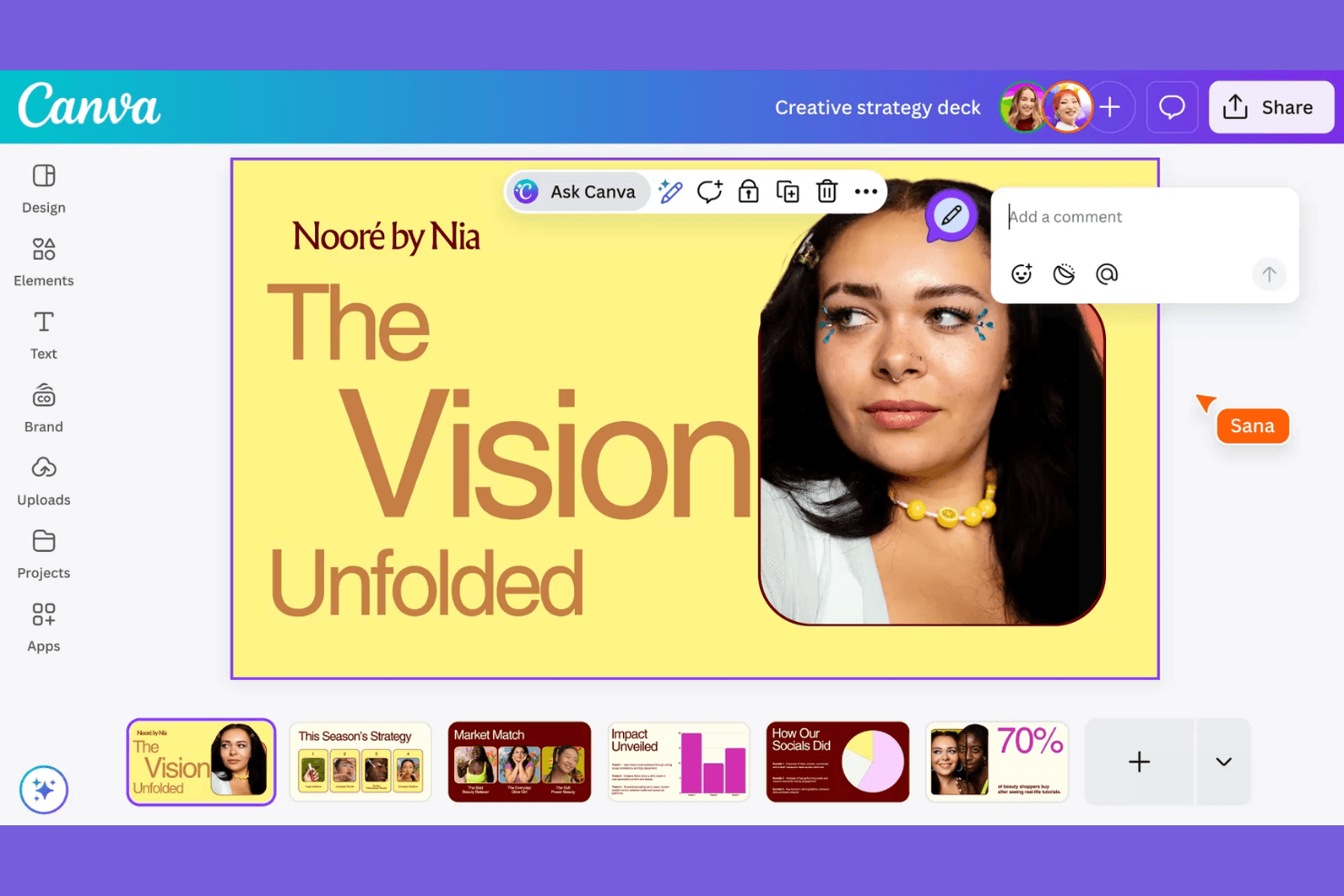
Canva provides AI design tools with collaboration and an in-app assistant. Canva is a visual content creation platform for product, marketing, and business teams that need to produce presentations, social graphics, and branded materials without complex design software.
Who Is Canva Best For?
Canva suits distributed marketing and product teams that need to create, review, and manage branded visual assets together.
Why Canva Is a Good Visme Alternative
I picked Canva because my team uses its Brand Kit and shared design folders to keep presentations, campaign graphics, and product visuals consistent. Real-time editing, comments, and approvals let us review assets together without passing files between tools. It’s a strong choice for collaborative team design workflows.
Canva Key Features
- Design templates: Start projects with prebuilt layouts for presentations, posts, and marketing assets.
- Magic Resize: Adapt one design to multiple dimensions for different channels.
- Background Remover: Remove image backgrounds directly within the editor.
- Content Planner: Schedule social media designs from Canva’s publishing calendar.
Canva Integrations
Canva offers marketplace integrations with Google Workspace, Dropbox, OneDrive, and HubSpot, plus Zapier connectivity. Canva also provides REST APIs and developer tools for custom integrations.
Pros and Cons
Pros:
- Brand controls preserve consistency across team-created assets
- Templates cover presentations, campaigns, and social assets
- Shared editing keeps reviews in one workspace
Cons:
- Some exports need cleanup after conversion
- Advanced layout controls trail professional design software
Learn more about Canva: Best for data-driven visual storytelling
- Free plan available
- From $25/month
Visit WebsiteCustomer Rating:4.6/5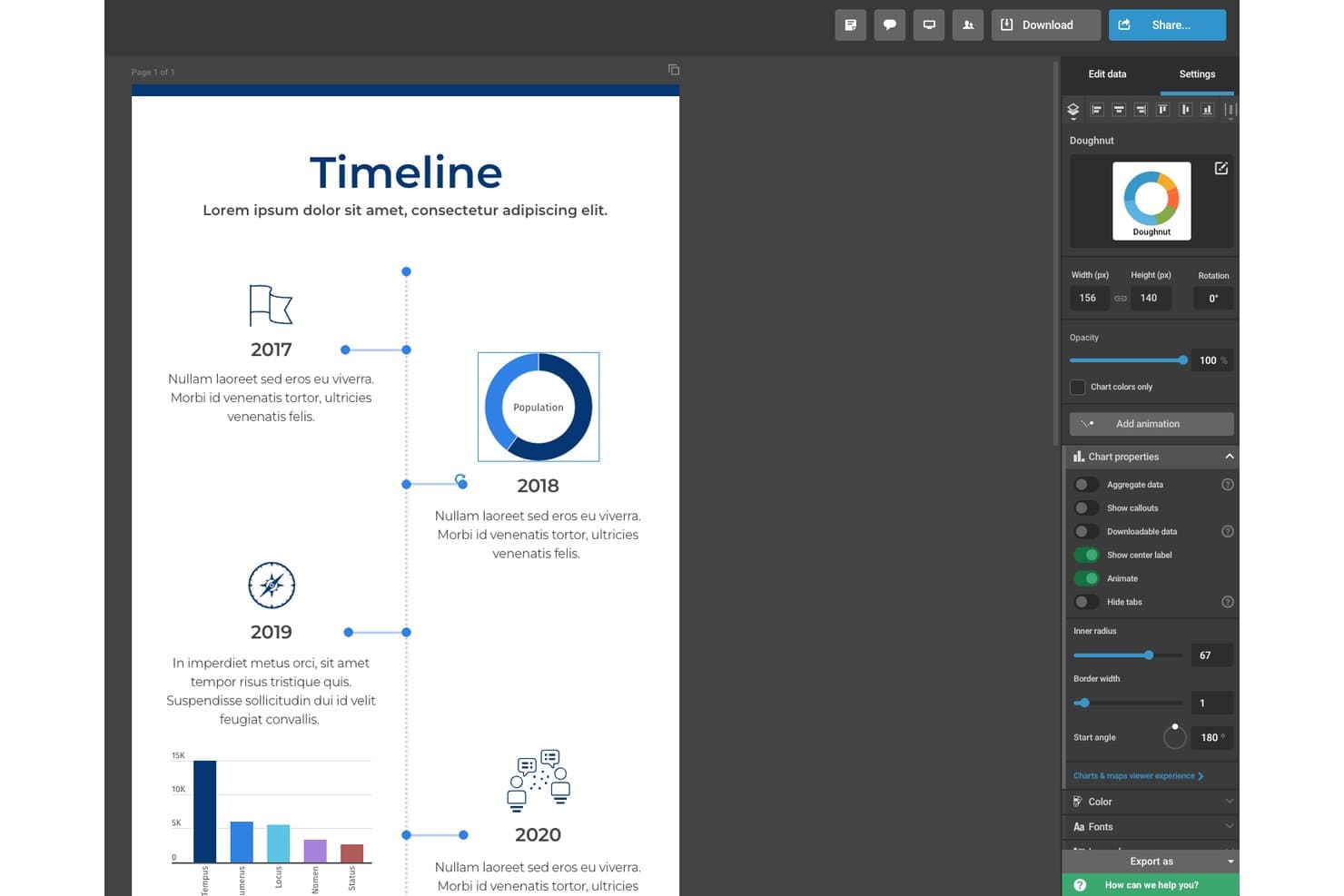
Infogram lets users customize doughnut charts with detailed style controls. Infogram is a visual content creation platform for product, marketing, and communications teams that need to turn complex information into clear, interactive content without relying on design specialists.
Who Is Infogram Best For?
Infogram suits marketing, communications, and product teams that need to turn data into interactive charts, reports, and visual stories without specialist design support.
Why Infogram Is a Good Visme Alternative
I picked Infogram because it’s built for data-driven visual storytelling. I use its interactive charts, maps, and reports to turn product research or performance metrics into visual stories. My team can publish an interactive survey-results report instead of presenting static slides.
Infogram Key Features
- Drag-and-drop editor: Build visual content without coding.
- Templates: Start projects with pre-designed layouts.
- Media embeds: Add images, videos, GIFs, and maps.
- Team collaboration: Invite teammates to review and edit projects.
Infogram Integrations
Infogram supports direct data connections and imports from Google Drive Spreadsheet, Dropbox, JSON Feed, Google Analytics, MySQL, PostgreSQL, Amazon Redshift, Oracle, Microsoft SQL Server, and YouTube. It also provides API access for custom integrations.
Pros and Cons
Pros:
- Embeds support richer visual storytelling
- Templates speed up report creation
- Interactive charts communicate complex data clearly
Cons:
- Free plans restrict templates and export options
- Graphs can occasionally experience display glitches
Learn more about Infogram: Best for data-driven infographic reports
- Free plan available
- From $15/user/month
Visit WebsiteCustomer Rating:4.6/5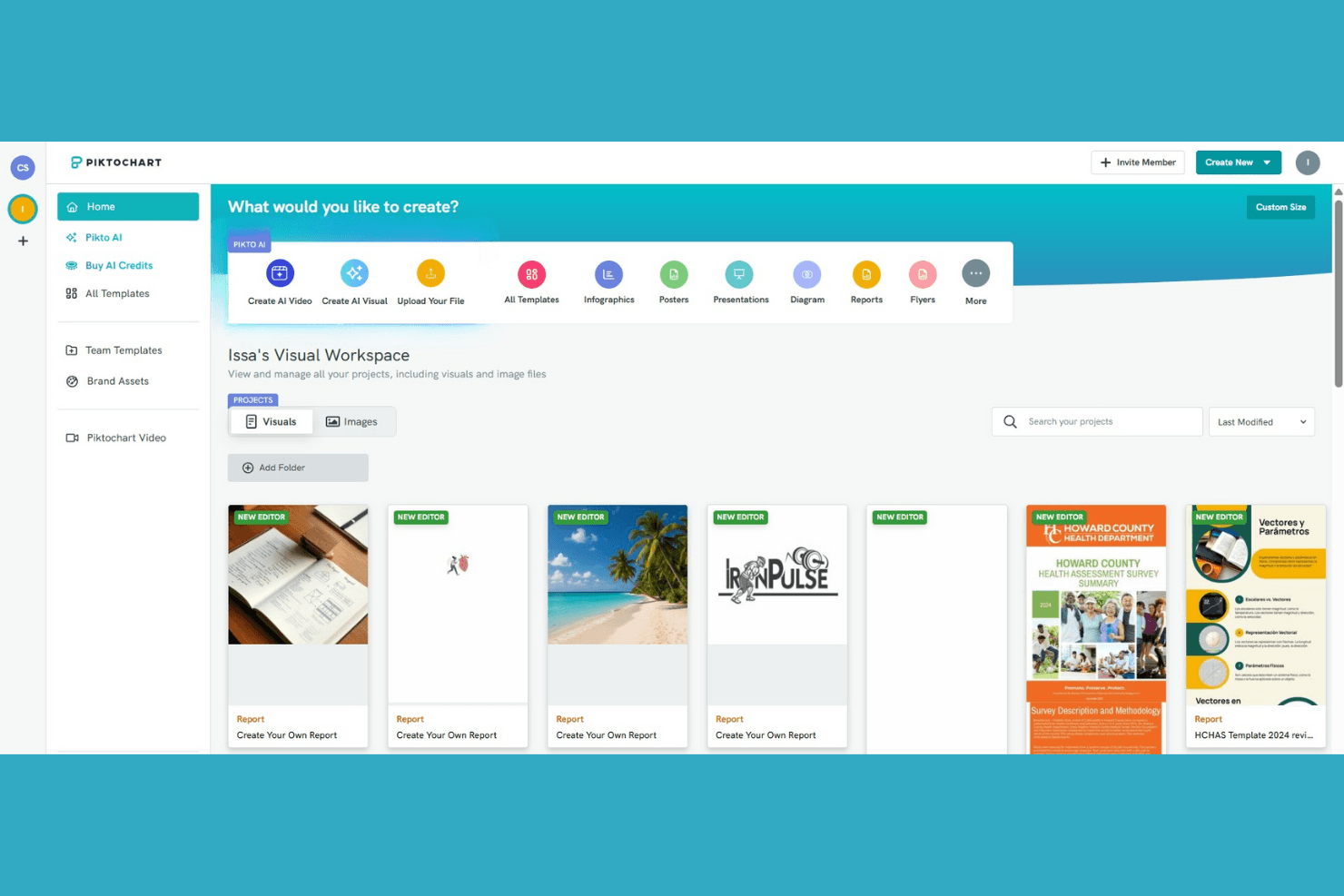
Piktochart provides AI design tools and a visual project workspace. Piktochart is a visual content creation platform for marketers, product teams, and business users who need to turn complex information into clear infographics, presentations, and reports without advanced design skills.
Who Is Piktochart Best For?
Piktochart suits product and marketing teams that need to turn research, metrics, and business updates into clear infographic reports.
Why Piktochart Is a Good Visme Alternative
I picked Piktochart because its infographic templates, charts, and maps help my team turn product metrics into polished visual reports. We use it to present survey findings, market research, and quarterly performance data without building layouts from scratch. Its report-focused canvas keeps dense information readable for stakeholders.
Piktochart Key Features
- Drag-and-drop editor: Arrange text, images, icons, and shapes on a canvas.
- Brand kit: Save logos, colors, and fonts for recurring designs.
- Team collaboration: Invite teammates to review and edit visual projects.
- Export options: Download designs as PNG, PDF, or PowerPoint files.
Piktochart Integrations
Piktochart doesn’t have clearly documented native integrations, Zapier support, or an API for custom integrations. It primarily supports importing data and exporting designs within its platform.
Pros and Cons
Pros:
- Exports support presentations and stakeholder distribution
- Charts and maps clarify research findings
- Infographic templates suit data-heavy product reports
Cons:
- Advanced visual customization can feel limited
- Presentation design feels narrower than Visme
Learn more about Piktochart: Best for data-driven infographic creation
- Free plan available
- From $10/month (billed annually)
Visit WebsiteCustomer Rating:4.6/5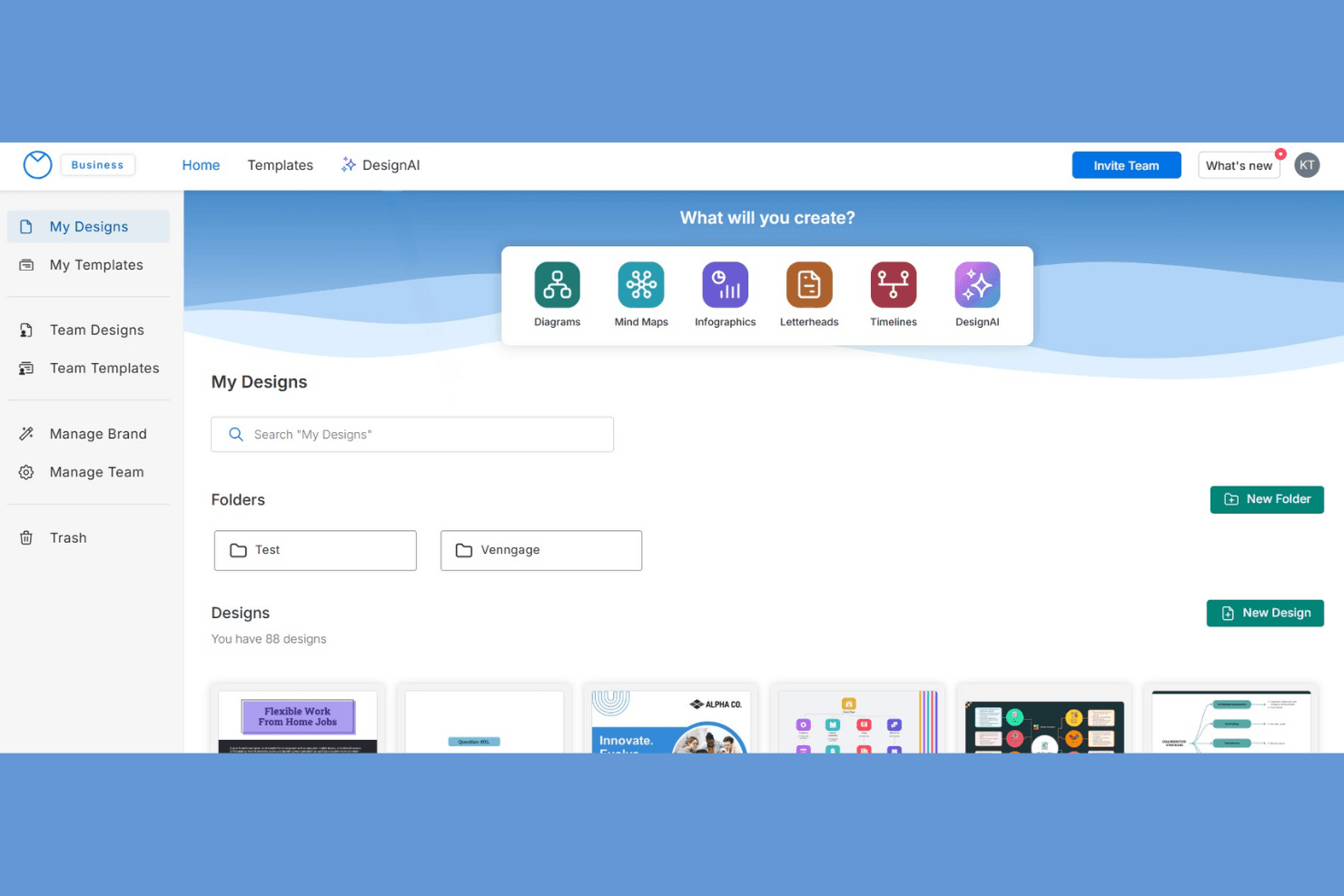
Venngage offers AI design tools plus diagrams, infographics, and maps. Venngage is a visual content creation platform for business and product teams that need to turn complex information into clear, branded infographics, reports, and communications without advanced design skills.
Who Is Venngage Best For?
Venngage suits product, marketing, and communications teams that need to turn research, metrics, and complex data into clear infographics.
Why Venngage Is a Good Visme Alternative
I picked Venngage as one of the best because it’s best for data-driven infographic creation. I use its customizable charts, icons, and infographic templates to turn product research, survey results, and KPI reports into clear visual stories. Its data visualization tools help my team present comparisons and trends without burying the insight in spreadsheets.
Venngage Key Features
- Drag-and-drop editor: Arrange text, shapes, and media on a visual canvas.
- Brand Kit: Save brand colors, fonts, logos, and style settings.
- Team collaboration: Share designs and collect comments from collaborators.
- Export options: Download finished designs as PNG, PDF, or PowerPoint files.
Venngage Integrations
Venngage doesn’t currently offer native integrations. An API is available for Enterprise users who need custom integrations.
Pros and Cons
Pros:
- Brand controls keep recurring reports consistent
- Charts support comparisons and trend reporting
- Data-driven templates clarify complex product metrics
Cons:
- Editing dense designs takes manual adjustments
- Template layouts can feel repetitive
Learn more about Venngage: Best for animated video presentations
- Free plan available
- From $15/month (billed annually)
Visit WebsiteCustomer Rating:4.5/5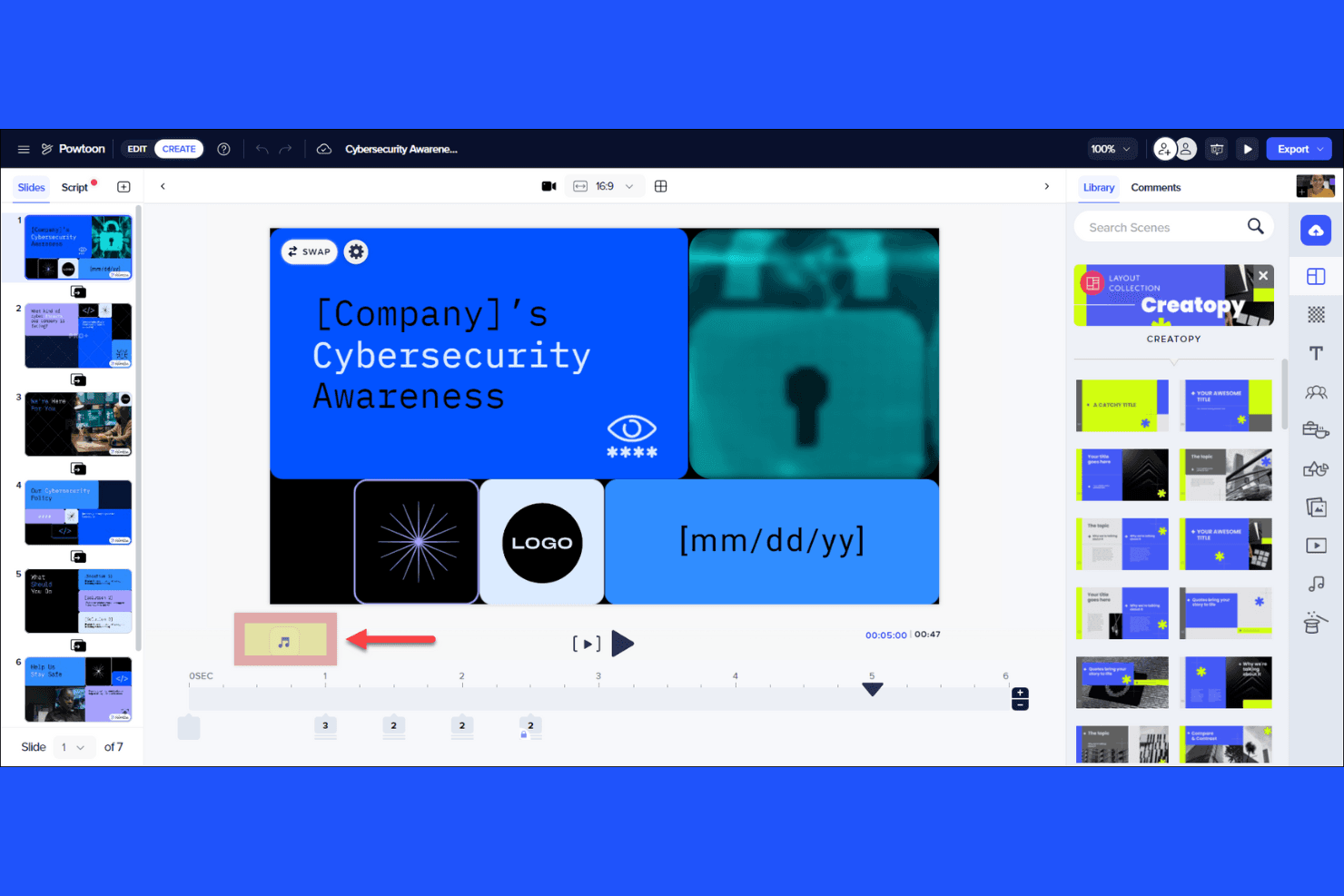
Powtoon provides a video editor with slides and timeline tools. PowToon is presentation software for marketers, educators, and product teams that need engaging visual stories to explain ideas, communicate plans, and hold audience attention.
Who Is PowToon Best For?
PowToon suits marketers, educators, and product teams that need animated presentations to explain ideas, share plans, or make complex topics easier to follow.
Why PowToon Is a Good Visme Alternative
I picked PowToon because I can turn presentation slides into animated video presentations with character scenes, props, and voiceovers. My team uses its templates to explain product workflows, onboarding steps, and roadmap changes through short visual stories instead of static decks.
PowToon Key Features
- Drag-and-drop editor: Build presentations by placing visual elements on a timeline.
- Brand customization: Apply brand colors, fonts, logos, and style guidelines.
- Media library: Add stock images, videos, music, and sound effects.
- PowerPoint integration: Import PowerPoint files and export presentations as PowerPoint files.
PowToon Integrations
PowToon’s official integrations include Microsoft PowerPoint, Google Slides, Canva, Figma, HubSpot, Salesforce, Microsoft Teams, Google Drive, Vimeo, and Zapier, with an API available for custom integrations.
Pros and Cons
Pros:
- Templates shorten production for presentation videos
- Character builder supports branded explainer storytelling
- Animated scenes explain complex workflows clearly
Cons:
- Cartoon styling limits photorealistic presentation options
- Timeline editing becomes tedious for detailed projects
Learn more about PowToon: Best for interactive content with viewer analytics
- Free plan available
- From $10/user/month (billed annually)
Visit WebsiteCustomer Rating:4.4/5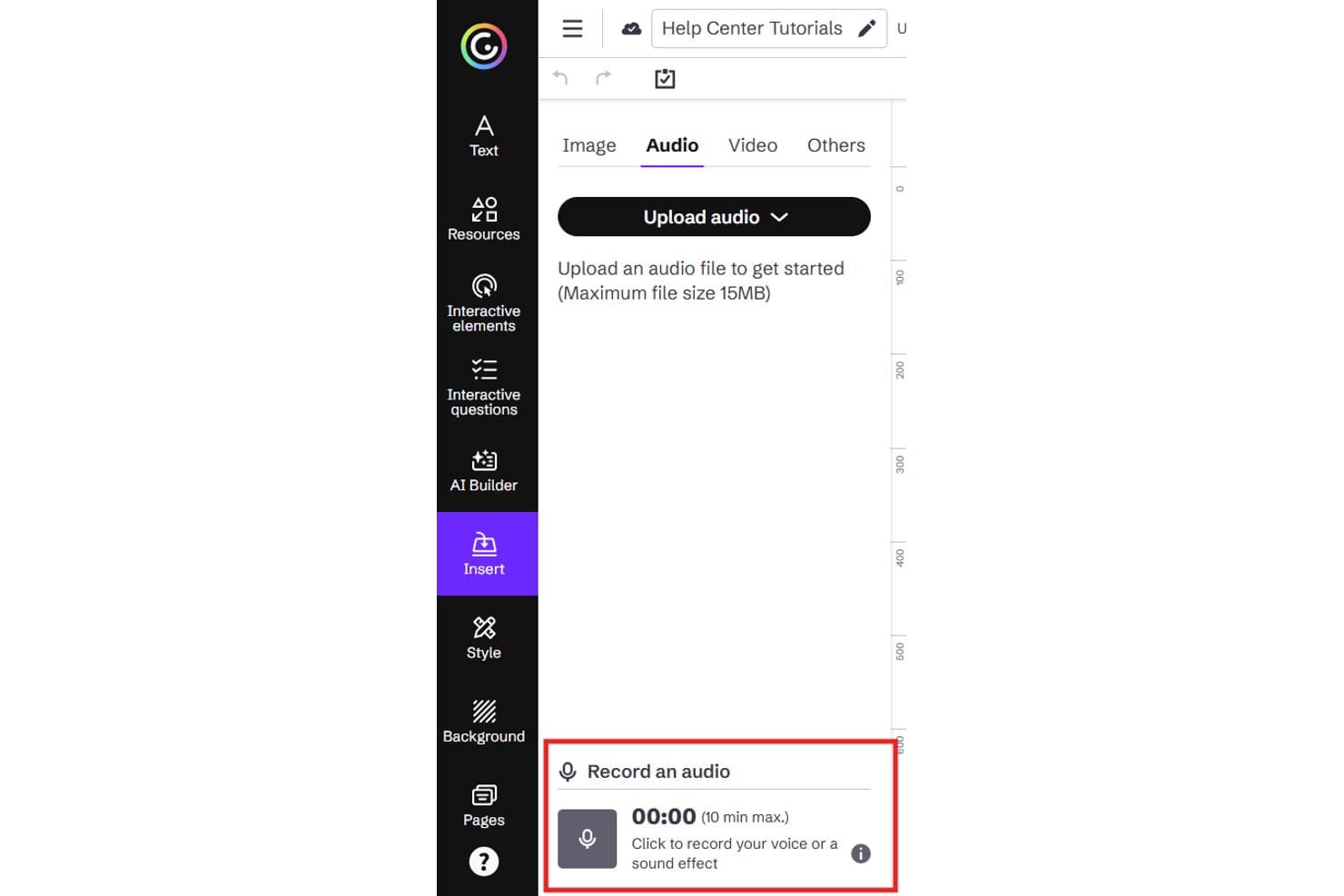
Genially lets users record audio directly within the editor. Genially is an interactive visual communication platform for marketers, educators, and product teams that turns presentations, reports, and training materials into engaging, no-code experiences.
Who Is Genially Best For?
Genially suits product marketing and enablement teams that need interactive content with viewer analytics.
Why Genially Is a Good Visme Alternative
I picked Genially because I can turn presentations, reports, and product explainers into interactive experiences with clickable hotspots, animations, and embedded media. Its viewer analytics show views, clicks, and interactions, helping my team see which sections attract attention. I use those insights to refine enablement materials and customer-facing visual communication.
Genially Key Features
- Template library: Start projects with pre-designed layouts for presentations, infographics, and training.
- Drag-and-drop editor: Build visual content without coding through a browser-based editor.
- Brand kit: Store brand colors, fonts, and logos for consistent designs.
- Team collaboration: Invite teammates to review and edit projects together.
Genially Integrations
Genially has an official Canva integration that lets you export Canva designs to Genially and embed Genially content in Canva. It also connects with LMS and LXP platforms through LTI 1.3, SCORM 1.2, and iframe embedding, including Moodle, Canvas, Blackboard, Google Classroom, Microsoft Teams, and Docebo.
Pros and Cons
Pros:
- Supports engaging presentations and interactive explainers
- Tracks views, clicks, and audience engagement
- Adds clickable interactions to static visuals
Cons:
- Advanced interactions require more setup time
- Export options remain limited for offline delivery
Learn more about Genially: Best for quick branded content creation
- Free plan available
- From $7.99/user/month (billed annually)
Visit WebsiteCustomer Rating:4.5/5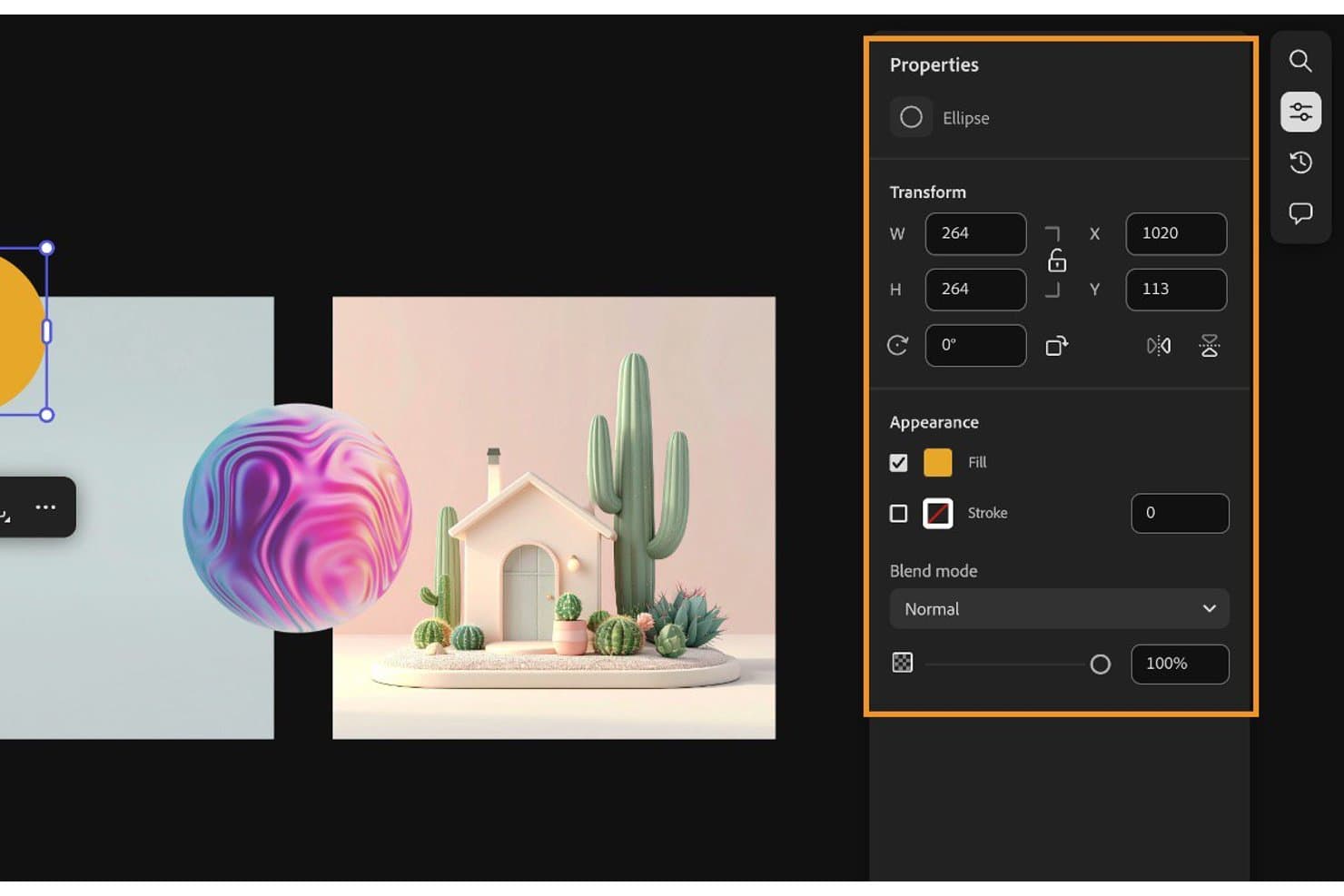
Adobe Express lets users customize ellipse shapes with fill, stroke, and blend options. For teams seeking Best Visme Alternatives, Adobe Express is visual content creation software that helps marketers and small businesses produce branded graphics, social posts, presentations, and promotional materials without design expertise.
Who Is Adobe Express Best For?
Adobe Express suits small marketing teams that need to produce on-brand social posts, presentations, and campaign graphics without dedicated design support.
Why Adobe Express Is a Good Visme Alternative
I picked Adobe Express because I can turn campaign ideas into branded graphics quickly. Brand kits keep logos, colors, and fonts consistent, while templates and one-click resizing help my team adapt a product launch graphic for social posts, presentations, and email banners.
Adobe Express Key Features
- Video editor: Trim clips, add transitions, and include music in videos.
- PDF quick actions: Convert, combine, compress, and edit PDF files.
- Background remover: Remove image backgrounds with one click.
- Animation effects: Animate text, photos, and design elements.
Adobe Express Integrations
Adobe Express offers built-in integrations with Creative Cloud, Acrobat, Experience Manager Assets, Workfront, Firefly Custom Models, and GenStudio for Performance Marketing. It also provides an Express API through Firefly Services for custom, programmatic content integrations.
Pros and Cons
Pros:
- Quick actions simplify photo and video edits
- Templates accelerate cross-channel content production
- Brand kits keep approved elements consistent
Cons:
- Larger projects can run slowly
- Advanced layouts lack precise granular control
Learn more about Adobe Express: Best for web content with built-in engagement analytics
- Free plan + free demo available
- Pricing upon request
Visit WebsiteCustomer Rating:4.3/5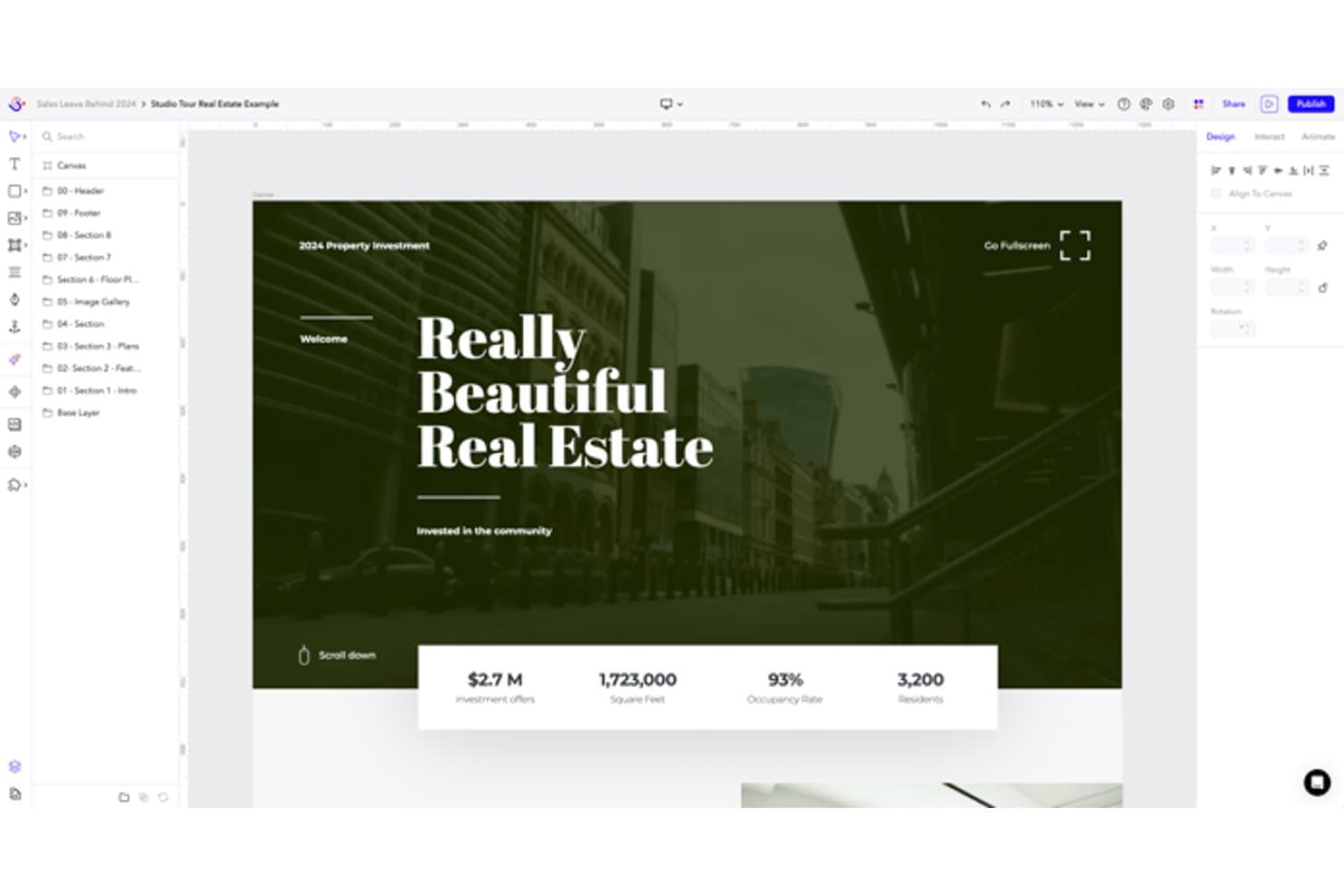
Ceros lets users design interactive real estate experiences visually. Ceros is a no-code visual content creation platform for marketers and designers who need to build interactive web experiences instead of relying on static presentations, infographics, and social graphics.
Who Is Ceros Best For?
Ceros suits marketing and creative teams that build interactive web content and need engagement data to guide what they publish.
Why Ceros Is a Good Visme Alternative
Ceros earns its place on my shortlist because I use it to turn static visual content into interactive web experiences. I build landing pages, lookbooks, and product stories with hotspots, scroll animations, and embedded media. Its built-in engagement analytics show which sections and interactions attract attention, making it best for web content with built-in engagement analytics.
Ceros Key Features
- No-code editor: Build layouts with drag-and-drop controls without writing code.
- Responsive design tools: Adjust content for desktop, tablet, and mobile breakpoints.
- Reusable content blocks: Save branded design elements for use across projects.
- Publishing controls: Publish experiences to a hosted URL or embed them on your site.
Ceros Integrations
Ceros offers integrations with Eloqua, Google Analytics, Google Tag Manager, HubSpot, and Marketo, plus support for Adobe Analytics and other analytics tools through custom HTML. It provides a public API for custom integrations.
Pros and Cons
Pros:
- Hosted publishing avoids developer handoffs
- Built-in engagement data guides content decisions
- Interactive experiences with hotspots and animations
Cons:
- Mobile layouts require breakpoint-specific adjustments
- Limited offline presentation and file export options
Learn more about Ceros: Best for automated slide design suggestions
- 14-day free trial + free demo available
- From $12/month (billed annually)
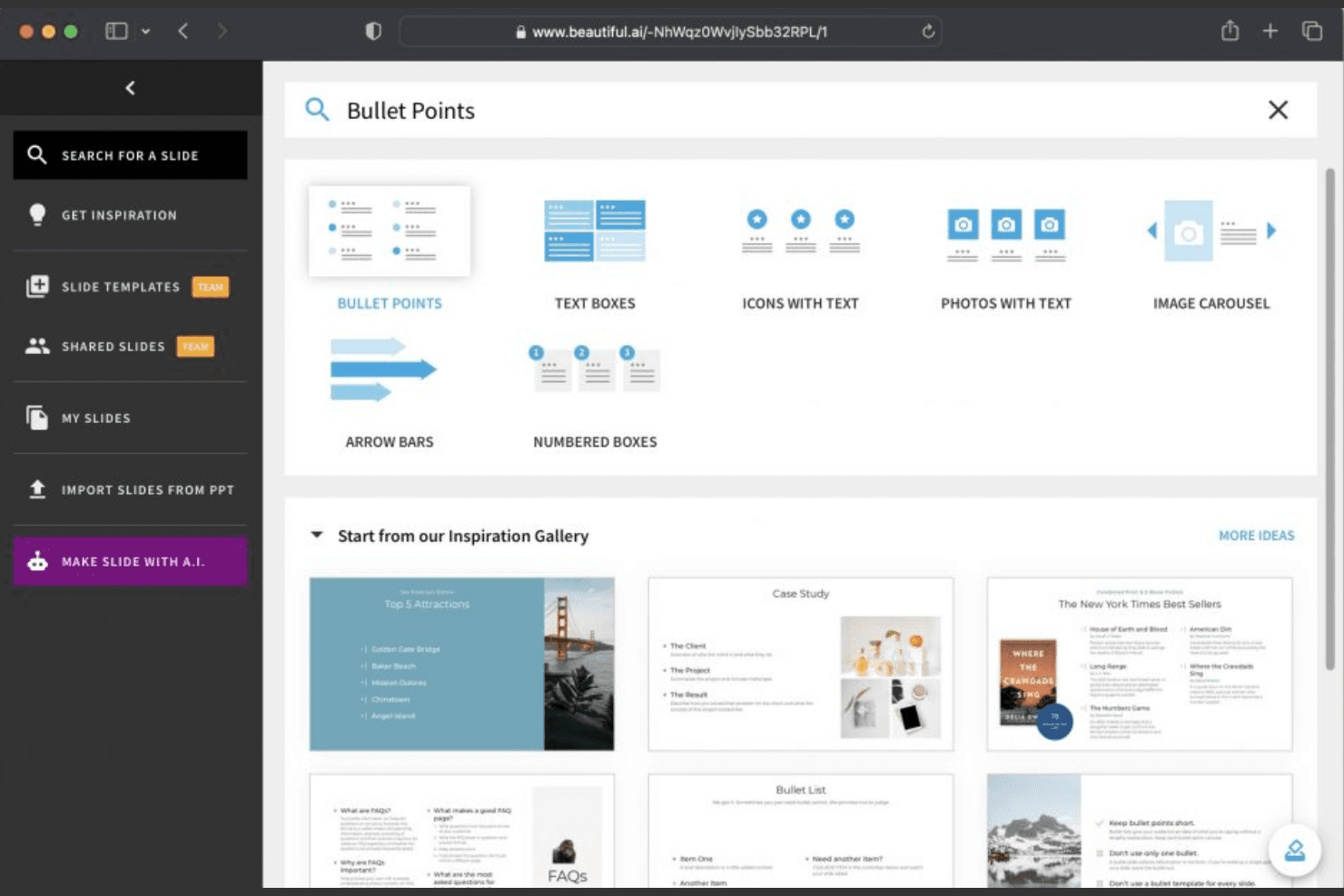
Beautiful.ai offers AI slide templates and layout design tools. Beautiful.ai gives product teams, marketers, and business leaders a presentation platform for creating polished, on-brand decks without wrestling with layouts, making it a practical Visme alternative for fast-moving teams.
Who Is Beautiful.ai Best For?
Beautiful.ai suits product managers and marketing teams that need polished, on-brand presentations without spending hours adjusting slide layouts.
Why Beautiful.ai Is a Good Visme Alternative
I picked Beautiful.ai because its automated slide design suggestions help me build polished decks without manual layout work. Smart Slides automatically adjust spacing and alignment as I add content, while presentation templates guide visual hierarchy. My team uses it for product reviews where charts, milestones, and messaging need consistent formatting.
Beautiful.ai Key Features
- Brand controls: Apply custom fonts, colors, logos, and themes.
- Team collaboration: Comment on slides and share decks with teammates.
- Presentation sharing: Publish decks through shareable presentation links.
- PowerPoint export: Download presentations as editable PowerPoint files.
Beautiful.ai Integrations
Beautiful.ai lists 12 integrations, including Claude, ChatGPT, Slack, PowerPoint, Google Drive, Dropbox, Box, Smartsheet, OneDrive, and Airtable. It also provides an API for generating editable presentations from prompts, currently through early access.
Pros and Cons
Pros:
- AI workflow refines outlines before slide creation
- Locked themes preserve consistent brand presentation
- Smart Slides automatically balance spacing and alignment
Cons:
- Complex data-heavy decks need more flexibility
- Smart Slides restrict manual layout control
Learn more about Beautiful.ai: Best for all-in-one content creation tools
- Free 7-day trial available
- From $19/month (billed annually)
Visit WebsiteCustomer Rating:4.7/5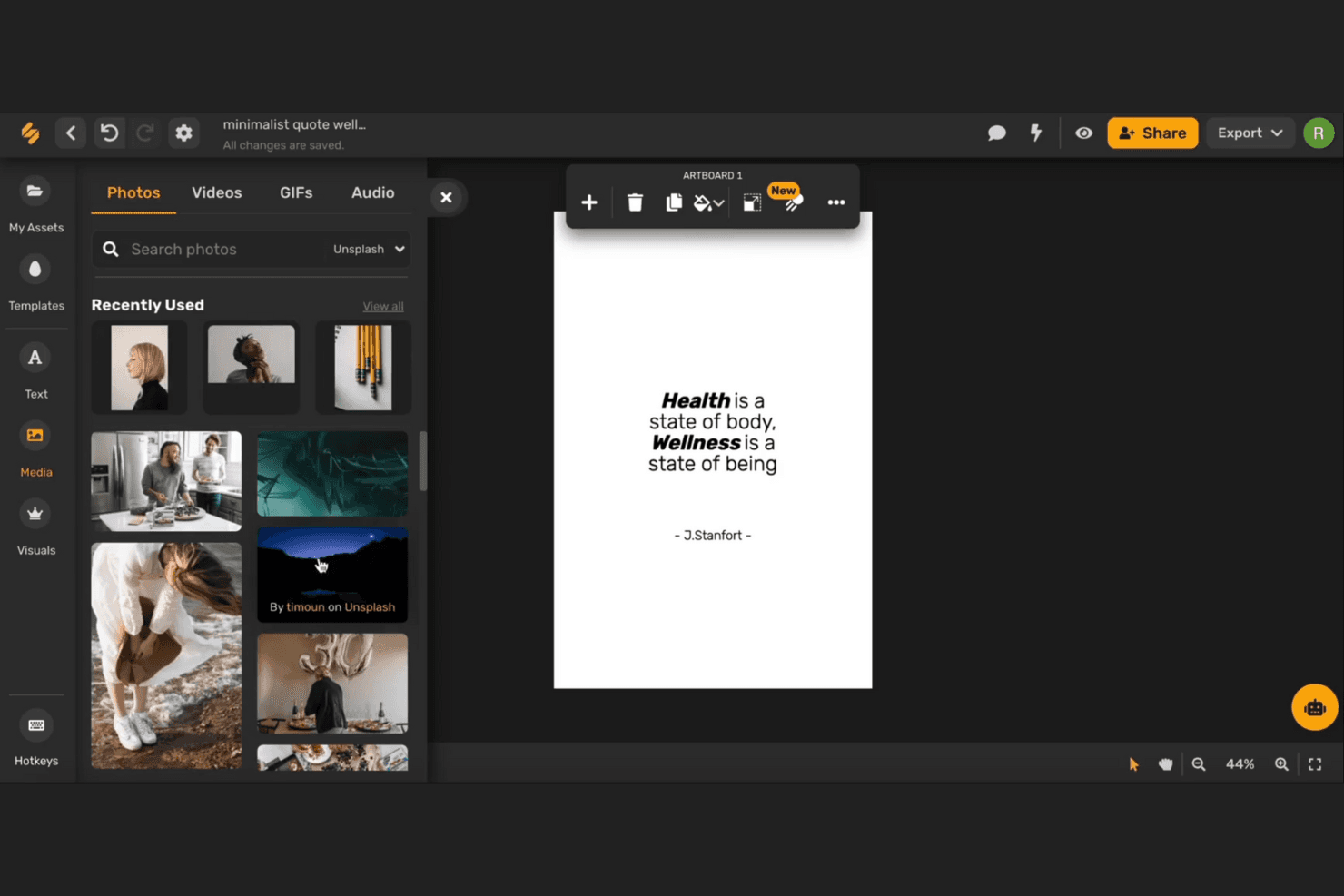
Simplified offers a drag-and-drop editor with media and templates. Simplified is a content creation platform for marketing, product, and business teams that need presentation-ready visuals, social assets, and copy without juggling separate tools.
Who Is Simplified Best For?
Marketing and product teams that need one platform for creating presentations, social assets, and marketing copy.
Why Simplified Is a Good Visme Alternative
I picked Simplified because it brings presentation-ready visuals, social assets, and marketing copy into one workspace. I use it to shape a product launch deck, then adapt the same campaign content for social posts and promotional copy. That all-in-one content creation tools approach reduces the need to switch between separate creative platforms.
Simplified Key Features
- AI presentation maker: Generates presentation drafts from text prompts.
- Presentation templates: Provides editable layouts for different presentation types.
- Brand kits: Stores logos, colors, and fonts for consistent designs.
- Export options: Downloads presentations in commonly used file formats.
Simplified Integrations
Simplified’s native integrations are not clearly documented. Zapier and API support are also not clearly documented.
Pros and Cons
Pros:
- Brand kits preserve consistent visual identity
- AI drafts decks from text prompts
- Combines presentations, copy, and social assets
Cons:
- Presentation editing feels less specialized than Visme
- AI-generated slides need manual refinement
Learn more about Simplified:
Andre Visme-alternativer
Her er noen flere Visme-alternativer som ikke kom med på kortlisten min, men som likevel er verdt å se nærmere på:
- 11MarqBest for locking brand templates across teams
- 12GammaBest for AI-generated decks from any file
- 13PreziBest for dynamic, non-linear presentations
- 14XtensioBest for client-facing doc engagement tracking
- 15Google SlidesBest for free team slide collaboration
- 16PrezentBest for life sciences slide compliance at scale
- 17AnimakerBest for AI-driven animation and video creation
- 18Microsoft PowerPointBest for enterprise-grade presentation compatibility
- 19Presentations.AIBest for pitch decks with live data refresh
- 20PitchBest for stakeholder deck tracking and analytics
How I Evaluate Visme Alternatives
I split my evaluation into three parts, with core functionality carrying the most weight: an alternative must let you build from templates across multiple content formats and manage brand assets consistently. From there, I look at standout features like AI design generation and dynamic data fields. Finally, I consider pricing flexibility and onboarding quality.
Core Functionality (Table Stakes For This List)
When I'm selecting tools for my list, I score each one on a scale from 0 (does not offer the functionality) to 5 (excels in this area) for each core functionality listed below. I then convert the total into a percentage to help assess each tool's overall fit, with extra weight on any functionalities I’ve deemed essential.
- Template-Based Editor (Essential): I look for flexible drag-and-drop editing and varied templates for turning product research or launch plans into polished visuals.
- Multi-Format Output (Essential): I assess how well teams can create and export presentations, infographics, social graphics, videos, and documents from one tool.
- Brand Kit Management: I check whether teams can store and reuse logos, colors, and fonts to keep research reports and launch assets consistent.
- Data Visualization: I look for chart choices, data imports, and styling options for presenting product metrics clearly to stakeholders.
- Team Collaboration: I assess co-editing, comments, permissions, and review tools for sharing drafts across product, design, and marketing.
- Asset Library: I consider the range of stock photos, icons, video, and upload options for building useful visuals without sourcing every asset separately.
Once I have a list of tools that meet the criteria, I consider what sets each platform apart.
Differentiating Factors (What Sets Vendors Apart)
Here's how I compare and contrast different vendors:
Standout Features
I look for dynamic data fields that link live spreadsheets so charts auto-update in recurring stakeholder reports. Analytics on shared content also matter—I check whether a tool tracks views and engagement on shared decks, which helps gauge if stakeholders actually read your roadmap updates. AI design generation rounds out my evaluation, since tools like Canva and Beautiful.ai handle prompt-to-layout differently, and faster production means more iteration cycles before a launch.
Beyond Features
I check whether a tool connects to Jira, Slack, or Confluence so visuals embed directly into existing product docs. Without those integrations, you end up re-uploading charts every sprint. Pricing structure also matters—per-seat costs can balloon fast when cross-functional teammates need view or edit access. I look for role-based permissions and link-sharing controls too, since roadmap decks often contain pre-release details you don't want leaking beyond your review group.
Hvorfor se etter et Visme-alternativ?
Selv om Visme er et godt valg av en AI-drevet interaktiv plattform, finnes det flere grunner til at noen brukere ser etter alternative løsninger. Det kan hende du ser etter et Visme-alternativ fordi …
- Du trenger mer avanserte funksjoner for samarbeid i sanntid
- Teamet ditt trenger bedre kontroll over dokumentversjoner
- Du ønsker mer fleksible alternativer for profilering og bruk uten leverandørens merkevare
- Du trenger integrasjoner med bestemte forretningsverktøy
- Organisasjonen din trenger bedre støtte for prosjekter i stor skala
- Du ønsker mer interaktiv analyse og sporing av engasjement
Hvis noe av dette høres kjent ut, har du kommet til rett sted. Listen min inneholder flere AI-drevne, interaktive plattformer som passer bedre for team som møter disse utfordringene med Visme og ser etter alternative løsninger.
Viktige funksjoner i Visme
Her er noen av de viktigste funksjonene i Visme, slik at du kan sammenligne hva alternative løsninger tilbyr:
- Oppretting av interaktive presentasjoner og infografikk
- KI-drevne forslag til innhold og design
- Dra-og-slipp-redigering for å bygge visuelt materiell
- Omfattende bibliotek med maler og ressurser
- Sanntidssamarbeid og kommentering i team
- Verktøy for datavisualisering, inkludert diagrammer og grafer
- Integrering av multimedia for video, lyd og animasjoner
- Tilpasset merkevarebygging med logoer, farger og skrifttyper
- Analyser for å spore seerengasjement
- Eksportalternativer inkluderer PDF-, bilde- og nettlenkeformater