

Det kan være krevende å navigere i kompleksiteten ved datavisualisering. Hvis du opplever at Tableau ikke dekker behovene dine, er du ikke alene. Mange produktledere ser etter alternativer for å få bedre tilpasningsmuligheter, enklere bruk eller spesifikke funksjoner som passer teamets unike utfordringer.
Etter min erfaring kan det riktige verktøyet endre måten du tolker data på, slik at dataene blir tilgjengelige og handlingsrettede for teamet ditt. Jeg har testet og vurdert ulike programvarer uavhengig av leverandørene for å finne de beste alternativene til Tableau for ulike behov.
I denne artikkelen veileder jeg deg gjennom mine beste anbefalinger, med fokus på hvordan hvert alternativ kan løse dine spesifikke utfordringer. La oss finne det riktige alternativet for teamets datadrevne reise.
Hva er Tableau?
Tableau er programvare for forretningsanalyse og datavisualisering som hjelper deg og teamet ditt med å forstå komplekse data. Det brukes ofte av dataanalytikere, fagfolk innen forretningsanalyse og produktledere som trenger tydelig innsikt fra dataene sine. Dra-og-slipp-funksjonalitet, sanntidsanalyse av data og interaktive dashbord bidrar til å gjøre rådata om til handlingsrettet innsikt. Alt i alt gir Tableau teamet ditt en måte å visualisere data på en effektiv måte, noe som fører til bedre informerte beslutninger.
Sammenligningstabell over alternativer til Tableau
Denne sammenligningstabellen fremhever prisdetaljer for mine beste alternativer til Tableau.
| Tool | Best For | Trial Info | Price | ||
|---|---|---|---|---|---|
| 1 | Best for embedded analytics | 30-day free trial | Pricing upon request | Website | |
| 2 | Best for governed metrics across every BI tool | Free demo available | Pricing upon request | Website | |
| 3 | Best for governed enterprise analytics at scale | 14-day free trial | Pricing upon request | Website | |
| 4 | Best for associative data exploration | 30-day free trial | Pricing upon request | Website | |
| 5 | Best for Microsoft integration | Free plan available | From $14/user/month (billed annually) | Website | |
| 6 | Best for embedding analytics into customer products | 7-day free trial + free demo available | Pricing upon request | Website | |
| 7 | Best for real-time insights | 14-day free trial + free demo available | From $25/user/month (billed annually) | Website | |
| 8 | Best for per-tenant embedded dashboard licensing | Free demo available | Pricing upon request | Website | |
| 9 | Best for spreadsheet-style warehouse analytics | Free trial + free demo available | Pricing upon request | Website | |
| 10 | Best for natural-language queries on AWS data | 30-day free trial available | From $3/user/month | Website |


Hvorfor du kan stole på våre programvareanbefalinger
6,700+
Reviews
20
Industry experts
16+
Evaluation factors
14
Years
Teamet vårt har testet og anmeldt programvare siden 2012. Vi er selv produktledere, så vi vet hvor vanskelig og hvor viktig det er å velge riktig programvare.
I denne guiden har vi vurdert verktøyene gjennom praktisk testing og uavhengig research og gitt dem poeng ut fra våre utvelgelseskriterier.
Anmeldelsene våre bygger på vår egen redaksjonelle vurdering. De er ikke et salgsargument.
Ekspertanmeldere:
- Andrew LumbySenior TPM
- Cristiano ValimSenior UI/UX Lead


Anmeldelser av de beste alternativene til Tableau
Nedenfor finner du mine detaljerte sammendrag av alternativene til Tableau som kom med på kortlisten min. Anmeldelsene mine gir en detaljert gjennomgang av de viktigste funksjonene, fordelene og ulempene, integrasjonene og ideelle bruksområdene for hvert verktøy, slik at du kan finne det beste alternativet for deg.
 1Best for embedded analytics
Domo
- 30-day free trial
- Pricing upon request
Visit WebsiteCustomer Rating:4.4/5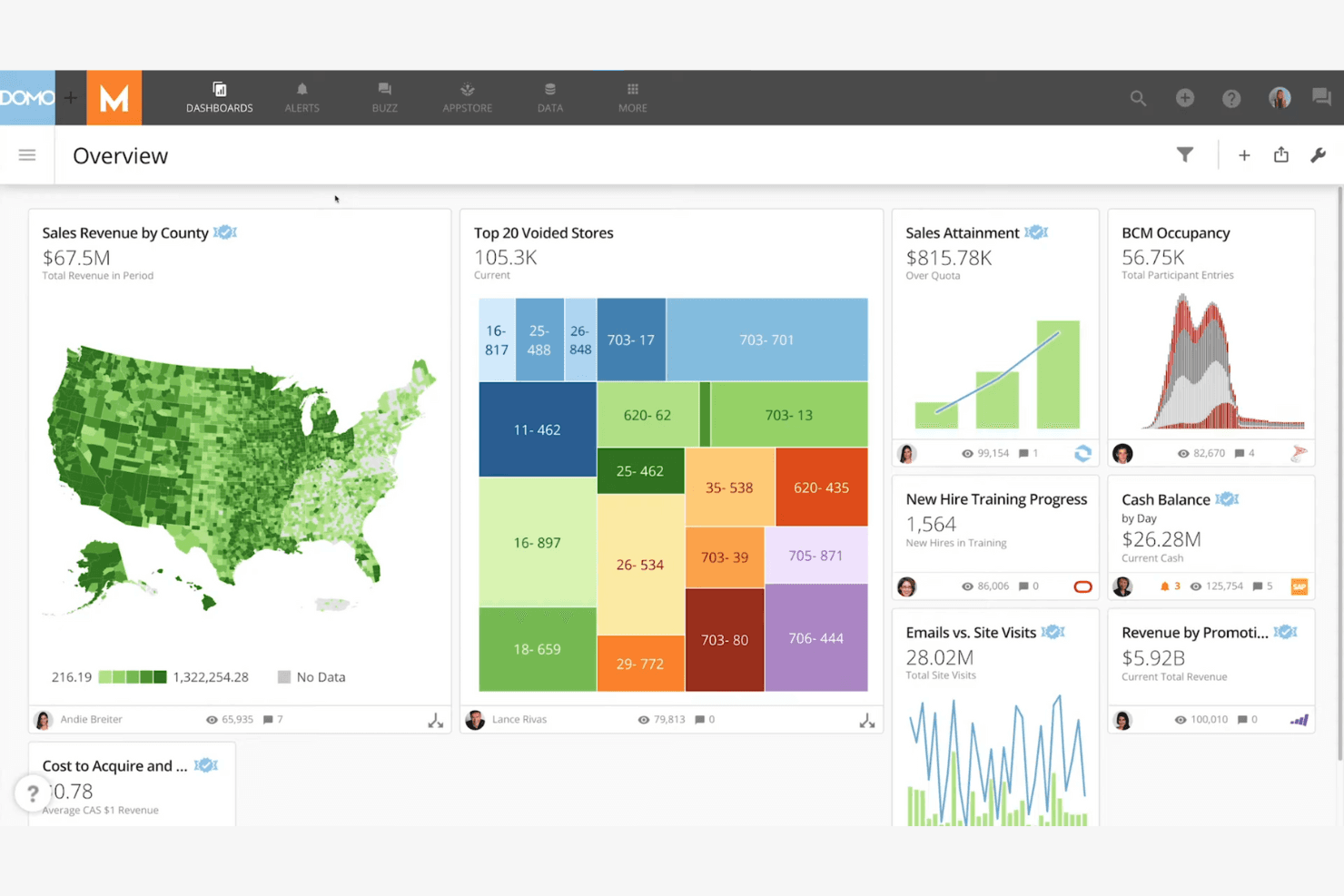
Domo displays interactive dashboards with maps, graphs, and real-time KPIs. Domo is a cloud-based business intelligence platform for product, operations, and executive teams that unifies data from multiple sources into dashboards, reports, and collaborative decision workflows.
Who Is Domo Best For?
Domo suits product and engineering teams that need to embed dashboards, reports, and data insights into customer-facing applications.
Why Domo Is a Good Tableau Alternative
I picked Domo because its embedded analytics capabilities put live dashboards and reports inside customer-facing applications. I use Domo Everywhere to support branded analytics experiences, while its APIs and SDKs help teams fit insights into existing products. This works well when product teams need customers to explore metrics without leaving the application.
Domo Key Features
- Data connectors: Connects to databases, cloud services, spreadsheets, and business applications.
- Magic ETL: Builds data transformation workflows through a visual, no-code interface.
- Data governance: Applies permissions, policies, and metadata across datasets and content.
- Alerts: Sends notifications when selected metrics reach defined thresholds.
Domo Integrations
Domo offers 1,000+ pre-built data connectors, including Salesforce, Google Sheets, Snowflake, BigQuery, and SQL Server. It also provides APIs and Connector Dev Studio for custom integrations.
Pros and Cons
Pros:
- Governance permissions support embedded deployments
- Visual Magic ETL reduces dependence on engineers
- Customer-facing dashboards through Domo Everywhere
Cons:
- Dashboard resizing frustrates some reviewers
- Large datasets can cause performance issues
Learn more about Domo: Best for governed metrics across every BI tool
- Free demo available
- Pricing upon request
Visit WebsiteCustomer Rating:4.2/5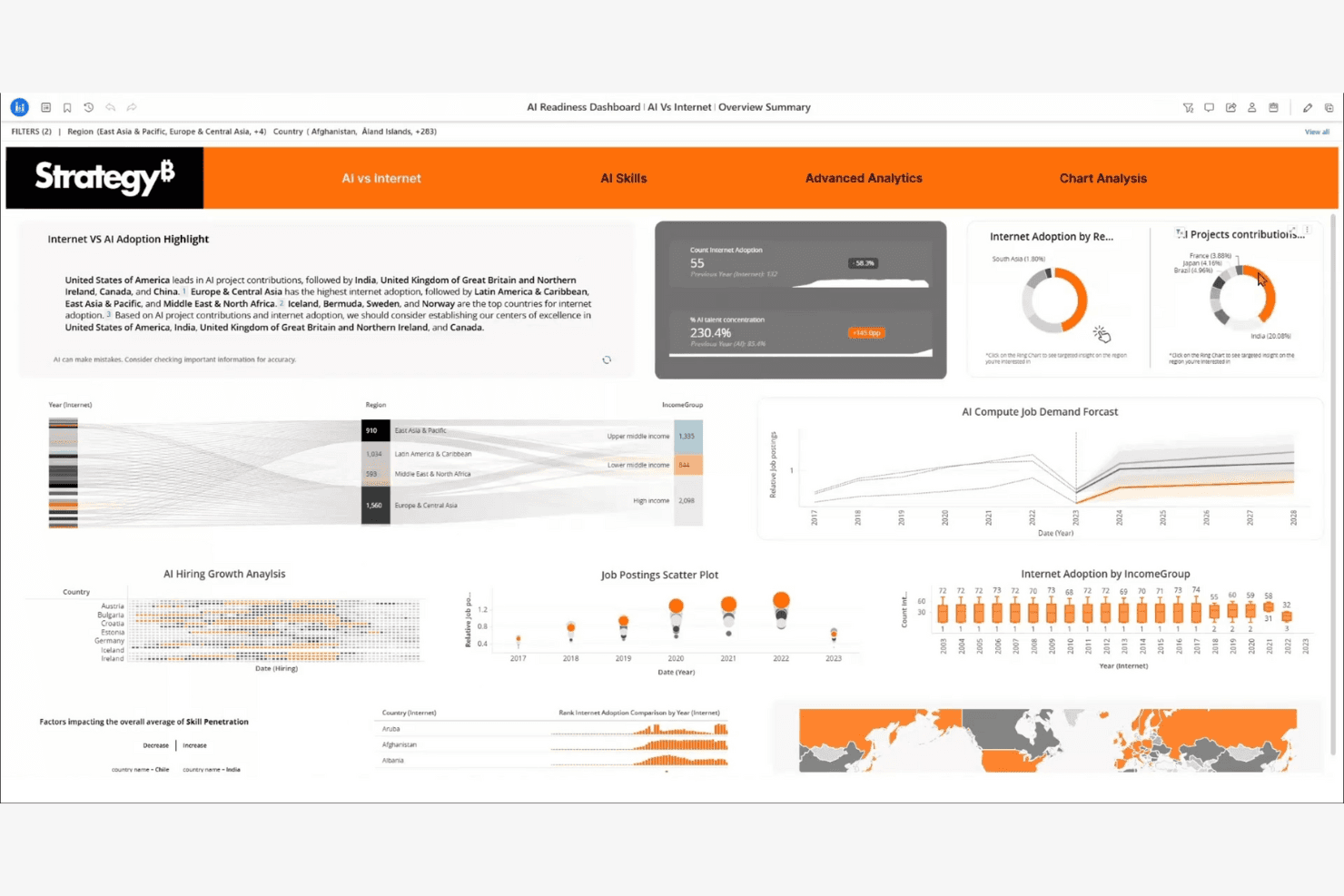
StrategyB visualizes AI readiness metrics across regions and skills. Strategy is a business intelligence platform for leaders and product teams that connects strategic goals, performance data, and initiatives to clarify priorities and track execution across the organization.
Who Is Strategy Best For?
Strategy suits organizations that need executive dashboards to connect strategic goals, performance metrics, and initiatives across teams.
Why Strategy Is a Good Tableau Alternative
I picked Strategy because its executive dashboards connect KPIs with strategic objectives and initiatives. I use scorecards to show whether teams are advancing priority outcomes, then drill into performance data during leadership reviews. That makes Strategy a strong choice for strategy execution dashboards when Tableau alternatives need to link reporting with action.
Strategy Key Features
- Data connectors: Connect cloud, database, and enterprise data sources.
- Self-service authoring: Build reports and visualizations without coding.
- Mobile access: View and interact with analytics from mobile devices.
- Embedded analytics: Add interactive analytics to business applications.
Strategy Integrations
Strategy offers 200+ pre-built data connectors, including Snowflake, Databricks, Salesforce, ServiceNow, Jira, Zendesk, Splunk, and Google BigQuery. It also provides flexible APIs for custom integrations and embedded analytics.
Pros and Cons
Pros:
- Offers broad enterprise data connectivity
- Supports executive scorecards and initiative tracking
- Links strategic goals to measurable KPIs
Cons:
- Administration may require specialized platform expertise
- Dashboard authoring can feel technically demanding
Learn more about Strategy: Best for governed enterprise analytics at scale
- 14-day free trial
- Pricing upon request
Visit WebsiteCustomer Rating:4.3/5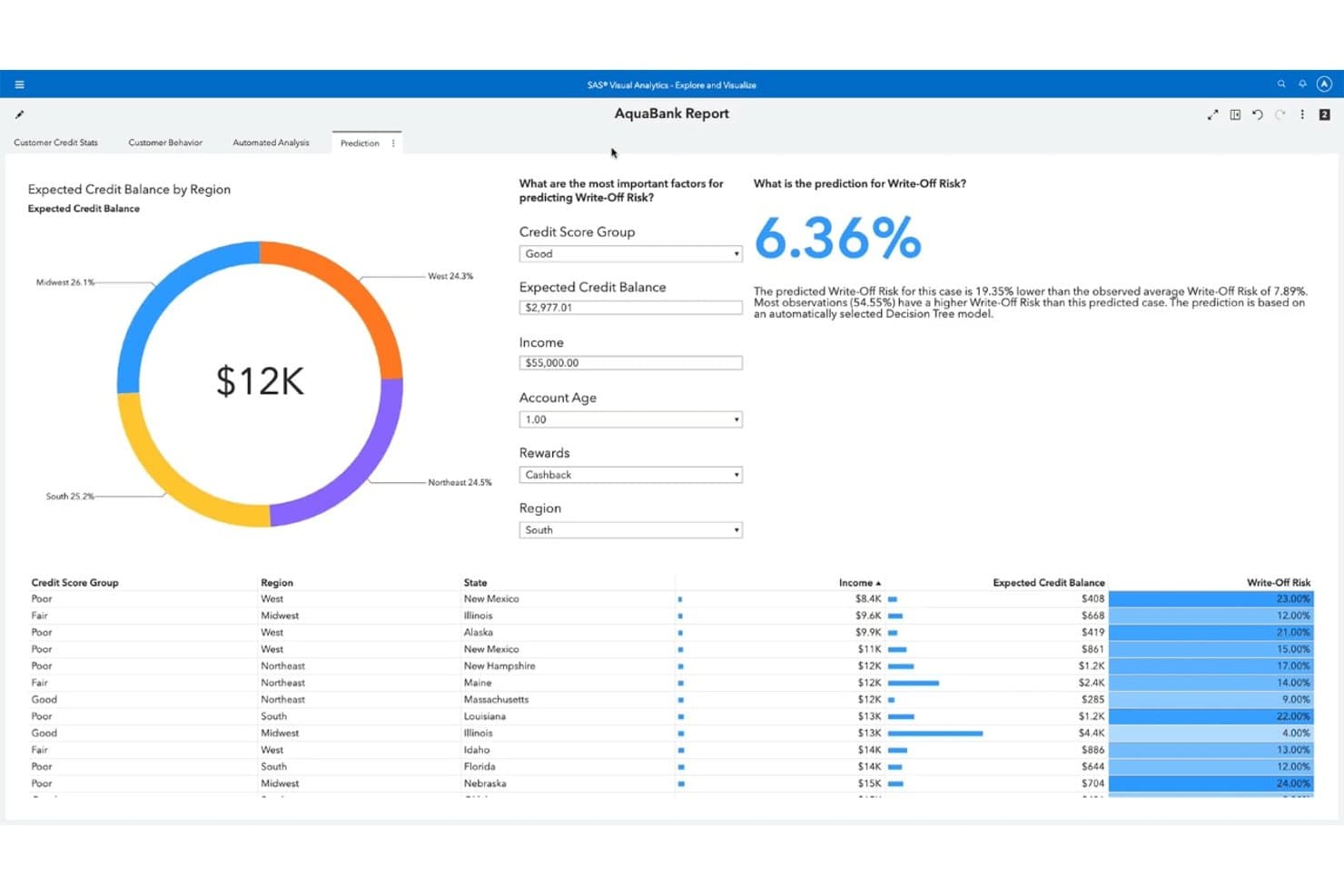
SAS Viya predicts write-off risk using a decision tree model. SAS Viya is an AI and analytics platform for enterprise teams that need governed reporting, visual analysis, and predictive insights across complex data environments.
Who Is SAS Viya Best For?
SAS Viya suits analytics, data science, and IT teams in regulated enterprises that need governed AI and reporting.
Why SAS Viya Is a Good Best Tableau Alternatives Reviewed
I picked SAS Viya because it combines governed visual analytics with predictive modeling for enterprise reporting. I use its role-based access, audit trails, and centralized model management when teams need controlled analysis across regulated data. Visual Analytics dashboards and Model Studio support reporting and forecasting without separating governance from delivery.
SAS Viya Key Features
- Data preparation: Clean, transform, and profile data before analysis.
- Data connectors: Connect to cloud, database, and file-based data sources.
- Natural language queries: Ask questions about data using conversational prompts.
- Open APIs: Access analytics capabilities through REST APIs and Python.
SAS Viya Integrations
SAS Viya supports connections to data sources including Microsoft SQL Server, Oracle, and MySQL through SAS/ACCESS connectors. It also provides REST APIs and Python support for custom integrations.
Pros and Cons
Pros:
- Supports hybrid enterprise deployment
- Predictive modeling alongside visual reporting
- Governed experimentation across analytics teams
Cons:
- Custom dashboards can feel clunky
- Dashboard refreshes can take too long
Learn more about SAS Viya:
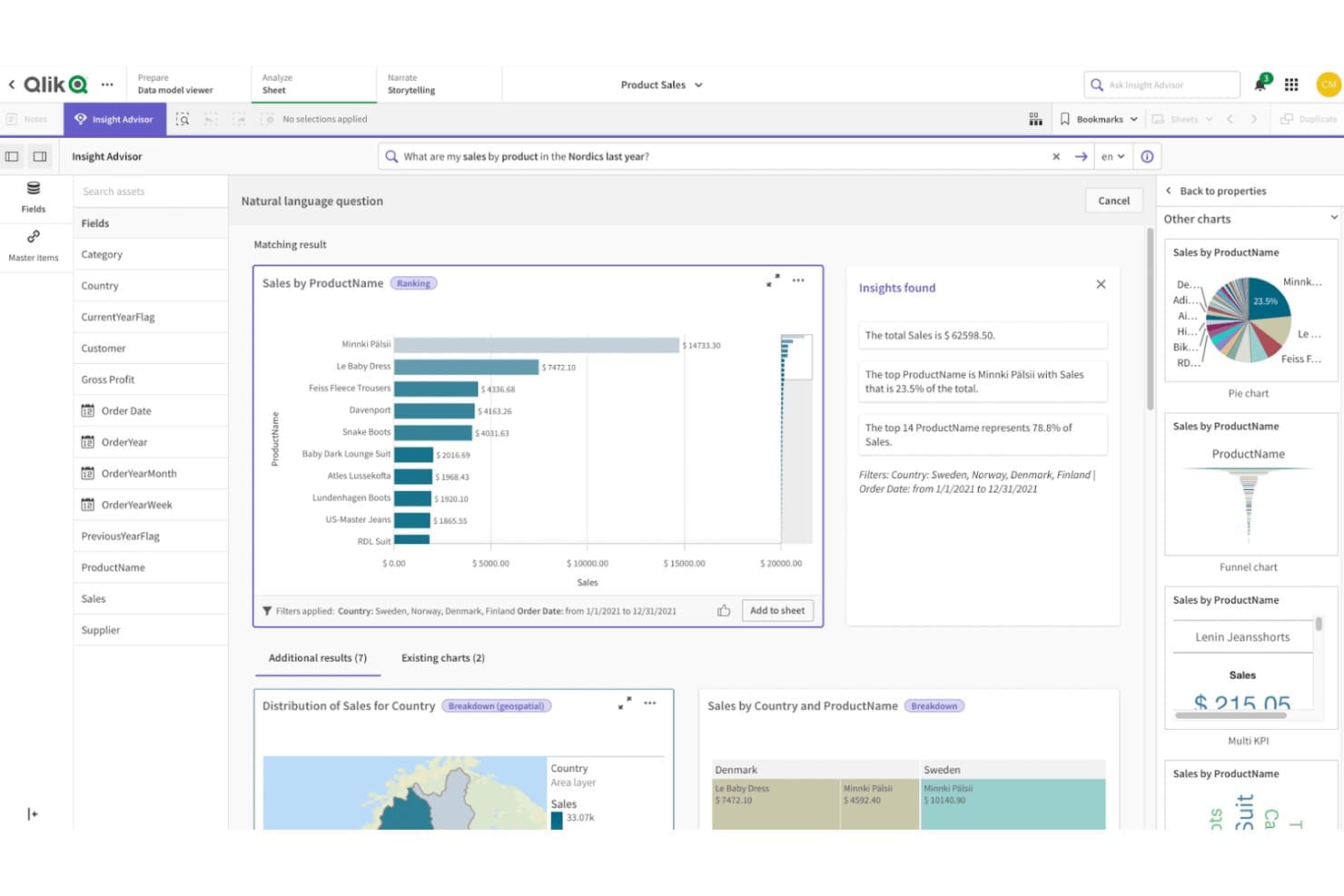
Qlik Sense lets users query product sales data visually using natural language. Qlik Sense is a business intelligence platform for product, operations, and executive teams that need self-service analytics, interactive dashboards, and faster decisions from complex business data.
Who Is Qlik Sense Best For?
Qlik Sense suits product and operations teams that need to explore connected data freely and uncover relationships beyond predefined dashboard views.
Why Qlik Sense Is a Good Tableau Alternative
I picked Qlik Sense because its associative engine lets my team explore relationships across product, customer, and operational data without following a fixed dashboard path. Its selection states reveal connected and excluded values, while associative insights surface unexpected patterns. We use it to investigate why a product metric changed across segments, regions, and channels.
Qlik Sense Key Features
- Drag-and-drop authoring: Build dashboards and visualizations without coding.
- Natural language search: Ask questions about your data using conversational queries.
- Data storytelling: Create guided presentations from charts and dashboard snapshots.
- Embedded analytics: Add Qlik Sense visualizations to external applications.
Qlik Sense Integrations
Qlik Sense offers official connectors for Salesforce, SAP, Microsoft Dynamics 365, Microsoft SQL Server, Oracle, Google BigQuery, MongoDB, and REST APIs. It also provides public APIs for custom connectors, mashups, custom visualizations, and integrations.
Pros and Cons
Pros:
- Supports fast exploratory dashboard analysis
- Handles changing data structures gracefully
- Associative selections expose hidden data relationships
Cons:
- Grid layouts limit pixel-level dashboard control
- Requires careful data modeling at scale
Learn more about Qlik Sense: Best for Microsoft integration
- Free plan available
- From $14/user/month (billed annually)
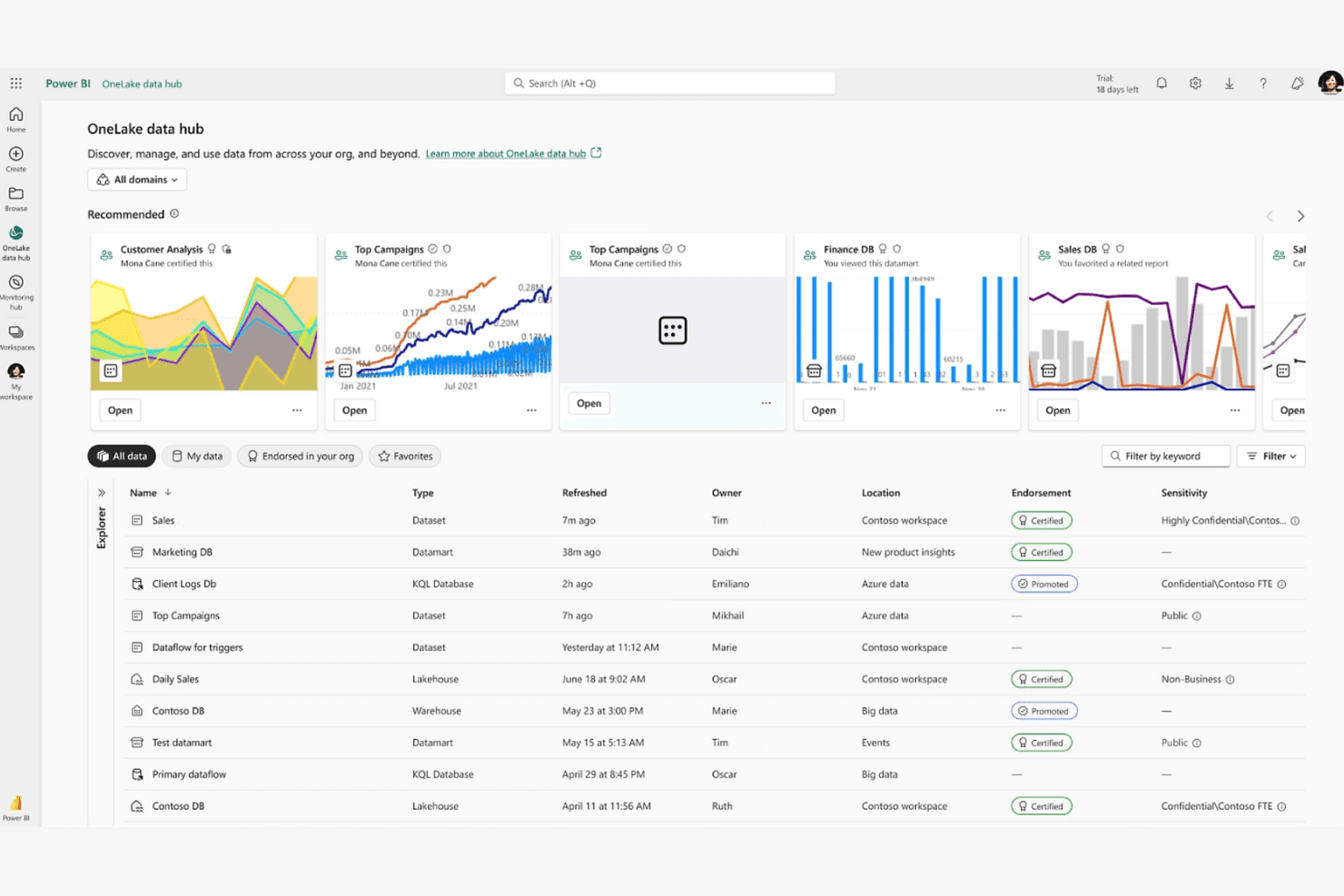
Power BI integrates with Microsoft tools for precise, AI-driven data analysis. Power BI is a business intelligence platform for analysts and product teams that need to connect data, build interactive reports, and replace manual spreadsheet analysis with self-service insights.
Who Is Power BI Best For?
Power BI suits product and operations teams already working in Microsoft 365, Excel, Azure, or Teams who need shared dashboards and governed reporting.
Why Power BI Is a Good Tableau Alternative
I picked Power BI because my team can shape Excel and Azure data with Power Query, then build governed semantic models with DAX. We publish role-based dashboards in Teams, giving product and operations stakeholders shared metrics without leaving Microsoft 365.
Power BI Key Features
- Data alerts: Set notifications when dashboard metrics reach defined thresholds.
- Natural language Q&A: Ask questions about report data using everyday language.
- Drillthrough pages: Open detailed pages filtered to a selected data point.
- Paginated reports: Create print-ready reports with precise page layouts.
Power BI Integrations
Power BI has native integrations across the Microsoft ecosystem, including Microsoft 365, Azure, Excel, SharePoint, and Microsoft Teams. It also connects to SQL Server, Salesforce, and Google Analytics, with REST APIs available for custom integrations.
Pros and Cons
Pros:
- Drillthrough and paginated reports cover operational detail
- Power Query handles varied data preparation
- Strong semantic models support governed metrics
Cons:
- Complex reports can slow without optimization
- DAX measures require substantial modeling expertise
Learn more about Power BI: Best for embedding analytics into customer products
- 7-day free trial + free demo available
- Pricing upon request
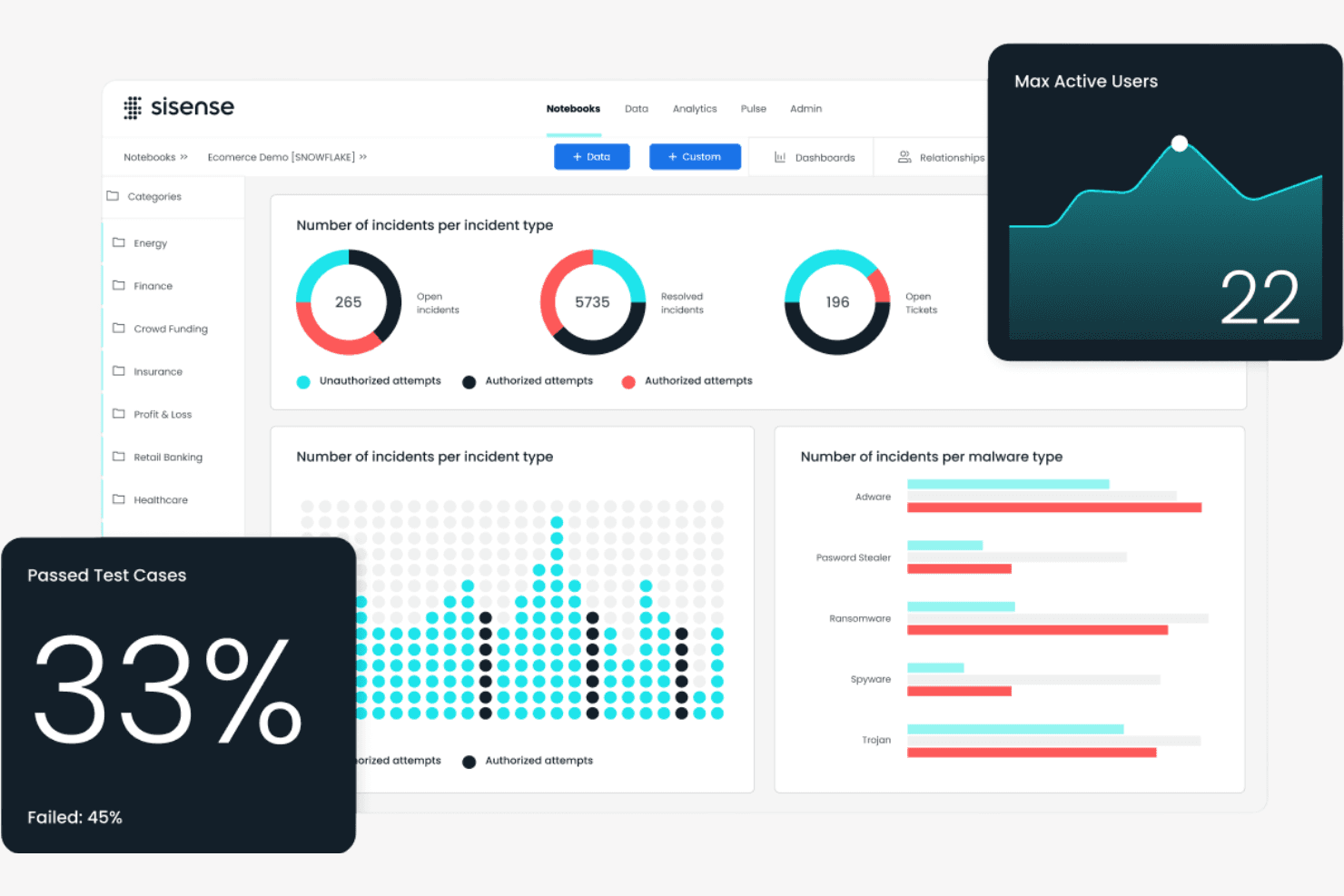
Sisense provides security dashboards with incidents, malware, and test metrics. Sisense is a business intelligence platform for product, data, and analytics teams that transforms complex data into accessible insights for better decisions and more engaging customer experiences.
Who Is Sisense Best For?
Sisense suits product and data teams that need to embed interactive analytics into customer-facing applications and portals.
Why Sisense Is a Good Tableau Alternative
I picked Sisense because it’s built for embedding analytics into customer products. I use its APIs, SDKs, and white-label dashboards to place interactive reporting inside SaaS portals without sending customers to a separate BI tool. Its governed data models also help product teams deliver consistent metrics across embedded experiences.
Sisense Key Features
- Data connectors: Connect to SQL databases, cloud warehouses, files, and business apps.
- Data preparation: Clean, blend, and model data before analysis.
- Drill-down analysis: Move from summary metrics into underlying dimensions and records.
- Data alerts: Set threshold-based notifications for changes in selected metrics.
Sisense Integrations
Sisense offers 17+ native data connectors, including Snowflake, Salesforce, Google BigQuery, Google Sheets, Microsoft SQL Server, PostgreSQL, MySQL, Oracle, MongoDB, and Amazon Redshift. It also supports partner-certified connectors such as HubSpot, Jira, Shopify, ServiceNow, SAP, Stripe, and REST, plus REST APIs and SDKs for custom integrations.
Pros and Cons
Pros:
- APIs and SDKs enable tailored product experiences
- Governed data models support consistent customer metrics
- Strong embedded analytics and white-label capabilities
Cons:
- Some users report bugs and dashboard issues
- Large datasets can slow dashboard performance
Learn more about Sisense : Best for real-time insights
- 14-day free trial + free demo available
- From $25/user/month (billed annually)
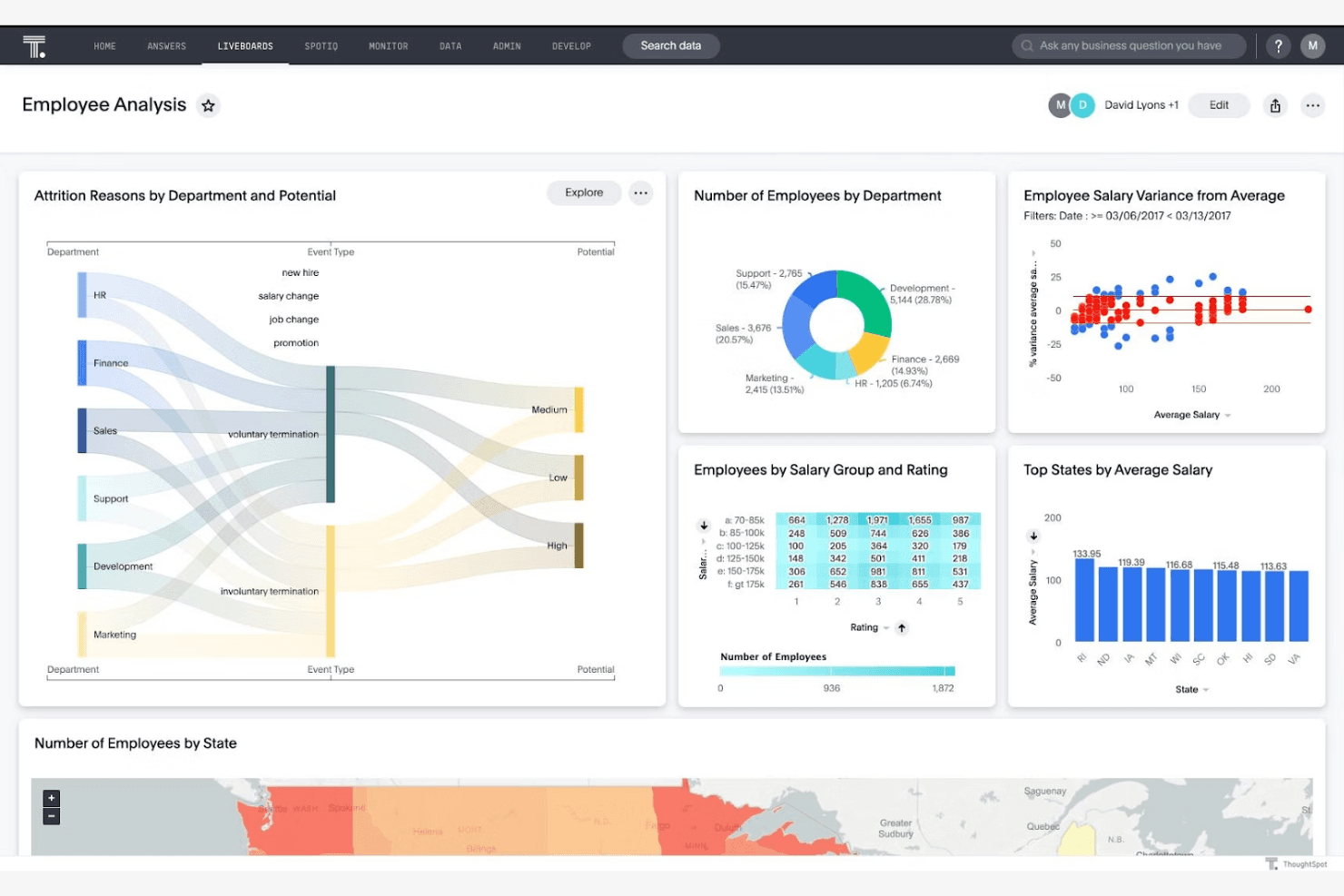
ThoughtSpot provides dashboards with diverse charts for employee analytics. ThoughtSpot is a self-service business intelligence platform for product, data, and business teams that need accessible analytics, faster decisions, and fewer dashboard bottlenecks than traditional Tableau workflows.
Who Is ThoughtSpot Best For?
Product, data, and business teams that need self-service analytics and real-time insights from live business data.
Why ThoughtSpot Is a Good Tableau Alternative
I picked ThoughtSpot because I can query live business data instead of waiting for scheduled dashboard refreshes. Its search experience and Liveboards help my team investigate changing metrics, such as revenue or activation, during product reviews. SpotIQ adds automated analysis that surfaces unexpected trends for deeper investigation.
ThoughtSpot Key Features
- Data source connectors: Connect cloud warehouses and business applications.
- Row-level security: Apply user-specific rules to control data access.
- Embedded analytics: Add ThoughtSpot analytics to products with APIs and SDKs.
- Worksheets: Build reusable models with formulas, joins, and governed data.
ThoughtSpot Integrations
ThoughtSpot offers native data connections with Snowflake, Google BigQuery, Amazon Redshift, Databricks, Oracle, SAP HANA, ClickHouse, Dremio, Looker, and Trino. It also provides connection APIs and Python support for custom integrations with SaaS applications and other data sources.
Pros and Cons
Pros:
- SpotIQ surfaces unexpected trends automatically
- Liveboards support near-real-time operational monitoring
- Natural language search speeds metric exploration
Cons:
- Complex visualizations trail Tableau’s authoring depth
- Search quality depends on semantic modeling
Learn more about ThoughtSpot: Best for per-tenant embedded dashboard licensing
- Free demo available
- Pricing upon request
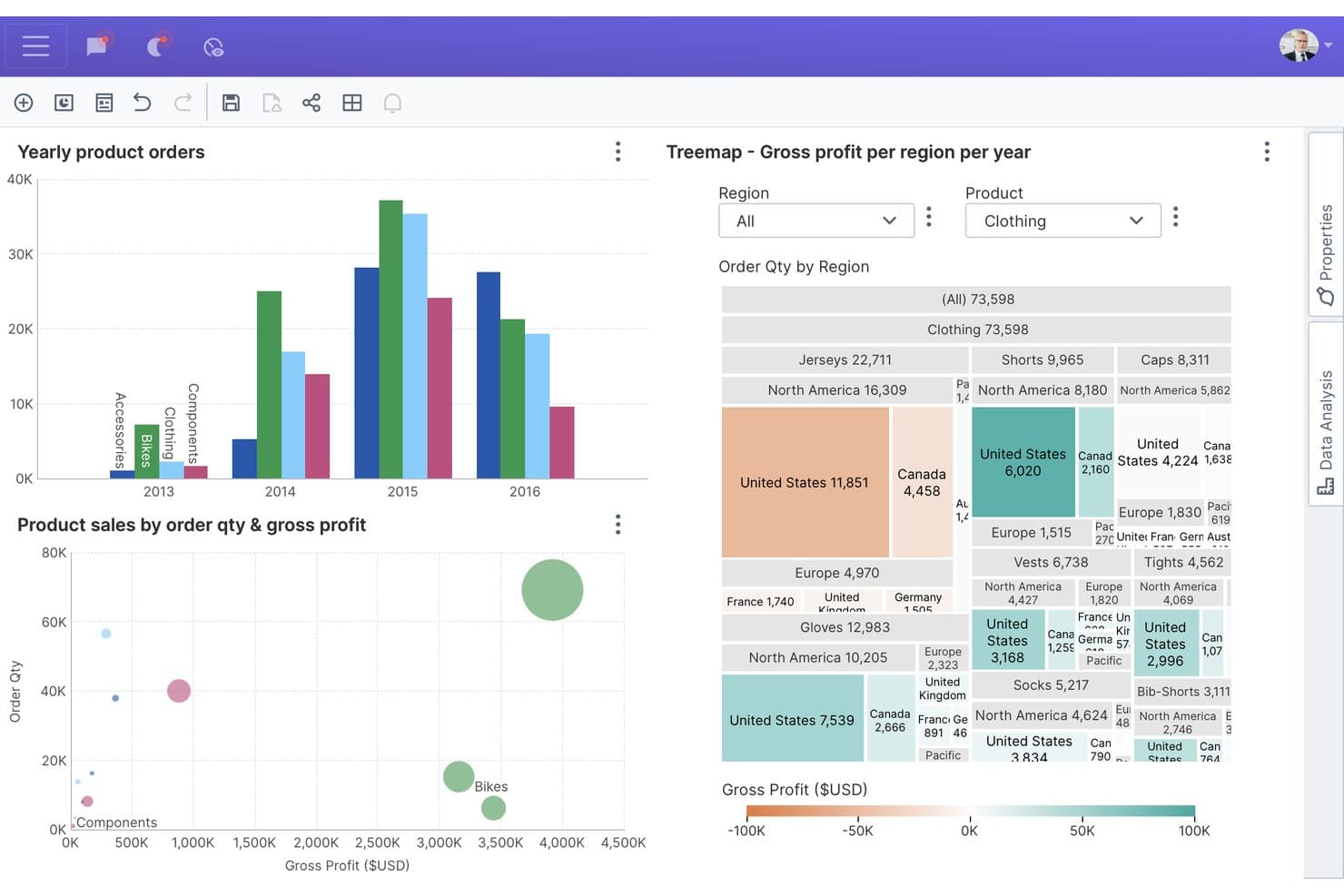
Dundas BI lets users explore sales data with interactive charts and treemaps. Dundas BI is an embedded analytics and business intelligence platform for software teams and data-driven organizations that need customizable dashboards, reporting, and data visualization within customer-facing applications.
Who Is Dundas BI Best For?
Dundas BI suits software companies embedding customizable dashboards with separate analytics experiences and licensing for each customer tenant.
Why Dundas BI Is a Good Tableau Alternative
I picked Dundas BI because its embedded analytics model fits SaaS products that need separate dashboard experiences for each customer tenant. I use customizable dashboards and per-tenant embedded dashboard licensing to give each account relevant KPIs without exposing another customer’s data. This setup suits teams embedding BI into customer-facing applications.
Dundas BI Key Features
- Data connectors: Connect to SQL databases, cloud services, spreadsheets, and other data sources.
- Data cubes: Build reusable semantic models for governed analysis and reporting.
- ETL tools: Prepare, blend, and transform data through visual workflows.
- Mobile apps: View and interact with reports on supported mobile devices.
Dundas BI Integrations
Dundas BI offers native data connectors for Microsoft SQL Server, Azure SQL, Azure Synapse, Microsoft Excel, Google Sheets, Google Analytics, Salesforce, Snowflake, Amazon Redshift, and Microsoft SharePoint. It also supports REST APIs, OData, ODBC, and JDBC connections, with REST and .NET APIs available for custom integrations.
Pros and Cons
Pros:
- Visual ETL handles blended reporting workflows
- Reusable data cubes support governed metrics
- Per-tenant embedding fits SaaS customer portals
Cons:
- Interface customization can require specialist skills
- Dashboard authoring feels dated to some users
Learn more about Dundas BI: Best for spreadsheet-style warehouse analytics
- Free trial + free demo available
- Pricing upon request
Visit WebsiteCustomer Rating:4.6/5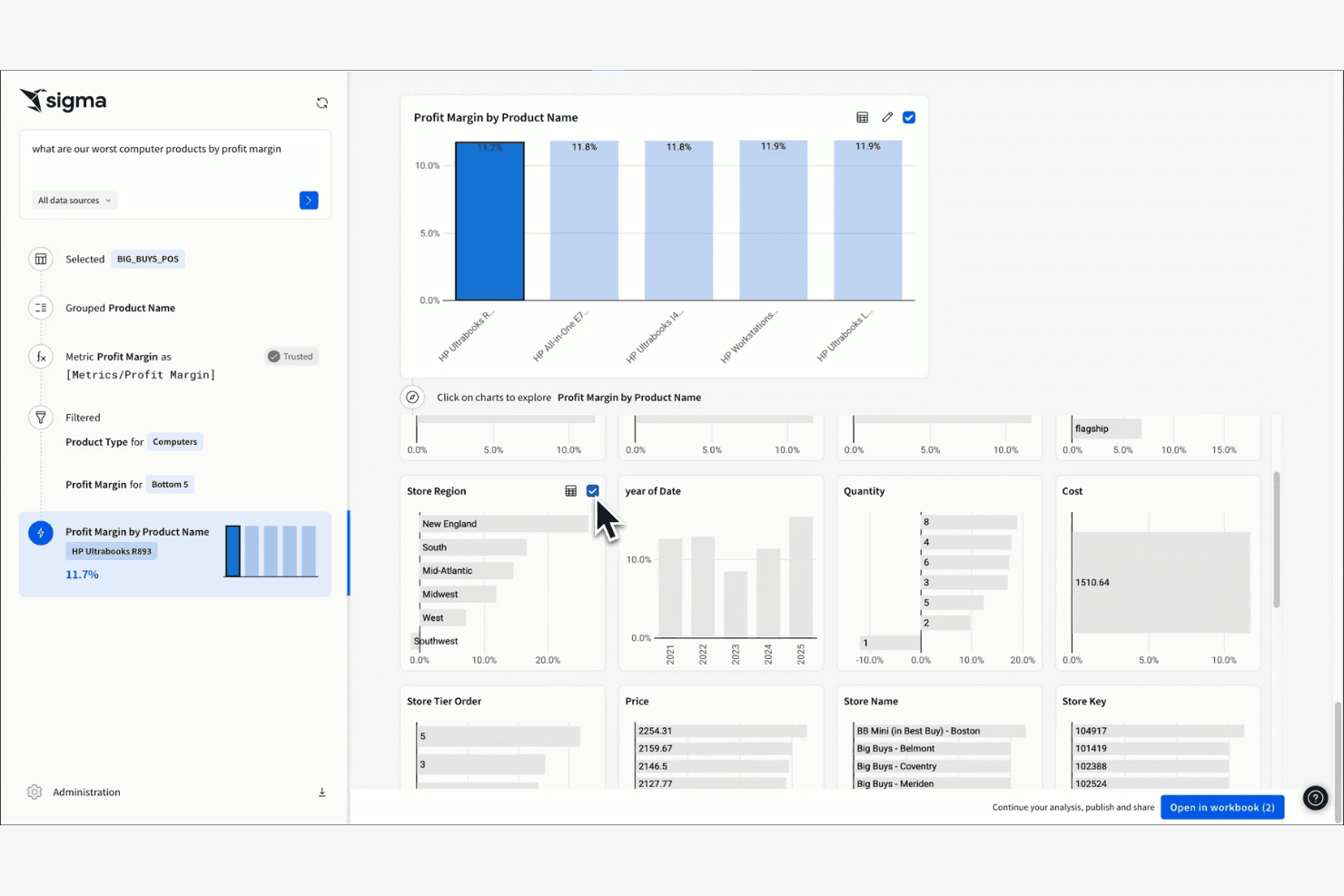
Sigma shows interactive dashboards with in-depth profit analyses. Sigma is a business intelligence platform for product, finance, and operations teams that need to explore warehouse data, answer business questions, and share insights without relying on analysts for every request.
Who Is Sigma Best For?
Sigma suits product, finance, and operations teams that need spreadsheet-style analysis directly on cloud warehouse data.
Why Sigma Is a Good Tableau Alternative
Sigma earns its place on my shortlist because it combines spreadsheet-style analysis with direct access to cloud warehouse data. I use workbook formulas, drill-downs, and visualizations to investigate product adoption or revenue trends without exporting datasets. That makes Sigma a strong choice for spreadsheet-style warehouse analytics when Tableau feels too dashboard-focused.
Sigma Key Features
- Input tables: Add, edit, validate, and track data within analyses.
- Scheduled exports: Send data exports to email or connected destinations.
- Row-level security: Restrict records according to each viewer’s attributes.
- Data alerts: Trigger notifications when selected data conditions occur.
Sigma Integrations
Sigma connects directly to Snowflake, BigQuery, Amazon Redshift, Databricks, PostgreSQL, AlloyDB, MySQL, Azure SQL Database, Starburst, and SQL Server. It also provides a REST API for custom integrations and workflow automation.
Pros and Cons
Pros:
- Input tables support collaborative data adjustments
- Queries warehouse data without exporting datasets
- Spreadsheet interface feels familiar to analysts
Cons:
- Workbook performance depends on warehouse configuration
- Advanced visualizations trail Tableau’s breadth
Learn more about Sigma: Best for natural-language queries on AWS data
- 30-day free trial available
- From $3/user/month
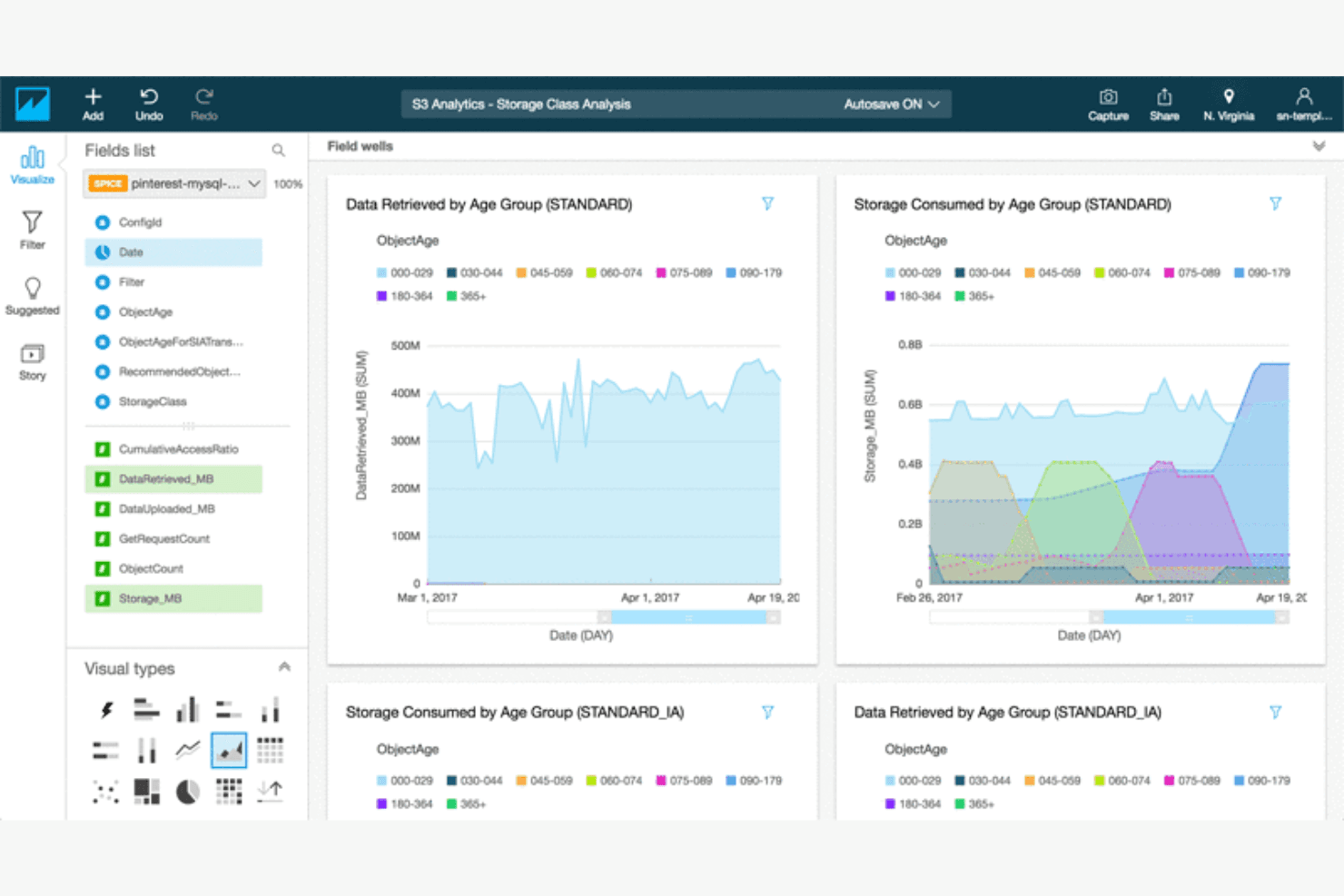
Amazon Quick Sight generates interactive dashboards that enable BI insights. Amazon Quick Sight is a cloud business intelligence platform for teams that need accessible reporting, embedded analytics, and shared insights across AWS-connected business data.
Who Is Amazon Quick Sight Best For?
Amazon Quick Sight suits product and data teams that need natural-language insights from AWS-connected business data.
Why Amazon Quick Sight Is a Good Tableau Alternative
I picked Amazon Quick Sight because it supports natural-language queries on AWS data through its Q experience. I use it to ask business questions in plain English and explore answers from governed datasets without writing SQL. SPICE acceleration and embedded dashboards also help my team analyze product metrics inside internal tools.
Amazon Quick Sight Key Features
- Interactive dashboards: Filter, drill down, and explore visual reports.
- Paginated reports: Create pixel-perfect, print-ready reports.
- Threshold alerts: Receive notifications when metrics reach defined values.
- Access controls: Manage dashboard and dataset permissions for users and groups.
Amazon QuickSight Integrations
Amazon QuickSight supports direct connections to AWS services such as Amazon Athena, Amazon Redshift, Amazon S3, Amazon Aurora, Amazon OpenSearch Service, AWS Glue Data Catalog, and Amazon Timestream. It also connects with Google BigQuery, Snowflake, Jira, ServiceNow, Adobe Analytics, GitHub, Salesforce, and provides an API for custom integrations.
Pros and Cons
Pros:
- Paginated reports support pixel-perfect operational reporting
- Embedded dashboards fit internal product workflows
- Natural-language queries simplify AWS data exploration
Cons:
- Q answers require carefully governed datasets
- Visualization customization trails Tableau’s flexibility
Learn more about Amazon Quick Sight:
Andre alternativer til Tableau
Her er noen flere alternativer til Tableau som ikke kom med på kortlisten min, men som likevel er verdt å se nærmere på:
- 11Apache SupersetBest for zero-license-cost self-hosted BI
- 12Zoho AnalyticsBest for Zoho-native cost-effective reporting
- 13AlteryxBest for no-code data prep and automation
- 14Google Data StudioBest for Google ecosystem use
- 15MetabaseBest for open-source analytics
- 16GrowBest for small business analytics
How I Evaluate Tableau Alternatives
I split my evaluation into three parts, with core functionality carrying the most weight: an alternative must build interactive dashboards and connect to multiple data sources. I then look for standout features like a governed metrics layer or an embedded analytics SDK. Beyond features, I consider licensing model flexibility and onboarding support.
Core Functionality (Table Stakes For This List)
When I'm selecting tools for my list, I score each one on a scale from 0 (does not offer the functionality) to 5 (excels in this area) for each core functionality listed below. I then convert the total into a percentage to help assess each tool's overall fit, with extra weight on any functionalities I’ve deemed essential.
- Interactive Dashboards (Essential): I look for linked views, filters, and drill-downs that let a product manager trace a signup dip from an overview to cohort details.
- Data Source Connectivity (Essential): I assess connections to warehouses, databases, spreadsheets, and apps, including whether teams can combine product events with revenue data.
- Visualization Variety: Chart options should make trends, funnels, retention cohorts, and segment comparisons clear without forcing every question into a bar chart.
- Filtering & Drill-Down: I check whether stakeholders can segment by plan, platform, or release, then follow a metric into underlying details.
- Sharing & Collaboration: I evaluate links, permissions, exports, and embedding so product, engineering, and customer-facing teams can access relevant insights.
- Data Transformation: I look for ways to clean, join, and reshape event and business data, such as aligning account IDs across sources.
Once I have a list of tools that meet the criteria, I consider what sets each platform apart.
Differentiating Factors (What Sets Vendors Apart)
Here's how I compare and contrast different vendors:
Standout Features
I look for a governed metrics layer that locks down KPI definitions in one place—so product, marketing, and finance all reference the same retention or conversion number. An embedded analytics SDK matters when your product itself needs to surface dashboards to customers. I also evaluate natural language querying, which lets PMs ask plain-English questions and get instant charts without writing SQL. Tools like ThoughtSpot and Power BI approach this differently, so I check how accurate and flexible each implementation is.
Beyond Features
I evaluate total cost of ownership by comparing licensing models—per-creator, per-viewer, and consumption-based—since hidden costs like warehouse compute charges can quietly inflate spend. Time-to-value matters too: I check for pre-built templates and guided onboarding, because PM teams without dedicated BI staff need a fast path to their first dashboard. I also look at data governance controls like row-level security and audit trails, especially when dashboards touch sensitive customer or revenue data.
Hvorfor se etter et alternativ til Tableau?
Selv om Tableau er et godt valg av programvare for forretningsanalyse og datavisualisering, finnes det flere grunner til at noen brukere ser etter alternative løsninger. Det kan hende du ser etter et alternativ til Tableau fordi …
- Du trenger rimeligere prisalternativer
- Teamet ditt trenger enklere integrasjonsmuligheter
- Du ønsker et enklere brukergrensesnitt for brukere uten teknisk bakgrunn
- Virksomheten din trenger bedre tilgjengelighet på mobile enheter
- Du trenger funksjoner som er tilpasset bestemte bransjer
- Du opplever begrensninger med Tableaus skalerbarhet
Hvis noe av dette høres kjent ut, har du kommet til rett sted. Listen min inneholder flere alternativer innen programvare for forretningsanalyse og datavisualisering som egner seg bedre for team som møter disse utfordringene med Tableau og ser etter alternative løsninger. Basert på generell kunnskap er dette imidlertid noen av de mest anerkjente funksjonene i Tableau:
Viktige funksjoner i Tableau
Her er noen av de viktigste funksjonene i Tableau, som kan hjelpe deg med å sammenligne hva alternative løsninger tilbyr:
- Datavisualisering: Opprett et bredt utvalg av interaktive og delbare dashbord.
- Sanntidsanalyse: Analyser data etter hvert som de kommer inn, slik at innsikten din holdes oppdatert.
- Sammenstilling av data: Kombiner data fra ulike kilder i en samlet visning.
- Dra-og-slipp-grensesnitt: Bygg rapporter uten å trenge tekniske ferdigheter.
- Geografisk analyse: Visualiser geografiske data ved hjelp av kartfunksjoner.
- Deling og samarbeid: Del dashbord og samarbeid om innsikt på tvers av teamet ditt.
- Mobilstøtte: Få tilgang til dashbord og rapporter på mobile enheter.
- Tilpassbare dashbord: Tilpass dashbordene slik at de dekker virksomhetens spesifikke behov.
- Avanserte beregninger: Bruk verktøy til å utføre komplekse dataanalyser og beregninger.
- Datakoblinger: Integrer med ulike datakilder for å legge til rette for datatilgang.