

Programvare for webdesign med åpen kildekode viser til verktøy for oppretting og redigering av nettsteder, med kildekode som alle kan undersøke, endre og dele. Hvis du ser etter fleksible og kostnadseffektive måter å utforme, bygge eller administrere nettsteder på, lar disse plattformene deg tilpasse funksjoner, samarbeide med andre og unngå leverandørbinding. Denne listen hjelper deg med å sammenligne ledende alternativer med åpen kildekode for alt fra visuell redigering til kodebasert nettstedadministrasjon, slik at du kan velge det som passer best til arbeidsflyten og prosjektbehovene dine.
Hvorfor du kan stole på våre programvareanbefalinger
6,700+
Reviews
20
Industry experts
16+
Evaluation factors
14
Years
Teamet vårt har testet og anmeldt programvare siden 2012. Vi er selv produktledere, så vi vet hvor vanskelig og hvor viktig det er å velge riktig programvare.
I denne guiden har vi vurdert verktøyene gjennom praktisk testing og uavhengig research og gitt dem poeng ut fra våre utvelgelseskriterier.
Anmeldelsene våre bygger på vår egen redaksjonelle vurdering. De er ikke et salgsargument.
Ekspertanmeldere:
- Andrew LumbySenior TPM
- Cristiano ValimSenior UI/UX Lead


Sammenligningstabell for programvare for webdesign med åpen kildekode
Denne sammenligningstabellen oppsummerer prisdetaljene for mine beste utvalgte programmer for webdesign med åpen kildekode.
| Tool | Best For | Trial Info | Price | ||
|---|---|---|---|---|---|
| 1 | Best for enterprise multisite agency deployments | Free plan available | From $44.50/month (billed annually) | Website | |
| 2 | Best for .NET-based headless and traditional CMS | Free plan available | From €45/month | Website | |
| 3 | Best for security-focused open source CMS hosting | Free plan available | From $4.99/month (billed annually) | Website | |
| 4 | Best with integrated business app modules | Free demo available | Pricing upon request | Website | |
| 5 | Best for embedding a custom white-label builder | Free plan available | From $10/month | Website | |
| 6 | Best for plugin extensibility | Free plan available | From $4/month (billed annually) | Website | |
| 7 | Best for multilingual site management | Free download available | Free and open-source | Website | |
| 8 | Best for complex content structuring | Free forever plan | Free and open-source | Website | |
| 9 | Best for WordPress visual design at scale | Free plan available | From $5/month (billed annually) | Website | |
| 10 | Best for on-page live editing without plugins | Free demo available | From $10/website/month ($1 for the first month) | Website |


Anmeldelser av programvare for webdesign med åpen kildekode
Nedenfor finner du mine detaljerte sammendrag av programvaren for webdesign med åpen kildekode som kom med på kortlisten. Anmeldelsene mine gir en detaljert oversikt over funksjonene, de beste bruksområdene og mulighetene til hver plattform, slik at du kan finne den som passer best for deg.
 Best for enterprise multisite agency deployments
- Free plan available
- From $44.50/month (billed annually)
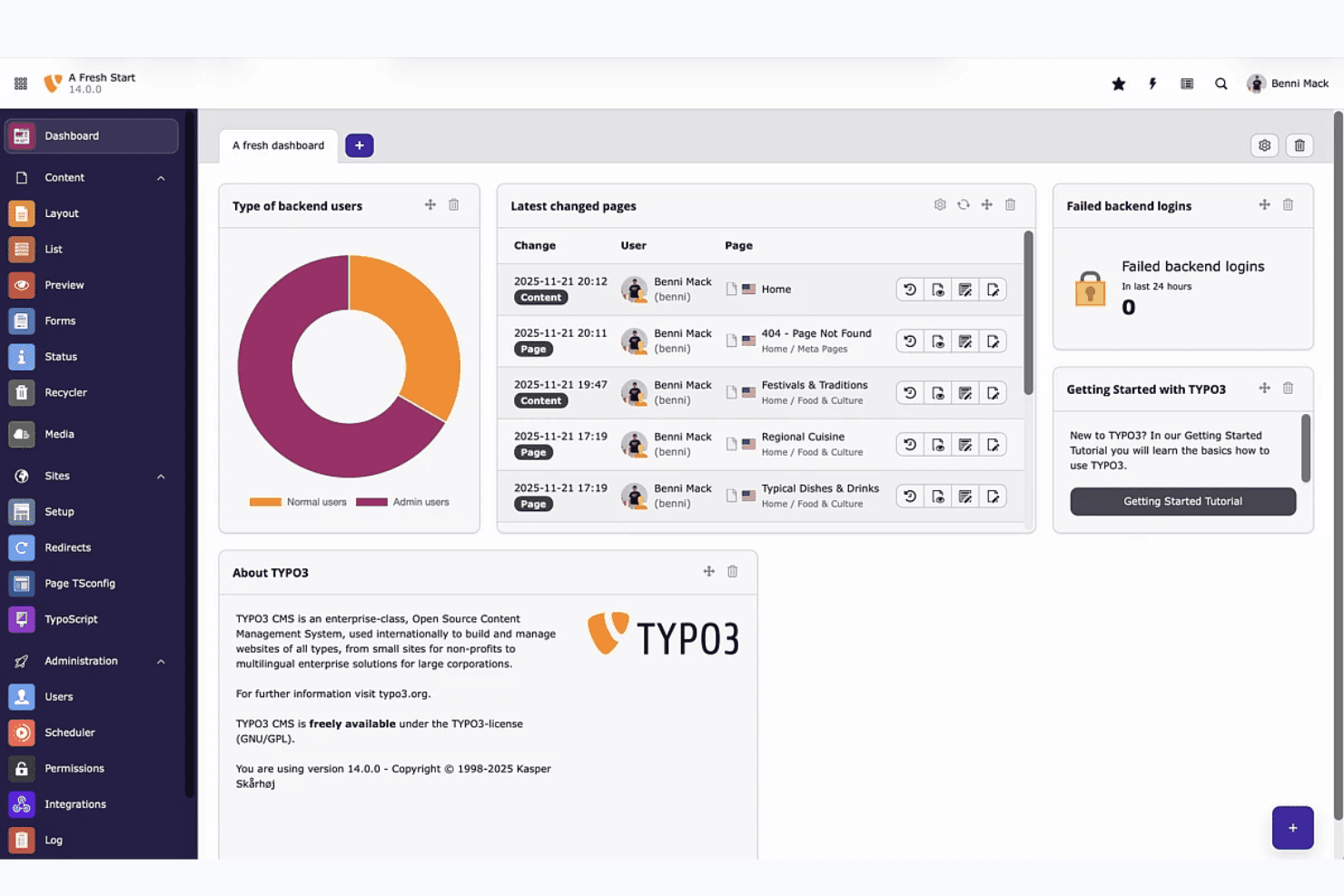
TYPO3 dashboard gives editors a real-time overview of site activity. TYPO3 is a GPL-licensed, self-hosted CMS built on PHP and Symfony that supports multisite deployments, multilingual content, role-based permissions, and a large extension ecosystem for custom web design.
Who Is TYPO3 Best For?
TYPO3 is a strong fit for digital agencies and enterprise teams managing multiple client sites across different languages and regions.
Why I Picked TYPO3
I've included TYPO3 in my top picks because it's genuinely built for agency teams managing multiple client sites from a single installation, with unlimited sites and languages supported out of the box. I love how site packages keep all theme configuration version-controlled in Git, making client handoffs and deployments far cleaner than patching files manually. Role-based permissions let you lock each client's editors to their own content area, which is exactly what agency workflows require.
TYPO3 Key Features
- GPL open-source licensing: TYPO3 is fully GPL v2+ licensed with no paid tiers, feature gates, or per-seat charges, so you get the complete platform for free.
- TYPO3 Extension Repository (TER): TER hosts thousands of extensions for adding functionality, with additional packages available via Packagist and GitHub.
- Site Package Builder: A dedicated tool at get.typo3.org generates a starter theme package you can version-control in Git from day one.
- Content Blocks editor: A visual backend module lets you build custom content elements and page types without writing YAML or PHP by hand.
TYPO3 Integrations
TYPO3 documents integrations with React, Vue.js, Nuxt, Bootstrap, Shopify, Salesforce, Matomo, Solr, AWS, and Cloudflare. Its open API, Composer ecosystem, and GitLab CI/CD templates support custom integrations and deployment workflows.
Pros and Cons
Pros:
- Offers granular editorial permissions
- Enables Git-controlled site configuration
- Supports unlimited sites and languages
Cons:
- Documentation challenges slow new adopters
- Layout creation remains developer-dependent
Learn more about TYPO3: Best for .NET-based headless and traditional CMS
- Free plan available
- From €45/month
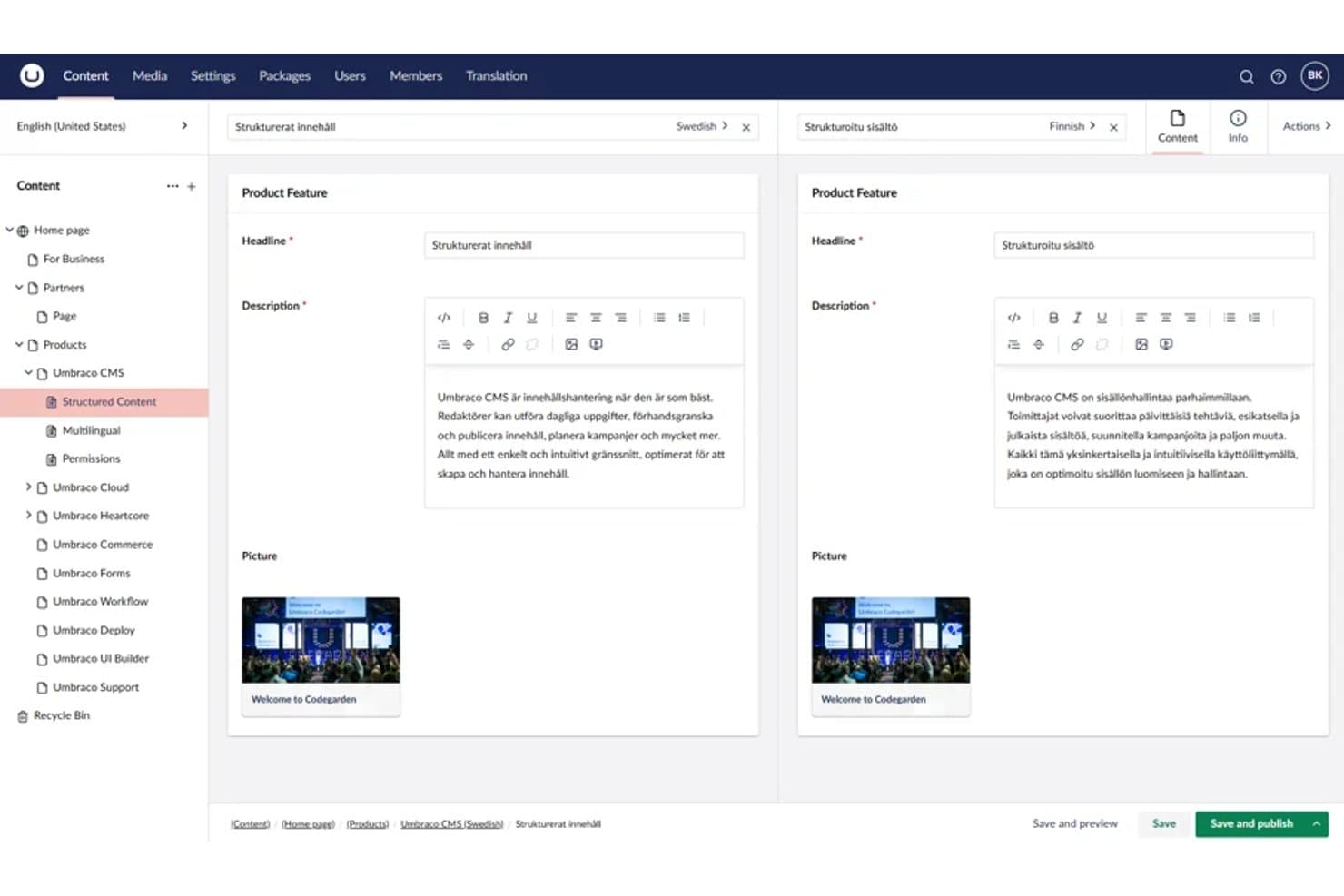
Umbraco lets users edit multilingual content side by side in split view. Umbraco is a .NET-based, MIT-licensed open-source CMS that combines traditional content authoring with headless API delivery, a Block Grid editor for visual layout arrangement, and a fully extensible backoffice built on an extension registry.
Who Is Umbraco Best For?
Umbraco is a strong fit for .NET developers and digital agencies building content-driven sites that need both traditional CMS editing and headless API delivery without licensing costs.
Why I Picked Umbraco
I've included Umbraco in my top picks because it's the only MIT-licensed CMS on this list built natively on .NET, making it the go-to choice for .NET developers who want full markup control without licensing fees. I particularly like its Block Grid editor, which lets content editors arrange and resize blocks visually while developers write the Razor views behind each block. The free Content Delivery API is also a standout inclusion, outputting Block Grid content as structured JSON so teams can run a traditional CMS and a headless front end from a single install.
Umbraco Key Features
- Content Delivery API: A built-in REST API that outputs structured JSON, supporting filtering, sorting, paging, and multilingual content for headless front-end delivery.
- Backoffice extension registry: A system where every UI element is an extension, letting developers add, replace, or remove dashboards, editors, and panels without modifying core code.
- uSync package: A community package that syncs Umbraco schema, settings, and content through source control, enabling version-controlled deployments across environments.
- Webhook support: Built-in webhooks that trigger on content events, letting you connect Umbraco to external services and automation tools without custom middleware.
Umbraco Integrations
Umbraco Forms connects to Zapier, Make, and n8n, while marketplace integrations include Google Maps. Its Content Delivery API, webhooks, and Heartcore REST and GraphQL APIs support custom integrations.
Pros and Cons
Pros:
- Razor templates provide precise markup control
- Block Grid supports visual layout arrangement
- MIT license permits unrestricted customization
Cons:
- Ready-made themes remain relatively limited
- Developers must build each visual block
Learn more about Umbraco: Best for security-focused open source CMS hosting
- Free plan available
- From $4.99/month (billed annually)
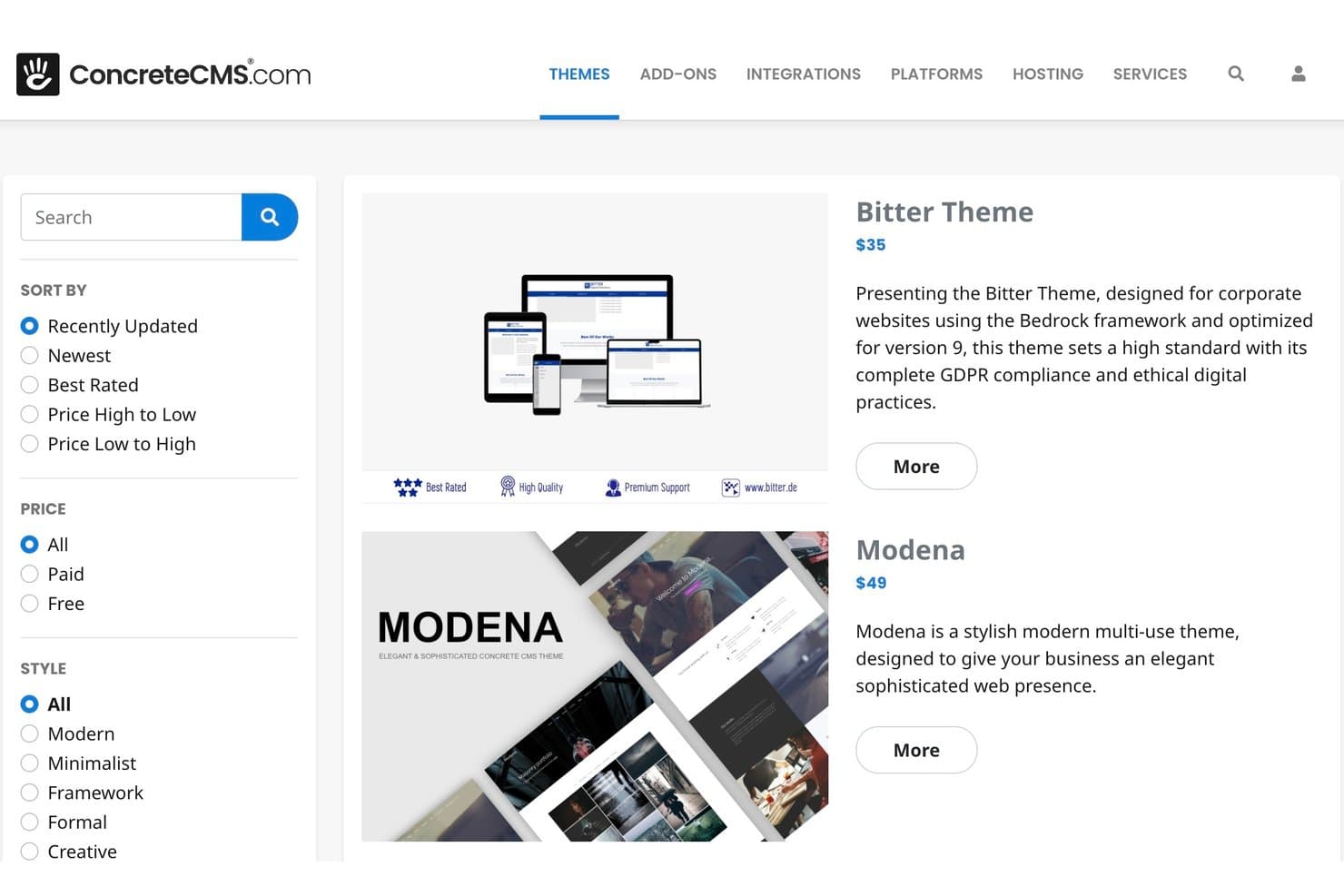
Concrete CMS offers a marketplace with filterable, styled themes. Concrete CMS is a PHP-based, MIT-licensed open source CMS with in-context drag-and-drop editing, a style editor, multisite support, a REST API, and a built-in form builder.
Who Is Concrete CMS Best For?
Concrete CMS is a strong fit for IT teams and digital agencies that need a self-hosted CMS with built-in compliance credentials, granular permissions, and low-overhead managed hosting.
Why I Picked Concrete CMS
I've included Concrete CMS in my top picks because its security credentials set it apart from most open-source CMS options. It backs a HackerOne bug bounty program, ships with Site Health and Production Mode audits, and supports ISO 27001, SOC 2, and HIPAA-compliant hosting. I also like that granular permissions extend down to the block level, so IT teams can lock down exactly who edits what across a multisite setup.
Concrete CMS Key Features
- In-context drag-and-drop editor: Edit content directly on the live page with draggable blocks, reusable stacks, and a WYSIWYG editor—no preview toggle needed.
- Twig templating: Build block views and page templates using Twig, added in v9.5.0 alongside continued support for standard PHP templates.
- Multisite and multilingual support: Manage multiple sites and languages from a single Concrete CMS install, with these capabilities built into the core product.
- REST API with OAuth2: Access and extend site content programmatically through a built-in REST API that supports OAuth2 and OpenID Connect authentication.
Concrete CMS Integrations
Marketplace integrations include Vimeo, AnveVoice, and Mailchimp add-ons. Concrete CMS also provides a REST API with OAuth2 and OpenID Connect, plus GitLab CI/CD workflows for custom SLA hosting.
Pros and Cons
Pros:
- MIT licensing preserves source ownership
- Block-level permissions suit regulated teams
- In-context editing needs little training
Cons:
- No simultaneous co-editing for teams
- Smaller theme ecosystem limits choices
Learn more about Concrete CMS:
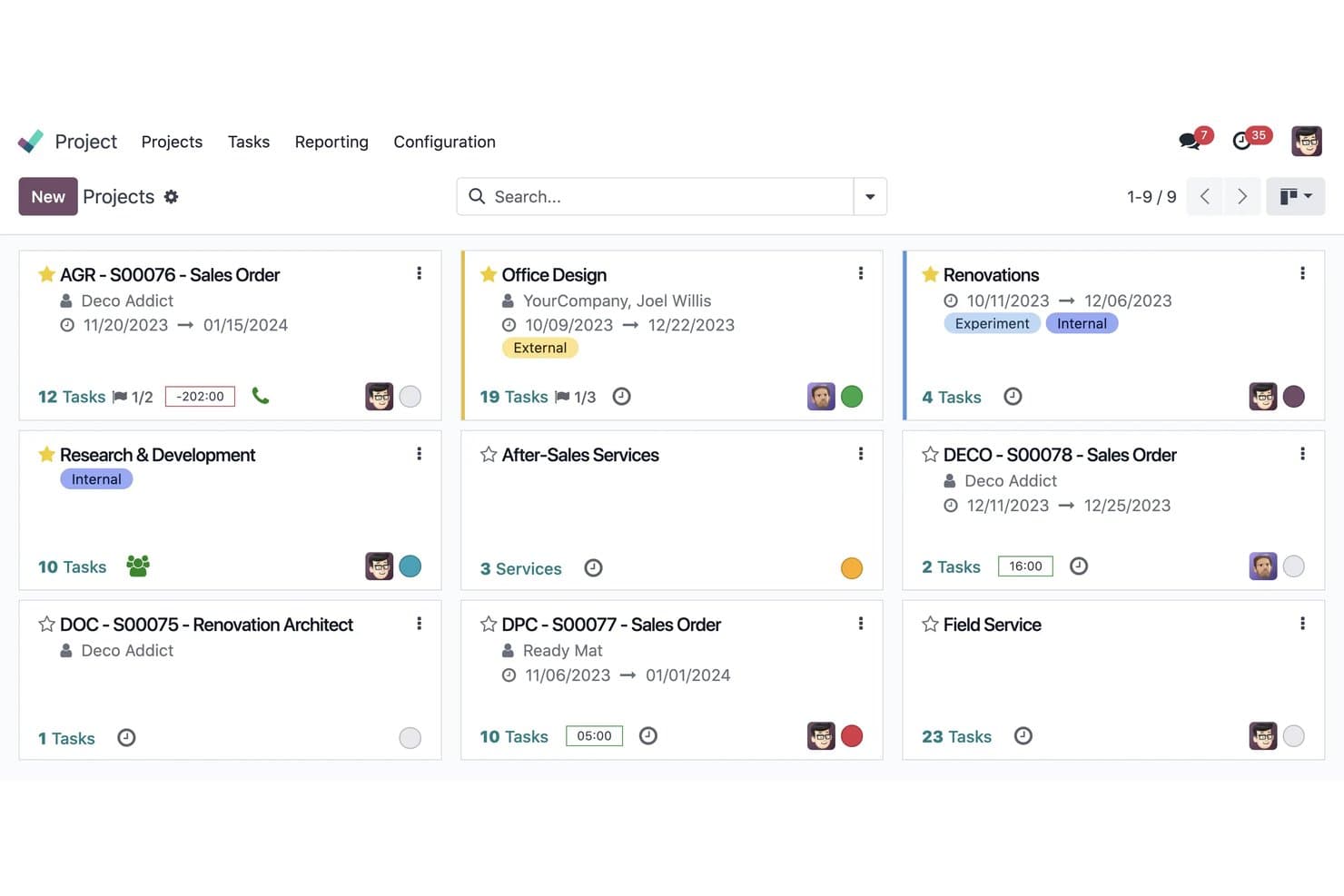
Odoo organizes all projects in a visual kanban card layout. Odoo is an open-source website builder and business suite that combines drag-and-drop page design, theme customization, and native integrations with ecommerce, CRM, and other business apps.
Who Is Odoo Best For?
Odoo suits small businesses and digital agencies that want a website built into the same platform handling their CRM, ecommerce, and back-office operations.
Why I Picked Odoo
I've included Odoo in my top picks because it's the only open-source website builder I know that shares a live database with your CRM, ecommerce catalog, and inventory. Build a lead form in the drag-and-drop editor and it creates a CRM opportunity automatically, no integration required. For teams already running Odoo's business suite, the LGPL-licensed Website app and roughly 37 free official themes mean your site and back office evolve from a single codebase.
Odoo Key Features
- Multi-site management: Run multiple websites from a single database, each with its own domain, theme, pages, and language settings.
- Bootstrap 5 theme development: Build custom themes using QWeb templates, SCSS, and XML inheritance on top of a Bootstrap 5 foundation.
- AI-assisted page creation: Generate page content, custom blocks, and SEO metadata from text prompts directly inside the editor.
- Website form routing: Create forms that automatically generate CRM opportunities, Helpdesk tickets, or project tasks without any third-party integration.
Odoo Integrations
Odoo offers native connections across its business apps, including CRM, eCommerce, Events, eLearning, Helpdesk, and Recruitment, plus Google Calendar and Outlook calendars. Its XML-RPC API supports custom integrations, with hosted API access available on the Custom plan.
Pros and Cons
Pros:
- QWeb enables deep theme customization
- Bootstrap themes deliver responsive layouts
- LGPL Community code supports self-hosting
Cons:
- Theme development requires XML and SCSS
- Visual editor limits fine-grained layout control
Learn more about Odoo: Best for embedding a custom white-label builder
- Free plan available
- From $10/month
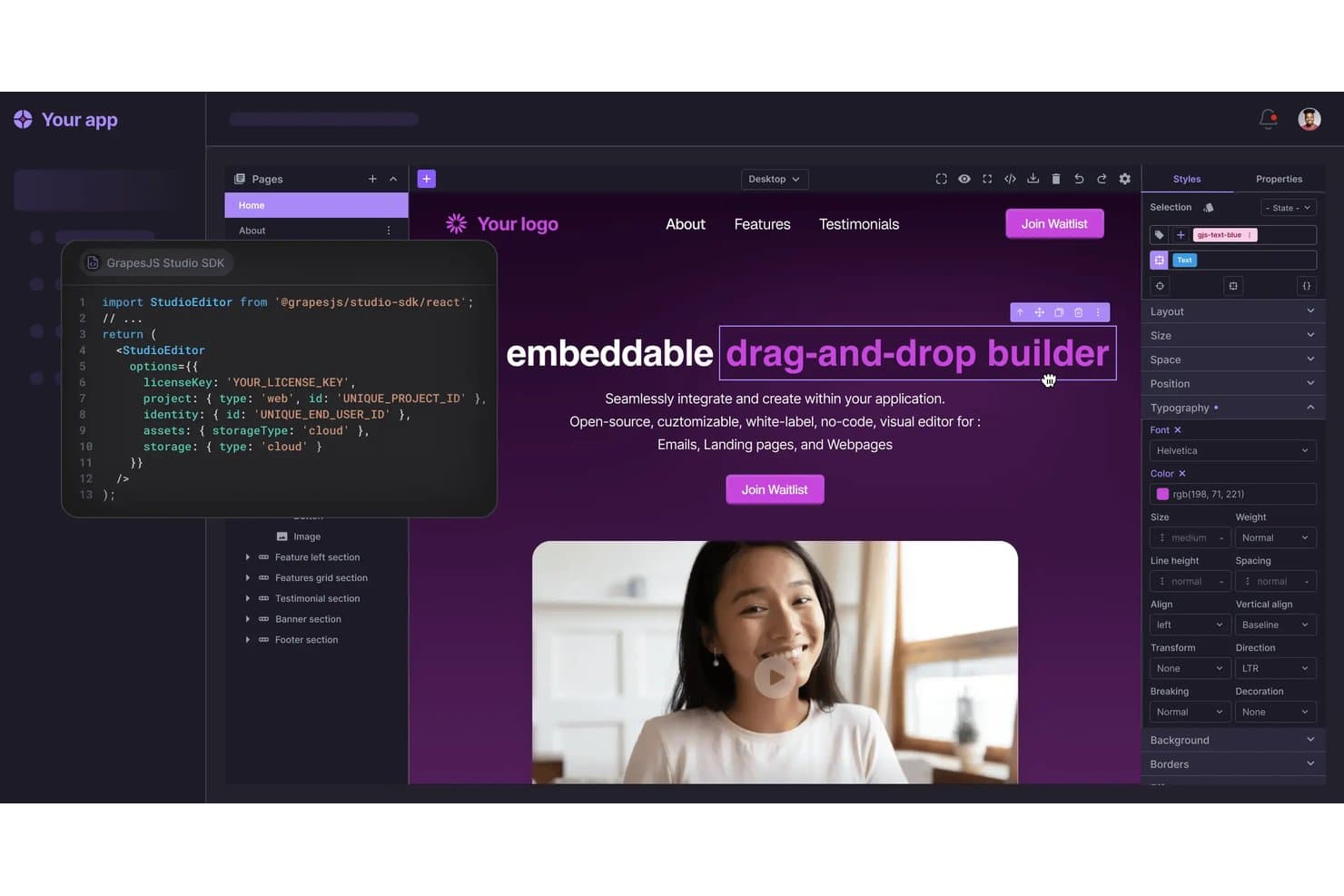
GrapesJS lets users edit text styles visually in a drag-and-drop builder. GrapesJS is an open-source web builder framework that provides a drag-and-drop editor, Style Manager, Layer Manager, and plugin architecture for developers to build custom, embeddable visual editors for web pages, newsletters, and documents.
Who Is GrapesJS Best For?
GrapesJS is built for development teams and digital agencies that need to embed a fully branded, self-hosted visual editor into their own product or platform.
Why I Picked GrapesJS
I picked GrapesJS as one of the best because its BSD-3 license and plugin architecture make it the go-to framework for teams that need to ship a fully branded, white-label editor inside their own product. I love that the Style Manager and Layer Manager are fully replaceable, meaning your engineers can strip out every trace of GrapesJS branding and rebuild the UI to match your product exactly. The Storage Manager also lets you point all project data at your own infrastructure, so nothing touches a third-party server.
GrapesJS Key Features
- Drag-and-drop block editor: A visual editor lets end users place and arrange pre-built blocks on a canvas without writing any code.
- Device Manager: Defines custom device breakpoints so developers can apply and preview different CSS styles per screen width.
- Storage Manager: Saves project data to localStorage, a remote REST endpoint, or a fully custom storage type you control.
- Plugin CLI scaffolding: A command-line tool generates the boilerplate for new plugins, with TypeScript support and runtime add/remove capability.
GrapesJS Integrations
GrapesJS supports integrations with React, MJML, CKEditor, TOAST UI Image Editor, Filestack, PostCSS, and Typed.js through documented wrappers and plugins. Its API and custom storage options support custom integrations and self-hosted workflows.
Pros and Cons
Pros:
- Clean HTML export supports portable deployments
- Self-hosted storage keeps project data controlled
- Permissive license supports commercial white-label products
Cons:
- Starter presets provide limited template coverage
- Framework requires developers before customer launch
Learn more about GrapesJS: Best for plugin extensibility
- Free plan available
- From $4/month (billed annually)
Visit WebsiteCustomer Rating:4.6/5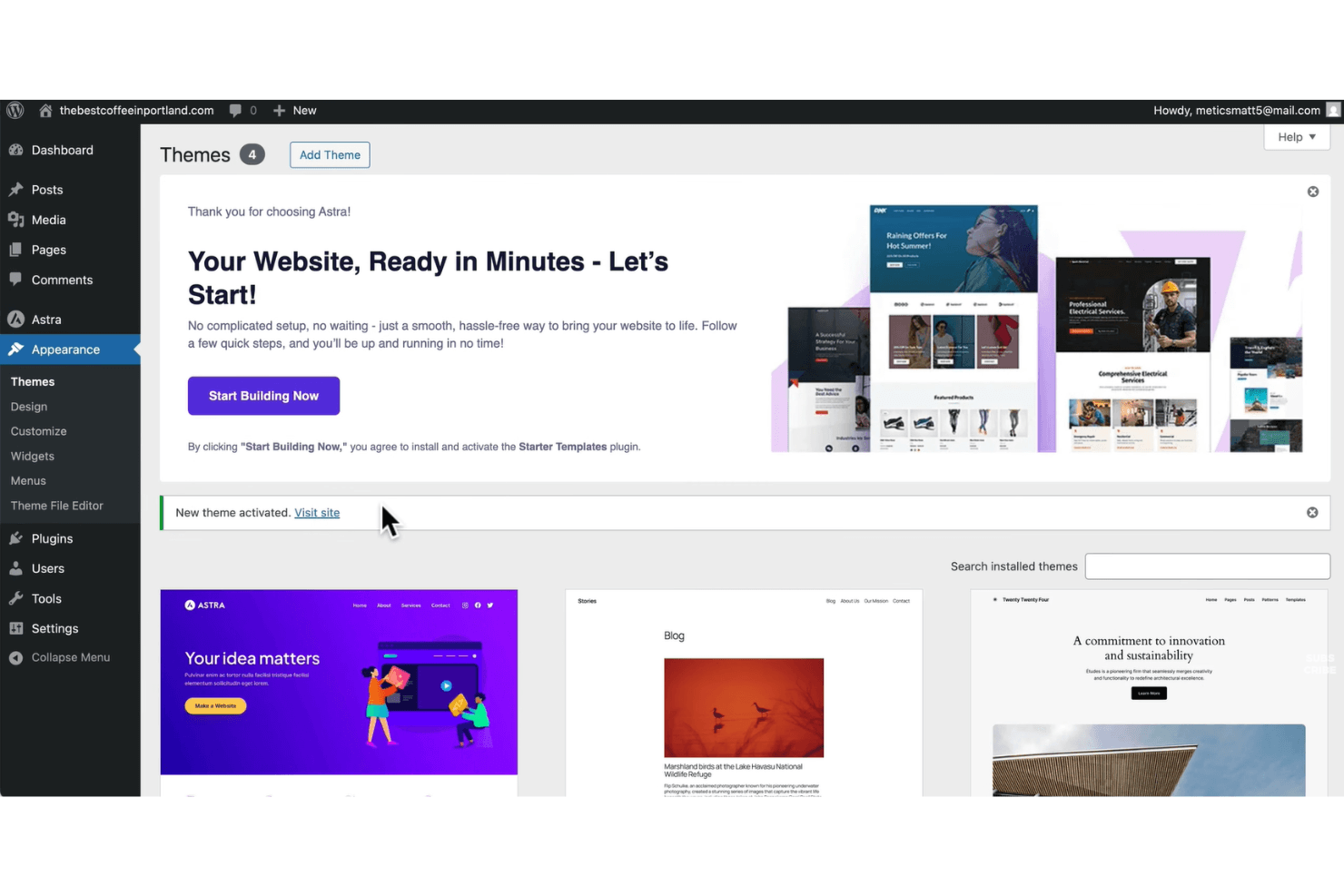
WordPress offers a Themes screen that supports managing and activating site designs. WordPress is an open-source web design and content management platform that combines a visual block-based editor, thousands of themes, and an extensive plugin ecosystem for building and customizing websites.
Who Is WordPress Best For?
WordPress is a strong fit for developers and agencies who need to extend site functionality through a deep library of plugins and custom code.
Why I Picked WordPress
WordPress earns its spot on my shortlist because no other open source platform comes close to its plugin ecosystem. With 60,000+ plugins in the repository, including tools like Elementor (10M+ installs) and WooCommerce, I can extend a site's functionality in almost any direction without writing custom code from scratch. I also rely on the REST API and WP-CLI for headless builds and automated workflows, which makes WordPress a genuinely developer-extensible platform, not just a visual builder.
WordPress Key Features
- Site Editor: Customize colors, fonts, layouts, and templates across your entire site from a single visual interface.
- theme.json design tokens: Centralize color, typography, and spacing settings in a single file, with support for style variations across block themes.
- GitHub deployments: Connect your theme or plugin repository to WordPress.com and trigger deploys on every commit or manually, with support for custom build steps.
- Device-level block visibility: Show or hide individual blocks per device type—desktop, tablet, or mobile—directly in the editor without CSS or plugins.
WordPress Integrations
WordPress supports integrations with WooCommerce, Stripe, PayPal, Google Analytics 4, Google Site Kit, HubSpot CRM, MailPoet, and GitHub. Its REST API also supports custom integrations and headless website builds.
Pros and Cons
Pros:
- Combines visual editing with deep theming
- Supports self-hosting with GPL code access
- Extends functionality through 60,000-plus plugins
Cons:
- Self-hosting shifts maintenance onto your team
- Plugin updates can introduce compatibility problems
Learn more about WordPress: Best for multilingual site management
- Free download available
- Free and open-source
Visit WebsiteCustomer Rating:4.1/5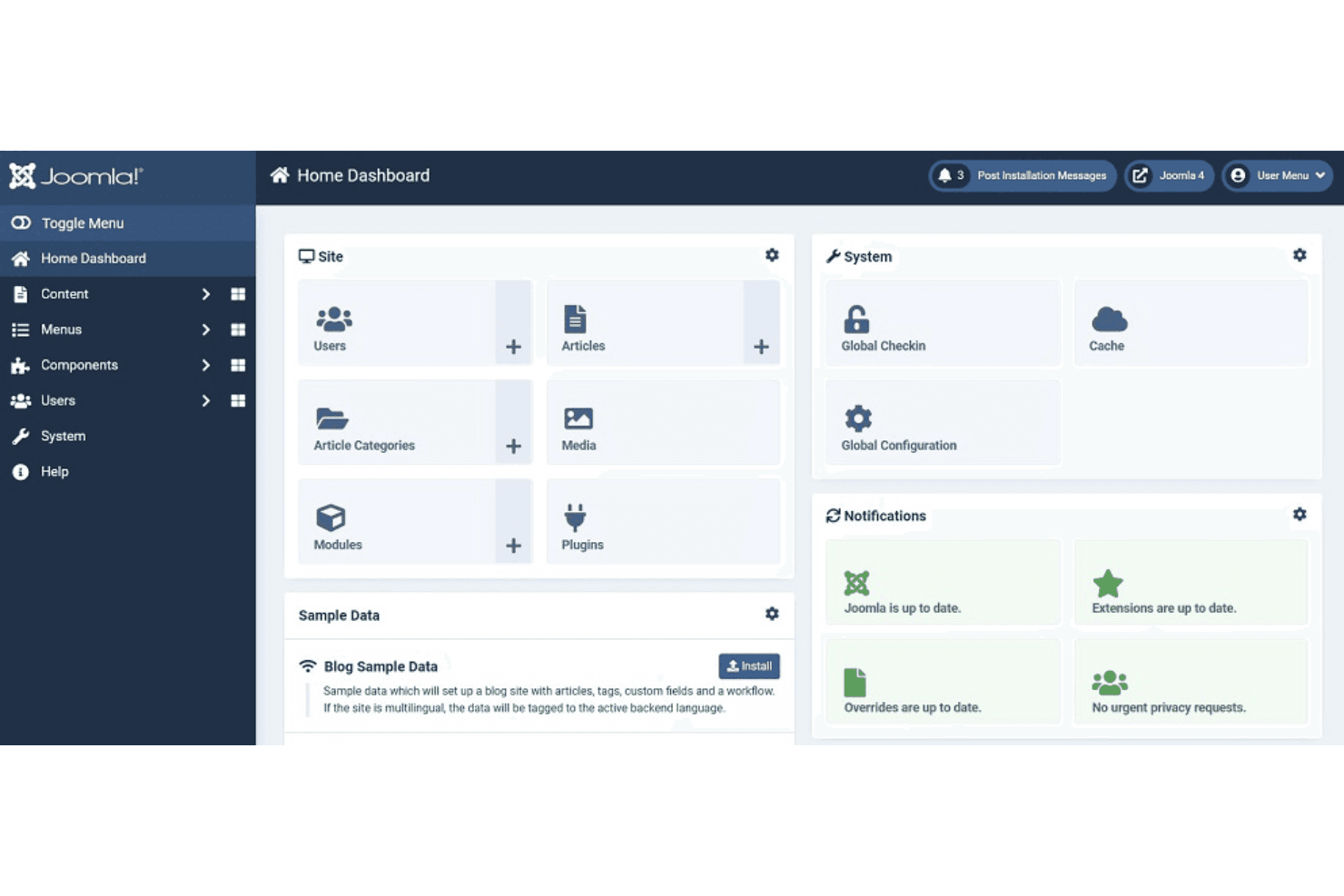
Joomla! offers a centralized dashboard that supports content, user, and system management. Joomla is an open-source CMS that combines multilingual content management, a template override system, access control, and a REST API to support building and managing websites across complex, content-heavy use cases.
Who Is Joomla Best For?
Joomla is a strong fit for developers and digital agencies managing content-heavy sites that need to serve audiences in multiple languages.
Why I Picked Joomla
I picked Joomla as one of the best because its multilingual capabilities are built directly into the core, with no third-party plugin required. The Multilingual Associations component lets you link and edit translated content side by side, and the Language Filter plugin handles language routing automatically. Joomla 6.1 extended this to modules, so every layer of a site can be translated and managed in one place.
Joomla Key Features
- Template override system: Customize the output of any core or extension template file without editing source code, so your changes survive updates.
- Child templates: Create a child template that inherits all parent files except the ones you override, letting you add custom CSS and layouts independently.
- REST Web Services API: Access and manage site content programmatically through built-in API endpoints covering articles, menus, modules, categories, and languages.
- Access control list (ACL): Set granular view, edit, create, and delete permissions for any user group across content, components, and administrative functions.
Joomla Integrations
Joomla offers marketplace integrations via JED extensions, including MailChimp, AWeber, GetResponse, ActiveCampaign, Google Analytics, DeepL, Google Translate, and Azure. Its REST Web Services API supports custom integrations.
Pros and Cons
Pros:
- Self-hosting supports infrastructure control
- Template overrides preserve customizations
- Core multilingual content management
Cons:
- Module-based layouts complicate visual iteration
- No native drag-and-drop page builder
Learn more about Joomla: Best for complex content structuring
- Free forever plan
- Free and open-source
Visit WebsiteCustomer Rating:4.2/5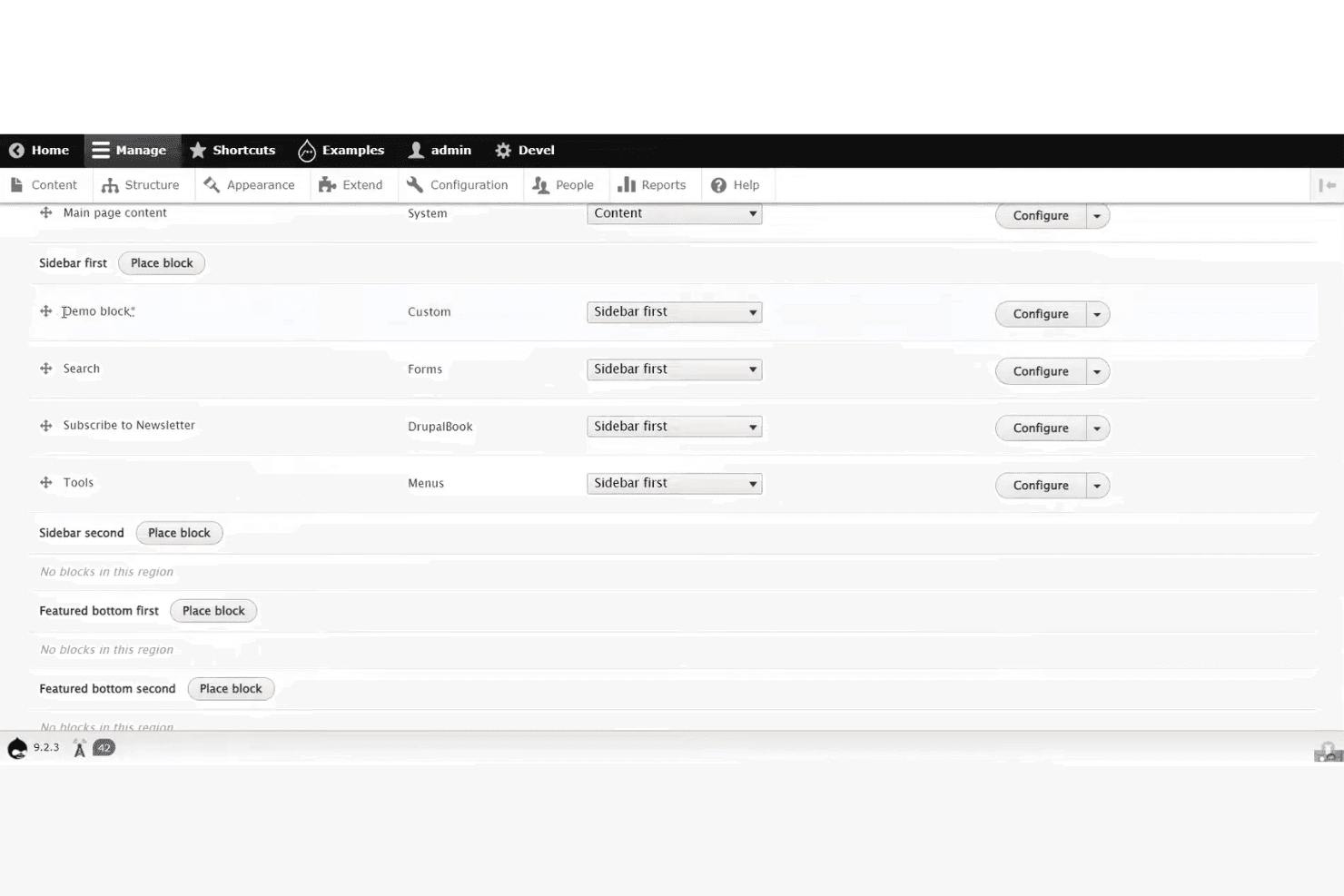
Drupal admin layout showing block placement controls across sidebar regions. Drupal is an open-source CMS built on a modular architecture that combines visual page building via Canvas, a theme and template ecosystem with thousands of contributed options, and headless API access through JSON:API and GraphQL.
Who Is Drupal Best For?
Drupal is a strong fit for developers and digital agencies building content-heavy sites that require structured data, granular access control, and deep extensibility.
Why I Picked Drupal
I've included Drupal in my top picks because no other open-source CMS matches its ability to model and govern complex content at scale. Its content type system, combined with 56,000+ contributed modules, lets you define structured data relationships that persist across channels, from a traditional front end to a React or Astro build via its built-in JSON:API. I also like that site templates like Byte ship with full content models and editorial workflows, not just visual skins.
Drupal Key Features
- JSON:API module: Ships in Drupal core and provides standards-compliant REST operations with zero configuration, enabling headless builds with React, Vue, or Astro frontends.
- Single-Directory Components (SDC): Packages HTML, CSS, and JS into reusable UI components defined with YAML props, letting developers build consistent design systems across the site.
- Automatic security updates: Built into Drupal CMS, this feature applies security patches without manual intervention, reducing the maintenance burden on site owners.
- Multisite support: Runs multiple sites from a single codebase, each with its own database and configuration, making it practical for agencies managing several client properties.
Drupal Integrations
Drupal connects with amazee.ai, OpenAI, Anthropic, Mailchimp, React, Vue, Astro, Tailwind CSS, Bootstrap 5, and ZURB Foundation. Its JSON:API and GraphQL support enables custom integrations, while Composer, Drush, DDEV, and Git/GitLab support development workflows.
Pros and Cons
Pros:
- Granular permissions support governed team publishing
- JSON:API supports headless design workflows
- Structured content models scale across channels
Cons:
- Module quality varies across contributed projects
- Canvas remains limited for global layouts
Learn more about Drupal: Best for WordPress visual design at scale
- Free plan available
- From $5/month (billed annually)
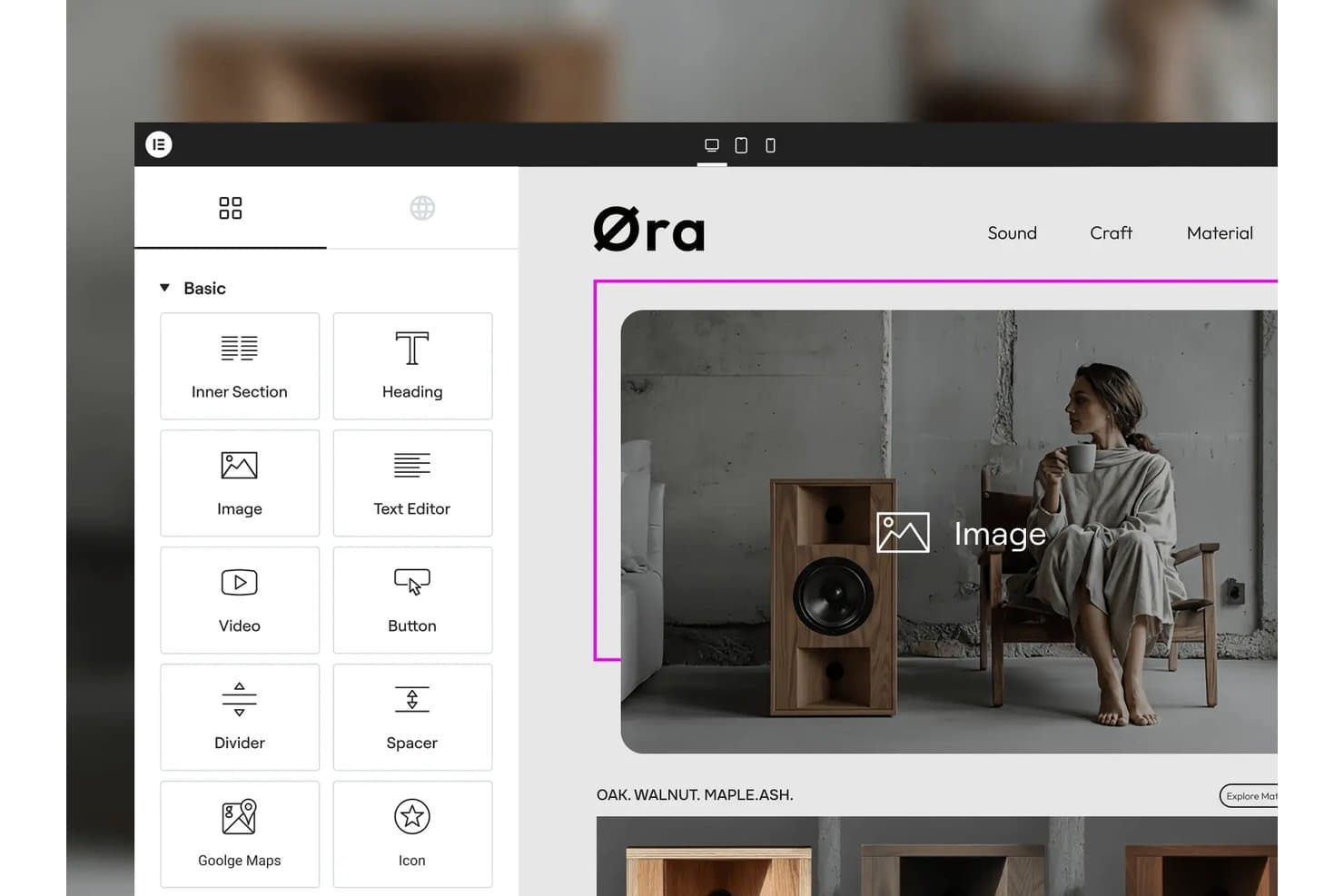
Elementor lets users drag and drop widgets onto pages visually. Elementor is a WordPress page builder plugin with a GPL-3.0-licensed core that includes a drag-and-drop visual editor, 40+ widgets, responsive design controls, and an extensible developer API.
Who Is Elementor Best For?
Elementor is a strong fit for WordPress designers and developers who need to build visually complex, multi-page sites without writing markup from scratch.
Why I Picked Elementor
Elementor earns its spot on my shortlist because the GPL-3.0 core plugin gives you a genuinely open-source foundation you can self-host on any WordPress-compatible server, with no vendor lock-in. I love how the Atomic Editor in v4 lets you set every style property per device, which makes building pixel-precise, responsive layouts across dozens of pages far more manageable than hand-coding breakpoints. The Class Manager and Variables system work like site-wide design tokens, so when a client changes a brand color, one edit propagates across the entire site instantly.
Elementor Key Features
- GPL-3.0 core plugin: The core editor is publicly available on GitHub under a GPL-3.0 license, so you can inspect, fork, and modify the codebase freely.
- WooCommerce builder: Dedicated widgets let you design product pages, cart layouts, checkout flows, and account pages directly inside the visual editor.
- Developer API: Custom widgets, dynamic tags, form actions, hooks, and a CLI give developers structured extension points beyond what the UI exposes.
- Per-breakpoint interactions: You can set motion effects and interaction behaviors independently for each device breakpoint, not just globally.
Elementor Integrations
Elementor integrates with WooCommerce, PayPal, Stripe, WPML, Polylang, TranslatePress, Weglot, Google Analytics, and Google Search Console. Its Developer API supports custom widgets, dynamic tags, form actions, and other extensions.
Pros and Cons
Pros:
- Developer API extends widgets, controls, and workflows
- Per-device styling handles responsive layouts precisely
- GPL-3.0 core supports self-hosted control
Cons:
- No white-label or Git-based version control
- Pro features remain outside the open core
Learn more about Elementor: Best for on-page live editing without plugins
- Free demo available
- From $10/website/month ($1 for the first month)

Microweber offers built-in eCommerce tools that support product and content management. Microweber is an open-source CMS and website builder with a live, on-page drag-and-drop editor, built-in e-commerce, blogging, and multilingual tools, all running on a PHP/Laravel foundation.
Who Is Microweber Best For?
Microweber is a strong fit for freelance designers and small agencies who want to build and deliver client sites without assembling a plugin stack.
Why I Picked Microweber
I've included Microweber in my top picks because its live, on-page editor lets you click directly on any element and edit it in place, with no admin panel switching required. Every change, from text to layout repositioning, renders instantly on the actual page. I also like that the drag-and-drop system supports free-draggable elements and reusable blocks, so you can build and rearrange layouts without touching a single line of code or installing a single plugin.
Microweber Key Features
- MIT-licensed open source core: The full codebase is publicly available on GitHub under the MIT License, so you can modify, redistribute, and use it commercially without restrictions.
- Built-in e-commerce engine: Product management, inventory, multi-currency support, tax zones, coupons, and order workflows are included out of the box with no sales commission.
- White-label licensing: You can remove Microweber branding, apply your own domain and logo, and integrate with WHMCS, Plesk, or cPanel for agency and hosting reseller setups.
- Template Style Editor: A global editor lets you control fonts, colors, spacing, heading styles, and button styles across your entire site from one place.
Microweber Integrations
Documented integrations include Stripe, PayPal, FedEx, UPS, DHL, WHMCS, Plesk, cPanel, Okta, and Azure. Microweber also offers API and webhook access for custom integrations, although public API documentation is limited.
Pros and Cons
Pros:
- Built-in ecommerce avoids plugin stacking
- MIT licensing permits commercial customization
- Live editing happens directly on-page
Cons:
- Sparse releases raise maintenance concerns
- Recent CVEs require careful patch management
Learn more about Microweber:
Annen programvare for webdesign med åpen kildekode
Her er noen flere alternativer for programvare for webdesign med åpen kildekode som ikke kom med på kortlisten min, men som likevel er verdt å undersøke:
- 11GravBest for headless, API-first flat-file sites
- 12PubliiBest for privacy-first static site publishing
- 13GhostBest for newsletter and membership site builds
- 14SilverstripeBest for developer-led agency site builds
- 15HugoBest for high-speed static site generation
- 16PenpotBest for design-to-dev handoff via open source
- 17SilexBest for clean static HTML/CSS export
- 18WebstudioBest for collaborative visual editing
- 19PlasmicBest for React-native codegen and design tokens
- 20JekyllBest for Git-based static site deployment
How I Evaluate Open Source Web Design Software
I split my evaluation into three parts, giving the most weight to core functionality: inspect and modify open code, then build responsive pages visually. Next, I look for standout features such as Git-based version control for branching site changes. Finally, I consider factors beyond features, including community support and the hosting and maintenance costs of self-hosting.
Core Functionality (Table Stakes For This List)
When I'm selecting tools for my list, I score each one on a scale from 0 (does not offer the functionality) to 5 (excels in this area) for each core functionality listed below. I then convert the total into a percentage to help assess each tool's overall fit, with extra weight on any functionalities I’ve deemed essential.
- Open-Source License (Essential): I check that the public license permits code inspection, modification, and redistribution, including commercial use, and review the project’s public repository.
- Visual Page Design (Essential): I look for ways to arrange and style page elements visually, such as building a landing page from sections without coding the full layout.
- Themes & Templates: I assess the variety and customizability of themes, including whether a team can revise a site’s structure and styling without rebuilding its content.
- Self-Hosting: I check whether teams can deploy on infrastructure they control, using documented setup guidance and common server requirements.
- Extensibility: I evaluate available plugins, modules, APIs, or code hooks for adding features such as forms, search, or custom content types.
- Responsive Output: I consider how themes and templates adapt to different screens, including whether navigation and content remain usable on mobile devices.
Once I have a list of tools that meet the criteria, I consider what sets each platform apart.
Differentiating Factors (What Sets Vendors Apart)
Here's how I compare and contrast different vendors:
Standout Features
I evaluate whether a platform exposes REST or GraphQL APIs so content and front-end layers stay independent. That matters when your product stack spans a mobile app and a marketing site pulling from one content hub. I also look at Git-based version control—tools like Strapi and Ghost let teams branch and roll back site changes alongside code, which keeps designers and engineers in a shared workflow instead of working in silos.
Beyond Features
I evaluate total cost of ownership because "free" gets expensive fast—self-hosting WordPress or Ghost means budgeting for server uptime, security patches, and DevOps hours that SaaS alternatives bundle in. Data privacy control matters just as much, especially when teams need to meet data residency or GDPR requirements; self-hosting Strapi or Directus, for example, lets you run audits against your own source code. I also check community health—active GitHub repos, plugin ecosystems, and responsive forums signal a project won't stall when you need a fix.
Slik velger du programvare for webdesign med åpen kildekode
Det er lett å gå seg vill i lange funksjonslister og komplekse prisstrukturer. For å hjelpe deg med å holde fokus mens du går gjennom den unike prosessen med å velge programvare, får du her en sjekkliste over faktorer du bør ha i tankene:
| Faktor | Hva du bør vurdere |
|---|---|
| FaktorSkalerbarhet | Hva du bør vurdereVil verktøyet støtte nettstedet ditt etter hvert som det vokser i størrelse, kompleksitet eller brukertrafikk? Vurder fremtidige behov, ikke bare nåværende prosjekter. |
| FaktorIntegrasjoner | Hva du bør vurdereKan programvaren kobles til de eksisterende verktøyene dine (CMS, analyse, versjonskontroll)? Se etter innebygde integrasjoner eller tilgjengelige API-er. |
| FaktorTilpasningsmuligheter | Hva du bør vurdereKan du endre kodebasen eller legge til programtillegg for å tilpasse verktøyet til arbeidsflyten din? Vurder hvor mye fleksibilitet du trenger for design og funksjonalitet. |
| FaktorBrukervennlighet | Hva du bør vurdereHvor raskt kan teamet ditt lære seg og ta i bruk verktøyet? Se etter tydelig dokumentasjon, intuitive grensesnitt og aktive brukerfellesskap. |
| FaktorImplementering og innføring | Hva du bør vurdereHvilke ressurser kreves for å komme i gang? Vurder trinnene i migreringen, behovet for opplæring og om det finnes veiledninger eller maler for innføringen. |
| FaktorKostnad | Hva du bør vurdereFinnes det skjulte kostnader for tillegg, kundestøtte eller oppdateringer? Sammenlign de totale eierkostnadene, ikke bare den opprinnelige prisen eller gratisnivået. |
| FaktorSikkerhetstiltak | Hva du bør vurdereTilbyr verktøyet regelmessige sikkerhetsoppdateringer, og lar det deg administrere tillatelser? Vurder hvordan det håndterer sårbarheter og brukerdata. |
| FaktorTilgjengelig kundestøtte | Hva du bør vurdereHvilke kanaler for kundestøtte finnes (fora, e-post, direktechat)? Vurder svartider og om kundestøtten drives av fellesskapet eller støttes av leverandøren. |
Hva er programvare for webdesign med åpen kildekode?
Programvare med åpen kildekode for webdesign er en type verktøy som lar brukere opprette, redigere og administrere nettsteder med tilgang til den underliggende kildekoden. Disse verktøyene er vanligvis gratis å bruke, endre og distribuere, noe som gjør dem populære blant utviklere og designere som ønsker fleksibilitet og kontroll. Alternativer med åpen kildekode støtter ofte samarbeid, tilpasning og integrasjon med andre webteknologier, slik at team kan bygge nettsteder som dekker deres unike behov.
Funksjoner i programvare med åpen kildekode for webdesign
Når du velger programvare med åpen kildekode for webdesign, bør du se etter følgende viktige funksjoner:
- Visuell redigerer: Lar deg utforme og organisere elementer på nettsider ved hjelp av et dra-og-slipp-grensesnitt eller et WYSIWYG-grensesnitt, slik at du kan se endringene mens du gjør dem.
- Koderedigerer: Gir deg et område der du kan skrive, redigere og fremheve HTML, CSS og JavaScript, slik at du får direkte kontroll over nettstedets struktur og stil.
- Verktøy for responsivt design: Lar deg forhåndsvise og justere oppsett for ulike skjermstørrelser, slik at nettstedet ser bra ut på stasjonære datamaskiner, nettbrett og telefoner.
- Malbibliotek: Tilbyr en samling ferdiglagde oppsett og temaer som du kan tilpasse, slik at du raskt kan starte prosjekter og opprettholde en konsekvent utforming.
- Integrasjon med versjonskontroll: Kobler seg til systemer som Git for å spore endringer, administrere revisjoner og samarbeide med andre uten å miste arbeid.
- Medieadministrasjon: Organiserer bilder, skrifttyper og andre mediefiler i prosjektet, slik at det blir enklere å oppdatere og gjenbruke ressurser på tvers av sider.
- Direkte forhåndsvisning: Viser oppdateringer av nettstedet i sanntid mens du redigerer, slik at du umiddelbart kan se virkningen av endringene før publisering.
- Støtte for programtillegg eller utvidelser: Lar deg legge til nye funksjoner eller verktøy i programvaren, slik at du kan utvide funksjonaliteten etter arbeidsflyten eller prosjektbehovene dine.
- Flerspråklig støtte: Gjør det mulig å opprette og administrere innhold på flere språk, noe som er nyttig når du skal bygge internasjonale eller lokaliserte nettsteder.
Fordeler med programvare med åpen kildekode for webdesign
Implementering av programvare med åpen kildekode for webdesign gir flere fordeler for teamet og virksomheten din. Her er noen av fordelene du kan se frem til:
- Full tilgang til kildekoden: Du kan endre kildekoden slik at den oppfyller de nøyaktige kravene dine, og dermed støtte unike arbeidsflyter og tilpassede funksjoner.
- Ingen lisensavgifter: De fleste verktøy med åpen kildekode er gratis å bruke, noe som hjelper deg med å redusere programvarekostnadene og bruke budsjettet på andre områder.
- Forbedringer drevet av fellesskapet: Hyppige oppdateringer, feilrettinger og nye funksjoner bidras ofte med av et globalt fellesskap av utviklere.
- Fleksible integrasjoner: Løsninger med åpen kildekode støtter ofte programtillegg, utvidelser og API-er, noe som gjør det enklere å koble til andre verktøy i teknologistakken din.
- Bedre samarbeid: Mange verktøy tilbyr funksjoner som versjonskontroll og merknader, slik at team kan arbeide sammen og spore endringer effektivt.
- Støtte for moderne standarder: Prosjekter med åpen kildekode tar ofte raskt i bruk nye webteknologier, slik at du kan bygge nettsteder som oppfyller gjeldende anbefalte fremgangsmåter.
- Åpenhet og sikkerhet: Med åpen kode kan du kontrollere om det finnes sårbarheter og sikre at programvaren oppfyller organisasjonens sikkerhetskrav.
Kostnader og priser for programvare med åpen kildekode for webdesign
Valg av programvare med åpen kildekode for webdesign krever en forståelse av de ulike prismodellene og abonnementene som er tilgjengelige. Kostnadene varierer basert på funksjoner, teamstørrelse, tillegg og mer, og noen team velger gratis webdesignverktøy for å minimere kostnadene. Tabellen nedenfor oppsummerer vanlige abonnementer, gjennomsnittsprisene deres og typiske funksjoner som er inkludert i programvareløsninger med åpen kildekode for webdesign:
Sammenligningstabell for abonnementer for programvare med åpen kildekode for webdesign
| Abonnementstype | Gjennomsnittspris | Vanlige funksjoner |
|---|---|---|
| AbonnementstypeGratisabonnement | Gjennomsnittspris$0 | Vanlige funksjonerTilgang til kjernefunksjoner, støtte fra fellesskapet, grunnleggende maler og åpen kildekode. |
| AbonnementstypePersonlig abonnement | Gjennomsnittspris$4-$20/måned | Vanlige funksjonerFlere maler, prioriterte oppdateringer, e-poststøtte og tilgang til programtillegg eller utvidelser. |
| AbonnementstypeBedriftsabonnement | Gjennomsnittspris$25-$75/måned | Vanlige funksjonerVerktøy for teamsamarbeid, avanserte integrasjoner, medieadministrasjon og forbedrede sikkerhetsalternativer. |
| AbonnementstypeAbonnement for større virksomheter | Gjennomsnittspris$950+/måned | Vanlige funksjonerTilpasset introduksjon, dedikert støtte, verktøy for overholdelse av krav, avansert analyse og SLA-garantier. |
Vanlige spørsmål om webdesignprogramvare med åpen kildekode
Her er noen svar på vanlige spørsmål om webdesignprogramvare med åpen kildekode:
Kan jeg bruke webdesignprogramvare med åpen kildekode til kommersielle prosjekter?
Ja, det meste av webdesignprogramvare med åpen kildekode kan brukes til kommersielle prosjekter. Gå alltid gjennom de spesifikke lisensvilkårene for å sikre at du overholder dem, men lisenser for åpen kildekode tillater vanligvis både personlig bruk og bedriftsbruk uten ekstra kostnader.
Hvordan vet jeg om webdesignprogramvare med åpen kildekode er sikker?
Se etter regelmessige oppdateringer, et aktivt utviklerfellesskap og åpen dokumentasjon av sikkerhetsrutinene. Se gjennom prosjektets oversikt over innmeldte problemer for å finne ut hvor raskt sårbarheter håndteres, og vurder om programvaren støtter brukertillatelser og funksjoner for databeskyttelse.
Hvilke tekniske ferdigheter kreves for å bruke webdesignprogramvare med åpen kildekode?
De fleste verktøy krever grunnleggende kunnskap om HTML, CSS og noen ganger JavaScript. Noen tilbyr visuelle redigeringsverktøy for nybegynnere, men tilpasning av maler eller tillegging av avanserte funksjoner innebærer vanligvis redigering av kode eller konfigurasjonsfiler.
Hvordan fungerer brukerstøtten for webdesignprogramvare med åpen kildekode?
Brukerstøtte tilbys ofte gjennom fellesskapsfora, dokumentasjon og brukergrupper. Noen prosjekter tilbyr betalt brukerstøtte eller rådgivning, men de fleste er avhengige av hjelp fra andre brukere og bidrag fra frivillige utviklere.
Kan jeg tilpasse webdesignprogramvare med åpen kildekode slik at den passer til arbeidsflyten min?
Ja, webdesignprogramvare med åpen kildekode er utviklet for tilpasning. Du kan endre kildekoden, installere programtillegg eller utvikle dine egne utvidelser for å tilpasse verktøyet til teamets spesifikke behov og arbeidsprosesser.