

De beste Notion-alternativene tilbyr fleksible arbeidsområder, sterke samarbeidsfunksjoner og tilpassbare arbeidsflyter som hjelper teamet ditt med å administrere prosjekter og kunnskap på ett sted. Hvis du ser etter Notion-alternativer, er du sannsynligvis på jakt etter verktøy som passer teamets unike prosesser, støtter bedre prosjektoppfølging eller løser mangler du har oppdaget i Notions funksjonssett. På denne listen finner du alternativer som utmerker seg innen visuell prosjektstyring, kunnskapsorganisering og teamdokumentasjon – slik at du kan sammenligne og velge det som passer best til behovene dine innen produktstyring.
Hva er Notion?
Notion er en arbeidsområdeplattform som kombinerer verktøy for notater, prosjektstyring og samarbeid i ett grensesnitt. Team bruker Notion til å organisere dokumenter, administrere gjøremålslister og samle kunnskap på ett sted. Den fleksible strukturen lar deg bygge tilpassede arbeidsflyter, databaser og wikier som er skreddersydd etter behovene dine. Notion er populært blant nybegynnere, produktledere, prosjektteam og alle som ønsker en alt-i-ett-løsning for å organisere arbeid og informasjon.
Sammenligningstabell for Notion-alternativer
Sammenlign prisdetaljene for mine beste Notion-alternativer i tabellen nedenfor.
| Tool | Best For | Trial Info | Price | ||
|---|---|---|---|---|---|
| 1 | Best for relational database-driven tracking | Free plan available; 14-day free trial | From $20/user/month (billed annually) | Website | |
| 2 | Best for AI-driven task and project automation | Free plan available | From $20/month | Website | |
| 3 | Best for Jira-connected technical documentation | Free plan available | From $5.78/user/month | Website | |
| 4 | Best for all-in-one task and goal tracking | Free plan available | From $7/user/month (billed annually) | Website | |
| 5 | Best for AI-driven meeting-to-doc workflows | Free plan available | From $8/user/month (billed annually) | Website | |
| 6 | Best for connecting product data and docs | Free plan available; 14-day free trial; free demo available | From $12/user/month (billed annually) | Website | |
| 7 | Best for self-hosted, data-owned workspaces | Free plan available | From $12.50/user/month (billed annually) | Website | |
| 8 | Best for privacy-first local workspace storage | Free plan available | From $4/month | Website | |
| 9 | Best for meeting-to-doc AI workflows | Free plan available | From $14.16/user/month (billed annually) | Website | |
| 10 | Best for docs-native project tracking and automation | Free plan available | From $12/user/month (billed annually) | Website |


Why Trust Our Software Recommendations
6,700+
Reviews
20
Industry experts
16+
Evaluation factors
14
Years
Our team has been testing and reviewing software since 2012. As product managers ourselves, we know how difficult—and important—it is to choose the right software.
For this guide, we evaluated tools using hands-on testing and independent research, scoring tools using our selection criteria.
Our reviews reflect our human editorial judgment, not a sales pitch.
Expert reviewers:
- Andrew LumbySenior TPM
- Cristiano ValimSenior UI/UX Lead


Anmeldelser av Notion-alternativer
Nedenfor finner du mine detaljerte sammendrag av Notion-alternativene som kom med på kortlisten. Anmeldelsene mine gir et detaljert innblikk i funksjonene, de beste bruksområdene og integrasjonene til hver plattform, slik at du kan finne den som passer best for deg.
 Best for relational database-driven tracking
- Free plan available; 14-day free trial
- From $20/user/month (billed annually)
Visit WebsiteCustomer Rating:4.6/5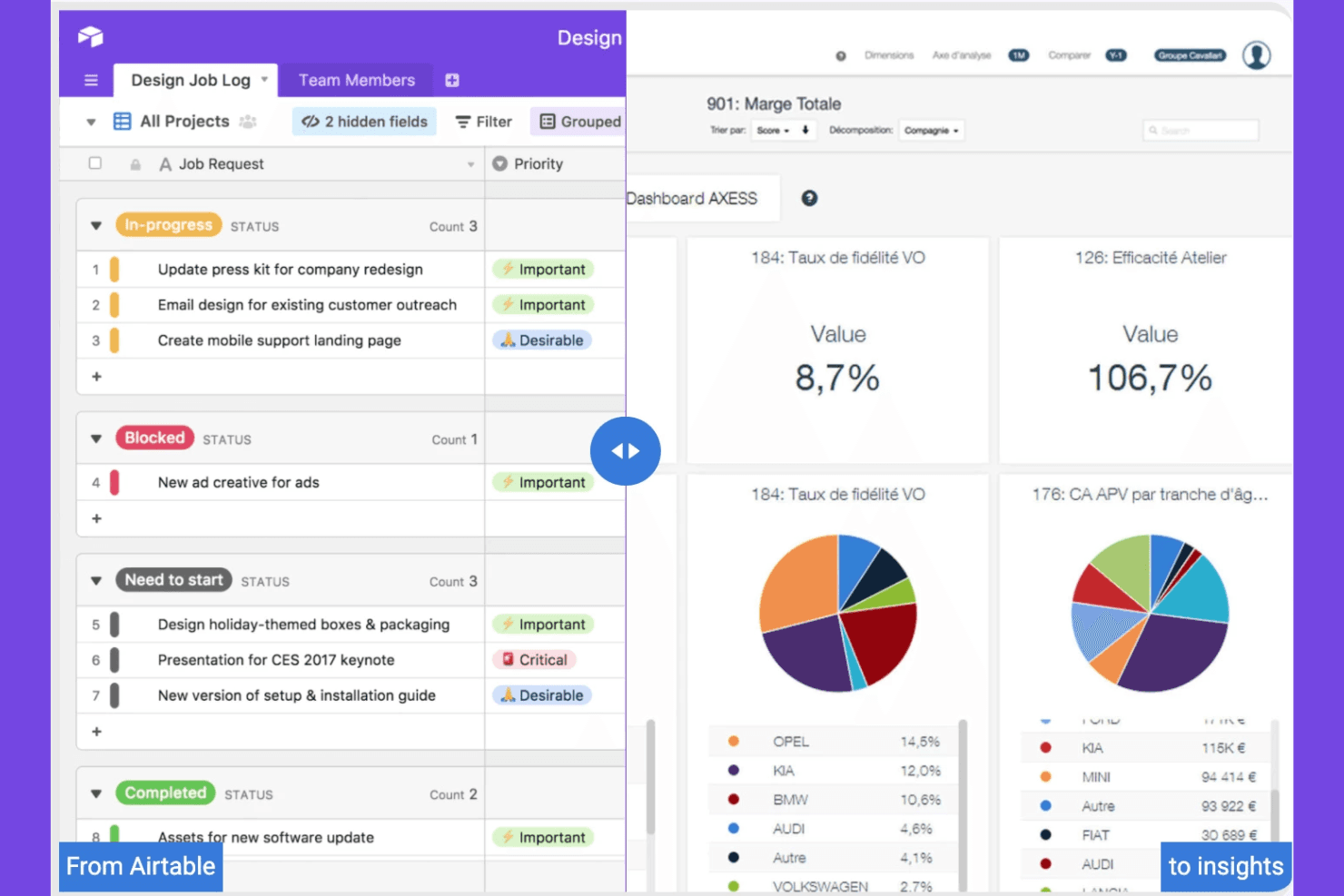
Airtable organizes projects and workflows with a flexible interface. Airtable is a collaborative workspace platform for product and operations teams that need to connect planning, research, and execution data in one flexible alternative to Notion.
Who Is Airtable Best For?
Product operations teams that need linked records, custom workflows, and shared views to coordinate research, planning, and delivery.
Why Airtable Is a Good CPO Notion Alternatives
I picked Airtable because its relational database-driven tracking connects product research, priorities, and delivery records in one workspace. I use linked records to connect customer insights with opportunities, roadmap items, and launch tasks, while filtered views give each team the context it needs. Custom interfaces help stakeholders review progress without editing underlying data.
Airtable Key Features
- Automations: Trigger actions from record changes and scheduled events.
- Form builder: Collect structured submissions through shareable forms.
- Calendar view: Display date-based records in a calendar layout.
- Gantt view: Map record timelines and dependencies across projects.
Airtable Integrations
Airtable documents native integrations with Box, Google Drive, Dropbox, and OneDrive, plus partner extensions for Miro, Typeform, Formstack, Loom, and Pexels. It connects with Zapier and provides a Web API for custom integrations.
Pros and Cons
Pros:
- Captures structured requests through customizable forms
- Offers tailored views for each stakeholder
- Links customer insights to roadmap records
Cons:
- Complex bases become difficult to maintain
- Requires deliberate schema design upfront
Learn more about Airtable: Best for AI-driven task and project automation
- Free plan available
- From $20/month
Visit WebsiteCustomer Rating:4.7/5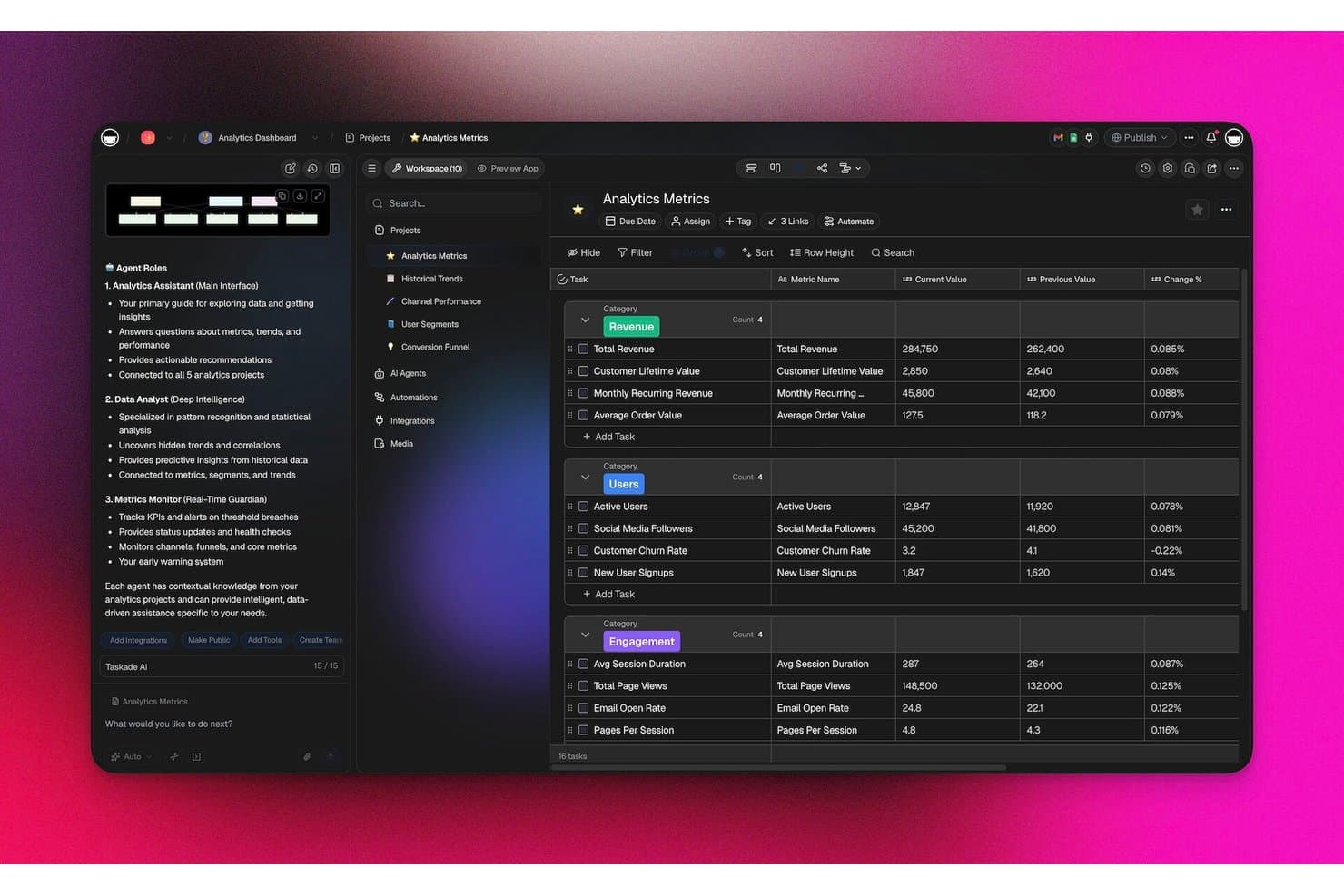
Taskade tracks analytics metrics with AI agents in a structured dashboard. Taskade is a collaborative project management platform for product teams that need a flexible Notion alternative for organizing roadmaps, tasks, workflows, and cross-functional work in one workspace.
Who Is Taskade Best For?
Taskade suits product and operations teams that need AI-assisted workflows, task coordination, and project planning in one flexible workspace.
Why Taskade Is a Good CPO Notion Alternatives
I picked Taskade because its AI-driven task and project automation helps my team turn product plans into executable workflows. I use AI agents to create task lists, summarize project updates, and coordinate recurring processes across shared workspaces. Its nested task structures and workflow templates help us move from roadmap decisions to assigned delivery work without rebuilding the process each time.
Taskade Key Features
- Multiple project views : Switch between list, board, calendar, mind map, and timeline layouts.
- Custom fields : Add statuses, priorities, dates, tags, and other project details.
- Comments and mentions : Discuss tasks directly and notify specific teammates.
- Third-party integrations : Connect Taskade with tools such as Google Calendar, Slack, and Zapier.
Taskade Integrations
Taskade offers 100+ bidirectional integrations, including Slack, Microsoft Teams, GitHub, Google Calendar, Gmail, Google Sheets, HubSpot, Salesforce, Jira, and Linear, and connects with Zapier. It also supports webhooks, HTTP requests, and a public API for custom integrations.
Pros and Cons
Pros:
- Multiple views support different planning rituals
- Nested projects connect roadmaps to executable tasks
- AI agents automate recurring product workflows
Cons:
- Deep documentation feels less developed than Notion
- Offline work isn’t supported
Learn more about Taskade: Best for Jira-connected technical documentation
- Free plan available
- From $5.78/user/month
Visit WebsiteCustomer Rating:4.1/5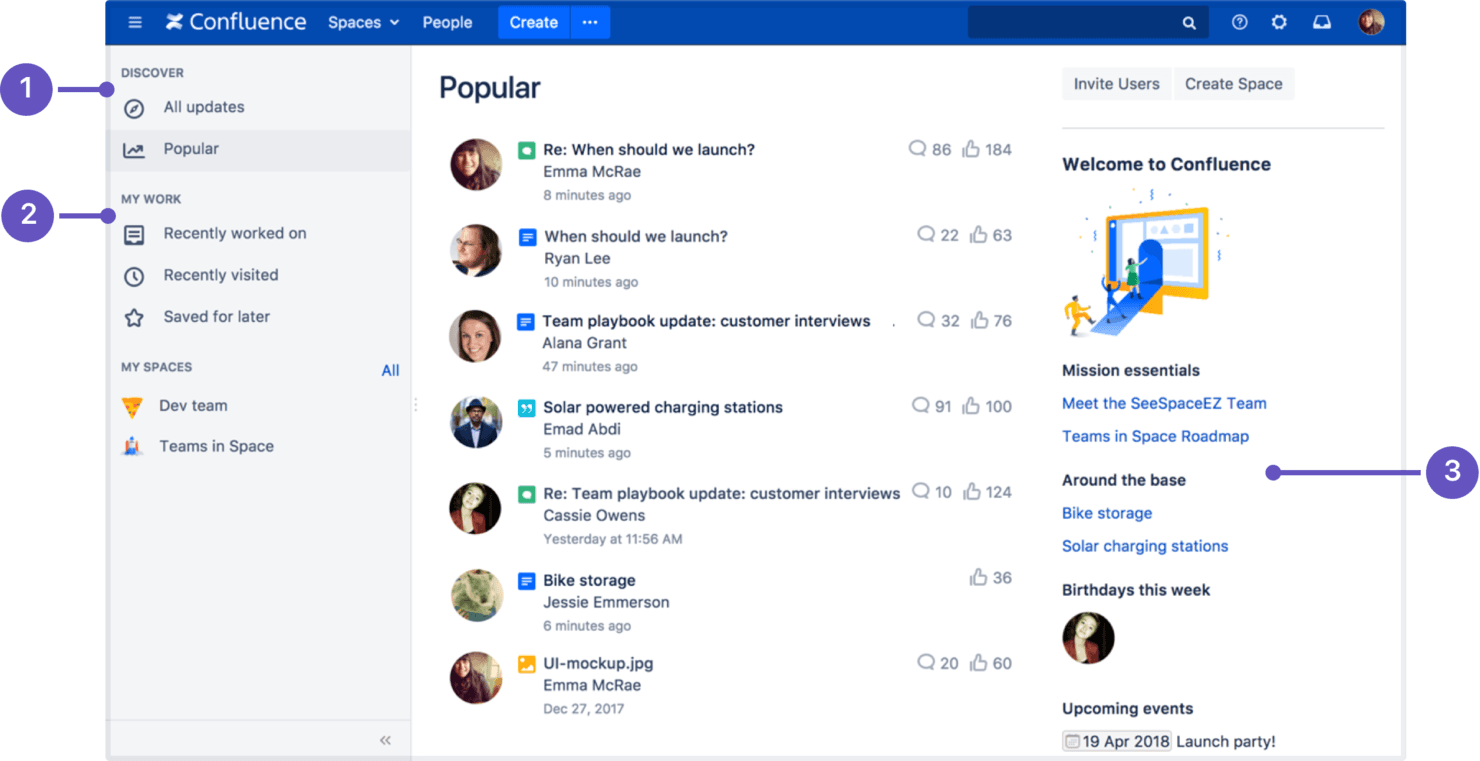
Confluence organizes team knowledge, docs, and collaboration. Confluence is a collaborative knowledge management platform for product and technical teams that organizes strategy, requirements, decisions, and project context in one searchable workspace.
Who Is Confluence Best For?
Confluence suits product and engineering teams that need Jira-connected technical documentation, decision records, and project knowledge in one workspace.
Why Confluence Is a Good CPO Notion Alternatives
I picked Confluence because it’s built for Jira-connected technical documentation. I use linked pages for product requirements and decision records, then connect them to Jira issues so engineering work retains its original context. That gives my team one searchable place to trace strategy, decisions, and delivery updates.
Confluence Key Features
- Templates: Start pages with prebuilt formats for plans, reports, and meeting notes.
- Whiteboards: Map ideas, workflows, and concepts on collaborative visual boards.
- Permissions: Control viewing and editing access at the space or page level.
- Version history: Review changes and restore earlier versions of pages.
Confluence Integrations
Confluence has a native integration with Jira and official integrations with Slack and Microsoft Teams. It also offers an API for custom integrations, while Atlassian Marketplace apps extend connectivity to additional tools.
Pros and Cons
Pros:
- Page hierarchy supports technical knowledge bases
- Templates accelerate requirements and decision documentation
- Version history preserves auditable product decisions
Cons:
- Complex specifications require clumsy table workarounds
- Page hierarchies become unwieldy at scale
 Best for all-in-one task and goal tracking
- Free plan available
- From $7/user/month (billed annually)
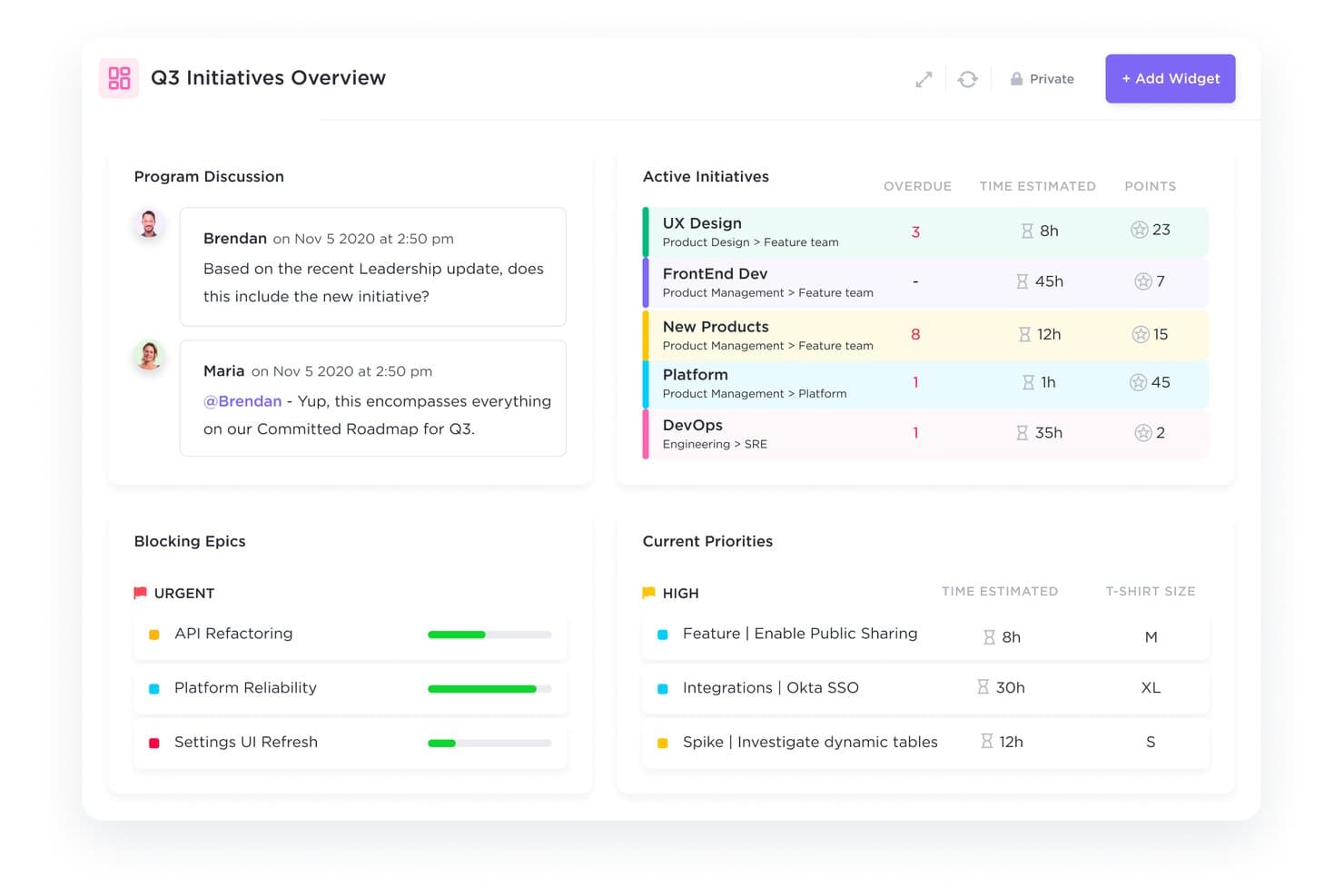
ClickUp unifies Q3 initiative tracking and priorities in one dashboard. ClickUp is a project management platform for product teams that brings tasks, docs, priorities, and collaboration into one workspace, helping CPOs replace fragmented Notion workflows with clearer execution.
Who Is ClickUp Best For?
ClickUp suits product operations and cross-functional teams that need tasks, goals, docs, and priorities managed in one shared workspace.
Why ClickUp Is a Good CPO Notion Alternatives
I picked ClickUp because it combines task execution with goal tracking in one workspace. I use custom task statuses, dependencies, and Goals to connect product initiatives with measurable outcomes. My team can turn roadmap priorities into assigned work, then review progress against quarterly objectives without maintaining separate Notion trackers.
ClickUp Key Features
- Dashboards: Create customizable views for project metrics and workload data.
- Automations: Set triggers and actions for recurring workflow updates.
- Time tracking: Record time spent on tasks with built-in timers.
- Forms: Collect structured requests and convert submissions into tasks.
ClickUp Integrations
ClickUp has native integrations with Slack, Microsoft Teams, GitHub, GitLab, Bitbucket, Google Drive, Google Calendar, Figma, Miro, and Zoom, and connects with Zapier. It also provides an API for custom integrations.
Pros and Cons
Pros:
- Dashboards expose workload and initiative progress
- Custom statuses and dependencies clarify delivery ownership
- Connects roadmap work to measurable goals
Cons:
- Docs lack Notion’s lightweight publishing feel
- Dense workspaces can obscure key information
Learn more about ClickUp : 5Best for AI-driven meeting-to-doc workflows
Tana
- Free plan available
- From $8/user/month (billed annually)
Visit WebsiteCustomer Rating:4.7/5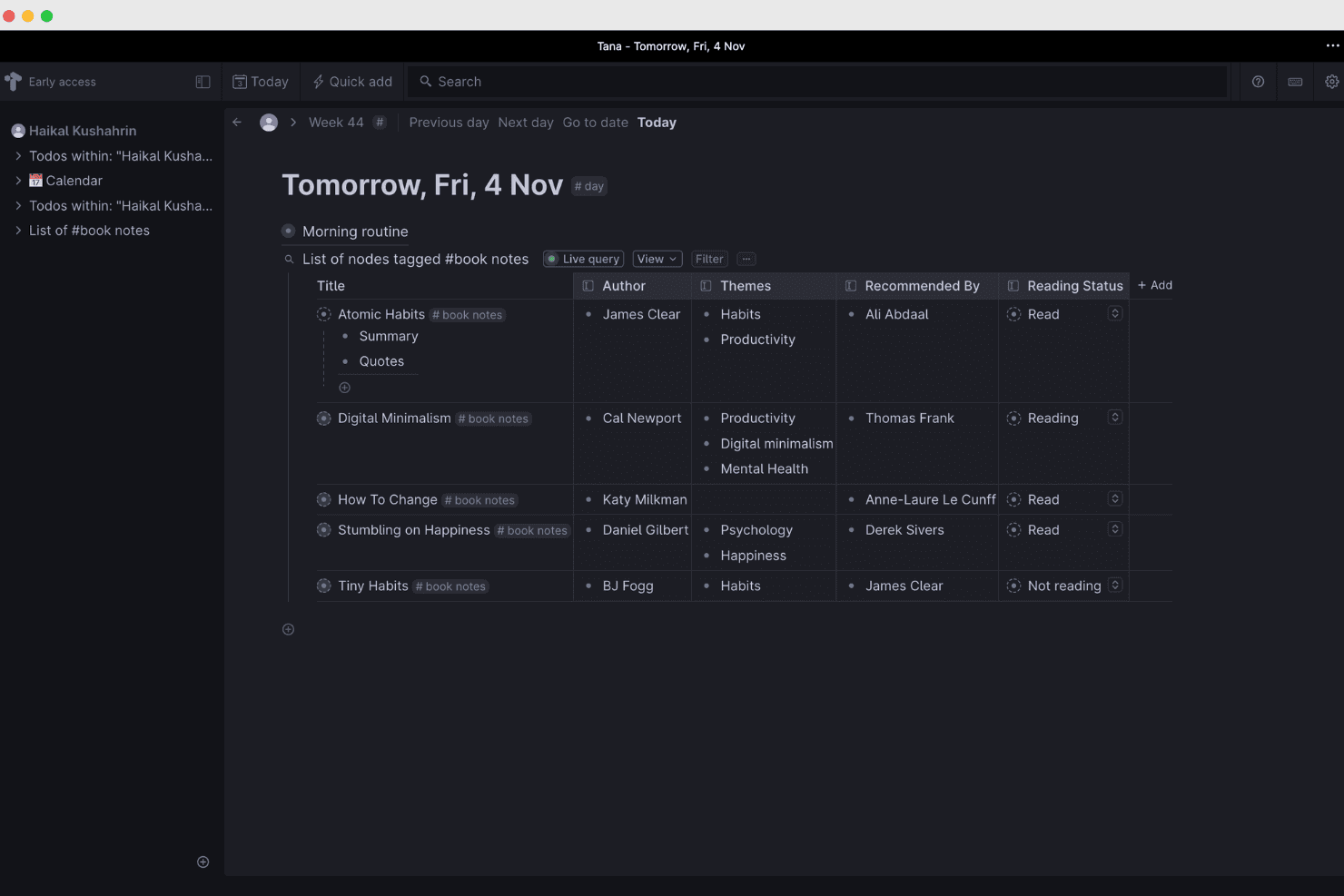
Tana organizes and connects knowledge with AI-powered workflows. Tana is a flexible knowledge management workspace for product leaders who need to connect meeting notes, decisions, research, and plans in one structured system instead of losing context across scattered Notion pages and documents.
Who Is Tana Best For?
Product teams that turn recorded meetings into structured briefs, decisions, and follow-up documents will get the most from Tana.
Why Tana Is a Good CPO Notion Alternatives
I picked Tana because its AI-driven meeting-to-doc workflows turn recorded discussions into structured notes, decisions, and follow-up documents. I use its AI to extract action items and organize them as connected nodes, so product discovery insights and roadmap decisions stay linked instead of buried in meeting transcripts.
Tana Key Features
- Supertags: Apply structured tags to turn nodes into reusable templates.
- Custom fields: Add properties such as status, owner, priority, or due date.
- Daily notes: Capture information in an automatically organized daily workspace.
- Filtered searches: Find nodes by tags, fields, text, or other criteria.
Tana Integrations
Tana has native integrations with Google Calendar, Microsoft Outlook, GitHub, Slack, Linear, Jira, and HubSpot. It also supports custom MCP servers for connecting additional services.
Pros and Cons
Pros:
- Search spans notes, fields, and tags
- Supertags preserve structured product context
- Converts meeting transcripts into linked action items
Cons:
- Meeting capture can pause or freeze
- Setup requires learning Tana’s node-based model
Learn more about Tana: Best for connecting product data and docs
- Free plan available; 14-day free trial; free demo available
- From $12/user/month (billed annually)
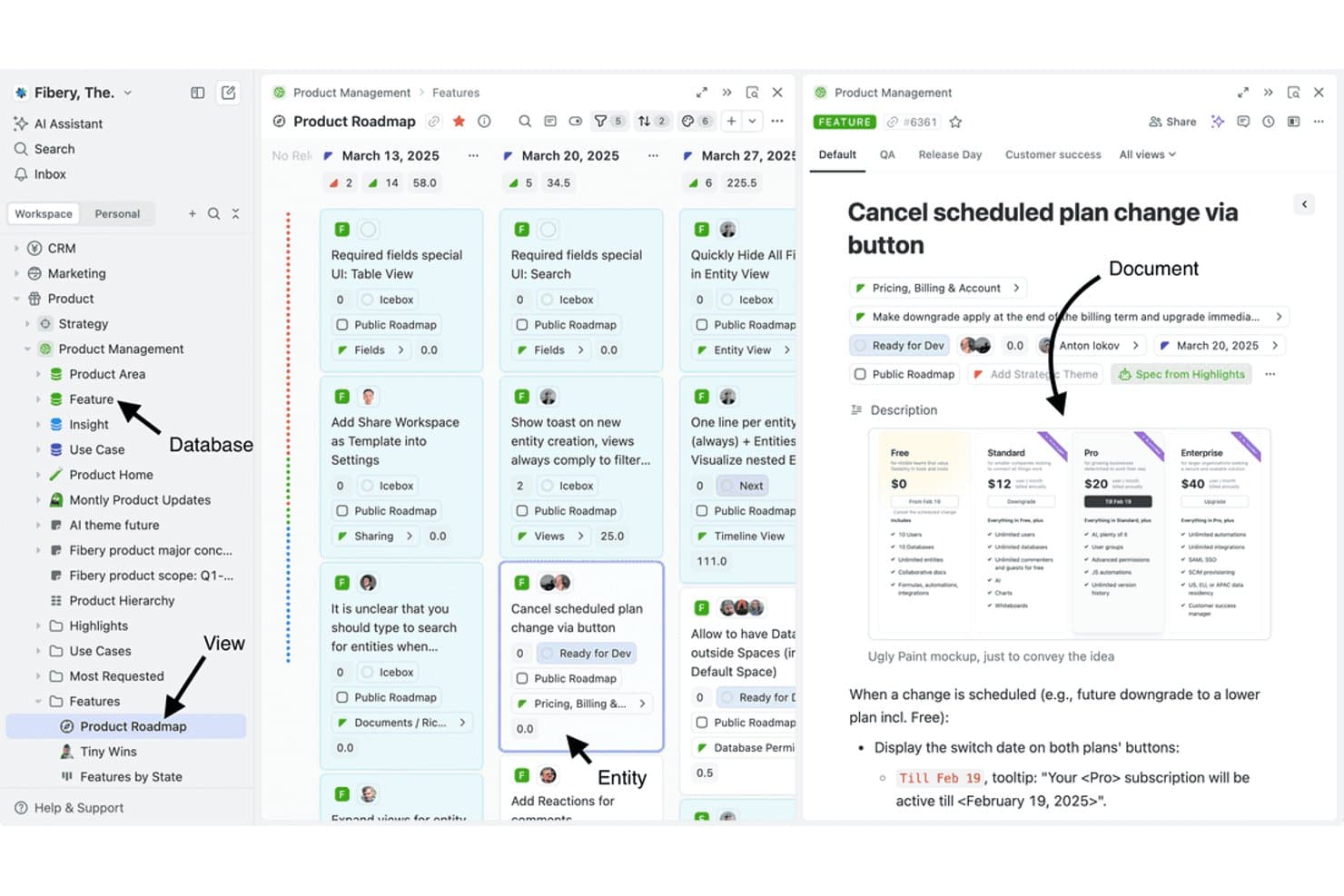
Fibery links documents, databases, and views in one product workspace. Fibery is a flexible knowledge management platform for product teams that connects workspaces, product data, documentation, and workflows, making it a strong CPO Notion alternative for aligning strategy, discovery, and delivery.
Who Is Fibery Best For?
Fibery suits product teams that need linked product data, documentation, and workflows in one flexible workspace.
Why Fibery Is a Good CPO Notion Alternatives
I picked Fibery because it connects product data and docs in one workspace. I use linked databases to relate customers, insights, features, and outcomes, while connected docs keep product decisions beside the records they explain. My team can trace a discovery insight through prioritization and delivery without duplicating context.
Fibery Key Features
- Custom views: Display records in table, Kanban, timeline, or calendar layouts.
- Workflow automations: Trigger actions when records change or conditions are met.
- Formulas: Calculate values with customizable expressions and fields.
- Integrations: Connect Fibery with tools such as Slack, GitHub, and Google Drive.
Fibery Integrations
Fibery integrates with Slack, GitHub, and Google Drive, helping product teams connect conversations, development work, and documentation in one workspace.
Pros and Cons
Pros:
- Multiple views connect strategy with delivery
- Custom databases support tailored product workflows
- Links product data directly with documentation
Cons:
- Some interface details feel rough around edges
- Workspace design takes substantial setup time
Learn more about Fibery: Best for self-hosted, data-owned workspaces
- Free plan available
- From $12.50/user/month (billed annually)
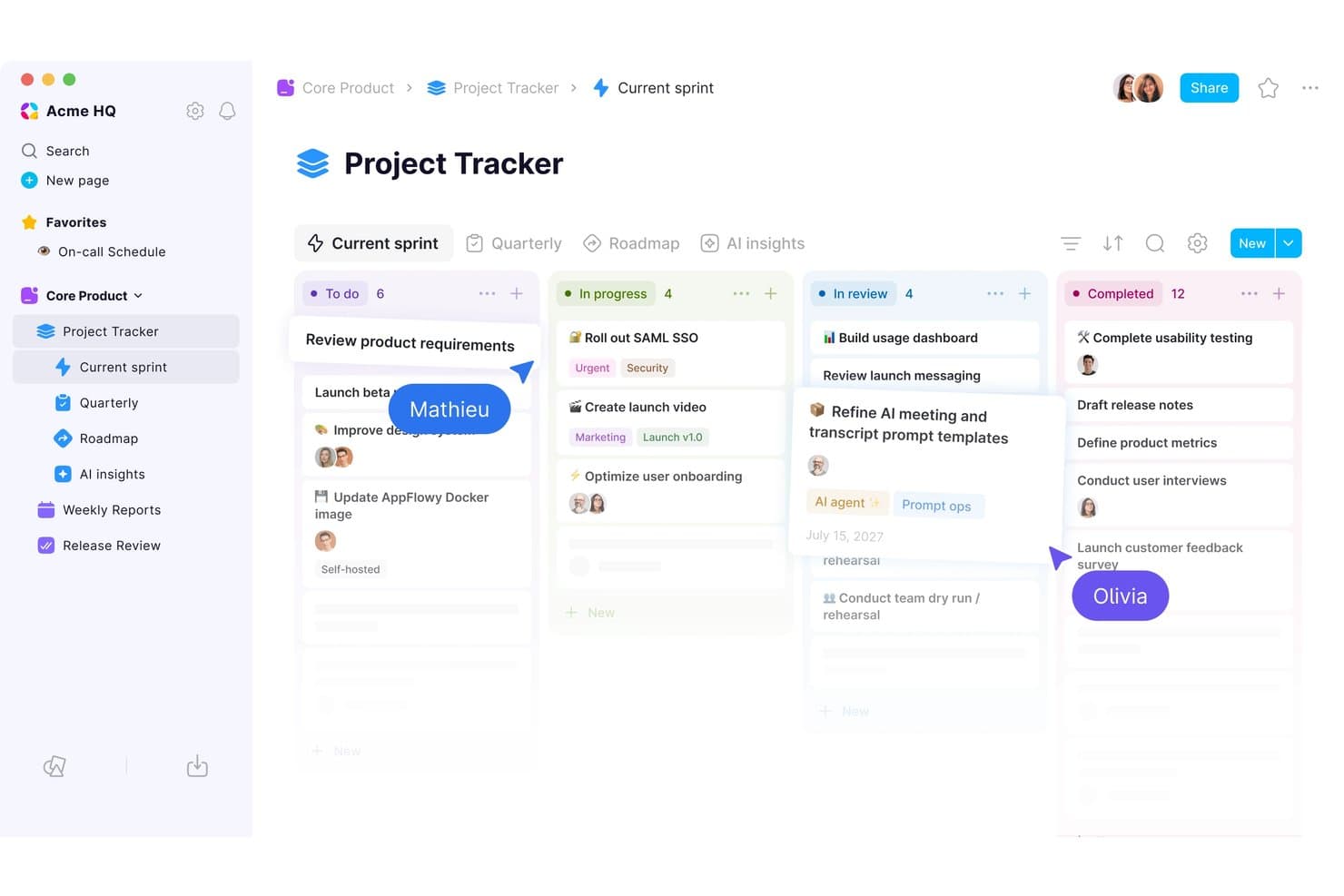
AppFlowy's kanban board keeps sprint tasks organized by status. AppFlowy is an open-source knowledge management workspace for product teams that need to organize product strategy, research, documentation, and project context in one flexible Notion alternative.
Who Is AppFlowy Best For?
Product teams and privacy-conscious organizations that need self-hosted workspaces with control over their data.
Why AppFlowy Is a Good CPO Notion Alternatives
I picked AppFlowy because its self-hosted, data-owned workspaces give my team direct control over product research, strategy documents, and decision records. As an open-source platform, it lets us keep sensitive product context on our infrastructure while adapting the workspace to our knowledge management practices.
AppFlowy Key Features
- Rich-text editor: Create documents with headings, tables, code blocks, and embeds.
- Database views: Organize records in table, board, calendar, or list layouts.
- Nested pages: Structure related documents within expandable page hierarchies.
- Templates: Start projects with reusable layouts for recurring work.
AppFlowy Integrations
AppFlowy doesn’t clearly document native integrations with external work tools. It supports Zapier and provides a REST API for custom integrations.
Pros and Cons
Pros:
- Nested pages organize strategy and research context
- Open-source code supports workspace customization
- Self-hosted deployment keeps product data controlled
Cons:
- Mobile experience remains less mature than Notion
- Collaboration features lag behind established alternatives
Learn more about AppFlowy:
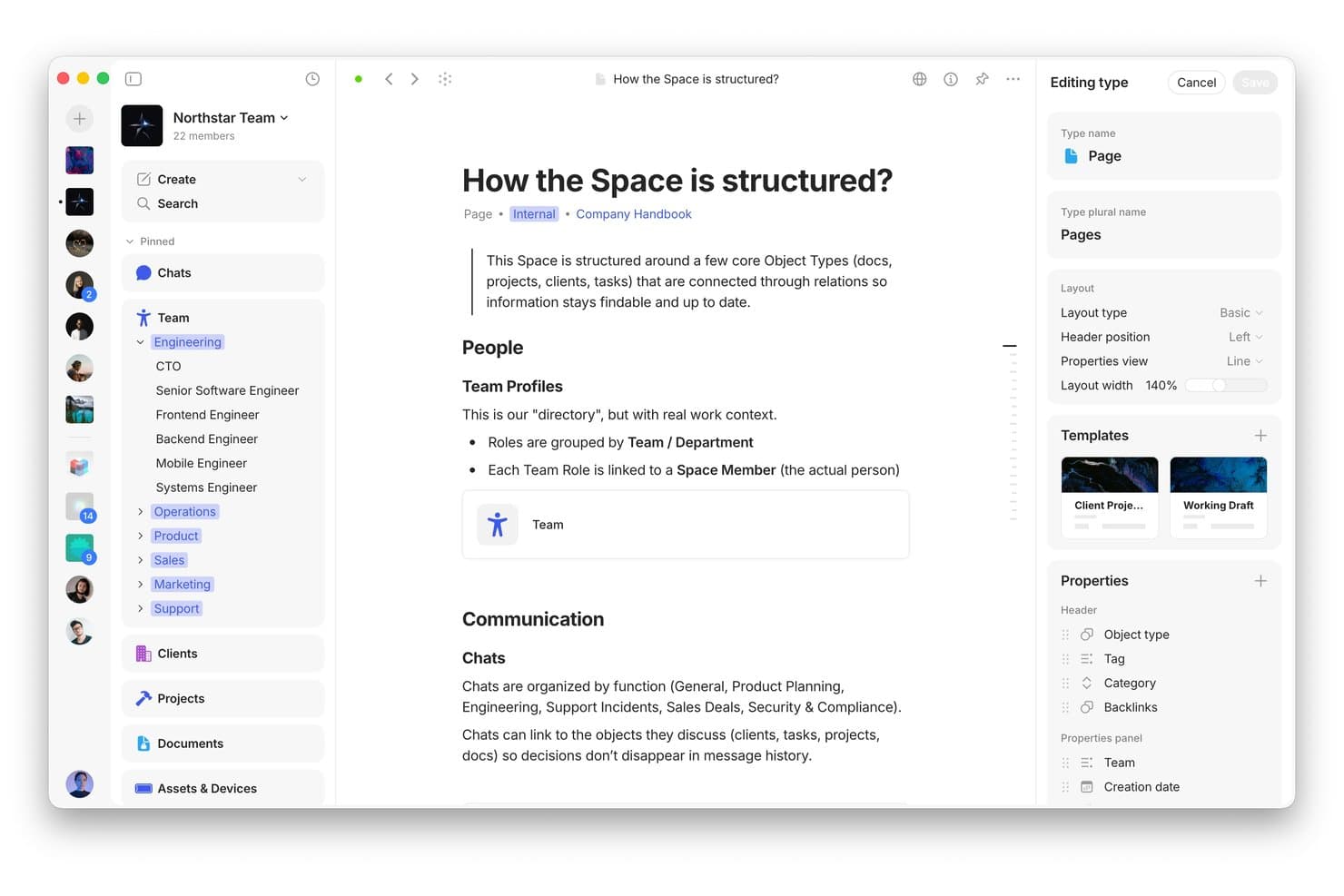
Anytype structures team knowledge with linked object types and custom layouts. Anytype is a flexible knowledge management workspace for product leaders who need to connect strategy, research, decisions, and documentation without scattering product knowledge across disconnected tools.
Who Is Anytype Best For?
Anytype suits product managers and research teams that need a private, local-first workspace for linking product knowledge, decisions, and documentation.
Why Anytype Is a Good CPO Notion Alternatives
I picked Anytype because its privacy-first local workspace storage keeps product knowledge on your devices. I use linked objects to connect research, decisions, roadmaps, and documentation without relying on a central cloud workspace. Offline access also lets my team review product context during workshops or travel.
Anytype Key Features
- Object types: Create structured pages for products, projects, people, and documents.
- Properties: Add custom fields to capture status, owners, dates, and other metadata.
- Collections: Group related objects into curated workspaces for easier browsing.
- Templates: Reuse predefined structures when creating recurring product documentation.
Anytype Integrations
Native integrations with third-party tools aren’t clearly documented. Anytype includes a Local API for building custom integrations, automations, plugins, and developer tools.
Pros and Cons
Pros:
- Offline access supports workshops and travel
- Linked objects connect research, decisions, and roadmaps
- Local-first storage keeps product knowledge private
Cons:
- Object-based workflows require careful workspace modeling
- Real-time collaboration feels less mature than Notion
Learn more about Anytype: Best for meeting-to-doc AI workflows
- Free plan available
- From $14.16/user/month (billed annually)
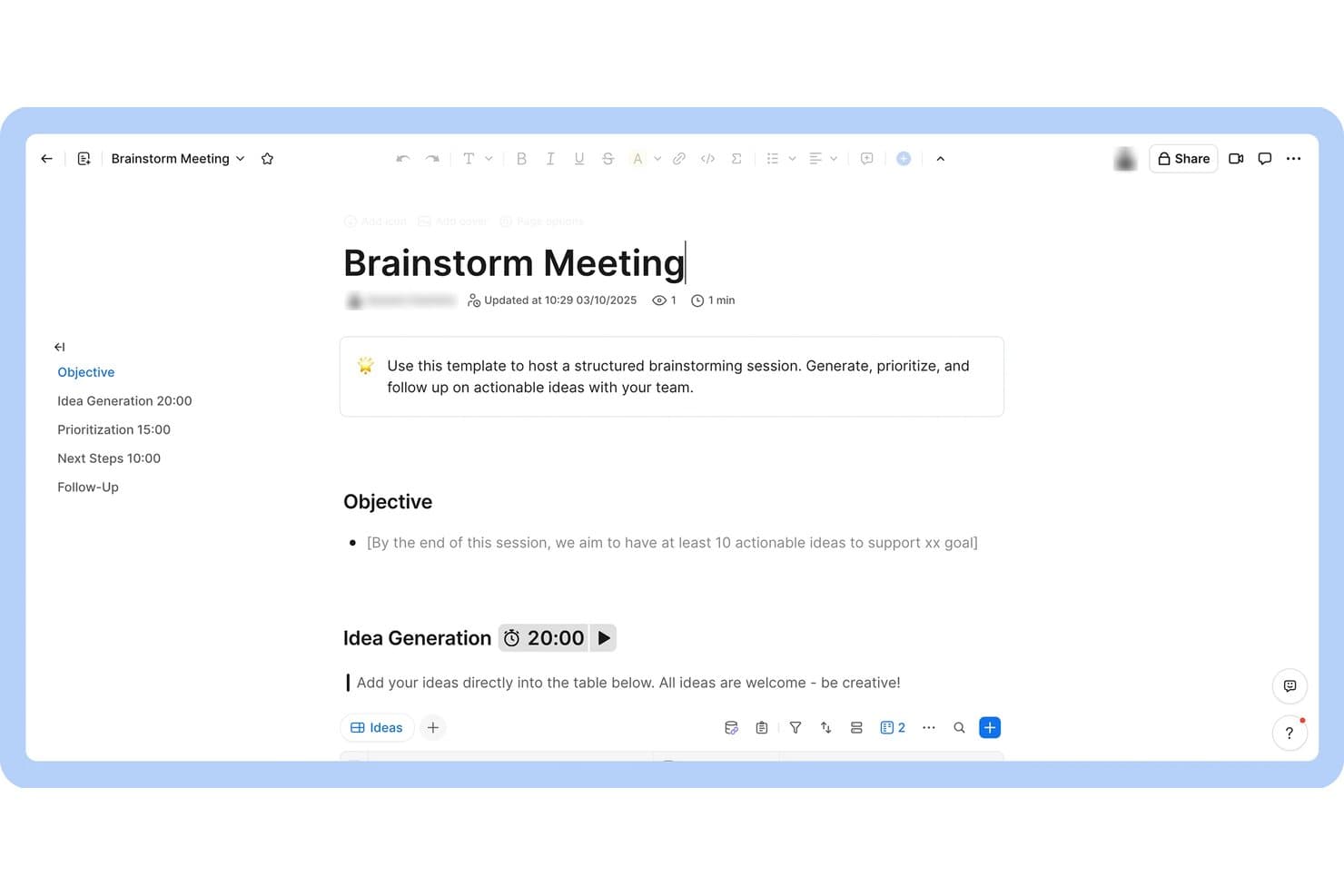
Zoom Docs structures brainstorming sessions with timed agendas and idea tables. Zoom Docs is a collaborative knowledge management platform for product teams that turns meeting context into organized documentation, decisions, and action items in one workspace.
Who Is Zoom Docs Best For?
Zoom Docs suits product teams that need to turn meeting discussions into shared documentation, decisions, and follow-up actions.
Why Zoom Docs Is a Good CPO Notion Alternatives
I picked Zoom Docs because it supports the “Best for meeting-to-doc AI workflows” use case directly. My team turns meeting context into organized documentation, decisions, and action items in one collaborative workspace. This helps us capture product decisions immediately after roadmap reviews or discovery sessions.
Zoom Docs Key Features
- Rich text editor : Format pages with headings, lists, tables, images, and embeds.
- Page templates : Start new documents from reusable templates for recurring workflows.
- Comments and mentions : Add inline comments and @mention teammates during reviews.
- Access controls : Set page-level permissions for viewing or editing.
Zoom Docs Integrations
Zoom Docs, now branded Zoom Canvas, has an official Coda connector for importing Coda pages and connects with Zapier. Native integrations beyond these are not clearly documented.
Pros and Cons
Pros:
- Comments and mentions support decision reviews
- AI drafts, summarizes, and refines pages
- Meeting context becomes action-ready documentation
Cons:
- Workspace feels tied to meeting workflows
- Less mature knowledge architecture than Notion
Learn more about Zoom Docs: Best for docs-native project tracking and automation
- Free plan available
- From $12/user/month (billed annually)
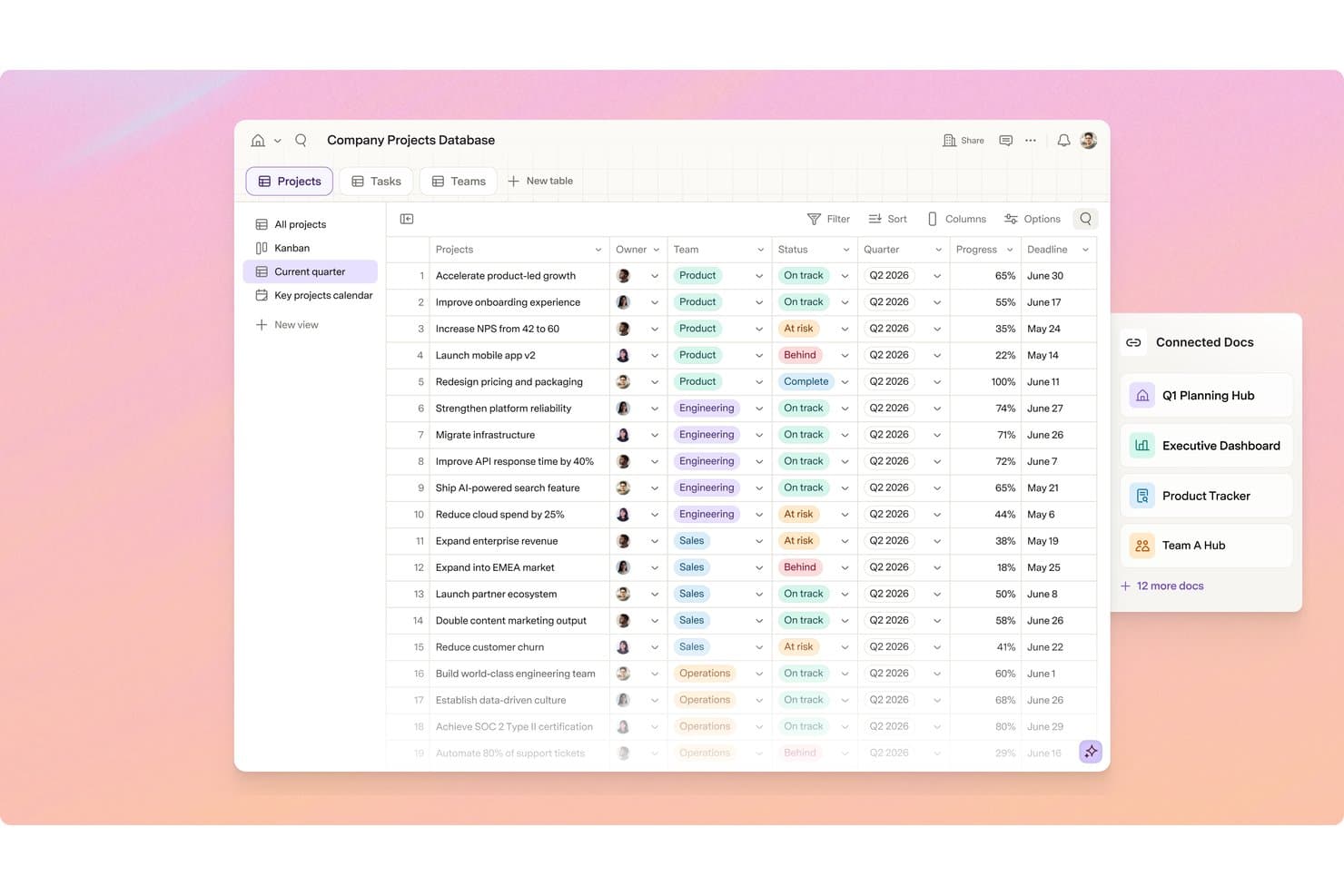
Superhuman Docs tracks cross-team projects with status, progress, and deadlines. Superhuman Docs is a documentation and project management platform for product leaders who need to organize knowledge, coordinate work, and automate workflows without the complexity of traditional project tools.
Who Is Superhuman Docs Best For?
Product teams that want project tracking, documentation, and workflow automation in one docs-native workspace will find Superhuman Docs a practical fit.
Why Superhuman Docs Is a Good CPO Notion Alternatives
I picked Superhuman Docs because its docs-native project tracking and automation keep product context beside execution. I use structured docs to connect roadmap decisions, discovery notes, and delivery updates in one workspace. Workflow automations can update project information and notify stakeholders when priorities or statuses change.
Superhuman Docs Key Features
- Tables : Create structured records with fields, filters, and sorting.
- Board and timeline views : Switch project data between visual layouts.
- Task dependencies : Link work items to show sequencing constraints.
- Anchored comments : Leave feedback beside relevant document content.
Superhuman Docs Integrations
Superhuman Docs supports 800+ integrations, including Jira, Salesforce, and Asana, with two-way sync between connected tools and Docs. It also supports Model Context Protocol (MCP) connections with ChatGPT, Claude, and Cursor.
Pros and Cons
Pros:
- Automations turn status changes into updates
- Tables support board and timeline project views
- Docs keep roadmap context beside project data
Cons:
- Mobile app may lag or hang
- Document limits can disrupt larger workflows
Learn more about Superhuman Docs:
Andre Notion-alternativer
Her er noen flere Notion-alternativer som ikke kom med på kortlisten min, men som fortsatt er verdt å sjekke ut:
- 11MiroBest for visual brainstorming and planning
- 12monday AI WorkspaceBest for multi-board project dashboards
- 13ProductboardBest for AI-driven product feedback prioritization
- 14NuclinoBest for wiki-style docs without the complexity
- 15ObsidianBest for local-first knowledge graph building
- 16LinearBest for dev-team issue tracking without docs
- 17AsanaBest for cross-functional project coordination
- 18AFFiNEBest for docs and whiteboard in one canvas
- 19DocmostBest for self-hosted doc collaboration
How I Evaluate Notion Alternatives
I split my evaluation into three parts. First—and this carries the most weight—I check whether a tool can build structured, relational databases and support block-based document creation. Then I look for standout features like AI-assisted writing and two-way engineering sync. Finally, I consider pricing value and onboarding support.
Core Functionality (Table Stakes For This List)
When I'm selecting tools for my list, I score each one on a scale from 0 (does not offer the functionality) to 5 (excels in this area) for each core functionality listed below. I then convert the total into a percentage to help assess each tool's overall fit, with extra weight on any functionalities I’ve deemed essential.
- Flexible Databases (Essential): I assess custom properties, relational records, formulas, and views for roadmaps, feature backlogs, and launch planning.
- Document Editing (Essential): I look for block-based pages that combine requirements, research notes, embeds, nested content, and knowledge-base articles.
- Task And Project Views: I evaluate linked boards, calendars, timelines, filters, and grouping for sprint planning and delivery tracking.
- Real-Time Collaboration: I check simultaneous editing, comments, mentions, presence indicators, and permissions for cross-functional reviews.
- Cross-Linking And Relations: I look for connected pages and records that link customer insights, decisions, requirements, and delivery work.
- Templates And Structure: I assess reusable templates and nested spaces for consistent product briefs, meeting notes, and team documentation.
Once I have a list of tools that meet the criteria, I consider what sets each platform apart.
Differentiating Factors (What Sets Vendors Apart)
Here's how I compare and contrast different vendors:
Standout Features
I look for built-in AI that can draft PRDs and extract action items from meeting notes—this saves hours of post-meeting cleanup. Two-way sync with engineering trackers like Jira or Linear matters just as much, because roadmap changes should flow into sprint boards without manual updates. I also evaluate native feedback intake, where customer requests feed directly into prioritization databases instead of living in scattered spreadsheets.
Beyond Features
I evaluate how quickly non-PM teammates—engineers, designers, marketers—can adopt a tool without heavy onboarding. If a platform requires a week of training before a designer will open it, adoption stalls. Total cost of ownership matters just as much. I check whether AI features, integrations, or storage carry hidden fees that inflate spend as your team scales. I also look at migration support, because a tool that can't cleanly import linked databases and nested pages from Notion adds weeks of rework before you see any value.
Hvorfor se etter et Notion-alternativ?
Selv om Notion er et godt valg blant produktstyringsverktøy, finnes det flere grunner til at noen brukere ser etter alternative løsninger. Det kan hende du ser etter et Notion-alternativ fordi …
- Du trenger mer avanserte tillatelser eller tilgangskontroller
- Teamet ditt trenger dypere integrasjoner med utviklerverktøy
- Du ønsker et mer strukturert eller hierarkisk dokumentasjonssystem
- Du trenger bedre funksjoner for redigering uten nett
- Organisasjonen din har strenge krav til datalagring
- Du foretrekker et verktøy med innebygde funksjoner for prosjektoppfølging
Hvis noe av dette høres kjent ut, har du kommet til rett sted. Listen min inneholder flere alternativer innen produktstyring som passer bedre for team som møter disse utfordringene med Notion og ser etter alternative løsninger.
Viktige funksjoner i Notion
Her er noen av de viktigste funksjonene i Notion, slik at du kan sette opp mot hverandre og sammenligne hva alternative løsninger tilbyr:
- Sider og undersider: Opprett et ubegrenset antall sider og bygg dem inn i hverandre for å organisere informasjon i et fleksibelt hierarki for wikier, dokumentasjon eller prosjektområder.
- Databaser: Bygg egendefinerte tabeller, tavler, kalendere og lister for å holde oversikt over oppgaver, administrere prosjekter eller lagre strukturerte data med filtrering og sortering.
- Samarbeid i sanntid: Rediger sider samtidig med teammedlemmer, legg igjen kommentarer og nevn brukere for å holde alle samkjørte.
- Maler: Få tilgang til et bibliotek med ferdiglagde maler for møtenotater, produktspesifikasjoner, veikart og mer for å effektivisere innholdsopprettingen.
- Innebygging av rikt medieinnhold: Legg til bilder, videoer, kodebiter og innebygd innhold fra verktøy som Figma, Google Drive og Loom direkte på en hvilken som helst side.
- Tillatelser og deling: Angi detaljerte tilgangskontroller for sider og databaser, del innhold med enkeltpersoner eller grupper, og administrer offentlige lenker.
- Innebygde funksjoner for prosjektstyring: Organiser oppgavelisten, angi forfallsdatoer og følg fremdriften ved hjelp av kanban-tavler, kalendere eller lister i et hvilket som helst arbeidsområde.
- API og integrasjoner: Koble Notion til andre verktøy ved hjelp av det offentlige API-et eller integrasjoner med Slack, GitHub og mer.
- Versjonshistorikk: Gå gjennom og gjenopprett tidligere versjoner av en hvilken som helst side for å hente tilbake tapt innhold eller følge endringer over tid.
- Mobil- og skrivebordsapper: Få tilgang til og rediger arbeidsområdet ditt fra dedikerte apper på iOS, Android, Mac og Windows for produktivitet på farten.